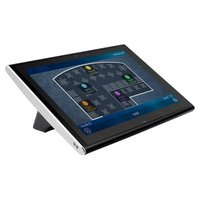
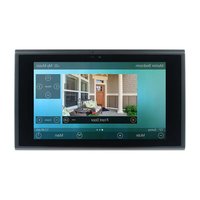
Total Control TDC-9100 - Remote control URC - Free user manual and instructions
Find the device manual for free Total Control TDC-9100 URC in PDF.


Pick your language and provide your email: we'll send you a specifically translated version.
| Product Type | Universal Remote Control |
| Brand | URC |
| Model | Total Control TDC-9100 |
| Color | Black with silver accents |
| Dimensions (W x H x D) | 2.2 x 8.5 x 1.0 inches |
| Weight | 9.0 oz (with batteries) |
| Power Source | 2 AA alkaline batteries |
| Battery Life | Up to 6 months (typical use) |
| Compatible Devices | TV, AV receiver, cable/satellite box, streaming devices, gaming consoles |
| Control Technology | Infrared (IR) and Radio Frequency (RF) |
| Display | 2.7 inch color LCD touch screen |
| Backlight | Yes, adjustable |
| Macro Support | Yes, programmable up to 256 steps |
| Operating Temperature | 32°F to 104°F (0°C to 40°C) |
| Cleaning Instructions | Wipe with a soft, damp cloth. Do not use solvents. |
| Safety Warnings | Keep away from water and excessive heat. Do not disassemble. |
| Spare Parts Availability | Replacement batteries are widely available. Contact URC for other parts. |
Frequently Asked Questions - Total Control TDC-9100 URC
How do I program the URC Total Control TDC-9100 remote?
To program your remote, press and hold the Setup key until the LED blinks, then enter the code for your device using the number pad. Refer to the code list in the manual.
What devices are compatible with this remote?
The remote is compatible with most major brands of TVs, AV receivers, cable/satellite boxes, streaming devices, and gaming consoles. Check the manual for a full list.
How do I replace the batteries?
Slide the battery cover off the back, remove old batteries, and insert two new AA alkaline batteries with correct polarity. Reattach the cover.
Why is my remote not responding?
First, check if the batteries are dead or improperly installed. Try resetting the remote by removing batteries for 10 seconds. Ensure there are no obstacles between the remote and device.
How do I reset the remote to factory settings?
Press and hold the Setup key until the LED blinks, then press 9-8-7. The LED will blink twice to confirm reset. You will need to reprogram devices.
Can I control my TV without line of sight?
Yes, the remote uses RF technology for non-line-of-sight control within a range of about 100 feet.
How do I set up a macro?
Press Macro, then enter a macro key number. Press the sequence of commands (e.g., Turn on TV, set input, etc.) then press Macro again to save.
Does the remote have a backlight?
Yes, the LCD touch screen and keypad are backlit. You can adjust the brightness in the settings menu.
How do I update the firmware?
Connect the remote via USB to a computer and use the URC software to check for updates. Download and install as directed.
What is the warranty period?
URC offers a 2-year limited warranty on the Total Control TDC-9100 against defects in materials and workmanship.
User questions about Total Control TDC-9100 URC
0 question about this device. Answer the ones you know or ask your own.
Ask a new question about this device
No questions yet. Be the first to ask one.
Download the instructions for your Remote control in PDF format for free! Find your manual Total Control TDC-9100 - URC and take your electronic device back in hand. On this page are published all the documents necessary for the use of your device. Total Control TDC-9100 by URC.
USER MANUAL Total Control TDC-9100 URC
Manual assistant
Powered by Anthropic
Waiting for your message
Product information
Brand : URC
Model : Total Control TDC-9100
Category : Remote control