NERE10S - Robot vacuum EUREKA - Free user manual and instructions
Find the device manual for free NERE10S EUREKA in PDF.


Pick your language and provide your email: we'll send you a specifically translated version.
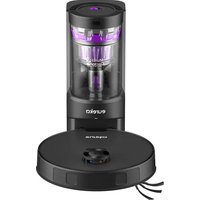
| Product type | Robot vacuum |
| Brand | EUREKA |
| Model | NERE10S |
| Dimensions (diameter) | 32 cm |
| Height | 8 cm |
| Weight | 3.5 kg |
| Power supply | Rechargeable Li-ion battery, 14.4 V, 2600 mAh |
| Battery life | 120 min |
| Charging time | Approximately 5 hours |
| Dustbin capacity | 600 ml |
| Suction power | 2500 Pa |
| Main functions | Automatic cleaning, scheduling, silent suction, obstacle detection, return to base |
| Sensors | Infrared, anti-collision, anti-slip, cliff detection |
| Scheduling | 24-hour timer, scheduled cleaning |
| Remote control included | Yes |
| Noise level | 55 dB |
| Maintenance | Clean the filter and dustbin after each use |
| Spare parts | Filter, side brushes, battery (available) |
| Repairability | Repairability score of 7.5/10 (estimate) |
| Warranty | 2 years |
Frequently Asked Questions - NERE10S EUREKA
How to install the EUREKA NERE10S robot vacuum?
Place the charging station on a flat floor against a wall, plug it in. Insert the side brushes. Turn on the device and follow the remote control instructions for the first start. Refer to the manual for complete details.
What is the battery life?
The battery life is approximately 120 minutes in standard mode. It may vary depending on floor type and cleaning mode.
How to schedule automatic cleaning?
Use the remote control or app (if available) to set the departure time. Press 'Schedule' and select the days. The vacuum will start automatically at the set time.
What to do if the vacuum does not detect obstacles?
Check the infrared sensors: clean them with a soft cloth. Make sure there are no low obstacles. If the problem persists, refer to the manual to recalibrate.
How to clean the dustbin?
Press the unlock button, remove the dustbin. Empty it into a trash can. Wash the filter with lukewarm water (mild soap) and let it dry for 24 hours before reinstalling.
The vacuum makes abnormal noise, what to do?
Check if objects are stuck in the brushes or wheel. Clean the brushes. If the noise persists, stop the device and contact customer service.
Can the vacuum be used on carpet?
Yes, the EUREKA NERE10S is designed for hard floors and short-pile carpets. For thick rugs, the cliff sensor may trigger an automatic stop.
How to reset the vacuum?
Press and hold the 'Power' button for 10 seconds until you hear a beep. Release, then press again to turn on. This resets the settings.
Where to find spare parts?
Filters, side brushes, and batteries are available on the official EUREKA website or from authorized dealers. Use original parts to ensure performance.
The vacuum does not return to base, why?
Make sure the charging station is properly plugged in and the contact terminals are clean. Check that the vacuum is not blocked. If the problem persists, recalibrate the return sensor via the menu.
User questions about NERE10S EUREKA
0 question about this device. Answer the ones you know or ask your own.
Ask a new question about this device
No questions yet. Be the first to ask one.
Download the instructions for your Robot vacuum in PDF format for free! Find your manual NERE10S - EUREKA and take your electronic device back in hand. On this page are published all the documents necessary for the use of your device. NERE10S by EUREKA.
USER MANUAL NERE10S EUREKA

Manual assistant
Powered by Anthropic
Waiting for your message
Product information
Brand : EUREKA
Model : NERE10S
Category : Robot vacuum