Groove NER300 - Robot vacuum EUREKA - Free user manual and instructions
Find the device manual for free Groove NER300 EUREKA in PDF.


Pick your language and provide your email: we'll send you a specifically translated version.
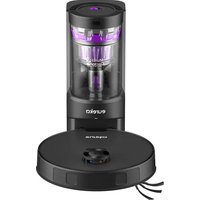
| Product Type | Robot Vacuum |
| Brand | EUREKA |
| Model | Groove NER300 |
| Color | Black / White |
| Dimensions (Diameter x Height) | 13.0 x 3.5 in (33 x 8.9 cm) |
| Weight | 7.5 lbs (3.4 kg) |
| Battery Type | Lithium-ion |
| Battery Voltage | 14.4 V |
| Battery Capacity | 2600 mAh |
| Runtime | Up to 100 minutes |
| Dustbin Capacity | 600 ml |
| Suction Power | 1500 Pa |
| Navigation System | Random / Bounce |
| Sensors | Cliff, Bump, Infrared |
| Charging Type | Auto-return to docking station |
| Filter | Washable HEPA |
| Remote Control Included | Yes |
| Smart App Control | No |
| Noise Level | 65 dB |
| Suitable Floor Types | Hard floors, low-pile carpet |
| Maintenance | Empty bin, clean brushes, wash filter |
| Safety Features | Auto shutoff when lifted, low battery auto return |
| Replaceable Parts | Side brushes, filters, battery |
Frequently Asked Questions - Groove NER300 EUREKA
How do I set up the Eureka Groove NER300?
Place the docking station against a wall with clear space. Plug it in. Install the side brushes. Charge the robot by placing it on the dock. Press the power button on the robot or remote to start.
Can I use the robot on high-pile carpets?
The Groove NER300 is designed for hard floors and low-pile carpets. Using it on high-pile carpets may cause it to get stuck or not clean effectively.
How do I clean the filter?
Remove the dustbin. Take out the filter. Tap it to remove loose dust, or rinse under running water. Let it dry completely before reinstalling. Replace every 3-6 months.
What does the cliff sensor do?
The cliff sensors prevent the robot from falling down stairs or other drops. If a sensor detects a drop, the robot will reverse or turn away.
How long does the battery last?
A full charge provides up to 100 minutes of runtime. The battery takes about 4-5 hours to fully recharge.
Why is my robot not returning to the dock?
Ensure the docking station is powered on and not obstructed. Clean the charging contacts on both the robot and dock. The robot may have low battery and is searching; if it fails, manually place it on the dock.
Can I schedule cleaning times?
Yes, use the remote control to set a daily schedule. Press the 'Schedule' button and set the time. The robot will start cleaning automatically at the set time.
What do the error beeps mean?
Refer to the manual for specific error codes. Common beeps: 1 beep = obstacle, 2 beeps = stuck, 3 beeps = low battery, 4 beeps = wheel jam. Clear the cause and restart.
How do I replace the side brushes?
Turn the robot over. Unscrew the side brush screws. Remove old brushes and attach new ones. Tighten screws. Ensure the brushes are not tangled with hair or debris.
Is the robot compatible with voice assistants?
No, the Eureka Groove NER300 does not support Wi-Fi or voice assistant control. It is operated via remote control or buttons on the unit.
User questions about Groove NER300 EUREKA
0 question about this device. Answer the ones you know or ask your own.
Ask a new question about this device
No questions yet. Be the first to ask one.
Download the instructions for your Robot vacuum in PDF format for free! Find your manual Groove NER300 - EUREKA and take your electronic device back in hand. On this page are published all the documents necessary for the use of your device. Groove NER300 by EUREKA.
USER MANUAL Groove NER300 EUREKA

Manual assistant
Powered by Anthropic
Waiting for your message
Product information
Brand : EUREKA
Model : Groove NER300
Category : Robot vacuum