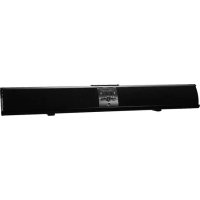
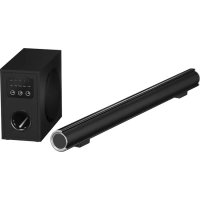
PSB3786 - Soundbar Proscan - Free user manual and instructions
Find the device manual for free PSB3786 Proscan in PDF.


Pick your language and provide your email: we'll send you a specifically translated version.
| Product type | Soundbar |
| Brand | Proscan |
| Model | PSB3786 |
| Dimensions (L x H x D) | 950 mm x 80 mm x 60 mm |
| Weight | 2 kg |
| Power supply | AC adapter 12 V / 2 A |
| Power consumption | 24 W |
| Output power | 40 W RMS |
| Speakers | 2 x 20 W |
| Connectivity | Bluetooth 5.0, AUX 3.5 mm input, optical input, USB port |
| Main features | Bluetooth streaming, USB playback, volume control, sound modes |
| Maintenance and cleaning | Wipe with a soft, dry cloth. Do not use abrasive products. |
| Safety | Do not expose to water or humidity. Unplug during storms. |
| Spare parts and repairability | Remote control, optical cable, AC adapter, AUX cable. Repairability index: 6.5/10 |
| Operating temperature | 0°C to 40°C |
| Warranty | 2 years |
Frequently Asked Questions - PSB3786 Proscan
How to connect my Proscan PSB3786 soundbar via Bluetooth?
Activate Bluetooth on your device (smartphone, tablet). On the soundbar, press the Source button until Bluetooth mode is selected. Search for 'PSB3786' in the list of devices and pair. The Bluetooth indicator blinks then becomes steady when the connection is established.
What to do if the soundbar does not turn on?
Check that the AC adapter is properly connected to the soundbar and to a working power outlet. Make sure the cable is not damaged. If the problem persists, try another outlet.
How to adjust the volume with the remote control?
Use the Vol+ and Vol- buttons on the remote control to adjust the volume. Make sure the remote is pointed at the IR sensor of the soundbar and there are no obstacles.
Can I use an optical cable to connect my TV?
Yes, the soundbar has an optical input. Connect an optical cable (not included) between the optical output of your TV and the optical input of the soundbar. Select the Optical source with the Source button.
What does the flashing red light mean?
A flashing red light indicates that the soundbar is in standby mode or waiting for a Bluetooth connection. See the manual for more details on indicator codes.
How to clean the soundbar?
Unplug the device. Use a soft, dry cloth to wipe the surface. Never use chemicals, alcohol, or abrasive cloths that could damage the finish.
Can the soundbar be wall-mounted?
Yes, the soundbar is compatible with a wall mount (not included). Use screws suitable for the wall and follow the mounting dimensions indicated in the manual.
Why is the sound distorted at high volume?
Reduce the volume. If distortion persists, check that the audio source is not saturated. Avoid setting the volume to maximum, especially with low-quality files.
How to play music from a USB flash drive?
Insert your USB flash drive into the USB port of the soundbar. Select the USB source. Use the remote control to navigate through music files. Supported formats: MP3, WAV, FLAC.
What to do if the remote control stops working?
Replace the batteries (AAA) with new ones respecting polarity. Check that no object is blocking the IR sensor. If the problem persists, contact customer service.
User questions about PSB3786 Proscan
0 question about this device. Answer the ones you know or ask your own.
Ask a new question about this device
No questions yet. Be the first to ask one.
Download the instructions for your Soundbar in PDF format for free! Find your manual PSB3786 - Proscan and take your electronic device back in hand. On this page are published all the documents necessary for the use of your device. PSB3786 by Proscan.
USER MANUAL PSB3786 Proscan

Manual assistant
Powered by Anthropic
Waiting for your message
Product information
Brand : Proscan
Model : PSB3786
Category : Soundbar