54418 - Weather Station CHACON - Free user manual and instructions
Find the device manual for free 54418 CHACON in PDF.


Pick your language and provide your email: we'll send you a specifically translated version.
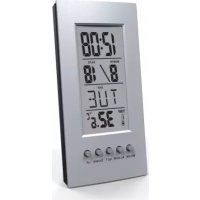
| Product Type | Weather Station |
| Brand | Chacon |
| Model | 54418 |
| Dimensions (main unit) | 150 x 100 x 30 mm |
| Weight (main unit) | 200 g |
| Power supply | 2 AAA batteries (not included) or AC adapter (not included) |
| Display | Backlit LCD |
| Indoor temperature | -10°C to +50°C |
| Indoor humidity | 20% to 95% |
| Outdoor sensor (included) | 1 wireless sensor |
| Outdoor sensor range | 30 m in open field |
| Weather functions | Forecast, atmospheric pressure, trend |
| Clock and alarm | Radio-controlled clock (DCF77) and alarm |
| Calendar | Display of day, date, month |
| Moon phase | Moon phase display |
| Maintenance and cleaning | Clean with a soft, dry cloth. Do not use solvents. |
| Safety | Do not expose to water or excessive humidity. For indoor use only. |
| Spare parts available | Outdoor sensor, AC adapter (compatible ref.) |
| Repairability | Repairability index not provided. Batteries replaceable by user. |
| General information | Chacon weather station model 54418. User manual available for download. |
Frequently Asked Questions - 54418 CHACON
How to install the Chacon 54418 weather station?
Insert two AAA batteries into the main station and the outdoor sensor. Place the sensor outdoors sheltered from direct rain. The station will automatically detect the sensor.
Why is the forecast display not working?
Forecasts require at least 12 hours of data collection. Ensure the outdoor sensor is properly paired and atmospheric pressure is stable.
How to set the time manually?
Press and hold the SET button for 3 seconds to enter setting mode. Use the + and - buttons to adjust values. The radio-controlled clock synchronizes automatically if the DCF77 signal is received.
What to do if the outdoor sensor does not connect?
Check the range (max 30 m in open field) and change the sensor batteries. Press and hold the CH button on the station for 3 seconds to force a search.
How to interpret the weather forecast icons?
The icons indicate the expected weather: sunny (clear), cloudy (overcast), rainy (precipitation), snowy (snowfall). They are based on pressure variations.
Can I add a second outdoor sensor?
This model only supports one outdoor sensor. For multiple zones, check other Chacon models.
How to clean the LCD screen?
Use a soft, dry cloth. Never apply liquid directly to the screen. Avoid abrasive products.
The station displays incorrect temperatures, what to do?
Place the station away from heat sources and direct sunlight. Check that the outdoor sensor is not exposed to excessive heat or humidity.
How to replace the batteries?
Open the battery compartment on the back of the station and sensor. Insert new batteries respecting polarity. Use alkaline batteries for better autonomy.
Where to find the full manual?
The manual is available for free in PDF format on notice-facile.com. Search for 'Chacon 54418' or scan the QR code on the packaging.
User questions about 54418 CHACON
0 question about this device. Answer the ones you know or ask your own.
Ask a new question about this device
No questions yet. Be the first to ask one.
Download the instructions for your Weather Station in PDF format for free! Find your manual 54418 - CHACON and take your electronic device back in hand. On this page are published all the documents necessary for the use of your device. 54418 by CHACON.
USER MANUAL 54418 CHACON
Manual assistant
Powered by Anthropic
Waiting for your message
Product information
Brand : CHACON
Model : 54418
Category : Weather Station