Legend Live - Organ Viscount - Free user manual and instructions
Find the device manual for free Legend Live Viscount in PDF.


Pick your language and provide your email: we'll send you a specifically translated version.
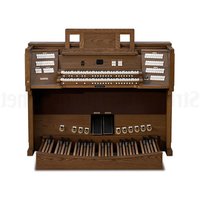
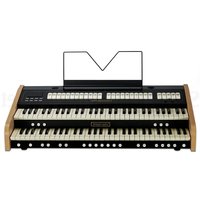
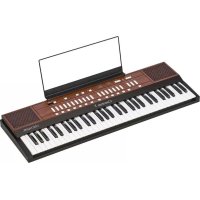
| Type | Digital Organ |
| Model | Legend Live |
| Brand | Viscount |
| Dimensions (W x D x H) | 1100 x 350 x 150 mm |
| Weight | 15 kg |
| Power Supply | AC 100-240V, 50/60Hz, 30W |
| Keyboards | 2 x 61 keys, velocity sensitive |
| Polyphony | 128 voices |
| Organ Sounds | 128 preset tones |
| Other Sounds | 128 general MIDI sounds |
| Effects | Reverb, chorus, rotary speaker simulation |
| Connectivity | MIDI In/Out, USB, Audio Out L/R, Headphone |
| Display | Backlit LCD |
| Built-in Speakers | Stereo, 2 x 15W |
| Maintenance | Clean with dry cloth; avoid liquids and solvents |
| Safety | Use only specified power supply; do not open the device |
| Spare Parts & Repairability | Contact authorized Viscount service centers |
| Included Accessories | Power cord, user manual, music stand |
Frequently Asked Questions - Legend Live Viscount
How do I set up the Viscount Legend Live organ for the first time?
Place the organ on a stable surface. Connect the power cable to an AC outlet. Press the Power button on the rear panel. Adjust the Master Volume to a comfortable level. The display will show the default sound. You can start playing immediately.
Can I connect external speakers or headphones?
Yes. For headphones, plug into the Phones jack on the rear panel. For external speakers, use the Audio Out L/Mono and Audio Out R jacks. The internal speakers are muted when headphones are connected.
How do I use MIDI with the Legend Live?
Connect a MIDI cable from the MIDI Out of the Legend Live to the MIDI In of an external device, or use a USB cable to a computer. Set the MIDI channel via the MIDI menu. The organ can send and receive note, program change, and controller data.
How do I adjust the reverb effect?
Press the Effects button. Use the Reverb knob to increase or decrease the amount. You can choose reverb types (e.g., Hall, Room) using the Type buttons. The setting is stored per sound.
How do I transpose the keyboard?
Press the Transpose button. Use the - and + buttons to shift the pitch in semitones. The display shows the current transpose value. Press Transpose again to exit.
Can I record my playing?
Yes. The Legend Live has a built-in sequencer. Press Record to start recording, play your performance, then press Stop. Press Play to listen. Recordings are stored in internal memory (up to 70,000 notes).
How do I update the firmware?
Download the latest firmware from the Viscount website onto a USB flash drive (FAT32). Insert the USB into the organ's USB to Device port. Turn off the organ, then hold the Function button while turning it on. Follow on-screen instructions.
How should I clean the organ?
Use a soft, dry cloth to wipe the casing, keys, and display. Do not use abrasive cleaners, alcohol, or liquids. Avoid moisture near the power input and jacks. For stubborn dirt, slightly dampen the cloth with water and wring it out thoroughly.
How do I use the drawbars?
The drawbars control the volume of each harmonic partial for organ sounds. While an organ sound is selected, push or pull each Drawbar to adjust its level from 0 to 8. The LCD shows the current drawbar settings. They can be saved to a registration.
What is the warranty period and how to get service?
The Viscount Legend Live comes with a 2-year limited warranty. For service, contact an authorized Viscount service center. Keep your proof of purchase. Do not attempt to open the organ yourself; void warranty.
User questions about Legend Live Viscount
0 question about this device. Answer the ones you know or ask your own.
Ask a new question about this device
No questions yet. Be the first to ask one.
Download the instructions for your Organ in PDF format for free! Find your manual Legend Live - Viscount and take your electronic device back in hand. On this page are published all the documents necessary for the use of your device. Legend Live by Viscount.
USER MANUAL Legend Live Viscount
Manual assistant
Powered by Anthropic
Waiting for your message
Product information
Brand : Viscount
Model : Legend Live
Category : Organ