RoboColor III - Lighting MARTIN - Free user manual and instructions
Find the device manual for free RoboColor III MARTIN in PDF.


Pick your language and provide your email: we'll send you a specifically translated version.
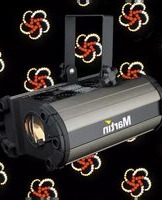
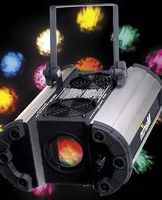
| Product Type | Moving Head Wash Light |
| Brand | Martin |
| Model | RoboColor III |
| Light Source | 250W MSD discharge lamp |
| Color System | CMY color mixing + color wheel with 6 colors |
| Beam Angle | 15° - 30° zoom |
| Pan Range | 540° |
| Tilt Range | 270° |
| Control Protocol | DMX512 |
| DMX Channels | 12 |
| Power Consumption | 350 W |
| Input Voltage | 100-240 V AC, 50/60 Hz |
| Dimensions (L x W x H) | 450 x 400 x 600 mm |
| Weight | 22 kg |
| IP Rating | IP20 |
| Cooling | Fan cooled |
| Display | LCD menu with buttons |
| Housing Material | Metal |
| Accessories Included | Omega brackets, power cable, user manual |
| Maintenance | Clean lenses and fan filters regularly |
| Safety | Use safety cable when rigging |
| Repairability | Spare parts available from Martin dealers |
Frequently Asked Questions - RoboColor III MARTIN
How do I set the DMX address on the RoboColor III?
Press the Menu button to enter the menu, use arrows to navigate to 'DMX Address', press Enter, set the desired address using up/down, and press Enter to confirm.
How do I replace the lamp in the RoboColor III?
Disconnect power and wait 15 minutes for lamp to cool. Open the lamp access cover, release the lamp holder, insert the new MSD 250W lamp without touching the glass, retighten, and reset the lamp hour counter in the menu.
What is the recommended cleaning procedure for the optics?
Use a soft, lint-free cloth with a mild lens cleaner. Gently wipe the front lens and color filters. Avoid abrasive materials. Clean fan filters with a vacuum or compressed air.
Why is my RoboColor III not responding to DMX?
Check DMX cable connections and ensure the fixture has a valid DMX address. Verify the DMX controller is sending data. Try a different cable or terminate the DMX line with a 120 ohm resistor.
How do I reset the lamp hours counter?
Go to the Menu, select 'Lamp Hours' or 'Fixture Hours', press Enter, then choose 'Reset' and confirm. This should be done after each lamp replacement.
What safety precautions should I take when mounting the fixture?
Always secure the fixture with a safety cable in addition to the mounting bracket. Ensure the truss or stand can support at least 10 times the fixture's weight. Keep a minimum distance of 0.5 m from flammable materials.
How do I clean the fan filters?
Remove the filter covers on the side of the fixture. Clean the foam filters with mild soap and water, or replace if damaged. Allow to dry completely before reinstalling. Do not operate without filters.
What does error code 'E04' mean?
Error E04 typically indicates a lamp failure or ignitor problem. Check lamp condition and connections. Reset the fixture. If error persists, contact Martin service.
Can I use the RoboColor III outdoors?
The fixture has an IP20 rating, meaning it is for indoor use only. Exposure to rain or moisture can cause damage and create safety hazards.
How do I update the firmware on the RoboColor III?
Firmware updates are performed via a DMX dongle or dedicated updater from Martin. Download the latest firmware from Martin's website, connect the updater to the fixture's DMX input, and follow the instructions.
User questions about RoboColor III MARTIN
0 question about this device. Answer the ones you know or ask your own.
Ask a new question about this device
No questions yet. Be the first to ask one.
Download the instructions for your Lighting in PDF format for free! Find your manual RoboColor III - MARTIN and take your electronic device back in hand. On this page are published all the documents necessary for the use of your device. RoboColor III by MARTIN.
USER MANUAL RoboColor III MARTIN
Manual assistant
Powered by Anthropic
Waiting for your message
Product information
Brand : MARTIN
Model : RoboColor III
Category : Lighting