RC5S - Vacuum Cleaner AENO - Free user manual and instructions
Find the device manual for free RC5S AENO in PDF.


Pick your language and provide your email: we'll send you a specifically translated version.
| Product type | Robot vacuum cleaner |
| Brand | AENO |
| Model | RC5S |
| Dimensions (L x W x H) | 35 x 35 x 10 cm |
| Weight | 3.2 kg |
| Power supply | Rechargeable lithium-ion battery, 14.8 V, 2600 mAh |
| Battery life | Approximately 120 minutes in silent mode |
| Charging time | Approximately 4-5 hours |
| Dustbin capacity | 500 ml |
| Filtration system | Washable HEPA filter |
| Noise level | 55 dB (silent mode) |
| Main functions | Automatic cleaning, scheduling, vacuuming, sweeping, obstacle detection |
| Cleaning modes | Automatic, edge, spot, random |
| Sensors | Infrared sensors, drop sensor, bump sensor |
| Navigation | Random navigation with room detection |
| Charging dock | Automatic return to charging dock |
| Remote control | Remote control included (2 AAA batteries not included) |
| Maintenance and cleaning | Empty the dustbin after each cycle, clean the brushes and filter regularly |
| Safety | Drop detection (avoids stairs), automatic shut-off when lifted |
| Spare parts and repairability | Brushes, filters, batteries, dustbin available online |
| General information | 2-year warranty, use on hard floors and low-pile carpets |
Frequently Asked Questions - RC5S AENO
How to start automatic cleaning?
Press the Start button on the device or use the remote control. The vacuum will start cleaning automatically in standard mode.
What to do if the vacuum does not charge?
Check that the charging dock is plugged in and the contacts are clean. Make sure the vacuum is properly positioned on the dock. If the problem persists, contact customer service.
How to schedule a delayed cleaning?
Use the remote control to access the scheduling menu. Select the desired time and confirm. The vacuum will start automatically at the scheduled time.
Can I use the vacuum on carpets?
Yes, the AENO RC5S is suitable for hard floors and low-pile carpets. For thick carpets, suction power may be reduced.
How to clean the HEPA filter?
Remove the dustbin, then the filter. Gently tap it to remove dust or rinse it with cold water. Let it dry completely before reinstalling. Replace it every 6 months.
The vacuum makes abnormal noise, what to do?
Stop the device and check if debris is stuck in the brushes or wheels. Clean the brushes and dustbin. If the noise persists, contact technical support.
How to replace the battery?
The battery is internal and must be replaced by a professional. Contact AENO after-sales service to obtain a replacement battery and replacement instructions.
The vacuum does not detect obstacles, why?
Clean the infrared sensors with a soft cloth. Avoid highly reflective surfaces. If the problem persists, the sensors may be defective.
How to empty the dustbin?
Press the dustbin release button, remove it, open the lid over a trash can and empty the contents. Close the lid and reinstall the dustbin.
The remote control does not work, what to do?
Check the batteries (replace if necessary). Make sure no object blocks the infrared signal between the remote and the vacuum. Point directly at the receiver.
User questions about RC5S AENO
0 question about this device. Answer the ones you know or ask your own.
Ask a new question about this device
No questions yet. Be the first to ask one.
Download the instructions for your Vacuum Cleaner in PDF format for free! Find your manual RC5S - AENO and take your electronic device back in hand. On this page are published all the documents necessary for the use of your device. RC5S by AENO.
USER MANUAL RC5S AENO
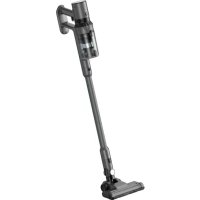
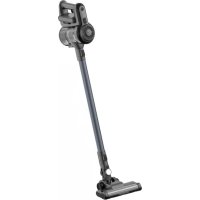
Manual assistant
Powered by Anthropic
Waiting for your message
Product information
Brand : AENO
Model : RC5S
Category : Vacuum Cleaner