
7040 - Multifunction Printer KONICA MINOLTA - Free user manual and instructions
Find the device manual for free 7040 KONICA MINOLTA in PDF.


| Product Type | Monochrome Multifunction Printer |
| Brand | KONICA MINOLTA |
| Model | 7040 |
| Main Functions | Copy, Print, Scan, Fax |
| Print Technology | Electrophotographic Laser |
| Print Speed | 40 pages per minute (A4) |
| Print Resolution | 600 x 600 dpi |
| Monthly Duty Cycle | 150 000 pages |
| Standard Paper Capacity | 2 500 sheets |
| Multipurpose Tray | Yes, 100 sheets |
| Automatic Duplex | Yes |
| Dimensions (W x D x H) | 650 x 700 x 900 mm |
| Weight | 90 kg |
| Power Supply | 220-240 V, 50/60 Hz, 1500 W |
| Noise Level | Less than 65 dB (operating) |
| Touch Screen | Yes, color |
| Connectivity | Ethernet 10/100/1000, USB 2.0 |
| Finishing Options | Stapling, Folding, Sorting |
| Maintenance and Cleaning | Clean the rollers and glass with a lint-free cloth |
| Security | Network security functions, access control |
| Spare Parts and Repairability | Parts available, repairability index not specified |
Frequently Asked Questions - 7040 KONICA MINOLTA
User questions about 7040 KONICA MINOLTA
0 question about this device. Answer the ones you know or ask your own.
Ask a new question about this device
Download the instructions for your Multifunction Printer in PDF format for free! Find your manual 7040 - KONICA MINOLTA and take your electronic device back in hand. On this page are published all the documents necessary for the use of your device. 7040 by KONICA MINOLTA.
USER MANUAL 7040 KONICA MINOLTA
Before copying, read this guide.
Keep in the right hand rear pocket of the machine.
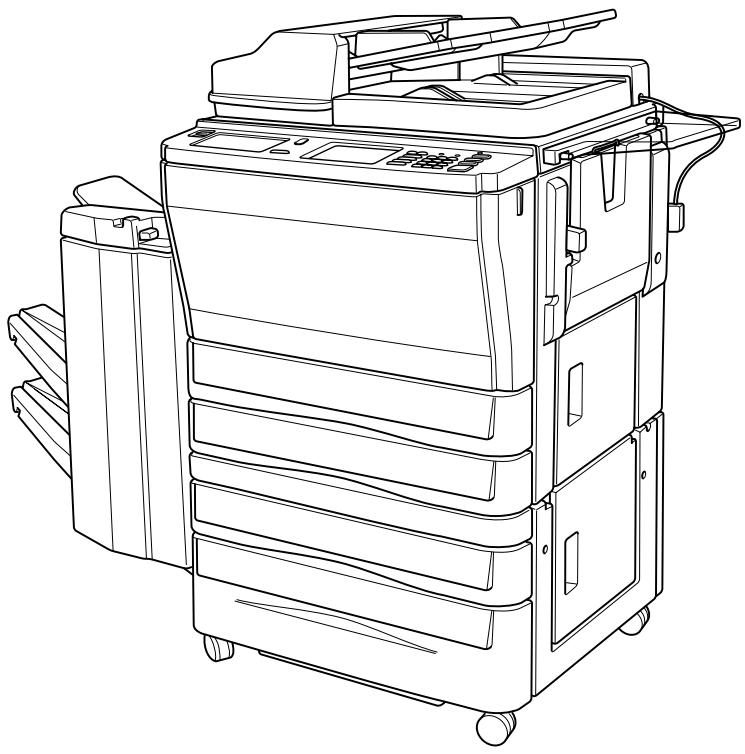
natural_image
Line drawing of a multi-tiered electronic device with wheels and control panel (no text or symbols)Thank you very much for your purchase of the Konica 7040.
This Manual deals with making copies, correct handling of the machine, and precautions for safety. Please read before copying.
In order to maintain a satisfactory copying performance, please keep this Manual readily available for reference in the right hand rear pocket of the machine.

ENERGY STAR® Program
The ENERGY STAR Program has been established to encourage the widespread and voluntary use of energy-efficient technologies that reduce energy consumption and prevent pollution. As an ENERGY STAR Partner, Konica Corporation, Inc. has determined that this product meets the ENERGY STAR guidelines for energy efficiency grounding it on the following features.
Auto Low Power
This function conserves energy by lowering the set temperature of the fixing unit. In the standard setting, Auto Low Power operates automatically when 15 minutes have elapsed after completion of the last copy, with the copier remaining in the ready to copy state during that time.
The time period for the Auto Low Power function can be set for 5 minutes, 10 minutes, 15 minutes, 30 minutes, 60 minutes, 90 minutes, 120 minutes, or 240 minutes. See p. 5-2 for details.
Automatic Shut-Off
This function achieves further energy conservation by partially turning OFF the power supply, thereby reducing energy consumption to 80W or less. In the standard setting, Automatic Shut-Off follows Auto Low Power, operating automatically when 60 minutes have elapsed after completion of the last copy, with the copier remaining in the ready to copy state during that time.
The time period for the Automatic Shut-Off function can be set for 30 minutes, 60 minutes, 90 minutes, 120 minutes or 240 minutes. See p. 5-3 for details.
Automatic Duplex Copying
To reduce paper consumption, use this function to make double-sided (duplex) copies, automatically.
We recommend that you utilize the Auto Low Power function, the Automatic Shut-Off function, and the Automatic Duplex Copying function.
Section 1 : Precautions for Installation and Use
-
Caution Labels and Indicator 1-2
-
Danger, Warning and Caution Symbols 1-3
-
Requirements for Safe Use 1-4
Power Source 1-4
Environment 1-5
Precautions for Routine Handling 1-7
Section 2 : Preparation for Use
- Paper Supply 2-2
Paper Out Indication 2-2
Loading Paper 2-5
- Toner Supply 2-7
Toner Supply Indication 2-7
Preparation 2-8
Adding Toner 2-8
Section 3 : Component Locations
- Main Body 3-2
External 3-2
Internal 3-4
-
Operational Panel 3-5
-
Finisher 3-6
Section 4 : LCD Operation
-
Screen Types 4-2
-
Basic Screen 4-3
Wake-Up and Basic Screen 4-3
Basic Screen: Layer Selection Screen (Full-Automatic Mode Screen) ---- 4-4
Basic Screen: Direct Selection Screen 4-5
-
Application Selection Screen 4-6
-
Other Screens 4-7
Check Screen 4-7
Help Screen 4-7
Screens for Setting Job Memory 4-8
Service Call Screen 4-8
Paper Jam Position and Paper Jam Processing Screens ---- 4-9
Power OFF/ON Screen 4-9
Key Operator Mode Screens 4-10
Section 5 : Copier Management
- Power Saver 5-2
Auto Low Power 5-2
Manual Shut-Off---- 5-3
Automatic Shut-Off 5-3
- Electronic Key Counter (EKC) 5-4
EKC Functions 5-4
EKC Procedure---- 5-4
- Weekly Timer 5-5
Timer Interrupt 5-5
- Periodic Maintenance 5-7
How to Read the PM Count 5-7
- Daily Maintenance 5-8
Clean the Platen Glass 5-8
Clean the Left Partition Glass 5-8
Clean the RADF Platen Guide Cover---- 5-8
Section 6 : Basic Copying on Basic Screen
- Basic Screen 6-2
- Basic Operation for Copying 6-4
- Copy Mode 6-11
1▶2 Copying ----6-11
2▶2 Copying ----6-14
2▶1 Copying ----6-17
1▶2 Copying by Using the Platen Glass ----6-20
- Copy Density 6-24
AE (Automatic Exposure) 6-24
Manual Density Adjustment 6-25
Density Shift----6-26
- Magnification ----6-28
Preset/Userset----6-28
Zoom----6-29
Vertical/ Horizontal Zoom 6-30
-
Paper Size Selection ----6-33
-
Automatic Settings ---- 6-34
ATS (Automatic Tray Switching) ---- 6-34
APS (Automatic Paper Size Selection) ----6-34
AMS (Automatic Magnification Selection) ----6-35
Auto Reset 6-35
AE (Automatic Exposure) 6-35
- Rotation 6-36
Rotation and APS 6-36
Rotation and AMS 6-37
To Release Automatic Rotation ----6-38
Section 7 : Other Basic Functions
- Store Mode 7-2
Platen Store Mode 7-4
RADF Store Mode 7-8
- Reserve Mode and Job List 7-11
Reserve Job Setting 7-12
Job List Screen 7-14
Troubleshooting in Reserve Setting 7-15
- Image Quality 7-17
High Mode 7-17
Very High Mode 7-20
- CHECK Button 7-22
Check Screen and How to Make a Proof Copy ----7-22
How to View the Check Screen 7-26
- HELP Button 7-28
Help Basic Screen 7-28
Help Screens for the Output Modes 7-30
Help Screens for the Job Memory 7-30
Help Screen for the Paper Jam Position Screen----7-30
Help Screens for Manual Setting on the Basic Screen ---- 7-30
Help Screens for the Application Selection Screen 7-30
- JOB MEMORY Button 7-33
JOB STORE 7-33
JOB RECALL 7-35
- INTERRUPT Button 7-36
- Multi-Sheet Bypass Tray 7-39
Section 8 : Special Copying: Page Editing
- Application Selection Screen 8-2
- Sheet/Cover Insertion 8-4
- Chapter 8-14
- Combination 8-19
- Booklet 8-24
- OHP Interleave 8-29
- Image Insert 8-33
- Dual Page 8-39
- Mixed Original 8-44
Section 9: Special Copying: Copy Image
- Text/Photo Enhance 9-2
- Reverse Image 9-6
- Repeat----9-10
- Frame/Fold Erasure 9-15
- Auto Layout----9-19
- Thin/Thick Paper Mode 9-23
- Image Shift 9-27
- Non Image Area Erase 9-36
Section 10 : Output Mode
-
Finisher Specifications 10-2
Non-Sort Mode 10-3
Sort Mode 10-5
Group Mode 10-7
Staple-Sort Mode 10-9
Face Up Mode 10-12 -
Inserting a New Staple Cartridge---- 10-14
-
Output Mode for Machine without Finisher 10-16
Normal Exit 10-18
E-Sort Exit 10-19
Face Up Exit 10-21
Section 11 : Key Operator Mode
-
Key Operator Function----11-2
How to Access the Key Operator Mode----11-3
Function Menu Map 11-4 -
System Initial [1]----11-6
Time [1] 11-6
Language [2] 11-7
- Copier Initial [2] 11-8
Copy Mode [1]----11-9
Density [2] 11-10
Magnification [3]---- 11-11
Tray [4] 11-12
Output [5] 11-13
Image Quality [6]---- 11-15
- Preset Key [3]---- 11-16
Density [1] 11-16
Magnification [2]---- 11-18
- EKC (Electronic Key Counter) [4] 11-19
How to Access the EKC Setting Mode 11-20
Change EKC Data [1] 11-21
EKC Data List [2] 11-23
All Counter Reset [3]---- 11-25
EKC On/Off Setting [4] 11-26
Copy Limit Reached Effect [5] 11-27
-
Lock Job Memory [5] 11-28
-
Paper Type [6] 11-29
-
Panel Contrast [7]---- 11-30
-
Key Operator Data [8]---- 11-31
-
Weekly Timer [9]---- 11-32
How to Access the Weekly Timer Setting Mode 11-33
Weekly Timer Setting [1]---- 11-34
Weekly Timer Copier ON/OFF Time Set [2] 11-35
Machine Working Day Individual Set [3] 11-37
Lunch Hour Off Function [4]---- 11-39
Password Setting [5] 11-40
-
Touch Panel Adjustment [10]---- 11-41
-
Paper Size [11] 11-42
-
Power Save [12] 11-43
-
Memory Switch [13]---- 11-45
-
List Print [14] 11-49
-
KRDS Host [15] 11-50
Section 12 : Troubleshooting
- Service Call 12-2
Limited Use of the Copier in Trouble 12-3
- Memory Overflow 12-4
Copy Conditions Using Memory 12-4
Action 1 12-5
Action 2 12-5
- Paper Jam Processing----12-6
Jam in Current Job 12-6
Jam in Reserve Job 12-7
Paper Jam Position Screen 12-8
Paper Jam Processing Screen 12-8
-
Power OFF/ON Screen 12-10
-
Simple Problems 12-11
Section 13 : Others
- Main Body Specifications 13-2
Main body 13-2
RADF (DF-311) 13-3
- Option Specifications----13-4
FS-105 In-Bin Stapler Finisher 13-4
Drawer Base Unit (DB-208) 13-4
Drawer Base Unit (DB-208A) 13-4
Drawer Base Unit (DB-608) 13-4
Memory Unit 13-5
Key Counter 13-5
- Copy Materials 13-6
Maintenance Kit (100,000 copies) (except for the United Kingdom) 13-6
Section 1 : Precautions for Installation and Use
-
Caution Labels and Indicator
-
Danger, Warning and Caution Symbols
-
Requirements for Safe Use
Power Source
Environment
Precautions for Routine Handling
1. Caution Labels and Indicator
The caution labels and indicator are attached to the machine areas, as shown below, where you are advised to pay special attention to avoid any dangerous situations or serious injury.
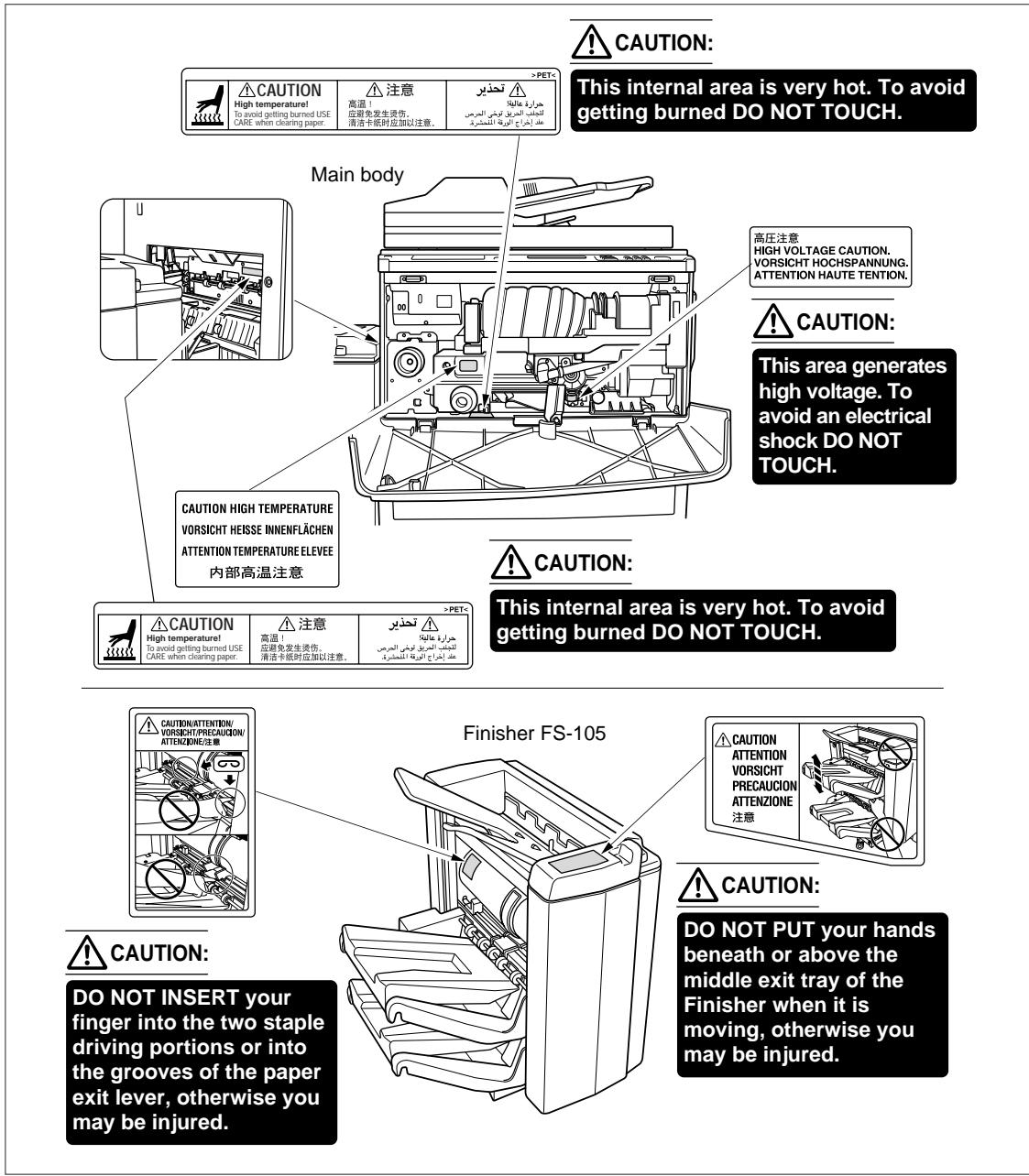

CAUTION
If you touch any place which you are advised by any caution label or caution indicator to keep yourself away from, you may be burned or injured. Do not remove caution labels or indicators. If any caution label or caution indicator is soiled, please clean to make legible. If you cannot make them legible, or if the caution label or indicator is damaged, please contact your Service Centre.
2. Danger, Warning and Caution Symbols
The following indicators are used on the caution labels or in this manual to categorize the level of safety cautions.

DANGER:
Action highly liable to cause a death or serious injury.

WARNING:
Action liable to cause a death or serious injury.

CAUTION:
Action liable to cause light injury, medium trouble or physical damage.
If you find any of these indicators when removing jammed paper, adding toner, or reading the manual, be sure to follow the information.
If the safety cautions in the manual become illegible due to soilage, etc., please buy a new copy from your Service Centre.
3. Requirements for Safe Use
To ensure your safe use of the machine, the following describes the precautions you are required to observe without fail for the power source of the machine and during installation and routine handling. Be sure to read and observe them.
Power Source

CAUTION: Plug Socket
- A plug socket is limited in capacity. Use only a power source with the correct rating for the machine; otherwise, hazardous situations such as smoking or overheating may occur. See the following list to match the power supply and power consumption:
a) 230V/50Hz: More than 10A
b) 110V/60Hz: More than 15A
c) 230V/60Hz: More than 10A
d) 127V/60Hz: More than 15A
- Avoid multiple connections in the same outlet. Do not use multiple outlet adaptors.

CAUTION: Power Plug and Lead
- Be sure to insert the power plug firmly into the power socket. Otherwise an accident may occur as a result of smoking or overheating. If the inserted power plug is loose in the socket, even after it has been positively inserted, disconnect the plug and contact your electrical contractor.
- The socket-outlet shall be installed near the equipment and shall be easily accessible.
- Do not bend or crush the power lead. If your copier power lead is bent or damaged in any way, contact your Service Centre immediately. Do not attempt to repair it yourself, and do not continue to operate the copier. A damaged power lead may result in overheating, a short circuit, or fire.
- Do not bundle or coil the power lead of the copier. Otherwise an accident may occur as a result of overheating or fire.

CAUTION: Connecting Multiple Loads to One Socket Outlet Prohibited
Never connect multiple loads to one socket outlet using a multi-outlet extension lead or branched socket. Otherwise an accident may occur as a result of overheating or fire.

CAUTION: Extension Lead
An extension lead should never be used with this machine.

WARNING:
Earth wire (Taiwan and the Philippines Only)
- Be sure to attach the earth wire to the machine and connect it to the ground correctly; otherwise, a leak may occur to electrically shock the operator during machine operation. The earth wire is supplied as an accessory to the machine.
- The earth wire connected to any inadequate place may cause explosion or electric shock. Do not connect the earth wire to any of the following:
(1) Gas pipe
(2) Lightening conductor
(3) Earth wire for telephone
(4) Resin water pipe, or any water pipe or tap not allowed to be connected to the earth wire by Waterworks Office
If you have any questions on connecting the earth wire, please consult your Service Centre.
Environment

CAUTION:
Prevention of Fire
Do not install near flammable materials, curtains and volatile combustibles, that can catch or cause fire.

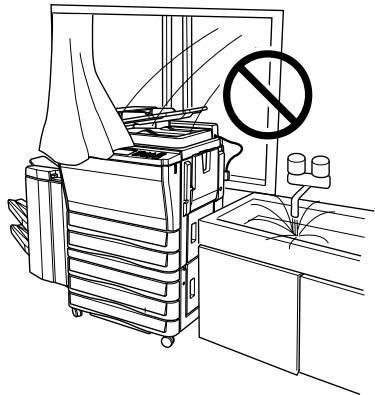
CAUTION:
Prevention of Short Circuit
Do not install the copier where it could be splashed with rain water, or water from a tap, to avoid a short circuit.

CAUTION:
Temperature and Humidity
- Keep away from direct sunlight, heat sources such as stoves, cool air from an air conditioner and hot air from a heater.
- Avoid any environment that is outside the range shown below:
10 to 30°C in temperature
10 to 80% in humidity.
natural_image
Line drawing of a hospital bed with a no-smoking symbol (no text or labels)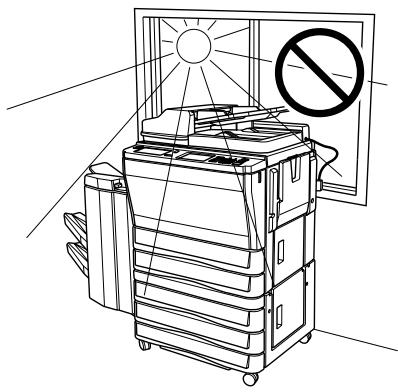
natural_image
Line drawing of a printer rack with a sun symbol and no warning sign, no text or symbols present
CAUTION:
Ventilation
- Maintain the installation place well-ventilated.
- Keep away from dust or corrosive gases. These materials may cause poor image quality.
- During the use of machine, the machine generates ozone but in an insufficient amount to cause any hazard to the human body.
However, if the machine is used in a poorly ventilated room, many copies are made, or plural copiers are used at the same time, an odour may be detected. Ensure adequate ventilation for a comfortable working environment.

CAUTION: Vibration
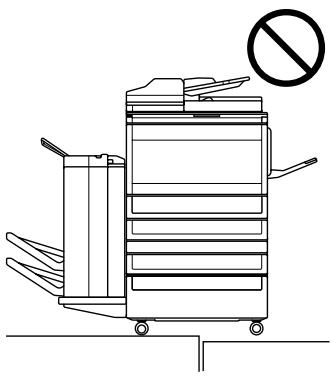
Do not install on a floor which is subject to vibration or is not level.

CAUTION: Installation Space
Allow sufficient space for facilitating copy operation, changing parts, and periodic inspection. Especially leave an adequate space behind the machine to let a hot air out from the rear fan.
natural_image
Line drawing of a printer with a prohibition symbol (no text or labels)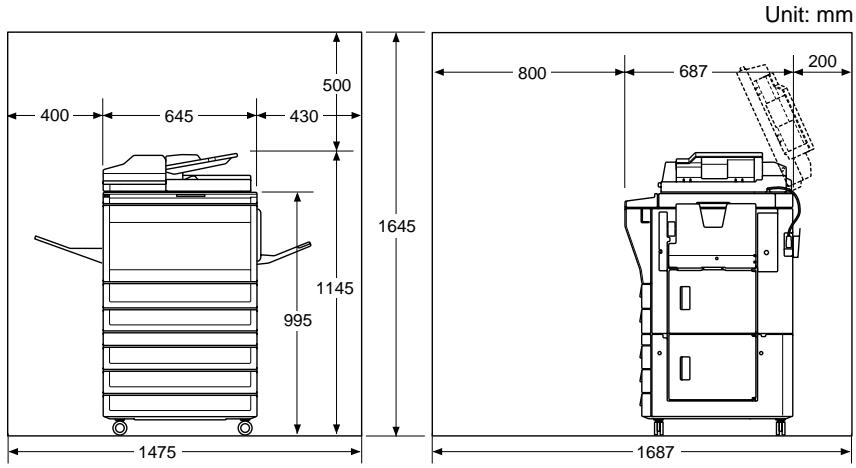
Konica 7040 + DB-208
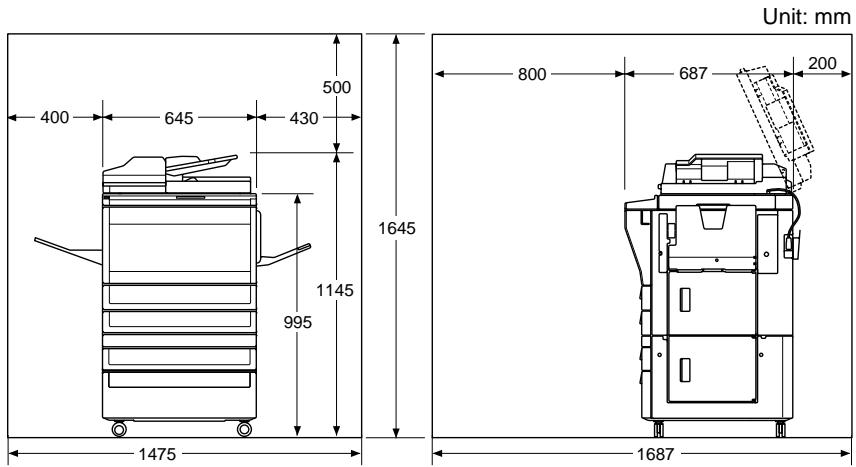
Konica 7040 + DB-208A
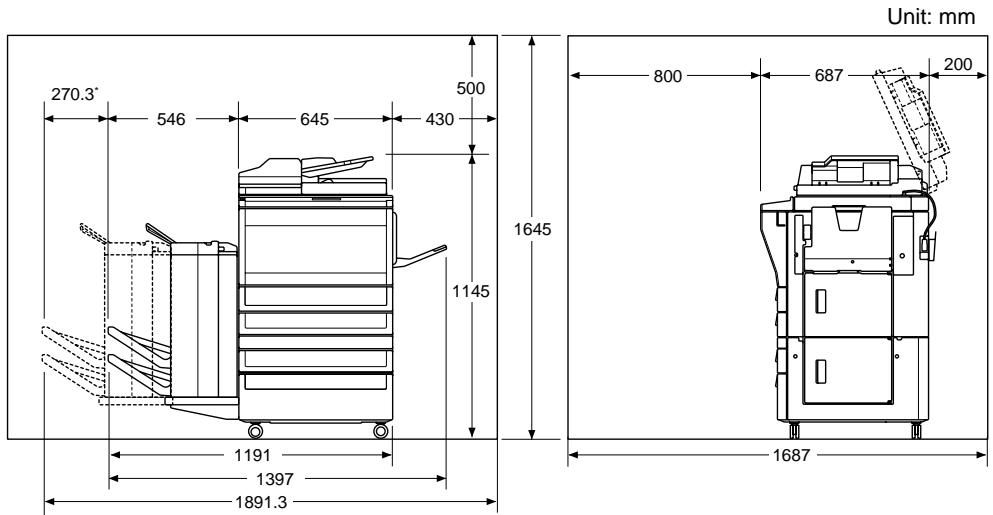
* Dimensions required when the Finisher is withdrawn.
Konica 7040 + FS-105 + DB-608
Precautions for Routine Handling

CAUTION: Actions in Response to Troubles
- If the Service Call screen is displayed and copier operations cannot be continued any more, stop the operation to prevent any unexpected accident. Write down the Report Code as stated on the 2nd line of the message, then switch off the copier and disconnect from the power socket. Contact your Service Centre and inform them of the Report Code.
- Do not touch the high temperature or high voltage parts indicated with caution labels or described in the manual.
- Do not touch the inside of the machine for any other purpose than removing jammed paper or adding toner.
- If machine repair is necessary, be sure to contact your Service Centre. Never attempt to repair it by yourself.
- If any abnormal sound, smell or smoke comes from the machine, immediately stop using it, turn off the power switch, disconnect the power plug and contact your Service Centre.
- If the breaker trips or the fuse blows, turn off the power switch, reset the breaker or the fuse, and turn on the machine. If the same situation occurs again, contact your Service Centre.
- Insure the replacement fuse conforms with the rating of the power source. Never use a fuse with an incorrect rating.

CAUTION:
Prevention of Fire
Do not use volatile combustibles such as a thinner or alcohol near the machine.
natural_image
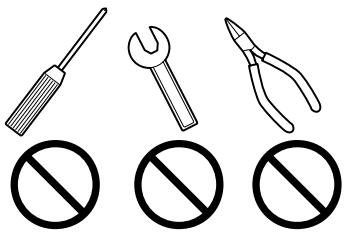
Three black-and-white icons: screwdriver, wrench, and pliers, each with a prohibition sign below (no text or symbols)
CAUTION:
Prohibition of Machine Modification
Do not modify or remove any parts by yourself.

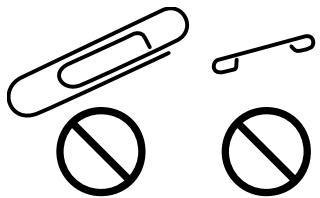
CAUTION:
Prevention of Machine Troubles
- Do not drop small metallic objects such as paper clips or staples inside the machine.
- Do not place any heavy or hard objects such as a vase, books or ornaments on the machine.
natural_image
Three black-and-white icons: a paperclip, a prohibition symbol, and a pair of crossed-out circles (no text or labels)
CAUTION:
Recommendation of Periodic Check
Be sure to check periodically the following points:
(1) The main lead or the power plug does not generate abnormal heat.
(2) The power plug is not inserted loosely or the lead is not cut or scratched.
(3) The earth wire is correctly connected.
(4) The power plug or the power outlet is not covered with dust.
If you find anything abnormal in the above items, stop using the machine and contact your Service Centre.

CAUTION:
Toner
- Keep the toner cartridge away from children. The toner is nontoxic; however if you inhale or contact with eyes by accident, flush with water and seek medical advice.
- Do not throw the empty toner cartridge into a fire. If it is thrown into a fire the toner may ignite and cause a dangerous situation.

CAUTION:
LCD Screen
The touch screen is covered with a glass. Do not drop solid objects on the touch screen, or put excess weight or pressure on it; otherwise the glass may be scratched or broken and you may be injured.

CAUTION:
Finisher Paper Capacity
The capacity of the Finisher exit tray is listed below. When the total number of copies in the copy run exceeds the stated capacity, be sure to unload the exit tray whilst the copier is still copying. Failure to do so will cause the copier to jam. The following capacity is for 80g/m^2 paper.
Non-Sort Mode
Tray 1: 100 sheets/10 sheets (thin/thick paper, transparency film, etc.)
Tray 2/3: 500 sheets (A4R, A4, B5R, B5, 8.5"x11"R)
300 sheets (A3, B4, F4/8"x13", A5R*)
Sort/Group Mode
Tray 2/3: 500 sheets (A4R, A4, B5R, B5, 8.5"x11"R)
300 sheets (A3, B4, F4/8"x13")
Staple-Sort Mode
500 sheets max. (A4R, A4, B5R, B5, 8.5"x11"R)
300 sheets max. (A3, B4, F4/8"x13", A5R*)
*: Load A5 in horizontal feed (☐) only.

CAUTION: Finisher Operation
DO NOT INSERT your finger into the two staple driving portions or into the grooves of the paper exit lever, otherwise you may be injured.
DO NOT PUT your hands beneath or above the middle exit tray of the Finisher when it is moving, otherwise you may be injured.

CAUTION: Clearing Wedged Staples
Please be careful when clearing wedged staples since it may cause injury.

CAUTION: Paper Capacity for the Exit Tray
The exit tray capacity is 100 sheets. If a copy run of more than 100 is required, be sure to remove the copies from the exit tray before the maximum capacity is reached. Failure to do so will cause the copier to jam.

CAUTION: Power Saver and Weekly Timer
- During Power Saver mode the copier is still connected to the mains power supply and power is still applied to certain areas of the machine. To avoid any unexpected troubles turn the power OFF when not using the copier for long periods of time.
- When the Weekly Timer indicator is lit, turning power OFF will disable weekly timer function.

CAUTION: Fixing Unit
The Fixing unit is internally very hot. To avoid getting burned, DO NOT TOUCH. Be careful when withdrawing the fixing unit.

CAUTION: Drum Unit
The drum unit has a high voltage generated. To avoid an electrical shock, DO NOT TOUCH.

CAUTION: ADU Guide Plate
The ADU guide plate is not latched when raised. Do not release it, otherwise the ADU guide plate will slam shut and may cause injury.

CAUTION: Dispose of a Disused Copying Machine
Do not dispose of this copier yourself. Contact your Service Centre, who can arrange for its safe disposal.
If you change the place of installation, please contact your Service Centre.
Disposal of waste toner
Suitable for processing recycled paper confirming with DIN 19309.
The copier is provided with a function to automatically copy on both sides of a sheet of copy paper, as a standard function.
Section 2 : Preparation for Use
- Paper Supply
Paper Out Indication
Loading Paper
- Toner Supply
Toner Supply Indication
Preparation
Adding Toner
1. Paper Supply
Paper Out Indication
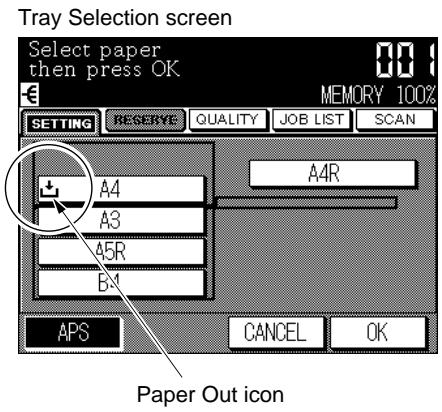
When the paper tray is empty, the size key on the Basic screen is dimmed.

Touch the "PAPER SIZE" key on the Basic screen to display the Tray Selection screen. The Paper Out icon appears in the tray key on the Tray Selection screen. Load the copy paper into the tray.
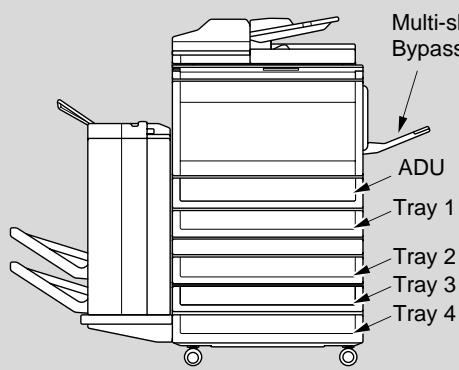
Konica 7040 + DB-208
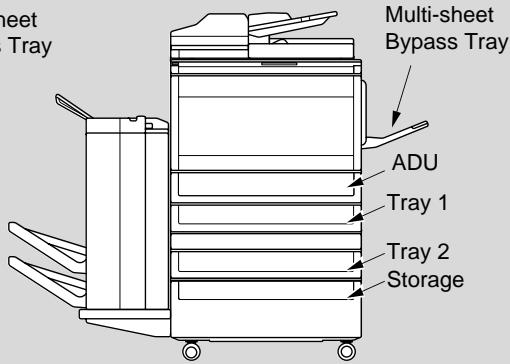
Konica 7040 + DB-208A
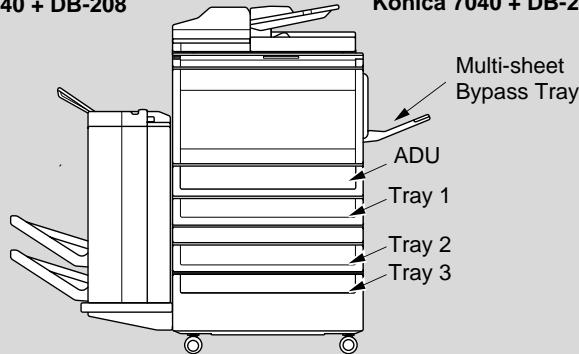
Konica 7040 + DB-608
Tray Specifications
Tray 1\~4 (machine with DB-208): Universal tray
Copy paper capacity : 500 sheets (80g/m²)
Copy paper size : A3, B4, F4 (8.5"x13"), A4R, A4, B5R, B5, A5R, 8.5"x11"R
Paper weight : 60 to 90g/m ^2 (80g/m ^2 is recommended.)
Tray 1\~2 (machine with DB-208A/608): Universal tray
Copy paper capacity : 500 sheets (80g/m²)
Copy paper size : A3, B4, F4 (8.5"x13"), A4R, A4, B5R, B5, A5R, 8.5"x11"R
Paper weight : 60 to 90g/m ^2 (80g/m ^2 is recommended.)
Tray 3 (machine with DB-608): Service-fixed tray
Copy paper capacity : 1,500 sheets (80g/m²)
Copy paper size : A4
(The copy paper size can be changed to the following. Contact your Service Centre.)
A4R, A4, B5R, B5, A5R, 8.5"x11"R, 8.5"x11"
Paper weight : 60 to 90g/m ^2 (80g/m ^2 is recommended.)
Multi-sheet bypass tray: A3 to A5R
Copy paper capacity : 100 sheets (80g/m²)
Use 1 sheet at a time for thin/thick paper, OHP transparent film/reproducible paper/label paper
Paper weight : plain paper; 60 to 90g/m² (80g/m² is recommended.) thin paper; 50 to 59g/m² thick paper; 91 to 130g/m²
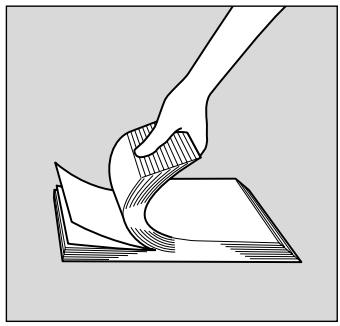
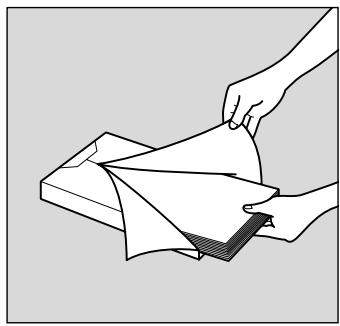
For easy feeding
Fan the copy paper a few times in order to prevent paper misfeeds.
natural_image
Illustration of a hand holding a rolled-up sheet of paper (no text or symbols)How to store paper
Store paper on a flat surface in a cool, dry area. Keep partially used packages tightly wrapped during storage.
natural_image
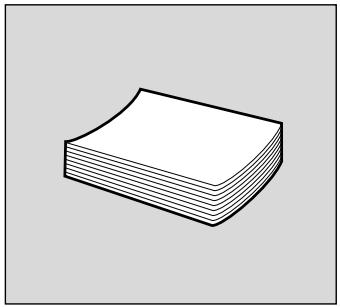
Illustration of hands folding a folded paper or sheet with a ruler, no text or symbols presentHow to load copy paper
Stack paper curly side up into each tray.
natural_image
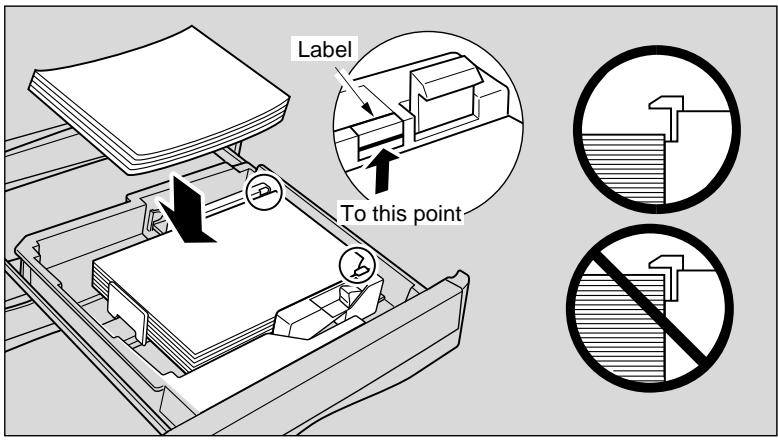
Simple line drawing of a stack of papers or documents (no text or symbols)Copy paper capacity
Be sure not to stack above the red line of the label as shown below.
Loading Paper
Loading Paper into the universal tray
- Withdraw the universal tray from the main body.
- Remove the rear guide plate, and insert it into the position of your desired paper size.
Please Be Reminded!
Be sure to align the rear guide plate to the paper; otherwise, any unexpected situations may occur to the machine.
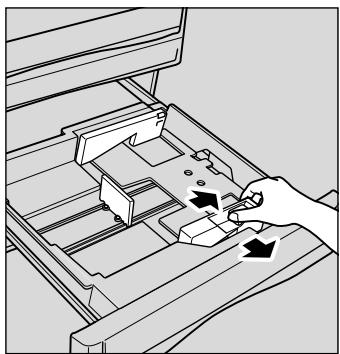
- Stack paper with curly side UP.
- Whilst pressing the release knob, move the side guide plate against the paper.

natural_image
Diagram of a hand inserting a component into a device (no text or symbols visible)
natural_image
Illustration of a hand inserting a stack of documents into a filing tray (no text or symbols visible)- Push in the universal tray until it locks into place.
Loading paper into the service-fixed tray
- Withdraw the service-fixed tray from the main body.
- Whilst pressing the release knob, widen the side guide plate.
- Stack paper with curly side UP.
Please Be Reminded!
Do not load paper other than the paper size indicated at the front of the tray; otherwise this may cause problems with the machine.
- Whilst pressing the release knob, move the side guide plate against the paper.
natural_image
Illustration of a hand inserting a component into a machine drawer (no text or symbols visible)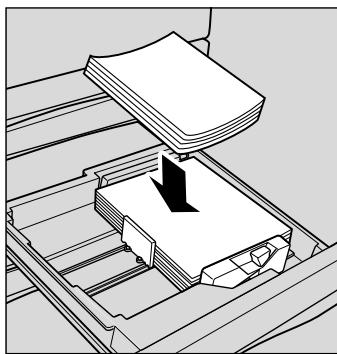
natural_image
Illustration of a printer or printer being inserted into a stack of papers, with a black arrow indicating the paper's insertion (no text or symbols present)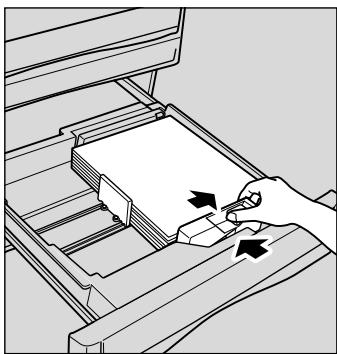
natural_image
Line drawing of a hand inserting a card into an open printer (no text or symbols)- Push in the service-fixed tray until it locks into place.
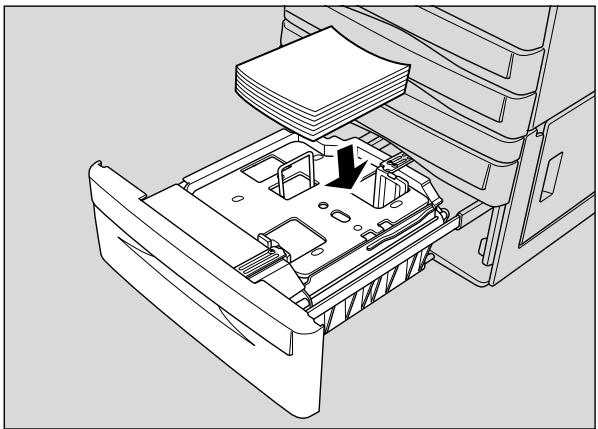
Loading paper into the Large Capacity Tray (Service-fixed)
- Withdraw the tray from the main body.
- Stack paper with curly side UP.
The bottom of the tray will lower as the paper is stacked into the tray.
natural_image
Technical line drawing of a mechanical device with internal components and a black arrow indicating a directional component (no text or symbols present)- Push in the tray until it locks into place.
Loading paper into the Multi-sheet bypass tray
Refer to p. 7-39 to p. 7-40.
2. Toner Supply
Toner Supply Indication
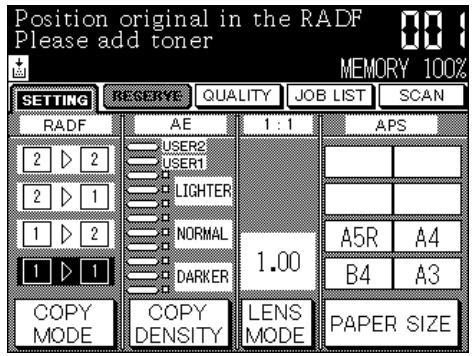
When toner supply is low, "Please add toner" message and the icon "" will be displayed in the message area of the Basic screen.
Add toner according to the procedure as follows.
Basic screen
Advice-Add Toner Icon Display
Service can set the copier not to display the icon “☐” on the screen. Please contact your Service Centre.
Please Be Reminded!
Only use the toner cartridge specified for the machine. Using a toner cartridge not specified for the 7040 will cause copy quality problems.

CAUTION:
Keep the toner cartridge away from children.
Although the toner is nontoxic, do not inhale toner or allow it to come in contact with eyes. If inhalation or eye contact occurs, immediately seek medical advice.

CAUTION:
Do not throw the empty toner cartridge into a fire. If it is thrown into a fire the toner may ignite and cause a dangerous situation.
Advice-Disposal of Empty Toner Cartridge
Put the empty toner cartridge into the attached plastic bag before disposing of it as incombustible trash.
Preparation
The toner may be compact during storage. Follow the instructions below prior to adding the toner.
- Shake the toner cartridge several times to loosen toner.
- Remove the toner cartridge cap.
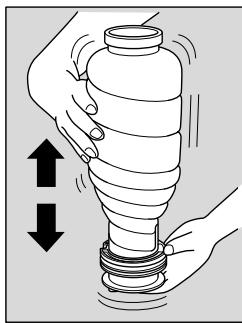
natural_image
Illustration of hands performing a mechanical press or lifting operation on a spiral-shaped object (no text or symbols present)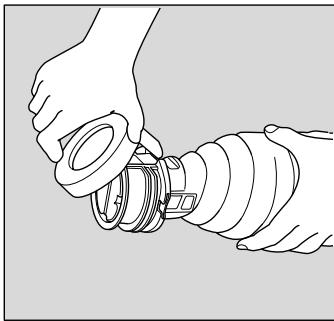
natural_image
Line drawing of hands operating a mechanical component with no visible text or symbolsAdding Toner
- Open the front door of the machine. Pull the unit 90^ to the right.
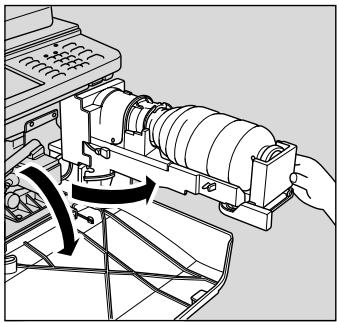
natural_image
Mechanical assembly diagram showing a motor with rotating shaft and housing (no text or symbols)- Push and release the cartridge lock lever to the right until it stops,
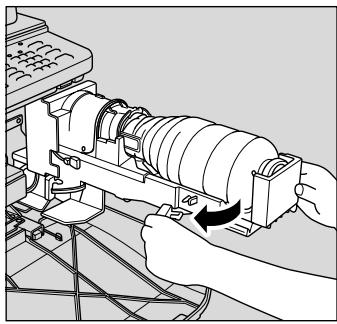
natural_image
Illustration of a hand operating a mechanical device with a rotating coil (no text or symbols visible)- Remove the empty toner cartridge.
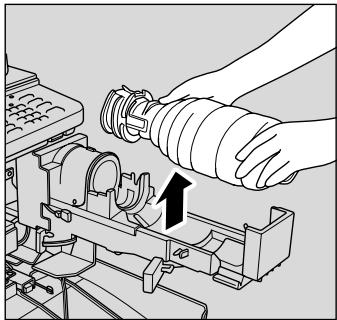
natural_image
Line drawing of a hand pouring a coiled hose into a mechanical device (no text or symbols)- Set the new toner cartridge into the toner unit.
Please Be Reminded!
Align the ▲ mark on the toner cartridge with the ▲ mark on the toner unit as illustrated right.
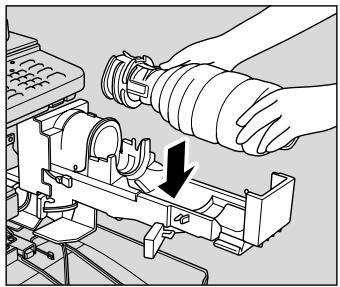
natural_image
Illustration of hands operating a mechanical device with a coiled hose and a downward arrow indicating motion (no text or symbols)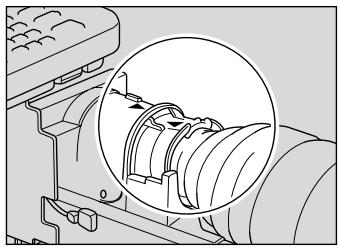
natural_image
Technical line drawing of a mechanical component with an inset showing a close-up of a curved mechanical part (no text or symbols)- Return and lock the cartridge lock lever to the left until it stops. The lock tape will be pushed out.
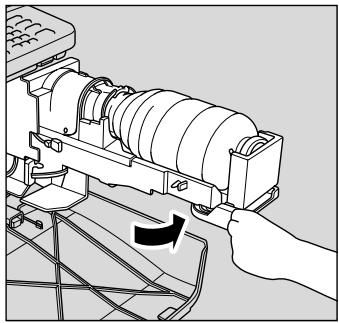
natural_image
Diagram of a hand operating a mechanical device with a rotating shaft and housing (no text or symbols visible)- Remove the lock tape.
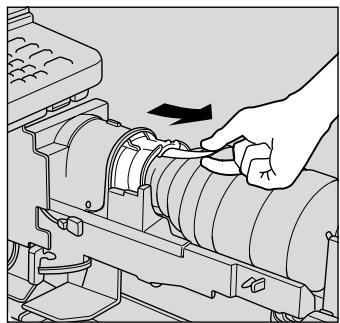
natural_image
Illustration of a hand operating a mechanical device with a scroll wheel (no text or symbols visible)- Return the toner unit to its original position, then close the machine's front door securely.
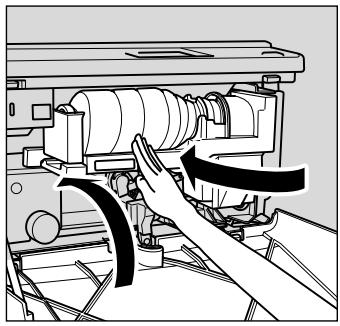
natural_image
Line drawing of a hand operating a mechanical device with rollers and tubing (no text or symbols)Section 3 : Component Locations
- Main Body
External
Internal
-
Operation Panel
-
Finisher
1. Main Body
External
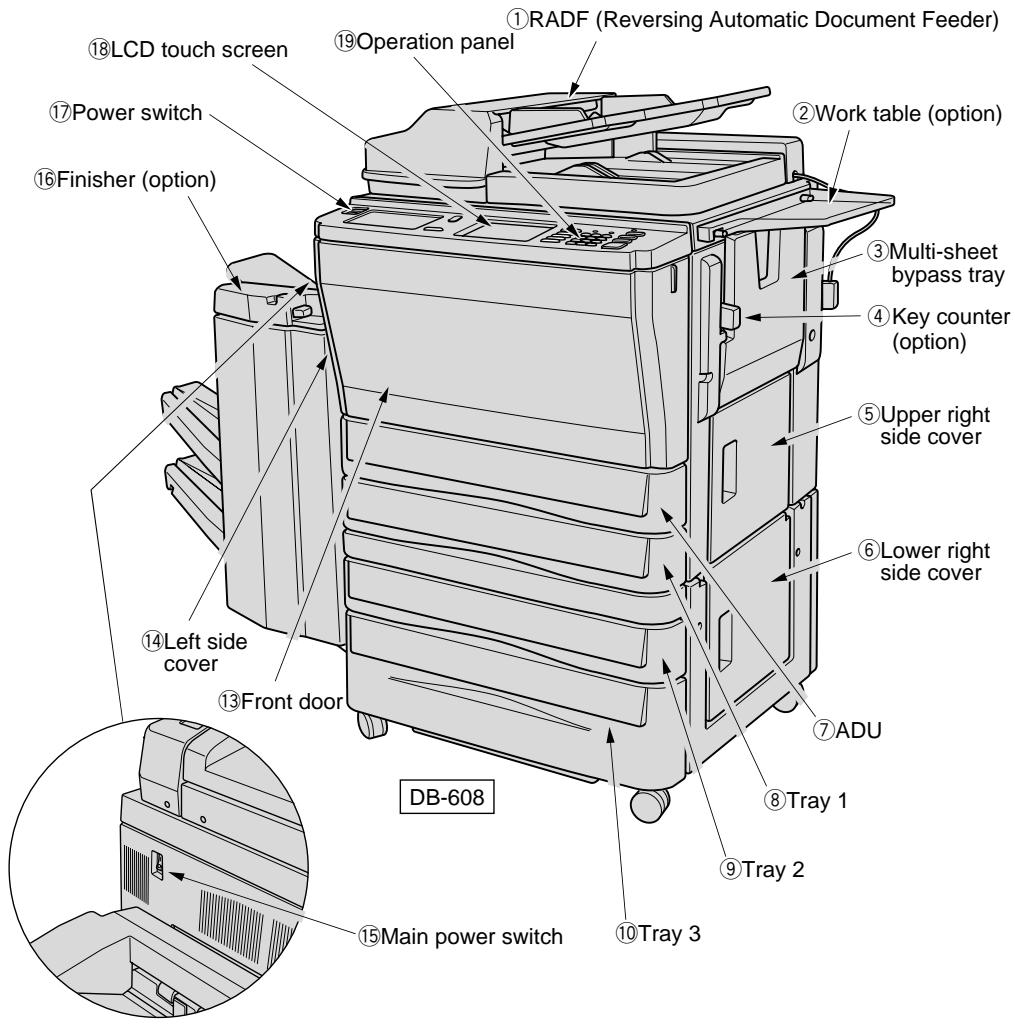
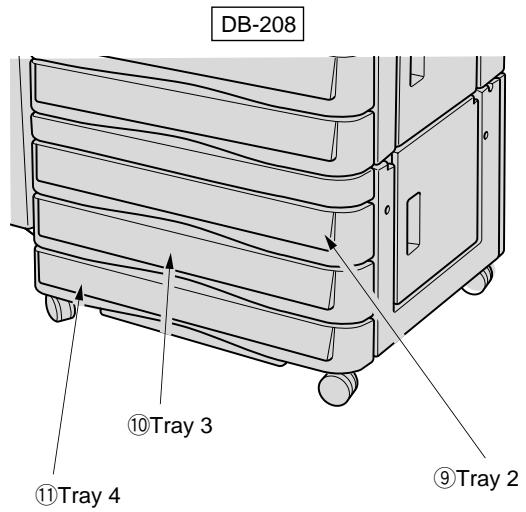
① RADF (Reversing Automatic Document Feeder) automatically feeds multiple originals one at a time to the platen glass for copying.
② Work table (option) provides a convenient workspace for documents both before and after copying.
③ Multi-sheet bypass tray used for small quantity copying onto plain paper or special paper.
④ Key counter (option) manages the number of copies made on the machine.
⑤ Upper right side cover opens to allow the removal of misfed paper.
⑥ Lower right side cover opens to allow the removal of misfed paper.
⑦ ADU is used for stackless duplex copying.
⑧ Tray 1 (Universal tray) is user adjustable and holds 500 sheets of either A3/B4/F4 (8.5"x13")/A4R/A4/B5R/B5/A5R or 8.5"x11"R.
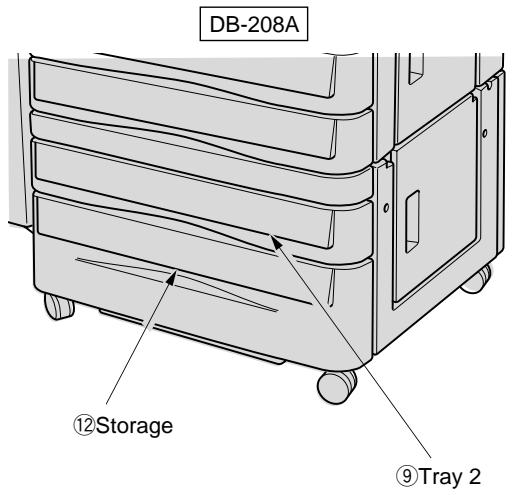
⑨ Tray 2 (of DB-208/208A/608 option) (universal tray) is user adjustable and holds 500 sheets of either A3/B4/F4 (8.5"x13")/A4R/A4/B5R/B5/A5R or 8.5"x11"R.
⑩ Tray 3 (of DB-608 option) is initially fixed at A4 and holds 1,500 sheets. It can be reset by service to size A4R/B5R/B5/8.5"x11"R or 8.5"x11".
Tray 3 (of DB-208 option) (universal tray) is user adjustable and holds 500 sheets of either A3/B4/F4 (8.5"x13")/A4R/A4/B5R/B5/A5R or 8.5"x11"R.
⑪ Tray 4 (of DB-208 option) (universal tray) is user adjustable and holds 500 sheets of either A3/B4/F4 (8.5"x13")/A4R/A4/B5R/B5/A5R or 8.5"x11"R.
⑫ Storage accommodates copy paper or copy materials.
⑬ Front door opens to the internal copier to allow for the clearing of misfed paper and the replenishing of toner.
⑭ Left side cover opens to allow for the removal of misfed paper.
⑮ Main power switch turns machine power On/Off to operate it as copier/printer.
⑯ Finisher (option) sorts, staple-sorts, and groups copies into finished set.
⑰ Power switch turns copier power On/Off when pressed.
⑱ LCD touch screen displays interactive operation screens.

CAUTION: LCD Screen
The touch screen is covered with a glass. Do not drop solid objects on the touch screen, or put excess weight or pressure on it; otherwise the glass may be scratched or broken and you may be injured.
⑲ Operation panel controls copier operations and displays messages as required.

CAUTION:
If the Service Call screen is displayed (see p. 12-2) and copier operations cannot be continued any more, stop the operation to prevent any unexpected accident. Write down the Report Code as stated on the 2nd line of message, then switch off the copier and disconnect from the power socket. Contact your Service Centre and inform them of the Report Code.
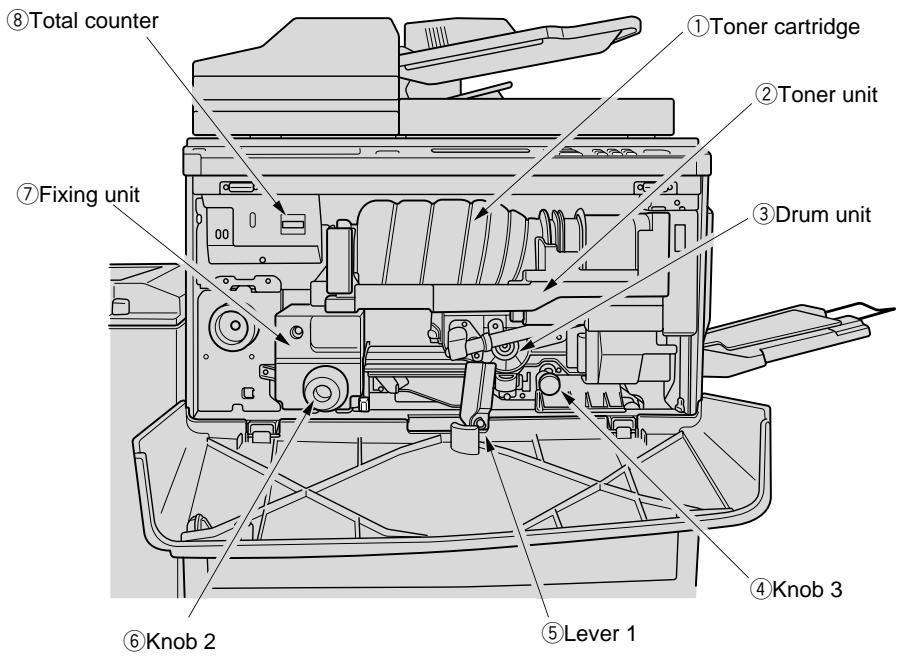
Internal
① Toner cartridge holds toner and is to be replaced when supplying toner.
② Toner unit holds the toner supply.
③ Drum unit forms the copy image.
④ Knob 3 can be turned to ease removal of misfed paper.
⑤ Lever 1 can be moved to ease removal of misfed paper.
⑥ Knob 2 can be turned to ease removal of misfed paper from the fixing unit.
⑦ Fixing unit fuses the toner onto the copy paper.

CAUTION:
The Drum unit has a high voltage generated. To avoid an electrical shock, DO NOT TOUCH.
⑧ Total counter indicates the total number of copies made.

CAUTION:
The Fixing unit is internally very hot. To avoid getting burned, DO NOT TOUCH. Be careful when removing misfed paper.
2. Operation Panel
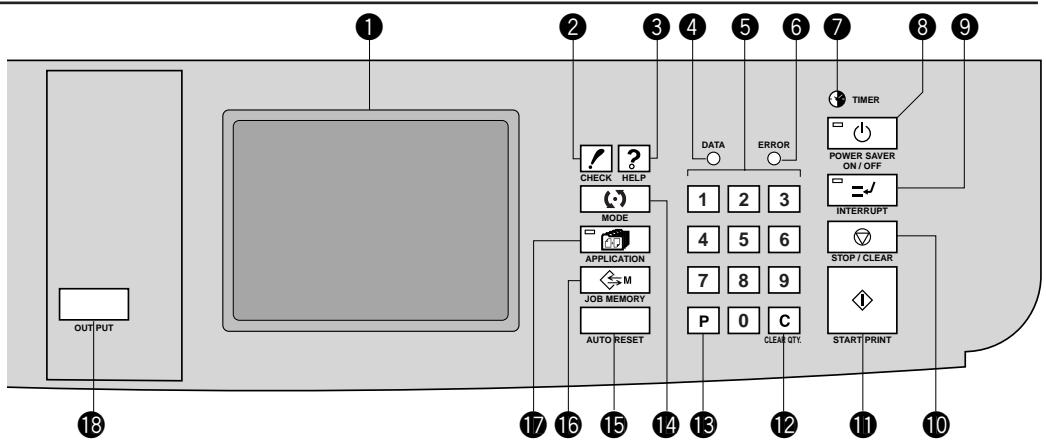
① LCD touch screen displays machine and copying status; help information; interactive screen; and touch keys for selecting all functions.

CAUTION:
The touch screen is covered with a glass. Do not drop solid objects on the touch screen, or put excess weight or pressure on it; otherwise the glass may be scratched or broken and you may be injured.

CAUTION:
If the Service Call screen is displayed (see p. 12-2) and copier operations cannot be continued any more, stop the operation to prevent any unexpected accident. Write down the Report Code as stated on the 2nd line of message, then switch off the copier and disconnect from the power socket. Contact your Service Centre and inform them of the Report Code.
② CHECK button displays a screen showing all settings that are selected for the current job.
③ HELP button displays a screen with help for the currently selected function.
④ DATA indicator blinks while receiving print data in printer mode, then lights after completing it.
⑤ Numeric keypad enters numeric values.
⑥ ERROR indicator lights when trouble occurs in Reserve mode.
⑦ Weekly timer indicator lights when the weekly timer function is set.
⑧ POWER SAVER ON/OFF button activates power-saving mode for times when the copier is inactive, or activates timer interrupt mode when weekly timer function is active.
⑨ INTERRUPT button stops copying in progress to allow copying from the platen glass.
⑩ STOP/CLEAR button stops the copying sequence; deletes the stored memory.
⑪ START PRINT button activates copying.
⑫ CLEAR OTY. button allows resetting of print quantity.
⑬ P button accesses programming modes for setting special functions.
⑭ MODE button switches copy and printer mode. (It cannot be programmed.)
⑮ AUTO RESET button restores copier to automatic mode settings or to key operator settings.
⑯ JOB MEMORY button displays screens for selecting job store/job recall functions.
⑰ APPLICATION button displays a menu for selecting special application functions.
⑱ OUTPUT button displays screens for selecting Finisher exit tray, sort/group/staple-sort, or face up mode in the machine with Finisher; or selecting E-sort on/off, sort/group, or face up mode in the machine without Finisher.
⑲ Power switch (not shown) on left of the operation panel; turns machine power on/off.
3. Finisher
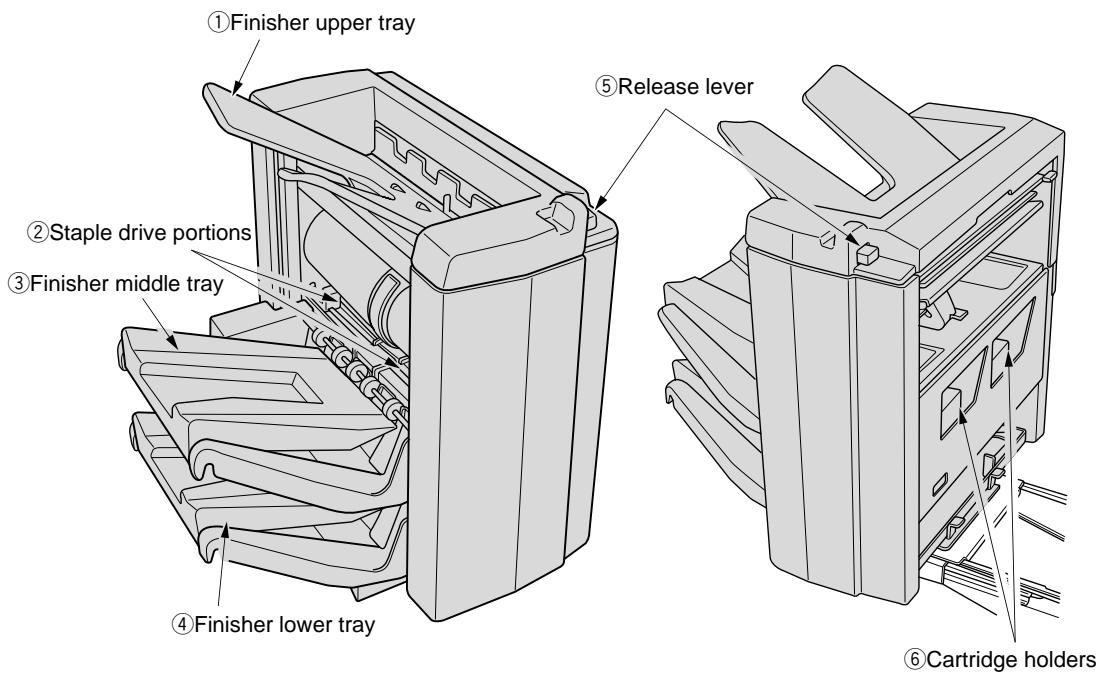
① Finisher upper tray ejects copy paper in Non-sort mode.
② Staple drive portions staples the exit set in Non-sort, Sort, Group or Staple-sort mode.
③ Finisher middle tray ejects copy paper in Non-Sort, Sort, Group, or Staple-sort mode.
④ Finisher lower tray ejects copy paper in Non-Sort, Sort, Group, or Staple-sort mode.
⑤ Release lever releases the Finisher from the main body when clearing misfed paper or supplying staples.
⑥ Cartridge holders hold staple cartridges to be replace when supplying staples.
Section 4 : LCD Operation
1. Screen Types
2. Basic Screen
Wake-Up and Basic Screen
Basic Screen: Layer Selection Screen (Full-Automatic Mode Screen)
Basic Screen: Direct Selection Screen
3. Application Selection Screen
4. Other Screens
Check Screen
Help Screen
Screens for Setting Job Memory
Service Call Screen
Paper Jam Position and Paper Jam Processing Screens
Power OFF/ON Screen
Key Operator Mode Screens
The copier has a large Liquid Crystal Display (LCD) on the centre of the operation panel.
- During setting of the copying conditions, the system displays a touch panel with explanatory messages required for the operation to facilitate operation and increase efficiency. During copying, messages explaining the current status of the copier are displayed.
- If you do not know how to operate any function, the operation can be checked on-screen by calling the Help screen.
- When any trouble such as paper jamming occurs, the system displays the appropriate action to be taken.
This chapter introduces the types of screens and explains how to display them.
1. Screen Types
The types of screens are as follows:

Key Operator Mode screen (p. 4-10, p. 11-2 \~ p. 11-50)
2. Basic Screen
Wake-Up and Basic Screen
When the power is switched ON, the Wake-Up screen will appear in a short space of time, then the Basic screen will appear. "Please wait Copier is warming up" message is displayed. When the system is ready for copying, "Position original in the RADF face-up" message will displayed.
Wake-Up screen
Konica
Basic screen
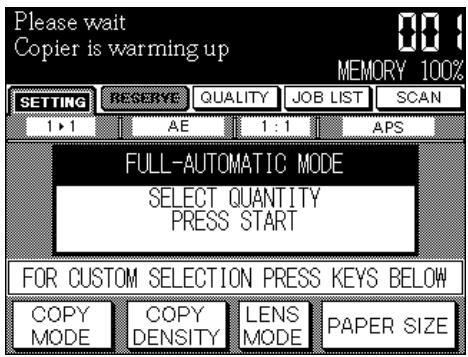
Basic screen
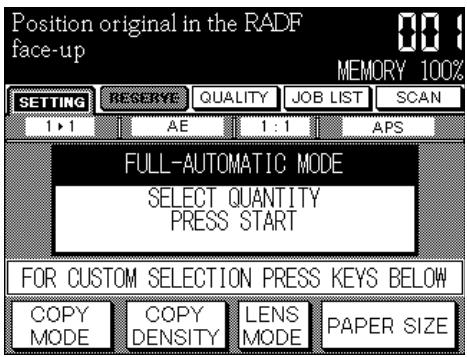
Basic screen
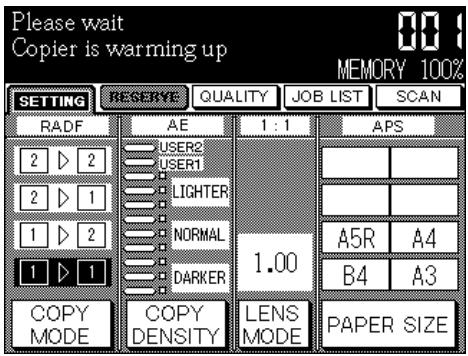
Basic screen
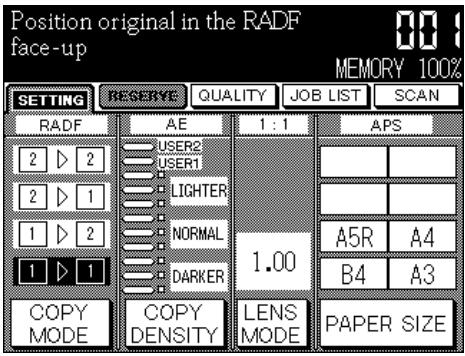
Basic Screen: Layer Selection Screen (Full-Automatic Mode Screen)
The 7040 displays Layer Selection screen (Full-Automatic Mode screen) as the Basic screen. See “Section 6: Basic Copying on Basic Screen” and “Section 7: Other Basic Functions” for details.
The Layer Selection screen (Full-Automatic Mode screen) displays four keys at the bottom, namely, "COPY MODE", "COPY DENSITY", "LENS MODE", and "PAPER SIZE". Touch each key to display subsequent screens of each mode for manual setting. After specifying the desired copying conditions, it automatically returns to the Layer Selection screen.
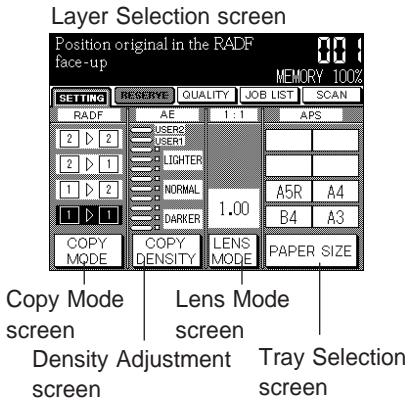
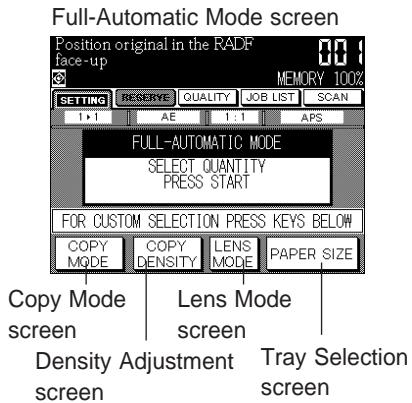
When the Basic screen is displayed, the copying conditions are specified as follows:
| AE (Automatic Exposure): | ON |
| Lens mode (Magnification): | 1.00 (full size) |
| APS (Automatic Paper size Selection): | ON |
| RADF (Reversible Automatic Document Feeder): | ON |
| Copy mode: | 1 ▶ 1 |
| Finisher (option): | OFF |
| Print quantity: | 1 |
| Image quality: | Normal |
| Power saver: | ON |
| Auto reset: | OFF |
| ATS (Automatic Tray Switching): | OFF |
| Rotation: | ON (with APS/AMS) |
| Reserve setting is not available. | |
| Status screen can be displayed. |
When the initial settings are changed in the Key Operator mode, the changed copying conditions are displayed in the Basic Screen.
To display the Full-Automatic Mode screen initially as the Basic screen, contact your Service Centre, then select "Full-Auto" in the Memory settings of the Key operator setting. See p. 11-45\~ p. 11-48.
Advice: Timing of pressing the START PRINT button
The system is ready for copying after the Basic screen is displayed. Copying is also ready when the Copy Mode, Lens Mode, Density Adjustment or Tray Selection screen is displayed. To indicate that copying is ready, the START PRINT button lights up in green. Pressing the START PRINT button causes the system to exit the current screen and return to the Basic screen, and starts copying.
Basic Screen: Direct Selection Screen
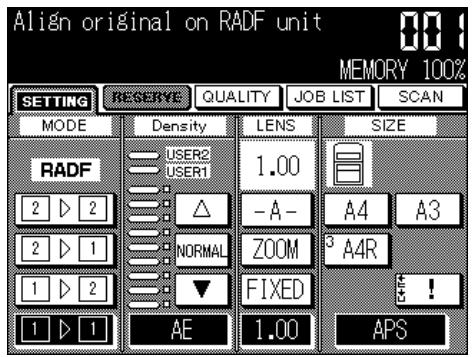
The Direct Selection screen can be selected as the Basic Screen. Contact your Service Centre.
This type of Basic screen allows you to view other basic settings while making a change, as it remains displayed without developing into subsequent screens in each mode.
Direct Selection screen
3. Application Selection Screen
Appears when the APPLICATION button on the Operation panel is pressed when the Basic screen is displayed.
Application Selection screen
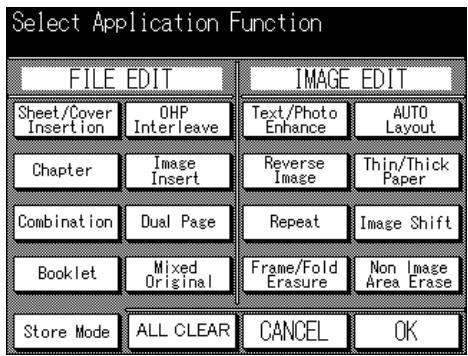
16 keys are displayed on the Application Selection screen.
Touching a key displays a screen for specifying advanced copying conditions. (Booklet, Mixed original, Reverse image, Auto layout, and Non image area erase do not have the corresponding screens.) Touching the "OK" key returns the system to the Application Selection screen. However, if you touch a key for a copy condition that cannot be used together with the previously set copy condition, the screen goes dark and either no selection can be made or the previous copy condition is cancelled.
- When setting an application function which requires Store mode, the “Store mode” key on the Application Selection screen will be highlighted automatically.
- To release all the selected application functions, touch the "ALL CLEAR" key on the Application Selection screen.
- Touching the "OK" key on the Application Selection screen returns the system to the Basic screen. Copying cannot start unless the Basic screen is displayed.
- To recover the former copying conditions, touch “CANCEL” key on the Application Selection screen.
See p. 8-2 to p. 8-3 in “Section 8: Special Copying-Page Editing” for details.
4. Other Screens
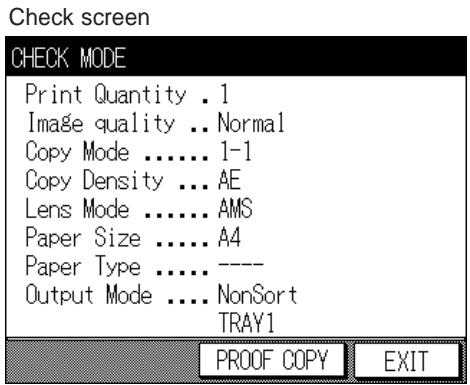
Check Screen
The Check screen appears when the CHECK button on the Operation panel is pressed when a screen other than the Help, Paper Jam Position, or Paper Jam Processing screen is displayed. Using the Check screen allows the currently set copying conditions to be confirmed with the copying conditions list. When the "PROOF COPY" key on the Check screen is touched, you can produce a set of a sample copy to view the results of the copying conditions. After Proof copy, the "*" mark will be displayed on the left of the changeable items in the Check screen. Make changes on the items with the "*" mark on each screen. See p. 7-22 to p. 7-27.
Help Screen
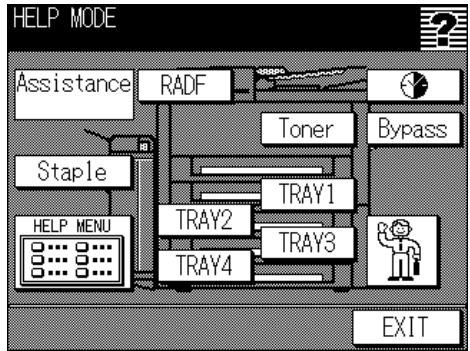
The Help screen is a generic name for the screens that give you information on how to copy, how to supply toner or paper, or how to operate the Operation panel and the keys on the LCD screen. Two types of Help screens are available, according to how they are selected.
① Press the HELP button on the Operation panel while the Basic screen is displayed. The Help Basic screen will appear.
② Press the HELP button on the Operation panel when a screen for specifying a desired copy condition is displayed. The screen displaying the corresponding setting procedure will be displayed. See p. 7-28 to p. 7-32.
Help Basic screen
flowchart
graph TD
    A["Assistance"] --> B["RADF"]
    B --> C["Toner"]
    C --> D["Bypass"]
    E["Help MENU"] --> F["Tray1"]
    E --> G["Tray2"]
    E --> H["Tray3"]
    E --> I["TRAY4"]
    J["EXIT"] --> K["End"]
Screens for Setting Job Memory
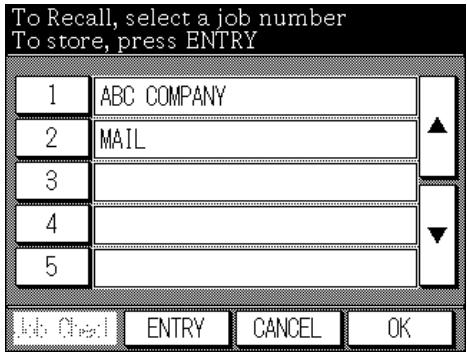
Job No.Selection screen appears when the JOB MEMORY button on the Operation panel is pressed when the Basic screen is displayed, after specifying the copying conditions to be registered on the Basic or Application Selection screen. See p. 7-33 to p. 7-35.
Job No. Selection screen
Service Call Screen
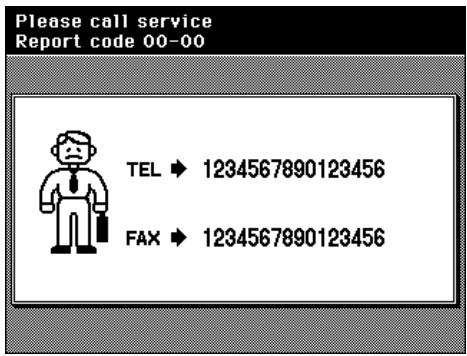
Appears when a machine condition requires the attention of your Service Centre. See p. 12-2 to p. 12-3.
Service Call screen
Paper Jam Position and Paper Jam Processing Screens
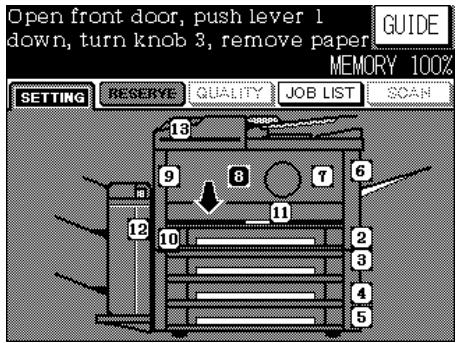
The Paper Jam Position screen appears upon occurrence of a paper jam during copying. A paper jam during continuous copying may cause the paper to jam in several places. The Paper Jam Position screen indicates the positions of paper jams with arrows and the Paper Jam numbers. If paper jams have occurred in several places, the Paper Jam numbers that need to be cleared with first priority will blink. At the same time, the appropriate action to be taken will be displayed at the top of the screen.
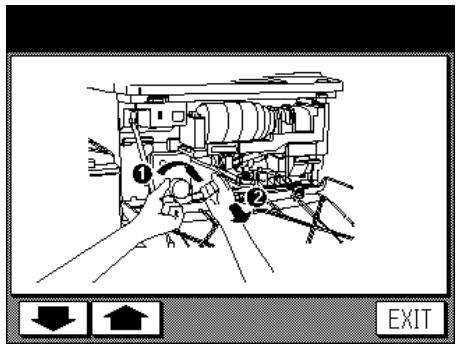
The Paper Jam Processing screen appears in the sequence of the required action each time the “GUIDE” key on the upper right of the Paper Jam Position screen is touched.
Touching the “EXIT” key on a Paper Jam Processing screen returns you to the Paper Jam Position screen. The Paper Jam number goes off when the problem at that position is corrected. When all the problems are corrected, the Paper Jam Position screen goes off. See p. 12-6 to p. 12-11.
Paper Jam Position screen
Paper Jam Processing screen
Power OFF/ON Screen
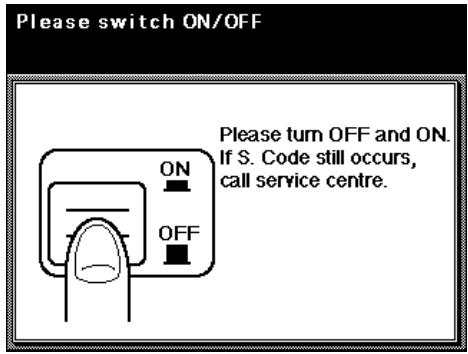
Appears when any trouble affects the electric signal of the copier. See p. 12-12.
Power OFF/ON screen
Key Operator Mode Screens
Appear when the key operator accesses the Key Operator mode to modify machine settings or to monitor overall copier activity.
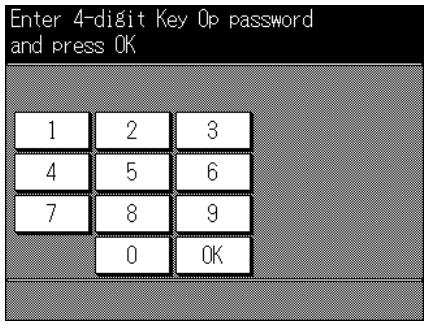
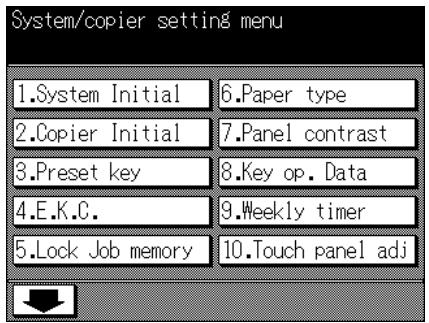
To display the Key Operator Mode screen, turn the power ON while pressing the HELP button, then enter the 4-digit Key operator password on the Key Operator Password Entry screen.
See p. 11-2 to p. 11-50.
Key Operator Password Entry screen
Key Operator Mode screen
Section 5 : Copier Management
1. Power Saver
Auto Low Power
Manual Shut-Off
Automatic Shut-Off
2. Electronic Key Counter (EKC)
EKC Functions
EKC Procedure
3. Weekly Timer
Timer Interrupt
4. Periodic Maintenance
How to Read the PM Count
5. Daily Maintenance
Clean the Platen Glass
Clean the Left Partition Glass
Clean the RADF Platen Guide Cover
1. Power Saver
Power Saver reduces energy consumption when a copier is not in use. We recommend to utilize this function. There are two modes for the Power Saver function as described below.
| Low power | : The system conserves energy by lowering the set temperature of the fixing unit.This function provides compatibility of minimization of energy consumption and maximization of copying performance. |
| Shut-off | : The system conserves energy by partially turning OFF the power supply.The copying performance of this function is inferior to the Power saving, however, further energy conservation can be achieved. |

CAUTION
During Power Saver mode the copier is still connected to the mains power supply and power is still applied to certain areas of machine. To avoid any unexpected troubles turn the power OFF when not using the copier for long periods of time.
Auto Low Power
If a certain period of time (selected from 5 minutes, 10 minutes, 15 minutes, 30 minutes, 60 minutes, 90 minutes, 120 minutes, and 240 minutes) has passed after completion of the last copy, with the copier kept ready for copying, power saving will work automatically. Initially, the mode is set to 15 minutes. The time setting of this function is set in the Key Operator mode. (See p. 11-43 \~ p. 11-44.)
The message below is displayed on the LCD, the screen changes to the Basic screen, and the LCD becomes dark.
The lamp of the POWER SAVER ON/OFF button remains dark.
Low Power mode
Press key/screen to cancel
Advice
- When the Paper Jam Processing screen or the screen to wait for restarting copying is displayed, the Auto Low Power function will not work.
- If the Auto Shut-Off function is set before or at the same time that the Auto Low Power function is set, the Auto Low Power function will not work.
Release of Auto Low Power
Touch the screen or press any button on the Operation panel other than the POWER SAVER ON/OFF button. The Auto Low Power function will be released and the LCD will restore its ordinary brightness.
Manual Shut-Off
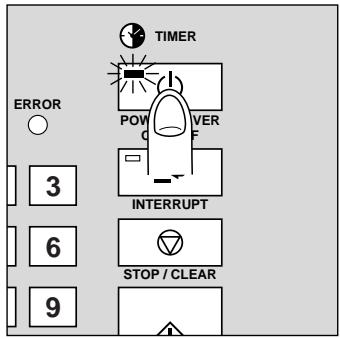
Press the POWER SAVER ON/OFF button.
The lamp of the POWER SAVER ON/OFF button lights, other indicators are all turned off, and the LCD goes off.
Advice
When the Paper Jam Processing screen or the screen to wait for restarting copying is displayed, the Power Saver will not work.
Release of Manual Shut-Off
Press the POWER SAVER ON/OFF button again. The Shut-off will be released. The lamp of the POWER SAVER ON/OFF button is turned off and the LCD will restore its ordinary brightness.
Automatic Shut-Off
If a certain period of time has passed after the last copy job was completed, and the copier is kept in “ready for copying mode”, the power will be automatically turned off if this function is selected. This function is initially set to 60 minutes.
The automatic shut-off function can be set to “OFF” by the Key operator. The time to be selected for this function can be selected from 30 minutes, 60 minutes, 90 minutes, 120 minutes, and 240 minutes by the Key operator. See p. 11-43 \~ p. 11-44.
Advice - Auto Low Power and Auto Shut-Off
When the Auto Low Power function operates before the Auto Shut-Off function starts operating, a copier turns to the Shut-Off state after a certain period of the Auto Low Power state is passed.
Release of Automatic Shut-Off
Press the POWER SAVER ON/OFF button.
2. Electronic Key Counter (EKC)
The following describes the Electronic Key Counter functions and operations. The EKC function and any amendments to it are enabled in Key Operator mode.
EKC Functions
Copying is not performed unless the EKC password (a 5-digit number) is entered. The Key Operator specifies the copy limit for each EKC password so that any individual or group can control the print quantity with their own EKC password.
EKC Password setting capacity : 256 max.
EKC Password variation : 00001\~99999 (The password "00000" cannot be entered.) Two or more EKC passwords of the same number can be entered, however, the first entered EKC password only will be under control.
EKC Procedure
1 Enter EKC Password
The copier having the copy count controlled by EKC passwords displays the following EKC passwords immediately after the power is turned on. The Warm-Up screens are not displayed.
Enter E.K.C. password
Enter a 5-digit EKC password using the Ten keys of the Operation panel, and press the START PRINT button.
2 Display Copy Count/Copy Limit
The current copy count and copy limit for the EKC password is displayed for three seconds, and copying becomes available.
Current count/limit 018888/025000
(3 seconds)
Position original in the RADF face-up
The screen will not be shown as described below if the entered EKC password is wrong.
Having Problems?
When the copy count reaches the copy limit, the following message is displayed and copying is not available. See p. 11-19 to p. 11-27 in “Section 11: Key Operator Mode”.
Copy limit reached 025000/025000
3 Set Copy Conditions and Start Print
4 Reset the EKC Password
Press the CLEAR QTY. button while pressing P button. Copying will not be available until the new EKC password is entered.
Please Be Reminded!
For management of the copy count, be sure to have the message for entering EKC password displayed after you finish copying.
3. Weekly Timer
The Weekly timer function allows the copier to be turned on or off at a specified time by the key operator to disable copying during off time. For details, refer to p. 11-32 to p. 11-40 in "Section 11: Key Operator Mode".
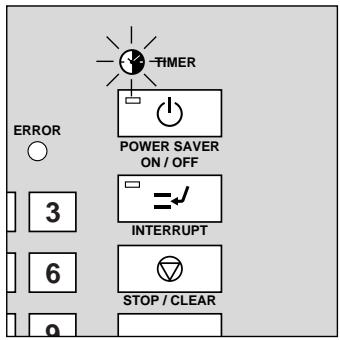
When the copier has been set to the weekly timer function, the Weekly timer indicator on the right hand side of the operation panel will become lit.
Please Be Reminded!
When the Weekly timer indicator is lit, the copier will automatically be turned off. Do not turn it off by pressing the power switch.
Timer Interrupt
When the Weekly timer indicator is lit, and all the other indicators on the copier are unlit, copying is unavailable as the Weekly timer function has been activated. However, copying is available by following procedure.
Procedure
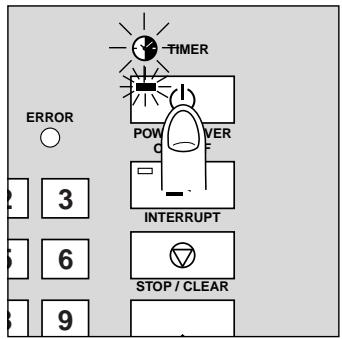
- Press the POWER SAVER ON/OFF button.
The Basic screen will be displayed, and the following message will be displayed.
Advice
When the timer interrupt password is not entered, the message in step 3 is displayed.
This password is not factory-entered. The timer interrupt password is entered by the key operator. See p. 11-40 in "Section 11: Key Operator Mode".
Please wait
Copier is warming up
Timer interrupt mode
Enter password
- Enter a 4-digit number timer interrupt password using the ten key on the operation panel. If an invalid password is entered, continue by entering the valid 4-digit password.
Timer interrupt mode
Enter password ****
- Press the START PRINT button.
Input copy time
0 hour(s) 05 minute(s)
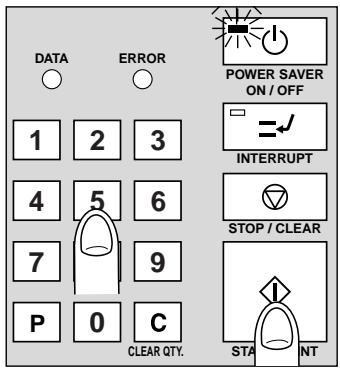
- Enter a 1-digit hour (ex. 3 hour is 3) using the ten key on the operation panel. (0 \~ 9)
- Press the START PRINT button.
Your copy time is
3 hour(s) 05 minute(s)
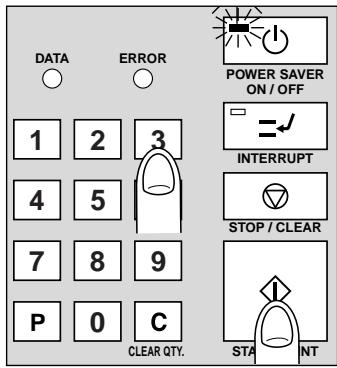
- Enter a 2-digit minutes (ex. 7 minutes is 07) using the ten key on the operation panel. (05 \~ 60)
Your copy time is
3 hour(s) 07 minute(s)
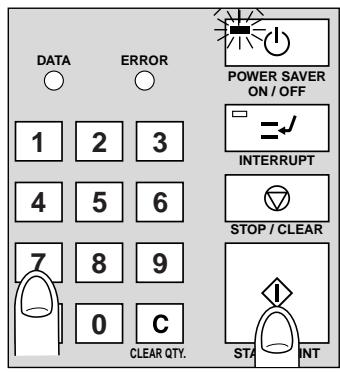
- Press the START PRINT button.
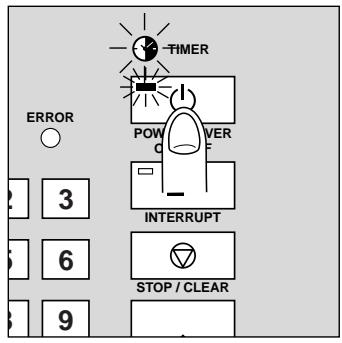
Copying is available until the set time is up.
Position original in the RADF face up
When timer interrupt of the copier is finished, press the POWER SAVER ON/OFF button. The copier returns to the OFF state and copying is disabled.
4. Periodic Maintenance
Periodic Maintenance should be performed every 100,000 copies. The message below is displayed when that time has arrived. Please contact your service centre and arrange for PM to be performed.
Please call service for PM
How to Read the PM Count
The copy count from the previous periodic maintenance date to the present can be displayed to predict the next periodic maintenance date.
Procedure
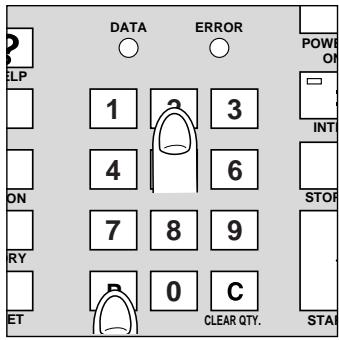
- Press P button, then press "2" button of the Ten keys.
- Press the START PRINT button.
PM: 001357/100000
Start date: 24/10/99
5. Daily Maintenance
In order to maintain optimum copy quality, always keep areas below clean.
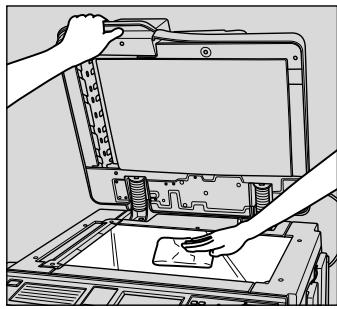
Clean the Platen Glass
Use a clean, soft cloth to wipe dirt or marks from the glass surface. If it is difficult to clean, use a slightly damp cloth.
Please Be Reminded!
Never use benzene, thinner or any other volatile liquid to clean them.
natural_image
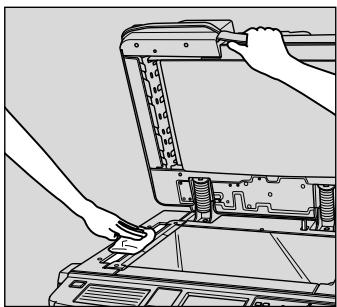
Illustration of hands operating a laptop computer with a scroll wheel (no text or symbols visible)Clean the Left Partition Glass
The glass partition at the far left of the platen glass should be kept clean; otherwise soiled marks may be copied, resulting in dark lines on the copies.
Clean the slit glass with a clean soft cloth.
natural_image
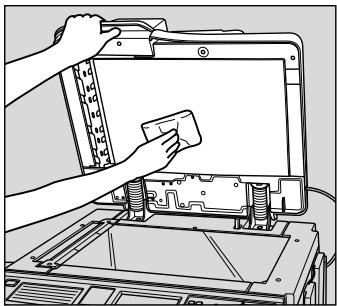
Line drawing of hands installing or adjusting a mechanical component on an open device (no text or symbols visible)Clean the RADF Platen Guide Cover
The RADF platen guide cover should be kept clean; otherwise soiled marks may be copied or document sizes may not be detected correctly.
Wipe with a clean, soft cloth.
Please Be Reminded!
Never use benzene, thinner or any other volatile liquid to clean them.
natural_image
Line drawing of a person using a power tool to clean or install electronic components on a device (no text or symbols visible)Section 6 : Basic Copying on Basic Screen
1. Basic Screen
2. Basic Operation for Copying
3. Copy Mode
1▶2 Copying
2▶2 Copying
2▶1 Copying
1▶2 Copying by Using the Platen Glass
4. Copy Density
AE (Automatic Exposure)
Manual Density Adjustment
Density Shift
5. Magnification
Preset/Userset
Zoom
Vertical/ Horizontal Zoom
6. Paper Size Selection
7. Automatic Settings
ATS (Automatic Tray Switching)
APS (Automatic Paper Size Selection)
AMS (Automatic Magnification Selection)
Auto Reset
AE (Automatic Exposure)
8. Rotation
Rotation and APS
Rotation and AMS
To Release Automatic Rotation
This section describes how to use the basic functions selected on the Basic screen.
1. Basic Screen
When the machine becomes ready for copying after turning ON the Power switch, the Layer Selection screen will be displayed as Basic screen.
Advice: Layer Selection Screen
The Layer Selection screen can be displayed as the Basic screen. See the screen below, and see p. 4-4 for details.
Advice
During the process of successive copying jobs, the message “Copier is warming up” may be displayed in the message area of the Basic screen to maintain the copy image quality.
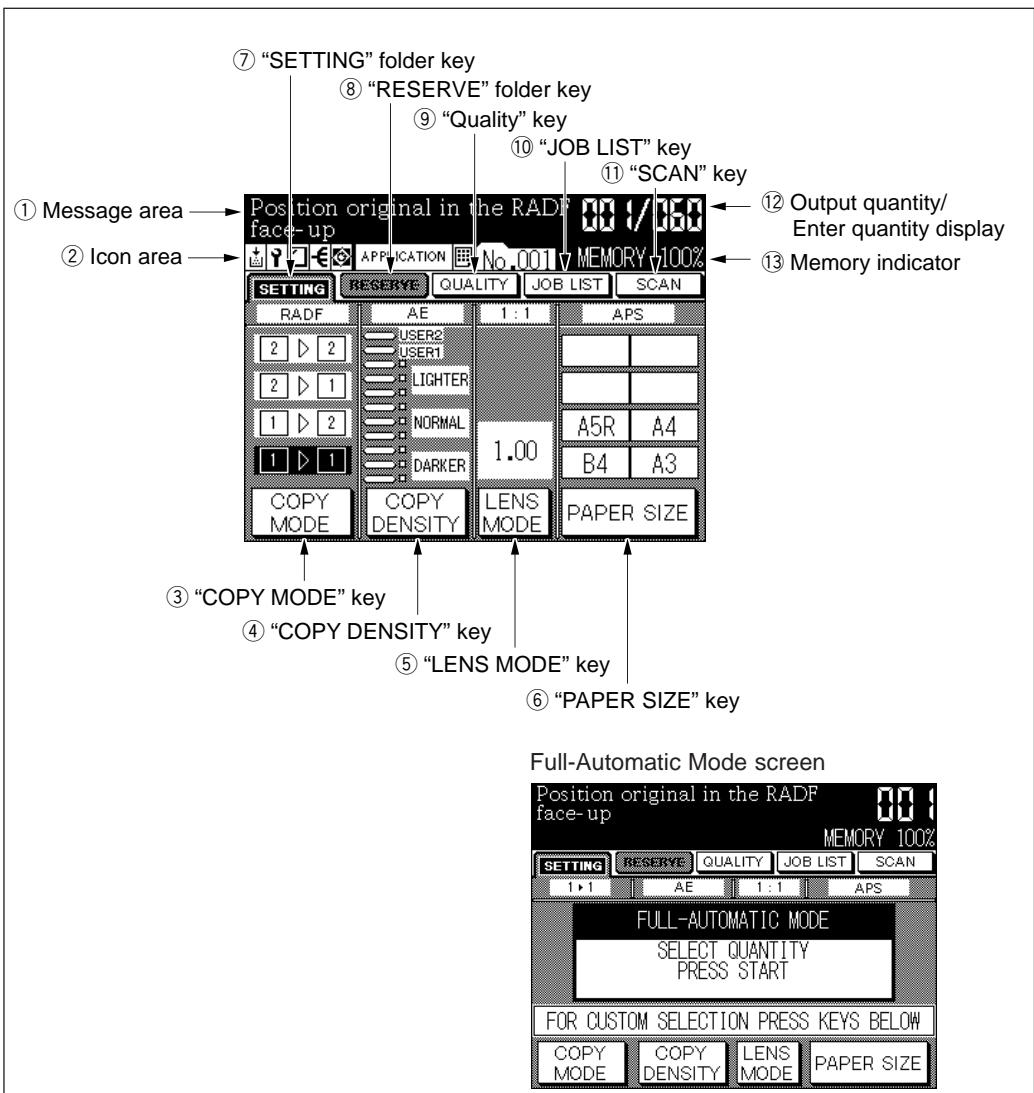
① Message area: Display the machine status and procedure required at that time.
② Icon area: Display the following icons.
Add toner icon
Displays when the toner supply becomes low. See p. 2-7 to p. 2-9.
Periodic maintenance icon 📋
Displays when periodic maintenance is required. See p. 5-6.
Staple position icon
Displays the staple position when staple-sort mode is selected. See p. 10-5.
Finisher mode icon
Displays the finisher mode selected on the Output Selection screen.
Rotation icon
Displays when the Rotation function is activated.
Image quality icon
Displays the quality selected on the Image Quality screen. The icon is usually displayed above the “QUALITY” key. See p. 7-18 to p. 7-22.
APPLICATION icon APPLICATION
Displays when any application function is selected on the Application Selection screen. The icon is usually displayed above the "RESERVE" folder key. See p. 8-2 to p. 8-3.
Job number icon No.001
Displays the current output job number assigned to every job including reserve jobs.
③ “COPY MODE” key: Touch to display the Copy Mode screen and select the copy mode (1▶1, 1▶2, 2▶2, and 2▶1). See p. 6-11 to p. 6-23.
④ “COPY DENSITY” key: Touch to display the Density Adjustment screen and specify the manual density or userset density.
⑤ “LENS MODE” key: Touch to display the Lens Mode screen and specify 1.00 (full size), Preset, Userset, Zoom, or Vertical/Horizontal zoom ratio.
⑥ “PAPER SIZE” key: Touch to display the Tray Selection screen and select the desired paper size or AMS.
⑦ “SETTING” folder key: Selected when the screen displays basic copying functions. Touch to return to Present copying job settings when making selection in Reserve mode. When any trouble occurs during the Reserve mode, the “SETTING” folder key changes to “JAM” or “ADD PAPER” according to the trouble type. The “SETTING” folder key also changes to “INTERRUPT” when the copier is set for the Interrupt mode by pressing the INTERRUPT button.
⑧ “RESERVE” folder key: Touch to select copying conditions of subsequent job while the copier is busy scanning or printing. See p. 7-11 to p. 7-17.
⑨ “QUALITY” key: Touch when selecting the image quality (Normal, High or Very high).
⑩ “JOB LIST” key: Touch to view the reserve job of the machine, or release the reserve job (see p. 7-15 to p. 7-16).
⑪ “SCAN” key: Touch to store the copy image (see p. 7-2 to p. 7-10).
⑫ Output quantity/Enter quantity display: Displays the print quantity entered with the keypad, and the output quantity on the left side of the print quantity while the copier is outputting the copied paper.
⑬ Memory indicator: Displays the rest of the memory available to be used in the operation (see p. 7-2 to p. 7-10).
2. Basic Operation for Copying
This section describes the basic operation for copying with the Basic screen displayed. The Basic screen provides all the settings to complete an ordinary copying job.
This section also describes how to minimize the toner consumption.
Basic Copying Specifications
| RADF capacity | : 50 sheets max. 1,500 images max. can be scanned at a time using Store mode. |
| RADF original paper weight | : 60 to 90g/m^2 |
| Original size | : A3, B4, F4/8.5"x13", A4R, A4, B5R, B5, A5R*, 8.5"x11"R |
| Paper size for tray | : A3, B4, F4/8.5"x13", A4R, A4, B5R, B5, A5R*, 8.5"x11"R, 8.5"x11" (80g/ m^2 paper recommended) |
| Print quantity | : 999 sets max. |
Advice
*: A5 is available in horizontal feed (☐) only.
Procedure
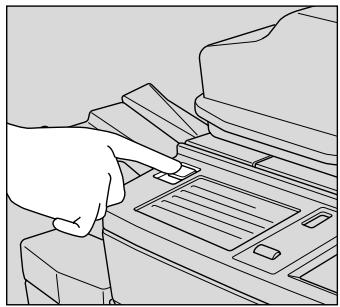
1 Power Switch ON
Press the Power switch to turn it ON. The Basic screen (Full-Automatic Mode screen or Layer Selection screen) displays after the Wake-Up screen.
natural_image
Line drawing of a hand inserting a card into a printer (no text or symbols)Having Problems?
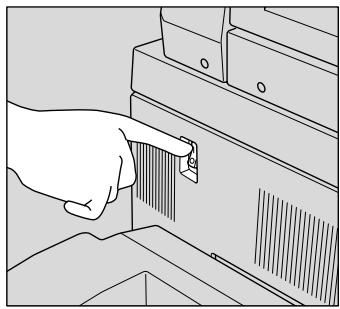
When you cannot turn the copier ON, confirm the main power switch on the left rear side of the main body is turned on. If not, turn it ON.
natural_image
Illustration of a hand inserting a small object into a device panel (no text or symbols visible)Please Be Reminded!
When turning the copier power OFF then ON, wait for 3 seconds or longer before turn it ON again; otherwise the copier may not function normally.
Having Problems?
If you find the weekly timer indicator is alight and the copier appears OFF although the Power switch is already ON, this is because the weekly timer is in operation. The copier will be turned ON at the programmed time automatically. See p. 5-5 and p. 11-32 to p. 11-40.

Please Be Reminded!
Do not turn off the power switch when the weekly timer indicator is alight, or the weekly timer will not function correctly.
The message “Please wait Copier is warming up” is displayed in the message area of the Basic screen. The warm-up takes about 1 minute and 30 seconds during which you can operate scanning originals placed in the RADF or onto the platen glass by pressing the START PRINT button. When copying becomes available, the message area displays “Position original in the RADF face-up”.
Basic screen (Warm-up)
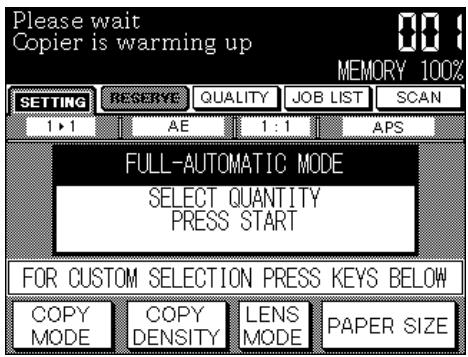
Basic screen (Ready to copy)
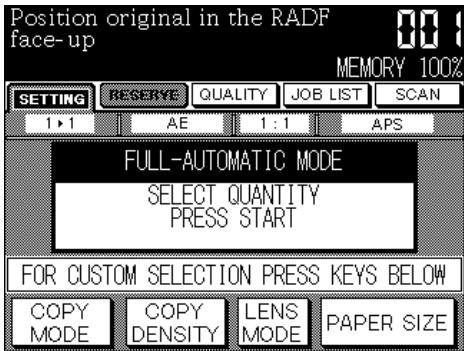
Advice
- To display the Layer Selection screen initially as the Basic screen, contact your Service Centre. See p. 4-4.
- The settings on the Basic screen displayed after switching on the power can be customized by your Key operator. See p. 11-8 to p. 11-15 in "Section 11: Key Operator Mode".
Having Problems?
While the copier is under the control of the following functions, copying is not available.
■ EKC (Electronic Key Counter)
When the message “Enter E.K.C. password” is displayed, copying is not available until a 5-digit password is entered. See p. 5-4.
■ Key counter
When the message “Please insert key counter” is displayed, copying is not available until the key counter is set.
2 Set Copying Conditions
Basic screen
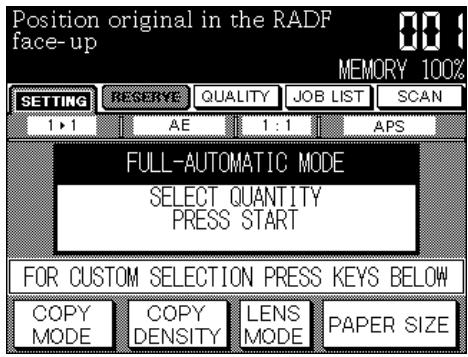
Image quality : Normal
Copy mode : 1▶1
RADF : ON
Copy density : AE ON
Lens mode : 1.00 (full-size)
Paper size : APS ON
Finisher : ON (option)
Print quantity : 001
Output mode : Sort, Face down
Auto low power : ON
Auto shut-off : ON
Auto reset function : OFF
ATS : OFF
Auto rotation : ON
The standard copying conditions are set as follows.
When an original is set on the platen glass with RADF opened, RADF mode is turned off.
For copying under your desired conditions, see the description of each operation given later.
Advice for minimizing toner consumption
- Frame/Fold erasure allows you to obtain copies with less black shading around the edges, and at the centre, from a thick original such as a book. For Frame/Fold erasure, see p. 9-15 to p. 9-18.
- When copying thick originals such as books, use Non-image area erase to minimize toner usage. See p. 9-36 to p. 9-39.
3 Select Output Mode
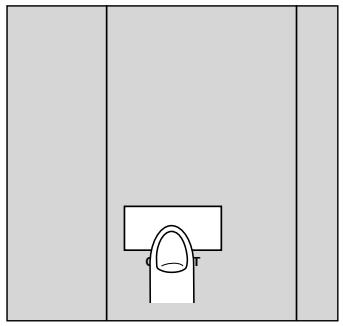
Press the OUTPUT button to display the Output screen.
Operation panel
natural_image
Simple line drawing of a door with a handle and label 'T' (no text or symbols beyond basic lines)Output screen (Copier without Finisher)
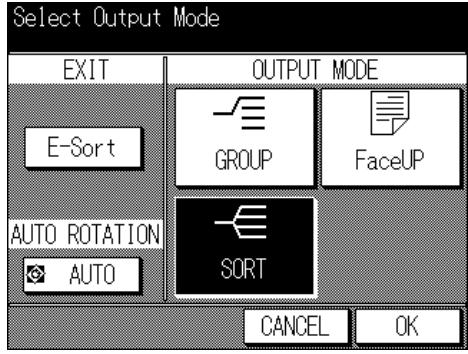
For a copier without the Finisher:
The default setting is the Sort mode without E-sort and Face up.
Advice: E-Sort Exit
This mode rotates every second finished set by 90^ upon exit to the tray, only when either combination of A4 and A4R, B5 and B5R, or 8.5"x11" and 8.5"x11"R size copy paper is loaded into separate trays including the Multi-sheet bypass tray.
See p. 7-40 to p. 7-41 for details.
Advice: Face UP Exit
In the Face Up exit, the copies exit to the exit tray in the reverse order, with simplex sheets and odd numbered duplex sheets face up.
- To select Sort with E-sort exit, touch "E-Sort".
To select Group with normal exit, touch "GROUP".
To select Group with E-sort exit, touch "E-Sort" and "GROUP".
To select Face Up, touch "FaceUp".
- When copying onto the large-sized copy paper, withdraw the left edge of the paper exit tray.
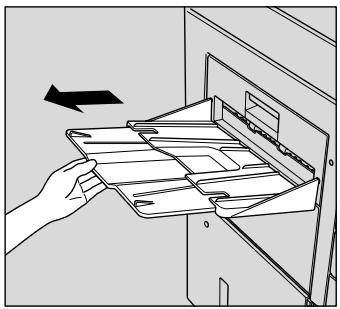
natural_image
Illustration of a hand inserting a tray into an oven with a directional arrow (no text or symbols)For a copier with the Finisher:
Operation panel
natural_image
Simple line drawing of a door with a handle, no text or symbols presentOutput screen (Copier with Finisher)
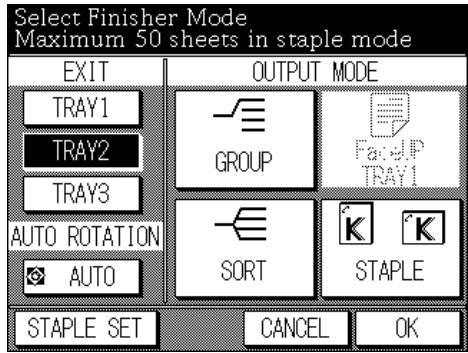
The default setting is the Non-sort mode discharged on the TRAY 2 (Finisher middle exit tray).
Advice: Sort/Group mode of a copier with the Finisher
Use the Sort mode to output multiple copies of the originals and to have each finished set offset by 30 mm upon exit.
Use the Group mode to group together multiple copies of each original and offset the finished sets by 30 mm upon exit.
Non-sort mode will not offset the finished sets.
Select the desired mode using the Output screen. See p. 10-2 for details.
4 Enter Print Quantity
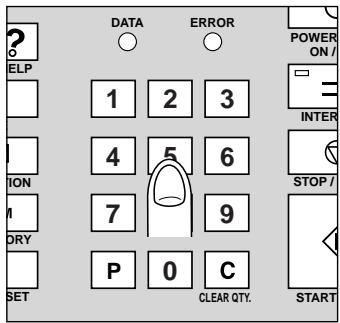
Press the Keypad to enter the number of copies required. The entered quantity will be displayed on the upper right position of the Basic screen.
To change the print quantity, press the CLEAR QTY. button and enter the correct quantity.
Please Be Reminded!
Do not press the STOP/CLEAR button. The image stored in the memory will be cleared. Do not press the AUTO RESET button as this will clear all the copier settings.
Operation panel
Basic screen

5 Place Original(s)
Using RADF: originals FACE UP
- Close the RADF securely.
- Arrange the single-sided originals in order, with page 1 on top.
- Place originals with their FACE UP.
- Adjust the paper guides to originals.
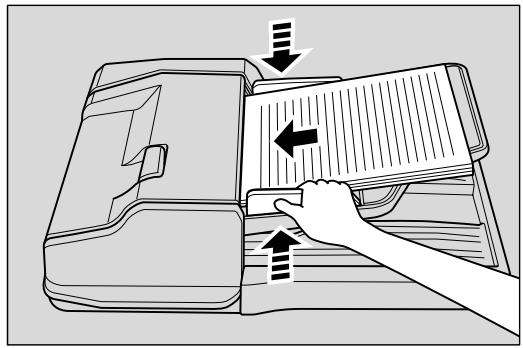
natural_image
Illustration of a hand opening a closed book into a folder, with arrows indicating direction (no text or symbols)Using Platen glass: original FACE DOWN
- Open the RADF.
- Place original FACE DOWN, aligning original to the left measuring guide. Set the centre of the original to the centre of the measuring guide.
- Gently close the RADF.
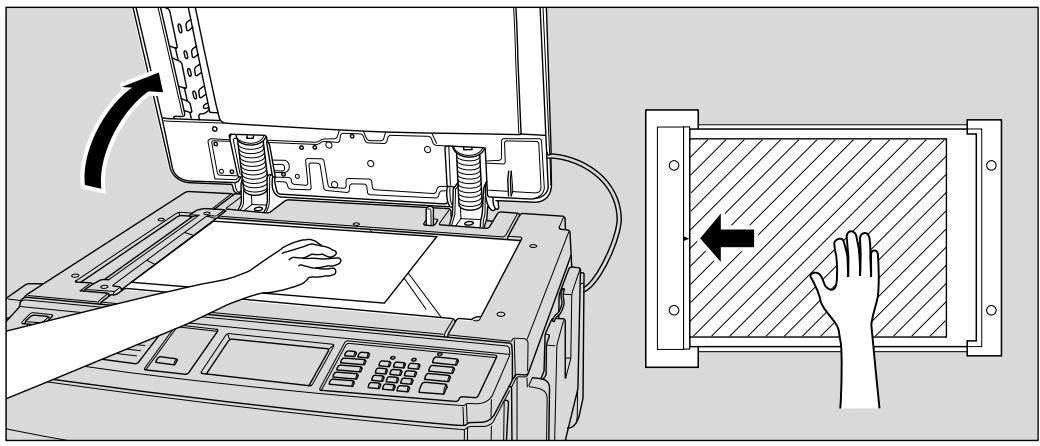
Advice
Do not close the RADF, when selecting the Non-image area erase or Auto layout.
Supplement 1: Using Store mode
RADF/Platen store mode is available. See p. 7-2 to 7-10 for details.
Supplement 2: Checking copying conditions/printed copies
- Press the CHECK button to display the Check screen.
- Check the current copying conditions on the Check screen.
- Touch "PROOF COPY" on the Check screen to make a proof copy.
When completed, touch "EXIT" to return to the Basic screen.
See p. 7-22 to p. 7-27 for details.
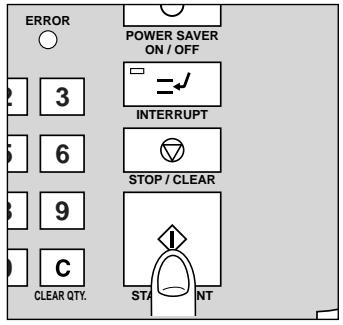
6 Start Copying
Press the START PRINT button.
Advice
During the process of successive copying jobs, the message “Copier is warming up” may be displayed in the message area of the Basic screen to maintain the copy image quality.
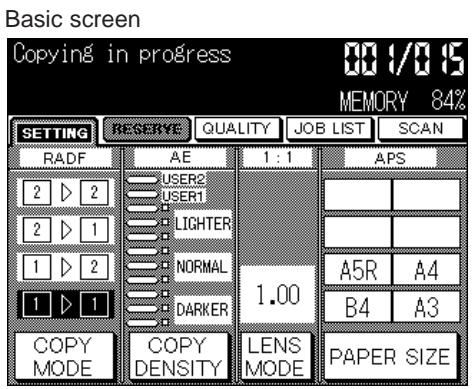
Memory indicator allows you to check the remaining memory while the copier is scanning in the job. The current output quantity is displayed on the left hand side of the print quantity while copying is in progress.
STOP/CLEAR button
Press the STOP/CLEAR button to suspend the copying job at any time. Scanned data in the memory will be cleared.
INTERRUPT button
Press the INTERRUPT button to perform another job during printing or scanning job in progress. Refer to p. 7-36 to p. 7-38 for details.
Having Problems?
Copying is not available if the copy paper of the same size as the original is not loaded. Set the paper of the size indicated in the message into the tray.
Advice: Paper Exit Switching Function of Finisher Exit Tray
When the amount of copies delivered onto the Finisher exit tray (upper, middle or lower) exceeds its limit described below, the copier automatically shifts the output to another tray to complete the output job.
Finisher upper exit tray:
After 100 sheets (irrespective of the paper size) delivery, the output shifts to the middle, then lower tray.
Finisher middle exit tray:
After 300 sheets (A3, B4 or F4/8.5"x13")/500 sheets (A4R, A4, B5R, B5, A5R, 8.5"x11R or 8.5"x11") delivery, the output shifts to the lower tray.
Finisher lower exit tray:
After 300 sheets (A3, B4 or F4/8.5"x13")/500 sheets (A4R, A4, B5R, B5, A5R, 8.5"x11R or 8.5"x11") delivery, the output shifts to the middle tray.
Advice: Automatic Stop on Exit Tray
The copier without Finisher automatically stops to output when the number of copies delivered onto the exit tray reaches 100 during one output job. If you desire to release this function, contact your Service Centre.

CAUTION: Paper Capacity of the Finisher
The capacity of the Finisher exit tray is listed below. When the total number of copies in the copy run exceeds the stated capacity, be sure to unload the exit tray whilst the copier is still copying. Failure to do so will cause the copier to jam. The following capacity is for 80g/m^2 paper.
Non-Sort Mode
Tray 1 : 100 sheets/10 sheets (thin/thick paper, transparency film, etc.)
Tray 2/3 : 500 sheets (A4R, A4, B5R, B5, 8.5"x11"R) 300 sheets (A3, B4, F4/8"x13", A5R*)
Sort/Group Mode
Tray 2/3 : 500 sheets (A4R, A4, B5R, B5, 8.5"x11"R) 300 sheets (A3, B4, F4/8"x13")
Staple-Sort Mode
500 sheets max. (A4R, A4, B5R, B5, 8.5"x11"R)
300 sheets max. (A3, B4, F4/8"x13", A5R*)
*: Load A5 in horizontal feed (☐) only.

CAUTION: Maximum Loading Capacity of the Exit Tray
The exit tray capacity is 100 sheets. If a copy run of more than 100 is required, be sure to remove the copies from the exit tray before the maximum capacity is reached. Failure to do so will cause the copier to jam.
3. Copy Mode
Under the copying conditions of the Basic screen, the Copy mode is automatically set at "1▶1".
Take the following procedure to set the copy mode.
1▶2 Copying
Single-sided originals are automatically copied onto both sides of the paper.
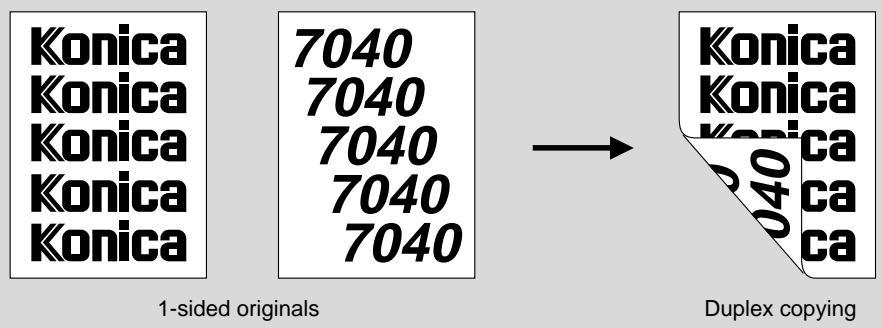
Basic rules for 1▶2 copying mode
Place the originals onto the RADF. When making double-sided copy using the platen glass, see “1▶2 Copying by Using the Platen Glass” (p. 6-20 to p. 6-23).
1▶2 Copying Specifications
RADF to be used
RADF capacity : 50 sheets max. 1,500 image max. can be scanned at a time using RADF store mode.
Original : A3, B4, A4R, F4/8.5"x13", A4, B5R, B5, A5R*, 8.5"x11" (60 to 90g/m² paper)
Copy paper : A3, B4, A4R, F4/8.5"x13", A4, B5R, B5, A5R*, 8.5"x11"R, 8.5"x11" (80g/m² paper recommended)
Print quantity : 999 sets max.
Advice
*: A5 is available in horizontal feed (☐) only.
Incompatible
Image quality (Very high) Thin/Thick paper
OHP interleave
Procedure
1 Set Copy Conditions
- Close the RADF securely and press the AUTO RESET button on the operation panel to set the RADF mode.
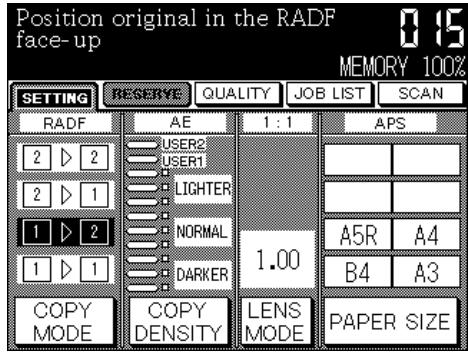
- Touch "COPY MODE" on the Basic screen to display the Copy Mode screen.
- Touch "1-2". The "1-2" key will be highlighted, then touch "OK" to return to the Basic screen.
Advice
To return to the original condition set before change, touch "CANCEL".
Basic screen
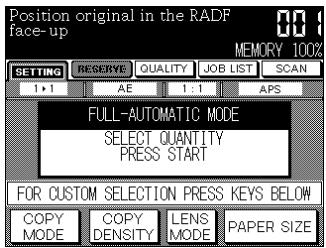
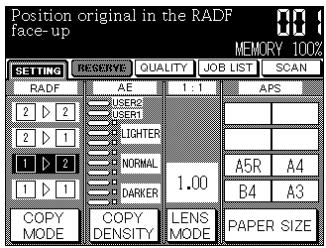
Copy Mode screen
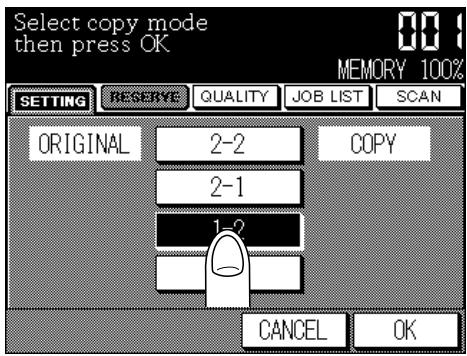
- As required, set the other copying conditions.
2 Enter Print Quantity
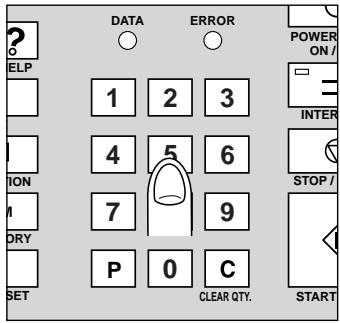
Press the Ten keys to set the desired print quantity.
Enter the desired number of copied set, using the Ten keys on the Operation panel. To change the print quantity, press the CLEAR QTY. button and enter the correct quantity.
Please Be Reminded!
DO NOT press the STOP/CLEAR button when changing the print quantity. Stored image will be cleared. Do not press the AUTO RESET button as this will clear all the copier settings.
Operation panel
Basic screen
3 Place Originals ... FACE UP
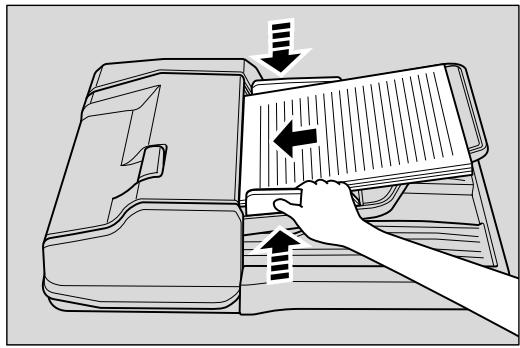
- Put the single-sided originals in the order of pages. Place originals FACE UP in the RADF. Up to 50 originals can be set.
- Align the front paper guide to the originals.
Advice
For the details of setting originals to the RADF, see p. 6-8.
natural_image
Illustration of a hand opening a closed book with arrows indicating page direction (no text or symbols)Supplement 1: Using Store mode
RADF Store Mode:
To copy a set of more than 50 originals, use RADF store mode. See p. 7-8 to p. 7-10 for details.
Please Be Reminded!
Divide the originals into blocks not exceeding 50 sheets and load them from the block with the first page.
Platen Store Mode:
To copy originals that cannot be fed through the RADF onto both sides of copy paper, use the Platen store mode. See “1▶2 Copying by Using the Platen Glass” on p. 6-20 to p. 6-23 for details.
Supplement 2: Checking copying conditions/printed copies
- Press the CHECK button to display the Check screen.
- Check the current copying conditions on the Check screen.
- Touch "PROOF COPY" on the Check screen to make a proof copy.
When completed, touch "EXIT" to return to the Basic screen.
See p. 7-22 to p. 7-27 for details.
4 Start Copying
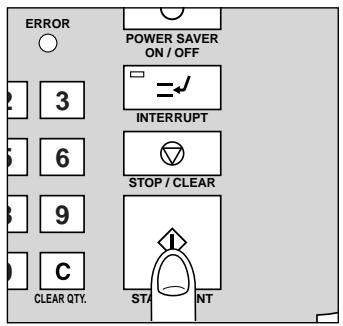
Press the START PRINT button. Originals loaded on RADF are all scanned and discharged, then printing job starts in succession.
To stop copying, press the STOP/CLEAR button. Memory settings will be cleared.
After completion of copying, all memory settings are cleared. Press the AUTO RESET button to return to the initial condition.
2▶ 2 Copying
Double-sided originals are automatically copied onto both sides of the paper.
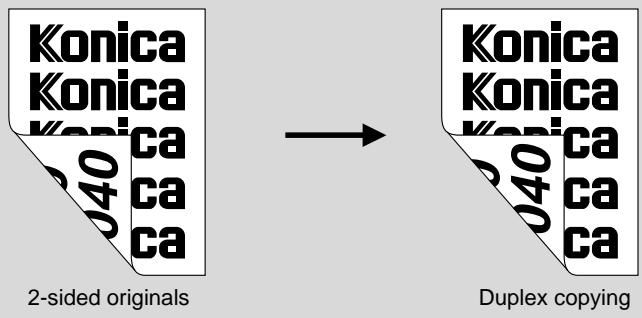
Basic rules for 2▶2 copying mode
Place the originals onto the RADF. When making double-sided copy using the platen glass, see “1▶2 Copying by Using the Platen Glass” (p. 6-20 to p. 6-23).
2▶ 2 Copying Specifications
RADF to be used
RADF capacity : 50 sheets max. 1,500 images max. can be scanned at a time using Store mode.
Original : A3, B4, A4R, F4/8.5"x13", A4, B5R, B5, A5R*, 8.5"x11" (60 to 90g/m² paper)
Copy paper : A3, B4, A4R, F4/8.5"x13", A4, B5R, B5, A5R*, 8.5"x11"R, 8.5"x11" (80g/m² paper recommended)
Print quantity : 999 sets max.
Advice
*: A5 is available in horizontal feed (☐) only.
Incompatible
| Image quality (Very high) | Auto layout |
| OHP interleave | Thin/Thick paper |
| Dual page | Non-image area erase |
| Repeat |
Procedure
1 Set Copy Conditions
- Close the RADF securely and press the AUTO RESET button to set the RADF mode.
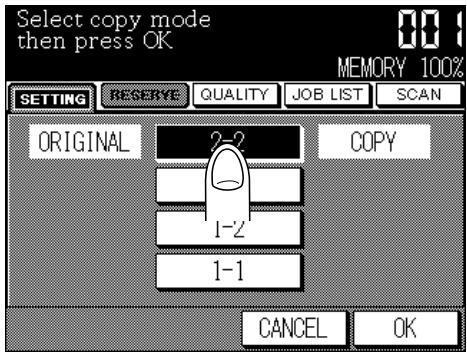
- Touch "COPY MODE" on Basic screen to display the Copy Mode screen.
- Touch "2-2". The "2-2" key will be highlighted, then touch "OK" to return to the Basic screen.
Advice
To return to the original condition set before change, touch "CANCEL".
Basic screen
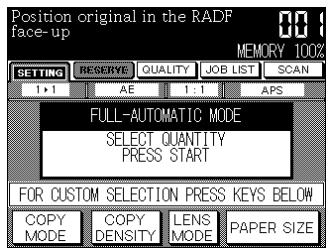
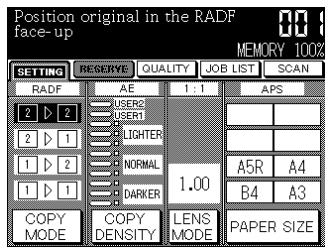
Copy Mode screen
- As required, set the other copying conditions.
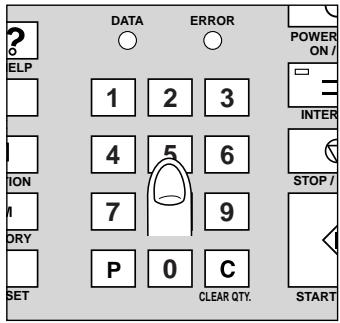
2 Enter Print Quantity
Press the keypad to set the desired print quantity.
Enter the desired number of copied set, using the Ten keys on the operation panel. To change the print quantity, press the CLEAR QTY. button and enter the correct quantity.
Please Be Reminded!
DO NOT press the STOP/CLEAR button when changing the print quantity. Stored image will be cleared. Do not press the AUTO RESET button as this will clear all the copier settings.
Operation panel
Basic screen
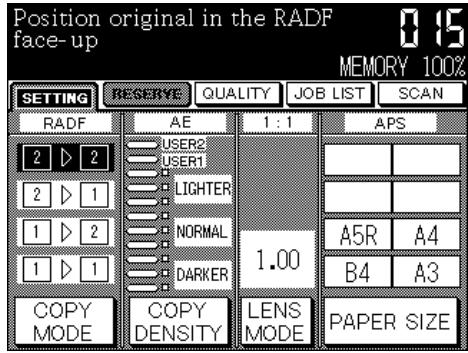
Copy Mode
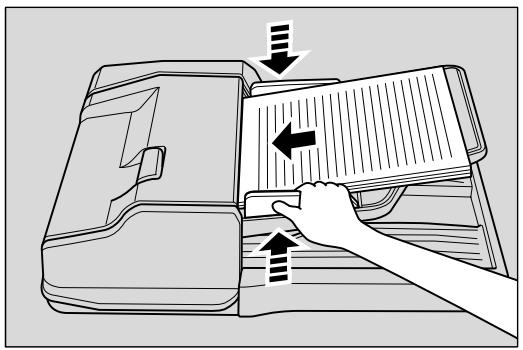
3 Place Originals ... FACE UP
- Put the double-sided originals in the order of pages. Place originals FACE UP in the RADF. Up to 50 originals can be set.
- Align the front paper guide to the originals.
Advice
For the details of setting originals to the RADF, see p. 6-8.
natural_image
Illustration of a hand opening a rectangular device with arrows indicating process flow (no text or symbols)Supplement 1: Using Store mode
RADF Store Mode:
To copy a set of more than 50 originals, use RADF store mode. See p. 7-5 to p. 7-6 for details.
Please Be Reminded!
Divide the originals into blocks not exceeding 50 sheets and load them from the block with the first page.
Platen Store Mode:
To copy originals that cannot be fed through the RADF onto both sides of copy paper, use the Platen store mode. See “1▶2 Copying by Using the Platen Glass” on p. 6-20 to p. 6-23 for details.
Supplement 2: Checking copying conditions/printed copies
- Press the CHECK button to display the Check screen.
- Check the current copying conditions on the Check screen.
- Touch "PROOF COPY" on the Check screen to make a proof copy.
When completed, touch "EXIT" to return to the Basic screen.
See p. 7-22 to p. 7-27 for details.
4 Start Copying
Press the START PRINT button. Originals loaded on RADF are all scanned and discharged, then printing job starts in succession.
To stop copying, press the STOP/CLEAR button. Memory settings will be cleared.
After completion of copying, all memory settings are cleared. Press the AUTO RESET button to return to the initial condition.
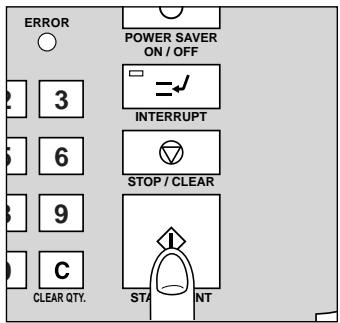
2▶1 Copying
Double-sided originals are automatically copied onto single-sided paper.
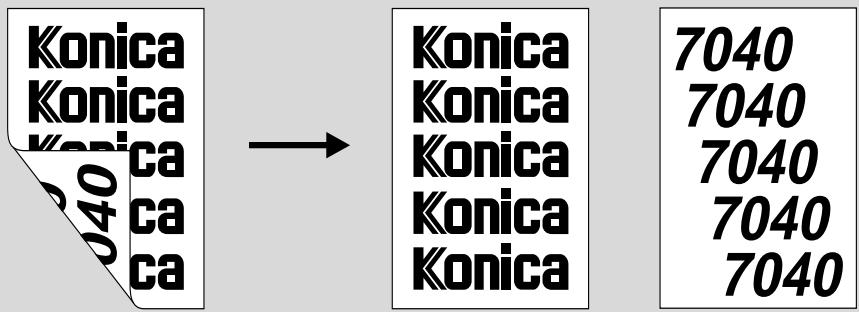
Simplex copying
Basic rules for 2▶1 copying mode
Place the originals onto the RADF.
2▶ 1 Copying Specifications
RADF to be used
RADF capacity : 50 sheets max. 1,500 images max. can be scanned at a time using Store mode
Original : A3, B4, A4R, F4/8.5"x13", A4, B5R, B5, A5R*, 8.5"x11" (60 to 90g/m² paper)
Copy paper : A3, B4, A4R, F4/8.5"x13", A4, B5R, B5, A5R*, 8.5"x11"R, 8.5"x11" (80g/m² paper recommended)
Print quantity : 999 sets max.
Advice
*: A5 is available in horizontal feed (☐) only.
Incompatible
| Image quality (Very high) | Repeat |
| Chapter | Auto layout |
| Booklet | Non-image area erase |
| Dual page |
Procedure
1 Set Copy Conditions
- Close the RADF securely and press the AUTO RESET button to set the RADF mode.
- Touch "COPY MODE" on the Basic screen to display the Copy Mode screen.
- Touch "2-1". The "2-1" key will be highlighted, then touch the "OK" to return to the Basic screen.
Advice
To return to the original condition set before change, touch "CANCEL".
Basic screen
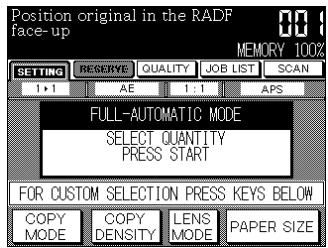
Copy Mode screen
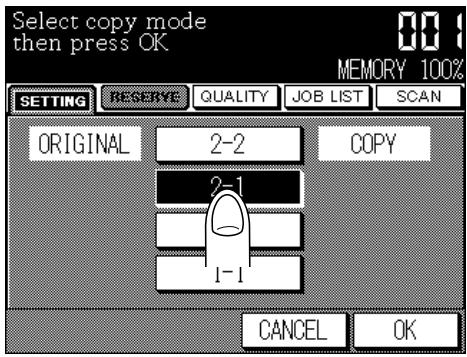
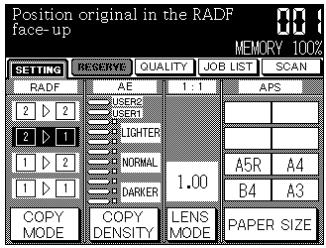
- As required, set the other copying conditions.
2 Enter Print Quantity
Press the Ten keys to set the desired print quantity.
Enter the desired number of copied set, using the Ten keys on the Operation panel. To change the print quantity, press the CLEAR QTY. button and enter the correct quantity.
Please Be Reminded!
DO NOT press the STOP/CLEAR button when changing the print quantity. Stored image will be cleared. Do not press the AUTO RESET button as this will clear all the copier settings.
Operation panel
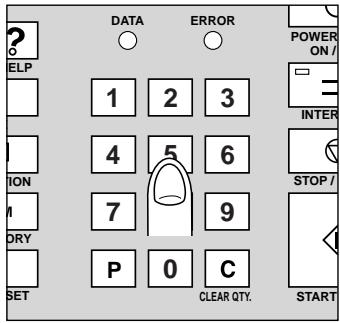
Basic screen
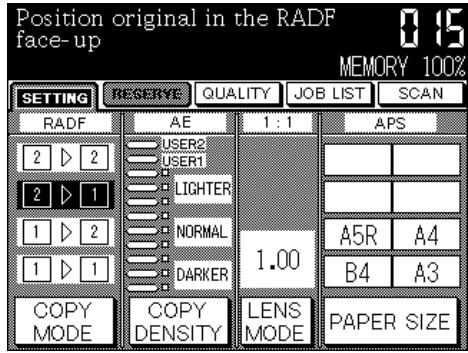
3 Place Originals ... FACE UP
- Put the double-sided originals in the order of pages. Place originals FACE UP in the RADF. Up to 50 originals can be set.
- Align the front paper guide to the originals.
Advice
For the details of setting originals to the RADF, see p. 6-8.
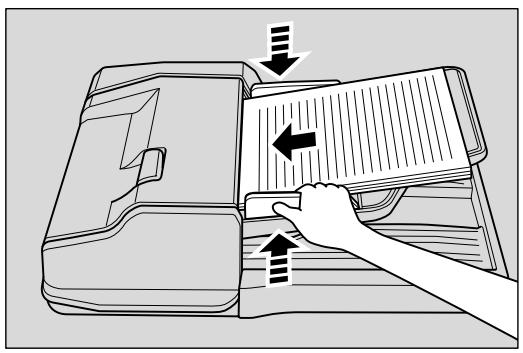
natural_image
Illustration of a hand inserting a card into a folder, showing directional arrows (no text or symbols)Supplement 1: Using Store mode
RADF Store Mode:
To copy a set of more than 50 originals, use RADF store mode. See p. 7-8 to p. 7-10 for details.
Please Be Reminded!
Divide the originals into blocks not exceeding 50 sheets and load them from the block with the first page.
Platen Store Mode:
To copy originals that cannot be fed through the RADF onto both sides of copy paper, use the Platen store mode. See “1▶2 Copying by Using the Platen Glass” on p. 6-20 to p. 6-23 for details.
Supplement 2: Checking copying conditions/printed copies
- Press the CHECK button to display the Check screen.
- Check the current copying conditions on the Check screen.
- Touch "PROOF COPY" on the Check screen to make a proof copy.
When completed, touch "EXIT" to return to the Basic screen.
See p. 7-22 to p. 7-27 for details.
4 Start Copying
Press the START PRINT button. Originals loaded on RADF are all scanned and discharged, then printing job starts in succession.
To stop copying, press the STOP/CLEAR button. Memory settings will be cleared.
After completion of copying, all memory settings are cleared. Press the AUTO RESET button to return to the initial condition.
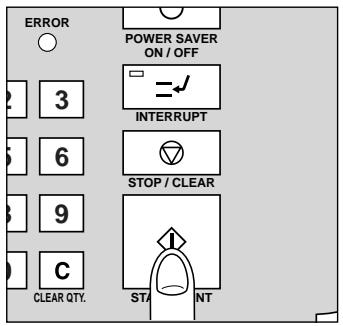
1▶2 Copying by Using the Platen Glass
How to copy originals not suitable for the RADF in duplex mode, is described below.
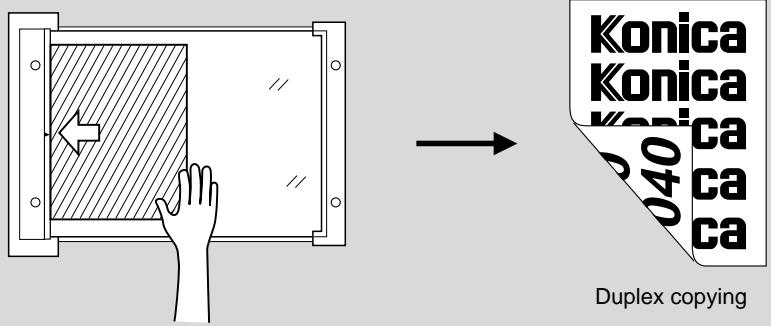
Originals that cannot be fed by the RADF:
1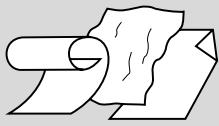 Curled, creased of folded originals Curled, creased of folded originals | 2 Pas cut-outs Pas cut-outs | 3 Books Books |
4 Glossy or transparent originals, OHP film, art paper, cellophane Glossy or transparent originals, OHP film, art paper, cellophane | 5 Doubled, punched or stapled originals Doubled, punched or stapled originals | 6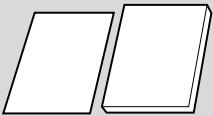 Thin or thick originals Thin or thick originals |
1▶2 Copying by Using the Platen Glass Specifications
Scanned image capacity : 1,500 image max. at a time
Original paper sizes : A3 max.
Copy paper sizes : A3, B4, A4, F4/8.5"x13", A4R, B5R, B5, A5R*, 8.5"x11"R, 8.5"x11" (80g/m² paper recommended)
Print quantity : 999 sets max.
Advice
*: A5 is available in horizontal feed (☐) only.
Incompatible
Image quality (Very high) Image insert OHP interleave Thin/Thick paper
Procedure
1 Set Copy Conditions
- Open and close the RADF to set the Platen mode.
- Touch "COPY MODE" on the Basic screen to display the Copy Mode screen. "2-2" and "2-1" keys is dimmed.
- Touch "1-2". The "1-2" key will be highlighted, then touch "OK" to return to the Basic screen.
Advice
To return to the original condition set before change, touch "CANCEL" key.
Basic screen
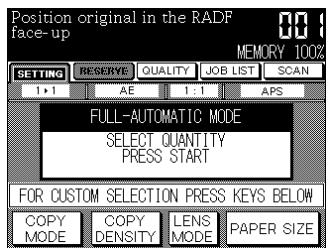
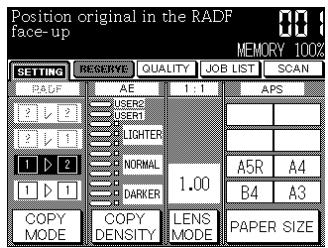
Copy Mode screen
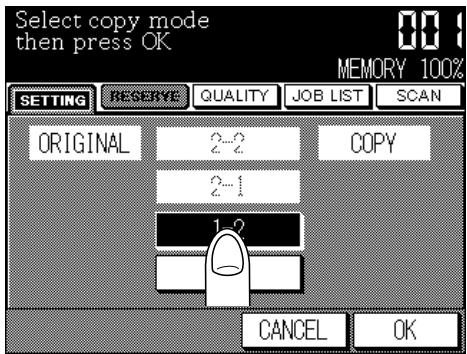
- As required, set the other copying conditions.
2 Enter Print Quantity
Press the Ten keys to set the desired print quantity.
Enter the desired number of copied set, using the Ten keys on the Operation panel. To change the print quantity, press the CLEAR QTY. button and enter the correct quantity.
Please Be Reminded!
DO NOT press the STOP/CLEAR button when changing the print quantity. Stored image will be cleared. Do not press the AUTO RESET button as this will clear all the copier settings.
Operation panel
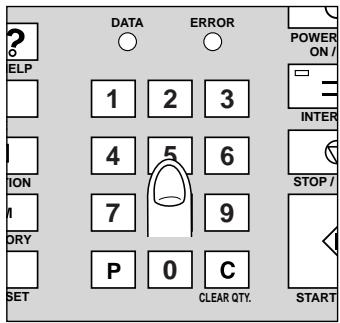
Basic screen
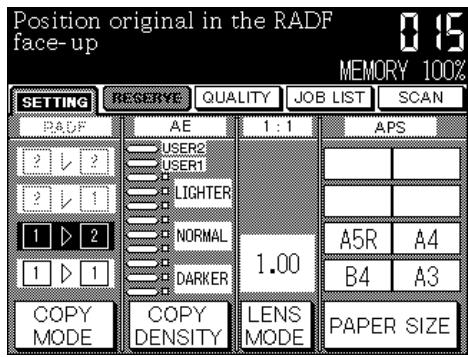
Copy Mode
3 Scan Front Side ... FACE DOWN
- Open the RADF
- Place the original FACE DOWN, adjusting the centre of the original to the centre of the left side scale of the Platen glass.
- Gently close the RADF.
Advice
For details of how to place the original, see p. 6-8.
Please Be Reminded!
Place from the first page.
- Touch "SCAN" to scan the image for the front side of copy.
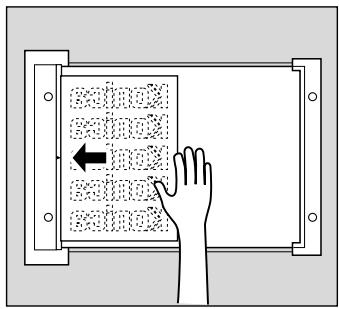
Basic screen
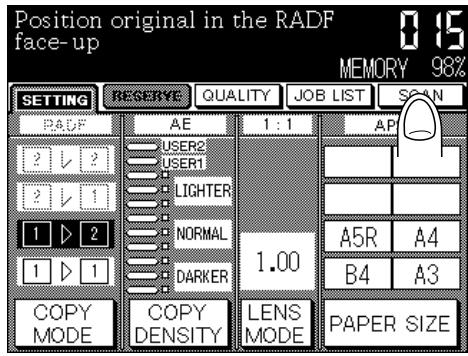
4 Scan Reverse Side ... FACE DOWN
- Open the RADF.
- Place the original FACE DOWN, adjusting the centre of the original to the centre of the left side scale of the Platen glass.
- Gently close the RADF.
- Touch "SCAN" to scan the image for the reverse side of copy.
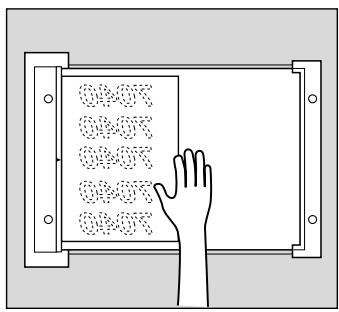
Basic screen
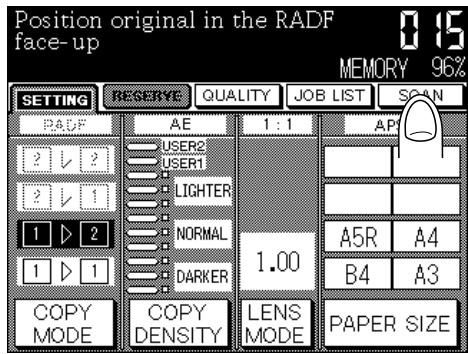
5 Store Data into Memory
Repeat steps 3 and 4.
The memory remaining will be displayed on the memory indicator in the upper right portion of the Basic screen.
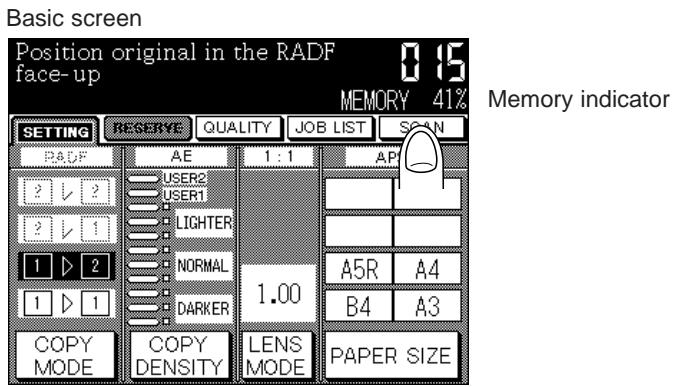
Please Be Reminded!
DO NOT press the STOP/CLEAR button when changing the print quantity. Stored image will be cleared.
To delete the scanned data without printing, press the STOP/CLEAR button.
To reset the copying conditions to the initial setting, press the STOP/CLEAR button then AUTO RESET button.
Supplement: Checking copying conditions/printed copies
- Press the CHECK button to display the Check screen.
- Check the current copying conditions on the Check screen.
- Touch "PROOF COPY" on the Check screen to make a proof copy.
When completed, touch "EXIT" to return to the Basic screen.
See p. 7-22 to p. 7-27 for details.
6 Start Copying
Press the START PRINT button. All scanned images are copied in succession.
To stop copying, press the STOP/CLEAR button. Memory settings will be cleared.
After completion of copying, all memory settings are cleared. Press the AUTO RESET button to return to the initial condition.
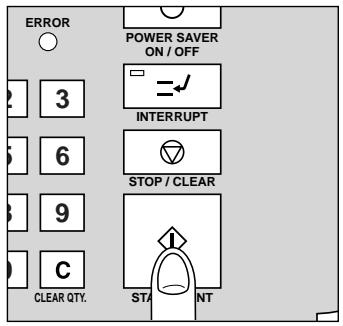
4. Copy Density
This section describes the following functions of copy density and their operational procedures.
• AE (Automatic Exposure)
- Manual Density Adjustment
- Density Shift
AE (Automatic Exposure)
The AE detects the density of the original and automatically selects the appropriate density for copying.



Procedure
Press the AUTO RESET button.
The “AE” indication on the Basic screen is displayed brightly.
Operation panel
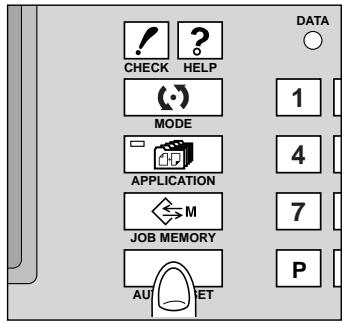
Basic screen
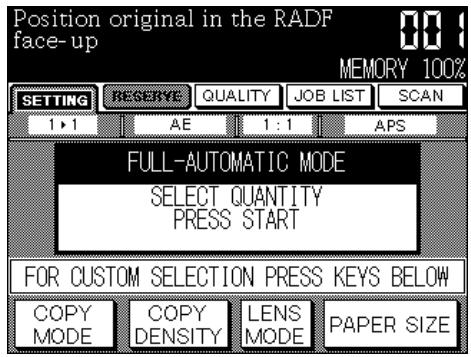
Manual Density Adjustment
Manual setting is used to set the density either lighter or darker than the density setting selected automatically by the AE mode. Density adjustment can be made in 9 steps.
Procedure
- Touch "COPY DENSITY" on the Basic screen to display the Density Adjustment screen.
- Touch one of the four keys on DARKER side, or of the four keys on LIGHTER side. The key touched will be highlighted, then touch "OK" to return to the Basic screen.
Basic screen
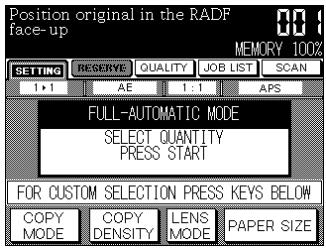
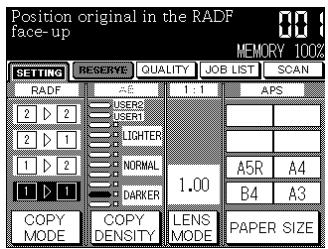
Density Adjustment screen
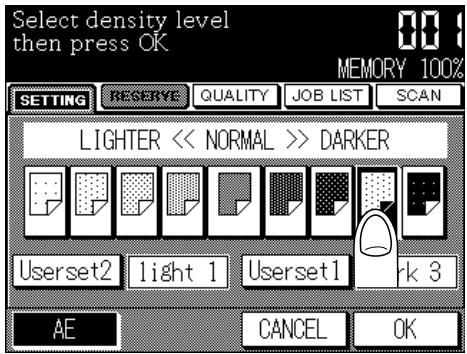
To use the AE mode, touch the “AE” on the Density Adjustment screen.
Density Shift
Density shift divides each of seven density levels into two levels of lighter and three levels of darker.
Density shift can be used not only in normal copying (Normal mode) but in each of the following three modes of Text/Photo Enhance. See p. 9-2 to p. 9-5.
- Text
- Photo
- Increase contrast
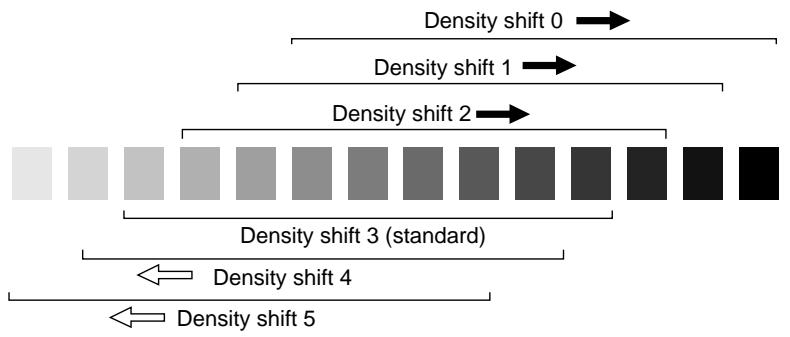
flowchart
graph LR
    A["Density shift 0"] --> B["Density shift 1"]
    B --> C["Density shift 2"]
    C --> D["Density shift 3 (standard)"]
    D --> E["Density shift 4"]
    E --> F["Density shift 5"]
Procedure
1. Select the density mode.
To select the Text/Photo mode, press P button and 5 button simultaneously. The following message will be displayed.
P - mode : 5 Press START to confirm
To select the Text mode, press p button and 6 button simultaneously. The following message will be displayed.
P - mode : 6 Press START to confirm
To select the Photo mode, press P button and 7 button simultaneously. The following message will be displayed.
P - mode : 7 Press START to confirm
To select the Increase contrast mode, press p button and 8 button simultaneously. The following message will be displayed.
P - mode : 8 Press START to confirm
- Press the START PRINT button. The following message will be displayed. In Text/Photo mode (P-mode : 5)
Density Shift (Text/Photo) 3 (0 - 5)
In Text/Photo mode (P-mode : 6)
Density Shift (Text) 3 (0 - 5)
In Photo mode (P-mode : 7)
Density Shift (Photo) 3 (0 - 5)
In Increase contrast mode (P-mode : 8)
Density Shift (Increase contrast) 3 (0 - 5)
- Press any key (from 0 - 5) using the Ten keys to determine the Density shift.
Advice
When 6 or above is entered, 5 is selected.
- Press the STOP/CLEAR button. Density shift is determined.
5. Magnification
In the copying conditions of the Basic screen, the magnification is automatically set at "1.00" (full-size).
The following describes how to change the magnification ratio.
Select one of the four magnification modes, and specify the desired magnification ratio or copy paper size.
6 Preset ratios : 0.71, 0.82, 0.86, 1.15, 1.22, and 1.41
Zoom : 0.25 to 4.00 in 1 % increments
3 Userset ratios : Programmable by key operator and selected from 0.25 to 4.00
Vertical/Horizontal zoom : reduction or enlargement vertical and horizontal dimensions independently.
Incompatible with change of magnification (Preset/User Set/Zoom)
APS
Reduce & shift
Preset/Userset
As Preset ratios, the six frequently used magnification ratios (0.71, 0.82, 0.86, 1.15, 1.22, 1.41) are provided, and three User Set ratios that can be optionally set are also available.
Advice
For setting the User Set ratios, see “Section 11: Key Operator Mode” at p.11-19.
Procedure
- Touch "LENS MODE" on the Basic screen to display the Lens Mode screen.
- Touch the desired one of the six "PRESET" keys and three "USERSET" keys. The touched key will be reversed, then touch "OK" to return to the Basic screen.
Advice
To return to the original condition set before change, touch "CANCEL".
For full-size copying, touch "1.00".
Basic screen
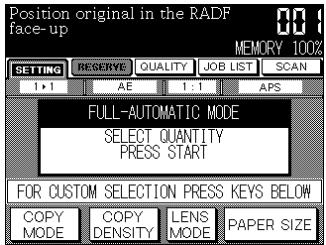
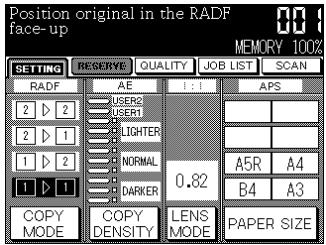
Lens Mode screen
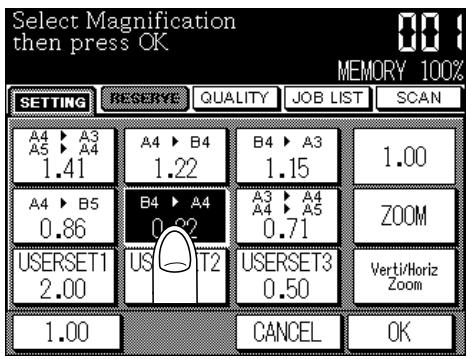
Zoom
This is used to make copies with magnification ratios other than the Preset or User Set ratios. Zoom ratio can be set in 0.01 increments from 0.25 to 4.00.
Advice
In the case of the Very high mode, Zoom magnification can be set from 0.50 to 4.00.
Procedure
- Touch "LENS MODE" on the Basic screen to display the Lens Mode screen.
- Touch "ZOOM" on the Lens Mode screen to display the Zoom screen.
- Set the zoom ratio, by either of the following two methods:
- Change the ratio in 0.01 (1%) steps by keeping ▲ pressed for enlargement, or keeping ▼ pressed for reduction.
- Enter the numeral of the magnification ratio by touching the corresponding Ten keys on the screen. The magnification ratio will be displayed on the right side of the screen.
Advice
To return to the original condition set before change, touch "CANCEL".
- Touch "OK" on the Zoom screen. The Basic screen will be restored.
Basic screen

Lens Mode screen
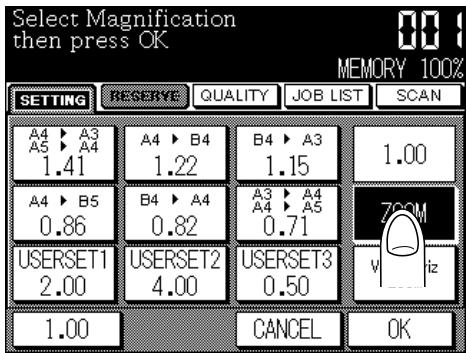
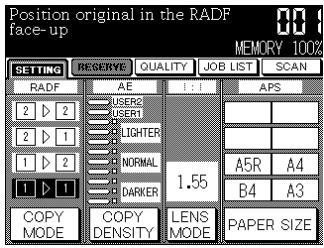
Zoom screen
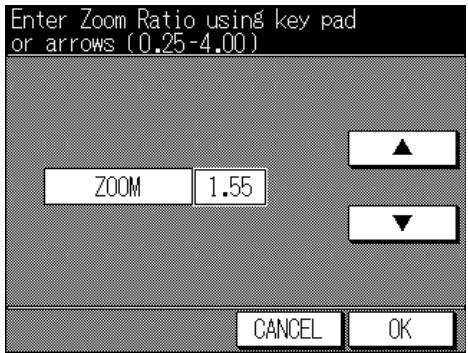
Vertical/Horizontal Zoom
Use the Vertical/Horizontal zoom mode to reduce or enlarge vertical and horizontal dimensions, independently.
Incompatible with Vertical/Horizontal zoom
Change magnification
APS
AMS
Vertical ratio: 0.25 \~ 4.00
Horizontal ratio: 0.25 \~ 4.00
Advice
In the case of the Very high mode, Zoom ratio can be set from 0.50 to 4.00.
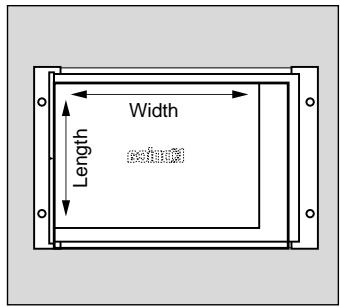
The figure shown below is the sample image using the Vertical/Horizontal zoom.
Length: 0.50, Width: 0.50
Length: 0.50, Width: 1.00
Length: 0.50, Width: 2.00
Length: 0.50, Width: 4.00
Length: 1.00, Width: 0.50
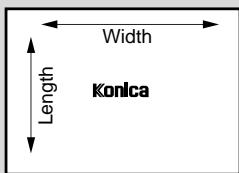
Length: 1.00, Width: 1.00
Length: 1.00, Width: 2.00
Length: 1.00, Width: 4.00
Length: 2.00, Width: 0.50
Length:2.00, Width: 1.00

Length:2.00, Width: 2.00
Length: 2.00, Width: 4.00
Length: 4.00, Width: 0.50
Length: 4.00, Width: 1.00
Length: 4.00, Width: 2.00
Length: 4.00, Width: 4.00
Procedure
- Touch "LENS MODE" to display the Lens Mode screen.
- Touch "Vert./Horiz. Zoom" to display the Vertical/Horizontal Zoom screen.
- Touch the Vertical key to select a vertical ratio.
- Use the Ten keys to enter a 3-digit vertical zoom ratio, or use arrows to scroll to the desired ratio.
- Touch the Horizontal key to select a horizontal ratio.
- Use the Ten keys to enter a 3-digit horizontal zoom ratio, or use arrows to scroll to the desired ratio.
- Touch "OK" to complete the setting and return to the Basic screen.
To cancel the setting before returning to the Basic screen, touch "CANCEL". To cancel the setting after returning to the Basic screen, touch "LENS MODE" again, and touch "Vert./Horiz. Zoom" to display the Vertical/Horizontal Zoom screen. Select the desired ratio, then touch "OK" key. - When all settings are acceptable, press the START PRINT button.
Basic screen
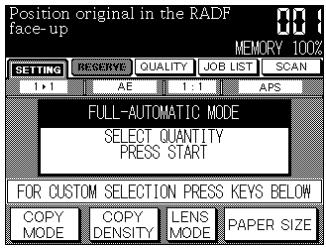
Lens Mode screen
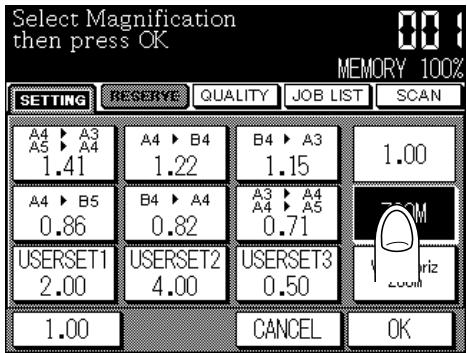
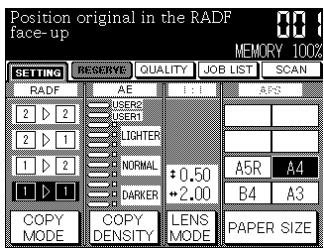
Vertical/Horizontal Zoom screen
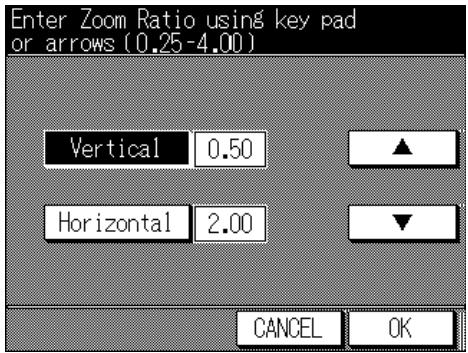
The figure shown below is the sample image using the Vertical/Horizontal zoom with an original placed slant on the platen glass.
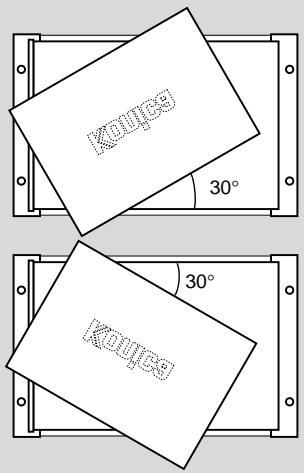

Length: 0.50, Width: 2.00
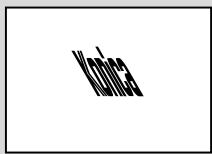
Length: 2.00, Width: 0.50
Length: 0.50, Width: 2.00
Length: 2.00, Width: 0.50
6. Paper Size Selection
When originals are set with the paper size set, AMS (Automatic Magnification Selection) works. The set original size will be detected and the optimum magnification for the detected original size and the set paper size will be automatically selected for copying.
Incompatible with AMS
Change magnification
(PRESET/USERSET/ZOOM)
APS
Dual page
Repeat
Auto layout
Non image area erase
Procedure
- Touch "PAPER SIZE" key on the Basic screen to display the Tray Selection screen.
- Touch the key of the desired copy size. The touched key will be reversed.
For automatically selecting the paper of the same size as the original, touch "APS". It automatically returns to the Basic screen.
Advice
To return to the original condition set before change, touch "CANCEL".
- Before selecting performed ratio automatically, the “-A-” will be displayed on the Basic screen.
Basic screen
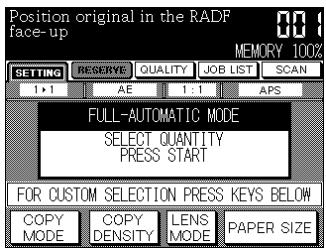
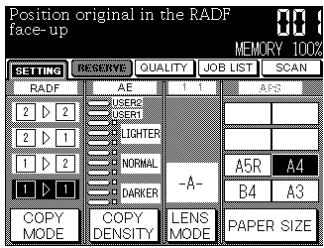
Tray Selection screen
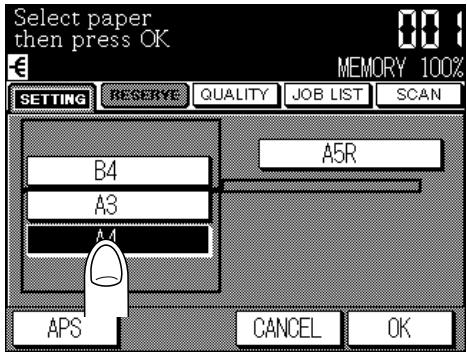
7. Automatic Settings
This copier has many automatic functions to make copying easier. The automation has also been made for energy conservation and safety in operation.
The following describes the automatically set functions.
ATS (Automatic Tray Switching)
ATS detects the copy paper of the same size loaded in another tray, when the selected drawer becomes empty while copying is in progress. When the paper is detected, ATS automatically switches the tray to continue copying without interruption.
ATS is not installed at the initial setting. Refer to p. 11-45 to p. 11-48 in "Section 11: Key Operator Mode", if required.
ATS can be set to detect all trays or any specific trays.
The Sheet bypass tray is not included in ATS detection.
APS (Automatic Paper Size Selection)
APS detects the size of originals placed on RADF or the platen glass, and automatically selects and feeds the copy paper of the same size as the original in 1:1 mode, or of the appropriate size when magnification ratio is selected at that time.
If the copy paper of the automatically selected size is not loaded in any tray, no copying will be made, and the message requesting to load the paper of that size will be displayed. The sizes of originals which can be detected are: A3, B4, F4/8.5"x13", A4R, A4, B5R, B5, A5R.
The relation of original size, magnification ratio and copy paper size is listed below.
The Sheet bypass tray is not included in APS detection.
| Copy paper size | Original size | ||||||||
| A3 | B4 | F4/8.5"x13" | A4R | A4 | B5R | B5 | A5R | ||
| Magnification | 0.33 - 0.42 | B6R | B6R | B6R | B6R | B5(B5R) | B6R | B5(B5R) | B6R |
| 0.43 - 0.50 | A5R | ||||||||
| 0.51 - 0.55 | B5R (B5) | A5R | |||||||
| 0.56 - 0.57 | A5R | ||||||||
| 0.58 - 0.61 | B5R(B5) | ||||||||
| 0.62 - 0.71 | A4R(A4) | A5R | |||||||
| 0.72 - 0.78 | B4 | A4R(A4) | B5R (B5) | B5R(B5) | A5R | ||||
| 0.79 - 0.82 | A4R (A4) | ||||||||
| 0.83 - 0.86 | B4 | B5R | |||||||
| 0.87 - 0.90 | A3 | A4R(A4) | A4(A4R) | A5R | |||||
| 0.91 - 1.00 | F4/8.5"x13" | ||||||||
| 1.01 - 1.10 | A3 | B4 | B4 | A3 | A4R(A4) | A4(A4R) | B5R | ||
| 1.11 - 1.15 | A3 | ||||||||
| 1.16 - 1.22 | B4 | A3 | |||||||
| 1.23 - 1.41 | A3 | A4R | |||||||
| 1.42 - 1.73 | A3 | B4 | |||||||
| 1.74 - 4.00 | A3 | ||||||||
( ) is size of Rotation.
Advice
- The APS feature can be released when original is placed on the platen glass. Refer to p. 11-45 to p. 11-48 in “Section 11: Key Operator Mode”.
- In addition to A and B sizes, APS also detects an inch size (8.5"x11"R).
- Though the sizes of originals which can be detected are A3, B4, F4/8.5"x13", A4R, A4, B5R and B5, A5 can be detected instead of B5R. Contact your Service Centre.
AMS (Automatic Magnification Selection)
AMS automatically selects the appropriate magnification ratio, after originals are placed on RADF or the platen glass and the copy paper size is selected by touching “PAPER SIZE” key on the Basic screen.
The relation of original size, copy paper size and automatically selected magnification is listed below.
| Original size | ||||||||||
| A3 | B4 | F4/8.5"x13" | A4R | B5R | 8.5"x11" | A4 | B5 | A5R | ||
| Copy size | A3 | 1.00 | 1.15 | 1.27 | 1.41 | 1.63 | - | 1.00 | 1.15 | 2.31 |
| B4 | 0.86 | 1.00 | 1.10 | 1.22 | 1.41 | - | 0.86 | 1.00 | 2.00 | |
| F4/8.5"x13" | 0.71 | 0.82 | 1.00 | 1.00 | 1.15 | - | 0.71 (1.00) | 0.82 (1.15) | 1.41 | |
| A4R | 0.71 | 0.82 | 0.90 | 1.00 | 1.15 | - | 0.71 (1.00) | 0.82 (1.15) | 1.63 | |
| B5R | 0.61 | 0.71 | 0.78 | 0.86 | 1.00 | - | 0.61 (0.86) | 0.71 (1.00) | 1.41 | |
| A4 | 0.50 (0.71) | 0.58 (0.82) | 0.64 (0.90) | 0.71 (1.00) | 0.82 (1.15) | - | 1.00 | 1.15 | 1.15 | |
| B5 | 0.50 (0.61) | 0.50 (0.71) | 0.55 (0.78) | 0.61 (0.86) | 0.71 (1.00) | - | 0.86 | 1.00 | 1.00 | |
| A5 | 0.50 | 0.58 | 0.64 | 0.71 | 0.82 | - | 0.50 | 0.58 | 1.00 | |
| 8.5"x14" | - | - | - | - | - | 0.77 | - | - | - | |
| 8.5"x11"R | - | - | - | - | - | 0.77 | - | - | - | |
| 8.5"x11" | - | - | - | - | - | 1.00 | - | - | - | |
( ) is magnification ratio of Rotation.
Auto Reset
If a certain time (selected from 30 seconds, 1 minute, 1.5 minutes, 2 minutes, 2.5 minutes, 3 minutes, 3.5 minutes, 4 minutes, 4.5 minutes, 5 minutes and no setting) has passed without any button pressed after completion of copying, the copying conditions will be reset to those on the Basic screen.
To change the time or to cancel the Auto Reset, see p. 11-45 to p. 11-48 in “Section 11: Key Operator Mode”.
AE (Automatic Exposure)
AE is a copy function that detects the density of the set original and automatically selects the appropriate exposure level.
8. Rotation
This function allows you to utilize APS or AMS and copy the original size documents described below onto size A4, B5 or 8.5"x11"R, irrespective of the copy paper loading direction. By default, Rotation requires APS or AMS to function; however, the key operator may set the function to always function or never function. See p. 11-45 to p. 11-48.
Rotation Specifications
Rotation copying uses memory.
Copy size : A4, A4R, B5, B5R, 8.5"x11"R
Original size : A3, B4, F4/8.5"x13", A4, A4R, B5, B5R,
A5R (horizontal feed ( □ ) only), 8.5"x11"
Incompatible
Image quality (Very high)
Auto layout
Dual page
Non image area erase
Repeat
Rotation and APS
In APS, the copier automatically make a copy onto the paper of the same size as the placed original(s) by 1:1.
For example, when size A4 copy paper is loaded in the tray horizontally and the copier detects that the original is placed vertically, Rotation and APS function together to rotate the original image by 90^ and output the A4 copy in the horizontal direction to match the direction of the copy paper.
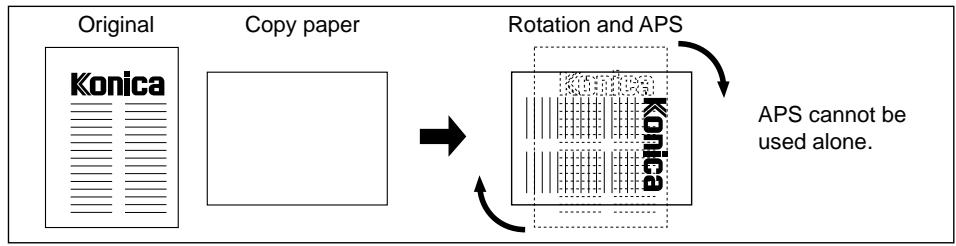
flowchart
graph LR
    A["Original Konica"] --> B["Copy paper"]
    B --> C["Rotation and APS"]
    C --> D["APS cannot be used alone."]
Similarly, when size A4 copy paper is loaded in the tray vertically and the copier detects that the original is placed horizontally, Rotation and APS function together to rotate the original image by 90^ and output the A4 copy in the vertical direction to match the direction of the copy paper.
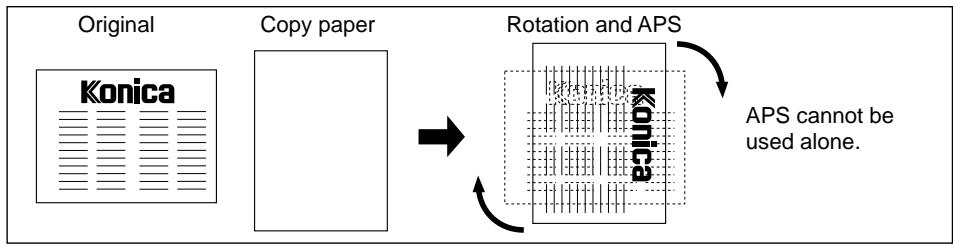
flowchart
graph LR
    A["Original\nKonica"] --> B["Copy paper"]
    B --> C["Rotation and APS\nKonica"]
    C --> D["APS cannot be used alone."]
    C -->|Arrow right| B
Rotation and AMS
For example, when size A4 copy paper is loaded in the tray horizontally and copier detects that the original is placed vertically, Rotation (if required) rotates the original image by 90^ and the copy is made with the appropriate AMS ratio to fit the vertical direction of the copy paper.
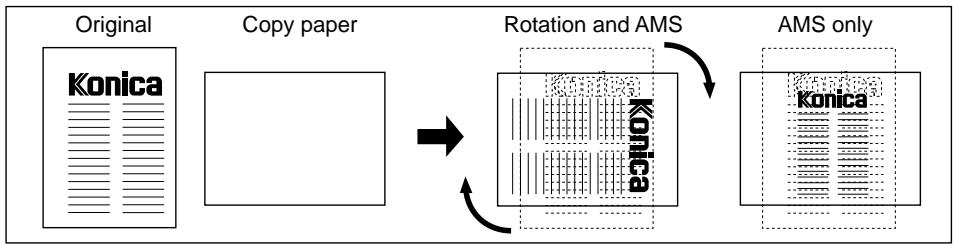
flowchart
graph LR
    A["Original\nKonica"] --> B["Copy paper"]
    B --> C["Rotation and AMS\nKonica"]
    C --> D["AMS only\nKonica"]
Rotation
Similarly, when size A4 copy paper is loaded in the tray vertically and the copier detects that the original is placed horizontally, Rotation (if required) rotates the original image by 90^ and the copy is made with the appropriate AMS ratio to fit the vertical direction of the copy paper.
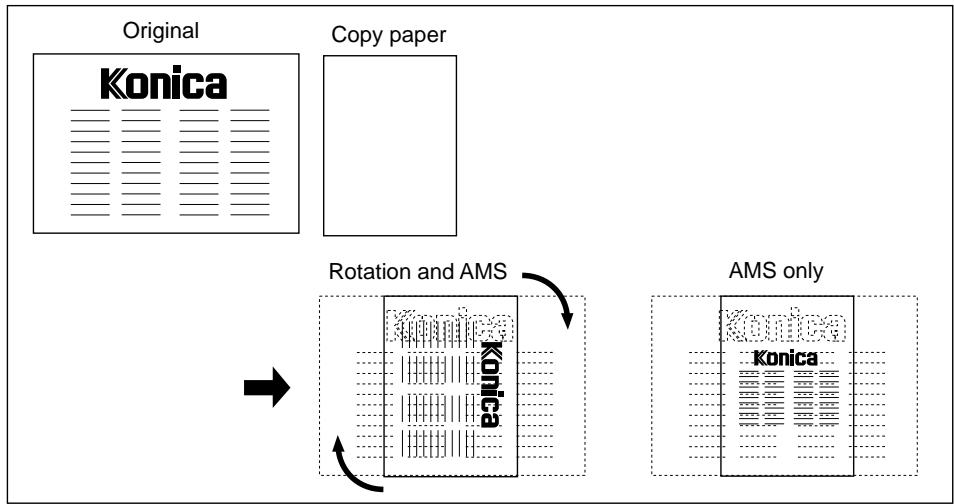
flowchart
graph TD
    A["Original\nKonica"] --> B["Copy paper"]
    B --> C["Rotation and AMS\nKonica"]
    C --> D["AMS only\nKonica"]
When the B5 tray is selected and the copier detects that the original is placed vertically, Rotation rotates the original image by 90^ and the copy is made with the appropriate AMS ratio to fit the horizontal direction of the copy paper.
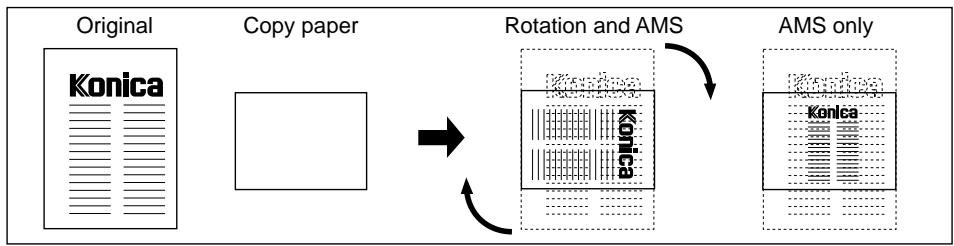
flowchart
graph LR
    A["Original\nKonica"] --> B["Copy paper"]
    B --> C["Rotation and AMS"]
    C --> D["AMS only\nKonica"]
    C --> E["Arrow pointing inward"]
    E --> F["Arrow pointing inward"]
To Release Automatic Rotation
The copier is initially set to activate the Rotation function automatically, and the key operator can switch it ON/OFF in Key Operator Mode.
In this case, the Rotation icon will be displayed at the upper left corner of the screen.
To release automatic Rotation
Press the OUTPUT button to display the Output screen. And then touch "AUTO" under the AUTO ROTATION not to be highlighted. The Rotation icon will disappear.
To recover automatic Rotation
Press the OUTPUT button to display the Output screen. And then touch “AUTO” key under the AUT ROTATION to be highlighted. The Rotation icon will be displayed.
Output screen (Copier with Finisher)
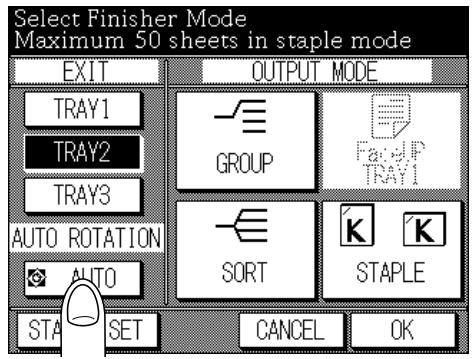
Output screen (Copier without Finisher)
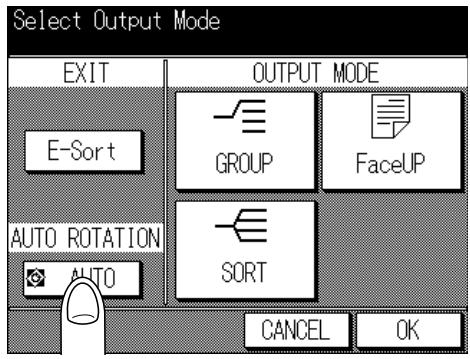
Section 7 : Other Basic Functions
1. Store Mode
Platen Store Mode
RADF Store Mode
2. Reserve Mode and Job List
Reserve Job Setting
Job List Screen
Troubleshooting in Reserve Setting
3. Image Quality
High Mode
Very High Mode
4. CHECK Button
Check Screen and How to Make a Proof Copy
How to View the Check Screen
5. HELP Button
Help Basic Screen
Help Screens for the Output Modes
Help Screens for the Job Memory
Help Screen for the Paper Jam Position Screen
Help Screens for Manual Setting on the Basic Screen
Help Screens for the Application Selection Screen
6. JOB MEMORY Button
JOB STORE
JOB RECALL
7. INTERRUPT Button
8. Multi-Sheet Bypass Tray
1. Store Mode
Store mode allows you to scan multiple originals by touching "SCAN" key on the Basic screen, and then output the complete set by pressing START PRINT button.
Store mode features two modes as described below.
- Platen store mode using platen glass to scan originals
- RADF store mode using RADF to scan originals
Using Store mode in Basic copying
Touch “SCAN” key to scan originals and store the data into memory, then press the START PRINT button to start the output job.
Basic screen
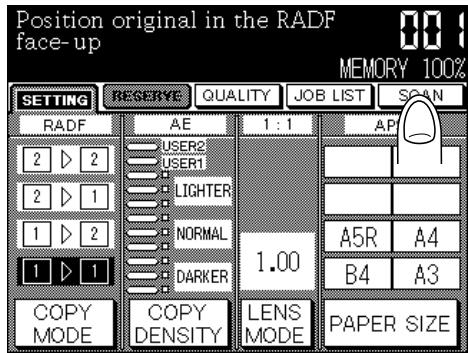
Copying in 1▶2 mode using platen glass always requires the Store mode.
The printing job will be collective in the following conditions as well as in the Store mode, however, scanning and printing will be performed in succession simply by pressing the START PRINT button. Although the RADF capacity is 50 sheets max., more originals can be operated at a time by using Store mode in combination with the following conditions.
• 1▶1
• 2▶2
• 1▶2
• 2▶1
Using Store mode with Applications
Touch “Store Mode” key on the Application Selection screen to highlight it, then touch “OK” key. Operate the same as above to scan and start printing.
Application Selection screen
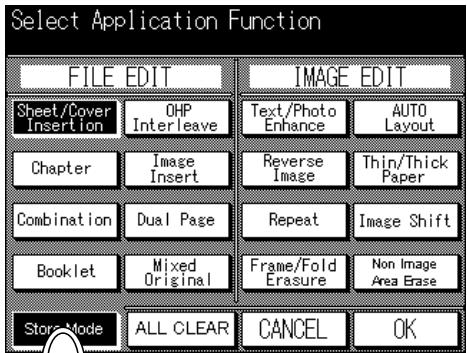
Basic screen
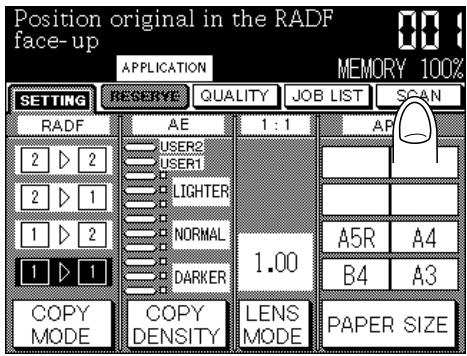
The following application functions require the Store mode using platen glass. When these are selected, the message to touch “SCAN” key will be displayed.
- Image insert
- Dual page
The printing job will be collective in the following conditions as well as in the Store mode, however, scanning and printing will be performed in succession simply by pressing the START PRINT button. Although the RADF capacity is 50 sheets max., more originals can be operated at a time by using Store mode in combination with the following conditions.
- Sheet/Cover insertion
- Booklet
Advice
After scanning the original, the magnification ratio can be changed before pressing the START PRINT button for printing all the page collectively.
When selecting the Dual page or Image insert, the magnification ratio can be changed before pressing the START PRINT button for printing all the page collectively.
Please Be Reminded
When using Store mode with application functions, be sure to touch and highlight the "Store Mode" key on the Application Selection screen; otherwise the copier will not start scanning even though the "SCAN" key is touched.
Advice
If Memory overflow frequently occurs, you are recommended to extend the memory. Contact your Service Centre.
Store mode Specifications
| Memory capacity | : 1500 images max. at a time |
| Original size | : A3, B4, F4/8.5"x13", A4R, A4, B5R, B5, A5R*, 8.5"x11"R |
| Paper size for tray | : A3, B4, F4/8.5"x13", A4R, A4, B5R, B5, A5R*, 8.5"x11"R, 8.5"x11" (80g/m2 paper recommended) |
| Print quantity | : 999 sheets max. |
Advice
*: A5 is available in horizontal feed (☐) only.
Incompatible
Image quality (Very high)
Platen Store Mode
Use the Platen store mode for originals that cannot be fed through the document feeder due to thickness, size or condition.
When scanning thick originals that require keeping the RADF open, select Non image area erase to prevent exposure of the glass area around the border of the original. This feature ensures a clean copy result, and reduces toner consumption. The Non image area erase mode automatically releases when the RADF is closed. Additional images may be scanned.
Procedure
1 Set Copying Conditions
Make required copying selection, and select 1▶1 or 1▶2 copy mode.
When selecting any of the Applications, check that the "Store Mode" key on the Application Selection screen is highlighted. If not, touch the key to highlight it. Touch "OK" to return to the Basic screen.
Application Selection screen
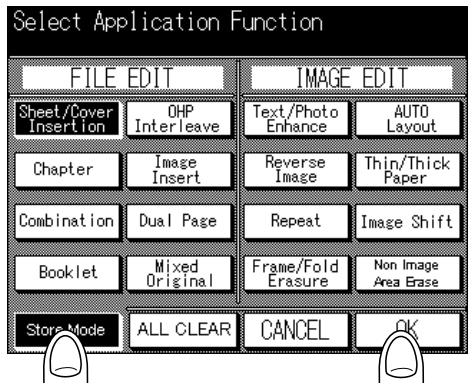
Please Be Reminded!
When using Store mode with application functions, be sure to touch and highlight the "Store Mode" key on the Application Selection screen; otherwise the copier will not start scanning even though the "SCAN" key is touched.
2 Enter Print Quantity
Press the Ten keys to set the desired print quantity.
To change the entered quantity, press the CLEAR QTY. button and enter the correct quantity.
Please Be Reminded!
DO NOT press the STOP/CLEAR button when changing the print quantity. Stored image will be cleared. Do not press the AUTO RESET button as this will clear all the copier settings.
Operation panel
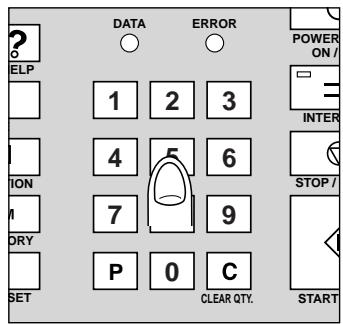
Basic screen
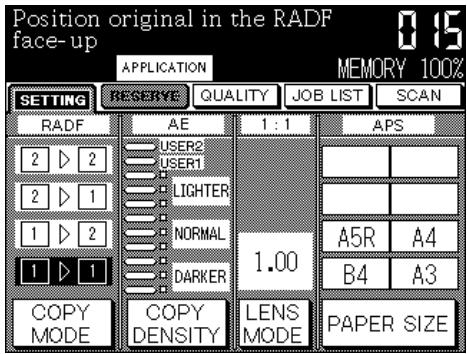
3 Place Original(s) on the Platen Glass...FACE DOWN
- Open the RADF.
- Place the original on the platen glass.
Please Be Reminded!
Place and scan the originals in regular order of pagination.
3. Close the RADF.
Please Be Reminded!
When the AUTO layout or Non image area erase is selected, do not close RADF.
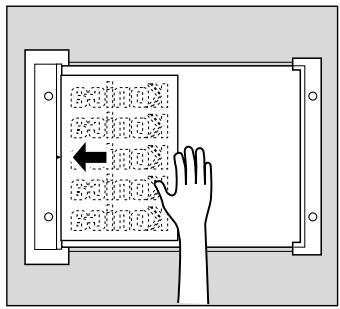
4 Scan Original(s)
Touch “SCAN” on the Basic screen. The copier starts scanning the set original.
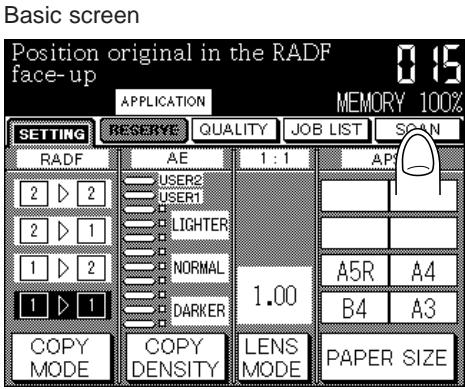
Having Problems?
The copier may not start scanning in some copying conditions. In this case, confirm that the “Store Mode” key on the Application Selection screen is highlighted. If not, touch “Store Mode” to highlight it.
5 Store in Memory
Repeat steps 3 to 4.
The remaining memory will be displayed on the Memory indicator in the upper right position of the Basic screen.
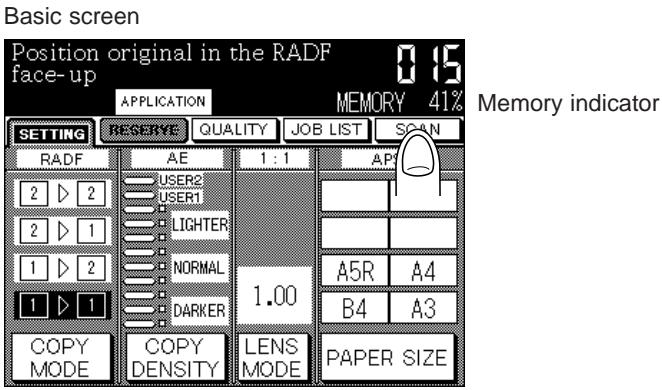
Having Problems?
The memory may be fully loaded to cause overflow during scanning. See p. 12-4 to p. 12-5.
Please Be Reminded!
DO NOT press the STOP/CLEAR button. Stored image will be cleared.
To delete the scanned data without printing, press the STOP/CLEAR button. To delete the data and reset the copying conditions to the initial setting, press the STOP/CLEAR and AUTO RESET buttons in order.
Supplement: Checking copying conditions/printed copies
- Press the CHECK button to display the Check screen.
- Check the current copying conditions on the Check screen.
- Touch "PROOF COPY" on the Check screen to make a proof copy. When completed, touch "EXIT" to return to the Basic screen.
See p. 7-22 to p. 7-27 for details.
6 Start Copying
Press the START PRINT button. The copier starts the printing job.
To stop printing, press the STOP/CLEAR button. This action also clears all the scanned data.
After completion of copying, all the data in the memory will be cleared. Press the AUTO RESET button to return to the initial condition.
Store Mode
RADF Store Mode
Use this feature to scan more than 50 originals into memory from the RADF. Use this function in conjunction with the Reserve function to increase efficiency of the copying job.
Procedure
1 Set Copying Conditions
- Close the RADF securely and press the AUTO RESET button to set the RADF mode.
- When selecting any of the Applications, check that the "Store Mode" key on the Application Selection screen is highlighted. If not, touch the key to highlight it. Touch "OK" to return to the Basic screen.
Application Selection screen
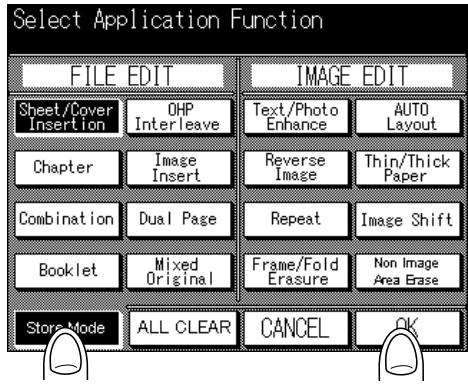
2 Enter Print Quantity
Press the Ten keys to set the desired print quantity.
To change the entered quantity, press the CLEAR QTY. button and enter the correct number.
Please Be Reminded!
DO NOT press the STOP/CLEAR button when changing the print quantity. Stored image will be cleared. Do not press the AUTO RESET button as this will clear all the copier settings.
Operation panel

Basic screen
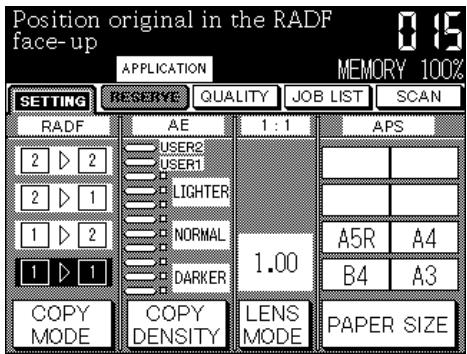
3 Place Originals...FACE UP
- Put originals in order of pagination.
- Place originals FACE UP in the RADF.
If the number of originals exceeds 50, divide them into blocks not exceeding 50 sheets and load them from the block with the first page. - Align the original guides to the originals.
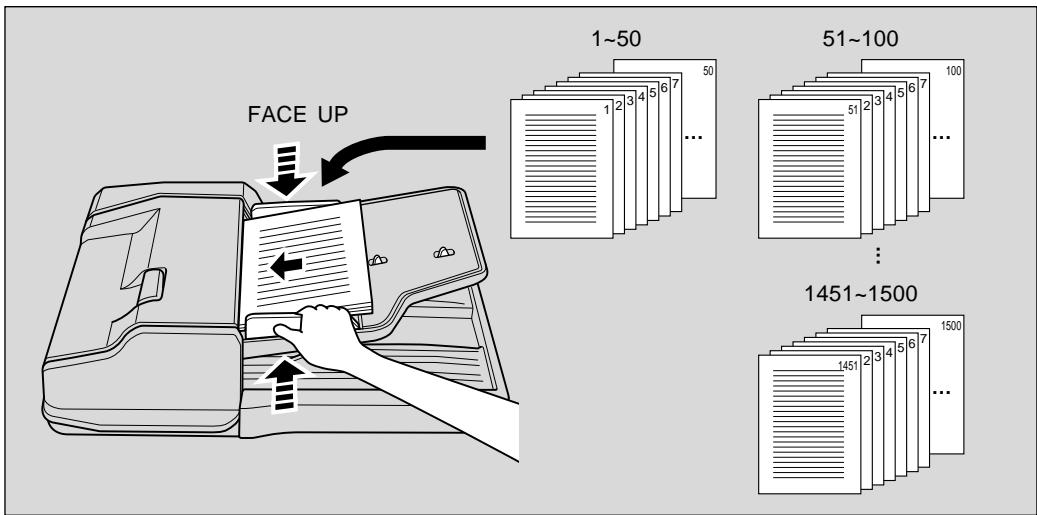
4 Scan Original(s)
Touch “SCAN” on the Basic screen. The copier starts scanning the set originals.
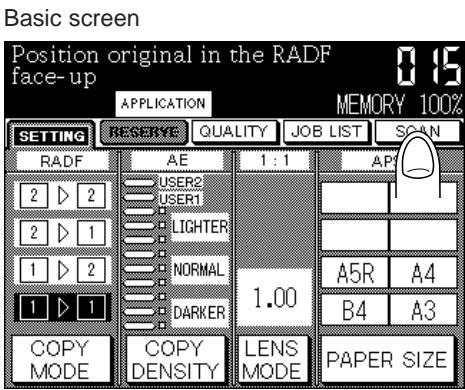
Having Problems?
The copier may not start scanning in some copying conditions. In this case, confirm that the “Store Mode” key on the Application Selection screen is highlighted. If not, touch “Store Mode” to highlight it.
5 Store in Memory
When scanning more than 50 originals at a time, repeat steps 3 to 4.
The remaining memory will be displayed on the Memory indicator in the upper right position of the Basic screen.
Basic screen
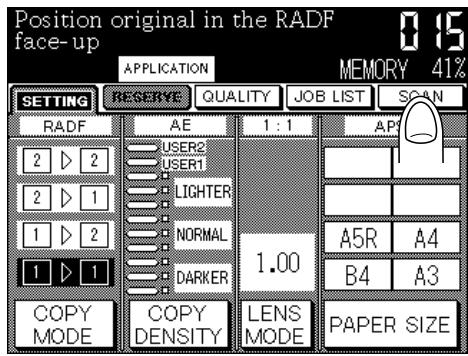
Memory indicator
Having Problems?
The memory may be fully loaded to cause overflow during scanning. See p. 12-4 to p. 12-5.
Please Be Reminded!
DO NOT press the STOP/CLEAR button. Stored image will be cleared.
To delete the scanned data without printing, press the STOP/CLEAR button.
To delete the data and reset the copying conditions to the initial setting, press the STOP/CLEAR and AUTO RESET buttons in order.
Supplement: Checking copying conditions/printed copies
- Press the CHECK button to display the Check screen.
- Check the current copying conditions on the Check screen.
- Touch "PROOF COPY" on the Check screen to make a proof copy.
When completed, touch "EXIT" to return to the Basic screen.
See p. 7-22 to p. 7-27 for details.
6 Start Copying
Press the START PRINT button. The copier starts the printing job.
To stop printing, press the STOP/CLEAR button. This action also clears all the scanned data.
After completion of copying, all the data in the memory is cleared. Press the AUTO RESET button to return to the initial condition.
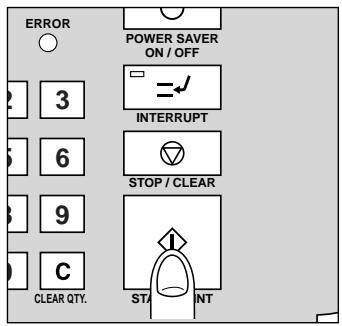
2. Reserve Mode and Job List
The Reserve function allows you to start copying the reserve job immediately after the present output job is completed. While the present output job is printing/copying, you can set up the reserve job so that the copier reads in the original image(s) and waits until the present output job is completed.
This section describes the procedure of this function and troubleshooting during the reserve job setting.
Basic rules for Reserve mode
- The present output job should be using either the RADF or Store mode for collective printing.
• Max. 5 jobs can be set.
| Reserve Specifications | |
| Job settings | : Max. 5 (output job plus 4 reserve jobs) |
| Reserve job setting timing | : The reserve job is available to be set after the copier starts to scan for the output job. When setting more than one reserve job, the next reserve job setting will be available after the copier starts to scan for the previous reserve job.When the output job is under Store mode, Image insert, or Dual page, the reserve job setting will be available after the copier starts to print the output job. |
| To change Reserve order: | The order of the reserve jobs can be altered on the Job List screen. |
| To delete Reserve job | : The reserve jobs can be deleted on the Job List screen. |
| Incompatible with Reserve | |
| E-sort | Image quality (Very high) |
| Interrupt | Booklet |
| Store mode | Image insert |
| Proof copy | APS mode in Mixed original |
Reserve Job Setting
Procedure
1 Start Scanning/Printing Present Output Job
- Press the START PRINT button to start scanning or printing the present output job.
- The reserve job setting becomes available when the "RESERVE" folder key on the Basic screen appears clear.
Basic screen: reserve job unavailable

Basic screen: reserve job available
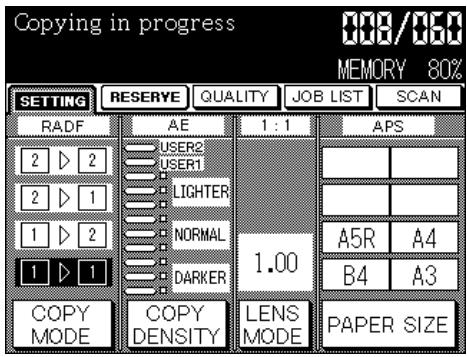
2 Set Reserve Job
- Touch “RESERVE” folder key to display the Basic screen for the reserve setting. When the Basic screen for the reserve setting is displayed, all keys on the LCD and operation panel will function for the reserve job setting.
Basic screen
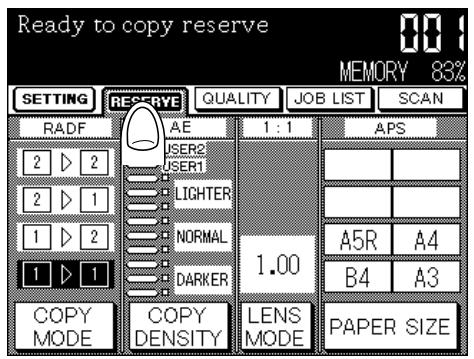
- Set the desired copying conditions for the reserve job.
Having Problems?
When any trouble such as paper jam or paper out during the reserve job setting, the "SETTING" folder key on the Reserve Setting screen will change to "JAM" or "ADD PAPER" folder key. See p. 7-15 to p. 7-16 for troubleshooting.
3 Scan Originals of Reserve Job
- Position original(s) FACE UP in the RADF or FACE DOWN on the platen glass after the copier completes to scan original(s) of the present output job. The message "Ready to copy" will be displayed on the Basic screen.
- Press the START PRINT button. The copier starts scanning the original(s) of the reserve job.
Advice: Reserve Job of Sheet/Cover Insertion
When Sheet/Cover Insertion is selected in reserve job setting, the following message may be displayed in the message area. Load the copy paper specified in the message after the present output job is completed.
Please load size ** paper in any tray except tray #
Advice: Reserve Job and APS
The following message may be displayed in the message area during the reserve job setting due to the APS being activated. Load the copy paper specified in the message after the present output job is completed.
Please load size ** paper in any tray except tray #
- When the originals of the reserve job are all scanned, the Basic screen of the "SETTING" folder will be restored automatically, displaying the current condition of the present output job.
Having Problems?
When any trouble such as paper jam or paper out during the reserve job setting, the "SETTING" folder key on the Basic screen for the reserve setting will change to "JAM" or "ADD PAPER" folder key. See p. 6-36 for troubleshooting.
4 Set Another Reserve Job
Repeat steps 2 and 3.
Up to 4 reserve job are available to be set at a time.
5 Start Next Reserve Job
When present output job is completed with any reserve job set, the Basic screen will display the copying conditions of the next reserve job, and the output of the next reserve job will start automatically.
Advice
You can still continue to set copying conditions or to scan for another reserve job when present output job is completed.
Job List Screen
Touch the “JOB LIST” key on the Basic screen to display the Job List screen (see below). The Job List screen allows you to perform the following functions.
- confirm machine status
• change order of reserve job - delete reserve job
To return the Basic screen, touch "OK" on the Job List screen.
Basic screen
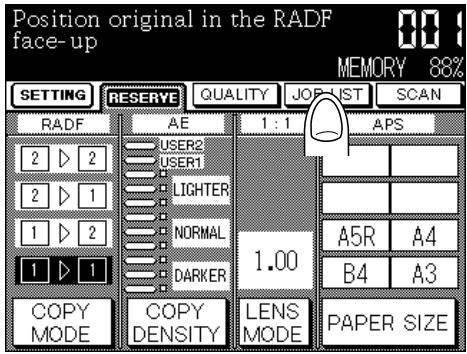
Job List screen
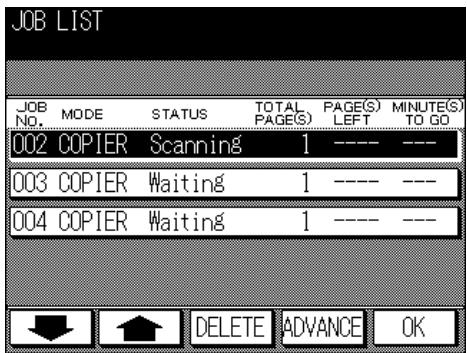
JOB NO.: Displays the No. (001-999) for each job assigned to the machine.
MODE: Displays the machine's current mode of operation. Seven modes are listed below.
COPIER
RESERVE COPIER
PRINTER
RESERVE PRINTER
CONTROLLER
TANDEM COPIER
INTERRUPT
STATUS: Displays the current status of the machine for each job.
[Indication]
READY
WAITING
SCANNING
ERROR
PRINTING
NO PAPER
STOP
NEXT PRINT
INITIALIZING
READY TO RESERVE
RECEIVING
: Ready to use in each mode
: Warming up in each mode
: Scanning original(s) in copy mode
: Error in each mode
: Printing in each mode
: No paper in copy/print mode
: Stop in each mode
: Waiting for the completion of the previous operation in copy/print mode
: Initializing for controller
: Ready to reserve
: Receiving the data for controller
[Meaning]
TOTAL PAGE(s): Displays the number of scanned pages for each job. (0 to 999)
PAGE(s) LEFT: Displays the remaining copy count of the job.
0 to 999 (The number exceeding 999 will be displayed as 999^ .)
Copy count = No. of scanned pages x Print quantity
MINUTE(s) TO GO: Displays the time (in minutes) required for completing the job.
Exceeding 999 minutes: 999↑
Shorter than 1 minute: >1
Other: The following message will be displayed on the second bar when the reserved job does not exist.
RESERVED JOB DOES NOT EXIST
To Change the Order of Reserve Job
- Touch the lower/upper arrow key to highlight the desired reserve job.
- Touch "ADVANCE". The highlighted reserve job is shifted to the output job below.
- To return the Basic screen, touch "OK" on the Job List screen.
To Delete the Reserve Job
- Touch the lower/upper arrow key to highlight the desired reserve job.
- Touch "DELETE". The highlighted reserve job is cleared.
- To return the Basic screen, touch "OK" on the Job List screen.
Troubleshooting in Reserve Setting
Troubleshooting : “JAM” folder key
When paper jam of the present output job occurs during the Reserve job setting, the "SETTING" folder key on the Basic screen will change to blinking "JAM" folder key, and the ERROR indicator on the operation panel will light.
Basic screen
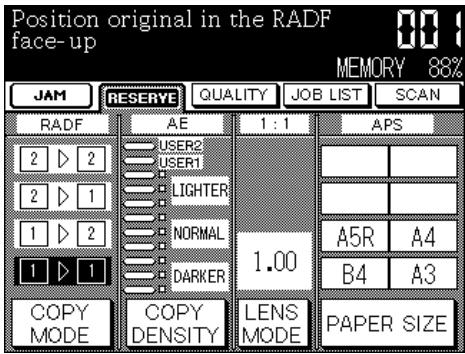
Operation panel
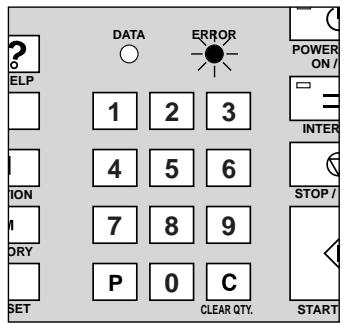
In this case, you can still continue the reserve job setting, and also scan the originals for the reserve job if mishandled paper has occurred to the printing job.
- Touch the "JAM" folder key to display the Paper Jam Position screen.
- To view Help screen instructions touch "GUIDE" and remove paper/original.
- The ERROR indicator will go out.
- Press START PRINT button. The output job will be reprocessed.
- Touch the "SETTING" folder key to continue setting the reserve job.
Troubleshooting : “ADD PAPER” folder key
When the paper tray is empty in the present output job during the Reserve job setting, the "SETTING" folder key on the Basic screen will change to blinking "ADD PAPER" folder key.
Basic screen
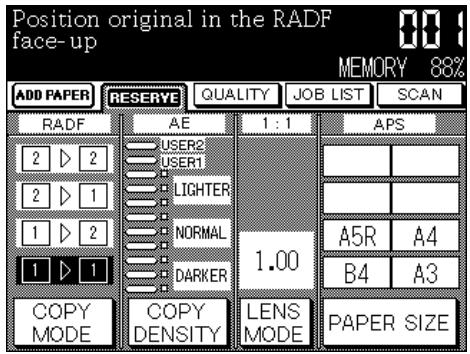
In this case, you can still continue the reserve job setting.
- Touch the "ADD PAPER" folder key to display the Basic screen.
- Confirm the empty tray and supply the paper.
- Press the START PRINT button. The output job will be reprocessed.
- Touch "SETTING" folder key to continue setting the reserve job.
Troubleshooting : Original misfed in Reserve Job
When misfed paper occurs to the reserve job originals, the related Jam Position screen will be displayed.
Jam Position screen
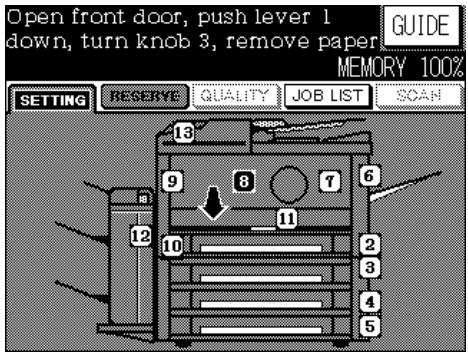
- To view Help screen instructions, touch "GUIDE" and remove original.
- Press START PRINT button to continue scanning original for the reserve job.
3. Image Quality
Image quality in the normal default mode is adequate for most copying needs.
Special modes are available for jobs that require enhanced image quality, as for complex text or graphic images, or high quality photos, etc.
High Mode
High image quality sharpens the image more than the normal mode, but uses more memory than the normal default mode. Fewer originals can be copied at one time.
Basic rules for High mode
- Scan and store originals into memory, then print all the pages collectively.
• Use platen glass and/or RADF.
Advice
If Memory overflow frequently occurs, you are recommended to extend the memory. Contact your Service Centre.
High Mode Specifications
RADF original paper weight: 60 to 90g/m²
RADF capacity : 50 sheets max. 1,500 images max. can be scanned at a time using Store mode.
Original size : A3, B4, F4/8.5"x13", A4R, A4, B5R, B5, A5R*, 8.5"x11"R
Paper size for tray : A3, B4, F4/8.5"x13", A4R, A4, B5R, B5, A5R*, 8.5"x11"R, 8.5"x11" (80g/m² paper recommended)
Print quantity : 999 sheets max.
Advice
*: A5 is available in horizontal feed ( □ ) only.
Incompatible
None
(The copying conditions may not function properly in some combination.)
Procedure
1 Set Copying Conditions
- Touch "QUALITY" on the Basic screen to display the Quality Selection screen.
- Touch "HIGH".
- Touch "OK" to complete the setting and return to the Basic screen. The Quality high icon will be displayed on the Basic screen.
Quality Selection screen
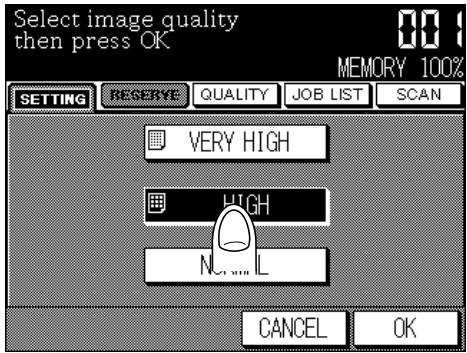
Basic screen
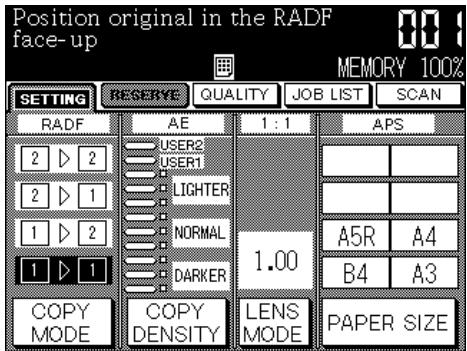
- Select other copying conditions, as required.
2 Enter Print Quantity
Press the Ten keys to set the desired print quantity.
To change the entered quantity, press the CLEAR QTY. button and enter the correct number.
Please Be Reminded!
DO NOT press the STOP/CLEAR button when changing the print quantity. Stored image will be cleared. Do not press the AUTO RESET button as this will clear all the copier settings.
Operation panel
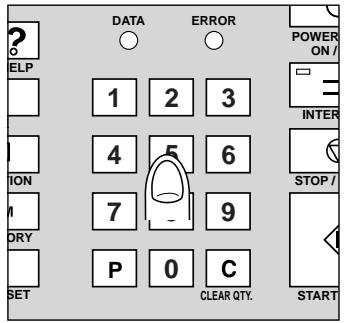
Basic screen
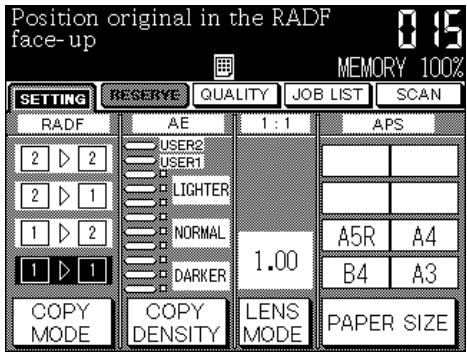
3 Place Original(s)... RADF: Original FACE UP
Platen Glass: Original FACE DOWN
Place the original(s) FACE UP in the RADF or FACE DOWN on the Platen glass.
Advice
For details of how to place the originals, see p. 6-8.
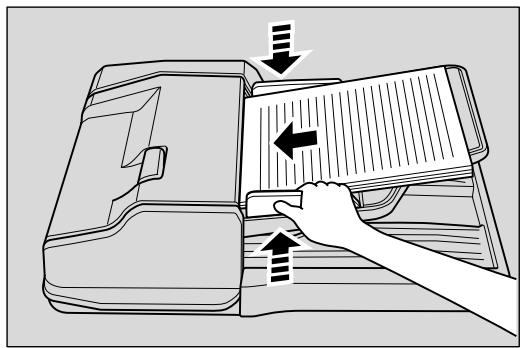
natural_image
Illustration of a hand opening a closed book into a folder, with arrows indicating direction (no text or symbols)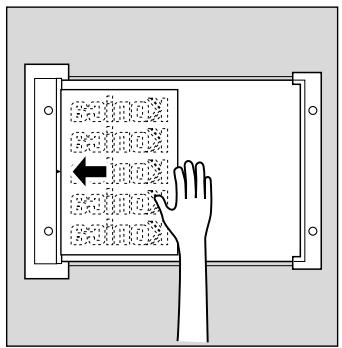
Supplement 1: Using Store mode
To use Store mode (using Platen glass or RADF), see p. 7-2 to p. 7-10 for details.
Supplement 2: Checking copying conditions/printed copies
- Press the CHECK button to display the Check screen.
- Check the current copying conditions on the Check screen.
- Touch "PROOF COPY" on the Check screen to make a proof copy.
When completed, touch "EXIT" to return to the Basic screen.
See p. 7-22 to p. 7-27 for details.
4 Start Copying
Press the START PRINT button. Each original will be scanned and then copied.
In some cases, originals loaded on the RADF are all scanned and discharged, then printing job starts in succession.
Having Problems?
The memory may be fully loaded to cause overflow during scanning. See p. 12-4 to p. 12-5.
To stop printing, press the STOP/CLEAR button. This action also clears all the scanned data.
After completion of copying, all the data in the memory is cleared. Press the AUTO RESET button to return to the initial condition.
Image Quality
Very High Mode
Very high image quality is used for high quality photo output, and does not allow you to select any other copying condition which uses memory.
Basic rules for Very high mode
- Use platen glass only.
| Very High Mode Specifications | |
| Original size : A3, B4, F4/8.5"x13", A4R, A4, B5R, B5, A5R*, 8.5"x11"R | |
| Paper size for tray : A3, B4, F4/8.5"x13", A4R, A4, B5R, B5, A5R*, 8.5"x11"R, 8.5"x11" (80g/m2 paper recommended) | |
| Print quantity : 999 sheets max. | |
| Advice | |
| *: A5 is available in horizontal feed ( □ ) only. | |
| Incompatible | |
| Using RADF | Sheet/Cover insertion |
| E-sort | Chapter |
| Staple-sort | Combination |
| Sort | Booklet |
| 1▶2 | OHP interleave |
| 2▶2 | Image insert |
| 2▶1 | Dual page |
| 1▶2 using Platen glass | Mixed original |
| Store mode | Repeat |
| Reserve | Auto layout |
| Rotation | Image shift |
| Proof copy | |
Procedure
1 Set Copying Conditions
- Touch "QUALITY" on the Basic screen to display the Quality Selection screen.
- Touch "VERY HIGH".
- Touch "OK" to complete the setting and return to the Basic screen. The Quality very high icon will be displayed on the Basic screen.
Quality Selection screen
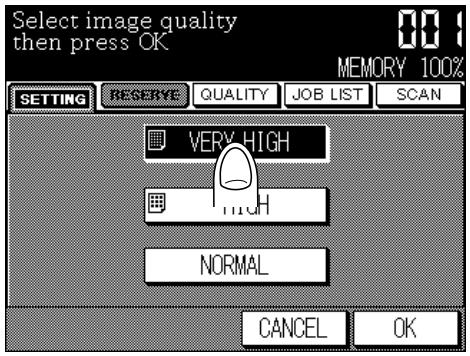
Basic screen
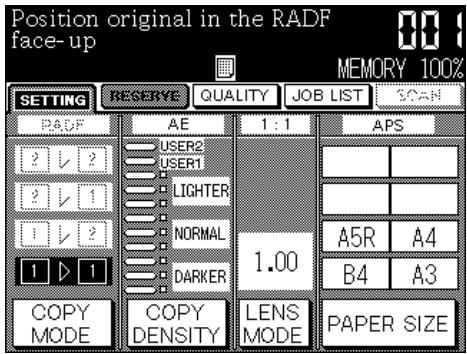
- Select other copying conditions, as required.
2 Enter Print Quantity
Press the Ten keys to set the desired print quantity.
To change the entered quantity, press the CLEAR QTY. button and enter the correct number.
Please Be Reminded!
DO NOT press the STOP/CLEAR button when changing the print quantity. Stored image will be cleared. Do not press the AUTO RESET button as this will clear all the copier settings.
Operation panel
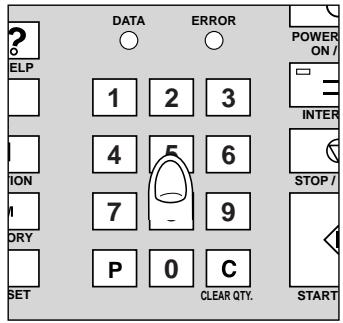
Basic screen
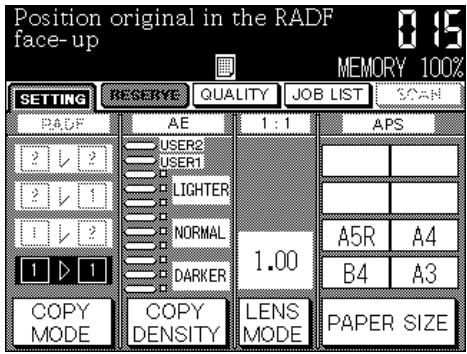
3 Place Original(s) on the Platen Glass...FACE DOWN
- Open the RADF.
- Place the original FACE DOWN on the platen glass.
- Close the RADF.
Advice
For details of how to place the originals, see p. 6-8.
Please Be Reminded!
When the Non image area erase is selected, do not close RADF.
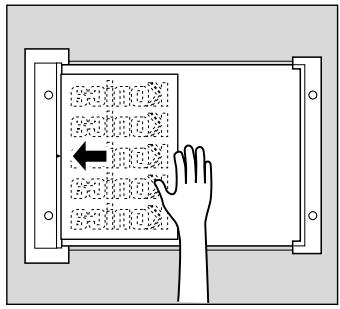
4 Start Copying
Press the START PRINT button.
Having Problems?
The memory may be fully loaded to cause overflow during scanning. See p. 12-4 to p. 12-5.
Press the AUTO RESET button to return to the initial condition.
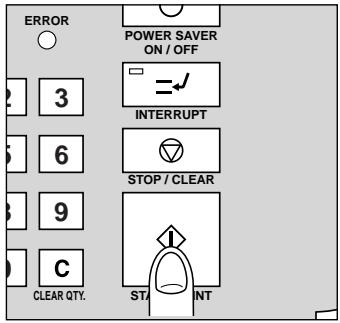
4. CHECK Button
Press the CHECK button to confirm copying selections before pressing the START PRINT button.
In this mode, use Proof copy to produce a sample of the copied set before copying multiple copies. This is a convenient and cost effective way of viewing the results of some special copying conditions.
Basic rules for Proof copy
- All originals are scanned into memory and output collectively.
- Basically for copying conditions using RADF. When using Store mode, however, scanning from the Platen glass is available.
- Cannot be used for printing samples of Density shift setting.
• For printing more than 1 set.
- Can be operated repeatedly. Since each operation reduces the set print quantity, re-enter it as required.
| Proof Copy Specifications | |
| RADF original paper weight: | 60 to 90g/m2 |
| RADF capacity | 50 sheets max. 1,500 images max. can be scanned at a time using Store mode |
| Original size | A3, B4, F4/8.5"x13", A4R, A4, B5R, B5, A5R*, 8.5"x11"R |
| Paper size for tray | A3, B4, F4/8.5"x13", A4R, A4, B5R, B5, A5R*, 8.5"x11"R, 8.5"x11" (80g/m2 paper recommended) |
| Print quantity | 999 sets max. |
| Advice | |
| *: A5 is available in horizontal feed (□) only. | |
| Incompatible | |
| Group | Reserve |
| Image quality (Very high) | |
Check Screen and How to Make a Proof Copy
Procedure
1 Set Copying Conditions
- As required, set the copying conditions on the Basic screen or the Application Selection screen.
- Display the Basic screen.
Basic screen
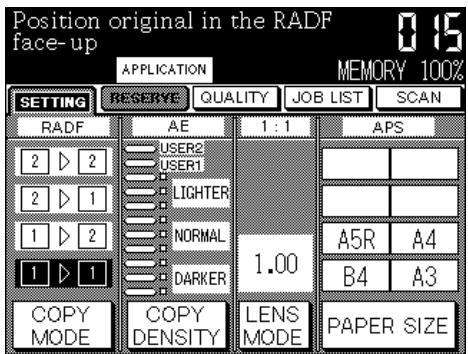
2 Place Original(s)... RADF: Original FACE UP
Platen Glass: Original FACE DOWN
- Place the original into RADF or onto the Platen glass.
Advice
For details of how to place the original, see p. 6-8.
- Scan the originals, as required.
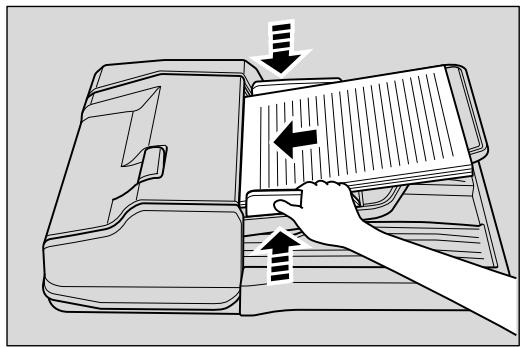
natural_image
Illustration of a hand opening a closed book into a case, with arrows indicating direction (no text or symbols)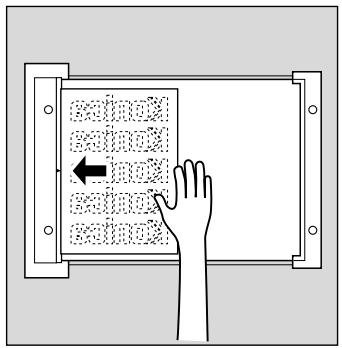
3 Display Check Screen
Press the CHECK button on the operation panel to display the Check screen. Verify the settings made for the current job. For details of the Check mode items, see p. 7-22 to p. 7-27.
To change any settings before operating Proof copy, proceed to 4.
To operate Proof copy, proceed to step 2. in 5.
To start printing immediately, proceed to 9.
Operation panel
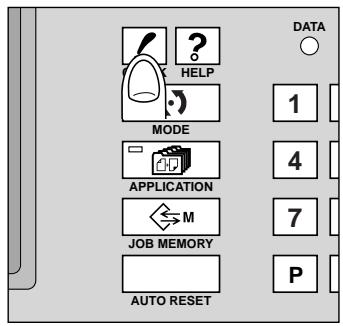
Check screen
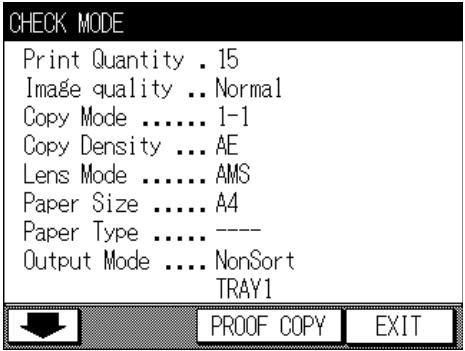
4 Change Settings before Proof Copy
- Touch "EXIT" to exit from the Check mode and return the Basic screen.
- Change the copying conditions, as required.
- Return to the Basic screen.
Please Be Reminded!
DO NOT press the STOP/CLEAR button when changing the print quantity. Stored image will be cleared. Do not press the AUTO RESET button as this will clear all the copier settings.
To operate Proof copy, proceed to step 2. in 5.
To start printing immediately, proceed to 9.
5 Make a Proof Copy
- Press the CHECK button on the Operation panel to display the Check screen.
- Touch "PROOF COPY".
A set of sample copy will be output.
Check screen
CHECK MODE
Print Quantity . 15
Image quality .. Normal
Copy Mode ..... 1-1
Copy Density ... AE
Lens Mode ..... AMS
Paper Size ..... A4
Paper Type ..... ----
Output Mode .... NonSort
TRAY1

PROOF COPY
EXIT
Advice
To stop printing the sample copy, press the STOP/CLEAR button. The Check screen will be restored. In this case, the scanned image data will not be cleared.
Having Problems?
When Group is selected on the operation panel as the Output mode, Proof copy cannot be operated.
Having Problems?
The memory may be fully loaded to cause overflow during scanning. See p. 12-4 to p. 12-5.
To start printing after verifying the sample copy, proceed to 8.
To change any settings, proceed to 6.
6 Change Settings after Proof Copy
After Proof copy, the “*” mark will be displayed on the Check Screen. You may change the selection with “*” mark indicated on the left.
Check screen
CHECK MODE \* can be changed
*Print Quantity . 15
Image quality .. Normal
*Copy Mode ..... 1-1
Copy Density ... AE
Lens Mode ..... AMS
Paper Size ..... A4
Paper Type ..... ----
*Output Mode .... NonSort
TRAY1

PROOF COPY
EXIT
Basic screen
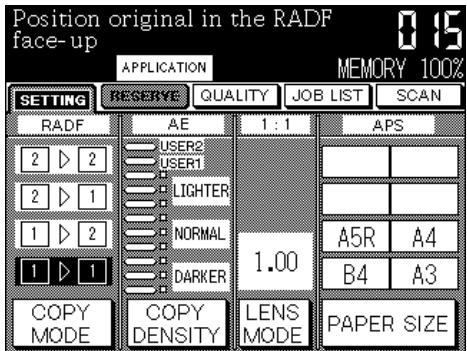
- Touch "EXIT" from Check mode and return to the Basic screen.
- Change the copying conditions, as required.
If any condition to be modified cannot be changed, press the STOP/CLEAR button. All the stored data will be cleared. Press the AUTO/RESET button to return to the initial settings, then set the copying conditions again.
7 Make a Proof Copy/Change Settings
Repeat steps in 5 and 6 until you receive a result that you are satisfied with.
8 Verify/Change Print Quantity
Proof copy can be operated repeatedly. Since each operation reduces the set print quantity, re-enter it as required.
9 Start Copying
Press the START PRINT button. The copier will output the rest except the sample set.
If print quantity has been changed, the re-entered number of copied sets will be output.
To stop printing, press the STOP/CLEAR button. This action also clears all the scanned data.
After completion of copying, all the data in the memory is cleared. Press the AUTO RESET button to return to the initial condition.
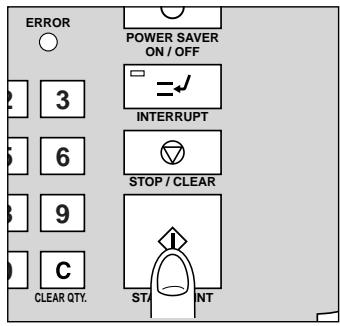
How to View the Check Screen
When any screen other than the Help, Jam Positioning, Jam Processing, and JOB LIST screens is displayed, pressing the CHECK button on the operation panel will display the Check screen.
This Check screen allows you to view all the settings currently made.
Advice
The Basic screen displays the copying conditions set on the Basic screen only, while Check screen displays all the settings including special conditions specified on the Application Selection screen.
When all the setting items cannot be displayed within a screen, arrow keys to go to subsequent pages will be displayed at the lower left corner of the Check screen.
Basic screen
CHECK MODE
Print Quantity . 15
Image quality .. Normal
Copy Mode ..... 1-1
Copy Density ... AE
Lens Mode ..... AMS
Paper Size ..... A4
Paper Type ..... ----
Output Mode .... NonSort
TRAY1

PROOF COPY
EXIT
Basic copying functions (The following eight items will be displayed whether selected or not.)
Print quantity: Displays the number of copies currently set.
Image quality: Displays the currently set copy image quality.
Copy mode: Displays the currently set copy mode. The screen displays "RADF" if RADF is ON.
Copy density: The set density will be enclosed in a rectangle if the density is set manually. If AE is ON, the rectangle disappears and “AE” is displayed.
Lens mode: Displays the magnification currently set.
When AMS is ON, the system displays the magnification to be automatically selected.
“AMS” is displayed until the magnification ratio is selected by AMS function.
Paper size: The system displays the paper size selected.
If APS is ON, "APS" is displayed.
Paper type: If a name by paper type is given to the tray containing the selected paper size, that name is displayed.
Output mode: In the copier with Finisher, if the Sort, Group, Staple-sort, Non-sort, or Face Up Tray 1 function is ON, the system displays that function.
In the copier without Finisher, if the E-sort, Sort, Group, or Face Up function is ON, the system displays that function.
Special copying functions (Display the items and selections specified on Application Selection screen.)
| Sheet/Cover insertion: The system displays “F” for the cover, the number of sheets to be inserted, and “B” for the back cover. The “F”, number of sheets to be inserted and “B” are displayed in normal characters in the case of copying. When blank sheets are inserted, the display will be in inverse video. | |
| Chapter: | The system displays pages specified as a title page. |
| Combination: | The system displays either “2 in 1”, “4 in 1”, of “8 in 1”, and also “portrait” or “landscape”. |
| Booklet: | The system displays “ON”. |
| OHP interleave: | The system displays either “Blank Interleaving” or “Copy Interleaving”. |
| Image insert: | The system displays pages inserted. |
| Dual page: | The system displays either “Output L to R” or “Output R to L”. |
| Mixed original: | The system displays “ON”. |
| Text/Photo enhance: | The system displays either “Text”, “Photo”, or “Increase contrast”. |
| Reverse image: | The system displays “ON”. |
| Repeat image: | The system displays either a width to repeat manual or automatic setting. |
| Frame/Fold erasure: | The system displays either or both, the amount of frame to be deleted or the amount of fold to be deleted. |
| Auto layout: | The system displays “ON”. |
| Thin/Thick paper: | The system displays “Thin Paper” or “Thick Paper”. |
| Image shift: | The system displays the amount of an image to be shifted or reduced. |
| Non image area erase: | The system displays “ON”. |
| Store mode: | The system displays “ON”. |
5. HELP Button
The Help screen is a generic name for the screens that give you information on how to copy, how to supply toner or paper, or how to operate the operation panel and the keys on the LCD screen.
Two types of Help screens are available, according to how they are selected.
① Press the HELP button on the operation panel while the Basic screen is displayed. The Help Basic screen will appear.
② Press the HELP button on the operation panel while specifying a desired copy condition on any screen other than the Basic screen. The screen instructing the corresponding setting procedure will be displayed.
Advice
When the Help screen is displayed, a question mark “?” is displayed on the upper right of the screen.
While the Help screen is displayed, the CHECK, APPLICATION, JOB MEMORY and OUTPUT buttons on the operation panel are disabled.
Help Basic Screen
How to Display the Help Basic Screen
- Display the Basic screen.
- Press the HELP button on the operation panel. The Help Basic screen will appear. To return to the Basic screen, press the "EXIT" on the Help screen, or press again the HELP button on the operation panel.
Basic screen
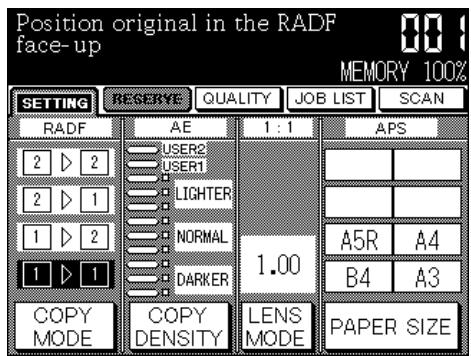
Operation panel
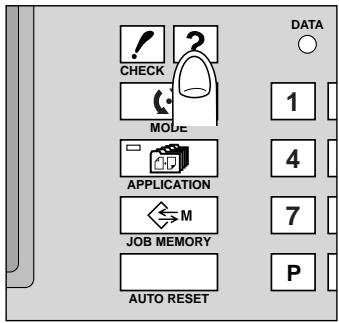
Help Basic screen

flowchart
graph TD
    A["Assistance"] --> B["RADF"]
    C["Staple"] --> D["TONER"]
    D --> E["Bypass"]
    F["HELP MENU"] --> G["TRAY1"]
    F --> H["TRAY2"]
    F --> I["TRAY3"]
    F --> J["TRAY4"]
    K["EXIT"] --> L["User Icon"]
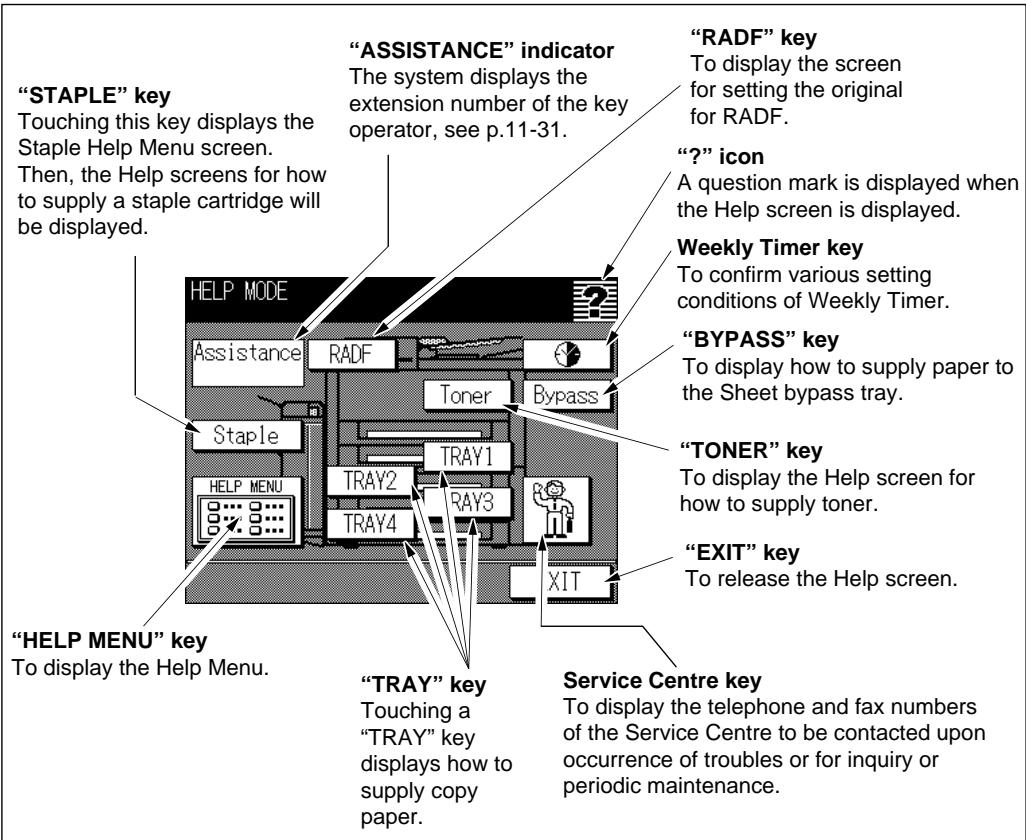
The “STAPLE” key is displayed if the optional FS-105 Finisher is installed.
How to operate the Help Basic screen
- Touching "HELP MENU" on the Help Basic screen displays the Help Menu screen.
- Touching "1. Hard keys" on the Help Menu screen displays Help screens that explain the functions of the buttons on the operation panel.
- Touching "2. Screen keys" on the Help Menu screen displays a Help screen that explains the meaning of the status of the keys when they are highlighted or displayed dark or in black.
- Touching “3. RADF Platen glass” on the Help Menu screen displays Help screens that explain the types of originals that cannot be fed using RADF and the daily cleaning and care of the RADF mechanism and the platen glass.
- Touching "4. Applications" on the Help Menu screen displays Help screens that explain seventeen functions of advanced copying on the Application Selection screen (see p. 8-2).
- Touching "5. Job memory" displays a Help screen for job memory.
Advice
If the Forward key (↓) is displayed on the Help screen after touching any one of these five keys on the Help Menu screen, touch the key to go to the next screen. To return to the previous screen, touch the Reverse key (↑).
Touch the "HELP MENU" to return to the Help Menu screen.
Touch the "EXIT" to return to the Basic screen.
Help Screens for the Output Modes
Procedure
- Press the OUTPUT button on the operation panel to display the Output Mode screen.
- Press the HELP button.
Help Screens for the Job Memory
Procedure
- When the Job No. Selection screen (p. 7-33 and p. 7-35) is displayed:
Press the JOB MEMORY button on the operation panel to display the Job No. Selection screen, then press the HELP button. The screen explaining Store/Recall of the job memory will appear. - When the Job Check screen (p. 7-33 and p. 7-35) is displayed:
Pressing the HELP button displays the Help screen for the Job Check screen. - When the Name Input screen (p. 7-33) is displayed:
Pressing the HELP button displays the corresponding Help screen.
Help Screen for the Paper Jam Position Screen
Procedure
When the Paper Jam Position screen is displayed upon paper jamming, press the HELP button. The Help screen for the Paper Jam Position screen will be displayed.
Help Screens for Manual Setting on the Basic Screen
Procedure
- Display the Copy Mode screen (p. 6-12, p. 6-15, p. 6-18, p. 6-21), then press the HELP button. A Help screen for the Copy Mode screen will be displayed.
- Display the Density Adjustment screen (p. 6-25), then press the HELP button. A Help screen for the Density Adjustment screen will be displayed.
- Display the Lens Mode screen (p. 6-28), Zoom screen (p. 6-29) or Vert./Horiz. Zoom Screen (p. 6-31), then press the HELP button. A Help screen for selecting magnification will be displayed.
- Display the Tray Selection screen (p. 6-33), then press the HELP button. A Help screen for the Tray Selection screen will be displayed.
Help Screens for the Application Selection Screen
When the Application Selection screen is displayed, press the HELP button to access information about Applications on the Help screen. The Help screen type varies according to the following conditions:
① No key on the Application Selection screen is touched.
② Any special copying function key is touched on the Application Selection screen.
③ Any special copying function has not been changed after copying.
Press the Forward key (↓) to go to the next screen. Pressing the Reverse key (↑) returns to the previous screen.
Pressing the “EXIT” key returns the system to the Basic screen.
When No Key on the Application Selection Screen Is Touched:
The six Help screens that also appear when “4 Applications” is selected on the Help Menu screen will be displayed.
When Any Special Copying Function Key Is Touched on the Application Selection Screen:
The Help screen for the advanced function that has been selected immediately before pressing the HELP button will be displayed.
Advice
For example, specify “Photo/Text Enhance”, then specify “Frame/Fold erasure” and press the HELP button. The Help screen for the Frame/Fold Erasure screen will be displayed. To view both Help screens, specify “Photo/Text Enhance mode”, then press the HELP button to display the Help screen for Photo/Text enhance mode. Then, exit the Help screen and specify “Frame/Fold erasure,” then press the HELP button to display the Help screen for Frame/Fold erasure.
For example, when “Photo/Text enhance” and “Frame/Fold erasure” are specified and then “Frame/Fold erasure” is cancelled, pressing the HELP button displays the Help screen for Photo mode.
- Press the HELP button when the Sheet/Cover Insertion Mode Selection screen is displayed, or after returning to the Application Selection screen after setting. The Help screen for Sheet insertion mode will be displayed.
- Display the Sheet/Cover Insertion Setting screen for the Sheet insertion mode, then press the HELP button. The Help screen for page setting will be displayed.
- Press the HELP button when the Chapter Insertion Setting screen is displayed, or after returning to the Application selection screen after setting. The Help screen for Chapter mode will be displayed.
- Press the HELP button when the Combination Mode Selection screen is displayed, or after returning to the Application Selection screen after setting. The Help screen for Combination mode will be displayed.
- Touch "Booklet" in the Application Selection screen to reverse the characters, then press the HELP button. The Help screens for copying from booklet will be displayed.
- Press the HELP button when the OHP Interleave screen is displayed, or after returning to the Application Selection screen after setting. The Help screen for Blank Sheet Interleaving/Copy Sheet Interleaving will be displayed.
- Press the HELP button when the Image Insertion Setting screen is displayed, or after returning to the Application Selection screen after setting. The Help screen for Image insert mode will be displayed.
- Press the HELP button when the Dual Page Mode Selection screen is displayed or after returning to the Application Selection screen after setting. The Help screen for Dual Page mode will be displayed.
- Touch "Mixed Original" in the Application Selection screen to reverse the characters, then press the HELP button. The Help screens for copying from mixed original will be displayed.
- Press the HELP button when the Text/Photo Enhance screen is displayed or after returning to the Application Selection screen after setting. The Help screen for Text/Photo Enhance mode will be displayed.
- Touch “Reverse image” in the Application Selection screen to reverse the characters, then press HELP button. The Help screens for copying in reverse image mode will be displayed.
- Press the HELP button when the Repeat Mode Selection screen is displayed, or after returning to the Application Selection screen after setting. The Help screen for copying in Repeat mode will be displayed.
- Press the HELP button when the Frame/Fold erasure screen is displayed or after returning to the Application selection screen after setting. The Help screen for copying with Frame/Fold erasure will be displayed.
-
Touch “AUTO layout” in the Application Selection screen to reverse the characters, then press HELP button. The Help screens for copying in Auto layout mode will be displayed.
-
Press the HELP button when the Thin/Thick Paper screen is displayed, or after returning to the Application Selection screen after setting. The Help screen for copying thin/thick paper will be displayed.
- Press the HELP button when the Image Shift Selection screen is displayed or after returning to the Application Selection screen after setting. The Help screen for copying with Image shift will be displayed.
- Touch "Non image area erase" in the Application Selection screen to reverse the characters, then press the HELP button. The Help screens for copying in Non image area erase mode will be displayed.
- Touch "Store Mode" on the Application Selection screen to highlight it, then press the HELP button. The Help screens for copying in Store mode will be displayed.
When Pressing the HELP Button without Changing Applications after Copying:
The Help screen that informs how to cancel the application functions will be displayed.
6. JOB MEMORY Button
Frequently used copying settings can be stored, and simply recalled, when necessary, without making complicated setting operation.
Up to 15 copy patterns (= jobs) can be stored.
The stored jobs can be identified by giving names consisting of letters and/or numbers.
Copying patterns that can be registered
Copying conditions which can be set on the Basic screen
Copying conditions which can be set on the Application Selection screen.
Copying conditions which can be set on the Output mode.
Number of copies
JOB STORE
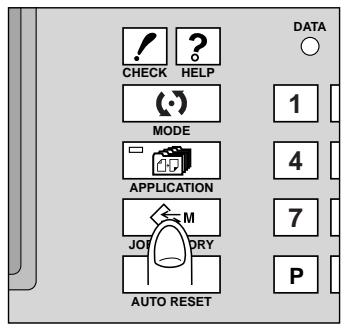
Job No. Selection screen
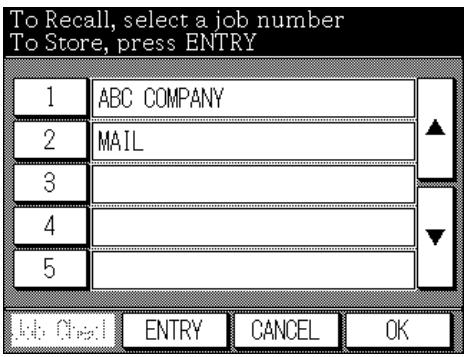
Job No. Selection screen
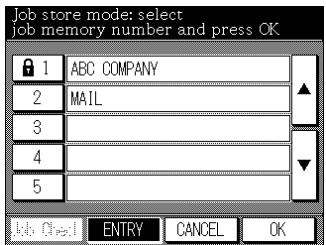
Job Store Check screen
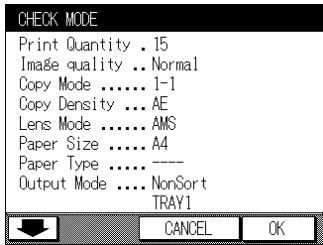
Job No. Selection screen
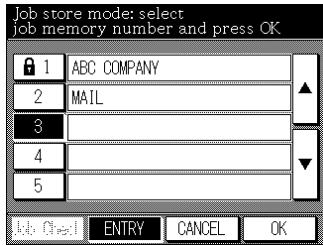
Name Input screen
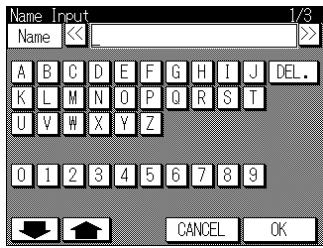
Job No. Selection screen
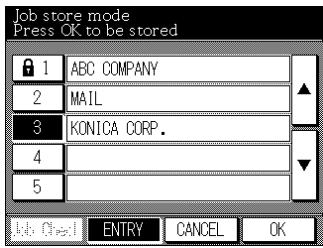
Procedure
- Set the copying conditions that is to be stored in the memory.
- Display the Basic screen.
- Press the JOB MEMORY button on the operation panel. The Job No. Selection screen will be displayed.
Advice - To Display Help Screen
Pressing the HELP button on the operation panel right after the above operation will display the Job Memory Instruction screen. Touch "EXIT" to return to the Job No. Selection screen.
Advice - To Discontinue Job Store Operation
When you wish to discontinue the following operation, press the AUTO RESET button on the operation panel.
Irrespective of the screen displayed, the Job store operation will be discontinued, and the Basic screen will be restored.
-
Touch "ENTRY" on the Job No. Selection screen.
-
The Job Store Check screen will be displayed. The copying conditions set in step 1 will be displayed. Confirm the selections.
Advice - Corrective Setting of Copying Conditions
If the stored contents include any mistake, touch “CANCEL” on the Job Store Check screen. The Basic screen will be restored. Newly set the correct copying conditions, and re-do from step 3.
- Touch "OK" key on the Job Store Check screen. The Job No. Selection screen will be displayed, to show "1" to "5" of Job No. keys.
If the ▲ Upper arrow and ▼ Lower arrow keys can be used to scroll through the 15 job numbers.
- Touch the desired Job No. key. The selected Job No. key will be highlighted, and the Name Input screen will be displayed.
At the Job No. key with LOCK mark “ 🔒 ” off and without any name, nothing is stored, and you can store your conditions.
At the Job No. key with LOCK mark “☐” off but with a name, copying conditions are stored, but you can store your new conditions, which will replace those already stored.
At the Job No. key with LOCK mark “ 🔒 ” lit, the copying conditions are locked and you cannot store your new conditions.
Advice - Lock of Job No. Key
To lock or unlock the copying conditions stored at a Job No. key, or to delete the locked copying conditions, see p. 11-28 in “Section 11: KEY OPERATOR MODE”.
Advice - Discontinuing Storing at a Job No. Key
When you wish to discontinue your storing at the touched Job No. key, touch "CANCEL". The Basic screen will be restored while the copying conditions set in step 1 remain set. If you press the AUTO RESET button on the operation panel, the set copying conditions will also be cleared.
- Enter a job name in up to 24 characters, using the touch screen alphabet keypad. If required, scroll with the ↓ Upper arrow and ↓ Lower arrow key to use lower case and symbol keys. To correct an entry, touch "DEL." repeatedly to delete each character entered, then enter the correct job name.
If you do not wish to enter a name, touch "OK". The key displays [ * * * * * ] in place of a name.
- Touch "OK" key on the Name Input screen. The Job No. Selection screen will be displayed.
To re-enter the Job name, touch "CANCEL" to return to the Name Input screen.
- Touch "OK" on the Job No. Selection screen. The Basic screen will be restored.
JOB RECALL
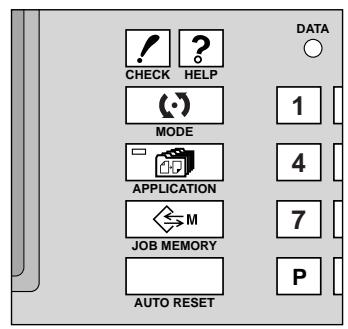
Job No. Selection screen
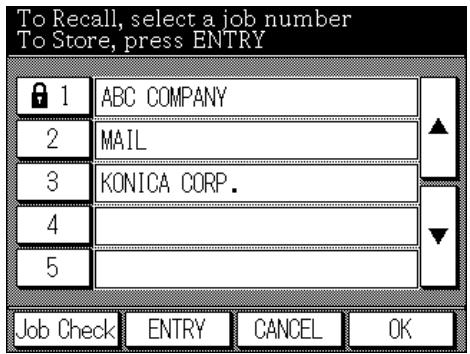
Job No. Selection screen
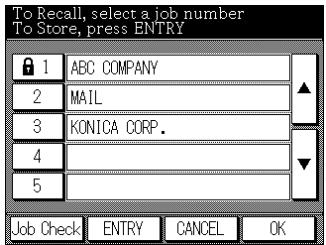
Job No. Selection screen
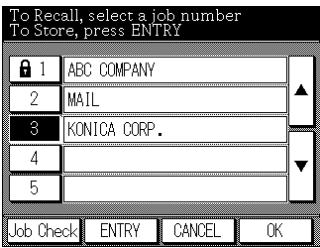
Job Check screen
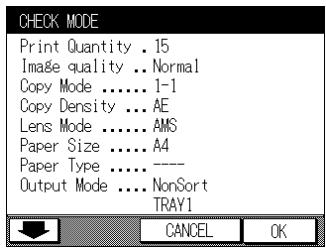
Procedure
- Display the Basic screen.
- Press the JOB MEMORY button on the operation panel. The Job No. Selection screen will be displayed.
Advice - To Display Help Screen
Pressing the HELP button on the operation panel right after the above operation will display the Job Memory Instruction screen. Touch "EXIT" key to return to the Job No. Selection screen.
- Touch the Job No. key for the job to be recalled.
“1” to “5” of Job No. keys are displayed.
If the ▲ Upper arrow and ▼ Lower arrow keys can be used to scroll through the 15 job numbers.
Advice - Discontinuing recalling
To discontinue the recalling operation, touch “CANCEL” key. The Basic screen will be restored.
-
Select one of the named job keys. The selected button will be reversed. If "Job Check" is touched in this case, the copy conditions written at the selected key will be displayed on the Job Check screen, to allow confirmation.
-
Touch "OK" on the Job Check screen. The stored copying conditions will be set, and the Basic screen will be restored.
7. INTERRUPT Button
Use the Interrupt mode to interrupt copying in progress to perform a simple job. When interrupt copying is completed, the settings for the preceding job are restored and the Basic screen displays by pressing the INTERRUPT button again. Press the INTERRUPT button when the copier is in the following conditions:
- Printing continuously the image stored in the memory
• Scanning the originals into memory - Scanning the originals into memory while printing in Reserve mode
Please Be Reminded!
In Reserve mode, pressing the INTERRUPT button before the copier finishes scanning originals of the Reserve job will clear the setting selected for Reserve job right after the copier gets ready for the Interrupt mode.
See p. 7-11 to p. 7-16 for details of the Reserve mode.
The copier cannot scan multiple originals for collective printing in Interrupt mode.
Interrupt Mode Specifications
Interrupt mode will not be available under the following conditions:
• Scanning or printing job is not performed.
• Image quality (Very High)
- The copier is in trouble such as service call or paper jam.
• Another Interrupt job
Copy paper : A3, B4, F4/8.5"x13", A4R, A4, B5R, B5, A5R*, 8.5"x11"R, 8.5"x11" (80g/m² paper recommended)
Print quantity : 1 sheet
Advice
*: A5 is available in horizontal feed (☐) only.
Incompatible
Reserve
Auto low power/Auto shut off does not function during Interrupt mode.
Procedure
1 Press INTERRUPT Button
- The LED of the INTERRUPT button will be illuminated.
- For particular jobs in progress, copying will cease only after certain phases of the immediate operation are completed, as indicated by LED conditions described below.
• Collectively printing image stored in memory
The INTERRUPT LED blinks until one set of the current job is printed. Then the LED remains steady for the temporary job performed in Interrupt mode.
- Scanning originals into memory
The INTERRUPT LED blinks until scanning is completed for all originals placed in the document feeder. Then, the LED remains steady for the temporary job performed in Interrupt mode.
- Scanning originals into memory while printing in Reserve mode
The INTERRUPT LED blinks until the copier completes the current printing job, scans all originals placed on the document feeder, and prints one set of the Reserved job. The LED remains steady for the temporary job performed in Interrupt mode.
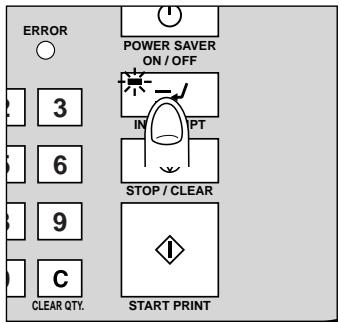
Having Problems?
Pressing the INTERRUPT button does not function unless the Basic screen is displayed on the LCD. The Interrupt mode is also unavailable under the conditions mentioned in the specifications.
- The "SETTING" folder key on the Basic screen will change to "INTERRUPT".
Basic screen
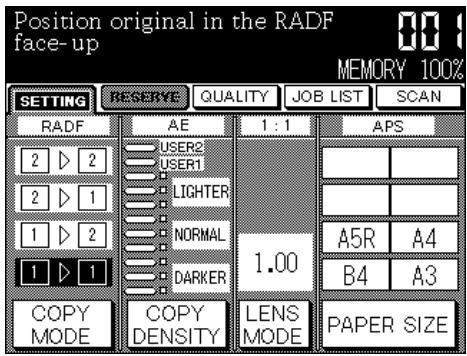
Basic screen in Interrupt mode
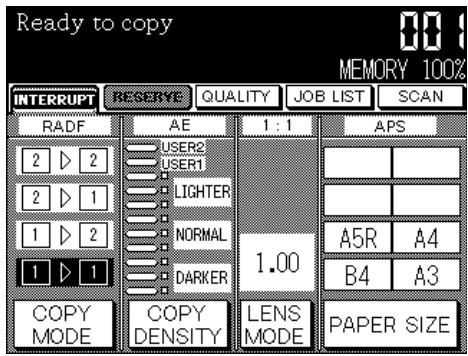
2 Set Copying Conditions
- The copying settings in Interrupt mode are as follows.
- Select other copying features that are compatible with the Interrupt mode, if desired.
3 Place Original(s)... RADF: Original FACE UP
Platen Glass: Original FACE DOWN
Place new original(s) FACE UP in the document feeder or FACE DOWN on the platen glass.
Advice
For details of how to place the original, see p. 6-8.
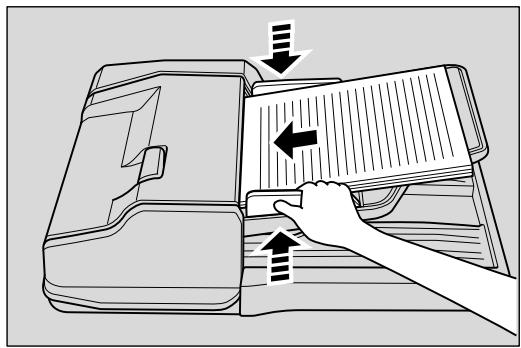
natural_image
Illustration of a hand opening a closed book with arrows indicating direction (no text or symbols)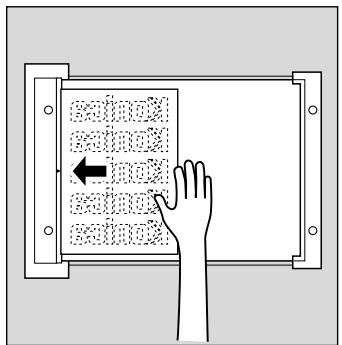
4 Start Copying
- Press the START PRINT button. The Interrupt copying job will start.
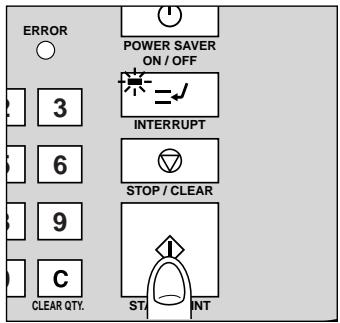
5 Press INTERRUPT Button Again
-
When Interrupt copying is completed, press the INTERRUPT button again. The INTERRUPT LED will be turned out and the INTERRUPT folder key on the Basic screen will return to SETTING.
-
The copier returns to the settings of the initial job.
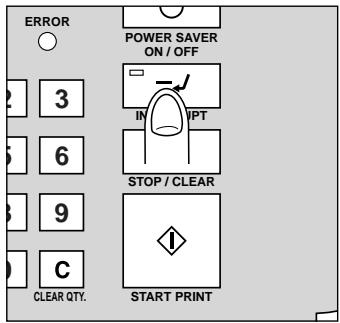
6 Resume Copying
Replace the initial original, then press the START PRINT button to resume copying.
8. Multi-Sheet Bypass Tray
This is used to copy onto the paper of the size that is not loaded in the trays, or onto the special paper such as thick paper, thin paper, OHP transparent films, etc. that cannot be loaded into the trays.
| Multi-Sheet Bypass Tray Specifications | |
| Copy paper sizes: A3, B4, A4R, F4/8.5"x13", A4, B5, B5R, A5R*, 8.5"x11" | |
| Paper weight : Plain paper; 60 to 90g/m2 | |
| Thick paper; 91 to 130g/m2 | |
| Thin paper; 50 to 59g/m2 | |
| Special paper; OHP transparent film, label paper,reproducible paper | |
| Capacity : 100 sheets max. - Plain paper | |
| 1 sheet each - OHP transparent film, thin paper, thick paper,label paper reproducible paper | |
| Advice | |
| *: A5 is available in horizontal feed ( □ ) only. | |
| Incompatible with Multi-Sheet Bypass Tray | |
| None |
Procedure
1 Set Copying Conditions
As required, set the copying conditions.
2 Place Copy Paper
- Open the Multi-sheet bypass tray.
- For loading A3, B4, F4/8.5"x13", or A4R size paper, open the guide bar.
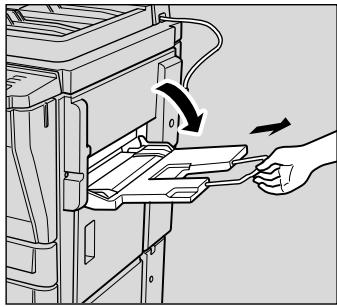
natural_image
Illustration of a hand inserting a card into a computer rack, showing the next fold (no text or symbols present)- Place the copy paper onto the Multi-sheet bypass tray, and adjust the paper guides to the paper.
Advice
- Straighten any paper curl by hand before inserting the copy paper.
- Load an OHP transparent film with the smooth/glossy side UP.
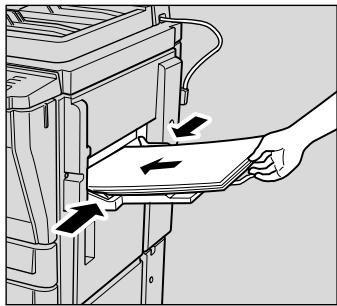
natural_image
Illustration of a hand inserting a card into a device (no text or symbols visible)3 Place Original(s)... RADF: Original FACE UP
Platen Glass: Original FACE DOWN
Place original(s) FACE UP in the document feeder or FACE DOWN on the platen glass.
Advice
For details of how to place the original, see p. 6-8.
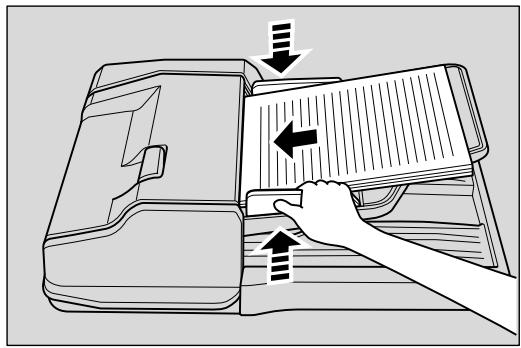
natural_image
Illustration of a hand opening a closed book into a case, with arrows indicating the direction of change (no text or symbols present)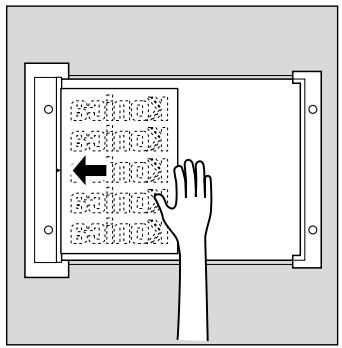
4 Start Copying
Press the START PRINT button.
After copying is completed, close the Sheet bypass tray.
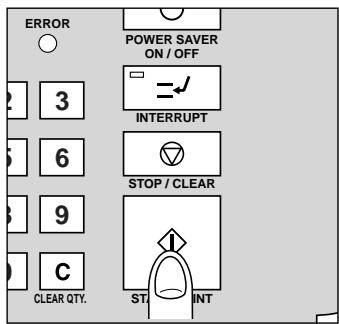
Advice
The Face up mode will be selected automatically when Multi-sheet bypass tray is used under the following conditions:
- Output onto the Finisher upper tray in the machine with Finisher
- Output onto the exit tray in the machine without Finisher
If you desire to release this automatic selection of Face up mode, contact your Service Centre.
Section 8 : Special Copying: Page Editing
-
Application Selection Screen
-
Sheet/Cover Insertion
-
Chapter
-
Combination
-
Booklet
-
OHP Interleave
-
Image Insert
-
Dual Page
-
Mixed Original
This copier allows various application functions to be selected on the Application Selection screen, in addition to the basic copy operation. This section describes how to use the respective application functions selected on the Application Selection screen.
1. Application Selection Screen
While the Basic screen is displayed, press the APPLICATION button on the Operation panel. The Application Selection screen will be displayed.
Basic screen
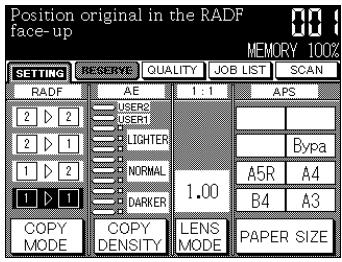
Application Selection screen
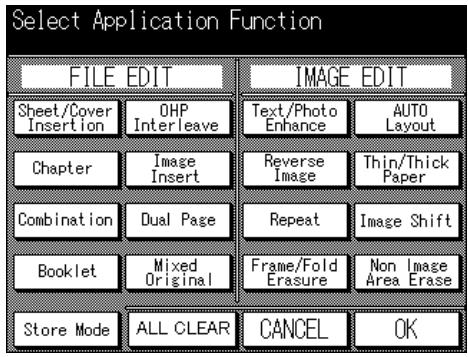
Operation panel
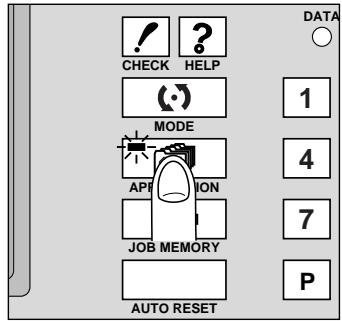
- When an application function that requires Store mode is selected, the “Store Mode” key will be highlighted automatically.
- To clear all application settings, touch "ALL CLEAR" key.
- Touching "OK" key completes the setting, and the Basic screen will be restored.
- To restore the original copying conditions, touch "CANCEL" key.
- When the Basic screen is restored with an application function selected, the green lamp of the APPLICATION button lights to show that an application function has been selected. To check the copying conditions currently selected, press the CHECK button on the Operation panel to display the Check screen. (See p. 7-22 to p. 7-27.)
Operation panel

Check screen
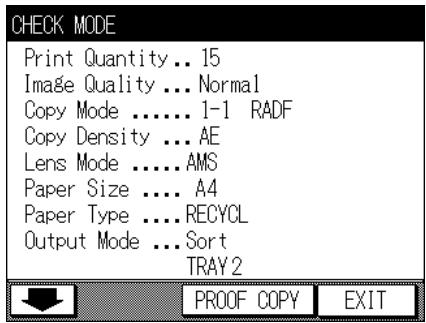
Advice: APPLICATION icon
This copier is initially set to display the icon “APPLICATION” in the lower message area of the screen, when the display returns to the Basic screen after setting any application function on the Application Selection screen.
Please contact your Service Centre, if you do not want to activate the icon.
Basic screen
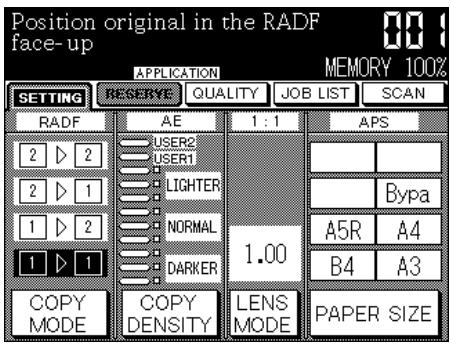
Advice - Help Screens for Application Functions
- When the Application Selection screen is displayed with none of the keys reversed, press the HELP button on the Operation panel. The screen briefly describing application functions will be displayed.
- If the HELP button on the Operation panel is pressed with the Application Selection screen displayed after any one of the keys has been touched and reversed, the screen describing the function of the touched key will be displayed.
- After completion of the copying using an application function, press the APPLICATION button on the Operation panel to display the Application Selection screen, then press the HELP button. The screen describing how to cancel the application function will be displayed.
Touch "EXIT" key to restore the Application Selection screen.
2. Sheet/Cover Insertion
With this mode covers may be added to copied sets and insert sheets can be added into the set to indicate where different sections commence. Both the covers and inserts can be blank or copied sheets.
The Sheet/Cover insertion copying can be classified into the following modes:
① Front cover mode
Front copy: Copies and inserts a sheet from Tray 1* or Multi-sheet bypass tray into the finished set, as a front cover.
Front blank: Inserts a non copied sheet from Tray 1* or Multi-sheet bypass tray into the finished set, as a front cover.
② Back cover mode
Back copy: Copies and inserts a sheet from Tray 1* or Multi-sheet bypass tray into the finished set, as a back cover.
Back blank: Inserts a non copied sheet from Tray 1* or Multi-sheet bypass tray into the finished set, as a back cover.
③ Insertion mode
Copy insertion: Copies and inserts sheets from Tray 1*.
Blank insertion: Inserts non copied sheets from Tray 1*.
Advice
*: Sheet insertion from Tray 2, 3, or 4 can be selected by the key operator. See p. 11-45 to p. 11-48.
Thick paper can be used for front and back covers.
Various sheet insertion copying can be made in a combination of three modes.
① Front cover mode (Front copy)
Originals
Copies
③ Back cover mode (Back copy)
Originals
Copies
⑤ Insertion mode (Copy insertion)

Originals
Copies
② Front cover mode (Front blank)
Originals
Copies
④ Back cover mode (Back blank)
Originals
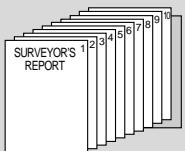
Copies
⑥ Insertion mode (Blank insertion)
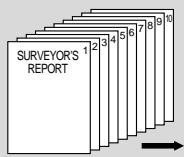
Originals
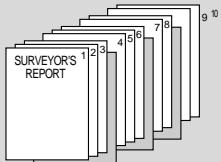
Copies
Basic rules for Sheet/Cover Insertion copying
- Scan and store originals into memory, then print all the pages collectively.
Advice
In case memory overflow frequently occurs, you are recommended to extend the memory. Contact your Service Centre.
- Use the Store mode in the following operation.
When the number of originals are more than 50, perform the RADF store mode.
When copying the originals that cannot be fed through the RADF, perform the Platen store mode.
- When using Multi-sheet bypass tray for covers, load copy paper of the same size as insertions loaded in Tray 1.
To insert thick paper as covers, be sure to use Multi-sheet bypass tray.
- The copier detects the sizes of originals and of the paper loaded in Tray 1 to automatically select the optimum magnification. (Automatic magnification selection)
Advice
The tray selected for insertion paper in the Sheet/cover insertion is also used for copy insertion in the Chapter.
Sheet/Cover Insertion Specifications
| RADF to be used (Select Platen store mode when using platen glass). | |
| Maximum insert sheets | 15 locations, including front and back covers |
| Pages available to be set | p. 1 to p. 999 |
| RADF capacity | 50 sheets max. (1,500 images max. can be scanned at a time using Store mode) |
| Original size | A3, B4, A4R, A4, B5R, B5, A5R, 8.5"x11" (50 to 130g/m2) |
| Copy paper size | A3, B4, A4R, A4, B5R, B5, A5R*1, 8.5"x11"R (80g/m2 paper recommended) |
| Cover/insertion size | A3, B4, A4R, A4, B5R, B5, A5R |
| Insertion paper | Plain paper, coloured paper (60 to 90g/m2) |
| Cover paper | 60 to 130g/m2 paper |
| Number of copies per original | 999 max. |
| Tray for cover*2 | Tray 1 or Multi-sheet bypass tray |
| Tray for insertion*2 | Tray 1 |
| Tray for copy paper*2 | Tray 2, 3, 4 |
| AMS function is automatically set. | |
Advice
^*1 : Load A5 paper in lengthwise feed (☐) only. See p. 6-4.
*2: Trays for cover, insertion, and copy paper can be freely selected in Key operator mode. See p. 11-45 to p. 11-48.
Incompatible
If any of the following copying conditions are going to be set, the Sheet/Cover insertion may be cancelled or the key concerned on the screen may become faint, not allowing selection.
| APS | Image insert |
| Group mode | Dual page |
| Image quality (Very high) | Mixed original |
| Chapter | Repeat |
| Combination | Auto layout |
| Booklet | Non image area erase |
| OHP interleave |
Procedure
1 Set Insertions on Tray 1
Place the plain or coloured paper to be used for Insertions into Tray 1 (universal tray).
Advice
AMS function is automatically set.
If copy paper of the same size as that of originals is set on Tray 1, full-size copying is effected.
If copy paper different in size from originals is set on Tray 1, an optimum magnification is selected.
2 Set Covers on Tray 1 or Multi-Sheet Bypass Tray
Place the plain or coloured paper that is to be used for Covers (front and back) into Tray 1 (universal tray) or into the Multi-sheet bypass tray.
When inserting thick paper as Covers, use the Multi-sheet bypass tray.
Load paper of the same size as that of the Insertions.
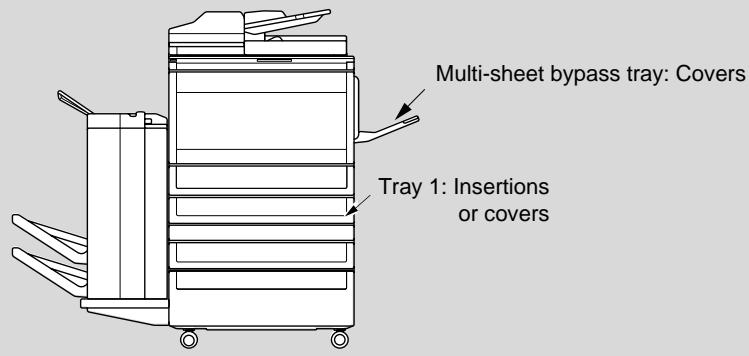
3 Check Copy Paper: Trays 2, 3 and 4
Check that one of the trays (either Tray 2, 3, or 4) is also loaded with the same size paper as the Cover or Insertions which have been placed in Tray 1 (universal tray).
Advice
If paper equal in size to that loaded into Tray 1 is also loaded into other trays, the copier will automatically choose the paper tray with the smallest number located on the front of the tray.
4 Set Copying Conditions
- Close the RADF securely and press the AUTO RESET button to set the RADF mode.
- Press the APPLICATION button on the Operation panel to display the Application Selection screen.
- Touch "Sheet/Cover Insertion" key on the Application Selection screen to display the Sheet/Cover Insertion Mode Selection screen.
- Touch the keys on the Sheet/Cover Insertion Mode Selection screen.
Application Selection screen
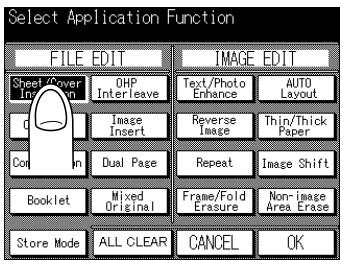

Sheet/Cover Insertion Mode Selection screen
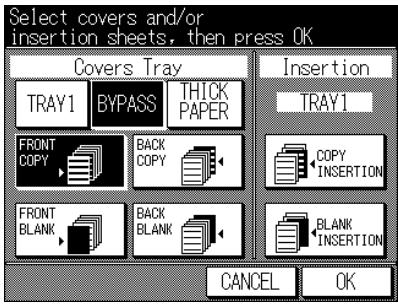
Front CoverMode(FsentRONY AND FrontFBlank)BLANK" key. When not placing a front
① Front cover mode (Front copy)
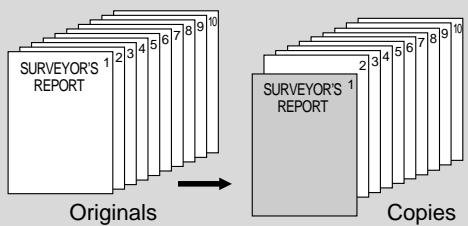
② Front cover mode (Front blank)
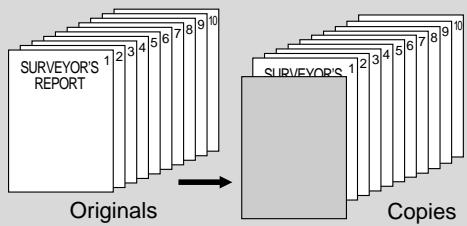
cover, do not reverse these keys.
(2) Touch "TRAY1" or "BYPASS" key to select the tray from which the front/back cover is fed.
(3) To use thick paper for the front cover, touch and reverse “THICK PAPER” key. “BYPASS” key is automatically selected. If Back Cover Mode is also selected in the same job, the back cover will be thick as well.
Advice
To void the selection, touch "CANCEL" key. The Application Selection screen will be restored.
(4) To select Back Cover mode, see p. 8-8.
(5) To select Insertion mode, see p. 8-9 to p. 8-10.
(6) Touch "OK" key on the Sheet/Cover Insertion Mode Selection screen to return to the Application Selection screen. Proceed to step 5 on p. 8-10.
Sheet/Cover Insertion Mode Selection screen (FRONT COPY)
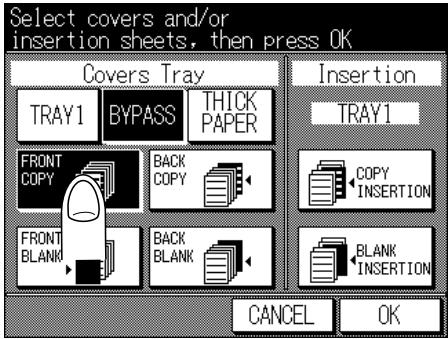
Sheet/Cover Insertion Mode Selection screen (No selection)
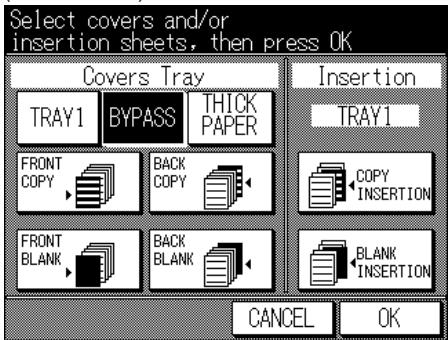
Sheet/Cover Insertion Mode Selection screen (FRONT BLANK)

Sheet/Cover Insertion Mode Selection screen (Thick paper)
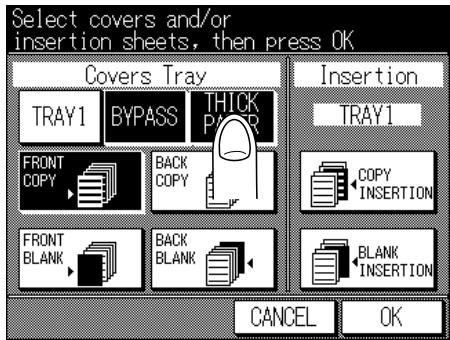
Sheet/Cover Insertion
Back Cover Mode(Back "BACK" and Back "BLACK" BLANK" key. When not placing a back
③ Back cover mode (Back copy)
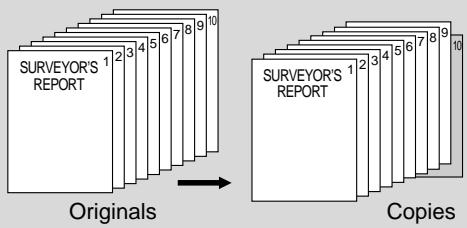
④ Back cover mode (Back blank)
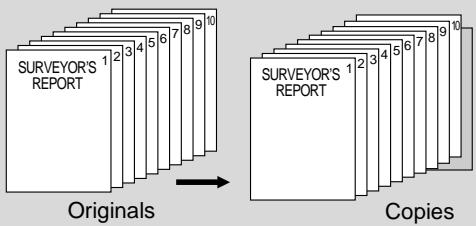
cover, do not reverse these keys.
(2) To use thick paper for the back cover, touch and reverse “THICK PAPER” key. “BYPASS” key is automatically selected. If Front Cover Mode is selected at the same time, the front cover will be thick as well.
Advice
To void the selection, touch "CANCEL" key. The Application Selection screen will be restored.
(3) To select Front Cover mode, see p. 8-7.
(4) To select Insertion mode, see p. 8-9 to p. 8-10.
(5) Touch "OK" key on the Sheet/Cover Insertion Mode Selection screen to return to the Application Selection screen. Proceed to step 5 on p. 8-10.
Sheet/Cover Insertion Mode Selection screen (BACK COPY)
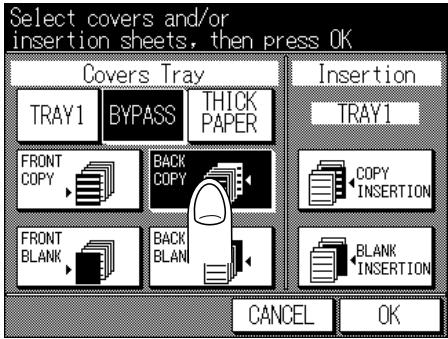
Sheet/Cover Insertion Mode Selection screen (BACK BLANK)
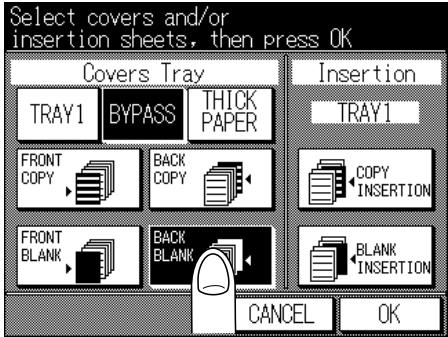
Sheet/Cover Insertion Mode Selection screen (No selection)
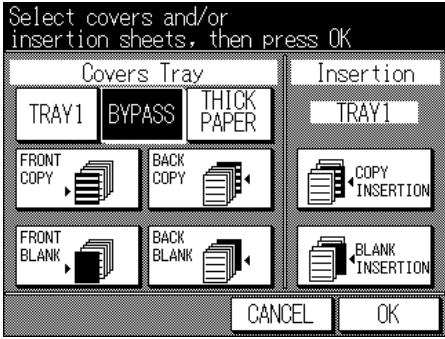
Sheet/Cover Insertion Mode Selection screen (Thick paper)
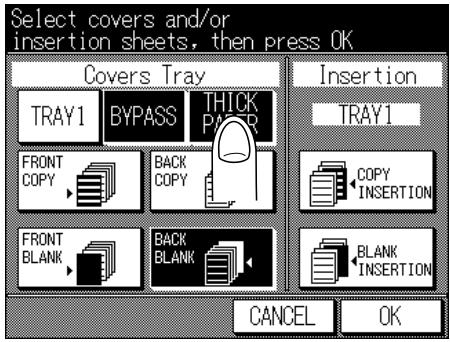
InsertionModed(Copyright) INSERTIONInser"Bank INSERTION" key. When not
⑤ Insertion mode (Copy insertion)
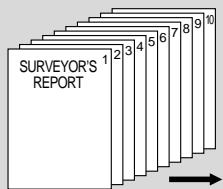
Originals
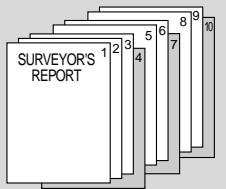
Copies
⑥ Insertion mode (Blank insertion)
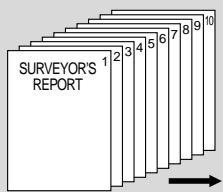
Originals
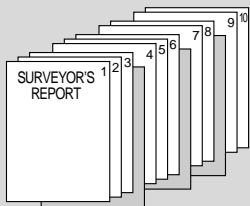
Copies
inserting any sheets, do not reverse these keys.
Advice
To void the selection, touch "CANCEL" key. The Application Selection screen will be restored.
(2) To select Front Cover Mode, see p. 8-7.
(3) To select Back Cover Mode, see p. 8-8.
(4) Touch "OK" key on the Sheet/Cover Insertion Mode Selection screen to display the
Sheet/Cover Insertion Mode Selection screen (COPY INSERTION)
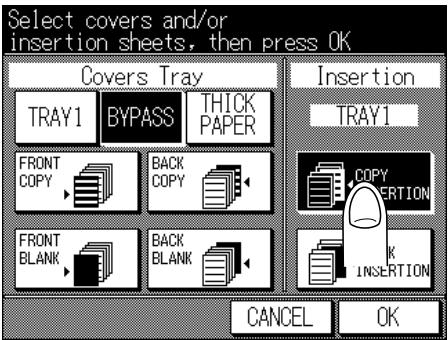
Sheet/Cover Insertion Mode Selection screen (BLANK INSERTION)
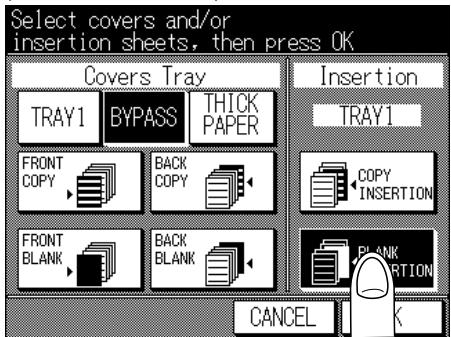
Sheet/Cover Insertion Mode Selection screen (No insertion)
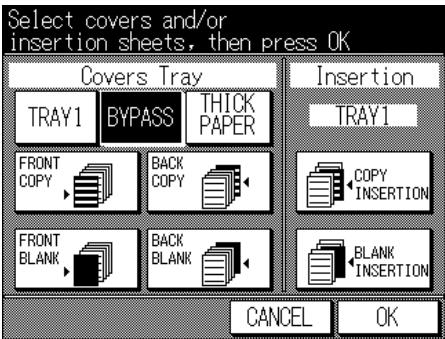
Sheet/Cover Insertion Setting screen.
(5) Enter the page number of each insertion location, using the Ten keys of the Operation panel. The specified page number is displayed on the screen. Touch "SET" key to fix the entered page number, or touch "DELETE" key to clear.
(6) Repeat step (5) until all the page numbers to be inserted are entered.
Advice: Copy Insertion
Operation panel
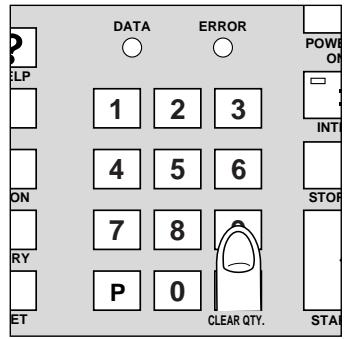
Sheet/Cover Insertion Setting screen
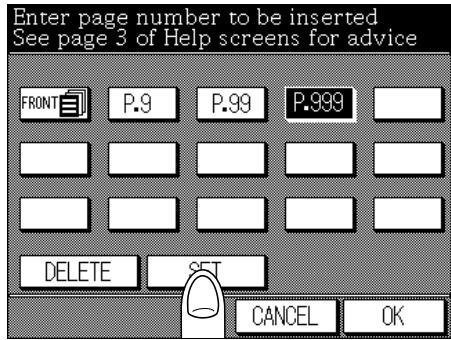
- In 1▶1 mode, for example, if “11” is entered, the 11th page of the 1-sided originals is copied on the paper in Tray 1 and inserted.
- In 1▶2 mode, for example, if “11” is entered, the 11th page of the originals is copied on the front side and the 12th page on the back side of the paper in Tray 1 and inserted. Entering “12” will result in the same.
- In 2▶2 mode, for example, if “11” is entered, both sides of the 11th page of the originals are copied on both sides of the paper in Tray 1 and inserted.
- In 2▶1 mode, for example, if “11” is entered, only the front page of the 11th page is copied on the paper in Tray 1 and inserted.
Advice: Blank Insertion
- In 1▶1 mode, for example, if “11” is entered, the blank paper in Tray 1 is inserted after the 11th page of the 1-sided originals is copied.
- In 1▶2 mode, for example, if “11” is entered, the blank paper in Tray 1 is inserted after the 11th page of the originals is copied on the front side and the 12th page on the back side of the paper. Entering “12” will result in the same.
- In 2▶2 mode, for example, if “11” is entered, the blank paper in Tray 1 is inserted after both sides of the 11th page of the originals are copied on both sides of the paper.
- In 2▶1 mode, for example, if "11" is entered, the blank paper in Tray 1 is inserted after the page 11 of the 2-sided originals is copied.
Advice
To void the selection, touch "CANCEL" key. The Application Selection screen will be restored.
(7) Touch "OK" key on the Sheet/Cover Selection screen to return to the Application Selection screen. Proceed to step 5.
5. The Application Selection screen will be restored.
6. As required, set the other copying conditions. When copying more than 50 originals, use RADF store mode or Platen store mode. Touch "Store Mode" key to highlight it.
Advice
To clear all application settings, touch "ALL CLEAR" key.
- Touch "OK" key on the Application Selection screen. The Basic screen will be restored.
5 Enter Print Quantity
Enter the desired number of copied set, using the Ten keys on the Operation panel. The entered number will be displayed in the upper right message area of the screen. To change the print quantity, press the CLEAR QTY. button and enter the correct number.
Please Be Reminded!
DO NOT press the STOP/CLEAR button when changing the print quantity. Stored image will be cleared. Do not press the AUTO RESET button as this will clear all the copier settings.
6 Place Originals...FACE UP
Operation panel
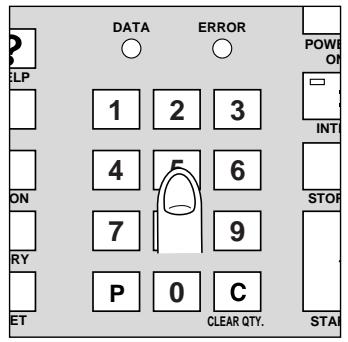
Basic screen
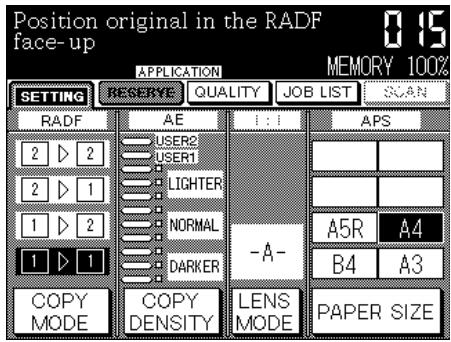
- Put originals in order of pagination, and place originals FACE UP in the RADF. 50 sheets max. can be loaded.
- Align the front original guide to the originals.
Advice
For details of how to place the originals, see p. 6-8.
Supplement 1: Using Store mode
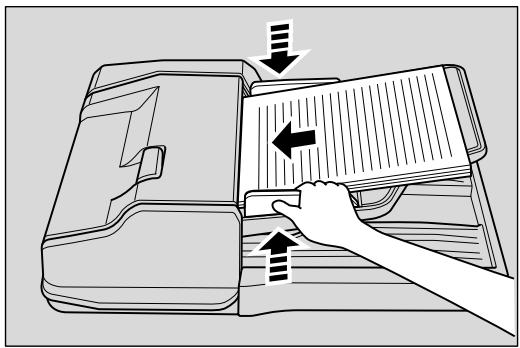
natural_image
Illustration of a hand opening a closed book with arrows indicating fold change (no text or symbols)RADF store mode:
To copy a set of more than 50 originals, use RADF store mode. Touch and highlight the "Store Mode" key on the Application Selection screen. See p. 7-8 to p. 7-10 for details.
Please Be Reminded!
Divide the originals into blocks not exceeding 50 sheets and load them from the block with the first page.
Platen store mode:
To copy originals that cannot be fed through the RADF onto both sides of copy paper, use Platen store mode. Touch and highlight the “Store Mode” key on the Application Selection screen. See p. 7-4 to p. 7-7 for details.
Supplement 2: Checking copying conditions/printed copies
- Press the CHECK button to display the Check screen.
- Check the current copying conditions on the Check screen.
- Touch "PROOF COPY" key on the Check screen to make a proof copy.
When completed, touch "EXIT" key to return to the Basic screen.
See p. 7-22 to p. 7-27 for details.
7 Start Copying
Press the START PRINT button. Originals loaded on RADF are all scanned and discharged, then output job starts in succession.
When using Store mode, press the START PRINT button to start the output job.
To stop copying, press the STOP/CLEAR button. Scanned data in the memory will be cleared.
After completion of copying, all the data in the memory will be cleared.
Having Problems?
The memory may be fully loaded to cause overflow during scanning. See p. 12-4 to p. 12-5.
Having Problems?
If paper of the same size as that loaded in Tray 1 is not loaded in other trays, the message "Please load A4 paper in Tray 2, 3, or 4" will be displayed. (The paper size displayed is the size which is loaded in Tray 1.) Load paper of the same size as that loaded in Tray 1 in any other tray, then press the START PRINT button.

CAUTION: Paper Capacity of the Finisher
copies in the copy run exceeds the stated capacity, be sure to unload the exit tray whilst the copier is still copying. Failure to do so will cause the copier to jam.
The following capacity is for 80g/m^2 paper. When copying mixed size originals, the capacity will be less than the following.
Non-sort mode
Tray 1: 100 sheets/ 10 sheets (thin/thick paper, OHP films, etc.)
Tray 2/3:500 sheets (A4R, A4, B5R, B5, 8.5"x11"R)
300 sheets (A3, B4, F4/8.5"x13", A5R)
Sort/Group mode
Tray 2/3:500 sheets (A4R, A4, B5R, B5, 8.5"x11"R)
300 sheets (A3, B4, F4/8.5"x13")
Staple-sort mode
500 sheets max. (A4R, A4, B5R, B5, 8.5"x11"R)
300 sheets max. (A3, B4, F4/8.5"x13", A5R)

CAUTION: Maximum Loading Capacity of the Exit Tray
In the case of the copier without a finisher, the exit tray capacity is 100 sheets. Be sure to remove the copies from the exit tray while copying before the maximum capacity is reached. Failure to do so will cause the copier to jam.
After completion of copying, cancel the selected application function.
- To release Sheet/Cover insertion mode, display the Application Selection screen, touch the reversed "Sheet/Cover insertion" key, then touch "OK" key.
- To release all the application functions, display the Application Selection screen and touch "ALL CLEAR" key.
- To restore the initial copying conditions, press the AUTO RESET button on the Operation panel.
Sheet/Cover Insertion
3. Chapter
Chapter copying is used with the RADF in 1▶2 or 2▶2 mode for the purpose of locating title pages on the right side, rather than reverse side of a duplex copy.
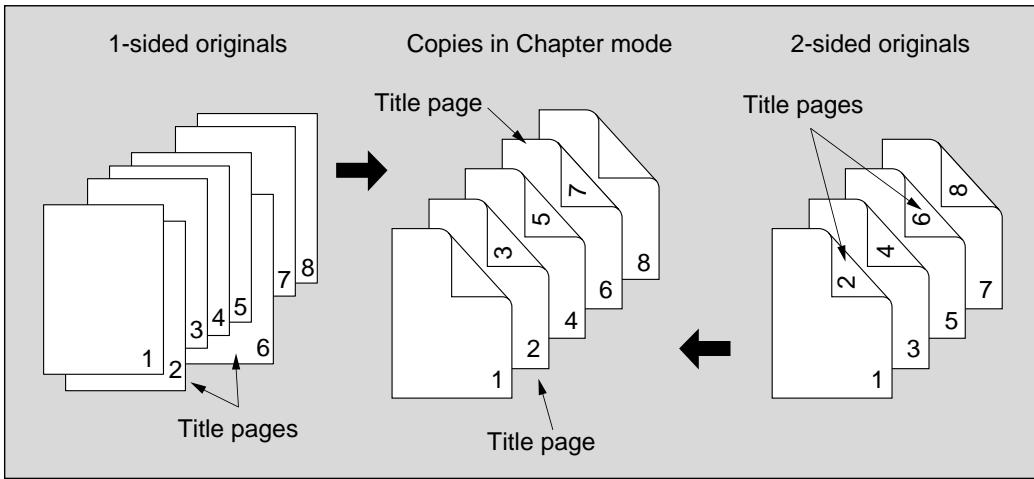
flowchart
graph LR
    A["1-sided originals"] --> B["Copies in Chapter mode"]
    B --> C["2-sided originals"]

    subgraph Originals
        D["1-sided original"] --> E["Title pages"]
        F["2-sided original"] --> G["Title pages"]
    end

    style Originals fill:#f9f,stroke:#333
    style Originals fill:#ccf,stroke:#333
Basic rules for Chapter copying
- Scan and store originals into memory, then print all the pages collectively.
Advice
If memory overflow frequently occurs, you are recommended to extend the memory. Contact your Service Centre.
- Use the Store mode in the following conditions.
When the number of originals are more than 50, perform the RADF store mode.
When copying the originals that cannot be fed through the RADF, perform the Platen store mode.
- Only 1▶2 or 2▶2 mode is compatible.
• Max. 15 title pages can be set from p. 1 to p. 999.
Chapter Copying Specifications
| RADF to be used. (When copying from the platen glass, select Store mode.) | |
| Title pages | : 15 max. |
| Page range | : p. 1 to p. 999 pages |
| RADF capacity | : 50 max. 1,500 images max. can be scanned at a tim using Store mode |
| Original paper size | : A3, B4, A4R, A4, B5R, B5, A5R, 8.5"x11" |
| Tray paper size | : A3, B4, A4R, A4, B5R, B5, A5R*, 8.5"x11"R (80g/m paper recommended) |
| Print quantity | : 999 sets max. |
Advice
*: Load A5 size paper in lengthwise feed (☐) only.
Incompatible
If any of the following copying conditions are going to be set, the Chapter copying may be cancelled or the key concerned on the screen may become faint, not allowing setting.
| 1▶1 | Image insert |
| 2▶1 | Dual page |
| Image quality (Very high) | Repeat |
| Sheet/Cover insertion | Auto layout |
| Combination | Thin/Thick paper |
| OHP interleave | Non image area erase |
Procedure
1 Place Original(s)...FACE DOWN
- Close the RADF securely and press the AUTO RESET button to set the RADF mode.
- Press the APPLICATION button on the Operation panel to display the Application Selection screen.
- Touch "Chapter" key. The Chapter Insertion Setting screen will be displayed.
Application Selection screen
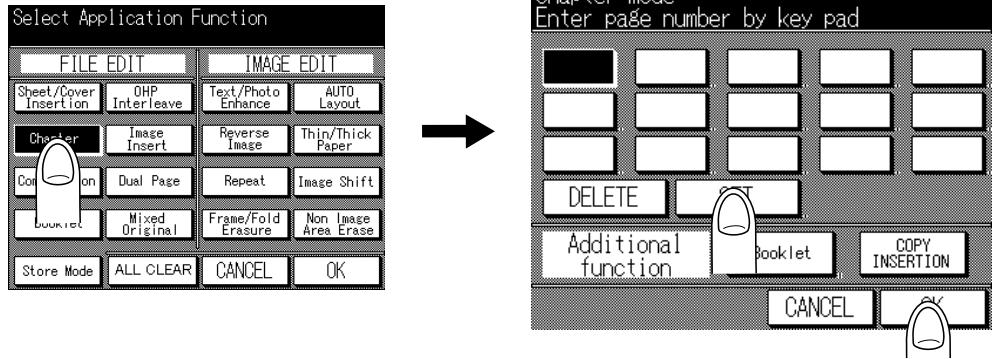
- Enter the page number of the title page.
(1) Use the Ten key on the Operation panel to enter the page number of the title page. The entered page number will be displayed on the screen.
Touch "SET" key to fix the entry, or "DELETE" key to clear the entry.
(2) Repeat this for each title page number you want to appear on the right side. You can set up to 15 entries within p. 1 to p. 999.
Having Problems?
To clear an incorrect entry, touch "DELETE" key on the screen or the CLEAR QTY. button on the Operation panel, touch "SET" key and re-enter the correct page number.
Advice
- When the page number specified is larger than the total original page count, the entry will be invalid.
- Chapter insertions occur in sequence even if original page numbers are entered from the smaller page number.
- You cannot enter the same page number twice.
Advice
To return to the original condition set before change, touch "CANCEL" key.
(3) Touch "Booklet" key on the Chapter Insertion Setting screen to use this function. To change the selection of paper tray for copying title page, touch "Copy Insertion" key on the screen.
(4) When all entries are made, touch "OK" key.
- The Application Selection screen will be restored.
- As required, set the other copying conditions. When copying more than 50 originals, use RADF store mode or Platen store mode. Touch "Store Mode" key to highlight it.
Advice
To clear all application settings, touch "ALL CLEAR" key. The Basic screen will be restored.
- Touch "OK" key on the Application Selection screen. The Basic screen will be restored.
2 Enter Print Quantity
Press the Ten keys to enter the desired print quantity.
To change the entered quantity, press the CLEAR QTY. button and enter the correct quantity.
Please Be Reminded!
DO NOT press the STOP/CLEAR button when changing the print quantity. Stored image will be cleared. Do not press the AUTO RESET button as this will clear all the copier settings.
Operation panel
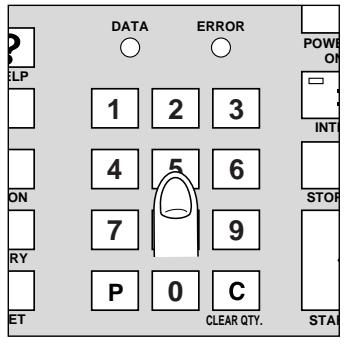
Basic screen
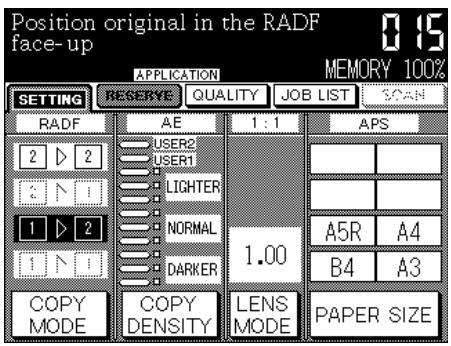
3 Place Originals...FACE UP
- Put originals in order of pagination, and place originals FACE UP in the RADF. 50 sheets max. can be loaded.
- Align the front original guide to the originals.
Advice
For details of how to place the originals, see p. 6-8.
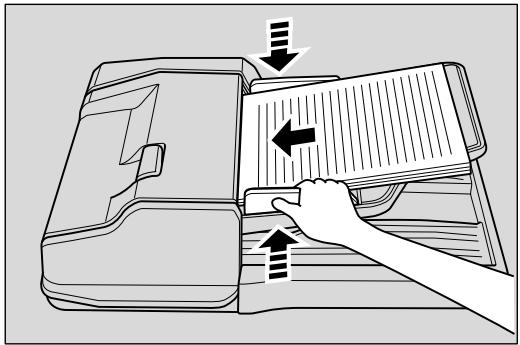
natural_image
Illustration of a hand opening a rectangular device with arrows indicating motion or force (no text or symbols)Supplement 1: Using Store mode
RADF store mode:
To copy a set of more than 50 originals, use RADF store mode. Touch and highlight the "Store Mode" key on the Application Selection screen. See p. 7-8 to p. 7-10 for details.
Please Be Reminded!
Divide the originals into blocks not exceeding 50 sheets and load them from the block with the first page.
Platen store mode:
To copy originals that cannot be fed through the RADF onto both sides of copy paper, use Platen store mode. Touch and highlight the “Store Mode” key on the Application Selection screen. See p. 7-4 to p. 7-7 for details.
Supplement 2: Checking copying conditions/printed copies
- Press the CHECK button to display the Check screen.
- Check the current copying conditions on the Check screen.
- Touch "PROOF COPY" key on the Check screen to make a proof copy.
When completed, touch "EXIT" key to return to the Basic screen.
See p. 7-22 to p. 7-27 for details.
4 Start Copying
Press the START PRINT button. Originals loaded on RADF are all scanned and discharged, then output job starts in succession.
When using Store mode, press the START PRINT button to start the output job.
To stop copying, press the STOP/CLEAR button. Scanned data in the memory will be cleared.
After completion of copying, all the data in the memory will be cleared.
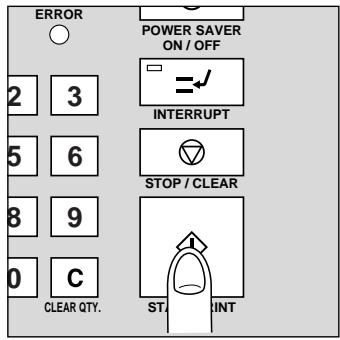
Having Problems?
The memory may be fully loaded to cause overflow during scanning. See p. 12-4 to p. 12-5.

CAUTION: Paper Capacity of the Finisher
The capacity of the Finisher exit tray is listed below. When the total number of copies in the copy run exceeds the stated capacity, be sure to unload the exit tray whilst the copier is still copying. Failure to do so will cause the copier to jam.
The following capacity is for 80g/m^2 paper. When copying mixed size originals, the capacity will be less than the following.
Non-sort mode
Tray 1: 100 sheets/ 10 sheets (thin/thick paper, OHP films, etc.)
Tray 2/3:500 sheets (A4R, A4, B5R, B5, 8.5"x11"R)
300 sheets (A3, B4, F4/8.5"x13", A5R)
Sort/Group mode
Tray 2/3:500 sheets (A4R, A4, B5R, B5, 8.5"x11"R)
300 sheets (A3, B4, F4/8.5"x13")
Staple-sort mode
500 sheets max. (A4R, A4, B5R, B5, 8.5"x11"R)
300 sheets max. (A3, B4, F4/8.5"x13", A5R)

CAUTION: Maximum Loading Capacity of the Exit Tray
In the case of the copier without a finisher, the exit tray capacity is 100 sheets. Be sure to remove the copies from the exit tray while copying before the maximum capacity is reached. Failure to do so will cause the copier to jam.
After completion of copying, cancel the selected application function.
- To release Chapter insertion mode, display the Application Selection screen, touch "Chapter" key and then touch "OK" key.
- To release all the application functions, display the Application Selection screen and touch "ALL CLEAR" key.
- To restore the initial copying conditions, press the AUTO RESET button on the Operation panel.
4. Combination
Used to lay out and copy a fixed number (2, 4, or 8) of pages onto one sheet of copy paper.
Original
2 in 1 copying
4 in 1 copying
| 1 | 2 |
| 3 | 4 |
8 in 1 copying

Basic rules for Combination
- Scan and store originals into memory, then print all the pages collectively.
Advice
If memory overflow frequently occurs, you are recommended to extend the memory. Contact your Service Centre.
- Use the Store mode in the following conditions.
When the number of originals are more than 50, use the RADF store mode.
When copying the originals that cannot be fed through the RADF, use the Platen store mode.
- AMS is automatically selected. Normally the fixed size of Tray 1 will be selected. (This setting can be released.)
Combination Specifications
| RADF to be used. (When copying from the platen glass, select the Store mode.) | |
| RADF capacity | : 50 max. 1,500 images max. can be scanned at a time using Store mode. |
| Original paper size | : A3, B4, A4R, A4, B5R, B5, A5R, 8.5"x11" |
| Tray paper size | : A3, B4, A4R, A4, B5R, B5, A5R*, 8.5"x11"R (80g/m2paper recommended) |
| Print quantity | : 999 sets max. |
Advice
*: Load A5 size paper in lengthwise feed (☐) only.
Incompatible
If any of the following copying conditions are going to be set, the Combination may be cancelled or the key concerned on the screen may become faint, not allowing setting.
APS
Image quality (Very high)
Sheet/Cover insertion
Chapter
Booklet
Image insert
Dual page
Mixed original
Repeat image
Frame/Fold erasure
Auto layout
Non image area erase
Procedure
1 Set Copying Conditions
- Close the RADF securely and press the AUTO RESET button to set the RADF mode.
- Press the APPLICATION button on the Operation panel to display the Application Selection screen.
- Touch "Combination" key on the Application Selection screen. The Combination Mode Selection screen will be displayed.
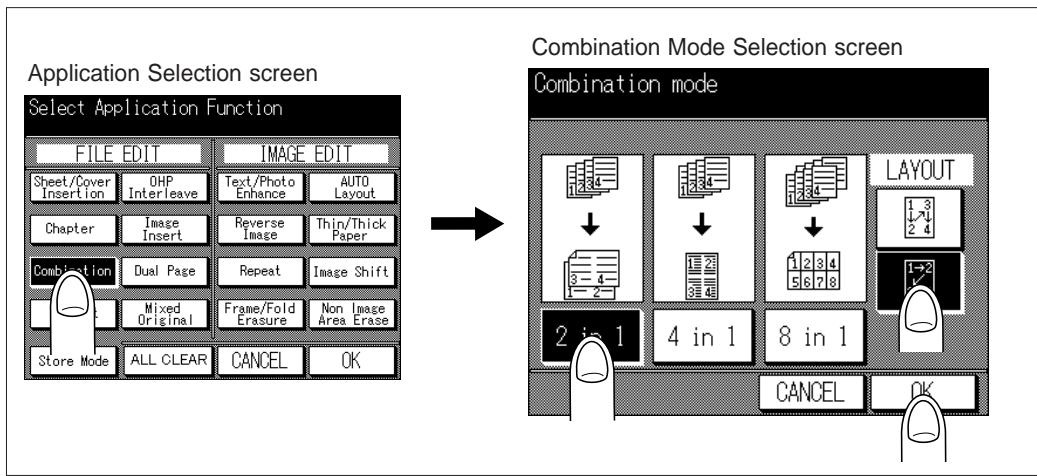
flowchart
graph LR
    A["Application Selection screen"] --> B["Selection Function"]
    B --> C["Combination Mode"]
    C --> D["Combination Mode Selection Screen"]

    subgraph_A["Application Selection Screen"]
        E["File EDIT"] --> F["Image EDIT"]
        G["Sheet/Cover Insert"] --> H["OHP Interleave"]
        I["Chapter"] --> J["Image Insert"]
        K["Combination"] --> L["Dual Page"]
        M["Store Mode"] --> N["Mixed Original"]
        O["All CLEAR"] --> P["CANCEL OK"]
    end

    subgraph_B["Selection Function"]
        Q["Text/Photo Enhance"] --> R["AUTO Layout"]
        S["Reverse Image"] --> T["Thin/Thick Paper"]
        U["Repeat"] --> V["Image Shift"]
        W["Frame/Fold Erasure"] --> X["Non Image Area Erase"]
    end

    subgraph_C["Combination Mode Selection Screen"]
        Y["Combination mode"] --> Z["LAYOUT"]
        AA["Combination mode"] --> AB["1 3 2 4"]
        AC["Combination mode"] --> AD["1 2 3 4 5 6 7 8"]
        AE["Combination mode"] --> AF["1 → 2"]
        AG["Combination mode"] --> AH["CANCEL OK"]
    end
- Touch any of "2 in 1", "4 in 1", or "8 in 1" key, referring to the table below.
- Touch either key between the two in the Layout area, referring to the table below.
Advice
To return to the initial condition, touch "CANCEL" key.
| Layout Original | ||||||||||||||||
| 2 in 1 | 4 in 1 | 8 in 1 | 2 in 1 | 4 in 1 | 8 in 1 | |||||||||||
| Portrait type Konlca | 1 | 2 | 1 | 3 | ||||||||||||
| 1 | 2 | 3 | 4 | 1 | 2 | 3 | 4 | 1 | 2 | 1 | 3 | 1 | 3 | 5 | 7 | |
| 5 | 6 | 7 | 8 | 2 | 4 | 2 | 4 | 6 | 8 | |||||||
| Landscape type Konlca | 1 | 2 | 5 | |||||||||||||
| 1 | 1 | 2 | 3 | 4 | 1 | 1 | 3 | 1 | 5 | |||||||
| 2 | 3 | 4 | 5 | 6 | 2 | 2 | 4 | 2 | 6 | |||||||
| 7 | 8 | 3 | 7 | |||||||||||||
| 4 | 8 | |||||||||||||||
- Touch "OK" key to restore the Application Selection screen.
- As required, set the other copying conditions. When copying more than 50 originals, use RADF store mode or Platen store mode. Touch "Store Mode" key to highlight it.
Advice
To clear all application settings, touch "ALL CLEAR" key. The Basic screen will be restored.
- Touch "OK" key on the Application Selection screen. The Basic screen will be restored.
9. AMS is automatically selected.
Touch the “PAPER SIZE” key on the Basic screen to display the Tray Selection screen, then touch and reverse the desired tray key. Touch “OK” key to return to the Basic screen.
Tray Selection screen
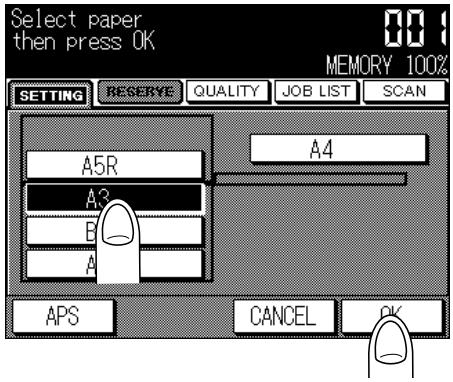
2 Enter Print Quantity
Press the Ten keys to enter the desired print quantity.
To change the entered quantity, press the CLEAR QTY. button and enter the correct number.
Please Be Reminded!
DO NOT press the STOP/CLEAR button when changing the print quantity. Stored image will be cleared. Do not press the AUTO RESET button as this will clear all the copier settings.
Operation panel
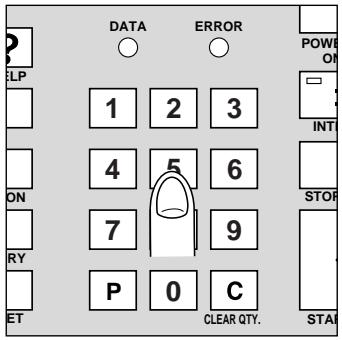
Basic screen
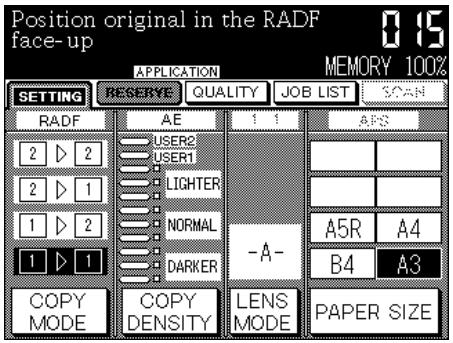
3 Place Original(s)...FACE UP
- Put originals in the order of pagination, and place originals FACE UP in the RADF.
50 sheets max. can be loaded.
- Align the front original guide to originals.
Advice
For details of how to place the originals, see p. 6-8.
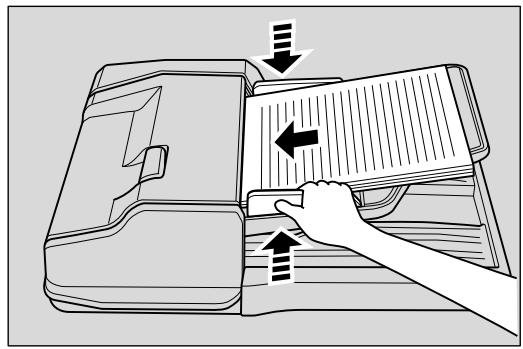
natural_image
Illustration of a hand opening a rectangular device with arrows indicating motion or force (no text or symbols)Supplement 1: Using Store mode
RADF store mode:
To copy a set of more than 50 originals, use RADF store mode. Touch and highlight the "Store Mode" key on the Application Selection screen. See p. 7-8 to p. 7-10 for details.
Please Be Reminded!
Divide the originals into blocks not exceeding 50 sheets and load them from the block with the first page.
Platen store mode:
To copy originals that cannot be fed through the RADF onto both sides of copy paper, use Platen store mode. Touch and highlight the “Store Mode” key on the Application Selection screen. See p. 7-4 to p. 7-7 for details.
Supplement 2: Checking copying conditions/printed copies
- Press the CHECK button to display the Check screen.
- Check the current copying conditions on the Check screen.
- Touch "PROOF COPY" key on the Check screen to make a proof copy.
When completed, touch "EXIT" key to return to the Basic screen.
See p. 7-22 to p. 7-27 for details.
4 Start Copying
Press the START PRINT button. Originals loaded on RADF are all scanned and discharged, then output job starts in succession.
When using Store mode, press the START PRINT button to start the output job.
To stop copying, press the STOP/CLEAR button. Scanned data in the memory will be cleared.
After completion of copying, all the data in the memory will be cleared.
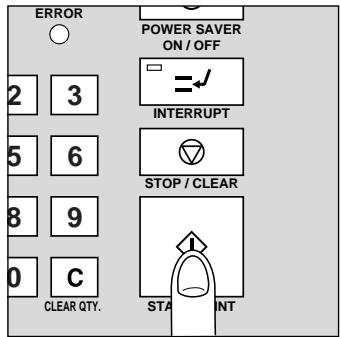
Having Problems?
The memory may be fully loaded to cause overflow during scanning. See p. 12-4 to p. 12-5.

CAUTION: Paper Capacity of the Finisher
The capacity of the Finisher exit tray is listed below. When the total number of copies in the copy run exceeds the stated capacity, be sure to unload the exit tray whilst the copier is still copying. Failure to do so will cause the copier to jam.
The following capacity is for 80g/m^2 paper. When copying mixed size originals, the capacity will be less than the following.
Non-sort mode
Tray 1: 100 sheets/ 10 sheets (thin/thick paper, OHP films, etc.)
Tray 2/3:500 sheets (A4R, A4, B5R, B5, 8.5"x11"R)
300 sheets (A3, B4, F4/8.5"x13", A5R)
Sort/Group mode
Tray 2/3:500 sheets (A4R, A4, B5R, B5, 8.5"x11"R)
300 sheets (A3, B4, F4/8.5"x13")
Staple-sort mode
500 sheets max. (A4R, A4, B5R, B5, 8.5"x11"R)
300 sheets max. (A3, B4, F4/8.5"x13", A5R)

CAUTION: Maximum Loading Capacity of the Exit Tray
In the case of the copier without a finisher, the exit tray capacity is 100 sheets. Be sure to remove the copies from the exit tray while copying before the maximum capacity is reached. Failure to do so will cause the copier to jam.
After completion of copying, cancel the selected application function.
- To release Combination mode, display the Application Selection screen, touch "Combination" key and then touch "OK" key.
- To release all the application functions, display the Application Selection screen and touch "ALL CLEAR" key.
- To restore the initial copying conditions, press the AUTO RESET button on the Operation panel.
Combination
5. Booklet
Booklet copying is used to make a multiple page signature booklet on both sides of paper.
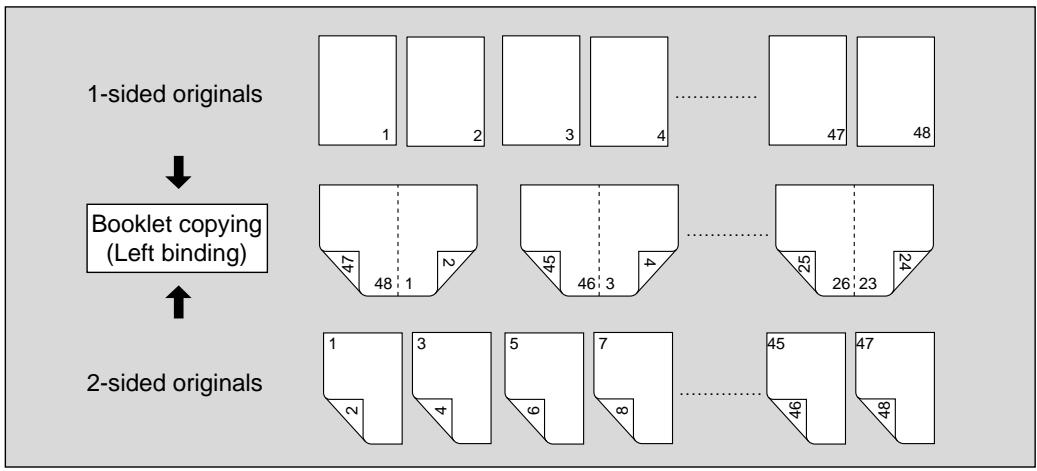
flowchart
graph TD
    A["1-sided originals"] --> B["Booklet copying (Left binding)"]
    B --> C["2-sided originals"]
    style A fill:#f9f,stroke:#333
    style B fill:#ccf,stroke:#333
    style C fill:#cfc,stroke:#333
Basic rules for Booklet
- The initial setting of the binding side is to the left. Key operator can change the binding side to the right. See p. 11-45 to p. 11-48.

- Scan and store originals into memory, then print all the pages collectively.
Advice
If memory overflow frequently occurs, you are recommended to extend the memory. Contact your Service Centre.
- Use the Store mode in the following conditions.
When the number of originals are more than 50, use the RADF store mode. When copying the originals that cannot be fed through the RADF, use the Platen store mode.
• AMS is automatically selected.
- The total page count of the originals should basically be multiples of 4. If not, blank pages will be inserted automatically.
- Copying mode is either 1▶2 or 2▶2.
Booklet Specifications
RADF to be used. (When copying from the platen glass, select the Platen store mode.)
| RADF capacity | : 50 max. 1,500 images max. can be scanned at a time using Store mode. |
| Original paper size | : A3, B4, A4R, A4, B5, 8.5"x11" |
| Tray paper size | : A3, B4, A4R, A4, B5R, B5, A5R, 8.5"x11"R (80g/m ^2 paper recommended) |
| Print quantity | : Max. 999 |
Incompatible
If any of the following copying conditions are going to be set, the Booklet may be cancelled or the key concerned on the screen may become faint, not allowing setting.
| E-sort | Combination |
| 1▶1 | OHP interleave |
| 2▶1 | Mixed original |
| Staple-sort | Repeat |
| Group | Auto layout |
| APS | Thin/Thick paper |
| Reserve | Image shift |
| Image quality (Very high) | Non image area erase |
| Sheet/Cover insertion |
Procedure
1 Load Copy Paper: A3, B4, A4R, A4, B5R, B5, A5R, 8.5"x11"R
Load any one of A3, B4, A4R, A4, B5R, B5, A5R, or 8.5"x11"R paper in a tray.
2 Set Copying Conditions
- Close the RADF securely and press the AUTO RESET button to set the RADF mode.
- Press the APPLICATION button on the Operation panel to display the Application Selection screen.
- Touch "Booklet" key on the Application Selection screen. The Booklet key will be reversed, and the incompatible function keys will be dimmed to show inactivity.
Application Selection screen
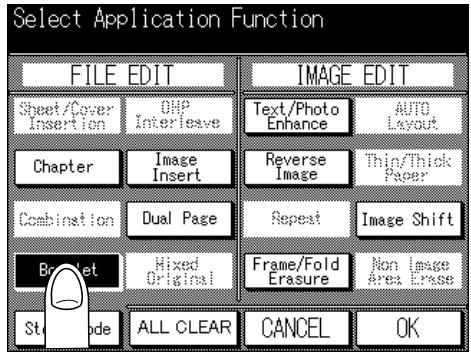
Advice
To return to the initial condition, touch "CANCEL" key. The Basic screen will be restored.
- When selecting the Image shift, the copy image as illustrated right is printed.
(1) Touch "Image Shift" key. The Image Shift Mode Selection screen will be displayed.
(2) Touch "Reduce & Shift" key. "Image Shift" key cannot be selected.
(3) Select the desired shift amount (1 to 250 mm). It cannot be selected the amount of Front and Back individually.
(4) Touch "OK" key on the Image Shift Mode Selection screen. The Application Selection screen will be restored.
See p. 9-27 to p. 9-35 for details.
natural_image
Two adjacent gray rectangles divided vertically by a white line (no text or symbols)Chapter
natural_image
Two adjacent gray rectangular panels divided vertically, no text or symbols presentChapter + Reduce & Shift
- As required, set the other copying conditions. When copying more than 50 originals, use RADF store mode or Platen store mode. Touch "Store Mode" key to highlight it.
Advice
To clear all application settings, touch "ALL CLEAR" key. The Basic screen will be restored.
- Touch "OK" key on the Application Selection screen. The Basic screen will be restored.
- AMS is automatically selected.
Touch the "PAPER SIZE" key on the Basic screen to display the Tray Selection screen, then touch a desired paper size key on the Tray Selection screen to select any one from A3, B4, A4R, A4, B5R, B5, or 8.5"x11"R.
- Touch the "COPY MODE" key on the Basic screen to display the Copy Mode screen, then touch to select either 1▶2 or 2▶2 copying mode. Touch "OK" key to return to the Basic screen.
Tray Selection screen
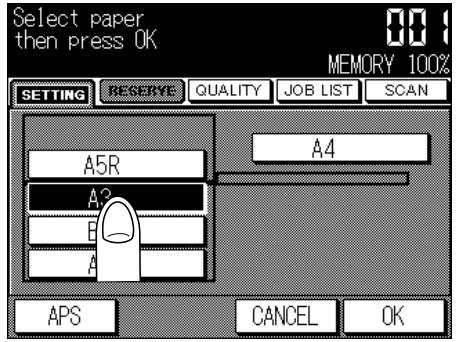
Copy Mode screen
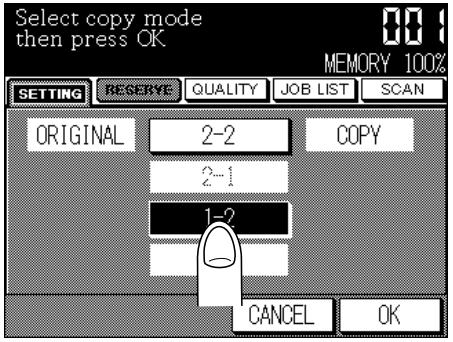
2 Enter Print Quantity
Press the Ten keys to enter the desired print quantity.
To change the entered quantity, press the CLEAR QTY. button and enter the correct quantity.
Please Be Reminded!
DO NOT press the STOP/CLEAR button when changing the print quantity. Stored image will be cleared. Do not press the AUTO RESET button as this will clear all the copier settings.
Operation panel
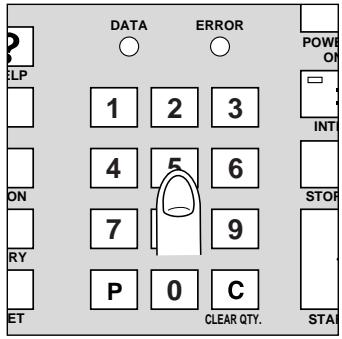
Basic screen
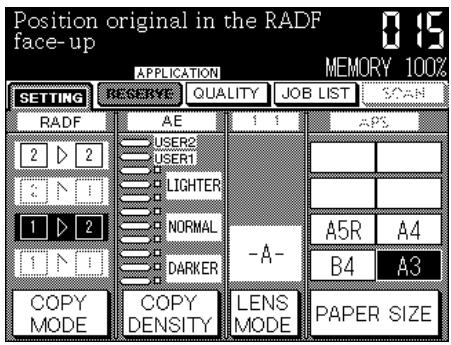
3 Place Original(s)...FACE UP
-
Put A3, B4, A4R, A4, B5, or 8.5"x11"R size originals in the order of pagination, and place them FACE UP in the RADF. The total page count of originals should basically be multiples of 4. If not, blank pages will be inserted automatically as the last pages.
50 sheets max. can be loaded. -
Align the front original guide to originals.
Advice
For details of how to place the originals, see p. 6-8.
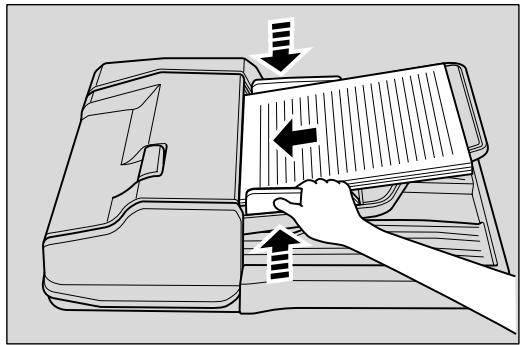
natural_image
Illustration of a hand opening a closed book into a case, with arrows indicating fold change (no text or symbols)Supplement 1: Using Store mode
RADF store mode:
To copy a set of more than 50 originals, use RADF store mode. Touch and highlight the "Store Mode" key on the Application Selection screen. See p. 7-8 to p. 7-10 for details.
Please Be Reminded!
Divide the originals into blocks not exceeding 50 sheets and load them from the block with the first page.
Platen store mode:
To copy originals that cannot be fed through the RADF onto both sides of copy paper, use Platen store mode. Touch and highlight the “Store Mode” key on the Application Selection screen. See p. 7-4 to p. 7-7 for details.
Supplement 2: Checking copying conditions/printed copies
- Press the CHECK button to display the Check screen.
- Check the current copying conditions on the Check screen.
- Touch "PROOF COPY" key on the Check screen to make a proof copy.
When completed, touch "EXIT" key to return to the Basic screen.
See p. 7-22 to p. 7-27 for details.
4 Start Copying
Press the START PRINT button. Originals loaded on RADF are all scanned and discharged, then output job starts in succession.
When using Store mode, press the START PRINT button to start the output job.
To stop copying, press the STOP/CLEAR button. Scanned data in the memory will be cleared.
After completion of copying, all the data in the memory will be cleared.
Having Problems?
The memory may be fully loaded to cause overflow during scanning. See p. 12-4 to p. 12-5.

CAUTION: Paper Capacity of the Finisher
The capacity of the Finisher exit tray is listed below. When the total number of copies in the copy run exceeds the stated capacity, be sure to unload the exit tray whilst the copier is still copying. Failure to do so will cause the copier to jam.
The following capacity is for 80g/m^2 paper. When copying mixed size originals, the capacity will be less than the following.
Non-sort mode
Tray 1: 100 sheets/ 10 sheets (thin/thick paper, OHP films, etc.)
Tray 2/3:500 sheets (A4R, A4, B5R, B5, 8.5"x11"R)
300 sheets (A3, B4, F4/8.5"x13", A5R)
Sort/Group mode
Tray 2/3:500 sheets (A4R, A4, B5R, B5, 8.5"x11"R)
300 sheets (A3, B4, F4/8.5"x13")
Staple-sort mode
500 sheets max. (A4R, A4, B5R, B5, 8.5"x11"R)
300 sheets max. (A3, B4, F4/8.5"x13", A5R)

CAUTION: Maximum Loading Capacity of the Exit Tray
In the case of the copier without a finisher, the exit tray capacity is 100 sheets. Be sure to remove the copies from the exit tray while copying before the maximum capacity is reached. Failure to do so will cause the copier to jam.
After completion of copying, cancel the selected application function.
- To release Booklet mode, display the Application Selection screen, touch "Booklet" key and then touch "OK" key.
- To release all the application functions, display the Application Selection screen and touch "ALL CLEAR" key.
- To restore the initial copying conditions, press the AUTO RESET button on the Operation panel.
6. OHP Interleave
OHP Interleave copying is used to copy onto OHP transparent films and insert regular copy paper between films to prevent them from sticking to each other.
OHP Interleave copying features the following two modes.
- Blank sheet interleaving: Insert blank copy paper.
- Copy sheet interleaving: Copy the same image as on OHP transparent film onto copy paper and insert them between films. The copied interleaf sheet can be used as reference during presentations.
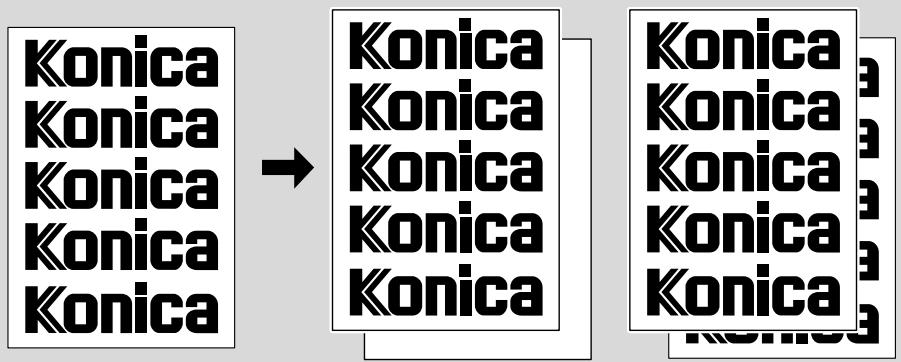
Original
Blank sheet Interleaving
Copy sheet Interleaving
Basic rules for OHP Interleave copying
- Use the Store mode in the following conditions.
When the number of originals are more than 50, use the RADF store mode.
When copying the originals that cannot be fed through the RADF, use the Platen store mode. - Load OHP transparent films into the Multi-sheet bypass tray.
• Machine with Finisher discharges transparency into tray 1, 2, or 3 by Non-sort only.
• APS (1:1) is automatically selected.
• 1▶2 and 2▶2 modes are incompatible.
• The print quantity is always set as 1. - When selecting Finisher tray 1, the machine discharges by Face Up and Non-sort modes.
OHP Interleave Copying Specifications
| RADF to be used (Select Platen store mode when copying from the platen glass). | |
| RADF capacity | : 50 max. 1,500 images max. can be scanned at a time using Store mode. |
| Original paper size | : A3, B4, A4R, A4, B5R, B5, A5R, 8.5"x11" |
| Tray paper size | : A4R, A4 ( 80g/m^2 paper recommended) |
| Print quantity | : 1 |
Incompatible
If any of the following copying conditions are going to be set, the OHP Interleave copying may be cancelled or the key concerned on the screen may become faint, not allowing setting.
| Using the Finisher | Chapter |
| 1▶2 | Booklet |
| 2▶2 | Image insert |
| APS | Mixed original |
| Image quality (Very high) | Repeat |
| Interrupt | Thin/Thick paper |
| Sheet/Cover insertion |
Procedure
1 Load Transparent Film: Multi-Sheet Bypass Tray
Insert a sheet of OHP transparent film of the same size as that of originals into the Multi-sheet bypass tray.
Please Be Reminded!
DO NOT load OHP transparent films into any other tray. It will cause paper jam.
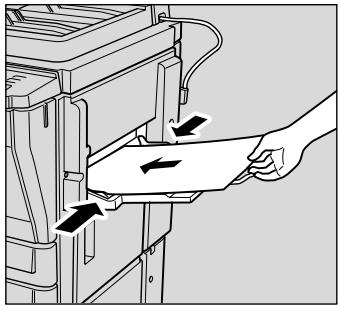
natural_image
Diagram of a hand inserting a card into a device, showing arrows indicating direction (no text or symbols present)2 Load Interleave Paper: Tray 1, 2, 3, or 4
Load Tray 1, 2, 3 or 4 with copy paper the same size as that of OHP transparent film.
3 Set Copying Conditions
- Close the RADF securely and press the AUTO RESET button to set the RADF mode.
- Press the APPLICATION button on the Operation panel to display the Application Selection screen.
- Touch "OHP Interleave" key on the Application Selection screen. The OHP Interleave Mode Selection screen will be displayed.
Application Selection screen

4. Touch "Blank Sheet Interleaving" or "Copy Sheet Interleaving" key.
Advice
To return to the initial condition, touch “CANCEL” key. The Application Selection screen will be restored.
5. Touch "OK" key on the OHP Interleave Mode Selection screen. The Application Selection screen will be restored.
- As required, set the other copying conditions. When copying more than 50 originals, use RADF store mode or Platen store mode. Touch "Store Mode" key to highlight it.
Advice
To clear all application settings, touch "ALL CLEAR" key. The Basic screen will be restored.
- Touch "OK" key on the Application Selection screen. The Basic screen will be restored. AMS is automatically selected.
To copy in different magnification ratio, display the Lens Mode screen to select the desired magnification.
Basic screen
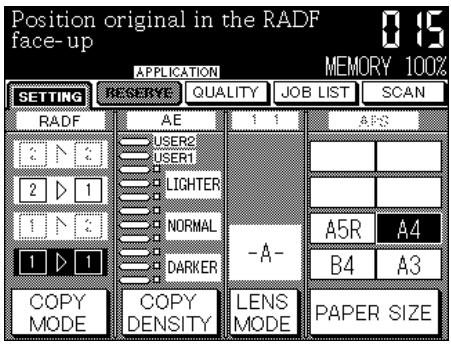
Lens Mode screen
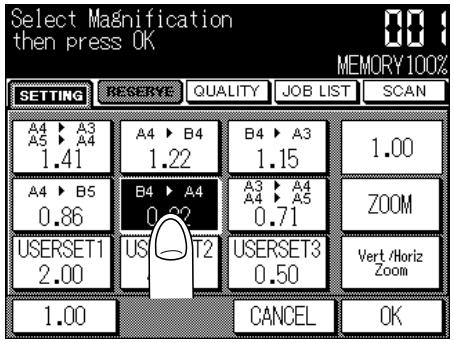
2 Enter Print Quantity
The print quantity is always set as 1.
3 Place Original(s)...FACE UP
- Put originals in the order of pagination, and place them FACE UP in the RADF. 50 sheets max. can be loaded.
- Align the front original guide to originals.
Advice
For details of how to place the originals, see p. 6-8.
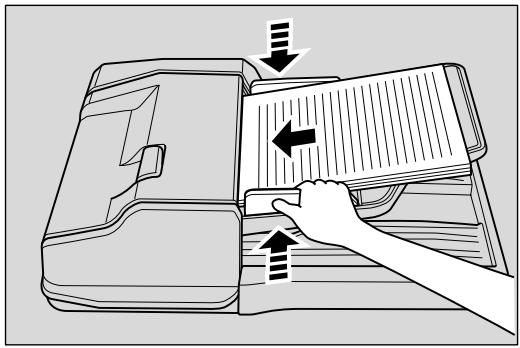
natural_image
Illustration of a hand opening a rectangular device with arrows indicating motion or force (no text or symbols)Supplement 1: Using Store mode
RADF store mode:
To copy a set of more than 50 originals, use RADF store mode. Touch and highlight the "Store Mode" key on the Application Selection screen. See p. 7-8 to p. 7-10 for details.
Please Be Reminded!
Divide the originals into blocks not exceeding 50 sheets and load them from the block with the first page.
Platen store mode:
To copy originals that cannot be fed through the RADF onto both sides of copy paper, use Platen store mode. Touch and highlight the “Store Mode” key on the Application Selection screen. See p. 7-4 to p. 7-7 for details.
Supplement 2: Checking copying conditions/printed copies
- Press the CHECK button to display the Check screen.
- Check the current copying conditions on the Check screen.
- Touch "PROOF COPY" key on the Check screen to make a proof copy.
When completed, touch "EXIT" key to return to the Basic screen.
See p. 7-22 to p. 7-27 for details.
4 Start Copying
Press the START PRINT button. Originals loaded on RADF are all scanned and discharged, then output job starts in succession.
When using Store mode, press the START PRINT button to start the output job.
To stop copying, press the STOP/CLEAR button. Scanned data in the memory will be cleared.
After completion of copying, all the data in the memory will be cleared.
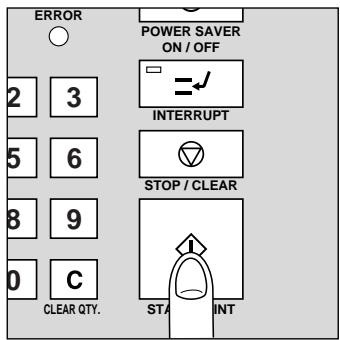
Having Problems?
The memory may be fully loaded to cause overflow during scanning. See p. 12-4 to p. 12-5.

CAUTION: Paper Capacity of the Finisher
The capacity of the Finisher exit tray is listed below. When the total number of copies in the copy run exceeds the stated capacity, be sure to unload the exit tray whilst the copier is still copying. Failure to do so will cause the copier to jam.
The following capacity is for 80g/m^2 paper. When copying mixed size originals, the capacity will be less than the following.
Non-sort mode
Tray 1: 100 sheets/ 10 sheets (thin/thick paper, OHP films, etc.)
Tray 2/3:500 sheets (A4R, A4, B5R, B5, 8.5"x11"R)
300 sheets (A3, B4, F4/8.5"x13", A5R)
Sort/Group mode
Tray 2/3:500 sheets (A4R, A4, B5R, B5, 8.5"x11"R)
300 sheets (A3, B4, F4/8.5"x13")

CAUTION: Maximum Loading Capacity of the Exit Tray
In the case of the copier without a finisher, the exit tray capacity is 100 sheets. Be sure to remove the copies from the exit tray while copying before the maximum capacity is reached. Failure to do so will cause the copier to jam.
- To release OHP Interleave mode, display the Application Selection screen, touch "OHP Interleave" key and then touch "OK" key.
- To release all the application functions, display the Application Selection screen and touch "ALL CLEAR" key.
- To restore the initial copying conditions, press the AUTO RESET button on the Operation panel.
7. Image Insert
Image Insert is used to combine images scanned from the platen glass with images scanned from RADF. Then, output the combined images as a finished set.
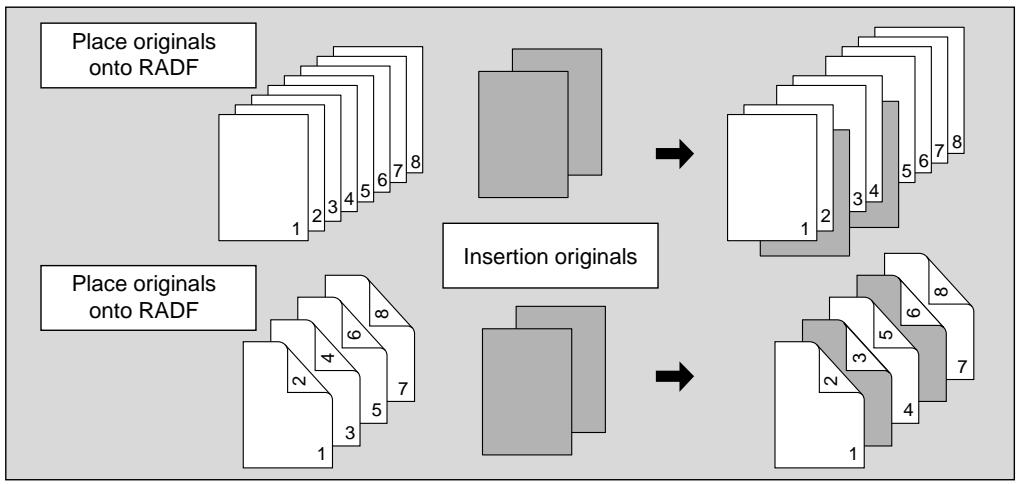
flowchart
graph TD
    A["Place originals onto RADF"] --> B["Insertion originals"]
    C["Place originals onto RADF"] --> B
    D["Place originals onto RADF"] --> B
    E["Place originals onto RADF"] --> B
    F["Place originals onto RADF"] --> B
    G["Place originals onto RADF"] --> B
    H["Place originals onto RADF"] --> B
    I["Place originals onto RADF"] --> B
    J["Place originals onto RADF"] --> B
    K["Place originals onto RADF"] --> B
    L["Place originals onto RADF"] --> B
    M["Place originals onto RADF"] --> B
    N["Place originals onto RADF"] --> B
    O["Place originals onto RADF"] --> B
    P["Place originals onto RADF"] --> B
    Q["Place originals onto RADF"] --> B
    R["Place originals onto RADF"] --> B
    S["Place originals onto RADF"] --> B
    T["Place originals onto RADF"] --> B
    U["Place originals onto RADF"] --> B
    V["Place originals onto RADF"] --> B
    W["Place originals onto RADF"] --> B
    X["Place originals onto RADF"] --> B
    Y["Place originals onto RADF"] --> B
    Z["Place originals onto RADF"] --> B
    AA["Place originals onto RADF"] --> B
    AB["Place originals onto RADF"] --> B
    AC["Place originals onto RADF"] --> B
    AD["Place originals onto RADF"] --> B
    AE["Place originals onto RADF"] --> B
    AF["Place originals onto RADF"] --> B
    AG["Place originals onto RADF"] --> B
    AH["Place originals onto RADF"] --> B
    AI["Place originals onto RADF"] --> B
    AJ["Place originals onto RADF"] --> B
    AK["Place originals onto RADF"] --> B
    AL["Place originals onto RADF"] --> B
    AM["Place originals onto RADF"] --> B
    AN["Place originals onto RADF"] --> B
    AO["Place originals onto RADF"] --> B
    AP["Place originals onto RADF"] --> B
    AQ["Place originals onto RADF"] --> B
    AR["Place originals onto RADF"] --> B
    AS["Place originals onto RADF"] --> B
    AT["Place originals onto RADF"] --> B
    AU["Place originals onto RADF"] --> B
    AV["Place originals onto RADF"] --> B
    AW["Place originals onto RADF"] --> B
    AX["Place originals onto RADF"] --> B
    AY["Place originals onto RADF"] --> AZ["Insertion originals"]
    BA["Place originals onto RADF"] --> BB["Insertion originals"]
    BC["Place originals onto RADF"] --> BD["Insertion originals"]
    BE["Place originals onto RADF"] --> BF["Insertion originals"]
    BG["Place originals onto RADF"] --> BH["Insertion originals"]
    BI["Place originals onto RADF"] --> BJ["Insertion originals"]
    BK["Place originals onto RADF"] --> BL["Insertion originals"]
    BM["Place originals onto RADF"] --> BN["Insertion originals"]
    BO["Place originals onto RADF"] --> BP["Insertion originals"]
    BP1["1 2 3 4 5 6 7 8"]
    BP2["1 2 3 4 5 6 7 8"]
    BP3["1 2 3 4 5 6 7 8"]
    BP4["1 2 3 4 5 6 7 8"]
    BP5["1 2 3 4 5 6 7 8"]
    BP6["1 2 3 4 5 6 7 8"]
    BP7["1 2 3 4 5 6 7 8"]
    BP8["1 2 3 4 5 6 7 8"]
    BP9["1 2 3 4 5 6 7 8"]
    BP10["1 2 3 4 5 6 7 8"]
Basic rules for Image Insert
- Scan and store originals into memory, then print all the pages collectively.
Advice
If memory overflow frequently occurs, you are recommended to extend the memory. Contact your Service Centre.
- Use the RADF store mode to scan first the originals to have insertions.
- Use the Platen store mode to scan next the originals to be inserted.
- The Store mode is available only when used as above.
Image Insert Specifications
| RADF capacity | : 50 max. 1,500 images max. can be scanned at a time using Store mode. |
| Insertions | : 15 max. |
| Page range of insertions | : p. 1 to p. 999 |
| Original paper size | : A3, B4, A4R, A4, B5R, B5, A5*, 8.5"x11"R |
| Tray paper size | : A3, B4, A4R, A4, B5R, B5, A5*, 8.5"x11"R, 8.5"x11" (80g/m2 paper recommended) |
| Print quantity | : 999 sets max. |
Advice
*: Load A5 paper in lengthwise feed (☐) only.
Incompatible
If any of the following copying conditions are going to be set, the Image Insert copying may be cancelled or the key concerned on the screen may become faint, not allowing setting.
| Store mode | Dual page |
| Reserve | Mixed original |
| Image quality (Very high) | Repeat |
| Sheet/Cover insertion | Auto layout |
| Chapter | Image shift |
| Combination | Non image area erase |
| OHP interleave |
Procedure
1 Set Copying Conditions
- Close the RADF securely and press the AUTO RESET button to set the RADF mode.
- Press the APPLICATION button on the Operation panel to display the Application Selection screen.
- Touch "Image Insert" key on the Application Selection screen. The Image Insertion Setting screen will be displayed.
Application Selection screen
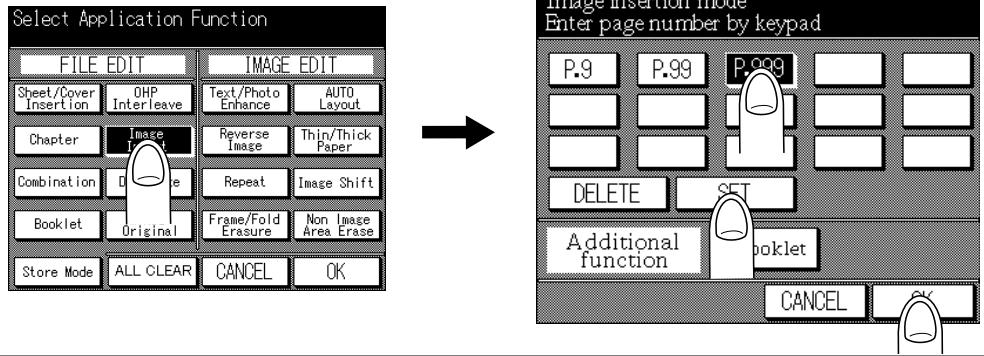
- Enter the page numbers to insert images.
(1) Use the Ten keys to enter the page numbers. The entered page number will be displayed on the screen.
Touch "SET" key to store an entry, or "DELETE" key to clear the entry.
(2) Repeat this for each page number you want to insert. You can set up to 15 entries within p. 1 to p. 999.
Having Problems?
To clear an incorrect entry, touch "DELETE" key on the screen or the CLEAR QTY. button on the Operation panel, touch "SET" key and re-enter the correct page number.
Advice
- When the page number specified is larger than the total original page count, the entry will be invalid.
- Image insertions occur in sequence even if original page numbers are entered from the smaller page number.
- Entering the same page number more than once will have plural insertions in that position.
Advice
To return to the original condition set before change, touch "CANCEL" key.
(3) Touch "Booklet" key on the Image Insertion Setting screen to use this function.
(4) When all entries are made, touch "OK" key.
-
Application Selection screen will be restored. The "Store Mode" key is automatically highlighted.
-
As required, set the other copying conditions.
Advice
To clear all application settings, touch "ALL CLEAR" key.
- Touch "OK" key on the Application Selection screen. The Basic screen will be restored.
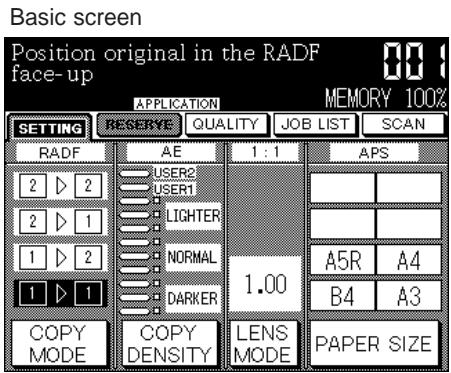
2 Enter Print Quantity
Press the Ten keys to set the desired print quantity.
To change the entered quantity, press the CLEAR QTY. button and enter the correct number.
Please Be Reminded!
DO NOT press the STOP/CLEAR button when changing the print quantity. Stored image will be cleared. Do not press the AUTO RESET button as this will clear all the copier settings.
Operation panel
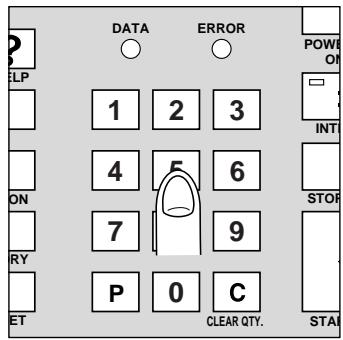
Basic screen
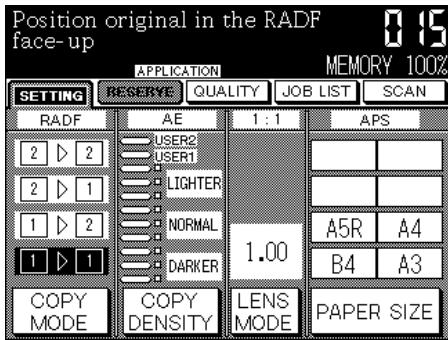
Image Insert
3 RADF: Place/Scan Original(s)...FACE UP
Originals
- Close the RADF securely.
- Put originals in order of pagination, and place originals FACE UP in the RADF. 50 sheets max. can be loaded.
Please Be Reminded!
If the number of originals exceeds 50, use RADF store mode. Divide the originals into blocks not exceeding 50 sheets, then load them from the block with the first page.
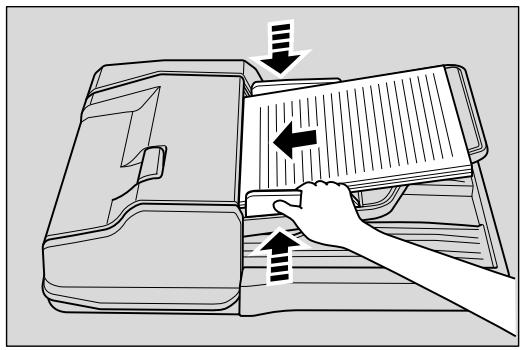
natural_image
Illustration of a hand opening a closed book into a case, with arrows indicating the process (no text or symbols present)- Align the original guides to the originals.
Advice
For details of how to place the originals, see p. 6-8.
- Touch the "SCAN" key on the Basic screen. The originals will be scanned and delivered into the RADF exit tray.
“Load originals in the RADF Press SCAN to scan originals” and “Place images for insertion on the Platen glass” massages are displayed alternately.
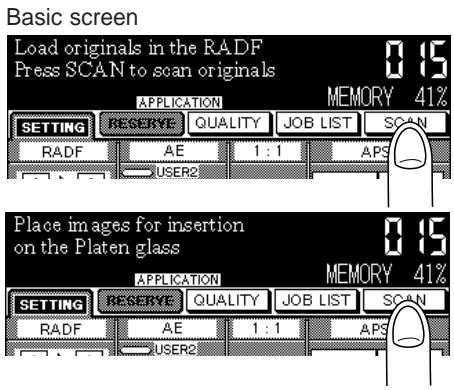
- Repeat steps 1. to 4. until all the originals are scanned.
Having Problems?
The memory may be fully loaded to cause overflow during scanning. See p. 12-4 to p. 12-5.
4 Platen Glass: Place/Scan Original(s)...FACE DOWN Insertion Pages
- Open the RADF.
- Place the original to be inserted on the platen glass.
Please Be Reminded!
Place and scan the originals in order of pagination.
- Close the RADF securely.
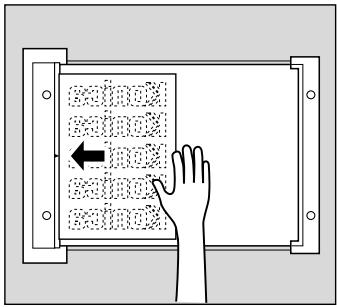
9. Touch the "SCAN" key on the Basic screen.
"Place images for insertion on the Platen glass" and "STORE key : Scan START key : Start" massages are displayed alternately.
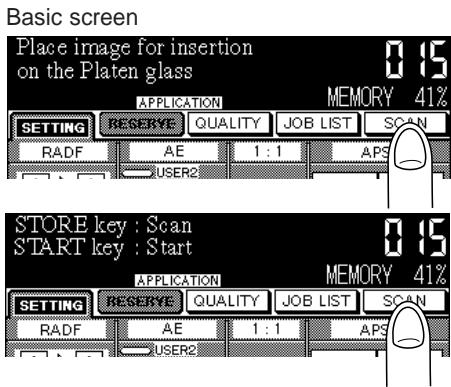
10. Repeat steps 6. to 9. until all the originals are scanned.
Advice
After scanning the original, the magnification ratio can be changed before pressing the START PRINT button for printing all the page collectively.
Having Problems?
The memory may be fully loaded to cause overflow during scanning. See p. 12-4 to p. 12-5.
4 Start Copying
Press the START PRINT button. All scanned images are copied in succession.
To stop copying, press the STOP/CLEAR button. Scanned data in the memory will be cleared.
After completion of copying, all the data in the memory will be cleared.
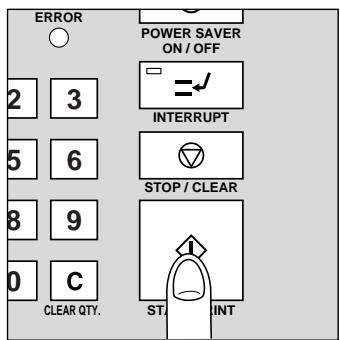
Image Insert

CAUTION: Paper Capacity of the Finisher
The capacity of the Finisher exit tray is listed below. When the total number of copies in the copy run exceeds the stated capacity, be sure to unload the exit tray whilst the copier is still copying. Failure to do so will cause the copier to jam.
The following capacity is for 80g/m^2 paper. When copying mixed size originals, the capacity will be less than the following.
Non-sort mode
Tray 1: 100 sheets/ 10 sheets (thin/thick paper, OHP films, etc.)
Tray 2/3:500 sheets (A4R, A4, B5R, B5, 8.5"x11"R)
300 sheets (A3, B4, F4/8.5"x13", A5R)
Sort/Group mode
Tray 2/3:500 sheets (A4R, A4, B5R, B5, 8.5"x11"R)
300 sheets (A3, B4, F4/8.5"x13")
Staple-sort mode
500 sheets max. (A4R, A4, B5R, B5, 8.5"x11"R)
300 sheets max. (A3, B4, F4/8.5"x13", A5R)

CAUTION: Maximum Loading Capacity of the Exit Tray
In the case of the copier without a finisher, the exit tray capacity is 100 sheets. Be sure to remove the copies from the exit tray while copying before the maximum capacity is reached. Failure to do so will cause the copier to jam.
After completion of copying, cancel the selected application function.
- To release Image insert mode, display the Application Selection screen, touch "Image Insert" key and then touch "OK" key.
- To release all the application functions, display the Application Selection screen and touch "ALL CLEAR" key.
- To restore the initial copying conditions, press the AUTO RESET button on the Operation panel.
8. Dual Page
Dual page is used to copy an open book, a large sheet, or two sheets placed side by side onto two sheets in 1▶1 mode, or onto the front and back sides of one sheet in 1▶2 mode to increase manual copying speed.
The following three modes can be selected from the Dual Page Mode Selection screen.
1 Full Scan mode: Image division starts from the first scan.
2 Front Cover + Full Scan mode: Image division starts from the second scan, after the first scan copies normally.
3 Front/Back + Full Scan mode: Image division starts from the third scan, after the first and second scan copy normally.
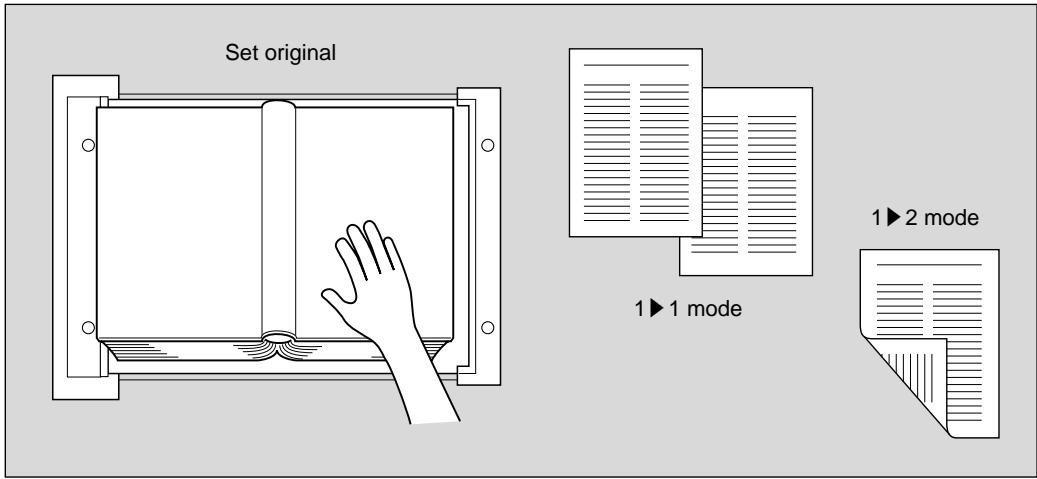
Basic rules for Dual Page
- The Store mode is selected automatically.
Advice
If memory overflow frequently occurs, you are recommended to extend the memory. Contact your Service Centre.
- Copying mode is either 1▶1 or 1▶2.
- AMS is automatically selected. APS is incompatible.
Dual Page Specifications
Platen glass to be used (RADF cannot be used in Dual page mode).
Scanned image capacity : 1,500 image max. at a time
Original paper size : A3, B4, 11"x17"
Tray paper size : A4, B5, 8.5"x11" (80g/m² paper recommended)
Print quantity : 999 sets max.
Incompatible
If any of the following copying conditions are going to be set, the Dual page may be cancelled or the key concerned on the screen may become faint, not allowing setting.
| Using RADF | Combination |
| 2▶2 | Chapter |
| 2▶1 | Image insert |
| APS | Mixed original |
| Reserve | Reverse image |
| Image quality (Very high) | Repeat |
| RADF store mode | Frame erasure |
| Sheet/Cover insertion | Image shift |
Procedure
1 Load Copy Paper: A4, B5, 8.5"x11"
Load either A4, B5 or 8.5"x11" copy paper in a tray.
2 Set Copying Conditions
- Close the RADF securely and press the AUTO RESET button to set the RADF mode.
- Press the APPLICATION button on the Operation panel to display the Application Selection screen.
- Touch "Dual Page" key on the Application Selection screen. The Dual Page Mode Selection screen will be displayed.
- Select either "OUTPUT L to R" or "OUTPUT R to L" key, and select either of the "facing page", "front cover + facing page" or "front/back + facing page", key.
- Touch "OK" key to return to the Application Selection screen.
Application Selection screen
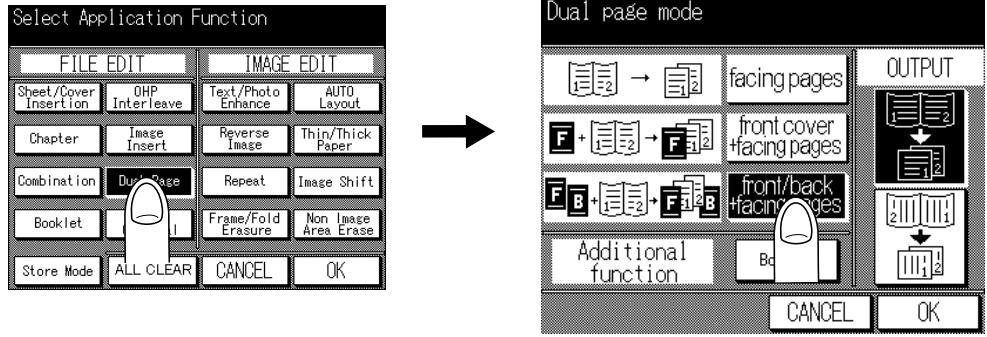
flowchart
graph LR
    A["Select Application Function"] --> B["File EDIT"]
    A --> C["IMAGE EDIT"]
    B --> D["Sheet/Cover Insert"]
    B --> E["OHP Interleave"]
    C --> F["Chapter"]
    C --> G["Image Insert"]
    C --> H["Combination"]
    C --> I["Double Page"]
    C --> J["Booklet"]
    C --> K["Store Mode"]
    C --> L["ALL CLEAR"]
    C --> M["CANCEL"]
    C --> N["OK"]

    O["Dual page mode"] --> P["→"]
    P --> Q["facing pages"]
    Q --> R["+"]
    R --> S["F12"]
    S --> T["front cover +facing pages"]
    T --> U["F B"]
    U --> V["F12"]
    V --> W["front/back +facing pages"]
    W --> X["Additional function"]
    X --> Y["Bd"]
    Y --> Z["CANCEL"]
    Z --> AA["OK"]

    AB["OUTPUT"] --> AC["12"]
    AC --> AD["21111"]
    AD --> AE["11112"]
Advice
To return to the initial condition, touch "CANCEL" key. The Basic screen will be restored.
- The "Dual Page" key is reversed, and function keys are dimmed to show inactivity. The "Store Mode", "AUTO Layout" and "Non Image Area Erase" keys are selected and reversed automatically.
Application Selection screen
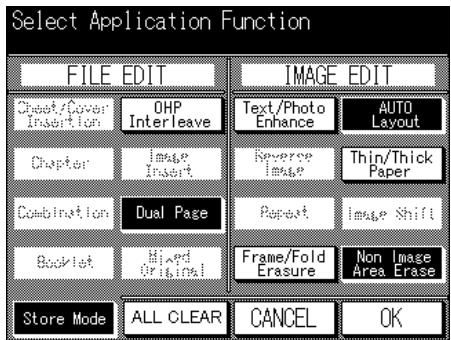
- As required, set the other copy conditions.
Advice
To clear all application settings, touch "ALL CLEAR" key. The Basic screen will be restored.
-
Touch "OK" key on the Application Selection screen. The Basic screen will be restored.
-
Touch "PAPER SIZE" key on the Basic screen to display the Tray Selection screen, then touch the desired paper size key to select any one from A4, B5 or 8.5"x11". Touch "OK" key to return to the Basic screen.
- Touch "COPY MODE" key on the Basic screen to display the Copy Mode screen, then touch to select either 1▶1 or 1▶2 copying mode. Touch "OK" key to return to the Basic screen.
Tray Selection screen
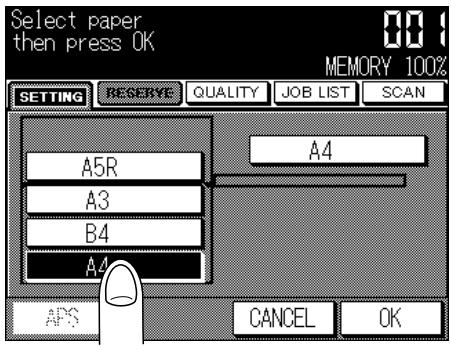
Copy Mode screen
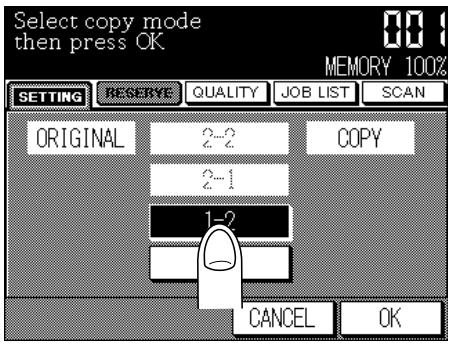
3 Enter Print Quantity
Press the Ten keys to enter the desired print quantity.
To change the entered quantity, press the CLEAR QTY. button and enter the correct number.
Please Be Reminded!
DO NOT press the STOP/CLEAR button when changing the print quantity. Stored image will be cleared. Do not press the AUTO RESET button as this will clear all the copier settings.
Operation panel
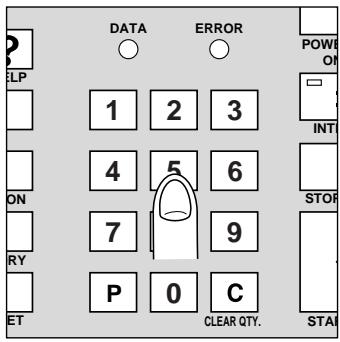
Basic screen
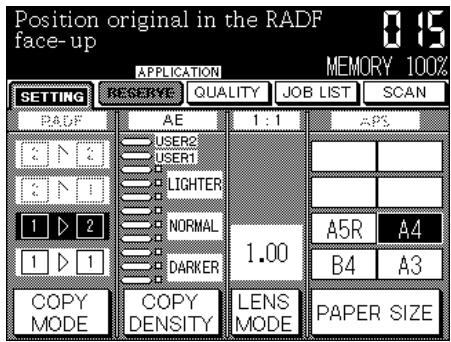
4 Place/Scan Original(s) on the Platen Glass...FACE DOWN
- Open the RADF.
- Place the original on the platen glass.
When selecting “front cover + facing pages”, first place the front cover, and then place the originals in reverse order of pagination.
When selecting “front/back + facing pages”, first place the front cover and back cover in order, and then place the originals in reverse order of pagination.
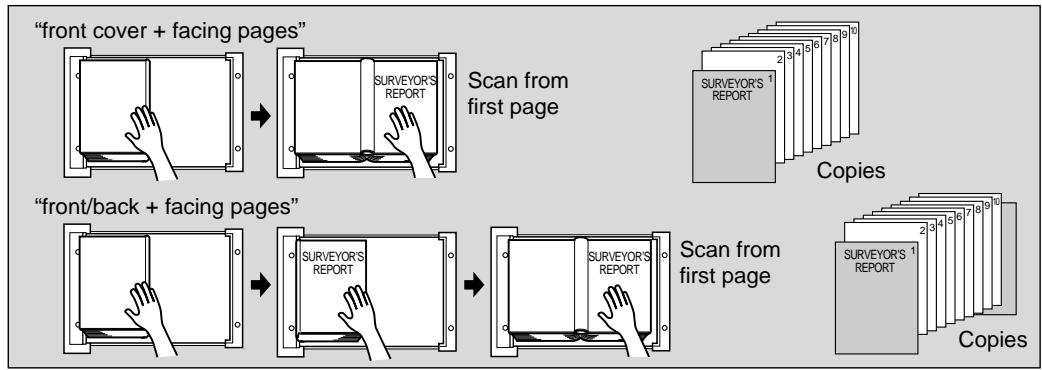
flowchart
graph TD
    A["front cover + facing pages"] --> B["Scan from first page"]
    C["front/back + facing pages"] --> D["Scan from first page"]
    B --> E["Surveysor's REPORT"]
    D --> F["Surveysor's REPORT"]
    E --> G["SURVEYOR'S REPORT"]
    F --> H["SURVEYOR'S REPORT"]
    G --> I["SURVEYOR'S REPORT"]
    H --> J["SURVEYOR'S REPORT"]
    I --> K["SURVEYOR'S REPORT"]
    J --> L["SURVEYOR'S REPORT"]
    K --> M["SURVEYOR'S REPORT"]
    L --> N["SURVEYOR'S REPORT"]
Please Be Reminded!
- Place and scan the originals in order of pagination.
-
The Non image area erase is automatically selected. DO NOT close the RADF.
-
Touch the "SCAN" key on the Basic screen.
Repeat steps 1. to 3.
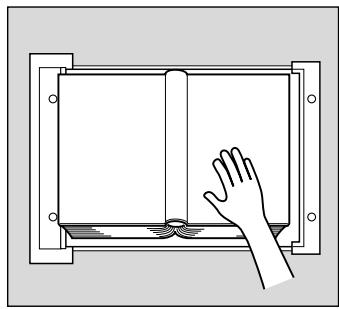
natural_image
Simple line drawing of a hand reaching toward an open book or document frame (no text or symbols)Basic screen
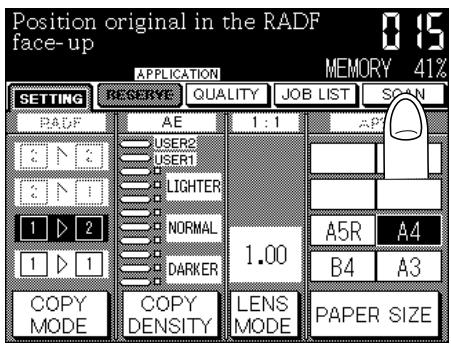
Having Problems?
The memory may be fully loaded to cause overflow during scanning. See p. 12-4 to p. 12-5.
5 Start Copying
Press the START PRINT button. All scanned images are copied in succession.
To stop copying, press the STOP/CLEAR button. Scanned data in the memory will be cleared.
After completion of copying, all the data in the memory will be cleared.
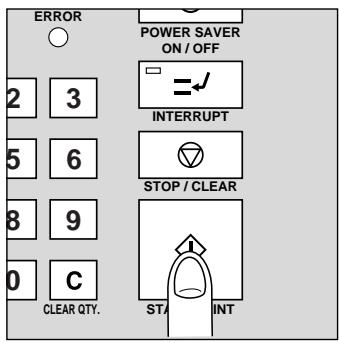

CAUTION: Paper Capacity of the Finisher
The capacity of the Finisher exit tray is listed below. When the total number of copies in the copy run exceeds the stated capacity, be sure to unload the exit tray whilst the copier is still copying. Failure to do so will cause the copier to jam.
The following capacity is for 80g/m^2 paper. When copying mixed size originals, the capacity will be less than the following.
Non-sort mode
Tray 1: 100 sheets/ 10 sheets (thin/thick paper, OHP films, etc.)
Tray 2/3:500 sheets (A4R, A4, B5R, B5, 8.5"x11"R)
300 sheets (A3, B4, F4/8.5"x13", A5R)
Sort/Group mode
Tray 2/3:500 sheets (A4R, A4, B5R, B5, 8.5"x11"R)
300 sheets (A3, B4, F4/8.5"x13")
Staple-sort mode
500 sheets max. (A4R, A4, B5R, B5, 8.5"x11"R)
300 sheets max. (A3, B4, F4/8.5"x13", A5R)

CAUTION: Maximum Loading Capacity of the Exit Tray
In the case of the copier without a finisher, the exit tray capacity is 100 sheets. Be sure to remove the copies from the exit tray while copying before the maximum capacity is reached. Failure to do so will cause the copier to jam.
After completion of copying, cancel the selected application function.
- To release Dual page mode, display the Application Selection screen, touch "Dual Page" key and then touch "OK" key.
- To release all the application functions, display the Application Selection screen and touch "ALL CLEAR" key.
- To restore the initial copying conditions, press the AUTO RESET button on the Operation panel.
Dual Page
9. Mixed Original
Mixed original mode is used with RADF to copy mixed-size originals, to obtain the following two type of the finished set:
Activated with Automatic Paper Selection mode :
Copy paper will be automatically selected to match each original size.
Activated with Automatic Magnification Selection function :
Each original will be copied onto the copy paper of the selected size, with appropriate magnification ratio.
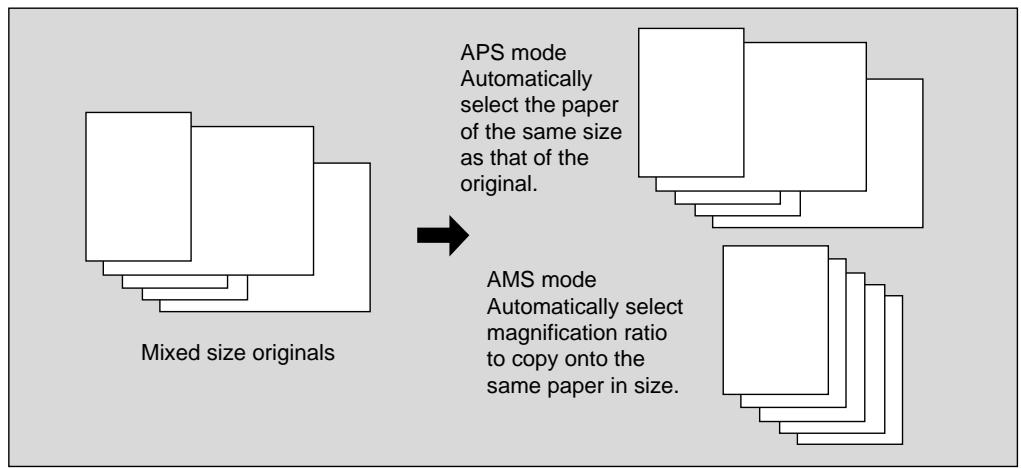
flowchart
graph TD
    A["Mixed size originals"] --> B["APS mode Automatically select the paper of the same size as that of the original."]
    A --> C["AMS mode Automatically select magnification ratio to copy onto the same paper in size."]
Basic rules for Mixed Original copying
- Scan and store originals into memory, then print all the pages collectively.
Advice
If memory overflow frequently occurs, you are recommended to extend the memory. Contact your Service Centre.
- Use the Store mode in the following conditions.
When the number of originals are more than 50, use the RADF store mode.
When copying the originals that cannot be fed through the RADF, use the Platen store mode.
• A3, B4, A4R, A4, B5R, and B5 size originals can be copied together.
- APS is automatically selected. To select AMS, select the desired copy paper size.
- When selecting Rotation mode, always select AMS.
Mixed Original Mode Specifications
RADF to be used (When copying from the platen glass, select the Store mode.)
RADF capacity : 50 max. 1,500 images max. can be scanned at a time using Store mode.
Original paper size : A3, B4, A4R, A4, B5R, B5
Tray paper size : A3, B4, A4R, A4, B5R, B5, A5R*, 8.5"x11"R (80g/m² recommended)
Print quantity : 999 sets max.
Advice
*: Load A5 size paper in horizontal feed (☐) only.
Incompatible
If any of the following copying conditions are going to be set, the Mixed original mode may be cancelled or the key concerned on the screen may become faint, not allowing setting.
| E-sort | OHP interleave |
| Staple-sort (with APS) | Image insert |
| Image quality (Very high) | Dual page |
| Reserve (with APS) | Repeat |
| Sheet/Cover Insertion | Auto layout |
| Combination | Image shift |
| Booklet | Non image area erase |
Procedure
1 Set Copying Conditions
- Close the RADF securely and press the AUTO RESET button to set the RADF mode.
- Press the APPLICATION button on the Operation panel to display the Application Selection screen.
- Touch “Mixed Original” key on the Application Selection screen. The “Mixed Original” key will be reversed, and the incompatible function keys will be dimmed to show inactivity.
Application Selection Screen
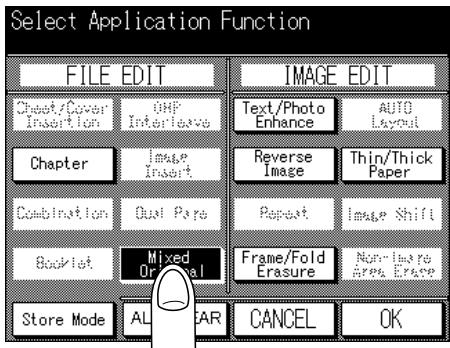
Advice
To return to the initial state, touch "CANCEL" key. The Basic screen will be restored.
- As required, set the other copying conditions. When copying more than 50 originals, use RADF store mode or Platen store mode. Touch "Store Mode" key to highlight it.
Advice
To clear all application settings, touch "ALL CLEAR" key. The Basic screen will be restored.
-
Touch "OK" key on the Application Selection screen. The Basic screen will be restored.
-
APS is automatically selected. Select the desired magnification, if required. When selecting AMS instead of APS, touch "PAPER SIZE" key on the Basic screen to display the Tray Selection screen, then touch the desired paper size key. Touch "OK" key to return to the Basic screen.
Tray Selection screen
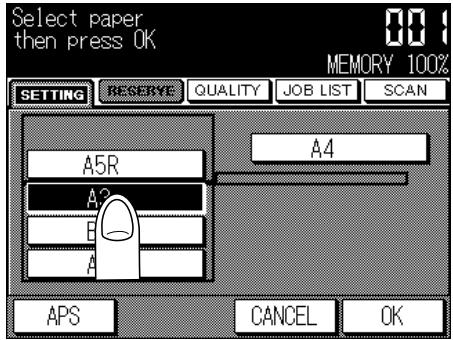
2 Enter Print Quantity
Press the Ten keys to enter the desired print quantity.
To change the entered quantity, press the CLEAR QTY. button and enter the correct number.
Please Be Reminded!
DO NOT press the STOP/CLEAR button when changing the print quantity. Stored image will be cleared. Do not press the AUTO RESET button as this will clear all the copier settings.
Operation panel
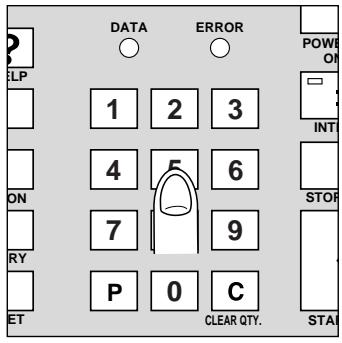
Basic screen
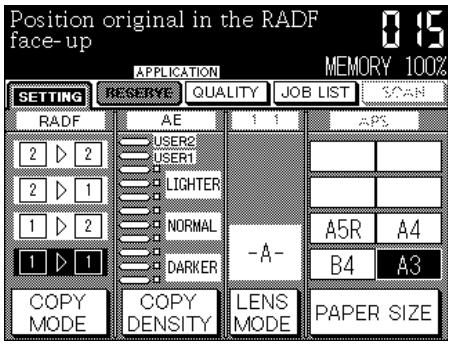
3 Place Original(s) on RADF...FACE UP
- Close the RADF securely.
- Put originals in order of pagination.
Set the A3 and B4 size originals in lengthwise feed (☐) direction. The others are available in either direction.
- Place originals FACE UP, aligning to the back left corner of the RADF.
- Align the original guides to originals.
Align originals to the back left corner.
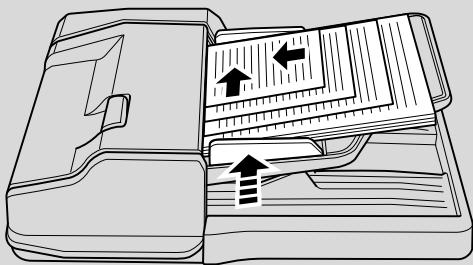
natural_image
Diagram of a mechanical device with arrows indicating directional movement or force, showing internal components and motion indicators (no text or symbols)Supplement 1: Using Store mode
RADF store mode:
To copy a set of more than 50 originals, use RADF store mode. Touch and highlight the "Store Mode" key on the Application Selection screen. See p. 7-8 to p. 7-10 for details.
Please Be Reminded!
Divide the originals into blocks not exceeding 50 sheets and load them from the block with the first page.
Platen store mode:
To copy originals that cannot be fed through the RADF, use Platen store mode. Touch and highlight the “Store Mode” key on the Application Selection screen. See p. 7-4 to p. 7-7 for details.
Supplement 2: Checking copying conditions/printed copies
- Press the CHECK button to display the Check screen.
- Check the current copying conditions on the Check screen.
- Touch "PROOF COPY" key on the Check screen to make a proof copy. When completed, touch "EXIT" key to return to the Basic screen.
See p. 7-22 to p. 7-27 for details.
4 Start Copying
Press the START PRINT button. Originals loaded on RADF are all scanned and discharged, then output job starts in succession.
When using Store mode, press the START PRINT button to start the output job.
To stop copying, press the STOP/CLEAR button. Scanned data in the memory will be cleared.
After completion of copying, all the data in the memory will be cleared.
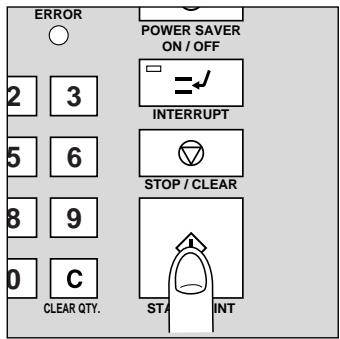
Having Problems?
The memory may be fully loaded to cause overflow during scanning. See p. 12-4 to p. 12-5.

CAUTION: Paper Capacity of the Finisher
The capacity of the Finisher exit tray is listed below. When the total number of copies in the copy run exceeds the stated capacity, be sure to unload the exit tray whilst the copier is still copying. Failure to do so will cause the copier to jam.
The following capacity is for 80g/m^2 paper. When copying mixed size originals, the capacity will be less than the following.
Non-sort mode
Tray 1: 100 sheets/ 10 sheets (thin/thick paper, OHP films, etc.)
Tray 2/3:500 sheets (A4R, A4, B5R, B5, 8.5"x11"R) 300 sheets (A3, B4, F4/8.5"x13", A5R)
Sort/Group mode
Tray 2/3:500 sheets (A4R, A4, B5R, B5, 8.5"x11"R) 300 sheets (A3, B4, F4/8.5"x13")
Staple-sort mode
500 sheets max. (A4R, A4, B5R, B5, 8.5"x11"R)
300 sheets max. (A3, B4, F4/8.5"x13", A5R)

CAUTION: Maximum Loading Capacity of the Exit Tray
In the case of the copier without a finisher, the exit tray capacity is 100 sheets. Be sure to remove the copies from the exit tray while copying before the maximum capacity is reached. Failure to do so will cause the copier to jam.
After completion of copying, cancel the selected application function.
- To release Mixed original mode, display the Application Selection screen, touch "Mixed Original" key and then touch "OK" key.
- To release all the application functions, display the Application Selection screen and touch "ALL CLEAR" key.
- To restore the initial copying conditions, press the AUTO RESET button on the Operation panel.
Section 9: Special Copying: Copy Image
-
Text/Photo Enhance
-
Reverse Image
-
Repeat
-
Frame/Fold Erasure
-
Auto Layout
-
Thin/Thick Paper Mode
-
Image Shift
-
Non Image Area Erase
1. Text/Photo Enhance
This mode can enhance the reproducibility of half tone and give an image closer to that of the original. It can be effected in the following modes:
| Text mode | : Use this mode to improve the contrast in comparison to using the general mode. |
| Photo mode | : Use this mode to reproduce a half-tone photo image. The copy will closely represent the half-tones of the original image. |
| Increase Contrast mode | : Use this mode to darken lightly printed image (e.g., pencil) without changing background exposure. |
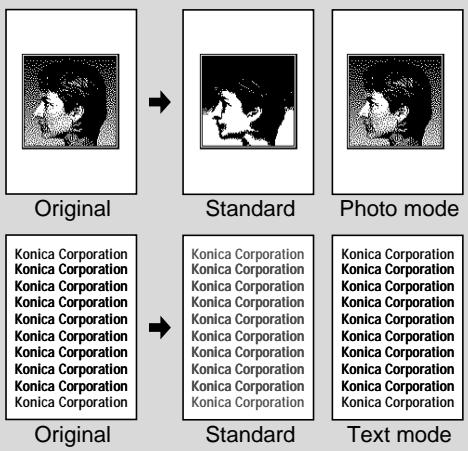
Konica Corporation
Konica Corporation
Konica Corporation
Konica Corporation
Konica Corporation
Konica Corporation
Konica Corporation
Konica Corporation
Konica Corporation
Konica Corporation
Konica Corporation
Konica Corporation
Konica Corporation
Konica Corporation
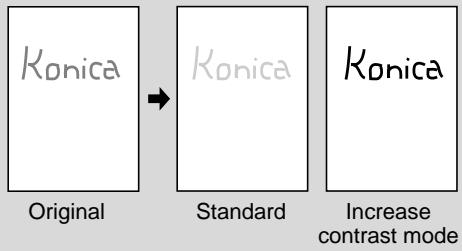
Advice
The copied image cannot be better than the original.
Advice
The density level can be shifted by three levels to darker or two levels to lighter in each of the four (Normal (text/photo), Text, Photo, and Increase Contrast) modes. See p. 6-26 to p. 6-27.
Text/Photo Enhance Specifications
RADF capacity : 50 sheets max. 1,500 images max. can be scanned at a time using Store mode.
Original paper size: A3, B4, A4R, A4, B5R, B5, A5*, 8.5"x11"R
Tray paper size : A3, B4, A4R, A4, B5R, B5, A5*, 8.5"x11"R, 8.5"x11" (80g/m² paper recommended)
Print quantity : 999 sheets max.
Advice
*: A5 is available in horizontal feed ( □ ) only.
Incompatible None
Procedure
1 Set Copying Conditions
- Close the RADF securely and press the AUTO RESET button to set the RADF mode.
- Press the APPLICATION button on the Operation panel to display the Application Selection screen.
- Touch "Text/Photo Enhance" key on the Application Selection screen. The Text/Photo Enhance screen will be displayed.
Application Selection screen
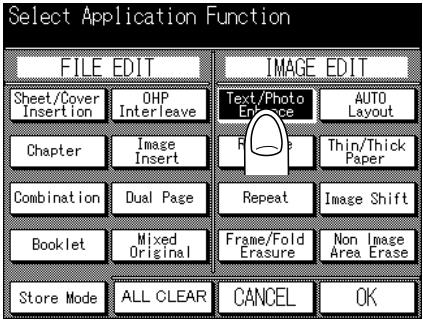
Text/Photo Enhance screen
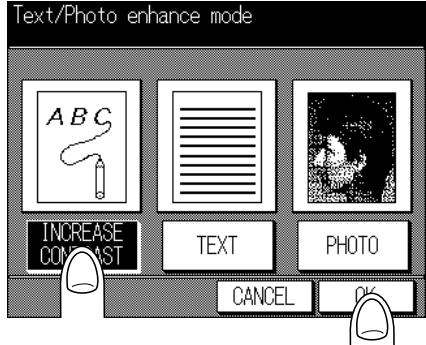
- Touch and reverse either of the "PHOTO", "TEXT", or "INCREASE CONTRAST" key.
- Touch "OK" key to return to the Application Selection screen.
Advice
To void the selection, touch "CANCEL" key. The Basic screen will be restored.
- As required, set the other copying conditions. When using Store mode, touch "Store Mode" key on the Application Selection screen.
Advice
To clear all the application settings, touch "ALL CLEAR" key. The Basic screen will be restored.
- Touch "OK" key on the Application Selection screen. The Basic screen will be restored.
2 Enter Print Quantity
Press the Ten keys to set the desired print quantity.
To change the entered quantity, press the CLEAR QTY. button and enter the correct number.
Please Be Reminded!
DO NOT press the STOP/CLEAR button when changing the print quantity. Stored image will be cleared. Do not press the AUTO RESET button as this will clear all the copier settings.
Operation panel
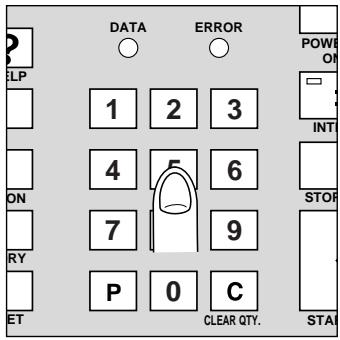
Basic screen
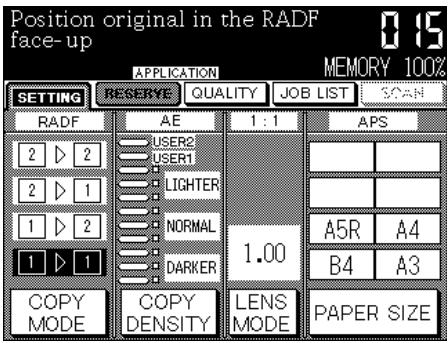
3 Place Original(s)... FACE UP in RADF
FACE DOWN on Platen glass
Place the original(s) in the RADF or on the Platen glass.
Advice
For details of how to place the originals, see p. 6-8.
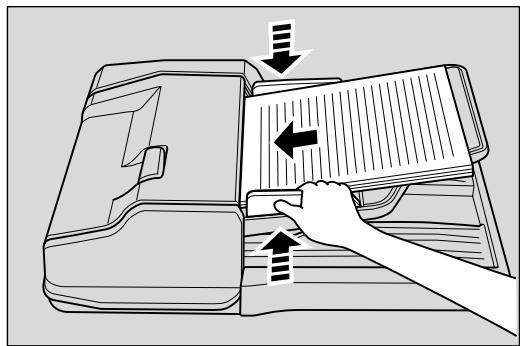
natural_image
Illustration of a hand opening a closed book with arrows indicating foldable movement (no text or symbols)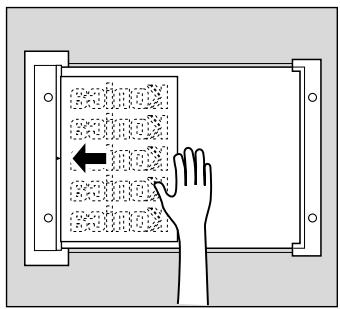
Supplement 1: Using Store mode
To use Store mode (using Platen glass or RADF), see p. 7-2 to 7-10 for details.
Supplement 2: Checking copying conditions/printed copies
- Press the CHECK button to display the Check screen.
- Check the current copying conditions on the Check screen.
- Touch "PROOF COPY" key on the Check screen to make a proof copy.
When completed, touch "EXIT" key to return to the Basic screen.
See p. 7-22 to p. 7-27 for details.
4 Start Copying
Press the START PRINT button.
When using Store mode, press the START PRINT button to start the output job.
To stop copying, press the STOP/CLEAR button. Scanned data in the memory will be cleared.
After completion of copying, all the data in the memory will be cleared.
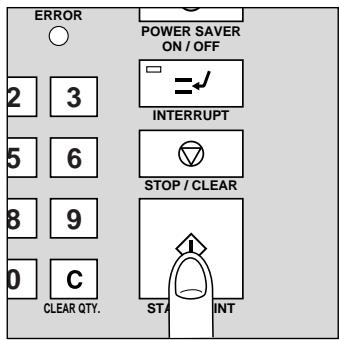

CAUTION: Paper Capacity of the Finisher
The capacity of the Finisher exit tray is listed below. When the total number of copies in the copy run exceeds the stated capacity, be sure to unload the exit tray whilst the copier is still copying. Failure to do so will cause the copier to jam.
The following capacity is for 80g/m^2 paper. When copying mixed size originals, the capacity will be less than the following.
Non-sort mode
Tray 1: 100 sheets/ 10 sheets (thin/thick paper, OHP films, etc.)
Tray 2/3:500 sheets (A4R, A4, B5R, B5, 8.5"x11"R)
300 sheets (A3, B4, F4/8.5"x13", A5R)
Sort/Group mode
Tray 2/3:500 sheets (A4R, A4, B5R, B5, 8.5"x11"R)
300 sheets (A3, B4, F4/8.5"x13")
Staple-sort mode
500 sheets max. (A4R, A4, B5R, B5, 8.5"x11"R)
300 sheets max. (A3, B4, F4/8.5"x13", A5R)

CAUTION: Maximum Loading Capacity of the Exit Tray
In the case of the copier without a finisher, the exit tray capacity is 100 sheets. Be sure to remove the copies from the exit tray while copying before the maximum capacity is reached. Failure to do so will cause the copier to jam.
After completion of copying, cancel the selected application function.
- To release Text/Photo enhance mode, display the Application Selection screen, touch the reversed "Text/Photo Enhance" key, then touch "OK" key.
- To release all the application functions, display the Application Selection screen and touch "ALL CLEAR" key.
- To reset copying conditions to the initial condition, press the AUTO RESET button on the Operation panel.
2. Reverse Image
Use Reverse image to reverse the image from black-on-white to white-on-black, and vice versa.
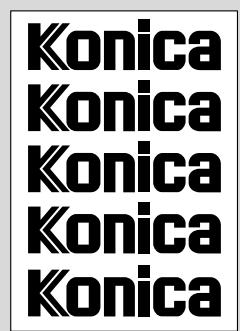
Original

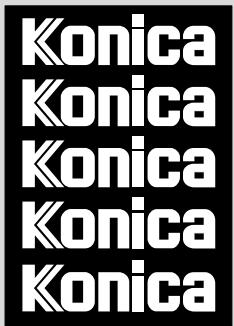
Reverse Image copying
Reveres Image Specifications
RADF capacity : 50 sheets max. 1,500 images max. can be scanned at a time using Store mode.
Original paper size : A3, B4, A4R, A4, B5R, B5, A5R, 8.5"x11"
Tray paper size : A3, B4, A4R, A4, B5R, B5, A5R*, 8.5"x11"R, 8.5"x11" (80g/m² paper recommended)
Print quantity : 999 sheets max.
Advice
*: A5 is available in horizontal feed ( □ ) only.
Incompatible
Auto layout
Non image area erase
Procedure
1 Set Copying Conditions
- Close the RADF securely and press the AUTO RESET button to set the RADF mode.
- Press the APPLICATION button on the Operation panel to display the Application Selection screen.
- Touch and reverse the "Reverse Image" key on the Application Selection screen. The "Reverse Image" key will be reversed, and the incompatible function keys will be dimmed to show inactivity.
Application Selection screen
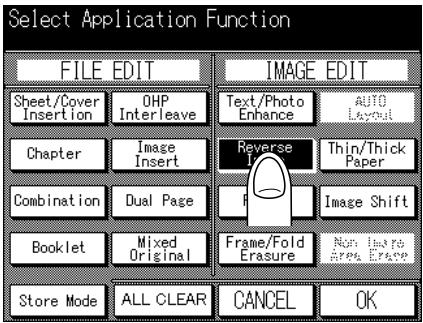
Advice
To void the selection, touch "CANCEL" key. The Basic screen will be restored.
- As required, set the other copying conditions. When using Store mode, touch "Store Mode" key on the Application Selection screen.
Advice
To clear all the application settings, touch "ALL CLEAR" key. The Basic screen will be restored.
- Touch "OK" key on the Application Selection screen. The Basic screen will be restored.
2 Enter Print Quantity
Press the Ten keys to set the desired print quantity.
To change the entered quantity, press the CLEAR QTY. button and enter the correct number.
Please Be Reminded!
DO NOT press the STOP/CLEAR button when changing the print quantity. Stored image will be cleared. Do not press the AUTO RESET button as this will clear all the copier settings.
Operation panel
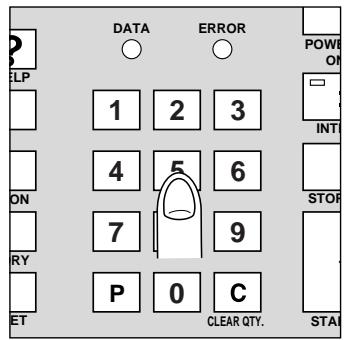
Basic screen
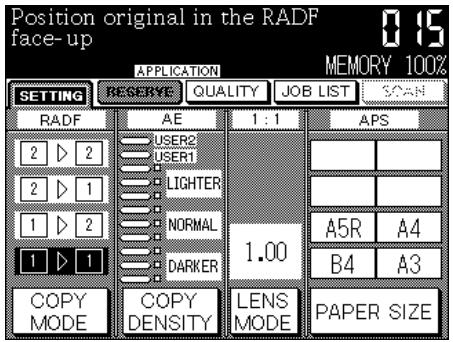
3 Place Original(s)... FACE UP in RADF
FACE DOWN on Platen glass
Place the original(s) in the RADF or on the Platen glass.
Advice
For details of how to place the originals, see p. 6-8.
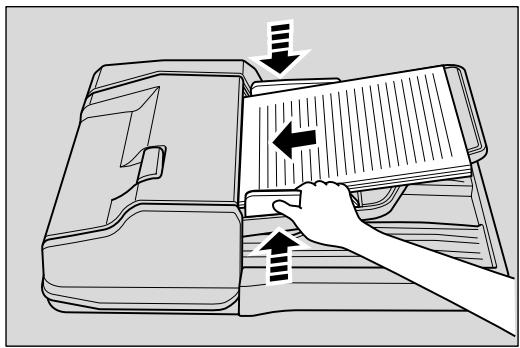
natural_image
Illustration of a hand opening a closed book with arrows indicating motion (no text or symbols)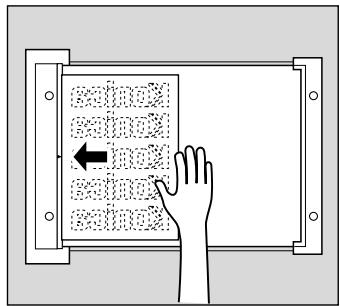
Supplement 1: Using Store mode
To use Store mode (using Platen glass or RADF), see p. 7-2 to 7-10 for details.
Supplement 2: Checking copying conditions/printed copies
- Press the CHECK button to display the Check screen.
- Check the current copying conditions on the Check screen.
- Touch "PROOF COPY" key on the Check screen to make a proof copy. When completed, touch "EXIT" key to return to the Basic screen.
See p. 7-22 to p. 7-27 for details.
4 Start Copying
Press the START PRINT button.
When using Store mode, press the START PRINT button to start the output job.
To stop copying, press the STOP/CLEAR button. Scanned data in the memory will be cleared.
After completion of copying, all the data in the memory will be cleared.
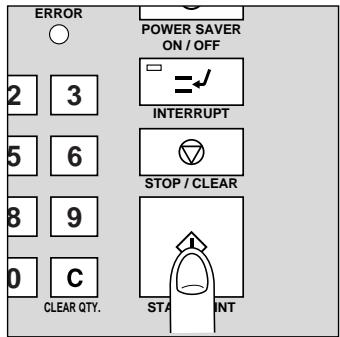

CAUTION: Paper Capacity of the Finisher
The capacity of the Finisher exit tray is listed below. When the total number of copies in the copy run exceeds the stated capacity, be sure to unload the exit tray whilst the copier is still copying. Failure to do so will cause the copier to jam.
The following capacity is for 80g/m^2 paper. When copying mixed size originals, the capacity will be less than the following.
Non-sort mode
Tray 1: 100 sheets/ 10 sheets (thin/thick paper, OHP films, etc.)
Tray 2/3:500 sheets (A4R, A4, B5R, B5, 8.5"x11"R)
300 sheets (A3, B4, F4/8.5"x13", A5R)
Sort/Group mode
Tray 2/3:500 sheets (A4R, A4, B5R, B5, 8.5"x11"R)
300 sheets (A3, B4, F4/8.5"x13")
Staple-sort mode
500 sheets max. (A4R, A4, B5R, B5, 8.5"x11"R)
300 sheets max. (A3, B4, 8.5"x13", A5R)

CAUTION: Maximum Loading Capacity of the Exit Tray
In the case of the copier without a finisher, the exit tray capacity is 100 sheets. Be sure to remove the copies from the exit tray while copying before the maximum capacity is reached. Failure to do so will cause the copier to jam.
After completion of copying, cancel the selected application function.
- To release Reverse image mode, display the Application Selection screen, touch the reversed "Reverse Image" key, then touch "OK" key.
- To release all the application functions, display the Application Selection screen and touch "ALL CLEAR" key.
- To reset copying conditions to the initial condition, press the AUTO RESET button on the Operation panel.
3. Repeat
Use this function to repeat the original image down the page. The following two modes are provided for each occasion:
Manual Setting mode : Repeat the original image within the selected image area of the platen glass.
Auto Setting mode : Repeat the area detected as the whole original placed onto the platen glass by activating Non image area erase.
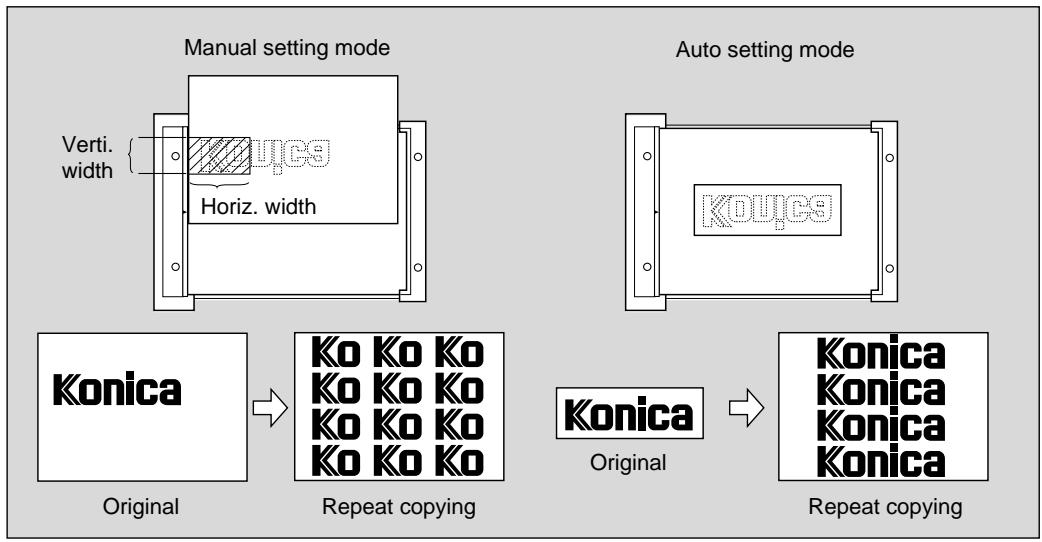
flowchart
graph LR
    A["Manual setting mode"] --> B["Vertical width"]
    B --> C["Horiz. width"]
    D["Auto setting mode"] --> E["Konica"]
    E --> F["Repeat copying"]
    G["Original"] --> H["Ko Ko Ko"]
    G --> I["Ko Ko Ko"]
    G --> J["Ko Ko Ko"]
    G --> K["Ko Ko Ko"]
    L["Original"] --> M["Konica"]
    M --> N["Repeat copying"]
    O["Original"] --> P["Konica"]
    P --> Q["Repeat copying"]
Basic rules for Repeat copying
- Both vertical and horizontal widths of the image area in Manual Setting mode can be selected from 10 mm to 150 mm.
- Scanning area in Auto Setting mode is A3 to 10 mm x10 mm.
- Only 1▶1 copying mode is available.
Having Problems?
Auto setting mode in Repeat may not operate properly if the lighting in the work place is directly over the platen glass. In this case consult your Service Centre about appropriate place for installation.
Repeat Specifications
Platen glass to be used (RADF cannot be used.)
Repeat width : 10 mm to 150 mm
Scanning area : A3 to 10 mm x 10 mm
Copy paper size : A3, B4, A4R, A4, B5R, B5, A5R*, 8.5"x11"R (80g/m² paper recommended)
Print quantity : 999 sheets max.
Advice
^* : A5 is available in horizontal feed (☐) only.
Incompatible
If any of the following copying conditions are going to be set, the Repeat may be cancelled or the key concerned on the screen may become faint, not allowing selection.
| Using RADF | Chapter |
| E-sort | Booklet |
| Using Finisher | OHP interleave |
| 1▶2 (available only with Store mode) | Image insert |
| 2▶2 | Dual page |
| 2▶1 | Mixed original |
| APS | Reverse image (with AUTO selected) |
| AMS | Frame/Fold erasure |
| Image quality (Very high) | Auto layout |
| Sheet/Cover insertion | Image shift |
| Combination | Non image area erase (with Verti./horiz. selected) |
Procedure
1 Set Copying Conditions
- Close the RADF securely and press the AUTO RESET button.
- Press the APPLICATION button on the Operation panel to display the Application Selection screen.
- Touch "Repeat" key on the Application Selection screen. The Repeat Mode Selection screen will be displayed.
Application Selection screen
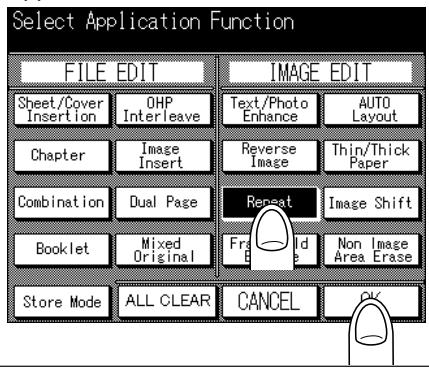
Repeat Mode Selection screen

4. To select the Manual setting mode:
(1) Touch "Vert./horiz." key.
(2) Use the ▲ Upper arrow/▼ Lower arrow key to adjust the vertical/horizontal width of the repeat image, from 10 mm to 150 mm in 1 mm increments.
(3) Touch "OK" key.
To select the Auto setting mode:
(1) Touch "AUTO" key. Non image area erase will be automatically selected.
(2) Touch "OK" key.
Advice
To void the selection, touch "CANCEL" key. The Basic screen will be restored.
- The Application Selection screen will be restored.
- As required, set the other copying conditions. When using Store mode, touch "Store Mode" key on the Application Selection screen.
Advice
To clear all the application settings, touch "ALL CLEAR" key. The Basic screen will be restored.
- Touch "OK" key on the Application Selection screen. The Basic screen will be restored.
2 Enter Print Quantity
Press the Ten keys to enter the desired print quantity.
To change the entered quantity, press the CLEAR QTY. button and enter the correct number.
Please Be Reminded!
DO NOT press the STOP/CLEAR button when changing the print quantity. Stored image will be cleared. Do not press the AUTO RESET button as this will clear all the copier settings.
Operation panel
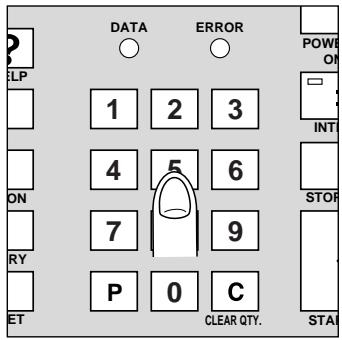
Basic screen
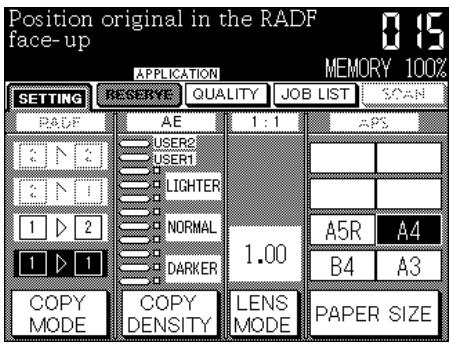
3 Place Original(s) on the platen glass ...FACE DOWN Manual Setting mode
The scanning area in both vertical and horizontal widths is to be measured from the rear left corner of the A3 original area indicated on the left edge of the platen glass.
- Open the RADF.
- Position the original FACE DOWN on the platen glass, so that the image to be repeated should fall within the scanning area.
- Close the RADF securely.
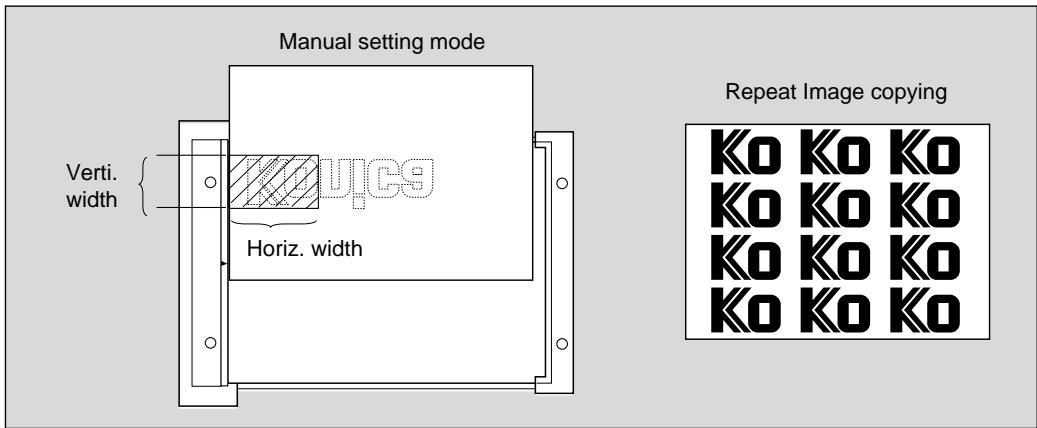
Auto Setting mode
The scanning area is automatically detected by the copier with Non image area erase activated.
- Open the RADF.
- Position the original of the desired size FACE DOWN on the platen glass.
Please Be Reminded!
DO NOT CLOSE the RADF to activate the Non image area erase.
Having Problems?
Auto setting mode in Repeat may not operate properly if the lighting in the work place is directly over the platen glass. In this case consult your Service Centre about appropriate place for installation.
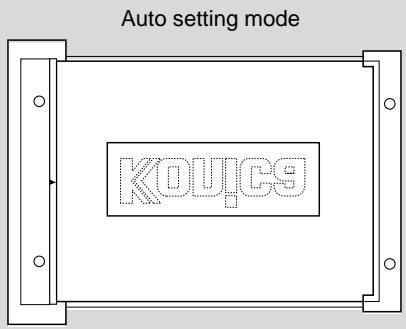
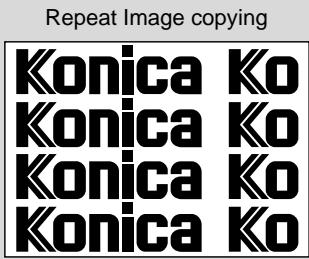
Supplement 1: Using Store mode
To use Store mode (using Platen glass or RADF), see p. 7-2 to 7-10 for details.
Supplement 2: Checking copying conditions/printed copies
- Press the CHECK button to display the Check screen.
- Check the current copying conditions on the Check screen.
- Touch "PROOF COPY" key on the Check screen to make a proof copy. When completed, touch "EXIT" key to return to the Basic screen.
See p. 7-22 to p. 7-27 for details.
4 Start Copying
Press the START PRINT button.
When using Store mode, press the START PRINT button to start the output job.
To stop copying, press the STOP/CLEAR button. Scanned data in the memory will be cleared.
After completion of copying, all the data in the memory will be cleared.
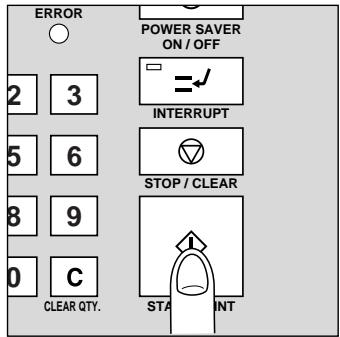

CAUTION: Paper Capacity of the Finisher
The capacity of the Finisher exit tray is listed below. When the total number of copies in the copy run exceeds the stated capacity, be sure to unload the exit tray whilst the copier is still copying. Failure to do so will cause the copier to jam.
The following capacity is for 80g/m^2 paper. When copying mixed size originals, the capacity will be less than the following.
Non-sort mode
Tray 1: 100 sheets/ 10 sheets (thin/thick paper, OHP films, etc.)
Tray 2/3:500 sheets (A4R, A4, B5R, B5, 8.5"x11"R)
300 sheets (A3, B4, F4/8.5"x13", A5R)
Sort/Group mode
Tray 2/3:500 sheets (A4R, A4, B5R, B5, 8.5"x11"R)
300 sheets (A3, B4, F4/8.5"x13")
Staple-sort mode
500 sheets max. (A4R, A4, B5R, B5, 8.5"x11"R)
300 sheets max. (A3, B4, F4/8.5"x13", A5R)

CAUTION: Maximum Loading Capacity of the Exit Tray
In the case of the copier without a finisher, the exit tray capacity is 100 sheets. Be sure to remove the copies from the exit tray while copying before the maximum capacity is reached. Failure to do so will cause the copier to jam.
After completion of copying, cancel the selected application function.
- To release Repeat mode, display the Application Selection screen, touch the reversed "Repeat" key, then touch "OK" key.
- To release all the application functions, display the Application Selection screen and touch "ALL CLEAR" key.
- To reset copying conditions to the initial condition, press the AUTO RESET button on the Operation panel.
4. Frame/Fold Erasure
If a thick original like a book is placed on the Platen glass and copied, sometimes it can happen that the copy will be shaded at the edge and down the center. If the Frame/Fold erasure function is used the shaded portion around the copied image and down the centre can be erased, to prevent excessive toner consumption.
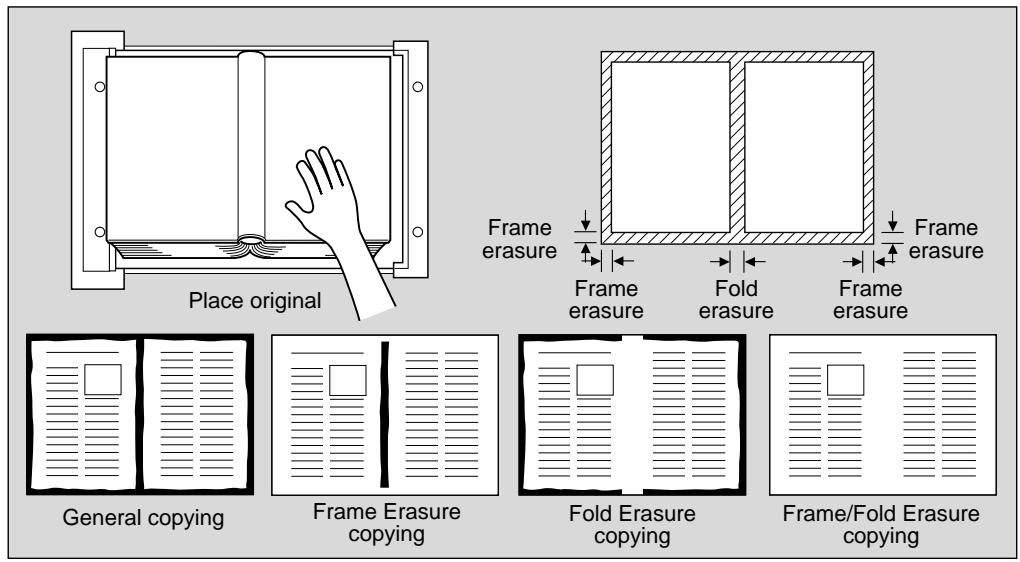
Basic rules for Frame/Fold Erasure copying
- The original is placed onto the RADF or on the platen glass.
Frame/Fold Erasure Specifications
Frame erasure width : 1 mm to 15 mm in 1 mm increments default setting; 5 mm
Frame original size : A3, B4, A4R, A4, B5R, B5, A5R, 8.5"x11"
Frame copy paper size : A3, B4, A4R, A4, B5R, B5, A5R*, 8.5"x11"R (80g/m² paper recommended)
Fold erasure width : 1 mm to 30 mm in 1 mm increments default setting; 10 mm
Fold original size : A3, B4, A4R, B5R, 8.5"x11"R
Fold copy paper size : A3, B4, A4R, B5R, A5R*, 8.5"x11"R
Print quantity : 999 sheets max.
Advice
*: A5 is available in horizontal feed ( □ ) only.
Incompatible with Frame erasure
Combination
Repeat
Incompatible with Fold erasure
Combination
Booklet
Dual page
Mixed original
Repeat
Procedure
1 Set Copying Conditions
- Close the RADF securely and press the AUTO RESET button.
- Press the APPLICATION button on the Operation panel, to display the Application Selection screen.
- Touch "Frame/Fold Erasure" key on the Application Selection screen. The Frame/Fold Erasure Mode Selection screen will be displayed.
Application Selection screen
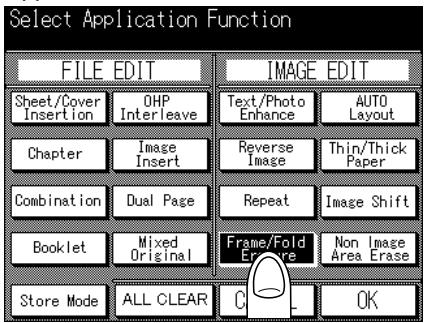
Frame/Fold Erasure Mode Selection screen
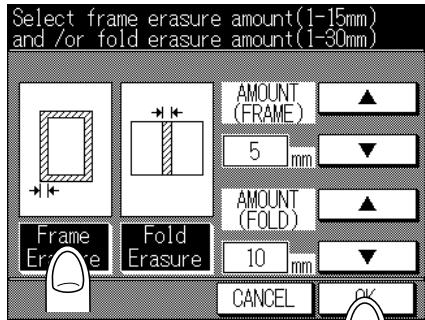
- Touch "Frame Erasure" key, then use arrow keys to select the desired frame erasure amount, from 1\~15 mm in 1 mm increments.
Touch “Fold Erasure” key, then use arrow keys to select the desired fold erasure amount, from 1\~30 mm in 1 mm increments.
Touch “Frame Erasure” key and “Fold Erasure” key to copy both modes.
- Touch "OK" key to complete the setting. The Application Selection screen will be restored. As required, set the other copy conditions. When using Store mode, touch "Store Mode" key on the Application Selection screen.
- Touch "OK" key on the Application Selection screen. The Basic screen will be restored.
2 Enter Print Quantity
Press the Ten keys to enter the desired print quantity.
To change the entered quantity, press the CLEAR QTY. button and enter the correct number.
Please Be Reminded!
DO NOT press the STOP/CLEAR button when changing the print quantity. Stored image will be cleared. Do not press the AUTO RESET button as this will clear all the copier settings.
Operation panel
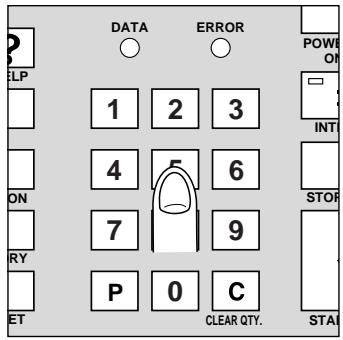
Basic screen
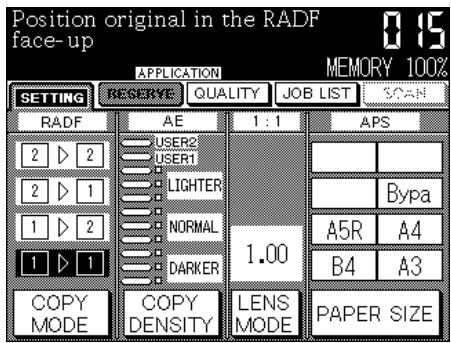
3 Place Original(s)... FACE UP in RADF
FACE DOWN on Platen glass
Place the original(s) in the RADF or on the Platen glass.
Advice
For details of how to place the original, see p. 6-8.
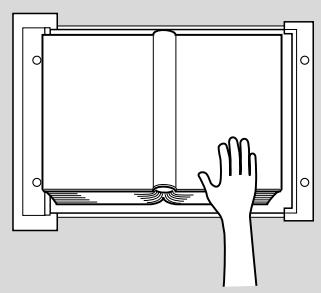
natural_image
Line drawing of a hand reaching toward an open book or document frame (no text or symbols visible)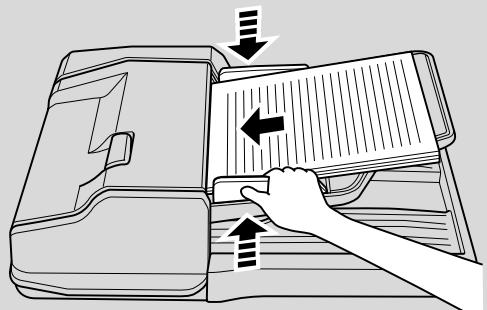
natural_image
Illustration of a hand opening a closed book into a case, with arrows indicating direction (no text or symbols)Advice
Do not press too strongly when the placed original is of thick paper, as it will be kept under the pressure of the RADF.
If originals become skew when the RADF is closed, keep RADF opened.
Supplement 1: Using Store mode
To use Store mode (using Platen glass or RADF), see p. 7-2 to 7-10 for details.
Supplement 2: Checking copying conditions/printed copies
- Press the CHECK button to display the Check screen.
- Check the current copying conditions on the Check screen.
- Touch "PROOF COPY" key on the Check screen to make a proof copy.
When completed, touch "EXIT" key to return to the Basic screen.
See p. 7-22 to p. 7-27 for details.
4 Start Copying
Press the START PRINT button.
When using Store mode, press the START PRINT button to start the output job.
To stop copying, press the STOP/CLEAR button. Scanned data in the memory will be cleared.
After completion of copying, all the data in the memory will be cleared.
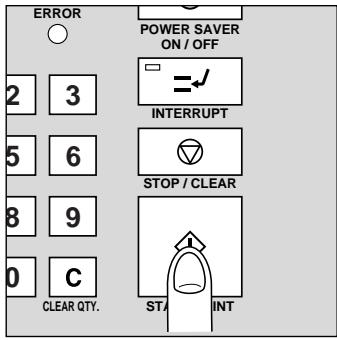
Frame/Fold Erasure

CAUTION: Paper Capacity of the Finisher
The capacity of the Finisher exit tray is listed below. When the total number of copies in the copy run exceeds the stated capacity, be sure to unload the exit tray whilst the copier is still copying. Failure to do so will cause the copier to jam.
The following capacity is for 80g/m^2 paper. When copying mixed size originals, the capacity will be less than the following.
Non-sort mode
Tray 1: 100 sheets/ 10 sheets (thin/thick paper, OHP films, etc.)
Tray 2/3:500 sheets (A4R, A4, B5R, B5, 8.5"x11"R)
300 sheets (A3, B4, F4/8.5"x13", A5R)
Sort/Group mode
Tray 2/3:500 sheets (A4R, A4, B5R, B5, 8.5"x11"R)
300 sheets (A3, B4, F4/8.5"x13")
Staple-sort mode
500 sheets max. (A4R, A4, B5R, B5, 8.5"x11"R)
300 sheets max. (A3, B4, F4/8.5"x13", A5R)

CAUTION: Maximum Loading Capacity of the Exit Tray
In the case of the copier without a finisher, the exit tray capacity is 100 sheets. Be sure to remove the copies from the exit tray while copying before the maximum capacity is reached. Failure to do so will cause the copier to jam.
After completion of copying, cancel the selected application function.
- To release Frame/Fold erasure mode, display the Application Selection screen, touch the reversed “Frame/Fold Erasure” key, then touch “OK” key.
- To release all the application functions, display the Application Selection screen and touch "ALL CLEAR" key.
- To reset copying conditions to the initial condition, press the AUTO RESET button on the Operation panel.
5. Auto Layout
Use this function to detect the image area of the original on the platen glass and centre the whole image on the copy paper.
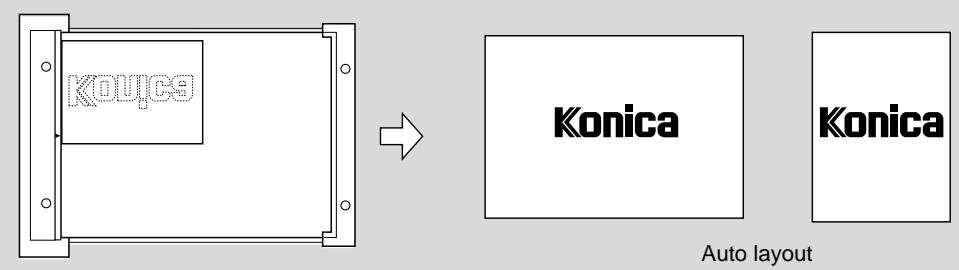
Place original
Basic rules for Auto layout
- Only 1▶1 copying mode is available. (When using the Store mode, 1▶2 copying mode is also available.)
• APS and AMS are automatically released.
• Use platen glass. (RADF cannot be used.) - Non image area erase is automatically set. (Non image area erase can be released manually.)
Having Problems?
Auto layout may not operate properly if the lighting in the work place is directly over the platen glass. In this case, consult your Service Centre about an appropriate place for installation.
Auto Layout Specifications
Original paper size : A3, B4, A4R, A4, B5R, B5, A5R, 8.5"x11"
Tray paper size : A3, B4, A4R, A4, B5R, B5, A5R*, 8.5"x11"R (80g/m² paper recommended)
Print quantity :999 sets max.
Advice
*: A5 is available in horizontal feed ( □ ) only.
Incompatible
If any of the following copying conditions are going to be set, the Auto Layout may be cancelled or the key concerned on the screen may become faint, not allowing setting.
Using RADF Sheet/Cover insertion
E-sort Chapter
Staple-sort Combination
1▶2 (available with the Store mode) Booklet
2▶2 Image insert
2▶1 Mixed original
APS Reverse image
AMS Repeat
Image quality (Very high) Image shift
Procedure
1 Set Copying Conditions
- Close the RADF securely and press the AUTO RESET button.
- Press the APPLICATION button on the Operation panel. The Application Selection screen will be displayed.
- Touch "AUTO Layout" key on the Application Selection screen. The "AUTO layout" key will be reversed, and the incompatible function keys will be dimmed to show inactivity.
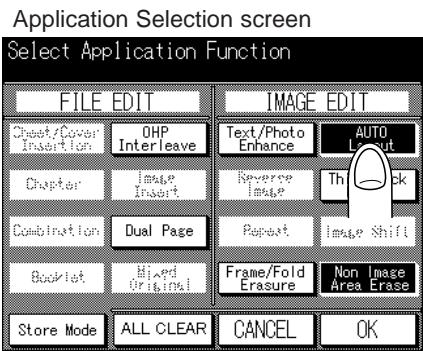
Advice
To void the selection, touch "CANCEL" key. The Basic screen will be restored.
- As required, set the other copying conditions. When using Store mode, touch "Store Mode" key on the Application Selection screen.
Advice
When using the Dual page together and copying the original smaller than the copy paper, the image is copied on the copy paper in the centre.
Advice
To clear all the application settings, touch "ALL CLEAR" key. The Basic screen will be restored.
- Touch "OK" key on the Application Selection screen. The Basic screen will be restored.
- APS and AMS are automatically released. Select the desired paper size and the magnification on the Tray Selection screen and Lens Mode screen.
Tray Selection screen
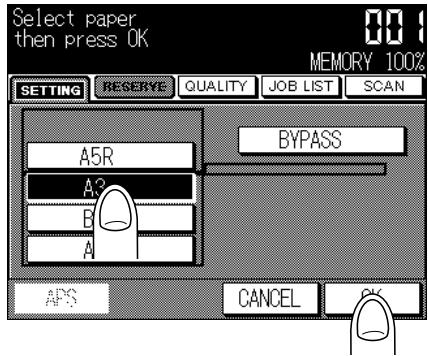
Lens Mode screen
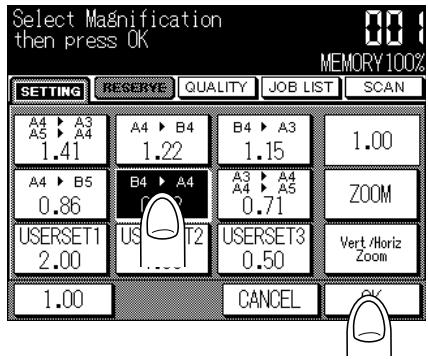
2 Enter Print Quantity
Press the Ten keys to set the desired print quantity.
To change the entered quantity, press CLEAR QTY. button and enter the correct quantity.
Please Be Reminded!
DO NOT press STOP/CLEAR button when changing the print quantity. Stored image will be cleared. Do not press the AUTO RESET button as this will clear all the copier settings.
Operation panel
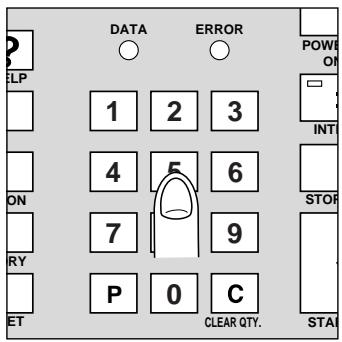
Basic screen
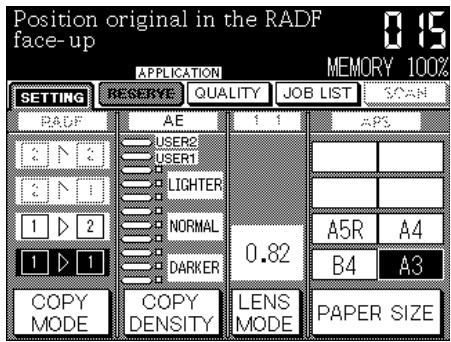
3 Place Original(s) on the platen glass ...FACE DOWN
- Open the RADF.
- Place the original on the platen glass.
Please Be Reminded!
DO NOT close the RADF.
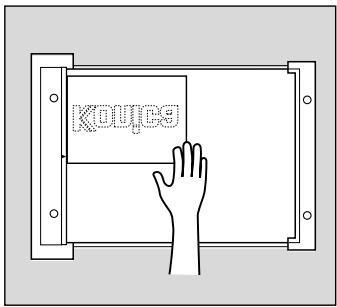
Having Problems?
Auto layout may not operate properly if the lighting in the work place is directly over the platen glass. In this case, consult your Service Centre about an appropriate place for installation.
Supplement 1: Using Platen store mode
To use Platen store mode, see p. 7-2 to 7-10 for details.
Supplement 2: Checking copying conditions/printed copies
- Press the CHECK button to display the Check screen.
- Check the current copying conditions on the Check screen.
- Touch "PROOF COPY" key on the Check screen to make a proof copy.
When completed, touch "EXIT" key to return to the Basic screen.
See p. 7-22 to p. 7-27 for details.
Auto Layout
4 Start Copying
Press the START PRINT button.
When using Store mode, press the START PRINT button to start the output job.
To stop copying, press the STOP/CLEAR button. Scanned data in the memory will be cleared.
After completion of copying, all the data in the memory will be cleared.
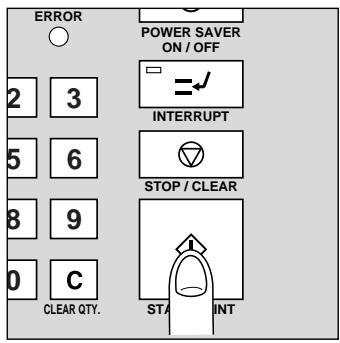

CAUTION: Paper Capacity of the Finisher
The capacity of the Finisher exit tray is listed below. When the total number of copies in the copy run exceeds the stated capacity, be sure to unload the exit tray whilst the copier is still copying. Failure to do so will cause the copier to jam.
The following capacity is for 80g/m^2 paper. When copying mixed size originals, the capacity will be less than the following.
Non-sort mode
Tray 1: 100 sheets/ 10 sheets (thin/thick paper, OHP films, etc.)
Tray 2/3:500 sheets (A4R, A4, B5R, B5, 8.5"x11"R)
300 sheets (A3, B4, F4/8.5"x13", A5R)
Sort/Group mode
Tray 2/3:500 sheets (A4R, A4, B5R, B5, 8.5"x11"R)
300 sheets (A3, B4, F4/8.5"x13")
Staple-sort mode
500 sheets max. (A4R, A4, B5R, B5, 8.5"x11"R)
300 sheets max. (A3, B4, F4/8.5"x13", A5R)

CAUTION: Maximum Loading Capacity of the Exit Tray
In the case of the copier without a finisher, the exit tray capacity is 100 sheets. Be sure to remove the copies from the exit tray while copying before the maximum capacity is reached. Failure to do so will cause the copier to jam.
After completion of copying, cancel the selected application function.
- To release Auto layout mode, display the Application Selection screen, touch the reversed "AUTO Layout" key, then touch "OK" key.
- To release all the application functions, display the Application Selection screen and touch "ALL CLEAR" key.
- To reset copying conditions to the initial condition, press the AUTO RESET button on the Operation panel.
6. Thin/Thick Paper Mode
Use this function to select the appropriate mode when the original paper is thin or thick.
Thin Paper Mode
There are occasions when the copy paper is thinner than normal. If this is the case, using the Thin paper mode will reduce the likelihood of paper jams occurring.
Thick Paper Mode
There are occasions when the copy paper is heavier or thicker than normal. If this is the case, using the Thick paper mode will produce a more stable image.
Advice
When copying onto the reproducible paper, do not select the thin paper mode.
Basic rules for Thin/Thick Paper Copying
• Paper source is Multi-sheet bypass tray only (single feed mode).
| Thin /Thick Paper Mode Specifications | |
| Original paper size : A3, B4, A4R, A4, B5R, B5, A5R, 8.5"x11" | |
| Tray paper size : A3, B4, A4R, A4, B5R, B5, A5R*, 8.5"x11"R, 8.5"x11" (80g/m2paper recommended) | |
| Print quantity : 999 sheets max. | |
| Copy paper weight : Thin paper; 50 to 59g/m2 | |
| Thick paper; 91 to 130g/m2 | |
| Loading capacity : Multi-sheet bypass tray; one sheet | |
Advice
*: A5 is available in horizontal feed (☐) only.
Incompatible
If any of the following copying conditions are going to be set, the Thin/Thick paper mode may be cancelled or the key concerned on the screen may become faint, not allowing setting.
| 1▶2 | Staple-sort |
| 2▶2 | Sheet/Cover insertion |
| E-sort | Chapter |
| Sort | Booklet |
| Group | OHP interleave |
Auto Layout
Thin/Thick Paper
Procedure
1 Set Copying Conditions
- Close the RADF securely and press the AUTO RESET button.
- Press the APPLICATION button on the Operation panel, to display the Application Selection screen.
- Touch "Thin/Thick Paper" key on the Application Selection screen. The Thin/Thick Paper Mode Selection screen will be displayed.
Application Selection screen
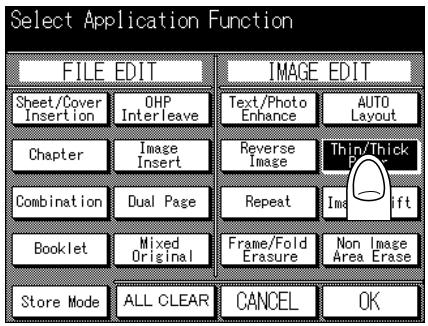
Thin/Thick Paper Mode Selection screen
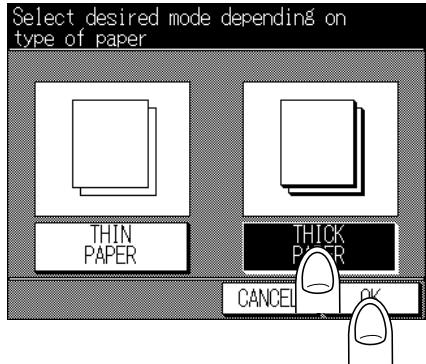
- To copy on Thin paper, touch "THIN PAPER" key.
To copy on Thick paper, touch "THICK PAPER" key.
Advice
To void the selection, touch "CANCEL" key. The Basic screen will be restored.
-
Touch "OK" key on the Thin/Thick Paper Mode Selection screen.
-
The Application Selection screen will be restored.
As required, set the other copying conditions. When using Store mode, touch “Store Mode” key on the Application Selection screen.
Advice
To clear all the application settings, touch "ALL CLEAR" key. The Basic screen will be restored.
- Touch "OK" key on the Application Selection screen. The Basic screen will be restored.
2 Load Copy Paper onto Multi-Sheet Bypass Tray
One sheet of the thin or thick paper can be loaded onto Multi-sheet bypass tray.
Advice
If any other paper is loaded on the Tray concerned, remove the paper. Do not load the Thin or Thick papers on other paper.
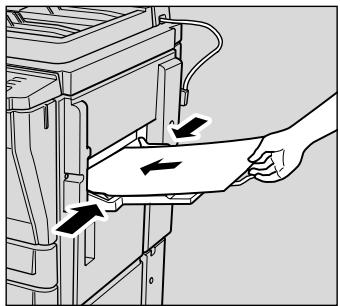
natural_image
Illustration of a hand inserting a device into a rack, showing arrows indicating direction (no text or symbols present)3 Enter Print Quantity
Press the Ten keys to set the desired print quantity.
To change the entered quantity, press the CLEAR QTY. button and enter the correct quantity.
Please Be Reminded!
DO NOT press the STOP/CLEAR button when changing the print quantity. Stored image will be cleared. Do not press the AUTO RESET button as this will clear all the copier settings.
Operation panel
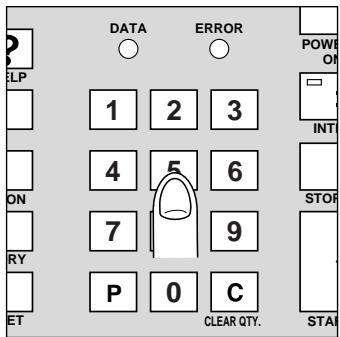
Basic screen
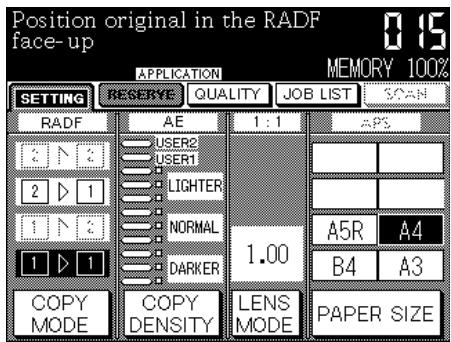
4 Place Original(s)... FACE UP in RADF
FACE DOWN on Platen glass
Place the original(s) in the RADF or on the Platen glass.
Advice
For details of how to place the originals, see p.6-8.
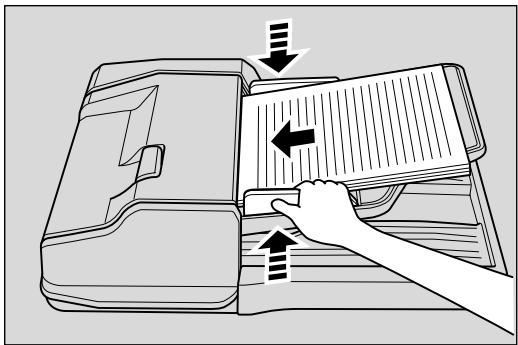
natural_image
Illustration of a hand opening a rectangular device with arrows indicating motion or force (no text or symbols)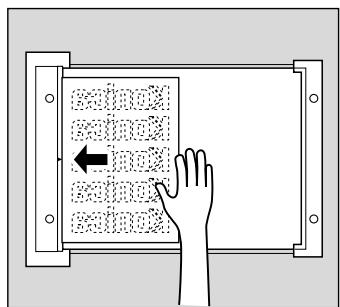
Supplement 1: Using Store mode
To use Store mode (using Platen glass or RADF), see p. 7-2 to 7-10 for details.
Supplement 2: Checking copying conditions/printed copies
- Press the CHECK button to display the Check screen.
- Check the current copying conditions on the Check screen.
- Touch "PROOF COPY" key on the Check screen to make a proof copy.
When completed, touch "EXIT" key to return to the Basic screen.
See p. 7-22 to p. 7-27 for details.
5 Start Copying
Press the START PRINT button.
When using Store mode, press the START PRINT button to start the output job.
To stop copying, press the STOP/CLEAR button. Scanned data in the memory will be cleared.
After completion of copying, all the data in the memory will be cleared.
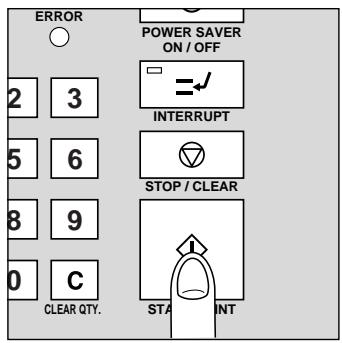

CAUTION: Paper Capacity of the Finisher
The capacity of the Finisher exit tray is listed below. When the total number of copies in the copy run exceeds the stated capacity, be sure to unload the exit tray whilst the copier is still copying. Failure to do so will cause the copier to jam.
The following capacity is for 80g/m^2 paper. When copying mixed size originals, the capacity will be less than the following.
Non-sort mode
Tray 1: 100 sheets/ 10 sheets (thin/thick paper, OHP films, etc.)
Tray 2/3:500 sheets (A4R, A4, B5R, B5, 8.5"x11"R)
300 sheets (A3, B4, F4/8.5"x13", A5R)
Sort/Group mode
Tray 2/3:500 sheets (A4R, A4, B5R, B5, 8.5"x11"R)
300 sheets (A3, B4, F4/8.5"x13")
Staple-sort mode
500 sheets max. (A4R, A4, B5R, B5, 8.5"x11"R)
300 sheets max. (A3, B4, F4/8.5"x13", A5R)

CAUTION: Maximum Loading Capacity of the Exit Tray
In the case of the copier without a finisher, the exit tray capacity is 100 sheets. Be sure to remove the copies from the exit tray while copying before the maximum capacity is reached. Failure to do so will cause the copier to jam.
After completion of copying, cancel the selected application function.
- To release Thin/Thick paper mode, display the Application Selection screen, touch the reversed “Thin/Thick Paper” key, then touch “OK” key.
- To release all the application functions, display the Application Selection screen and touch "ALL CLEAR" key.
- To reset copying conditions to the initial condition, press the AUTO RESET button on the Operation panel.
7. Image Shift
Image shift copying shifts the image to create a binding margin when originals have no binding margin.
Image shift features two modes as described below.
Shift mode: Shifts the image to create a binding margin.
Reduce & shift mode: Reduces the overall image when binding margin is likely to cause image loss.
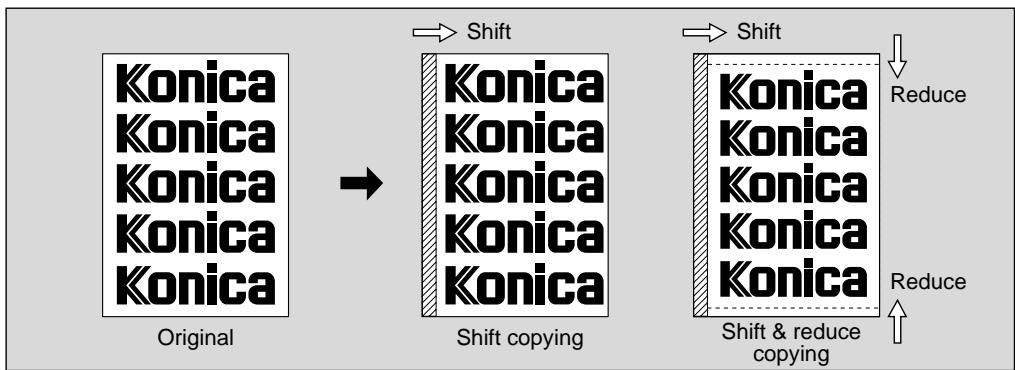
flowchart
graph LR
    A["Original: Konica Konica Konica Konica"] --> B["Shift copying"]
    B --> C["Shift & reduce copying"]
    C --> D["Reduce"]
    D --> E["Final Shape with 'Konica Konica Konica Konica'"]
Basic rules for Image Shift copying
- Scan and store originals into memory, then print all the pages collectively.
Advice
If memory overflow frequently occurs, you are recommended to extend the memory. Contact your Service Centre.
- Use the Store mode in the following conditions.
When the number of originals are more than 50, perform the RADF store mode.
When copying the originals that cannot be fed through the RADF, perform the Platen store mode.
- For Reduce & shift mode, the reduction ratio depends on the amount of shift.
- When selecting 1▶1, the binding margin should be created on the left of each copied sheet.
- When selecting 2▶2, the binding margin should be created on the left of odd original and on the right of even original.
- When selecting 1▶2, Image shift has the following two methods:
To copy the 1-sided originals without the binding margin, the binding margin should be created on the left side of the front page and on the right side of the back page.
To copy the 1-sided originals with the binding margin, the binding margin should be created on the right of the even original only.
- When selecting 2▶1, Image shift has the following two methods:
To copy the 2-sided originals without the binding margin, the binding margin should be created at the left side of all the pages.
To copy the 2-sided originals with the binding margin, the binding margin should be created at the left side of back page only.
Image Shift Specifications
| Amount of shift | :-250 mm to 250 mm in 1 mm increments(-250 mm to 0 mm: for right binding, 0 mm to 250 mm: for left binding) |
| Original paper size | :A3, B4, A4R, A4, B5R, B5, A5R, 8.5"x11" |
| Tray paper size | :A3, B4, A4R, A4, B5R, B5, A5R, 8.5"x11"R (80g/m2 paper recommended) |
| Print quantity | :999 sets max. |
Advice
| *: A5 is available in horizontal feed ( □ ) only. |
Incompatible with Shift Mode
| If any of the following copying conditions is going to be set, the Image shift may be cancelled or the key concerned on the screen may become faint, not allowing setting. |
| Image quality (Very high) | Mixed original |
| Booklet | Repeat |
| Image insert | Auto layout |
| Dual page | Non image area erase |
Incompatible with Reduce & Shift Mode
| If any of the following copying conditions is going to be set, the Image shift may be cancelled or the key concerned on the screen may become faint, not allowing setting. |
| Changing magnification | Dual page |
| Vertical/Horizontal zoom | Mixed original |
| APS | Repeat |
| Image quality (Very high) | Auto layout |
| Image insertion | Non image area erase |
Procedure
1 Set Copying Conditions
- Close the RADF securely and press the AUTO RESET button.
- Select the desired copy mode on the Copy Mode screen.
Basic screen
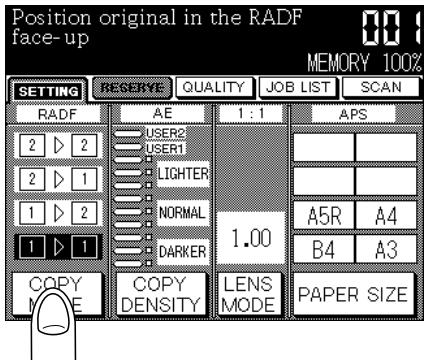
Copy Mode screen
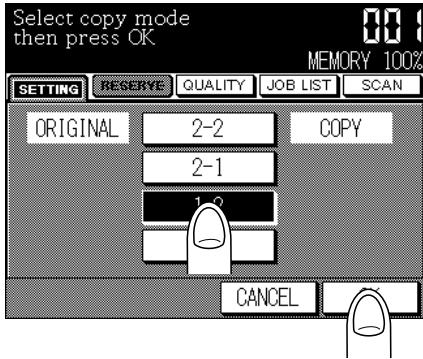
- Press the APPLICATION button on the Operation panel. The Application Selection screen will be displayed.
- Touch "Image Shift" key on the Application Selection screen. The Image Shift Mode Selection screen will be displayed.
Application Selection screen
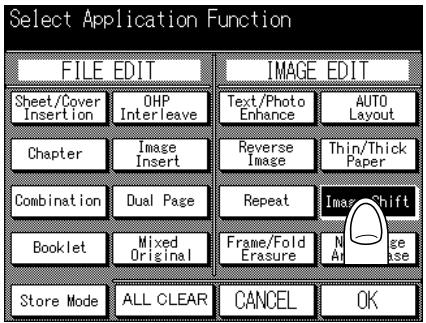
Image Shift Mode Selection screen
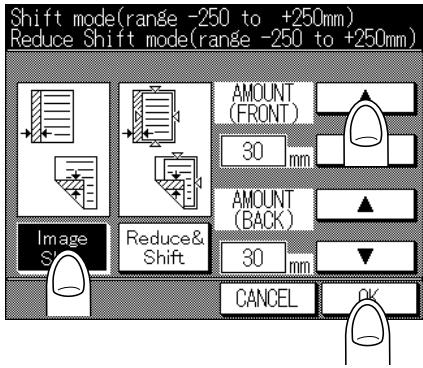
Image Shift Mode Selection screen
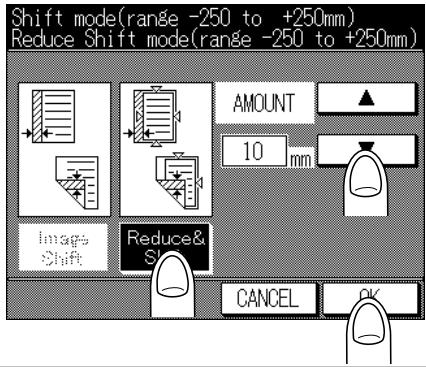
5. To select the Image shift:
(1) Touch "Image Shift" key.
(2) Touch the ▲ Upper arrow or ▼ Lower arrow key next to AMOUNT (FRONT) to select the desired shift amount of the front page.
Selecting the amount between 0 mm and 250 mm will create the left binding margin.
Selecting the amount between -250 mm and 0 mm will create the right binding margin.
(3) Touch the upper or lower arrow key next to AMOUNT (BACK) to select the desired shift amount of the back page.
Selecting the amount between 0 mm and 250 mm will create the left binding margin.
Selecting the amount between -250 mm and 0 mm will create the right binding margin.
Advice
Select carefully the front and back margins according to the copy mode selected in step 2.
Advice
To void the selection, touch "CANCEL" key. The Application Selection screen will be restored.
To select the Reduce & shift:
(1) Touch "Reduce & Shift" key.
(2) Touch the ▲ Upper arrow or ▲ Lower arrow key next to AMOUNT to select the desired shift amount.
Selecting the amount between 0 mm and 250 mm will create the left binding margin.
Selecting the amount between -250 mm and 0 mm will create the right binding margin.
Advice
The desired shift amount cannot be selected individually for front and back pages within Reduce & Shift mode.
Advice
To void the selection, touch "CANCEL" key. The Application Selection screen will be restored.
-
Touch "OK" key on the Image Shift Mode Selection screen. The Application Selection screen will be restored.
-
As required, set the other copying conditions. When copying more than 50 originals, use RADF store mode or Platen store mode. Touch “Store Mode” key to highlight it.
Advice
To clear all the application settings, touch "ALL CLEAR" key. The Basic screen will be restored.
- Touch "OK" key on the Application Selection screen. The Basic screen will be restored.
2 Enter Print Quantity
Press the Ten keys to set the desired print quantity.
To change the entered quantity, press the CLEAR QTY. button and enter the correct number.
Please Be Reminded!
DO NOT press the STOP/CLEAR button when changing the print quantity. Stored image will be cleared. Do not press the AUTO RESET button as this will clear all the copier settings.
Operation panel
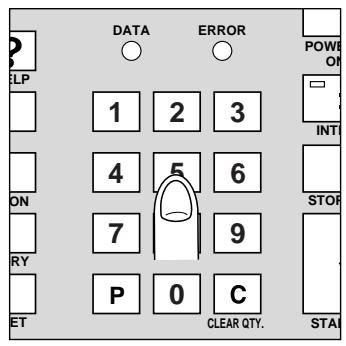
Basic screen
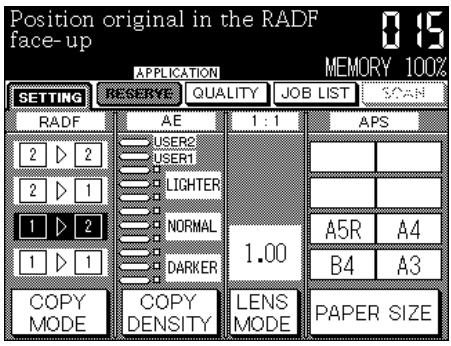
3 Place Original(s) in RADF...FACE UP / Start Copying (Proceed step 4 when using platen glass.)
- Based on the set copying conditions, set originals on RADF.
Advice
Be careful of the margin side of the original.
For details of how to place the originals, see p.6-8.
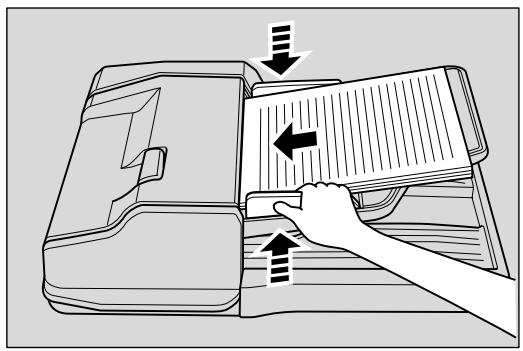
natural_image
Illustration of a hand opening a closed book with arrows indicating direction (no text or symbols)Copy mode: 1▶1, Using RADF
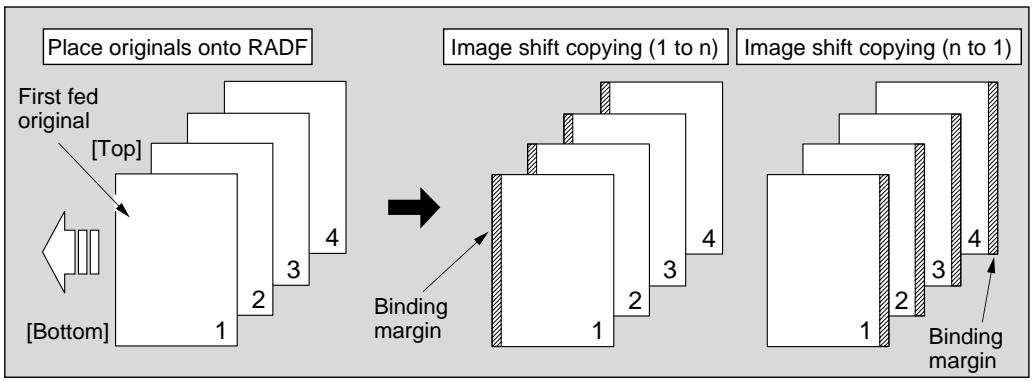
flowchart
graph LR
    A["Place originals onto RADF"] --> B["First fed original [Top"]]
    B --> C["1"]
    B --> D["2"]
    B --> E["3"]
    B --> F["4"]
    G["Image shift copying (1 to n)"] --> H["1"]
    G --> I["2"]
    G --> J["3"]
    G --> K["4"]
    L["Image shift copying (n to 1)"] --> M["1"]
    L --> N["2"]
    L --> O["3"]
    L --> P["4"]
    Q["Binding margin"] --> H
    R["Binding margin"] --> M
Copy mode: 1▶2, Using RADF
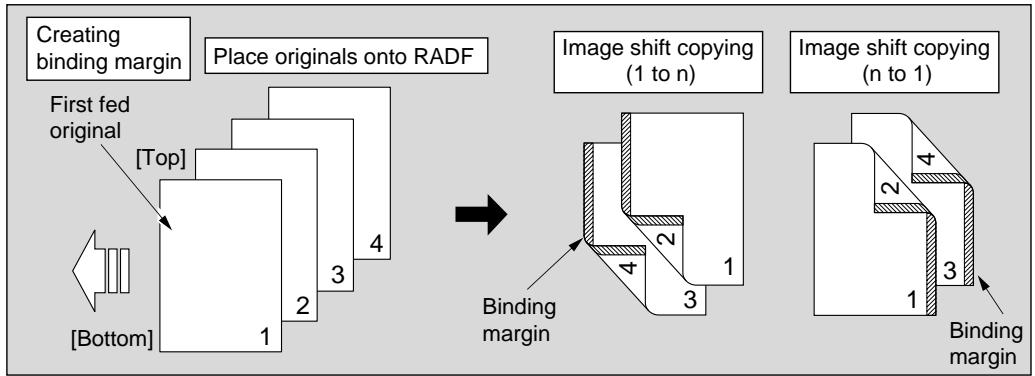
flowchart
graph LR
    A["Creating binding margin"] --> B["Place originals onto RADF"]
    B --> C["Image shift copying (1 to n)"]
    C --> D["Image shift copying (n to 1)"]

    subgraph Starting
        E["First fed original [Top"]]
        F["Bottom"]
    end

    subgraph Copying
        G["Binding margin 1, 2, 3, 4"] --> H["Image shift copying (1 to n)"]
    end

    style A fill:#f9f,stroke:#333
    style B fill:#ccf,stroke:#333
    style C fill:#cfc,stroke:#333
    style D fill:#fcc,stroke:#333
    style E fill:#fff,stroke:#333
    style F fill:#fff,stroke:#333
    style G fill:#fff,stroke:#333
    style H fill:#fff,stroke:#333
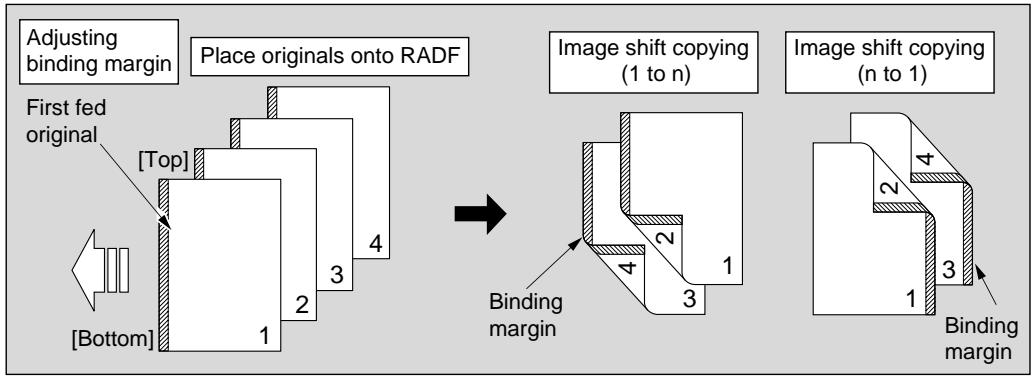
flowchart
graph LR
    A["First fed original [Top"] --> [Bottom] --> 1["Place originals onto RADF"]
    2["Adjusting binding margin"] --> 3["Place originals onto RADF"]
    4["Image shift copying (1 to n)"] --> 5["Image shift copying (n to 1)"]
    6["Binding margin"] --> 7["Image shift copying (1 to n)"]
    8["Binding margin"] --> 9["Image shift copying (n to 1)"]
Image Shift
Advice
In duplex copying of the 1-sided originals that already have a left binding margin, shift the image of the back pages by setting the desired shift amount plus the original margin, to create the same margin as that of the front pages.
Copy mode: 2▶2, Using RADF
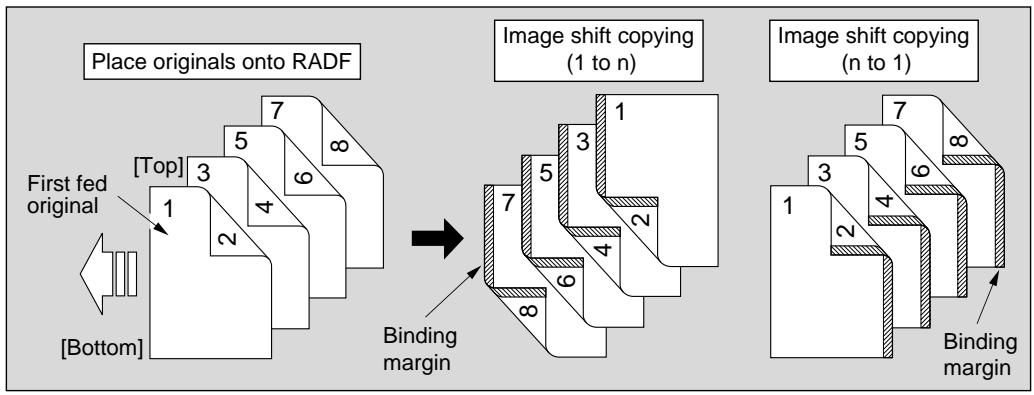
flowchart
graph TD
    A["Place originals onto RADF"] --> B["First fed original"]
    B --> C["[Top"]]
    C --> D["[Bottom"]]
    D --> E["Binding margin"]
    E --> F["Image shift copying (1 to n)"]
    F --> G["[Top"]]
    G --> H["[Bottom"]]
    H --> I["Binding margin"]
    I --> J["Image shift copying (n to 1)"]
Copy mode: 2▶1, Using RADF
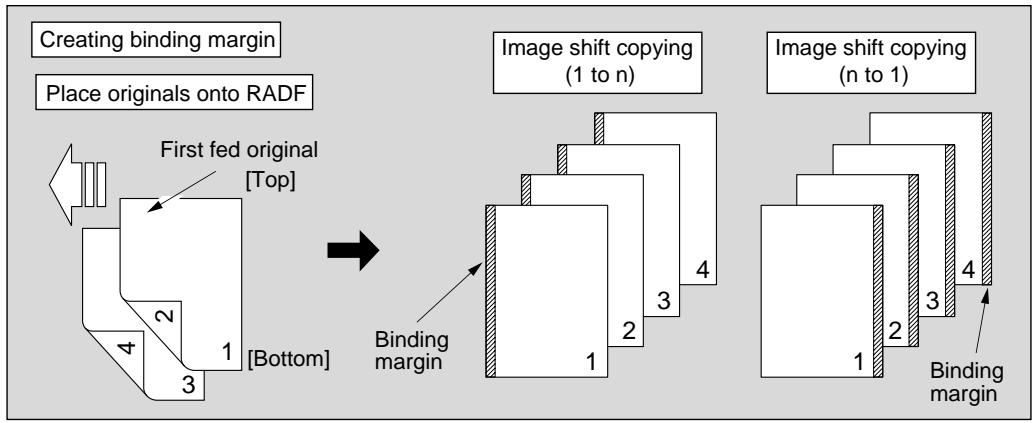
flowchart
graph TD
    A["Creating binding margin"] --> B["Place originals onto RADF"]
    B --> C["First fed original [Top"]]
    C --> D["1 [Bottom"]]
    D --> E["Binding margin"]
    E --> F["Image shift copying (1 to n)"]
    F --> G["1 2 3 4"]
    G --> H["Image shift copying (n to 1)"]
    H --> I["1 2 3 4"]
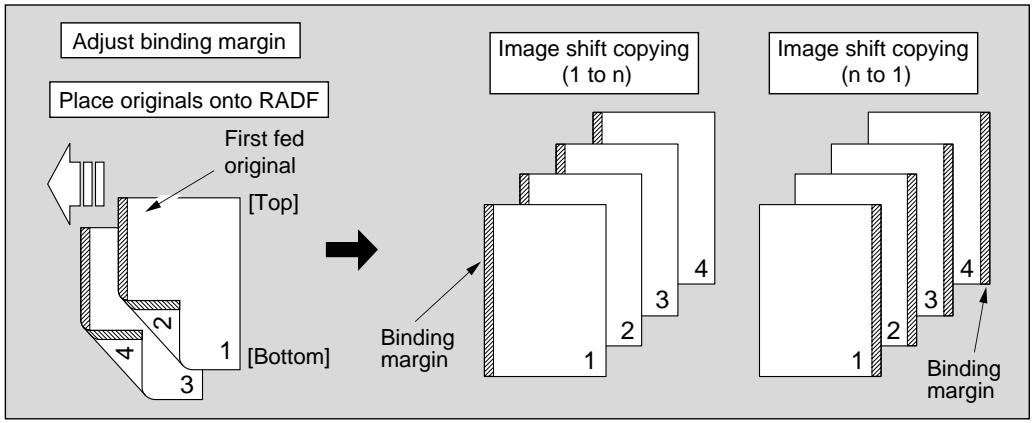
flowchart
graph LR
    A["Place originals onto RADF"] --> B["First fed original [Top"]]
    B --> C["1 [Bottom"]]
    C --> D["2"]
    D --> E["3"]
    E --> F["4"]
    F --> G["Image shift copying (1 to n)"]
    G --> H["1"]
    H --> I["2"]
    I --> J["3"]
    J --> K["4"]
    K --> L["Image shift copying (n to 1)"]
    L --> M["1"]
    M --> N["2"]
    N --> O["3"]
    O --> P["4"]
    P --> Q["Image shift copying (n to 1)"]
Advice
In simplex copying of the 2-sided originals that already have a left binding margin, shift the image of the back pages by setting the desired shift amount plus the original margin, to create the same margin as that of the front pages.
Supplement 1: Using RADF store mode
To copy a set of more than 50 originals, use RADF store mode. Touch and highlight the "Store Mode" key on the Application Selection screen. See p. 7-8 to p. 7-10 for details.
Please Be Reminded!
Divide the originals into blocks not exceeding 50 sheets and load them from the block with the first page.
Supplement 2: Checking copying conditions/printed copies
- Press the CHECK button to display the Check screen.
- Check the current copying conditions on the Check screen.
-
Touch "PROOF COPY" key on the Check screen to make a proof copy.
When completed, touch "EXIT" key to return to the Basic screen.
See p. 7-22 to p. 7-27 for details. -
Press the START PRINT button. Originals loaded on RADF are all scanned and discharged, then printing job starts in succession.
When using Store mode, press the START PRINT button to start the output job.
To stop copying, press the STOP/CLEAR button. Scanned data in the memory will be cleared.
After completion of copying, all the data in the memory will be cleared.
Having Problems?
The memory may be fully loaded to cause overflow during scanning. See p. 12-4 to p. 12-5.
4 Place Original(s) on Platen Glass...FACE DOWN / Start Copying
- Open the RADF.
- Place the original on the platen glass.
Advice
Be careful of the margin side of the original.
For details of how to place the originals, see p.6-8.
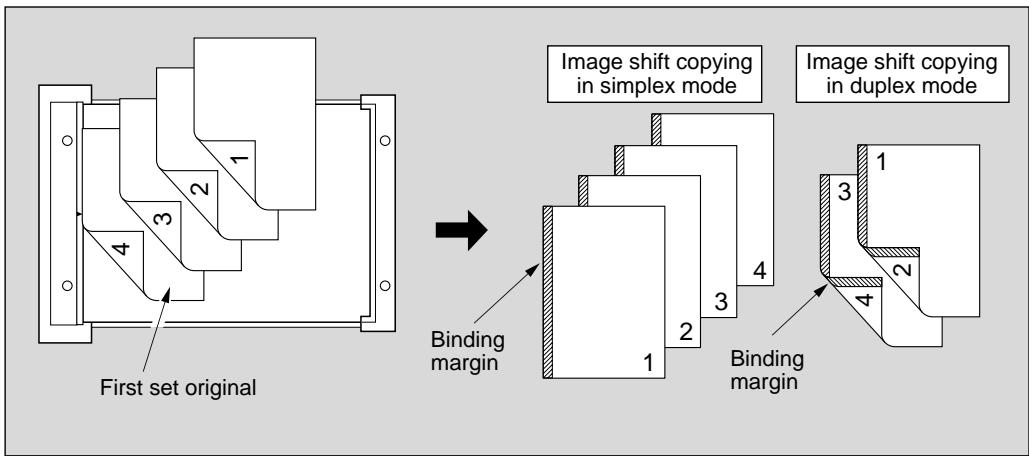
flowchart
graph TD
    A["First set original"] --> B["Binding margin"]
    B --> C["Image shift copying in simplex mode"]
    C --> D["Binding margin"]
    D --> E["Image shift copying in duplex mode"]
Advice
In duplex copying of the 1-sided originals that already have a left binding margin, shift the image of the back pages by setting the desired shift amount plus the original margin, to create the same margin as that of the front pages.
- Gently close the RADF.
- Touch the "SCAN" key on the Basic screen.
Repeat the steps 1. to 4.
Having Problems?
The memory may be fully loaded to cause overflow during scanning. See p. 12-4 to p. 12-5.
Supplement: Checking copying conditions/printed copies
- Press the CHECK button to display the Check screen.
- Check the current copying conditions on the Check screen.
-
Touch "PROOF COPY" key on the Check screen to make a proof copy.
When completed, touch "EXIT" key to return to the Basic screen.
See p. 7-22 to p. 7-27 for details. -
Press the START PRINT button. The scanned data will be printed in succession.
To stop copying, press the STOP/CLEAR button. Scanned data in the memory will be cleared.
After completion of copying, all the data in the memory will be cleared.

CAUTION: Paper Capacity of the Finisher
The capacity of the Finisher exit tray is listed below. When the total number of copies in the copy run exceeds the stated capacity, be sure to unload the exit tray whilst the copier is still copying. Failure to do so will cause the copier to jam.
The following capacity is for 80g/m^2 paper. When copying mixed size originals, the capacity will be less than the following.
Non-sort mode
Tray 1: 100 sheets/ 10 sheets (thin/thick paper, OHP films, etc.)
Tray 2/3:500 sheets (A4R, A4, B5R, B5, 8.5"x11"R)
300 sheets (A3, B4, F4/8.5"x13", A5R)
Sort/Group mode
Tray 2/3:500 sheets (A4R, A4, B5R, B5, 8.5"x11"R)
300 sheets (A3, B4, F4/8.5"x13")
Staple-sort mode
500 sheets max. (A4R, A4, B5R, B5, 8.5"x11"R)
300 sheets max. (A3, B4, F4/8.5"x13", A5R)

CAUTION: Maximum Loading Capacity of the Exit Tray
In the case of the copier without a finisher, the exit tray capacity is 100 sheets. Be sure to remove the copies from the exit tray while copying before the maximum capacity is reached. Failure to do so will cause the copier to jam.
After completion of copying, cancel the selected application function.
- To release Image shift mode, display the Application Selection screen, touch the reversed "Image Shift" key, then touch "OK" key.
- To release all the application functions, display the Application Selection screen and touch "ALL CLEAR" key.
- To reset copying conditions to the initial condition, press the AUTO RESET button on the Operation panel.
Image Shift
The Non image area erase mode is used to copy non standard or special originals, such as books, magazines, paste-ups, graphs, etc. from the platen glass. The exposed glass area outside the borders of the original will not be copied.
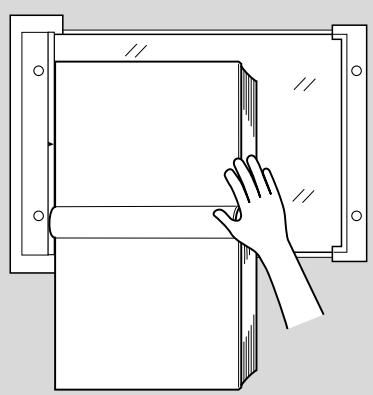
natural_image
Line drawing of a hand pressing down on a rectangular panel (no text or symbols)Set original
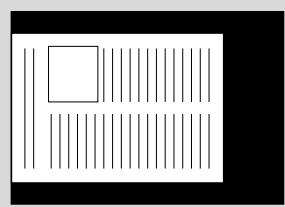
natural_image
Abstract geometric pattern with vertical lines and a central square (no text or symbols)General copying
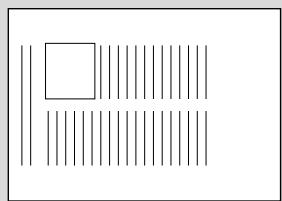
natural_image
Simple geometric diagram with vertical lines and a small square, no text or symbols presentNon-Image Area Erase
Basic rules for Non image area erase
- Place the original on the platen glass, not in the RADF.
- Keep the RADF open throughout the procedure.
- Only 1▶1 copying mode is available. (When using the Platen store mode, 1▶2 copying mode is also available.)
• Original size is 10 mm x 10 mm minimum.
Advice
An original with dark coloured background may not allow Non image area erase copying to operate.
Having Problems?
Non image area erase may not operate properly if the lighting in the work place is directly over the platen glass. In this case, consult your Service Centre about an appropriate place for installation.
- The Non image area erase has two modes; namely, Oblique erase mode and Rectangular erase mode. The copier is initially set to Rectangular mode. Contact your Service Centre if you find the Rectangular erase mode is not suitable for you originals and ask for Oblique erase mode to be selected.
Oblique erase mode
Rectangular erase mode
Non image area erase Specifications
Original paper size : A3 to 10 mm x 10 mm
Tray paper size : A3, B4, A4R, A4, B5R, B5, A5R*, 8.5"x11"R (80g/m² paper recommended)
Print quantity : 999 sheets max.
Advice
*: A5 is available in horizontal feed (☐) only.
Incompatible
If any of the following copying conditions are going to be set, the Non image area erase may be cancelled or the key concerned on the screen may become faint, not allowing setting.
| Using RADF | Sheet/Cover insertion |
| 2▶2 | Chapter |
| 2▶1 | Combination |
| E-sort | Booklet |
| Staple-sort | Image insertion |
| APS | Mixed original |
| AMS | Reverse image |
| Rotation | Image shift |
Procedure
1 Set Copying Conditions
- Close the RADF securely and press the AUTO RESET button.
- Press the APPLICATION button on the Operation panel. The Application Selection screen will be displayed.
- Touch "Non image area erase" key on the Application Selection screen. The "Non image area erase" key will be reversed, and the incompatible function keys will be dimmed to show inactivity.
Application Selection screen
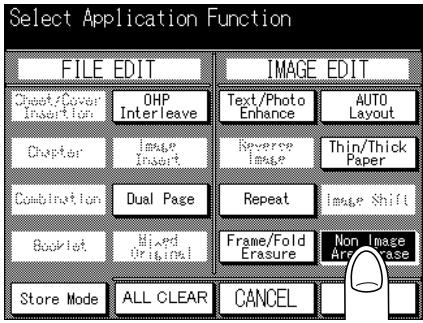
Advice
To void the selection, touch "CANCEL" key. The Basic screen will be restored.
- As required, set the other copying conditions. When using Store mode, touch "Store Mode" key on the Application Selection screen.
Advice
To clear all the application settings, touch "ALL CLEAR" key. The Basic screen will be restored.
- Touch "OK" key on the Application Selection screen. The Basic screen will be restored.
2 Enter Print Quantity
Press the Ten keys to set the desired print quantity.
To change the entered quantity, press the CLEAR QTY. button and enter the correct quantity.
Please Be Reminded!
DO NOT press the STOP/CLEAR button when changing the print quantity. Stored image will be cleared. Do not press the AUTO RESET button as this will clear all the copier settings.
Operation panel
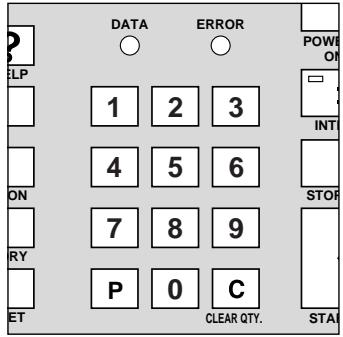
Basic screen
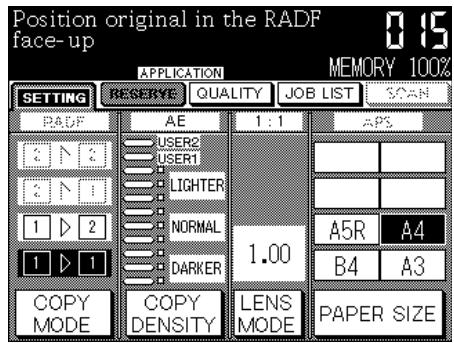
3 Place Original(s) on the platen glass ...FACE DOWN
- Open the RADF
- Place the original on the platen glass.
Please Be Reminded!
DO NOT close the RADF.
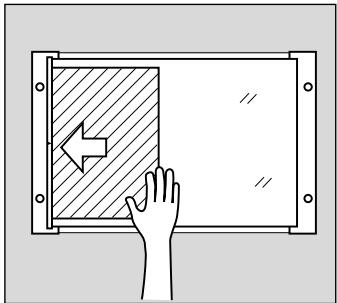
natural_image
Hand pressing a button on a rectangular panel with a hatched fill and arrow (no text or symbols)Having Problems?
Non image area erase may not operate properly if the lighting in the work place is directly over the platen glass. In this case, consult your Service Centre about an appropriate place for installation.
Supplement 1: Using Platen store mode
To use Platen store mode, see p. 7-2 to 7-10 for details.
Supplement 2: Checking copying conditions/printed copies
- Press the CHECK button to display the Check screen.
- Check the current copying conditions on the Check screen.
- Touch "PROOF COPY" key on the Check screen to make a proof copy.
When completed, touch "EXIT" key to return to the Basic screen.
See p. 7-22 to p. 7-27 for details.
4 Start Copying
Press the START PRINT button.
When using Platen store mode, press the START PRINT button to start the output job.
To stop copying, press the STOP/CLEAR button. Scanned data in the memory will be cleared.
After completion of copying, all the data in the memory will be cleared.
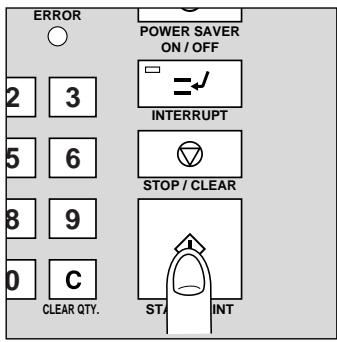

CAUTION: Paper Capacity of the Finisher
The capacity of the Finisher exit tray is listed below. When the total number of copies in the copy run exceeds the stated capacity, be sure to unload the exit tray whilst the copier is still copying. Failure to do so will cause the copier to jam.
The following capacity is for 80g/m^2 paper. When copying mixed size originals, the capacity will be less than the following.
Non-sort mode
Tray 1: 100 sheets/ 10 sheets (thin/thick paper, OHP films, etc.)
Tray 2/3:500 sheets (A4R, A4, B5R, B5, 8.5"x11"R) 300 sheets (A3, B4, F4/8.5"x13", A5R)
Sort/Group mode
Tray 2/3:500 sheets (A4R, A4, B5R, B5, 8.5"x11"R) 300 sheets (A3, B4, F4/8.5"x13")
Staple-sort mode
500 sheets max. (A4R, A4, B5R, B5, 8.5"x11"R)
300 sheets max. (A3, B4, F4/8.5"x13", A5R)

CAUTION: Maximum Loading Capacity of the Exit Tray
In the case of the copier without a finisher, the exit tray capacity is 100 sheets. Be sure to remove the copies from the exit tray while copying before the maximum capacity is reached. Failure to do so will cause the copier to jam.
After completion of copying, cancel the selected application function.
- To release Non image area erase mode, display the Application Selection screen, touch the reversed “Non image area erase” key, then touch “OK” key.
- To release all the application functions, display the Application Selection screen and touch "ALL CLEAR" key.
- To reset copying conditions to the initial condition, press the AUTO RESET button on the Operation panel.
1. Finisher Specifications
Non-Sort Mode
Sort Mode
Group Mode
Staple-Sort Mode
Face Up Mode
2. Inserting a New Staple Cartridge
3. Output Mode for Machine without Finisher
Normal Exit
E-Sort Exit
Face Up Exit
1. Finisher Specifications
The FS-105 finisher can be used in any of the following five modes in combination with the RADF.
① Non-Sort : Use Finisher upper exit tray (TRAY 1), middle exit tray (TRAY 2), or lower exit tray (TRAY 3).
Copies are normally discharged into the specified exit tray.
② Sort : Use Finisher middle exit tray (TRAY 2) or lower exit tray (TRAY 3). Automatically copies the original set and delivers the complete sets to the specified exit tray, offset and stacked.
③ Staple-Sort : Use Finisher middle exit tray (TRAY 2) or lower exit tray (TRAY 3). Copies are automatically sorted and stapled.
④ Group : Use Finisher middle exit tray (TRAY 2) or lower exit tray (TRAY 3). Group together multiple copies of each original and offset the sets upon exit.
④ Face Up Tray1 : Use Finisher upper exit tray (TRAY 1).
Copies exit to the upper tray in the reverse order, with simplex sheets and odd numbered duplex sheets face up.
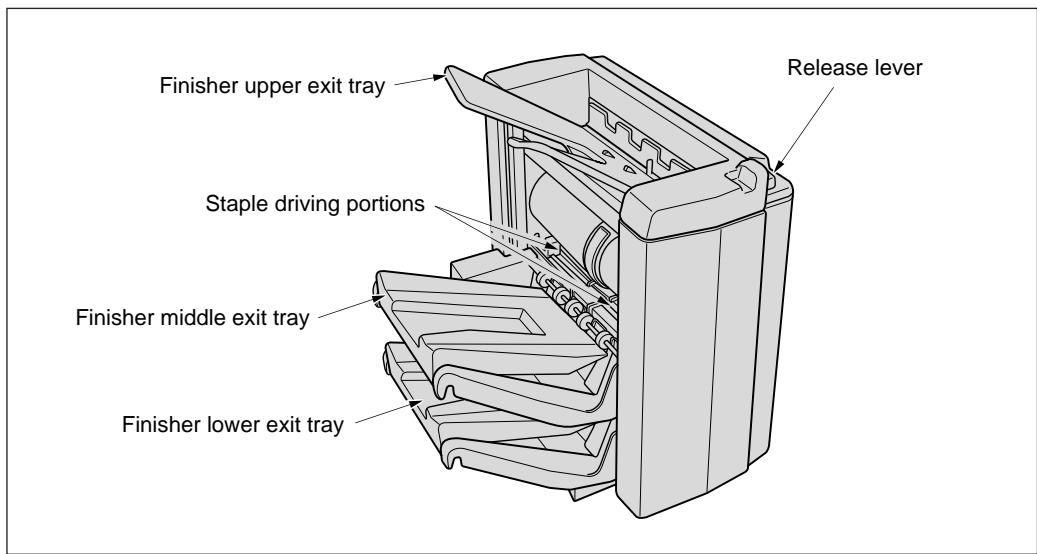
Advice: Paper Exit Switching Function of Finisher Exit Tray
When the amount of copies delivered onto the Finisher exit tray (upper, middle or lower) exceeds its limit described below, the copier automatically shifts the output to another tray to complete the output job.
Finisher upper exit tray:
After 100 sheets (irrespective of the paper size) delivery, the output shifts to the middle, then lower tray.
Finisher middle exit tray:
After 300 sheets (A3, B4 or F4/8.5"x13")/500 sheets (A4R, A4, B5R, B5, A5R, 8.5"x11R or 8.5"x11") delivery, the output shifts to the lower tray.
Finisher lower exit tray:
After 300 sheets (A3, B4 or F4/8.5"x13")/500 sheets (A4R, A4, B5R, B5, A5R, 8.5"x11R or 8.5"x11") delivery, the output shifts to the middle tray.
Advice
When the Finisher is disconnected from the copier before printing, the message “Please connect finisher to the copier” will be displayed, and if it happens to be disconnected in the middle of printing, the Jam Position screen will be displayed. Be sure to lock the Finisher securely to the copier to avoid the above cases.
Non-Sort Mode
The Non-sort mode simply means that the offset-stacker finisher modes are not selected. Copies will be stacked on the Finisher upper/middle/lower tray without being offset by sets.
Advice
Usually the Non-Sort mode is factory-set as the initial state. The initial state can be changed to the Sort, Group, or Staple-sort by Key Operator mode. See p. 11-13 to p. 11-14.
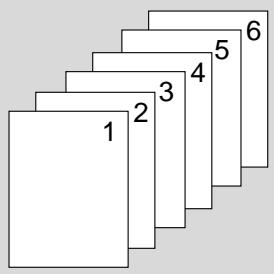
Non-Sort Mode Specifications
Exit tray : Upper (TRAY1), Middle (TRAY 2), Lower (TRAY 3) exit tray
Paper size : A3, B4, F4/8.5"x13", A4R, A4, B5R, B5, A5R*,8.5"x11"R, 8.5"x11"
Paper capacity : Upper exit tray
100 sheets (A3, B4, F4/8.5"x13", A4R, A4, B5, B5R, A5R*, 8.5"x11"R, 8.5"x11")
10 sheets (thin/thick paper, OHP transparency film, etc.)
Middle/Lower exit tray
500 sheets (A4R, A4, B5, B5R, 8.5"x11"R, 8.5"x11")
300 sheets (A3, B4, F4/8.5"x13", A5R*)
Advice
*: A5 size paper is available in horizontal feed (☐) only.
Operation panel
Output Mode screen
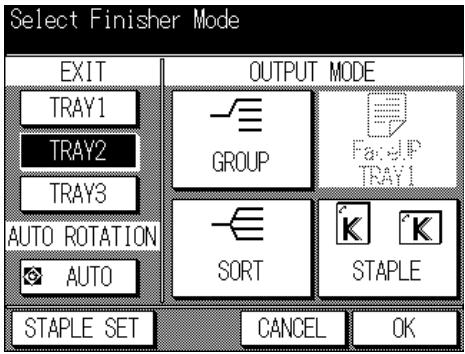
Procedure
- Press the OUTPUT button on the operation panel to display the Output Mode screen
- Touch "TRAY 1", "TRAY 2" or "TRAY 3".
To use the Non-sort mode, be sure the "SORT", "STAPLE", "GROUP", and "FaceUp TRAY 1" are no highlighted.
- Touch "OK" to complete setting and return to the Basic screen.
- Select additional copying features, as desired.
- Enter the desired print quantity.
- Position original(s) FACE UP in the RADF or FACE DOWN on the platen glass. When using RADF store mode, position originals FACE UP in the RADF and touch "SCAN" on the Basic screen to scan. Max. 1,500 images can be stored in memory. When using Platen store mode, position original FACE DOWN on the platen glass and touch "SCAN" on the Basic screen to scan. Max. 1,500 images can be stored in memory.
- Press the START PRINT button to begin copying in Non-sort mode. Copies will exit face down, with the page heading toward the front of the copier.

CAUTION: Paper Capacity of the Finisher
The capacity of the Finisher exit tray is listed below. When the total number of copies in the copy run exceeds the stated capacity, be sure to unload the exit tray whilst the copier is still copying. Failure to do so will cause the copier to jam. The following capacity is for 80g/m^2 paper.
Non-Sort Mode
Tray 1 : 100 sheets/10 sheets (thin/thick paper, transparency film, etc.)
Tray 2/3 : 500 sheets (A4R, A4, B5R, B5, 8.5"x11"R)
300 sheets (A3, B4, F4/8.5"x13", A5R)

CAUTION: Finisher Operation
DO NOT INSERT your finger into the two staple driving portions or into the grooves of the paper exit lever, otherwise you may be injured.
To avoid injury when the Finisher middle exit tray moves up and down, DO NOT PUT your hand into the two portions of the closing area.
Sort Mode
The Sort mode is available when the offset-stacker Finisher is installed. Use this mode when you want to output multiple copies of the original set, and have each set offset on the Finisher middle/lower exit tray. The staple mode can be selected with the Sort mode. Each copies set will offset in the stack tray.
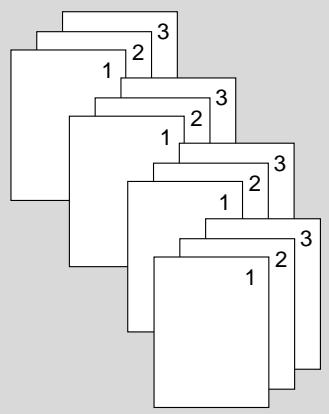
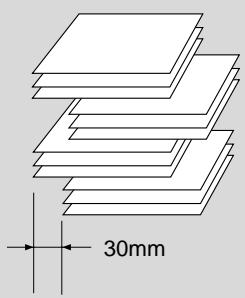
Sort Mode Specifications
| Using RADF | (Platen glass is available when used in combination with Plate store mode.) |
| Exit tray | : Middle (TRAY 2), Lower (TRAY 3) exit tray |
| Paper size | :A3, B4, F4/8.5"x13", A4R, A4, B5R, B5, A5R*,8.5"x11"R, 8.5"x11" |
| Paper capacity | : Paper cannot be discharged on upper exit tray.Middle/Lower exit tray500 sheets (A4R, A4, B5, B5R, 8.5"x11"R, 8.5"x11")300 sheets (A3, B4, F4/8.5"x13", A5R*) |
Advice
* : A5 size paper is available in horizontal feed (☐) only.
Incompatible
| Using Platen glass (available when used in combination with Image insert, Dual page, or Platen store mode) |
| Group |
| Image quality (Very high) |
| OHP interleave |
Operation panel
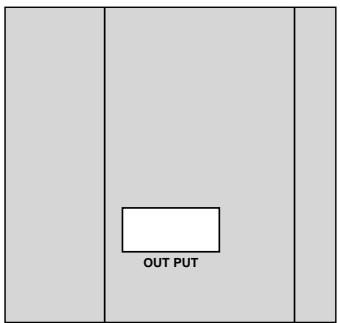
Output Mode screen
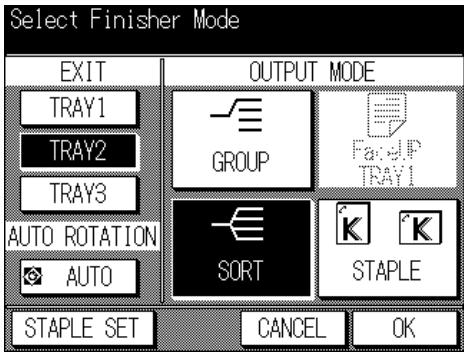
Procedure
- Press the OUTPUT button on the operation panel to display the Output Mode screen
- Touch "SORT".
- Touch "TRAY 2" or "TRAY 3".
Advice
Do not touch "TRAY 1" to select the Sort mode.
- Touch "OK" to complete setting and return to the Basic screen.
- Select additional copying features, as desired.
- Enter the desired print quantity.
- Position original(s) FACE UP in the RADF.
When using RADF store mode, position originals FACE UP in the RADF and touch "SCAN" on the Basic screen to scan. Max. 1,500 images can be stored in memory. When using Platen store mode, position original FACE DOWN on the platen glass and touch "SCAN" on the Basic screen to scan. Max. 1,500 images can be stored in memory.
- Press the START PRINT button to begin copying in Sort mode.

CAUTION: Paper Capacity of the Finisher
The capacity of the Finisher exit tray is listed below. When the total number of copies in the copy run exceeds the stated capacity, be sure to unload the exit tray whilst the copier is still copying. Failure to do so will cause the copier to jam. The following capacity is for 80g/m^2 paper.
Sort Mode
Tray 2/3 : 500 sheets (A4R, A4, B5R, B5, 8.5"x11"R)
300 sheets (A3, B4, F4/8.5"x13", A5R)

CAUTION: Finisher Operation
DO NOT INSERT your finger into the two staple driving Portions or into the grooves of the paper exit lever, otherwise you may be injured.
To avoid injury when the Finisher middle exit tray moves up and down, DO NOT PUT your hand into the two portions of the closing area.
Group Mode
The Group mode is available when the offset-stacker finisher is installed. Use this mode when you want to group together multiple copies of each original, and offset the sets on the Finisher middle/lower exit tray. Grouped sets cannot be stapled.
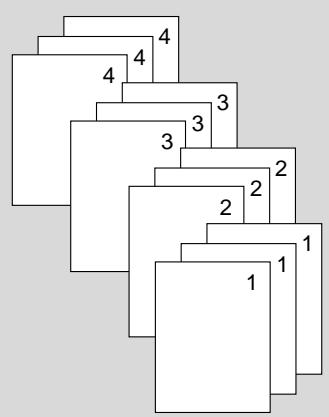
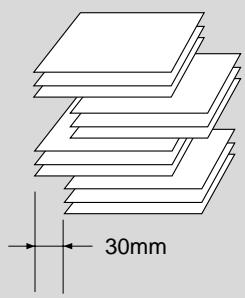
Group Mode Specifications
Exit tray : Middle (TRAY 2), Lower (TRAY 3) exit tray Paper size : A3, B4, F4/8.5"x13", A4R, A4, B5R, B5, A5R*,8.5"x11"R, 8.5"x11"
Paper capacity : Paper cannot be discharged on upper exit tray. Middle/Lower exit tray 500 sheets (A4R, A4, B5, B5R, 8.5"x11"R, 8.5"x11") 300 sheets (A3, B4, F4/8.5"x13", A5R*)
Advice
* : A5 size paper is available in horizontal feed ( □ ) only.
Incompatible
| Sort | OHP Interleave |
| Staple-sort, | Image insert |
| Proof copy | Repeat |
| Sheet/Cover insertion | Auto layout |
| Chapter | Thin/Thick paper |
| Booklet | Non-image area erase |
Operation panel
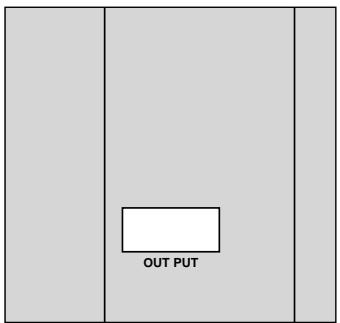
Output Mode screen

Procedure
- Press the OUTPUT button on the operation panel to display the Output Mode screen
- Touch "GROUP".
- Touch "TRAY 2" or "TRAY 3".
Advice
Do not touch "TRAY 1" to select the Group mode.
- Touch "OK" to complete setting and return to the Basic screen.
- Select additional copying features, as desired.
- Enter the desired print quantity.
- Position original(s) FACE UP in the RADF or FACE DOWN on the platen glass. When using RADF store mode, position originals FACE UP in the RADF and touch "SCAN" on the Basic screen to scan. Max. 1,500 images can be stored in memory. When using Platen store mode, position original FACE DOWN on the platen glass and touch "SCAN" on the Basic screen to scan. Max. 1,500 images can be stored in memory.
- Press the START PRINT button to begin copying in Group mode.

CAUTION: Paper Capacity of the Finisher
The capacity of the Finisher exit tray is listed below. When the total number of copies in the copy run exceeds the stated capacity, be sure to unload the exit tray whilst the copier is still copying. Failure to do so will cause the copier to jam. The following capacity is for 80g/m^2 paper.
Group Mode
Tray 2/3 : 500 sheets (A4R, A4, B5R, B5, 8.5"x11"R)
300 sheets (A3, B4, F4/8.5"x13", A5R)

CAUTION: Finisher Operation
DO NOT INSERT your finger into the two staple driving portions or into the grooves of the paper exit lever, otherwise you may be injured.
To avoid injury when the Finisher middle exit tray moves up and down, DO NOT PUT your hand into the two portions of the closing area.
Staple-Sort Mode
The Staple-sort mode is available when the offset-stacker finisher is installed. Use this mode when you want to offset and staple each copied set.
Each finished set will be offset on the Finisher middle/lower tray from the next copied set.
Advice
If Rotation activates, the stapling position rotates by 90^ .
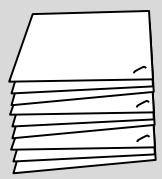
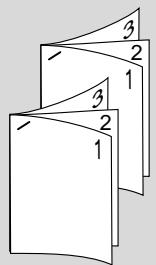
1 oblique staple
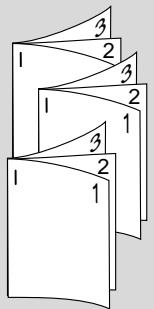
1 parallel staple
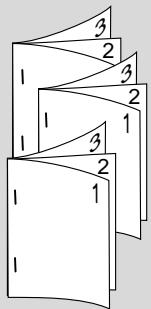
2 parallel staples
Staple-Sort Mode Specifications
| Using RADF | (Platen glass is available when used in combination with Plate store mode.) |
| Exit tray | : Middle (TRAY 2), Lower (TRAY 3) exit tray |
| Paper size | :A3, B4, F4/8.5"x13", A4R, A4, B5R, B5, A5R*,8.5"x11"R, 8.5"x11" |
| Paper capacity | : Paper cannot be discharged on upper exit tray.Middle/Lower exit tray500 sheets (A4R, A4, B5, B5R, 8.5"x11"R, 8.5"x11")300 sheets (A3, B4, F4/8.5"x13", A5R*) |
| Staple capacity | : 50 sheets ( 80g/m^2 ) or 5.0mm thick or less(Staple capacity is changeable, and may be set to 45, 40, or 35 by service.)20 sheets ( 90g/m^2 ) in thick paper mode(Staple capacity is changeable, and may be set to 25, 15, or 10 by service.) |
| Staple location | : 1 parallel stapleA4R, B5R, A5R1 oblique stapleA3, B4, A4, B52 parallel staplesA3, B4, A4R, A4, B5 |
Advice
* : B5R, A5 size paper is available in horizontal feed (☐) and 1 parallel staple only.
Incompatible
| Using Platen glass (available when used in combination with Image insert, Dual page, or Platen store mode) | |
| Group | Repeat |
| Booklet | Auto layout |
| Image quality (Very high) | Thick mode in Thin/Thick paper |
| OHP interleave | Non-image area erase |
| APS mode in Mixed original | |
Operation panel
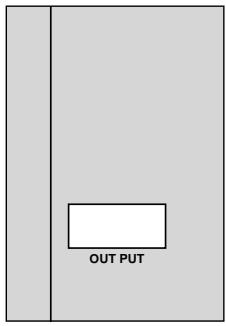
Output Mode screen
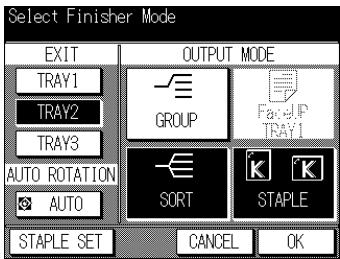
Staple Location Selection screen

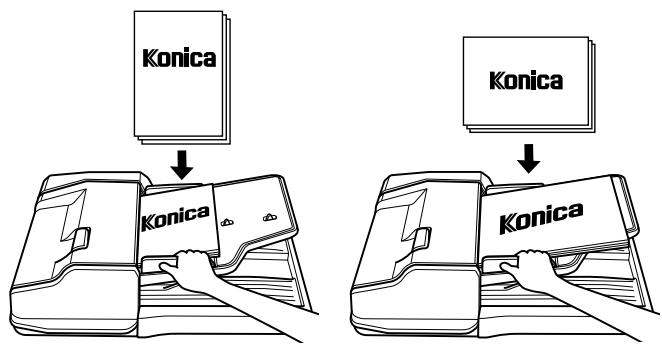
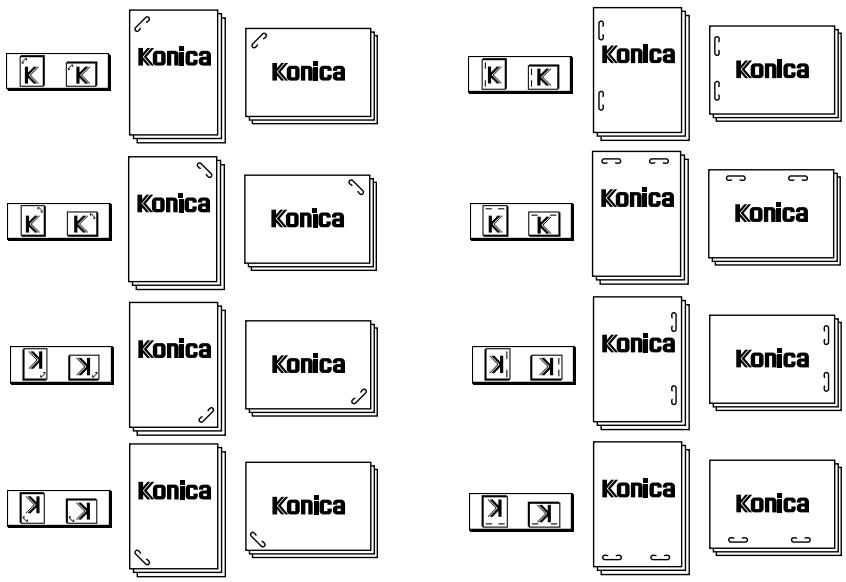
Procedure
- Press the OUTPUT button on the operation panel to display the Output Mode screen
- Touch "STAPLE SET". The Staple Location Selection screen will be displayed.
- Touch the desired key among the eight keys on the Staple Location Selection screen to select the staple location. See the previous page for reference.
- Touch "OK" on the Staple Location Selection screen to return to the Output Mode screen. The "STAPLE" and "SORT" keys are highlighted.
- Touch "TRAY 2" or "TRAY 3".
Advice
Do not touch "TRAY 1" to select the Staple-sort mode.
- Touch "OK" on the Output Mode screen to complete setting and return to the Basic screen.
- Select additional copying features, as desired.
- Enter the desired print quantity.
- Position original(s) FACE UP in the RADF. 50 originals can be set.
When using Platen store mode, position original FACE DOWN on the platen glass and touch "SCAN" on the Basic screen to scan.
Advice
Do not scan more than 51 images.
- Press the START PRINT button to begin copying in Staple-sort mode.

CAUTION: Paper Capacity of the Finisher
The capacity of the Finisher exit tray is listed below. When the total number of copies in the copy run exceeds the stated capacity, be sure to unload the exit tray whilst the copier is still copying. Failure to do so will cause the copier to jam. The following capacity is for 80g/m^2 paper.
Staple-Sort Mode
Tray 2/3 : 500 sheets (A4R, A4, B5R, B5, 8.5"x11"R) 300 sheets (A3, B4, F4/8.5"x13", A5R)

CAUTION: Finisher Operation
DO NOT INSERT your finger into the two staple driving portions or into the grooves of the paper exit lever, otherwise you may be injured. To avoid injury when the Finisher middle exit tray moves up and down, DO NOT PUT your hand into the two portions of the closing area.
Face Up Mode
In the normal exit mode, i.e., without Face Up mode selected, copies exit to the exit tray in the same order as the originals. In the simplex mode, for example, every sheet exits face down, and in the duplex mode, odd numbered sides exit face down. When the speedier Face Up mode is selected, copies exit to the upper tray of the Finisher in the reverse order, with simplex sheets and odd numbered duplex sheets face up.
Face Up Mode Specifications
| Exit tray | : Upper (TRAY1) exit tray only |
| Paper size | :A3, B4, F4/8.5"x13", A4R, A4, B5R, B5, A5R*,8.5"x11"R, 8.5"x11" |
| Paper capacity | : Upper exit tray100 sheets (A3, B4, F4/8.5"x13", A4R, A4, B5, B5R, A5R*, 8.5"x11"R, 8.5"x11")10 sheets (thin/thick paper, OHP transparency film, etc.) |
Advice
| *: A5 size paper is available in horizontal feed ( □ ) only. |
Incompatible
| Sort |
| Staple-sort |
Advice
- When using platen glass in simplex copying, place the originals in reverse order to get effective results.
- Using Multi-sheet bypass tray automatically sets the copier to be in Face up mode. If you desire to release this setting, contact your Service Centre.
Operation panel
Output Mode screen

Procedure
- Press the OUTPUT button to display the Output Mode screen.
- Touch "TRAY1" and "FaceUP TRAY 1".
In this case, the copied sets will be sorted automatically. Touch “GROUP” to output in Group mode. - Touch "OK" to complete setting and return to the Basic screen.
- Select additional copying features, as desired.
-
Enter the desired print quantity.
-
Position original(s) FACE UP in the RADF or FACE DOWN on the platen glass. When using RADF store mode, position originals FACE UP in the RADF and touch "SCAN" on the Basic screen to scan. Max. 1,500 images can be stored in memory. When using Platen store mode, position original FACE DOWN on the platen glass and touch "SCAN" on the Basic screen to scan. Max. 1,500 images can be stored in memory.
-
Press the START PRINT button to begin copying in Group mode.

CAUTION: Paper Capacity of the Finisher
The capacity of the Finisher exit tray is listed below. When the total number of copies in the copy run exceeds the stated capacity, be sure to unload the exit tray whilst the copier is still copying. Failure to do so will cause the copier to jam. The following capacity is for 80g/m^2 paper.
Face Up + Non-Sort Mode
Tray 1 : 100 sheets/10 sheets (thin/thick paper, transparency film, etc.)
Face Up + Group Mode
Tray 1 : 100 sheets/10 sheets (thin/thick paper, transparency film, etc.)

CAUTION: Finisher Operation
DO NOT INSERT your finger into the two staple driving portions or into the grooves of the paper exit lever, otherwise you may be injured.
To avoid injury when the Finisher middle exit tray moves up and down, DO NOT PUT your hand into the two portions of the closing area.
2. Inserting a New Staple Cartridge
When the staple cartridge of the Finisher is empty, the following messages will be displayed on the touch screen.
Please separate Finisher from the copier and replace staples
Follow the procedure below to supply new staples.
Procedure
- While pressing the Finisher release lever, slide the Finisher to the left.
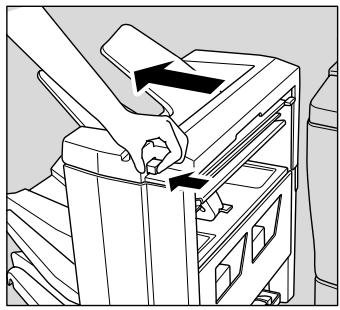
natural_image
Line drawing of a hand inserting a device into a stack of books (no text or symbols)- Push down the staple cartridge lever to release the staple cartridge from the cartridge holder.
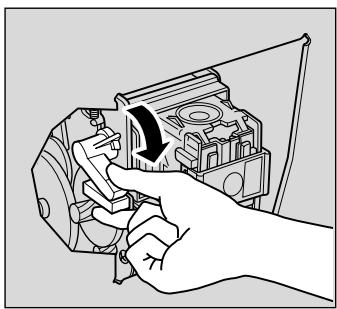
natural_image
Illustration of a hand inserting a mechanical component into a housing (no text or symbols visible)- Remove the staple cartridge.
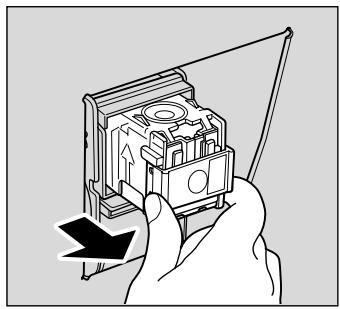
natural_image
Hand holding a device with a cable, showing internal components and a downward arrow (no text or symbols)- Remove the empty staple case.
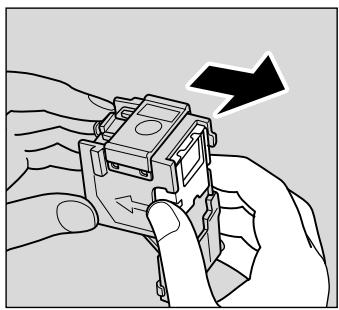
natural_image
Illustration of hands holding a small electronic component with an arrow indicating direction (no text or symbols present)- Firmly insert the new staple case into the staple cartridge by aligning the arrow sides of both case and cartridge.
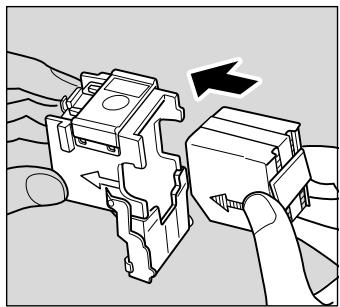
natural_image
Diagram of a mechanical component being adjusted with forceps, showing internal structure and movement (no text or symbols)- Remove the holder tape holding staples in place.
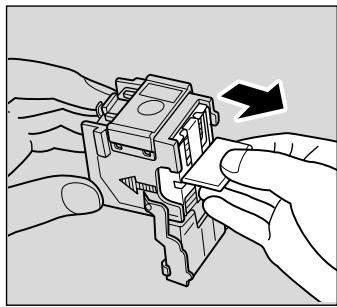
natural_image
Illustration of hands assembling a small electronic component with a paper clip (no text or symbols)- Insert the staple cartridge and push in it securely.
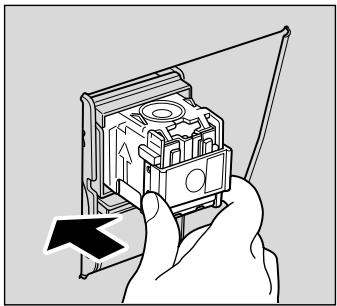
natural_image
Hand holding a mechanical component with a tool, no visible text or symbols- Slide the Finisher to the right and connect securely the Finisher with the main body.
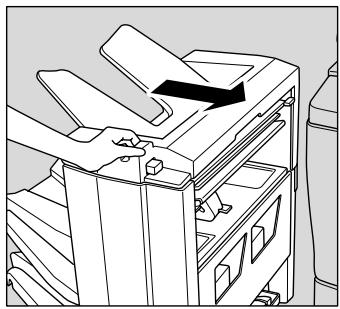
natural_image
Line drawing of a hand operating a stack of paper or files in a storage machine (no text or symbols visible)3. Output Mode for Machine without Finisher
This section describes five output modes for a copier without the Finisher. For the copier with Finisher installed, refer to p. 10-2 \~ p. 10-13.
① Sort with Normal exit (default)
② Group with Normal exit
③ Sort with E-sort exit
④ Group with E-sort exit
⑤ Face up exit
Normal Exit
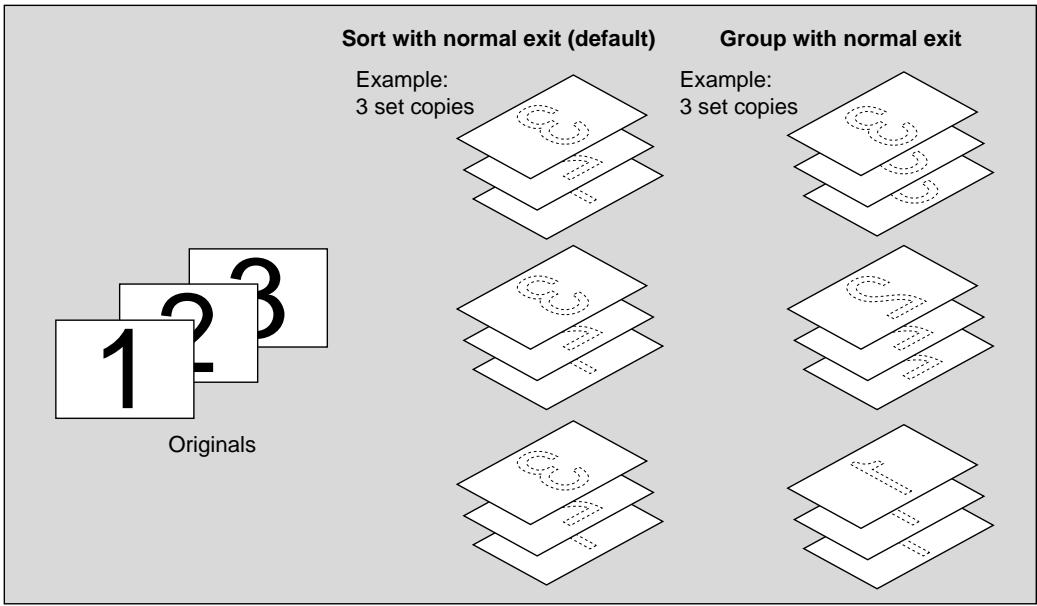
E-Sort Exit
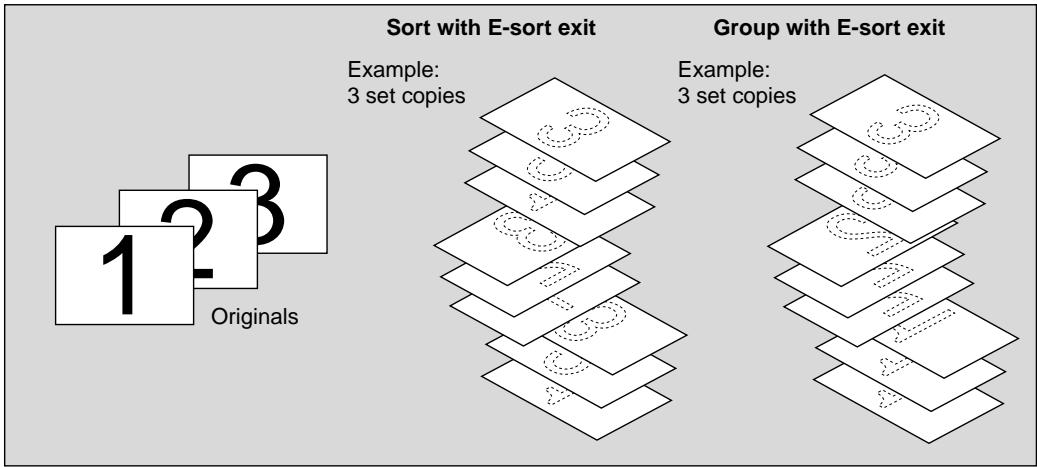
Face Up Exit
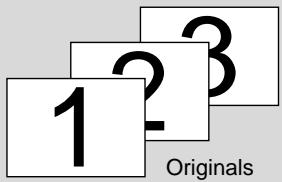
Sort with E-sort exit
Example: 3 sets copies
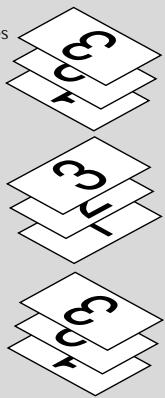
Group with E-sort exit
Example: 3 sets copies
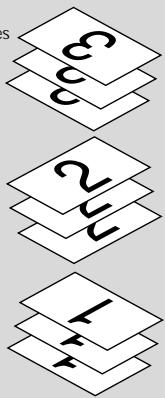
Sort with normal exit
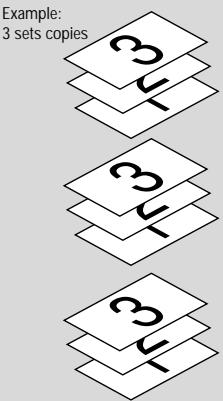
Group with normal exit
Example: 3 sets copies
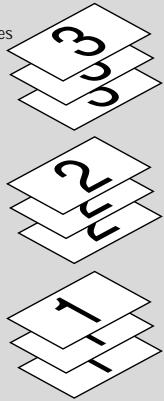
Normal Exit
When not requiring E-sort exit, select either Sort or Group mode with normal exit.
Sort mode
: The originals will be copied and output in the same order of pagination until the number of finished set reaches the set count (print quantity).
Group mode
: The first page of the originals will be copied and output until it reaches the set print quantity, then repeat it for each original in the same order of pagination.
Operation panel
Output Mode screen
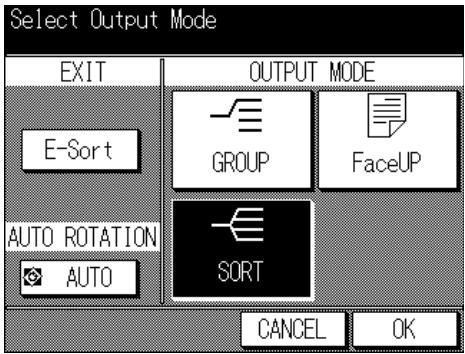
Procedure
- Press the OUTPUT button to display the Output Mode screen.
- Touch "SORT" or "GROUP", then "OK" to complete the setting and return to the Basic screen.
Advice
The copier automatically stops to output when the number of copies delivered onto the exit tray reaches 100 during one output job. If you desire to release this function, contact your Service Centre.

CAUTION: Maximum Loading Capacity of the Exit Tray
The exit tray capacity is 100 sheets. If a copy run of more than 100 is required, be sure to remove the copies from the exit tray before the maximum capacity is reached. Failure to do so will cause the copier to jam.
E-Sort Exit
This mode rotates every second finished set by 90^ upon exit to the tray, only when A4/B5 copy paper is loaded vertically (A4/B5) and horizontally (A4R/B5R) into separate trays.
Sort with E-Sort Exit
: The originals will be copied and output in the same order of pagination until the number of finished set reaches the set count (print quantity), with every second finished set being rotated by 90°.
Group with E-Sort Exit
: The first page of the originals will be copied and output until it reaches the set print quantity, then repeat it for each original in the same order of pagination, with every second finished set being rotated by 90°.
E-Sort Exit Specifications
Not available for the copier with Finisher
Use RADF, or operate Store mode.
Available only Group with E-sort exit when not using Platen store mode but setting originals onto the platen glass.
Paper size : A4 and A4R/B5 and B5R paper should be loaded in any tray including Multi-sheet bypass tray.
Incompatible
APS
Image quality (Very high)
Sheet/Cover insertion
Booklet
OHP interleave
Mixed original
Repeat
Auto layout
Thin/Thick paper
Non-Image area erase
Operation panel
Output Mode screen
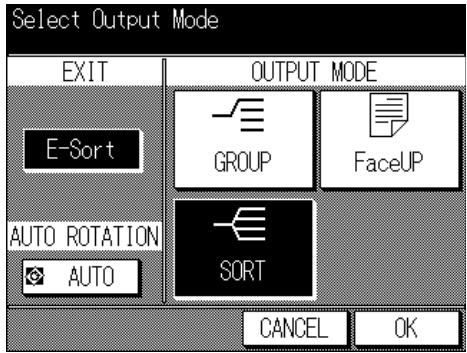
Procedure
- Load A4 and A4R/B5 and B5R copy paper in any tray or Multi-sheet bypass tray.
- Press the OUTPUT button to display the Output Mode Screen.
- Touch "E-Sort".
- Touch "SORT" or "Group".
- Touch "OK" to complete the setting and return to the Basic Screen.
- Select additional copying features, as desired.
- Position originals FACE UP in the RADF. Up to 50 originals can be set.
When using RADF store mode, position originals FACE UP in the RADF and touch "SCAN" on the Basic Screen to scan. Max. 1,500 images can be stored in memory. When using Platen store mode, position originals FACE DOWN on the platen glass and touch "SCAN" on the Basic Screen to scan. Max. 1,500 images can be stored in memory.
Advice
Press CHECK button to view the selection, and make the Proof copy, if desired; then "EXIT" to return to the Basic Screen. See p. 7-22 to p. 7-27.
- Slide the exit tray longer.
- Press the START PRINT button.
Advice
The copier automatically stops to output when the number of copies delivered onto the exit tray reaches 100 during one output job. If you desire to release this function, contact your Service Centre.

CAUTION: Maximum Loading Capacity of the Exit Tray
The exit tray capacity is 100 sheets. If a copy run of more than 100 is required, be sure to remove the copies from the exit tray before the maximum capacity is reached. Failure to do so will cause the copier to jam.
Face Up Exit
The 7040 copier basically outputs copies facing down onto the exit tray in simplex copying, and with the odd number pages facing down in duplex copying.
The Face up exit operates to reverse the above output manner, that is, output copies facing up in simplex copying and with the odd number pages facing up in duplex copying. This output mode may reduce the troubles during the output, however, the copied set will be in reverse order of the originals.
Using Multi-sheet bypass tray automatically sets the copier to be in Face up exit. If you desire to release this setting, contact your service representative.
Advice
When using platen glass in simplex copying, place the originals in reverse order to get effective results.
Face Up Exit Specifications
Face up exit can be selected together with Sort, Group, or E-sort exit.
Paper size : A3, B4, F4/8.5"x13", A4R, A4, B5R, B5, A5R*,8.5"x11"R, 8.5"x11"
Advice
* : A5 size paper is available in horizontal feed (☐) only.
Incompatible None
Operation panel
Output Mode screen
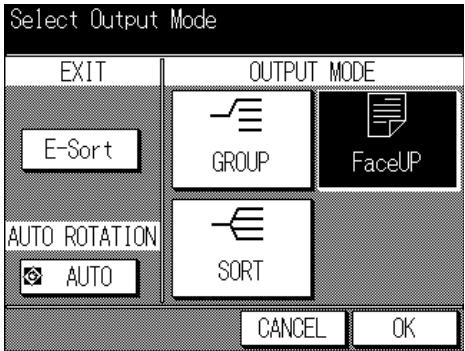
Procedure
- Press the OUTPUT button to display the Output Mode screen.
- Touch "FACE UP", then "OK" to complete setting and return to the Basic Screen.
Advice
The copier automatically stops to output when the number of copies delivered onto the exit tray reaches 100 during one output job. If you desire to release this function, contact your Service Centre.

CAUTION: Maximum Loading Capacity of the Exit Tray
The exit tray capacity is 100 sheets. If a copy run of more than 100 is required, be sure to remove the copies from the exit tray before the maximum capacity is reached. Failure to do so will cause the copier to jam.
Section 11 : Key Operator Mode
1. Key Operator Function
How to Access the Key Operator Mode
Function Menu Map
2. System Initial [1]
Time [1]
Language [2]
3. Copier Initial [2]
Copy Mode [1]
Density [2]
Magnification [3]
Tray [4]
Output [5]
Image Quality [6]
4. Preset Key [3]
Density [1]
Magnification [2]
5. EKC (Electronic Key Counter) [4]
How to Access the EKC Setting Mode
Change EKC Data [1]
EKC Data List [2]
All Counter Reset [3]
EKC On/Off Setting [4]
Copy Limit Reached Effect [5]
System/copier setting menu
- System Initial
6.Paper type
2.Copier Initial
7.Panel contrast
3.Preset key
8.Key op.Data
4.E.K.C.
9.Weekly timer
-
Lock Job memory
-
Touch panel adj

System/copier setting menu
11.Paper size
-
Power Save
-
Memory SW
-
List Print
15.KRDS host

6. Lock Job Memory [5]
7. Paper Type [6]
8. Panel Contrast [7]
9. Key Operator Data [8]
10. Weekly Timer [9]
How to Access the Weekly Timer Setting Mode
Weekly Timer Setting [1]
Weekly Timer Copier ON/OFF Time Set [2]
Machine Working Day Individual Set [3]
Lunch Hour Off Function [4]
Password Setting [5]
11. Touch Panel Adjustment [10]
-
Paper Size [11]
-
Power Save [12]
14. Memory Switch [13]
-
List Print [14]
-
KRDS Host [15]
1. Key Operator Function
The key operator is trained to handle all special key operator functions that are not accessible to the general user, such as monitoring overall copier activity, machine performance, and service information; modifying machine settings; and controlling user activity, for billing purposes.
A unique 4-digit key operator password is normally set by service at installation. If the unique code is not set by service, the copier will not display Key Operator Password Entry screen when the Key Operator mode is being accessed, and a key operator password will not be required. A service-set 8-digit EKC master key code must be entered by the key operator to access the Electronic Key Counter functions, and a service-set 4-digit Weekly timer master key code must be entered by the key operator to access the Weekly timer functions.
To ensure the security of Key Operator mode, it is recommended that you establish a unique key operator password, along with the key operator EKC master key code and Weekly timer master key code, and keep them in a confidential file.
Advice
When remote diagnostics is not activated, "15. KRDS host" key will be dimmed on the Key Operator Mode screen and cannot be selected.
How to Access the Key Operator Mode
Key Operator Password Entry screen
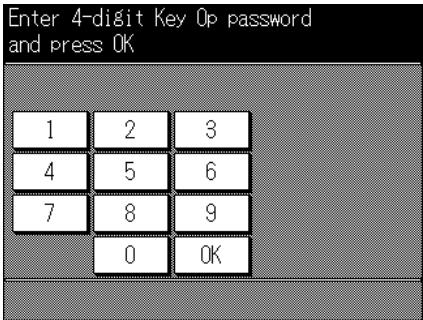
Key Operator Mode screen 1

Key Operator Mode screen 2
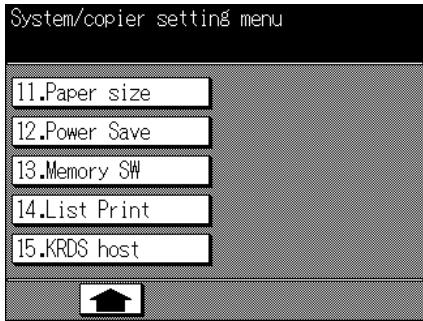
Procedure
- First, be sure the copier power switch is OFF.
- Then, turn power back ON while pressing the HELP button.
The Key Operator Password Entry screen displays when the 4-digit key operator password is set by service.
Otherwise, the Key Operator Mode screen displays without the password requirement.
- If the Key Operator Password Entry screen is displayed, use the keypad on the touch screen to enter your 4-digit key operator password; then touch "OK", to display the Key Operator Mode screen.
Advice
If an invalid Key operator password is entered, continue by entering the valid 4-digit password.
If the key operator password is not valid, check with your Service Centre.
-
To display menus 11. to 15. of the Key Operator Mode screen, touch the ↓ Lower arrow key. To return the menu 1. to 10. of the Key Operator Mode screen, touch the ↑ Upper arrow key.
-
Make setting changes from the Key Operator Mode screen, as described on the following pages.
Key Operator
Mode
| Function Menu Map | |
| FUNCTION MENU | SUB FUNCTION MENU AND SETTING OPTIONS |
| 1. System Initial | 1. Time: [Current time; Set time]2. Language: [English] |
| 2. Copier Initial | 1. Copy mode: [RADF; 1-1; 1-2; 2-1; 2-2]2. Density: [AE; manual]3. Magnification: [AMS; 1.00; ratio 0.25~4.00]4. Tray: [APS; Tray 1, 2, 3, 4, or Multi-sheet bypass tray]5. Output: [Tray 1, Tray 2, Tray 3, Sort, Group, Staple, Face up tray 1, Staple location] (machine with Finisher) [Alternate, Sort, Group, Face up] (machine without Finisher)6. Resolution: [Normal, High, Very High] |
| 3. Preset key | 1. Density: [Userset 1, Userset 2 (darker 16 levels, lighter 16 levels)]2. Magnification: [Userset 1; Userset 2; Userset 3 (ratio 0.25~4.00)] |
| 4. EKC | 1. Change EKC data [ID no.; Password; Name; Limit]2. EKC data list [Data list; Limit]3. All count reset [Yes; No]4. EKC on/off setting [on; off]5. Copy limit reached effect [Immediately; After job; Warning] |
| 5. Job memory | [Job lock; Delete] |
| 6. Paper type | [Color; Recycle; Letterhead; OHP; Label; Invoice; Legal; Blank] |
| 7. Panel contrast | [Contrast Dark/Normal/Light; Backlight Dark/Normal/Light] |
| 8. Key op. data | [Name; For assistance] |
| 9. Weekly timer | 1. Weekly timer setting2. Weekly timer copier on/off time set3. Machine working day individual set4. Lunch hour off function5. Password setting |
| 10. Touch panel adj | |
| 11. Paper size | [Auto detect; Inch; AB] |
| 12. Power save | Auto low power timer: [5, 10, 15, 30, 60, 90, 120, 240]Auto shut off timer: [30, 60, 90, 120, 240]Auto shut off: [on; off] |
13. Memory SW
Auto reset timer
AUTO/RESET effect
Load RADF effect
Non image area erase
RADF frame erasure
Auto tray switch
Platen APS
RADF APS
ATS/APS (bypass)
ATS/APS (tray 1)
ATS/APS (tray 2)
ATS/APS (tray 3)
ATS/APS (tray 4)
Platen AMS
RADF AMS
Staple mode reset
Key click sound
Job memory recall
Sheet insertion
A5 original type
Rotation
1 shot indication
Booklet
Fold original
14. List print
[Job memory list; User setting list; Font pattern]
15. KRDS host
-
Jam
-
SC
-
No toner
-
No paper
-
Copy quality
-
Other reason
2. System Initial [1]
Set the following initial conditions of the copier.
• Time: Current date and time, summer time
• Language: Language used in LCD ( English)
Time [1]
Set the current date and time, and also the summer time.
☐ Default setting: Summer time off
Procedure
Key Operator Mode screen
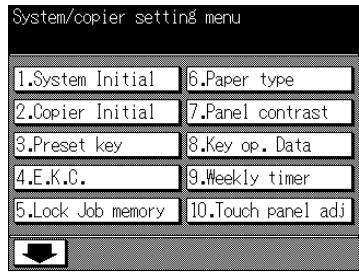
System Initial Setting Menu screen
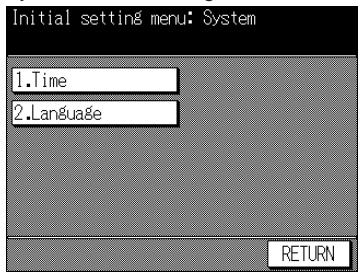
Time Setting screen
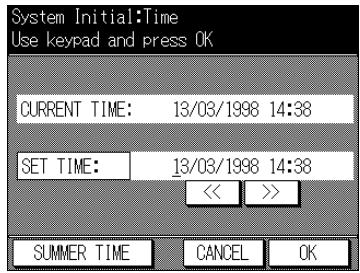
- While pressing HELP button, turn power ON. Enter a 4-digit key operator password, then touch "OK" to display the Key Operator Mode screen.
Advice
If an invalid Key operator password is entered, continue by entering the valid 4-digit password.
- Touch "1. System Initial" to display the System Initial Setting Menu screen, then touch "1. Time" to display the Time Setting screen.
- Adjust the time.
The time that the copier currently has is displayed in the upper line, in the order of date, month, year, and time (in 24-hour expression).
(1) Touch the left arrow (<<) and right arrow (>>) keys displayed under the “SET TIME” to move the cursor to the number to be changed.
(2) Press the keypads on the operation panel to enter the number.
- To activate the summer time function, touch "SUMMER TIME" to highlight it.
Advice
This operation advances the current time of the copier by an hour. If any other time is required to be set, contact your Service Centre.
- Touch "OK" to complete the setting and return to the System Initial Setting Menu screen.
- If no further changes are required, proceed to step 9.
- If other system initial setting changes are required, touch desired key from [1] to [2].
- If no other system initial settings are required, touch "RETURN" to restore the Key Operator Mode screen.
- Turn power OFF.
- Turn the machine power switch back ON to perform copying operations.
Language [2]
Select the language used in the LCD (English).
☐ Default setting: English
Key Operator Mode screen
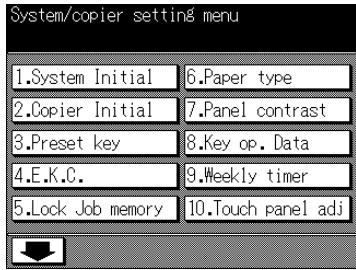
System Initial Setting Menu screen
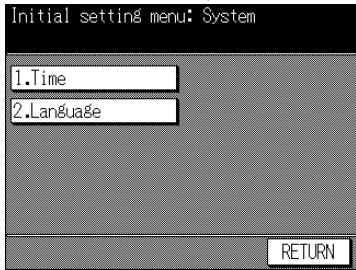
Language Selection screen
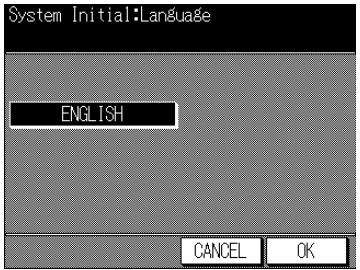
Porcedure
- While pressing HELP button, turn power ON. Enter a 4-digit key operator password, then touch "OK" to display the Key Operator Mode screen.
Advice
If an invalid Key operator password is entered, continue by entering the valid 4-digit password.
- Touch "1. System Initial" to display the System Initial Setting Menu screen, then touch "2. Language" to display the Language Selection screen.
- Touch "ENGLISH".
- Touch "OK" to complete the setting and return the System Initial Setting Menu screen.
- If no further changes are required, proceed to step 8.
- If other system initial setting changes are required, touch desired key from [1] to [2].
- If no other system initial settings are required, touch "RETURN" to restore the Key Operator Mode screen.
- Turn power OFF.
- Turn the machine power switch back ON to perform copying operations.
3. Copier Initial [2]
Initial settings are the settings that display automatically when the copier is powered on, when Auto/Reset timer is operated, or when AUTO RESET button is pressed. These settings can be changed by the key operator, as shown in this section.
Initially, i.e., at installation, the Basic Screen displays the following condition:
Initial Setting
When Initial settings are changed by the key operator, the new initial settings display when the copier is powered on, when Auto/Reset timer is reached, or when AUTO RESET button is pressed.
The following initial settings can be changed by the key operator:
| Copy mode | : [RADF; 1-1; 1-2; 2-2; 2-1] |
| Copy density | : [AE; manual] |
| Lens mode | : [AMS; 1.00; ratio 0.25~4.00] |
| Paper tray | : [APS; trays 1, 2, 3, 4, or Multi-sheet bypass tray] |
| Output | : [Tray 1, 2, 3, Sort, Group, Staple, Face up tray 1, Staple location] (machine with Finisher) [E-sort, Sort, Group, Face up] (machine without Finisher) |
| AUTO RESET key: [auto for full-auto; Initial setting] | |
Setting procedures are described on the following pages.
The Full-Automatic Mode screen described on pages 4-4 & 6-5 can be made to display initially through the Key Operator mode, i.e., instead of Basic Screen. All Full-Automatic Mode settings shown in the example below can be changed by the key operator in the Initial Settings menu. Print Quantity cannot be changed.
| Copy Mode : 1-1Copy Density : AELens Mode : 1:1Paper Tray : APS |
Advice
The most commonly-used settings are established at installation. Before changing any of the copier settings, be sure that you understand the overall and long term effect of the change.
Copy Mode [1]
Set Copy mode to occur after power on or after Auto/Reset occurs.
☐ Setting options: RADF; 1-1; 1-2; 2-2; 2-1
☐ Default setting: RADF on, 1-1
Key Operator Mode screen
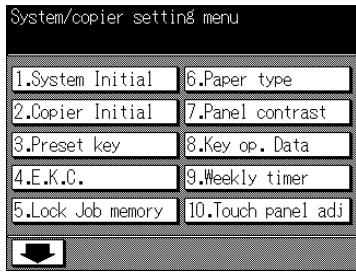
Copier Initial Setting Menu screen
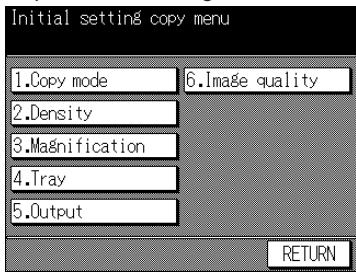
Copy Mode Initial Setting screen
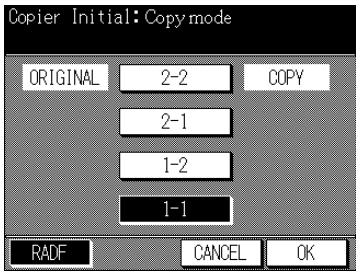
Procedure
- While pressing HELP button, turn power ON. Enter a 4-digit key operator password, then touch "OK" to display the Key Operator Mode screen.
Advice
If an invalid Key operator password is entered, continue by entering the valid 4-digit password.
- Touch "2. Copier Initial" to display the Copier Initial Setting Menu screen, then touch "1. Copy mode" to display the Copy Mode Initial Setting screen.
- Touch the setting you want for the initial condition of the copier. If 2-2 or 2-1 mode is selected, RADF will also be selected, automatically. In this case, the RADF must be in a closed position when power is turned ON, or when Auto/Reset is functioning. Otherwise, the message “Please close RADF” will be displayed.
- Touch "OK" to complete setting and return the Copier Initial Setting Menu screen.
- If no further changes are required, proceed to step 8.
- If other copier initial setting changes are required, touch desired key from [1]\~[6].
- If no other copier initial settings are required, touch "RETURN" to restore the Key Operator Mode screen.
- Turn power OFF.
- Turn the copier power switch back ON to perform copying operations.
Density [2]
Set Copy density to be effective after power on or after Auto/Reset occurs.
Setting options: AE; manual
☐ Default setting: AE on
Key Operator Mode screen
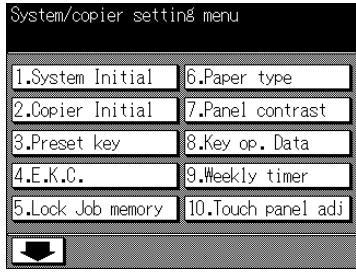
Copier Initial Setting Menu screen
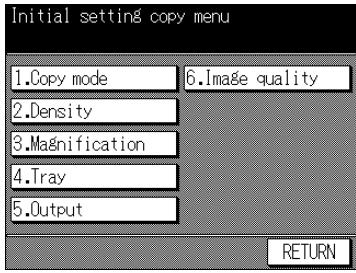
Copy Density Initial Setting screen
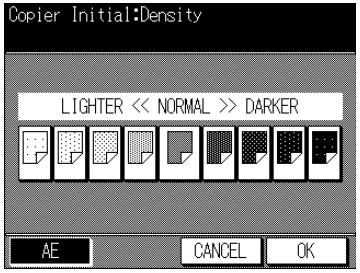
Procedure
- While pressing HELP button, turn power ON. Enter a 4-digit key operator password, then touch "OK" to display the Key Operator Mode screen.
Advice
If an invalid Key operator password is entered, continue by entering the valid 4-digit password.
- Touch "2. Copier Initial" to display the Copier Initial Setting Menu screen.
- Touch "2. Density" to display the Copy Density Initial Setting screen.
- Touch "AE" to select AE mode, or touch the density level required.
Nine exposure levels are displayed.
- Touch "OK" to complete setting and return the Copier Initial Setting Menu screen.
- If no further changes are required, proceed to step 9.
- If other copier initial setting changes are required, touch desired key from [1]\~[6].
- If no other copier initial settings are required, touch "RETURN" to restore the Key Operator Mode screen.
- Turn power OFF.
- Turn the copier power switch back ON to perform copying operations.
Magnification [3]
Set the magnification ratio you initially want to display after the user turns the power on or after Auto/Reset restores the Initial settings.
Advice
This setting should not conflict with the Initial setting for Paper Tray. For example, if APS is selected for the initial paper tray setting, a ratio setting other than AMS will be ignored.
☐ Setting options: AMS; 1.00; ratio 0.25\~4.00
Key Operator Mode screen
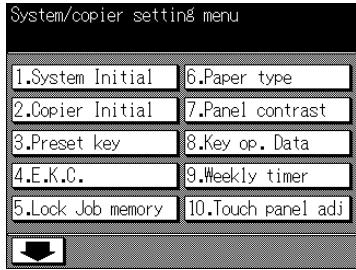
Copier Initial Setting Menu screen
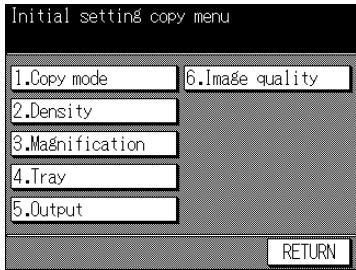
Magnification Initial Setting screen
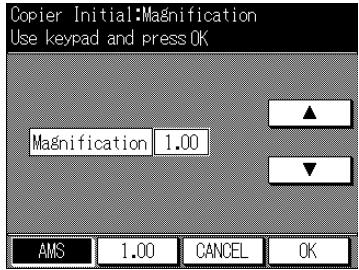
Procedure
- While pressing HELP button, turn power ON. Enter a 4-digit key operator password, then touch "OK" to display the Key Operator Mode screen.
Advice
If an invalid Key operator password is entered, continue by entering the valid 4-digit password.
- Touch "2. Copier Initial" to display the Copier Initial Setting Menu screen.
- Touch "3. Magnification" to display the Magnification Initial Setting screen. The default setting is 1.00.
- Select the desired setting from the Magnification Initial Setting screen: To select 1.00 if it is not already displayed, touch "1.00".
To select another ratio, touch upper/lower arrow key to display the desired ratio, or enter a 3-digit ratio using the keypad on the operation panel.
To select AMS, touch "AMS".
- Touch "OK" to complete the setting and return to the Copier Initial Setting Menu screen.
- If no further changes are required, proceed to step 9.
- If other copier initial setting changes are required, touch desired key from [1]\~[6].
- If no other copier initial settings are required, touch "RETURN" to restore the Key Operator Mode screen.
- Turn power OFF.
- Turn the copier power switch back ON to perform copying operations.
Tray [4]
Set paper tray priority to be in effect after power is turned on or after Auto/Reset occurs. This function sets tray priority, not paper size priority. Therefore, if paper size is changed in the tray, the tray will still remain the priority tray.
The initial paper tray setting should not conflict with the initial setting for Lens Mode. For example, if the initial paper tray setting is APS, the initial setting for paper tray priority will be ignored.
☐ Setting options: APS; trays 1, 2, 3, 4, or Multi-sheet bypass tray
☐ Default setting: APS on, no specified tray
Key Operator Mode screen
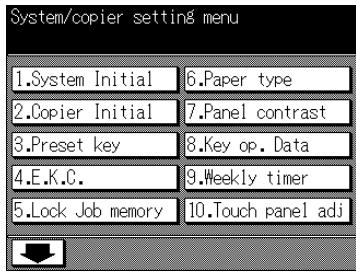
Copier Initial Setting Menu screen
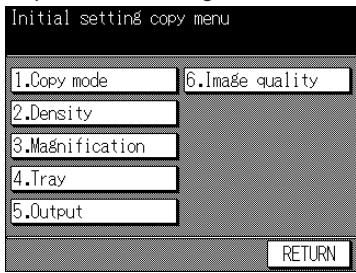
Tray Initial Setting screen
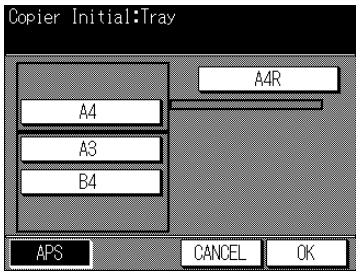
Procedure
- While pressing HELP button, turn power ON. Enter a 4-digit key operator password, then touch "OK" to display the Key Operator Mode screen.
Advice
If an invalid Key operator password is entered, continue by entering the valid 4-digit password.
- Touch "2. Copier Initial" to display the Copier Initial Setting Menu screen.
- Touch "4. Tray" to display the Tray Initial Setting screen.
- Touch "APS", or touch any tray key to select a specific tray.
- Touch "OK" to complete the setting and return to the Copier Initial Setting Menu screen.
- If no further changes are required, proceed to step 9.
- If other copier initial setting changes are required, touch desired key from [1]\~[6].
- If no other copier initial settings are required, touch "RETURN" to restore the Key Operator Mode screen.
- Turn power OFF.
- Turn the copier power switch back ON to perform copying operations.
Output [5]
Set initial Output mode of the Finisher or exit tray to be effective after power is turned on or after Auto/Reset occurs.
Machine with Finisher
Setting options: EXIT Tray 1/Tray 2/Tray 3; OUTPUT MODE Non-sort/Sort/Group/Staple/Face up tray 1; (AUTO ROTATION on/off)
☐ Default setting: EXIT Tray 2; OUTPUT MÔDE Sort; (AUTO ROTATION on)
Machine without Finisher
Setting options: E-sort on/off; OUTPUT MODE Sort/Group/Face up; (AUTO ROTATION on/off)
☐ Default setting: E-sort off; OUTPUT MODE Sort
Key Operator Mode screen
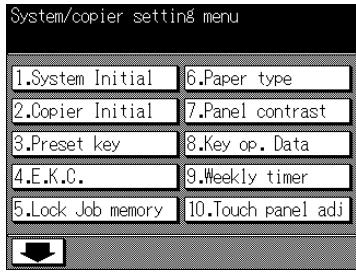
Copier Initial Setting Menu screen
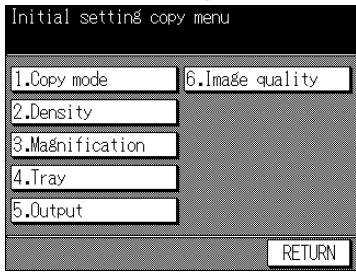
Output Mode Initial Setting screen (machine with Finisher)
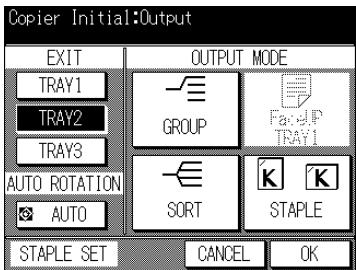
Staple Location Initial Setting screen
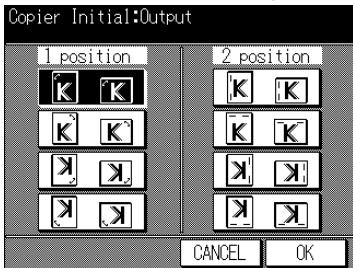
Output Mode Initial Setting screen (machine without Finisher)
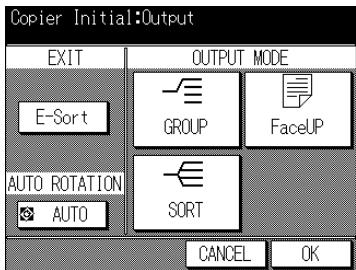
Output Mode Initial Setting screen canceled Auto rotation function by the Key operator mode (machine with Finisher)
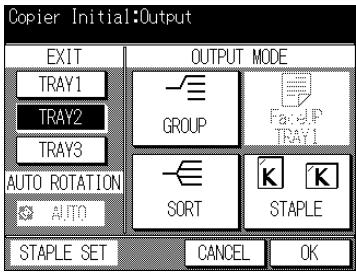
Staple Location Initial Setting screen
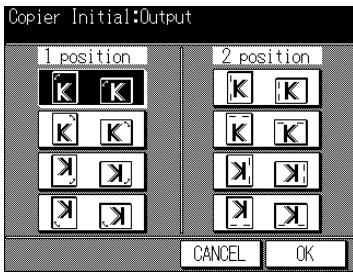
Copier Initial Setting Menu screen canceled Auto rotation function by the Key operator mode (machine without Finisher)
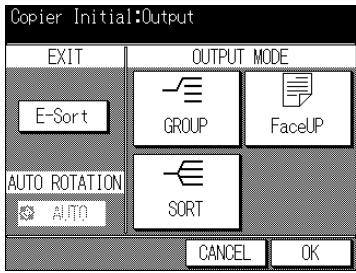
Procedure
- While pressing HELP button, turn power ON. Enter a 4-digit key operator password, then touch "OK" to display the Key Operator Mode screen.
Advice
If an invalid Key operator password is entered, continue by entering the valid 4-digit password.
-
Touch "2. Copier Initial" to display the Copier Initial Setting Menu screen.
-
Touch "5. Output" to display the Output Mode Initial Setting screen.
-
For the machine with Finisher, perform the following operation and proceed to step 6.
To select the exit tray, touch "TRAY 1", "TRAY 2", or "TRAY 3".
Advice
If “TRAY1” is selected, “SORT”, “GROUP” and “STAPLE” are automatically dimmed. If “TRAY2” or “TRAY3” is selected, “Face UP TRAY 1” is automatically dimmed.
To select the Output mode, touch "SORT", "GROUP", "STAPLE", or "Face UP TRAY1".
Advice
-
If "STAPLE" is selected, "SORT" is automatically highlighted.
-
If selecting Non-sort mode, do not highlight any of the "SORT", "GROUP", "STAPLE", and "Face UP TRAY 1".
To select the desired staple location, touch "STAPLE SET". Touch the desired location on the Staple Location Initial Setting screen, and touch "OK".
When the Output Mode Initial Setting screen is displayed, you can select ON/OFF of the Auto rotation initial setting. To release the Auto rotation mode, touch "AUTO" not to highlight it.
- For the machine without Finisher, perform the following operation and proceed to step 6.
To use the E-sort exit, touch "E-Sort".
To select the Output mode, touch "SORT", "GROUP", or "Face UP".
When the Output Mode Initial Setting screen is displayed, you can select ON/OFF of the Auto rotation initial setting. To release the Auto rotation mode, touch "AUTO" not to highlight it.
-
Touch "OK" on the Output Mode Initial Setting screen to complete setting and return the Copier Initial Setting Menu screen.
-
If no further changes are required, proceed to step 10.
-
If other initial setting changes are required, touch desired key from [1]\~[6].
-
If no other initial settings are required, touch "RETURN" to restore the Key Operator Mode screen.
-
Turn power OFF.
-
Turn the copier power switch back ON to perform copying operations.
Image Quality [6]
Set one of the three Image quality modes after power is turned on or after Auto/Reset occurs.
☐ Setting options: Normal mode, High mode, Very high mode
☐ Default setting: Normal mode
Key Operator Mode screen
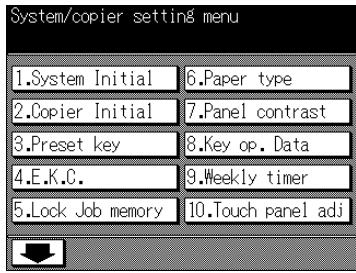
Copier Initial Setting Menu screen
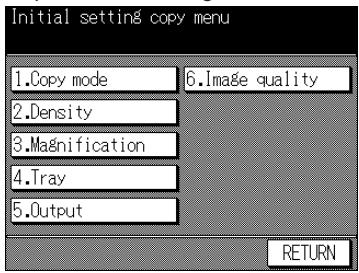
Image Quality Initial Setting screen
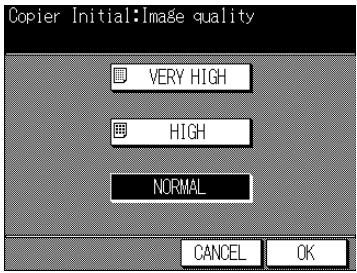
Procedure
- While pressing HELP button, turn power ON. Enter a 4-digit key operator password, then touch "OK" to display the Key Operator Mode screen.
Advice
If an invalid Key operator password is entered, continue by entering the valid 4-digit password.
- Touch "2. Copier Initial" to display the Copier Initial Setting Menu screen.
- Touch "6. Image quality" to display the Image Quality Initial Setting screen.
- Touch "NORMAL", "HIGH", or "VERY HIGH".
- Touch "OK" to complete the setting and return to the Copier Initial Setting Menu screen.
- If no further changes are required, proceed to step 9.
- If other initial setting changes are required, touch desired key from [1]\~[6].
- If no other initial settings are required, touch "RETURN" to restore the Key Operator Mode screen.
- Turn power OFF.
- Turn the copier power switch back ON to perform copying operations.
4. Preset Key [3]
Set two USERSETs of copy density and three Presets of magnification.
Density [1]
Output copying samples from 16 density levels from LIGHTER to NORMAL or NORMAL to DARKER, then select the desired exposure and program it as USERSET 1 or 2. The programmed copy density can be recalled by touching USERSET1 or USERSET2 on the Density Selection screen.
Key Operator Mode screen
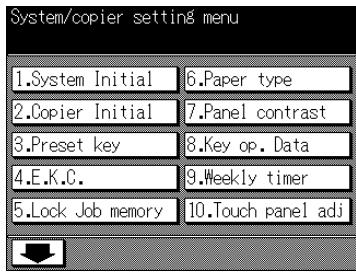
Preset Key Setting Menu screen
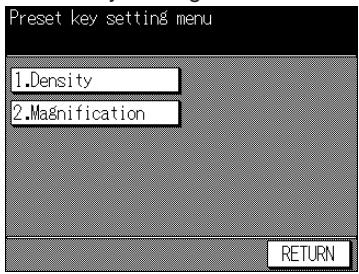
Userset Density Selection screen
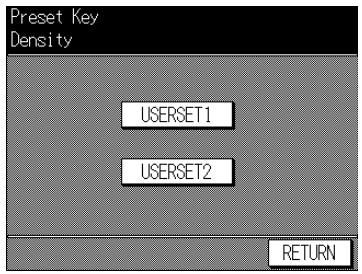
Userset Density Darker Setting screen
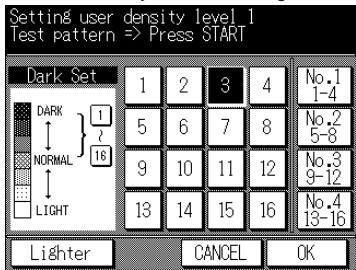
Userset Density Lighter Setting screen
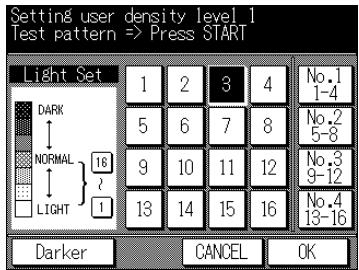
Procedure
- While pressing HELP button, turn power ON. Enter a 4-digit key operator password, then touch "OK" to display the Key Operator Mode screen.
Advice
If an invalid Key operator password is entered, continue by entering the valid 4-digit password.
- Touch "3. Preset key" to display the Preset Key Setting Menu screen.
- Touch "1. Density" to display the Userset Density Selection screen.
- Place the original on the platen glass.
- Touch "USERSET1" or "USERSET2". The Userset Density Darker Setting screen will be displayed.
- To program USERSET (1 or 2) to a darker level, perform the following operation, then proceed to step 8.
(1) Touch "No.1 1\~4", "No.2 5\~8", "No.3 9\~12", or "No.4 13\~16", then press START PRINT button. The darker level sample sheet will be output.
(2) Select the desired darker density from the sample sheet(s), then touch a density key No. ("1" to "16").
- To program USERSET (1 or 2) to a lighter level, perform the following operation, then proceed to step 8.
(1) Touch Lighter to display the Userset Density Lighter Setting screen.
(2) Touch "No.1 1\~4", "No.2 5\~8", "No.3 9\~12", or "No.4 13\~16", then press START PRINT button. The lighter level sample sheet will be output.
(3) Select the desired lighter density from the sample sheet(s), then touch a density key No. ("1" to "16").
-
Touch "OK" to complete settings and return to the Userset Density Selection screen.
-
If setting another "USERSET", repeat steps 5 to 8.
-
Touch "RETURN" on the Userset Density Selection screen to return to the Preset Key Setting Menu screen.
-
If no further changes are required, proceed to step 14.
-
If other preset key setting changes are required, touch desired key, from [1]\~[2].
-
If no other preset key settings are required, touch "RETURN" to restore the Key Operator Mode screen.
-
Turn power OFF.
-
Turn the copier power switch back ON to perform copying operations.
Magnification [2]
PRESET and USERSET ratios are used to reduce and enlarge the original image to accommodate copy paper size, and are available when Lens Mode is selected from the Basic Screen. These ratios may be changed by the key operator as shown below.
☐ Setting options: User Set or Preset ratio
☐ Default setting: USERSET1: 4.00
USERSET2: 2.00
USERSET3: 0.50
Key Operator Mode screen
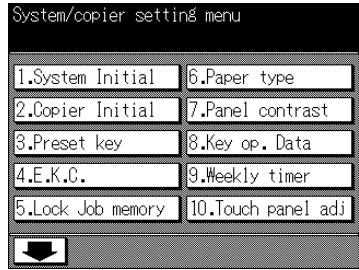
Preset Key Setting Menu screen
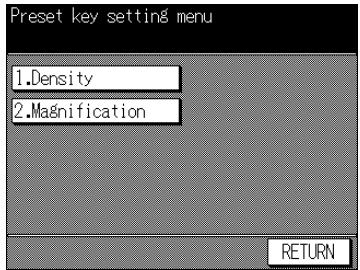
Userset Magnification Setting screen
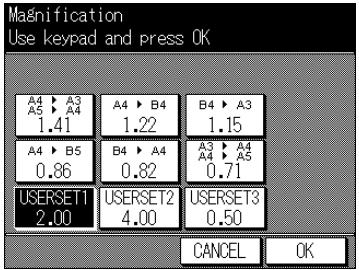
Procedure
- While pressing HELP button, turn power ON. Enter a 4-digit key operator password, then touch "OK" to display the Key Operator Mode screen.
Advice
If an invalid Key operator password is entered, continue by entering the valid 4-digit password.
- Touch "3. Preset Key" to display the Preset Key Setting Menu screen.
- Touch "2. Magnification" to display the Userset Magnification Setting screen.
- Touch "USERSET" you want to change, then enter a ratio from 0.25\~4.00, using the keypad.
If a ratio under 0.25 is entered, 0.25 will be displayed.
If a ratio over 4.00 is entered, 4.00 will be displayed.
- Touch "OK" to complete the setting and return to the Preset Key Setting Menu screen.
- If no further changes are required, proceed to step 9.
- If other preset key setting changes are required, touch desired key, from [1]\~[2].
- If no other preset key settings are required, touch "RETURN" to restore the Key Operator Mode screen.
- Turn power OFF.
- Turn the copier power switch back ON to perform copying operations.
5. EKC (Electronic Key Counter) [4]
This function can only be accessed by the key operator after an 8-digit EKC master key code is entered. The Electronic Key Counter allows you to monitor all copying activity by controlling EKC password accounts.
This feature can track copier usage for individual users and/or accounts as well as limit access to the copier to authorized users. Copy quantity limits for specific accounts can also be set. Use the EKC Key Operator Form provided at the end of this section to record EKC password information.
The EKC stores up to 256 EKC passwords, each of which represents a separate account that can be used for billing and recordkeeping. The number of users assigned to each EKC password may depend upon the billing system in operation and the number of individuals and departments using the copier. When the EKC is activated, copying can be performed only after a valid 5-digit EKC password is entered.
Copy quantity for each password, copy limit for each password, and copy quantity for each paper size can be visually confirmed in print.
If EKC needs to be activated on your machine, contact your Service Centre.
The following EKC settings can be made:
1. Change E.K.C. Data:
Create up to 256 individual EKC passwords, 00000\~99999, and limit copy count for each password to a max. 999,999 copies.
2. E.K.C. Data List:
Display the copy count for each EKC password, and change limit settings.
3. All Counter Reset:
Clear the copy count for all passwords.
4. EKC On/Off Setting:
Select the function to be on or off. The initial setting is Off.
5. Copy Limit Reached Effect:
Set the machine condition when the copy limit is reached. The machine can be set to either stop immediately after a job is completed or simply warn you that the copy limit is reached.
How to Access the EKC Setting Mode
Key Operator Mode screen
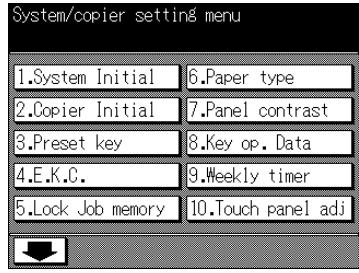
EKC Master Key Code screen
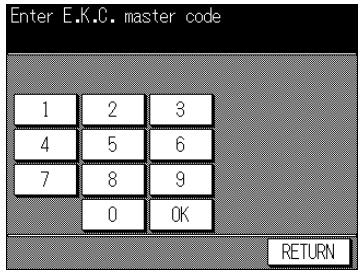
EKC Setting Menu screen
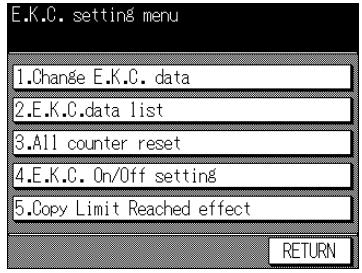
Procedure
- While pressing HELP button, turn power ON. Enter a 4-digit key operator password, then touch "OK" to display the Key Operator Mode screen. (See Advice 1.) If the key operator password is not valid, check with your Service Centre.
- Touch "4. E.K.C". The EKC Master Key Code screen displays, if a code is required.
- Use the keypad on the touch screen to enter your 8-digit EKC master key code, then touch "OK" to display the EKC Setting Menu screen. (See Advice 2.)
- Select the desired EKC function, and make settings, as required. To exit the EKC mode, touch "RETURN" on EKC Setting Menu screen.
- To exit the Key Operator mode, turn the main power switch OFF.
Advice
1 If an invalid Key operator password is entered, continue by entering the valid 4-digit password.
2 If an invalid EKC master key code is entered, continue by entering the valid 8-digit code. The EKC master key code can be set to less than 8 digits by the Memory switch setting of the Key operator function.
Change EKC Data [1]
Assign an ID No. for an individual or for a group, then create individual password(s) for each user. You can specify a name and limit count for each password.
☐ EKC ID No.: ID No. from 000\~255, designated by key operator.
☐ EKC Password: Unique 5-digit numeric code programmed by key operator for user.
☐ User Name: max. 24 characters
☐ Copy Limit: 0 to 999,999 copies
Key Operator Mode screen
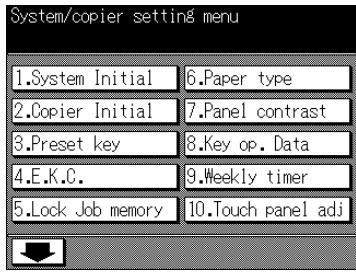
EKC Setting Menu screen
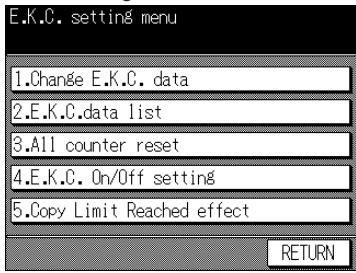
EKC Data Input screen 1
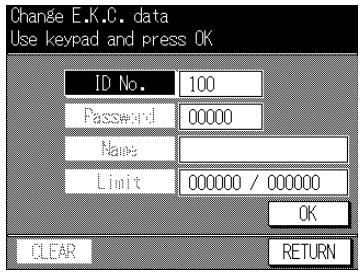
EKC Data Input screen 2
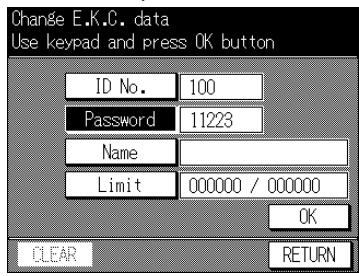
EKC Data Input screen 3
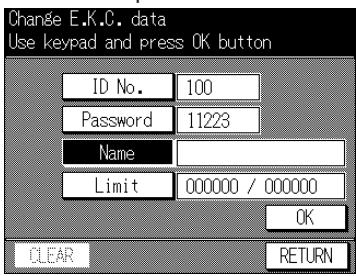
Name Input screen
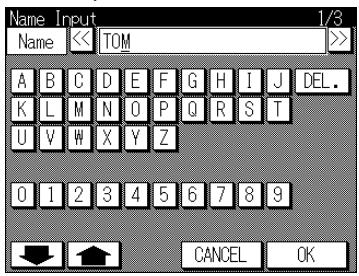
EKC Data Input screen 4
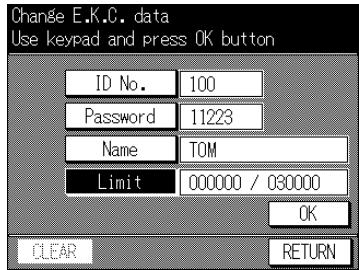
Password Duplication screen
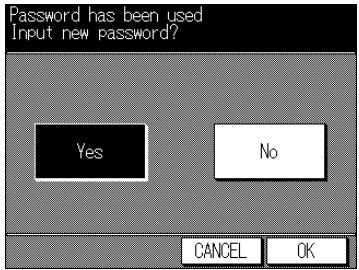
Procedure
- While pressing HELP button, turn power ON. Enter a 4-digit key operator password, then touch "OK" to display the Key Operator Mode screen.
Advice
If an invalid key operator password is entered, continue by entering the valid 4-digit password.
- Touch "4. E.K.C. Enter" an 8-digit EKC master key code, then touch "OK" to display the EKC Setting Menu screen.
Advice
If an invalid EKC master key code is entered, continue by entering the valid 8-digit code.
-
Touch "1. Change E.K.C." data to display the EKC Data Input screen.
-
"ID No." key will be highlighted, enabling you to immediately enter an ID No. Enter a 3-digit ID No. from 000\~255 using the keypad on the operation panel.
-
Touch "Password". "Password" key will be highlighted, enabling you to immediately enter an EKC password. Enter a 5-digit EKC password using the keypad on the operation panel.
Advice
- Do not enter "00000". The initial EKC password value is "00000".
-
We recommend that you make a list all EKC passwords and ID Nos.
-
Touch Name to display the Name Input screen.
If you do not specify the name, proceed to step 10. This operation can be completed normally without the name specified.
- Input desired name according to the procedure below.
(1) Max. 24 characters can be entered.
(2) Touch ↑ Upper arrow and ↓ Lower arrow keys on the Name Input screen to input uppercase and lowercase letters and symbols.
(3) Touch "DEL." key to delete the input character from the last.
(4) Touching "CANCEL" on the Name Input screen will clear all the input characters.
(5) To change the existing name, touch "DEL." key to delete it and enter the new name.
-
Touch "OK" on the Name Input screen to return to the EKC Data Input screen.
-
Touch "Limit". "Limit" key will be highlighted, enabling you to immediately enter copy limit.
-
Enter a 6-digit copy limit for the ID No. using the keypad on the operation panel. The input copy limit will be displayed on the right of the copy count.
Advice
- If an invalid copy limit is entered, continue by entering the valid 6-digit copy limit.
- Entering "00000" signifies no copy limit.
-
The “CLEAR” key, though it clears copy count, does not function on the EKC Data Input screen.
-
Touch "OK" to complete settings and return to the EKC Setting Menu screen.
When the same EKC password has been used for another ID No., the Password Duplication screen will be displayed. To re-enter new password, touch "YES" and return to the step 4. To create duplicate password, touch "NO", then touch "OK".
Advice
It is possible to assign the same EKC password to different ID Nos. Note, however, that the number of copies will be counted only for the EKC password with the smallest ID No. Copy count for the other ID Nos. will not be monitored. We recommend you do not use duplicate EKC password.
-
If no further changes are required, proceed to step 15.
-
If other EKC setting changes are required, touch desired key from [1]\~[5].
-
If no other EKC settings are required, touch "RETURN" to restore the Key Operator Mode screen.
-
Turn power OFF.
-
Turn the copier power switch back ON to perform copying operations.
EKC Data List [2]
Use this setting to display the list of copy count and copy limit for each ID No., and to edit, add, and delete these EKC data.
☐ Edit items: EKC password, Name, copy limit, copy count
☐ Delete items: ID No., EKC password, Name, copy limit, copy count
☐ Add items: ID No., EKC password, Name, copy limit
Key Operator Mode screen
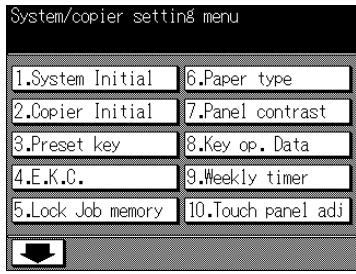
EKC Setting Menu screen
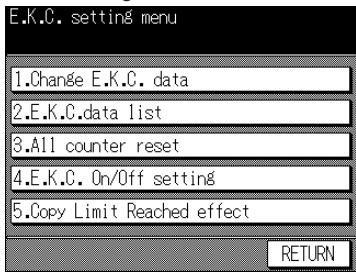
EKC Data List screen
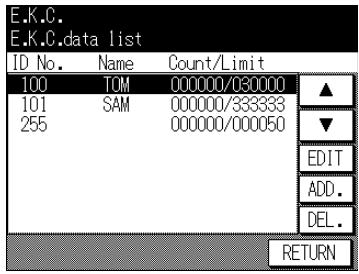
EKC Data Input screen

EKC Data Edit screen 1
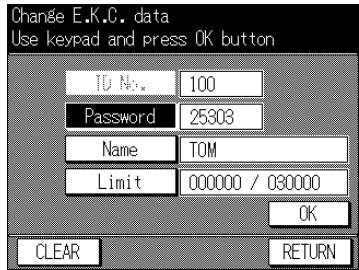
EKC Data Edit screen 2
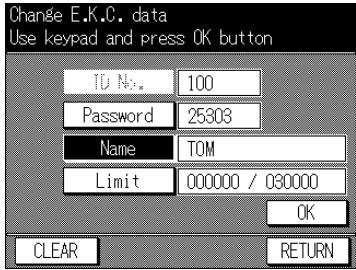
Name Input screen
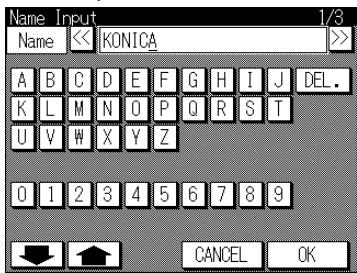
EKC Data Edit screen 3
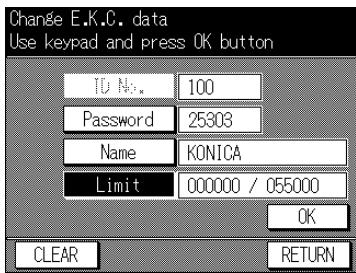
EKC Data List screen
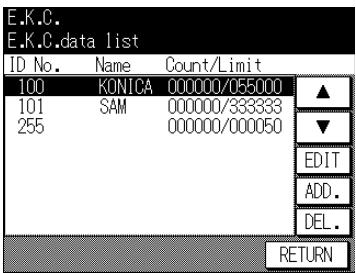
Procedure
- While pressing [HELP], turn power ON. Enter a 4-digit key operator password, then touch "OK" to display the Key Operator Mode screen.
Advice
If an invalid key operator password is entered, continue by entering the valid 4-digit password.
Key Operator Mode
- Touch "4. E.K.C." Enter an 8-digit EKC master key code, then touch "OK" to display the EKC Setting Menu screen.
Advice
If an invalid EKC master key code is entered, continue by entering the valid 8-digit code.
- Touch "2. E.K.C." data list to display the EKC Data List screen.
- To delete the EKC data, operate the procedure below, proceed to step 8.
(1) Touch the ▲ Upper arrow and ▼ Lower arrow keys on the right in the EKC Data List screen to highlight the EKC data to be deleted.
(2) Touch "DEL.". The Delete Confirmation screen will be displayed.
(3) Touch "Yes" to delete, or touch "No" to cancel.
- To add the EKC data, touch "ADD". The EKC Data Input screen with invalid "CLEAR" key will be displayed. To input the EKC data, see p. 11-22. Proceed to step 7.
- To edit the EKC data, touch the ▲ Upper arrow and ▼ Lower arrow keys on the right in the EKC Data List screen to highlight the EKC data to be edited, then touch "EDIT". The EKC Data Edit screen will be displayed. After operating the procedure below, proceed to step 7.
(1) To edit the EKC password, touch "Password". Enter a new 5-digit EKC password using the keypad on the operation panel. Do not enter "00000".
(2) To edit the name, touch "Name". The Name Input screen will be displayed. See p. 11-22.
(3) To edit the copy limit, Touch "Limit". Enter a new 6-digit copy limit using the keypad on the operation panel. Entering "00000" signifies no copy limit.
(4) To clear the copy count, touch "CLEAR".
- Touch "OK" on the EKC Data Input screen or the EKC Data Edit screen to complete settings and return to the EKC Data List screen.
To cancel the changes made in step 6 or 7, touch “RETURN” to restore the EKC Data List screen.
- If no further changes are required, proceed to step 11.
- If other EKC setting changes are required, touch RETURN to restore the EKC Setting Menu screen. Touch desired key from [1]\~[5].
- If no other EKC settings are required, touch "RETURN" to restore the Key Operator Mode screen.
- Turn power OFF.
- Turn the copier power switch back ON to perform copying operations.
All Counter Reset [3]
Reset the count for all EKC password Nos.
☐ Setting options: Reset All Counters yes or no
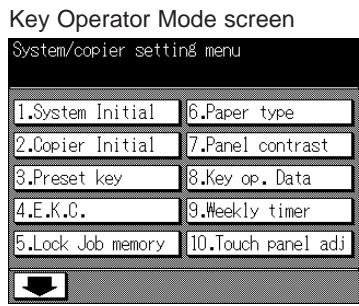
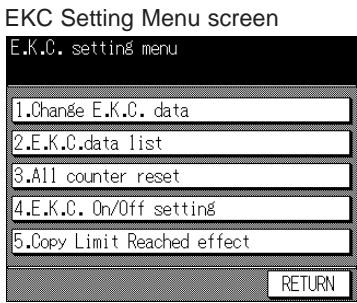
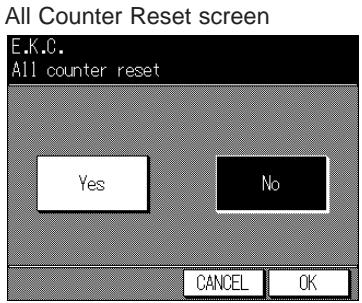
Procedure
- While pressing HELP button, turn power ON. Enter a 4-digit key operator password, then touch "OK" to display the Key Operator Mode screen.
Advice
If an invalid key operator password is entered, continue by entering the valid 4-digit password.
- Touch "4. E.K.C." Enter an 8-digit EKC master key code, then touch "OK" to display the EKC Setting Menu screen.
Advice
If an invalid EKC master key code is entered, continue by entering the valid 8-digit code.
- Touch "3. All counter reset" to display the All Counter Reset screen.
- Touch "Yes" to reset all counters to zero.
Or, touch "No" not to reset. The selected key will be highlighted.
- Touch "OK" to complete settings and return to the EKC Setting Menu screen.
- If no further changes are required, proceed to step 9.
- If other EKC setting changes are required, touch desired key from [1]\~[5].
- If no other EKC settings are required, touch "RETURN" to restore the Key Operator Mode screen.
- Turn power OFF.
- Turn the copier power switch back ON to perform copying operations.
EKC On/Off Setting [4]
Use this function to turn EKC ON or OFF.
Advice
If EKC OFF is selected while EKC functions, the copier will be enabled to perform copying job without an EKC password entered, and both copy count and copy limit functions will be discontinued.
☐ Default setting: EKC on
Key Operator Mode screen
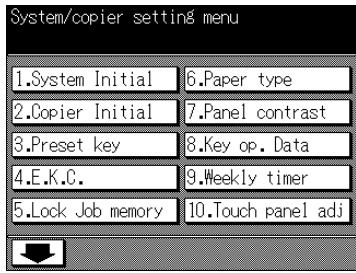
EKC Setting Menu screen
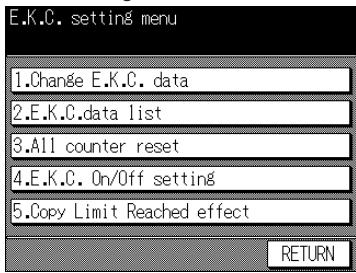
EKC On/Off Settingscreen
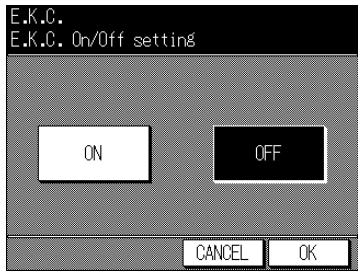
Procedure
- While pressing HELP button, turn power ON. Enter a 4-digit key operator password, then touch "OK" to display the Key Operator Mode screen.
Advice
If an invalid key operator password is entered, continue by entering the valid 4-digit password.
- Touch "4. E.K.C.". Enter an 8-digit EKC master key code, then touch "OK" to display the EKC Setting Menu screen.
Advice
If an invalid EKC master key code is entered, continue by entering the valid 8-digit code.
-
Touch "4. EKC On/Off Setting" to display the EKC On/Off Setting screen.
-
Touch "ON" to activate EKC or touch "OFF" to de-activate EKC.
The selected key will be highlighted.
-
Touch "OK" to complete settings and return to the EKC Setting Menu screen.
-
If no further changes are required, proceed to step 9.
-
If other EKC setting changes are required, touch desired key from [1]\~[5].
-
If no other EKC settings are required, touch "RETURN" to restore the Key Operator Mode screen.
-
Turn power OFF.
-
Turn the copier power switch back ON to perform copying operations.
Copy Limit Reached Effect [5]
Use this function to select whether the copier will stop when the count limit is reached, or if the copier will complete the copy job before stopping when reaching maximum copy count.
☐ Setting options: Immediately, After job, Warning
☐ Default setting: After job
Key Operator Mode screen
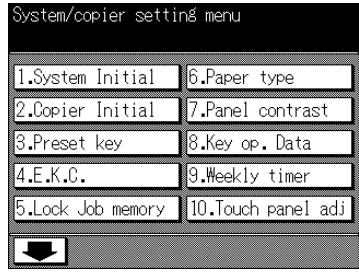
EKC Setting Menu screen
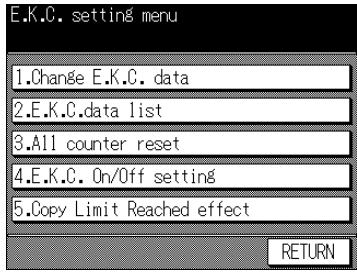
Copy Limit Reached Effect screen
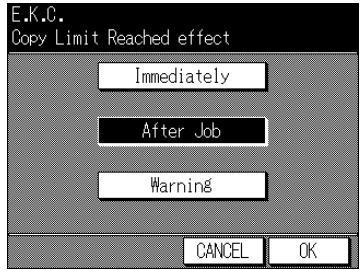
Procedure
- While pressing HELP button, turn power ON. Enter a 4-digit key operator password, then touch "OK" to display the Key Operator Mode screen.
Advice
If an invalid key operator password is entered, continue by entering the valid 4-digit password.
- Touch "4. E.K.C.". Enter an 8-digit EKC master key code, then touch "OK" to display the EKC Setting Menu screen.
Advice
If an invalid EKC master key code is entered, continue by entering the valid 8-digit code.
- Touch "5. Copy Limit Reached effect" to display the Copy Limit Reached Effect screen.
- Select setting option:
Touch "Immediately" to stop the copier when the copy limit is reached.
In this case, the paper in process will be completed, and Enter EKC password will display after the copier stops.
Touch “After job” to stop the copier after the current job is completed, when copy limit is reached.
Touch "Warning" to stop the copier but to display the copy limit reached.
- Touch "OK" to complete settings and return to the EKC Setting Menu screen.
- If no further changes are required, proceed to step 9.
- If other EKC setting changes are required, touch desired key from [1]\~[5].
- If no other EKC settings are required, touch "RETURN" to restore the Key Operator Mode screen.
- Turn power OFF.
- Turn the copier power switch back ON to perform copying operations.
Key Operator Mode
6. Lock Job Memory [5]
Use this function to lock/unlock or delete a Job that has been programmed.
A locked Job is indicated by a lock icon on the job number of the Job Selection screen.
The settings of a locked job cannot be changed.
Setting options: Lock Job memory; Unlock Job memory; Delete Job memory
☐ Lock/delete is available for all 15 stored jobs
☐ Job lock is available only for named jobs
☐ A blank key indicates that no job is programmed
☐ * * * * * * indicates that a job is programmed but unnamed
Key Operator Mode screen

Job Memory Lock/Delete screen
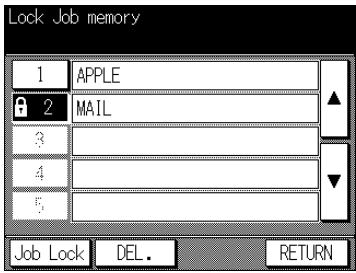
Procedure
- While pressing HELP button, turn power ON. Enter a 4-digit key operator password, then touch "OK" to display the Key Operator Mode screen.
Advoce
If an invalid key operator password is entered, continue by entering the valid 4-digit password.
- Touch "5. Lock Job memory" to display the Job Memory Lock/Delete screen.
- To lock or unlock a job memory, operate the procedure below, then proceed to step 5.
(1) Touch ▲ Upper arrow or ▼ Lower arrow key on the right in the Job Memory Lock/Delete screen to highlight the job to be locked/unlocked.
(2) Touch "Job Lock".
(3) The job to be locked will display the lock icon in the job number. The previously locked job will be unlocked and the lock icon will disappear.
- To delete a job memory, operate the procedure below, then proceed to step 5.
(1) Touch ▲ Upper arrow or ▼ Lower arrow key on the right in the Job Memory Lock/Delete screen to highlight the job to be deleted.
(2) Touch "DEL".
(3) Programs and name are deleted from the job memory.
-
Touch "RETURN" to complete the setting and return to the Key Operator Mode screen.
-
Turn power OFF.
- Turn the copier power switch back ON to perform copying operations.
7. Paper Type [6]
Use this function to indicate a specific paper type in the Tray Selection screen and the lower message area on the Basic screen. This is especially useful when special paper is used on a regular basis and is always placed in a specific paper tray.
☐ Setting options: See list below
Key Operator Mode screen
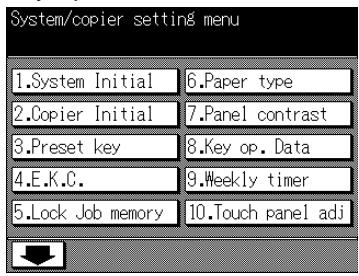
Paper Type Setting screen
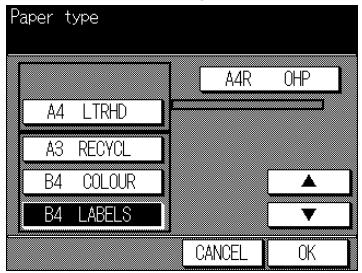
RECYCL - Recycle
COLOUR - Colour
LTRHD - Letterhead
OHP - Transparency
LABELS - Label
INVOIC - Invoice
LEGAL - Legal
Procedure
- While pressing HELP button, turn power ON. Enter a 4-digit key operator password, then touch "OK" to display the Key Operator Mode screen.
Advice
If an invalid Key operator password is entered, continue by entering the valid 4-digit password.
- Touch "5. Paper type" to display the Paper Type Setting screen.
- Select and touch desired paper tray.
- Touch the ▲ Upper arrow and ▼ Lower arrow keys to select paper type. The name of paper type displayed on the highlighted tray key will change as follows.
Blank → RECYCL → COLOUR → LTRHD → OHP → LABELS → INVOIC → LEGAL
Touch the arrow keys until the desired name appears.
- If no further changes are required, proceed to step 7.
- If other key operator settings are required, touch "RETURN" to restore the Key Operator Mode screen.
- Turn power OFF.
- Turn the copier power switch back ON to perform copying operations.
8. Panel Contrast [7]
Use this feature to adjust the contrast and backlight of the touch screen portion of the operation panel.
☐ Setting options: Contrast dark; normal; light
☐ Default settings: Contrast normal; Back light normal
Key Operator Mode screen
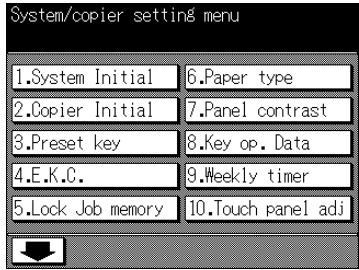
Panel Contrast screen
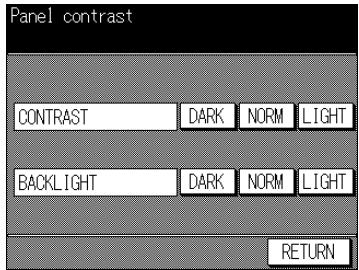
Procedure
- While pressing HELP button, turn power ON. Enter a 4-digit key operator password, then touch "OK" to display the Key Operator Mode screen.
Advice
If an invalid key operator password is entered, continue by entering the valid 4-digit password.
- Touch "7. Panel contrast" to display the Panel Contrast screen.
- To adjust the contrast, touch "DARK", "NORM, or "LIGHT" of CONTRAST.
- To adjust the backlight, touch "DARK", "NORM, or "LIGHT" of BACKLIGHT.
- Touch "RETURN" to complete the setting and return to the Key Operator Mode screen.
- Turn power OFF.
- Turn the copier power switch back ON to perform copying operations.
9. Key Operator Data [8]
Use this screen to enter the extension number of the key operator indicated on the Basic Help screen.
☐ Setting options: 6-digit key operator telephone extension
Max. 20 character key operator name
Key Operator Mode screen
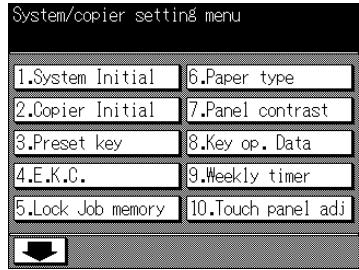
Key Operator Data Input screen
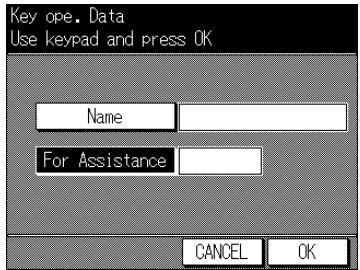
Name Input screen
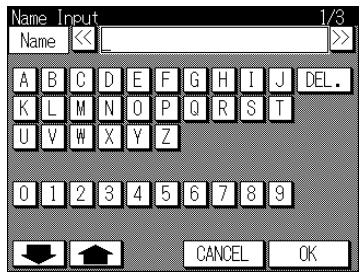
Procedure
- While pressing HELP button, turn power ON. Enter a 4-digit key operator password, then touch "OK" to display the Key Operator Mode screen.
Advice
If an invalid Key operator password is entered, continue by entering the valid 4-digit password.
- Touch "8. Key ope. Data" to display the Key Operator Data Input screen.
- Touch "Name" to display the Name Input screen.
Input desired name according to the procedure below.
(1) Max. 20 characters can be entered.
(2) Touch ↑ Upper arrow and ↓ Lower arrow keys on the Name Input screen to input uppercase and lowercase letters and symbols.
(3) Touch "DEL." key to delete the input character from the last.
(4) Touching "CANCEL" on the Name Input screen will clear all the input characters.
(5) To change the existing name, touch "DEL." key to delete it and enter the new name.
- Touch "OK" on the Name Input screen to return to the Key Operator Data Input screen.
- Touch "For Assistance".
Enter an extension number up to 8 digits from the keypad on the operation panel.
The hyphen will be indicated as a space in the Basic Help screen.
If less than 6 digits are entered, the screen will not change when “OK” is touched.
Advice
If an invalid extension number is entered, continue by entering the valid 8-digit number.
- Touch "OK" to complete the setting and return to the Key Operator Mode screen.
- Turn power OFF.
- Turn the copier power switch back ON to perform copying operations.
Key Operator
Mode
10. Weekly Timer [9]
This function can be accessed only by the key operator after a unique 4-digit Weekly timer master key code is entered.
The Weekly Timer is a copier management function that shuts down power to the machine on a daily or hourly basis, and can be programmed specifically for lunch breaks, weekends and holidays, or any time the copier is not required.
In Addition, Timer Interrupt can be enabled (with or without a password requirement) to allow temporary use of the machine during periods when power is shut down by the Timer function.
Conditions required to use the Weekly Timer
- The power plug is inserted into the socket.
• The power switch is turned on. - The current date and time are correctly set.
If the Weekly timer needs to be activated on your machine, contact your service representative.
The following Weekly timer settings can be made.
1. Weekly Timer Setting
Enable and disable the Timer function
2. Weekly Timer Copier ON/OFF Time Set
Specify the times that the copier will turn ON and OFF for each day of the week or the entire week.
3. Machine Working Day Individual Set
Specify the working days of the machine by the Timer, for all Mondays through Sundays, and/or individually for each day of the given month.
4. Lunch Hour Off Function
Specify the lunch time interval during which the copier will go off and on.
5. Password Setting
Require Password entry for the Timer off function and establish the amount of usage time.
Advice
- The time is set in terms of the 24 hour clock, where hour [1] is the first hour after midnight; and hour [24] is the hour of midnight. For example, 6 a.m. is 06:00 hours; 6 p.m. is 18:00 hours.
- The [AUTO RESET] key is used to change numbers determined by the SET touch key, or to exit from the timer setting mode.
- The [STOP/CLEAR] key is used to return to the previous menu.
How to Access the Weekly Timer Setting Mode
Key Operator Mode screen
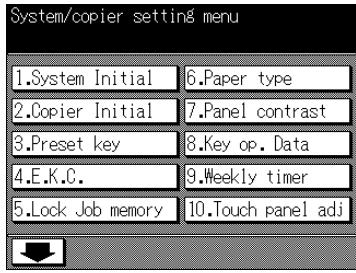
Weekly Timer Master Key Code screen
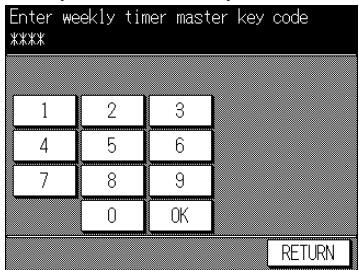
Weekly Timer Setting Menu screen
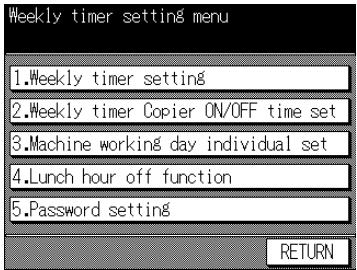
Procedure
- While pressing HELP button, turn power ON. Enter a 4-digit key operator password and touch "OK" to display the Key Operator Mode screen.
Advice
If an invalid Key operator password is entered, continue by entering the valid 4-digit password.
- Touch "9. Weekly Timer".
The Weekly Timer Master Key Code screen displays, if a code is required.
- Use the keypad on the touch screen to enter your 4-digit Weekly timer master key code, then touch "OK" to display the Weekly Timer Setting Menu screen.
Advice
If an invalid Weekly timer master key code is entered, continue by entering the valid 4-digit code.
- Select the desired Weekly timer function, and make settings, as required.
- To exit the Weekly timer mode, touch "RETURN" on the Weekly Timer Setting Menu screen.
- To exit the Key operator mode, turn the main power switch OFF.
Weekly Timer Setting [1]
☐ Setting options: Weekly timer ON; OFF
☐ Default setting: Weekly timer OFF
Key Operator Mode screen
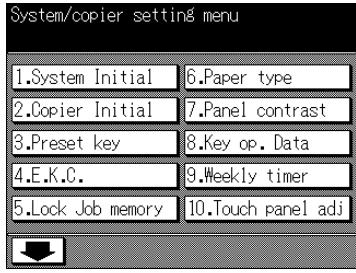
Weekly Timer Setting Menu screen
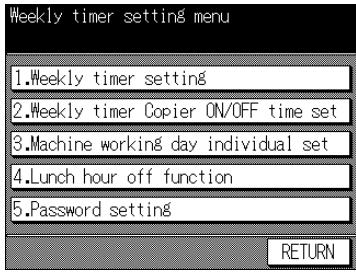
W.T. ON/OFF Setting screen
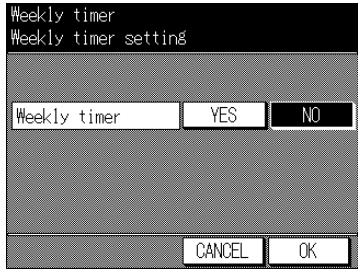
Procedure
- While pressing HELP button, turn power ON. Enter a 4-digit key operator password and touch "OK" to display the Key Operator Mode screen.
Advice
If an invalid Key operator password is entered, continue by entering the valid 4-digit password.
- Touch "9. Weekly timer". Enter your 4-digit Weekly timer master key code, then touch "OK" to display the Weekly Timer Setting Menu screen.
Advice
If an invalid Weekly timer master key code is entered, continue by entering the valid 4-digit code.
- Touch "1. Weekly timer setting" to display the Weekly Timer ON/OFF Setting screen.
- Touch "YES" to activate Weekly timer, or touch "NO" to de-activate Weekly timer. The selected key will be highlighted.
- Touch "OK" to complete settings and return to the Weekly Timer Setting Menu screen.
- If no further changes are required, proceed to step 9.
- If other Weekly timer settings are required, select another desired menu item, from [1]\~[5].
- If no other Weekly timer settings are required, touch "RETURN" to restore the Key Operator Mode screen.
- Turn power OFF.
- Turn the copier power switch back ON to perform copying operations.
Weekly Timer Copier ON/OFF Time Set [2]
Use this function to set the On/Off times in hours and minutes for the desired days of the week.
☐ Setting option: Weekly timer ON time; OFF time
Key Operator Mode screen
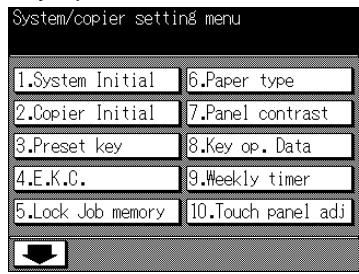
Weekly Timer Setting Menu screen
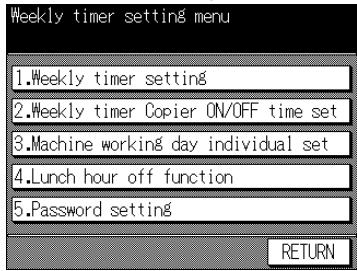
W.T. ON/OFF Time Setting screen
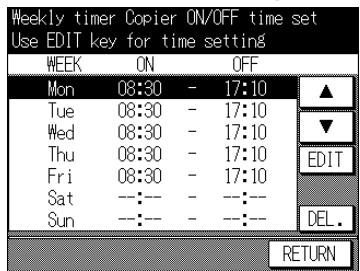
W.T. ON/OFF Time Block Setting screen
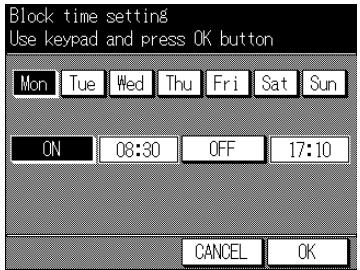
Procedure
- While pressing HELP button, turn power ON. Enter a 4-digit key operator password and touch "OK" to display the Key Operator Mode screen.
Advice
If an invalid Key operator password is entered, continue by entering the valid 4-digit password.
- Touch "9. Weekly timer". Enter your 4-digit Weekly timer master key code, then touch "OK" to display the Weekly Timer Setting Menu screen.
Advice
If an invalid Weekly timer master key code is entered, continue by entering the valid 4-digit code.
- Touch "2. Weekly timer copier ON/OFF time set" to display the W.T. ON/OFF Time Setting screen.
- Use the procedure below to set the ON time and OFF time for the desired days of the week.
(1) Touch "EDIT" to display the W.T. ON/OFF Time Block Setting screen.
(2) Touch and highlight the keys of the desired day of the week from Monday through Sunday to set the same ON time and OFF time.
(3) Touch ON to enter the ON time.
Enter a 2-digit ON-hour (ex. 8 a.m. is 08) and a 2-digit ON-minute (ex. 7 min. is 07) using the keypad on the operation panel.
Key Operator Mode
(4) Touch OFF to enter the OFF time.
Enter a 2-digit OFF-hour (ex. 6 p.m. is 18) and a 2-digit OFF-minute using the keypad on the operation panel.
Advice
1 If ON-time and OFF-time are the same, power will not go on.
2 Be sure to enter both ON-time and OFF time.
(5) Touch "OK" to complete settings and return to the W.T. ON/OFF Time Setting screen.
(6) Confirm the ON-time and OFF-time on the W.T. ON/OFF Time Setting screen.
- Use the procedure below to delete the ON-time and OFF-time of the day of the week.
(1) Touch the ▲ Upper arrow and ▼ Lower arrow keys to select the day of the week to be deleted.
(2) Touch "DEL.".
(3) On-time and OFF-time of the day of the week are deleted and “—:—” are displayed.
Advice
On the day of the week with the ON/OFF-time deleted, you can not turn on the power.
- If no further changes are required, proceed to step 9.
- If other Weekly timer settings are required, touch "RETURN" to return to the Weekly Timer Setting Menu screen. Select another desired menu item, from [1]\~[5].
- If no other Weekly timer settings are required, touch "RETURN" to restore the Key Operator Mode screen.
- Turn power OFF.
- Turn the copier power switch back ON to perform copying operations.
Machine Working Day Individual Set [3]
Use this function to set the On/Off condition of the copier for a given month. Set the On-Off condition for specific days; or collectively, for all Mondays through Sundays of the given month. The default setting is collective: On for Mondays through Saturdays, and Off for Sundays.
Key Operator Mode screen
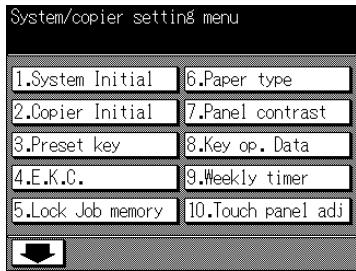
Weekly Timer Setting Menu screen
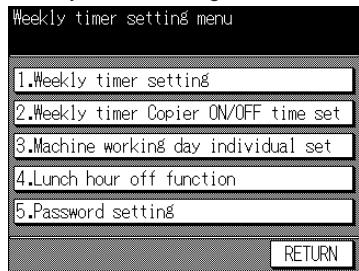
W.T. Working Day Individual Setting Screen
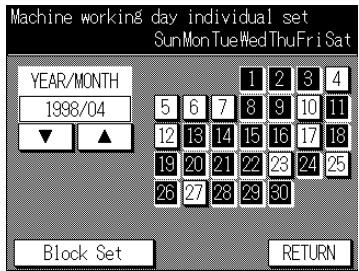
W.T. Working Day Block Setting Screen
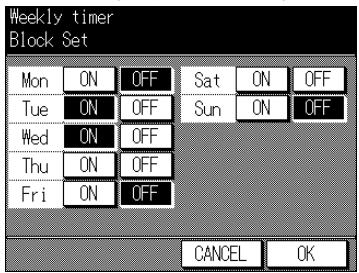
Procedure
- While pressing HELP button, turn power ON. Enter a 4-digit key operator password and touch "OK" to display the Key Operator Mode screen.
Advice
If an invalid Key operator password is entered, continue by entering the valid 4-digit password.
- Touch "9. Weekly timer". Enter your 4-digit Weekly timer master key code, then touch "OK" to display the Weekly Timer Setting Menu screen.
Advice
If an invalid Weekly timer master key code is entered, continue by entering the valid 4-digit code.
- Touch "3. Machine working day individual set" to display the W.T. Working Day Individual Setting screen.
- Use the procedure below to individually set the timer-active days.
(1) Touch the key for the timer-active day to be highlighted.
(2) Use the ▲ Upper arrow and ▼ Lower arrow keys to scroll to the desired month.
- Use the procedure below to collectively set the timer-active days by the day of the week.
(1) Touch "Block Set" to display the W.T. Working Day Block Setting screen.
(2) To set the Timer action ON, touch "ON" for the desired day.
To set the Timer action OFF, touch "OFF" for the desired day.
If you touch an already-highlighted key, no change will occur.
Key Operator Mode
(3) Touch "OK" to complete settings and return to the W.T. Working Day Individual Setting screen.
- If no further changes are required, proceed to step 9.
- If other Weekly timer settings are required, touch "RETURN" to return to the Weekly Timer Setting Menu screen. Select another desired menu item, from [1]\~[5].
- If no other Weekly timer settings are required, touch "RETURN" to restore the Key Operator Mode screen.
- Turn power OFF.
- Turn the copier power switch back ON to perform copying operations.
Lunch Hour Off Function [4]
The Weekly timer function turns the copier ON and OFF once a day. Use this Lunch hour off function to shut down power for lunch break then turn on again while the copier is turned on due to the Weekly timer function. The only one off time interval can be programmed.
☐ Setting options: Lunch hour off function ON;OFF
Lunch hour off-time
☐ Default setting: Lunch hour off function OFF
Key Operator Mode screen
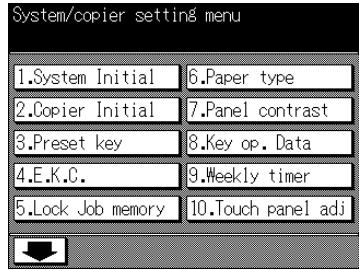
Weekly Timer Setting Menu screen
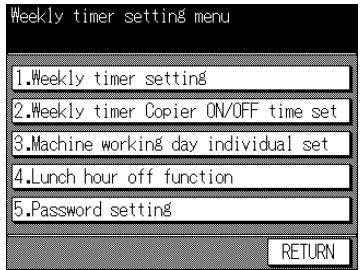
Lunch Hour Off Setting screen
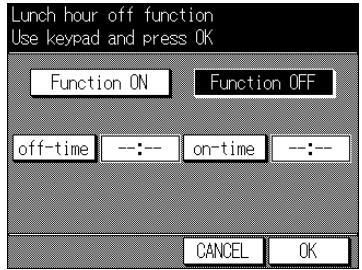
Procedure
- While pressing HELP button, turn power ON. Enter a 4-digit key operator password and touch "OK" to display the Key Operator Mode screen.
Advice
If an invalid Key operator password is entered, continue by entering the valid 4-digit password.
- Touch "9. Weekly timer". Enter your 4-digit Weekly timer master key code, then touch "OK" to display the Weekly Timer Setting Menu screen.
Advice
If an invalid Weekly timer master key code is entered, continue by entering the valid 4-digit code.
-
Touch "4. Lunch hour off function" to display the Lunch Hour Off Setting screen.
-
Use the procedure below to activate Lunch hour off.
(1) Touch "Function ON" to highlight it.
(2) Touch "off-time".
Enter a 2-digit off-hour (ex. 9 a.m. is 09) and a 2-digit off-minute (ex. 7 min. is 07) using the keypad on the operation panel.
(3) Touch "on-time".
Enter a 2-digit on-hour and a 2-digit on-minute using the keypad on the operation panel.
-
To de-activate Lunch hour off, touch "Function OFF". The Function OFF setting is the default setting.
-
Touch "OK" to complete settings and return to the Weekly Timer Setting Menu screen.
-
If no further changes are required, proceed to step 10.
-
If other Weekly timer settings are required, select another desired menu item, from [1]\~[5].
-
If no other Weekly timer settings are required, touch "RETURN" to restore the Key Operator Mode screen.
-
Turn power OFF.
-
Turn the copier power switch back ON to perform copying operations.
Key Operator Mode
Password Setting [5]
Use the Password Setting mode to establish a 4-digit password requirement for using Timer Interrupt. The default password of 0000 allows the timer function to be interrupted without the requirement for password entry.
☐ Default setting: Timer interrupt password 0000
Key Operator Mode screen
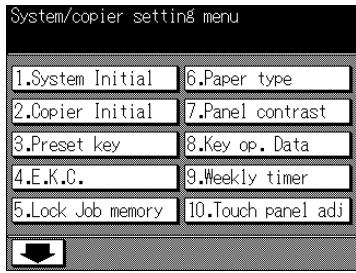
Weekly Timer Setting Menu screen
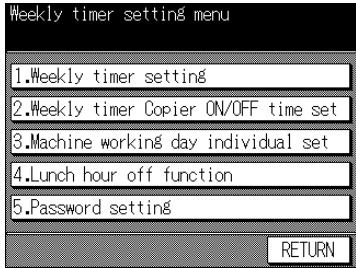
W.T. Interrupt Password Setting screen
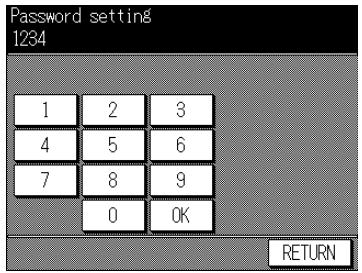
Procedure
- While pressing HELP button, turn power ON. Enter a 4-digit key operator password and touch "OK" to display the Key Operator Mode screen.
Advice
If an invalid Key operator password is entered, continue by entering the valid 4-digit password.
- Touch "9. Weekly timer". Enter your 4-digit Weekly timer master key code, then touch "OK" to display the Weekly Timer Setting Menu screen.
Advice
If an invalid Weekly timer master key code is entered, continue by entering the valid 4-digit code.
-
Touch "5. Password setting" to display the W.T. Interrupt Password Setting screen.
-
Input a new 4-digit password using touch panel keypad, and touch "OK" to complete the setting.
Advice
When the password setting is 0000, timer interrupt can be used by turning the copier Off, then On.
- If no further changes are required, proceed to step 8.
- If other Weekly timer settings are required, touch "RETURN" to return to the Weekly Timer Setting Menu screen. Select another desired menu item, from [1]\~[5].
- If no other Weekly timer settings are required, touch "RETURN" to restore the Key Operator Mode screen.
- Turn power OFF.
- Turn the copier power switch back ON to perform copying operations.
11. Touch Panel Adjustment [10]
Use this feature to check the malfunction of the LCD touch screen due to the shift in position of the touch sensor.
☐ When the Control Panel Adjustment Screen does not display in step 2, press one from keypad [0] \~ [9].
Key Operator Mode screen

Touch Panel Adjustment screen

Procedure
- While pressing HELP button, turn power ON. Enter a 4-digit key operator password, then touch "OK" to display the Key Operator Mode screen.
Advice
If an invalid Key operator password is entered, continue by entering the valid 4-digit password.
- Touch "10. Touch panel adj." to display the Touch Panel Adjustment screen.
- Touch the “+” indication at the upper right and lower left corners on the Control Panel Adjustment screen. The present coordinates will be displayed in the message area of the screen.
- Check that the X coordinate and Y coordinate displayed in the first line of the message area fall within the standard value displayed in the second line.
- Touch the "CHECK"s at the upper left and lower right corners on the screen to check if the buzzer tone functions normally.
- If the coordinates fall out of the range of the standard value in step 4, or the buzzer tone does not sound in step 5, please contact Konica service representative.
- Turn power OFF.
12. Paper Size [11]
Set the paper size type of the universal tray for paper size detection function.
Setting options: Inch; AB; Auto detect
☐ Default setting: Auto detect
Key Operator Mode screen 1
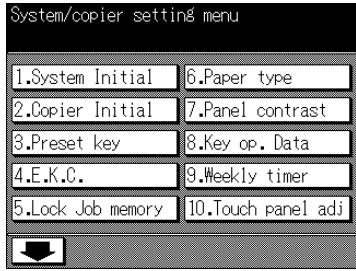
Key Operator Mode screen 2
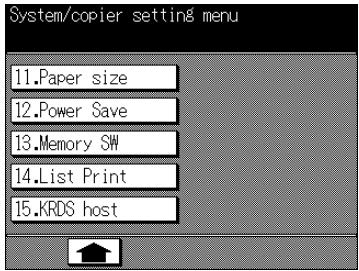
Size Detection Type Setting screen
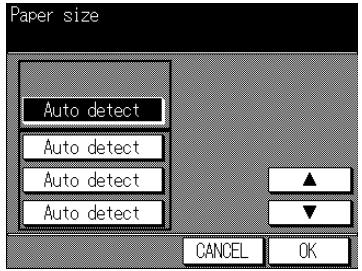
Procedure
- While pressing HELP button, turn power ON. Enter a 4-digit key operator password, then touch "OK" to display the Key Operator Mode screen.
Advice
If an invalid Key operator password is entered, continue by entering the valid 4-digit password.
- To display menus [11] to [15] of the Key Operator Mode screen, touch ↓ Lower arrow key.
- Touch "11. Paper size" to display the Size Detection Type Setting screen.
- Touch the desired tray key to set the size detection type.
- Touch the ▲ Upper arrow and ▼ Lower arrow key to change the setting of the item (Inch, AB, or Auto detect).
AB: APS functions for AB size paper only.
Inch: APS functions for inch size paper only.
Auto detect: APS functions for the sizes previously selected by the service according to the destination of the copier.
Advice
This setting cannot be applied to the fixed trays.
- Touch "OK" to complete settings and return to the Key Operator Mode screen.
- Turn power ON.
- Turn the copier power switch back ON to perform copying operations.
13. Power Save [12]
Select the interval of time that must elapse before Auto Low Power and Auto Shut Off become activated. Or, select the Auto Shut Off function to On or Off.
Setting options: See list below
☐ Default settings: Auto low power; 15 min.
Auto shut off; 60 min.
Key Operator Mode screen 1
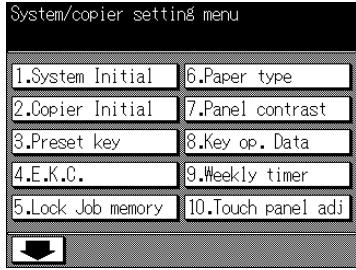
Key Operator Mode screen 2
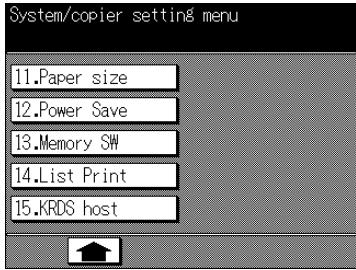
Power Save Timer Setting screen
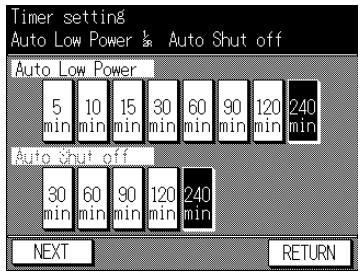
Auto Shut Off ON/OFF screen
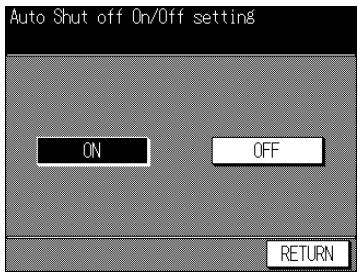
Procedure
- While pressing HELP button, turn power ON. Enter a 4-digit key operator password, then touch "OK" to display the Key Operator Mode screen.
Advice
If an invalid Key operator password is entered, continue by entering the valid 4-digit password.
- To display menus [11] to [15] of the Key Operator Mode screen, touch the ↓ Lower arrow key.
- Touch "12. Power Save" to display the Power Save Timer Setting screen.
- The Timer Key is located on the Power Save Timer Setting screen below the Auto Low Power indicator. Touch the Timer Key to select a specific waiting period before activation of the Auto Low Power function. The default setting is 15min.
If the Auto Shut off function is not desired, proceed to step 6.
If the “Auto Low Power” indicator light is dim and the Timer Key cannot be selected, proceed to step 5.
Advice
1 The period of time selected for Auto Low Power cannot exceed the Auto Shut Off setting.
2 If the same period of time as Auto Shut Off is selected, the Auto Low Power indicator light will dim, and Auto Shut Off will function instead of Auto Low Power.
- Touch the Timer Key displayed under the "Auto Shut off" indicator on the Power Save Timer Setting screen, to select the period of time to wait before activating Auto Shut Off.
The default setting is 60min.
Advice
If the period of time selected for Auto Shut Off is shorter than the Auto Low Power setting, the setting for Auto Low Power will be automatically changed to that of the Auto Shut Off setting, and the Auto Low Power indicator light will dim. In this case, Auto Low Power will not function.
- Touch "NEXT" on the Timer Setting screen to display the Auto Shut Off ON/OFF Setting screen.
- Touch "ON" to activate Auto Shut Off, or touch "OFF" to de-activate it. The default setting is the "ON" setting.
When “OFF” is selected, Auto Shut Off will not function and the period of time for Auto Low Power can be selected from 5, 10, 15, 30, 60, 90, 120, and 240min.
- If no further changes are required, proceed to step 10.
- If other Auto Low Power/Auto Shut Off settings are required, touch "RETURN" to restore the Key Operator Mode screen.
- Turn power OFF.
- Turn the copier power switch back ON to perform copying operations.
14. Memory Switch [13]
This function allows you to change the Memory Settings listed below. Underlined settings indicate factory settings. See pp. 11-47\~11-48 for details on Memory Settings.
| SW No. | Item | Setting (default is underlined) |
| No.01: | Auto reset timer | OFF/ 30sec./ 60 sec./ 90 sec./ 120 sec./ 150 sec./ 180 sec./ 210 sec./ 240 sec./ 270 sec./ 300 sec. |
| No.02: | AUTO/RESET effect | Full-Auto/ Initial Setting |
| No.03: | Load RADF effect | RADF/ RADF + Auto Reset |
| No.04: | Non Image A. Erase | ON/ APS, AMS only |
| No.05: | RADF frame erasure | None/ 1 mm/ 2 mm/ 3 mm/ 4 mm/ 5 mm |
| No.06: | Auto tray switch | OFF/ ON |
| No.07: | Platen APS | OFF/ ON |
| No.08: | RADF APS | OFF/ ON |
| No.09: | ATS/APS (Bypass) | OFF/ ON |
| No.10: | ATS/APS (Tray 1) | OFF/ ON |
| No.11: | ATS/APS (Tray 2) | OFF/ ON |
| No.12: | ATS/APS (Tray 3) | OFF/ ON |
| No.13: | ATS/APS (Tray 4) | OFF/ ON |
| No.14: | Platen AMS | OFF/ ON |
| No.15: | RADF AMS | OFF/ ON |
| No.16: | Staple mode reset | OFF/ ON |
| No.17: | Key click sound | OFF/ Low/ High |
| No.18: | Job memory recall | OFF/ ON |
| No.19: | Sheet insertion | Tray 1/ Tray 2/ Tray 3/ Tray 4/ Bypass |
| No.20: | A5 orig. type | Landscape/ Portrait |
| No.21: | Rotation | OFF/ ON/ APS, AMS only/ APS only |
| No.22: | 1 SHOT indication time | 2 sec./ 3 sec./ 4 sec./ 5 sec. |
| No.23: | Booklet | 1 to n/ n to 1 |
| No.24: | Folded Original | OFF/ ON |
| No.25: | RADF non-std. size | OFF/ ON |
Key Operator Mode screen 1
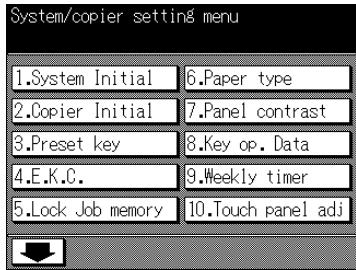
Key Operator Mode screen 2
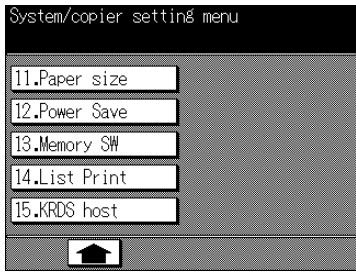
Memory Switch screen 1
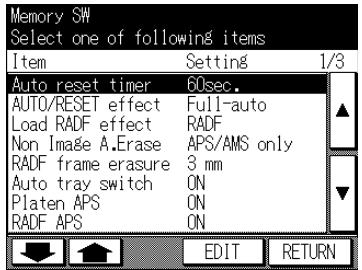
Memory Switch screen 2
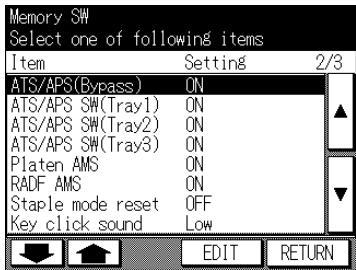
Memory Switch screen 3
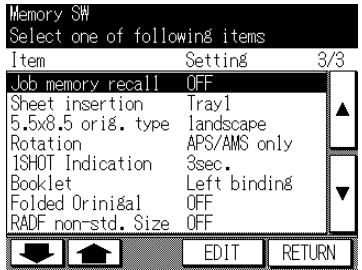
Procedure
- While pressing HELP button, turn power ON. Enter a 4-digit key operator password and touch "OK" to display the Key Operator Mode screen.
Advice
If an invalid Key operator password is entered, continue by entering the valid 4-digit password.
- To display menus [11] to [15] of the Key Operator Mode screen, touch the ↓ Lower arrow key.
- Touch "13. Memory SW" to display the Memory Switch screen. The Memory Switch screen can be scrolled to the third screen.
- Use the procedure below to select the desired item and change the setting.
(1) Touch ▲ Upper arrow and ▼ Lower arrow keys at the right on the Memory Switch screen to scroll the screen.
(2) Touch ↑ Upper arrow and ↓ Lower arrow keys at the lower left on the Memory Switch screen to highlight the desired item.
(3) Touch "EDIT" to change the setting of the highlighted item.
(4) Repeat above steps (1) to (3) to make several changes in succession.
- If no further changes are required, proceed to step 7.
- If other key operator setting are required, touch "RETURN" to restore the Key Operator Mode screen.
- Turn power OFF.
- Turn the copier power switch back ON to perform copying operations.
The following functions can be provided by the Memory switch settings.
[1] Auto reset timer
Sets the time interval for the machine to reset to the initial condition.
Options: Off or 30/60/90/120/150/180/210/240/270/300 seconds.
[2] Auto/reset effect
Sets the condition of Copy mode, Copy density, Magnification, and Paper tray selection when the AUTO/RESET key is pressed.
Options: Full-auto or Initial settings. Full-auto is the default setting.
[3] Load RADF effect
Determines how the machine initializes when it is in the platen copy mode (non RADF) and an original is inserted in the RADF feed tray. Options: RADF and RADF + AUTO/RESET. The RADF option will activate the RADF without resetting any other features. The RADF + AUTO/RESET option will activate the RADF and reset the machine to the features programmed in memory switch #2.
[4] Non Image Area Erase
Establishes how the machine determines the image area of the copy. Options: ON and APS/AMS only. ON option limits the copy image area to that of the original. The APS/AMS only option limits the copy image area to that of the copy paper sizes and the magnification automatically selected by the machine.
[5] RADF frame erasure
Sets the amount of frame erase when using the RADF.
Options: None, 1mm/2mm/3mm/4mm/5mm.
[6] Auto tray switch
During a copy job when ATS is on and multiple paper trays are loaded with the same size paper, the machine will automatically switch to another tray when the initial tray runs out of paper. Refer to memory switches 9 through 13 to activate this feature for each tray.
[7] Platen APS
This feature allows the machine to automatically detect the size of the original placed on the glass and select the same size copy paper. Refer to switches 9 \~ 13 to activate this feature for each tray.
[8] RADF APS
This feature allows the machine to detect the size of the original fed through the RADF. Refer to switches 9 \~ 13 to activate this feature for each tray.
[9] ATS/APS (Bypass)
This setting activates ATS and APS (platen and RADF) for Multi-sheet bypass.
[10] ATS/APS (Tray 1)
This setting activates ATS and APS (platen and RADF) for Tray 1.
[11] ATS/APS (Tray 2)
This setting activates ATS and APS (platen and RADF) for Tray 2.
[12] ATS/APS (Tray 3)
This setting activates ATS and APS (platen and RADF) for Tray 3.
Key Operator Mode
[13] ATS/APS (Tray 4)
This setting activates ATS and APS (platen and RADF) for Tray 4.
[14] Platen AMS
This feature allows the machine to automatically select the proper magnification ratio when copy paper size is selected manually and an original is placed on the platen glass.
[15] RADF AMS
This feature allows the machine to automatically select the proper magnification ratio when copy paper size is selected manually and an original is fed from the RADF.
[16] Staple mode reset
When copying in the sort/staple mode, this setting allows the machine to automatically reset to non-staple mode when the job in progress is completed.
[17] Key click sound
When this feature is Low or High, the machine activates a buzzer sound when the touch sensitive screen is touched or any key is pressed. This confirms the machine recognition of the selection.
[18] Job memory recall
This feature allows the machine to initialize using selections stored in job memory #15 when the power is turned on or the AUTO RESET button is pressed.
[19] Sheet insertion
This setting allows selection of tray 1, tray 2, tray 3, tray 4 or Bypass as the source of the inserted sheets.
[20] A5 orig. type
Selects orientation of A5 size originals.
Options: Landscape or portrait.
[21] Rotation
When turned on the feature allows the machine to automatically rotate an A4/B5 original image to match the manually selected paper size. For example, if an original is placed in the RADF or on the platen glass in the A4R/B5R position and the A4/B5 paper size is selected, the machine will rotate the image to fit the A4/B5 paper.
[22] 1 SHOT indication time
Determines the duration of messages that are displayed, i.e., 50 SHEETS MAXIMUM IN STAPLE MODE. Options: 2/3/4 or 5 seconds.
[23] Booklet
Selects the binding margin direction that functions with Booklet.
[24] Folded original
This feature sets the RADF to accept the folded originals.
[25] RADF non-std. size
Identify the special original size which the machine could not detect in order to selected the optimum paper size for copying or printing.
15. List Print [14]
Use this function to print out the list selected from the following items.
• Job memory list: Programmed contents of Job memory
- User setting list: Machine informations managed by EKC and home position settings selected by user
• Font pattern: Font patterns used in the machine
Key Operator Mode screen 1
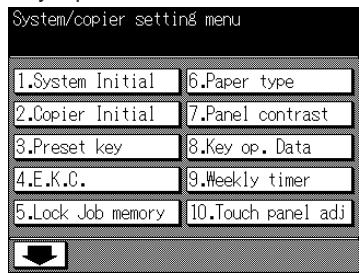
Key Operator Mode screen 2
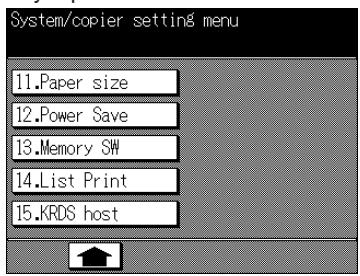
List Print screen
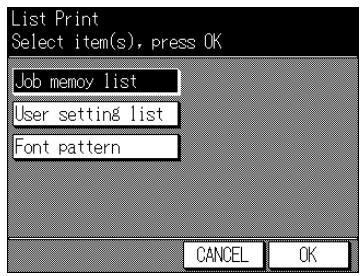
Procedure
- While pressing HELP button, turn power ON. Enter a 4-digit key operator password and touch "OK" to display the Key Operator Mode screen.
Advice
If an invalid Key operator password is entered, continue by entering the valid 4-digit password.
- To display menus [11] to [15] of the Key Operator Mode screen, touch the ↓ Lower arrow key.
- Touch "14. List Print" to display the List Print screen.
- Touch "Job memory list", "User setting list", or "Font pattern".
- Touch "OK" to print out the desired list.
Touch "CANCEL" to stop printing.
After completion of printing, the copier will automatically return to the Key Operator Mode screen.
- If no further changes are required, turn power OFF.
16. KRDS Host [15]
When activated, the Remote Diagnostics option is automatically monitored by a Konica service representative. In case of machine trouble, select the KRDS host option. Your service representative will contact you to determine the appropriate means for resolving the problem.
☐ Setting options: Call for JAM; SC; No toner; No paper; Copy quality; Other reason
Key Operator Mode screen 1
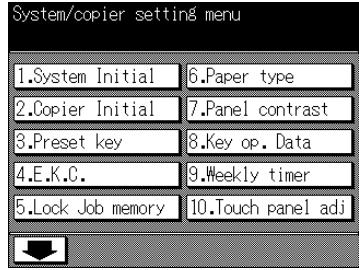
Key Operator Mode screen 2
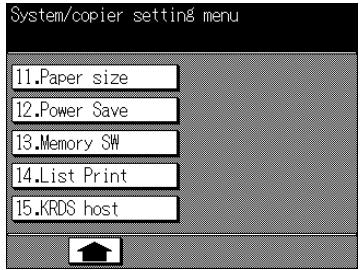
KRDS Host Menu screen
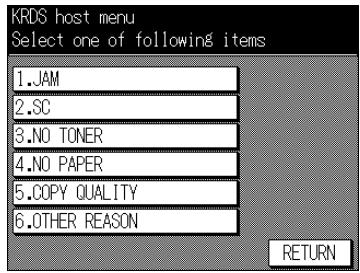
Start Call screen
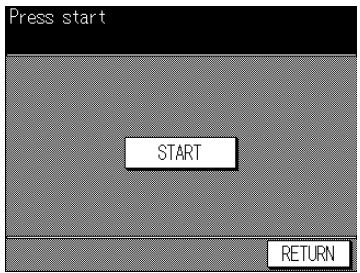
Procedure
- While pressing HELP button, turn power ON. Enter a 4-digit key operator password, then touch "OK" to display the Key Operator Mode screen.
Advice
If an invalid Key operator password is entered, continue by entering the valid 4-digit password.
- To display menus [11] to [15] of the Key Operator Mode screen, touch the ↓ Lower arrow key.
- Touch "15. KRDS host" to display the KRDS Host Menu screen.
- Touch "1. JAM", "2. SC", "3. NO TONER", "4. NO PAPER", "5. COPY QUALITY", or "6. OTHER REASON".
The Start Call Screen will be displayed.
- Touch "START" to call remote service representative.
- If no further changes are required, proceed to step 8.
- If other key operator settings are required, touch "RETURN" to restore the Key Operator Mode screen.
- Turn power OFF.
- Turn the copier power switch back ON to perform copying operations.
Section 12 : Troubleshooting
1. Service Call
Limited Use of the Copier in Trouble
2. Memory Overflow
Copy Conditions Using Memory
Action 1
Action 2
3. Paper Jam Processing
Jam in Current Job
Jam in Reserve Job
Paper Jam Position Screen
Paper Jam Processing Screen
4. Power OFF/ON Screen
5. Simple Problems
1. Service Call
The Service Call screen will display the telephone number and fax. number of your service centre.
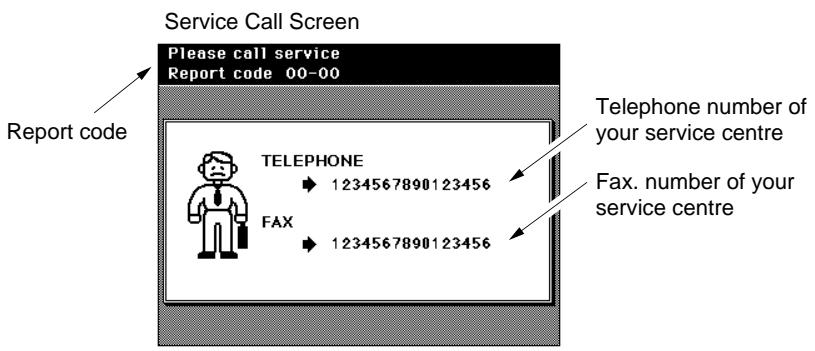

CAUTION
If the Service Call screen is displayed
- Write down the Report Code, as stated on the 2nd line of the message;
- Turn OFF the power switch and main power switch;
- Disconnect from the power socket;
- Contact your Service Centre and inform them of the Report Code.
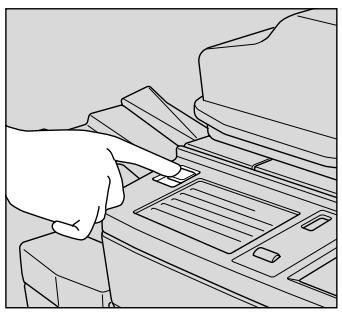
natural_image
Line drawing of a hand pressing down on a printer (no text or symbols)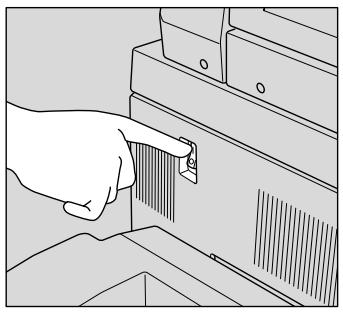
natural_image
Line drawing of a hand inserting a component into a device (no text or symbols)Limited Use of the Copier in Trouble
If the message shown below is displayed on the Service Call Screen, you may continued operating the copier on a limited function basis and utilize the trays and ADU that are not affected by the trouble. To obtain this limited functionality of the copier, consult your Konica service centre. Be sure to utilize the limited function only temporarily, and arrange for machine repair immediately.
Procedure
- If the limited use of the copier is available, not the Report code but the following message will be displayed instead of the report code.
Tray 2 failure
Press AUTO to select except this tray
- Press the AUTO RESET button.
Please switch ON/OFF E 18-2
- Turn OFF then ON the power switch.
Copying job can be continued without using the portion in trouble (ex. Tray 2).

CAUTION
EVEN IF THE COPYING JOB CAN BE CONTINUED WITH THE ABOVE OPERATION, IMMEDIATELY CONTACT YOUR KONICA SERVICE CENTRE WHEN THE SERVICE CALL SCREEN IS DISPLAYED.
2. Memory Overflow
In certain copy modes, the 7040 uses memory to make operations convenient and smooth flowing. Occasional memory overflow may occur if the installed memory is inadequate for the copy conditions selected.
Memory overflow messages are displayed as follows:
- Memory full -Start => START key
Cancel => ST/CL key
- Memory full - Check output and reload original
(Alternately displayed)
This section describes the copy modes supported by the memory and the actions that need to be taken in order to continue or suspend the job.
Advice
Should memory overflow occur frequently, it is recommended to extend the memory capacity in your machine. Contact your Service Centre, if required.
Copy Conditions Using Memory
When the memory overflow occurs, you should process either of two actions as described below.
(1) When copying in Group mode and except in the Store mode, do the Action 1.
(2) When copying except in Group mode and Very high mode, do the Action 2.
Action 1
Action 1 is required when a job prematurely stops after the machine produces one copied set, and the Memory overflow messages display.
(1) When preparation of the scanned data satisfies the print quantity setting, the machine will stop, the following messages display alternately, and scanned data will be erased.
- Memory full - Check output and reload original
(2) Check pages of the discharged set to confirm the amount of missing data, before completing the job. Press the START PRINT button to complete the job according to the print quantity remaining.
Action 2
Action 2 is required when a job ceases with no copies produced, and Memory overflow messages display alternately.
To continue the job:
(1) Press the START PRINT button to allow the machine to prepare the scanned data for job completion in the amount remaining in the print quantity setting.
(2) When preparation of the scanned data satisfies the print quantity setting, the machine will stop, the following messages display alternately, and scanned data will be erased.
- Memory full - Start => PRINT key
Cancel => ST/CL key
If continuous working
Check output after copying
(3) Check pages of the discharged set to confirm the amount of missing data, before completing the job. Press the START PRINT button to complete the job according to the print quantity remaining.
To suspend the job:
(1) Press the STOP/CLEAR button to save the job settings. All scanned data will be erased.
(2) Press the AUTO RESET button to resume initial settings, if desired.
3. Paper Jam Processing
Jam in Current Job
If paper jam occurs, the START PRINT button will be lit in orange and the touch screen will display the following Paper Jam Position screen, disabling copying.
Dispose the jam according to the message of Paper Jam Position screen.
Paper Jam Position screen
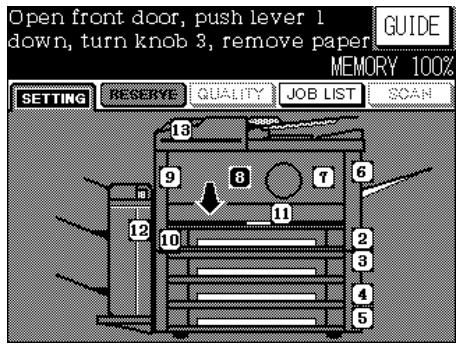
Paper Jam Processing screen
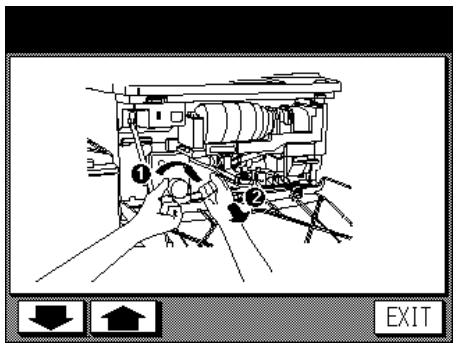
Procedure
- Touch "GUIDE" on the Jam Position screen.
- The Paper Jam Processing screen will be displayed. Touch ↑ Upper arrow and ↓ Lower arrow keys to scroll the screen.
- Remove the misfed paper/original.
Please Be Reminded
- Remove misfed paper so that small pieces of paper do not remain in the machine.
-
Do not touch the surface of the drum.
-
Touch "EXIT" on the Papr Jam Processing screen.
-
If jam processing of all the locations has been completed, Basic screen will be restored. Clear process, misfed paper remains at any other location after completion of jam, Paper Jam Position screen will be displayed. Re-check the misfed paper till Basic screen is restored.
Jam in Reserve Job
If paper jam occurs while setting the copying condition in the reserve mode, the following screen appears.
“JAM” Folder Key and ERROR Indicator
Basic screen

Operation panel
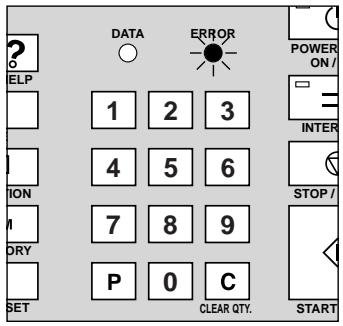
Trouble in the current job occurs. See p. 7-15.
Jam Position in "RESERVE" Folder Key
Paper Jam Position screen
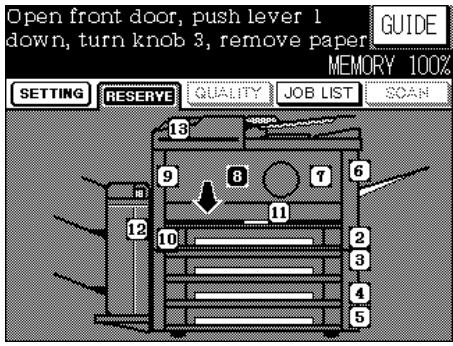
Trouble in the reserve job occurs. See p. 7-15 to p. 7-16.
Papr Jam Position Screen
Message section
At first, “Mishandled paper” message is displayed, and subsequently a fixed disposal action is displayed.
Paper Jam Position Screen
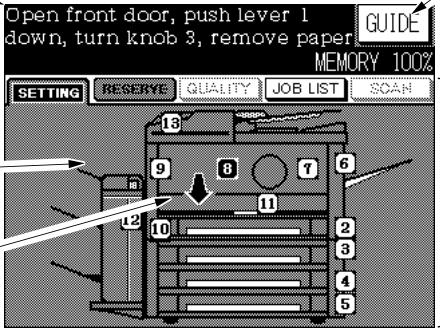
"GUIDE" key
If “GUIDE” key is touched, a screen for illustrating the correct method for the disposal action to be taken with the highest priority displayed.
Paper jam position display section
The Paper Jam Position screen shown on the above displays all the
jam numbers and arrows for the sake of explanation. It does not actually happen that all of them are displayed.
- The Paper Jam Position screen consists of message section and paper jam position display section.
- The paper jam position display section shows each location of jam by a jam No. and the disposal action for it by an arrow.
- If paper jam occurs at several locations, several jam Nos. and arrows flash or light. The flashing jam No. and arrow express the jam to be disposed with the highest priority.
- The message section is interlocked with the flashing jam No. and arrow, and shows one or two (alternatively) actions to be taken with the highest priority.
Paper Jam Processing Screen
If “GUIDE” key is touched, Paper Jam Processing screen illustrating a concrete method will be displayed to allow a series of illustrations to be displayed one after another.
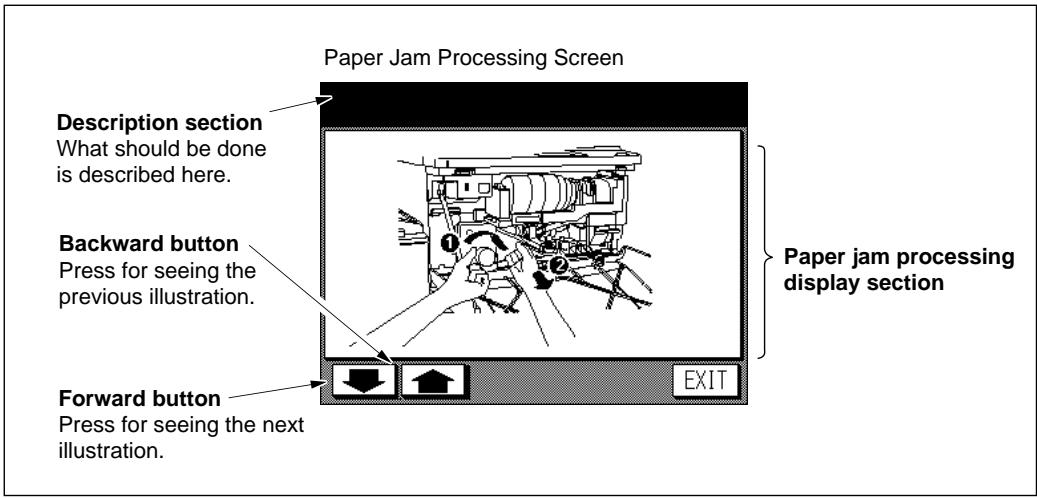

CAUTION: Fixing Unit
The Fixing unit is internally very hot. To avoid getting burned, DO NOT TOUCH. Be careful when withdrawing the fixing unit.

CAUTION: Drum Unit
The drum unit has a high voltage generated. To avoid an electrical shock. DO NOT TOUCH.

CAUTION: ADU Guide Plate
The ADU guide plate is not latched when raised. Do not release it, otherwise the ADU guide plate will slam shut and may cause injury.

CAUTION: Finisher Operation
DO NOT INSERT your finger into the two staple driving portions or into the grooves of the paper exit lever, otherwise you may be injured.
DO NOT PUT your hands beneath or above the middle exit tray of the Finisher when it is moving, otherwise you may be injured.

CAUTION: Wedged Staples
Exercise caution when removing wedged staples to avoid injury.
4. Power OFF/ON Screen
When any trouble affects the electric signal of the copier, the Power OFF/ON Screen will be displayed.
Turn OFF then ON the power switch.
Power OFF/ON Screen
Please switch ON/OFF
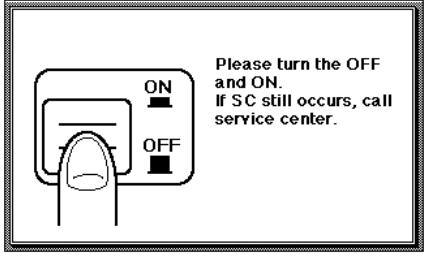
Advice
Turn the power ON in 10 seconds later from turning OFF.
- Simple Problems
| Symptom | Check point | Remedy | |
| Main Body | Power switch is turned ON, but copier does not operate. | Is plug-socket correct?Is the Weekly timer indicator lighted? | Connect correctly to power source.Weekly timer function is ON.Use the forcible ON facility , or Contact your key operator. |
| Copying will not start after pressing START PRINT button. | Is the Front door completely closed?Is the Tray inserted appropriate for the original size?Is the print quantity setting “0”? | Close the Front door completely.Load appropriate size paper into Tray.Set required number of copies. | |
| Copy image is dirty. | Is the Left partition glass, Platen glass or RADF platen guide cover clean?Is the original clean?Is density adjustment correct? (manual) | Clean.Remove marks.Adjust density by using manual mode or Density shift. (See pp. 6-24~6-27.)If further adjustment required, contact your service centre. | |
| Copy image is too light. | Is density adjustment correct? (manual)Is the “Please ADD Toner” message displayed? | Adjust density by using manual mode or Density shift. (See pp. 6-24~6-27.)If further adjustment required, contact your service centre.Add toner. | |
| Copy image is not clear. | Is copy paper damp?Is the “Call for PM” message displayed? | Replace copy paper.Call your service centre. | |
| Magnification cannot be changed. | Is Repeat, Image Shift, Reduce & Shift or Dual Page mode established? | Cancel Repeat, the Image Shift, Reduce & Shift or Dual Page mode. | |
| Copying cannot be effected even after disposal of paper jam. | Can you find paper jam occurring also at any other location? | Confirm on LCD whether paper jam occurs also at any other location. Dispose of any other jam you find. | |
| 1▶2 or 2▶2 mode cannot be selected. | Is ADU completely returned? | Return the ADU completely. | |
| 2▶1 or 2▶2 mode cannot be selected. | Is RADF fully closed? | Fully close the RADF. | |
| Main Body | When using the EKC, copies cannot be taken even when the password is entered. | Is the “Exceeds limit” message displayed? | • Contact your Key operator. |
| RADF | RADF indicator will not light after pressing AUTO RESET button. | Is RADF fully closed? | • Fully close the RADF. |
| Originals will not feed. | Is RADF fully closed?Are only valid originals being used?Are the originals correctly loaded? | • Fully close the RADF.• Set manually on Platen glass, if not.• Correctly load the originals without exceeding the capacity. | |
| Finisher | Finisher does not operate. | Is there paper misfeed in Finisher?Is Finisher door closed properly? | • Remove, if any.• Close properly. |
| Stapling position rotates by 90°. | Is the Rotation activated? | • Reset the original so as not to activate the Rotation (see pp. 6-36~6-38). | |
| ADU | Automatic duplex copying is not possible. | Are previous copies left in ADU? | • Remove copies from ADU. |
1. Main Body Specifications
Main body
RADF (DF-311)
2. Option Specifications
FS-105 In-Bin Stapler Finisher
Drawer Base Unit (DB-208)
Drawer Base Unit (DB-208A)
Drawer Base Unit (DB-608)
Memory Unit
Key Counter
3. Copy Materials
Maintenance Kit (100,000 copies) (except for the United Kingdom)
1. Main Body Specifications
Main Body
| Name: | Konica 7040 |
| Type: | Console type |
| Transfer method: | Indirect electrostatic method |
| Platen glass: | Fixed |
| Light-sensitive unit: | OPC |
| Light source: | Halogen lamp (240W) |
| Developing method: | Dry, 2-component magnetic brush developing |
| Fixing method: | Heat roller |
| Density adjustment: | Automatic and manual (9 steps) and 2 Usersets |
| Magnification ratio: | 1:1±1.0%Enlargement: 1:1.150 (115%), 1:1.220 (122%), 1:1.410 (141%)Reduction: 1:0.860 (86%), 1:0.820 (82%), 1:0.710 (71%)Zoom/Special ratio magnification ratio: 25% to 400% (in 1% increments) |
| Copy paper: | Plain paper: 60 to 90g/m2Special papers: 50 to 59g/m2, 91 to 130g/m2 (with the Multi-sheet bypass tray) |
| Copying speed: | 40 copies/min. (A4), 31 copies/min. (A4R), 23 copies/min. (A3), 40 copies/min. (B5), 26 copies/min. (B4), 34 copies/min. (B5R) |
| Continuous copying: | 1 to 999 copies |
| Types of original: | Sheet, book originals |
| Original size: | A3 maximum |
| Copy size: | A3 to A5R size (image cutoff width: leading and trailing ends 4.5mm±1.5mm, top and bottom 1.5mm±1.5mm) |
| Paper supply method: | Tray 1 (Universal); 500 sheetsMain body with DB-208Tray 2~4 (Universal); 500 sheetsMain body with DB-208ATray 2 (Universal); 500 sheetsStorageMain body with DB-608Tray 2 (Universal); 500 sheetsTray 3 (Service-fixed); 1,500 sheetsMulti-sheet bypass tray; 100 sheets |
| Warm-up time: | Approximately 1.5 minutes |
| First copy time: | 6.0 seconds (A4) |
| Power: | AC 230V 50Hz (This equipment selects the correct voltage automatically.) (AC 110V 60Hz for TAIWAN only) |
| Power consumption: | 1.5kW max. (with option)1.47kW for TAIWAN only |
| Sound power level: | 75dB max. (without option) |
| Weight: | Approx. 95kg (main body + RADF) |
| Size: | 645(W) x 687(D) x 1145(H) mm (main body + RADF)1191(W) x 687(D) x 1145(H) mm (main body + RADF+ Finisher) |
| Effective size: | 1475(W) x 687(D) mm (main body + RADF)1891.3(W) x 687(D) mm (main body + RADF+ Finisher) |
These specifications are subject to change without notice.
RADF (DF-311)
| Function: | Feeds 1- and 2-sided originals automatically |
| Type of original: | Plain paper (60 to 130g/m ^2 ) |
| Original size: | A3, B4, F4/8.5"x13", A4, A4R, B5, B5R, A5, 8.5"x11" (A5 is available in the horizontal feed only) |
| Original capacity: | 50 sheets max. (80g/m ^2 ) |
| Original insertion: | Automatic feed at a time |
| Power source: | Supply from main body |
These specifications are subject to change without notice.
2. Option Specifications
FS-105 In-Bin Stapler Finisher
| Type: | Multiple exit tray (2 offset catch trays, 1 fixed tray) |
| Number of bins: | 3 |
| Sorting system: | Sorting by shifting (30±2 mm) (copies are delivered face up) |
| Types of paper: | A3, B4, F4/8.5"x13", A4R, A4, B5R, B5, A5R, 8.5"x11R, 8.5"x11" (60 to 90g/m2 paper) |
| Number of stapled sheet: | 50 sheets max. or 5 mm or less (80g/m2 paper) |
| 20 sheets max. in Thick paper mode | |
| Staple cartridge: | 5,000 staples x 2 |
| Dimensions: | 546(W) x 599.2(D) x 702.5(H) mm |
| Weight: | 37.1kg |
| Power source: | Supply from main body |
Drawer Base Unit (DB-208)
| Function: | Paper feed into main body |
| Unit: | Tray x 3 |
| Paper size: | A3, B4, F4/8.5"x13", A4, A4R, B5, B5R, A5R, 8.5"x11"R (60 to 90g/m2 paper) |
| Tray capacity: | Upper tray: 500 sheets (80g/m2 paper)Middle tray: 500 sheets (80g/m2 paper)Lower tray: 500 sheets (80g/m2 paper) |
| Type of paper: | Plain paper (60 to 90g/m2 paper) |
| Power source: | Supply from main body |
Drawer Base Unit (DB-208A)
| Function: | Paper feed into main body and Storage |
| Unit: | Tray x 1, Rack x 1 |
| Paper size: | A3, B4, F4/8.5"x13", A4, A4R, B5, B5R, A5R, 8.5"x11"R (60 to 90g/m2 paper) |
| Tray capacity: | Upper tray: 500 sheets (80g/m2 paper) |
| Type of paper: | Plain paper (60 to 90g/m2 paper) |
| Power source: | Supply from main body |
Drawer Base Unit (DB-608)
| Function: | Paper feed into main body |
| Unit: | Tray x 1, LCT x 1 |
| Paper size: | Tray; A3, B4, F4/8.5"x13", A4R, A4, B5R, B5, A5R, 8.5"x11R (60 to 90g/m2 paper)LCT; A4R, A4, B5R, B5, 8.5"x11R (60 to 90g/m2 paper) |
| Tray capacity: | 500 sheets (80g/m2 paper) |
| LCT capacity: | 1,500 sheets (80g/m2 paper) |
| Type of paper: | Plain paper (60 to 90g/m2 paper) |
| Power source: | Supply from main body |
Memory unit
Key Counter
When the copier is used by several departments, this counter can effectively control the copy volume for each department.
These specifications are subject to change without notice.
3. Copy Materials
Maintenance Kit (100,000 copies) (except for the United Kingdom)
| Cleaning blade | 1 |
| Collection roller ass'y | 1 |
| Cleaner idler gear | 1 |
| Fixing cleaning roller | 1 |
| Fixing roller (A) | 1 |
| Fixing cleaning pad | 1 |
| Toner filter | 1 |
| Charging cleaning block/C ass'y | 1 |
| Charging cleaning block/D ass'y | 1 |
| Charging control plate | 1 |
| Charging wire | 1 |
| Discharge wire | 2 |
| Cleaning pad (10pcs) | 3 |
| Dust bag (rubber band) | 1 |
| Deve. collection sheet (rubber band) | 1 |
| Hand case for collection | 1 |
| Cotton swab (4pcs) | 1 |
Recycled paper is used for the inside pages of this manual.
MANUFACTURER

KONICA CORPORATION

TOKYO JAPAN
- ENERGY STAR® Program
- Auto Low Power
- Automatic Shut-Off
- Automatic Duplex Copying
- Section 1 : Precautions for Installation and Use
- Section 2 : Preparation for Use
- Section 3 : Component Locations
- Section 4 : LCD Operation
- Section 5 : Copier Management
- Section 6 : Basic Copying on Basic Screen
- Section 7 : Other Basic Functions
- Section 8 : Special Copying: Page Editing
- Section 9: Special Copying: Copy Image
- Section 10 : Output Mode
- Section 11 : Key Operator Mode
- Section 12 : Troubleshooting
- Section 13 : Others
- Caution Labels and Indicator
- CAUTION
- Danger, Warning and Caution Symbols
- DANGER:
- WARNING:
- CAUTION:
- Requirements for Safe Use
- Power Source
- CAUTION: Plug Socket
- CAUTION: Power Plug and Lead
- CAUTION: Connecting Multiple Loads to One Socket Outlet Prohibited
- CAUTION: Extension Lead
- Earth wire (Taiwan and the Philippines Only)
- Environment
- Prevention of Fire
- Prevention of Short Circuit
- Temperature and Humidity
- Ventilation
- CAUTION: Vibration
- CAUTION: Installation Space
- Precautions for Routine Handling
- CAUTION: Actions in Response to Troubles
- Prohibition of Machine Modification
- Prevention of Machine Troubles
- Recommendation of Periodic Check
- Toner
- LCD Screen
- Finisher Paper Capacity
- Non-Sort Mode
- Sort/Group Mode
- Staple-Sort Mode
- CAUTION: Finisher Operation
- CAUTION: Clearing Wedged Staples
- CAUTION: Paper Capacity for the Exit Tray
- CAUTION: Power Saver and Weekly Timer
- CAUTION: Fixing Unit
- CAUTION: Drum Unit
- CAUTION: ADU Guide Plate
- CAUTION: Dispose of a Disused Copying Machine
- Disposal of waste toner
- Paper Supply
- Paper Out Indication
- Tray Specifications
- For easy feeding
- How to store paper
- How to load copy paper
- Copy paper capacity
- Loading Paper
- Loading Paper into the universal tray
- Loading paper into the service-fixed tray
- Loading paper into the Large Capacity Tray (Service-fixed)
- Loading paper into the Multi-sheet bypass tray
- Toner Supply
- Toner Supply Indication
- Advice-Add Toner Icon Display
- Please Be Reminded!
- Advice-Disposal of Empty Toner Cartridge
- Preparation
- Adding Toner
- Main Body
- CAUTION: LCD Screen
- Internal
- Operation Panel
- Finisher
- Screen Types
- Basic Screen
- Application Selection Screen
- Other Screens
- Wake-Up and Basic Screen
- Konica
- Basic Screen: Layer Selection Screen (Full-Automatic Mode Screen)
- Advice: Timing of pressing the START PRINT button
- Basic Screen: Direct Selection Screen
- Check Screen
- Help Screen
- Screens for Setting Job Memory
- Service Call Screen
- Paper Jam Position and Paper Jam Processing Screens
- Power OFF/ON Screen
- Key Operator Mode Screens
- Power Saver
- Electronic Key Counter (EKC)
- Weekly Timer
- Periodic Maintenance
- Daily Maintenance
- Advice
- Release of Auto Low Power
- Manual Shut-Off
- Release of Manual Shut-Off
- Advice - Auto Low Power and Auto Shut-Off
- Release of Automatic Shut-Off
- EKC Functions
- EKC Procedure
- Enter EKC Password
- Display Copy Count/Copy Limit
- Having Problems?
- Set Copy Conditions and Start Print
- Reset the EKC Password
- Timer Interrupt
- Procedure
- How to Read the PM Count
- Clean the Platen Glass
- Clean the Left Partition Glass
- Clean the RADF Platen Guide Cover
- Basic Screen
- Basic Operation for Copying
- Copy Mode
- Copy Density
- Magnification
- Paper Size Selection
- Automatic Settings
- Rotation
- Advice: Layer Selection Screen
- Power Switch ON
- Set Copying Conditions
- Advice for minimizing toner consumption
- Select Output Mode
- For a copier without the Finisher:
- Advice: E-Sort Exit
- Advice: Face UP Exit
- For a copier with the Finisher:
- Enter Print Quantity
- Place Original(s)
- Using RADF: originals FACE UP
- Using Platen glass: original FACE DOWN
- Supplement 1: Using Store mode
- Supplement 2: Checking copying conditions/printed copies
- Start Copying
- STOP/CLEAR button
- INTERRUPT button
- Advice: Paper Exit Switching Function of Finisher Exit Tray
- Advice: Automatic Stop on Exit Tray
- CAUTION: Paper Capacity of the Finisher
- CAUTION: Maximum Loading Capacity of the Exit Tray
- 1▶2 Copying
- Basic rules for 1▶2 copying mode
- 1▶2 Copying Specifications
- Incompatible
- Set Copy Conditions
- Enter Print Quantity
- Place Originals ... FACE UP
- RADF Store Mode:
- Platen Store Mode:
- Start Copying
- 2▶ 2 Copying
- Basic rules for 2▶2 copying mode
- 2▶ 2 Copying Specifications
- 2▶1 Copying
- Basic rules for 2▶1 copying mode
- 2▶ 1 Copying Specifications
- 1▶2 Copying by Using the Platen Glass
- Originals that cannot be fed by the RADF:
- 1▶2 Copying by Using the Platen Glass Specifications
- Scan Front Side ... FACE DOWN
- Scan Reverse Side ... FACE DOWN
- Store Data into Memory
- Supplement: Checking copying conditions/printed copies
- AE (Automatic Exposure)
- Manual Density Adjustment
- Density Shift
- Select the density mode.
- Preset/Userset
- Zoom
- Vertical/Horizontal Zoom
- ATS (Automatic Tray Switching)
- APS (Automatic Paper Size Selection)
- AMS (Automatic Magnification Selection)
- Auto Reset
- Rotation Specifications
- Rotation and APS
- Rotation and AMS
- To Release Automatic Rotation
- To recover automatic Rotation
- Store Mode
- Reserve Mode and Job List
- Image Quality
- CHECK Button
- HELP Button
- JOB MEMORY Button
- INTERRUPT Button
- Multi-Sheet Bypass Tray
- Using Store mode in Basic copying
- Using Store mode with Applications
- Please Be Reminded
- Store mode Specifications
- Platen Store Mode
- Set Copying Conditions
- Place Original(s) on the Platen Glass...FACE DOWN
- Close the RADF.
- Scan Original(s)
- Store in Memory
- RADF Store Mode
- Place Originals...FACE UP
- Basic rules for Reserve mode
- Reserve Job Setting
- Start Scanning/Printing Present Output Job
- Set Reserve Job
- Scan Originals of Reserve Job
- Advice: Reserve Job and APS
- Set Another Reserve Job
- Start Next Reserve Job
- Job List Screen
- [Indication]
- [Meaning]
- To Change the Order of Reserve Job
- To Delete the Reserve Job
- Troubleshooting in Reserve Setting
- Troubleshooting : “JAM” folder key
- Troubleshooting : “ADD PAPER” folder key
- Troubleshooting : Original misfed in Reserve Job
- High Mode
- Basic rules for High mode
- High Mode Specifications
- Place Original(s)... RADF: Original FACE UP
- Platen Glass: Original FACE DOWN
- Very High Mode
- Basic rules for Very high mode
- Basic rules for Proof copy
- Check Screen and How to Make a Proof Copy
- Place Original(s)... RADF: Original FACE UP
- Display Check Screen
- Change Settings before Proof Copy
- Make a Proof Copy
- CHECK MODE
- Change Settings after Proof Copy
- CHECK MODE \* can be changed
- Make a Proof Copy/Change Settings
- Verify/Change Print Quantity
- Start Copying
- How to View the Check Screen
- Basic copying functions (The following eight items will be displayed whether selected or not.)
- Help Basic Screen
- How to Display the Help Basic Screen
- How to operate the Help Basic screen
- Help Screens for the Output Modes
- Help Screens for the Job Memory
- Help Screen for the Paper Jam Position Screen
- Help Screens for Manual Setting on the Basic Screen
- Help Screens for the Application Selection Screen
- When No Key on the Application Selection Screen Is Touched:
- When Any Special Copying Function Key Is Touched on the Application Selection Screen:
- When Pressing the HELP Button without Changing Applications after Copying:
- JOB STORE
- Advice - To Display Help Screen
- Advice - To Discontinue Job Store Operation
- Advice - Corrective Setting of Copying Conditions
- Advice - Lock of Job No. Key
- Advice - Discontinuing Storing at a Job No. Key
- JOB RECALL
- Advice - Discontinuing recalling
- Interrupt Mode Specifications
- Press INTERRUPT Button
- Press INTERRUPT Button Again
- Resume Copying
- Place Copy Paper
- Application Selection Screen
- Advice: APPLICATION icon
- Advice - Help Screens for Application Functions
- Sheet/Cover Insertion
- Basic rules for Sheet/Cover Insertion copying
- Set Insertions on Tray 1
- Set Covers on Tray 1 or Multi-Sheet Bypass Tray
- Check Copy Paper: Trays 2, 3 and 4
- Set Copying Conditions
- Advice: Blank Insertion
- Enter Print Quantity
- Place Originals...FACE UP
- Start Copying
- Chapter
- Basic rules for Chapter copying
- Place Original(s)...FACE DOWN
- Combination
- Basic rules for Combination
- AMS is automatically selected.
- Place Original(s)...FACE UP
- Booklet
- Basic rules for Booklet
- OHP Interleave
- Basic rules for OHP Interleave copying
- Load Transparent Film: Multi-Sheet Bypass Tray
- Load Interleave Paper: Tray 1, 2, 3, or 4
- Set Copying Conditions
- Touch "Blank Sheet Interleaving" or "Copy Sheet Interleaving" key.
- Touch "OK" key on the OHP Interleave Mode Selection screen. The Application Selection screen will be restored.
- Image Insert
- Basic rules for Image Insert
- RADF: Place/Scan Original(s)...FACE UP
- Originals
- Platen Glass: Place/Scan Original(s)...FACE DOWN Insertion Pages
- Touch the "SCAN" key on the Basic screen.
- Repeat steps 6. to 9. until all the originals are scanned.
- Dual Page
- Basic rules for Dual Page
- Dual Page Specifications
- Load Copy Paper: A4, B5, 8.5"x11"
- Enter Print Quantity
- Place/Scan Original(s) on the Platen Glass...FACE DOWN
- Start Copying
- Mixed Original
- Basic rules for Mixed Original copying
- Place Original(s) on RADF...FACE UP
- Text/Photo Enhance
- Text/Photo Enhance Specifications
- Incompatible None
- Place Original(s)... FACE UP in RADF
- FACE DOWN on Platen glass
- Reverse Image
- Reveres Image Specifications
- Repeat
- Basic rules for Repeat copying
- Repeat Specifications
- To select the Manual setting mode:
- To select the Auto setting mode:
- Place Original(s) on the platen glass ...FACE DOWN Manual Setting mode
- Auto Setting mode
- Frame/Fold Erasure
- Basic rules for Frame/Fold Erasure copying
- Frame/Fold Erasure Specifications
- Incompatible with Frame erasure
- Incompatible with Fold erasure
- Auto Layout
- Basic rules for Auto layout
- Auto Layout Specifications
- Place Original(s) on the platen glass ...FACE DOWN
- Supplement 1: Using Platen store mode
- Thin/Thick Paper Mode
- Thin Paper Mode
- Thick Paper Mode
- Basic rules for Thin/Thick Paper Copying
- Load Copy Paper onto Multi-Sheet Bypass Tray
- Place Original(s)... FACE UP in RADF
- Image Shift
- Basic rules for Image Shift copying
- To select the Image shift:
- To select the Reduce & shift:
- Place Original(s) in RADF...FACE UP / Start Copying (Proceed step 4 when using platen glass.)
- Supplement 1: Using RADF store mode
- Place Original(s) on Platen Glass...FACE DOWN / Start Copying
- Basic rules for Non image area erase
- Non image area erase Specifications
- Finisher Specifications
- Inserting a New Staple Cartridge
- Output Mode for Machine without Finisher
- Non-Sort Mode Specifications
- Sort Mode
- Group Mode
- Group Mode Specifications
- Face Up Mode
- Normal Exit
- E-Sort Exit
- E-Sort Exit Specifications
- Face Up Exit
- Face Up Exit Specifications
- Key Operator Function
- System Initial [1]
- Copier Initial [2]
- Preset Key [3]
- EKC (Electronic Key Counter) [4]
- System/copier setting menu
- Lock Job Memory [5]
- Paper Type [6]
- Panel Contrast [7]
- Key Operator Data [8]
- Weekly Timer [9]
- Touch Panel Adjustment [10]
- Memory Switch [13]
- How to Access the Key Operator Mode
- Memory SW
- List print
- KRDS host
- Time [1]
- Language [2]
- ☐ Default setting: English
- Porcedure
- Copy Mode [1]
- Density [2]
- Magnification [3]
- ☐ Setting options: AMS; 1.00; ratio 0.25\~4.00
- Tray [4]
- Output [5]
- Machine with Finisher
- Machine without Finisher
- Image Quality [6]
- Density [1]
- Magnification [2]
- Change E.K.C. Data:
- E.K.C. Data List:
- All Counter Reset:
- EKC On/Off Setting:
- Copy Limit Reached Effect:
- How to Access the EKC Setting Mode
- Change EKC Data [1]
- EKC Data List [2]
- All Counter Reset [3]
- EKC On/Off Setting [4]
- ☐ Default setting: EKC on
- Copy Limit Reached Effect [5]
- ☐ Setting options: See list below
- Weekly Timer Setting
- Weekly Timer Copier ON/OFF Time Set
- Machine Working Day Individual Set
- Lunch Hour Off Function
- Password Setting
- How to Access the Weekly Timer Setting Mode
- Weekly Timer Setting [1]
- Weekly Timer Copier ON/OFF Time Set [2]
- Machine Working Day Individual Set [3]
- Lunch Hour Off Function [4]
- Password Setting [5]
- ☐ Default setting: Timer interrupt password 0000
- Paper Size [11]
- Power Save [12]
- [1] Auto reset timer
- [2] Auto/reset effect
- [3] Load RADF effect
- [4] Non Image Area Erase
- [5] RADF frame erasure
- [6] Auto tray switch
- [7] Platen APS
- [8] RADF APS
- [9] ATS/APS (Bypass)
- [10] ATS/APS (Tray 1)
- [11] ATS/APS (Tray 2)
- [12] ATS/APS (Tray 3)
- [13] ATS/APS (Tray 4)
- [14] Platen AMS
- [15] RADF AMS
- [16] Staple mode reset
- [17] Key click sound
- [18] Job memory recall
- [19] Sheet insertion
- [20] A5 orig. type
- [21] Rotation
- [22] 1 SHOT indication time
- [23] Booklet
- [24] Folded original
- [25] RADF non-std. size
- List Print [14]
- KRDS Host [15]
- Service Call
- Memory Overflow
- Paper Jam Processing
- Power OFF/ON Screen
- Simple Problems
- Limited Use of the Copier in Trouble
- Copy Conditions Using Memory
- Action 1
- Action 2
- To continue the job:
- To suspend the job:
- Jam in Current Job
- Jam in Reserve Job
- “JAM” Folder Key and ERROR Indicator
- Jam Position in "RESERVE" Folder Key
- Papr Jam Position Screen
- Message section
- "GUIDE" key
- Paper jam position display section
- Paper Jam Processing Screen
- CAUTION: Wedged Staples
- Main Body Specifications
- Option Specifications
- Copy Materials
- Memory unit
- Key Counter
- KONICA CORPORATION
Brand : KONICA MINOLTA
Model : 7040
Category : Multifunction Printer