
Tapo RV20 Max - Vacuum Cleaner TP-LINK - Free user manual and instructions
Find the device manual for free Tapo RV20 Max TP-LINK in PDF.


| Product type | Robot vacuum |
| Brand | TP-Link |
| Model | Tapo RV20 Max |
| Dimensions (diameter x height) | 350 mm x 100 mm |
| Weight | Approximately 3 kg |
| Power supply | Rechargeable lithium-ion battery, 20 V |
| Battery life | 120 minutes |
| Charging time | 4 hours |
| Dustbin capacity | 400 ml |
| Filtration | High-efficiency HEPA filter |
| Main functions | Scheduled cleaning, suction, brushing, automatic obstacle detection |
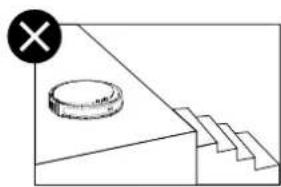
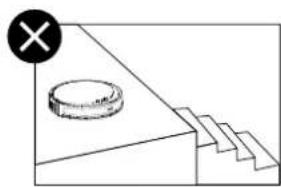
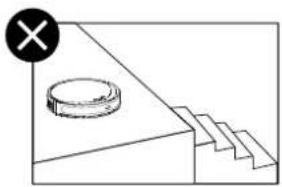
| Sensors | Anti-drop, anti-collision, carpet detection |
| Connectivity | Wi-Fi 2.4 GHz, Tapo app for smartphone |
| Voice assistants | Alexa, Google Assistant |
| Noise level | 55 dB |
| Maintenance | Removable and washable dustbin, washable filter |
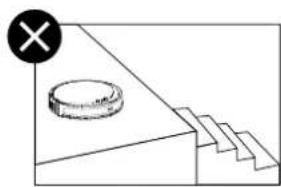
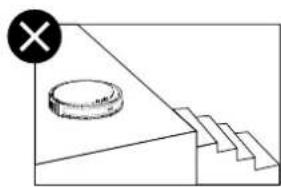
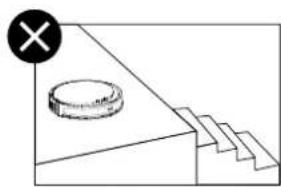
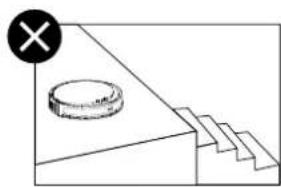
| Safety | Automatic stop in case of fall, overload protection |
| Spare parts | Side brushes, HEPA filter, replacement battery |
| Repairability | Parts available, repair possible by a professional |
| Warranty | 2 years |
Frequently Asked Questions - Tapo RV20 Max TP-LINK
User questions about Tapo RV20 Max TP-LINK
0 question about this device. Answer the ones you know or ask your own.
Ask a new question about this device
Download the instructions for your Vacuum Cleaner in PDF format for free! Find your manual Tapo RV20 Max - TP-LINK and take your electronic device back in hand. On this page are published all the documents necessary for the use of your device. Tapo RV20 Max by TP-LINK.
USER MANUAL Tapo RV20 Max TP-LINK
for technical support, user guides, FAQs, warranty & more

tapo
User Manual
Robot Vacuum
Setup Videos
Scan QR code or visit
https://www.tp-link.com/support/setup-video/#robot-vacuum

©2024 TP-Link 7106511511 REV 1.0.0 Images may differ from actual products.
CONTENTS
1 / English
5 / Deutsch
9 / Español
13 / Ελληνικά
17 / Français
21 / Italiano
25 / Português
29 / Suomi
33 / Nederlands
37 / Svenska
41 / Norsk
45 / Dansk
49 / Bahasa Indonesia
53 / ไทย
57 / 한국어
61 / Tiếng Việt
65 / Türkçe
72 / العربية
*Images may differ from actual products.
Overview
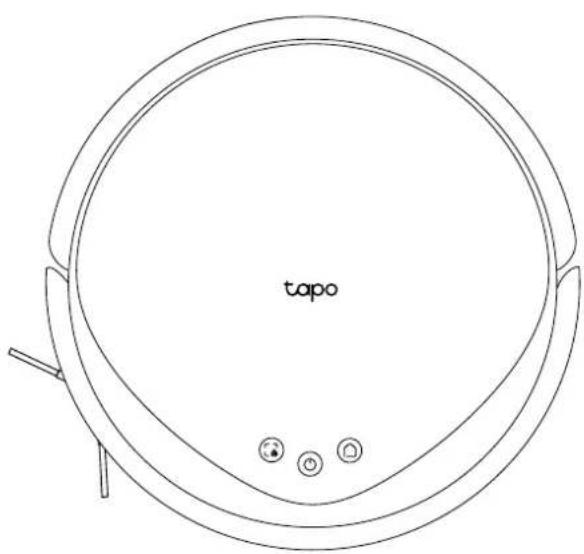
Power/Clean
- Press once: Start/pause cleaning.
- Press and hold for 3 seconds: Turn on/off the robot vacuum.
Dock
- Return to the dock to charge.
• (For Plus Series) Empty the bin when docked.
Spot Cleaning/Child Lock
- Press once: Start spot cleaning.
- Press and hold for 5 seconds: Turn on/off the child lock.
Combination Button
- Press and hold simultaneously for 5 seconds: Enter setup mode to configure network.
- Press and hold simultaneously for 10 seconds: Restore to factory default settings.
LED
• Red: Battery level < 20%; Error
• Orange: Battery level between 20% and 80%
• Green: Battery level > 80%
English
1 Postion the Dock
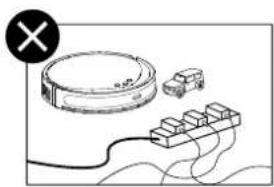
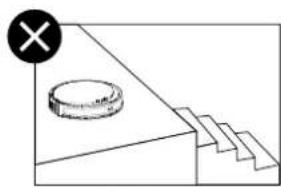
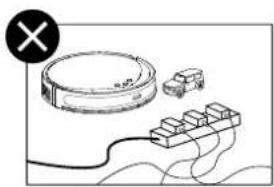
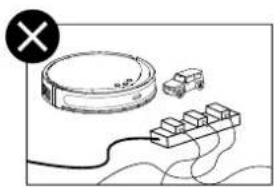
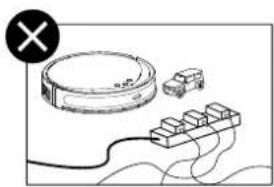
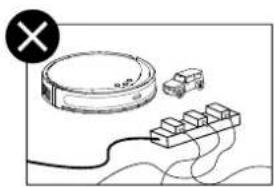
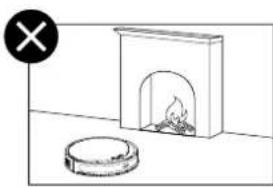
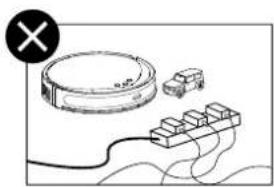
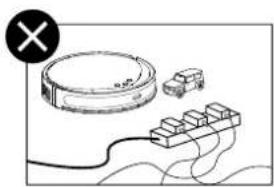
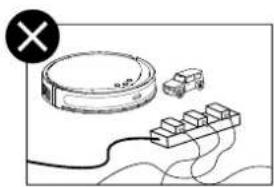
Place the dock on a level surface, flat against a wall, without obstacles within 1.5m (4.9ft) in front and 0.5m (1.6ft) on left and right. Connect the power cord to the dock and power source. Keep the cable tidy.

Notes
- To ensure a better user experience, make sure the area is with good Wi-Fi signal.
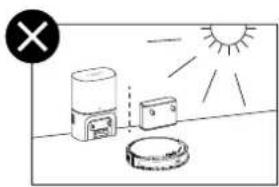
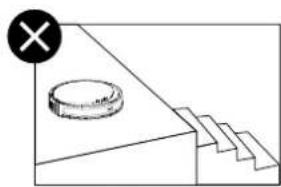
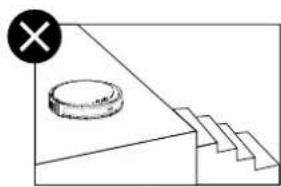
- Do not place it in direct sunlight. Ensure the area around the dock is free of clutter to improve docking performance.
- Always keep the dock powered on, otherwise the robot vacuum will not automatically return. And do not move the dock frequently.
English
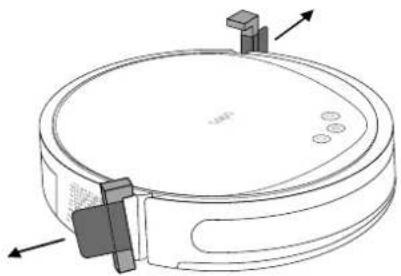
2 Remove Protective Strip
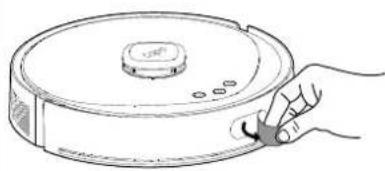
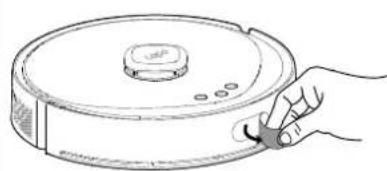
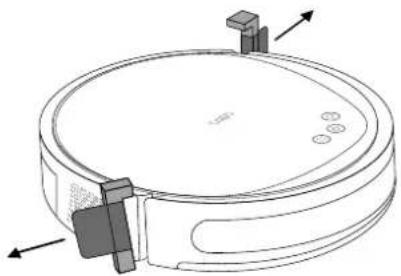
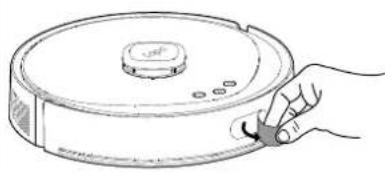
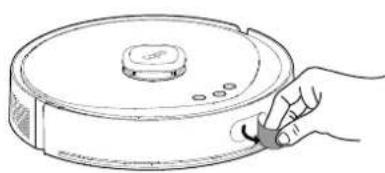
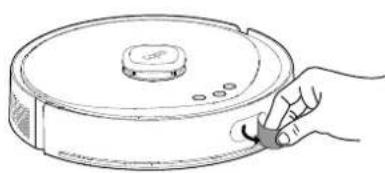
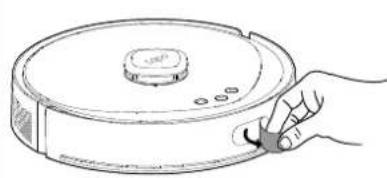
Remove the protective strips on both sides of the front bumper.
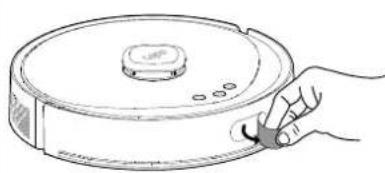
3 Remove Protective Film
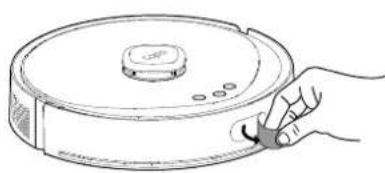
Remove the protective film on the front bumper.

4 Turn On Robot Vacuum
Press and hold for 3 seconds to turn on the robot vacuum. You will hear either "Turning On" or a beep, indicating a successful power-on.

English
5 Power On and Charge
Place the robot vacuum on the charging dock or tap to send it back to the dock to charge. It will return to the dock at the end of a cleaning job and whenever it needs to recharge.

Notes
- When the LED of the charging dock flashes 3 times and then goes out, the charging will begin.
• We recommend that you charge the robot vacuum fully for about 4 hours prior to starting the first cleaning job.

• To prevent corrosion, do NOT add any cleaning agents.
- WIPE the water tank dry after adding water.
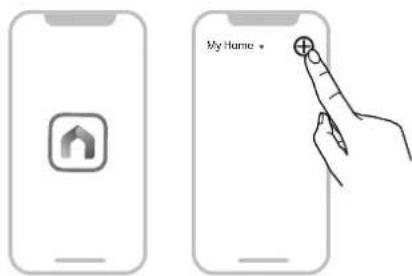
6 Download the Tapo App and Connect to Wi-Fi
- Download the Tapo app from the App Store or Google Play, then log in.

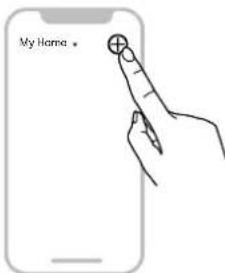
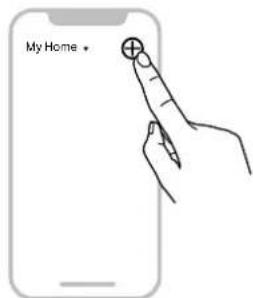
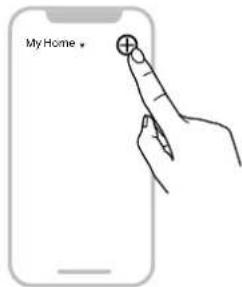
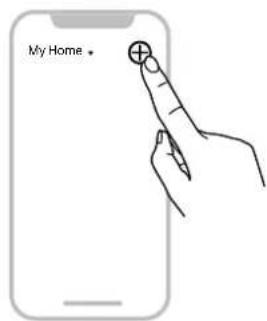
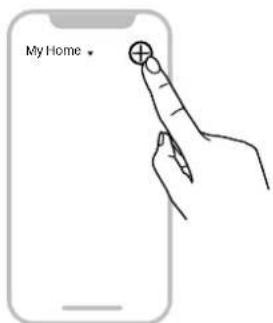
- Open the Tapo app, tap + icon, and select your model. Follow the step-by-step instructions to easily set up your robot vacuum.
Troubleshooting & Voice Prompts for Issues: https://www.tp-link.com/support/faq/3525/

Hinweise
2 Retirar la tira protectora
Notas

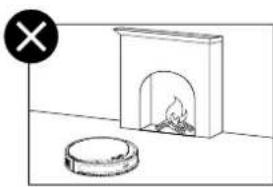
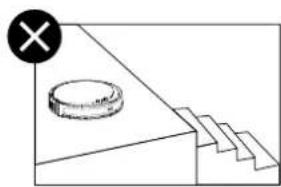
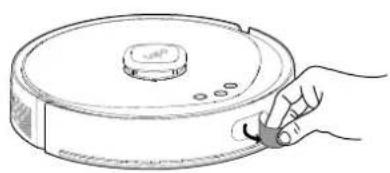
Σημειώσεις
Alimentation/Nettoyage

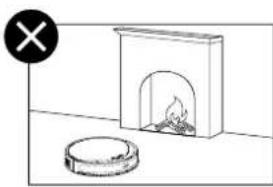
2 Retirer la bande de protection

Remarques

Italiano

Note


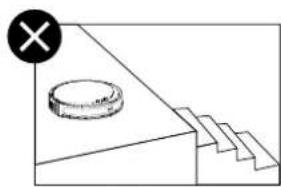

Notas



2 Irrota suojanauha
3 Irrota suojakalvo
Irrota etupuskurin suojakalvo.


Huomiot

Opmerkingen

4 Starta robotdammsugaren
OBS
Felsökning & Röstmeddelanden vid problem: https://www.tp-link.com/support/faq/3525/

Merk

Feilsøking & Talemeldinger for problemer: https://www.tp-link.com/support/faq/3525/
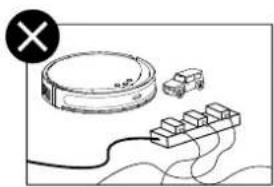
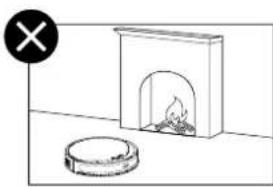
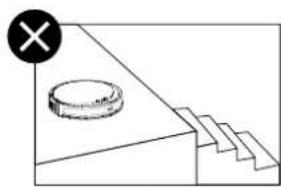

Noter
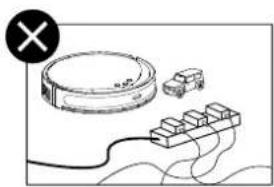
2 Hapus Strip Pelindung
Sebelum digunakan, lepaskan strip pelindung di kedua sisi bumper depan.
3 Lepaskan Film Pelindung
Lepaskan film pelindung di bumper depan.

4 Nyalakan Robot Vakum
Catatan

2 ถอดแลบป้องกัน
3 ลอกฟิล่มกันรอย
หมายเหตุ


한국어
2 보호 스트립 제거
3 보호 필름 제거

4 로봇 청소기 전원 켜기
■ 참고사항

2 Tháo dài bảo vệ
4 Bật robot hút bụi
Ghi chú
? vân đề: https://www.tp-link.com/support/faq/3525/
Notlar

ملاحظات
العربية

العربية
English: Safety Information
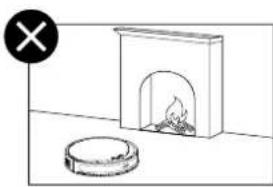
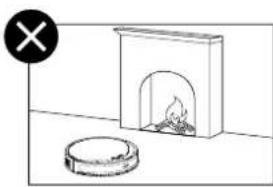
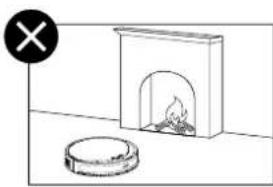
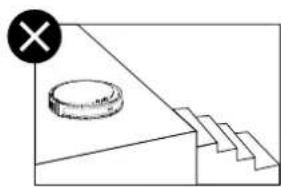
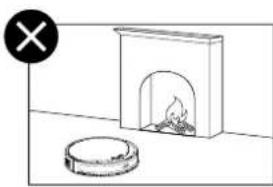
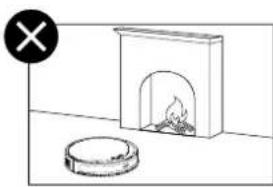
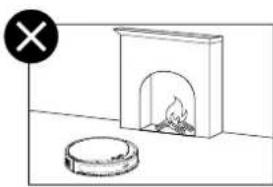
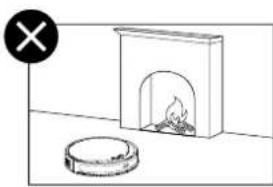
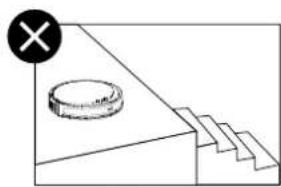
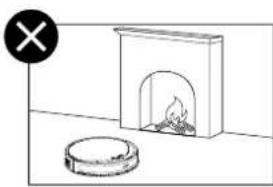
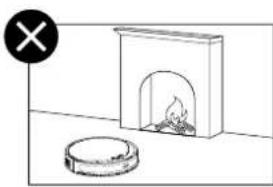
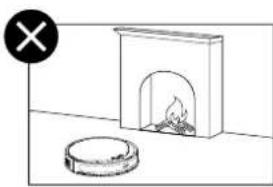
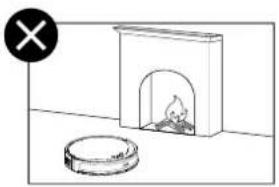
- Keep the device away from water, fire, humidity or hot environments.
- Do not attempt to disassemble, repair, or modify the device. If you need service, please contact us.
- If the supply cord is damaged, it must be replaced by the manufacturer, its service agent or similarly qualified persons in order to avoid a hazard.
Warning
Avoid replacement of a battery with an incorrect type that can defeat a safeguard. Avoid disposal of a battery into fire or a hot oven, or mechanically crushing or cutting of a battery, that can result in an explosion. Do not leave a battery in an extremely high temperature surrounding environment that can result in an explosion or the leakage of flammable liquid or gas; Do not leave a battery subjected to extremely low air pressure that may result in an explosion or the leakage of flammable liquid or gas.
The instructions shall state the substance of the following:
This appliance is not intended for use by persons (including children) with reduced physical, sensory or mental capabilities, or lack of experience and knowledge, unless they have been given supervision or instruction concerning use of the appliance by a person responsible for their safety.
Children should be supervised to ensure that they do not play with the appliance.
The appliance is only to be used with the power supply unit provided with the appliance.
WARNING: For the purposes of recharging the battery, only use the detachable supply unit provided with this appliance.
The appliance contains a 2600mAh lithium-ion battery.
This appliance can be used by children aged from 8 years and above and persons with reduced physical, sensory or mental capabilities or lack of experience and knowledge if they have been given supervision or instruction concerning use of the appliance in a safe way and understand the hazards involved. Children shall not play with the appliance. Cleaning and user maintenance shall not be made by children without supervision.
TP-Link hereby declares that the device is in compliance with the essential requirements and other relevant provisions of directives 2014/53/EU, 2009/125/EC, 2011/65/EU and (EU)2015/B63.
The original EU Declaration of Conformity may be found at https://www.lapo.com/support/ce/.
TP-Link hereby declares that the device is in compliance with the essential requirements and other relevant provisions of the Radio Equipment Regulations 2017.
The original UK Declaration of Conformity may be found at https://www.tapo.com/support/ukca/
For Auto-Empty Dock / Battery:
TP-Link hereby declares that the device is in compliance with the essential requirements and other relevant provisions of directives 2014/30/EU, 2014/35/EU, 2009/125/EC, 2011/65/EU and (EU)2015/B63.
The original EU declaration of conformity may be found at https://www.tapo.com/en/support/ce/
TP-Link hereby declares that the device is in compliance with the essential requirements and other relevant provisions of the Electromagnetic Compatibility Regulations 2016 and Electrical Equipment
(Safety) Regulations 2016. The original UK declaration of conformity may be found at https://www.tapo.com/support/ukca/
Deutsch
Für Saugroboter:
For TP-Link Branded Products Only. For more information about warranty, please visit https://www.tapo.com/support
THIS WARRANTY GIVES YOU SPECIFIC LEGAL RIGHTS. AND YOU MAY HAVE OTHER RIGHTS THAT VARY FROM STATE TO STATE (OR BY COUNTRY OR PROVINCE).
TO THE EXTENT ALLOWED BY LOCAL LAW, THIS WARRANTY AND THE REMEDIES SET FORTH ARE EXCLUSIVE AND IN LIEU OF ALL OTHER WARRANTIES, REMEDIES AND CONDITIONS.
TP-Link warrants the TP-Link branded hardware product contained in the original packaging against defects in materials and workmanship when used normally in according with TP-Link's guidelines for some period which depends on the local service from the date of original retail purchase by the end-user purchaser.
Dansk
https://www.tapo.com/support
DENNE GARANTI GIVER DIG SPECIFIKKE JURIDISKE RETTIGHEDER OG DU KAN HAVE ANDRE RETTIGHEDER SOM VARIERER FRA STAT TIL STAT (ELLER FRA LAND ELLER PROVINS).
INDENFOR LOVENS RAMMER ER GARANTIEN OG RETSMIDLERNE DER FREMGÄR ESKLUSIVE OG I STEDET FOR ALLE ANDRE RETTIGHEDER, RETSMIDLER OG BETINGELSER.
EFGYHSEON, OPON KALAIATAEON


- USER MANUAL
- CONTENTS
- POWER/CLEAN
- DOCK
- SPOT CLEANING/CHILD LOCK
- COMBINATION BUTTON
- LED
- ENGLISH
- POSTION THE DOCK
- NOTES
- REMOVE PROTECTIVE STRIP
- REMOVE PROTECTIVE FILM
- TURN ON ROBOT VACUUM
- POWER ON AND CHARGE
- DOWNLOAD THE TAPO APP AND CONNECT TO WI-FI
- HINWEISE
- RETIRAR LA TIRA PROTECTORA
- NOTAS
- ΣΗΜΕΙΏΣΕΙΣ
- ALIMENTATION/NETTOYAGE
- RETIRER LA BANDE DE PROTECTION
- REMARQUES
- NOTE
- IRROTA SUOJANAUHA
- IRROTA SUOJAKALVO
- HUOMIOT
- OPMERKINGEN
- STARTA ROBOTDAMMSUGAREN
- OBS
- MERK
- NOTER
- HAPUS STRIP PELINDUNG
- LEPASKAN FILM PELINDUNG
- NYALAKAN ROBOT VAKUM
- CATATAN
- ถอดแลบป้องกัน
- ลอกฟิล่มกันรอย
- 보호 스트립 제거
- 보호 필름 제거
- 로봇 청소기 전원 켜기
- 참고사항
- THÁO DÀI BẢO VỆ
- BẬT ROBOT HÚT BỤI
- GHI CHÚ
- NOTLAR
- ENGLISH: SAFETY INFORMATION
- WARNING
- DEUTSCH
- FÜR SAUGROBOTER
- DANSK
Brand : TP-LINK
Model : Tapo RV20 Max
Category : Vacuum Cleaner