Toast Retro - Toaster Create - Free user manual and instructions
Find the device manual for free Toast Retro Create in PDF.


Pick your language and provide your email: we'll send you a specifically translated version.
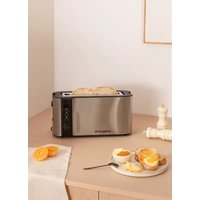
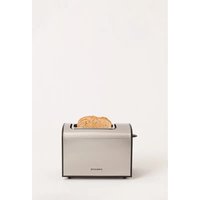
| Product type | Retro toaster |
| Brand | Create |
| Model | Toast Retro |
| Number of slots | 2 |
| Power supply | 220‑240 V ~ 50/60 Hz |
| Power | 850‑950 W |
| Dimensions (L x W x H) | 29 x 18 x 24 cm |
| Weight | 1.3 kg |
| Browning control | 7 electronic levels |
| Main functions | Toasting, defrost, reheat, manual stop |
| Bread centering function | Yes, automatic centering |
| Automatic shut-off | Yes, at end of cycle |
| Overheat protection | Yes, safety thermal cut-off |
| Crumb tray | Removable, easy to clean |
| Maintenance and cleaning | Unplug, wipe exterior with damp cloth, removable tray washable |
| Non-slip feet | Yes, 4 rubber feet |
| Cord length | 85 cm |
| Spare parts available | Crumb tray, drawer, grids |
| Repairability | Repairability index 7.9/10 |
Frequently Asked Questions - Toast Retro Create
How to adjust browning on the Toast Retro?
Turn the adjustment knob to choose from 7 browning levels. The higher the number, the more toasted the bread will be.
How to use the defrost function?
Insert frozen bread, press the Defrost button then lower the lever. The toaster automatically adjusts the toasting time.
How to clean the crumb tray?
Make sure the appliance is unplugged and cool. Pull the tray out, empty the crumbs and wash it with warm soapy water. Dry before putting it back.
What types of bread can I use?
This toaster accepts sliced bread, baguettes, specialty breads, and brioche. Avoid slices that are too thick (max 3 cm) or filled pastries.
What to do if the toaster does not turn on?
Check that the plug is connected and the wall switch is on. If the problem persists, the internal fuse may be defective; contact customer service.
The bread is stuck in the slot, how to remove it?
Immediately unplug the appliance and wait for it to cool. Use wooden or silicone tongs to gently remove the bread. Never use metal utensils.
Is there an automatic shut-off?
Yes, the toaster automatically turns off at the end of the cycle. The lever rises and the indicator light goes out.
How to prevent the toaster from overheating?
Do not operate the appliance continuously several times. Let it cool between uses. If the thermal protection trips, unplug the appliance for 10 minutes.
Can I toast pastries?
Yes, but be careful of fillings that may drip. Use the special pastry rack (not included) or place them on a grid designed for this purpose.
Where to find spare parts?
Spare parts (crumb tray, drawer, grids) are available on the manufacturer's website or from authorized dealers. Use the model Toast Retro Create as reference.
User questions about Toast Retro Create
0 question about this device. Answer the ones you know or ask your own.
Ask a new question about this device
No questions yet. Be the first to ask one.
Download the instructions for your Toaster in PDF format for free! Find your manual Toast Retro - Create and take your electronic device back in hand. On this page are published all the documents necessary for the use of your device. Toast Retro by Create.
USER MANUAL Toast Retro Create
Manual assistant
Powered by Anthropic
Waiting for your message
Product information
Brand : Create
Model : Toast Retro
Category : Toaster