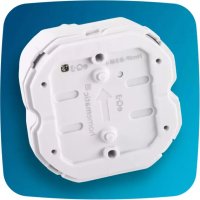
HmIP-DRSI4 - Switch Homematic IP - Free user manual and instructions
Find the device manual for free HmIP-DRSI4 Homematic IP in PDF.


Pick your language and provide your email: we'll send you a specifically translated version.
| Product Type | Smart Home Switch Actuator |
| Model | HmIP-DRSI4 |
| Brand | Homematic IP |
| Dimensions (HxWxD) | 72 x 72 x 36 mm |
| Weight | 150 g |
| Power Supply | 230 V AC, 50 Hz |
| Number of Channels | 4 |
| Max. Load per Channel | 200 W (resistive), 100 VA (inductive) |
| Wireless Protocol | Homematic IP (868 MHz) |
| Range | Up to 300 m (free field) |
| Operating Temperature | 5 °C to 35 °C |
| Protection Class | IP20 |
| Installation | Wall-mount (flush or surface) |
| Primary Functions | Switch on/off, time programs, remote control via Homematic IP app, status feedback |
| Compatible Systems | Homematic IP Access Point, CCU3, homematic IP app |
| Maintenance | Clean with dry cloth; do not use solvents |
| Safety | Installation by qualified electrician; disconnect power before installation |
| Spare Parts | Not available; non-repairable device |
| Environmental | Indoor use only; dispose according to local regulations |
| Certifications | CE, RED |
Frequently Asked Questions - HmIP-DRSI4 Homematic IP
How do I install the HmIP-DRSI4 switch?
Installation should be carried out by a qualified electrician. Connect the switch according to the wiring diagram in the manual. Ensure the power is off before installation.
How do I pair the switch with my Homematic IP Access Point?
Press and hold the system button on the switch for 4 seconds. The LED will flash. Then, in the Homematic IP app, select 'Add Device' and follow the instructions. Pairing is completed when the LED lights up solidly.
Can I control the switch remotely?
Yes, once connected to the Homematic IP Access Point, you can control the switch via the Homematic IP app from anywhere with internet access.
What is the maximum load per channel?
Each channel supports up to 200 W for resistive loads (e.g., incandescent bulbs) and up to 100 VA for inductive loads (e.g., small motors). Exceeding these limits may damage the device.
How do I reset the switch to factory settings?
Press and hold the system button for 12 seconds until the LED flashes rapidly. Release the button; the device will reset and restart. All paired connections will be lost.
What should I do if the switch is not responding?
Check the power supply and ensure the circuit breaker is on. Verify that the switch is within range of the access point. Try restarting the access point and the switch. If issues persist, perform a factory reset.
Can I use the switch with other smart home systems?
The switch is designed exclusively for the Homematic IP ecosystem. It is not compatible with Zigbee, Z-Wave, or other protocols unless bridging via an interface.
How do I create time schedules for the switch?
In the Homematic IP app, go to the device settings and select 'Time Programs'. You can define rules based on time, sunrise/sunset, and link them to other devices.
Is the switch suitable for outdoor use?
No, the HmIP-DRSI4 has IP20 protection rating and is intended for indoor use only. It should not be exposed to moisture or extreme temperatures.
Where can I find the user manual for the HmIP-DRSI4?
The user manual is available for free download on notice-facile.com in PDF format. You can also view it online in multiple languages.
User questions about HmIP-DRSI4 Homematic IP
0 question about this device. Answer the ones you know or ask your own.
Ask a new question about this device
No questions yet. Be the first to ask one.
Download the instructions for your Switch in PDF format for free! Find your manual HmIP-DRSI4 - Homematic IP and take your electronic device back in hand. On this page are published all the documents necessary for the use of your device. HmIP-DRSI4 by Homematic IP.
USER MANUAL HmIP-DRSI4 Homematic IP
Manual assistant
Powered by Anthropic
Waiting for your message
Product information
Brand : Homematic IP
Model : HmIP-DRSI4
Category : Switch