Live Gamer Portable 2 Plus - Media player AVERMEDIA - Free user manual and instructions
Find the device manual for free Live Gamer Portable 2 Plus AVERMEDIA in PDF.


| Product Type | External Game Capture Card |
| Model | Live Gamer Portable 2 Plus (GC513) |
| Dimensions | 115 x 66 x 18 mm (4.5 x 2.6 x 0.7 in) |
| Weight | 100 g (3.5 oz) |
| Power Source | USB bus-powered (USB 3.0) |
| Maximum Recording Resolution | 1080p at 60 fps |
| Pass-Through Resolution | 4K at 60 fps with HDR |
| Input Interface | HDMI (unencrypted) |
| Output Interface | USB 3.0 Type-C |
| Audio Input | Built-in microphone; HDMI audio |
| Compatible Software | RECentral, OBS, XSplit, Streamlabs |
| Storage Support | microSD card (up to 512 GB) |
| LED Indicator | Status LED for power and recording |
| Operating System | Windows 10/11, macOS (limited) |
| Main Functions | Record gameplay, live stream, screen capture |
| Cleaning | Wipe with a soft, dry cloth |
| Safety Precautions | Keep away from liquids; do not disassemble |
| Spare Parts / Repairability | Not user-serviceable; contact AVerMedia support |
| Warranty | 1-2 years (depending on region) |
| Box Contents | Capture device, USB cable, HDMI cable, quick guide |
Frequently Asked Questions - Live Gamer Portable 2 Plus AVERMEDIA
User questions about Live Gamer Portable 2 Plus AVERMEDIA
0 question about this device. Answer the ones you know or ask your own.
Ask a new question about this device
Download the instructions for your Media player in PDF format for free! Find your manual Live Gamer Portable 2 Plus - AVERMEDIA and take your electronic device back in hand. On this page are published all the documents necessary for the use of your device. Live Gamer Portable 2 Plus by AVERMEDIA.
USER MANUAL Live Gamer Portable 2 Plus AVERMEDIA

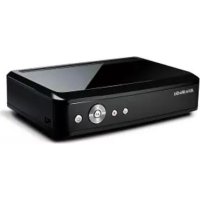
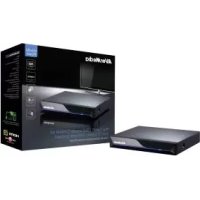
Brand : AVERMEDIA
Model : Live Gamer Portable 2 Plus
Category : Media player