
IAN 91033 - Thermostat SILVERCREST - Free user manual and instructions
Find the device manual for free IAN 91033 SILVERCREST in PDF.


| Product Type | Programmable Thermostat |
| Brand | SilverCrest |
| Model | IAN 91033 |
| Dimensions (H x W x D) | 120 x 80 x 30 mm |
| Weight | 150 g |
| Power Supply | 2 x AA batteries (1.5V) |
| Display Type | LCD |
| Temperature Range | 5°C to 35°C |
| Accuracy | ±0.5°C |
| Programmable Periods | 4 periods per day (Morning, Day, Evening, Night) |
| Heating/Cooling Modes | Heating only |
| Frost Protection | Yes, automatic at 5°C |
| Holiday Mode | Yes |
| Battery Low Indicator | Yes, on display |
| Mounting | Wall-mounted (screws included) |
| Maintenance | Clean with a soft, dry cloth |
| Spare Parts | Batteries (AA) |
| Compliance | CE, RoHS |
Frequently Asked Questions - IAN 91033 SILVERCREST
User questions about IAN 91033 SILVERCREST
0 question about this device. Answer the ones you know or ask your own.
Ask a new question about this device
Download the instructions for your Thermostat in PDF format for free! Find your manual IAN 91033 - SILVERCREST and take your electronic device back in hand. On this page are published all the documents necessary for the use of your device. IAN 91033 by SILVERCREST.
USER MANUAL IAN 91033 SILVERCREST
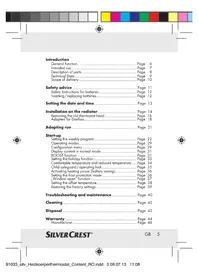
Description of parts......Page 8
Technical Data Page 9
Scope of delivery Page 10
Safety advice Page 11
Safety Instructions for batteries Page 12
Inserting / replacing batteries...... Page 12
Setting the date and time......Page 13
Installation on the radiator....Page 14
Removing the old thermostat head Page 16
Adapters for Dantoss......Page 18
Adapting run Page 21
Start-up
Setting the weekly program Page 22
Operating modes......Page 29
Configuration menu Page 29
Display content in normal mode Page 31
BOOST function Page 31
Setting the holiday function...... Page 33
Comfortable temperature and reduced temperature ..... Page 34
Child safeguard/operating lock Page 35
Activating heating pause (battery saving)...... Page 36
Setting the frost protection mode....Page 36
"Window open" function Page 37
Setting the offset temperature...... Page 38
Restoring the factory settings...... Page 39
Troubleshooting and maintenance...... Page 40
Cleaning Page 42
Disposal Page 42
Warranty Page 44
Manufacturer...... Page 46
SILVER CREST®
GB 5
Programmable Radiator Thermostat
- Introduction

We congratulate you on the purchase of your new device. You have chosen a high quality product.
Familiarise yourself with the product before using it for the first time. In addition, please carefully refer to the operating instructions and the safety advice below. Only use the product as instructed and only for the stated areas of use. You should keep these instructions. If you pass the product on to anyone else, please ensure that you also pass on all the documentation with it.
- General function
With the programmable Classic Model L radiator control unit with a pre-programmed
6 GB
SILVERCREST®

heating and temperature reducing program which can be set individually, it is possible to control the room temperature in a time-controlled manner. The device moves a valve to control the flow of heat to the radiator. The programmable radiator control unit fits all common radiator valves and is easy to install - without discharging the heating water or interfering with the heating system. The additional BOOST function enables the radiator to be heated up quickly for a brief period of time by opening the valve for 5 minutes. This gives an immediate and pleasant feeling of warmth in the room.
- Intended use
The programmable radiator control unit is used to control a conventional radiator valve. Only operate the device in inside rooms and avoid the influence of moisture, dust and sunlight or external heat radiation. Any type of
SILVER CREST®
GB 7


Use other than that described in these operating instructions does not comply with the intended use and leads to automatic exclusion from warranty and liability claims. This also applies in the case of conversions and modifications. The devices are solely intended for private use.
• Description of parts
1 Union nut for fitting on the heating valve 2 Set switching time periods in the weekly program 3 Temperature display, time/date display, menu items, functions 4 Key: switching between reduced temperature/comfortable temperature 5 BOOST/OK key: in automatic and manual mode, activation of the BOOST function; in the holiday function and in the Confirm/Save menu
8 GB
SILVERCREST®


6 Selector dial: perform settings (e.g. temperature) 7 MODE/Menu key: press the key briefly to change between automatic mode, manual mode and holiday function; press the key longer than 3 seconds to open the configuration menu 8 "Window open" symbol, weekday, "Battery empty" symbol 9 Holiday function, reduced temperature/comfortable temperature, (Manu) manual mode, (Auto) automatic mode
- Technical Data
Supply voltage: 3V

Max. current loading: 100 mA
Batteries: 2 x LR6 /
Mignon / AA
Battery life span: approx. 3 years
Display: LC display
SILVERCREST®
GB 9


Housing dimensions: 58 x 71.5 x 90 mm (width x height x depth)
Connection: M30 x 1.5
Ambient temperature: +5 to +55 °C
Max.
Surface temperature: +90 °C
(at the radiator)
Linear lift: 4.3 mm

Note: We reserve the right to make technical changes in the interests of product improvement.

- Scope of delivery
Immediately after unpacking, check that the scope of delivery is complete and that the device is in faultless condition.
1 Programmable Radiator Thermostat 1 Danfoss RA adapter 1 Danfoss RAV adapter
10 GB
SILVERCREST®


1 Danfoss RAV tappet extension 1 Danfoss RAVL adapter 1 Cylinder head screw M4 x 12 1 Nut M4 1 Retaining ring 1 Set of operating instructions

Safety advice

RISK! WARNING!
OF FATAL INJURY AND ACCIDENT HAZARD FOR
TODDLERS AND SMALL CHILDREN!
Never leave children unattended with the packaging material. The packaging material represents a danger of suffocation. Children often underestimate dangers. Always keep children away from the packaging material. The product is not a toy.
SILVERCREST®
11 GB


- Do not open the device, it does not contain any parts which require to be maintained by the user. In the event of a fault, please send the device to our Service Department.
● Safety Instructions for batteries
■ Never recharge non-rechargeable batteries and do not short-circuit and / or open any batteries. The battery may overheat, ignite or explode. Never throw batteries into fire or water. The batteries may explode.
- Inserting / replacing batteries
☐ Pull off the battery compartment cover on the underside of the device. ☐ Insert 2 new LR6 (Mignon / AA) batteries into the battery compartment with the correct polarity. ☐ Replace the battery cover and latch it in.
12 GB
SILVERCREST®


Note: The life span of new alkaline batteries is approx. 3 years. A battery symbol 📄 indicates that the batteries should be replaced. After the batteries have been removed, you should wait approx. 1 minute before inserting the new batteries. Operation with rechargeable batteries is not possible.
- Setting the date and time
Note: If batteries are inserted or replaced, the date and time are automatically requested after a brief display of the firmware version number.
Set the year, month, day, hour, and minute with the selector dial 6 and confirm with OK 5, see fig. A. The motor moves the control pin backwards during the setting of the date and time.
SILVERCREST®
13 GB


The display of "INS" with the rotating symbol shows that the motor is still travelling back. As soon as "INS" is displayed, the programmable radiator control unit can be installed on the valve.
The weekly program and other settings can be adjusted before installation. Press the MODE key 7 for this, while "INS" is shown in the display. You can find more details under "Configuration menu". After the programming has been completed, "INS" is shown again in the display and installation can take place.
● Installation on the radiator
The installation of the programmable radiator control unit is easy and can be performed without discharging the heating water or interfering with the heating system. Special tools or switching off the heating are not required. The
14 GB
SILVERCREST®


union nut fitted to the programmable radiator control unit can be used universally and without accessories for all valves with a thread dimension of M30 x 1.5 mm from the most common suppliers, such as for example
- Heimeier
- MNG
- Junkers
- Landis & Gyr (Duodyr)
- Honeywell-Braukmann
- Oventrop, type A; Oventrop AV6
- Schlösser
- Comap D805
- Valf
- Sanayii
- Mertik Maxitrol
- Watts
- Wingenroth (Wiroflex) R.B.M
- Tiemme
- Jaga
SILVERCREST®
15 GB


- Siemens
- Idmar.
The programmable radiator control units can be installed on Danfoss RA, Danfoss RAV and Danfoss RAVL valves, by means of the adapters and extension pins contained in the delivery.
- Removing the old thermostat head
Turn the thermostat head to the maximum value 10 in an anticlockwise direction. The thermostat head does not now press on the valve spindle and it can therefore be removed more easily (see fig. B).
There can be different types of thermostat head fixing:


Union nut:
Screw the union nut anti-clockwise 13. Then you can remove the thermostat head 11.
Snap-on fastenings:
You can easily release thermostat heads fastened in this way by turning the closure fastening/union nut a small amount in an anticlockwise direction 12. Then you can remove the thermostat head 11.
Clamping screw connections:
The thermostat head is held by means of a fastening ring, which is held together by a screw. Release this screw and remove the thermostat head from the valve 11.
Screw connection with setscrews:
Release the setscrew and remove the thermostat head 11.
17 GB


Adapters for Danfoss
⚠️ Take care during installation that you do not trap your fingers between the two halves of the adapter!
One of the enclosed adapters is required for installation on Danfoss valves. The arrangement of the suitable adapter ring for the appropriate valve can be found in figures C–F.
The Danfoss valve bodies have elongated indentations 13 running all around, which also ensure better seating of the adapter after it has been latched into place.
Note: When installing, please ensure that the spigots inside the adapter 14 are in the same position as the indentations 13 on the valve.
☐ Screw the adapter, which fits the valve, onto the valve until it clicks into place.
18 GB
SILVERCREST®


The RA and RAV adapters have been produced with pre-tension to aid better seating. Use a screwdriver during installation if necessary and bend these gently upwards in the area of the screw.
After they have been latched onto the valve body, fasten the adapters with the enclosed screw and nut (see fig. C).
Note: When installing, please ensure that the spigots inside the adapter 14 are in the same position as the indentations 13 on the valve.
☐ Latch the adapter, which corresponds to the valve, completely onto the valve body.
With the RAV type of valve, the tappet extension 15 should be placed on the valve pin before installation (see fig. D).
Note: When installing, please ensure that the spigots inside the adapter 14 are in the same position as the indentations 13 on the valve.
SILVERCREST®
19 GB


☐ Latch the adapter, which corresponds to the valve, completely onto the valve body.
The RAVL adapter does not have to be screwed on (see fig. E).
Note: When installing, please ensure that the spigots inside the adapter 14 are in the same position as the indentations 13 on the valve.
☐ Latch the adapter, which corresponds to the valve, completely onto the valve body.
Retaining ring
The valves of a number of suppliers can exhibit tolerance variations, which may lead to the programmable radiator control unit being seated too loosely on the valve. The stability and seating on the valve can be improved by using the enclosed retaining ring (see fig. F).
Place the retaining ring 16 in the flange or on the valve connection of the radiator and screw the thermostat valve on.
20 GB
SILVERCREST®


Note: If the retaining ring cannot be fitted, the stability is already sufficient and the ring is not required for the installation.
Adapting run
After the batteries have been inserted, the motor first travels back, during which “INS” and the activity symbol ☐ are displayed. As soon as “INS” without the activity symbol ☐ is displayed, the programmable radiator control unit can be installed. An adapting run (“AdA”) is performed after installation to adapt to the valve.
☐ Place the programmable radiator control unit on the valve. ☐ Tighten the union nut firmly. ☐ Press the BOOST key 5, when “INS” is shown in the display.
SILVERCREST®
21 GB


The intelligent radiator control unit carries out a test run.
During this time, "AdA" and the activity symbol ☐ are shown in the display, and operation is not possible.
Note: If the adapting run is initiated before installation, the motor similarly travels back to the "INS" position. If an error message (F1, F2, F3) is displayed, press OK and the motor travels back to the "INS" position.
- Start-up
- Setting the weekly program
Up to 3 heating phases (7 switching time points) can be set separately for each weekday in the weekly program. The programming is done for the selected days, and temperatures must be stored for a time period from 00:00 to 23:59.
22 GB
SILVERCREST®

☐ Press the Menu key 7 for longer than 3 seconds. "PRO" appears in the display. Confirm with the OK key 5.
☐ "DAY" appears in the display. With the selector dial, you can select an individual weekday, all working days, the weekend, or the whole week (example: working days).

- Confirm with the OK key. The first switching time point is displayed (0:00), which cannot be changed. The heating times are also displayed as bars. - Confirm with the OK key.
SILVER CREST®
23 GB


After this you can set the desired temperature from 0:00 (example 17.0° C).

Confirm with the OK key.
The next switching time point is displayed (example 6:00). You can adjust this individually.


Finally set the temperature that should prevail from 6:00. You can repeat this procedure until all other desired temperatures for the time period from 0:00 to 23:59 have been stored. If all 7 switching time points have been allocated, 23:59 is displayed as the final switching point to be confirmed.

The temperature can also be changed in Auto mode at any time via the selector dial. The changed temperature is then retained until the next switching time point.

Weekly program: examples
Up to 3 heating times (7 switching time points) with individual temperature setting can be stored for each weekday with the programmable radiator control unit.


Two heating phases from 6:00 to 9:00 and from 17:00 to 23:00 for all weekdays alike are saved as factory settings:
from 00:00 to 06:00 17.0 °C from 06:00 to 09:00 21.0 °C from 09:00 to 17:00 17.0 °C from 17:00 to 23:00 21.0 °C from 23:00 to 23:59 17.0 °C


Note: Bars for switching time periods for every second time interval are shown in the display. With this example no bars for the interval 0:00 to 6:00 are displayed. The bars
SILVERCREST®


only appear in the display for the intervals 6:00 to 9:00 and 17:00 to 23:00.
If a room is also to be heated at midday, the programming can appear as follows:
Monday to Sunday
from 00:00 to 06:00 16.0 °C
from 06:00 to 09:00 22.0 °C
from 09:00 to 12:00 17.0 °C
from 12:00 to 14:00 20.0 °C
from 14:00 to 17:30 17.0 °C
from 17:30 to 23:30 21.0 °C
from 23:30 to 23:59 16.0 °C

SILVER CREST®
27 GB


If you have an office at home and only want to heat this throughout the day on working days, you could program the following times:
Monday to Friday
from 00:00 to 08:30 17.0 °C
from 08:30 to 17:00 21.0 °C
from 17:00 to 23:59 17.0 °C


Saturday to Sunday
from 00:00 to 23:59 15.0 °C

28 GB
SILVERCREST®


- Operating modes
By briefly pressing the MODE key 7, you can change between the following 3 operating modes (the operating modes can only be selected after installation):
- Holiday function: Setting a temperature, which has to be maintained until a fixed point in time.
- Manu: Manual mode - the temperature is set manually via the selector dial.
- Auto: Weekly program - automatic temperature control corresponding to the saved weekly program.
- Configuration menu
Settings can be changed in the configuration menu. The menu can be called up by pressing the Menu key 7 for a longer time (longer than 3 seconds). Menu items are selected with the selector dial 6 and confirmed with OK 5. If you press the Menu key once more, this takes
SILVERCREST®
29 GB


you back to the previous level. If there is no further activation of the device for more than 65 seconds, the menu closes automatically. You can perform the following settings:
PRO: Setting the weekly program (see section "Setting weekly program")
DAT: Changing the time and date
POS: Querying the current position of the intelligent radiator control unit
DST: The automatic switching between summer time and winter time can be deactivated.
AER: "Window open" temperature and setting the time for the automatic temperature reduction during ventilation
TOF: Setting the offset temperature
RES: Restoring the factory settings
30 GB
SILVERCREST®


• Display content in normal mode
Switching time periods, operating mode, target temperature and week day are displayed in normal mode. The bars for the switching time periods of the weekly program are displayed for every second time interval (see example under "Weekly program: examples").

- BOOST function
The BOOST function uses the human perception of warmth. When activated, the heating valve is immediately opened to 80% for 5 minutes (factory setting).
SILVER CREST®
31 GB


The heating of a room takes longer than 5 minutes, but the heat given off by the radiator can be felt immediately. If you are coming home earlier and want to have heat quickly, or if you need extra heat in the morning for a bath, then the BOOST function will help you.
Press the BOOST key 5 to activate the boost function.
The remaining duration of the function is counted down in seconds („B299“ to „B000“). After these 5 minutes have elapsed, the intelligent radiator control unit changes to the mode which was previously active (Auto/Manu) with the previously set temperature.
The function can be deactivated early at any time by pressing the key or activating the selector dial 6.
32 GB
SILVERCREST®


Note: The BOOST key has an immediate effect if the radiator is covered (e.g. by a sofa). The "Window open" detection is deactivated during the BOOST function.
- Setting the holiday function
If a fixed temperature needs to be maintained during a holiday or a party for a certain period of time, the holiday function can be used.

Press the Menu key 7 briefly as often as necessary until the Suitcase symbol appears in the display. Set the time via the selector dial 6 up to which the temperature is to be maintained and then confirm with the OK key 5. Then set the date with the selector dial and confirm with the OK key. Set the temperature with the selector dial and confirm with the OK key. The display flashes as confirmation.
SILVER CREST®
33 GB


The set temperature is maintained until the time point which has been set.
Then the intelligent radiator control unit goes to Auto mode.
• Comfortable temperature and reduced temperature
The key for comfortable temperature / reduced temperature ⚙* provides for a convenient and simple switching between these two temperatures. These have been set at the factory at 21.0 °C (comfortable temperature) and 17.0 °C (reduced temperature). They can be adjusted as follows:
Hold the key for Comfortable temperature/reduced temperature ⚙4 for a long period. The Sun symbol ⚙ and the currently stored comfortable temperature appear in the display.


Change the temperature with the selector dial 6 and confirm with the OK key 5. The Moon symbol (and the reduced temperature appear in the display.
☐ Change the temperature with the selector dial 6 and confirm with the OK key 5.
The temperature can also be changed in Auto mode at any time via the key. This is then retained until the next switching time point of the program.
Child safeguard/ operating lock
The operation of the device can be blocked:
To activate/deactivate the operating lock, press the Menu button 7 and keys at the same time. After it has been successfully activated, "LOC" appears in the display. ☐ To deactivate the operating lock, press both keys again.


- Activating heating pause (battery saving)
If the heating is switched off in the summer, the batteries can be saved. With this, the valve is completely opened. The protection against calcification continues, however, to be carried out. To activate the heating pause, proceed as follows:
Turn the selector dial 6 in manual mode (Manu) to the right until "ON" appears in the display.
Note: The break in the heating period is now set.
To end it, exit the manual mode (Manu) or turn the selector dial to the left.
Setting the frost protection mode
If a room is not to be heated, the valve can be closed. The valve is only opened if there is


danger of frost. The protection against calcification continues, however, to be carried out. To deactivate the frost protection, proceed as follows:
Turn the selector dial 6 in manual mode (Manu) to the left until "OFF" appears in the display. To end it, exit the manual mode (Manu) or turn the selector dial to the right.
"Window open" function
With a rapidly reducing temperature, the intelligent radiator control unit automatically detects that a room is being ventilated. In order to save heating costs, the temperature is then regulated down for a certain period of time (15 minutes, set at the factory). During this period, the "Window open" symbol is shown in the display.


To activate this function, proceed as follows:
Press the Menu key 7 for more than 3 seconds. Select the "AER" menu item with the selector dial 6 and confirm with the OK key 5. The temperature and time can be set with the selector dial. The function can be deactivated by selecting "0" for the time.

Setting the offset temperature
Since the temperature is measured at the radiator, it can be colder or warmer at another location in the room. To equalize this, a temperature offset of +/- 3.5 °C can be set. For example, if 18 °C is measured instead of the set 20 °C, then an offset of -2.0 °C should be set.


To set the offset temperature, proceed as follows:
Press the Menu key 7 for more than 3 seconds. Select the "TOF" menu item with the selector dial 6 and confirm with the OK key 5. Turn the selector dial until the desired temperature appears. Confirm with the OK key.
Restoring the factory settings
The status of the programmable radiator control unit can be manually restored to its original state by means of a reset. This means that all manually performed settings are lost.


Follow these steps:
Hold the Menu key 7 pressed down for more than 3 seconds. Select the "RES" menu item with the selector dial 6 and confirm with the OK key 5. "CFM" then appears in the display. Confirm with the OK key.
Troubleshooting and maintenance
| Error code in the display | Problem Rectification |
| Battery symbol | Battery output too low Replace the batteries |
SILVERCREST®
| Error code in the display | Problem Rectification |
| F1 Valve | drive is stiff to move |
| F2 Actuating range too large | Check the fastening of the radiator control unit. |
| F3 Actuating range too small | Check the heating valve |
Note: The programmable radiator control unit performs a decalcifying run once a week on Saturday at 12:00 to protect against calcification of the valve. During this, "CAL" appears in the display.
SILVER CREST®
41 GB

- Cleaning
□ Clean the product regularly with a dry, lint-free cloth.
- Disposal

The packaging is made entirely of recyclable materials, which you can dispose of at the local recycling facilities.
Contact your local authorities for information on how to dispose of the product at the end of product life.

To help protect the environment, please dispose of the product properly, and not in household waste, when it has reached the end of its useful life.
42 GB
SILVERCREST®


Information on collection points and their opening hours can be obtained from your local authority.
Defective or used batteries must be recycled in accordance with Directive 2006/66/EC. Return batteries and / or the device to the recycling facilities offered.


Improper disposal of batteries can harm the environment!

Never dispose of batteries in your household waste. They may contain toxic heavy metals and are subject to hazardous waste regulations. The chemical symbols of the heavy metals are: Cd = cadmium, Hg = mercury, Pb = lead. Therefore dispose of used batteries through your municipal collection site.
SILVER CREST®
43 GB

EMC C€
- Warranty
ATTENTION! PLEASE KEEP IMPORTANT WARRANTY DOCUMENTATION!
Dear Customer,
We are delighted that you have decided on a quality product. Should an unexpected technical problem arise with your appliance, please note the following points:
- The warranty period for your appliance is 36 months.
- Please keep the receipt and the original packaging.
- Should a problem arise, please first call our Hotline:
01805 01 23 70 (Germany)
44 GB
SILVERCREST®

(Costs based on the German landline at the time of printing:
14 cents/minute, maximum 42 cents/minute on mobile networks) or
00800 100 22 100 (international)
Our expert advisors can often help on the phone.
service.gb@gsl-servicenet.de
- If the fault can not be rectified over the phone, please send the device in the original packaging to the following address:
GSL mbH
Am Weimarer Berg 6
99510 Apolda
Germany
IAN 91033
Warranty repairs can only be carried out if the receipt is enclosed.
Many thanks for you understanding.
SILVERCREST®
45 GB


Manufacturer
Introduction
Housing dimensions: 58 x 71.5 x 90 mm
(WxHxD)
Connection: M30 x 1.5


• Operating modes
- BOOST function


Introduction
- Wingenroth (Wiroflex) R.B.M
- Tiemme
- Jaga
- Siemens
- Idmar.


Mo Tu We Th Fr

Monday to Sunday
Monday to Friday
Operating modes
- BOOST function
- Cleaning
- START-UP
- PROGRAMMABLE RADIATOR THERMOSTAT
- INTRODUCTION
- GENERAL FUNCTION
- INTENDED USE
- DESCRIPTION OF PARTS
- TECHNICAL DATA
- SILVERCREST®
- SCOPE OF DELIVERY
- SAFETY ADVICE
- RISK! WARNING
- OF FATAL INJURY AND ACCIDENT HAZARD FOR
- TODDLERS AND SMALL CHILDREN
- ● SAFETY INSTRUCTIONS FOR BATTERIES
- INSERTING / REPLACING BATTERIES
- SETTING THE DATE AND TIME
- ● INSTALLATION ON THE RADIATOR
- REMOVING THE OLD THERMOSTAT HEAD
- UNION NUT
- SNAP-ON FASTENINGS
- CLAMPING SCREW CONNECTIONS
- SCREW CONNECTION WITH SETSCREWS
- ADAPTERS FOR DANFOSS
- RETAINING RING
- ADAPTING RUN
- SETTING THE WEEKLY PROGRAM
- WEEKLY PROGRAM: EXAMPLES
- OPERATING MODES
- CONFIGURATION MENU
- DISPLAY CONTENT IN NORMAL MODE
- BOOST FUNCTION
- SETTING THE HOLIDAY FUNCTION
- COMFORTABLE TEMPERATURE AND REDUCED TEMPERATURE
- CHILD SAFEGUARD/ OPERATING LOCK
- ACTIVATING HEATING PAUSE (BATTERY SAVING)
- SETTING THE FROST PROTECTION MODE
- WINDOW OPEN" FUNCTION
- SETTING THE OFFSET TEMPERATURE
- RESTORING THE FACTORY SETTINGS
- TROUBLESHOOTING AND MAINTENANCE
- CLEANING
- DISPOSAL
- IMPROPER DISPOSAL OF BATTERIES CAN HARM THE ENVIRONMENT
- EMC C€
- WARRANTY
- ATTENTION! PLEASE KEEP IMPORTANT WARRANTY DOCUMENTATION
- (INTERNATIONAL)
- SERVICE.GB@GSL-SERVICENET.DE
- GSL MBH
- AM WEIMARER BERG
- APOLDA
- GERMANY
- IAN
- MANUFACTURER
Brand : SILVERCREST
Model : IAN 91033
Category : Thermostat