LIFE P61235 (MD 44035) - Soundbar MEDION - Free user manual and instructions
Find the device manual for free LIFE P61235 (MD 44035) MEDION in PDF.


Pick your language and provide your email: we'll send you a specifically translated version.
| Product Type | Soundbar |
| Model | LIFE P61235 (MD 44035) |
| Brand | Medion |
| Dimensions (W x H x D) | Approx. 90 x 7 x 8 cm |
| Weight | Approx. 2.5 kg |
| Power Supply | AC 100-240V, 50/60Hz |
| Power Consumption | 30 W (typical) |
| Audio Output Power | 2 x 20W RMS |
| Total Harmonic Distortion | < 1% |
| Frequency Response | 40 Hz – 20 kHz |
| Drivers | 2 x full-range speakers, 1 x built-in subwoofer |
| Bluetooth Version | 5.0 |
| Bluetooth Range | Up to 10 m |
| Inputs | HDMI ARC, Optical (Toslink), 3.5mm AUX, USB |
| Outputs | None |
| Remote Control | Included (CR2025 battery) |
| Wall Mountable | Yes (bracket included) |
| Cable Length (power) | 1.5 m |
| Material | Plastic with metal grille |
| Color | Black |
| Operating Temperature | 0°C – 40°C |
| Storage Temperature | -20°C – 60°C |
| Humidity | 20% – 80% (non-condensing) |
| What's in the Box | Soundbar, remote control, power adapter, optical cable, wall mount kit, user manual |
Frequently Asked Questions - LIFE P61235 (MD 44035) MEDION
How do I connect the soundbar to my TV?
You can connect via HDMI ARC (best audio quality), optical cable, or 3.5mm AUX. For Bluetooth, pair from your TV's Bluetooth menu.
Can I control the soundbar with my TV remote?
Yes, if you use HDMI ARC and enable HDMI-CEC on your TV. The soundbar power and volume will sync.
How do I reset the soundbar?
Press and hold the Power button for about 10 seconds until the LED flashes. The soundbar will turn off and reset to factory settings.
What Bluetooth version is supported?
The soundbar supports Bluetooth 5.0 with a range of up to 10 meters (33 feet).
Does the soundbar include a subwoofer?
It has a built-in subwoofer for enhanced bass. There is no separate subwoofer output.
Can I mount the soundbar on the wall?
Yes. Use the included wall mount bracket. Ensure the wall can support the weight (approx. 2.5 kg).
How do I clean the soundbar?
Unplug it first. Wipe with a soft, dry cloth. Do not use liquid or abrasive cleaners. Avoid moisture.
What audio formats are supported via USB?
The USB port supports MP3, WMA, and WAV files. The soundbar cannot play video formats.
Why is there no sound from the soundbar?
Check that the soundbar is powered on and the correct input is selected. Ensure the TV audio output is set to external speakers. Test with a different source.
How do I pair a Bluetooth device?
Press the Bluetooth button on the remote or soundbar to enter pairing mode. The LED will flash. On your device, select MEDION LIFE P61235 from the list.
User questions about LIFE P61235 (MD 44035) MEDION
0 question about this device. Answer the ones you know or ask your own.
Ask a new question about this device
No questions yet. Be the first to ask one.
Download the instructions for your Soundbar in PDF format for free! Find your manual LIFE P61235 (MD 44035) - MEDION and take your electronic device back in hand. On this page are published all the documents necessary for the use of your device. LIFE P61235 (MD 44035) by MEDION.
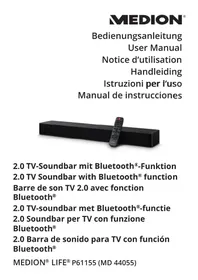
USER MANUAL LIFE P61235 (MD 44035) MEDION
Manual assistant
Powered by Anthropic
Waiting for your message
Product information
Brand : MEDION
Model : LIFE P61235 (MD 44035)
Category : Soundbar