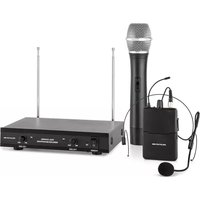
VHF-2 - Microphone Auna - Free user manual and instructions
Find the device manual for free VHF-2 Auna in PDF.


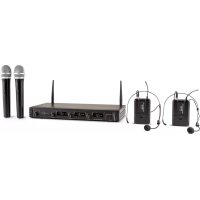
| Product Type | Wireless Handheld Microphone System |
| Brand | Auna |
| Model | VHF-2 |
| Frequency Band | VHF (174-216 MHz) |
| Number of Channels | 2 |
| Microphone Type | Dynamic |
| Operating Range | Up to 30 meters (100 ft) |
| Power Supply (Microphone) | 2 x AA batteries (not included) |
| Power Supply (Receiver) | DC 12V / 500 mA adapter (included) |
| Battery Life | Approximately 8 hours |
| Receiver Output | 6.35 mm (1/4") unbalanced jack |
| Dimensions (Microphone) | 245 x 50 x 50 mm (9.6 x 2.0 x 2.0 in) |
| Dimensions (Receiver) | 150 x 100 x 40 mm (5.9 x 3.9 x 1.6 in) |
| Weight (Microphone) | 250 g (8.8 oz) without batteries |
| Weight (Receiver) | 200 g (7.1 oz) |
| Main Functions | Wireless audio transmission, adjustable volume, on/off switch on microphone |
| Maintenance & Cleaning | Wipe with a soft dry cloth; avoid liquids; remove batteries when not in use for long periods |
| Safety Precautions | Do not expose to moisture, heat, or direct sunlight; keep away from children; use only provided adapter |
| Spare Parts & Repairability | Batteries and adapter are replaceable; contact Auna support for other parts |
| General Information | Includes 1 handheld microphone, 1 receiver, 1 audio cable, 1 power adapter, user manual |
Frequently Asked Questions - VHF-2 Auna
User questions about VHF-2 Auna
0 question about this device. Answer the ones you know or ask your own.
Ask a new question about this device
Download the instructions for your Microphone in PDF format for free! Find your manual VHF-2 - Auna and take your electronic device back in hand. On this page are published all the documents necessary for the use of your device. VHF-2 by Auna.
USER MANUAL VHF-2 Auna
ARTIKEL
natural_image
Black portable ear with earphones and cable, no visible text or symbols
natural_image
Black outdoor audio device with a small antenna and earbuds, labeled 'auna' (no additional text or symbols visible)natural_image
Symbol of a trash bin with crossed lines indicating no waste or restriction, and a solid black rectangle below (no text or labels)Congratulations on purchasing this device. Please read the following instructions carefully and follow them to prevent possible damages. We assume no liability for damage caused by disregard of the instructions and improper use. Scan the QR code to get access to the latest user manual and more product information.

ITEMS
| Item number Name | |
| 10030865 1-CH receiver + 1 handset | |
| 10030867 2-CH receiver + 2 handheld silver | |
| 10030868 2-CH receiver + 2 Handheld | |
| 10030869 2-CH receiver +2 Headset | |
| 10030872 2-CH receiver + 1 Handheld + 1 Headset |

Producer: Chal-Tec GmbH, Wallstraße 16, 10179 Berlin.
Germany
This product is conform to the following European Directives:
2014/53/EU (RED) 2011/65/EU (RoHS)
The complete declaration of conformity of the manufacturer can be found at the following link. Scan this QR code or enter the URL.
use.berlin/10030865
SAFETY INSTRUCTIONS
Designated Use
- This device is for the transmission of speech and singing. It is solely designed and may only be used for this purpose. It may only be used in the manner described in this manual.
- This appliance is not intended for use by persons (including children) with reduced physical, sensory or mental capabilities, or lack of experience and knowledge, unless they have been given supervision or instruction concerning use of the appliance by a person responsible for their safety.
- The microphone system includes microphones with an integrated transmitter, which serve wireless transmission to the receiving unit. The systems operate within the VHF range (174 MHz - 230 MHz). The transmission range is 50 m and depends on the local conditions. The appliance are designed for indoor use only.
Safety Instructions
- Read the safety and operating guidance before using this product. Keep this instruction in a safe place in order to use it again as a reference in the future.
- Pay attention to the warning on operating about this product.
- Please abide by all operating and using required.
- Do not place the product in a high moist and a high electronic magnetic place, or in a sunshine shines directly and a high temperature surroundings. If do not use it for a long period, please put out the Power plug. And withdraw the battery from the microphone at.
- Must put out the power plug before you clean this unit.
- Do not using the volatility gas, diluent liquid and other chemical medicine.
- Please use the accessories made by the manufacture factory or ones qualified by them.
- The power of this unit is only available to the standard on label listed, Please confirm whether it can use in the voltage range in your zone.
- Do not maintain it by yourself. Maybe be shocked by the dangerous voltage when you open the outer shell. Should be maintained by a qualified repairer. If some part need to be changed, should be matched with the speciation of manufacture or used original one.
- Or causes by making re or other danger as shock.
- If the machine has broken down or worked with low function, please ask a professional repairer to adjust if, but please do not open the outer shell to adjust is by yourself, should it by destroyed. Contact the customer support.
PLACEMENT
To achieve the best effect, the receiver must be 100 cm away from the ground. The microphone is also kept 100 cm apart from the antenna. In addition, do not use this system near computer or strong magnetic and noisy environment
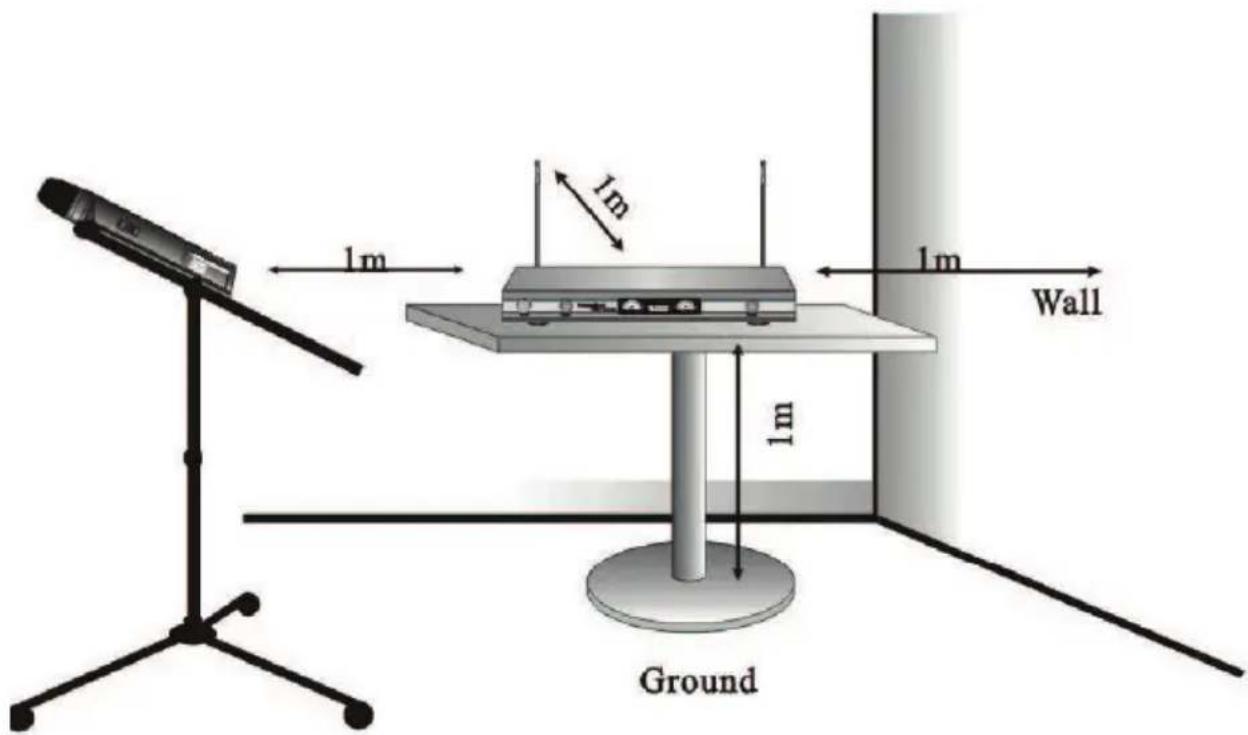
Illustration for demonstration purposes only
Note:
-
The position of antenna influences the effect of receiving so the straight line distance must be the shortest from mic to receiver and no barriers between them.
-
Several receivers can be used at the same time. But match frequencies (contact the manufacturer or dealer).
DEVICE DESCRIPTION
1-channel receiver
(Item numbers 10030865

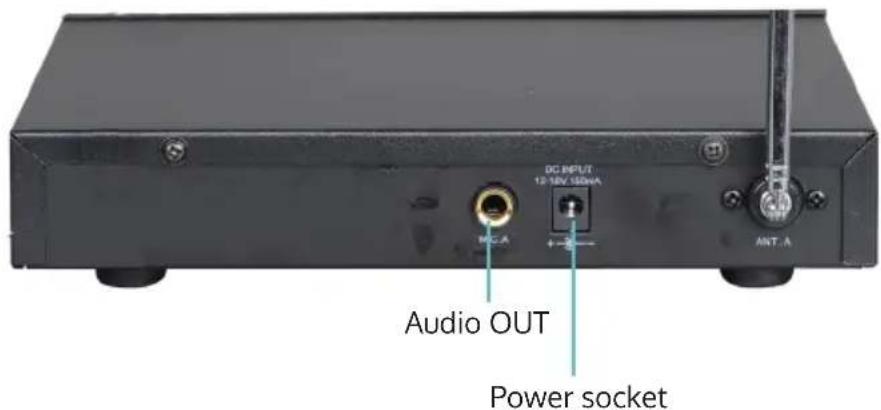
2- Channel
(Item numbers 10030867, 10030868, 10030869, 10030872)

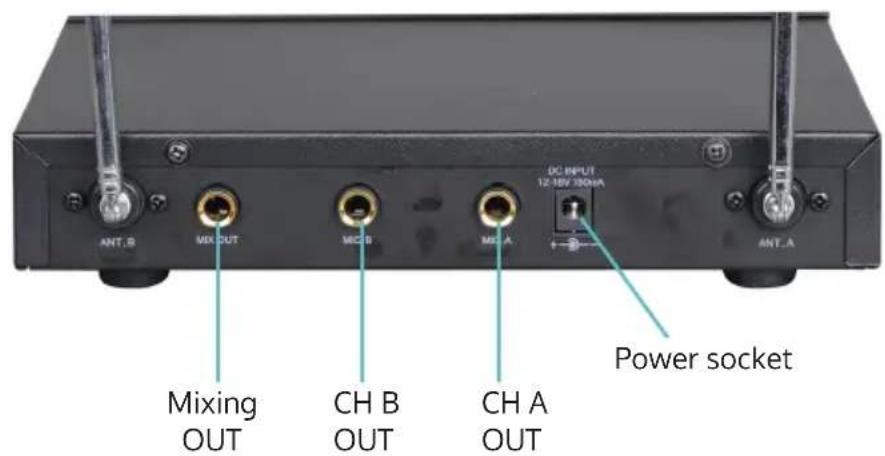
- Put the power plug to the power socket and make sure power voltage should be 220V/50Hz
- Put on the power switch, the power lamp will shine.
- Pull out antenna A and B, adjust them to be 90 angle with the receiver.
- Link of audio output
- Turn on the microphone, the "signal lamp" shines. Volume can be controlled with the volume knob.
Do not connect with the power if don't use the system permanently
Handheld microphone operation
- Unscrew the cover of battery case in counter-clock wise direction. Install the 9 V battery as below.
- Put the switch to ON position, the signal lamp will shine at that time, if it dose not shine, please check with the polarity of battery or test the power of battery.
Note: standby function is between ON and OFF of the power switch, standby status, the mic is still with power, but it don't pick up while can resist the noise.
- Please take away the battery if you do not use the system permanently.

Headset operation (only items 10030866, 10030869, 10030872)
-
Install 2 x 1.5V batteries correctly as below, check the polarity. It must be in the right direction.
-
Put the 3,5 screwed plug into socket and lock it tightly.
-
Put the switch to ON position, the signal lamp will shine at the time, if it does not light up, please check with the polarity of the battery or test the power of battery if the lamp keeps flashing which means the battery is being powerless.
-
Turn the volume control knob in the desired position.
-
Please take away the battery if you do not use the system permanently.

natural_image
Black handheld electronic device with earbuds and connector (no text or symbols visible)
natural_image
Black outdoor electronic device labeled 'auna' with a curved antenna and earpiece (no readable text beyond brand logo)DISPOSAL CONSIDERATIONS


According to the European waste regulation 2012/19/EU this symbol on the product or on its packaging indicates that this product may not be treated as household waste. Instead it should be taken to the appropriate collection point for the recycling of electrical and electronic equipment. By ensuring this product is disposed of correctly, you will help prevent potential negative consequences for the environment and human health, which could otherwise be caused by inappropriate waste handling of this product. For more detailed information about recycling of this product, please contact your local council or your household waste disposal service.
Your product contains batteries covered by the European Directive. 2006/66/EC, which cannot be disposed of with normal household waste. Please check local rules on separate collection of batteries. The correct disposal of batteries helps prevent potentially negative consequences on the environment and human health.
APPROVAL
This wireless microphone system was tested in accordance with the European standards EN 300422-1 V1.3.2, EN 300422-2 V1.2.2, EN 301489-9-1 V1.9.1, EN 301489-9-1 V1.4.1 and EN 60065:2002+A1, EN 60065:2006+A11, EN 60065:2008+A2:2010, EN 62479:2010. Consequently, this product adheres to the R&TTE directive of the European Union and does not need an individual EC type examination of every member state. The forms for the frequency assignment can be found on the website of the Federal Network Agency: www.bundesnetzagentur.de
In some countries, the operation of this wireless system needs to be approved by the national telecoms regulatory Network Agency.

bar
| Category | Value | |---|---| | Category 1 | 100 | | Category 2 | 100 | | Category 3 | 100 | | Category 4 | 100 | | Category 5 | 100 | | Category 6 | 100 | | Category 7 | 100 | | Category 8 | 100 | | Category 9 | 100 | | Category 10 | 100 | | Category 11 | 100 | | Category 12 | 100 | | Category 13 | 100 | | Category 14 | 100 | | Category 15 | 100 | | Category 16 | 100 | | Category 17 | 100 | | Category 18 | 100 | | Category 19 | 100 | | Category 20 | 100 | | Category 21 | 100 | | Category 22 | 100 | | Category 23 | 100 | | Category 24 | 100 | | Category 25 | 100 | | Category 26 | 100 | | Category 27 | 100 | | Category 28 | 100 | | Category 29 | 100 | | Category 30 | 100 | | Category 31 | 100 | | Category 32 | 100 | | Category 33 | 100 | | Category 34 | 100 | | Category 35 | 100 | | Category 36 | 100 | | Category 37 | 100 | | Category 38 | 100 | | Category 39 | 100 | | Category 40 | 100 | | Category 41 | 100 | | Category 42 | 100 | | Category 43 | 100 | | Category 44 | 100 | | Category 45 | 100 | | Category 46 | 100 | | Category 47 | 100 | | Category 48 | 100 | | Category 49 | 100 | | Category 50 | 100 | | Category 51 | 100 | | Category 52 | 100 | | Category 53 | 100 | | Category 54 | 100 | | Category 55 | 100 | | Category 56 | 100 | | Category 57 | 100 | | Category 58 | 100 | | Category 59 | 100 | | Category 60 | 100 | | Category 61 | 100 | | Category 62 | 100 | | Category 63 | 100 | | Category 64 | 100 | | Category 65 | 100 | | Category 66 | 100 | | Category 67 | 100 | | Category 68 | 100 | | Category 69 | 100 | | Category 70 | 100 | | Category 71 | 100 | | Category 72 | 100 | | Category 73 | 100 | | Category 74 | 100 | | Category 75 | 100 | | Category 76 | 100 | | Category 77 | 100 | | Category 78 | 100 | | Category 79 | 100 | | Category 80 | 100 | | Category 81 | 100 | | Category 82 | 100 | | Category 83 | 100 | | Category 84 | 100 | | Category 85 | 100 | | Category 86 | 100 | | Category 87 | 100 | | Category 88 | 100 | | Category 89 | 100 | | Category 90 | 100 | | Category 91 | 100 | | Category 92 | 100 | | Category 93 | 100 | | Category 94 | 100 | | Category 95 | 100 | | Category 96 | 100 | | Category 97 | 100 | | Category 98 | 100 | | Category 99 | 100 | | Total (Total) |
natural_image
Abstract white logo design on dark background, resembling stylized letter 'S' or wave form (no text or symbols)
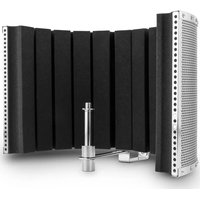
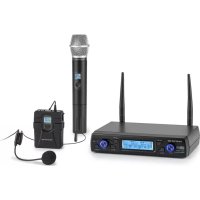
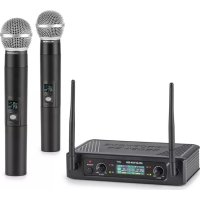
Brand : Auna
Model : VHF-2
Category : Microphone