
BVSTEM6701CF - Coffee machine OSTER - Free user manual and instructions
Find the device manual for free BVSTEM6701CF OSTER in PDF.


Pick your language and provide your email: we'll send you a specifically translated version.
| Product Type | Coffee Machine |
| Brand | Oster |
| Model | BVSTEM6701CF |
| Dimensions (W x D x H) | 9.5 x 7.5 x 13 inches |
| Weight | 4 pounds |
| Power | 900 Watts |
| Voltage | 120V AC, 60Hz |
| Capacity | 12 cups (60 oz) |
| Programmable Timer | Yes, up to 24 hours |
| Auto Shut-off | Yes, after 2 hours |
| Keep Warm Function | Yes, automatic |
| Brew Pause | Yes, allows mid-brew pour |
| Water Level Indicator | Yes, clear window |
| Filter Type | Permanent mesh filter (included) |
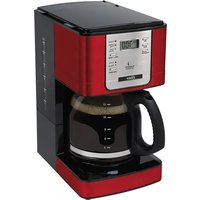
| Carafe Material | Glass with decorative metal band |
| Cleaning | Descale every 3 months with vinegar or descaling solution |
| Safety Features | Auto shut-off, cool-touch handle, non-slip feet |
| Spare Parts Available | Carafe, filter basket, water reservoir |
| Repairability | Designed for part replacement; user manual includes instructions |
| Warranty | 1 year limited |
Frequently Asked Questions - BVSTEM6701CF OSTER
How do I clean the Oster BVSTEM6701CF coffee maker?
Regular cleaning includes washing the carafe and filter basket with warm soapy water. For deep cleaning, run a cycle with a mixture of equal parts water and white vinegar, then two cycles of fresh water.
How often should I descale the machine?
Descaling is recommended every 3 months or more frequently if you have hard water. Use a descaling solution or vinegar as described in the manual.
Can I use ground coffee instead of pods?
Yes, this model uses a permanent mesh filter designed for ground coffee. You can also use paper filters if desired.
How do I set the programmable timer?
Press the 'Program' button, use the hour and minute buttons to set the desired brew time, then press 'Set' or 'Enter'. Confirm the clock is set correctly.
What does the 'Brew Pause' feature do?
It allows you to pause the brewing cycle and pour a cup before the full pot is done. Simply remove the carafe for up to 30 seconds; the flow stops automatically.
How many cups does the carafe hold?
The carafe holds up to 12 cups (each cup is about 5 oz, total 60 oz). The water level indicator helps measure.
What type of filter does it use?
It comes with a permanent mesh filter. You can also use standard #4 paper filters if you prefer.
Does it have an auto shut-off feature?
Yes, the coffee maker automatically shuts off 2 hours after brewing to save energy and ensure safety.
Why is my coffee maker not brewing?
Check that the water reservoir is filled, the carafe is properly placed, and the machine is plugged in. Ensure the brew basket is correctly inserted and the timer is set if using the programmable mode.
Can I replace the carafe or other parts?
Yes, replacement parts such as the carafe, filter basket, and water reservoir are available. Check Oster's official website or authorized retailers.
User questions about BVSTEM6701CF OSTER
0 question about this device. Answer the ones you know or ask your own.
Ask a new question about this device
No questions yet. Be the first to ask one.
Download the instructions for your Coffee machine in PDF format for free! Find your manual BVSTEM6701CF - OSTER and take your electronic device back in hand. On this page are published all the documents necessary for the use of your device. BVSTEM6701CF by OSTER.
USER MANUAL BVSTEM6701CF OSTER
Manual assistant
Powered by Anthropic
Waiting for your message
Product information
Brand : OSTER
Model : BVSTEM6701CF
Category : Coffee machine