TEK-Mate - Measuring equipment INFICON - Free user manual and instructions
Find the device manual for free TEK-Mate INFICON in PDF.


Pick your language and provide your email: we'll send you a specifically translated version.
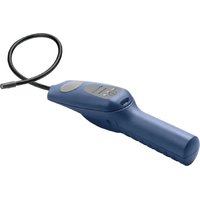
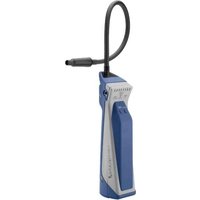
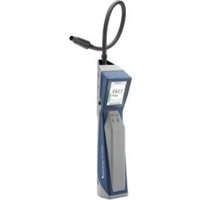
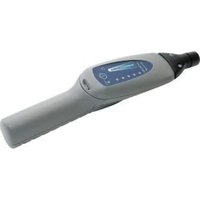
| Product Type | Refrigerant Leak Detector |
| Brand | INFICON |
| Model | TEK-Mate |
| Category | Measuring Equipment |
| Dimensions (L x W x H) | 200 mm x 80 mm x 50 mm |
| Weight (with batteries) | 500 g |
| Power Supply | 4 x AA alkaline batteries (1.5V) |
| Battery Life | Approximately 20 hours of continuous use |
| Detectable Gases | CFCs, HCFCs, HFCs, HFOs, and blends (R-12, R-22, R-134a, R-410A, etc.) |
| Sensitivity | Less than 3 g/year (for R-134a) |
| Response Time | Instantaneous (< 1 second) |
| Alarm Type | Audible (variable beep rate) and visual (LED bar graph) |
| Sensor Type | Heated diode sensor |
| Warm-up Time | Approximately 30 seconds |
| Auto Shut-off | After 10 minutes of inactivity to conserve battery |
| Operating Temperature | 0°C to 50°C (32°F to 122°F) |
| Storage Temperature | -20°C to 60°C (-4°F to 140°F) |
| Maintenance | Clean sensor with isopropyl alcohol; replace batteries as needed; replace sensor tip filter periodically |
| Safety Precautions | Do not immerse in water; use in well-ventilated areas; avoid exposure to solvents or high humidity |
| Repairability / Spare Parts | Sensor tip and filter are replaceable; battery compartment accessible. No user-serviceable internal parts. |
| Certifications | CE, RoHS compliant |
| Included Accessories | Carrying case, 4 x AA batteries, spare filter, instruction manual |
Frequently Asked Questions - TEK-Mate INFICON
How do I turn on the INFICON TEK-Mate leak detector?
Press and hold the power button for about 2 seconds until the LED lights up and the unit beeps. The device will then warm up for about 30 seconds before it's ready to use.
What types of refrigerants can the TEK-Mate detect?
The TEK-Mate detects CFCs (e.g., R-12), HCFCs (e.g., R-22), HFCs (e.g., R-134a, R-410A), HFOs, and common refrigerant blends. It is sensitive to all halogenated gases.
How do I change the batteries in the TEK-Mate?
Slide the battery cover on the back of the unit downwards. Remove the old 4 AA batteries and insert new ones, observing correct polarity. Replace the cover until it clicks.
What does the alarm sound mean?
The beep rate increases as the sensor gets closer to a leak. A continuous fast beep indicates a large leak. The LED bar graph also lights up from green (low) to red (high) to indicate concentration.
How do I clean the sensor tip?
Turn off the unit and remove the sensor tip cover. Use a lint-free cloth lightly moistened with isopropyl alcohol to gently wipe the sensor. Allow it to dry completely before use. Replace the cover.
Why does my TEK-Mate keep beeping even when no leak is present?
This could be due to residual refrigerant in the area, a contaminated sensor, or a false trigger from solvents or cleaning agents. Move to a fresh air environment and let the unit stabilize. If it persists, clean or replace the sensor tip filter.
How do I calibrate the TEK-Mate?
The TEK-Mate automatically calibrates to the ambient air during warm-up. For best results, perform warm-up in an area free of refrigerant. No manual calibration is required.
What is the warranty on the INFICON TEK-Mate?
The TEK-Mate comes with a 2-year limited warranty from INFICON covering defects in materials and workmanship. Warranty details are included in the manual.
Can I replace the sensor tip myself?
Yes, the sensor tip and filter are user-replaceable. Unscrew the old tip, screw on a new one, and replace the filter if needed. Refer to the manual for part numbers.
How do I store the TEK-Mate when not in use?
Remove the batteries to prevent leakage. Store the unit in the carrying case in a cool, dry place between -20°C and 60°C. Keep the sensor tip cover on to protect it from dust.
User questions about TEK-Mate INFICON
0 question about this device. Answer the ones you know or ask your own.
Ask a new question about this device
No questions yet. Be the first to ask one.
Download the instructions for your Measuring equipment in PDF format for free! Find your manual TEK-Mate - INFICON and take your electronic device back in hand. On this page are published all the documents necessary for the use of your device. TEK-Mate by INFICON.
USER MANUAL TEK-Mate INFICON
Manual assistant
Powered by Anthropic
Waiting for your message
Product information
Brand : INFICON
Model : TEK-Mate
Category : Measuring equipment