
J6014 - Receiver Emos - Free user manual and instructions
Find the device manual for free J6014 Emos in PDF.


Pick your language and provide your email: we'll send you a specifically translated version.
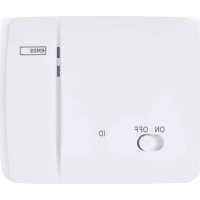
| Product Type | RF Receiver |
| Brand | Emos |
| Model | J6014 |
| Dimensions (W x H x D) | 80 x 60 x 25 mm |
| Weight | 50 g |
| Power Supply | 3V DC (2x AAA batteries) or USB 5V |
| Operating Frequency | 433.92 MHz |
| Range (open field) | Up to 30 m |
| Compatibility | Emos remote controls and home automation systems |
| Functions | Receives RF signals; controls connected devices (lights, appliances) |
| Number of Channels | 4 (configurable) |
| LED Indicator | Yes, for power and signal reception |
| Mounting | Wall mountable with screws (included) |
| Operating Temperature | -10°C to 40°C |
| Humidity | Up to 85% non-condensing |
| Protection Rating | IP20 (indoor use only) |
| Cable Length (if applicable) | 1 m (USB cable) |
| Included Accessories | USB cable, mounting screws, user manual |
| Maintenance | Keep dry and clean; wipe with a dry cloth |
| Safety | Do not expose to water or extreme temperatures; use only supplied power adapter |
| Spare Parts / Repairability | Batteries are replaceable; no other user-serviceable parts |
Frequently Asked Questions - J6014 Emos
How do I pair the J6014 receiver with a remote?
Press and hold the pairing button on the receiver for 3 seconds until the LED blinks, then press any button on the remote within 10 seconds. The LED will stay lit to confirm successful pairing.
What is the maximum range of the receiver?
The operating range is up to 30 meters in open field. Walls and obstacles may reduce the range.
How do I replace the batteries?
Open the battery compartment on the back of the receiver and replace the two AAA batteries with new ones, observing correct polarity.
Can I use the receiver with a USB power source?
Yes, the receiver can be powered via the micro USB port using a standard 5V USB charger (not included).
What devices can I control with the J6014?
The receiver is compatible with Emos RF remote controls and can control lights, appliances, and other devices connected to a compatible Emos module.
How many channels does the receiver have?
The receiver supports up to 4 independent channels, allowing control of multiple devices.
The LED does not light up. What should I do?
Check if the batteries are installed correctly or if the USB cable is properly connected. Try replacing the batteries or using a different USB power source.
Is the receiver waterproof?
No, the J6014 has an IP20 rating and is designed for indoor use only. Keep it away from moisture.
How do I reset the receiver to factory settings?
Press and hold the pairing button for 10 seconds until the LED flashes rapidly. This will erase all paired remotes.
Can I mount the receiver on the wall?
Yes, the receiver has mounting holes on the back. Use the provided screws to attach it securely to a wall.
User questions about J6014 Emos
0 question about this device. Answer the ones you know or ask your own.
Ask a new question about this device
No questions yet. Be the first to ask one.
Download the instructions for your Receiver in PDF format for free! Find your manual J6014 - Emos and take your electronic device back in hand. On this page are published all the documents necessary for the use of your device. J6014 by Emos.
USER MANUAL J6014 Emos

Manual assistant
Powered by Anthropic
Waiting for your message
Product information
Brand : Emos
Model : J6014
Category : Receiver