
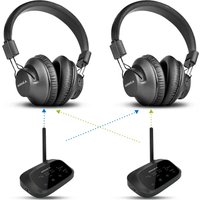
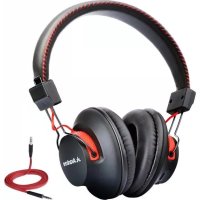
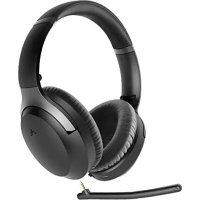
BTHT-4189-BLK - Earphones Avantree - Free user manual and instructions
Find the device manual for free BTHT-4189-BLK Avantree in PDF.


Pick your language and provide your email: we'll send you a specifically translated version.
| Type of Product | Wireless Earphones |
| Brand | Avantree |
| Model | BTHT-4189-BLK |
| Color | Black |
| Connectivity | Bluetooth 5.0 |
| Wireless Range | Up to 10 meters (33 ft) |
| Driver Size | 10 mm |
| Frequency Response | 20 Hz - 20 kHz |
| Impedance | 32 Ω |
| Sensitivity | 96 dB |
| Battery Life (Earbuds) | 8 hours |
| Battery Life (with Case) | 24 hours |
| Charging Time | 2 hours |
| Charging Port | Micro USB |
| Weight (Single Earbud) | 4 g |
| Weight (Charging Case) | 40 g |
| Water Resistance | IPX5 (sweat resistant) |
| Controls | Multi-function button (play/pause, call, volume) |
| Microphone | Built-in, noise reduction |
| Compatible Devices | Smartphones, tablets, laptops (Bluetooth enabled) |
| Ear Tips Included | 3 sizes (S, M, L) |
| Warranty | 1 year |
Frequently Asked Questions - BTHT-4189-BLK Avantree
How do I pair the Avantree BTHT-4189-BLK earphones with my phone?
To pair: First, ensure the earphones are charged. Remove them from the charging case; they will enter pairing mode automatically (LED flashes red/blue). On your phone, enable Bluetooth and select "Avantree BTHT-4189-BLK" from the list. If prompted, enter PIN 0000.
How long does the battery last?
The earphones provide up to 8 hours of playback on a single charge. The charging case holds an additional 16 hours, giving a total of up to 24 hours. Actual battery life may vary based on volume and usage.
Can I use these earphones for sports?
Yes, they are rated IPX5 which means they are sweat and splash resistant. They are suitable for workouts and light rain, but not for submersion.
How do I charge the earphones and the case?
Place the earphones into the charging case and close the lid. The case itself charges via the included Micro USB cable. Connect the cable to a USB power source (e.g., computer or wall adapter). The LED indicators show charging status.
The earphones are not connecting to each other. What should I do?
Ensure both earphones are placed in the charging case and then remove them together. This should trigger a re-sync. If the issue persists, reset by holding the multifunction button on each earbud for 10 seconds (until LED flashes red/white), then re-pair with your device.
Are these earphones compatible with iPhone and Android?
Yes, they work with any Bluetooth-enabled device, including iPhone, Android phones, tablets, and laptops. They support standard Bluetooth profiles like A2DP and HSP.
How do I control volume and skip tracks?
The multifunction button on each earbud handles controls: Single press to play/pause or answer/end call; Double press to skip to next track; Triple press to previous track; Long press for volume up (right earbud) or volume down (left earbud).
What should I do if the earphones won't charge?
First, clean the charging contacts on the earphones and inside the case with a dry cloth. Make sure the earphones are correctly seated. Try a different charging cable and power source. If still no charging, the battery may be defective; contact Avantree support.
Can I use only one earbud (mono mode)?
Yes, you can use either the left or right earbud independently. Simply take one earbud out of the case; it will pair as a mono headset. To switch back to stereo, place both in the case and remove together.
How do I reset the earbuds to factory settings?
To reset: Place both earbuds in the charging case. Then, press and hold the multifunction buttons on both earbuds for 10 seconds until the LEDs flash red/white. Release, then remove the earbuds from the case. They will enter pairing mode and can be reconnected.
User questions about BTHT-4189-BLK Avantree
0 question about this device. Answer the ones you know or ask your own.
Ask a new question about this device
No questions yet. Be the first to ask one.
Download the instructions for your Earphones in PDF format for free! Find your manual BTHT-4189-BLK - Avantree and take your electronic device back in hand. On this page are published all the documents necessary for the use of your device. BTHT-4189-BLK by Avantree.
USER MANUAL BTHT-4189-BLK Avantree
Manual assistant
Powered by Anthropic
Waiting for your message
Product information
Brand : Avantree
Model : BTHT-4189-BLK
Category : Earphones