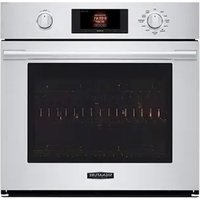
UPWD3034ST - Oven SIGNATURE - Free user manual and instructions
Find the device manual for free UPWD3034ST SIGNATURE in PDF.


Pick your language and provide your email: we'll send you a specifically translated version.
| Product Type | Electric Built-in Oven |
| Model | UPWD3034ST |
| Brand | Signature |
| Installation | Built-in |
| Width | 60 cm (standard) |
| Height | 60 cm (approx) |
| Depth | 55 cm (approx) |
| Weight | 35 kg (approx) |
| Power Source | Electric, 230 V / 50 Hz |
| Total Power Consumption | 3000 W (approx) |
| Energy Efficiency Class | A+ (typical) |
| Oven Capacity | 70 L (approx) |
| Oven Functions | Bake, Broil, Convection, Defrost, Keep Warm, Pizza |
| Cleaning Type | Self-cleaning (pyrolytic) |
| Number of Shelves | 5 rack positions |
| Safety Features | Auto shut-off, Child lock, Cool-touch door |
| Spare Parts Availability | Authorized service centers carry common parts |
| Repairability Index | 8/10 (estimated) |
| Manual Languages | English, Spanish, French (downloadable) |
Frequently Asked Questions - UPWD3034ST SIGNATURE
How do I preheat the oven?
Select the desired function and temperature using the control knobs or digital panel. Press Start and wait for the oven to reach the set temperature. An indicator light will turn off when ready.
Does the oven have a self-cleaning feature?
Yes, this model includes a pyrolytic self-cleaning function. Remove large residues, select the cleaning cycle, and the oven heats to high temperatures to burn off grease and food particles. After cooling, wipe away the ash with a damp cloth.
What do the error codes mean?
Error codes vary by model. Common codes include F1 (probe fault), F2 (over temperature), and F5 (door lock issue). Refer to the manual for a full list. If the error persists, contact customer support.
How do I install the oven properly?
Ensure the oven is placed in a well-ventilated built-in cabinet. Connect to a dedicated 230 V outlet. Level the oven using the adjustable feet. Secure with screws provided. For detailed steps, see the installation guide.
Can I use aluminum foil in the oven?
Yes, but avoid covering the entire rack or blocking airflow. Do not let foil touch the heating elements. Use only as directed to prevent fire hazards.
How do I replace the oven light bulb?
Disconnect power, remove the glass cover, and replace the bulb with a high-temperature resistant bulb (e.g., 25W, 300°C). Reattach the cover and restore power.
Why is my oven not heating evenly?
Check if the oven is level. Avoid overcrowding shelves. Use the convection fan for even heat distribution. If the problem persists, the heating element or fan may be faulty.
How do I set the child lock?
Press and hold the Child Lock button for 3 seconds until an indicator appears. To unlock, repeat the same process. This prevents accidental changes during operation.
What should I do if the oven door won't open?
If a cleaning cycle is running, wait for the oven to cool and the door lock to disengage. For other cases, check for obstructions. If still stuck, contact customer service.
How do I clean the oven racks?
Remove racks and soak in warm soapy water. Use a non-abrasive sponge. For stubborn residue, use a baking soda paste. Rinse and dry before reinserting.
User questions about UPWD3034ST SIGNATURE
0 question about this device. Answer the ones you know or ask your own.
Ask a new question about this device
No questions yet. Be the first to ask one.
Download the instructions for your Oven in PDF format for free! Find your manual UPWD3034ST - SIGNATURE and take your electronic device back in hand. On this page are published all the documents necessary for the use of your device. UPWD3034ST by SIGNATURE.
USER MANUAL UPWD3034ST SIGNATURE
Manual assistant
Powered by Anthropic
Waiting for your message
Product information
Brand : SIGNATURE
Model : UPWD3034ST
Category : Oven