WKB 4212 VINOTHEK - Wine cellar LIEBHERR - Free user manual and instructions
Find the device manual for free WKB 4212 VINOTHEK LIEBHERR in PDF.


User questions about WKB 4212 VINOTHEK LIEBHERR
0 question about this device. Answer the ones you know or ask your own.
Ask a new question about this device
Download the instructions for your Wine cellar in PDF format for free! Find your manual WKB 4212 VINOTHEK - LIEBHERR and take your electronic device back in hand. On this page are published all the documents necessary for the use of your device. WKB 4212 VINOTHEK by LIEBHERR.
USER MANUAL WKB 4212 VINOTHEK LIEBHERR
The appliance contains reusable materials and should be disposed of properly - not simply with unsorted household refuse. Appliances which are no longer needed must be disposed of in a professional and appropriate way, in accordance with the current local regulations and laws.
When disposing of the appliance, ensure that the refrigerant circuit is not damaged to prevent uncontrolled escape of the refrigerant it contains (data on type plate) and oil.
- Disable the appliance.
- Pull out the mains plug.
- Cut through the connection cable.

WARNING
Danger of suffocation due to packing material and plastic film! Do not allow children to play with packaging material. Take the packaging material to an official collection point.
Saving energy
- Always ensure good ventilation. Do not cover ventilation openings or grille.
- Always keep fan slits clear.
- Avoid positioning the appliance in direct sunlight or near cookers, radiators and similar sources of heat.
- The energy consumption depends on the installation conditions, e.g. the ambient temperature.
- Keep the time the appliance is open to a minimum.
Accumulated dust increases the energy consumption:
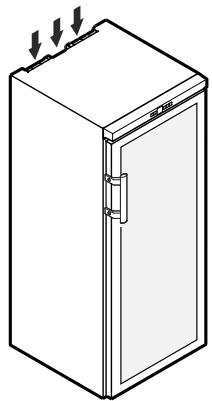
- Once a year, dust the refrigeration unit together with the metal grid of the heat exchanger at the back of the appliance.
Climate rating
The climate rating indicates the room temperature at which the appliance may be operated in order to achieve full refrigeration performance.
The climate rating is indicated on the type plate.
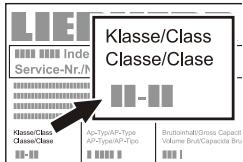
The position of the type plate is shown in the section entitled Description of the appliance.
Climate rating Room temperature
| SN | +10°C to +32°C |
| N | +16°C to +32°C |
| ST | +16°C to +38°C |
| T | +16°C to +43°C |
| SN-ST | +10°C to +38°C |
| SN-T | +10°C to +43°C |
Do not operate the appliance outside the specified room temperature range.

Description of the appliance
Safety instructions and warnings
- To prevent injury or damage to the unit, the appliance should be unpacked and set up by two people.
- In the event that the appliance is damaged on delivery, contact the supplier immediately before connecting to the mains.
- To guarantee safe operation, ensure that the appliance is set up and connected as described in these operating instructions.
- Disconnect the appliance from the mains if any fault occurs. Pull out the plug, switch off or remove the fuse.
- When disconnecting the appliance, pull on the plug, not on the cable.
- Any repairs and work on the appliance should only be carried out by the customer service department, as unauthorised work could prove highly dangerous for the user. The same applies to changing the mains power cable.
- Do not allow naked flames or ignition sources to enter the appliance. When transporting and cleaning the appliance, ensure that the refrigerant circuit is not damaged. In the event of damage, make sure that there are no ignition sources nearby and keep the room well ventilated.
- Do not stand on the plinth, drawers or doors or use them to support anything else.
- This appliance is not intended for use by persons (including children) with reduced physical, sensory or mental capabilities or lack of experience and knowledge unless they have been given initial supervision or instruction concerning use of the appliance by a person responsible for their safety. Children should be supervised to ensure that they do not play with the appliance.
- Avoid prolonged skin contact with cold surfaces or chilled/frozen food. This could cause pain, numbness and frostbite. In the case of prolonged skin contact, protective measures should be taken, e.g. gloves should be worn.
-
Do not consume food which has been stored for too long, as it could cause food poisoning.
-
Do not store explosives or sprays using combustible propellants such as butane, propane, pentane, etc. in the appliance. Electrical components might cause leaking gas to ignite. You may identify such sprays by the printed contents or a flame symbol.
- Do not use electrical appliances inside the appliance.
- If you have a lockable appliance, do not keep the key near the appliance or within reach of children.
- The appliance is designed for use in enclosed areas. Do not operate the appliance outdoors or in areas where it is exposed to splash water or damp conditions.
- The fluorescent tube illuminates the interior of the appliance. It is not suitable for lighting a room.
Range of appliance use
The appliance is suitable solely for storing wine in a domestic environment or similar. This includes, for example, use
- in staff kitchenettes, bed and breakfast establishments,
- by guests in cottages, hotels, motels and other forms of accommodation,
- in catering and similar services in the wholesale trade.
Use the appliance solely as is customary within a domestic environment. All other types of use are inadmissible. The appliance is not suitable for storing and cooling medicines, blood plasma, laboratory preparations or similar substances and products covered by the 2007/47/EC Medical Devices Directive. Any misuse of the appliance may result in damage to or spoilage of stored goods. Furthermore, the appliance is not suitable for operation in potentially explosive atmospheres.
Setting up
- Avoid positioning the appliance in direct sunlight or near cookers, radiators and similar sources of heat.
-
The floor on which the appliance stands should be horizontal and level. Compensate for uneven floors with the adjustable feet.
-
Do not cover ventilation openings or grille.
- Standard EN 378 specifies that the room in which you install your appliance must have a volume of 1m^3 per 8g of R 600a refrigerant used in the appliance, so as to avoid the formation of inflammable gas/air mixtures in the room where the appliance is located in the event of a leak in the refrigerant circuit. The quantity of refrigerant used in your appliance is indicated on the type plate on the inside of the appliance.
- Always install the appliance directly against the wall.
Appliance dimensions
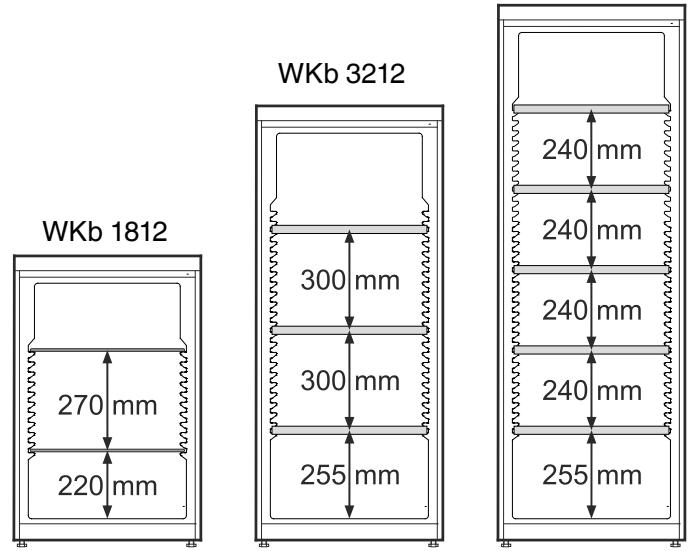
WKb 1812 A = 890mm B = 613mm C = 1172mm
WKb 3212 A = 1350mm B = 739mm C = 1298mm
WKb 4212 A = 1650mm B = 739mm C = 1298mm

Electrical connection
Only operate the appliance with alternating current (AC).
The permissible voltage and frequency are indicated on the type plate. The position of the type plate is shown in the section entitled Description of the appliance.
The socket must be properly earthed and protected by a fuse.
The tripping current of the fuse must be between 10 A and 16 A.
The socket must not be situated behind the appliance and must be easily accessible.
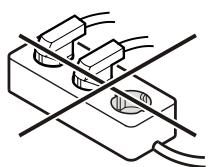
Do not connect the appliance using an extension cable or extension socket.
Do not use stand-alone inverters (conversion of direct current to alternating current/three-phase current) or energy-saving plugs. Risk of damage to the electronic control system!
Operating and control elements
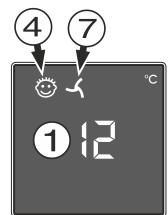
① Temperature display
② Temperature setting buttons
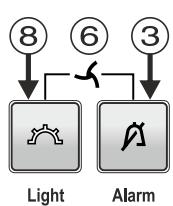
③ Audible warning On/Off button
④ Child lock activated symbol
⑤ On/Off button
⑥ Fan On/Off button combination
⑦ Fan On symbol
⑧ Interior light on/off button
Switching the appliance on and off
Switching the appliance on
Press the On/Off button until the temperature display lights up.

On/Off
Switching the appliance off
Keep the On/Off button pressed for approx. 3 seconds so that the temperature display goes out.
Setting the temperature
Increasing the temperature
Press the Up button.
Reducing the temperature
Press the Down button.

Up

Down
- When pressing one of the buttons for the first time, the display will start to flash.
- Pressing this button again enables you to change the temperature setting.
- The electronic controls will switch over automatically about 5 seconds after the last time you pressed the button, and the actual temperature will be displayed.
Storing wine
If you are storing wine for long periods of time, it should be stored at a temperature of between 10^ and 14^ .
This is the temperature wine cellars are kept at, and it is just right to allow wine to mature properly.
The following drinking temperatures are recommended for the various types of wine.
Red wines: +14^ C to +18^ C
Rosé wines: +10°C to +12°C
White wines: +8^ C to +12^ C
Sparkling wines, Prosecco: +7^ to +9^
Champagne: +5^ C to +7^ C
Fan switch
The interior fan ensures a constant and even interior temperature and a suitable climate for wine storage.
The humidity in the appliance can be increased even further by activating the fan switch. This has a particularly positive effect for long-term storage.
The increased level of humidity prevents the corks from drying out.
Switching on
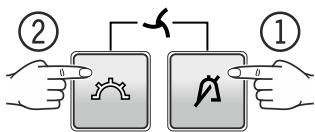
Hold down the Alarm button and then press the Light button.
The LED will come on.
Switching off
Hold down the Alarm button and then press the Light button.
The LED goes dark.
Light Alarm
Note
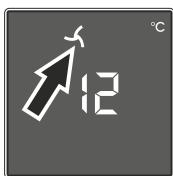
If the appliance is operated in a low ambient temperature, the fan may also run when the fan function is deactivated.
Door open alarm
If the door is left open for more than 60 seconds, the audible warning signal will sound.
If the door must be opened for a lengthy period to place items into the appliance, cancel the audible warning signal by pressing the Alarm button.
The alarm switches back to standby when the door is shut.

Alarm
Temperature alarm
If the temperatures in the interior are out of the permitted range, the audible warning signal will sound and the temperature display will flash.
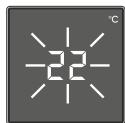
After a lengthy power failure, the temperature in the interior may have risen to too high a level. After the power supply returns, the fall in temperature can be watched on the display.
- Cancel the audible warning signal by pressing the Alarm button.
The temperature display will stop flashing as soon as the temperature in the interior has reached the set value.
Temperature alarm after a fault in the appliance
If the appliance develops a fault, the temperature in the interior may rise too high or fall too low. The audible warning signal will sound and the temperature display will flash.
If the temperature displayed is too high (warm), first check whether the door is closed correctly.
If the temperature display continues to show a value that is too high or too low after one hour, contact the customer service department.
- Cancel the audible warning signal by pressing the Alarm button.
If F1 appears in the display, the appliance has suffered a fault. In this case, contact the customer service department.
Additional functions
In set-up mode you can set the child lock and adjust the brightness of the display. The child lock is designed to protect the appliance from being switched off accidentally.
Activating the child lock

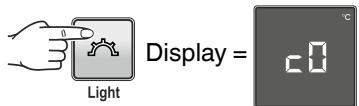
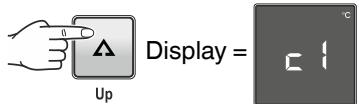
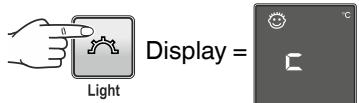
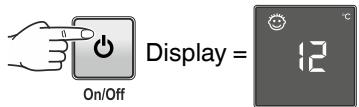
Deactivating the child lock

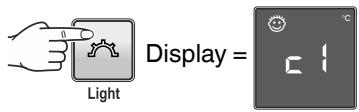
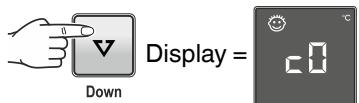
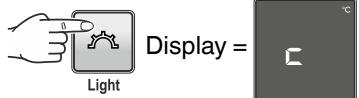
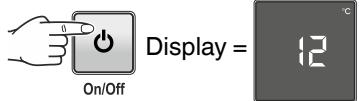
Adjusting the display brightness

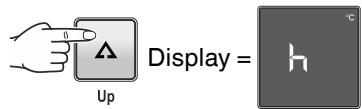
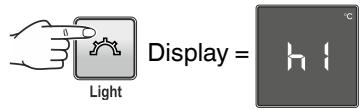
Use buttons and to select the desired setting.
h1 = minimum brightness
h5 = maximum brightness
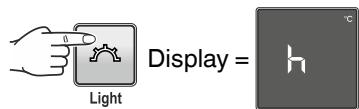
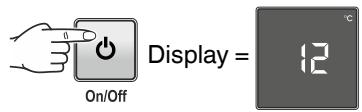
The adjusted brightness will be activated after one minute.
Note
If a button is pressed, the display lights up for one minute at maximum brightness.
Demo mode
Demo mode can be activated for presenting the appliance at exhibitions or in salesrooms as though in normal operating mode.
When in this mode, the cooling circuit is switched off!
If this mode is activated by accident, it can be deactivated as detailed below.

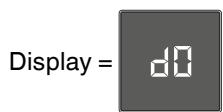
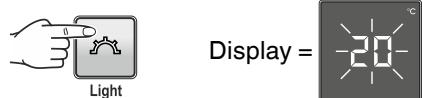
The refrigeration unit switches on.
The temperature display flashes.
The appliance is now in normal operating mode.
Interior light
The interior light will always switch on when the appliance door is opened.
Press the Light button if you want the interior light to be on even when the door is closed.

Light
Changing the tube
Pull out the mains plug!
① Pull the left-hand side of the light cover downwards. There are notches at the front and rear for this purpose.
② Slide the light cover to the left.
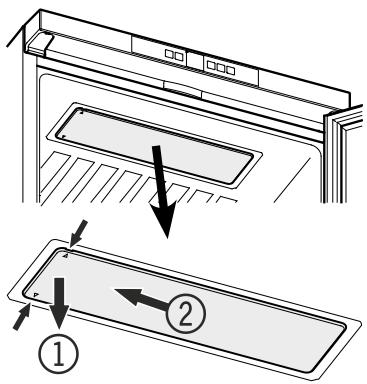
(3) Remove the light cover downwards.
④ Turn the fluorescent tube through 90^ and remove it downwards.
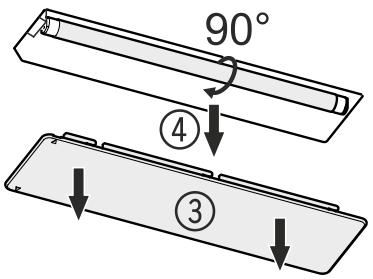
Fit the new fluorescent tube and turn it through 90^
Fit the cover and slide it to the right until it engages.
Labels
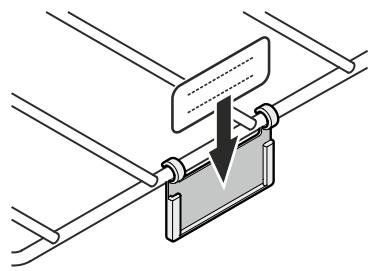
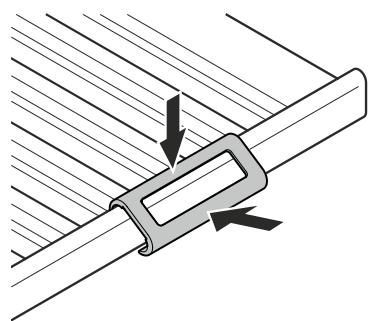
The appliance is supplied with a label holder with labels for each shelf. Use these to label the type of wine stored on each shelf.
Additional labels can be obtained from your dealer.
Version 1
Click the label holder into place and slide the label in from the top.
Version 2
Click the label holder into place and slide the label in from the side.

Air exchange with activated charcoal filter
The way in which wines continue to mature depends on the ambient conditions. The quality of the air is therefore decisive for preserving the wine.
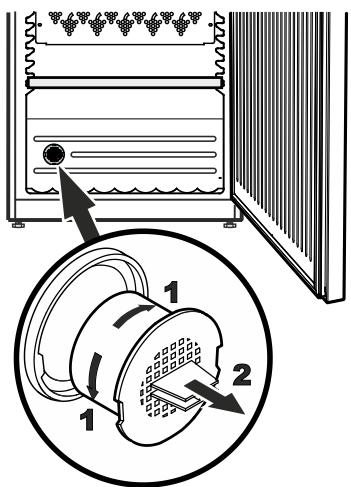
We recommend that you replace the illustrated filter once a year. Filters can be obtained from your dealer.
Changing the filter:
Take the filter by the handle. Turn it 90^ to the left or right and remove.
Inserting the filter:
Insert with the handle in a vertical position. Turn it 90^ to the left or right until it clicks into place.
WKb 1812
Total 66 bottles
Important
The maximum load per grid shelf is 45kg
WKb 3212
Total 164 bottles
Important
The maximum load per grid shelf is 60kg
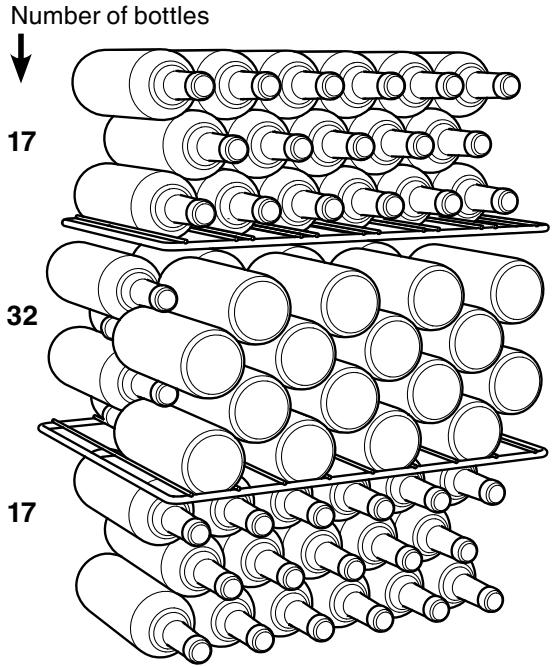
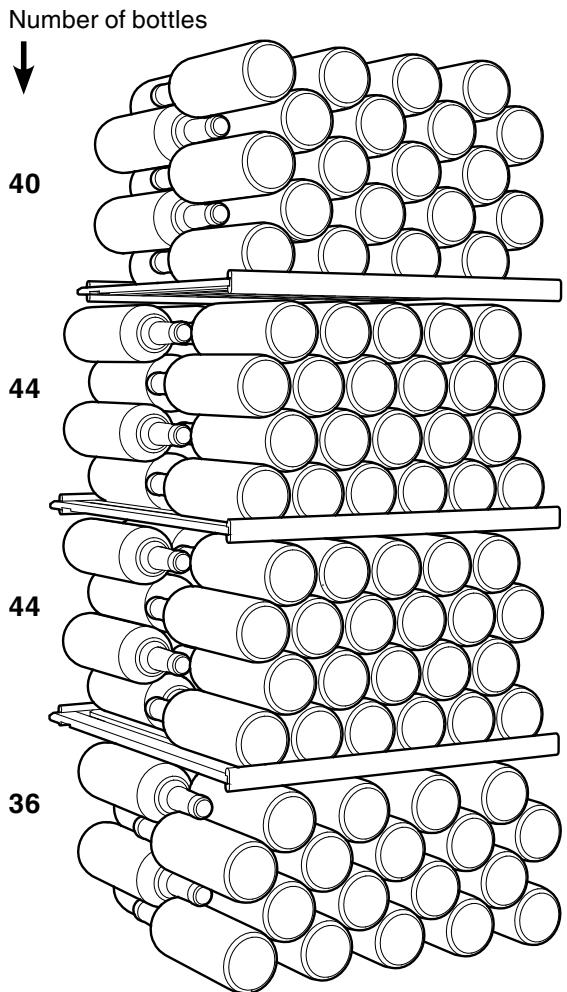
WKb 4212
The storage capacity stated is only possible with the grid shelves in this configuration.
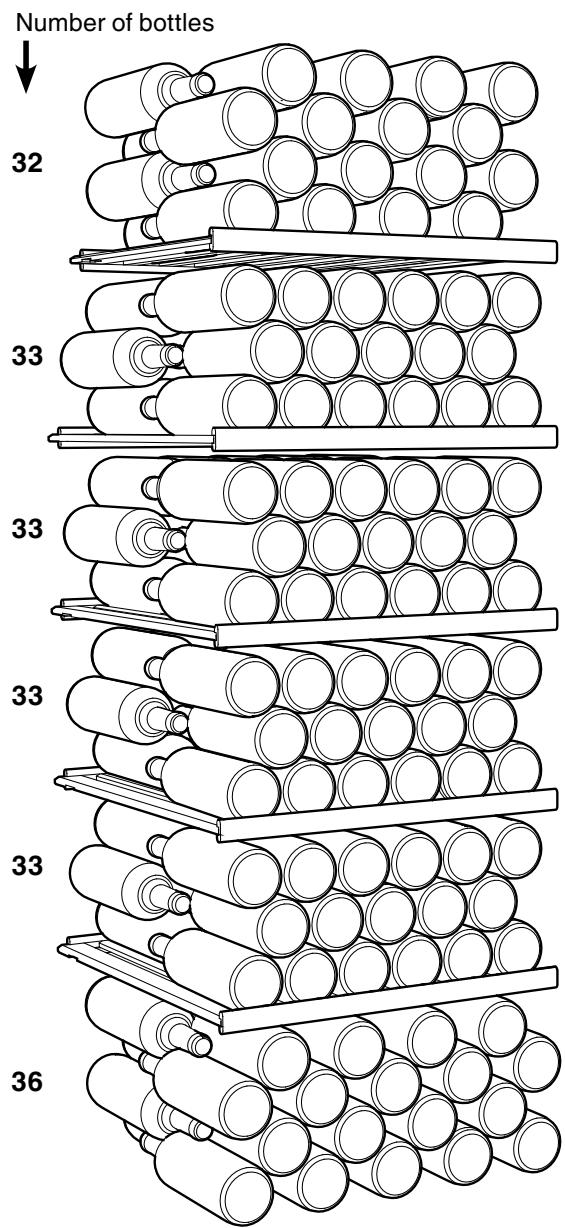
WKb 4212
Total 200 bottles
Important
The maximum load per grid shelf is 60kg
Defrosting
The appliance defrosts automatically.
Cleaning
Before cleaning always switch off the appliance. Pull out the mains plug or switch off or unscrew the fuse.
- Clean the inside and outer walls with lukewarm water and a little detergent. Do not use abrasive or acid cleaners or chemical solvents.
- Use a glass cleaner to clean the glass surfaces and a commercially available stainless-steel cleaning agent for the stainless-steel surfaces.
Do not use steam cleaners because of the risk of injury and damage.
- Ensure that no cleaning water penetrates into the electrical components or ventilation grille.
- Do not damage or remove the type plate on the inside of the appliance. It is very important for servicing purposes.
Shutting your appliance down
If your appliance is to be shut down for any length of time, switch it off and disconnect the plug or switch off or unscrew the fuse. Clean the appliance and leave the door open in order to prevent unpleasant smells.
The appliance complies with the relevant safety regulations and EC Directives 2004/108/EC and 2006/95/EC.
Malfunctions
- F1 appears in the display.
- The appliance has suffered a fault. Contact the customer service department.
You may be able to rectify the following faults by checking the possible causes yourself.
- Appliance does not function:
- Is the appliance switched on?
- Is the plug correctly fitted in the mains socket?
-
Is the fuse intact?
-
When inserting the mains plug, the refrigeration unit does not switch on, but a value is shown in the temperature display.
-
Demo mode is activated. Deactivate demo mode as described in the section entitled Additional functions - Demo mode.
-
Loud running noise:
-
Is the appliance set up firmly on the floor?
-
Does the appliance cause nearby items of furniture or objects to vibrate? Please note that noises caused by the refrigerant circuit cannot be avoided.
-
The temperature is not low enough:
-
Is the temperature setting correct (see "Setting the temperature"?
- Does the separately installed thermometer show the correct reading?
- Is the ventilation system working properly?
- Is the appliance set up too close to a heat source?
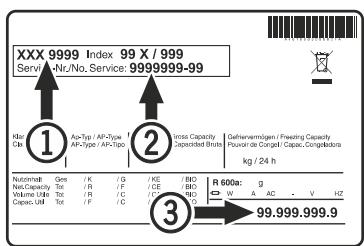
If none of the above causes apply and you cannot rectify the fault yourself, contact the nearest customer service department stating the type designation ① , servicenumber ② and appliance number ③ as indicated on the type plate.
The position of the type plate is shown in the section entitled Description of the appliance.
Changing over door hinges
Door hinges should only be changed by a trained expert. Changing the door hinges must be done by two people.
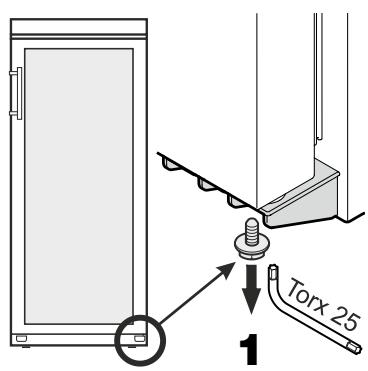
- Remove screw from lower hinge bracket.
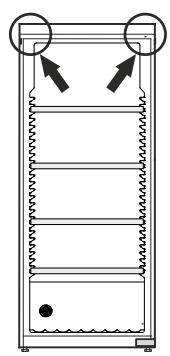
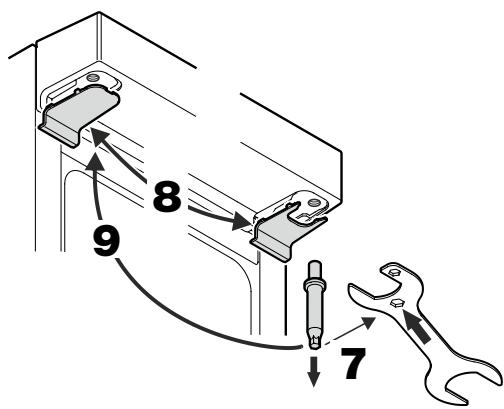
- Unscrew the pin. Use the spanner provided.
- Transfer the covers to the opposite side.
-
Screw in the pin on the opposite side.
-
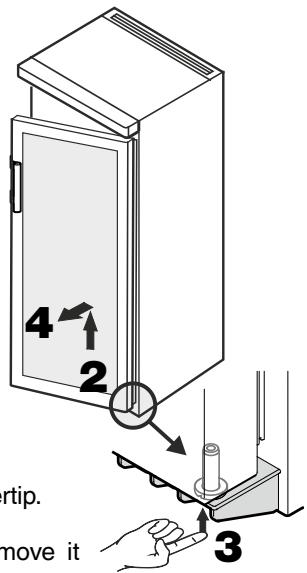
Open the door approx. 45^ and lift upwards.
Important
As a result of its heavy weight, the door on models WKb 3212 and WKb 4212 must be raised and removed by one person while the other executes the intermediate steps.
- Push the pin upwards using your fingertip.
4.Pull the door to the front and remove it downwards.
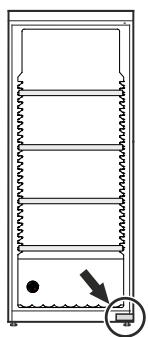
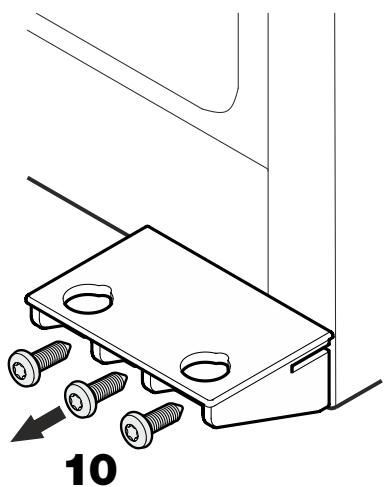
-
Unscrew hinge bracket.
-
Transfer plug.
- Transfer door handle and plugs to the other side.
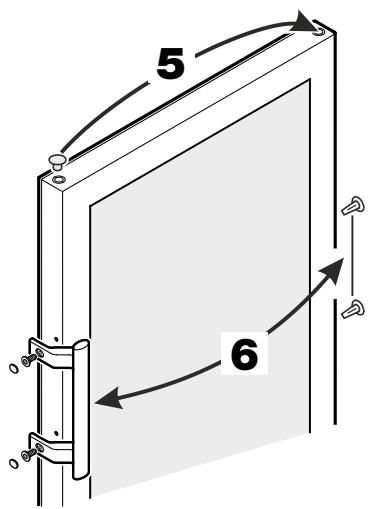
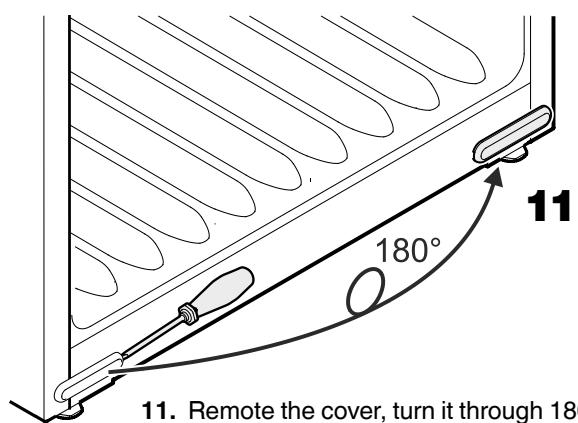
- Remote the cover, turn it through 180^ and re-fit it on the opposite side.
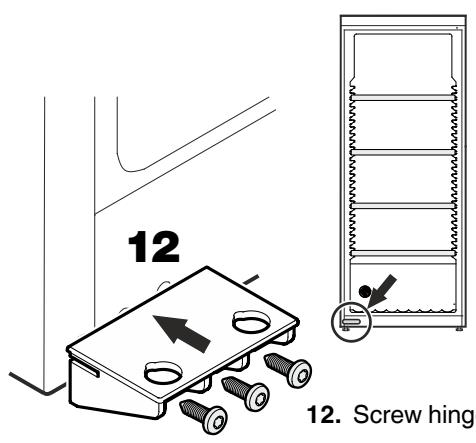
12. Screw hinge bracket into place.
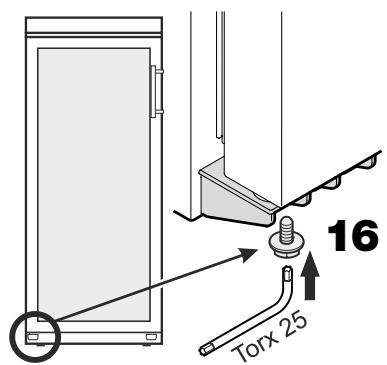
- Screw the screw into the pin again and tighten.
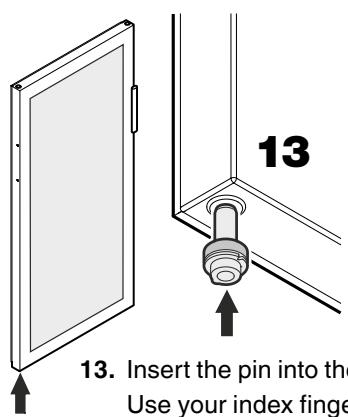
- Insert the pin into the left-hand door mounting.
Use your index finger to hold the pin while you are assembling the door.
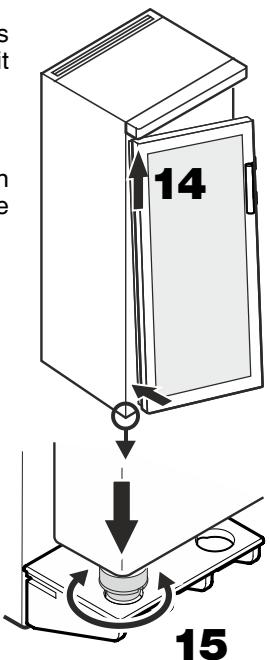
- Locate the door on the upper pin as shown in the illustration and guide it to the lower hinge bracket.
Important
As a result of its heavy weight, the door on models WKb 3212 and WKb 4212 must be held secure by one person.
- Lift the door upwards and turn the pin until it fits into the bore hole of the hinge bracket.
Slowly lower the door downwards. The lower part of the pin must be fully engaged in the bore hole of the hinge bracket.