
ZeTrack - Smartwatch MYKRONOZ - Free user manual and instructions
Find the device manual for free ZeTrack MYKRONOZ in PDF.


| Product Type | Smartwatch |
| Brand | MyKronoz |
| Model | ZeTrack |
| Display | 1.3-inch OLED touchscreen |
| Dimensions | 42 x 42 x 11 mm |
| Weight | 40 g (without strap) |
| Battery Capacity | 200 mAh lithium-ion |
| Battery Life | Up to 7 days typical use |
| Charging Time | Approx. 2 hours |
| Water Resistance | IP67 (splash and dust proof) |
| Connectivity | Bluetooth 4.0 |
| Compatibility | iOS 8.0+ and Android 4.4+ |
| Sensors | Accelerometer, heart rate monitor |
| Main Functions | Step tracking, sleep monitoring, heart rate, notifications, sedentary reminder, stopwatch |
| Notifications | Call, SMS, app alerts (vibration) |
| Control | Touchscreen and single button |
| Strap Material | Silicone (interchangeable, 22 mm width) |
| Care and Cleaning | Wipe with soft damp cloth; avoid solvents |
| Safety | Not for medical use; keep away from children under 3 |
| Spare Parts | Straps and charging cable available from MyKronoz |
| Repairability | Battery not user-replaceable; contact support for issues |
| Warranty | 1 year limited warranty |
| Package Contents | ZeTrack watch, charging cable, user manual |
Frequently Asked Questions - ZeTrack MYKRONOZ
User questions about ZeTrack MYKRONOZ
0 question about this device. Answer the ones you know or ask your own.
Ask a new question about this device
Download the instructions for your Smartwatch in PDF format for free! Find your manual ZeTrack - MYKRONOZ and take your electronic device back in hand. On this page are published all the documents necessary for the use of your device. ZeTrack by MYKRONOZ.
USER MANUAL ZeTrack MYKRONOZ

Or visit www.mykronoz.com/support
natural_image
Line drawing of a hand pressing down on a smartphone screen with a download icon (no text or symbols)DOWNLOAD
MyKronoz App

natural_image
Red square icon with a white abstract symbol resembling a stylized letter or symbol (no text or numbers)

Téléchargez l'app
Connecting the built-in USB port improperly may cause serious damage to the device. Any damage caused by misuse is not covered by the warranty. Unplug ZeTrack when it is fully charged.
This product is not a medical device and should not be used to diagnose or treat any medical condition.
This device is not waterproof so keep it away from all sources of heat or humidity. Do not use it near sink or other wet areas. Do not place it in water. ZeTrack only conforms to IP67 protection.
ABOUT THIS MANUAL
The features of ZeTrack and the contents of the user manual are subject to change. To get the latest instructions on how to use this product, please refer to the online user manual available on www.mykronoz.com
ATTENTION
Before using the device, read these instructions carefully.
- ZeTrack has built-in batteries. Do not disassemble the battery on your own. KRONOZ LLC is not responsible for any damage or personal injury caused by the removal of the battery or any component.
- Do not expose your product to extremely high or low temperatures. Excessive temperature during charging could cause heat, smoke, fire or deformation of the battery or even explosion. Do not expose the battery in the sun, excessive smoke or dust. Charge the battery in a cool, ventilated room.
- Do not open, crush, bend, deform, puncture or shred secondary cells or batteries. In the event of a battery break or leak, prevent battery liquid contact with skin or eyes. If this happens, immediately flush the areas with water (do not rub the eye) or seek medical help.
- Do not short-circuit. Short-circuiting can occur when a metallic object, such as coins, causes direct connection of positive and negative terminals of the battery. Short-circuiting may damage the battery.
-
Do not use batteries that have been damaged or have been exhausted.
-
Keep the batteries out of children's reach and in a safe place to prevent danger.
- Do not place the batteries in the water. Do not expose your product to water at high pressure, such as ocean waves or waterfall. Do not use your product in a sauna or steam room.
- Do not dispose of batteries in fire as they may cause explosion. Dispose of used batteries in accordance with your local regulations (such as recycling). Do not dispose as household waste.
- Use only the USB cable supplied to charge this battery. Do not charge for more than 24 hours.
- Do not attempt to repair or maintain the watch by yourself, service and maintenance should be performed by authorized technicians.
- Risk of explosion if battery is replaced by an incorrect type.
- Dispose of used batteries according to these instructions.
REGULATORY NOTICES
USA FCC STATEMENT

This device complies with Part 15 of the FCC Rules. Operation is subject to the following two conditions: (1) this device may not cause harmful interference, and (2) this device must accept any interference received, including interference that may cause undesired operation.
CAUTIONS
Changes or modifications not expressly approved by the party responsible for compliance could void the user's authority to operate this equipment.
FCC NOTICE
This equipment complies within the limits of a Class B digital device, pursuant to part 15 of the FCC Rules. These limits are designed to provide reasonable protections against radio and TV interference in residential areas. However, even during normal operation, this equipment may cause TV or radio interference. If the equipment does cause harmful interference to radio or television reception, which can be determined by turning the equipment off and on, the user is encouraged to try one or more of the following corrective measures:
- Reposition the receiving antenna.
- Increase the distance between the equipment and receiver.
- Connect the equipment into an outlet on a circuit different from which the receiver is connected.
- Consult the dealer or an experienced radio/TV technician for help.
FCC ID: 2AA7D-ZTRA
RF EXPOSURE STATEMENTS
This equipment complies with FCC radiation exposure requirement set forth for an uncontrolled environment.End users must follow the specific operating instructions for satisfying RF exposure compliance.
CANADA
INDUSTRY CANADA (IC) STATEMENT
This device complies with Industry Canada license-exempt RSS standard(s). Operation is subject to the following two conditions: (1) this device may not cause interference, and (2) this device must accept any interference, including interference that may cause undesired operation of the device.
RF EXPOSURE STATEMENTS
This device complies with the ISED RSS-102 RF exposure requirement set forth for an uncontrolled environment and are safe for intended operation as described in this manual.
Declaration of conformity with regard to the EU Directive 2014/53/EU.
Kronoz LLC hereby declares that this device is in compliance with the essential requirements and other relevant provisions of the RE Directive 2014/53/EU. The complete declaration of conformity is available on request via our customer service: support@mykronoz.com
DISPOSAL AND RECYCLING INFORMATION
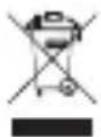
After the implementation of the European Directive 2012/19/EU in the national legal system, the following applies: electrical and electronic devices may not be disposed of with domestic waste. Consumers are obliged by law to return electrical and electronic device at the end of their service lives to the public collecting points set up for this purpose or point of sale. Details to this are defined by the national law of the respective country. This symbol on the product, the instruction manual or the package indicates that a product is subject to these regulations. By recycling, reusing the materials or other forms of utilizing old devices, you are making an important contribution to protecting our environment.
©2019 Kronoz LLC, all rights reserved. Kronoz LLC, Avenue Louis-Casai 18 - 1209 Geneva - Switzerland All brands or product names are or may be trademarks of their respective owners. Pictures and specifications are not contractual. Les marques citées sont des marques déposées par leur fabricant respectif. Photos et caractéristiques non contractuelles. Designed in Switzerland - Made in China
MYKRONOZ
WEARABLE DESIGNED IN SWITZERLAND
JOIN US @MYKRONOZ






© 2019 KRONOZ LLC. All rights reserved.


Brand : MYKRONOZ
Model : ZeTrack
Category : Smartwatch