
HPD-15 - Electronic drum ROLAND - Free user manual and instructions
Find the device manual for free HPD-15 ROLAND in PDF.


User questions about HPD-15 ROLAND
0 question about this device. Answer the ones you know or ask your own.
Ask a new question about this device
Download the instructions for your Electronic drum in PDF format for free! Find your manual HPD-15 - ROLAND and take your electronic device back in hand. On this page are published all the documents necessary for the use of your device. HPD-15 by ROLAND.
USER MANUAL HPD-15 ROLAND
Thank you, and congratulations on your choice of the Roland HandSonic HPD-15.
Before using this unit, carefully read the sections entitled: “USING THE UNIT SAFELY” (p. 2–3) and “IMPORTANT NOTES” (p. 4). These sections provide important information concerning the proper operation of the unit. Additionally, in order to feel assured that you have gained a good grasp of every feature provided by your new unit, Owner’s manual should be read in its entirety. The manual should be saved and kept on hand as a convenient reference.
* The D Beam Controller is provided under license from Interactive Light, Inc.
IMPORTANT: THE WIRES IN THIS MAINS LEAD ARE COLOURED IN ACCORDANCE WITH THE FOLLOWING CODE.
BLUE: NEUTRAL
BROWN: LIVE
As the colours of the wires in the mains lead of this apparatus may not correspond with the coloured markings identifying the terminals in your plug, proceed as follows:
The wire which is coloured BLUE must be connected to the terminal which is marked with the letter N or coloured BLACK.
The wire which is coloured BROWN must be connected to the terminal which is marked with the letter L or coloured RED.
Under no circumstances must either of the above wires be connected to the earth terminal of a three pin plug.
USING THE UNIT SAFELY
INSTRUCTIONS FOR THE PREVENTION OF FIRE, ELECTRIC SHOCK, OR INJURY TO PERSONS
About ⚠️ WARNING and ⚠️ CAUTION Notices
| ⚠ WARNING | Used for instructions intended to alert the user to the risk of death or severe injury should the unit be used improperly. |
| ⚠ CAUTION | Used for instructions intended to alert the user to the risk of injury or material damage should the unit be used improperly.* Material damage refers to damage or other adverse effects caused with respect to the home and all its furnishings, as well to domestic animals or pets. |
About the Symbols
| The △ symbol alerts the user to important instructions or warnings. The specific meaning of the symbol is determined by the design contained within the triangle. In the case of the symbol at left, it is used for general cautions, warnings, or alerts to danger. | |
| The ⊙ symbol alerts the user to items that must never be carried out (are forbidden). The specific thing that must not be done is indicated by the design contained within the circle. In the case of the symbol at left, it means that the unit must never be disassembled. | |
| The ● symbol alerts the user to things that must be carried out. The specific thing that must be done is indicated by the design contained within the circle. In the case of the symbol at left, it means that the power-cord plug must be unplugged from the outlet. |
ALWAYS OBSERVE THE FOLLOWING
WARNING
- Before using this unit, make sure to read the instructions below, and the Owner's Manual.

- Do not open (or modify in any way) the unit or its AC adaptor.

- Do not attempt to repair the unit, or replace parts within it (except when this manual provides specific instructions directing you to do so). Refer all servicing to your retailer, the nearest Roland Service Center, or an authorized Roland distributor, as listed on the "Information" page.

- Never use or store the unit in places that are:
- Subject to temperature extremes (e.g., direct sunlight in an enclosed vehicle, near a heating duct, on top of heat-generating equipment); or are

- Damp (e.g., baths, washrooms, on wet floors); or are

- Humid; or are
- Exposed to rain; or are
- Dusty; or are
- Subject to high levels of vibration.
WARNING
- This unit should be used only with a rack or stand that is recommended by Roland.

- When using the unit with a rack or stand recommended by Roland, the rack or stand must be carefully placed so it is level and sure to remain stable. If not using a rack or stand, you still need to make sure that any location you choose for placing the unit provides a level surface that will properly support the unit, and keep it from wobbling.

- Be sure to use only the AC adaptor supplied with the unit. Also, make sure the line voltage at the installation matches the input voltage specified on the AC adaptor's body. Other AC adaptors may use a different polarity, or be designed for a different voltage, so their use could result in damage, malfunction, or electric shock.

- Do not excessively twist or bend the power cord, nor place heavy objects on it. Doing so can damage the cord, producing severed elements and short circuits. Damaged cords are fire and shock hazards!

WARNING
- This unit, either alone or in combination with an amplifier and headphones or speakers, may be capable of producing sound levels that could cause permanent hearing loss. Do not operate for a long period of time at a high volume level, or at a level that is uncomfortable. If you experience any hearing loss or ringing in the ears, you should immediately stop using the unit, and consult an audiologist.

- Do not allow any objects (e.g., flammable material, coins, pins); or liquids of any kind (water, soft drinks, etc.) to penetrate the unit.


- Immediately turn the power off, remove the AC adaptor from the outlet, and request servicing by your retailer, the nearest Roland Service Center, or an authorized Roland distributor, as listed on the "Information" page when:

- The AC adaptor or the power-supply cord has been damaged; or
- Objects have fallen into, or liquid has been spilled onto the unit; or
- The unit has been exposed to rain (or otherwise has become wet); or
- The unit does not appear to operate normally or exhibits a marked change in performance.
- In households with small children, an adult should provide supervision until the child is capable of following all the rules essential for the safe operation of the unit.

- Protect the unit from strong impact. (Do not drop it!)

- Do not force the unit's power-supply cord to share an outlet with an unreasonable number of other devices. Be especially careful when using extension cords—the total power used by all devices you have connected to the extension cord's outlet must never exceed the power rating (watts/amperes) for the extension cord. Excessive loads can cause the insulation on the cord to heat up and eventually melt through.

- Before using the unit in a foreign country, consult with your retailer, the nearest Roland Service Center, or an authorized Roland distributor, as listed on the "Information" page.

CAUTION
- The unit and the AC adaptor should be located so their location or position does not interfere with their proper ventilation.

- Always grasp only the plug or the body of the AC adaptor when plugging into, or unplugging from, an outlet or this unit.

- Whenever the unit is to remain unused for an extended period of time, disconnect the AC adaptor.

- Try to prevent cords and cables from becoming entangled. Also, all cords and cables should be placed so they are out of the reach of children.

- Never climb on top of, nor place heavy objects on the unit.

- Never handle the AC adaptor body, or its plugs, with wet hands when plugging into, or unplugging from, an outlet or this unit.

- Before moving the unit, disconnect the AC adaptor and all cords coming from external devices.

- Before cleaning the unit, turn off the power and unplug the AC adaptor from the outlet (p. 13).

- Whenever you suspect the possibility of lightning in your area, disconnect the AC adaptor from the outlet.

IMPORTANT NOTES
In addition to the items listed under “USING THE UNIT SAFELY” on page 2–3, please read and observe the following:
Power Supply
- Do not use this unit on the same power circuit with any device that will generate line noise (such as an electric motor or variable lighting system).
- The AC adaptor will begin to generate heat after long hours of consecutive use. This is normal, and is not a cause for concern.
- Before connecting this unit to other devices, turn off the power to all units. This will help prevent malfunctions and/or damage to speakers or other devices.
Placement
- Using the unit near power amplifiers (or other equipment containing large power transformers) may induce hum. To alleviate the problem, change the orientation of this unit; or move it farther away from the source of interference.
- This device may interfere with radio and television reception. Do not use this device in the vicinity of such receivers.
- Do not expose the unit to direct sunlight, place it near devices that radiate heat, leave it inside an enclosed vehicle, or otherwise subject it to temperature extremes. Excessive heat can deform or discolor the unit.
- To avoid possible breakdown, do not use the unit in a wet area, such as an area exposed to rain or other moisture.
Maintenance
- For everyday cleaning wipe the unit with a soft, dry cloth or one that has been slightly dampened with water. To remove stubborn dirt, use a cloth impregnated with a mild, non-abrasive detergent. Afterwards, be sure to wipe the unit thoroughly with a soft, dry cloth.
- Never use benzine, thinners, alcohol or solvents of any kind, to avoid the possibility of discoloration and/or deformation.
Additional Precautions
- Please be aware that the contents of memory can be irretrievably lost as a result of a malfunction, or the improper operation of the unit. To protect yourself against the risk of loosing important data, we recommend that you periodically save a backup copy of important data you have stored in the unit's memory in another MIDI device (e.g., a sequencer).
- Unfortunately, it may be impossible to restore the contents of data that was stored in the unit's memory or another MIDI device (e.g., a sequencer) once it has been lost. Roland Corporation assumes no liability concerning such loss of data.
- Use a reasonable amount of care when using the unit's buttons, sliders, or other controls; and when using its jacks and connectors. Rough handling can lead to malfunctions.
- Never strike or apply strong pressure to the display.
- When connecting / disconnecting all cables, grasp the connector itself—never pull on the cable. This way you will avoid causing shorts, or damage to the cable's internal elements.
- To avoid disturbing your neighbors, try to keep the unit's volume at reasonable levels. You may prefer to use headphones, so you do not need to be concerned about those around you (especially when it is late at night).
- This instrument is designed to minimize the extraneous sounds produced when it's played. However, since sound vibrations can be transmitted through floors and walls to a greater degree than expected, take care not to allow these sounds to become a nuisance to neighbors, especially when performing at night and when using headphones.
- When you need to transport the unit, package it in the box (including padding) that it came in, if possible. Otherwise, you will need to use equivalent packaging materials.
- Use only the specified expression pedal (EV-5; sold separately). By connecting any other expression pedals, you risk causing malfunction and/or damage to the unit.
- Use a cable from Roland to make the connection. If using some other make of connection cable, please note the following precautions.
- Some connection cables contain resistors. Do not use cables that incorporate resistors for connecting to this unit. The use of such cables can cause the sound level to be extremely low, or impossible to hear. For information on cable specifications, contact the manufacturer of the cable.
- Do not strike pads extremely strong. Be careful to prevent your fingers or hands from injury.
- The rubber portion of the striking surface is treated with a preservative to maintain its performance. With the passage of time, this preservative may appear on the surface as a white stain, or reveal how the pads were struck during product testing. This does not affect the performance or functionality of the product, and you may continue using it with confidence.
Contents
IMPORTANT NOTES ......4
Features 8
How To Use This Manual....9
About the Symbols in This Manual....9
Panel Descriptions....10
Front Panel....10
Rear Panel....11
Attaching the HPD-15 to the Stand 12
Chapter 1 Quick Start ....13
Turning On/Off the Power....13
Listening to the Demo Song....14
Performing....15
Hit the pads....15
Slide Your Finger on the Ribbons....15
Pass Your Hand over the D Beam 16
Sustaining the Sound (ROLL/HOLD Button) 16
Playing Various Sounds....17
Controlling Pad Sounds 17
Playing a Scale 18
Using Knobs to Modify the Tone (Realtime Modify) 19
Adding Effects Such as Reverb or Distortion (Multi-Effects) 20
Turning Multi-Effects On/Off 20
Changing Sounds to Play (Patch Select) 21
Changing Patches with the Dial....22
Changing Patches with the Panel Switches....22
Changing Patches with the Pads (Pad Patch Select) 23
Changing the Settings of a Patch (EZ Edit) 24
Playing Back a Preset Pattern 26
Changing the Tempo 27
System Settings 28
Adjusting the Display for Best Visibility (LCD Contrast)....28
Adjusting the D Beam Sensitivity....29
If the Sound or Operation Is not as You Expect....30
Rapidly Selecting Parameters or Values 31
Key Repeat Function....31
Turbo Repeat Function....31
Skip Function 32
Try to Play the Conga 34
Conga - Basic Rhythm 34
Chapter 2 Modifying a Patch....35
Basic procedure in Edit Mode 35
Adjusting Sounds 36
Adding Cyclic Change to the Tone....38
Effect Settings....39
Adjusting the Reverb Settings....39
Adjusting the Multi-Effect Settings 40
Controlling the Tone 52
Using a Pad to Start a Pattern....54
Set the Volume of the Entire Patch .... 54
Settings for Other Functions 54
Limiting the Resonance....54
Adjusting the Sensitivity of the Pads 54
Specifying the Roll Speed ....55
Setting for MIDI Transmission 55
Naming a Patch....55
Saving Your Settings (Write) 56
Duplicating Settings (Copy)......56
Basic Procedure for Copy....56
Copying a Pad Set (Pad Set Copy)....57
Copying Pad/D Beam/Ribbon Settings (Pad Copy)....57
Copying Pad/D Beam/Ribbon Settings to All Pads (Pad Copy to All) 57
Exchanging Patch Settings (Patch Exchange) 57
Copying a Value to All Pads....58
Using Realtime Modify to Adjust Values 58
Chapter 3 Recording Your Performance (Sequencer)....59
Basic Settings for Recording 59
Settings for the Pattern 60
Settings for the Click, and others....61
Settings for the Recording (Set in the Recording Stand-by mode) 62
Rehearsal Function....62
Basic Settings for Playing Back....63
Pause 63
Fast-Forward and Rewind 63
Synchronizing with an External MIDI device (MIDI Sync)....63
Changing the Settings of Pattern....63
Saving the Changed Settings....63
Editing a Pattern....64
Basic Settings for Editing 64
Copying a Pattern 64
Erasing Parts 64
Connecting Two Patterns....64
Deleting a Pattern....64
Chapter 4 Changing Patches in the Desired Sequence ......65
Creating a Patch Chain (Chain Edit) 65
Specifying the Last Step of the Patch Chain....65
Inserting a Chain Step 66
Deleting a Chain Step 66
Playing with a Patch Chain (Chain Play)....66
Chapter 5 Settings for the Entire HPD-15....67
Settings for basic operation....67
Settings for the Basic Operation....68
Settings for the Controllers....69
Turning On/Off the D Beam....69
Turning On/Off the Ribbons 69
Setting the Pad Sensitivity 70
Using the Foot Switches to Control the Tone / Sequencer 71
Settings for the Foot Switches 71
Using the Pedal to Control the Hi-Hat / Tone....72
Settings for the Pedal....72
Using the External Pads/Kick Trigger Unit to Trigger a Sound....73
Settings for the External Pads / Kick Trigger Unit 73
More Detailed Settings for the External Pads / Kick Trigger Unit....74
Setting the Sound of the External Pads / Kick Trigger Unit 75
MIDI Settings 75
Restoring Settings to Their Default Values (Factory Reset) 75
Chapter 6 Connecting MIDI Devices ....76
Using the HPD-15 to Play External Instruments 76
Setting for MIDI Transmission....76
Setting the MIDI Channels....77
Using the HPD-15 As a Sound Module....78
Setting the MIDI Channel for a Part....78
Using with the Roland SPD-20 (SOFT THRU)....79
Using a Sequencer or a Computer to Record/Play Back the Performance on the HPD-15 ......79
Cutting the Connection Between the Sound Generator and the Pad Controller (Local Control)....80
Saving Data to an External MIDI Instrument....80
Transmitting (Bulk Dump) 80
Receiving (Bulk Load) 81
Setting the Device ID 82
Program Change Number List (User Patches) 82
Troubleshooting....83
Problems With the Overall Sound 83
MIDI-related Problems 84
Sequencer-related Problems 84
Restoring the Factory Settings....85
Messages and Error Messages ....86
About MIDI....88
Preset Patch List....90
Preset Pattern List....91
Instrument List....92
Pad Set Instrument List 94
Backing Instrument List 94
Effect Type List 95
Demo Song List....96
MIDI Implementation....97
Specifications....112
Index....113
Features
- The HPD-15 is a compact and lightweight digital hand percussion unit with built-in sound generator, that you can play with your naked hands.
- A pressure-sensitive pad divided into fifteen sections allows you to play full-fledged hand percussion without any other equipment.
- 600 versatile sounds including percussion instruments from around the world with Latin, African, and Asian sounds, as well as drum sets, dance sounds, and sound effects.
- Numerous controllers including ribbons, D Beam, and realtime modify knobs allow you to create realtime changes in the sound.
- Kick trigger units and a hi-hat controller can be connected to create a space-saving drum set.
- Convenient editing functions for the percussionist include an EZ Edit function and a Guide tone (click note).
- Built-in high-quality reverb and multi-effects selected especially for percussion let you produce spacious sounds or invent creative new possibilities.
- Basic rhythm performances are built-in as preset patterns, so that you can enjoy ensemble playing or use the HPD-15 to keep time in place of a metronome.
- A convenience sequencer is provided for recording your performance in realtime — great for practicing or listening to your own playing.
- The HPD-15 can be connected to an external sound module as a MIDI controller, or used as to input drum parts for music data.
How To Use This Manual
This owner's manual is organized as follows.
Quick Start (Chapter 1)
This section is intended for those using the HPD-15 for the first time, and explains how to use various functions in a simple way. Please read Quick Start and follow along by actually operating the HPD-15. This will help you understand most of what you need to know for basic operations.
Advanced Use (Chapter 2 - Chapter 6)
This section explains all functions of the HPD-15 and is divided into specific parts. Basic operations are covered in the Quick Start. The Advanced Use section assumes you already understand basic procedures, so if anything unclear, refer to the “Quick Start.”
Chapter 2 Modifying a Patch
This chapter explains how to modify the sounds you play, how to control the sounds, and how to use effects.
Chapter 3 Recording Your Performance (Sequencer)
This chapter explains how to record and play back your performance.
Chapter 4 Changing Patches in the Desired Sequence
This chapter explains the Patch Chain function that lets you switch patches in a desired order.
Chapter 5 Settings for the Entire HPD-15
This chapter explains settings that affect the entire HPD-15, such as screen display, control settings, and how to connect external pads, pedals, or foot switches for use with the HPD-15.
Chapter 6 Connecting MIDI Devices
This chapter explains MIDI-related functions, such as using the HPD-15 to play external sound modules, or saving data on an external device.
Appendices
If you run into problems, refer to “Troubleshooting” to make sure that the settings are correct. If an error message appears during operation, refer to “Messages and Error Messages” and take appropriate action. This section also provides information related to MIDI, backing instrument list, and the MIDI implementation charts.
About the Symbols in This Manual
Words of symbols enclosed in [square brackets] indicate panel buttons or dial. For example, [EDIT] signifies the Edit button.
MEMO
The explanations in this manual include illustrations that depict what should typically be shown by the display. Note, however, that your unit may incorporate a newer, enhanced version of the system (e.g., includes newer sounds), so what you actually see in the display may not always match what appears in the manual.
Panel Descriptions
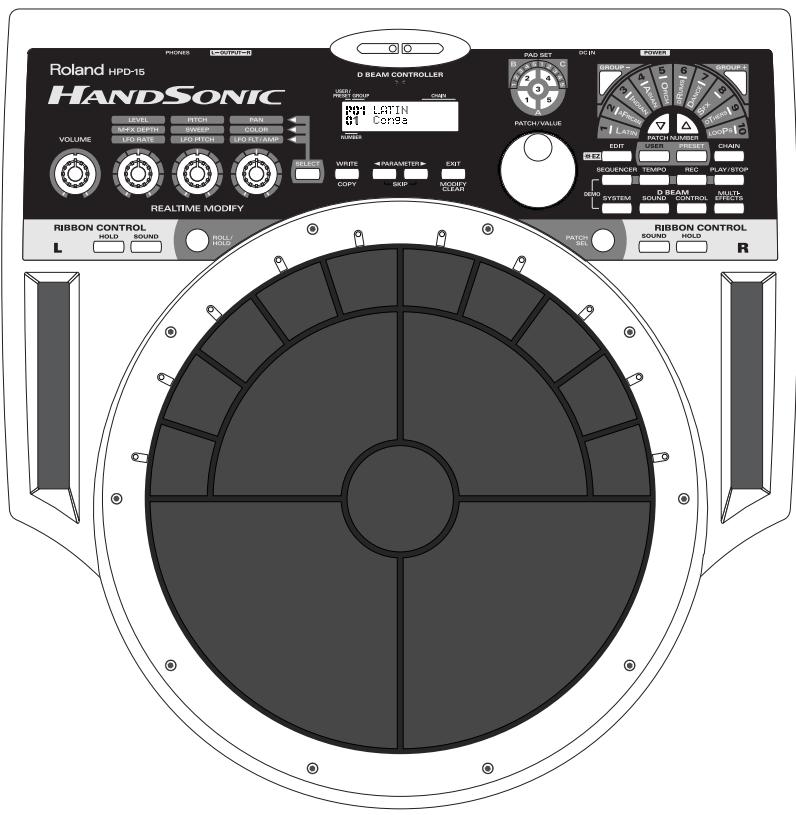
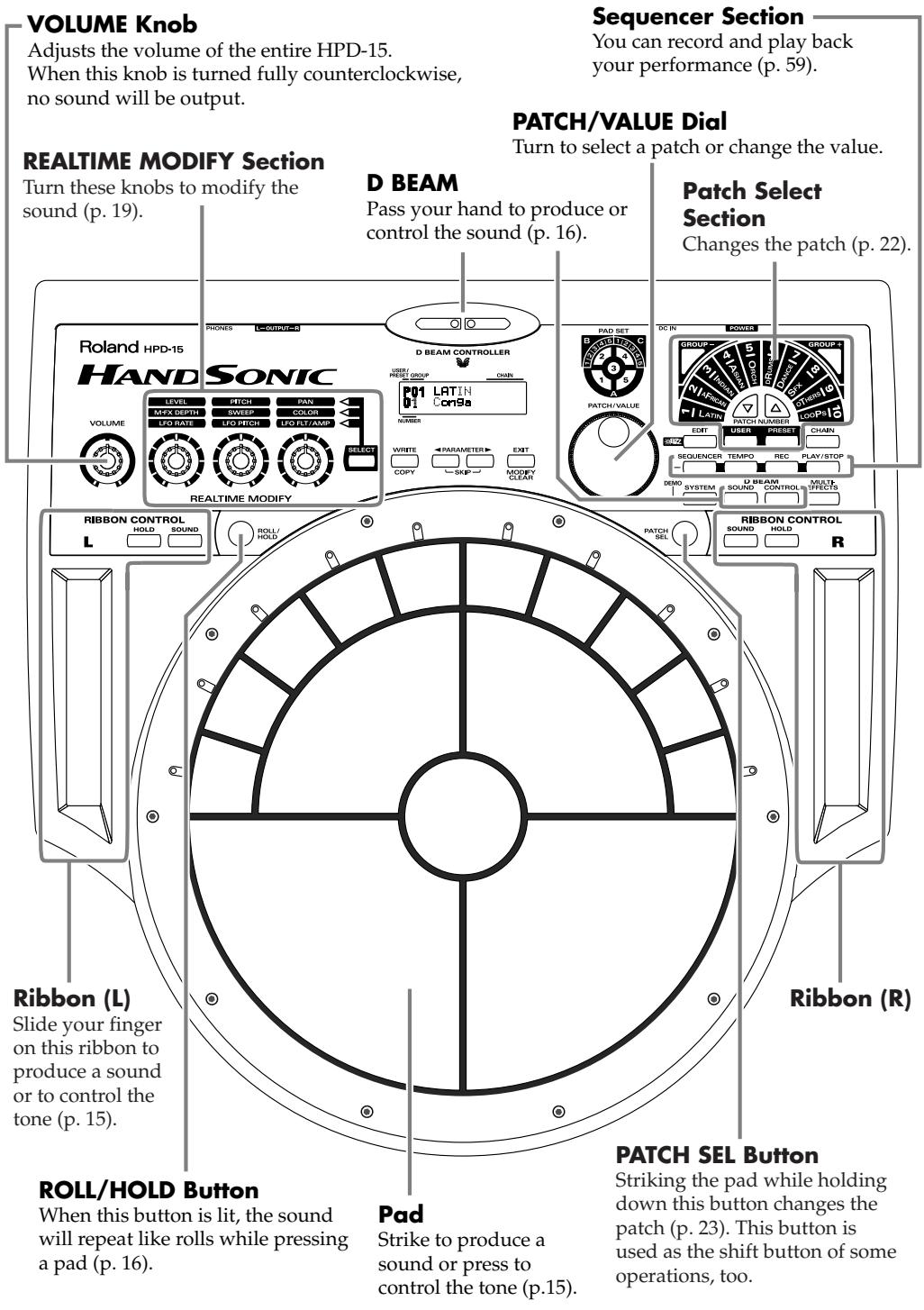
Front Panel
Rear Panel
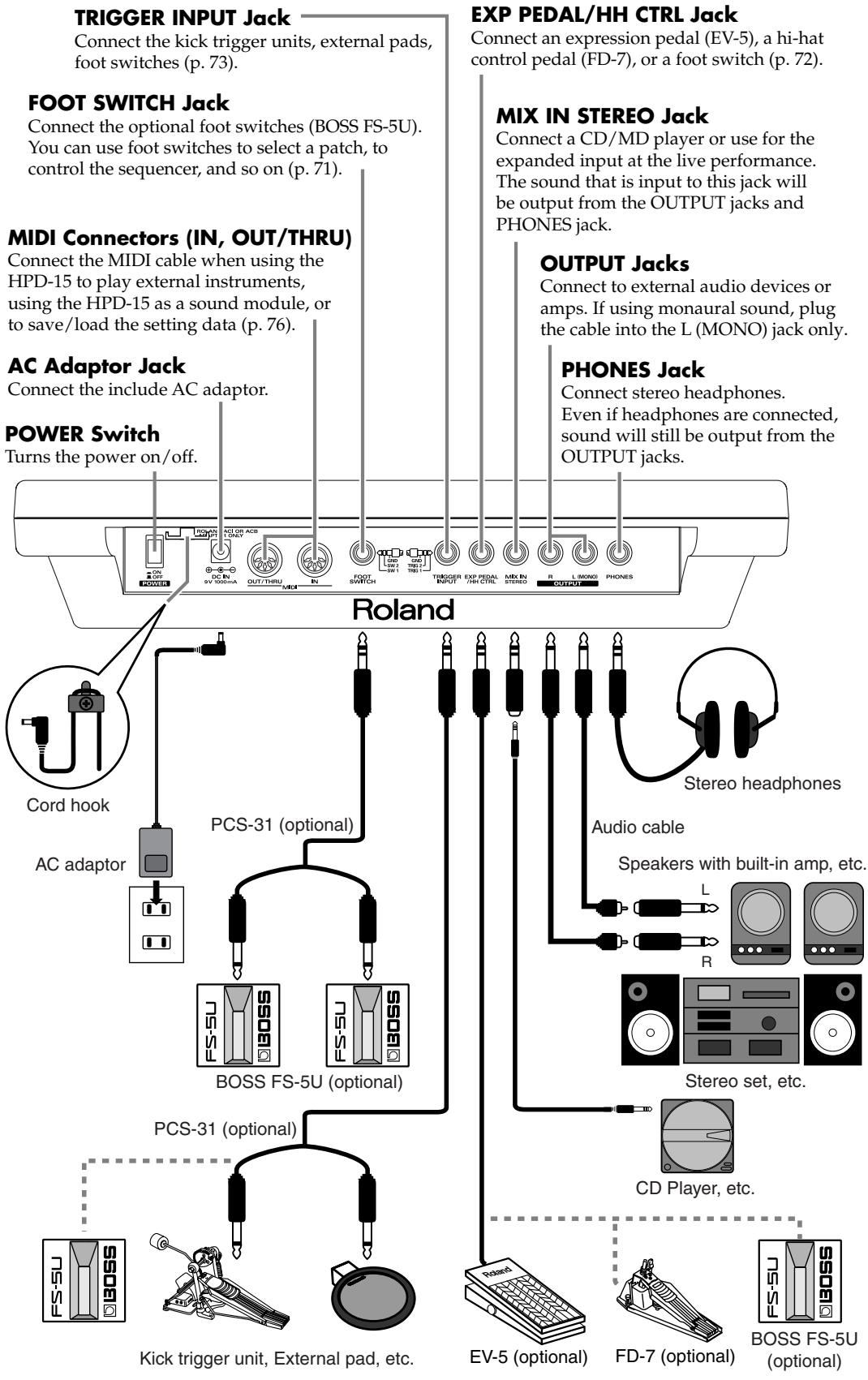

To prevent malfunction and/or damage to speakers or other devices, always turn down the volume, and turn off the power on all devices before making any connections.

To prevent the inadvertent disruption of power to your unit (should the plug be pulled out accidentally), and to avoid applying undue stress to the AC adaptor jack, anchor the power cord using the cord hook, as shown in the illustration.

Use only the specified expression pedal (EV-5; sold separately). By connecting any other expression pedals, you risk causing malfunction and/or damage to the unit.

For details on connecting MIDI devices, refer to "Chapter 6 Connecting MIDI Devices" (p. 76).
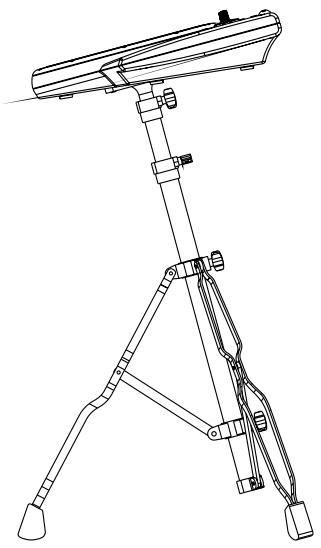
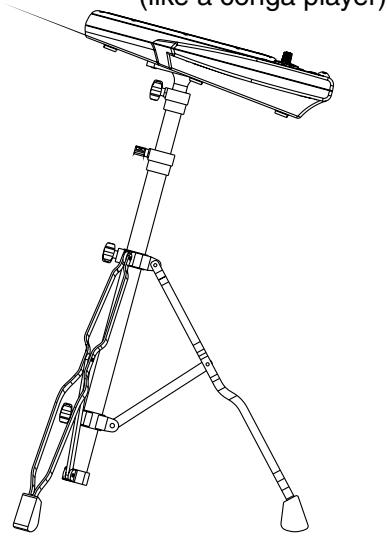
Attaching the HPD-15 to the Stand
1
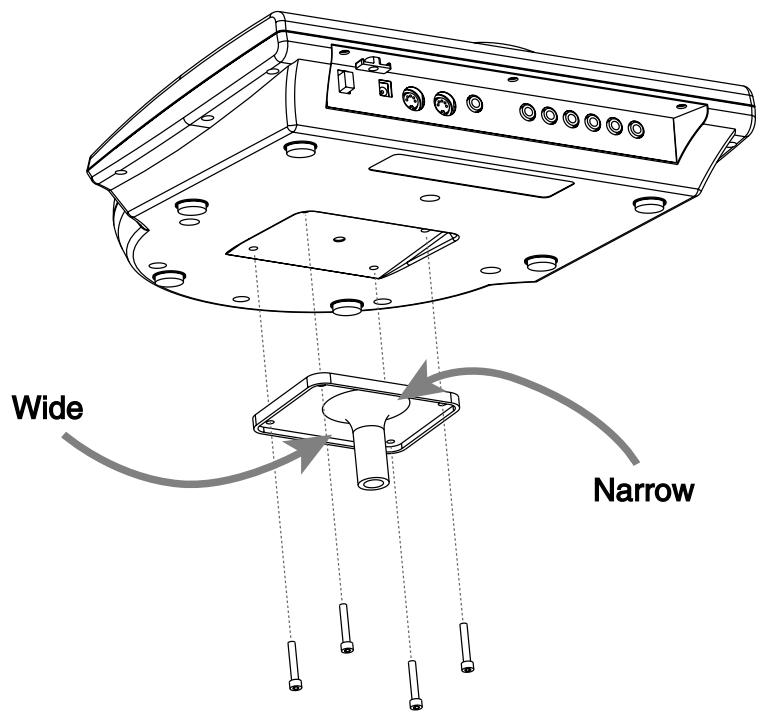
Attach the stand holder (included with the optional PDS-15) to the HPD-15.
Using the screws provided with the PDS-15, attach the holder so the unit is oriented as shown in the diagram.
2
Attach the HPD-15 to the pad stand (PDS-15).
For details on assembling the pad stand and attaching the HPD-15, refer to the owner's manual for the pad stand.
for playing by fingers
natural_image
Line drawing of a tripod-mounted device with adjustable legs and support legs (no text or symbols)for using the heel of your hand (like a conga player)
natural_image
Line drawing of a tripod-mounted device with adjustable legs and connectors (no text or symbols)
Use the screws provided with the PDS-15. Use of other screws may result in damage to the unit.

If you attach only the screws to the HPD-15 without attaching the stand holder and strike the pads strongly when it is resting on the floor or table, the screw heads may contact the floor or table and scratch it.

Do not slope the stand excessively. Be careful that the stand does not lose its balance.
Chapter 1 Quick Start
This chapter explains basic operation of the HPD-15.
For details on modifying sounds and settings, refer to “Chapter 2 Modifying a Patch” (p. 35).
Turning On/Off the Power
* Once the connections have been completed (p. 11), turn on power to your various devices in the order specified. By turning on devices in the wrong order, you risk causing malfunction and/or damage to speakers and other devices.
1 Make sure that all volume controls on the HPD-15 and connected devices are set to "0."
2 Turn on the device connected to the MIX IN Jack.
3 Turn on the HPD-15's [POWER] switch.
4 Turn on the device connected to the OUTPUT Jacks.
5 Adjust the volume levels for the devices.
Before switching off the power, lower the volume on each of the devices in your system and then TURN OFF the devices in the reverse order to which they were switched on.

When turns the power on, be careful not to shut the window of the D Beam (p. 16) until the patch name (p. 21) is displayed. The HPD-15 adjusts the sensitivity of the D Beam automatically when turns the power on.

If you connect the hi-hat control pedal (FD-7, optional), do not step on the pedal until the patch name is displayed when the power is turned on. The HPD-15 will check the position of the pedal then.

This unit is equipped with a protection circuit. A brief interval (a few seconds) after power up is required before the unit will operate normally.
Listening to the Demo Song
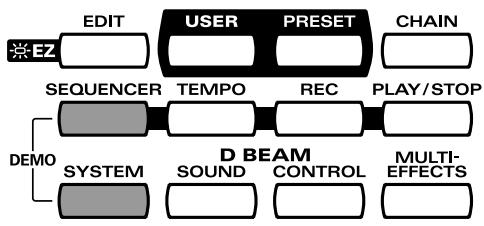
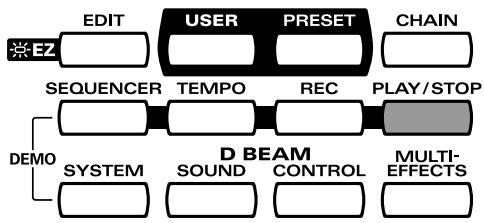
1 Simultaneously press [SEQUENCER] and [SYSTEM].
flowchart
graph LR
    A["EDIT"] --> B["USER"]
    B --> C["PRESET"]
    C --> D["CHAIN"]
    E["SEQUENCER"] --> F["TEMPO"]
    F --> G["REC"]
    G --> H["PLAY/STOP"]
    I["DEMO"] --> J["D BEAM"]
    K["SYSTEM"] --> L["SOUND"]
    M["CONTROL"] --> N["MULTI-EFFECTS"]
HPD-15 DEMO PLAY 1. TABLECTRIC
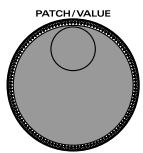
2 Turn [PATCH/VALUE] or use [PATCH NUMBER ▼] and [PATCH NUMBER ▲] to select the demo song that you wish to hear.
3 Press [PLAY/STOP]
flowchart
graph LR
    A["EDIT"] --> B["SEQUENCER"]
    B --> C["USER"]
    C --> D["PRESSET"]
    D --> E["CHAIN"]
    F["DEMO"] --> G["SYSTEM"]
    G --> H["SOUND"]
    H --> I["D BEAM"]
    I --> J["CONTROL"]
    J --> K["MULTI-EFFECTS"]
Playback will begin.
To stop playback, press [PLAY/STOP] once again.
4 Press [EXIT]. You will return to the previous screen.
For details on the demo songs, refer to “Demo Song List” (p. 96).

No data for the music that is played will be output from MIDI OUT.
Performing
Hit the pads
The pads of the HPD-15 will produce different volume or tones depending on where or how strongly they are struck, and you can also vary the tone and duration of the sounds by continuing to press the pad after striking it or by pressing another pad.
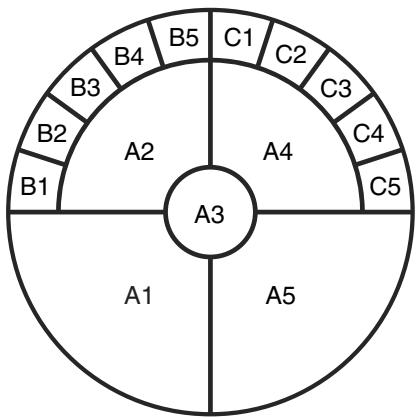
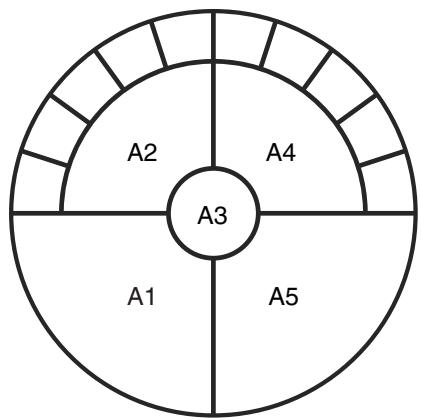
The pads are divided into 15 sections, which are numbered as follows.
pie
| Segment | Value | |---|---| | A1 | 0 | | A2 | 0 | | A3 | 0 | | B1 | 0 | | B2 | 0 | | B3 | 0 | | B4 | 0 | | B5 | 0 | | C1 | 0 | | C2 | 0 | | C3 | 0 | | C4 | 0 | | C5 | 0 |Pad Set
The pads are in sets of five. Pads A1–A5 are referred to as pad set A, pads B1–B5 as pad set B, and pads C1–C5 as pad set C.
Slide Your Finger on the Ribbons
By sliding your finger on the ribbons located at the left and right of the HPD-15 you can produce sounds or modify the tone.
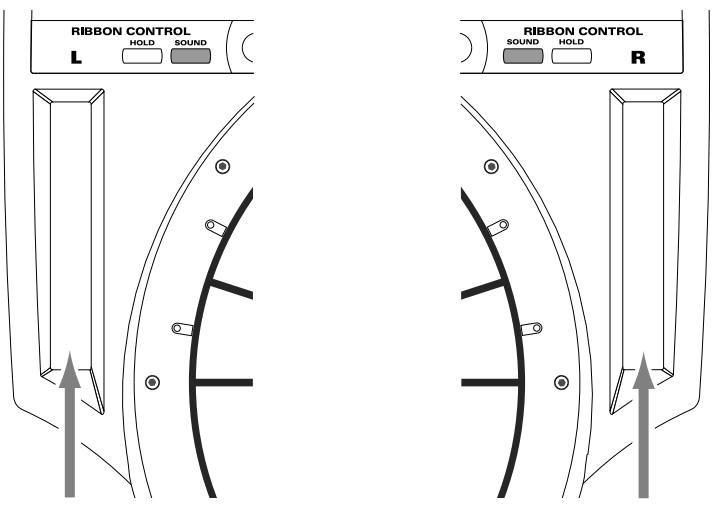

If Ribbon [SOUND] is not lit, sliding your finger on the ribbon will not produce sound. Press [SOUND] to make it light.

[HOLD] is used when you control the tone by a ribbon. Refer to “Turning On/Off the Ribbons” (p. 69).
Pass Your Hand over the D Beam
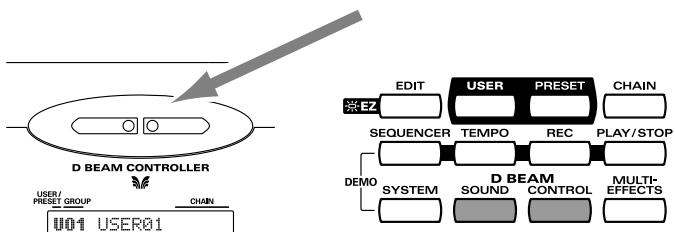
By passing your hand over the D Beam located at the top of the panel, you can produce sounds or modify the tone.
Sustaining the Sound (ROLL/HOLD Button)
1
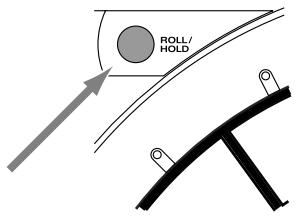
Press [ROLL/HOLD] (located at the upper left of the pads) to make it light.
2
Press the pad.
While you press the pad, the sound will be repeated as a roll.
Pressing strongly will increase the volume.
The sound of the instruments marked with “*H” in the Instrument List (p.
92) will sustain if you remove your hand from the pad.

If D Beam [SOUND] is not lit, passing your hand over the D Beam will not produce sound. Press [SOUND] to make it light. If there is no sound even though [SOUND] is lit, adjust the sensitivity of the D Beam.

If D Beam [CONTROL] is not lit, passing your hand over the D Beam will not modify the tone. Press [CONTROL] to make it light.

Ribbons, D Beam, connected expression pedal, and connected hi-hat control pedal are called "controller."

To specify the interval at which the sound is repeated, refer to "Specifying the Roll Speed" (p. 55).

The sound of the instrument assigned to the D Beam, ribbons, external triggers, or pedal will not be repeated.
Playing Various Sounds
Let's use the patch (p. 21) of P0101 Conga to hear various sounds from the pads, ribbons, and D Beam.
* If the following screen is not shown, turn [PATCH/VALUE] until the following screen appears.
P01 LATIN
01 Conga
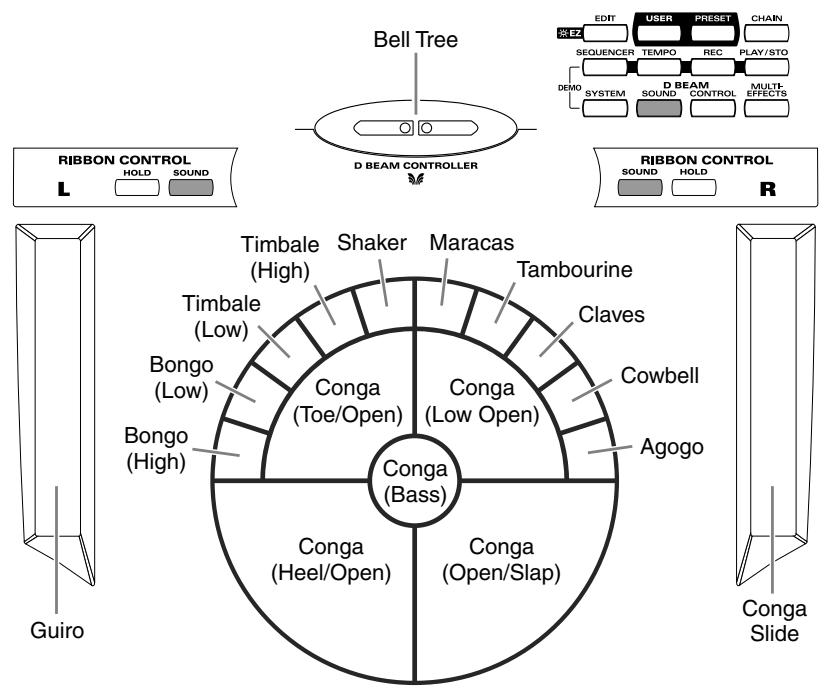

If D Beam [SOUND] is not lit, passing your hand over the D Beam will not produce sound. Press [SOUND] to make it light.

If [SOUND] located above the ribbon is not lit, rubbing the ribbon will not produce sound. Press [SOUND] to make it light.
Controlling Pad Sounds
Let's use the patch (p. 21) of P0201 Talking Drm and use the ribbons, D Beam, and other pads to control the pitch of the pads.
* If the following screen is not shown, turn [PATCH/VALUE] until the following screen appears.
P02 AFRICAN 01 TalkingDrm
While striking the pad, rub the ribbons or move your hand over the D Beam to raise the pitch.
While striking the pad, press one of the pads A1–A5 will also raise the pitch.

If D Beam [CONTROL] is not lit, passing your hand over the D Beam will not modify the tone. Press [CONTROL] to make it light.
Chapter 1 Quick Start
Playing a Scale
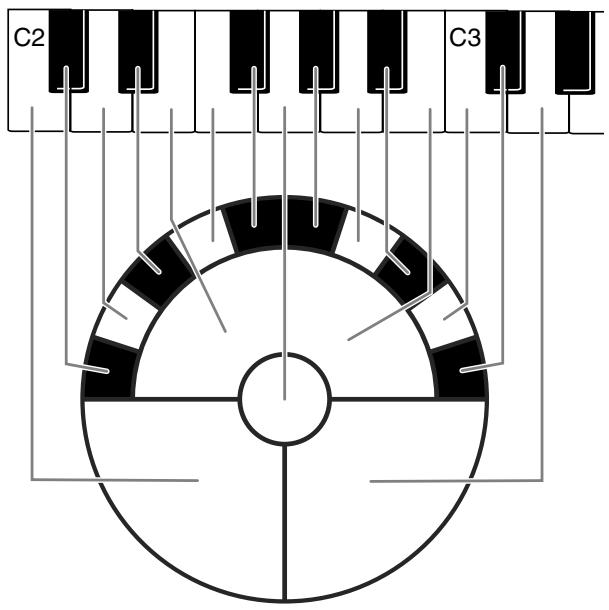
You can use the pads to play the sounds of a pitched instrument such as steel drum or marimba.
Let's use the patch (p. 21) of P0501 Vibraphone to play a scale.
* If the following screen is not shown, turn [PATCH/VALUE] until the following screen appears.
P05 ORCH 01 Vibraphone
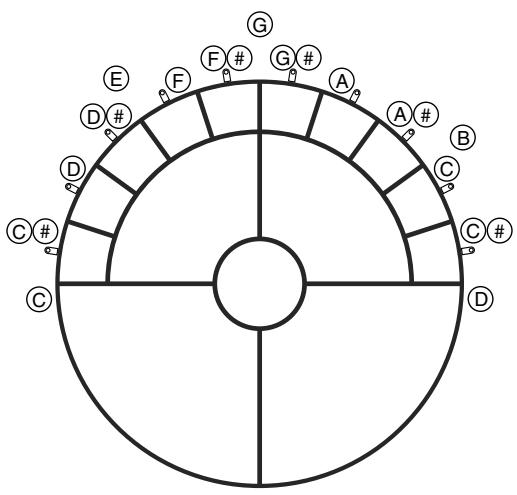
The pads are assigned to the notes of the keyboard as follows.
Helpful Use of the Included Label
HINT
Simultaneously striking pads A1–A3 (the left half of pad set A) will produce a "C" chord, and simultaneously striking A3–A5 (the right half) will produce a "G" chord.
Using Knobs to Modify the Tone (Realtime Modify)
The sounds of the HPD-15 have various parameters that determine the loudness, pitch, and duration, and how the notes are sounded. By modifying the values of each parameters, you can vary the tone.
Normally, you will adjust the parameter values to your liking before you perform. However, some of the parameters can be freely modified while you play. This is referred to as “realtime modify.”
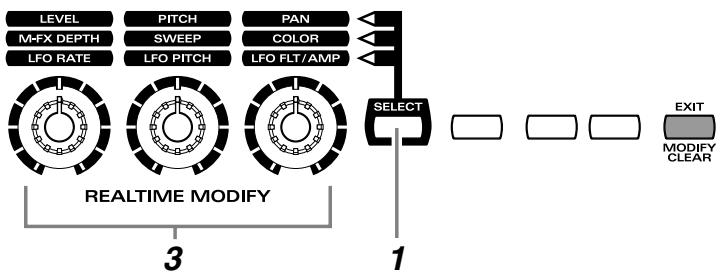
flowchart
graph TD
    A["LEVEL"] --> B["PITCH"]
    C["M-FX DEPTH"] --> D["SWEEP"]
    E["LFO RATE"] --> F["LFO PITCH"]
    G["PAN"] --> H["COLOR"]
    I["LFO FLT/AMP"] --> J["LFO FLT/AMP"]
    K["REALTIME MODIFY"] --> L["3"]
    M["1"] --> N["SELECT"]
    O["EXIT"] --> P["MODIFY CLEAR"]
1 Press [SELECT] to select the parameter that you wish to modify. The indicator at the right of the selected parameter will light.
2 Sound the pad (D Beam, ribbon) for the sound that you wish to modify.
* The M-FX DEPTH and LFO parameters will apply in the same way to all pads/ribbons/D Beam.
3 Turn the [REALTIME MODIFY] knob.
The selected parameter and the value being modified will be displayed, and the sound will change.
RTM A1* PITCH +600
* If the multi-effects (p. 20) is off, turning the [M-FX DEPTH] knob makes no modification.
* If the LFO Waveform (p. 38) is set to “OFF,” turning the [LFO RATE], [LFO PITCH] and [LFO FLT/AMP] knobs makes no modification.
4 By repeating steps 1–3 you can create numerous variations in the sound.
* By pressing [EXIT/MODIFY CLEAR] you can cancel any value changes you made (Modify Clear).
MEMO
In Edit mode (p. 35), you can also use Realtime Modify to adjust the parameter values (p. 58).
MEMO
Modify Lock
Hold down [SELECT], and sound the pad (D Beam, ribbon). It will be fixed to the target of modification and other pads cannot become to the target. (The [SELECT] indicator will blink at this time.) To unlock, hold down [SELECT], and press [EXIT].
NOTE
When you turn the knobs too fast, some noise may be heard from some tones.
MEMO
Hold down [EXIT/ MODIFY CLEAR], and press [SELECT]. You can excute Modify Clear and cancel the Modify Lock at the same time.
Adding Effects Such as Reverb or Distortion (Multi-Effects)
The HPD-15 contains a multi-effect unit that can apply various effects to the sound.
Turning Multi-Effects On/Off
1
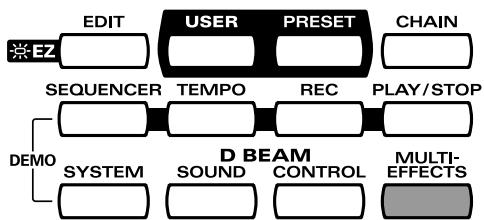
Press [MULTI-EFFECTS].
flowchart
graph LR
    A["EDIT"] --> B["SEQUENCER"]
    B --> C["TEMPO"]
    C --> D["REC"]
    D --> E["PLAY/STOP"]
    F["USER"] --> G["D BEAM"]
    H["CHAIN"] --> I["MULTI-EFFECTS"]
    J["DEMO"] --> K["SYSTEM"]
    K --> L["SOUND"]
    L --> M["CONTROL"]
When the effect is on, [MULTI-EFFECTS] will light.
The sound will change according to the selected type of effect.

For more on multi-effects, refer to “Adjusting the Multi-Effect Settings” (p. 40).
Changing Sounds to Play (Patch Select)
A patch contains settings for the pads, controllers, and effects. The HPD-15 contains 80 User patches that you can rewrite if desired, and 160 Preset patches that cannot be rewritten. User patches and preset patches are organized into 10 patch groups.
Names are assigned to preset patch groups.
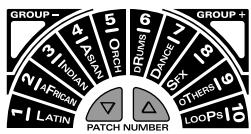
• GROUP 1 LATIN Latin-American Percussion instruments
- GROUP 2 AFRICAN Percussion instruments of Africa and other regions
- GROUP 3 INDIAN Percussion instruments of India and the Middle East
• GROUP 4 ASIAN Percussion instruments of Asia
- GROUP 5 ORCH Orchestral percussion instruments, and mallet instruments (e.g., xylophone, marimba)
- GROUP 6 DRUMS Drum sets
- GROUP 7 DANCE Sounds for dance music
- GROUP 8 SFX Sound effects
- GROUP 9 OTHERS Melody instruments (e.g., bass, synthesizer), and other sounds
- GROUP 10 LOOPS Preset patterns are assigned to pads B1–C5. You can listen and compare the preset patterns.
Each patch is assigned a name (Patch Name).
The currently selected group number, patch number, and patch name are displayed in the screen.
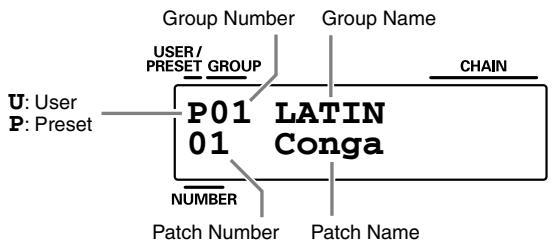
flowchart
graph TD
    A["User"] --> B["P01"]
    C["Preset"] --> B
    B --> D["LATIN"]
    B --> E["Conga"]
    B --> F["NUMBER"]
    B --> G["Patch Number"]
    B --> H["Patch Name"]
    B --> I["CHAIN"]
Changing Patches with the Dial

Turn [PATCH/VALUE].
The patch will change as shown in the diagram.
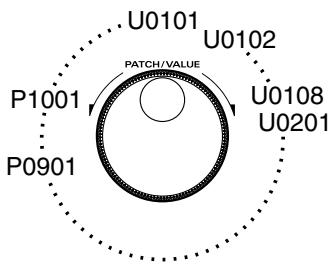
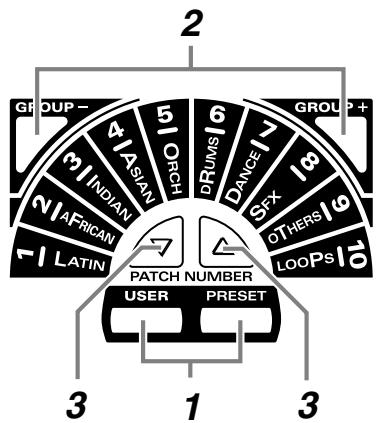
Changing Patches with the Panel Switches
radar
| Category | Value | |---|---| | GROUP - | 2 | | GROUP + | 5 | | 1 | 6 | | 2 | 7 | | 3 | 18 | | 4 | 16 | | 5 | 18 | | 6 | 16 | | 7 | 18 | | 8 | 16 | | 9 | 18 | | 10 | 16 | | 11 | 18 | | 12 | 16 | | 13 | 18 | | 14 | 16 | | 15 | 18 | | 16 | 16 | | 17 | 18 | | 18 | 16 | | 19 | 18 | | 20 | 16 | | 21 | 18 | | 22 | 16 | | 23 | 18 | | 24 | 16 | | 25 | 18 | | 26 | 16 | | 27 | 18 | | 28 | 16 | | 29 | 18 | | 30 | 16 | | 31 | 18 | | 32 | 16 | | 33 | 18 | | 34 | 16 | | 35 | 18 | | 36 | 16 | | 37 | 18 | | 38 | 16 | | 39 | 18 | | 40 | 16 | | 41 | 18 | | 42 | 16 | | 43 | 18 | | 44 | 16 | | 45 | 18 | | 46 | 16 | | 47 | 18 | | 48 | 16 | | 49 | 18 | | 50 | 16 | | 51 | 18 | | 52 | 16 | | 53 | 18 | | 54 | 16 | | 55 | 18 | | 56 | 16 | | 57 | 18 | | 58 | 16 | | 59 | 18 | | 60 | 16 | | 61 | 18 | | 62 | 16 | | 63 | 18 | | 64 | 16 | | 65 | 18 | | 66 | 16 | | 67 | 18 | | 68 | 16 | | 69 | 18 | | 70 | 16 | | 71 | 18 | | 72 | 16 | | 73 | 18 | | 74 | 16 | | 75 | 18 | | 76 | 16 | | 77 | 18 | | 78 | 16 | | 79 | 18 | | 80 | 16 | | 81 | 18 | | 82 | 16 | | 83 | 18 | | 84 | 16 | | 85 | 18 | | 86 | 16 | | 87 | 18 | | 88 | 16 | | 89 | 18 | | 90 | 16 | | 91 | 18 | | 92 | 16 | | 93 | 18 | | 94 | 16 | | 95 | 18 | | 96 | 16 | | 97 | 18 | | 98 | 16 | | 99 | 18 | | PTPATCH NUMBER USER PRESSET 3 1 3
Press [USER] or [PRESET] to select either user patches or preset patches.
The selected button will light.

Use [GROUP -] and [GROUP +] to select the patch group.
The indicator of the selected patch group will light.

Use [PATCH NUMBER ▼] and [PATCH NUMBER ▲] to select the patch number within the patch group.

If you continue holding a button, the patch groups/numbers will change consecutively (p. 31).
Changing Patches with the Pads (Pad Patch Select)
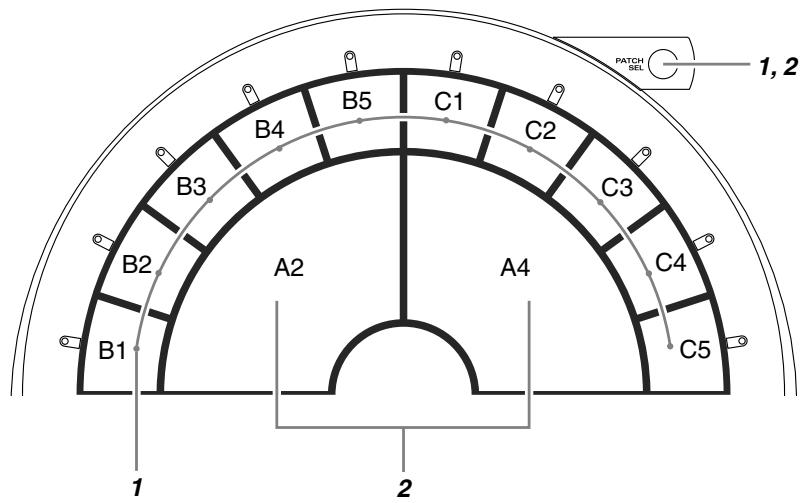
1 Hold down [PATCH SEL], and strike a pad B1–C5 to select a patch group.
2 Hold down [PATCH SEL], and strike pad A2 or A4 to select the patch number.
Striking pad A4 will increase the patch number, and striking A2 will decrease it.
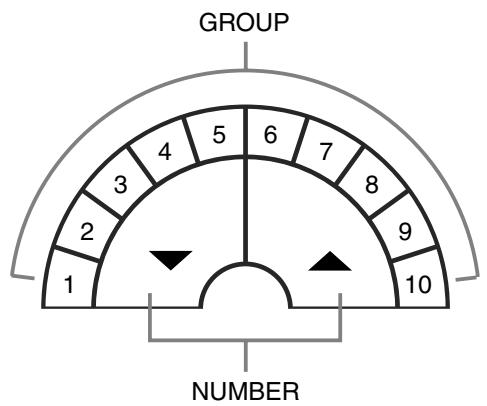
* Pads B1–C5 correspond to the patch groups, and pads A2 and A4 correspond to [PATCH NUMBER ▼] and [PATCH NUMBER ▲] respectively.
gauge
| Value | |-------| | 1 | | 2 | | 3 | | 4 | | 5 | | 6 | | 7 | | 8 | | 9 | | 10 |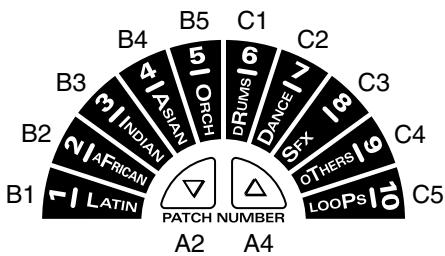
polar_bar
| Category | Track Number | |---|---| | C1 | 6 | | DORMS | 6 | | DANCE | 7 | | SPX | 8 | | C3 | 18 | | OTHERS | 16 | | C4 | 15 | | LOOPS | 10 | | C5 | 10 | | LOOP | 10 | | A2 | 10 | | A4 | 10 | | AFRICAN | 2 | | LATIN | 7 | | B1 | 7 | | B2 | 2 | | B3 | 7 | | B4 | 4 | | B5 | 5 | | ORCH | 5 | | ASIAN | 7 | | C1/DRUMS | 6 |
Use the panel switches to change between user patches and preset patches.

While you continue holding [PATCH SEL], the indicator for the selected patch group and the indicator beside the pad (B1–C5) corresponding to that group will blink.
Changing the Settings of a Patch (EZ Edit)
The process of modifying a patch is called “editing.” The HPD-15 provides Easy (EZ) Edit mode for making basic settings, and Edit mode for making settings in more detail. This section explains EZ Edit mode.
flowchart
graph TD
    A["WRITE COPY"] --> B["PARAMETER SKIP"]
    B --> C["EXIT MICRO CLEAR"]
    D["1"] --> E["DBEAM SOUND CONTROL"]
    E --> F["PATCH NUMBER"]
    F --> G["USER PRESET CHAIN"]
    G --> H["EDIT EZ"]
    H --> I["SEQU NCER TEMPO REC PLAY/STOP DEMO SYSTEM"]
    I --> J["1"]
    style A fill:#f9f,stroke:#333
    style D fill:#f9f,stroke:#333
    style F fill:#ccf,stroke:#333
    style G fill:#cfc,stroke:#333
    style H fill:#fcc,stroke:#333
    style I fill:#cff,stroke:#333
    style J fill:#ffc,stroke:#333
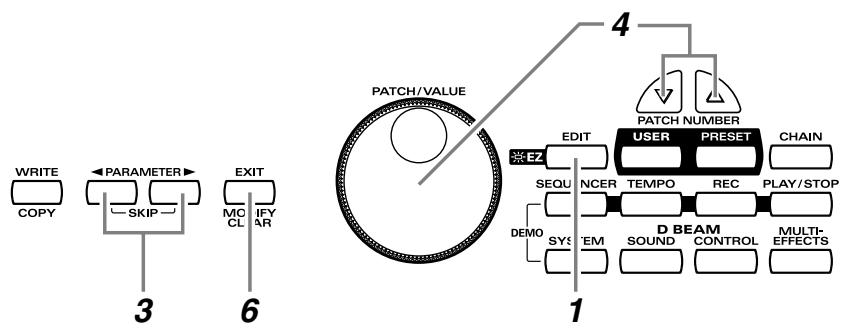
1 Press [EDIT].
[EDIT] will blink, and you will enter EZ Edit mode.
2 Strike a pad to select the pad set (p. 25) that you wish to modify. You can also select the D Beam or ribbons.
3 Press [◀ PARAMETER] or [PARAMETER ▶ ] to select the parameter that you wish to modify.
4 To modify the value, either turn [PATCH/VALUE] or use [PATCH NUMBER ▼] and [PATCH NUMBER ▲].
5 Repeat steps 2–4 to continue editing.
6 When you are finished editing, press [EXIT]. You will return to normal Play mode.
MEMO
To learn how to make more detailed settings, refer to "Chapter 2 Modifying a Patch" (p. 35).
MEMO
If you press [EDIT] once again, [EDIT] will light and you will be in Edit mode (p. 35).
HINT
You can make your selection rapidly by using the Key Repeat Function (p. 31) or Skip Function (p. 32).
NOTE
The settings you edit will return to the original values when you switch patches. If you wish to keep your changes, refer to "Saving your settings (Write) / Duplicating settings (Copy)" (p. 56).
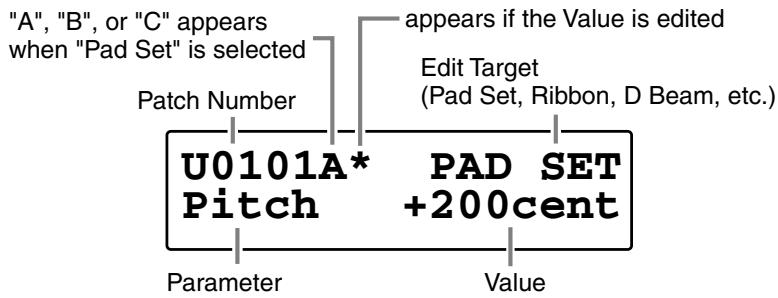
EZ Edit — Parameter List
| PAD SET, RIBBON L, RIBBON R, D BEAM, PEDAL, TRIG 1, TRIG 2 | Inst | Selects the instrument for Pad Set A, B, C (Ribbon, D Beam). Pads can be selected by five sets. | Refer to Pad Set Instrument List (p. 94) |
| Level | Adjusts the volume. | 0 – 127 | |
| Pan | Adjusts the pan (localization) of the output sound. Random: The pan changes randomly each time the pad is struck. Alternate: The pan alternates left and right each time the pad is struck. | L63 – R63, Random, Alternate | |
| ReverbSend | Adjusts the reverb depth. | 0 – 127 | |
| Pitch | Adjusts the pitch of the sound. | -2400 – +2400 | |
| Decay | Adjusts the duration (decay time). | -31 – +31 | |
| MULTI-FX/LFO | Turns the multi-effects and LFO on/off. If you select PadData, this will be determined by the on/off setting in Edit mode (p. 36). | OFF, ON, PadData * PadData can be selected for PAD SET. | |
| REVERB | Type | Selects the type of the reverb. | Refer to Effect Type List (p. 95) |
| Depth | Adjusts the overall reverb depth. | 0 – 127 | |
| MULTI-FX | Type | Selects the type of the multi-effects. | Refer to Effect Type List (p. 95) |
| Depth | Adjusts the depth of the multi-effects. | 0 – 127 | |
| FxOut Volume | Adjusts the output volume of the multi-effects. | 0 – 127 | |
| Fx Rev Send | Adjusts the depth of reverb applied to the sound processed by the multi-effects. | 0 – 127 | |
| PATCH LEV | MasterVolume | Adjusts the volume of the entire patch. | 0 – 127 |
| PATCH NAME | Give the pattern a name of up to 10 characters. | Refer to "Naming a Patch" (p. 55) |
* About PEDAL, TRIG 1, and TRIG 2, see p. 72–p. 73.
Playing Back a Preset Pattern
flowchart
graph TD
    A["WRITE COPY"] --> B["PARAMETER SKIP"]
    B --> C["EXIT MIO CLY"]
    C --> D["5"]
    D --> E["PATCH/VALUE"]
    E --> F["2"]
    F --> G["PATCH NUMBER"]
    G --> H["USER"]
    G --> I["PRESSET"]
    G --> J["CHAIN"]
    E --> K["EZ"]
    K --> L["SEQUENCER TEMPO REC PLAY/STOP"]
    L --> M["D BEAM SOUND CONTROL MULTI-EFFECTS"]
    M --> N["1, 5"]
    N --> O["3, 4"]
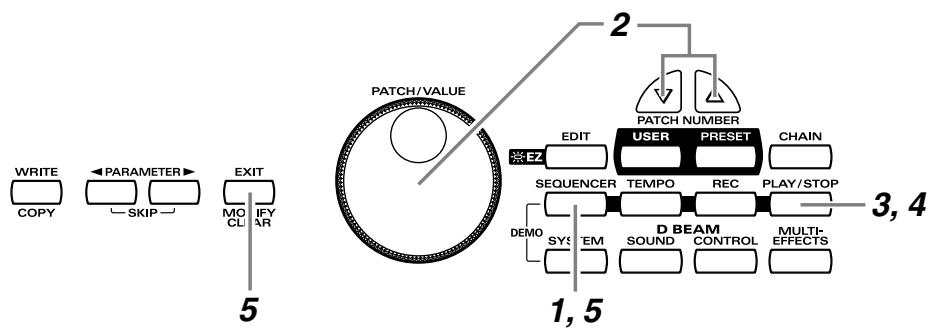
1 Press [SEQUENCER].
[SEQUENCER] will light, and you will enter Sequencer mode.
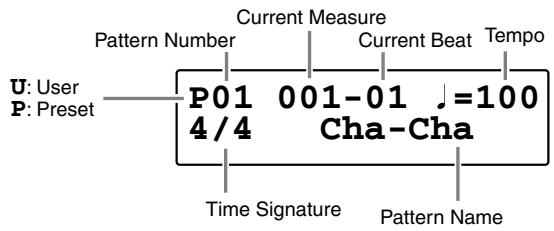
2 Turn [PATCH/VALUE] to select the pattern.
3 Press [PLAY/STOP]. The selected pattern will play back.
4 To stop playback, press [PLAY/STOP] once again. The pattern will stop playing.
5 Press [SEQUENCER] or [EXIT]. You will return to normal Play mode.

For more on preset patterns, refer to "Preset Pattern List" (p. 91).
Changing the Tempo
flowchart
graph TD
    A["PATCH/VALUE"] --> B["2"]
    B --> C["PATCH NUMBER"]
    C --> D["USER"]
    C --> E["PRESET"]
    C --> F["CHAIN"]
    D --> G["EZ"]
    E --> H["SEQUENCER"]
    E --> I["TEMPO"]
    E --> J["REC"]
    E --> K["PLAY/STOP"]
    L["DEMO"] --> M["SYSTEM"]
    L --> N["SO"]
    O["D BEAM"] --> P["ND"]
    O --> Q["CONTROL"]
    R["MULTI-EFFECTS"] --> S["1, 3"]
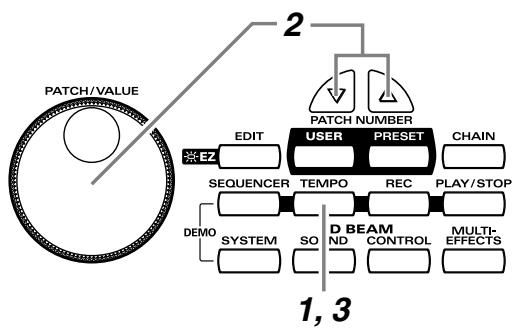
1 Press [TEMPO].
[TEMPO] will light, current tempo is displayed in the screen.
Tempo
$$ \text { ♩ } = 1 0 0 $$
2 Turn [PATCH/VALUE] to change the tempo.
3 When you have finished making changes, press [TEMPO] once again.
[TEMPO] will go dark, and you will return to the previous screen.

The tempo can be changed either when the pattern is playing or stopped.
System Settings
Settings that are shared by all patches are called "system settings."
Settings such as the display contrast and the D Beam sensitivity are system settings.
Adjusting the Display for Best Visibility (LCD Contrast)
flowchart
graph TD
    A["WRITE COPY"] --> B["PARAMETER SKIP"]
    B --> C["EXIT MICRO-IFY CLEAR"]
    C --> D["3"]
    E["1, 3"] --> F["2"]
    F --> G["PATCH NUMBER"]
    G --> H["USER"]
    G --> I["PRESET"]
    G --> J["CHAIN"]
    H --> K["EDIT"]
    I --> L["SEQUENCER TEMPO REC PLAY/STOP"]
    K --> M["DEMO SYSTEM"]
    L --> N["D BEAM SOUND CONTROL MULTI-EFFECTS"]
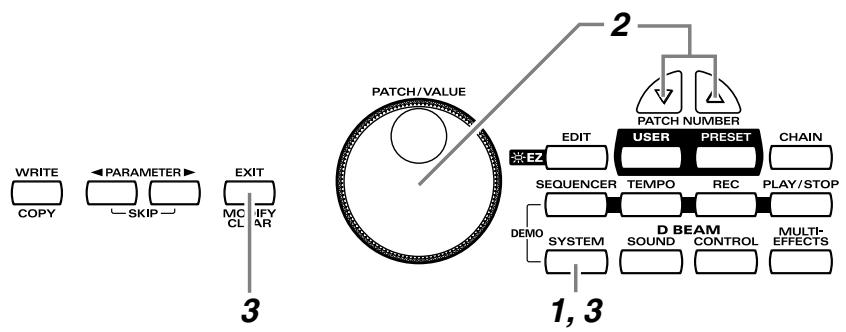
1
Press [SYSTEM].
[SYSTEM] will light, and the following screen will appear.
UTILITY LCD Contrast 5
2
Turn [PATCH/VALUE] to adjust the contrast of the display screen.
Increasing the value will darken the display.
3
When you have finished adjusting, press [SYSTEM] or [EXIT].
You will return to normal Play mode.
MEMO
When you modify the system setting, the new setting is automatically saved as soon as you make the change. You do not have to operate for the storing.
Adjusting the D Beam Sensitivity
The sensitivity of the D Beam will change depending on the amount of light in the vicinity of the unit. If it does not function as you expect, adjust the sensitivity as appropriate for the brightness of your location.
flowchart
graph TD
    A["WRITE"] --> B["COPY"]
    B --> C["PARAMETER"]
    C --> D["SKIP"]
    D --> E["EXIT"]
    E --> F["MC"]
    F --> G["IFY"]
    G --> H["CL"]
    H --> I["AR"]
    I --> J["2"]
    J --> K["4"]
    L["3"] --> M["PATCH NUMBER"]
    M --> N["USER"]
    M --> O["PRESSET"]
    M --> P["CHAIN"]
    N --> Q["EZ"]
    O --> R["SEQUENCER"]
    O --> S["TEMPO"]
    O --> T["REC"]
    O --> U["PLAY/STOP"]
    V["DEMO"] --> W["SYSTEM"]
    V --> X["D BEAM"]
    V --> Y["SOUND"]
    V --> Z["CONTROL"]
    V --> AA["MULTI-EFFECTS"]
    AB["1,4"] --> AC["4"]
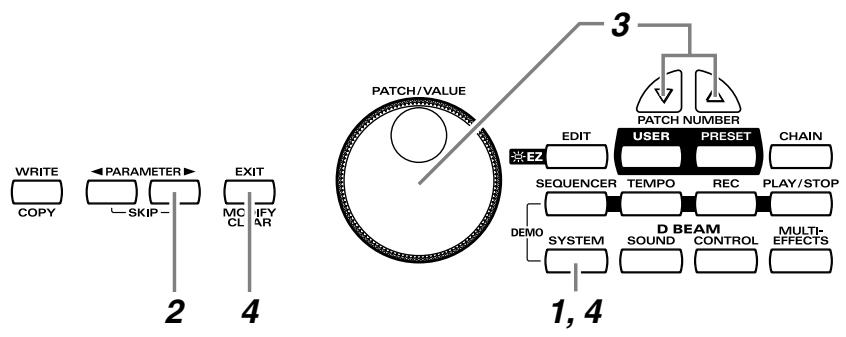
1 Press [SYSTEM].
[SYSTEM] will light.
2 Press [PARAMETER ▶] to display the following screen.
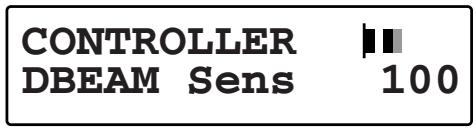
3 Place your hand about 20 inches (50 cm) above the D Beam, and turn [PATCH/VALUE] to adjust the sensitivity.
Move the meter at the upper right of the screen to the center line as shown in right screen. The D Beam will respond as far as the position where your hand was when you made the adjustment.

flowchart
graph LR
    A["CONTROLLER DBEAM Sens 100"] --> B["CONTROLLER DBEAM Sens 64"]
4 When you have finished adjusting, press [SYSTEM] or [EXIT]. You will return to normal Play mode.
MEMO
The HPD-15 adjusts the sensitivity of the D Beam automatically when turns the power on.
HINT
You can make your selection rapidly by using the Key Repeat Function (p. 31) or Skip Function (p. 32).
HINT
The sensitivity of the D Beam will be less in a dark location. In such locations, it is a good idea to make the adjustment with your hand approximately 12 inches (30 cm) above the D Beam.
MEMO
For details on other system parameters, refer to "Chapter 5 Settings for the entire HPD-15" (p. 67).
If the Sound or Operation Is not as You Expect
If, as you modify the settings, the sound or operation is no longer as you expect and you are unable to restore the correct settings, you can execute the Factory Reset operation to reset all settings to their factory condition.
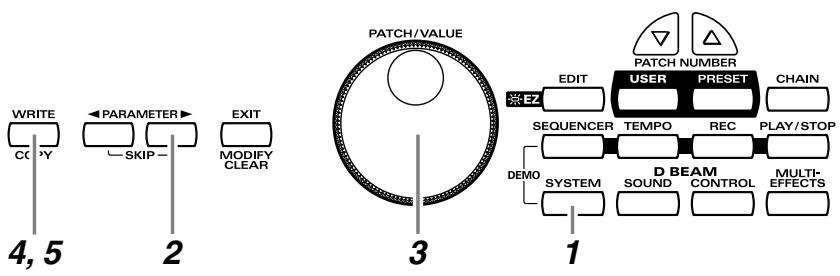
1 Press [SYSTEM]. [SYSTEM] will light.
2 Hold down [PARAMETER ▶] to access the following screen.
FACTORY RESET SYSTEM [WRITE]
3 Turn [PATCH/VALUE] to select "ALL."
FACTORY RESET ALL [WRITE]
4 Press [WRITE].
The following screen will appear.
Are You Sure? [WRITE/EXIT]
5 If you wish to execute factory reset, press [WRITE]. After the data has been initialized, the following screen will appear.
P01 LATIN 01 Conga
* If you decide not to execute, press [EXIT].

When you execute factory reset, the edited contents will be lost.

You can make your selection rapidly by using the Skip function (p. 32).

It is also possible to initialize specific data, such as only the patches or only the system settings. For details, refer to “Restoring the Factory Settings” (p. 85).
Rapidly Selecting Parameters or Values
Key Repeat Function
This can also be used when selecting either parameters or values, and when selecting patch groups or patch numbers.
1
Press and hold either [◀ PARAMETER], [PARAMETER ▶ ], [PATCH NUMBER ▼ ], [PATCH NUMBER ▲ ], [GROUP -], or [GROUP +].
The parameter, value, patch number, or group will change consecutively.
Turbo Repeat Function
This function can also be used when selecting a value or patch number.
1
Hold down [PATCH NUMBER ▲], and press [PATCH NUMBER ▼].

flowchart
graph LR
    A["press"] --> B["PATCH NUMBER"]
    B --> C["while holding down"]
The value (value or patch number) will increase rapidly.
1
Hold down [PATCH NUMBER ▼], and press [PATCH NUMBER ▲].

The value (value or patch number) will decrease rapidly.
Turbo Function of the Dial
1
Hold down [PATCH SEL], and turn [PATCH/VALUE].
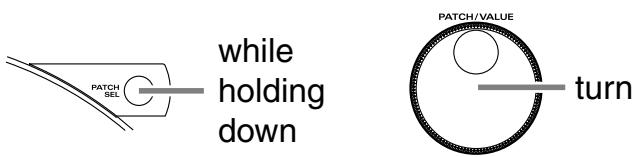
If you are changing the value, the value will change in 10 steps.
MEMO
When you select the instrument or adjust the pitch, you can use the Skip function (p. 32) instead of the Turbo repeat function.
Chapter 1 Quick Start
Skip Function
You can rapidly select parameters or values.
Skipping Parameters
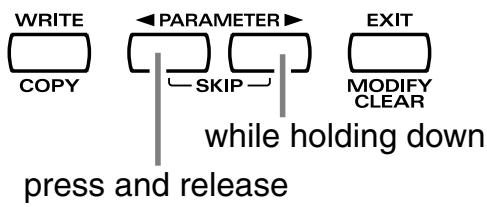
Parameters are grouped into several categories according to the content that is being edited. By using the skip function you can jump to the first parameter of the category.
1
Hold down [PARAMETER ▶], and press and release [◀ PARAMETER].
flowchart
graph TD
    A["WRITE"] --> B["PARAMETER"]
    B --> C["EXIT"]
    D["COPY"] --> E["SKIP"]
    E --> F["while holding down"]
    G["press and release"] --> H
    I["MODIFY CLEAR"] --> J

flowchart
graph LR
    A["UTILITY\nLCD Contrast 5"] --> B["CONTROLLER\nDBEAM Sens 100"]
The first parameter of the next category will be shown.
1
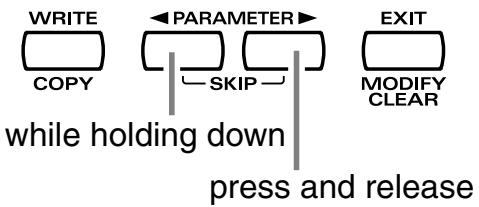
Hold down [◀ PARAMETER], and press and release [PARAMETER ▶].
flowchart
graph TD
    A["WRITE"] --> B["PARAMETER"]
    B --> C["EXIT"]
    D["COPY"] --> E["SKIP"]
    F["while holding down"] --> G["press and release"]
    H["MODIFY CLEAR"] --> I["EXIT"]

flowchart
graph LR
    A["CONTROLLER DBEAM Sens"] --> B["100"]
    B --> C["UTILITY LCD Contrast 5"]
The first parameter of the previous category will be shown.
Skipping Values
When selecting an instrument or setting the pitch, you can make the value jump.
Instruments (sounds) are grouped into several categories. By using the skip function you can jump to the first sound in each group.
The pitch value can be changed in steps of 100 cent (one semitone).
1
While pressing [PATCH NUMBER ▲], press and release [PATCH NUMBER ▼].
press and release

while holding down
Pad Inst (p. 36) select screen
P0101A1*PAD INST L09:Conga Hi /H

P0101A1*PAD INST F01:Shekere
Pitch adjust screen
P0101A1*PAD INST Pitch +12cent
P0101A1*PAD INST Pitch +100cent
If you are selecting instruments, the first sound in the next group will be displayed.
If you are setting the pitch, the value will increase in 100 cent steps.
1
While pressing [PATCH NUMBER ▼], press and release [PATCH NUMBER ▲].

Pad Inst (p. 36) select screen
P0101A1*PAD INST R01:Dry Hard Kik

P0101A1*PAD INST O01:Sleigh Bell
Pitch adjust screen
P0101A1*PAD INST Pitch +783cent

P0101A1*PAD INST Pitch +700cent
If you are selecting instruments, the first sound in the previous group will be displayed.
If you are setting the pitch, the value will decrease in 100 cent steps.
Try to Play the Conga
Let's try to play the conga using the HPD-15.
Use the patch P0101 Conga.
- Open (O)
Strike the pad A5 or A4, and remove the hand immediately.
- Closed 1 (C1)
Strike the pad A5 and do not remove the hand.
- Closed 2 (C2)
While pressing the pad A1 by the left hand, strike the pad A5.
- Open Slap (OS)
Strike the edge of the pad A5 powerfully and remove the hand immediately.
- Closed Slap (CS)
While pressing the pad A1 by the left hand, strike the edge of the pad A5.
- Heel (H)
Strike the pad A1 by the heel of the left hand.
- Toe (T)
While pressing the PAD A1 by the heel of the left hand, strike the pad A2 by the toe of the same hand.
- Pitch Bend (PB)
While pressing the pad A3, strike the pad A5.
Conga - Basic Rhythm
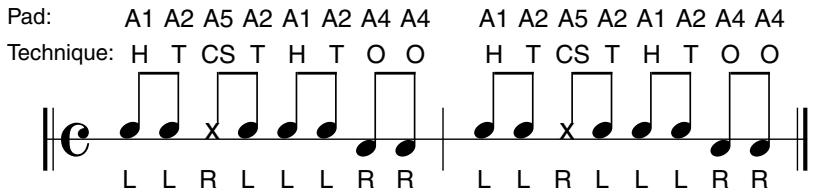
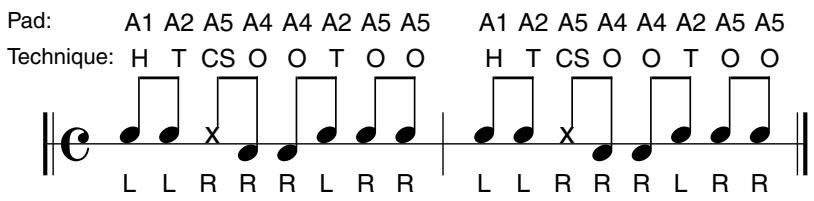
L: left hand
R: right hand
pie
| Category | Value | |---|---| | A1 | 20 | | A2 | 18 | | A3 | 10 | | A4 | 16 | | A5 | 14 |Chapter 2 Modifying a Patch
This chapter explains Edit mode, where you can make detailed settings.
Basic procedure in Edit Mode
- Press [EDIT] to make it blink; you will enter EZ Edit mode.
U0101A PAD SET 001:Conga
- Once again press [EDIT] to make it light; you will enter Edit mode.
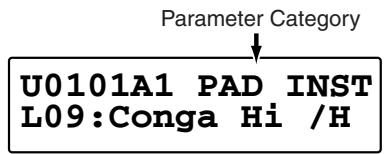
* The parameter category will be displayed in the upper right of the screen.
- Strike a pad to select the pad (D Beam, ribbon) that you wish to edit.
Pad A3 is selected
U0101A3 PAD INST L17:Conga HiBass
D Beam is selected
U0101DB PAD INST I35:Bell Tree
Ribbon (right) is selected
U0101RR PAD INST L18:Conga Slide
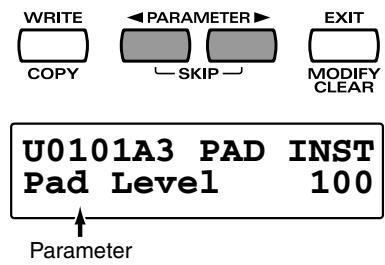
- Press [◀ PARAMETER] or [PARAMETER ▶ ] to select the parameter that you wish to modify.
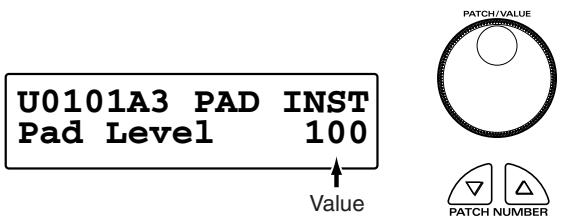
- To modify the value, either turn [PATCH/VALUE] or use [PATCH NUMBER ▼] and [PATCH NUMBER ▲].
- Repeat steps 3–5 to continue editing.
- When you are finished editing, press [EXIT] or [EDIT]. [EDIT] will go dark, and you will return to normal Play mode.
U01 USER01 01* Conga

You can make your selection rapidly (p. 31). You can also use realtime modify to change the value (p. 58).

The settings you edit will return to the original values when you switch patches. If you wish to keep your changes, refer to "Saving Your Settings (Write) / Duplicating Settings (Copy)" (p. 56).

If you edit the settings of a user patch, you can keep your changes in the same patch by pressing [WRITE] twice.

When you change a value, an “*” will appear beside the patch number in the screen, indicating that the data is being edited. If you switch patches or perform the Write or Copy operation (p. 56), the “*” will disappear.
Adjusting Sounds
Select the sound that you wish to play by using the pads, D Beam, or ribbons. You can also adjust the pitch or duration of the sound.
* Some parameters have relation to the parameters in EZ Edit mode. If there are problems (e.g., no sound), check the parameters in EZ Edit mode.
Parameter Category: PAD INST
(Inst select screen)
(Other value select screen)
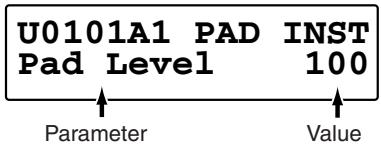
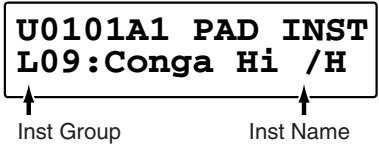
(Inst) : Refer to Instrument List (p. 92)
Selects the sound (instrument.)
* You can jump to the first sound in each instrument group by using the Skip function (p. 33).
Pad Level: 0-127
Adjusts the volume.
Pan: L63-Center-R63, Random, Alternate
Adjusts the pan (localization) of the output sound.
Random: The pan changes randomly each time the pad is struck.
Alternate: The pan alternates left and right each time the pad is struck.
Reverb Send: 0–127
Adjusts the depth of the reverberation.
Pitch: -2400-+2400cent
Adjusts the pitch.
100 cents is a semitone.
* You can change the pitch in steps of 100 cent by using the Skip function (p. 33).
Decay: -31-+31
Adjusts the duration (decay time.)
* Some sounds do not change the duration.
Color: -31-+31
Adjusts the tone.
Sweep: -31-+31
Changes the pitch.
Positive (+) values will cause the pitch to change from high to low. Negative (-) values will cause the pitch to change from low to high.
MULTI-FX/LFO: OFF, ON
Turns the multi-effects and LFO on or off.
TrigMode: Shot, Gate, Trig (Pad) Move, MovGate, Touch, TchGate, Scrape, Scrp1wy (D Beam, Ribbon)
Selects how the sound will be played.
- Pad
Shot * : When you strike the pad, the sound will play for the duration specified for that particular sound.
Gate * : The sound will play while you continue pressing the pad. This is effective when you have selected a sustaining sound.
Trig: The sound will play when you strike the pad, and will stop when you strike the pad once again. This is effective when you have selected a sustaining sound.
- D Beam, Ribbon
Move: The sound will play when you place your hand above (or touch with your finger) and move.
MovGate: The sound will play when you place your hand above (or touch with your finger) and move. If a sustaining sound is selected, the sound will continue playing until you stop your hand or finger.
Touch: The sound will play when you place your hand above (or touch with your finger).
TchGate: The sound will play when you place your hand above (or touch with your finger). If a sustaining sound is selected, it will continue playing until you move your hand or finger away.
Scrape * : The sound will play when you move your hand or finger. This is used to play sounds such as guiro.
- only D Beam
Scrp1wy * : The sound will play continuously when you move your hand. The sound will play for only one direction.
* Pedal can be specified the value marked with “*.”
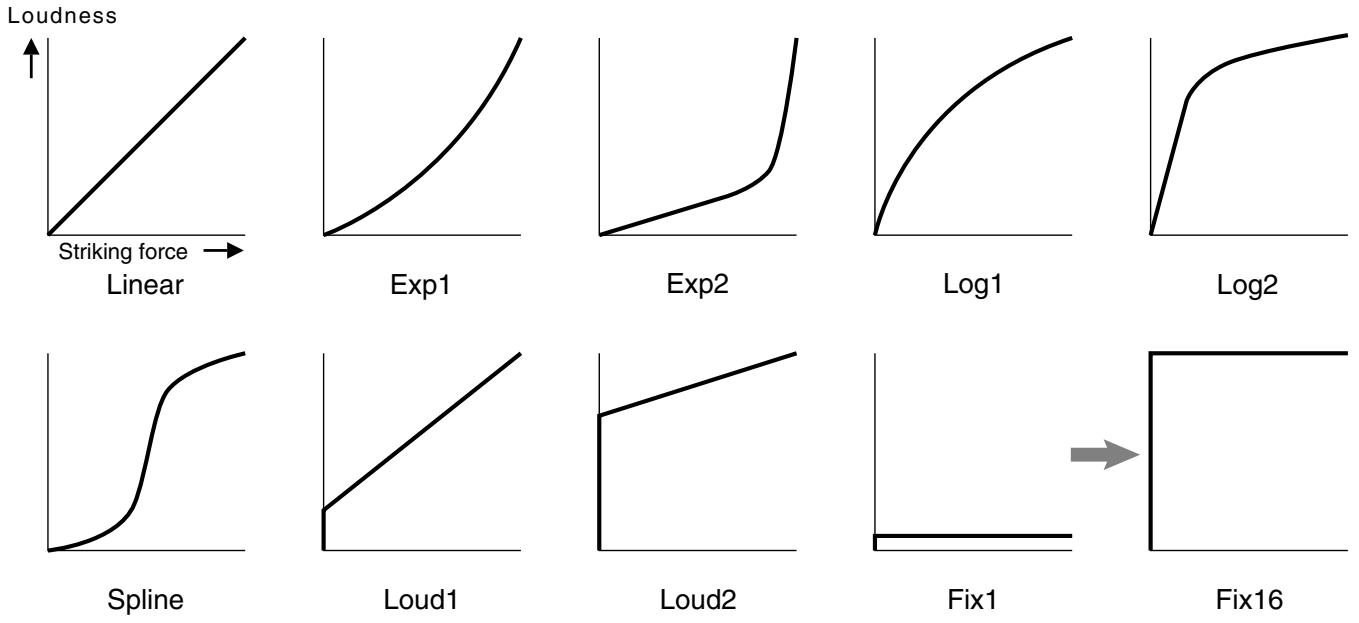
VeloCurve: Linear, Exp1-2, Log1-2, Spline, Loud1-2, Fix1-16
Selects how striking force will affect the volume.
Linear: This is the normal setting and most natural correspondence between velocity and volume change.
Exp1, Exp2: Compared to Linear, a wider volume change will occur for stronger hits.
Log1, Log2: Compared to Linear, a wider volume change will occur for softer hits.
Spline: Variation in striking force will produce extreme change.
Loud1, Loud2: Variation in striking force will produce little change, and a constant volume will be maintained.
Fix1–16: The sound will play at a fixed volume regardless of how strongly you strike. Fix1 will produce the lowest volume, and Fix16 will produce the highest volume.
Edit Parameters Block Diagram
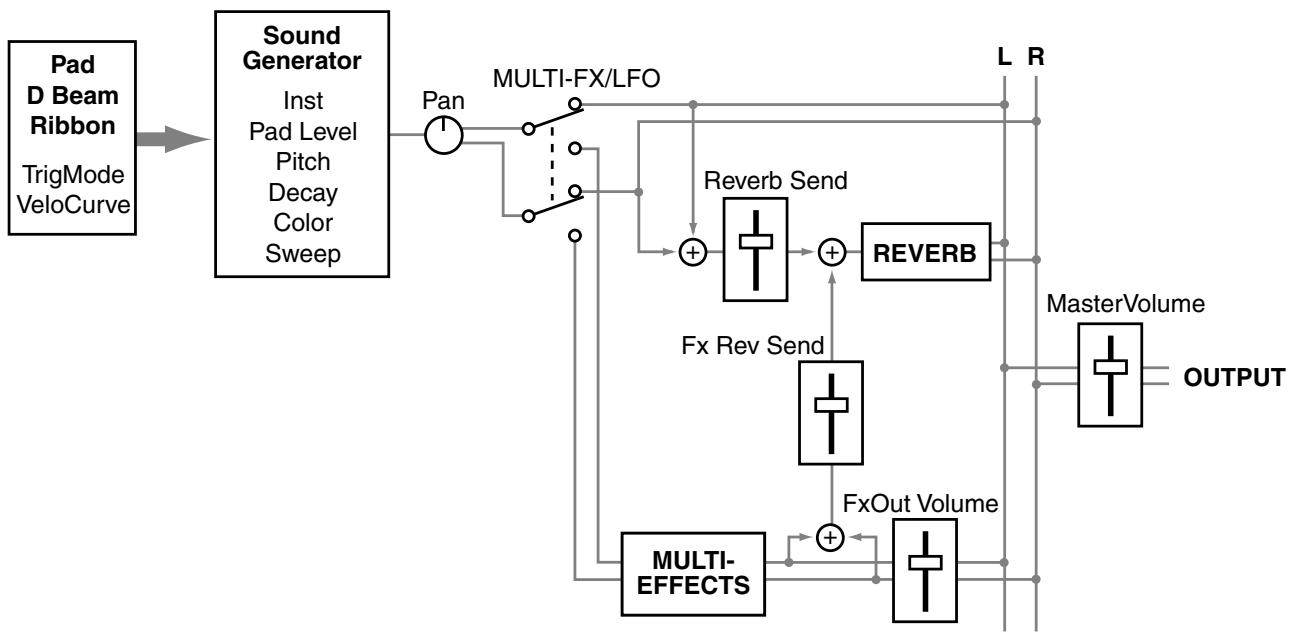
flowchart
graph TD
    A["Pad D Beam Ribbon"] --> B["Sound Generator"]
    B --> C["Pan"]
    C --> D["MULTI-FX/LFO"]
    D --> E["Reverb Send"]
    E --> F["REVERB"]
    F --> G["MasterVolume"]
    G --> H["OUTPUT"]
    D --> I["Fx Rev Send"]
    I --> J["FxOut Volume"]
    J --> K["MULTI-EFFECTS"]
    K --> L["Multi-EffectS"]
    L --> M["Output"]
Adding Cyclic Change to the Tone
You can use the LFO (Low Frequency Oscillator) to cyclically change the pitch, volume, etc.
* The LFO will apply to all pads / D Beam / ribbons.
Parameter Category: PAD LFO
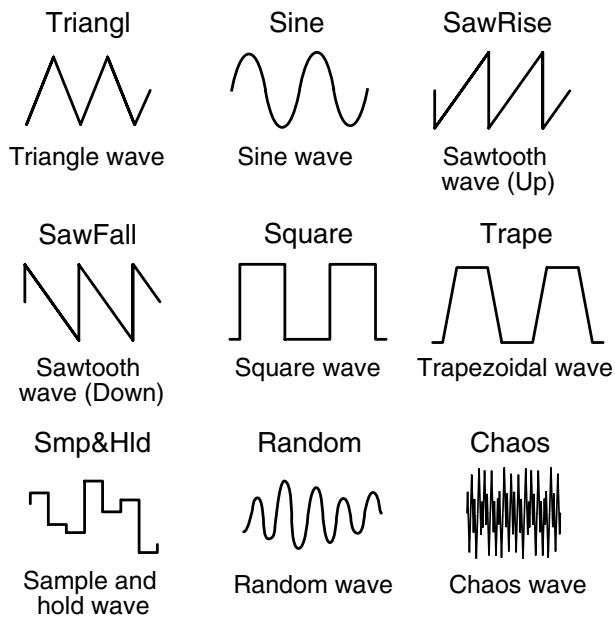
U0101 LFO Waveform Triangl
Waveform: OFF, Triangl, Sine, SawRise, SawFall, Square, Trape, Smp&Hld, Random, Chaos
Selects the waveform of the LFO. If you select OFF, there will be no change, and the following parameters will not be displayed.
Rate: 0–127
Adjusts the modulation rate of the LFO waveform.
PitchDepth: 0–127
Adjusts the depth of the pitch modulation.
FilterDepth: 0–127
Adjusts the depth of the modulation in tone.
AmpDepth: 0–127
Adjusts the depth of the modulation in volume.
EffectDepth: 0–127
Adjusts the depth of modulation for the effect parameter. For details on the parameter that will be modulated, refer to "Adjusting Multi-Effect Settings" (p. 40).
Realtime2: PITCH, EFFECT
Selects the LFO parameter which is modified by turning the middle realtime modify knob. You can modify the PitchDepth if you select the PITCH, or the EffectDepth if you select the EFFECT.

This parameter is effective only when the bottom indicator that at the upper right of the Realtime Modify knobs is lit by pressing [SELECT].
Realtime3: FILTER, AMP
Selects the LFO parameter which is modified by turning the right realtime modify knob. You can modify the FilterDepth if you select the FILTER, or the AmpDepth if you select the AMP.

This parameter is effective only when the bottom indicator that at the upper right of the Realtime Modify knobs is lit by pressing [SELECT].
Effect Settings
You can add reverberation to the sound to create the sensation of playing in a hall or on stage, apply distortion to the sound, or add depth, spaciousness, and modulation.
* The effect will apply to all pads / D Beam / ribbons.
Adjusting the Reverb Settings
Reverb adds reverberation to the sound to simulate a spacious ambience.
Parameter Category: REVERB
U0101 REVERB/DLY Type# Room1
Type: Refer to REVERB/DELAY Type (p. 95)
Selects the preset setting of reverb.
If you wish to make even more detailed settings, adjust the algorithm and parameters below. When you change a value, a “#” will appear beside the “Type.”
Algo: OFF, Room1-2, Stage, Plate, Hall1-2, Delay, PanDly
Selects the type (algorithm) of reverb. If you select OFF no reverb will be applied, and the following parameters will not be displayed.
Room1: Simulation of the reverberation in a room
Room2: Brighter reverb than Room1
Stage: Simulation of on-stage reverberation
Plate: Simulation of a metal plate reverb
Hall1: Simulation of a larger space than Room
Hall2: Brighter reverb than Hall1
Delay: Standard delay (Echo)
PanDly: Delay that pans (moves) the reflection between left and right
Level: 0-127
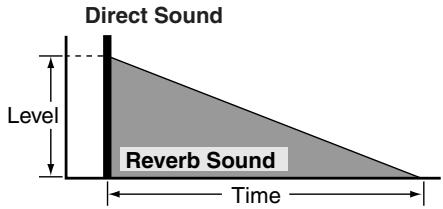
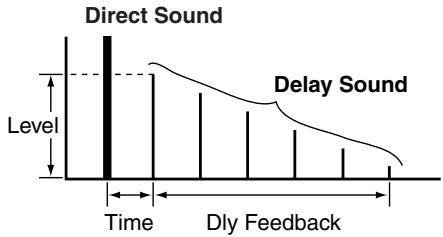
Adjusts the volume of the reverberation (or delay sound).
Time: 0-127
If Algo is Room1–Hall2, this adjusts the duration of the reverberation. If Algo is Delay or PanDly, this adjusts the delay time.
HF Damp: 200Hz-8kHz, THRU
Adjusts the currently at which the high range of the reverberation will be cut. As you lower the frequency, more of the high range will be cut, producing a softer sound. If you do not wish to cut the high range, set this to THRU.
Dly Feedback: 0–127
Adjusts the number of times that the delay sound will be repeated.
* This will be displayed only if Algo is Delay or PanDly.
Algo: Room1–2, Stage, Plate, Hall1–2
Algo: Delay, PanDly

If you change the "Type," the algorithm of the reverb and the values of the parameters will be changed to the setting of each type.
Adjusting the Multi-Effect Settings
Multi-effect (M-FX) allows you to select different algorithms to obtain a variety of effects.
Parameter Category: MULTI-FX
U0101 Type#
MULTI-FX Hall"A"
Type: Refer to MULTI-FX Type (p. 95)
Selects the preset setting of multi-effects.
If you wish to make even more detailed settings, adjust the algorithm below and parameters on the following pages.
When you change a value, a “#” will appear beside the “Type.”
Algo:
Selects the algorithm of the effect. The parameters and values will differ depending on the algorithm.
Stereo EQ: Stereo Equalizer (Modify the tone)
CompLimiter: Compressor/Limiter (Make the volume more consistent)
Enhancer: Enhancer (Add sparkle to the sound)
Spectrum: Spectrum (Add character to the sound)
Isolator: Isolator (Cut off a specific frequency range)
DynamicFltr: Dynamic Filter (Modify the tone according to the volume)
Sustainer: Sustainer (Increase the duration of the sound)
Overdrive: Overdrive (Mildly distort the sound)
Distortion: Distortion (Severely distort the sound)
Lo-Fi: Lo-Fi (Simulate a "low-fidelity" sound)
RingModltr: Ring Modulator (Give the sound a metallic character)
Stereo Cho: Stereo Chorus (Add depth and spaciousness to the sound)
TetraChorus: Tetra Chorus (Layer chorus sounds to create more spaciousness)
Tremolo Cho: Tremolo Chorus (Cyclically modulate the volume to create spaciousness)
Space D: Space D (Add transparent spaciousness)
Stereo Fln: Stereo Flanger (Add metallic resonance to the sound)
StepFlanger: Step Flanger (Add metallic resonance while shifting the pitch by steps)
Phaser: Phaser (Give the sound a "swooshing" character)
FbackPitch: Feedback Pitch Shifter (Shift the pitch)
StereoDelay: Stereo Delay (Delay the sound)
Mod Delay: Modulation Delay (Delay the sound while modulating it)
TimeCtrlDly: Time Control Delay (Control the delay and pitch in realtime)
3TapDlySht: 3-tap delay short (Delay the sound in three directions)
3TapDlyLng: 3-tap delay Long
4TapDlySht: 4-tap delay short (Produce four delayed sounds)
4TapDlyLng: 4-tap delay Long
AdvanceRev: Advanced Reverb (Add reverb to the sound)
GateReverb: Gate Reverb (Sharply cut the reverberation)
The parameters of each algorithm are explained on the following pages.
MEMO
In the explanation on the following pages, the value of parameters marked with “RTM” can be controlled by [M-FX DEPTH] of the Realtime Modify (p. 19).
* If you modify the MULTI-FX DEPTH in EZ Edit Mode (p. 25), the value of these parameters will be changed.
MEMO
In the explanation on the following pages, the value of parameters marked with “LFO” can be controlled by the LFO. For details, refer to “Adding Cyclic Change to the Tone” (p. 38).
MEMO
In the explanation on the following pages, the value of parameters marked by "Ctrl1, Ctrl2, Ctrl3" can be controlled by the pads, D Beam, and ribbons. For details, refer to the section on CtrlTx: MFX Ctrl 1–3 in "Controlling the tone" (p. 52).
FxOut Volume:
Adjusts output volume of the multi-effects.
Fx Rev Send:
Adjusts the depth of reverb applied to the sound processed by the multi-effects.
NOTE
If you change the "Type," the algorithm of the effect and the values of the parameters will be changed to the setting of each type.
Stereo Equalizer (Stereo EQ)
This is a four-band stereo equalizer (low, mid x 2, high).
Low Freq: 100Hz, 200Hz, 400Hz
Selects the frequency of the low range.
Low EQ: -15-+15dB
Adjusts the level of the low frequency.
Mid1Freq: 100Hz–12.5kHz Ctrl3
Adjusts the frequency of mid range 1.
Mid 1 Q: 0.5, 1.0, 2.0, 4.0, 8.0
Adjusts the width of the area around the Mid1Freq that will be affected by the Level setting. Higher values of Q will result in a narrower area being affected.
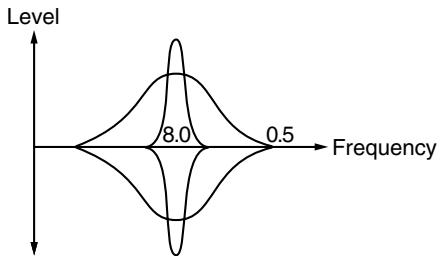
line
| Frequency | Level | | --------- | ----- | | 0.5 | 8.0 |Mid 1 EQ: -15-+15dB LFO, Ctrl1
Adjusts the level for the area specified by the Mid1Freq and Q settings.
Mid2Freq: 100Hz–12.5kHz
Adjusts the frequency of mid range 2.
Mid 2 Q: 0.5, 1.0, 2.0, 4.0, 8.0
Adjusts the width of the area around the Mid2Freq that will be affected by the Level setting. Higher values of Q will result in a narrower area being affected.
Mid 2 EQ: -15-+15dB Ctrl2
Adjusts the level for the area specified by the Mid2Freq and Q settings.
HighFreq: 4kHz, 8kHz, 12.5kHz
Selects the frequency of the high range.
High EQ: -15--+15dB
Adjusts the level of the high frequency.
TotalLevel: -15--+15dB RTM
Adjusts the output level.
Compressor/Limiter (CompLimiter)
The Compressor/Limiter compresses signals that exceed a specified volume level, smoothing out unevenness in volume and preventing distortion from occurring.
Threshold: 0–127
Adjusts the volume at which compression will begin.
Ratio: 1:1–100:1, infinite:1 LFO, Ctrl1
Adjusts the compression ratio.
Attack: 0–127 Ctrl2
Adjusts the attack time of an input sound.
Release: 0–127 Ctrl3
Adjusts the time from when the volume falls below the Threshold Level until compression is no longer applied.
Pan: L63–Center–R63
Adjusts the stereo location of the output sound.
TotalLevel: -15--+15dB RTM
Adjusts the output level.
Enhancer
The Enhancer controls the overtone structure of the high frequencies, adding sparkle and tightness to the sound.
Sens: 0–127 LFO, Ctrl1
Adjusts the sensitivity of the enhancer.
Mix: 0–127 RTM, Ctrl2
Adjusts the ratio with which the overtones generated by the enhancer are combined with the direct sound.
Low EQ: -15-+15dB
Adjusts the level of the low frequency range.
High EQ: -15--+15dB Ctrl3
Adjusts the level of the high frequency range.
Spectrum
Spectrum is a type of filter which modifies the timbre by boosting or cutting the level at specific frequencies. It is similar to an equalizer, but has 5 frequency points fixed at locations most suitable for adding character to the sound.
Band 1: -15–+15dB
Adjusts the 500 Hz level.
Band 2: -15–+15dB LFO, Ctrl1
Adjusts the 1 kHz level.
Band 3: -15—+15dB
Adjusts the 1.25 kHz level.
Band 4: -15—+15dB Ctrl2
Adjusts the 3.15 kHz level.
Band 5: -15--+15dB
Adjusts the 4 kHz level.
Width: 1–5 Ctrl3
Simultaneously adjusts the width of the adjusted areas for all the frequency bands.
Pan: L63–Center–R63
Adjusts the stereo location of the output sound.
TotalLevel: -15-+15dB RTM
Adjusts the output level.
Isolator
The Isolator is a stronger version of an equalizer, and is able to completely cut a specific frequency range.
Low Level: 0–127 Ctrl3
Adjusts the level of the low frequency.
Mid Level: 0–127 LFO, Ctrl1
Adjusts the level of the middle frequency.
High Level: 0–127 Ctrl2
Adjusts the level of the high frequency.
Pan: L63–Center–R63
Adjusts the stereo location of the output sound.
TotalLevel: -15--+15dB RTM
Adjusts the output level.
Dynamic Filter (DynamicFltr)
The Dynamic Filter varies the tone by moving a filter according to the volume.
Filter Type: LPF, BPF
Selects the type of filter.
LPF: The wah effect will be applied over a wide frequency range.
BPF: The wah effect will be applied over a narrow frequency range.
Sens: 0–127 Ctrl2
Adjusts the sensitivity with which the filter is controlled.
Manual: 0–127 RTM, LFO, Ctrl1
Adjusts the center frequency from which the effect is applied.
Peak: 0–127 Ctrl3
Adjusts the amount of the wah effect that will occur in the area of the center frequency. Lower settings will cause the effect to be applied in a broad area around the center frequency. Higher settings will cause the effect to be applied in a more narrow range.
Pan: L63–Center–R63
Adjusts the stereo location of the output sound.
Sustainer
The Sustainer restrains loud levels and boosts low levels, making the sound more consistent and sustaining the sound.
Attack: 0–127 LFO, Ctrl1
Adjusts the attack time of an input sound.
Sustain: 0–127 Ctrl2
Adjusts the degree of boost.
Pan: L63–Center–R63 Ctrl3
Adjusts the stereo location of the output sound.
TotalLevel: -15--+15dB RTM
Adjusts the output level.
Overdrive
This effect creates a soft distortion similar to that produced by vacuum tube amplifiers.
Drive: 0–127 RTM, LFO, Ctrl1
Adjusts the degree of distortion. The volume will change together with the degree of distortion.
Character: 1–4
Selects the character of distortion. Increasing the value will make more sound pressure.
Pan: L63–Center–R63 Ctrl2
Adjusts the stereo location of the output sound.
Distortion
This effect produces a more intense distortion than Overdrive.
Drive: 0–127 RTM, LFO, Ctrl1
Adjusts the degree of distortion. The volume will change together with the degree of distortion.
Character: 1–4
Selects the character of distortion. Increasing the value will make more sound pressure.
Pan: L63–Center–R63 Ctrl2
Adjusts the stereo location of the output sound.
Lo-Fi
This effect intentionally degrades the audio quality to simulate a Lo-Fi sound.
Bit Down: 0–7 Ctrl3
Lowers the audio quality. The audio quality will worsen as this setting is increased.
S-Rate Down: 32, 16, 8, 4 Ctrl2
Coarsens the output signal. The sound will become coarser as this setting is lowered.
Low EQ: -15-+15dB
Adjusts the level of the low frequency.
High EQ: -15--+15dB RTM, LFO, Ctrl1
Adjusts the level of the high frequency.
Output: Mono, Stereo
Specifies how the sound will be output. With a setting of "Mono," the output sound will be monaural.
Ring Modulator (RingModltr)
A ring modulator add the amplitude modulation to the sound, giving a metallic character.
Frequency: 0–127 Ctrl1
Adjusts the frequency for modulation.
Character: 0–127 LFO, Ctrl2
Adjusts the tone. The high-frequency range will change.
Effect Level: 0–127 RTM, Ctrl3
Adjusts the output level of effect sound.
Direct Level: 0–127
Adjusts the output level of direct sound.
Stereo Chorus (Stereo Cho)
This is a stereo chorus. A filter is provided so that you can adjust the timbre of the chorus sound.
PreDelay: 0.0–100ms
Adjusts the time delay from when the direct sound begins until the processed sound is heard.
Rate: 0.05–10.0Hz LFO, Ctrl1
Adjusts the rate of modulation.
Depth: 0–127 Ctrl2
Adjusts the depth of modulation.
Phase: 0–180deg
Adjusts the spatial spread of the sound.
Filter Type: OFF, LPF, HPF
Selects the type of filter.
OFF: A filter will not be used. Cutoff will not be displayed.
LPF: Cut the frequency range above the cutoff frequency.
HPF: Cut the frequency range below the cutoff frequency.
Cutoff: 200–8kHz Ctrl3
Adjusts the basic frequency of the filter.
Effect Level: 0–127 RTM
Adjusts the output level of chorus sound.
Direct Level: 0–127
Adjusts the output level of direct sound.
Tetra Chorus (TetraChorus)
Tetra chorus uses a four-phase chorus (four layers of chorused sound) to give richness and spatial spread to the sound.
PreDelay: 0.0–100ms
Adjusts the time delay from when the direct sound begins until the chorus sound is heard.
Rate: 0.05–10.0Hz LFO, Ctrl1
Adjusts the rate of modulation.
Depth: 0–127 Ctrl2
Adjusts the depth of modulation.
Pre Delay Dev: 0–20
Adjusts the differences in Pre Delay between each chorus sound.
Depth Dev: -20--+20
Adjusts the difference in modulation depth between each chorus sound.
Pan Deviation: 0–20 Ctrl3
Adjusts the difference in stereo location between each chorus sound. With a setting of 0, all chorus sounds will be in the center. Increasing the value will cause the chorus sound to be panned more expansively.
Effect Level: 0–127 RTM
Adjusts the output level of chorus sound.
Direct Level: 0–127
Adjusts the output level of direct sound.
Tremolo Chorus (Tremolo Cho)
Tremolo Chorus is a chorus effect with added Tremolo (cyclic modulation of volume).
PreDelay: 0.0–100ms
Adjusts the time delay from when the direct sound begins until the chorus sound is heard.
Cho Rate: 0.05–10.0Hz LFO
Adjusts the modulation speed of the chorus effect.
Cho Depth: 0–127
Adjusts the modulation depth of the chorus effect.
Trm Phase: 0–180deg Ctrl3
Adjusts the spread of the tremolo effect.
Trm Rate: 0.05–10.0Hz Ctrl1
Adjusts the modulation speed of the tremolo effect.
Trm Depth: 0–127 Ctrl2
Adjusts the modulation depth of the tremolo effect.
Effect Level: 0–127 RTM
Adjusts the output level of tremolo chorus sound.
Direct Level: 0–127
Adjusts the output level of direct sound.
Space D
Space D is a multiple chorus that applies two-phase modulation in stereo. This is a chorus with a transparent character and minimal sense of modulation.
PreDelay: 0.0–100ms
Adjusts the time delay from when the direct sound begins until the processed sound is heard.
Rate: 0.05–10.0Hz LFO, Ctrl1
Adjusts the rate of modulation.
Depth: 0–127 Ctrl2
Adjusts the depth of modulation.
Phase: 0–180deg Ctrl3
Adjusts the spatial spread of the sound.
Tone: -15--+15
Adjusts the tone quality. Positive (+) settings will emphasize the high range, and negative (-) settings will emphasize the low range.
Effect Level: 0–127 RTM
Adjusts the output level of chorus sound.
Direct Level: 0–127
Adjusts the output level of direct sound.
Stereo Flanger (Stereo Fln)
This is a stereo flanger. (The LFO has the same phase for left and right.) It produces a metallic resonance that rises and falls like a jet airplane taking off or landing. A filter is provided so that you can adjust the timbre of the flanged sound.
PreDelay: 0.0–100ms
Adjusts the time delay from when the direct sound begins until the flanger sound is heard.
Rate: 0.05–10.0Hz LFO, Ctrl1
Adjusts the rate of modulation.
Depth: 0–127 Ctrl2
Adjusts the depth of modulation.
Feedback: -98–+98% Ctrl3
Adjusts the amount (\%) of the processed sound that is returned (fed back) into the input. Positive (+) settings will return the sound in phase, and negative (-) settings will return the sound in reverse phase.
Phase: 0–180deg
Adjusts the spatial spread of the sound.
Filter Type: OFF, LPF, HPF
Selects the type of filter.
OFF: A filter will not be used. Cutoff will not be displayed.
LPF: Cut the frequency range above the cutoff frequency.
HPF: Cut the frequency range below the cutoff frequency.
Cutoff: 200–8kHz
Adjusts the basic frequency of the filter.
Effect Level: 0–127 RTM
Adjusts the output level of flanger sound.
Direct Level: 0–127
Adjusts the output level of direct sound.
Step Flanger (StepFlanger)
The Step Flanger effect is a flanger in which the flanger pitch changes in steps. The speed at which the pitch changes can also be specified in terms of a note-value of a specified tempo.
PreDelay: 0.0–100ms
Adjusts the time delay from when the direct sound begins until the flanger sound is heard.
Rate: 0.05–10.0Hz Ctrl3
Adjusts the rate of modulation.
Depth: 0–127 Ctrl2
Adjusts the depth of modulation.
Feedback: -98–+98%
Adjusts the amount (\%) of the flanger sound that is returned (fed back) into the input. Negative (-) settings will invert the phase.
Phase: 0–180deg
Adjusts the spatial spread of the sound.
Step Rate: 0.05–10.0Hz, note-value LFO, Ctrl1
Adjusts the rate (period) of pitch change. This parameter can be set as a note-value of the tempo of the sequencer. In this case, specify the value of the desired note.
Effect Level: 0–127 RTM
Adjusts the output level of flanger sound.
Direct Level: 0–127
Adjusts the output level of direct sound.
Phaser
A phaser adds a phase-shifted sound to the original sound, producing a twisting modulation that creates spaciousness and depth.
Manual: 100–8kHz
Adjusts the basic frequency from which the sound will be modulated.
Rate: 0.05–10.0Hz LFO, Ctrl3
Adjusts the frequency (period) of modulation.
Depth: 0–127 Ctrl2
Adjusts the depth of modulation.
Resonance: 0–127 Ctrl1
Adjusts the amount of feedback for the phaser.
Mix: 0–127 RTM
Adjusts the ratio with which the phase-shifted sound is combined with the direct sound.
Pan: L63–Center–R63
Adjusts the stereo location of the output sound.
Feedback Pitch Shifter (FbackPitch)
A Pitch Shifter shifts the pitch of the original sound. This pitch shifter allows the pitch shifted sound to be fed back into the effect.
Coarse: -24--+12semi LFO, Ctrl1
Adjusts the pitch of the pitch shifted sound in semitone steps (-2–+1 octaves).
Fine: -100—+100cent
Makes fine adjustments to the pitch of the pitch shifted sound in 2-cent steps (-100–+100 cents). One cent is 1/100th of a semitone.
Pan: L63-Center-R63 Ctrl3
Adjusts the stereo location of the pitch shifted sound.
Pre Delay: 0.0–500ms
Adjusts the time delay from when the direct sound begins until the pitch shifted sound is heard.
Mode: 1–5
Lower settings of this parameter will result in faster response. Higher settings will result in slower response, but steadier pitch.
Feedback: -98–+98% Ctrl2
Adjusts the proportion (%) of the processed sound that is fed back into the effect. Negative (-) settings will invert the phase.
Tone: -15—+15
Adjusts the tone quality. Positive (+) settings will emphasize the high range, and negative (-) settings will emphasize the low range.
Effect Level: 0–127 RTM
Adjusts the output level of pitch shifted sound.
Direct Level: 0–127
Adjusts the output level of direct sound.
Stereo Delay (StereoDelay)
This is a stereo delay.
Delay Left: 0.0–500ms
DelayRight: 0.0–500ms
Adjusts the time from the original sound until when the delay sound is heard.
Feedback: -98–+98% Ctrl1
Adjusts the proportion (\%) of the delay sound that is fed back into the effect. Negative (-) settings will invert the phase.
Fbk Mode: NORMAL, CROSS
Selects the way in which delay sound is fed back into the effect.
NORMAL: The left delay sound will be fed back into the left delay, and the right delay sound into the right delay.
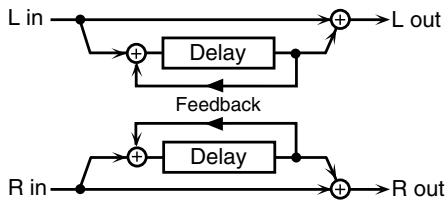
flowchart
graph TD
    A["L in"] --> B["+"]
    B --> C["Delay"]
    C --> D["+"]
    D --> E["L out"]
    F["R in"] --> G["+"]
    G --> H["Delay"]
    H --> I["+"]
    I --> J["R out"]
    B --> K["Feedback"]
    G --> K
CROSS: The left delay sound will be fed back into the right delay, and the right delay sound into the left delay.
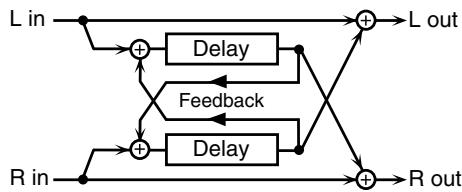
flowchart
graph TD
    A["L in"] --> B["+"]
    C["R in"] --> D["+"]
    B --> E["Delay"]
    D --> F["Delay"]
    E --> G["+"]
    F --> H["+"]
    G --> I["L out"]
    H --> J["R out"]
    K["Feedback"] --> B
    K --> D
    K --> E
    K --> F
Phase L: NORMAL, INVERSE
Phase R: NORMAL, INVERSE
Selects the phase of the left/right delay sound.
NORMAL: Phase is not changed.
INVERSE: Phase is inverted.
HF Damp: 200Hz–8kHz, THRU Ctrl2
Adjusts the frequency above which sound fed back to the effect will be cut. If you do not want to cut the high frequencies of the feedback, set this parameter to THRU.
Tone:-15--+15
Adjusts the tone quality. Positive (+) settings will emphasize the high range, and negative (-) settings will emphasize the low range.
Effect Level: 0–127 RTM, LFO, Ctrl3
Adjusts the output level of delay sound.
Direct Level: 0–127
Adjusts the output level of direct sound.
Modulation Delay (Mod Delay)
This effect adds modulation to the delayed sound, producing an effect similar to a flanger.
Delay Left: 0.0–500ms
DelayRight: 0.0–500ms
Adjusts the time from the original sound until when the right delay sound is heard.
Feedback: -98–+98% Ctrl2
Adjusts the proportion (\%) of the delay sound that is fed back into the effect. Negative (-) settings will invert the phase.
Fbk Mode: NORMAL, CROSS
Selects the way in which delay sound is fed back into the effect.
NORMAL: The left delay sound will be fed back into the left delay, and the right delay sound into the right delay.
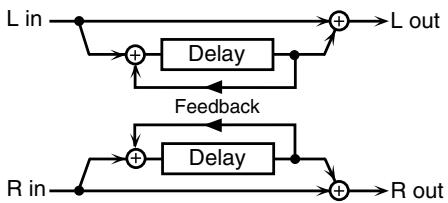
flowchart
graph TD
    A["L in"] --> B["+"]
    B --> C["Delay"]
    C --> D["+"]
    D --> E["L out"]
    F["R in"] --> G["+"]
    G --> H["Delay"]
    H --> I["+"]
    I --> J["R out"]
    B --> K["Feedback"]
    G --> K
CROSS: The left delay sound will be fed back into the right delay, and the right delay sound into the left delay.
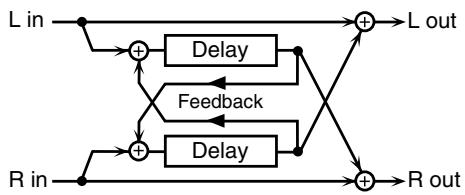
flowchart
graph TD
    A["L in"] --> B["+"]
    C["R in"] --> D["+"]
    B --> E["Delay"]
    D --> F["Delay"]
    E --> G["+"]
    F --> H["+"]
    G --> I["L out"]
    H --> J["R out"]
    K["Feedback"] --> B
    K --> D
    K --> E
    K --> F
Rate: 0.05–10.0Hz LFO, Ctrl1
Adjusts the rate of modulation.
Depth: 0–127 Ctrl3
Adjusts the depth of modulation.
Phase: 0–180deg
Adjusts the spatial spread of the sound.
HF Damp: 200Hz–8kHz, THRU
Adjusts the frequency above which sound fed back to the effect will be cut. If you do not want to cut the high frequencies of the feedback, set this parameter to THRU.
Tone:-15--+15
Adjusts the tone quality. Positive (+) settings will emphasize the high range, and negative (-) settings will emphasize the low range.
Effect Level: 0–127 RTM
Adjusts the output level of delay sound.
Direct Level: 0–127
Adjusts the output level of direct sound.
Time Control Delay (TimeCtrlDly)
This effect allows you to use pads/D Beam/ribbons to control the delay time and pitch in realtime. Lengthening the delay will lower the pitch, and shortening it will raise the pitch.
Delay: 200–1000ms LFO, Ctrl1
Adjusts the time delay from the direct sound until when each delay sound is heard.
Acceleration: 0–15
Adjusts the time over which the delay time will change from the current setting to a newly specified setting. The rate of change for the delay time directly affects the rate of pitch change.
Feedback: -98–+98% Ctrl2
Adjusts the proportion (%) of the delay sound that is fed back into the effect. Negative (-) settings will invert the phase.
HF Damp: 200Hz–8kHz, THRU
Adjusts the frequency above which sound fed back to the effect will be cut. If you do not want to cut the high frequencies of the feedback, set this parameter to THRU.
Pan: L63–Center–R63 Ctrl3
Adjusts the stereo location of the delay sound.
Tone: -15--+15
Adjusts the tone quality. Positive (+) settings will emphasize the high range, and negative (-) settings will emphasize the low range.
Effect Level: 0–127 RTM
Adjusts the output level of delay sound.
Direct Level: 0–127
Adjusts the output level of direct sound.
3-Tap Delay (3TapDlySht/3TapDlyLng)
The 3-Tap Delay produces three delay sounds; center, left and right. The delay time can be specified as a note value of the tempo of the sequencer.
* There is no difference between Sht and Lng but the length of the delay time.
Delay C: 20–600ms (Sht), 200–1000ms (Lng), note-value
Delay L: 20–600ms (Sht), 200–1000ms (Lng), note-value
Delay R: 20–600ms (Sht), 200–1000ms (Lng), note-value
Adjusts the time delay from the direct sound until when the delay sound is heard. This parameter can be set as a note-value of the tempo of the sequencer. In this case, specify the value of the desired note.
Feedback: -98--+98%
Adjusts the proportion (\%) of the center delay sound that is fed back into the effect. Negative (-) settings will invert the phase.
Center Level: 0–127 LFO, Ctrl1
Left Level: 0–127 Ctrl2
Right Level: 0–127 Ctrl3
Adjusts the volume of each delay sound.
HF Damp: 200Hz–8kHz, THRU
Adjusts the frequency above which sound fed back to the effect will be cut. If you do not want to cut the high frequencies of the feedback, set this parameter to THRU.
Tone: -15—+15
Adjusts the tone quality. Positive (+) settings will emphasize the high range, and negative (-) settings will emphasize the low range.
Effect Level: 0–127 RTM
Adjusts the output level of delay sound.
Direct Level: 0–127
Adjusts the output level of direct sound.
4-Tap Delay (4TapDlySht/4TapDlyLng)
The 4-Tap Delay has four delays. Each of the delay time parameters can be specified as a note value of the tempo of the sequencer.
* There is no difference between Sht and Lng but the length of the delay time.
The stereo location of each delay sound is as follows.
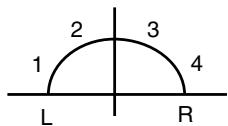
Delay 1: 20–600ms (Sht), 200–1000ms (Lng), note-value
Delay 2: 20–600ms (Sht), 200–1000ms (Lng), note-value
Delay 3: 20–600ms (Sht), 200–1000ms (Lng), note-value
Delay 4: 20–600ms (Sht), 200–1000ms (Lng), note-value
Adjusts the time delay from the direct sound until when each delay sound is heard. These parameters can be set as a note-value of the tempo of the sequencer. In this case, specify the value of the desired note.
Level 1: 0–127 LFO, Ctrl1
Level 2: 0–127 Ctrl2
Level 3: 0–127 Ctrl3
Level 4: 0–127
Adjusts the volume of each delay sound.
Feedback: -98–+98%
Adjusts the proportion (%) of the delay 1 sound that is fed back into the effect. Negative (-) settings will invert the phase.
HF Damp: 200Hz–8kHz, THRU
Adjusts the frequency above which sound fed back to the effect will be cut. If you do not want to cut the high frequencies of the feedback, set this parameter to THRU.
Effect Level: 0–127 RTM
Adjusts the output level of delay sound.
Direct Level: 0–127
Adjusts the output level of direct sound.
Advanced Reverb (AdvanceRev)
The Reverb effect adds reverberation to the sound, simulating an acoustic space.
Type: ROOM1–2, STAGE, PLATE, HALL1–2
Selects the type of Reverb effect.
Room1: Simulation of the reverberation in a room
Room2: Brighter reverb than Room1
Stage: Simulation of on-stage reverberation
Plate: Simulation of a metal plate reverb
Hall1: Simulation of a larger space than Room
Hall2: Brighter reverb than Hall1
PreDelay: 0.0–100ms
Adjusts the time delay from when the direct sound begins until the reverb sound is heard.
Time: 0–127 Ctrl2
Adjusts the time length of reverberation.
HF Damp: 200Hz–8kHz, THRU Ctrl3
Adjusts the frequency above which the reverberant sound will be cut. As the frequency is set lower, more of the high frequencies will be cut, resulting in a softer and more muted reverberance. If you do not want the high frequencies to be cut, set this parameter to THRU.
Effect Level: 0–127 RTM, LFO, Ctrl1
Adjusts the output level of reverb sound.
Direct Level: 0–127
Adjusts the output level of direct sound.
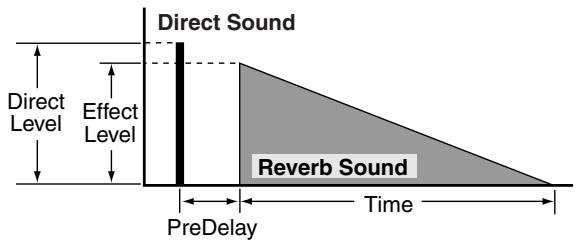
Gate Reverb (GateReverb)
Gate Reverb is a special type of reverb in which the reverberant sound is cut off before its natural length.
Type: NORMAL, REVERSE, SWEEP1, SWEEP2
Selects the type of reverb.
NORMAL: conventional gate reverb
REVERSE: backwards reverb
SWEEP1: the reverberant sound moves from right to left
SWEEP2: the reverberant sound moves from left to right
PreDelay: 0.0–100ms Ctrl2
Adjusts the time delay from when the direct sound begins until the reverb sound is heard.
Gate Time: 5–500ms Ctrl3
Adjusts the time from when the reverb is heard until when it disappears.
Effect Level: 0–127 RTM, LFO, Ctrl1
Adjusts the output level of reverb sound.
Direct Level: 0–127
Adjusts the output level of direct sound.
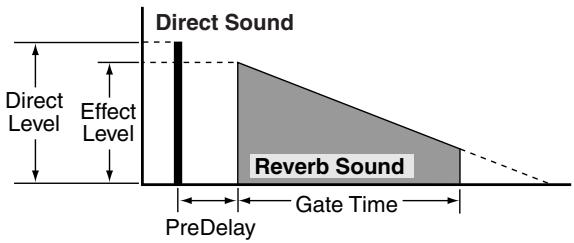
Controlling the Tone
By pressing on a pad or moving your hand over the D Beam or a ribbon, you can control the tone of other pads or controllers.
Parameter Category: PAD CTRL
U0101A1 PAD CTRL MuteRx ON
Control Parameters Block Diagram
Pad (D Beam, Ribbon, etc.)
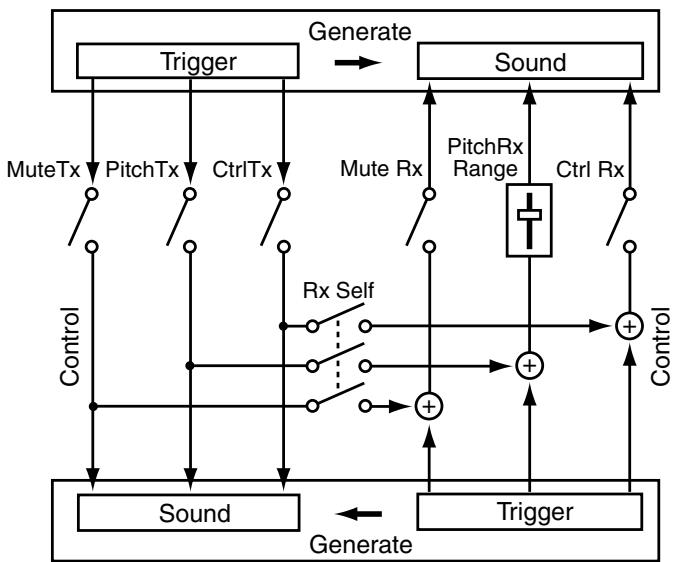
flowchart
graph TD
    A["Trigger"] -->|Generate| B["Sound"]
    A -->|MuteTx| C["Control"]
    A -->|PitchTx| D["Control"]
    A -->|CtrlTx| E["Control"]
    A -->|Mute Rx| F["Control"]
    A -->|PitchRx Range| G["+"]
    G --> H["+"]
    H --> I["Control"]
    A --> J["Sound"]
    J --> K["Control"]
    J --> L["Trigger"]
    L --> M["Generate"]
    style A fill:#f9f,stroke:#333
    style B fill:#ccf,stroke:#333
    style C fill:#cfc,stroke:#333
    style D fill:#cfc,stroke:#333
    style E fill:#cfc,stroke:#333
    style F fill:#cfc,stroke:#333
    style G fill:#fcc,stroke:#333
    style H fill:#fcc,stroke:#333
    style I fill:#fcc,stroke:#333
    style J fill:#cff,stroke:#333
    style K fill:#cff,stroke:#333
    style L fill:#ffc,stroke:#333
Other Pads, D Beam, Ribbons
Mute Rx: OFF, ON
Specifies how mute signals (to cut the note) will be received. If you select ON, signals from other pads or controllers will mute the note.
* Mute may have no effect for some sounds.
PitchRxRange: -24-OFF-+24, Rdm
Specifies how pitch control signals will be received. With positive (+) settings, pitch control signals will raise the pitch. With negative (-) settings, pitch control signals will lower the pitch. If you select Rdm, the pitch will change randomly each time a signal is received. If you select OFF, the pitch will not change even if signals are received.
Ctrl Rx: OFF, ON
Specifies whether control signals other than mute, pitch, and roll will be received. If you select ON, signals from other pads or controllers will affect the tone.
* "MFX Ctrl" and LFO control signals are received even if this parameter is set to "OFF."
Roll Rx: OFF, ON
Specifies whether the sound will be repeated when [ROLL/HOLD] is lit.
* The Controllers other than pads will be displayed as “---” and cannot be set.
Rx Self: OFF, ON
Specifies whether or not the transmitted control signal will itself be received.
MuteTx: OFF, ON
Specifies transmission for mute signals. If you select ON, you will be able to cut the notes of pads or controllers.
* Mute may have no effect for some sounds.
PitchTx: OFF, ON
Specifies transmission for pitch control signals. If you select ON, you will be able to modify the pitch of pads or controllers.
CtrlTx: OFF, LFO Pitch, LFO Fltr, LFO Amp, MFX Ctrl1-3 (Pad)
OFF, Level -, Level +, Decay -, Decay +, Cutoff, Resonance, Color 1-2, RevSend -, RevSend +, LFO Rate, LFO Pitch, LFO Fltr, LFO Amp, LFO Pc&Rt, LFO Ft&Rt, LFO Am&Rt, MFX Ctrl1-3, RollSpeed, Tempo -, Tempo +, TurnTable (D Beam, Ribbon, Pedal)
Play/Stop (D Beam, Pedal)
Specifies transmission for control signals other than mute and pitch.
Level -, Level +:
Modifies the volume.
Decay -, Decay +:
Modifies the duration (decay time.)
Cutoff:
Modifies the cutoff frequency of the filter. The character of the high-frequency range will change.
Resonance:
Modifies the resonance of the filter. The range near the filter cutoff frequency will be emphasized.
Color 1-2:
Simultaneously changes the filter cutoff frequency and resonance. The tonal character will change.
RevSend -, RevSend +:
Modifies the depth of the reverberation.
LFO Rate \* :
Modifies the modulation rate of the LFO waveform.
LFO Pitch \* :
Modifies the depth of the pitch modulation produced by the LFO.
LFO Fltr \* :
Modifies the depth of the tonal change produced by the LFO.
LFO Amp \* :
Modifies the depth of the volume change produced by the LFO.
LFO Pc&Rt \* :
Modifies the depth of the pitch modulation produced by the LFO and the speed of modulation.
LFO Ft&Rt \* :
Modifies the depth of the tonal change produced by the LFO and the speed of modulation.
LFO Am&Rt \* :
Modifies the depth of the volume change produced by the LFO and the speed of modulation.
MFX Ctrl1-3 \* :
Modifies the parameter value of the multi-effect. The parameter that will be controlled will depend on the selected effect. Please refer to "Adjusting Multi-Effect Settings" (p. 40). If you select MFX Ctrl1, parameters marked by "Ctrl1" can be controlled. The same applies to MFX Ctrl2–3.
RollSpeed \* :
Changes the speed at which the roll will repeat. The same effect can be obtained even if [ROLL/HOLD] is not lit.
Tempo -, Tempo +:
Adjusts the tempo of the sequencer.
TurnTable \* :
An effect will be produced as though you were manually rotating the turntable of a record player.
Play/Stop:
Controls sequencer play/stop. This is the same operation as pressing [PLAY/STOP] on the panel.
* This cannot control sequencer start/stop in the Recording Stand-by Mode (p. 59).
MEMO
When CtrlTx is set to any value marked with a "*," the effect can be obtained even with pads (ribbons, D Beam, etc.) for which Ctrl Rx has been set to OFF.
CtrlIrType: Posit, Speed
Specifies how the D Beam, ribbon, and pedal will transmit signals. If you select Posit, the transmitted signal will change according to the position at which your hand is located relative to the controller. If you select Speed, the transmitted signal will change according to the speed at which you move your hand.
* The pad will be displayed as “---” and cannot be set.
Using a Pad to Start a Pattern
You can play a sequencer pattern by striking a pad (B1–B5, C1–C5).

Pads A1–A5, the D Beam, and the ribbon controllers can not play patterns.
Parameter Category: PAD PTN
U0101B1 PAD PTN PTN Number U01
PTN Number:
Selects a pattern. If a pattern is not selected, this will be displayed as "OFF."
* For pads A1–A5, the D-beam, and the ribbons, “---” will be displayed, and a pattern cannot be selected.
If a pattern is selected, the indicator beside the pad will go red. It will blink while the pattern is playing back.
* If you change the patch while a pattern is playing back, you can stop the pattern by pressing [PLAY/STOP].
Tempo:
Sets the tempo of the pattern.
When using a pad to start a pattern, the tempo which is set to the pattern (p. 60) is ignored.
* If you change the “PTN Number,” the tempo which is set to the selected pattern will be set to the value of this parameter.
Level:
Adjusts the volume at which the pattern will sound.

For details on a pattern, refer to “Chapter 3 Recording Your Performance (Sequencer)” (p. 59).
Set the Volume of the Entire Patch
You can set the volume of the patch to adjust the volume balance between patches.
Parameter Category: PATCH LEV
U0101 PATCH LEV MasterVolume 100
MasterVolume: 0-127
Settings for Other Functions
Parameter Category: FUNC
Limiting the Resonance
You can set an upper limit for the resonance of the filter.
U0101 FUNC Reso Limit 100
Reso Limit: 50-126, OFF

If you select OFF, the tonal change produced by the filter will be greater, but loud sounds may be produced unexpectedly.
Adjusting the Sensitivity of the Pads
You can adjust the sensitivity of the pads as suitable for your playing style.
U0101 FUNC PadSnsType Hand1
PadSnsType: Hand1-2, Fing1-2
If you are striking the pads with your hand, select Hand; if with your fingers, select Fing. "2" is more sensitive than "1."

If you are using sticks to strike the pad, select Fing1 or Fing2.
Specifying the Roll Speed
You can specify the speed at which notes will be repeated when you press [ROLL/HOLD].
| U0101 | FUNC |
| Roll Speed | 20 |
Roll Speed: 1.0–50, 1/2, 1/3, 1/4, 1/6, 1/8, 1/12, 1/16, 1/24, 1/32, 1/48
1–50:
The selected number of notes will be repeated each second.
1/2–1/48:
The notes will be played at note value intervals relative to the sequencer tempo (p. 27, p. 60).
Setting for MIDI Transmission
For details, refer to p. 76.
Parameter Category: PAD MIDI
Note No.: OFF, 0:C --127:G 9
Sets the MIDI note number that each pad will transmit. If you select "OFF," no MIDI note message will be transmitted.
Gate Time: 0.1-8.0sec
For each pad, you can specify the length of time the note will "hold" during transmission from the MIDI OUT.
Naming a Patch
Each patch can be given a name (Patch Name) of up to 10 characters.
Parameter Category: PATCH NAME
![U0101 PATCH NAME [Conga _ ] Cursor](/content/2025/01/130839/images/1b667de695979b77fd416638259df05eae8ae15517463ccd4d9060ae7012803f.jpg)
Use [ ◀ PARAMETER] or [PARAMETER ▶ ] to move the cursor to left or right, and turn [PATCH/VALUE] to select the desired characters.
Characters May Be Used in a Name
ABCDEFGHIJKLMNOPQRSTUVWXYZ abcdefghijklmnopqrstuvwxyz 0123456789!#\$%&''^`_+-* /= <>( ) [ ] { }, . : ;?@→←¥ | (Blank)
Saving Your Settings (Write)
The settings you modify will be lost if you switch patches or turn off the power. If you wish to keep your changes, you must execute the write operation.
- Press [WRITE].
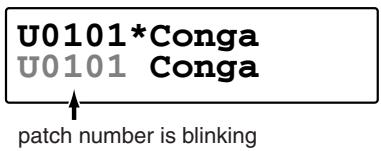
- Turn [PATCH/VALUE] to select the write-destination patch.
* If you wish to overwrite the data onto the currently selected patch, simply proceed to step 3.
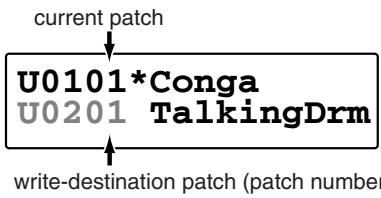
flowchart
graph TD
    A["current patch"] --> B["U0101*Conga"]
    B --> C["U0201 TalkingDrm"]
    C --> D["write-destination patch (patch number)"]
* It is not possible to select a preset patch as the write-destination.
- Press [WRITE].
The settings will be written into the selected patch. After the data has been written, the write-destination patch will be selected.
U02 USER02 01 Conga
* If you decide not to execute the write operation, press [EXIT].

For details on selecting patches, refer to “Chapter 1 Quick Start,” in the section “Changing Sounds to Play (Patch Select)” (p. 21).

Never turn the power off while a writing process. If you turned the power off, the data will be damaged.
Duplicating Settings (Copy)
Patch or pad settings can be copied to another patch, pad, or controller. You can also exchange settings between two patches.
Basic Procedure for Copy
We will explain the basic copy procedure using the example of copying patch settings (Patch Copy).
-
Press [WRITE].
-
[PARAMETER ▶] twice. The following screen will appear.
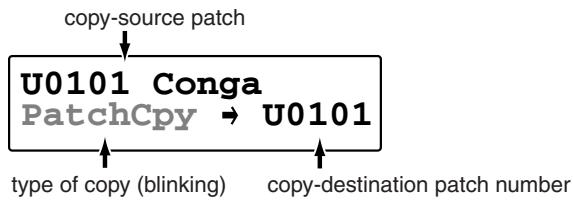
flowchart
graph TD
    A["copy-source patch"] --> B["U0101 Conga PatchCpy → U0101"]
    B --> C["type of copy (blinking)"]
    B --> D["copy-destination patch number"]
-
Turn [PATCH/VALUE] to select the type of copy. For details on the types of copy, refer to the next page.
-
Use [ ◀ PARAMETER]/[PARAMETER ▶ ] to make the copy-source / copy-destination patch numbers blink.
-
Turn [PATCH/VALUE] to select the copy-source / copy-destination patches.
* It is not possible to select a preset patch as the write-destination.
- Press [WRITE] to execute the copy.
* If you decide not to execute the copy operation, press [EXIT].
- Press [EXIT] to end the procedure. You will return to the previous screen.

For details on selecting patches, refer to “Chapter 1 Quick Start,” in the section “Changing Sounds to Play (Patch Select)” (p. 21).

Never turn the power off while a copying process. If you turned the power off, the data will be damaged.
Copying a Pad Set (Pad Set Copy)
You can copy the settings of a pad set to another pad set. You can also copy to a different pad set of the same patch.
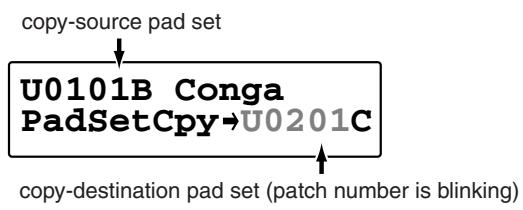
flowchart
graph TD
    A["copy-source pad set"] --> B["U0101B Conga PadSetCpy→U0201C"]
    C["copy-destination pad set (patch number is blinking)"] --> B
- In step 3 of "Basic Procedure for Copy" (p. 56), select PadSetCpy.
- After selecting the patch in step 5, strike a pad to select a pad set.
* "PAD MIDI Note No." cannot be copied.
Copying Pad/D Beam/Ribbon Settings (Pad Copy)
Pad/D Beam/ribbon settings can be copied to another pad/D Beam/ribbon.
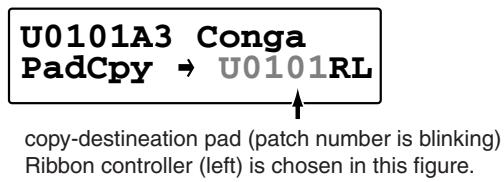
- In step 3 of "Basic Procedure for Copy" (p. 56), select PadCpy.
- After selecting the patch in step 5, strike a pad (D Beam, ribbon) to select it.
* "PAD MIDI Note No." cannot be copied.
Copying Pad/D Beam/Ribbon Settings to All Pads (Pad Copy to All)
You can copy the settings of one pad/D Beam/ribbon to every pad/D Beam/ribbon.
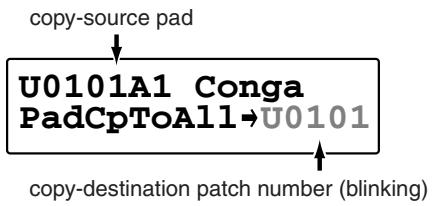
flowchart
graph TD
    A["copy-source pad"] --> B["U0101A1 Conga PadCpToAll→U0101"]
    B --> C["copy-destination patch number (blinking)"]
- In step 3 of "Basic Procedure for Copy" (p. 56), select PadCpToAll.
- After selecting the patch in step 5, strike a pad (D Beam, ribbon) to select it.
* "PAD MIDI Note No." cannot be copied.
Exchanging Patch Settings (Patch Exchange)
You can exchange the settings of two patches.
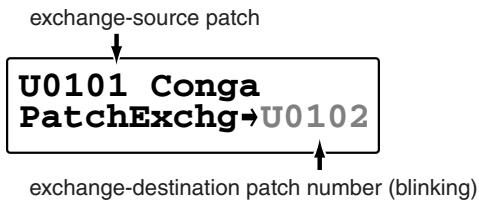
flowchart
graph TD
    A["exchange-source patch"] --> B["U0101 Conga PatchExchg→U0102"]
    B --> C["exchange-destination patch number (blinking)"]
- In step 3 of "Basic Procedure for Copy" (p. 56), select PatchExchg.
Copying a Value to All Pads
- Hold down [PATCH SEL], and press [WRITE] in Edit mode.
The displayed value of the parameter is copied to every pad and controller.
Value -> All Pad Level 100
* Following parameters can be copied only among either pads or controllers.
PAD INST TrigMode
PAD CTRL Rx Self
Mute Tx
Pitch Tx
Ctrl Tx
PAD PTN Number
Tempo
Level
* PAD MIDI Note No. cannot be copied.

The value you copied in this procedure will return to the original values when you switch patches. If you wish to keep your changes, refer to “Saving Your Settings (Write) / Duplicating Settings (Copy)” (p. 56).
Using Realtime Modify to Adjust Values
In Edit mode, you can use realtime modify (p. 19) to adjust values.
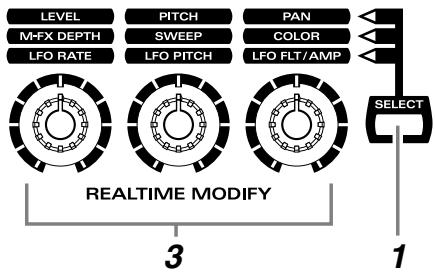
flowchart
graph TD
    A["LEVEL"] --> B["M-FX DEPTH"]
    B --> C["LFO RATE"]
    D["PITCH"] --> E["SWEEP"]
    E --> F["LFO PITCH"]
    G["PAN"] --> H["COLOR"]
    H --> I["LFO FLT/AMP"]
    J["SELECT"] --> K["3"]
    K --> L["1"]
    style A fill:#f9f,stroke:#333
    style D fill:#f9f,stroke:#333
    style G fill:#f9f,stroke:#333
    style J fill:#f9f,stroke:#333

This is effective when used on parameters that have a wide range of adjustment, such as Pitch.
- Press [SELECT] to select the parameter that you wish to edit.
- Strike the pad you wish to modify, to select it. You can also select the D Beam or a ribbon.
- Turn the [REALTIME MODIFY] knob.
The selected parameter and the modified value will be displayed, and the sound will also change.
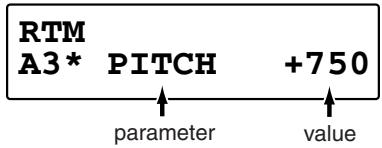
If you wish to move to the parameter set screen, hold down [PATCH SEL] located at the upper right of the pad and turn the knob. You will jump to the selected parameter set screen.

In the case of M-FX DEPTH, you will jump to the "Type" select screen.

The values you edit in this procedure will not return to the original values by pressing [EXIT/MODIFY CLEAR].
Chapter 3 Recording Your Performance (Sequencer)
You can record your performance in the sequencer.
On the HPD-15, your performance will be recorded exactly as you play it (Realtime Recording).
The HPD-15's sequencer consists of four parts (Percussion 1, Percussion 2, Melody 1, Melody 2). The collective performance of these four parts is called a pattern.
Preset patterns (pattern P01–P99)
What the various parts should play has already been recorded.
User patterns (pattern U01–U99)
These are patterns that you can record.
Basic Settings for Recording
- Press [SEQUENCER] to make it light; you will enter the Sequencer mode.
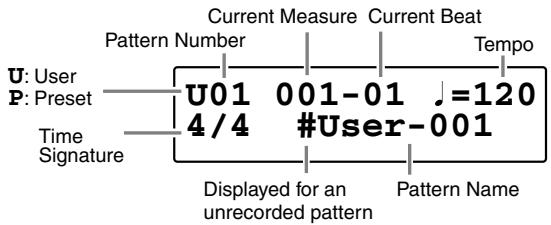
- Turn [PATCH/VALUE] to select the user pattern for recording your performance.
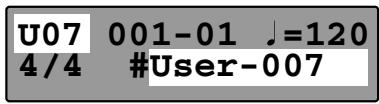
- Press [◀ PARAMETER] or [PARAMETER ▶ ] to select the pattern/click parameter that you wish to set.
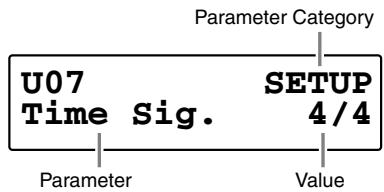
- Turn [PATCH/VALUE] to make settings for the pattern or click.
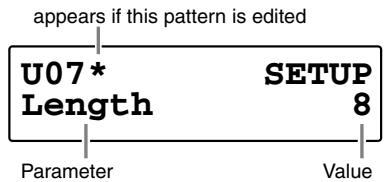
- Press [REC] and you will enter the Recording Stand-by Mode.
[PLAY/STOP] will blink.
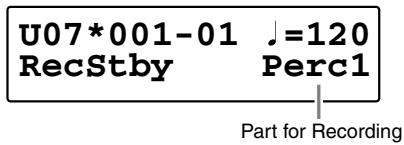
* If you press [REC] once again, you will return the previous screen.
- Press [◀ PARAMETER] or [PARAMETER ▶ ] to select the recording parameter in the Recording Stand-by Mode.
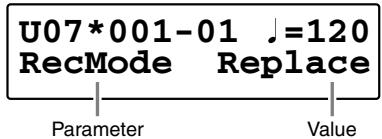
- Turn [PATCH/VALUE] to make settings for the recording.
- Press [PLAY/STOP] to start the recording. While the recording, [PLAY/STOP] will light.
* It is possible to start/stop the recording by the foot switch (p. 71), but it is not possible by the D Beam or pedal (p. 53).
- When you are finished recording, press [PLAY/STOP] once again.
[REC] and [PLAY/STOP] will go dark, and the recording will stop.
NAME [User-001] Write Rec Data?
- Naming the pattern, press [WRITE].
![ROLAND HPD-15 - NAME [User-001] Write Rec Data? - 1](/content/2025/01/130839/images/10aa4b49904af3e88d2fd4887c433a38e13d2f0b8261724e496d85047bc1d735.jpg)
How to naming a pattern is the same as naming a patch. Refer to “Naming a Patch” (p. 55).
![ROLAND HPD-15 - NAME [User-001] Write Rec Data? - 2](/content/2025/01/130839/images/eb08cb5f2ddc5e59895726bdc38a05b4788a3c3ba4ba83a76913ae90fccb194d.jpg)
It is not possible to record to a preset pattern.
* To return to normal Play mode, Press [SEQUENCER] or [EXIT]; [SEQUENCER] will go dark.
Settings for the Pattern
| Category | Parameter | Value | |
| SETUP | Time Sig. | Specifying the Time SignatureNumerator: Number of beats per measureDenominator: Basic note value* It is not possible to change after the pattern is recorded. | Numerator:1 – 13Denominator:2, 4, 8, 16 |
| Length | Specifying the Length (Number of Measures) of the PatternWhen "Replace" is selected for the RecMode (p. 62), it is not necessary to specify the Length. Recording will continue until you press [PLAY/STOP], and the number of measures recorded will automatically become the "Length" setting.* It is not possible to change while the pattern is playing back. | 1 – 999 | |
| Tempo | Specifying the Tempo of the PatternWhen "Ext" is selected for the Seq Sync (p. 68), "MIDI" (♩=MID) will appear. | 20 – 240, (MIDI) | |
| PlayType | Choosing a Playing MethodLoop: After the pattern is played back to the end, playback then repeats and continues until [PLAY/STOP] is pressed.OneShot: Playback stops once the end of the pattern is reached.Tap: Each time the [PLAY/STOP] is pressed (or pad is struck; refer to p. 54),the sounds contained in a pattern are played back one at a time in sequence.TapVelo: Tap playback with changes of the volume depending on how strongly the pad are struck.* It is not possible to change while the pattern is playing back. | Loop, OneShot,Tap, TapVelo | |
| Reset Time | Specifying the Time to Return the Pattern to the BeginningIn Tap playback, this returns the pattern to the beginning if the set time interval elapses without the pad being hit again. If it is set to "OFF," this function will be disabled. | OFF, 0.1 – 4.0s | |
| Quick Play | Ignoring a pause at the beginning of the patternIf "ON" is selected, this starts playback of the pattern from the first note even if a pause is left at the beginning of the pattern. | OFF, ON | |
| TransposeMI1TransposeMI2 | Adjusting the Pitch of Melody PartsThis transposes the key of the melody parts in semitone steps.MI1: Melody Part 1, MI2: Melody Part 2 | -24 – +24 | |
| PART | Select | Selecting the Part* You can use the pads to sound the tone of the part in the part screen. | Perc1, Perc2,Melo1, Melo2 |
| PERC1, PERC2 | (Patch) | Selecting the Patch Played by the Part | |
| Level | Adjusting the Volume of the Part | 0 – 127 | |
| Reverb Send | Adjusting the Depth of Reverb Applied to the Part (when the effect is off) | 0 – 127 | |
| MULTI-FX/LFO | Turning the Multi-Effects On/Off for the Part* The same type of the effect which is selected in Play mode will be selected.It is different from the type which is set in the patch selected for the Part. | OFF, ON | |
| MELO1, MELO2 | Inst | Selecting the Instrument of the Part | 1 – 54 (refer to p. 94) |
| Level | Adjusting the Volume of the Part | 0 – 127 | |
| Pan | Adjusting the Pan (Localization) of the Part | L63 – Center – R63 | |
| Bend Range | Adjusting the Amount of Change in PitchThis adjusts the amount of change in pitch with pitch bendat maximum level in semitone steps. | 0 – 24 | |
| Reverb Send | Adjusting the Depth of Reverb Applied to the Part (when the effect is off) | 0 – 127 | |
| MULTI-FX/LFO | Turning the Multi-Effects On/Off for the Part | OFF, ON | |
| PadNote | Specifying the Note of Each PadYou can use the pads to record patterns if you have no MIDI keyboards.This parameter specifies the note of each pad in this case. Strike (Sound)the pad (D Beam, ribbon) to select it that you wish to specify the note. | C-1 – G9 | |
Settings for the Click, and others
| Category | Parameter | Value | |
| CLICK | Intrvl | Specifying the Interval | 1/2, 1/4, 3/8, 1/8, 1/12, 1/16, 3-2 Son, 2-3 Son, 3-2 Rumba, 2-3 Rumba, 6/8 Clave |
| Inst | Selecting a Sound | Click, Sticks, Metronome, Claves, WoodBlock, Triangle, Cowbell, Conga, TalkingDrum, Maracas, Cabasa, Cuica, Agogo, Tambourine, Snaps, 909Snare, 808Cowbell | |
| Level | Adjusting the Volume | 0 – 127 | |
| Pan | Adjusting the Pan (Localization) | L63 – Center – R63 | |
| Reverb Send | Adjusting the Depth of ReverbUsing the reverb makes the click more comfortable to listen to. | 0 – 127 | |
| Mode | Turning the Click On/OffOFF: Click doesn't sound while the playback /recording.REC Only: Click sounds while the recording.REC/PLAY: Click sounds while the playback /recording. | OFF, REC Only, REC/PLAY | |
| PlyCountIn | Adding a Count Sound Before PlaybackOFF: Playback will begin without a count-in.1Meas: Playback begins after a 1-measure count-in.2Meas: Playback begins after a 2-measure count-in. | OFF, 1Meas, 2Meas | |
| RecCountIn | Adding a Count Sound Before RecordingOFF: Recording will begin without a count-in.1Meas: Recording begins after a 1-measure count-in.2Meas: Recording begins after a 2-measure count-in. | OFF, 1Meas, 2Meas | |
| MEMORY | Available | Checking the Remaining Amount of MemoryThe remaining amount of memory is displayed. | (only displayed) |
| PATTERN NAME | Changing the Pattern NameHow to changing the name is same as naming a patch.Refer to "Naming a Patch" (p. 55). | (up to 10 characters) | |
Settings for the Recording (Set in the Recording Stand-by mode)
| Parameter | Value | |
| RecStby | Specifying the Part | Perc1, Perc2,Melo1, Melo2,Import |
| Perc1, Perc2: Percussion Part 1, Percussion Part 2 | ||
| Melo1, Melo2: Melody Part 1, Melody Part 2 | ||
| Import: Select this when you will record multiple Parts simultaneously by using an external sequencer. Each Part will receive the data from specified MIDI channel (p. 78).* When you select Perc1, Perc2, Melo1, or Melo2, all channel data is received.You do not need to change the channel of the MIDI device connected to the HPD-15. | ||
| RecMode | Specifying the Recording Method | Loop All, Loop 1,Loop 2, Loop 4,Loop 8, Replace |
| Loop All: The entire pattern will be repeated, and on each pass your performance will be added, ("over-dubbed") and mixed with what you did previously. | ||
| Loop 1, Loop 2, Loop 4, Loop 8: This determines the length of the section you are recording, and 1, 2, 4 or 8 measure section will repeat. | ||
| Replace: Recording will continue until you press [PLAY/STOP]. Any previously recorded data for all Parts will be erased. | ||
| Quantize | Regularizing the Timing of Performance Data When Recording | 1/8, 1/12, 1/16, 1/24,1/32, 1/48, 1/64, OFF |
| This corrects inaccuracies of timing while you record. | ||
| 1/8–1/64: Data will be quantized to the note of the tempo of the sequencer. | ||
| OFF: The pattern is recorded with the timing used in performance. | ||
| HitPadStart | Specifying How to Start the Recording | OFF, ON |
| OFF: Recording starts when [PLAY/STOP] is pressed. | ||
| ON: Recording starts when you start the performance on pads/D Beam/ribbons. |
![ROLAND HPD-15 - NAME [User-001] Write Rec Data? - 3](/content/2025/01/130839/images/e99140a29444d5738cc519defdaf69f9a0842835f91a273340372ade3f166014.jpg)
You can start recording by pressing [PLAY/STOP] at every screen above.
Rehearsal Function
The rehearsal function is a feature that temporarily suspends recording during recording. This allows you to practice the phrase while Loop recording is in progress.
- Start recording.
- Press [REC] while recording.
[REC] will blink, and the rehearsal function will be on.
Performances cannot be recorded. - Press [REC] to resume recording.
[REC] will light and the rehearsal function will be off.

Using the controllers (D Beam, ribbons, pad pressure, etc.) too much will increase the consumption of memories. If you wish to reduce the data, refer to the explanation of “Data Thin” in “Settings for the Controllers” (p. 69).
Basic Settings for Playing Back
- Press [SEQUENCER] to make it light; you will enter the Sequencer mode.
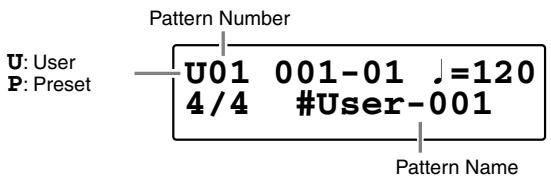
- Turn [PATCH/VALUE] to select the pattern that you wish to play back.
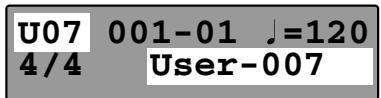
- Press [PLAY/STOP] to start playing back. While the playing back, [PLAY/STOP] will light.
- Press [PLAY/STOP] once again to stop playback. [PLAY/STOP] will go dark, and the pattern returns you to the beginning of the pattern.
MEMO
After step 2, if you nedd, make settings for the pattern or click. For details on making settings, refer to "Basic Settings for Recording," in step 3–5 (p. 59).
* To return to normal Play mode, Press [SEQUENCER] or [EXIT]; [SEQUENCER] will go dark.
Pause
- Hold down [PATCH SEL], and Press [PLAY/STOP] during playback of a pattern. Playback will stop.
- Press [PLAY/STOP] once again to begin playback again. Playback begins from the beginning of the measure.
Fast-Forward and Rewind
When playback of pattern is stopped, you can do the following.
- Advance to the next measure Press [GROUP +].
- Return to the previous measure Press [GROUP -].
- Advance to the end of the pattern Hold down [PATCH SEL], and press [GROUP +].
- Return to the beginning of the pattern Hold down [PATCH SEL], and press [GROUP -].
Synchronizing with an External MIDI device (MIDI Sync)
You can play the sequencer of the HPD-15 with an external MIDI device. For details, refer to “Chapter 6 Connecting MIDI Devices” (p. 76).
Changing the Settings of Pattern
You can modify the length of the pattern, tempo, or the instrument of the part.
- Select the pattern you wish to modify the settings.
- Press [◀ PARAMETER] or [PARAMETER ▶ ] to select the parameter.
- Turn [PATCH/VALUE] to modify the value.
* If you wish to keep your changes, refer to next "Saving the Changed Settings."
MEMO
You can change the tempo by pressing [TEMPO] and turning [PATCH/VALUE] (p. 27).
NOTE
It is not possible to change the time signature (Time Sig.) of the recorded patterns.
Saving the Changed Settings
- Press [WRITE] in Sequencer mode.
U01 PTN WRITE [WRITE/EXIT]
- Press [WRITE] once again. The modified settings are saved.
* If you decide not to execute, press [EXIT].
You can write the modified settings to another pattern. For details, refer to “Editing a Pattern” (p. 64).
NOTE
It is not possible to write the modification to a preset pattern. If you press [WRITE] at a preset pattern, copy-destination select screen will appear.
Editing a Pattern
You can edit either copy/delete the patterns or erase the part.
Basic Settings for Editing
- Press [WRITE] in Sequencer mode.
when [WRITE] is pressed at the preset pattern
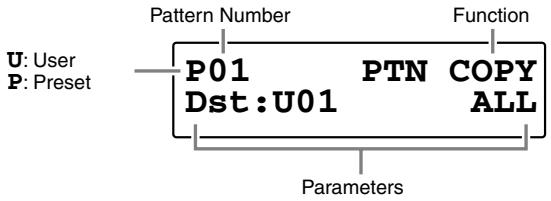
flowchart
graph TD
    A["Pattern Number"] --> B["P01"]
    A --> C["Dst:U01"]
    D["Function"] --> E["PTN"]
    D --> F["COPY ALL"]
    G["Parameters"] --> A
    H["U: User"] --> A
    I["P: Preset"] --> A
when [WRITE] is pressed at the user pattern
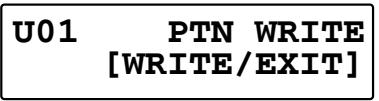
- Press [◀ PARAMETER] or [PARAMETER ▶ ] to select the editing function or parameter.
- Turn [PATCH/VALUE] to set the value.
- Press [WRITE] to execute.
* If you decide not to execute, press [EXIT].
Copying a Pattern
You can copy selected part of currently selected pattern.
U01 PTN COPY Dst:U01 Perc1
Dst: U01-U99
Select the copy-destination user pattern.
ALL, Perc1, Perc2, Melo1, Melo2
Select the part that you wish to copy.
ALL: All parts are copied.
Perc1: Percussion Part 1 is copied.
Perc2: Percussion Part 2 is copied.
Melo1: Melody Part 1 is copied.
Melo2: Melody Part 2 is copied.
Erasing Parts
You can erase performance data from specified measures of a part or pattern. The erased position will become blank measures.
U01 PTN ERASE Meas:001-999 Pc1
Meas: ALL, 001-999-001-999
ALL: This erases the data from all measures.
001-999-001-999: This erases the data from specified area.
ALL, Pc1, Pc2, Ml1, Ml2
Select the part to be erased.
ALL: All parts are erased.
Pc1: Percussion Part 1 is erased.
Pc2: Percussion Part 2 is erased.
MI1: Melody Part 1 is erased.
MI2: Melody Part 2 is erased.
Connecting Two Patterns
You can connect the currently selected pattern to the end of the selected pattern.
U01 PTN APPEND Dst Pattern U01
Dst Pattern: U01-U99
Select the append-destination pattern.
Deleting a Pattern
You can delete specified measures from a pattern. Later measures are moved forward.
U01 PTN DELETE Measure ALL
Meas: ALL, 001-999-001-999
ALL: This deletes all measures.
001-999-001-999: This deletes the specified measures.

It is not possible to select a preset pattern as the copy / append-destination, or execute the erase / delete at a preset pattern.
Chapter 4 Changing Patches in the Desired Sequence
This allows you to step through the patches of your choice and in the order you want. The HPD-15 lets you create and store 10 different groups of up to 32 steps each.
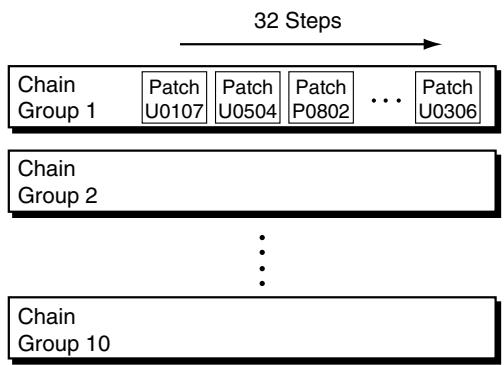
flowchart
graph TD
    A["Chain Group 1"] --> B["Patch U0107"]
    B --> C["Patch U0504"]
    C --> D["Patch P0802"]
    D --> E["..."]
    E --> F["Patch U0306"]
    G["Chain Group 2"] --> H["..."]
    I["..."]
    J["Chain Group 10"] --> K["..."]
    style A fill:#f9f,stroke:#333
    style G fill:#f9f,stroke:#333
    style J fill:#f9f,stroke:#333
Creating a Patch Chain (Chain Edit)
- Press [CHAIN].
[CHAIN] will light, and you will enter Chain Play mode.
- Press [EDIT].
[EDIT] will light, and you will enter Chain Edit mode.
CHAIN EDIT 01-01 (EMPTY CHAIN)
- Press [GROUP -] or [GROUP +] to select the chain group which you wish to edit.
- Turn [PATCH/VALUE] or use Pad Patch Select (p. 23) to select the patch that will be selected first.
- Press [PATCH NUMBER ▲] to move to the next step.
- Turn [PATCH/VALUE] or use Pad Patch Select (p. 23) to select the patch.
- Repeat Steps 5–6 to continue editing.
- Press [EDIT] or [EXIT].
[EDIT] will go dark, and you will return to Chain Play mode.
U02 CHAIN 05-01 01 TalkingDrm
MEMO
When you modify the setting of a patch chain, the new setting is automatically saved as soon as you make the change. If you need to return to the factory settings, refer to "Restoring the Factory Settings" (p. 85).
Specifying the Last Step of the Patch Chain
Specify one of the following as the last step in the patch chain. If you have specified patched up to step 32, you can specify it at step 33.

It is not possible to specify a patch at step 33.
END:
When you reach the last step, the progression of steps will end.

LOOP:
If you advance a step from the last step, you will return to step 1.
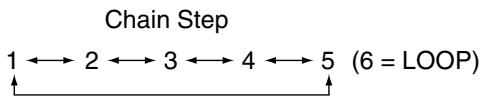
flowchart
graph LR
    A["1"] --> B["2"]
    B --> C["3"]
    C --> D["4"]
    D --> E["5"]
    E --> F["(6 = LOOP)"]
JUMP TO CH01-10:
If you advance a step from the last step, you will jump to step 1 of the specified chain group.
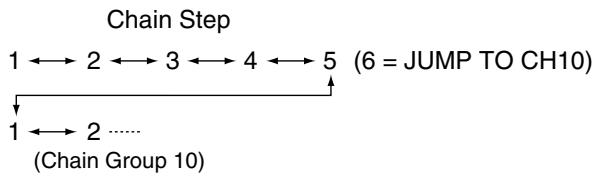
flowchart
graph TD
    A["1"] --> B["2"]
    B --> C["3"]
    C --> D["4"]
    D --> E["5"]
    E --> F["(6 = JUMP TO CH10)"]
    G["1"] <--_H["2 ..."]
    H --> I["(Chain Group 10)"]
Inserting a Chain Step
This operation inserts a patch into the specified location of a chain.
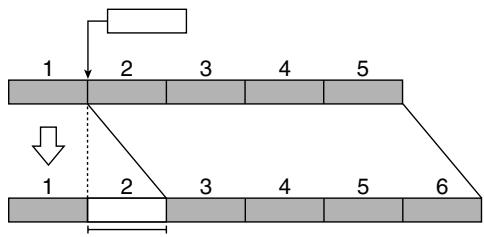
flowchart
graph TD
    A["Step 1"] --> B["Step 2"]
    B --> C["Step 3"]
    C --> D["Step 4"]
    D --> E["Step 5"]
    F["Step 6"] --> G["Step 7"]
    G --> H["Step 8"]
    H --> I["Step 9"]
    I --> J["Step 10"]
    style A fill:#f9f,stroke:#333
    style B fill:#f9f,stroke:#333
    style C fill:#f9f,stroke:#333
    style D fill:#f9f,stroke:#333
    style E fill:#f9f,stroke:#333
    style F fill:#f9f,stroke:#333
    style G fill:#f9f,stroke:#333
    style H fill:#f9f,stroke:#333
    style I fill:#f9f,stroke:#333
    style J fill:#f9f,stroke:#333

A maximum of 32 steps can be set in a chain. If the chain already contains 32 steps, the patch at step 32 will be deleted.
-
Press [PATCH NUMBER ▼] or [PATCH NUMBER ▲] to select the step in which the patch is to be inserted.
-
Press [PARAMETER ▶].
01-02 InsertStep OK? [WRITE/EXIT]
- Press [WRITE]. The step is inserted with the same patch, and later steps are each moved back one place.
* If you decide not to execute, press [EXIT].
- Turn [PATCH/VALUE] to select the patch in the new step.
Deleting a Chain Step
This operation deletes an unneeded patch from a chain.
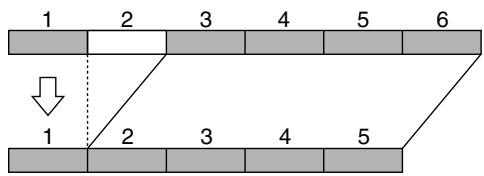
-
Press [PATCH NUMBER ▼] or [PATCH NUMBER ▲] to select the step from which the patch is to be deleted.
-
Press [ ◀ PARAMETER].
01-02 DeleteStep OK? [WRITE/EXIT]
- Press [WRITE]. The step is deleted, and later steps are each moved forward one place.
* If you decide not to execute, press [EXIT].
Playing with a Patch Chain (Chain Play)
- Press [CHAIN]. [CHAIN] will light, and you will enter Chain Play mode.
U01 CHAIN 01-01 01 Conga
- Press [GROUP +] or [GROUP -] to select the chain group to be used. You can select the chain group by striking a pad B1–C5 while holding down [PATCH SEL]. Pads B1–C5 correspond to chain groups 1–10 respectively.
U02 CHAIN 05-01 01 TalkingDrm
MEMO
In the case of a chain group which has no patch, “--” will be displayed at the upper right of the screen.
- Press [PATCH NUMBER ▼] or [PATCH NUMBER ▲] or turn [PATCH/VALUE] to call up the patches to be used in each selected step in the chain. You can call up the patches by striking a pad A2 or A4 while holding down [PATCH SEL]. Striking the pad A2 will decrease the chain step, and striking the pad A4 will increase it.
U05 CHAIN 05-02 01 Vibraphone
- When the performance is finished, press [CHAIN]; you will return to normal Play mode. [CHAIN] will go dark.
* [EXIT/MODIFY CLEAR] operates as modify clear (p. 19), and cannot make Chain Play mode off.

You can use foot switches to call up patch chains. For details, refer to "Settings for the Foot Switches" (p. 71).
Chapter 5 Settings for the Entire HPD-15
Settings that affect the entire HPD-15 are called system settings. This chapter explains how to modify the system settings (System Edit).
Settings for basic operation
- Press [SYSTEM] to make it light; you will enter System Edit mode.
* The upper line of the screen will show the parameter category, and the lower line will show the parameter and value.
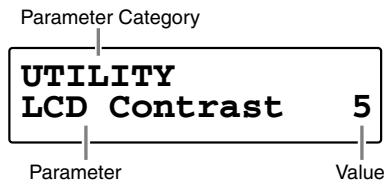
- Press [◀ PARAMETER] or [PARAMETER ▶ ] to select the parameter that you wish to modify.
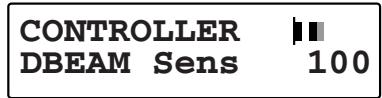
- Turn [PATCH/VALUE] to modify the value.
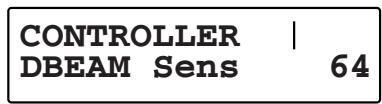
- Repeat steps 2–3 to continue system edit.
- When you finished editing, press [EXIT] or [SYSTEM]. [SYSTEM] will go dark, and you will return to normal Play mode.

You can make your selection rapidly. See p. 31.

When you modify the system setting, the new setting is automatically saved as soon as you make the change. You do not have to operate for the storing. If you need to return to the factory settings, refer to “Restoring the Factory Settings” (p. 85).
Settings for the Basic Operation
| Category | Parameter | Value | |
| UTILITY | LCD Contrast | Adjusting the Contrast of the DisplayIncreasing the value will darken the display. | 1 – 16 |
| Beep Level | Adjusting the Volume of the Operating SoundWhen set to "0," no operating sound will be heard. | 0 – 15 | |
| MasterTune | Tuning the InstrumentsThis adjusts the pitch of instruments marked with "*T" in the Instrument List (p. 92) and backing instruments (p. 94).* 440.0Hz is the standard tuning. | 415.3 – 466.2 (Hz) | |
| Pad Chase | Specifying How a Pad Will be Selected for EditingOFF: The pad last struck in Play mode will be edited. This is convenient when you wish to compare the response with other pads. If you hold down [PATCH SEL] and strike a pad, the pad you struck will be edited.ON: The pad you strike will be selected for editing each time. | OFF, ON | |
| Power ON | Specifying the Patch Selected at Power-OnRESET: Patch P0101 will always be selected.LAST: The patch last-selected when the power was turned off will be selected. | RESET, LAST | |
| Dial Lock | Locking Patch Selection From the DialIf this is turned "ON," turning [PATCH/VALUE] will not change the patch.This lets you prevent the patch from being accidentally changed when you touch the dial during a performance. | OFF, ON | |
| Roll Sync | Synchronizing Rolls Between PadsOFF: The roll will start when you press the pad, and will not synchronize with other pads.ON: Rolls of other pads will synchronize to the roll of the first-pressed pad. | OFF, ON | |
| Seq Sync | Synchronizing the Internal Sequencer with an External MIDI DeviceInt: The HPD-15's tempo setting will be used for playback /recording.When shipped from factory, this setting is selected.Ext: The HPD-15's sequencer will operate in accordance with tempo data (MIDI Clock) from the external device.Remote: The HPD-15 will obey start /pause /stop messages from an external device, but will playback according to its own tempo setting. | Int, Ext, Remote |
Settings for the Controllers
| Category | Parameter | Value | |
| CONTROLLER | DBEAM Sens | Adjusting the Sensitivity of the D Beam | 0 – 127 |
| Place your hand at the height at which you want the D Beam to start to take effect (about 20 inches = 50cm), and adjust the setting so that the meter in the upper right of the screen is at the center line. When the power is turned on, this will be adjusted automatically according to the brightness of the surroundings. | |||
| DBEAM Trim | Adjusting the D Beam Response | 1 – 5 | |
| Make adjustments so that the D Beam triggers sound and outputs control data smoothly. Adjust the setting so that the meter in the upper right of the screen moves smoothly when you move your hand up or down. | |||
| Data Thin | Reducing the Transmitted Data | OFF, 1, 2 | |
| This function allows you to prevent an excessive amount of data from being transmitted from the controllers (pads, D Beam, ribbons, hi-hat control pedal, etc.) to the internal sequencer or via the MIDI OUT. This will be used if you wish to conserve sequencer memory, it will cause tonal changes to become rougher.OFF: Data sent from the controllers is not reduced. | |||
| 1: This reduce the data sent from the controllers. | |||
| 2: This reduce the data sent from the controllers. This setting results in even less data than when "1" is selected.* When you want to make smooth changes in pitch control with Hi-Hat control Pedal, set this to "1" or "OFF." | |||
Turning On/Off the D Beam
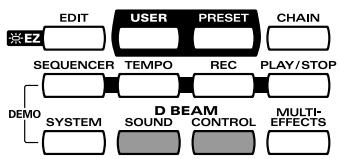
flowchart
graph LR
    A["EDIT"] --> B["USER"]
    B --> C["PRESET"]
    C --> D["CHAIN"]
    E["SEQUENCER"] --> F["TEMPO"]
    F --> G["REC"]
    G --> H["PLAY/STOP"]
    I["DEMO"] --> J["D BEAM"]
    K["SYSTEM"] --> J
    L["SOUND"] --> J
    M["CONTROL"] --> J
    N["MULTI-EFFECTS"] --> J
Pressing D Beam [SOUND] turns on/off the producing sound by using the D Beam.
When D Beam [SOUND] is not lit, passing your hand over the D Beam will not produce sound.
Pressing D Beam [CONTROL] turns on/off the controlling the tone by using the D Beam.
When D Beam [CONTROL] is not lit, passing your hand over the D Beam will transmit no control signals (p. 52).

You can set these settings on each patch.

When you control the tone too fast, some noise may be heard from some tones.
Turning On/Off the Ribbons
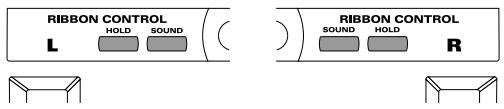
Pressing ribbon [SOUND] turns on/off the producing sound by using the ribbons.
When ribbon [SOUND] is not lit, sliding your finger on the ribbon will not produce sound.
Press ribbon [HOLD] to make it light; if you move your finger away, the control signal keeps the value which is transmitted at the location where you move it away.

You can set these settings on each patch.

When you control the tone too fast, some noise may be heard from some tones.
Setting the Pad Sensitivity
If you wish to make more detailed settings, set the following parameters.
| Category | Parameter | Value | |
| PAD | Sens | Adjusting the SensitivityIncreasing this value will raise the sensitivity and produce the larger sound even if the striking force is the same. | 1 – 16 |
| Threshold | Setting Minimum LevelsA trigger signal to be transmitted only when the pad is struck harder than a specified force. This allows you to prevent the pad from picking up extraneous vibrations from neighboring pads. If the striking force is less than the threshold, the pad will not sound.* To have the unit sound even when struck lightly, set the threshold as low as possible. | 1 – 16 | |
| Mask Time | Preventing Double TriggeringOnce a pad has been hit, any additional trigger signals occurring within the specified Mask Time will be ignored.* Increasing this value will lose certain notes if you play very fast. Set this value as short as possible. | 0 – 64ms | |
| Pressure Sens | Adjusting Pad Pressure SensitivityAdjust the sensitivity of pad to pressure. Increasing the value will increase the sensitivity, so that it will be easier to transmit mute or pitch control signals. | 1 – 16 | |
| Edge Level | Adjusting the Volume of the Edge SoundAdjust the volume of the sound that is heard when you strike the edge of pads A1 or A5. | 1 – 16 | |
| Edge Area | Adjusting the Edge AreaAdjust the size of the area that will trigger the edge sound of pads A1 or A5.Increasing this value will broaden the area that triggers the edge sound. | 1 – 16 | |

To set Sens, Threshold, Mask Time, and Pressure Sens, strike the pad that you wish to set. The selected pad number will appear in the display.
Using the Foot Switches to Control the Tone / Sequencer
You can connect two foot switches (BOSS FS-5U, optional) to the FOOT SWITCH jack with the special cable (PCS-31, optional). See p. 11.
Settings for the Foot Switches
| Category | Parameter | Value |
| FOOT SW FUNCTION | SW 1, SW 2 Specifying the Function of the Foot Switch | OFF, |
| Specify the function of the foot switches connected to the FOOT SWITCH jack. | PATCH DOWN, | |
| PATCH UP, | ||
| REV OFF/ON, | ||
| OFF: No function is assigned to the foot switch. | M-FX OFF/ON, | |
| ROLL/HOLD, | ||
| PATCH DOWN: In normal Play mode, this goes back to the previous patch number. | PLAY/STOP, | |
| In Chain Play mode, this goes back to the previous chain step. | Mdfy SEL DN, | |
| In Sequencer Play mode, this goes back to the previous pattern number. | Mdfy SEL UP | |
| PATCH UP: In normal Play mode, this advances to the next patch number. | ||
| In Chain Play mode, this advances to the next chain step. | ||
| In Sequencer Play mode, this advances to the next pattern. | ||
| REV OFF/ON: This turns the reverb on/off. | ||
| M-FX OFF/ON: This turns the multi-effects on/off. | ||
| ROLL/HOLD: This turns the [ROLL/HOLD] (p. 16) on/off. | ||
| PLAY/STOP: Play/stop the sequencer. | ||
| Mdfy SEL DN: Select the parameter that will be adjusted by realtime modify (p. 19).The indicator that at the upper right of the realtime modify knobs will move from top to bottom. This is the same operation as pressing [SELECT]. | ||
| Mdfy SEL UP: Select the parameter that will be adjusted by realtime modify (p. 19).The indicator that at the upper right of the realtime modify knobs will move from bottom to top; the opposite of pressing [SELECT] (Mdfy SEL DN). |

The white plug of the PCS-31 is the SW 1, and the red one is the SW 2.

If you connect one foot switch with a monaural cable, you can use it as the SW 1. It is not possible to use the SW 2 in this case.

You can use the pedal switch DP-2 (optional) as the SW 1. It is not possible to use the SW 2 in this case.
Using the Pedal to Control the Hi-Hat / Tone
You can use a expression pedal / hi-hat control pedal connected to the EXP PEDAL/HH CTRL jack to control the tone or play the hi-hat with continuous control from open to closed positions.
Settings for the Pedal
| Category | Parameter | Value | |
| PEDAL | Select | Specifying the PedalSelect the type of the pedal that connected to the EXP PEDAL/HH CTRL jack.EXP PEDAL: Select this when connecting an expression pedal (EV-5: optional).HI-HAT: Select this when connecting a hi-hat control pedal (FD-7: optional).SW +, SW -: Select this when connecting a foot switch. Select either SW + or SW - so that the sound will play when you press it.* If you connect a foot switch, you cannot use the half-open hi-hat. | EXP PEDAL, HI-HAT, SW +, SW - |

Use only the specified expression pedal (EV-5; sold separately). By connecting any other expression pedals, you risk causing malfunction and/or damage to the unit.
Using a Pedal to Control the Hi-Hat Continuously
- In Edit mode, assign the instrument marked with “*F” in the Instrument List (p. 92) to the pad which you wish to use as the hi-hat.
P0606A3*PAD INST R70:13" Hi-Hat
- Depress the pedal connected to the EXP PEDAL/HH CTRL jack to display the pedal setting screen, and select PEDAL(A1)-PEDAL(C5) (the pad which is assigned the hi-hat sound in step 1) to PadInst of the pedal.
P0606PL*PAD INST PEDAL (A3)
You can use the pedal to play the hi-hat with continuous control from open to closed positions and trigger the "foot close" hi-hat sound.
* PEDAL(A1)-PEDAL(C5) appear last when you select the instruments.

If you connect the hi-hat control pedal (FD-7, optional), do not step on the pedal until the patch name is displayed when the power is turned on. The HPD-15 will check the position of the pedal then.
Using the External Pads/Kick Trigger Unit to Trigger a Sound
You can connect two external pads (PD-7, PD-9, PD-80, PD-80R, PD-100, or PD-120; optional) or kick trigger units (KD-7, KD-80, or KD-120; optional) to the TRIGGER INPUT jack with the special cable (PCS-31, optional). See p. 11.
Settings for the External Pads / Kick Trigger Unit
| Category | Parameter | Value | |
| TRIGGER INPUT | InputMode | Select Whether or Not You Will Use Rim Shots | HD/RM, TRIGx2 |
| Select whether you will connect a pad that allows rim shots to be played,or whether you will connect two pads. | |||
| HD/RM: Select this if connecting a pad that allows rim shots to be played(PD-7, PD-9, PD-80R, PD-120). | |||
| TRIGx2: Select this if connecting two pads or kick pedals.* If two pads are connected, it will not be possible to play rim shots. | |||
| Trig Type | Select the Type of the Connecting Pad | PD-5, PD-7, PD-9,PD-80, PD-80R,PD-100, PD-120,P-1, P-2, KD-7,KD-80, KD-120,K-1, K-2, KICK,SNARE, TOM,FLOOR, SW +,SW - | |
| PD-5, PD-7, PD-9, PD-80,PD-80R, PD-100, PD-120: Select this when connecting each pad.P-1, P-2: Select this when connecting a pad made by another manufacturer.KD-7, KD-80, KD-120: Select this when connecting each kick trigger unit.K-1, K-2: Select this when connecting a kick pad made by another manufacturer.KICK, SNARE, TOM, FLOOR: Select this when using an acoustic drum trigger.SW +, SW -: Select this when connecting a foot switch. Select either SW + or SW -so that the sound will play when you press it. | |||

When you connect two pads with the PCS-31, the white plug of the PCS-31 is the TRIG 1, and the red one is the TRIG 2.

To use the external pad for rim shots, connect with the PCS-33. In this case, it is not possible to use two external pads.

When using a pad made by another manufacturer, first select "PD-7" and try playing the pad. If, with this setting, the pad striking force does not produce a stable volume, try a setting of "P-1." A setting of "P-2" will be even more stable, but the interval from when the pad is struck until the sound is heard will be slightly (approximately 0.003 seconds) longer.
(For a kick, select "KD-7," and if the result is not stable, try "K-1" or "K-2.")

If you wish to make even more detailed settings, refer to the explanation in the following section “More Detailed Settings for the External Pads/Kick Trigger Units.” Normally you don’t need to adjust these parameters, but you may use them if you wish to make more accurate settings for your playing style.
More Detailed Settings for the External Pads / Kick Trigger Unit
When you are using pads made by other manufacturers, try adjusting the following parameters.
| Category | Parameter | Value | |
| TRIGGER INPUT | Trig Sens | Adjusting the SensitivityIncreasing this value will raise the sensitivity and produce the larger sound even if the striking force is the same. | 1 – 16 |
| Curve | Selecting How Striking Force Will Affect the Volume (see figure on p. 37)Adjusts this curve until the response feels as natural as possible.Linear: This is the normal setting and most natural correspondence between velocity and volume change when using the PD-5/7/9/80/80R/100/120.Exp1, Exp2: Compared to Linear, a wider volume change will occur for stronger hits.Log1, Log2: Compared to Linear, a wider volume change will occur for softer hits.Spline: Variation in striking force will produce extreme change.Loud1, Loud2: Variation in striking force will produce little change, and a constant volume will be maintained. When using drum triggers, these settings help maintain stable levels. | Linear, Exp1, Exp2, Log1, Log2, Spline, Loud1, Loud2 | |
| Threshold | Setting Minimum LevelsA trigger signal to be transmitted only when the pad is struck harder than a specified force. This allows you to prevent the pad from picking up extraneous vibrations from neighboring pads. If the striking force is less than the threshold, the pad will not sound.* To have the unit sound even when struck lightly, set the threshold as low as possible. | 1 – 16 | |
| Scan Time | Adjusting the Trigger Signal Detection TimeBy adjusting the amount of time between the striking of the pad and detection of that strike, you can achieve the correct detection of striking force if your pad have rather long attack times.* To maximize the speed at which sounds are triggered, set this time as short as possible. | 1 – 3ms | |
| Retrig Cancel | Cancelling Incorrect TriggeringIncreasing this value will eliminate multiple soundings from single strike.* If this value is extremely high, individual notes may drop out more readily when you strike repeatedly or play rolls, so set the value as low as possible. | 1 – 16 | |
| Mask Time | Preventing Double TriggeringOnce a pad has been hit, any additional trigger signals occurring within the specified Mask Time will be ignored.* Increasing this value will lose certain notes if you play very fast. Set this time as short as possible. | 0 – 64ms | |
| X-Talk Rate | Preventing Vibrations from Other PadsWhen two pads are mounted on the same stand, the vibration produced by hitting one pad may trigger the sound from another pad unintentionally (This is called crosstalk.) Increasing this value will prevent such problems.* If this value is too high, then when two pads are struck simultaneously, the sound from the pad that is struck more weakly may be omitted.* In some cases, you can prevent crosstalk between two pads you have connected by increasing the distance between the pads. | OFF, 20 – 80% | |
| Rim Sens | Setting Rim SensitivityWhen using a pad that can be used rim shots, you can adjust the sensitivity of the rim. Increasing this value will raise the sensitivity of the rim. With a setting of "OFF," only the head will sound.* Increasing the value excessively may cause the rim instrument to sound as well when the head is struck. | OFF, 1 – 15 |
Setting the Sound of the External Pads / Kick Trigger Unit
The settings of the sound of the external pads or the kick trigger unit on each patch are same as the pads/D Beam/ribbons. Refer to “Chapter 2 Modifying a Patch” (p. 35).

Some parameters are not possible to be set the external pads or kick trigger units.
MIDI Settings
Parameter Catgory: MIDI
MIDI Pad CH 10
For details on MIDI Settings, refer to “Chapter 6 Connecting MIDI Devices” (p. 76).
Restoring Settings to Their Default Values (Factory Reset)
Parameter Category: FACTORY RESET
FACTORY RESET SYSTEM [WRITE]
For details on factory reset, refer to “Restoring the Factory Settings” (p. 85).
Chapter 6 Connecting MIDI Devices
There are many possibilities when using MIDI, such as:
Use the HPD-15 to play external instruments
Use the HPD-15 as a sound module
Use an external sequencer to record/play back the performance on the HPD-15.
Use an external sequencer to save/load patch data, pattern data, etc. (Bulk dump)

For more on MIDI, refer to "About MIDI" (p. 88).
Using the HPD-15 to Play External Instruments
Make settings for using the pads, D Beam, and ribbons to play external MIDI sound modules.
By making these settings, you can simultaneously play the HPD-15 and external sound modules.
Use a MIDI cable to connect the HPD-15's MIDI OUT connector to the MIDI IN connector of the external MIDI sound module.
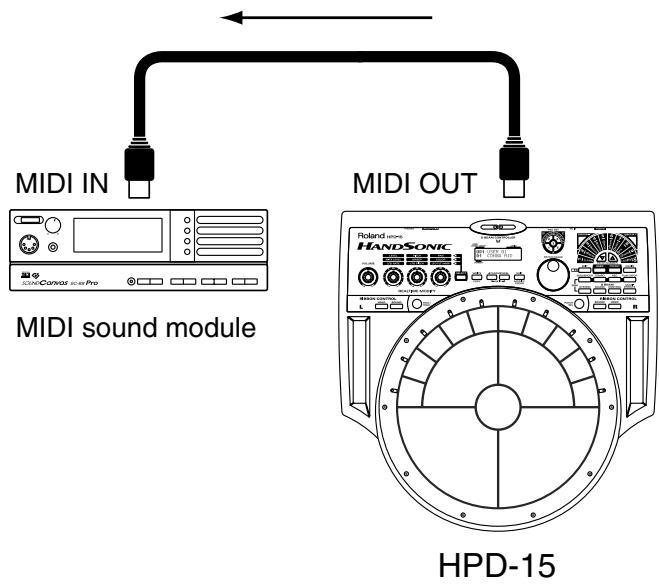
Setting for MIDI Transmission
- Press [EDIT] twice, and you will enter Edit mode.
- Press [◀ PARAMETER] or [PARAMETER ▶ ] to display the MIDI setting screen.
Note Number setting display
U0101A1 PAD MIDI Note No. 60:C 4
Gate Time setting display
U0101A1 PAD MIDI Gate Time 0.1sec

You can make your selection rapidly by using the Skip Function (p. 32).
- Strike a pad to select the pad (D Beam, ribbon) that you wish to edit.
U0101C5 PAD MIDI Note No. 73:C#5
- Turn [PATCH/VALUE] to modify the value.
- Repeat steps 3–4 to continue setting on each pad.
- When you are finished editing, press [EDIT] or [EXIT].
Note No.: OFF, 0:C-1 -127:G 9
Set the MIDI note number that each pad will transmit. If you select "OFF," no MIDI note message will be transmitted.
Note Number of Each Pad (Factory Settings)
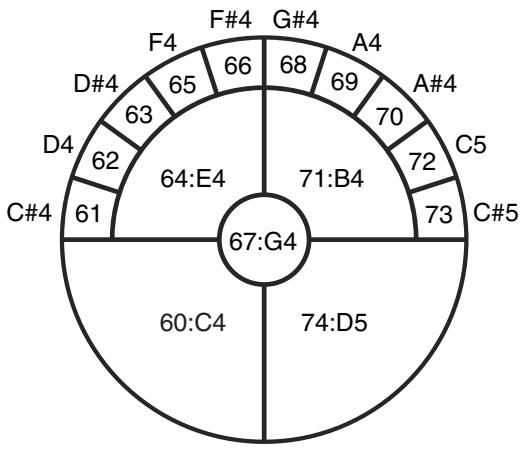
radar
| Category | Value | |---|---| | F#4 | 66 | | F#4 | 68 | | G#4 | 69 | | A4 | 70 | | A#4 | 72 | | C5 | 73 | | C#5 | 74 | | 67:G4 | 67 | | 60:C4 | 61 | | 64:E4 | 62 | | D#4 | 63 | | D4 | 65 | | G#4 | 66 |D Beam 79:G5
Ribbon L 59:B3
Ribbon R 78:F#5
Trigger 1 77:F5
Trigger 2 57:A3
Pedal 58:A#3
Setting the Note Number When Connecting to the Drum Sound Module
Select the patch of P0606 Studio, specify the Note No. as below.
| Pad | Instrument | Note No. | TD-10 Pad | Note No. | TD-8 Pad | Note No. | GM Percussion |
| A1 | Beech Snare | 38 | Snare Head | 38 | Snare Head | 38 | Acoustic Snare |
| A2 | Dbl Head T 1 | 45 | Tom 2 Head | 48 | Tom 1 Head | 45 | Low Tom |
| A3 | 13" Hi-Hat | 46 | Hi-Hat Head | 46 | Hi-Hat Head | 46 | Open Hi-Hat |
| A4 | Dbl Head T 2 | 43 | Tom 3 Head | 45 | Tom 2 Head | 43 | High Floor Tom |
| A5 | Dbl Head T 2 | 41 | Tom 4 Head | 41 | Tom 3 Head | 41 | Low Floor Tom |
| B1 | Hall CrosStk | 37 | Cross Stick | 37 | Cross Stick | 37 | Side Stick |
| B2 | Pgy Crash C1 | 52 | Crash 2 Rim | 52 | Crash 2 Rim | 52 | Chinese Cymbal |
| B3 | Crash Cymbal | 49 | Crash 1 Head | 49 | Crash 1 Head | 49 | Crash Cymbal 1 |
| B4 | Crash Cymbal | 57 | Crash 2 Head | 57 | Crash 2 Head | 57 | Crash Cymbal 2 |
| B5 | Splash Cym 1 | 55 | Crash 1 Rim | 55 | Crash 1 Rim | 55 | Splash Cymbal |
| C1 | Splash Cym 1 | 32 | Aux 1 Rim | 32 | Aux 2 | 54 | Tambourine |
| C2 | Ride Bell C | 53 | Ride Rim | 53 | Ride Rim | 53 | Ride Bell |
| C3 | Ride Cymbal | 51 | Ride Head | 51 | Ride Head | 51 | Ride Cymbal 1 |
| C4 | Chinese Cym | 33 | Aux 2 Head | 59 | Ride Edge | 59 | Ride Cymbal 2 |
| C5 | Cowbell 1 | 34 | Aux 2 Rim | 90 | Tiny Gong | 42 | Close Hi-Hat |
| D Beam | Large Gong | 84 | Bell Tree | 91 | Gong | 58 | Vibraslap |
| Ribbon L | Hand Clap 2 | 74 | Giro Long 1 | 39 | Clap | 39 | Hand Clap |
| Ribbon R | Cowbell 2 | 56 | Cowbell | 56 | Cowbell | 56 | Cowbell |
| Trigger 1 | Dry Hard Kik | 36 | Kick Head | 36 | Kick 1 | 36 | Bass Drum 1 |
| Trigger 2 | Jazz Kick | 35 | Kick Rim | 35 | Kick 2 | 35 | Acoustic Bass Drum |
| Pedal | PEDAL(A3) | 44 | Foot Pedal | 44 | Foot Pedal | 44 | Pedal Hi-Hat |
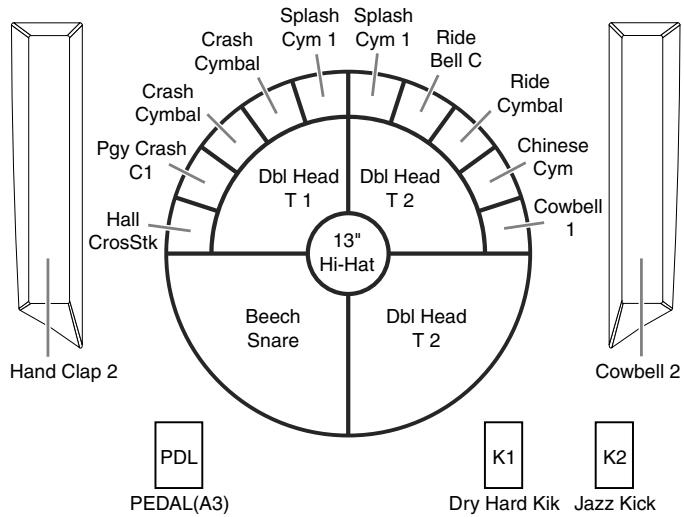
radar
| Game | Category | Value | |---|---|---| | Bull | Hand Clap 2 | 0 | | Bull | Crash Cymbal | 0 | | Bull | Crash Cymbal | 0 | | Bull | Pgy Crash C1 | 0 | | Bull | Hall CrosStk | 0 | | Bull | Beech Snare | 0 | | Bull | Dbl Head T 1 | 0 | | Bull | Dbl Head T 2 | 0 | | Bull | Dbl Head T 2 | 0 | | Bull | Chinese Cym | 0 | | Bull | Cowbell 1 | 0 | | Bull | Ride Bell C | 0 | | Bull | Splash Cym 1 | 0 | | Bull | Splash Cym 1 | 0 | | Bull | Splash Cym 1 | 0 | | Bull | Splash Cym 1 | 0 | | Bull | Splash Cym 1 | 0 | | Bull | Splash Cym 1 | 0 | | Bull | Splash Cym 1 | 0 | | Bull | Splash Cym 1 | 0 | | Bull | Splash Cym 1 | 0 |
Do not change the note numbers in the patch that is used for the recording to the external sequencer. The pattern cannot be played back correctly if they are changed.
Gate Time: 0.1-8.0sec
For each pad, you can specify the length of time the note will "hold" during transmission from the MIDI OUT.

Gate Time settings are valid if the pad trigger mode (TrigMode) is set to "Shot." For details on trigger mode, refer to "Adjusting Sounds" (p. 36).

The settings you edit will return to the original values when you switch patches. If you wish to keep your changes, refer to "Saving Your Settings (Write) / Duplicating Settings (Copy)" (p. 56).
Setting the MIDI Channels
For setting the MIDI channel, refer to “Using the HPD-15 As a Sound Module” (p. 78). Performance on the pads is transmitted on the channel setting for the “Pad CH.”
Using the HPD-15 As a Sound Module
Make settings for playing the HPD-15 as a sound module from a MIDI keyboard or other device.
Use a MIDI cable to connect the HPD-15's MIDI IN connector to the MIDI OUT connector of an external keyboard, sequencer, etc.
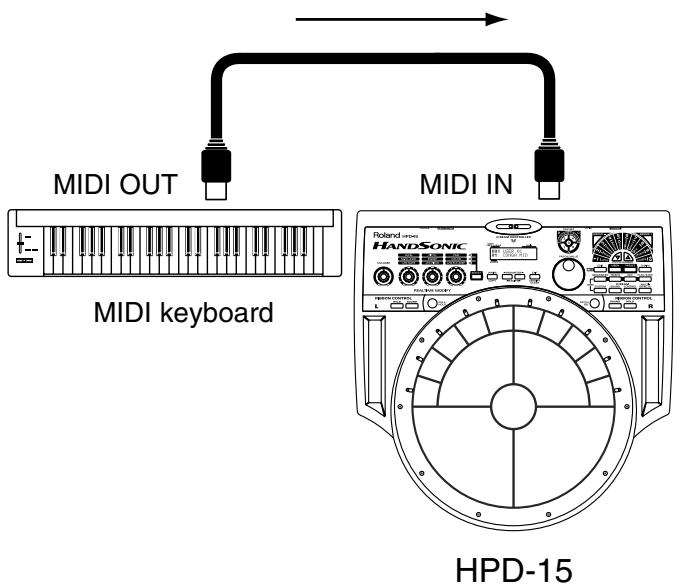
Setting the MIDI Channel for a Part
For each part, you can specify the channel on which the HPD-15 will receive and transmit MIDI messages.
- Press [SYSTEM] and make it light.
- Press [◀ PARAMETER] or [PARAMETER ▶ ] to display the following screen.
MIDI Pad CH 10
- Turn [PATCH/VALUE] to specify the channel.
Pad CH: 1-16, OFF
Specify the channel on which performance data of the pad controller section (pads, D Beam, ribbons, external triggers) will be transmitted and received. Normally you will set this to channel 10.
Perc 1 CH: 1–16, OFF
Specify the channel for percussion part 1 of the internal sequencer. Normally you will set this to channel 11.
Perc 2 CH: 1–16, OFF
Specify the channel for percussion part 2 of the internal sequencer. Normally you will set this to channel 12.
Melo 1 CH: 1-16, OFF
Specify the channel for melody part 1 of the internal sequencer. Normally you will set this to channel 5.
Melo 2 CH: 1-16, OFF
Specify the channel for melody part 2 of the internal sequencer. Normally you will set this to channel 6.
MEMO
At a setting of “1” through “16,” MIDI messages will be transmitted and received on that channel. A setting of “OFF” lets you turn off transmission and reception for that part, so that notes are not received.
* When you are finished setting, press [SYSTEM] or [EXIT].
MEMO
For more on synchronization with external sequencer, refer to “Synchronizing the Internal Sequencer with an External MIDI Device” in “Settings for the Basic Operation” (p. 68).
Using with the Roland SPD-20 (SOFT THRU)
This section explains how you can use the Roland SPD-20 (a MIDI controller) together with the HPD-15 to play internal sounds and an external sound module.
Performance data of the HPD-15 and performance data of the SPD-20 will both be sent to the external sound module.
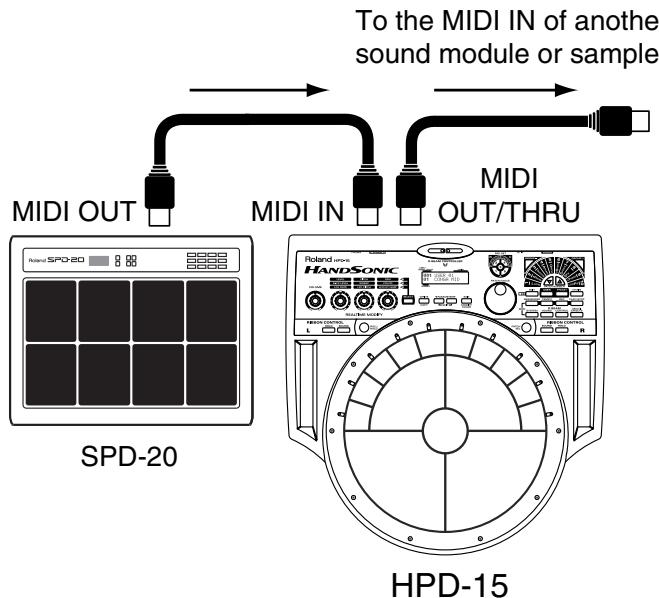
- Press [SYSTEM] to make it light.
- Press [◀ PARAMETER] or [PARAMETER ▶ ] to display the following screen.
MIDI
Soft Thru
OFF
- Turn [PATCH/VALUE] to select ON/OFF.
- When you are finished setting, press [SYSTEM] or [EXIT].
Soft Thru: OFF, ON
The messages (except for System Exclusive) received at the MIDI IN will also be transmitted from the MIDI OUT/THRU connector when Soft Thru is set to "ON."

If this setting is not used, leave it "OFF" as the trigger response of the pads will be faster.
Using a Sequencer or a Computer to Record/Play Back the Performance on the HPD-15
HPD-15 performance data can be saved on an external sequencer or computer.
For details on the settings for the recording, refer to “Using the HPD-15 to Play External Instruments” (p. 76), for details on the settings for the playing back, refer to “Using the HPD-15 As a Sound Module” (p. 78).
Use MIDI cables to connect the HPD-15's MIDI OUT connector to the MIDI IN connector of the external sequencer, and connect the HPD-15's MIDI IN connector to the MIDI OUT connector of the external sequencer.
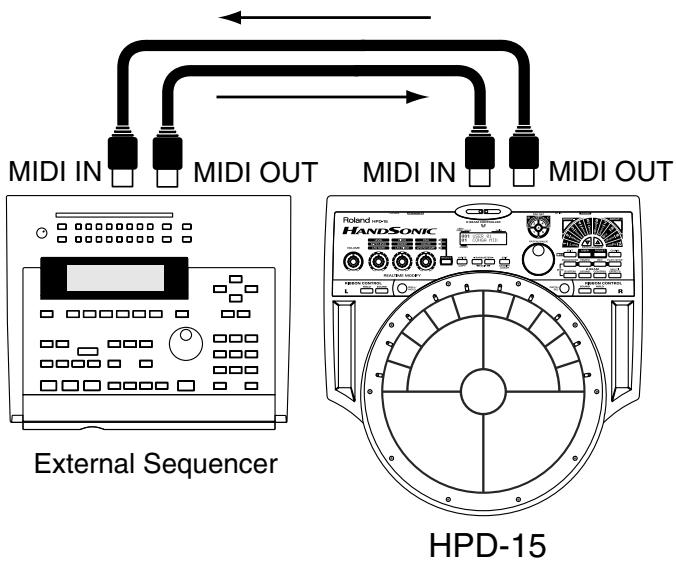

When you make connections as shown, turn off Local Control (p. 80) and Soft Thru. For details, refer to “Cutting the Connection Between the Sound Generator and the Pad Controller (Local Control)” (p. 80).

When you use an external sequencer for Loop recording, it may not be possible to completely play back the modifications of the tone controlled by realtime modify.
Cutting the Connection Between the Sound Generator and the Pad Controller (Local Control)
This setting is required when you wish to record your pad performance on an external MIDI sequencer.
The performance data from the pad, rather than being sent directly to the sound module section (Local Control Off), is first sent to the external sequencer, and then on to the HPD-15's sound module.
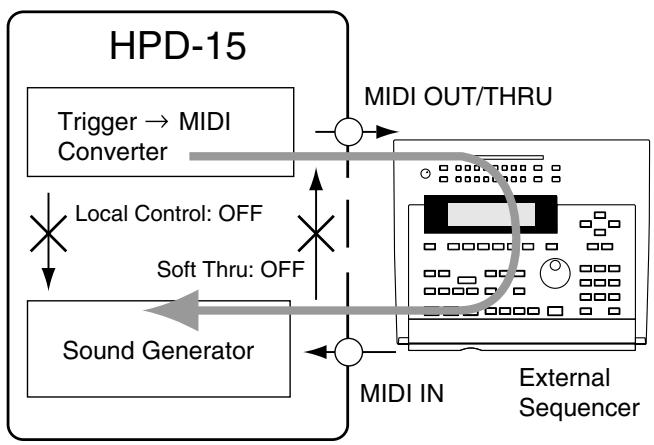
flowchart
graph TD
    A["Trigger → MIDI Converter"] --> B["MIDI OUT/THRU"]
    C["Local Control: OFF"] --> D["Soft Thru: OFF"]
    E["Sound Generator"] --> F["MIDI IN"]
    G["External Sequencer"] --> H["MIDI OUT/THRU"]
    style A fill:#f9f,stroke:#333
    style B fill:#ccf,stroke:#333
    style C fill:#cfc,stroke:#333
    style D fill:#fcc,stroke:#333
    style E fill:#cff,stroke:#333
    style F fill:#ffc,stroke:#333
    style G fill:#fcc,stroke:#333
    style H fill:#ffc,stroke:#333
: Performance data flow route

If you make connections and record as shown, with a setting of Local On, duplicate notes will be re-transmitted to the HPD-15 and will not be played correctly. If you turn on Soft Thru (p. 79) and make connections as shown in the diagram, MIDI messages will create a loop, and the system will not play correctly. Be sure to turn off Soft Thru as well.
- Press [SYSTEM] to make it light.
- Press [◀ PARAMETER] or [PARAMETER ▶ ] to display the following screen.
MIDI LocalControl ON
- Turn [PATCH/VALUE] to select ON/OFF.
- When you are finished setting, press [SYSTEM] or [EXIT].
LocalControl: OFF, ON

When Local Control is set to "OFF," the internal sound generator does not sound, even when the pad is struck.
Saving Data to an External MIDI Instrument
The data in the HPD-15 can be transmitted either singly or collectively to a sequencer (or another HPD-15). The operation of transmitting this data is called a “Bulk Dump”; receiving this data is called a “Bulk Load.”
Transmitting (Bulk Dump)
The HPD-15 transmits stored data to a sequencer.
Use a MIDI cable to connect the HPD-15's MIDI OUT connector to the MIDI IN connector of the external sequencer or the other HPD-15.
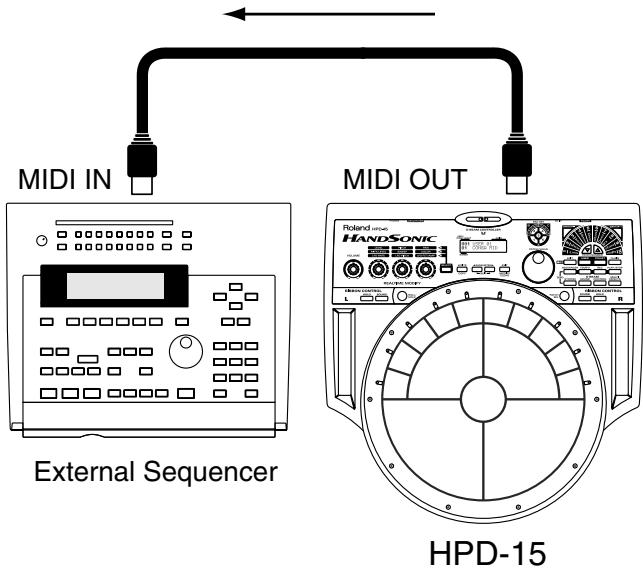
- Press [SYSTEM] to make it light.
- Press [◀ PARAMETER] or [PARAMETER ▶ ] to display the following screen.
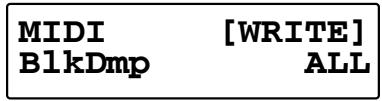
or
![MIDI [WRITE] BlkDmpU0101-0101 blinking](/content/2025/01/130839/images/0e79bae5ee991098319bd69ef5ff819a8ef433a5913067567afa4fb039cd4da3.jpg)
- Turn [PATCH/VALUE] to select the contents that you wish to transmit.
- Put the receiving sequencer in record mode. When you wish to transmit to another HPD-15, put the receiving HPD-15 in play mode.

Refer to the owner's manual of the receiving device.
- Press [WRITE] to begin data transmitting.
* If you wish to stop transmission, press [EXIT].
BlkDmp: ALL, SYS, SEQ ALL, PATCH ALL, GROUP01-10, U0101-1008, TEMPORARY, U0101-1008-U0101-1008
ALL:
Transmit all settings.
* The settings of the current patch which is not written into memory (TEMPORARY) will not be transmitted.
SYS:
Transmit system settings (p. 67).
SEQ ALL:
Transmit all data for the user patterns (p. 59) of the sequencer.
PATCH ALL:
Transmit all user patch settings.
GROUP01-10:
Transmit the settings of all patches in the selected patch group.
U0101-1008:
Transmit the settings of the selected user patch.
TEMPORARY:
Transmit the settings of the current patch. This allows you to transmit the state of the settings before pressing [WRITE] to write them into memory.
U0101-1008-U0101-1008:
Transmit the settings of the specified area of user patches.
Receiving (Bulk Load)
The HPD-15 receives data that was stored in a sequencer. Use a MIDI cable to connect the HPD-15's MIDI IN connector to the MIDI OUT connector of the external sequencer or the other HPD-15. Set the HPD-15 play mode.
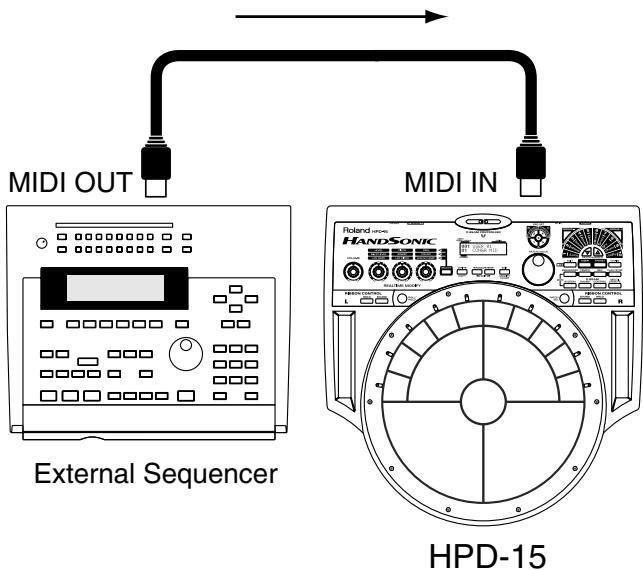
Send the data from the external sequencer to the HPD-15. The transmitted settings are reproduced.

When data is received, the data that was previously in the HPD-15's memory will be lost.

Never turn the power off while receiving the bulk data and writing the data into memory. If the power is turned off, the data will be lost.

Select "Int" for the "Seq Sync" in system settings (p. 68). If you select other than "Int," the internal sequencer will begin playback and won't receive the data.
Setting the Device ID
The setting described here is necessary only when you wish to transmit separate data to two or more HPD-15 units at the same time. Do not change this setting in any other case.
At the factory settings, the Device ID is set to "17."
- Press [SYSTEM] and make it light.
- Press [◀ PARAMETER] or [PARAMETER ▶ ] to display the following screen.
| MIDI | |
| Device ID | 17 |
- Turn [PATCH/VALUE] to change the Device ID.
- When you are finished modifying, press [SYSTEM] or [EXIT].
DEVICE ID: 1-32
Example:
Suppose that when data was saved via bulk dump, the HPD-15's Device ID was set to "17." When re-transmitting this data back to the HPD-15, it won't receive if the Device ID is set to something other than "17."
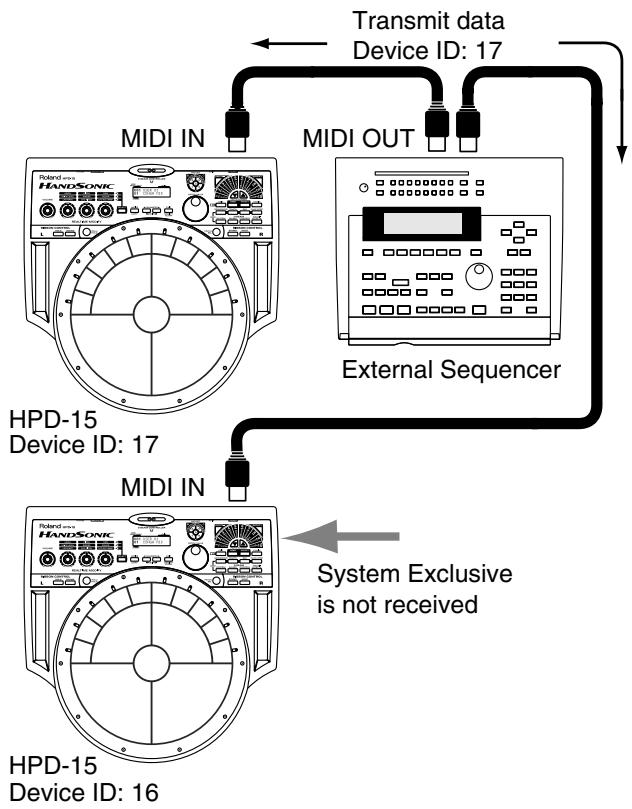
flowchart
graph TD
    A["HD-15 Device ID: 16"] -->|MIDI IN| B["Handsonic Device"]
    C["HD-15 Device ID: 17"] -->|MIDI OUT| D["External Sequencer"]
    B -->|Transmit data Device ID: 17| E["External Sequencer"]
    D -->|System Exclusive is not received| F["External Sequencer"]

If you lose track of the Device ID setting that was used when saving data via a bulk dump, it will no longer be possible to reload the bulk data that was saved.
Program Change Number List (User Patches)
Bank Select: 1
| Patch Number | Program Change Number | Patch Number | Program Change Number |
| U0101 | 1 | U0601 | 41 |
| U0102 | 2 | U0602 | 42 |
| U0103 | 3 | U0603 | 43 |
| U0104 | 4 | U0604 | 44 |
| U0105 | 5 | U0605 | 45 |
| U0106 | 6 | U0606 | 46 |
| U0107 | 7 | U0607 | 47 |
| U0108 | 8 | U0608 | 48 |
| U0201 | 9 | U0701 | 49 |
| U0202 | 10 | U0702 | 50 |
| U0203 | 11 | U0703 | 51 |
| U0204 | 12 | U0704 | 52 |
| U0205 | 13 | U0705 | 53 |
| U0206 | 14 | U0706 | 54 |
| U0207 | 15 | U0707 | 55 |
| U0208 | 16 | U0708 | 56 |
| U0301 | 17 | U0801 | 57 |
| U0302 | 18 | U0802 | 58 |
| U0303 | 19 | U0803 | 59 |
| U0304 | 20 | U0804 | 60 |
| U0305 | 21 | U0805 | 61 |
| U0306 | 22 | U0806 | 62 |
| U0307 | 23 | U0807 | 63 |
| U0308 | 24 | U0808 | 64 |
| U0401 | 25 | U0901 | 65 |
| U0402 | 26 | U0902 | 66 |
| U0403 | 27 | U0903 | 67 |
| U0404 | 28 | U0904 | 68 |
| U0405 | 29 | U0905 | 69 |
| U0406 | 30 | U0906 | 70 |
| U0407 | 31 | U0907 | 71 |
| U0408 | 32 | U0908 | 72 |
| U0501 | 33 | U1001 | 73 |
| U0502 | 34 | U1002 | 74 |
| U0503 | 35 | U1003 | 75 |
| U0504 | 36 | U1004 | 76 |
| U0505 | 37 | U1005 | 77 |
| U0506 | 38 | U1006 | 78 |
| U0507 | 39 | U1007 | 79 |
| U0508 | 40 | U1008 | 80 |
* Program change numbers of the preset patches are written in the Preset Patch List (p. 90).
Troubleshooting
This chapter outlines points to check if you experience problems, and what to do about them.
Problems With the Overall Sound
Intended Sound Not Produced
Are the pad sensitivity settings correct?
Make sure that the following parameters are set to correct value.
System Settings:
PAD Sens (p. 70), DBEAM Sens (p. 69)
Patch Settings:
PadSnsType (p. 54), TrigMode (p. 36)

The HPD-15 adjusts the sensitivity of the D Beam automatically for the brightness of its location when the power is turned on. Do not shut the window of the D Beam until the patch name is displayed.

If you connect the hi-hat control pedal (FD-7, optional), the HPD-15 check the position of the pedal when the power is turned on. Do not step on the pedal until the patch name is displayed.
No Sound
Has the [VOLUME] knob (p. 10) turned fully counterclockwise?
Turn the [VOLUME] knob clockwise.
Has the left realtime modify knob (p. 19) turned fully counterclockwise?
Press [SELECT] to make the upper indicator light. Then turn the left realtime modify knob ([LEVEL]) clockwise to increase the level.
Are the PAD SET Level (p. 25), Pad Level (p. 36), and MasterVolume (p. 54) in the patch lowered?
Raise the values.
Are the Effect Level, Direct Level, and FxOut Volume (p. 40) in the multi-effects lowered?
Raise the values.
Is "Off" selected for the Pad Inst? (p. 36)
Select a instrument other than "Off."
Is "OFF" selected for the Local Control? (p. 80)
Select "ON."
Is not the [SOUND] button of D Beam or ribbon light?
Press [SOUND] to make it light.
Are the cables connected to the correct jacks?
Connect the cables to the OUTPUT jacks.
The Volume Level of the Instrument Connected to OUTPUT Jacks is Too Low
Could you be using a connection cable that contains a resistor?
Use a connection cable that does not contain a resistor.
Sound Does Not Stop
Is the [ROLL/HOLD] button light? (p. 16)
Press [ROLL/HOLD] to make it dark.
Is "Gate" or "Trig" selected for the "TrigMode?" (p. 36)
Select "Shot."
Is the window of the D Beam shut? (p. 16)
Be careful not to shut the window of the D Beam.
Modification Does not Change the Sound
Is the selected pad correct?
The pad which is hit last becomes edit target.
Is "OFF" selected for the "Pad Chase?" (p. 68)
When “OFF” is selected, edit target does not change. Select “ON” for the Pad Chase or Strike the pad to select it while holding down [PATCH SEL].
Is Modify Lock (p. 19) on?
When the [SELECT] indicator is blinking, there is a pad which is fixed to the target of modification. Hold down [SELECT], and press [EXIT] to unlock.
Multi-Effects / Reverb / LFO Does not Applied
Is not the [MULTI-EFFECTS] button light? (p. 20)
Press [MULTI-EFFECTS] to make it light.
Is "OFF" selected for the REVERB Type (p. 25) or MULTI-FX/LFO (p. 25, p. 36)?
Select a setting other than "OFF."
Is the Reverb Send in the PAD SET or PAD (p. 25, p. 36) lowered?
Raise the values.
MIDI-related Problems
No Sound when using an external controller (sequencer, keyboard etc.)
Is the MIDI cable connected properly? (p. 78)
Is the MIDI channel correct? Or is the channelset to "OFF?"
Select the correct MIDI channel (p. 78).
Bulk Dump Is Not Transmitted
Is the MIDI cable connected properly?
If you wish to save a bulk dump on an external device, connect the HPD-15's MIDI OUT/THRU connector to the external sequencer's MIDI IN connector (p. 80).
Has the "No reception of MIDI Exclusive Messages" setting been selected on the external MIDI device?
Refer to the owner's manual for the external MIDI device.
Sequencer-related Problems
No Sound When [PLAY/STOP] is Pressed
Is it a blank pattern that is being played back?
Play back a pattern containing performance data.
Is "Ext" selected for the "Seq Sync?" (p. 68)
Select "Int."
Playback Stops Immediately After Beginning
Is "Tap" or "TapVelo" selected for the pattern's PlayType?
Select "Loop" or "OneShot" (p. 60).

"Tap" and "TapVelo" refer to the convenient playback function in Pad Pattern (tapping the pad causes the pattern to be played back).
Restoring the Factory Settings
You can restore patch and pad settings as well as pattern data stored in the HPD-15 to the settings in effect when the unit was shipped from the factory.

All data and settings in the restored part are lost. Follow the procedures described in "Bulk Dump" (p. 80) to save any data and settings you need to keep to an external MIDI device.
Procedure for Factory Reset
- Press [SYSTEM].
UTILITY LCD Contrast 5
- Press [PARAMETER ▶] to display the following screen.
FACTORY RESET SYSTEM [WRITE]

You can make your selection rapidly by using the Skip Function (p. 32).
- Turn [PATCH/VALUE] to select the part that you wish to restore.
FACTORY RESET ALL [WRITE]
- Press [WRITE] to execute factory reset.
* If you decide not to execute, press [EXIT].
FACTORY RESET: SYSTEM, CHAIN ALL, PATCH ALL, PTN ALL, ALL
SYSTEM:
Restores all system settings (p. 67) to their factory presets.
CHAIN ALL:
Erases all patch chain (p. 65) settings.
PATCH ALL:
Restores all user patch (p. 21) settings to their factory presets.
PTN ALL:
Erases all user pattern (p. 59) data and restores sequencer settings (p. 60–p. 62) to their factory presets.
ALL:
Restores all settings to their factory presets.

While executing factory reset, do not turn the power off. Data in the HPD-15's memory will be corrupted.
Messages and Error Messages
This section lists the messages (error messages) that the HPD-15 produces and explains the meaning of each message, giving you to appropriate action to take.
Error Messages
System Error!
A problem has occurred with the internal system. Contact your dealer or a nearby Roland service center.
Memory Damaged!! Reset [WRITE]
Data in the HPD-15's memory is corrupted. Press [WRITE] to execute factory reset

If you turned the power off when the HPD-15 is writing data into memory, the data will be damaged. Never turn the power off while the HPD-15 is executing a writing process.
No Enough Memory Aborted! [EXIT]
Pattern recording or editing could not be carried out because there was not enough internal memory. Press [EXIT].

Try deleting patterns that are no longer needed (p. 64).
Empty Pattern! Aborted!
This pattern contains no performance data; it cannot be edited.
PTN Write Error!
Writing a pattern data failed.
Max 999 Measures Aborted! [EXIT]
The maximum number of measures that can be recorded to one pattern has been exceeded; no further recording or editing that adds measures can be carried out. Press exit.
PRESET PATTERN!! Select User PTN
This is a Preset pattern; it cannot be edited or recorded. Select a User pattern.
No Empty Pattern
There are no empty patterns for recording.

Delete unneeded pattern or select a recorded pattern that can be used for recording.
Data Overload! [EXIT]
Pattern contained an excessive amount of data, and as a result could not be played back or recorded. Press [EXIT].

Try eliminating a part that has too much data.
BULK Receive Error! [EXIT]
Reception of bulk dump failed. Press [EXIT].

Make sure that all MIDI cables are firmly connected (p. 81).
Checksum Error! [EXIT]
The checksum value of a system exclusive message was incorrect. Press [EXIT].

Correct the checksum value.
MIDI Buffer Full
A large amount of MIDI messages were received in a short time, and could not be processed completely.

Confirm that the external MIDI device is properly connected (p. 78). If the problem persists, reduce the amount of MIDI messages sent to the HPD-15.
MIDI Offline!!
A MIDI cable was disconnected. (Or communication with the external MIDI device stopped for some reason.)

Make sure that MIDI cables have not been pulled out or broken.
Device ID is Different!
Due to an incorrect Device ID, the system exclusive message could not be received.

Set the correct Device ID. (p. 82)
Messages
Now Writing..... KEEP POWER ON!!
The HPD-15 is writing data into memory. Do not turn the power off.
Now Copying..... KEEP POWER ON!!
The HPD-15 is copying data. Do not turn the power off.
Now Exchange.... KEEP POWER ON!!
The HPD-15 is executing an exchange function. Do not turn the power off.
Now Executing... KEEP POWER ON!!
The HPD-15 is executing a process. Do not turn the power off.
Now Resetting... KEEP POWER ON!!
The HPD-15 is restoring the factory settings. Do not turn the power off.
BULK DATA Transmitting...
Bulk data is now being transmitted.
BULK Receiving.. KEEP POWER ON!!
Bulk data is now being received. Do not turn the power off.
About MIDI
MIDI (Musical Instruments Digital Interface) is a standard specification that allows musical data to be exchanged between electronic musical instruments and computers. MIDI With a MIDI cable connecting MIDI devices that are equipped with MIDI connectors, you can play multiple instruments with a single keyboard, have multiple MIDI instruments perform in ensemble, program the settings to change automatically to match the performance as the song progresses, and more.
While using only pads with the HPD-15, there is no need to have any detailed knowledge of MIDI. For those who wish to use MIDI keyboards to record patterns on the HPD-15, use it as a sound module with external sequencers, or learn the HPD-15 at a more advanced level, the following explains such matters related to MIDI.
About MIDI Connectors
The HPD-15 is equipped with the two types of MIDI connectors, each which works differently.
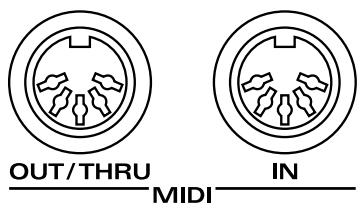
MIDI IN Connector
This connector receives messages from external MIDI devices (keyboards, sequencers controllers etc.) to play the HPD-15's instruments or change its settings.
MIDI OUT/THRU Connector
The HPD-15 uses both the MIDI OUT and MIDI THRU connector are combined. The “Soft Thru” setting (p. 79) changes the function. As shipped from the factory, this is set to “Soft Thru OFF.”
Soft Thru OFF
This connector transmits MIDI messages to external MIDI devices. MIDI messages received at MIDI IN are not transmitted.
Soft Thru ON
HPD-15's MIDI messages and MIDI messages received at MIDI IN are transmitted from this connector.
MIDI Channels and Multi-timbral Sound Sources
MIDI transmits many types of data over a single MIDI cable. This is made possible by the concept of MIDI channels which allow a device to distinguish the data that is or is not intended for it. In some ways, MIDI channels are similar to television channels. By changing the channel on a television set, you can view the programs that are being broadcast by different stations. In the same way, MIDI also allows a device to select the information intended for that device out of the variety of information that is being transmitted to it.
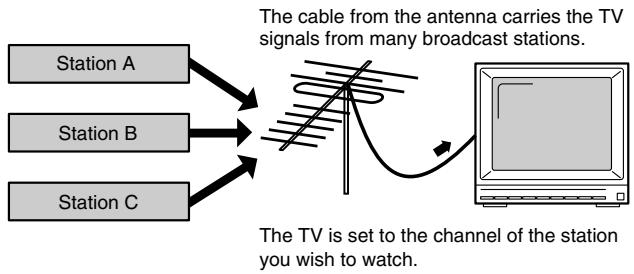
flowchart
graph TD
    A["Station A"] --> C["TV Signal"]
    B["Station B"] --> C
    D["Station C"] --> C
    C --> E["Computer"]
    style C fill:#f9f,stroke:#333
    note right of C: The cable from antenna carries the TV signals from many broadcast stations.
    note right of E: The TV is set to the channel of the station you wish to watch.
MIDI uses sixteen channels; 1 through 16. Set the receiving device so that it will receive only the channel that it needs to receive.
Example:
Set MIDI keyboard to send Channel 1 and Channel 2, then set sound module A to receive only Channel 1 and sound module B only Channel 2. With this setup, you can get an ensemble performance, with, for example, a guitar sound from sound module A and bass from sound module B.
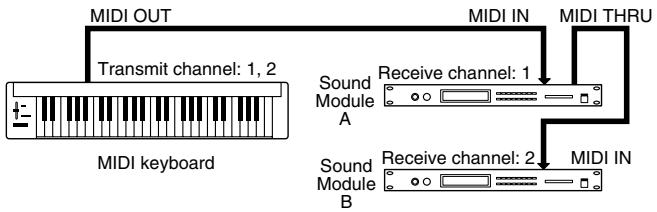
flowchart
graph TD
    A["MIDI keyboard"] -->|MIDI OUT| B["Transmit channel: 1, 2"]
    B --> C["MIDI IN"]
    C --> D["MIDI THRU"]
    D --> E["Receive channel: 1"]
    E --> F["Sound Module A"]
    E --> G["Sound Module B"]
    F --> H["Receive channel: 2"]
    G --> I["MIDI IN"]
When used as a sound module, the HPD-15 can receive on up to five of the sixteen MIDI channels. Sound modules like the HPD-15 which can receive multiple MIDI channels simultaneously to play different sounds on each channel are called “multi-timbral sound modules.”
How the Internal Sequencer Operates
A sequencer is an electronic instrument used for recording and playback of performances. The HPD-15 features such a sequencer function. The HPD-15 comes with built-in performance patterns (Preset patterns) which can be used for drum practice and other purposes. You can also create your own patterns.
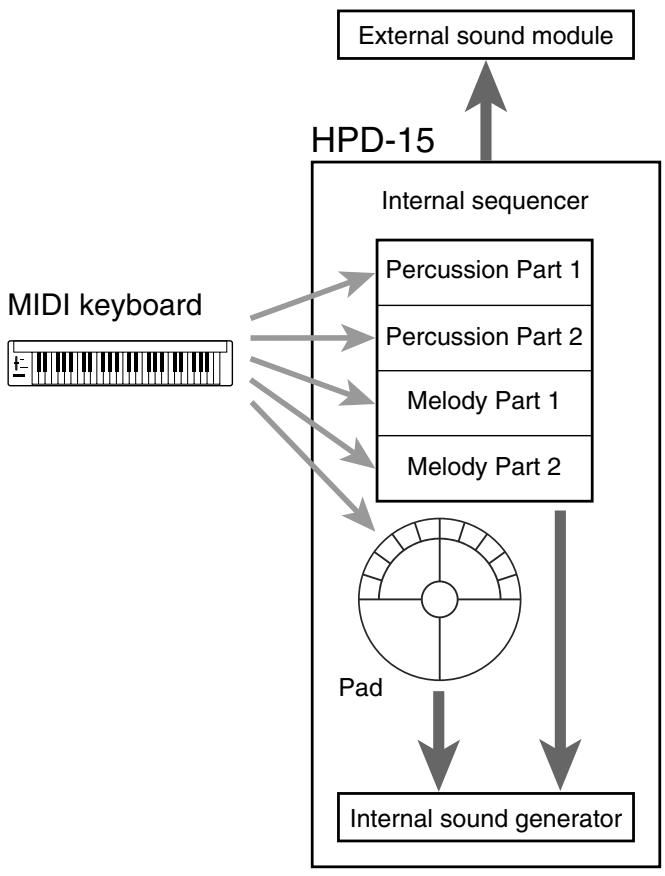
flowchart
graph TD
    A["External sound module"] --> B["HPD-15"]
    B --> C["Internal sequencer"]
    C --> D["Percussion Part 1"]
    C --> E["Percussion Part 2"]
    C --> F["Melody Part 1"]
    C --> G["Melody Part 2"]
    D --> H["Pad"]
    E --> H
    F --> H
    G --> H
    H --> I["Internal sound generator"]
    I --> J["MIDI keyboard"]
For playback, the performance data that has been recorded to the sequencer is sent to the sound generator, which produces the sound. The data for each of the sequencer's parts causes the corresponding part in the internal sound generator to be played. When performance data is recorded, the performance data from pads and MIDI keyboards is sent to the sequencer; the data recorded here is then sent to the sound module for playback.
Preset Patch List
: Patch Change via MIDI (Bank No.) - (Program No.)
LATIN #
P0101 Conga 2-1
P0102 Bongo 2-2
P0103 Timbales 2-3
P0104 LatinToys 2-4
P0105 CONGAbongo 2-5
P0106 TimbaleMix 2-6
P0107 Conga II 2-7
P0108 Bongo II 2-8
P0109 TimbalesII 2-9
P0110 BONGO-BRS- 2-10
P0111 TimbalSong 2-11
P0112 Steel Drum 2-12
P0113 Pandeiro 2-13
P0114 Surdo 2-14
P0115 ESCOLA 2-15
P0116 Berimbau 2-16
P0117 PandeiroII 2-17
P0118 Surdo II 2-18
P0119 Brazil Mix 2-19
P0120 Perc Echos 2-20
P0121 SpaceConga 2-21
P0122 808 Latin 2-22
AFRICAN #
P0201 TalkingDrm 2-23
P0202 Djembe S 2-24
P0203 Djembe L 2-25
P0204 Frame Drum 2-26
P0205 Pot Drum 2-27
P0206 Kalimba 2-28
P0207 Log Drum 2-29
P0208 Balaphone 2-30
P0209 Gyilli 2-31
P0210 AfroZither 2-32
P0211 MonguDrum 2-33
P0212 AfricaToys 2-34
P0213 Gyilli&Cng 2-35
P0214 NaturePerc 2-36
P0215 GyliBalaph 2-37
P0216 TalkDrm II 2-38
P0217 PotDrum II 2-39
INDIAN #
P0301 Tabla 2-40
P0302 Dholak 2-41
P0303 Madal 2-42
P0304 Dhol 2-43
P0305 DrmOfIndia 2-44
P0306 MadalTalan 2-45
P0307 Tabla II 2-46
P0308 Tabla III 2-47
P0309 TABLATIX 2-48
P0310 Sitar 2-49
P0311 SantoorMaj 2-50
P0312 SantoorMin 2-51
P0313 Tambura 2-52
P0314 Darabukka 2-53
P0315 Rek 2-54
P0316 Doholla 2-55
P0317 Doira 2-56
P0318 Turk-Mltry 2-57
ASIAN #
P0401 JAPAN 2-58
P0402 MATSURI 2-59
P0403 CHINA 2-60
P0404 Yang Qin 2-61
P0405 Korean4Drm 2-62
P0406 Gamelan 2-63
P0407 JavaGameln 2-64
P0408 BaliGameln 2-65
P0409 Bali&Java 2-66
P0410 Gongs 2-67
P0411 Angklung 2-68
P0412 Bonang 2-69
P0413 Gender 2-70
P0414 Saron 2-71
ORCH #
P0501 Vibraphone 2-72
P0502 Glockenspl 2-73
P0503 Xylophone 2-74
P0504 Marimba 2-75
P0505 Bs Marimba 2-76
P0506 TubularBel 2-77
P0507 Timpani 2-78
P0508 Orch Hit 2-79
P0509 LightOrch 2-80
P0510 OrchPerc 2-81
P0511 Aux Perc 2-82
DRums #
P0601 Standard 2-83
P0602 Jazzbrush 2-84
P0603 Analog 2-85
P0604 TR-808 2-86
P0605 TR-909 2-87
P0606 Studio 2-88
P0607 Rock Stage 2-89
P0608 Swing 2-90
P0609 Brushes 2-91
P0610 Orch Set 2-92
P0611 Mexi-Set 2-93
P0612 Hi-Boy 2-94
P0613 Low&Dry 2-95
P0614 Jazz Mix 2-96
P0615 JzBrush&Bs 2-97
P0616 BluesClub 2-98
P0617 Drum&Horns 2-99
P0618 TechnoGate 2-100
P0619 FlangeDrms 2-101
P0620 JunkyDrums 2-102
P0621 Brush Box 2-103
DANCE #
P0701 Clap&Scrch 2-104
P0702 FILTERED 2-105
P0703 Trash Beat 2-106
P0704 LatinHouse 2-107
P0705 Techey 2-108
P0706 TechDance 2-109
P0707 EthniDance 2-110
P0708 Cosmo 21 2-111
P0709 Industrial 2-112
P0710 UndaGround 2-113
P0711 StreetBeat 2-114
P0712 909-2000 2-115
P0713 AlienDance 2-116
P0714 TechNow 2-117
P0715 Sweep 808 2-118
P0716 Revolution 2-119
P0717 Backbeat 2-120
P0718 AmberWater 2-121
P0719 SynthDrums 2-122
P0720 Discotica 2-123
P0721 Dance 6 2-124
P0722 Lock Out 2-125
P0723 DanceMenu1 2-126
P0724 DanceMenu2 2-127
SFX #
P0801 PsycoDrama 2-128
P0802 Forest 3-1
P0803 GrandBlue 3-2
P0804 NoiseSonic 3-3
P0805 ArpegPerc 3-4
P0806 CartoonFX 3-5
P0807 Silly FX 3-6
P0808 Rol&FiltMe 3-7
P0809 MetalMania 3-8
P0810 ChaosSoniq 3-9
P0811 SFX Menu 1 3-10
P0812 SFX Menu 2 3-11
P0813 SFX Menu 3 3-12
OTHERS #
P0901 Laserwave 3-13
P0902 Heavy Gtr 3-14
P0903 Acous Bass 3-15
P0904 SH101 Bass 3-16
P0905 Flute 3-17
P0906 Syn String 3-18
P0907 Saw Wave 3-19
P0908 Juno Rave 3-20
P0909 Fantasia 3-21
P0910 Thick Pad 3-22
P0911 Calliope 3-23
P0912 Melody-808 3-24
LOOPs #
P1001 Latin Loop 3-25
P1002 Samba Loop 3-26
P1003 AfricaLoop 3-27
P1004 IndianLoop 3-28
P1005 Asian Loop 3-29
P1006 FusionLoop 3-30
P1007 Dance Loop 3-31
P1008 Shot & Tap 3-32
Preset Pattern List
PlayType: Loop
P01 Cha-Cha
P02 ChaChaLite
P03 MamboBreak
P04 ComparSlow
P05 ComparFast
P06 SonMontuno
P07 Merengue
P08 Latin 6/8
P09 Mozambique
P10 Salsa
P11 Salsa-Med
P12 Guaguanco
P13 6/8 Groove
P14 Descarga1
P15 Descarga2
P16 Baion
P17 BahiaGroov
P18 Samba-Med
P19 SambaSao
P20 Slow Samba
P21 Samba-Roda
P22 SambaBasic
P23 EscolaRthm
P24 GyilliSong
P25 PotDrumPtn
P26 Djembeat
P27 2Bt-Afro
P28 12/8-Afro
P29 Funky Afro
P30 7Bt-Clay
P31 4Bt-Clay
P32 4BtRl-Clay
P33 TurkMarch
P34 BellyDance
P35 Arabic10Bt
P36 Arabic4Bt
P37 Silkroad
P38 Tabla-Med
P39 Tabla-Slow
P40 Bhairavi
P41 Kashimir
P42 Santoor
P43 IndianFolk
P44 DholakBeat
P45 BengalRthm
P46 BanglaBeat
P47 Madal Seq.
P48 5Bt-Indian
P49 7Bt-Indian
P50 4Bt-Indian
P51 Spanish-12
P52 Asian-12/8
P53 MATSURISM
P54 OHAYASHI 1
P55 OHAYASHI 2
P56 SamulNori1
P57 SamulNori2
P58 China-Mood
P59 Polynesian
P60 Javanese
P61 Balinese
P62 ForestSong
P63 FILTERTIV
P64 Sevenate
P65 A.O.R.
P66 AcidFusion
P67 ElecFusion
P68 Fusion-3/4
P69 HardFusion
P70 Funk
P71 JazzFunk
P72 LatinJazz
P73 AfroJazz
P74 Reggae
P75 Mambo w/b
P76 Salsa w/b
P77 Samba w/b
P78 Carrib
P79 House
P80 TechnoPop
P81 Locomotive
P82 KiddyDisco
P83 Night-Bird
P84 Drops
PlayType: OneShot
P85 LatinFill1
P86 LatinFill2
P87 Cha-Fill1
P88 Cha-Fill2
P89 Cha-Fill3
P90 Ending1
P91 Ending2
P92 Ending3
PlayType: Tap
P93 SantoorTap
P94 BassTap1
P95 BassTap2
P96 AcoGuitTap
P97 AdlibTap
P98 WahGtTap
P99 CodeMenu (C, C_m, C_m7, C_maj7, C_6, C_dim, C_7sus4, C_7)
Instrument List
*M: Mute switching sound
*P: Responds to positional sensing when assigned to pad A1 or A5.
*D: The ribbons/D Beam will produce different tones depending on the direction of the movement of your hand when TirgMode is set to "Move" or "MovGate." The pads can switch the sound when TrigMode is set to "Gate" or "Trig."
*F: These are hi-hat sounds that can be controlled by the hi-hat control pedal (FD-7, optional).
*H: The sound will sustain by pressing [ROLL/HOLD] button when TrigMode is set to "Gate" or "Trig."
*T: The pitch of these sounds can be adjusted by MasterTune in system setting.
No. Inst Remarks
LATIN
| L01 | Bongo Hi | *M, *P |
| L02 | Bongo Hi /H | *M, *P |
| L03 | Bongo Hi /T | *M |
| L04 | Bongo Hi Cls | |
| L05 | Bng HiHndSlp | |
| L06 | Bongo Lo | |
| L07 | R-8 Bongo Hi | |
| L08 | R-8 Bongo Lo | |
| L09 | Conga Hi /H | *M, *P |
| L10 | Conga Hi /T | *M |
| L11 | Conga Hi | *M, *P |
| L12 | CongaHiOpSlp | |
| L13 | Conga Hi Cls | |
| L14 | CongaHiClSlp | |
| L15 | Conga HiHeel | |
| L16 | Conga Hi Toe | |
| L17 | Conga HiBass | |
| L18 | Conga Slide | |
| L19 | Conga Lo /H | *M, *P |
| L20 | Conga Lo /T | *M |
| L21 | Conga Lo | *M, *P |
| L22 | CongaLoOpSlp | |
| L23 | Conga Lo Cls | |
| L24 | CongaLoClSlp | |
| L25 | Conga LoHeel | |
| L26 | Conga Lo Toe | |
| L27 | Conga LoBass | |
| L28 | R-8 Conga Hi | *M |
| L29 | R-8Cng HiCls | |
| L30 | R-8 Conga Lo | |
| L31 | Cowbell 1 | *M |
| L32 | Cowbell 1 Mt | |
| L33 | Cowbell 2 | |
| L34 | Cowbell 3 | |
| L35 | Claves 1 | |
| L36 | Claves 2 | |
| L37 | Guiro Long | |
| L38 | Guiro Short | |
| L39 | GuiroLngSht | *M |
| L40 | Guiro 1notch | |
| L41 | Maracas | |
| L42 | Shaker 1 | |
| L43 | Shaker 2 | |
| L44 | Shaker 3 | |
| L45 | Tambourine 1 | |
| L46 | Tambourine 2 | |
| L47 | Timbale Hi | *P |
| L48 | Timbale HiRm | |
| L49 | Timble+Crash | |
| L50 | Timbale Lo | *P |
| L51 | Timbale LoRm | |
| L52 | TimblHiPaila | *M |
| L53 | TmblHiPilaMt | |
| L54 | TimblLoPaila | *M |
| L55 | TmblLoPilaMt | |
| L56 | Timbl Hi Hnd | *M |
| L57 | TimblHiHndMt | |
| L58 | Timbl Lo Hnd | *M |
| L59 | TimblLoHndMt | |
| L60 | Vibra-slap | |
| L61 | Steel Drum 1 | *T |
| L62 | Steel Drum 2 | *T |
| L63 | Agogo 1 Hi | |
| L64 | Agogo 1 Lo | |
| L65 | Agogo 1 HiLo | *M, *D |
| L66 | Agogo 2 Hi | |
| L67 | Agogo 2 Lo | |
| L68 | Agogo 2 HiLo | *M, *D |
| L69 | Agogo 3 | |
| L70 | Cabasa | |
| L71 | Cuica 1 | *M, *D |
| L72 | Cuica 1 Open | *M |
| L73 | Cuica 1 Mut1 | |
| L74 | Cuica 1 Mut2 | |
| L75 | Cuica 2 | *M, *D |
| L76 | Cuica 2 Open | *M |
| L77 | Cuica 2 Mut1 | |
| L78 | Cuica 2 Mut2 | |
| L79 | Pandeiro | *M |
| L80 | Pandeiro Mut | |
| L81 | Pandeiro Slp | |
| L82 | Pandeiro Lo | *M |
| L83 | Pand Lo Mut | |
| L84 | Pand Lo Slp | |
| L85 | R-8 Surdo | *M, *P |
| L86 | R-8 Surdo Mt | *P |
| L87 | R-8 Surdo Rm | |
| L88 | Surdo | *M, *P |
| L89 | Surdo Mute | *P |
| L90 | Tamborim | *M, *P |
| L91 | Tamborim Mut | *P |
| L92 | Tamborim Slp | |
| L93 | Tamborim 2 | |
| L94 | Whistle Long | |
| L95 | Whistle Shrt | |
| L96 | Whstl LngSht | *M, *D |
| L97 | Caxixi | |
| L98 | Berimbau | *M, *T |
| L99 | Berimbau Mut | *T |
| I01 | Berimbau Up | *T |
| I02 | Berimbau Dn | *T |
| I03 | BerimbauUpDn | *D, *T |
| I04 | Caixa | *P |
| I05 | Caixa Rim | |
| I06 | Caixa Roll | |
| I07 | Rain Stick | |
| I08 | RainStk Soft | |
| I09 | SambaBateria | |
| I10 | Space Conga | *M, *P |
| I11 | SpaceCng Bas | |
| I12 | E.Conga | *M, *P |
| I13 | E.Conga Bass | |
| I14 | DR-55 Claves | |
| I15 | CR-78 Cowbel | |
| I16 | CR-78 MetalB | |
| I17 | CR-78 Guiro | |
| I18 | CR-78 Tambrn | |
| I19 | CR-78 Maracs | |
| I20 | CR-78 Bongo | |
| I21 | CR-78 Claves | |
| I22 | TR-808 Conga | |
| I23 | TR-808 Clavs | |
| I24 | TR-808 Marcs | |
| I25 | TR-808 Cow |
AFRICAN
| F01 | Shekere | |
| F02 | Djembe /H | *M, *P |
| F03 | Djembe /T | *M |
| F04 | Djembe | *M, *P |
| F05 | Djembe Mute | *P |
| F06 | Djembe Slap | |
| F07 | Djembe Bass | |
| F08 | SmallDjmb /H | *M, *P |
| F09 | SmallDjmb /T | *M |
| F10 | Small Djembe | *M, *P |
| F11 | SmallDjmb Mt | *P |
| F12 | SmallDjmbSlp | |
| F13 | SmallDjmb Bs | |
| F14 | TalkingDrm 1 | |
| F15 | TalkingDrm 2 | |
| F16 | TalkingDrm 3 | |
| F17 | Afro Drum 1 | |
| F18 | Afro Drum 2 | |
| F19 | Afro Dr Flam |
| F20 | Afro Dr Rttl | |
| F21 | Metal Casta | |
| F22 | PotDrm 1 Lo | |
| F23 | PotDrm 1 Hi | |
| F24 | PotDrm 1 Acc | |
| F25 | PotDrm 2 | *M |
| F26 | PotDrm 2 Mut | |
| F27 | PotDrm 2Lng | |
| F28 | PotDrm 2 Sht | |
| F29 | PotDrm 3 Slp | |
| F30 | PotDrm 3 Bas | *D |
| F31 | PotDrm 3 BsE | |
| F32 | Kalimba | *T |
| F33 | Log Drum | |
| F34 | Gyilli A | *T |
| F35 | Gyilli D | *T |
| F36 | Gyilli G | *T |
| F37 | Gyilli C | *T |
| F38 | Gyilli Hi G | *T |
| F39 | Gyli GlissUp | *T |
| F40 | Gyli GlissDn | *T |
| F41 | Gyli GlsUpDn | *D, *T |
| F42 | Balaphone A | *T |
| F43 | Balaphone F# | *T |
| F44 | Balaphone E | *T |
| F45 | Balaphone B | *T |
| F46 | Balphn GlsUp | *T |
| F47 | Balphn GlsDn | *T |
| F48 | Balphn UpDn | *D, *T |
| F49 | Balaphone 2 | *T |
| F50 | Afro Zither | *T |
| F51 | Afro Feet | |
| F52 | Afro Stomp | |
| F53 | Hand Drum | *M |
| F54 | Hand Drum Bs | |
| F55 | MonguDrm Hi | *M, *P |
| F56 | MngDrm Hi Bs | |
| F57 | MonguDrm Lo | *P |
| F58 | Clapstick | |
| F59 | Boomerang | |
| F60 | Bamboo | |
| F61 | Bloom Bell | |
| INDIAN | ||
| I01 | Sarna Bell | |
| I02 | Tabla Na | |
| I03 | Tabla Tin | |
| I04 | Tabla Tun | |
| I05 | Tabla Ti | |
| I06 | Tabla TinNa | *P |
| I07 | Tabla TiNa | *P |
| I08 | Tabla TunTin | *M |
| I09 | Tabla 2 Te | |
| I10 | Baya Slide | |
| I11 | Baya Gin | |
| I12 | Baya Ka | |
| I13 | Baya Ge | |
| I14 | Baya GeKa | *P |
| I15 | Dholak Ga | |
| I16 | Dholak Ta | |
| I17 | Dholak Tun | |
| I18 | Dholak Na | |
| I19 | Dholak TunNa | *P |
| I20 | Madal Da | |
| I21 | Madal Din | |
| I22 | Madal Ta | |
| I23 | Madal DinTa | *P |
| I24 | Khole | |
| I25 | Dhol Ga | *M |
| I26 | Dhol Slide | |
| I27 | Dhol Ka | |
| I28 | Dhol Da | |
| I29 | Sitar | *T |
| I30 | Sitar Gliss | *T |
| I31 | Santoor Lowr | *T |
| I32 | Santoor Uppr | *T |
| I33 | Tambura | *T |
| I34 | Tambura Dron | *H, *T |
| I35 | Bell Tree | |
| I36 | Sagat Open | |
| I37 | Sagat Closed | |
| I38 | Sagat OpCls | *M |
| I39 | Darbuka1 Dom | *P |
| I40 | Darbuka1 Tak | |
| I41 | Darbuka2 | |
| I42 | Doira Dun | *P |
| I43 | Doira Tik | |
| I44 | Doholla Dom | *P |
| I45 | Doholla Sak | |
| I46 | Doholla Tak | |
| I47 | Doholla Roll | |
| I48 | Doholla Stop | |
| I49 | Dohol RolStp | *M, *D |
| I50 | Rek Dom | *P |
| I51 | Rek Tek | |
| I52 | Rek Open | |
| I53 | Rek Trill | |
| I54 | Bendir | |
| I55 | Dawul | |
| I56 | HmrDlcmr Lwr | *T |
| I57 | HmrDlcmr Upr | *T |
ASIAN
| A01 | Biwa | *T |
| A02 | Atarigane | |
| A03 | Hyoshigi | |
| A04 | Ohkawa | |
| A05 | Tsuzumi Hi | |
| A06 | Tsuzumi Lo | |
| A07 | Shime Taiko1 | |
| A08 | Shime Taiko2 | |
| A09 | MatsuriTaiko | *P |
| A10 | Matsuri TkRm | |
| A11 | Buk | *P |
| A12 | Buk Rim | |
| A13 | Jang-Gu | |
| A14 | Jing | *M |
| A15 | Jing Mute | |
| A16 | Gengari | *M |
| A17 | Gengari Mute | |
| A18 | Ban Gu 1 | |
| A19 | Ban Gu 2 | |
| A20 | Ban Gu 3 | |
| A21 | Gu Roll | |
| A22 | Gu High | |
| A23 | Gu Roll-Stop | *M, *D |
| A24 | Tang Gu | *M |
| A25 | Tang Gu Mute | |
| A26 | Hu Yin Luo | *M |
| A27 | HuYinLuo Mut | |
| A28 | Nao Bo | |
| A29 | Xiao Bo | |
| A30 | Large TamTam | |
| A31 | Large Gong | |
| A32 | Small Gong | |
| A33 | Bend Gong | |
| A34 | Yang Qin | *T |
| A35 | Finger Cym | *M |
| A36 | Fingr Cym Mt | |
| A37 | Rama Cymbal | |
| A38 | Chenchen Opn | |
| A39 | Chenchen Cls | |
| A40 | Chenchn OpCl | *M |
| A41 | Bali Cym Opn | |
| A42 | Bali Cym Cls | |
| A43 | BaliCym OpCl | *M |
| A44 | Thai Gong | |
| A45 | JawsHarp Opn | |
| A46 | JawsHarp Wow | |
| A47 | JawsHrp OpWo | *M, *D |
| A48 | Bonang | *T |
| A49 | Gender | *T |
| A50 | Saron | *T |
| A51 | Angklung | |
| A52 | Gamelan 1 | *T |
| A53 | Gamelan 2 | *T |
ORCH
| O01 | Sleigh Bell | |
| O02 | Tree Chimes | |
| O03 | Triangle | *M |
| O04 | Triangle Mut | |
| O05 | Castanets | |
| O06 | Wood Block | |
| O07 | WdBlock HiLo | *M, *D |
| O08 | Slapstick | |
| O09 | Concert BsDr | *M |
| O10 | Conc BsDrMut | |
| O11 | Timpani | *T |
| O12 | Perc Hit | *T |
| O13 | Orch Hit 1 | *T |
| O14 | Orch Hit 2 | *T |
| O15 | DrmMaj Whstl | |
| O16 | Glockenspiel | *T |
| O17 | Vibraphone | *T |
| O18 | Xylophone | *T |
| O19 | Marimba 1 | *T |
| O20 | Marimba 2 | *T |
| O21 | Bass Marimba | *T |
| O22 | Celesta | *T |
| O23 | Tubular Bell | *T |
| O24 | Glass | *T |
| O25 | Iron Hammer |
dRums
| R01 | Dry Hard Kik | |
| R02 | Jazz Kick | |
| R03 | Vintage Kick | |
| R04 | 26" Deep Kik | |
| R05 | Wood Beatr K | |
| R06 | HipHop Kick | |
| R07 | Plastic Kick | |
| R08 | Electronic K | |
| R09 | TR-808 Kick | |
| R10 | 808 Boom Kik | |
| R11 | TR-909 Kick | |
| R12 | CR-78 Kick | |
| R13 | Beech Snare | *P |
| R14 | BeechS RmSht | |
| R15 | Loose S Hrd | *P |
| R16 | Loose S Rim | |
| R17 | Concert Snr | |
| R18 | Concrt S Rol | |
| R19 | Concrt S Buz | |
| R20 | Hi Piccolo S | |
| R21 | L.A. Snare | |
| R22 | Brush Snare | *M |
| R23 | Brush Rol S1 | |
| R24 | Brush Rol S2 | |
| R25 | Brush Swsh S | *P |
| R26 | Brush Slp S1 | |
| R27 | Brush Slp S2 | |
| R28 | House Dopn'S | |
| R29 | Swing Snare | |
| R30 | Quinto Snare | *P |
| R31 | Electronic S | |
| R32 | TR-808 Snare | |
| R33 | TR-909 Snare | |
| R34 | CR-78 Snare | |
| R35 | Amb CrossStk | |
| R36 | Hall CrosStk | |
| R37 | Stick Hit | |
| R38 | Sticks | |
| R39 | TR-808 Stick | |
| R40 | TR-909 Stick | |
| R41 | CR-78 Stick | |
| R42 | Metal Stick | |
| R43 | Vintage Tom1 | |
| R44 | Vintage Tom2 | |
| R45 | Dbl Head T 1 | |
| R46 | Dbl Head T 2 |
| R47 | Room Tom 1 | |
| R48 | Room Tom 2 | |
| R49 | Brush Slp T1 | |
| R50 | Brush Slp T2 | |
| R51 | Electronic T | |
| R52 | 2-Tone ElecT | |
| R53 | Bright ElecT | |
| R54 | TR-808 Tom | |
| R55 | TR-909 Tom | |
| R56 | 909 Whack T | |
| R57 | Pure CHH | *P |
| R58 | PureCHH Edge | |
| R59 | Pure HalfOHH | |
| R60 | Pure OHH | |
| R61 | Tamburn CHH | |
| R62 | Tamburn OHH | |
| R63 | TR-808 CHH | *P |
| R64 | 808 CHH Edge | |
| R65 | TR-808 OHH | *P |
| R66 | 808 OHH Edge | |
| R67 | TR-909 CHH | |
| R68 | TR-909 OHH | |
| R69 | Pure Hi-Hat | *F |
| R70 | 13" Hi-Hat | *F |
| R71 | Hand Cym HH | *F |
| R72 | Tambourin HH | *F |
| R73 | Maracas HH | *F |
| R74 | Chenchen HH | *F |
| R75 | TR-808 HiHat | *F |
| R76 | TR-909 HiHat | *F |
| R77 | Metal 808 HH | *F |
| R78 | Metal 909 HH | *F |
| R79 | Crash Cymbal | |
| R80 | Chinese Cym | |
| R81 | Szl ChineseC | |
| R82 | Splash Cym 1 | |
| R83 | Splash Cym 2 | |
| R84 | Pgy Crash C1 | |
| R85 | Ride Cymbal | |
| R86 | Ride Bell C | |
| R87 | Ride X Bell | |
| R88 | Sizzl Ride C | |
| R89 | Sizzl Rd Bel | |
| R90 | Pgy Ride Cym | |
| R91 | Brush Ride C | |
| R92 | Brsh Szl RdC | |
| R93 | Hand Cymbals | |
| R94 | Mallet CymbI | |
| R95 | TR-808 CymbI | |
| R96 | TR-606 CymbI | |
| R97 | Wheel Pedal | |
| R98 | KickCymbal 1 | |
| R99 | KickCymbal 2 | |
| r01 | KickCymbal 3 | |
| r02 | Voice Kick | |
| r03 | Voice Snare | |
| r04 | Voice Hi-Hat | *F |
DANCE
| D01 | TR-808 Clap | |
| D02 | Hand Clap 1 | |
| D03 | Hand Clap 2 | |
| D04 | Hand Clap 3 | |
| D05 | Afro Clap | |
| D06 | Scratch Push | |
| D07 | Scratch Pull | |
| D08 | ScrhPushPull | *D |
| D09 | Scrch Stereo | |
| D10 | Scr BsDr Psh | |
| D11 | Scr BsDr Pul | |
| D12 | Scr Bs PshPl | *D |
| D13 | Jungle Cymbl | |
| D14 | Dance Shaker | |
| D15 | Trash body | *P |
| D16 | Trash edge | |
| D17 | Trash lid | |
| D18 | Trash bottom | |
| D19 | High-Q 1 | *D |
| D20 | High-Q 2 | |
| D21 | Rev High-Q | |
| D22 | Air Blip | |
| D23 | Techno Snap | |
| D24 | Organ Chord | *H, *T |
| D25 | Dist Guitar | *H, *T |
| D26 | Auh Voice | *H, *T |
| D27 | Techno Chord | *H, *T |
| D28 | Techno Scene | *T |
| D29 | Synth Hit | |
| D30 | Distort Hit | *T |
| D31 | Techno Hit | *T |
| D32 | Philly Hit | *T |
| D33 | Funk Hit | *T |
| D34 | Funny Hit | *T |
| D35 | Cuica Hit | |
| D36 | Rev Cuica Ht | |
| D37 | Thin Beef | |
| D38 | Bounce | |
| D39 | Dist Swish | |
| D40 | PCM Press | |
| D41 | Reverse Beat | |
| D42 | Monster Drum | |
| D43 | Can Drum | |
| D44 | Jungle Rol K | |
| D45 | Jungle Rol S |
SFX
| S01 | Burt | |
| S02 | Boing | *M |
| S03 | ReverseBoing | |
| S04 | Tom Noise | |
| S05 | Laser | *M |
| S06 | ReverseLaser | |
| S07 | Toy Gun | |
| S08 | Eddy | |
| S09 | Congerin | |
| S10 | Moment | |
| S11 | Toy Chat | |
| S12 | Second Tick | |
| S13 | Drip | |
| S14 | Click | |
| S15 | Metronm Bell | |
| S16 | Metronm Clk | |
| S17 | R-8 Spark | |
| S18 | Anvil | |
| S19 | Chop | |
| S20 | Metal 1 | |
| S21 | Metal 2 | |
| S22 | Crash | |
| S23 | Shot 1 | |
| S24 | Shot 2 | |
| S25 | Shot 3 | |
| S26 | Shot 4 | |
| S27 | Noise Acc 1 | |
| S28 | Noise Acc 2 | |
| S29 | Noise Acc 3 | |
| S30 | Noise Acc 4 | |
| S31 | Random Noiz1 | |
| S32 | Random Noiz2 | |
| S33 | Random Noiz3 | |
| S34 | Random Noiz4 | |
| S35 | White Noise | *H, *T |
| S36 | Pink Noise | *H, *T |
| S37 | Rev Vibraslp | |
| S38 | RevSitar Gls | |
| S39 | Rev Bend Gng | |
| S40 | Rev Voice K | |
| S41 | Rev Voice S | |
| S42 | Cabasa 1shot | |
| S43 | Matsuri | |
| S44 | Uut? | |
| S45 | Drop | |
| S46 | Emergency | |
| S47 | Woody 1 | |
| S48 | Woody 2 | |
| S49 | Punch | |
| S50 | Metallic Lid | |
| S51 | Glass Crash | |
| S52 | Door Close | |
| S53 | Bomb | |
| S54 | Reverse Bomb | |
| S55 | Explosion | |
| S56 | Thunder | |
| S57 | Stream | |
| S58 | Snaps | |
| S59 | Foot Step | |
| S60 | Human Whistl | |
| S61 | Chiki! | |
| S62 | Hey! | |
| S63 | Voice Ahhh | |
| S64 | Rev Voc Ahhh |
OTHERS
| T01 | Ac.Piano | *H, *T |
| T02 | E.Piano | *H, *T |
| T03 | 60's EP | *H, *T |
| T04 | Soft FM EP | *H, *T |
| T05 | Clavinet | *H, *T |
| T06 | Even Bar | *H, *T |
| T07 | Organ | *H, *T |
| T08 | Nylon Guitar | *H, *T |
| T09 | Steel Guitar | *H, *T |
| T10 | Jazz Guitar | *H, *T |
| T11 | Clean Guitar | *H, *T |
| T12 | Muted Guitar | *H, *T |
| T13 | Pop Guitar | *H, *T |
| T14 | Funk Guitar | *H, *T |
| T15 | Overdrive Gt | *H, *T |
| T16 | Heavy Guitar | *H, *T |
| T17 | Muted DistGt | *H, *T |
| T18 | Rock Rhythm | *H, *T |
T19 Wah Gtr Dn 1
T20 Wah Gtr Up 1
T21 Wah Gtr Dn 2
T22 Wah Gtr Up 2
T23 Cut Gtr Dn
T24 Cut Gtr Up
T25 Gtr Scratch1
T26 Rev Gtr Scr1
T27 Gtr Scratch2
T28 Rev Gtr Scr2
T29 Bass Slide
T30 Rev Bs Slide
T31 Acoustic Bs *T
T32 E.AcousticBs *T
T33 Fingered Bs *T
T34 Funk Bass *T
T35 Pick Bass *T
T36 Muted PickBs *T
T37 Fretless Bs *T
T38 Slap Bass *T
T39 Synth Bass *T
T40 TB-303 Bass *T
T41 SH-101 Bass *T
T42 Orch Strings H, T
T43 Syn Strings *H, *T
T44 OB Strings *H, *T
T45 Brass Hit L *H, *T
T46 Brass Hit S *T
T47 Brass Hit LS *M, *H, *T
T48 Brass Fall *T
T49 Octave Brass *H, *T
T50 Poly Brass ^ H, ^ T
T51 Tenor Sax *H, *T
T52 Flute ^ H, ^ T
T53 Sine Wave ^ H, ^ T
T54 Saw Wave 1 *H, *T
T55 Saw Wave 2 *H, *T
T56 Square Wave *H, *T
T57 Buzzer *H, *T
T58 Beep *H, *T
T59 JU-2 Sub OSC *H, *T
T60 Poly OSC *H, *T
T61 Juno Rave ^ H, ^ T
T62 JP Hoover ^ H, ^ T
T63 Feedback Wav H, T
T64 Atmosphere ^ H, ^ T
T65 Syn Calliope *H, *T
T66 Fantasia ^ H, ^ T
T67 Thick Pad ^ H, ^ T
T68 80's PolySyn *H, *T
T69 Off
(Pedal Only)
PEDAL(A1)
PEDAL(C5)
Pad Set Instrument List
| No. | Name | No. | Name | No. | Name |
| 1 | Conga | 34 | Dholak | 67 | Jazz Drum |
| 2 | Conga II | 35 | Madal | 68 | BrushRideSet |
| 3 | Bongo | 36 | Dhol | 69 | Timpani&S.D. |
| 4 | Timbales | 37 | Darabukka | 70 | OrchPerc |
| 5 | Paila Lo | 38 | Rek | 71 | CymbalSet |
| 6 | Paila Hi | 39 | Doholla | 72 | Junk Drums |
| 7 | Giro&Cowbel | 40 | Doira | 73 | JunkCymbal 1 |
| 8 | Latin Perc 1 | 41 | JAPAN | 74 | JunkCymbal 2 |
| 9 | Latin Perc 2 | 42 | MATSURI | 75 | Brush Box |
| 10 | Latin Perc 3 | 43 | CHINA | 76 | Claps |
| 11 | Agogo | 44 | Yang Qin | 77 | Scratches |
| 12 | Cuica | 45 | Korean4Drm A | 78 | Trash Beat |
| 13 | Surdo | 46 | Korean4Drm B | 79 | StreetRhythm |
| 14 | Pandeiro | 47 | Korean4Drm C | 80 | LatinHouseDr |
| 15 | Tamborim | 48 | Gender | 81 | Dance Drum 1 |
| 16 | Caixa | 49 | Bonang | 82 | Dance Drum 2 |
| 17 | Berimbau | 50 | Saron | 83 | Dance Drum 3 |
| 18 | Space Conga | 51 | Gamelan | 84 | AnalogPerc. |
| 19 | 808 Latin A | 52 | Bali Cymbal | 85 | LaserWave |
| 20 | 808 Latin B | 53 | Thai Gong | 86 | Metal SFX 1 |
| 21 | 808 Latin C | 54 | Asian Cymbal | 87 | Metal SFX 2 |
| 22 | Djembe S | 55 | Timpani | 88 | Metal SFX 3 |
| 23 | Djembe L | 56 | Orch Hit | 89 | Industrial 1 |
| 24 | TalkingDrum | 57 | Drum Basic 1 | 90 | Industrial 2 |
| 25 | TalkingDrmII | 58 | Drum Basic 2 | 91 | Industrial 3 |
| 26 | Pot Drum A | 59 | Brush Drum | 92 | OneShotSFX 1 |
| 27 | Pot Drum B | 60 | Elec.Drum | 93 | OneShotSFX 2 |
| 28 | Pot Drum C | 61 | Elec.Tom 1 | 94 | Long SFX 1 |
| 29 | Afro Drum | 62 | Elec.Tom 2 | 95 | Long SFX 2 |
| 30 | MonguDrum | 63 | TR-808 Drum | 96 | SFX & Hit |
| 31 | Balaphon | 64 | TR-909 Drum | 97 | Forest SFX |
| 32 | Gyilli | 65 | CrashCymSet | 98 | GrandBlue 1 |
| 33 | Tabla | 66 | RideCymSet | 99 | GrandBlue 2 |
Backing Instrument List
| Program Change No. | Display | Inst Name | Program Change No. | Display | Inst Name | Program Change No. | Display | Inst Name |
| 1 | Ac.Piano | Acoustic Piano | 19 | Clean Gt | Clean Guitar | 37 | Saw Bass | Saw Bass |
| 2 | E.Piano | Electric Piano | 20 | ChorusGt | Chorus Guitar | 38 | TB303 Bs | TB303 Bass |
| 3 | FM+SA EP | FM+SA E.Piano | 21 | Muted Gt | Muted Guitar | 39 | SH101 Bs | SH101 Bass |
| 4 | 60's EP | 60's E.Piano | 22 | Pop Gt | Pop Guitar | 40 | Syn.Str. | Synth Strings |
| 5 | St.FM EP | St.FM E.Piano | 23 | Funk Gt | Funk Guitar | 41 | OB Str. | OB Strings |
| 6 | Br.FM EP | Bright FM E.Piano | 24 | OvrdrvGt | Overdrive Guitar | 42 | Brass 1 | Brass 1 |
| 7 | Clav. | Clavinet | 25 | Heavy Gt | Heavy Guitar | 43 | Brass 2 | Brass 2 |
| 8 | Celesta | Celesta | 26 | MutDstGt | Muted Distortion Guitar | 44 | Syn. Brs | Synth Brass |
| 9 | Glcknspl | Glockenspiel | 27 | RokRhytm | Rock Rhythm | 45 | Poly Brs | Poly Brass |
| 10 | Vibraphn | Vibraphone | 28 | Wah Gt | Wah Guitar | 46 | TenorSax | Tenor Sax |
| 11 | Marimba | Marimba | 29 | Aco.Bass | Acoustic Bass | 47 | Flute | Flute |
| 12 | Xylophon | Xylophone | 30 | El.Ac.Bs | Electric Acoustic Bass | 48 | Saw Wave | Saw Wave |
| 13 | Tublrbel | Tubular-bells | 31 | FingerBs | Fingered Bass | 49 | Calliope | Synth Calliope |
| 14 | Organ 1 | Organ 1 | 32 | FunkBass | Funk Bass | 50 | Fantasia | Fantasia |
| 15 | Organ 2 | Organ 2 | 33 | PickBass | Pick Bass | 51 | ThickPad | Thick Pad |
| 16 | Nylon Gt | Nylon Guitar | 34 | MutPikBs | Muted Pick Bass | 52 | 80'sPoly | 80's Poly Synth |
| 17 | Steel Gt | Steel Guitar | 35 | FrtlesBs | Fretless Bass | 53 | Kalimba | Kalimba |
| 18 | Jazz Gt | Jazz Guitar | 36 | SlapBass | Slap Bass | 54 | SteelDrm | Steel Drums |
Effect Type List
* REVERB/DELAY Type and MULTI-FX Type are common to EZ Edit mode and Edit mode.
REVERB/DELAY Type
| OFF | No reverb | EmptyHall | Reverberation of an unoccupied hall |
| WarmRoom | Room reverb featuring a milder ambiance | BigTube | Reverb resembling that produced within a large tube |
| DarkRoom | Room reverb that imparts a darker mood | RichAmb | Reverb with rich reflections |
| BrightRoom | Room reverb featuring a rougher, gritty feeling | ShortDelay | Single delay with short delay time |
| Club | Room reverb that lends a relaxed ambiance to the sound | MedDelay | Adds a slight repeat of the sound |
| GymStage | Simulates the reverberation of a gymnasium | LongDelay | Effect resembling mountain echoes |
| Underground | Reverb that makes sounds seem to be coming from under the ground | PanDelaySht | Single delay with panned delayed sound |
| PanDelayMed | Delayed sound with added lateral breadth | ||
| ThinPlate | Plate reverb with slow decay | PanDelayLng | Delayed sound that crosses between the left and right sides |
| ThickPlate | Plate reverb with rapid decay |
MULTI-FX Type
| Low Boost | Boosts the low end | Stereo Fln | Standard flanger settings |
| Low Cut | Cuts the low end | Wind Fln | Produces an effect like that of a refreshing breeze |
| Mid Boost | Boosts the midrange | Grumble Fln | Layers on the sound of a human voice |
| Mid Cut | Cuts the midrange | Jet Fln | Adds a jet-like sound effect |
| High Boost | Boosts the high end | StepFlanger | Standard step-flanger settings |
| High Cut | Cuts the high end | AnalogCyber | Sound like the oscillation of an analog synthesizer |
| Limiter | Standard limiter settings | Phaser | Standard phaser settings |
| Compressor | Keeps sound volume in a uniform range | Rubbing | Adds a grinding sound |
| ComPRESSED! | Creates a very bound, constricted sound | Arpeggio | Sounds pitch-shifted by five semitones are layered on, one after another |
| Enhancer | Emphasizes the high-end harmonics | ||
| Radio | Makes sounds as produced from a radio | Warp | Pitch rises three semitones at a time |
| OnAir | Creates a sound like that found in public recordings | Bandit | Gliss-down effect |
| TiledRoom | Sound like that produced in a tiled room | PitchShift | Sounds shifted by five semitones are layered on |
| Outside | Produces a heard-outside-the-door kind of sound | StereoDelay | The delayed sound is played at the same position as the instrument |
| NoHighs | Eliminates the high end | ||
| Only Lows | Leaves only the low end | Doubling | Doubling effect which layers the sound |
| Only Mids | Leaves only the midrange | Booming | Sound like the playing of a high-tension string is added |
| Only Highs | Leaves only the high end | RhythmDly1 | Triple rhythmic delay |
| DynamicFltr | Filter's cutoff frequency changes in response to the volume of the strike | RhythmDly2 | Rhythmic delay differing from RhythmDly1 |
| Mod Delay | Delay with modulation | ||
| Ctrl Wah | The wah effect is added in response to M-FX DEPTH and CtrlTx | CrossModDly | Delay with modulation, with the sound alternately crossing between left and right |
| Sustainer | Effect appears to stretch the sound's envelope | TimeCtrlDly | When CtrlTx is used to change "Time," an effect similar to that produced by changing an analog delay's Time can be obtained |
| RadioOD | Light distortion from a cheap amp | ||
| SmallOD | Mild distortion from a small amp | ||
| BigOD | Mild distortion from a large-size amp | 3TapDlySht | Three-tap delay with short delay time |
| LoudOD | Mild distortion with more sound pressure | 3RhythmSht | Triple pattern using delay |
| RadioDST | Strong distortion from a cheap amp | 3TapDlyLng | Produces sound at center, left, and right, in that order |
| SmallDST | Hard distortion from a small amp | 3RhythmLng | Rhythmic delay |
| BigDST | Hard distortion from a large-size amp | 3TempoDly | Three-sound delay synchronized to the sequencer's tempo |
| LoudDST | Hard distortion with more sound pressure | 4TapDlySht | Four-tap delay with short delay time |
| Lo-Fi | Creates a rough, broken sound | 4RhythmSht | Provides an effect like the clicking of castanets |
| Lo-Fi(mono) | Rough sound output monaurally | 4TapDlyLng | Delay sounds start on the right and move to the left |
| RingModltr | Gives the sound a metallic quality | 4RhythmLng | Rhythmic delay |
| Bell | Adds a bell-like sound | 4TempoDly | Four-sound delay synchronized to the sequencer's tempo |
| Buzz | Adds a bee-like buzzing quality to the sound | SoftRoom | Room reverb with mild reverberation |
| MetalBar | Adds a sound like that of a metal bar being struck | HardRoom | Gritty room reverb |
| Stereo Cho | Standard chorus settings | RoomCorner | Room reverb with first reflections emphasized |
| Glossy Cho | Warm chorus sound | Stage | Simulates the reverb on a small stage |
| Phasy Cho | Chorus with a heavy modulation | Plate | Gritty plate reverb |
| TetraChorus | Chorus with great breadth | Hall"A" | Simulates the reverberation of a hall with a low ceiling |
| Bamboo Cho | Chorus with fluttering reflections | Hall"B" | Simulates the reverberation of a large hall |
| TremoloCho | Chorus with tremolo added | Tunnel | Reverberation like that in a tunnel |
| Giddy Cho | Spinning chorus that make the listener dizzy | Stadium | Simulates the reverberation of a stadium |
| Sigh Cho | Chorus with a slight crying sound | GateReverb | Standard gated reverb settings |
| Space D | Effect that fattens the sound | ReverseGate | Reverse gated reverb |
Demo Song List
| 1. TABLECTRIC | Music by Ikuo Kakehashi | Copyright © 2000 Roland Corporation |
| 2. Forest Trip | Music by Ikuo Kakehashi | Copyright © 2000 Roland Corporation |
| 3. NewSalsa2000 | Music by Efrain Toro | Copyright © 2000 Roland Corporation |
| 4. Escola! | Music by Ikuo Kakehashi | Copyright © 2000 Roland Corporation |
| 5. Asian Delight | Music by Efrain Toro | Copyright © 2000 Roland Corporation |
| 6. Nightmare | Music by Ikuo Kakehashi | Copyright © 2000 Roland Corporation |
* All rights reserved. Unauthorized use of this material for purposes other than private, personal enjoyment is a violation of applicable laws.
* No data for the music that is played will be output from MIDI OUT.
Profiles of Composers
Ikuo Kakehashi majored in Percussion at Tokyo College of Music and studied under Prof. Makoto Ariga and Prof. Tadahiro Wakabayashi. He has also done extensive research on world music (especially Asian and Arabic). He is involved as a non-border percussionist (Ethnic Music - contemporary music - electronics, pop music) in session and studio work. He also produces Computer Music Software and advises Roland on new musical instruments.
Efrain Toro is one of the world's most versatile drummer/percussionists, and his unique approach to rhythm and education is a musical revolution in the making. His career began in his native Puerto Rico. Efrain later moved to the New England Conservatory. While in Boston, he studied with Alan Dawson. He moved to Los Angeles in 1979, where he has played on countless film and TV scores. Efrain has also worked with a variety of great artists that include Stan Getz, George Benson, Los Lobos, Chicago, Placido Domingo and many others. Efrain has taught at the renowned Musician's Institute, California Institute of the Arts and UCLA. He has authored five books for musicians and artists that explain his theories and skills on topics like rhythm, hand-finger technique, Latin styles, and odd meters.
MIDI Implementation
Model HPD-15
Version 1.00
March.23 2000
1. Receive data
■Channel Voice Messages
* The following channel voice messages are received on the channel specified as the [SYSTEM]-(MIDI).
●Note Off
| Status | 2nd byte | 3rd byte |
| 8nH | kkH | vvH |
| 9nH | kkH | 00H |
n = MIDI channel number: 0H - FH (ch.1 - ch.16)
kk = note number: 00H - 7FH (0 - 127)
vv = note off velocity: 01H - 7FH (1 - 127)
* In the melody parts, the velocity values of Note Off message are ignored.
* When the Trigger Mode of the pad is set to "Shot", the pad part and the percussion parts will ignore the velocity values of Note Off message.
* When the Trigger Mode of the pad is set to "Gate" or "Trig", the pad part and the percussion parts will receive only the note numbers which are specified by the patch, and the same processing will be carried out as when pad is released.
* When recording, this is recorded in the sequencer data itself.
●Note On
| Status | 2nd byte | 3rd byte |
| 9nH | kkH | vvH |
n = MIDI channel number: 0H - FH (ch.1 - ch.16)
kk = note number: 00H - 7FH (0 - 127)
vv = note on velocity: 00H - 7FH (0 - 127)
* The pad part and the percussion parts will receive only the note numbers which are specified by the patch.
* When recording, this is recorded in the sequencer data itself.
●Polyphonic Key Pressure
| Status | 2nd byte | 3rd byte |
| AnH | kkH | vvH |
n = MIDI channel number: 0H - FH (ch.1 - ch.16)
kk = note number: 00H - 7FH (0 - 127)
vv = pressure: 00H - 7FH (0 - 127)
* Only the pad part and the percussion parts can be received.
* The pad part and the percussion parts will receive only the note numbers which are specified by the patch.
* This is used as the pad pressure data.
* When recording, this is recorded in the sequencer data itself.
●Control Change
○Bank Select (Controller number 0, 32)
| Status | 2nd byte | 3rd byte |
| BnH | 00H | mmH |
| BnH | 20H | llH |
n = MIDI channel number: 0H - FH (ch.1 - ch.16)
mm = Bank number MSB: 00H - 02H (bank1: User Patch bank2, 3: Preset Patch)
ll = Bank number LSB: processed as 00H
* Only the pad part and the percussion parts can be received.
* Bank select processing will be suspended until a program change message is received.
* Not recorded in the sequencer.
○Modulation (Controller number 1)
| Status | 2nd byte | 3rd byte |
| BnH | 01H | vvH |
n = MIDI channel number: 0H - FH (ch.1 - ch.16)
vv = Control value: 00H - 7FH (0 - 127)
* Only the pad part and the percussion parts can be received.
* This is used as the data of the [LFO PITCH] knob.
* When recording, this is recorded in the sequencer data itself.
○Foot Control (Controller number 4)
| Status | 2nd byte | 3rd byte |
| BnH | 04H | vvH |
n = MIDI channel number: 0H - FH (ch.1 - ch.16)
vv = Control value: 00H - 7FH (0 - 127)
* Only the pad part the and percussion parts can be received.
* This is used as the position data of the pedal connected to the EXP PEDAL/HH CTRL jack.
* When recording, this is recorded in the sequencer data itself.
○Data Entry (Controller number 6)
| Status | 2nd byte | 3rd byte |
| BnH | 06H | mmH |
n = MIDI channel number: 0H - FH (ch.1 - ch.16)
mm = The value of the parameter specified by RPN.
* Only the melody parts can be received.
* Not recorded in the sequencer.
On the normal mode of HPD-15, RPN can be used to modify the following parameters.
| RPN | Data entry | |
| MSB LSB | MSB LSB | Explanation |
| 00H 00H | mmH --- | Pitch Bend Sensitivitymm: 00H - 18H (0 - 24 semitones)LSB: ignored (processed as 00H)specify up to 2 octaves in semitone steps |
| 7FH 7FH | --- --- | RPN nullset condition where RPN is unspecified. The dataentry messages after set RPN null will beignored. (No Data entry messages are requiredafter RPN null).Settings already made will not change.MSB,LSB of data entry: ignored |
○Volume (Controller number 7)
| Status | 2nd byte | 3rd byte |
| BnH | 07H | vvH |
n = MIDI channel number: 0H - FH (ch.1 - ch.16)
vv = Control value: 00H - 7FH (0 - 127)
* In the melody parts, it is used as the part level of the sequencer pattern data.
* When recording, this is recorded in the sequencer data itself if it is received on the melody parts.
* In the percussion parts, it is used as the part level of the sequencer pattern data.
* Not recorded in the sequencer if it is received on the percussion parts.
○Pan (Controller number 10)
| Status | 2nd byte | 3rd byte |
| BnH | 0AH | vvH |
n = MIDI channel number: 0H - FH (ch.1 - ch.16)
vv = Control value: 00H - 40H - 7FH (Left - Center - Right)
* In the melody parts, it is used as the part panpot of the sequencer pattern data.
* In the pad part or the percussion parts, it is used as the data of the [PAN] knob.
* When recording, this is recorded in the sequencer data itself.
○Expression (Controller number 11)
| Status | 2nd byte | 3rd byte |
| BnH | 0BH | vvH |
| n = MIDI channel number: | 0H - FH (ch.1 - ch.16) |
| vv = Control value: | 00H - 7FH (0 - 127) |
* Only the pad part and the percussion parts can be received.
* This is used as the data of the [LEVEL] knob.
* When recording, this is recorded in the sequencer data itself.
○Effect Control 1 (Controller number 12)
| Status | 2nd byte | 3rd byte |
| BnH | 0CH | vvH |
| n = MIDI channel number: | 0H - FH (ch.1 - ch.16) |
| vv = Control value: | 00H - 7FH (0 - 127) |
* Only the pad part and the percussion parts can be received.
* This is used as the data of the [M-FX DEPTH] knob.
* When recording, this is recorded in the sequencer data itself.
○General purpose controller 1 (Controller number 16)
| Status | 2nd byte | 3rd byte |
| BnH | 10H | vvH |
| n = MIDI channel number: | 0H - FH (ch.1 - ch.16) |
| vv = Control value: | 00H - 7FH (0 - 127) |
* Only the pad part and the percussion parts can be received.
* This is used as the position data of the pad A1.
* When recording, this is recorded in the sequencer data itself.
○General purpose controller 2 (Controller number 17)
| Status | 2nd byte | 3rd byte |
| BnH | 11H | vvH |
| n = MIDI channel number: | 0H - FH (ch.1 - ch.16) |
| vv = Control value: | 00H - 7FH (0 - 127) |
* Only the pad part and the percussion parts can be received.
* This is used as the position data of the pad A5.
* When recording, this is recorded in the sequencer data itself.
○Hold 1 (Controller number 64)
| Status | 2nd byte | 3rd byte |
| nH | 40H | vvH |
| n = MIDI channel number: | 0H - FH (ch.1 - ch.16) | |
| vv = Control value: | 00H - 7FH (0 - 127) | 0-63 = OFF, 64-127 = ON |
* When recording, this is recorded in the sequencer data itself.
○Sostenuto (Controller number 66)
| Status | 2nd byte | 3rd byte |
| BnH | 42H | vvH |
| n = MIDI channel number: | 0H - FH (ch.1 - ch.16) | |
| vv = Control value: | 00H - 7FH (0 - 127) | 0-63 = OFF, 64-127 = ON |
* Only the pad part and the percussion parts can be received.
* If the value is 64 and over, the Modify Lock will be done. If the value is 63 and under, the Modify Lock will be canceled.
* When recording, this is recorded in the sequencer data itself.
○Soft (Controller number 67)
| Status | 2nd byte | 3rd byte |
| BnH | 43H | 00H |
| n = MIDI channel number: | 0H - FH (ch.1 - ch.16) |
* Only the pad part and the percussion parts can be received.
* When this message is received, the Modify Clear will be done.
* When recording, this is recorded in the sequencer data itself.
○Sound Controller 1 (Controller number 70)
| Status | 2nd byte | 3rd byte |
| BnH | 46H | vvH |
| n = MIDI channel number: | 0H - FH (ch.1 - ch.16) |
| vv = Control value: | 00H - 7FH (0 - 127) |
* Only the pad part and the percussion parts can be received.
* This is used as the data of the [SWEEP] knob.
* When recording, this is recorded in the sequencer data itself.
○Sound Controller 5 (Controller number 74)
| Status | 2nd byte | 3rd byte |
| BnH | 4AH | vvH |
| n = MIDI channel number: | 0H - FH (ch.1 - ch.16) |
| vv = Control value: | 00H - 7FH (0 - 127) |
* Only the pad part and the percussion parts can be received.
* This is used as the data of the [COLOR] knob.
* When recording, this is recorded in the sequencer data itself.
○Sound Controller 7 (Controller number 76)
| Status | 2nd byte | 3rd byte |
| BnH | 4CH | vvH |
| n = MIDI channel number: | 0H - FH (ch.1 - ch.16) |
| vv = Control value: | 00H - 7FH (0 - 127) |
* Only the pad part and the percussion parts can be received.
* This is used as the data of the [LFO RATE] knob.
* When recording, this is recorded in the sequencer data itself.
○General purpose controller 6 (Controller number 81)
| Status | 2nd byte | 3rd byte |
| BnH | 51H | vvH |
| n = MIDI channel number: | 0H - FH (ch.1 - ch.16) |
| vv = Control value: | 00H - 7FH (0 - 127) |
* Only the pad part and the percussion parts can be received.
* This is used as the position data of the d beam controller.
* When recording, this is recorded in the sequencer data itself.
○General purpose controller 7 (Controller number 82)
| Status | 2nd byte | 3rd byte |
| BnH | 52H | vvH |
| n = MIDI channel number: | 0H - FH (ch.1 - ch.16) |
| vv = Control value: | 00H - 7FH (0 - 127) |
* Only the pad part and the percussion parts can be received.
* This is used as the position data of the ribbon controller L.
* When recording, this is recorded in the sequencer data itself.
○General purpose controller 8 (Controller number 83)
| Status | 2nd byte | 3rd byte |
| BnH | 53H | vvH |
| n = MIDI channel number: | 0H - FH (ch.1 - ch.16) |
| vv = Control value: | 00H - 7FH (0 - 127) |
* Only the pad part and the percussion parts can be received.
* This is used as the position data of the ribbon controller R.
* When recording, this is recorded in the sequencer data itself.
○Effect 1(Reverb Send Level) (Controller number 91)
| Status | 2nd byte | 3rd byte |
| BnH | 5BH | vvH |
| n = MIDI channel number: | 0H - FH (ch.1 - ch.16) |
| vv = Control value: | 00H - 7FH (0 - 127) |
* Only the percussion parts and the melody parts can be received.
* This is used as the part reverb send level of the sequencer pattern data.
* Not recorded in the sequencer.
○Effect 2(Tremolo Depth) (Controller number 92)
| Status | 2nd byte | 3rd byte |
| BnH | 5CH | vvH |
n = MIDI channel number: 0H - FH (ch.1 - ch.16)
vv = Control value: 00H - 7FH (0 - 127)
* Only the pad part and the percussion parts can be received.
* This is used as the data of the [LFO FLT/AMP] knob.
* When recording, this is recorded in the sequencer data itself.
○Effect 4(Celeste Depth) (Controller number 94)
| Status | 2nd byte | 3rd byte | |
| BnH | 5EH | vvH | |
| n = MIDI channel number: | 0H - FH (ch.1 - ch.16) | ||
| vv = Control value: | 00H - 7FH (0 - 127) | 0-63=OFF, 64-127=ON | |
* In the melody parts and the percussion parts, it is used as the multi effects switch of the sequencer pattern data.
* In the pad part, it is used as the data of the [MULTI EFFECTS] button.
* When recording, this is recorded in the sequencer data itself if it is received on the pad part or the percussion parts.
○RPN MSB/LSB (Controller number 101, 100)
* Only the channel assigned to the melody part can be received.
* The value specified by RPN will not be reset even by messages such as program change or reset all controllers.
* Not recorded in the sequencer.
\*\*RPN\*\*
The RPN (Registered Parameter Number) messages are expanded control changes, and each function of an RPN is described by the MIDI Standard.
To use these messages, you must first use RPN (controller number 100 and 110, their order does not matter) to specify the parameter to be controlled, and then use Data Entry messages (controller number 6, 38) to specify the value of the specified parameter. Once an RPN parameter has been specified, all data entry messages received on that channel will modify the value of that parameter. To prevent accidents, it is recommended that you set RPN null (RPN number = 7FH 7FH) when you have finished setting the value of the desired parameter. Refer to "Examples of actual MIDI messages"
On the normal mode of HPD-15, RPN can be used to modify the following parameters. Regarding the value of each parameter, refer to Data Entry (Controller number 6).
RPN
| mm ll | Parameter |
| 00H 00H | Pitch Bend Sensitivity |
| 7FH 7FH | RPN null |
●Program Change
| Status | 2nd byte |
| CnH | ppH |
n = MIDI channel number: 0H - FH (ch.1 - ch.16)
pp = Program number: 00H - 7FH (prog.1 - prog.128)
* The sound will change beginning with the next note-on after the program change is received.
* Not recorded in the sequencer.
●Pitch Bend Change
| Status | 2nd byte | 3rd byte |
| EnH | llH | mmH |
| n = MIDI channel number: | 0H - FH (ch.1 - ch.16) |
| mm,ll = Pitch Bend value: | 00 00H - 40 00H - 7F 7FH (-8192 - 0 - +8191) |
* In the melody parts, it is used as the part pitch bend change of the sequencer pattern data.
* In the pad part or the percussion parts, it is used as the data of the [PITCH] knob.
* When recording, this is recorded in the sequencer data itself.
■Channel Mode Messages
●All Sounds Off (Controller number 120)
| Status | 2nd byte | 3rd byte |
| BnH | 78H | 00H |
n = MIDI channel number: 0H - FH (ch.1 - ch.16)
* When this message is received, all currently-sounding notes on the corresponding channel will be silenced. However, the status of channel messages will not change.
* Not recorded in the sequencer.
●Reset All Controllers (Controller number 121)
| Status | 2nd byte | 3rd byte |
| BnH | 79H | 00H |
n = MIDI channel number: 0H - FH (ch.1 - ch.16)
* When this message is received, the following controllers will be set to their reset values.
* When recording, a control message carrying the reset value will be created and recorded.
| Controller | Reset value |
| Pitch Bend Change | +/-0 (center) |
| Polyphonic Key Pressure | 0 (off) |
| Modulation | 0 (off) |
| Foot Control | 0 (off) |
| General Purpose Controller 1 | 0 (off) |
| General Purpose Controller 2 | 0 (off) |
| General Purpose Controller 6 | 0 (off) |
| General Purpose Controller 7 | 0 (off) |
| General Purpose Controller 8 | 0 (off) |
| Hold 1 | 0 (off) |
| RPN | unset; previously set data will not change |
●All Notes Off (Controller number 123)
| Status | 2nd byte | 3rd byte |
| BnH | 7BH | 00H |
n = MIDI channel number: 0H - FH (ch.1 - ch.16)
* When All Notes Off is received, all notes on the corresponding channel will be turned off. However if Hold 1 is ON, the sound will be continued until these are turned off.
* In the recording mode, "Note OFF message" will be created for corresponding Note ON message, and will be recorded.
●OMNI OFF (Controller number 124)
| Status | 2nd byte | 3rd byte |
| BnH | 7CH | 00H |
n = MIDI channel number:0 H - FH (ch.1 - ch.16)
* The same processing will be carried out as when All Notes Off is received.
●OMNI ON (Controller number 125)
| Status | 2nd byte | 3rd byte |
| BnH | 7DH | 00H |
n = MIDI channel number: 0H - FH (ch.1 - ch.16)
* The same processing will be carried out as when All Notes Off is received.
●MONO (Controller number 126)
| Status | 2nd byte | 3rd byte |
| BnH | 7EH | mmH |
n = MIDI channel number: 0H - FH (ch.1 - ch.16) mm = mono number: 00H - 10H (0 - 16)
* The same processing will be carried out as when All Sound Off or All Notes Off is received.
●POLY (Controller number 127)
| Status | 2nd byte | 3rd byte |
| BnH | 7FH | 00H |
n = MIDI channel number: 0H - FH (ch.1 - ch.16)
* The same processing will be carried out as when All Sound Off or All Notes Off is received.
■System Realtime Message
* Following System Realtime Messages cannot be recorded in recording mode.
●Timing Clock
Status F8H
* Recognized only when the [SYSTEM]-(UTILITY) Seq Sync is set to "Ext".
●Start
Status FAH
* Recognized only when the [SYSTEM]-(UTILITY) Seq Sync is set to "Ext" or "Remote".
●Continue
Status FBH
* Recognized only when the [SYSTEM]-(UTILITY) Seq Sync is set to "Ext" or "Remote".
-Stop
Status FCH
* Recognized only when the [SYSTEM]-(UTILITY) Seq Sync is set to "Ext" or "Remote".
●Active Sensing
Status FEH
* When Active Sensing is received, the unit will begin monitoring the intervals of all further messages. While monitoring, if the interval between messages exceeds about 420 ms, the same processing will be carried out as when All Sounds Off, All Notes Off and Reset All Controllers are received, and message interval monitoring will be halted.
■System Exclusive Message
* Following System Exclusive Messages cannot be recorded.
| Status | Data byte | Status |
| F0H | iiH, ddH, ......, eeH | F7H |
F0H: System Exclusive Message status
ii = ID number: an ID number (manufacturer ID) to indicate the manufacturer whose Exclusive message this is. Roland's manufacturer ID is 41H. ID numbers 7EH and 7FH are extensions of the MIDI standard; Universal Non-realtime Messages (7EH) and Universal Realtime Messages (7FH).
dd,..., ee = data: 00H - 7FH (0 - 127) F7H: EOX (End Of Exclusive)
The System Exclusive Messages received by the normal mode of HPD-15 are; Universal Non-realtime System Exclusive Messages, Data Requests (RQ1), and Data Set (DT1).
●Universal Non-realtime System Exclusive Messages
○Identity Request
| Status | Data byte | Status |
| F0H | 7EH, dev, 06H, 01H | F7H |
Byte Explanation
F0H Exclusive status
7EH ID number (universal non-realtime message)
dev Device ID (dev:00H - 1FH (1 - 32) Initial value is 10H (17))
06H, 01H Identity request
F7H EOX (End Of Exclusive)
* Even if the Device ID is 7FH (Broadcast), Identity reply message will be transmitted.
* When Identity Request is received, Identity reply message will be transmitted (p. 104).
●Data transmission
HPD-15 can transmit and receive the various parameters using System Exclusive messages. The exclusive message of HPD-15's data has a model ID of 00H 2EH and a device ID of 10H (17). Device ID can be changed in HPD-15.
○Request data 1 RQ1 (11H)
This message requests the other device to send data. The Address and Size determine the type and amount of data to be sent.
When a Data Request message is received, if the device is ready to transmit data and if the address and size are appropriate, the requested data will be transmitted as a "Data Set 1 (DT1)" message. If not, nothing will be transmitted.
| Status | Data byte | Status |
| F0H | 41H, dev, 00H, 2EH, 11H, aaH, bbH, ccH, ddH, ssH, ttH, uuH, vvH, sum | F7H |
Byte Explanation
| F0H | Exclusive status |
| 41H | ID number (Roland) |
| dev | Device ID (dev: 00H - 1FH (1 - 32) Initial value is 10H (17)) |
| 00H 2EH | Model ID (HPD-15) |
| 11H | Command ID (RQ1) |
| aaH | Address MSB: upper byte of the starting address of the requested data |
| bbH | Address 2nd: 2nd byte of the starting address of the requested data |
| ccH | Address 3rd: 3rd byte of the starting address of the requested data |
| ddH | Address LSB: lower byte of the starting address of the requested data |
| ssH | Size MSB |
| ttH | Size 2nd |
| uuH | Size 3rd |
| vvH | Size LSB |
| sum | Checksum |
| F7H | EOX (End Of Exclusive) |
* The amount of data that can be transmitted at once time will depend on the type of data, and data must be requested using a specific starting address and size. Refer to the Address and Size listed in "Parameter Dump Request" (p. 108).
* Regarding the checksum please refer to p. 109.
○Data set 1 DT1 (12H)
This is the message that actually performs data transmission, and is used when you wish to transmit the data.
| Status | Data byte | Status |
| F0H | 41H, dev, 00H, 2EH, 12H, aaH, bbH, ccH, ddH, eeH,... ffH, sum | F7H |
Byte Explanation
F0H Exclusive status
41H ID number (Roland)
dev Device ID (dev: 00H - 1FH (1 - 32) Initial value is 10H (17))
00H 2EH Model ID (HPD-15)
12H Command ID (DT1)
aaH Address MSB: upper byte of the starting address of the transmitted data
| bbH | Address 2nd : 2nd byte of the starting address of the transmitted data |
| ccH | Address 3rd: 3rd byte of the starting address of the transmitted data |
| ddH | Address LSB: lower byte of the starting address of the transmitted data |
| eeH | Data: The actual data to be transmitted. Multiple bytes of data are transmitted in order starting from the address. |
| : | : |
| ffH | Data |
| sum | Checksum |
| F7H | EOX (End Of Exclusive) |
* The amount of data that can be transmitted at once time will depend on the type of data, and data must be requested using a specific starting address and size. Refer to the Address and Size listed in "Parameter Dump Request" (p. 108).
* If "Data Set 1" is transmitted successively, there must be an interval of at least 40ms.
* Regarding the checksum please refer to p. 109.
2. Transmit data
* When [SYSTEM]-(MIDI) Soft Thru is set to "ON", messages received in addition to the following messages are also sent.
■Channel Voice Messages
* The following channel voice messages are transmitted on the channel specified as the [SYSTEM]-(MIDI).
●Note off
| Status | 2nd byte | 3rd byte |
| 8nH | kkH | vvH |
| 9nH | kkH | 00H |
n = MIDI channel number: 0H - FH (ch.1 - ch.16)
kk = note number: 00H - 7FH (0 - 127)
vv = note off velocity: 00H - 7FH (0 - 127)
* With the Trigger Mode is set to "Shot", 9n kk 00H is transmitted afetr the set time has elapsed.
* With the Trigger Mode is set to "Gate", 8n kk vvH is transmitted when you release the pad.
* With the Trigger Mode is set to "Trig", Note On and 8n kk vvH are alternately transmitted when you strike the pad.
* On the channel assigned to the pad part and the percussion parts, the note numbers specified by the patch will be transmitted.
●Note on
| Status | 2nd byte | 3rd byte |
| 9nH | kkH | vvH |
n = MIDI channel number: 0H - FH (ch.1 - ch.16)
kk = note number: 00H - 7FH (0 - 127)
vv = note on velocity: 01H - 7FH (1 - 127)
* With the Trigger Mode is set to "Shot", Note On message is transmitted when you strike the pad.
* With the Trigger Mode is set to "Gate", Note On message is transmitted when you strike the pad.
* With the Trigger Mode is set to "Trig", Note On and Note Off messages are alternately transmitted when you strike the pad.
* On the channel assigned to the pad part and the percussion parts, the note numbers specified by the patch will be transmitted.
●Polyphonic Key Pressure
| Status | 2nd byte | 3rd byte |
| AnH | kkH | vvH |
n = MIDI channel number: 0H - FH (ch.1 - ch.16)
kk = note number: 00H - 7FH (0 - 127)
vv = pressure: 00H - 7FH (0 - 127)
* The HPD-15 transmits a value corresponding to the pressing force of the pad.
* This will not be transmitted if the MuteTx, PitchTx and CtrlTx are set to "OFF"
* This is transmitted only on the channel which is assigned to the pad part and the percussion parts.
* Transmitted when the HPD-15 is in play for pattern in which this message is recorded.
●Control Change
○Bank Select (Controller number 0, 32)
| Status | 2nd byte | 3rd byte |
| BnH | 00H | mmH |
| BnH | 20H | llH |
| n = MIDI channel number: | 0H - FH (ch.1 - ch.16) |
| mm = Bank number MSB: | 00H - 02H (bank1:user patch bank bank2,3:preset patch) |
| ll = Bank number LSB: | processed as 00H |
* Bank Select corresponding to patch are sent when patch are selected.
* Bank Select corresponding to each part's instrument are sent when patterns is selected. Also, when instruments are selected for parts, bank select for the respective instruments are sent.
* This is transmitted only on the channel which is assigned to the pad part and the percussion parts.
○Modulation (Controller number 1)
| Status | 2nd byte | 3rd byte |
| BnH | 01H | vvH |
n = MIDI channel number: 0H - FH (ch.1 - ch.16)
vv = Control value: 00H - 7FH (0 - 127)
* When the [LFO PITCH] knob is turned, the corresponding value will be transmitted.
* This is transmitted only on the channel which is assigned to the pad part and the percussion parts.
* Transmitted when the HPD-15 is in play for pattern in which this message is recorded.
○Foot control (Controller number 4)
| Status | 2nd byte | 3rd byte |
| BnH | 04H | vvH |
n = MIDI channel number: 0H - FH (ch.1 - ch.16)
vv = Control value: 00H - 7FH (0 - 127)
* The HPD-15 transmits a value corresponding to the position of the pedal connected to the EXP PEDAL/HH CTRL jack.
* This is transmitted only on the channel which is assigned to the pad part and the percussion parts.
* Transmitted when the HPD-15 is in play for pattern in which this message is recorded.
○Data Entry (Controller number 6)
| Status | 2nd byte | 3rd byte |
| BnH | 06H | mmH |
n = MIDI channel number: 0H - FH (ch.1 - ch.16)
mm = The value of the parameter specified by RPN.
* When a pattern is selected or adjust the Bend Range setting, the pitch bend sensitivity of the sequencer pattern data will be transmitted.
* This is transmitted only on the channel which is assigned to the melody parts.
Values for the RPN parameter, on the normal mode of HPD-15, are as follows.
RPN Data entry
| MSB LSB | MSB LSB | Explanation |
| 00H 00H | mmH --- | Pitch Bend Sensitivitymm: 00H - 18H (0 - 24 semitones) |
| 7FH 7FH | --- --- | RPN nullset condition where RPN is unspecified. |
○Volume (Controller number 7)
| Status | 2nd byte | 3rd byte |
| BnH | 07H | vvH |
n = MIDI channel number: 0H - FH (ch.1 - ch.16)
vv = Control value: 00H - 7FH (0 - 127)
* When the [LEVEL] knob is turned in the melody parts, the corresponding value will be transmitted.
* This is transmitted only on the channel which is assigned to the melody parts and the percussion parts.
* When a pattern is selected, the part level of the sequencer pattern data will be transmitted.
* Transmitted when the HPD-15 is in play for pattern in which this message is recorded.
○Pan (Controller number 10)
| Status | 2nd byte | 3rd byte |
| BnH | 0AH | vvH |
n = MIDI channel number: 0H - FH (ch.1 - ch.16)
vv = Control value: 00H - 40H - 7FH (Left - Center - Right)
* When the [PAN] knob is turned, the corresponding value will be transmitted.
* When a pattern is selected, the part panpot of the sequencer pattern data will be transmitted.
* Transmitted when the HPD-15 is in play for pattern in which this message is recorded.
○Expression (Controller number 11)
| Status | 2nd byte | 3rd byte |
| BnH | 0BH | vvH |
n = MIDI channel number: 0H - FH (ch.1 - ch.16)
vv = Control value: 00H - 7FH
* When the [LEVEL] knob is turned, the corresponding value will be transmitted.
* This is transmitted only on the channel which is assigned to the pad part and the percussion parts.
* Transmitted when the HPD-15 is in play for pattern in which this message is recorded.
○Effect Control 1 (Controller number 12)
| Status | 2nd byte | 3rd byte |
| BnH | 0CH | vvH |
n = MIDI channel number: 0H - FH (ch.1 - ch.16)
vv = Control value: 00H - 7FH
* When the [M-FX DEPTH] knob is turned, the corresponding value will be transmitted.
* This is transmitted only on the channel which is assigned to the pad part and the percussion parts.
* Transmitted when the HPD-15 is in play for pattern in which this message is recorded.
○General purpose controller 1 (Controller number 16)
| Status | 2nd byte | 3rd byte |
| BnH | 10H | vvH |
n = MIDI channel number: 0H - FH (ch.1 - ch.16)
vv = Control value: 00H - 7FH (0 - 127)
* The HPD-15 transmits a value corresponding to the strike position of the pad A1.
* This is transmitted only on the channel which is assigned to the pad part and the percussion parts.
* Transmitted when the HPD-15 is in play for pattern in which this message is recorded.
○General purpose controller 2 (Controller number 17)
| Status | 2nd byte | 3rd byte |
| BnH | 11H | vvH |
n = MIDI channel number: 0H - FH (ch.1 - ch.16)
vv = Control value: 00H - 7FH (0 - 127)
* The HPD-15 transmits a value corresponding to the strike position of the pad A5.
* This is transmitted only on the channel which is assigned to the pad part and the percussion parts.
* Transmitted when the HPD-15 is in play for pattern in which this message is recorded.
○Hold 1 (Controller number 64)
| Status | 2nd byte | 3rd byte |
| BnH | 40H | vvH |
n = MIDI channel number: 0H - FH (ch.1 - ch.16)
vv = Control value: 00H - 7FH (0 - 127)
* This message is transmitted with the value 7FH when turned on the [ROLL/HOLD] button or value 00H when turned off.
* Transmitted when the HPD-15 is in play for pattern in which this message is recorded.
○Sostenuto (Controller number 66)
| Status | 2nd byte | 3rd byte |
| BnH | 42H | vvH |
n = MIDI channel number: 0H - FH (ch.1 - ch.16)
vv = Control value: 00H, 7FH (0:release Modify Lock, 127:Modify Lock)
* This message is transmitted with the value 7FH when the Modify Lock is done or transmitted with the value 00H when the Modify Lock is canceled.
* This is transmitted only on the channel which is assigned to the pad part and the percussion parts.
* Transmitted when the HPD-15 is in play for pattern in which this message is recorded.
○Soft 1 (Controller number 67)
| Status | 2nd byte | 3rd byte |
| BnH | 43H | vvH |
n = MIDI channel number: 0H - FH (ch.1 - ch.16)
vv = Control value: 00H (0)
* This message is transmitted with the value 00H when the Modify Clear is done.
* This is transmitted only on the channel which is assigned to the pad part and the percussion parts.
* Transmitted when the HPD-15 is in play for pattern in which this message is recorded.
○Sound Controller 1 (Controller number 70)
| Status | 2nd byte | 3rd byte |
| BnH | 46H | vvH |
n = MIDI channel number: 0H - FH (ch.1 - ch.16)
vv = Control value: 00H - 7FH (0, 127)
* When the [SWEEP] knob is turned, the corresponding value will be transmitted.
* This is transmitted only on the channel which is assigned to the pad part and the percussion parts.
* Transmitted when the HPD-15 is in play for pattern in which this message is recorded.
○Sound Controller 5 (Controller number 74)
| Status | 2nd byte | 3rd byte |
| BnH | 4AH | vvH |
| n = MIDI channel number: | 0H - FH (ch.1 - ch.16) |
| vv = Control value: | 00H - 7FH (0, 127) |
* When the [COLOR] knob is turned, the corresponding value will be transmitted.
* This is transmitted only on the channel which is assigned to the pad part and the percussion parts.
* Transmitted when the HPD-15 is in play for pattern in which this message is recorded.
○Sound Controller 7 (Controller number 76)
| Status | 2nd byte | 3rd byte |
| BnH | 4CH | vvH |
| n = MIDI channel number: | 0H - FH (ch.1 - ch.16) |
| vv = Control value: | 00H - 7FH (0, 127) |
* When the [LFO RATE] knob is turned, the corresponding value will be transmitted.
* This is transmitted only on the channel which is assigned to the pad part and the percussion parts.
* Transmitted when the HPD-15 is in play for pattern in which this message is recorded.
○General Purpose Controller 6 (Controller number 81)
| Status | 2nd byte | 3rd byte |
| BnH | 51H | vvH |
| n = MIDI channel number: | 0H - FH (ch.1 - ch.16) |
| vv = Control value: | 00H - 7FH (0, 127) |
* The HPD-15 transmits a value corresponding to the position of the d beam controller.
* This is transmitted only on the channel which is assigned to the pad part and the percussion parts.
* Transmitted when the HPD-15 is in play for pattern in which this message is recorded.
○General Purpose Controller 7 (Controller number 82)
| Status | 2nd byte | 3rd byte |
| BnH | 52H | vvH |
| n = MIDI channel number: | 0H - FH (ch.1 - ch.16) |
| vv = Control value: | 00H - 7FH (0, 127) |
* The HPD-15 transmits a value corresponding to the position of the ribbon controller L.
* This is transmitted only on the channel which is assigned to the pad part and the percussion parts.
* Transmitted when the HPD-15 is in play for pattern in which this message is recorded.
○General Purpose Controller 8 (Controller number 83)
| Status | 2nd byte | 3rd byte |
| BnH | 53H | vvH |
| n = MIDI channel number: | 0H - FH (ch.1 - ch.16) |
| vv = Control value: | 00H - 7FH (0, 127) |
* The HPD-15 transmits a value corresponding to the position of the ribbon controller R.
* This is transmitted only on the channel which is assigned to the pad part and the percussion parts.
* Transmitted when the HPD-15 is in play for pattern in which this message is recorded.
○Effect 1 (Reverb Send Level) (Controller number 91)
| Status | 2nd byte | 3rd byte |
| BnH | 5BH | vvH |
| n = MIDI channel number: | 0H - FH (ch.1 - ch.16) |
| vv = Control value: | 00H - 7FH (0 - 127) |
* When a pattern is selected, the part reverb send level of the sequencer pattern data will be transmitted.
* This is transmitted only on the channel which is assigned to the melody parts and the percussion parts.
○Effect 2 (Tremolo Depth) (Controller number 92)
| Status | 2nd byte | 3rd byte |
| BnH | 5CH | vvH |
| n = MIDI channel number: | 0H - FH (ch.1 - ch.16) |
| vv = Control value: | 00H - 7FH (0 - 127) |
* When the [LFO FLT/AMP] knob is turned, the corresponding value will be transmitted.
* This is transmitted only on the channel which is assigned to the pad part and the percussion parts.
* Transmitted when the HPD-15 is in play for pattern in which this message is recorded.
○Effect 4 (Celeste Depth) (Controller number 94)
| Status | 2nd byte | 3rd byte |
| BnH | 5DH | vvH |
| n = MIDI channel number: | 0H - FH (ch.1 - ch.16) |
| vv = Control value: | 00H, 7FH (0, 127) |
* This message is transmitted with the value 7FH when turned on the [MULTI EFFECTS] button or value 00H when turned off.
* When a pattern is selected, the part M-FX of the sequencer pattern data will be transmitted.
* Transmitted when the HPD-15 is in play for pattern in which this message is recorded.
○RPN MSB/LSB (Controller number 101,100)
* Only the channel assigned to the melody parts are sent.
* When a pattern is selected, the pitch bend sensitivity of the sequencer pattern data will be transmitted.
* Regarding the RPN please refer to p. 99.
Values for the RPN parameter, on the normal mode of HPD-15, are as follows. Regarding the value of each parameter, refer to Data Entry (Controller number 6).
RPN
mm ll Parameter
00H 00H Pitch Bend Sensitivity
7FH 7FH RPN null
●Program Change
| Status | 2nd byte |
| CnH | ppH |
n = MIDI channel number: 0H - FH (ch.1 - ch.16)
pp = Program number: 00H - 7FH (prog.1 - prog.128) preset patch
00H - 4FH (prog.1 - prog.80) user patch
00H - 35H (prog.1 - prog.54) melody part's instrument
* Program changes corresponding to patch are sent when patch is selected.
* Program changes corresponding to each part's instrument are sent when pattern is selected. Also, when instruments are selected for parts, program changes for the respective instruments are sent.
●Pitch Bend Change
| Status | 2nd byte | 3rd byte |
| EnH | llH | mmH |
| n = MIDI channel number: | 0H - FH (ch.1 - ch.16) |
| mm,ll = Pitch Bend value: | 00 00H - 40 00H - 7F 7FH (-8192 - 0 - +8191) |
* When the [PITCH] knob is turned, the corresponding value will be transmitted.
* Transmitted when the HPD-15 is in play for pattern in which this message is recorded.
■System Realtime Message
●Timing Clock
Status
F8H
●Start
Status
FAH
●Continue
Status
FBH
-Stop
Status
FCH
●Active Sensing
Status
FEH
* This will be transmitted constantly at intervals of approximately 250ms.
■System Exclusive Messages
* Regarding the system exclusive message refer to p. 100.
Identity reply and Data Set 1 (DT1) are the only System Exclusive messages transmitted by HPD-15.
When an appropriate Identity Request or Data Request 1 (RQ1) message is received, the requested internal data will be transmitted.
●Universal Non-realtime System Exclusive Messages
○Identity Reply
| Status | Data byte | Status |
| F0H | 7EH, dev, 06H, 02H, 41H, 2EH, 01H,00H, 00H, 00H, 02H, 00H, 00H | F7H |
Byte Explanation
| F0H | Exclusive status |
| 7EH | ID number (universal non-realtime message) |
| dev | Device ID (dev: 00H - 1FH (1 - 32) Initial value is 10H (17)) |
| 06H 02H | Identity Reply |
| 41H | ID number(Roland) |
| 2EH 01H | Device family code |
| 00H 00H | Device family number code |
| 00H 02H 00H 00H | software revision level |
| F7H | EOX (End Of Exclusive) |
* When Identity Request (p. 100) is received, Identity Reply message will be transmitted.
●Data Transmission
○Data set 1 DT1 (12H)
| Status | Data byte | Status |
| F0H | 41H, dev, 00H, 2EH, 12H, aaH, bbH, ccH, ddH, eeH,... ffH, sum | F7H |
Byte Explanation
| F0H | Exclusive status |
| 41H | ID number (Roland) |
| dev | Device ID (dev: 00H - 1FH (1 - 32) Initial value is 10H (17)) |
| 00H 2EH | Model ID (HPD-15) |
| 12H | Command ID (DT1) |
| aaH | Address MSB: upper byte of the starting address of the transmitted data |
| bbH | Address 2nd: 2nd byte of the starting address of the transmitted data |
| ccH | Address 3rd: 3rd byte of the starting address of the transmitted data |
| ddH | Address LSB: lower byte of the starting address of the transmitted data |
| eeH | Data: The actual data to be transmitted. Multiple bytes of data are transmitted in order starting from the address. |
: :
| ffH | Data |
| sum | Checksum |
| F7H | EOX (End Of Exclusive) |
* The amount of data that can be transmitted at once time will depend on the type of data, and data must be requested using a specific starting address and size. Refer to the Address and Size listed in "Parameter address map" (p. 104).
* Data larger than 128 bytes must be divided into packets of 128 bytes or less. If "Data Set 1" is transmitted successively, there must be an interval of at least 40 ms between packets.
* Regarding the checksum please refer to p. 109.
3. Parameter address map (Model ID = 00H 2EH)
This map indicates address, size, range of data (value) and description of parameters which can be transferred using "Data set 1 (DT1)".
All the numbers of address and size are indicated in 7-bit Hexadecimal-form. All the numbers of data are indicated in Decimal-form.
Addresses marked at "#" cannot be used as starting addresses.
■Parameter Address Block
HPD-15 (Model ID = 00H 2EH)
| Start address | Description | ||
| 00 00 00 00 | SYSTEM | (Individual) | 1-1 |
| 01 00 00 00 | TEMPORARY PATCH | (Individual) | 1-2 |
| 10 00 00 00 | SYSTEM | (Bulk) | 1-1 |
| 11 00 00 00 | TEMPORARY PATCH | (Bulk) | 1-2 |
| 12 00 00 00:12 4F 00 00 | USER PATCH 01-01:USER PATCH 10-08 | (Bulk)(Bulk) | 1-21-2 |
| 20 00 00 00 | USER PATTERN | (Bulk) | 1-3 |
1-1 SYSTEM
| Offset address | Description | |
| 00 00 00 | UTILITY | 1-1-1 |
| 01 00 00 | FOOT SW | 1-1-2 |
| 02 00 00 | MIDI | 1-1-3 |
| 03 00 00 | CONTROLLER | 1-1-4 |
| 04 00 00:04 0E 00 | PAD A1:PAD C5 | 1-1-51-1-5 |
| 05 00 00 | TRIG COMMON | 1-1-6-1 |
| 05 01 00 | TRIG 1 | 1-1-6-2 |
| 05 02 00 | TRIG 2 | 1-1-6-2 |
| 06 00 00:06 09 00 | PATCH CHAIN GROUP 1:PATCH CHAIN GROUP 10 | 1-1-71-1-7 |
1-1-1 UTILITY
| Offset address | Size | Description | Data (Value) | |
| 00 00 | 0000 aaaa | LCD Contrast | 0 - 15(1 - 16) | |
| 00 01 | 0000 aaaa | Beep Level | 0 - 15 | |
| 00 02 | 0000 000a | Dial Lock | 0 - 1(OFF,ON) | |
| 00 03 | 0000 000a | Power On Mode | 0 - 1(RESET, LAST) | |
| 00 04 | 0000 000a | Pad Chase | 0 - 1(OFF, ON) | |
| 00 05 | 0000 000a | Roll Sync Mode | 0 - 1(OFF, ON) | |
| 00 06 | 0000 00aa | Sequencer Sync Mode | 0 - 2(Int, Ext, Remote) | |
| 00 07 | 0000 aaaa | (Reserved) | ||
| 00 08 | 0000 000a | Pedal Select(EXP PEDAL, HI_HAT, SW +, SW -) | 0 - 3 | |
| 00 09 | 0000 aaaa | Master Tune | 0 - 509(415.3 - 466.2Hz, 0.1Hz step) | |
| # | 00 0A | 0000 bbbb | ||
| # | 00 0B | 0000 cccc | ||
| # | 00 0C | 0000 dddd | ||
1-1-2 FOOT SW
| Offset address | Size | Description | Data (Value) |
| 00 00 | 0000 aaaa | Foot Sw1 | 0 - 8 (*1) |
| 00 01 | 0000 aaaa | Foot Sw2 | 0 - 8 (*1) |
(*1) OFF, PATCH DOWN, PATCH UP, REV OFF/ON, M-FX OFF/ON, ROLL/HOLD, PLAY/STOP, Mdfy SEL DN, Mdfy SEL UP
1-1-3 MIDI
| Offset address | Size | Description | Data (Value) |
| 00 00 | 000a aaaa | Melo1 MIDI Ch | 0 - 16(1 - 16,OFF) |
| 00 01 | 000a aaaa | Melo2 MIDI Ch | 0 - 16(1 - 16,OFF) |
| 00 02 | 000a aaaa | Perc1 MIDI Ch | 0 - 16(1 - 16,OFF) |
| 00 03 | 000a aaaa | Perc2 MIDI Ch | 0 - 16(1 - 16,OFF) |
| 00 04 | 000a aaaa | Pad MIDI Ch | 0 - 16(1 - 16,OFF) |
| 00 05 | 0000 000a | Local Control | 0 - 1(OFF,ON) |
| 00 06 | 0000 000a | Soft Thru | 0 - 1(OFF,ON) |
1-1-4 CONTROLLER
| Offset address | Size | Description | Data (Value) |
| 00 00 | 0000 00aa | Data Thin | 0 - 2(OFF,1,2) |
| 00 01 | 0000 0000 | Edge Level | 0 - 15(1 - 16) |
| 00 02 | 0000 0000 | Edge Area | 0 - 15(1 - 16) |
| 00 03 | 0000 0000 | (Reserved) | |
| 00 04 | 0000 0aaa | D Beam Curve | 0 - 4(1 - 5) |
| 00 05 | 0000 aaaa | (Reserved) | |
| 00 06 | 0aaa aaaa | D Beam Sense | 0 - 127 |
1-1-5 PAD
| Offset address | Size | Description | Data (Value) |
| 00 | 0000 aaaa | Sens | 0 - 15(1 - 16) |
| 01 | 000a aaaa | Threshold | 1 - 16 |
| 02 | 0aaa aaaa | Mask Time | 0 - 32(0 - 64ms, 2ms step) |
| 03 | 0000 aaaa | Pressure Sens | 0 - 15(1 - 16) |
1-1-6-1 TRIG COMMON
| Offset address | Size | Description | Data (Value) |
| 00 00 | 0000 000a | Trigger Input Mode | 0 - 1(HD/RM,TRIGx2) |
| 00 01 | 0000 aaaa | Trigger Rim Sens | 0 - 15(OFF,1 - 15) |
1-1-6-2 TRIG
| Offset address | Size | Description | Data (Value) |
| 00 | 000a aaaa | Trigger Type | 0 - 19 (*2) |
| 01 | 0000 aaaa | Trigger Sens | 0 - 15(1 - 16) |
| 02 | 0000 0aaa | Trigger Curve | 0 - 7 (*3) |
| 03 | 000a aaaa | Trigger Threshold | 1 - 16 |
| 04 | 0000 00aa | Trigger Scan Time | 0 - 2(1 - 3ms, 1ms step) |
| 05 | 0000 aaaa | Trigger Retrig Cancel | 0 - 15(1 - 16) |
| 06 | 0aaa aaaa | Trigger Mask Time | 0 - 32(0 - 64ms, 2ms step) |
| 07 | 0000 aaaa | Trigger Crosstalk Rate | 0 - 13 (*4) |
(*2) PD-5, PD-7, PD-9, PD-80, PD-80R, PD-100, PD-120, P-1, P-2, KD-7, KD-80, KD-120, K-1, K-2, KICK, SNARE, TOM, FLOOR, SW +, SW -
(*3) Linear, Exp1, Exp2, Log1, Log2, Spline, Loud1, Loud2
(*4) OFF, 20%, 25%, 30%, 35%, 40%, 45%, 50%, 55%, 60%, 65%, 70%, 75%, 80%
1-1-7 PATCH CHAIN GROUP
| Offset address | Size | Description | Data (Value) | |
| # | 00 | 0000 aaaa | Patch Number (step1) | 0 - 251 (*5) |
| 01 | 0000 bbbb | |||
| # | 02 | 0000 aaaa | Patch Number (step2) | 0 - 251 |
| 03 | 0000 bbbb | |||
| : | : | |||
| # | 40 | 0000 aaaa | Patch Number (step33) | 240 - 251 |
| 41 | 0000 bbbb | |||
(*5) P0101 - U1008, JUMP TO CH01 - JUMP TO CH10, LOOP, END
1-2 USER PATCH and TEMPORARY PATCH
| Offset address | Description | |
| 00 00 | PAD SET A | 1-2-1 |
| 01 00 | PAD SET B | 1-2-1 |
| 02 00 | PAD SET C | 1-2-1 |
| 10 00 | PAD A1 | 1-2-2-1 |
| 11 00 : | PAD A2 : | 1-2-2-1 |
| 1E 00 | PAD C5 | 1-2-2-1 |
| 1F 00 | PEDAL | 1-2-2-2 |
| 20 00 | D BEAM | 1-2-2-2 |
| 21 00 | RIBBON L | 1-2-2-2 |
| 22 00 | RIBBON R | 1-2-2-2 |
| 23 00 | TRIG 1 | 1-2-2-1 |
| 24 00 | TRIG 2 | 1-2-2-1 |
| 30 00 | EFFECT | 1-2-3 |
| 38 00 | LFO | 1-2-4 |
| 40 00 | COMMON | 1-2-5 |
1-2-1 PAD SET
| Offset address | Size | Description | Data (Value) | |
| # | 00 | 0000 aaaa | Inst | 0 - 98 (*6) |
| 01 | 0000 bbbb | |||
| # | 02 | 0000 aaaa | Pitch | 0 - 960 |
| 03 | 0000 bbbb | (-2400 - +2400cent, 5cent step) | ||
| # | 04 | 0000 cccc | ||
| # | 05 | 0000 dddd | ||
| 06 | 0aaa aaaa | Level | 0 - 127 | |
| # | 07 | 0000 aaaa | Pan | 1 - 129 (*7) |
| 08 | 0000 bbbb | |||
| 09 | 00aa aaaa | Decay | 0 - 62 (-31 - +31) | |
| 0A | 0aaa aaaa | ReverbSend | 0 - 127 | |
| 0B | 0000 00aa | M-FX SW | 0 - 2 (OFF,ON,PadData) | |
(*6) Conga, Latin1.....etc.
(*7) L63 - Center - R63, Random, Alternate
(*8) L63 - Center - R63, Random, Alternate
(*9) Linear, Exp1, Exp2, Log1, Log2, Spline, Loud1, Loud2, Fix1 - Fix16
(*10) PAD A1 - PAD C5 only.
(*11) OFF, LFO Pitch, LFO Fltr, LFO Amp, MFX Ctrl1, MFX Ctrl2, MFX Ctrl3
(*12) -24 - OFF - +24, Random
(*13) PAD B1 - PAD C5 only.
1-2-2-1 PAD A1 - PAD C5, TRIG 1, TRIG 2
| Offset address | Size | Description | Data (Value) | |
| 00 | 0000 aaaa | Inst | 0 - 600 | |
| # | 01 | 0000 bbbb | ||
| # | 02 | 0000 cccc | ||
| # | 03 | 0000 dddd | ||
| 04 | 0000 aaaa | Pitch | 0 - 4800 | |
| # | 05 | 0000 bbbb | (-2400 - +2400cent, 1cent step) | |
| # | 06 | 0000 cccc | ||
| # | 07 | 0000 dddd | ||
| 08 | 0aaa aaaa | Level | 0 - 127 | |
| 09 | 0000 aaaa | Pan | 1 - 129 (*8) | |
| # | 0A | 0000 bbbb | ||
| 0B | 00aa aaaa | Decay | 0 - 62(-31 - +31) | |
| 0C | 00aa aaaa | Sweep | 0 - 62(-31 - +31) | |
| 0D | 00aa aaaa | Color | 0 - 62(-31 - +31) | |
| 0E | 0aaa aaaa | ReverbSend | 0 - 127 | |
| 0F | 0000 000a | M-FX SW | 0 - 1(OFF,ON) | |
| 10 | 0000 00aa | Trigger Mode | 0 - 2(Shot,Gate,Trig) | |
| 11 | 000a aaaa | Velocity Curve | 0 - 23 (*9) | |
| 12 | 0000 000a | Roll Rx | 0 - 1 (*10)(OFF, ON) | |
| 13 | 0000 0000 | (Reserved) | ||
| 14 | 0000 0000 | (Reserved) | ||
| 15 | 0000 0000 | (Reserved) | ||
| 16 | 0000 0000 | (Reserved) | ||
| 17 | 0000 0000 | (Reserved) | ||
| 18 | 0000 0000 | (Reserved) | ||
| 19 | 0000 0000 | (Reserved) | ||
| 1A | 0000 0000 | (Reserved) | ||
| 1B | 00aa aaaa | Ctrl Tx | 0 - 6 (*11) | |
| 1C | 0000 000a | Pitch Tx | 0 - 1(OFF,ON) | |
| 1D | 0000 000a | Mute Tx | 0 - 1(OFF,ON) | |
| 1E | 0000 000a | Ctrl Rx | 0 - 1(OFF,ON) | |
| 1F | 00aa aaaa | Pitch Rx Range | 0 - 49 (*12) | |
| 20 | 0000 000a | Mute Rx | 0 - 1(OFF,ON) | |
| 21 | 0000 000a | Rx Self | 0 - 1(OFF,ON) | |
| 22 | 0000 0000 | (Reserved) | ||
| # | 23 | 0000 aaaa | MIDI Note Number | 0 - 128(OFF,C-1 - G9) |
| 24 | 0000 bbbb | |||
| 25 | 0aaa aaaa | Gate Time | 0 - 79(0.1 - 8.0, 0.1 step) | |
| # | 26 | 0000 aaaa | Pattern Number | 0 - 198 (*13) |
| 27 | 0000 bbbb | (OFF,P01 - U99) | ||
| # | 28 | 0000 aaaa | PadPattern Tempo | 0 - 220 (*13) |
| 29 | 0000 bbbb | (20 - 240) | ||
| 2A | 0aaa aaaa | PadPattern Level | 0 - 127 (*13) | |
1-2-2-2 PEDAL, D BEAM, RIBBON L, RIBBON R
| Offset address | Size | Description | Data (Value) | |
| 00 | 0000 aaaa | Inst | 0 - 600(PEDAL: 0-615) | |
| # | 01 | 0000 bbbb | ||
| # | 02 | 0000 cccc | ||
| # | 03 | 0000 dddd | ||
| 04 | 0000 aaaa | Pitch | 0 - 4800(-2400 - +2400cent, 1cent step) | |
| # | 05 | 0000 bbbb | ||
| # | 06 | 0000 cccc | ||
| # | 07 | 0000 dddd | ||
| 08 | 0aaa aaaa | Level | 0 - 127 | |
| 09 | 0000 aaaa | Pan | 1 - 129 (*8) | |
| # | 0A | 0000 bbbb | ||
| 0B | 00aa aaaa | Decay | 0 - 62(-31 - +31) | |
| 0C | 00aa aaaa | Sweep | 0 - 62(-31 - +31) | |
| 0D | 00aa aaaa | Color | 0 - 62(-31 - +31) | |
| 0E | 0aaa aaaa | ReverbSend | 0 - 127 | |
| 0F | 0000 000a | M-FX SW | 0 - 1(OFF,ON) | |
| 10 | 0000 00aa | Trigger Mode | 0 - 3 (*14)0 - 5 (*15)0 - 4 (*16) | |
| 11 | 000a aaaa | Velocity Curve | 0 - 23 (*9) | |
| 12 | 0000 0000 | (Reserved) | ||
| 13 | 0000 0000 | (Reserved) | ||
| 14 | 0000 0000 | (Reserved) | ||
| 15 | 0000 0000 | (Reserved) | ||
| 16 | 0000 0000 | (Reserved) | ||
| 17 | 0000 0000 | (Reserved) | ||
| 18 | 0000 0000 | (Reserved) | ||
| 19 | 0000 0000 | (Reserved) | ||
| 1A | 0000 0000 | (Reserved) | ||
| 1B | 00aa aaaa | Ctrl Tx | 0 - 24 (*17)0 - 25 (*18) | |
| 1C | 0000 000a | Pitch Tx | 0 - 1(OFF,ON) | |
| 1D | 0000 000a | Mute Tx | 0 - 1(OFF,ON) | |
| 1E | 0000 000a | Ctrl Rx | 0 - 1(OFF,ON) | |
| 1F | 00aa aaaa | Pitch Rx Range | 0 - 49 (*11) | |
| 20 | 0000 000a | Mute Rx | 0 - 1(OFF/ON) | |
| 21 | 0000 000a | Rx Self | 0 - 1(OFF/ON) | |
| 22 | 0000 000a | Controller Type | 0 - 1 (*19)(Posit,Speed) | |
| # | 23 | 0000 aaaa | MIDI Note Number | 0 - 128(OFF,C-1 - G9) |
| 24 | 0000 bbbb | |||
| 25 | 0aaa aaaa | Gate Time | 0 - 79(0.1 - 8.0, 0.1 step) | |
| 26 | 0000 0000 | (Reserved) | ||
| 27 | 0000 0000 | (Reserved) | ||
| 28 | 0000 0000 | (Reserved) | ||
| 29 | 0000 0000 | (Reserved) | ||
| 2A | 0000 0000 | (Reserved) |
(*14) PEDAL:
Shot, Gate, Scrape, Scrp1Wy
(*15) D BEAM:
Move, MovGate, Touch, TchGate, Scrape, Scrp1Wy
(*16) RIBBON L, RIBBON R:
Move, MovGate, Touch, TchGate, Scrape
(*17) RIBBON L, RIBBON R:
OFF, Level -, Level +, Decay -, Decay +, Cutoff, Resonance, Color 1, Color 2, RevSend -, RevSend +, LFO Rate, LFO Pitch, LFO Fltr, LFO Amp, LFO Pc&Rt, LFO Ft&Rt, LFO Am&Rt, MFX Ctrl1, MFX Ctrl2, MFX Ctrl3, RollSpeed, Tempo -, Tempo +, Turntable
(*18) D BEAM, PEDAL:
OFF, Level -, Level +, Decay -, Decay +, Cutoff, Resonance, Color 1, Color 2, RevSend -, RevSend +, LFO Rate, LFO Pitch, LFO Fltr, LFO Amp, LFO Pc&Rt, LFO Ft&Rt, LFO Am&Rt, MFX Ctrl1, MFX Ctrl2, MFX Ctrl3, RollSpeed, Tempo -, Tempo +, Turntable, Play/Stop
(*19) D BEAM, RIBBON L, RIBBON R only
1-2-3 EFFECT
| Offset address | Size | Description | Data (Value) |
| 00 | 0000 0aaa | ReverbType | 0 - 17 |
| 01 | 000a aaaa | (Reserved) | |
| 02 | 0000 0aaa | ReverbAlgorithm | 0 - 8 (*20) |
| 03 | 0aaa aaaa | ReverbLevel | 0 - 127 |
| 04 | 0aaa aaaa | ReverbTime | 0 - 127 |
| 05 | 000a aaaa | Reverb HF Damp | 0 - 17 (*21) |
| 06 | 0aaa aaaa | DelayFeedback | 0 - 127 |
| 07 | 000a aaaa | M-FX Type | 0 - 84 |
| 08 | 000a aaaa | M-FX Depth(for EZ Edit) | 0 - 127 |
| 09 | 000a aaaa | M-FX Algorithm | 0 - 27 (*22) |
| 0A | 0aaa aaaa | M-FX Output Volume | 0 - 127 |
| 0B | 0aaa aaaa | M-FX Reverb Send Level | 0 - 127 |
| 0C | 0aaa aaaa | M-FX Parameter 1 | 0 - 127 |
| 0D | 0aaa aaaa | M-FX Parameter 2 | 0 - 127 |
| 0E | 0aaa aaaa | M-FX Parameter 3 | 0 - 127 |
| 0F | 0aaa aaaa | M-FX Parameter 4 | 0 - 127 |
| 10 | 0aaa aaaa | M-FX Parameter 5 | 0 - 127 |
| 11 | 0aaa aaaa | M-FX Parameter 6 | 0 - 127 |
| 12 | 0aaa aaaa | M-FX Parameter 7 | 0 - 127 |
| 13 | 0aaa aaaa | M-FX Parameter 8 | 0 - 127 |
| 14 | 0aaa aaaa | M-FX Parameter 9 | 0 - 127 |
| 15 | 0aaa aaaa | M-FX Parameter 10 | 0 - 127 |
| 16 | 0aaa aaaa | M-FX Parameter 11 | 0 - 127 |
| 17 | 0aaa aaaa | M-FX Parameter 12 | 0 - 127 |
(*20) OFF, Room1, Room2, Stage, Plate, Hall1, Hall2, Delay, PanDly
(*21) 200Hz, 250Hz, 315Hz, 400Hz, 500Hz, 630Hz, 800Hz, 1kHz, 1.25kHz, 1.6kHz, 2kHz, 2.5kHz, 3.15kHz, 4kHz, 5kHz, 6.3kHz, 8kHz, THRU
(*22) Stereo EQ, CompLimiter, Enhancer, Spectrum, Isolator, DynamicFltr, Sustainer, Overdrive, Distortion, Lo-Fi, RingModltr, Stereo Cho, TetraChorus, TremoloCho,
Space D, Stereo Fln, StepFlanger, Phaser, FbackPitch, StereoDelay, Mod Delay, TimeCtrlDly, 3TapDlySht, 3TapDlyLng, 4TapDlySht, 4TapDlyLng, AdvanceRev, GateReverb
1-2-4 LFO
| Offset address | Size | Description | Data (Value) |
| 00 | 0000 aaaa | LFO Waveform | 0 - 9 (*23) |
| 01 | 0aaa aaaa | LFO Rate | 0 - 127 |
| 02 | 0aaa aaaa | LFO Pitch Depth | 0 - 127 |
| 03 | 0aaa aaaa | LFO Filter(Cutoff)Depth | 0 - 127 |
| 04 | 0aaa aaaa | LFO Amplitude Depth | 0 - 127 |
| 05 | 0aaa aaaa | LFO Effect Depth | 0 - 127 |
| 06 | 0000 000a | LFO Realtime2 | 0 - 1 |
| 07 | 0000 000a | LFO Realtime3 | 0 - 1 |
(*23) OFF, Triangl, Sine, SawRise, SawFall, Square, Trape, Smp&Hld, Random, Chaos
1-2-5 COMMON
| Offset address | Size | Description | Data (Value) | |
| 00 | 0aaa aaaa | Master Volume | 0 - 127 | |
| 01 | 0aaa aaaa | Resonance Limit | 50 - 127(50 - 126,OFF) | |
| 02 | 0000 000a | D BEAM SOUND | 0 - 1(OFF,ON) | |
| 03 | 0000 000a | D BEAM CONTROL | 0 - 1(OFF,ON) | |
| 04 | 0000 000a | RIBBON L SOUND | 0 - 1(OFF,ON) | |
| 05 | 0000 000a | RIBBON L HOLD | 0 - 1(OFF,ON) | |
| 06 | 0000 000a | RIBBON R SOUND | 0 - 1(OFF,ON) | |
| 07 | 0000 000a | RIBBON R HOLD | 0 - 1(OFF,ON) | |
| 08 | 0000 000a | MULTI EFFECTS | 0 - 1(OFF,ON) | |
| 09 | 0000 000a | Pad Sens Type | 0 - 3(Hand1,Hand2,Fing1,Fing2) | |
| 0A | 0000 aaaa | Roll Speed | 0 - 127 (*24) | |
| 0B | 0aaa aaaa | Patch Name 1 | 32 - 127 | |
| # | 0C | 0aaa aaaa | Patch Name 2 | 32 - 127 |
| # | 0D | 0aaa aaaa | Patch Name 3 | 32 - 127 |
| # | 0E | 0aaa aaaa | Patch Name 4 | 32 - 127 |
| # | 0F | 0aaa aaaa | Patch Name 5 | 32 - 127 |
| # | 10 | 0aaa aaaa | Patch Name 6 | 32 - 127 |
| # | 11 | 0aaa aaaa | Patch Name 7 | 32 - 127 |
| # | 12 | 0aaa aaaa | Patch Name 8 | 32 - 127 |
| # | 13 | 0aaa aaaa | Patch Name 9 | 32 - 127 |
| # | 14 | 0aaa aaaa | Patch Name 10 | 32 - 127 |
(*24) 1.0 - 3.0 (0.1 step), 3.2 - 16.0 (0.2 step), 16.5 - 20 (0.5 step), 21 - 38 (1 step), 40 - 50 (2 step), 1/2, 1/3, 1/4, 1/6, 1/8, 1/12, 1/16, 1/24, 1/32, 1/48
1-3 USER PATTERN
| Offset address | Description |
| 00 00 00 | All User Pattern Request |
| 7F 7F 7F | User Pattern Data End |
■Parameter Address Block Map
An outlined address map of the Exclusive Communication is as follows;
Bulk Dump allows you to transmit a large amount of data at once, and is convenient for storing settings for the entire unit on a computer or sequencer.
For Bulk Dump Request, you must use the Address and Size listed in the following Bulk Dump Request.
■Parameter Dump Request
Address(H) Size(H)
| 10 00 00 00 | 01 00 00 00 (SYSTEM: dump request for all system parameters) |
| 11 00 00 00 | 01 00 00 00 (TEMPORARY PATCH: dump request for temporary patch) |
| 12 mm 00 00 | 00 01 00 00 (USER PATCH: single patch dump request specified by "mm") |
| 20 00 00 00 | 00 00 00 00 (ALL USER PATTERN: dump request for all user patterns) |
mm = 00 - 4FH (U0101 - U1008)
* Data of preset patch (P0101 - P1008) and preset pattern (P01 - P99) cannot be transmitted.
* Make sure to set "00 00 00 00" for the data size.
5. Supplementary material
■Decimal and Hexadecimal table
In MIDI documentation, data values and addresses/sizes of exclusive messages etc. are expressed as hexadecimal values for each 7 bits.
The following table shows how these correspond to decimal numbers.
| Dec. | Hex. | Dec. | Hex. | Dec. | Hex. | Dec. | Hex. |
| 0 | 00H | 32 | 20H | 64 | 40H | 96 | 60H |
| 1 | 01H | 33 | 21H | 65 | 41H | 97 | 61H |
| 2 | 02H | 34 | 22H | 66 | 42H | 98 | 62H |
| 3 | 03H | 35 | 23H | 67 | 43H | 99 | 63H |
| 4 | 04H | 36 | 24H | 68 | 44H | 100 | 64H |
| 5 | 05H | 37 | 25H | 69 | 45H | 101 | 65H |
| 6 | 06H | 38 | 26H | 70 | 46H | 102 | 66H |
| 7 | 07H | 39 | 27H | 71 | 47H | 103 | 67H |
| 8 | 08H | 40 | 28H | 72 | 48H | 104 | 68H |
| 9 | 09H | 41 | 29H | 73 | 49H | 105 | 69H |
| 10 | 0AH | 42 | 2AH | 74 | 4AH | 106 | 6AH |
| 11 | 0BH | 43 | 2BH | 75 | 4BH | 107 | 6BH |
| 12 | 0CH | 44 | 2CH | 76 | 4CH | 108 | 6CH |
| 13 | 0DH | 45 | 2DH | 77 | 4DH | 109 | 6DH |
| 14 | 0EH | 46 | 2EH | 78 | 4EH | 110 | 6EH |
| 15 | 0FH | 47 | 2FH | 79 | 4FH | 111 | 6FH |
| 16 | 10H | 48 | 30H | 80 | 50H | 112 | 70H |
| 17 | 11H | 49 | 31H | 81 | 51H | 113 | 71H |
| 18 | 12H | 50 | 32H | 82 | 52H | 114 | 72H |
| 19 | 13H | 51 | 33H | 83 | 53H | 115 | 73H |
| 20 | 14H | 52 | 34H | 84 | 54H | 116 | 74H |
| 21 | 15H | 53 | 35H | 85 | 55H | 117 | 75H |
| 22 | 16H | 54 | 36H | 86 | 56H | 118 | 76H |
| 23 | 17H | 55 | 37H | 87 | 57H | 119 | 77H |
| 24 | 18H | 56 | 38H | 88 | 58H | 120 | 78H |
| 25 | 19H | 57 | 39H | 89 | 59H | 121 | 79H |
| 26 | 1AH | 58 | 3AH | 90 | 5AH | 122 | 7AH |
| 27 | 1BH | 59 | 3BH | 91 | 5BH | 123 | 7BH |
| 28 | 1CH | 60 | 3CH | 92 | 5CH | 124 | 7CH |
| 29 | 1DH | 61 | 3DH | 93 | 5DH | 125 | 7DH |
| 30 | 1EH | 62 | 3EH | 94 | 5EH | 126 | 7EH |
| 31 | 1FH | 63 | 3FH | 95 | 5FH | 127 | 7FH |
* Decimal values such as MIDI channel, bank select, and program change are listed as one(1) greater than the values given in the above table.
* A 7-bit byte can express data in the range of 128 steps. For data where greater precision is required, we must use two or more bytes. For example, two hexadecimal numbers aa bbH expressing two 7-bit bytes would indicate a value of aa x 128 + bb.
* In the case of values which have a +- sign, 00H = -64, 40H = +- 0, and 7FH = +63, so that the decimal expression would be 64 less than the value given in the above chart. In the case of two types, 00 00H = -8192, 40 00H = +- 0, and 7F 7FH = +8191. For example if aa bbH were expressed as decimal, this would be aa bbH - 40 00H = aa x 128 + bb - 64 x 128.
* Data marked "nibbled" is expressed in hexadecimal in 4-bit units. A value expressed as a 2-byte nibble 0a 0bH has the value of a x 16 + b.
From the preceding table, 5AH = 90
From the preceding table, since 12H = 18 and 34H = 52
18 × 128 + 52 = 2356
From the preceding table, since 0AH = 10, 03H = 3, 09H = 9, 0DH = 13
((10 × 16 + 3) × 16 + 9) × 16 + 13 = 41885
Since from the preceding table, 00H = 0, 04H = 4, 14H = 0E, 10H = 0A, the answer is 00 04 0E 0A
■Examples of actual MIDI message
9n is the Note-on status, and n is the MIDI channel number. Since 2H = 2, 3EH = 62, and 5FH = 95, this is a Note-on message with MIDI CH = 6, note number 62 (note name is D4), and velocity 95.
CnH is the Program Change status, and n is the MIDI channel number. Since 9H = 9 and 20H = 32, this is a Program Change message with MIDI CH = 10, program number 33.
EnH is the Pitch Bend Change status, and n is the MIDI channel number. The 2nd byte (00H=0) is the LSB and the 3rd byte (28H=40) is the MSB, but Pitch Bend Value is a signed number in which 40 00H (=64 x 128 + 0 = 8192) is 0, so this Pitch Bend Value is 28 00H - 40 00H = 40 x 128 + 0 - (64 x 128 + 0) = 5120 - 8192 = -3072
If we assume that the Pitch Bend Sensitivity is set to two semitones, the pitch will change only -200 cents for a Pitch Bend value of -8192 (00 00H). Thus, this message is specifying a Pitch Bend of -200 x (-3072) / (-8192) = -75 cents on MIDI channel 5.
BnH is the Control Change status, and n is the MIDI channel number. For Control Changes, the 2nd byte is the control number, and the 3rd byte is the value. In a case in which two or more messages consecutive messages have the same status, MIDI has a provision called "running status" which allows the status byte of the second and following messages to be omitted. Thus, the above messages have the following meaning.
| B4 64 00 | MIDI ch.5, lower byte of RPN parameter number: | 00H |
| (B4) 65 00 | (MIDI ch.5) upper byte of RPN parameter number: | 00H |
| (B4) 06 0C | (MIDI ch.5) upper byte of parameter value: | 0CH |
| (B4) 26 00 | (MIDI ch.5) lower byte of parameter value: | 00H |
| (B4) 64 7F | (MIDI ch.5) lower byte of RPN parameter number: | 7FH |
| (B4) 65 7F | (MIDI ch.5) upper byte of RPN parameter number: | 7FH |
In other words, the above messages specify a value of 0C 00H for RPN parameter number 00 00H on MIDI channel 5, and then set the RPN parameter number to 7F 7FH.
RPN parameter number 00 00H is Pitch Bend Sensitivity, and the MSB of the value indicates semitone units, so a value of 0CH = 12 sets the maximum pitch bend range to + - 12 semitones (1 octave). (On GS sound sources the LSB of Pitch Bend Sensitivity is ignored, but the LSB should be transmitted anyway (with a value of 0) so that operation will be correct on any device.)
Once the parameter number has been specified for RPN or NRPN, all Data Entry messages transmitted on that same channel will be valid, so after the desired value has been transmitted, it is a good idea to set the parameter number to 7F 7FH to prevent accidents. This is the reason for the (B4) 64 7F (B4) 65 7F at the end.
It is not desirable for performance data (such as Standard MIDI File data) to contain many events with running status as given in
It is also necessary that the RPN or NRPN parameter number setting and the value setting be done in the proper order. On some sequencers, events occurring in the same (or consecutive) clock may be transmitted in an order different than the order in which they were received. For this reason it is a good idea to slightly skew the time of each event (about 1 tick for TPQN =96, and about 5 ticks for TPQN =480).
* TPQN : Ticks Per Quarter Note
● Example of an Exclusive message and calculating a Checksum
Roland Exclusive messages (RQ1, DT1) are transmitted with a checksum at the end (before F7) to make sure that the message was correctly received. The value of the checksum is determined by the address and data (or size) of the transmitted exclusive message.
○How to calculate the checksum
(hexadecimal numbers are indicated by "H")
The checksum is a value derived by adding the address, size and checksum itself and inverting the lower 7 bits.
Here's an example of how the checksum is calculated. We will assume that in the exclusive message we are transmitting, the address is aa bb cc ddH and the data or size is ee ff gg hhH.
aa + bb + cc + dd + ee + ff + gg + hh = sum
sum / 128 = quotient ... remainder
128 - remainder = checksum
(However, the checksum will be 0 if the remainder is 0.)
According to the "Parameter address map", the temporary patch has an address of 01 00 00 00H, Pad A5 has a offset address of 14 00H and Trigger Mode has a offset address of 10H. Thus,
$$ \begin{array}{c c c c c} & 0 1 & 0 0 & 0 0 & 0 0 \ & & & 1 4 & 0 0 \ +) & & & & 1 0 \ \hline & 0 1 & 0 0 & 1 4 & 1 0 \end{array} $$
and "Gate" is a value of 01H,
| F0(1) | 41(2) | 10(3) | 00 2E(4) | 12(5) | 01 00 14 10address | 01data | ??checksum | F7(6) |
(1) Exclusive status, (2) ID number (Roland), (3) Device ID (17)
(4) Model ID (HPD-15), (5) Command ID (DT1), (6) EOX
Next we calculate the checksum.
01H + 00H + 14H + 10H + 01H = 1 + 0 + 20 + 16 + 1 = 38 (sum)
38 (sum) / 128 = 0 (quotient) ... 38 (remainder)
checksum = 128 - 38 (remainder) = 90 = 5AH
This means that F0 41 10 00 20 12 01 00 14 10 01 5A F7 is the message we transmit.
According to the "Parameter address map", the temporary patch has an address of 01 00 00 00H, patch common parameter has a offset address of 40 00H and Resonance Limit has a offset address of 01H. Thus,
$$ \begin{array}{c c c c c} & 0 1 & 0 0 & 0 0 & 0 0 \ & & & 4 0 & 0 0 \ +) & & & & 0 1 \ \hline & 0 1 & 0 0 & 4 0 & 0 1 \end{array} $$
Since Size = 00 00 00 01H,
| F0(1) | 41(2) | 10(3) | 00 2E(4) | 11(5) | 01 00 40 01address | 00 00 00 01size | ??checksum | F7(6) |
(1) Exclusive status, (2) ID number (Roland), (3) Device ID (17)
(4) Model ID (HPD-15), (5) Command ID (RQ1), (6) EOX
Next we calculate the checksum.
01H + 00H + 40H + 01H + 00H + 00H + 00H + 01H = 1 + 0 + 64 + 1 + 0 + 0 + 0 + 1 = 67 (sum)
67 (sum) / 128 = 0(quotient) ... 67 (remainder)
checksum = 128 - 67 (remainder) = 61 = 3DH
This means that F0 41 10 00 2E 11 01 00 40 01 00 00 00 01 3D F7 is the message we transmit.
PERCUSSION SOUND MODULE (Except Sequencer Section)
Date : Mar. 23, 2000
Model HPD-15
MIDI Implementation Chart
Version : 1.00
| Function... | Transmitted | Recognized | Remarks | |
| Basic Channel | Default Changed | 1-16, OFF1-16, OFF | 1-16, OFF1-16, OFF | Memorized (Non-Volatile) |
| Mode | Default Messages Altered | Mode 3X********** | Mode 3X********** | |
| Note Number : True Voice | 0-127********** | 0-1270-127 | ||
| Velocity | Note On Note Off | OO | OO *1 | |
| After Touch | Key's Channel's | O X *1 | O X *1 | |
| Pitch Bend | O | O | ||
| Control Change | 0, 3214671011121617646667707476818283919294100, 101 | O O O O O O O O O O O O O O O O O O O O O O O O O O O O O O O O O O O O O O O O O O O O O O O O O O O O O O O O O O O O O O O O O O O O O O O O O O O O O O O O O O O O O O O O O O O O O O O O O O O O O | O O O O O O O O O O O O O O O O O O O O O O O O O O O O O O O O O O O O O O O O O O O O O O O O O O O O O O O O O O O O O O O O O O O O O O O O O O O O O O O O O O O O O O O O O O O O O O O O O O | Bank selectModulationFoot ControlData entryVolumePanpotExpressionEffect Control 1General Purpose Controller 1General Purpose Controller 2Hold 1SostenutoSoftSound Controller 1Sound Controller 5Sound Controller 7General purpose controller 6General purpose controller 7General purpose controller 8Effect 1Effect 2Effect 4RPN LSB, MSB |
| Program Change : True Number | O0-127 | O0-127 | Program No. 1-128 | |
| System Exclusive | O | O | ||
| System Common : Song Position : Song Select : Tune Request | XXX | XXX | ||
| System Real Time : Commands | XX | XX | ||
| Aux Messages : All Sound Off : Reset All Controllers : Local On/Off : All Notes Off : Active Sensing : System Reset | XXXXOX | O (120, 126, 127)OXXO (123-127)OXX | ||
| Notes | * 1 Pad part and percussion part only.* 2 Melody part only.* 3 Percussion part and melody part only. | |||
Mode 1 : OMNI ON, POLY
Mode 2 : OMNI ON, MONO
O: Yes
Mode 3 : OMNI OFF, POLY
Mode 4 : OMNI OFF, MONO
X : No
PERCUSSION SOUND MODULE (Sequencer Section)
Date : Mar. 23, 2000
Model HPD-15
MIDI Implementation Chart
Version : 1.00
| Function... | Transmitted | Recognized | Remarks | |
| Basic Channel | Default Changed | 1-16, OFF1-16, OFF | 1-16, OFF1-16, OFF | Memorized (Non-Volatile) |
| Mode | Default Messages Altered | Mode 3X********** | XX********** | |
| Note Number : True Voice | 0-127********** | 0-1270-127 | ||
| Velocity | Note On Note Off | OO*1 | OO*1 | |
| After Touch | Key's Channel's | OX*1 | OX*1 | |
| Pitch Bend | O | O | ||
| Control Change | 0, 3214671011121617646667707476818283919294100, 101 | OOO*1OO*1OO*1OO*1OO*1OO*1OO*1OO*1OO*1OO*1OO*1OO*1OO*1OO*1OO*1OO*1OO*1OO*1OO*1OO*1OO*1OO*1OO*1OO*1OO*1OO*1OO*1OO*1OO*1OO*1OO*1OO*1OO*1OO*1OO | XXO*1OO*1XX*2OO*1OO*1OO*1OO*1OO*1OO*1OO*1OO*1OO*1OO*1OO*1OO*1OO*1OO*1OO*1OO*1OO*1OO*1OO*1OO*1OO*1OO*1OO*1OO*1OO*1OO*1OO*1OO*1OO*1OO*1OO*1OO*1OO*1O*1OO*1OO*1OO*1OO*1OO*1OO*1OO*1OO*1OO*1OO*1OO*1OO*1OO*1OO*1OO*1OO*1OO*1OO*1OO*1OO*1OO*1OO*1OO*1OO*1OO*1OO*1OO*1OO*1OO*1OO*1OO*1OO*1O O O O O O O O O O O O O O O O O O O O O O O O O O O O O O O O O O O O O O O O O O O O O O O O O O O O O O O O O O O O O O O O O O O O O O O O O O O O O O O O O O O O O O O O O O O O O O O O O O O O OO O O O O O O O O O O O O O O O O O O O O O O O O O O O O O O O O O O O O O O O O O O O O O O O O O O O O O O O O O O O O O O O O O O O O O O O O O O O O O O O O O O O O O O O O O O O O O O O O O OO X | Bank selectModulationFoot ControlData entryVolumePanpotExpressionEffect Control 1General Purpose Controller 1General Purpose Controller 2Hold 1SostenutoSoftSound Controller 1Sound Controller 5Sound Controller 7General purpose controller 6General purpose controller 7General purpose controller 8Effect 1Effect 2Effect 4RPN LSB, MSB |
| Program Change : True Number | O0-127 | X0-127 | Program No. 1-128 | |
| System Exclusive | O | O (do not record) | ||
| System Common : Song Position : Song Select : Tune Request | XXX | XXX | ||
| System Real Time : Commands | OO | O *3O *3, *4 | ||
| Aux Messages : All Sound Off : Reset All Controllers : Local On/Off : All Notes Off : Active Sensing : System Reset | XXXXXX | X (120, 126, 127)OXXO (123-127)OXX | ||
| Notes | * 1 Percussion part only.* 2 Melody part only. * 3 Receives when "Seq Sync" setting is "Ext." * 4 Receives when "Seq Sync" setting is "Remote." | |||
Mode 1 : OMNI ON, POLY
Mode 2 : OMNI ON, MONO
O : Yes
Mode 3 : OMNI OFF, POLY
Mode 4 : OMNI OFF, MONO
X : No
Specifications
HPD-15: HandSonic
Maximum Polyphony
64 Voices
Instruments
Pad Instruments: 600
Backing Instruments: 54
User Patches
80
Preset Patches
160
Patch Chains
10 chains (32 steps per chain)
Effect Type
Reverb, Multi-Effects
Sequencer
User Patterns: 99 (Maximum)
Preset Patterns: 99
Tracks: 4
Play Functions: OneShot, Loop, Tap
Resolution: 96 ticks per quarter note
Recording Method: Real-time
Tempo
20–240
Display
16 characters, 2 lines (backlit LCD)
Controls
Volume Knob
Realtime Modify Knob 1/2/3
Ribbon L/R
D Beam
Pad
10 inches, 15 sections, Pressure-Sensitive
Connectors
Output Jacks (L (MONO), R)
Phones Jack (stereo)
Mix In Jack (stereo)
Expression Pedal / Hi-Hat Control Jack
Trigger Input Jack (dual)
Foot Switch Jack (dual)
MIDI Connectors (IN, OUT/THRU)
Output Impedance
1 k ohms
Power Supply
AC Adaptor (DC 9V)
Current Draw
1000 mA
Dimensions
2.9 kg / 6 lbs 7 oz (Excluding AC Adaptor)
Accessories
Owner's Manual
AC Adaptor (ACI/ACB Series)
Scale Label
Options
Pad (PD-5, PD-7, PD-9, PD-80, PD-80R, PD-100, PD-120)
Kick Trigger Unit (KD-7, KD-80, KD-120)
Hi-Hat Control Pedal (FD-7)
Expression Pedal (EV-5)
Foot Switch (BOSS: FS-5U)
Pad Stand (PDS-15)
Index
Numerics
3-Tap Delay (3TapDlySht/3TapDlyLng) 50
4-Tap Delay (4TapDlySht/4TapDlyLng) 50
A
Advanced Reverb (AdvanceRev) 51
Algo 39-40
Amp Depth 38
APPEND 64
Available 61
B
BEEP 68
Bend Range 60
Bulk Dump 80
Bulk Load 81
C
Category 35,67
Chain 65
Chorus 44-46
Click 61
Color 36
CompLimiter 41
Compressor 41
Contrast 28,68
Copy 56,64
Count 61
Count In 61
Ctrl Rx 52
Ctrl Tx 52
Ctrllr Type 53
Cursor 55
D
D Beam 16,69
D BEAM Sens 29,69
D BEAM Trim 69
Data Thin 69
Decay 25,36
Delay 39,48–50
Delete 64
Delete Step 66
Depth 25
Device ID 82
Dial Lock 68
Distortion 43
Dly Feedback 39
Dynamic Filter 42
DynamicFltr 42
E
Edge Area 70
Edge Level 70
Edit 35
Effect 39
Effect Depth 38
Enhancer 42
Erase 64
Error Message 86
Exchange 57
Exp 37
Expression Pedal (EXP Pedal) 72
External Pad 73-74
EZ Edit 24
F
Factory Reset 85
Feedback Pitch Shifter (FbackPitch) 48
Filter Depth 38
Fix 37
Flanger 46-47
Foot Switch 71
Fx Out Volume 25,40
Fx Rev Send 25,40
G
Gate 36
Gate Reverb 51
Gate Time 77
H
Hall 39,51
HF Damp 39,51
HH CTRL 72
Hi-Hat 72
Hi-Hat Control Pedal 72
Hit Pad Start 62
|
Import 62
Input Mode 73
Insert 66
Inst 25
Isolator 42
K
Key Repeat 31
Kick Pedal 73-74
Kick Trigger Unit 73-74
L
LCD Contrast 28,68
Level 25
LFO 38
Limiter 41
Linear 37
Local Control 80
Lo-Fi 44
Log 37
Loud 37
M
Mask Time 70
Master Tune 68
Master Volume 25
Memory 61
M-FX 40
MFX Ctrl 53
MIDI 76,88
MIDI Channel 78
Modify Clear 19
Modify Lock 19
Modulation Delay (Mod Delay) 49
Move 36
MovGate 36
Multi-Effects 40
MULTI-FX 25,40
Mute 52
Mute Rx 52
Mute Tx 52
N
Note No. 76
0
Overdrive 43
P
Pad 15
Pad Chase 68
Pad Data 25
Pad Level 36
Pad Note 60
Pad Patch Select 23
Pad Pattern 54
PAD PTN 54
Pad Set 15
Pad Sns Type 54
Pan 25,36
Pan Dly 39
Parameter 19
Part 59
Patch 21
Patch Chain 65
Patch Group 21
Patch Name 21, 25, 55
Patch Select 21
Pattern 59
Pattern Name 61
PCS-31 71,73
PCS-33 73
Pedal 72
Phaser 47
Pitch 25,36
Pitch Depth 38
Pitch Rx Range 52
Pitch Shifter 48
Pitch Tx 52
Plate 39,51
Play Type 60
Power ON 68
Preset Patch 21
Pressure Sens 70
PTN Number 54
Q
Quantize 62
Quick Play 60
R
Rate 38,44–47,49
Realtime 38
Realtime Modify 19
Realtime Recording 59
Rec Mode 62
Rec Stby 62
Reset Time 60
Reso Limit 54
Resonance 54
Reverb 39,51
Reverb Send 25,36
Ribbon 15,69
Ring Modulator (RingModltr) 44
Roll Rx 52
Roll Speed 53,55
Roll Sync 68
ROLL/HOLD 16
Room 39,51
RTM 40
Rx Self 52
S
Scrape 36
Scrp1wy 36
Sens 70
Sensitivity 54,70
Seq Sync 68
Sequencer 26,59
Shot 36
Skip 32-33
Soft Thru 79
Space D 46
Spectrum 42
Spline 37
Stage 39,51
Step Flanger 47
Stereo Chorus (Stereo Cho) 44
Stereo Delay 48
Stereo EQ 41
Stereo Flanger (Stereo Fln) 46
Sustainer 43
Sweep 36
System 28,67
T
Tap Delay 50
TchGate 36
Tempo 27,60
TEMPORARY 81
Tetra Chorus 45
Threshold 70
Time 39,51
Time Control Delay (TimeCtrlDly) 49
Time Sig. (Time Signature) 60
Touch 36
Transpose 60
Tremolo Chorus (Tremolo Cho) 45
Trig 36
Trig Mode 36
Trig Type 73
Turbo Repeat 31
Turn Table 53
Type 25
U
User Patch 21
V
Value 19
Velo Curve 37
W
Waveform 38
For EU Countries

This symbol indicates that in EU countries, this product must be collected separately from household waste, as defined in each region. Products bearing this symbol must not be discarded together with household waste.
This product complies with the requirements of European Directive 89/336/EEC.
-For the USA
FEDERAL COMMUNICATIONS COMMISSION RADIO FREQUENCY INTERFERENCE STATEMENT
This equipment has been tested and found to comply with the limits for a Class B digital device, pursuant to Part 15 of the FCC Rules. These limits are designed to provide reasonable protection against harmful interference in a residential installation. This equipment generates, uses, and can radiate radio frequency energy and, if not installed and used in accordance with the instructions, may cause harmful interference to radio communications. However, there is no guarantee that interference will not occur in a particular installation. If this equipment does cause harmful interference to radio or television reception, which can be determined by turning the equipment off and on, the user is encouraged to try to correct the interference by one or more of the following measures:
– Reorient or relocate the receiving antenna.
– Increase the separation between the equipment and receiver.
- Connect the equipment into an outlet on a circuit different from that to which the receiver is connected.
- Consult the dealer or an experienced radio/TV technician for help.
Unauthorized changes or modification to this system can void the users authority to operate this equipment. This equipment requires shielded interface cables in order to meet FCC class B Limit.
For Canada
NOTICE
This Class B digital apparatus meets all requirements of the Canadian Interference-Causing Equipment Regulations.
AVIS
Paul Bothner(PTY)Ltd. Royal Cape Park, Unit 24 Londonderry Road, Ottery 7800 Cape Town, SOUTH AFRICA
TEL: (021) 799 4900
ASIA
CHINA
Roland Shanghai Electronics Co., Ltd. 5F. No.1500 Pingliang Road Shanghai 200090, CHINA TEL: (021) 5580-0800
Roland Shanghai Electronics Co., Ltd. (BEIJING OFFICE) 10F. No.18 3 Section Anhuaxil
Chaoyang District Beijing 100011 CHINA
TEL: (010) 6426-5050
HONG KONG
Tom Lee Music Co., Ltd. Service Division 22-32 Pun Shan Street, Tsuen Wan, New Territories, HONG KONG TEL: 2415 0911
Parsons Music Ltd. 8th Floor, Railway Plaza, 39 Chatham Road South, T.S.T, Kowloon, HONG KONG TEL: 2333 1863
INDIA
Rivera Digitec (India) Pvt. Ltd. 411, Nirman Kendra Mahalaxmi Flats Compound Off. Dr. Edwin Moses Road, Mumbai-400011, INDIA TEL: (022) 2493 9051
INDONESIA
PT Citra IntiRama Jl. Cideng Timur No. 15J-15O Jakarta Pusat INDONESIA TEL: (021) 6324170
KOREA
Cosmos Corporation 1461-9, Seocho-Dong, Seocho Ku, Seoul, KOREA TEL: (02) 3486-8855
MALAYSIA
Roland Asia Pacific Sdn. Bhd. 45-1, Block C2, Jalan PJU 1/39, Dataran Prima, 47301 Petaling Jaya, Selangor, MALAYSIA TEL: (03) 7805-3263
VIET NAM
Suoi Nhac Company, Ltd 370 Cach Mang Thang Tam St. Dist.3, Ho Chi Minh City, VIET NAM TEL: 9316540
PHILIPPINES
G.A. Yupangco & Co. Inc. 339 Gil J. Puyat Avenue Makati, Metro Manila 1200, PHILIPPINES
TEL: (02) 899 9801
SINGAPORE
SWEE LEE MUSIC COMPANY PTE. LTD. 150 Sims Drive, SINGAPORE 387381 TEL: 6846-3676
TAIWAN
ROLAND TAIWAN ENTERPRISE CO., LTD. Room 5, 9fl. No. 112 Chung Shan N.Road Sec.2, Taipei, TAIWAN, R.O.C.
TEL: (02) 2561 3339
THAILAND
Theera Music Co., Ltd. 330 Soi Verng NakornKasem, New Road, Sumpantawongse, Bangkok 10100, THAILAND TEL: (02) 224-8821
AUSTRALIA/ NEW ZEALAND
AUSTRALIA/
NEW ZEALAND
Roland Corporation Australia Pty., Ltd. 38 Campbell Avenue Dee Why West. NSW 2099 AUSTRALIA
For Australia Tel: (02) 9982 8266 For New Zealand Tel: (09) 3098 715
CENTRAL/LATIN AMERICA
ARGENTINA
Instrumentos Musicales S.A. Av.Santa Fe 2055 (1123) Buenos Aires ARGENTINA TEL: (011) 4508-2700
BARBADOS
A&B Music Supplies LTD 12 Webster Industrial Park Wildey, St.Michael, Barbados TEL: (246)430-1100
BRAZIL
Roland Brasil Ltda. Rua San Jose, 780 Sala B Parque Industrial San Jose Cotia - Sao Paulo - SP, BRAZIL TEL: (011) 4615 5666
CHILE
Comercial Fancy II S.A. Rut.: 96.919.420-1 Nataniel Cox #739, 4th Floor Santiago, Centro CHILE
Santiago Centro, TEL: (02) 688-9540
COLOMBIA
Centro Musical Ltda. Cra 43 B No 25 A 41 Bododega 9 Medellin, Colombia TEL : (574)3812529
COSTA RICA
JUAN Bansbach Instrumentos Musicales Ave.1. Calle 11, Apartado 10237, San Jose, COSTA RICA TEL: 258-0211
CURACAO
Zeelandia Music Center Inc. Orionweg 30 Curacao, Netherland Antilles TEL:(305)5926866
DOMINICAN REPUBLIC
Instrumentos Fernando Giraldez Calle Proyecto Central No.3 Ens.La Esperilla Santo Domingo, Dominican Republic
TEL:(809) 683 0305
ECUADOR
Mas Musika Rumichaca 822 y Zaruma Guayaquil - Ecuador TEL:(593-4)2302364
EL SALVADOR
OMNI MUSIC
75 Avenida Norte y Final Alameda Juan Pablo II, Edificio No.4010 San Salvador, EL SALVADOR TEL: 262-0788
GUATEMALA
Casa Instrumental Calzada Roosevelt 34-01, zona 11 Ciudad de Guatemala Guatemala TEL:(502) 599-2888
HONDURAS
Almacen Pajaro Azul S.A. de C.V. BO.Paz Barahona 3 Ave.11 Calle S.O San Pedro Sula, Honduras TEL: (504) 553-2029
MARTINIQUE
Roland Ireland G2 Calmount Park, Calmount Avenue, Dublin 12 Republic of IRELAND TEL: (01) 4294444
ITALY
Roland Italy S. p. A. Viale delle Industrie 8, 20020 Arese, Milano, ITALY TEL: (02) 937-78300
NORWAY
Roland Scandinavia Avd. Kontor Norge Lilleakerveien 2 Postboks 9 Lilleaker N-0216 Oslo NORWAY TEL: 2273 0074
POLAND
ROLAND POLSKA SP. Z O.O. UL. Gibraltararska 4. PL-03 664 Warszawa POLAND TEL: (022) 679 4419
PORTUGAL
Roland Iberia, S.L. Portugal Office Cais das Pedras, 8/9-1 Dto 4050-465, Porto, PORTUGAL TEL: 22 608 00 60
ROMANIA
FBS LINES Piata Libertatii 1, 535500 Gheorgheni, ROMANIA TEL: (266) 364 609
RUSSIA
MuTek Dorozhnaya ul.3,korp.6 117 545 Moscow, RUSSIA TEL: (095) 981-4967
SLOVAKIA
MOCO INC. No.41 Nike St., Dr.Shariyati Ave., Roberoye Cerahe Mirdamad Tehran, IRAN TEL: (021) 285-4169
ISRAEL
Halilit P. Greenspoon & Sons Ltd. 8 Retzif Ha'alia Hashnia St. Tel-Aviv-Yafo ISRAEL TEL: (03) 6823666
JORDAN
MUSIC HOUSE CO. LTD. FREDDY FOR MUSIC P. O. Box 922846 Amman 11192 JORDAN TEL: (06) 5692696
KUWAIT
EASA HUSAIN AL-YOUSIFI & SONS CO. Abdullah Salem Street, Safat, KUWAIT TEL: 243-6399
LEBANON
Chahine S.A.L. George Zeidan St., Chahine Bldg., Achrafieh, P.O.Box: 16-5857 Beirut, LEBANON TEL: (01) 20-1441
OMAN
TALENTZ CENTRE L.L.C. Malatan House No.1 Al Noor Street, Ruwi SULTANATE OF OMAN TEL: 2478 3443
QATAR
Al Emadi Co. (Badie Studio & Stores) P.O. Box 62, Doha, QATAR TEL: 4423-554
SAUDI ARABIA
aDawliah Universal Electronics APL Corniche Road, Aldossary Bldg., 1st Floor, Alkhobar, 31952 SAUDI ARABIA P.O.Box 2154, Alkhobar 31 SAUDI ARABIA TEL: (03) 898 2081
SYRIA
Technical Light & Sound Center Rawda, Abdul Qader Jazairi St. Bldg. No. 21, P.O.BOX 13520, Damascus, SYRIA TEL: (011) 223-5384
TURKEY
ZUHAL DIS TICARET A.S. Galip Dede Cad. No.37 Beyoglu - Istanbul / TURKEY TEL: (0212) 249 85 10
U.A.E.
Zak Electronics & Musical Instruments Co. L.L.C. Zabeel Road, Al Sherooq Bldg., No. 14, Ground Floor, Dubai, U.A.E. TEL: (04) 3360715
NORTH AMERICA
CANADA
Roland Canada Ltd. (Head Office) 5480 Parkwood Way Richmond B. C., V6V 2M4 CANADA TEL: (604) 270 6626
Roland Canada Ltd.
(Toronto Office) 170 Admiral Boulevard Mississauga On L5T 2N CANADA
TEL: (905) 362 9707
U. S. A.
Roland Corporation U.S. 5100 S. Eastern Avenue Los Angeles, CA 90040-2938, U. S. A. TEL: (323) 890 3700