
RSB-8 - Soundbar KLIPSCH - Free user manual and instructions
Find the device manual for free RSB-8 KLIPSCH in PDF.


Pick your language and provide your email: we'll send you a specifically translated version.
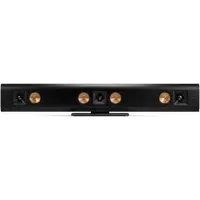
| Product Type | Soundbar with Wireless Subwoofer |
| Model | RSB-8 |
| Brand | Klipsch |
| Audio Channels | 2.1 |
| Total Power Output | 200W RMS |
| Frequency Response | 35 Hz - 20 kHz |
| Soundbar Drivers | Four 2.5" full-range drivers |
| Subwoofer Driver | 8" down-firing wireless subwoofer |
| Connectivity | Bluetooth 4.0, Optical, 3.5mm Aux, HDMI ARC |
| Remote Control | Included with infrared |
| Wall Mountable | Yes (bracket included) |
| Soundbar Dimensions (W x H x D) | 104.1 cm x 7.6 cm x 8.9 cm (41" x 3" x 3.5") |
| Soundbar Weight | 3.2 kg (7 lbs) |
| Subwoofer Dimensions (W x H x D) | 25.4 cm x 30.5 cm x 30.5 cm (10" x 12" x 12") |
| Subwoofer Weight | 5.4 kg (12 lbs) |
| Power Supply | AC 100-240 V, 50/60 Hz |
| Power Consumption (Soundbar) | 35 W |
| Power Consumption (Subwoofer) | 40 W |
| Standby Power | < 0.5 W |
| Included Accessories | Remote control, power cords, optical cable, HDMI cable, wall mount kit, user manual |
| Cleaning Instructions | Use a soft dry cloth; do not use liquids or aerosols |
| Safety Warnings | Do not expose to moisture or extreme temperatures; no user-serviceable parts |
| Repairs | Contact authorized Klipsch service center only |
| Repairability | No user-replaceable parts; professional repair required |
Frequently Asked Questions - RSB-8 KLIPSCH
How do I connect the RSB-8 to my TV?
Use the included HDMI ARC cable or optical cable. Connect one end to the soundbar and the other to the corresponding port on your TV. Then select the correct input on the soundbar using the remote.
Can I pair my phone via Bluetooth?
Yes, press the Bluetooth button on the remote or soundbar to enter pairing mode. Select Klipsch RSB-8 from your phone's Bluetooth settings.
How do I pair the wireless subwoofer?
The subwoofer automatically pairs with the soundbar upon power up. If not, press the Pair button on the subwoofer and the Bluetooth button on the remote simultaneously.
What should I do if there is no sound?
Check that both the soundbar and subwoofer are powered on. Verify the input source is correct. Ensure the TV audio output is set to PCM or Dolby Digital and not DTS.
Can I mount the soundbar on the wall?
Yes, the soundbar comes with a wall mount bracket. Follow the included mounting instructions to securely attach it to the wall.
How do I clean the soundbar?
Use a soft, dry cloth to wipe the exterior. Avoid using any liquids or cleaning sprays as they may damage the electronics.
Does the soundbar support Dolby Atmos?
No, the RSB-8 supports Dolby Audio but not Dolby Atmos. It features 2.1 channel audio with virtual surround processing.
What is the maximum power output?
The system delivers 200W RMS total power: 100W for the soundbar and 100W for the subwoofer.
How do I reset the soundbar?
Unplug the power cord for 30 seconds, then plug it back in. Alternatively, press and hold the Power button on the soundbar for 10 seconds.
Where can I find the user manual?
The manual is available for free download on notice-facile.com in PDF format. You can also access it via the Klipsch support website.
User questions about RSB-8 KLIPSCH
0 question about this device. Answer the ones you know or ask your own.
Ask a new question about this device
No questions yet. Be the first to ask one.
Download the instructions for your Soundbar in PDF format for free! Find your manual RSB-8 - KLIPSCH and take your electronic device back in hand. On this page are published all the documents necessary for the use of your device. RSB-8 by KLIPSCH.
USER MANUAL RSB-8 KLIPSCH

Manual assistant
Powered by Anthropic
Waiting for your message
Product information
Brand : KLIPSCH
Model : RSB-8
Category : Soundbar