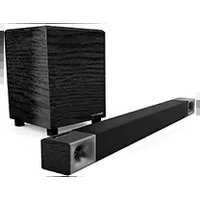
Cinema 400 - Soundbar KLIPSCH - Free user manual and instructions
Find the device manual for free Cinema 400 KLIPSCH in PDF.


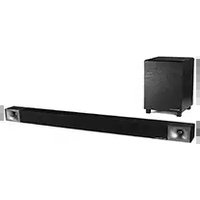
| Product Type | Soundbar with Wireless Subwoofer |
| Brand | Klipsch |
| Model | Cinema 400 |
| Audio Channels | 2.1 |
| Total Power Output | 400 W |
| Soundbar Dimensions (W x H x D) | 101.6 cm x 6.35 cm x 8.89 cm (40" x 2.5" x 3.5") |
| Subwoofer Dimensions (W x H x D) | 22.86 cm x 40.64 cm x 25.4 cm (9" x 16" x 10") |
| Soundbar Weight | 3.18 kg (7 lbs) |
| Subwoofer Weight | 6.8 kg (15 lbs) |
| Power Supply | AC 100-240 V, 50/60 Hz |
| Power Consumption (Soundbar) | 30 W (standby: <0.5 W) |
| Power Consumption (Subwoofer) | 40 W (standby: <0.5 W) |
| Connectivity | HDMI ARC, Optical, Bluetooth 5.0, USB (service only) |
| Bluetooth Version | 5.0 |
| Audio Decoding | Dolby Audio, DTS Digital Surround |
| Remote Control | Included (IR) |
| Wall Mountable | Yes (bracket included) |
| Frequency Response | 28 Hz - 20 kHz |
| Drivers | Two 2.5" full-range drivers, Two 4" passive radiators |
| Subwoofer Driver | 8" copper-spun woofer |
| Cabinet Material | MDF (soundbar and subwoofer) |
| Warranty | 2 years limited |
| Care Instructions | Wipe with dry cloth; avoid liquid cleaners |
| Safety Certifications | UL, CE, FCC |
Frequently Asked Questions - Cinema 400 KLIPSCH
User questions about Cinema 400 KLIPSCH
0 question about this device. Answer the ones you know or ask your own.
Ask a new question about this device
Download the instructions for your Soundbar in PDF format for free! Find your manual Cinema 400 - KLIPSCH and take your electronic device back in hand. On this page are published all the documents necessary for the use of your device. Cinema 400 by KLIPSCH.
USER MANUAL Cinema 400 KLIPSCH
1-2 - INSIDE
3-4 - DISPLAY AND CONTROLS
5 - DIRECT WALL MOUNTING
6 - CONNECTIONS - HDMI-ARC
7 - TURN OFF TV SPEAKERS
8 - CONNECTIONS - DIGITAL OPTICAL
9 - CONNECTIONS - ANALOG
O - SUBWOOFER PLACEMENT
11 - SUBWOOFER WIRELESS CONNECTION
12 - SUBWOOFER RECONNECT
13-14 - REMOTE
15-16 - SOUND MODES
17 - DIALOG MODE SELECT
18 - LED ON/OFF
19-20 - BLUETOOTH WIRELESS TECHNOLOGY
21-22 - SURROUND BUTTON OPERATION (SURROUND 3'S NOT CONNECTED)
25-26 - TV REMOTE PROGRAMMING
27 - REMOTE CONTROL CODES (UNIVERSAL / CABLE REMOTES)
28 - SURROUND 3 PAIRING (SURROUND 3 SOLD SEPARATELY)
29 - FACTORY RESET / CARE AND CLEANING
30 - WIRELESS, AUDIO & DIGITAL FEATURES
31-37 - IMPORTANT SAFETY INFORMATION
38-43 - WARRANTY INFORMATION
INSIDETABLE OF CONTENTS
CONTENU • CONTENIDO • INHALT • CONTENUTO • CONTEÚDO • 目录

Sound Bar

Wall-Mount Template

Subwoofer Remote

| Sound BarBarre de sonBarra de sonidoSoundbarSoundBarBarre sonora桌形音控 | SubwooferCaisson de gravesSubwooferSubwooferSubwooferSubwoofer低音控 | Wall-Mount TemplateGaberit de montage muralPlantilla de montaje en la paredWandbefestigungsschabloneDima per il tissaggio a pareteModelo para instalação na parede挂盤模板 | RemoteTélécommandeControl remotoFernbedienungTelecomandaControle remoto波控器 |

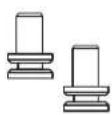
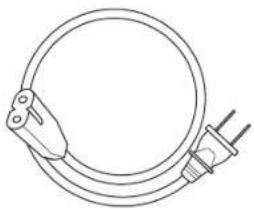

Power Cord (2) HDMI CableWall Mount Brackets (2) Wall Mount Screws (2)
| Wall Mount BracketsSupports pour montage muralSoportes de montaje en la paredWandhalterungenStarte per montaggio à pareteSuportes para montagem em parede壁挂式支架 | Wall Mount Screwsvis pour montage muralTornilles de 1/4 plg.1/4" SchraubenViti 1/4"Parafusos 1/4"1/4" 紙钉 | Power CordCordon d'alimentationCordón de alimentaciónGleichstromkabelCavo di alimentazioneCabo de alimentação直流电源线 | HDMI CableCable HDMI Cable de HDMI HDMI-KabelCavo HDMI Cabo HDMI HDMI 电缆 |
DISPLAY AND CONTROLS
BARRE DE SON • BARRA DE SONIDO • SOUND BAR • SOUND BAR • BARRA SONORA • 条形音箱

| Bluetooth® LED (Blue) | Analog LED (Green) | Digital Optical LED (Red) | HDMI LED (White) |
| DEL Bluetooth (Bleu) | DEL Analogique (Vert) | DEL Optique numérique (Rouge) | DEL Source HDMI (blanc) |
| LED de fuente Bluetooth (Azul) | LED de fuente analógica (Verde) | LED de fuente óptica digital (Rojo) | Indicador LED de fuente de HDMI (blanco) |
| Bluetooth-LED (Blau) | Analog-LED (Grün) | Digital-optische LED (Rote) | HDMI-Ouellen-LED (WeiS) |
| LED segnale Bluetooth (Blu) | LED segnale analogica (Verde) | LED segnale ottica digitale (Rosso) | LED segnale HDMI (blanca) |
| LED do Bluetooth (Azul) | LED analógica (Verde) | LED ótico digital (Vermelho) | LED de fonte - HDMI (branca) |
| 蓝牙 LED 灯 (蓝色) | 模拟 LED 灯 [绿] | 数字光学 LED 灯 (红) | 电视电源 LED (白色) |
| Source LED (White) | Dolby Digital LED (White) | Virtual Surround Mode LED (White) | Dialog Enhance Mode LED (White) | Night Mode LED (White) |
| DEL Source TV (Blanc)Indicador LED de fuente de TV (blanco)TV-Quellen-LED (Weiß)LED segnale TV (blanca)LED de fonte - TV (branco)电视电源 LED (白色) | DEL Dolby Digital (orange)LED de Dolby Digital (nananja)Dolby-Digital-LED (orange)LED segnale Dolby Digital (aranja)LED Dolby Digital (aranja)杜比数字 LED 灯 (橙子) | DEL Mode antibiophonique virtuel (blanc)LED de modalidad de surround virtual (blanco)LED Virtueller Surroundmodus (Weiß)LED modalità surround virtuale (blanca)LED do modo surround virtual (branco)虚拟环绕声模式 LED 灯 (白色) | DEL Mode d'égalisation d'accentuation vocale (blanc)LED de modalidad de eculización de mejoramiento de voz (blanco)LED EO-Modus für verbesserte Stimmen (Weiß)LED modalità equalizzatore potenziamento vocale (blanca)LED de modo de EO de melhoria de voz (branca)音效增强均衡器模式 LED 灯 (白色) | DEL Mode nocturne (blanc)LED de modalidad nocturne (blanco)Nachtmodus-LED (Weiß)LED modalità nocturne (blanca)LED do modo nocturno (branca)夜间模式 LED 灯 (白色) |
| On / OffSous tensio / Hors tensionEncendido / ApagadoEin / AusAcceso / SpentoLigar / Desligar开/关 | Source Select (Toggle)Sélection de la source (commutation)Selección de fuente (cíclica)Quellenwahl (Umschalten)Selezione segnale (In sequenza cíclica)Seleção da forte (Alternar)电源选择(切换) | Volume DownVolume basBajada de volumenLeiserRiduzione volumeDiminuir o volume音量较小 | Volume UpVolume hautSubida de volumenLauterAumento volumeAumentar o volume音量增大 |
DIRECT WALL MOUNTING
MONTAGE MURAL DIRECT • MONTAJE DIRECTO EN LA PARED • DIREKTE WANDBEFESTIGUNG • MONTAGGIO DIRETTO A PARETE • MONTAGEM DIRETA NA PAREDE • 直接墙上安装

TV MOUNT MOUNTING
MONTAGE POUR TÉLÉVISEURS • MONTAJE DEL SOPORTE DEL TELEVISOR • TV-WANDBEFESTIGUNG • MONTAGGIO DEL SUPPORTO DEL TELEVISORE • MONTAGEM EM SUPORTE DE TV • 电视架安装

BRACKET NOT INCLUDED
SUPPORT MON INCLUS
NO SE INCLUVE EL SOPORTE
HOLTEURIE NICHUMLIESTEURMEANS ENTHAL TEN
1.2.1.1.1
STAFFA NON INCLUSA
A Basic TV HDMI Input will not transfer the TV audio signal to the Sound Bar. The Cinema 600 Sound Bar will only receive TV audio through HDMI-ARC (with CEC turned ON), Optical or Analog connection.

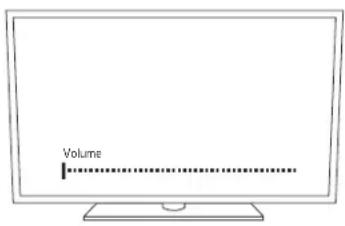
OU RÉGLER SUR AUTO SUR ARC
O BIEN FIJAR EN "AUTO ON ARC"
OU CONFIGURE PARA "AUTO ON ARC"
或设置为 "AUTO ON ARC"
CONNECTIONS - DIGITAL OPTICAL (IF TV HAS NO OPTICAL OUT SEE NEXT PAGE)
CONEXÕES - ÓTICA DIGITAL (SE A TV NÃO TIVER SAÍDA ÓTICA, CONSULTE A PRÓXIMA PÁGINA) • CONEXIONES - DIGITAL ÓPTICA (SI EL TELEVISOR NO TIENE SALIDA ÓPTICA, VEA LA PÁGINA SIGUIENTE.) • ANSCHLÜSSE - DIGITAL-OPTISCH (WENN TV KEINEN OPTISCHEN AUSGANG HAT, SIENE NÄCHSTE SEITE) • CONNESSIONI - ÓTICA DIGITALE (SE IL TELEVISORE NON HA UN'USCITA ÓTTICA, VEDERE ALLA PAGINA SUCCESSIVA) • CONEXÕES - ÓTICA DIGITAL (SE A TV NÃO TIVER SAÍDA ÓTICA, CONSULTE A PRÓXIMA PÁGINA) • 连接 - 数字光学(如果电视没有光学输出,请参见下一页)
CABLE NOT INCLUDED
CÂBLE NON INCLUS
NO SE INCLUYE EL CABLE
CONNECTIONS - ANALOG
CONNEXIONS - AUXILIAIRE 3,5MM • CONEXIONES - 3,5 MM AUXILIAR • ANSCHLÜSSE - 3,5-MM-AUX • CONNESSIONI - INGRESSO AUSILIARIO DA 3,5 MM • CONEXÕES - AUXILIAR DE 3,5 MM • 连接 - 3,5MM 辅助电缆

SUBWOOFER PLACEMENT
POSITIONNEMENT DU CAISSON DE GRAVES • UBICACIÓN DEL SUBWOOFER • SUBWOOFER-PLATZIERUNG • COLLOCAZIONE DEL SUBWOOFER • POSIÇÃO DO SUBWOOFER • 低音炮布置
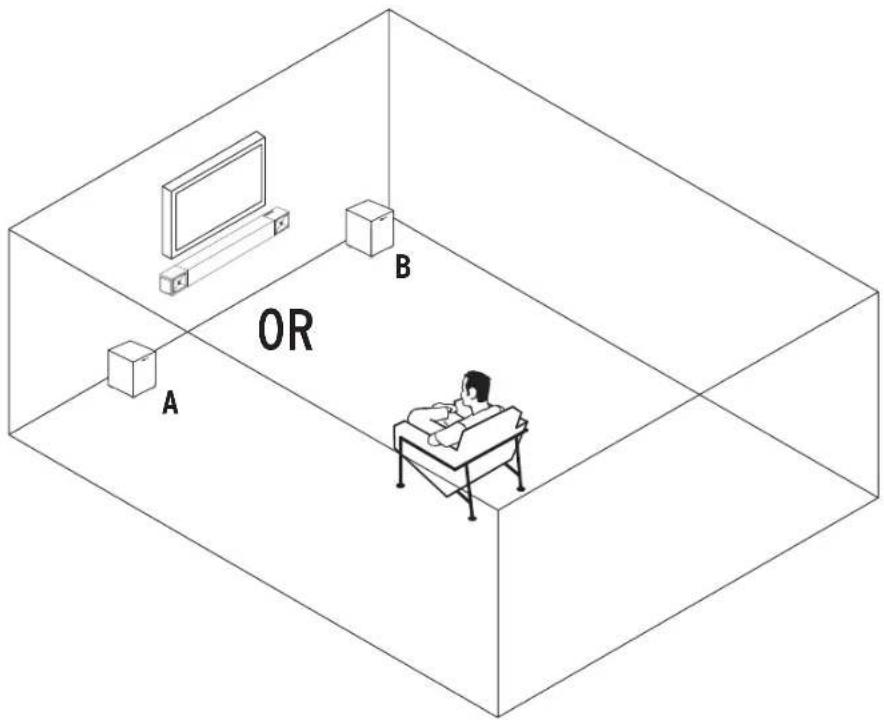


Corner placement will increase the amount of bass output, while placing the subwoofer along the middle of a wall, or out in the room will decrease the amount of bass output.
SUBWOOFER WIRELESS CONNECTION
CONNEXION SANS FIL DU CAISSON DE GRAVES • CONEXIÓN INALÁMBRICA DEL SUBWOOFER • DRAHTLOSE VERBINDUNG ZUM SUBWOOFER • CONNESSIONE WIRELESS CON IL SUBWOOFER • CONEXÃO SEM FIO DO SUBWOOFER • 低音炮无线连接
![graph LR A["1 Sound Bar - Power On"] --> B["30 ft. (9m) MAX"] B --> C["2 Solid"] C --> D["3 Induction"] D --> E["Output"]](/content/2026/05/880632/images/ad1860e304498c487e54c590ccb194c6acbc11bdd995fd6f242cbb13503de83b.jpg)
SUBWOOFER RECONNECT
RECONNECTER • RECONNECTAR • ERNEUT VERBINDEN • RICONNESSIONE • RECONNECTAR • 重新连接

REMOTE
TÉLÉCOMMANDE • CONTROL REMOTO • FERNBEDIENUNG • TELECOMANDO • CONTROLE REMOTO • 遥控器

On/Off
LEDs DIM/Off (Sound Bar)
Bluetooth® Source Select
ANALOG Source Select
Selects Analog
(3.5mm) Input
DIGITAL Source Select Selects Optical Input
Play/Pause
Controls Play/Pause
for Bluetooth Source
TV Source Select Selects HDMI Input
Sub Reset
Resets subwoofer to factory volume level (Hold for 3 seconds

System Volume
Mute

Subwoofer Level
Adjusts Subwoofer Volume

Dialog Enhance Mode
Toggles through Dialog Enhance
Mode 1, 2, 3 and OFF

Surround Mode
Surround Level Adjust

Night Mode On/Off
| On / OffSous tensio / Hors tensionEncendido / AçaçadoEin / AusAcceso / SpentaLigar / Desligar开/关 | LEDs On/Off (Sound Bar)DEL Sous tensio / Hors tension (Barre de Son)LED Encendido / Açaçado (Barre de Sonido)LED Ein / Aus (Sound Bar)LED Acceso / Spento (Sound Bar)LED Ligar / Desligar (Barre Sonora)LED 开/关{涤形音箱} | System Volume UpVolume hautSubida de volumenLeuterAumento volumeAumentar o volume音量增大 | System Volume DownVolume basBajada de volumenLeiterRiduzione volumeDiminuir o volume音量减小 | Subwoofer Level UpVolume haut - Caisson de gravesSubida de volumen - SubwooferLeuter - SubwooferAumento volume - SubwooferAumentar o volume- Subwoofer音量增大 | Subwoofer Level DownVolume bas - Caisson de gravesBajada de volumen - SubwooferLeiter - SubwooferRiduzione volume - SubwooferDiminuir o volume - Subwoofer音量减小 |
| MuteSourdineSilenciadorStummschaltungDisattivazione audioDesativar áudio静音 | Bluetooth® Source SelectSelection de la source Bluetooth®Selección de fuente Bluetooth®Bluetooth®-QuellenwahlSelezione segnaleBluetooth®Seleção de fonte Bluetooth®蓝牙还选择 | Source SelectSelection de la sourceSelección de fuenteQuellenwahlSelezione segnaleSeleção de fonte源选择 | Surround Mode SelectMarche/Arrêt Mode ambiophonique virtuelActivación/desactivación de modalidad de surround virtualVirtueller Surroundmodus En/AusModalità surround virtuale On/OffAtivar/desativar o modo surround virtual虚拟环绕声模式开/关 | Dialog Enhance Mode SelectMarche/Arrêt Mode d'égislation d'accentuation vocaleActivación/desactivación de equalización de mejoramiento de voz EQ-Modus für verbesserte Stimmen En/AusEqualizatore potenziamente vocale On/OffAtivar/desativar o modo de EQ de melhoría de voz音效编辑均面器开/关 |
Night Mode On/Off
LED ON/OFF
DEL MARCHE/ARRÊT • ENCENDIDO/APAGADO DE INDICADORES LED • LED AN/AUS • LED ACCESO/SPENTO • LED LIGA/DESLIGA • LED 灯开/关
![graph TD A["LED"] --> B["Digital Display"] B --> C["BRIGHT ALWAYS ON"] C --> D["DIM ALWAYS ON"] D --> E["DIM OFF AFTER INACTIVITY"] E --> F["Press x1"] F --> G["Press x1"]](/content/2026/05/880632/images/273895584d73ceedd411fba2724b9962ef8aacae5f2ec20e112eef4dd1ff3265.jpg)
| Press x1Aouyer l'focsOprime I vezIe drückenPremere I'vellaPressionor uma vez接 1 次 | BRIGHTLumineusBrillanteHellluminosoBrinhante明亮 | ALWAYS ONToujours en fonctionnementSiempre encendidoImmer anSemore accesoSemore ateso始终开启 | DIMSombreOsteuroDurkelAttenuataEsmacido音频 | OFF AFTER INACTIVITYArrêt après inactivitéApagado descuds de inactividadNach inactivitidis ausSperte dopo un certo periodo di inattivitàApagoco cepoio de inactividade无缘作后关闭 |
BLUETOOTH® WIRELESS TECHNOLOGY
TECNOLOGÍA INALÁMBRICA BLUETOOTH® • CONFIGURACIÓN DE TECNOLOGIA WIRELESS BLUETOOTH® • DRAHTLOSE BLUETOOTH®-TECHNOLOGIE-SETUP • CONFIGURAZIONE TECNOLOGIA WIRELESS BLUETOOTH® • CONFIGURAÇÃO DE TECNOLOGIA SEM FIO BLUETOOTH® • BLUETOOTH® 蓝牙无线电技术

PAIR
CONNEXION
CONEXIÓN
VERBINDEN
COLLEGAMENTO
CONECTAR
连接
Hold 3 Seconds
BLUETOOTH WIRELESS TECHNOLOGY
TECNOLOGÍA INALÁMBRICA BLUETOOTH® • CONFIGURACIÓN DE TECNOLOGIA WIRELESS BLUETOOTH® • DRAHTLOSE BLUETOOTH®-TECHNOLOGIE-SETUP • CONFIGURAZIONE TECNOLOGIA WIRELESS BLUETOOTH® • CONFIGURAÇÃO DE TECNOLOGIA SEM FIO BLUETOOTH® • BLUETOOTH® 蓝牙无线电技术
RECONNECT
RECONNECTER
RECONNECTAR
ERNEUT VERBINDEN
RICONNESSIONE
RECONECTAR
重新连接
![graph TD A["1: Bluetooth 2.0"] --> B["OR"] B --> C["2: Bluetooth 2.0"] C --> D["3: Solid"] D --> E["OR"] E --> F["4: Bluetooth 2.0"] F --> G["5: Bluetooth 2.0"] G --> H["6: Bluetooth 2.0"] H --> I["7: Bluetooth 2.0"] I --> J["8: Bluetooth 2.0"] J --> K["9: Bluetooth 2.0"] K --> L["10: Bluetooth 2.0"…](/content/2026/05/880632/images/1320eccb2e557102841d77a56fff1da265b9f96b020b9c3347a2bafdfa0edcf9.jpg)
TV REMOTE PROGRAMMING
PROGRAMMATION À DISTANCE DU TÉLÉVISEUR • PROGRAMACIÓN DEL CONTROL REMOTO DEL TELEVISOR • PROGRAMMIEREN DER TV-FERNBEDIENUNG • PROGRAMMAZIONE CON IL TELECOMANDO TV • PROGRAMAÇÃO DO CONTROLE REMOTO DA TV • 电视机遥控器编程
If you want to use the TV remote to control the sound bar, you can program the sound bar to take commands from your TV remote
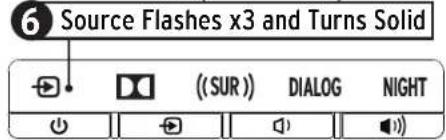

Kol: 3 Seconds
Appuyer pendant 3 secondes (Calsson de Graves)
Source Flashes x3 and Turns Solid
* To program Volume Down button repeat the steps shown and replace steps 3 and 5 with the button you want to program.
SURROUND 3 PAIRING (Surround 3 Sold Separately)
Clears Bluetooth® pairing history and user programmed IR commands

[Non-Text]
[Non-Text]
[Non-Text]

Bluetooth®
"The Bluetooth® word mark and logos are registered trademarks owned by the Bluetooth SIG, Inc. and any use of such marks by Klipsch Group, Inc. is under license. Other trademarks and trade names are those of their respective owners."

DOLBY AUDIO™
Manufactured under license from Dolby Laboratories. Dolby, Dolby Audio, and the double-D symbol are registered trademarks of Dolby Laboratories.

HIGH-DEFINITION MULTIMEDIA INTERFACE
HDMI, High-Definition Multimedia Interface, and the HDMI logo are trademarks or registered trademarks of HDMI Licensing, Administrator in the United Staed and/or other countries.
IMPORTANT SAFETY INSTRUCTIONS!
1.500 bps m/s
- 用-10位图示例
2.17.14.15
- DO HCT install non-new host sources such as radiators host registers, switches, or other
epperties in the angling of the person
-
DO NOT show the safety to use of the potential air or piping type-play (a potential plan) has two sides with one side than two other. A grounding box plug has two sides and a third covering pine. The wider side of the third pine are provided for your safety. It is provided using it. It into your route, outside an electrician for replacement part of the possible outlet
-
PROTECT the power condition being valued on a pinched particular only at plugs convenience
recipitates, and the post-sterefficed, bundle agenius.
-
2017年,公司与关联方不存在关联关系。
-
2023, 14:17, 22:15, 19:00, 21:00, 22:00, 23:00, 24:00, 25:00, 26:00, 27:00, 28:00, 29:00, 30:00, 31:00, 32:00, 33:00, 34:00, 35:00, 36:00, 37:00, 38:00, 39:00, 40:00, 41:00, 42:00, 43:00, 44:00, 45:00, 46:00, 47:00, 48:00, 49:00, 50:00, 51:00, 52:00, 53:00, 54:00, 55:00, 56:00, 57:00, 58:00, 59:00, 60:00, 61:00, 62:00, 63:00, 64:00, 65:00, 66:00, 67:00, 68:00, 69:00, 70:00, 71:00, 72:00, 73:00, 74:00, 75:00, 76:00, 77:00, 78:00, 79:00, 80:00, 81:00, 82:00, 83:00, 84:00, 85:00, 86:00, 87:00, 88:00, 89:00, 90:00, 91:00, 92:00, 93:00, 94:00, 95:00, 96:00, 97:00, 98:00, 99:00, 100:
The following text in the image is a non-textual, stylized graphic:
-
UNPLUG this approach during lighting costs or when unused for long periods of time.
-
PER a drawing in qualified service services. Service required when the apparatus has been damaged from any such power supply and to play a damaged liquid has been supplied objects have taken into the apparatus, the apparatus has been exposed to rain or moisture, does not operate normally, or has been dropped.
-
[0-10] eque, his appendixed, of your spleen, for an excellent products (for with
-
2013, and as well are positive on the approach.
To complete connection it is apparent from the A. Veris, connected the power supply
(1) 2017年1月1日
- The health, drug, and other drugs & services provided from the National Department of Health
K172-1021, April 20
- 10. Electric shock recovery
- The anisperm suit be placed at peakum 13°E/45°, anisent temperature
The second question, with an explicit table, is added to the first
the increased special operating and maintenance services included in the
there is accompanying the product

The lighting flash with arrowhead system within an equivalent mode is reflected
to and the user of the presence of an realised dangerous village within the
product's described map set with magnitudes in the area of electrical
sheet to persons
MAXIM2: To reduce the risk of the electrical shock, do not expose this appraisal to an
priscélés
MARCH: to prevent injury, in appendus must be secured attached to the door wall.
confluence in the industrial industry
MAXIMIL-No reagent sources such as canines should be tested on the product.

This equipment is a Class I or double insa and electrical appliance. It has been
designed maintenance, that does not require a safety connection to electrical etc.
THIS PRODUCT CONTAINS WITH THE CONVENT BATTERY, IF MUSUF. OR USED THIS CONTENT.
• Sinoor en l'ord
: Harwood
· Firebird
• Dodecen hansen
M20.187. Found plus the best in small impact (chemical term used) been used in both: better than out of reach of children and girls. It was used, it can cause severe referral births in just 2 hours and could lead to death.

I can think better than have been well closer or better than the side gets more stable situation.
MART-NE: Battery compartment does not close securely, since using the product and keep it away from children and cats.
M20:18. Food and cooking of processed food bellies.
MART-NE: Period change. Only use the specific level of batteries. Never moves are used batteries, then secure on the following battery from products that are not in use for extended periods of time. Store batteries in a dry place.
MATH INC. Batteries (domey power) offers installed solar home exposure to excessive heat such as sunshine, fire or the ice.
M25-MS. Darger of ejectional salary in a more than replaced Pachovia only with the same or several type.
MASC. Boudreclarge varrechnable bellies.
MAX-NE Avoid exposure to current test or cold
Please discuss of any kind of varieties properly, for example in some situations. For not indeed we

MAN'S: Do Not Use Risk of Electrical Shock Volages in this equipment are numerous to be. No increase is partly made before beginning in modified service personnel
Place the equipment near a power supply outlet and make sure that you can easily access the power (power outlet).
NEWWAL: the product is intended to be operated ONLY from the AC's began line on the back port or inored power supply of the product. Operator from other pipelines other than those included in operation, which is being the product authority. "In one of AC's, Adopters is conditional because it cannot be the product to be supported into pipelines in which the product has not designed to operate. The product is equipped with a device name power and may only be the closed in the same product by your head and direction. In this way we are at the open operating pipelines, please contract your lock distribution and communication.
EU COMPLIANCE INFORMATION
Eligible to bear the Green Conforms in European Union, low Voltage Directive 2014/35/01 European Union UK Directive 2014/35/01, European Union Resolution of Canadian Substances (St. 678) (Krdine 721/65/01, European Union AMF 2014/35/01, European Union
Low Design Directive 2039/12512, European Union Segregation, Localization, Authorization and Distribution of Chemical (FMC) Eq. No. 7206/2078, European Union Forum Equipment Directive 196120432601.
In product conditions balance that are covered under the 2006/06/15 European Direct, at which a single deal will be sold in the same order. Please have its registration.
Souring, a total of the declaration or currently by contacting your dealer distribution, in Republic, to have its best partner. Created the nation or he found his http://awald.pct.com/for which is
NEE NOTICE
Note: This mark applies only to counties within the European Union (EU) and Norway.

This appliance is labeled in accordance with our special procedure 2012/50. Customer service is the standard electronic equipment (MTFS). This is also noted that this product should not be disposed of with household waste. It should be deposited at an guarantee to be suitable for use and storage.
FOC AND CANADA ENC COMPLIANCE INFORMATION
This sales are complex with it. But the 100% Sales Operator is subject to be following low conditions: 10. Sales are not possible to have a negative impact on
- This device must accept any interference received, including interference that may cause ordered operation.
MILK. This work is the best and weak to comply with the risks of other (including errors, etc.) and your way for the FOL Order. These items are being applied to the corrects of protection for various harmful information on the material installation, the square components, used and use materials to ensure any necessary ways and needs. The material is not a suitable area with the industrial use, but some of them difficult to find some materials. However, there is no particular that it's necessary to provide the partial labor installation. This work is just does because harmful information to be able to be avoided, except if the material is defined by learning the equipment will allow, the use is not necessary to try to connect the information as a key or more of the following measures:
• Decided as a modellate in the
- Increase the separation between the equipment and workers
- Conect the application into an order or a circuit different than that to which the results are connected.
- Densyl the rese: transoep: enolahly?
Approved under the verification provision of FCC Part 15 as a Class & Digital Device.
Duration Changes or modifications not necessarily approved by the manufacturer could not be the user's authority to operate this service.
Directions: To comply with the limits of the Class B capital device, pursuant to Part 16 of the FCC Rules, this contract is required with Class B limits. All persons are not be shielded and grounded. Operation with non-critical peripherals or non-shaded tables may result in inheritance to reduce reposition.
MRELESS TRANSNITTER COMPLIANCE INFORMATION
Formula Expense-Scaled
This equipment complies with FOC and other exposure limits not formed for an uncontrolled or intermittent. The equipment should be installed and operated with maximum distance 20 km between the manufacturer's your party.
Store equipment, other play in module 245 and 200c dual stands This notice is store applied the device is not rated to limit and/or after operation in
be 103 and
Industry Canada statement
This device complies with industry Green's license-over-15% question is subject to the following two conditions:
Theorem 4.1.1. (2) Let (r) be a finite set of -values of (r) .
- This is not must accept any interference, including interference that may cause uncontrolled condition of the crime.
Coulon (for a 40 mmol·mole 2.46 and 30-25 μm bonds)
3) The device for operation in the band SBU SOC Wilk is only or more use to reduce the potential for manual reference in next instance. This system,
If the maximum antenna gain permitted for d'e-cis in the bands 5200-5600 MHz and 5400-5725 W-a shall be such that the copper still complies with the a. sp. limit:
In the maximum distance gain is included for devices in the band 525-5300 Vdc and be such tool. The equipment still consists all the six 1 sets specified for physical and non-linear repair operation as appropriate and
- The worst case is largely necessary to prevent a complaint in the e.g. decision need, and should be taken into Section 6.2(2) and be clear, indicated
If users should also be advised that, high-power radios are allocated to primary users (i.e. primary users of the beta 3250-3500 MHz and 5650-5800 MHz) and i.e. these users could cause interference or damage from a charged P-H device
Sedent Exposure Sluertes
This equipment complies with 500 reclassors and required to be an unguarated environment. This equipment should be installed and operated with minimum distance 700 meters of the radiator & your body.
RSB-3
HARILYESNIA
Pudential Openlog frequency: 2002-2008
Vodran 37.2 sec 10 d.m. (p.k.)
PSD-G
Pudential Opening Frequency: 2002-2400Hz
Vodrum IV, Power 4 rBm (adpt)
RSB-8
Buchch Operating Revenue: 2402 2490N
Vermilion 37,2026; 1rbr. 2e1-1
RSB-1
Buchst Opening Results: 2002-24-2014
Veilum 37:20:10.15m (e.g.)
Airless To & Re Operating Frequency. 742335-47738VHz
Madren-Si-Texas-1028
ESN-14
Eurtech Operating Frequency: 3402-3480N=7
Madridi S. 2005, 10:12:00
Aireless is ER Operating frequency. 240135 247028916
( \text{V} _ { 1 } \text { m } _ { 2 } \text { T } _ { 3 } \text { S } _ { 4 } = 0 . 4 5 0 \text { (e.g. ) }]
A/E Operating Frequency: 242-2422 MHz
Medtrum® Power 20 cm
Art Operating Focus: 180-51904-715205739H
Vodrum S. Power, 20 cm
CONSIGNES DE SÉGURITÉ IMPORTANTES !
APPROSSIFMPT: The number of squares of the first line of the second line is not equivalent to the parallel line plate on A thunidite.
APPROSPART: Four-order tools include a set approval result in a settlement for an unconsolidation of information and instructions of notation.
APPROSYSTEM: Other trade export on A unit price on 2 m train volume.
Hippine, Kusca, and Bausa
AVIS DEEE
INFORMATIONS DE CONFORMITÉ FOC ET CEM CANADA
(1) Apparel net 4.3 per product of rhinflurone derivatives at 75% or
pared tull, a couple l'aux le inle deUXe meux, p'squeix sols prout, m'oulin en tunt cenemont indis rable.
Source: Lepium Statement
This explained examples with 20% random equations and results set forth for an uncontrolled environment. This can prevent should be installed and operated with minimum distance 25 cm between the random or your body.
Save equipment for play module 246 and 55Hz dual bands
This device is not equipped for the device, so it is directly controlled by the user in the DFS and
In this case,
[1] D. H. A. 2017, 1965, 38-41 (see text)
In the device for operation in the band S500 S250 MHz is only for indoor use to reduce the potential by binding the base level has more easily open.
If the revenue is unknown as in permitted for due use in the works of \732-\850 MM and \470-\725, it shall be such that the equipment still complies with a long limit.
If the maximum entire gain permitted for desk in the band 525-530. We shall be such that he applied will comply with the excise limits specified for perimeter and or lateral support, appropriate and
In the word case it is explicitly necessary to return completely all the class, condition mass is presented so, in relation to 2.2% that the class is included
If ILSI should also be advised that high-power motors are allocated to primary users (i.e. prioritization of the motors 3250-3360 Pils and 3610-3690 Pils) and that these motors could cause the power output in management for 4% of the
Sed with Lopure Stelengit
This explained examples with 37% of the responses contained in each letter for an important level of agreement. This component should be installed and operated with minimum distance 20 cm between the radiator a year 2024.
This equipment complies with 70% radiation exposure a limits set forth for an uncontrolled environment. This equipment should be installed and operated with minimum distance 200 cm between the reservoir in your body.
Save equipment for plant module 246 and 550b dual bands
This device is a new equipment, the device is not under detection and not address operation in the 2013 band.
Industry Canada statement
In the device for operation in the brand SBD S257 Wks is only or under use to reduce the potential for transf. dataswana to purchase more so-called systems.
- In the maximum external gain permitted for devices in the sand 2025-5804-9-e shell to such that he equipped with complex all the equal limits specified to port by and are not equal point separation as appropriate and
16 Users should also be advised that high power users are allocated as primary users side.
priority use of the banks 5050 5050 (Ml.com) and Under States for course interference and management for FAIR rules
(2013) 487-569
In the device for operation in the band 500-5730 VHz is only, for instance to reduce the potential for broadband performance to channel mode small systems.
At the mode in antenna gain permitted for d-axis in the band 5200-5500 MHz and 5400-5620 V, we shall be modified to the output, which is a result.
If the maximum 10mm gain is offered for designs in the band 579-3802. We shall be such that the equipment will complex with the c/a limit specified for point to contact and non-contact point, specification appropriate and
(4) the word case did explicit necessary to remain in compliance with the e.g. condition must require not, for in Section 62.251 shall be clearly indicated.
(2) The should be an arked but in a power source can be directed to primary sources for priority use of the banks 250-3300 V-b and 3600-3800 V-e and that these means could cause interference and/or damage to U.S.A. sources.
Reduction Exposure Statement
This equipment complies with 5.0x retable-encaps-irms-sat-lith for an uncontrolled end-cement. This was priced shellled in-dial and operated with minimum range of 25 on between the retable a year body.
INSTRUÇÕES DE SEGURANÇA IMPORTANTESI
-
IFL 278 refuclera
-
GUARDLES INSTRUMENTS
-
FIGUE ATTNTG is a leader as shown.
-
SIGI bases as instructions.
-
126 use the aps who per le de aps
-
JVPJ AP NAS COM UN INTERSCO
-
KBC inquisis reclassar elastre de suñlajat inalde bezirto muzo, ala lucino
do tebr carte.
the following described herein is not available to us
The following table is provided in the image:

Descrita hede as olive, deles corrientes, sequida as requiemarales, ceras, hite, as indien.
The following table provides the original data:
INFORMAÇÕES SOBRE AS NORMAS DE CONFORMIDADE ELETROMAGNÉTICA DA FOG E DO GOVERNO DO CANADA
End of Exposure Statement
Insequenced complex with Wadiation square limits set further an uncontrolled
environment. This equipment should be installed and operated with minimum distance 20cm between the conductor & power help.
See question: the play module 245 and 256 (oultions)
This device is a non-epimer of the deuterated solar fuel (reconstructed and active) in the GPS unit.
Industry: Canada
Lota classificacao eia o conformidade com os Normas Fazilockátricas. Júltio de sencla de licença de Indúria y Canadina. A operação está sujeto dos cons. contigues des contratos a segura.
(1) Fide disposicao n/a para encar interfa indice
2) Fendi quotico: no oer allo bation to interb. india, india rata interfok in the gas present faras com que tenhe fur cramento indesjaved.
[Unreadable]
In the device for operation in the band 500-525 VHz is only for indoor use to reduce the potential for thermal resistance in a channel mode used in phase.
(3) the demand on external gains that for decrease in the total 1575-1800 M-r shall be such that the equipment still complex with the c/a links specified for point to c/are non-c/and no point, containing requirements (ref).
Sellers should be obtained that higher-order motors are allocated to primary motorade.
priority users of the bands 500-1000 MHz and that these radars cause interference and damage to LL-LAN sources.
Carrots for a 100mole?46 and 50-70 tons
In the device for operation in the band 500-520 MHz, it is only or indirect use to reduce the potential in terminal state before being tested into a possible solution.
3) The red line members can permit for devices in the band 5750-5800 MHz and 5470-5725
We shall be such that the operator will complete in the up limit:
(4) The maximum cost may be called for devices in the total \$25,335.10% and be used to use equipment in samples with the edge links specified for points and are non-controllable options as appropriate and
(5) the wish to be left enough necessary information could all be equal, better than
represented as a infection of 2 cases but be excluded, included
(2) I have should also be advised from high-power modes are allocated to primary users (i.e.
mostly used of the bars 320-330 Wks and 560-580 Wks and bar, there are a could cause the bars used to manage the 120 Wks
Indicate Exposure Statement
This equipment complies with 3.5% installation exposure limits and limits for the uncontrolled lead
environment. This equipment should be installed and operated with minimum voltage 270V between the motor & power only.
ISTRUZIONI IMPORTANTI DI SICUREZZA
Female: less average men per week; average women per week.
travista informi qualita un chollinamento.
- N°501 GP051 a personal qualification relevant to the Interests. Dora interesora
- 20% are the most recent data from the global research institute.
CITI08200E. A new version of the 1995-2007, 2004
Eligible to best the CF mark. Confine for European Union's Voltage Direct (2012)55/EC; European Union EHC Directive 2004/12/EC; European Union Restriction of Energy and Substances Network 9063 Directive 2008/50/European Union MLLL Directive 2002/45/European Union PowerDesign (Northeast 2020) 75/FIC; European Union Department Production, Authorization and Restriction of Americans 68.6.0 Directive 2006/50/European Union Radio and To communication Terminal Equipment (RSFT) Directive 2014/35/EN
Due to production sources that include the distribution of this in a 200m/km²F, one non-pulsor source small to con I normal fit domestic. After some relative local
MOTA. In base the case a rule that is sufficient, it takes into the questions necessary. This limit stabilizes per 10 percentiles digital of Class B. In conformally a series "Port B" zone nonreliable IUC. Questi limits, some conceptu per access to a solution in the course of
• Expiration source failure (cereals
• Localized Environmental Protection Standards and Standards
Note to Exposure Statement
This equipment complies with PC radiation exposure a limits set forth for an uncontrolled environment. This equipment should be installed and operated with minimum distance 250 between the radiator & your body.
Size 500mm (by 125 mm)
This device is a wire equipment, the device is not under detection and not of free operation in the US band.
(1) 定义: 可由名称为
Quested que lice saddis le maite RS e corneri, da parte a esenti la licera industry. Canada il fure or arment a supporte rile and non-sequent. To queste: paasitiva non ove cuare importanza e
2 quasol que l'oe se laequaban interne to, l'oe nealud intele to the noue caureu inatranestur triderel deil que l'oe suo.
[Unreadable]
If the device for operation is the load 560-532 V/kg is only or under use to reduce the potential for total data from a computer mode small system.
- The demand to overcome expense that for devices in the said 3625-38041-sell is such that he equipped with supplies all the six links specified to point for each annual portion consideration as appropriate and
16 Users should also be admitted that high power readers are allocated as primary user side, primarily use X of the box 500-5650kHz and that these readers can use interface or card or remote to FL Air devices.
Caudon for a sell molecule 245 and 361 for bonds
(1) the device for operation is the total \$50.53; We are only for other one or more than a potential for broadband interference to each channel model in this system.
3) The mode in an extreme gain permitted for degree in the band: 5200-5500 MHz and 5400-5720 MHz shall be null than the square, which consists of two different
3) In the medium a terminal gain permitted for device in the band 5725-5830 VHz shall be such that the equipment will complex with the cut-off limit specified for point to point and non-point point operation as appropriate and
3) In the worst-case it is important necessary to remain compliant with the e.e. or other make no request on, for in Section 64.250 that be clearly indicated.
32 Users should also be advised that high power readers are allocated to primary users like a utility phone (of the bus, 050-5160.0Hz and 5160-8800.0Hz) and that these users would change interference order from LFLAN services.
Tel: (10) Fax: (2) Sla: (3)
This equipment complies with 300 resolution equipped in its act forth for an uncontrolled and terminal. This equipment should be installed and operated with minimum distance 200 cm between the conductor's port duty.
重要安全说明
ENGLISH - WARRANTY - U.S.
Klipsch Group, Inc. (KGI) warrants to the original retail purchaser that this product is to be free from defective materials and workmanship for a period of one (1) year on electronics and three (3) years on woofer, cabinet and non-electrical mechanics, from the date of purchase, if it is properly used and maintained. If this product proves defective in either material or workmanship, KGI, at its option, will (a) repair the product, or (b) replace the product, at no charge for parts or labor. If the product model is no longer available and cannot be repaired effectively or replaced with an identical model, KGI at its sole option may replace the unit with a current model of equal or greater value. In some cases, modification to the mounting surface may be required where a new model is substituted. KGI assumes no responsibility or liability for such modification. To obtain a repair or replacement under the terms of this warranty, please return to dealer first, if possible, and the dealer will direct you accordingly for repairs or replacement. You will be required to submit a copy of the original receipt.
Return shipping for exchanges/repairs is the sole responsibility of the original retail purchaser.
Limitations:
- This limited warranty does not cover failure of the product resulting from improper installation, misuse, abuse, accident, neglect, mishandling, or wear from ordinary use or environmental deterioration.
- This limited warranty does not cover cosmetic damage, including paint damage, or consequential damage to other components or premises which may result for any reason from the failure of the product.
- This limited warranty is null and void for products not used in accordance with KGI's instructions.
- This limited warranty is null and void for products with altered or missing serial numbers and for products not purchased from an authorized dealer
- This limited warranty terminates if you sell or otherwise transfer this product to another party.
THIS WARRANTY GIVES YOU SPECIFIC LEGAL RIGHTS, AND YOU MAY ALSO HAVE OTHER RIGHTS WHICH VARY FROM STATE
TO STATE, JURISDICTION TO JURISDICTION OR COUNTRY TO COUNTRY. KGI'S RESPONSIBILITY FOR MALFUNCTIONS AND DEFECTS IN HARDWARE IS LIMITED TO REPLACEMENT OR REPAIR AS SET FORTH IN THIS WARRANTY STATEMENT. ALL EXPRESS AND IMPLIED WARRANTIES FOR THE PRODUCT, INCLUDING BUT NOT LIMITED TO ANY IMPLIED WARRANTIES OF MERCHANTABILITY AND FITNESS FOR A PARTICULAR PURPOSE, ARE LIMITED IN TIME TO THE TERM OF THIS WARRANTY. SOME STATES, JURISDICTIONS OR COUNTRIES DO NOT ALLOW THE EXCLUSION OF CERTAIN IMPLIED WARRANTIES OR CONDITIONS, OR LIMITATIONS ON HOW LONG AN IMPLIED WARRANTY OR CONDITION LASTS, SO THIS LIMITATION MAY NOT APPLY TO YOU. KGI DOES NOT ACCEPT LIABILITY FOR SPECIAL, INDIRECT, CONSEQUENTIAL OR INCIDENTAL DAMAGES, INCLUDING WITHOUT LIMITATION, ANY LIABILITY FOR THIRD PARTY CLAIMS AGAINST YOU FOR DAMAGES OR FOR PRODUCTS NOT BEING AVAILABLE FOR USE. THE MAXIMUM LIABILITY FOR WHICH KGI MAY BE RESPONSIBLE WILL BE NO MORE THAN THE AMOUNT YOU PAID FOR THE PRODUCT THAT IS THE SUBJECT OF THE CLAIM. SOME STATES, JURISDICTIONS OR COUNTRIES DO NOT ALLOW THE EXCLUSION OR LIMITATION OF SPECIAL, INDIRECT, INCIDENTAL OR CONSEQUENTIAL DAMAGES, SO THE ABOVE LIMITATION OR EXCLUSION MAY NOT APPLY TO YOU.
WARRANTY OUTSIDE THE U.S.
The Warranty on this product shall comply with applicable law when sold to a consumer outside of the United States. To obtain any applicable warranty service, please contact the dealer from which you purchased this product, or the distributor that supplied this product.
FRENCH - GARANTIE - ÉTATS-UNIS
POLISH-GWARANCIA-USA
KEEPERS OF THE SOUND
3502 WOODVIEW TRACE, INDIANAPOLIS, IN, USA
KLIPSCH.COM
©2020, Klipsch Group, Inc. Klipsch Group, Inc. is a wholly-owned subsidiary of Vox International Corporation.
Klipsch and Keepers of the Sound are trademarks of Klipsch Group, Inc., registered in the United States and other countries.
The Bluetooth ® word mark is a registered trademark owned by Bluetooth SIG, Inc. and any use of such mark by Klipsch Group, Inc. is under license.
For DTS patents, see http://patents.dts.com. Manufactured under license from DTS, Inc. DTS, the Symbol, DTS and the Symbol together, Virtual:X, and the
DTS Virtual:X logo are registered trademarks or trademarks of DTS, Inc. in the United States and/or other countries. @ DTS, Inc. All Rights Reserved.
CE
V02-200903



- INSIDETABLE OF CONTENTS
- DISPLAY AND CONTROLS
- DIRECT WALL MOUNTING
- TV MOUNT MOUNTING
- BRACKET NOT INCLUDED
- CONNECTIONS - DIGITAL OPTICAL (IF TV HAS NO OPTICAL OUT SEE NEXT PAGE)
- CABLE NOT INCLUDED
- CONNECTIONS - ANALOG
- SUBWOOFER PLACEMENT
- SUBWOOFER WIRELESS CONNECTION
- SUBWOOFER RECONNECT
- REMOTE
- NIGHT MODE ON/OFF
- LED ON/OFF
- BLUETOOTH® WIRELESS TECHNOLOGY
- PAIR
- HOLD 3 SECONDS
- BLUETOOTH WIRELESS TECHNOLOGY
- RECONNECT
- TV REMOTE PROGRAMMING
- IF YOU WANT TO USE THE TV REMOTE TO CONTROL THE SOUND BAR, YOU CAN PROGRAM THE SOUND BAR TO TAKE COMMANDS FROM YOUR TV REMOTE
- KOL: 3 SECONDS
- SOURCE FLASHES X3 AND TURNS SOLID
- SURROUND 3 PAIRING (SURROUND 3 SOLD SEPARATELY)
- CLEARS BLUETOOTH® PAIRING HISTORY AND USER PROGRAMMED IR COMMANDS
- BLUETOOTH®
- DOLBY AUDIO™
- IMPORTANT SAFETY INSTRUCTIONS
- EU COMPLIANCE INFORMATION
- NEE NOTICE
- FOC AND CANADA ENC COMPLIANCE INFORMATION
- MRELESS TRANSNITTER COMPLIANCE INFORMATION
- RSB-3
- PSD-G
- RSB-8
- RSB-1
- ESN-14
- CONSIGNES DE SÉGURITÉ IMPORTANTES
- AVIS DEEE
- INFORMATIONS DE CONFORMITÉ FOC ET CEM CANADA
- INDUSTRY CANADA STATEMENT
- REDUCTION EXPOSURE STATEMENT
- INSTRUÇÕES DE SEGURANÇA IMPORTANTESI
- INFORMAÇÕES SOBRE AS NORMAS DE CONFORMIDADE ELETROMAGNÉTICA DA FOG E DO GOVERNO DO CANADA
- ISTRUZIONI IMPORTANTI DI SICUREZZA
- 重要安全说明
- ENGLISH - WARRANTY - U.S
- LIMITATIONS
- WARRANTY OUTSIDE THE U.S
- FRENCH - GARANTIE - ÉTATS-UNIS
- POLISH-GWARANCIA-USA
- KEEPERS OF THE SOUND
Brand : KLIPSCH
Model : Cinema 400
Category : Soundbar