
Series 5000 BT5270 - Beard trimmer PHILIPS - Free user manual and instructions
Find the device manual for free Series 5000 BT5270 PHILIPS in PDF.


| Product Type | Beard Trimmer |
| Model | Series 5000 BT5270 |
| Brand | Philips |
| Dimensions | Approx. 4.5 x 2.5 x 10.8 cm |
| Weight | Approx. 180 g |
| Power Source | Rechargeable battery (Li-Ion) |
| Operating Time | Up to 60 minutes |
| Charging Time | 1 hour |
| Blade Material | Stainless steel |
| Cutting Length Settings | 1-10 mm, adjustable with comb |
| Number of Combs | 3 adjustable combs |
| Washability | Waterproof for easy cleaning under tap |
| Display | Digital display for battery and length |
| Battery Indicator | LED indicator shows battery level |
| Self-Sharpening Blades | Yes, for long-lasting performance |
| Warranty | 2 years |
| Includes | Trimmer, 3 combs, charging stand, cleaning brush, storage case |
| Usage | Cordless and corded with cable |
Frequently Asked Questions - Series 5000 BT5270 PHILIPS
User questions about Series 5000 BT5270 PHILIPS
0 question about this device. Answer the ones you know or ask your own.
Ask a new question about this device
Download the instructions for your Beard trimmer in PDF format for free! Find your manual Series 5000 BT5270 - PHILIPS and take your electronic device back in hand. On this page are published all the documents necessary for the use of your device. Series 5000 BT5270 by PHILIPS.
USER MANUAL Series 5000 BT5270 PHILIPS
Always here to help you
Register your product and get support at
www.philips.com/welcome


natural_image
PHILIPS digital hairbrush with black and white design, no visible text or symbols on the instrument bodyBT5275
BT5270
BT5260
User manual
PHILIPS
natural_image
Simple line drawing of an open book with a grid on the left and a closed page on the right (no text or symbols)
ENGLISH 6
БЪЛГАРСКИ 14
ČEŠTINA 23
EESTI 31
HRVATSKI 39
MAGYAR 47
КАЗАКША 56
LIETUVIŠKAI 65
LATVIEŠU 73
POLSKI 81
ROMÂNĂ 90
РУССКИЙ 98
SLOVENSKY 107
SLOVENŠČINA 116
SRPSKI 124
УКРАЇНСЬКА 133
Introduction
Congratulations on your purchase and welcome to Philips! To fully benefit from the support that Philips offers, register your product at
www.philips.com/welcome.
General description (Fig. 1)
1 Turnable trimming head
2 Length setting
3 Zoom wheel
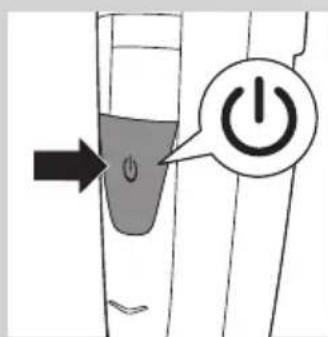
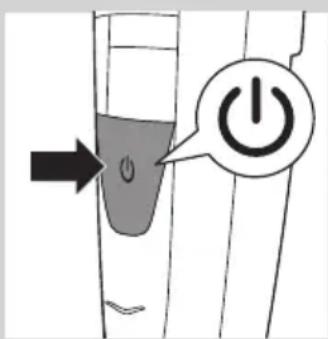
4 On/off button
5 Battery light
6 Socket for small plug
7 Guiding groove for trimming comb
8 Trimming comb
9 Adapter
10 Small plug
11 Cleaning brush
Important
Read this user manual carefully before you use the appliance and save it for future reference.
Danger
- Keep the adapter dry.
Warning
- Check if the voltage indicated on the adapter corresponds to the local mains voltage before you connect the appliance.
- The adapter contains a transformer. Do not cut off the adapter to replace it with another plug, as this causes a hazardous situation.
- This appliance is not intended for use by persons (including children) with reduced physical, sensory or mental capabilities, or lack of experience and knowledge, unless they have been given supervision or instruction concerning use of the appliance by a person responsible for their safety.
- Keep the appliance and its cord out of the reach of children.
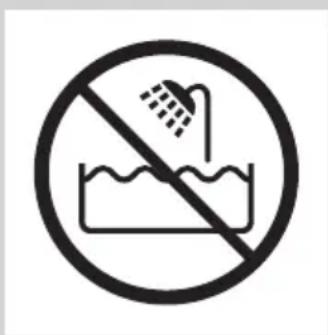
- Do not use the appliance in the bath or in the shower.

natural_image
No smoking sign with a faucet symbol (no text or numbers present)
Caution
- Always check the appliance before you use it. Do not use the appliance if any of its parts is damaged or broken, as this may cause injury.
- Only use this appliance for its intended purpose as shown in the user manual.
- Use, charge and store the appliance at a temperature between 5^ C and 35^ C.
- Only use the adapter supplied to charge the appliance.
- Make sure the appliance is switched off and disconnected from the mains before you clean it under the tap.
- If the appliance is subjected to a major change in temperature, pressure or humidity, let the appliance acclimatise for 30 minutes before you use it.
- If the adapter is damaged, always have it replaced with one of the original type in order to avoid a hazard.

natural_image
Black and white icon of a faucet with raindrops, no text or symbols present- Never use compressed air, scouring pads, abrasive cleaning agents or aggressive liquids such as petrol or acetone to clean the appliance.
- Noise level: Lc= 65dB(A)
Compliance with standards
- The appliance complies with the internationally approved IEC safety regulations and can be safely cleaned under the tap.
- This Philips appliance complies with all applicable standards and regulations regarding exposure to electromagnetic fields.
Preparing for use
Charging
Charge the appliance fully before you use it for the first time and after a long period of disuse.
Charging takes about 60 minutes if the appliance is completely empty.
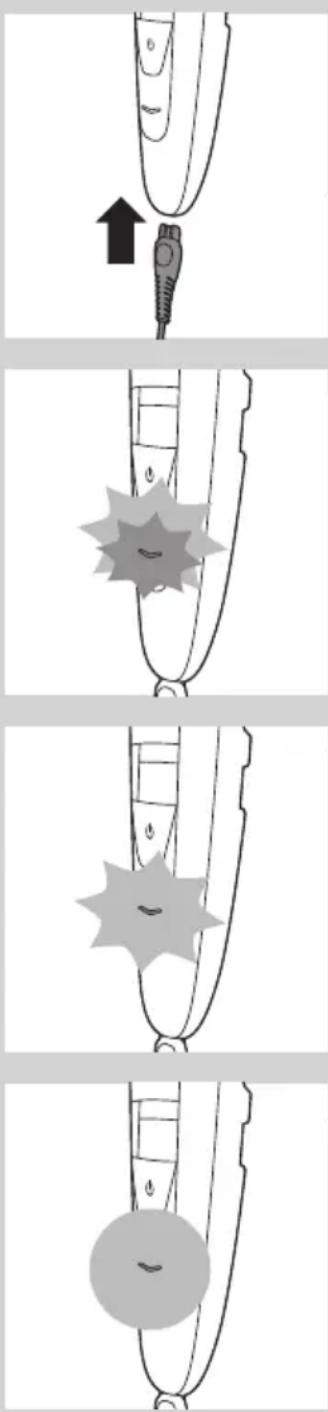
1 Make sure the appliance is switched off.
2 Insert the small plug into the appliance and put the adapter in the wall socket.
The battery light flashes orange and white alternately.
After about 3 minutes, the battery light flashes white only. At this point, the battery contains enough energy for one cordless trimming session.
The battery light continues to flash white and when the appliance is fully charged, it lights up solid white.
If the fully charged appliance is still connected to the mains after 1 hour, the battery light goes out after 30 minutes.
ENGLISH8
natural_image
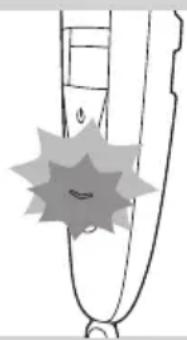
Simple line drawing of a pen tip with a starburst shape on the left (no text or symbols)Battery low and battery empty signals
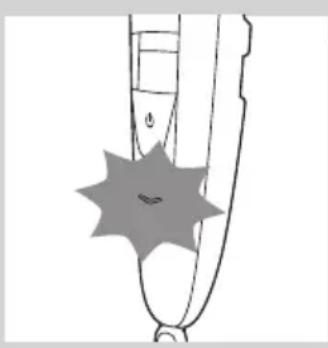
When the battery is almost empty, the battery light starts flashing orange. When you switch off the appliance, the battery light continues to flash orange for a few seconds.
The battery light flashes orange at a higher frequency if the battery is empty and if you press the on/off button.
Corded trimming

natural_image
Illustration of a finger pointing to a plug with an arrow indicating upward motion (no text or symbols)You can also operate the appliance from the mains.
1 Insert the small plug into the appliance.
2 Put the adapter in a wall socket.
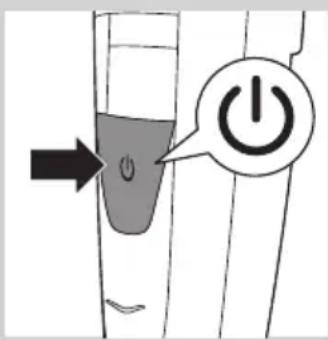
3 Press the on/off button to switch on the appliance.
Using the appliance
You can use the appliance to trim facial hair (beard, moustache and sideburns). This appliance is not intended for trimming lower body parts or scalp hair.
Trimming with comb
natural_image
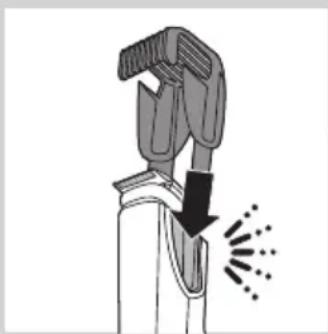
Diagram of a mechanical tool emitting powder from a nozzle (no text or symbols)The appliance comes with a comb that keeps the trimming head at a certain distance from your skin. This distance determines the remaining hair length and can be adjusted by turning the zoom wheel.
1 Slide the comb into the guiding grooves on both sides of the appliance ('click').

natural_image
Illustration of a person inserting a device into a device with a magnified inset showing the device's internal structure (no text or symbols)Note: The comb does not fit on the trimming head when the 15mm (0.6in) side is pointing towards the front of the appliance. If this is the case, turn the trimming head before you slide the comb onto the trimming head.

2 Turn the zoom wheel to select a length setting.
- The length setting selected is the one right below the indicator on the front of the appliance.
- You can select a length from 0.4mm to 10mm (see table in section 'Length settings' below).

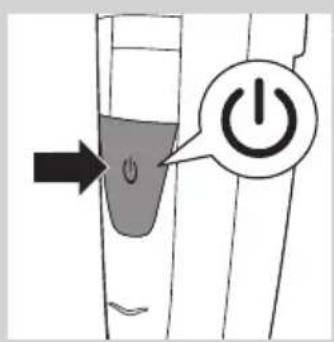
3 Press the on/off button to switch on the appliance.
natural_image
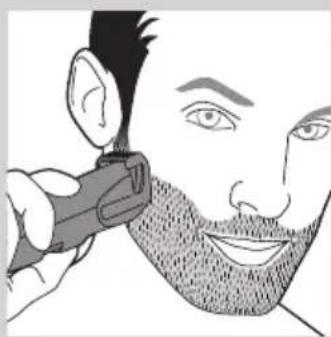
Illustration of a person applying a hairdryer to their face (no text or symbols)4 To trim your beard, move the comb through the hair slowly.

5 When you are finished, press the on/off button to switch off the appliance.
Tips
- Always make sure that the tips of the comb point in the direction in which you move the appliance.
- Make sure that the flat part of the comb is always in full contact with the skin to obtain an even hair length result.
- Since hair grows in different directions, you need to move the appliance in different directions (upward, downward or across).
- Trimming is easier when skin and hair are dry.
Length settings
| mm | |
| 0.4 0.6 0.8 1 1.5 | |
| 2 2.5 3 3.5 4 | |
| 4.5 5 6 7 8 | |
| 9 | 10 |
Trimming without comb

natural_image
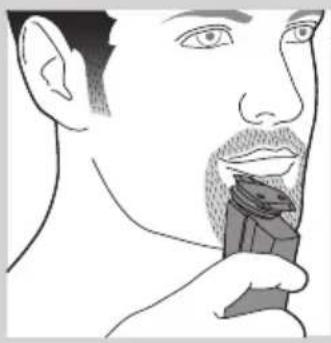
Illustration of a person applying a hair product to their beak (no text or symbols)If you trim without the comb, your hair is cut off close to the skin. The trimming head has a 32mm(1.25in) side and a 15mm (0.6in) side.
- The 32mm (1.25in) side is for regular trimming and contouring.
natural_image
Line drawing of a person applying a hairbrush to their face (no text or symbols)- The 15mm (0.6in) side of the trimming head allows more precise styling and contouring than the 32mm(1.25in) side.

natural_image
Illustration of a hand gripping a device with an upward arrow indicating motion (no text or symbols)1 If the comb is still on the trimming head, pull it off.
Never pull at the flexible top of the comb. Always pull at the sides.
natural_image
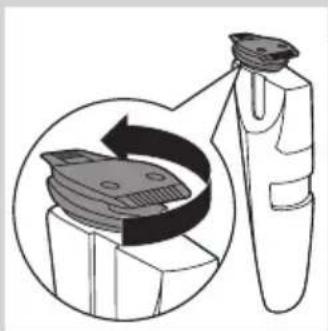
Diagram showing a device with a magnified view of its internal components (no text or symbols present)2 Turn the trimming head until the side you want to use points to the front of the appliance.

3 Press the on/off button to switch on the appliance.
4 Hold the appliance in the position that is most convenient for the area you want to trim and make upward or downward strokes.
Tip: For a comfortable trim close to your skin, place the flat side of the trimming head against your skin and make strokes in the desired direction.

5 When you are finished, press the on/off button to switch off the appliance.
Cleaning and maintenance
Clean the appliance after every use.
Never use compressed air, scouring pads, abrasive cleaning agents or aggressive liquids such as petrol or acetone to clean the appliance.
Note: The trimming head does not need any lubrication.
Cleaning the appliance and the comb
1 Switch off the appliance.
2 Pull the comb off the trimming head.
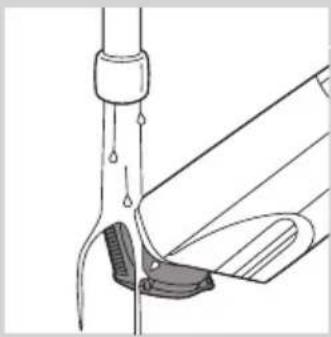
3 Clean the trimming head under the tap with lukewarm water or clean it with the cleaning brush supplied.
natural_image
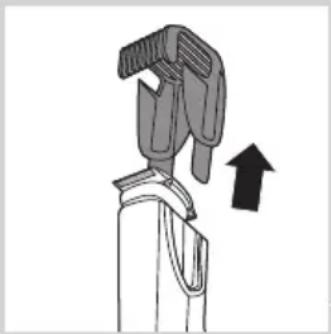
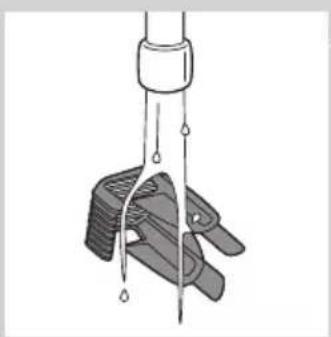
Diagram of a mechanical clamp or bracket with an arrow indicating upward motion (no text or symbols present)4 Clean the comb under the tap or clean it with the cleaning brush supplied.
Cleaning the trimming head connector
Note: Make sure you clean the trimming head connector at least once every three months.
1 Switch off the appliance.

natural_image
Diagram of a mechanical device with a handle and arrow indicating upward motion (no text or symbols)2 Pull the comb off the trimming head.

natural_image
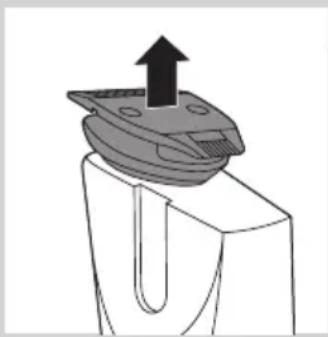
Diagram of a mechanical component with an upward arrow, no text or symbols present3 Pull the trimming head off the appliance.
natural_image
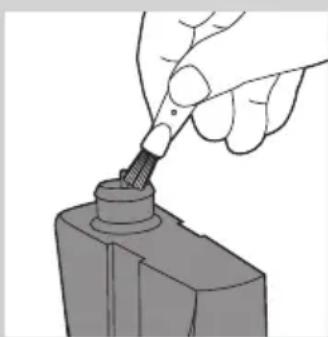
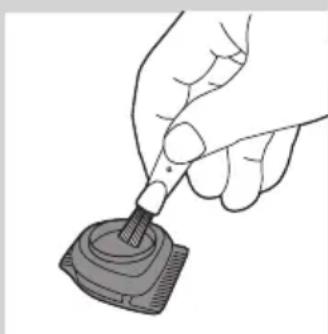
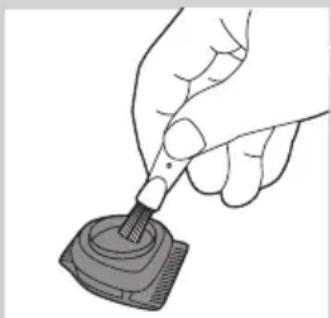
Hand using a tool to adjust or install a mechanical component (no text or symbols visible)4 Clean the trimming head connector with the cleaning brush supplied.
natural_image
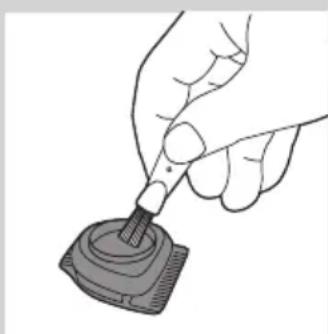
Hand holding a small electronic component with a probe inserted (no text or symbols visible)5 Clean the inside of the trimming head with the cleaning brush supplied.
6 After cleaning, put the trimming head back onto the appliance.
Ordering accessories
To buy accessories or spare parts, visit www.shop.philips.com/service or go to your Philips dealer. You can also contact the Philips Consumer Care Centre in your country (see the worldwide guarantee leaflet for contact details).
Guarantee and support
If you need information or support, please visit the Philips website at www.philips.com/support or read the worldwide guarantee leaflet.
Environment

natural_image
Symbol of a waste bin with crossed lines indicating no waste, and a solid black rectangle below (no text or labels)- Do not throw away the appliance with the normal household waste at the end of its life, but hand it in at an official collection point for recycling. By doing this, you help to preserve the environment.

- The built-in rechargeable battery contains substances that may pollute the environment. Always remove the battery before you discard and hand in the appliance at an official collection point. Dispose of the battery at an official collection point for batteries. If you have trouble removing the battery, you can also take the appliance to a Philips service centre. The staff of this centre will remove the battery for you and will dispose of it in an environmentally safe way.
Troubleshooting
This chapter summarises the most common problems you could encounter with the appliance. If you are unable to solve the problem with the information below, contact the Consumer Care Centre in your country.
Problem Possible cause Solution
| The appliance does not work when it is switched on. | The battery is empty. | Charge the appliance fully (see chapter ‘Charging’). It takes approximately 60 minutes to charge the appliance fully. You can also operate the appliance from the mains. |
| The appliance does not trim as well as it used to. | The cutting element of the trimmer head is dirty. | Thoroughly clean the trimming head (see chapter ‘Cleaning and maintenance’). |
| You do not move the appliance in the optimal direction. | For the best possible trimming and suction performance, we advise you to move the trimmer upwards, against the direction of hair growth, making smooth and gentle strokes. See chapter ‘Using the appliance’. |
Въведение
Внимание
natural_image
Simple black-and-white icon of a faucet with radiating lines, no text or symbols present.natural_image
Simple line drawing of a curved object with a circular highlight (no text or symbols)natural_image
Simple line drawing of a stylized object resembling a pen or tool with a starburst shape on the left (no text or symbols)natural_image
Illustration of a finger pointing to a medical device with an arrow indicating upward motion (no text or symbols)natural_image
Diagram of a mechanical device with a downward arrow and radiating lines indicating motion or force (no text or symbols)natural_image
Illustration of a person cleaning a wall-mounted device with a magnified inset showing the device's internal structure (no text or symbols)natural_image
Illustration of a person applying a hairdryer to their face (no text or symbols present)natural_image
Illustration of a person applying a hair product to their face (no text or symbols)natural_image
Line drawing of a person's face with a hairpin, showing detailed facial features (no text or symbols)natural_image
Diagram of a mechanical device with an upward arrow indicating motion or force (no text or symbols present)natural_image
Diagram showing a device interacting with a mechanical component, with no visible text or symbols.natural_image
Diagram of a mechanical device with an upward arrow indicating motion or force (no text or symbols present)natural_image
Diagram of a laboratory procedure showing liquid transfer from a pipette to a container (no text or labels)natural_image
Diagram of a mechanical clamp or clamp device with a suspended rod and connecting rods (no text or symbols)natural_image
Illustration of a hand gripping a device with an upward arrow indicating motion (no text or symbols)
natural_image
Mechanical component diagram showing a bracket with an upward arrow and mounting base (no text or symbols)
natural_image
Hand using a screwdriver to insert a cylindrical component (no text or symbols visible)natural_image
Hand holding a pen tip touching a small electronic device (no text or symbols visible)natural_image
Symbol of a trash bin crossed out by two diagonal lines (no text or numbers present)natural_image
Prohibition sign showing a faucet crossed out by a diagonal line, indicating no fire or water discharge (no text present)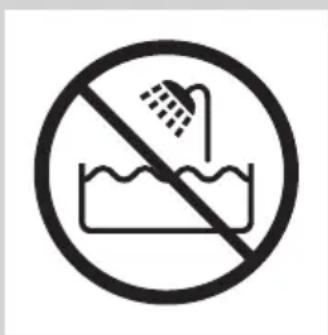
Upozornění
natural_image
Black and white icon of a faucet with raindrops falling (no text or symbols)natural_image
Simple line drawing of a pen tip with a starburst shape on the left (no text or symbols)natural_image
Illustration of a finger pointing to a medical device with an arrow indicating upward motion (no text or symbols)Použití přístroje
natural_image
Illustration of a hand gripping a tool with a downward arrow and radiating lines indicating motion (no text or symbols)natural_image
Illustration of a person inserting a device into a device with a magnified inset showing internal components (no text or symbols)natural_image
Illustration of a person applying a hairdryer to their face (no text or symbols)natural_image
Illustration of a person applying a hair product to their beak (no text or symbols)natural_image
Line drawing of a person applying makeup to their face (no text or symbols)natural_image
Diagram of a hand gripping a device with an upward arrow indicating motion (no text or symbols present)natural_image
Diagram of a mechanical component with a magnified inset showing internal components (no text or symbols)natural_image
Diagram of a mechanical device with a handle and arrow indicating direction (no text or symbols)natural_image
Diagram of a laboratory procedure showing a pipette inserted into a container with liquid, and a partially submerged object (no text or labels)natural_image
Diagram of a mechanical device with an upward arrow indicating motion or force (no text or symbols present)natural_image
Diagram of a mechanical component with an upward arrow, no text or symbols presentnatural_image
Hand using a tool to apply a screwdriver to a mechanical component (no text or symbols visible)natural_image
Line drawing of a hand holding a small object with a pipette, no text or symbols presentnatural_image
Symbol of a waste bin with crossed lines indicating no waste, and a solid black rectangle below (no text or labels)natural_image
No smoking sign with faucet symbol (no text or numbers)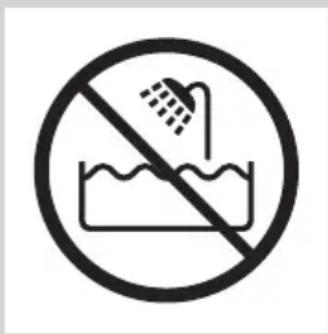
Ettevaatust
natural_image
Black and white icon of a faucet with raindrops falling (no text or symbols)natural_image
Diagram of a finger pointing to a plug with an arrow indicating upward motion (no text or symbols)natural_image
Simple line drawing of a curved object with a starburst shape at the center (no text or symbols)natural_image
Simple line drawing of a curved object with a starburst shape overlay (no text or symbols)natural_image
Simple line drawing of a curved object with a circular mark and a small symbol, no text or labels present.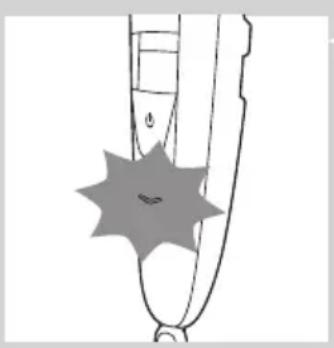
natural_image
Simple line drawing of a stylized object resembling a pen or tool with a starburst shape on the left (no text or symbols)natural_image
Diagram of a finger pointing to a medical device with an arrow indicating upward motion (no text or symbols present)natural_image
Diagram of a mechanical device with a downward arrow and radiating lines indicating motion or force (no text or symbols)natural_image
Illustration of a medical device with a magnified inset showing internal components (no text or symbols)natural_image
Illustration of a person applying a hairdryer to their face (no text or symbols)natural_image
Illustration of a person applying a hair product to their beak (no text or symbols)natural_image
Line drawing of a person applying a hairbrush to their face (no text or symbols)natural_image
Illustration of a hand gripping a device with an upward arrow indicating motion (no text or symbols)natural_image
Diagram showing a device with a circular component and a magnified view of its internal structure (no text or symbols)natural_image
Diagram of a mechanical device with a black arrow indicating upward motion (no text or symbols)
natural_image
Diagram of a laboratory procedure showing a pipette inserted into a container with liquid, and a partially assembled tube with a clamp (no text or labels)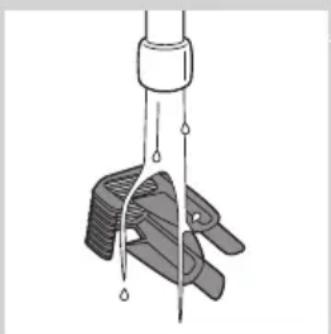
natural_image
Diagram of a mechanical clamp or clamp device with liquid droplets, no text or symbols presentnatural_image
Diagram of a mechanical device with an upward arrow indicating motion or force (no text or symbols present)natural_image
Mechanical component diagram showing a U-shaped housing with an upward arrow indicating motion (no text or symbols)natural_image
Hand using a tool to apply a screwdriver to a mechanical component (no text or symbols visible)natural_image
Illustration of a hand using a pipette to apply liquid into a digital device (no text or symbols visible)natural_image
Symbol of a trash bin with crossed lines indicating no waste or restriction, and a solid black rectangle below (no text or symbols)natural_image
No smoking sign with faucet symbol (no text or numbers)
Oprez
natural_image
Black and white icon of a faucet with raindrops falling (no text or symbols)- Za čišćenje aparata nikada nemojte upotrebljavati zračni mlaz, spužvice za ribanje, abrazivna sredstva za čišćenje ili agresivne tekućine poput benzina ili acetona.
- Razina buke: Lc = 65 dB (A)
Sukladnost standardima
natural_image
Diagram of a finger pointing to a plug with an arrow indicating upward motion (no text or symbols)Indikator baterije naizmjence bljeska narančasto i bijelo.
natural_image
Simple line drawing of a stylized object resembling a pen or tool, with no text or symbols present.Nakon približno 3 minute indikator baterije počinje bljeskati samo bijelo. Baterija sadrži dovoljno energije za jedno bežično podrezivanje.

natural_image
Simple line drawing of a stylized object resembling a shoe or tool, with no text or symbols present.natural_image
Simple line drawing of a curved object with a circular highlight (no text or symbols)
natural_image
Simple line drawing of a stylized object with a starburst shape and a small circular mark (no text or symbols)Signali niske razine napunjenosti baterije i prazne baterije
Kada je baterija gotovo prazna, indikator baterije počet će bljeskati narančasto. Kada isključite aparat, indikator baterije nastavit će bljeskati narančasto još nekoliko sekundi.
Indikator baterije brže bljeska narančasto ako je baterija prazna i ako pritisnete gumb za uključivanje/isključivanje.
natural_image
Diagram of a medical or surgical tool tip with an arrow pointing to a connector (no text or symbols present)natural_image
Diagram of a mechanical device with a downward arrow and radiating lines indicating motion or force (no text or symbols)Aparat se isporučuje s češljem koji glavu za podrezivanje drži na određenoj udaljenosti od kože. Ta udaljenost određuje duljinu dlačica nakon podrezivanja, a može se prilagoditi okretanjem kotačića za odabir.
1 Češalj gurnite u vodilice s obje strane aparata ("klik").

natural_image
Illustration of a person inserting a device into a device with a magnified inset showing the device's internal structure (no text or symbols)


natural_image
Illustration of a person applying a hairdryer to their face (no text or symbols)
Napomena: Češalj nije ispravno postavljen na glavu za podrezivanje kada je bočna strana od 15 mm (0,6 inča) okrenuta prema prednjem dijelu aparata. U tom slučaju, okrenite glavu za podrezivanje prije nego što češalj gurnete na glavu za podrezivanje.
natural_image
Illustration of a person applying a hair product to their beak (no text or symbols)natural_image
Line drawing of a person applying makeup to their face (no text or symbols)natural_image
Diagram of a hand gripping a device with an upward arrow indicating motion (no text or symbols)natural_image
Diagram of a mechanical component with a magnified inset showing internal components (no text or symbols)natural_image
Diagram of a mechanical device with a handle and arrow indicating upward motion (no text or symbols)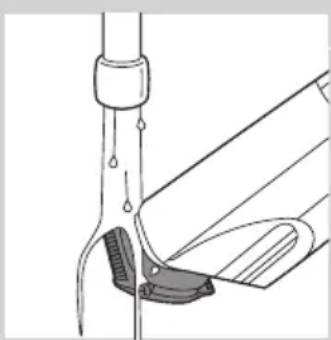
natural_image
Diagram of a laboratory procedure showing a pipette inserted into a container with liquid, and a partially submerged object (no text or labels)
natural_image
Diagram of a mechanical clamp or clamp device with liquid droplets, no text or symbols present4 Operite češalj pod mlazom vode ili ga očistite priloženom četkicom za čišćenje.
natural_image
Diagram of a mechanical device with an upward arrow indicating motion or force (no text or symbols present)2 Povucite češalj s glave za podrezivanje.
natural_image
Diagram of a mechanical component with an upward arrow indicating motion (no text or symbols)3 Povucite glavu za podrezivanje s aparata.

natural_image
Hand using a tool to apply a screwdriver to a mechanical component (no text or symbols visible)natural_image
Line drawing of a hand holding a small object with a pipette, no text or symbols present5 Očistite unutrašnjost glave za podrezivanje priloženom četkicom za čišćenje.
6 Nakon čišćenja vratite glavu za podrezivanje na aparat.
Naručivanje dodatnog pribora
Kako biste kupili dodatni pribor ili rezervne dijelove, posjetite www.shop.philips.com/service ili se obratite prodavaču proizvoda tvrtke Philips. Možete kontaktirati i centar za potrošače tvrtke Philips u svojoj državi (podatke za kontakt pronaći ćete u međunarodnom jamstvenom listu).
Jamstvo i podrška
Ako trebate informacije ili podršku, posjetite web-mjesto tvrtke Philips www.philips.com/support ili pročitajte zasebni međunarodni jamstveni list.
Zaštita okoliša

natural_image
Symbol of a waste bin with crossed lines indicating no waste, and a solid black rectangle below (no text or labels)- Aparat koji se više ne može upotrebljavati nemojte odlagati suobičajenim otpadom iz kućanstva, nego ga odnesite u predviđeno odlagalište na recikliranje. Time ćete pridonijeti očuvanju okoliša.

natural_image
Prohibition sign showing a faucet without a shower, enclosed in a circle (no text or symbols)
Figyelmeztetés!
natural_image
Simple black-and-white icon of a faucet with raindrops, no text or symbols present.natural_image
Diagram of a finger pointing to a medical device with an arrow indicating upward motion (no text or symbols present)natural_image
Simple line drawing of a stylized object resembling a pen or tool with a starburst effect (no text or symbols)natural_image
Simple line drawing of a curved object with a starburst shape on the left (no text or symbols)
natural_image
Simple line drawing of a curved object with a circular mark, no text or symbols presentnatural_image
Simple line drawing of a pen-like object with a starburst shape on the handle (no text or symbols)natural_image
Illustration of a finger pointing to a medical device with an arrow indicating upward motion (no text or symbols)natural_image
Diagram of a mechanical device with a downward arrow and radiating lines indicating motion or force (no text or symbols)natural_image
Illustration of a person cleaning a wall-mounted device with a magnified inset showing the device's internal structure (no text or symbols)natural_image
Illustration of a person applying a hairdryer to their face (no text or symbols)natural_image
Illustration of a person applying a hair product to their face (no text or symbols)natural_image
Line drawing of a person's face with a hairpin near the mouth (no text or symbols)natural_image
Diagram of a mechanical device with an upward arrow indicating motion or force (no text or symbols present)natural_image
Diagram showing a device interacting with a mechanical component, with no visible text or symbols.natural_image
Diagram of a robotic arm with a handle and arrow indicating motion (no text or symbols)natural_image
Diagram of a laboratory procedure showing liquid transfer from a pipette to a container (no text or labels)natural_image
Diagram of a mechanical clamp or clamp device with a suspended rod and connecting rods (no text or symbols)natural_image
Illustration of a hand gripping a mechanical component with an upward arrow (no text or symbols)natural_image
Diagram of a mechanical component with an upward arrow indicating force or direction (no text or symbols)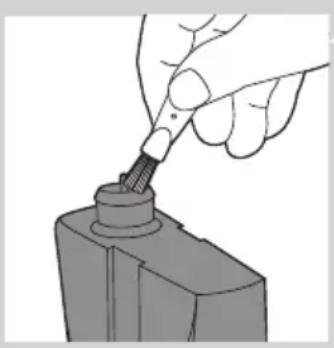
natural_image
Hand using a screwdriver to insert a cylindrical component (no text or symbols visible)natural_image
Hand holding a pipette inserted into a small electronic component (no text or symbols visible)natural_image
Symbol of a trash bin crossed out by two diagonal lines (no text or numbers present)
Ескерту
natural_image
Simple black-and-white icon of a faucet with raindrops (no text or symbols)natural_image
Simple line drawing of a curved object with a circular mark and a small circle, no text or symbols present.natural_image
Simple line drawing of a stylized object resembling a pen or tool with a starburst shape on the left (no text or symbols)natural_image
Illustration of a finger pointing to a medical device with an arrow indicating upward motion (no text or symbols)natural_image
Illustration of a tool emitting heat or vibration, showing mechanical components and motion direction (no text or symbols)natural_image
Illustration of a person cleaning a wall-mounted device with a magnified inset showing the device's internal structure (no text or symbols)natural_image
Illustration of a person applying a hairdryer to their face (no text or symbols)natural_image
Illustration of a person applying a hair product to their face (no text or symbols)Тараксыз шаш кесу
natural_image
Line drawing of a person applying a toothbrush to their face (no text or symbols)natural_image
Diagram of a mechanical device with an upward arrow indicating motion or force (no text or symbols present)1 Егер тарак элі де триммер басында орналаскан болса, оны алып тастаңыз.
natural_image
Diagram showing a device interacting with a mechanical component, with no visible text or symbols.natural_image
Hand using a screwdriver to insert a cylindrical component (no text or symbols visible)natural_image
Illustration of a hand using a pen to apply liquid onto a small electronic device (no text or symbols visible)natural_image
Symbol of a trash bin crossed with a diagonal line, representing no waste or discharge (no text or numbers present)natural_image
No smoking sign with faucet symbol (no text or numbers)
Dèmesio
natural_image
Simple black-and-white icon of a faucet with raindrops, no text or symbols present.Atitiktis standartams
natural_image
Illustration of a finger pointing to a medical device with an arrow indicating upward motion (no text or symbols)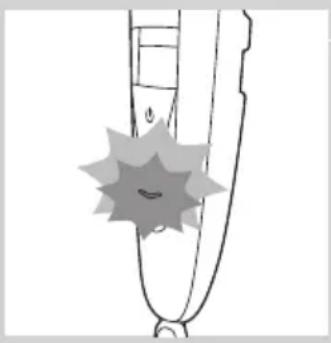
natural_image
Simple line drawing of a curved object with a starburst shape overlay (no text or symbols)
natural_image
Simple line drawing of a curved object with a starburst shape on the left (no text or symbols)
natural_image
Simple line drawing of a curved object with a circular highlight (no text or symbols)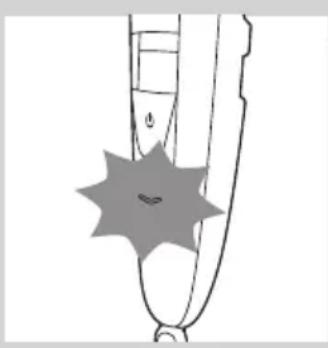
natural_image
Simple line drawing of a stylized object with a starburst shape on the side (no text or symbols)natural_image
Diagram of a finger pointing to a plug with an arrow indicating upward motion (no text or symbols)natural_image
Diagram of a mechanical device with a downward arrow and radiating lines indicating motion or force (no text or symbols)natural_image
Illustration of a medical device with a magnified inset showing internal components (no text or symbols)natural_image
Illustration of a person applying a hairdryer to their face (no text or symbols present)natural_image
Illustration of a person applying a hair product to their beak (no text or symbols)natural_image
Line drawing of a person's face with a hairpin, showing detailed facial features (no text or symbols)natural_image
Diagram of a hand gripping a device with an upward arrow indicating motion (no text or symbols)natural_image
Diagram of a mechanical component with a magnified inset showing internal components (no text or symbols)natural_image
Diagram of a mechanical device with a handle and arrow indicating upward motion (no text or symbols)natural_image
Diagram of a mechanical device with an upward arrow indicating motion or force (no text or symbols present)natural_image
Mechanical component diagram showing a U-shaped housing with an upward arrow indicating motion (no text or symbols)natural_image
Hand using a tool to apply a screwdriver to a mechanical component (no text or symbols visible)natural_image
Illustration of a hand using a pipette to apply liquid into a digital device (no text or symbols visible)natural_image
Symbol of a trash bin crossed with a diagonal line and a horizontal bar below (no text or labels)natural_image
No smoking sign with faucet symbol (no text or numbers)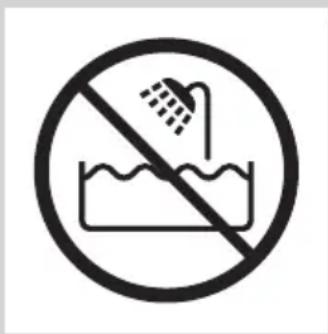
levērībai
natural_image
Simple black-and-white icon of a faucet with raindrops (no text or symbols)natural_image
Diagram of a finger pointing to a plug with an arrow indicating upward motion (no text or symbols)natural_image
Simple line drawing of a curved object with a starburst shape at the center (no text or symbols)natural_image
Simple line drawing of a curved object with a starburst shape on the left (no text or symbols)natural_image
Simple line drawing of a curved object with a circular highlight and a small symbol inside (no text or labels)natural_image
Simple line drawing of a pen tip with a starburst shape on the left (no text or symbols)natural_image
Diagram of a finger pointing to a medical device with an arrow indicating upward motion (no text or symbols present)natural_image
Illustration of a hand gripping a tool with a downward arrow and radiating lines indicating motion (no text or symbols)natural_image
Illustration of a person inserting a device into a device with a magnified inset showing the internal components (no text or symbols)

natural_image
Illustration of a person applying a hairdryer to their face (no text or symbols present)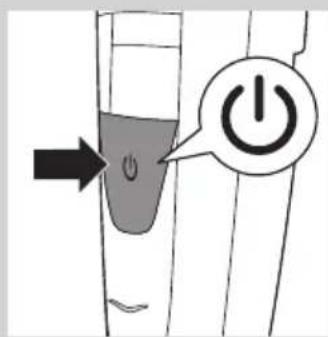
natural_image
Illustration of a person applying a hair product to their beak (no text or symbols)natural_image
Line drawing of a person applying makeup to their face (no text or symbols)natural_image
Diagram of a hand gripping a device with an upward arrow indicating motion (no text or symbols)natural_image
Diagram of a mechanical component with a magnified inset showing internal components (no text or symbols)5 Kad esat pabeidzis, nospiediet iesl./izsl. slēdzi, lai izslēgtu ierīci.
Tīrīšana un kopšana
natural_image
Diagram of a mechanical device with a handle and arrow indicating direction (no text or symbols)natural_image
Diagram of a laboratory procedure showing a pipette inserted into a container with liquid, and a partially submerged object (no text or labels)natural_image
Diagram of a mechanical device with an upward arrow indicating motion or force (no text or symbols present)natural_image
Mechanical component diagram showing a U-shaped housing with an upward arrow indicating motion (no text or symbols)natural_image
Hand using a tool to apply a screwdriver to a mechanical component (no text or symbols visible)natural_image
Illustration of a hand using a pipette to apply liquid into a digital device (no text or symbols visible)natural_image
Symbol of a trash bin crossed with a diagonal line and a horizontal bar below (no text or labels)natural_image
Symbol of a trash bin crossed out by two crossed lines (no text or numbers present)natural_image
Prohibition sign showing a faucet crossed out by a diagonal line, indicating no fire or water discharge (no text present)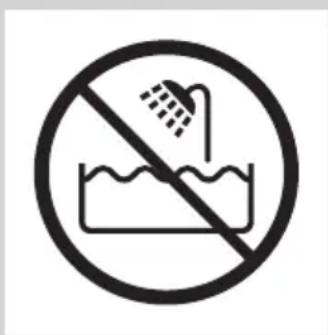
Uwaga
natural_image
Simple black-and-white icon of a faucet with raindrops falling (no text or symbols)natural_image
Illustration of a finger pointing to a medical device with an arrow indicating upward motion (no text or symbols)natural_image
Simple line drawing of a curved object with a starburst shape at the center (no text or symbols)natural_image
Simple line drawing of a curved object with a starburst shape and a small smile at the base (no text or symbols)natural_image
Simple line drawing of a curved object with a circular mark and a small circle, no text or symbols present.natural_image
Simple line drawing of a pen-like object with a starburst shape on the handle (no text or symbols)natural_image
Illustration of a finger pointing to a medical device with an arrow indicating upward motion (no text or symbols)natural_image
Illustration of a mechanical device with a downward arrow and radiating lines indicating motion or force (no text or symbols)natural_image
Illustration of a person cleaning a garment with a magnified inset showing the fabric detail (no text or symbols)natural_image
Illustration of a person applying a hairdryer to their face (no text or symbols)natural_image
Illustration of a person applying a hair product to their face (no text or symbols)natural_image
Line drawing of a person's face with a hairpin, showing detailed facial features (no text or symbols)natural_image
Diagram of a mechanical device with an upward arrow indicating motion or force (no text or symbols present)natural_image
Diagram showing a device interacting with a mechanical component, with no visible text or symbols.natural_image
Diagram of a robotic arm with a handle and arrow indicating motion (no text or symbols)natural_image
Diagram of a laboratory procedure showing liquid transfer from a pipette to a container (no text or labels)natural_image
Diagram of a mechanical clamp or clamp device with a suspended rod and spring, no text or symbols presentnatural_image
Illustration of a hand gripping a device with an upward arrow indicating motion (no text or symbols)natural_image
Diagram of a mechanical component with an upward arrow indicating force or direction (no text or symbols)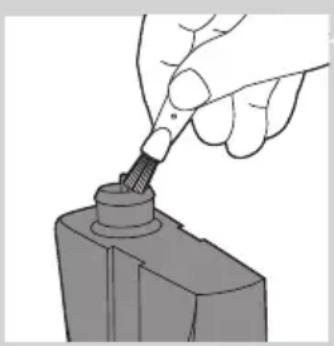
natural_image
Hand using a screwdriver to insert a cylindrical component (no text or symbols visible)natural_image
Illustration of a hand using a tool to apply a small electronic component (no text or symbols visible)natural_image
Symbol of a trash bin crossed with no visible text or labelsnatural_image
No smoking sign with a faucet symbol (no text or numbers present)
Precautie
natural_image
Black and white icon of a faucet with raindrops falling (no text or symbols)natural_image
Simple line drawing of a pen-like object with a starburst shape on the tip (no text or symbols)natural_image
Diagram of a finger pointing to a medical device with an arrow indicating upward motion (no text or symbols present)natural_image
Diagram of a mechanical device with a downward arrow and radiating lines indicating motion or force (no text or symbols)natural_image
Illustration of a person inserting a device into a device with a magnified inset showing the device's internal structure (no text or symbols)natural_image
Illustration of a person applying a hairdryer to their face (no text or symbols present)natural_image
Illustration of a person applying a hair product to their face (no text or symbols)natural_image
Line drawing of a person's face with a toothbrush touching the lower jaw (no text or symbols)natural_image
Diagram of a mechanical device with a handle and arrow indicating upward motion (no text or symbols)natural_image
Illustration of a toothbrush cutting into a rectangular object, showing mechanical components and a magnified view (no text or symbols)natural_image
Illustration of a mechanical device with a handle and arrow indicating upward motion (no text or symbols)natural_image
Diagram of a laboratory procedure showing a pipette inserted into a container with liquid, and a partially submerged object (no text or labels)natural_image
Diagram of a mechanical device with a handle and arrow indicating upward motion (no text or symbols)natural_image
Diagram of a mechanical component with an upward arrow, no text or symbols presentnatural_image
Hand using a tool to adjust or install a mechanical component (no text or symbols visible)natural_image
Hand holding a small electronic component with a probe inserted (no text or symbols visible)natural_image
Symbol of a waste bin crossed with a diagonal line, representing no waste or disposal (no text or labels)natural_image
No sign depicting a faucet crossed out by a diagonal line, indicating no pollution or leakage (no text present)
Внимание!
natural_image
Simple black-and-white icon of a faucet with radiating lines, no text or symbols present.natural_image
Simple line drawing of a curved object with a circular highlight (no text or symbols)
natural_image
Simple line drawing of a pen-like object with a starburst shape on the left (no text or symbols)natural_image
Illustration of a finger pointing to a medical device with an arrow indicating upward motion (no text or symbols)
natural_image
Diagram of a mechanical device with a downward arrow and radiating lines indicating motion or force (no text or symbols)natural_image
Illustration of a person cleaning a garment with a magnified inset showing the fabric detail (no text or symbols)natural_image
Illustration of a person applying a hairdryer to their face (no text or symbols)natural_image
Illustration of a person applying a hair product to their face (no text or symbols)natural_image
Line drawing of a person's face with a toothbrush touching the mouth (no text or symbols)natural_image
Diagram of a mechanical device with an upward arrow indicating motion or force (no text or symbols present)natural_image
Diagram showing a device interacting with a mechanical component, with no visible text or symbols.natural_image
Illustration of a mechanical device with an upward arrow indicating motion (no text or symbols)natural_image
Diagram of a laboratory procedure showing liquid transfer from a bottle to a pipette (no text or labels)natural_image
Diagram of a mechanical clamp or clamp device with wires and a handle, no text or symbols presentnatural_image
Hand using a screwdriver to insert a cylindrical component (no text or symbols visible)natural_image
Illustration of a hand using a pen to apply liquid onto a small electronic device (no text or symbols visible)natural_image
Prohibition sign of a faucet crossed out, no text or symbols present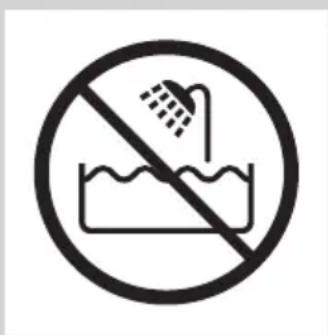
Výstraha
natural_image
Black and white icon of a faucet with raindrops, enclosed in a square frame (no text or symbols)natural_image
Diagram of a finger pointing to a plug with an arrow indicating upward motion (no text or symbols)natural_image
Simple line drawing of a pen-like object with a starburst effect at the tip (no text or symbols)Kontrolné svetlo batérie začne striedavo blikat' naoranžovo a nabielo.

natural_image
Simple line drawing of a curved object with a starburst shape on the left (no text or symbols)Po uplynutí pribl. 3 minút začne kontrolné svetlo batérie blikat' len nabielo. V tomto bode obsahuje batéria dostatok energie na jedno ostrihanie bez pripojenia do siete.

natural_image
Simple line drawing of a curved object with a circular mark and a small circle, no text or symbols present.natural_image
Simple line drawing of a pen-like object with a starburst shape on the handle (no text or symbols)natural_image
Illustration of a finger pointing to a medical device with an arrow indicating upward motion (no text or symbols)1 Malú koncovku zasuňte do zariadenia.
Použitie zariadenia
natural_image
Illustration of a mechanical device with a downward arrow and radiating lines indicating motion or force (no text or symbols)natural_image
Illustration of a person cleaning a garment with a magnified inset showing the fabric detail (no text or symbols)natural_image
Illustration of a person applying a hairdryer to their face (no text or symbols)natural_image
Illustration of a person applying a hair product to their face (no text or symbols)natural_image
Line drawing of a person's face with a hairpin inserted, showing detailed facial features (no text or symbols)natural_image
Diagram of a mechanical device with an upward arrow indicating motion or force (no text or symbols present)natural_image
Diagram showing a device interacting with a mechanical component, with no visible text or symbols.natural_image
Diagram of a robotic arm with a handle and arrow indicating motion (no text or symbols)natural_image
Diagram of a laboratory procedure showing liquid transfer from a pipette to a container (no text or labels)natural_image
Diagram of a mechanical clamp or clamp device with a suspended rod and connecting rods (no text or symbols)natural_image
Illustration of a hand gripping a device with an upward arrow indicating motion (no text or symbols)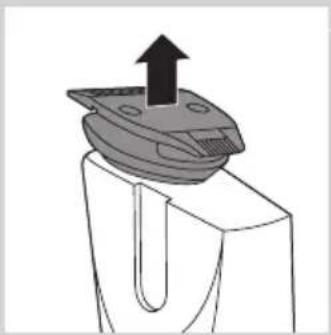
natural_image
Mechanical component diagram showing a bracket with an upward arrow and mounting base (no text or symbols)
natural_image
Hand using a screwdriver to insert a cylindrical component (no text or symbols visible)natural_image
Hand holding a pen tip touching a small electronic device (no text or symbols visible)natural_image
No smoking sign with a faucet symbol (no text or numbers present)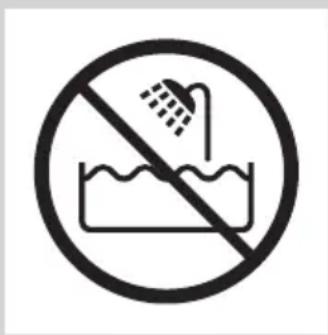
Previdno
natural_image
Black and white icon of a faucet with raindrops, no text or symbols presentnatural_image
Simple line drawing of a stylized object with a starburst shape on the left (no text or symbols)Signala za šibko in prazno baterijo
Ko je baterija skoraj prazna, indikator baterije začne utripati oranžno. Ko aparat izklopite, indikator baterije še nekaj sekund utripa oranžno.
Če je baterija prazna in će pritisnete gumb za vklop/izklop, indikator oranžno utripa hitreje.
natural_image
Illustration of a finger pointing to a medical or surgical device with an arrow indicating upward motion (no text or symbols present)3 Za vklop aparata pritisnite gumb za vklop/izklop.
Uporaba aparata
natural_image
Diagram of a mechanical device with a downward arrow and radiating lines indicating motion or force (no text or symbols)natural_image
Illustration of a person holding a device with a magnified inset showing internal components (no text or symbols)Opomba: Glavnika ni mogoče namestiti na prirezovalno glavo, će je 15 mm (0,6-palčna) stran obrnjena proti sprednjemu delu aparata. V tem primeru obrnite prirezovalno glavo, preden glavnik namestite na prirezovalno glavo.

3 Za vklop aparata pritisnite gumb za vklop/izklop.

natural_image
Illustration of a person applying a hairdryer to their face (no text or symbols present)4 Če želite prirezati brado, glavnik počasi pomikajte skozi dlake.
5 Ko končate, pritisnite gumb za vklop/izklop, da izklopite aparat.
Nasveti
natural_image
Illustration of a person applying a hair product to their beak (no text or symbols)Če prirezujete brez glavnika, bodo dlake odrezane blizu kože. Prirezovalna glava ima 32 mm (1,25-palčno) stran in 15 mm (0,6-palčno) stran.
natural_image
Line drawing of a person applying makeup to their face (no text or symbols)natural_image
Diagram of a hand gripping a device with an upward arrow indicating motion (no text or symbols)natural_image
Diagram of a mechanical component with a magnified inset showing internal components (no text or symbols)5 Ko končate, pritisnite gumb za vklop/izklop, da izklopite aparat.
natural_image
Diagram of a hand holding a tool with an arrow indicating upward motion (no text or symbols)natural_image
Diagram of a mechanical device with a handle and arrow indicating upward motion (no text or symbols)2 Povlecite glavnik s prirezovalne glave.

natural_image
Diagram of a mechanical component with an upward arrow indicating motion (no text or symbols)3 Prirezovalno glavo povlecite z aparata.

natural_image
Hand using a tool to adjust or install a mechanical component (no text or symbols visible)4 Priključek prirezovalne glave očistite s priloženo ščetko.
natural_image
Hand holding a small electronic component with a probe inserted (no text or symbols visible)5 Notranjost prirezovalne glave očistite s priloženo ščetko.
6 Po čiščenju namestite prirezovalno glavo nazaj na aparat.
natural_image
Symbol of a waste bin with crossed lines indicating no waste or restriction, plus a solid black rectangle below (no text or symbols)natural_image
No smoking sign with faucet symbol (no text or numbers)
Oprez
- Uvek proverite aparat pre upotrebe. Nemojte koristiti aparat ako je neki od njegovih delova oštećen ili polomljen jer to može izazvati povrede.
- Ovaj aparat koristite isključivo za svrhe za koje je namenjen, kao što je prikazano u korisničkom priručniku.
- Upotrebljavajte, punite i odlažite aparat na temperaturi od 5°C do 35°C.
- Za punjenje aparata koristite samo isporučeni utikač.
- Pre pranja pod mlazom vode proverite da li je aparat isključen i da li je isključen iz električne mreže.
- Ako je aparat izložen velikim promenama u temperaturi, pritisku i vlažnosti, pre korišćenja ga ostavite 30 minuta da se aklimatizira.

natural_image
Simple black-and-white icon of a faucet with raindrops (no text or symbols)1 Proverite da li ste isključili aparat.
2 Mali utikač gurnite u aparat, a adapter uključite u zidnu utičnicu.
natural_image
Simple line drawing of a curved object with a circular highlight (no text or symbols)Indikator baterije će nastaviti da treperi belo, a kada se baterija potpuno napuni počeće neprestano da svetli belo.
Ako potpuno napunjeni aparat ostane priključen na električnu mrežu 1 sat, indikator baterije će se isključiti nakon 30 minuta.

natural_image
Simple line drawing of a stylized object with a starburst shape and a small smile (no text or symbols)Signali za skoro ispražnjenu bateriju i praznu bateriju
natural_image
Illustration of a finger pointing to a medical device with an arrow indicating upward motion (no text or symbols)natural_image
Illustration of a tool emitting heat or vibration, showing mechanical components and motion direction (no text or symbols)1 Gurnite češalj u proreze sa obe strane aparata („klik“).

natural_image
Illustration of a person cleaning a wall-mounted device with a magnified inset showing the device's internal structure (no text or symbols)Napomena: Češalj nije moguće postaviti na glavu za podrezivanje kada je strana od 15 mm (0,6 inča) okrenuta ka prednjoj strani aparata. Ako je to slučaj, okrenite glavu za podrezivanje pre nego što postavite češalj na nju.

2 Okrenite točkić da biste izabrali postavku dužine.
- Izabrana postavka dužine je ona koja se nalazi direktno ispod indikatora sa prednje strane aparata.
- Možete da izaberete dužinu između 0,4 mm i 10 mm (pogledajte tabelu u odeljku „Postavke dužine“ u nastavku).

natural_image
Illustration of a person applying a hairdryer to their face (no text or symbols)natural_image
Illustration of a person applying a toothbrush to their beak (no text or symbols present)Podrezivanje bez češlja
natural_image
Line drawing of a person's face with a hairpin, showing detailed facial features (no text or symbols)natural_image
Diagram of a mechanical device with an upward arrow indicating motion or force (no text or symbols present)1 Ako je češalj i dalje na glavi za podrezivanje, skinite ga.
natural_image
Diagram showing a device interacting with a mechanical component, with no visible text or symbols.2 Okrećite glavu za podrezivanje dok strana koju želite da koristite ne bude okrenuta ka prednjoj strani aparata.

3 Pritisnite dugme za uključivanje/isključivanje da biste uključili aparat.
4 Aparat držite u položaju koji je najpogodniji za mesto na kojem želite da podrezujete i pravite pokrete nagore i nadole.
Savet: Ako želite ugodno podrezivanje neposredno iznad kože, ravnu stranu glave za podrezivanje postavite na kožu i pravite pokrete u odgovarajućem smeru.
natural_image
Diagram of a mechanical clamp or tool with an arrow indicating upward motion (no text or symbols present)2 Skinite češalj sa glave za podrezivanje.
natural_image
Diagram of a laboratory procedure showing liquid transfer from a pipette to a container (no text or labels)3 Isperite glavu za podrezivanje pod mlazom mlake vode ili je očistite četkom koja se nalazi u kompletu.
natural_image
Diagram of a mechanical clamp or clamp device with a suspended rod and connecting rods (no text or symbols)4 Isperite češalj pod mlazom vode ili ga očistite četkom koja se nalazi u kompletu.
Čišćenje konektora glave za podrezivanje
Napomena: Obavezno očistite konektor glave za podrezivanje bar jednom u tri meseca.
1 Isključite aparat.
2 Skinite češalj sa glave za podrezivanje.
natural_image
Illustration of a hand gripping a device with an upward arrow indicating motion (no text or symbols)
natural_image
Mechanical component diagram showing a bracket with an upward arrow and mounting base (no text or symbols)
natural_image
Hand using a screwdriver to insert a cylindrical component (no text or symbols visible)4 Očistite konektor glave za podrezivanje pomoću priložene četke za čišćenje.
natural_image
Illustration of a hand using a pen to apply liquid to a small electronic component (no text or symbols visible)natural_image
No smoking sign with faucet symbol (no text or numbers)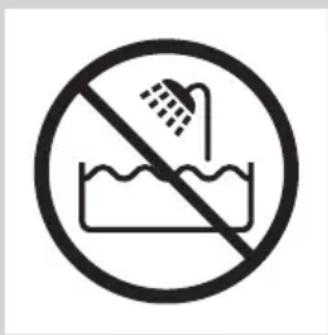
Увага
natural_image
Simple black-and-white icon of a faucet with raindrops (no text or symbols)natural_image
Simple line drawing of a curved object with a circular mark and a small circle, no text or symbols present.natural_image
Simple line drawing of a pen-like object with a starburst shape on the handle (no text or symbols)natural_image
Illustration of a finger pointing to a medical device with an arrow indicating upward motion (no text or symbols)natural_image
Diagram of a mechanical device with a downward arrow and radiating lines indicating motion or force (no text or symbols)natural_image
Illustration of a person cleaning a garment with a magnified inset showing the fabric detail (no text or symbols)natural_image
Illustration of a person applying a hairdryer to their face (no text or symbols)natural_image
Illustration of a person applying a toothbrush to their beak (no text or symbols present)natural_image
Line drawing of a person's face with a hairpin, showing detailed facial features (no text or symbols)natural_image
Diagram of a mechanical device with an upward arrow indicating motion or force (no text or symbols present)natural_image
Diagram showing a device interacting with a mechanical component, with no visible text or symbols.natural_image
Diagram of a robotic arm with a handle and arrow indicating motion (no text or symbols)natural_image
Diagram of a laboratory procedure showing liquid transfer from a pipette to a container (no text or labels)natural_image
Diagram of a mechanical clamp or clamp device with a suspended rod and connecting rods (no text or symbols)natural_image
Illustration of a hand gripping a device with an upward arrow indicating motion (no text or symbols)
natural_image
Diagram of a mechanical component with an upward arrow indicating force or direction (no text or symbols)
natural_image
Hand using a screwdriver to insert a cylindrical component (no text or symbols visible)natural_image
Hand holding a pen tip touching a small electronic component (no text or symbols visible)natural_image
Symbol of a waste sorting machine with no text or labels- Always here to help you
- User manual
- PHILIPS
- Introduction
- General description (Fig. 1)
- Important
- Danger
- Warning
- Caution
- Compliance with standards
- Preparing for use
- Charging
- ENGLISH8
- Battery low and battery empty signals
- Corded trimming
- Using the appliance
- Trimming with comb
- Tips
- Length settings
- Trimming without comb
- Cleaning and maintenance
- Cleaning the appliance and the comb
- Cleaning the trimming head connector
- Ordering accessories
- Guarantee and support
- Environment
- Troubleshooting
- Въведение
- Внимание
- Upozornění
- Použití přístroje
- Ettevaatust
- Oprez
- Sukladnost standardima
- Signali niske razine napunjenosti baterije i prazne baterije
- Naručivanje dodatnog pribora
- Jamstvo i podrška
- Zaštita okoliša
- Figyelmeztetés!
- Ескерту
- Тараксыз шаш кесу
- Dèmesio
- Atitiktis standartams
- levērībai
- Tīrīšana un kopšana
- Uwaga
- Precautie
- Внимание!
- Výstraha
- Použitie zariadenia
- Previdno
- Signala za šibko in prazno baterijo
- Uporaba aparata
- Nasveti
- Signali za skoro ispražnjenu bateriju i praznu bateriju
- Podrezivanje bez češlja
- Čišćenje konektora glave za podrezivanje
- Увага
Brand : PHILIPS
Model : Series 5000 BT5270
Category : Beard trimmer