
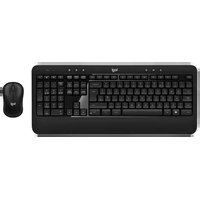
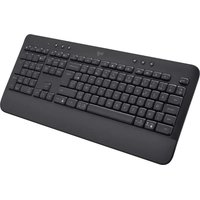
MK345 - Keyboard LOGITECH - Free user manual and instructions
Find the device manual for free MK345 LOGITECH in PDF.


| Product Type | Wireless Keyboard |
| Brand | Logitech |
| Model | MK345 |
| Dimensions (Keyboard) | 440 x 140 x 20 mm |
| Weight (Keyboard) | 600 g (with batteries) |
| Power Source | 2 x AA batteries (not included) |
| Battery Life | Up to 36 months |
| Wireless Range | Up to 10 m |
| Connection Type | 2.4 GHz wireless via USB receiver |
| Layout | Full-size with number pad |
| Key Features | Spill-resistant, quiet keys, comfortable typing |
| Compatible OS | Windows, Chrome OS, Linux |
| Maintenance | Clean with a soft, damp cloth. Do not use solvents. |
| Safety | Keep away from liquids. Do not open the device. |
| Spare Parts | Batteries, USB receiver (optional) |
| Warranty | Limited 1-year warranty |
Frequently Asked Questions - MK345 LOGITECH
User questions about MK345 LOGITECH
0 question about this device. Answer the ones you know or ask your own.
Ask a new question about this device
Download the instructions for your Keyboard in PDF format for free! Find your manual MK345 - LOGITECH and take your electronic device back in hand. On this page are published all the documents necessary for the use of your device. MK345 by LOGITECH.
USER MANUAL MK345 LOGITECH
Setup Guide
English. 3 Suomi 43 Deutsch . . . . . . . . . . . . . . . . . . . . . . . . . . . . . . . . . . . 7 Ελληνικά. . . . . . . . . . . . . . . . . . . . . . . . . . . . . . . . 47 Français .....11 По-русски ..... 51 Italiano. 15 Magyar 55 Español ..... 19 Česká verze ..... 59 Português ..... 23 Po polsku ..... 63 Nederlands 27 Slovenčina. 67 Svenska 31 Türkçe 71 Dansk 35 75 العربية Norsk 39
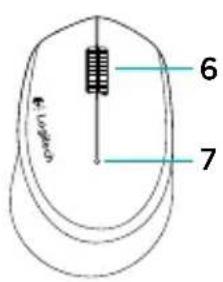
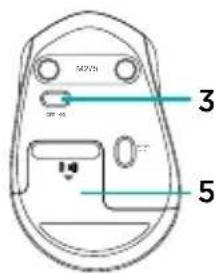
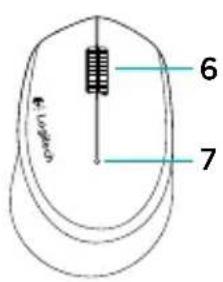
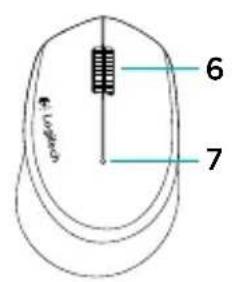
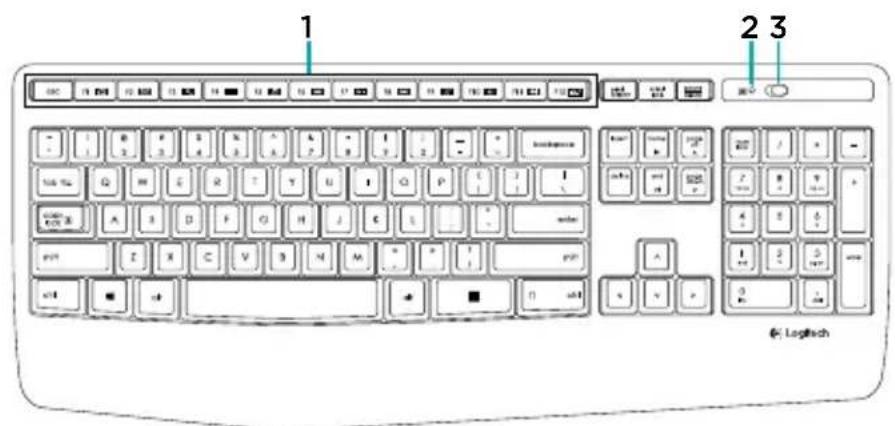
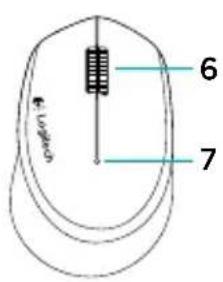
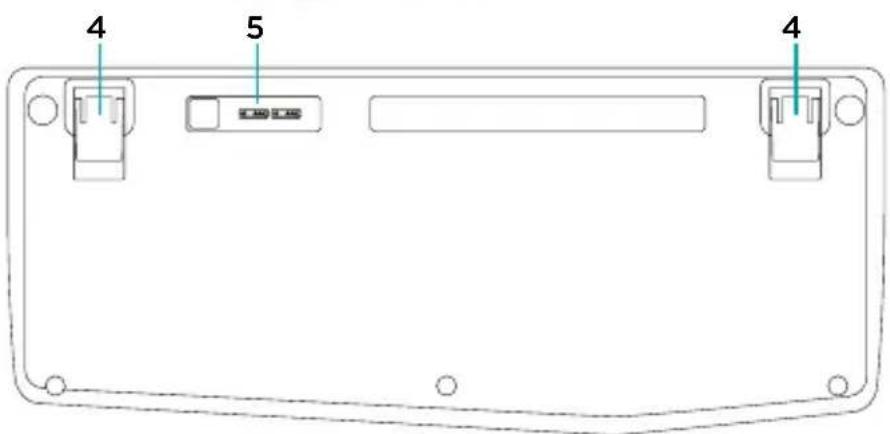
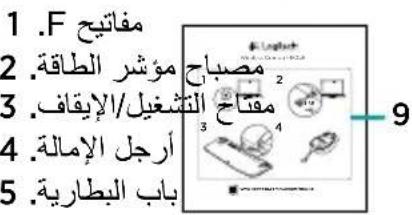
Know your product


- F-keys
- Caps-lock LED
- On/off power switch
- Tilt-legs
- Battery door
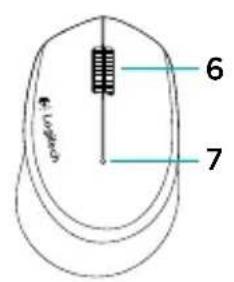
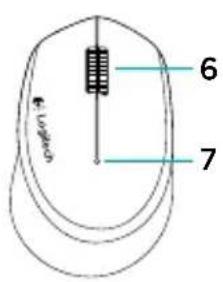
- Scroll wheel
- Battery indicator
- Receiver
- Product documentation
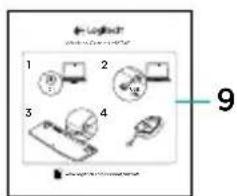
Setting up your keyboard and mouse
1
2
3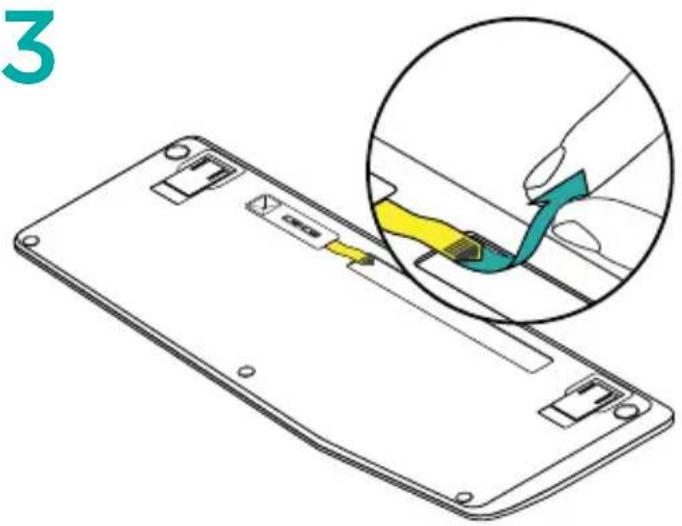
4
Keyboard F-keys
User friendly enhanced F-keys let you launch applications easily. To use the enhanced functions, first press and hold the F-key, then press the F-key you want to use.

FN + F1 = Launch Web browser
FN + F2 = 📧 Launch Email application
FN + F3 = Search
FN + F4 = 📄 Launch calculator
FN + F5 = 🎯 Launch media player
FN + F6 = Previous track
FN + F7 = ▶ Play/pause track
FN + F8 = Next track
FN + F9 = 📋 Mute
FN + F10 = Volume down
FN + F11 = Volume up
FN + F12 = Print screen
Tip: You can use the Logitech SetPoint™ software to reprogram F1, F2, and F4 with your preferred features
Visit Product Support
There's more information and support online for your product. Take a moment to visit Product Support to learn more about your new keyboard and mouse.
Browse online articles for setup help, usage tips, or information about additional features. If your keyboard has optional software, learn about its benefits and how it can help you customize your product.
Connect with other users in our Community Forums to get advice, ask questions, and share solutions.
At Product Support, you'll find a wide selection of content:
- Tutorials
- Troubleshooting
- Support community
- Software downloads • Online documentation
- Warranty information
- Spare parts (when available)
Go to www.logitech.com/support/mk345
Troubleshooting
Keyboard and mouse not working
- Check that your keyboard and mouse are powered on.
- Check that the receiver is securely plugged into a USB port on your computer.
- If the receiver is plugged into a USB hub, try plugging it directly into your computer.
- Try plugging the receiver into a different USB port closer to your keyboard and mouse.
- Remove any metallic objects between the receiver and your keyboard and mouse.
- Check that you pulled the battery tab out of your keyboard and mouse.
- Check the orientation of the batteries. The mouse uses one AA alkaline battery and the keyboard uses two AAA alkaline batteries.
What do you think?
Please take a minute to tell us. Thank you for purchasing our product.
www.logitech.com/ithink


www.logitech.com/ithink


www.logitech.com/ithink


F keys


Keyboard F keys
FN + F12 = Print screen
Know your product



Product overview


Keyboard F keys
FN + F12 = Print Screen



Keyboard F keys


- F keys
- Caps Lock lamp
- On/off switch
- Tilt legs
- Battery compartment cover
- Scroll wheel
- Battery indicator light
- Receiver
- Product documentation

Function keys
www.logitech.com/ithink
Know your product



www.logitech.com/ithink
www.logitech.com/ithink


www.logitech.com/ithink


Function keys
Product description
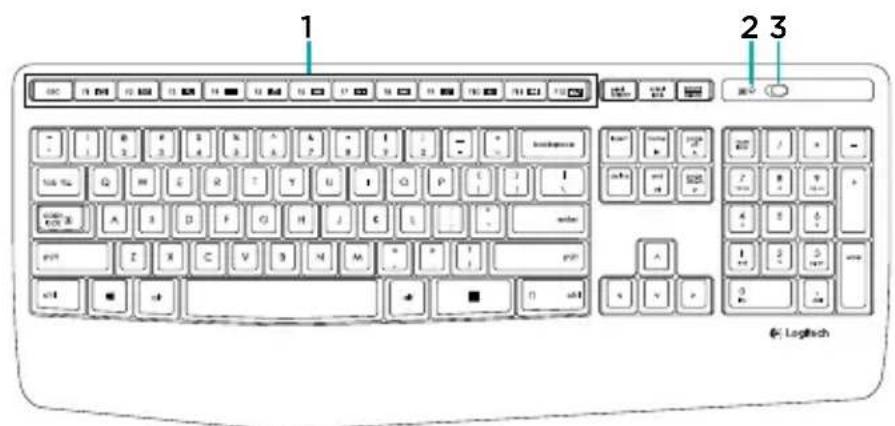



Get to know the device
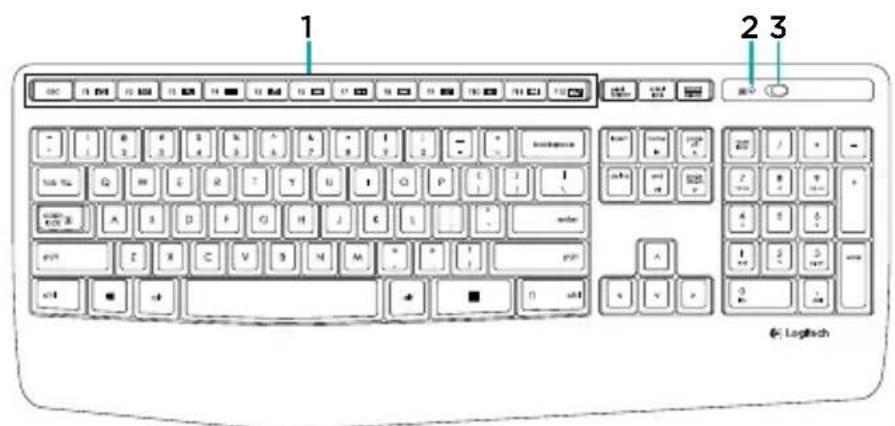

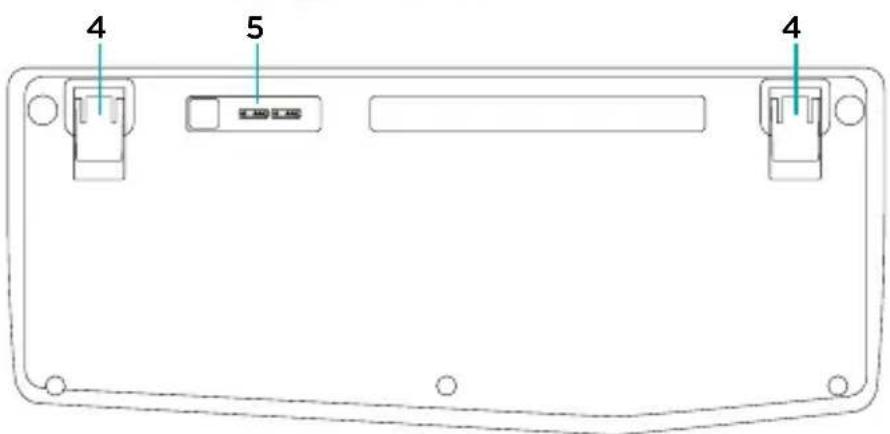


Product description


- Function keys
- Caps-lock indicator
- On/off switch
- Tilt legs
- Battery cover
- Scroll wheel
- Battery status indicator
- Receiver
- Product documentation
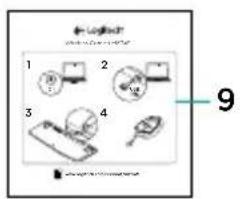
www.logitech.com/ithink
Get to know your product


F keyboard keys
www.logitech.com/ithink


Scroll wheel. 6
- Battery indicator.
Receiver
Product connector

www.logitech.com/ithink

Logitech®
www.logitech.com
www.logitech.com/support/mk345
© 2014 Logitech. All rights reserved. Logitech, the Logitech logo, and other Logitech marks are owned by Logitech and may be registered. All other trademarks are the property of their respective owners. Logitech assumes no responsibility for any errors that may appear in this manual. Information contained herein is subject to change without notice.
621-000367.002


- KNOW YOUR PRODUCT
- SETTING UP YOUR KEYBOARD AND MOUSE
- KEYBOARD F-KEYS
- VISIT PRODUCT SUPPORT
- TROUBLESHOOTING
- KEYBOARD AND MOUSE NOT WORKING
- WHAT DO YOU THINK
- F KEYS
- KEYBOARD F KEYS
- PRODUCT OVERVIEW
- FUNCTION KEYS
- PRODUCT DESCRIPTION
- GET TO KNOW THE DEVICE
- GET TO KNOW YOUR PRODUCT
- F KEYBOARD KEYS
- LOGITECH®
Brand : LOGITECH
Model : MK345
Category : Keyboard