
Honor 6 - Smartphone HUAWEI - Free user manual and instructions
Find the device manual for free Honor 6 HUAWEI in PDF.


| Product type | Smartphone |
| Brand | Huawei |
| Model | Honor 6 |
| Dimensions (L x W x H) | 139,6 x 69,7 x 7,5 mm |
| Weight | 130 g |
| Display | 5,0 inches IPS LCD, 1080 x 1920 pixels |
| Operating system | Android 4.4.2 (KitKat), upgradeable to 6.0 |
| Processor | HiSilicon Kirin 920 octa-core (4x1,7 GHz Cortex-A15 & 4x1,3 GHz Cortex-A7) |
| RAM | 3 GB |
| Storage capacity | 16 GB or 32 GB (expandable via microSD up to 64 GB) |
| Main camera | 13 megapixels, LED flash, autofocus |
| Front camera | 5 megapixels |
| Battery | 3100 mAh lithium-polymer (non-removable) |
| Connectivity | Wi-Fi 802.11 a/b/g/n, Bluetooth 4.0, GPS, microUSB 2.0 |
| Sensors | Accelerometer, proximity, compass |
| Care and cleaning | Clean with a soft, dry cloth; avoid liquids |
| Security | Lock by password, pattern or fingerprint (not available) |
| Spare parts and repairability | Battery and screen can be replaced by a professional |
| General information | Mid-range smartphone released in 2014, available in black, white, pink |
Frequently Asked Questions - Honor 6 HUAWEI
User questions about Honor 6 HUAWEI
0 question about this device. Answer the ones you know or ask your own.
Ask a new question about this device
Download the instructions for your Smartphone in PDF format for free! Find your manual Honor 6 - HUAWEI and take your electronic device back in hand. On this page are published all the documents necessary for the use of your device. Honor 6 by HUAWEI.
USER MANUAL Honor 6 HUAWEI
Your phone at a glance
Thank you for choosing the Honor 6.
Before you start, let's take a look at your new phone.
Press the power button to turn the screen on or off.
i Press and hold the power button for 10 seconds or more to restart your phone.

Installing the SIM card
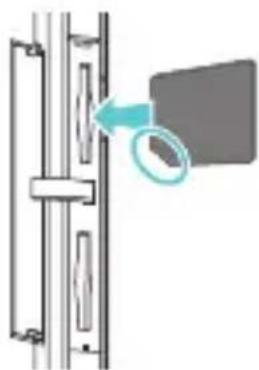
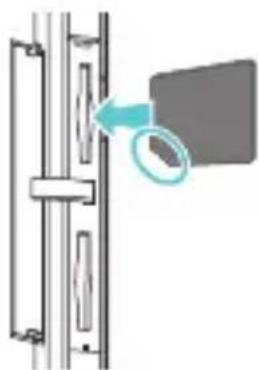
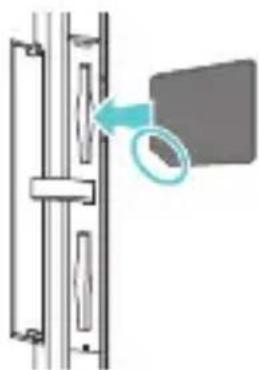
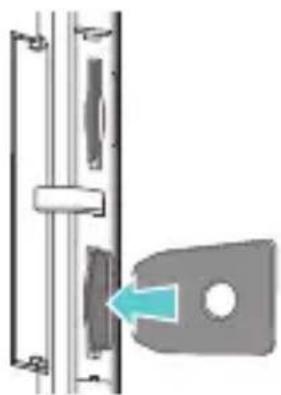
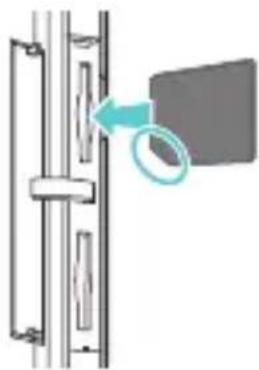
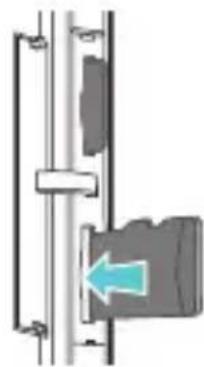
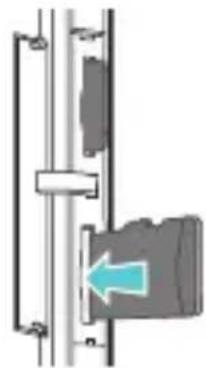
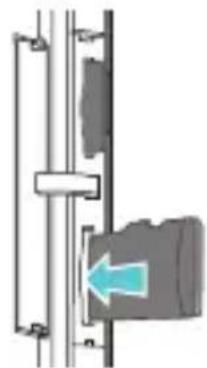
Follow the instructions in the figures below to install your micro-SIM card. Then press and hold the power button to power on your phone.
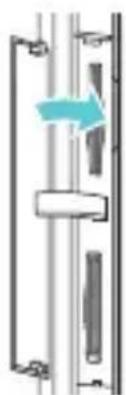
1 Open the slot cover.

natural_image
Line drawing of a smartphone with a partially open screen and cable (no text or symbols)2 Insert the micro-SIM card.
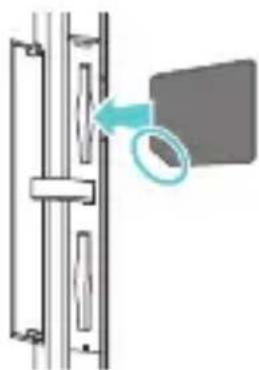
natural_image
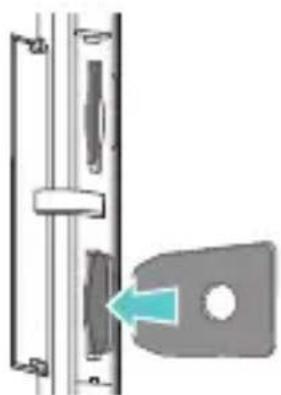
Diagram showing a door handle with a magnified inset view of the door (no text or symbols)3 Insert the microSD card (optional).

natural_image
Diagram of a mechanical or electrical component with a blue arrow indicating direction (no text or symbols present)4 Use the card ejector to push the end of the micro-SIM card or microSD card.

natural_image
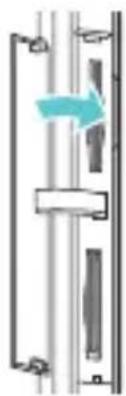
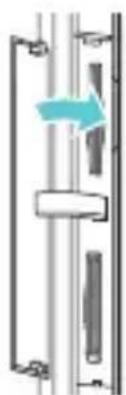
Diagram of a door handle with a key inserted, showing no text or symbols5 Close the slot cover.
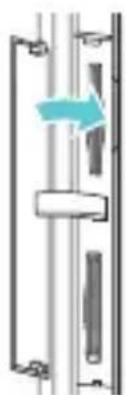
natural_image
Pure mechanical diagram showing a piston-cranked frame with a blue arrow indicating direction (no text or symbols)More information
For the full user guide, go to
http://www.hihonor.com and search for Honor 6.
Want to learn more about Huawei Emotion UI?
Visit http://en.ui.vmall.com/for the latest information.
This guide is for reference only. The actual product, including but not limited to the color, size, and screen layout, may vary. All statements, information, and recommendations in this guide do not constitute a warranty of any kind, express or implied.
Legal Notice
Copyright © Huawei Technologies Co., Ltd. 2014. All rights reserved.
No part of this manual may be reproduced or transmitted in any form or by any means without prior written consent of Huawei Technologies Co., Ltd. and its affiliates ("Huawei").
The product described in this manual may include copyrighted software of Huawei and possible licensors.
Customers shall not in any manner reproduce, distribute, modify, decompile, disassemble, decrypt, extract, reverse engineer, lease, assign, or sublicense the said software, unless such restrictions are prohibited by applicable laws or such actions are approved by respective copyright holders.
Trademarks and Permissions
honor, HUAWEI, HUAWEI

and
trademarks or registered trademarks of Huawei Technologies Co., Ltd.
Android ^TM is a trademark of Google Inc.
LTE is a trade mark of ETSI.
The Bluetooth ^® word mark and logos are registered trademarks owned by Bluetooth SIG, Inc. and any use of such marks by Huawei Technologies Co., Ltd. is under license. Other trademarks, product, service and company names mentioned may be the property of their respective owners.
Notice
Some features of the product and its accessories described herein rely on the software installed, capacities and settings of local network, and therefore may not be activated or may be limited by local network operators or network service providers.
Thus, the descriptions herein may not exactly match the product or its accessories which you purchase.
Huawei reserves the right to change or modify any information or specifications contained in this manual without prior notice and without any liability.
Third-Party Software Statement
Huawei does not own the intellectual property of the third-party software and applications that are delivered with this product. Therefore, Huawei will not provide any warranty of any kind for third party software and applications. Neither will Huawei provide support to customers who use third-party software and applications, nor be responsible or liable for the functions or performance of third-party software and applications.
Third-party software and applications services may be interrupted or terminated at any time, and Huawei does not guarantee the availability of any content or service. Third-party service providers provide content and services through network or transmission tools outside of the control of Huawei. To the greatest extent permitted by applicable law, it is explicitly stated that Huawei shall not compensate or be liable for services provided by third-party service providers, or the interruption or termination of third-party contents or services.
Huawei shall not be responsible for the legality, quality, or any other aspects of any software installed on this product, or for any uploaded or downloaded third-party works in any form, including but not limited to texts, images, videos, or software etc. Customers shall bear the risk for any and all
effects, including incompatibility between the software and this product, which result from installing software or uploading or downloading the third-party works.
This product is based on the open-source Android™ platform. Huawei has made necessary changes to the platform. Therefore, this product may not support all the functions that are supported by the standard Android platform or may be incompatible with third-party software. Huawei does not provide any warranty or representation in connect with any such compatibility and expressly excludes all liability in connection with such matters.
DISCLAIMER
ALL CONTENTS OF THIS MANUAL ARE PROVIDED "AS IS". EXCEPT AS REQUIRED BY APPLICABLE LAWS, NO WARRANTIES OF ANY KIND, EITHER EXPRESS OR IMPLIED, INCLUDING BUT NOT LIMITED TO, THE IMPLIED WARRANTIES OF MERCHANTABILITY AND FITNESS FOR A PARTICULAR PURPOSE, ARE MADE IN RELATION TO THE ACCURACY, RELIABILITY OR CONTENTS OF THIS MANUAL. TO THE MAXIMUM EXTENT PERMITTED BY APPLICABLE LAW, IN NO EVENT SHALL HUAWEI BE LIABLE FOR ANY SPECIAL, INCIDENTAL, INDIRECT, OR CONSEQUENTIAL DAMAGES, OR LOSS OF PROFITS, BUSINESS, REVENUE, DATA, GOODWILL SAVINGS OR ANTICIPATED SAVINGS REGARDLESS OF WHETHER SUCH LOSSES ARE FORSEEABLE OR NOT.
THE MAXIMUM LIABILITY (THIS LIMITATION SHALL NOT APPLY TO LIABILITY FOR PERSONAL INJURY TO THE EXTENT APPLICABLE LAW PROHIBITS SUCH A LIMITATION) OF HUAWEI ARISING FROM THE USE OF THE PRODUCT DESCRIBED IN THIS MANUAL SHALL BE LIMITED TO THE AMOUNT PAID BY CUSTOMERS FOR THE PURCHASE OF THIS PRODUCT.
Import and Export Regulations
Customers shall comply with all applicable export or import laws and regulations and be responsible to obtain all necessary governmental permits and licenses in order to export, re-export or import the product mentioned in this manual including the software and technical data therein.
Privacy Policy
To better understand how we protect your personal information, please see the privacy policy at http://www.hihonor.com.
Personal Information and Data Security
The use of some functions or third-party applications on your device could result in your personal information and data being lost or becoming accessible to others. Several measures are recommended to help you protect personal and confidential information.
- Place your device in a safe area to prevent it from unauthorized use.
- Set your device screen to lock and create a password or unlock pattern to open it.
- Periodically back up personal information kept on your SIM/UIM card, memory card, or stored in your device memory. If you change to a different device, be sure to move or delete any personal information on your old device.
- If you are worried about viruses when you receive messages or emails from a stranger, you can delete them without opening them.
- If you use your device to browse the Internet, avoid websites that might pose a security risk to avoid theft of your personal information.
- If you use services such as Wi-Fi tether or Bluetooth, set passwords for these services to prevent unauthorized access. When these services are not in use, turn them off.
-
Install or upgrade device security software and regularly scan for viruses.
-
Be sure to obtain third-party applications from a legitimate source. Downloaded third-party applications should be scanned for viruses.
• Install security software or patches released by Huawei or third-party application providers. - Some applications require and transmit location information. As a result, a third-party may be able to share your location information.
- Your device may provide detection and diagnostic information to third-party application providers. Third party vendors use this information to improve their products and services.
- If you have concerns about the security of your personal information and data, please visit the web site http://www.hihonor.com.
Safety information
This section contains important information about the operation of your device. It also contains information about how to use the device safely. Read this information carefully before using your device.
Electronic device
Do not use your device if using the device is prohibited. Do not use the device if doing so causes danger or interference with other electronic devices.
Interference with medical equipment
- Follow rules and regulations set forth by hospitals and health care facilities. Do not use your device where prohibited.
- Some wireless devices may affect the performance of hearing aids or pacemakers. Consult your service provider for more information.
- Pacemaker manufacturers recommend that a minimum distance of 15 cm be maintained between a device and a pacemaker to prevent potential interference with the pacemaker. If using a pacemaker, hold the device on the side opposite the pacemaker and do not carry the device in your front pocket.
Protecting your hearing when using a headset

To prevent possible hearing damage, do not h volume levels for long periods.
- Using a headset at high volumes may damage your hearing. To reduce this risk, lower the headset volume to a safe and comfortable level.
- Exposure to high volumes while driving may cause distraction and increase your risk of an accident.
Areas with flammables and explosives
- Do not use the device where flammables or explosives are stored (in a gas station, oil depot, or chemical plant, for example). Using your device in these environments increases the risk of explosion or fire. In addition, follow the instructions indicated in text or symbols.
- Do not store or transport the device in containers with flammable liquids, gases, or explosives.
Traffic security
- Observe local laws and regulations while using the device. To reduce the risk of accidents, do not use your wireless device while driving.
- Concentrate on driving. Your first responsibility is to drive safely.
- Do not hold the device while driving. Use hands-free accessories.
- When you must make or answer a call, pull off the road safely and park the vehicle first.
- RF signals may affect the electronic systems of motor vehicles. For more information, consult the vehicle manufacturer.
- Do not place the device over the air bag or in the air bag deployment area in a motor vehicle. Doing so may hurt you because of the strong force when the air bag inflates.
- Do not use your device while flying in an aircraft or immediately before boarding. Using wireless devices in an aircraft may disrupt wireless networks, present a hazard to aircraft operation, or be illegal.
Operating environment
- Avoid dusty, damp, or dirty environments. Avoid magnetic fields. Using the device in these environments may result in circuit malfunctions.
- Do not use your device during thunderstorms to protect your device against any danger caused by lightning.
- Ideal operating temperatures are 0 °C to 35 °C. Ideal storage temperatures are -20 °C to 70 °C. Extreme heat or cold may damage your device or accessories.
- Do not expose your device to direct sunlight (such as on a car dashboard) for prolonged periods.
- To protect your device or accessories from fire or electrical shock hazards, avoid rain and moisture.
- Keep the device away from sources of heat and fire, such as a heater, microwave oven, stove, water heater, radiator, or candle.
- Do not place sharp metal objects, such as pins, near the earpiece or speaker. The earpiece may attract these objects and result in injury.
- Stop using your device or applications for a while if the device is overheated. If skin is exposed to an overheated device for an extended period, low temperature burn symptoms, such as red spots and darker pigmentation, may occur.
- Do not use your device's camera flash directly in the eyes of people or pets. Otherwise temporary loss of vision or damage to the eyes may occur.
- Do not touch the device's antenna. Otherwise, communication quality may be reduced.
- Do not allow children or pets to bite or suck the device or accessories. Doing so may result in damage or explosion.
- Observe local laws and regulations, and respect the privacy and legal rights of others.
Child's safety
- Comply with all precautions with regard to child's safety. Letting children play with the device or its accessories may be dangerous. The device includes detachable parts that may present a choking hazard. Keep away from children.
- The device and its accessories are not intended for use by children. Children should only use the device with adult supervision.
Accessories
- Using an unapproved or incompatible power adapter, charger or battery may cause fire, explosion or other hazards.
- Choose only accessories approved for use with this model by the device manufacturer. The use of any other types of accessories may void the warranty, may violate local regulations and laws, and may be dangerous. Please contact your retailer for information about the availability of approved accessories in your area.
- Use only the following listed AC Adapters/Power Supplies: HUAWEI: HW-050200U3W, HW-050200E3W, HW-050200B3W, HW-050200A3W.
Charger safety
- For pluggable devices, the socket-outlet shall be installed near the devices and shall be easily accessible.
- Unplug the charger from electrical outlets and the device when not in use.
- Do not drop or cause an impact to the charger.
- If the power cable is damaged (for example, the cord is exposed or broken), or the plug loosens, stop using it at once. Continued use may lead to electric shocks, short circuits, or fire.
- Do not touch the power cord with wet hands or pull the power cord to disconnect the charger.
- Do not touch the device or the charger with wet hands. Doing so may lead to short circuits, malfunctions, or electric shocks.
- If your charger has been exposed to water, other liquids, or excessive moisture, take it to an authorized service center for inspection.
- Ensure that the charger meets the requirements of Clause 2.5 in IEC60950-1/EN60950-1/UL60950-1 and has been tested and approved according to national or local standards.
- Connect the device only to products with the USB-IF logo or with USB-IF compliance program completion.
Battery safety
- Do not connect battery poles with conductors, such as keys, jewelry, or other metal materials. Doing so may short-circuit the battery and cause injuries or burns.
- Keep the battery away from excessive heat and direct sunlight. Do not place it on or in heating devices, such as microwave ovens, stoves, or radiators. Batteries may explode if overheated.
- Do not attempt to modify or remanufacture the battery, insert foreign objects into it, or immerse or expose it to water or other liquids. Doing so may lead to fire, explosion, or other hazards.
- If the battery leaks, ensure that the electrolyte does not make direct contact with your skins or eyes. If the electrolyte touches your skins or splashes into your eyes, immediately flush with clean water and consult a doctor.
- In case of battery deformation, color change, or overheating while charging or storing, immediately stop using the device and remove the battery. Continued use may lead to battery leakage, fire, or explosion.
- Do not put batteries in fire as they may explode. Damaged batteries may also explode.
- Dispose of used batteries in accordance with local regulations. Improper battery use may lead to fire, explosion, or other hazards.
- Do not allow children or pets to bite or suck the battery. Doing so may result in damage or explosion.
- Do not smash or pierce the battery, or expose it to high external pressure. Doing so may lead to a short circuit or overheating.
- Do not drop the device or battery. If the device or battery is dropped, especially on a hard surface, it may be damaged.
- If the device standby time shortens significantly, replace the battery.
- The device has a built-in, non-removable battery. Do not attempt to remove the battery, otherwise the device may
be damaged. To replace the battery, take the device to an authorized service center.
- Use the battery only with a charging system that is IEEE-Std-1725 standard qualified. The use of an unqualified battery or charger may lead to fire, explosion, leakage, or other hazards.
- Replace the battery only with an IEEE-Std-1725 standard qualified battery. The use of an unqualified battery may lead to fire, explosion, leakage, or other hazards.
- Do not disassemble or open, crush, bend or deform, puncture or shred the battery. Otherwise, it may lead to electrolyte leakage, overheating, fire, or explosion.
- Do not solder battery poles or dismantle the battery. Doing so may lead to electrolyte leakage, excessive heat, fire, or explosion.
Cleaning and maintenance
- Keep the device and accessories dry. Do not attempt to dry it with an external heat source, such as a microwave oven or hair dryer.
- Do not expose your device or accessories to extreme heat or cold. These environments may interfere with proper function and may lead to fire or explosion.
- Avoid collision, which may lead to device malfunctions, overheating, fire, or explosion.
- Before you clean or maintain the device, stop using it, stop all applications, and disconnect all cables connected to it.
-
Do not use any chemical detergent, powder, or other chemical agents (such as alcohol and benzene) to clean the device or accessories. These substances may cause damage to parts or present a fire hazard. Use a clean, soft, and dry cloth to clean the device and accessories.
-
Do not place magnetic stripe cards, such as credit cards and phone cards, near the device for extended periods of time. Otherwise the magnetic stripe cards may be damaged.
- Do not dismantle or remanufacture the device and its accessories. This voids the warranty and releases the manufacturer from liability for damage. In case of damage, contact an authorized service center for assistance or repair.
- If the device screen is broken in a collision, immediately stop using the device. Do not touch or attempt to remove the broken parts. Promptly contact an authorized service center.
Emergency calls
The availability of emergency calls is subject to your cellular network quality, service provider policy, and local laws and regulations. Never rely solely on your device for critical communications like medical emergencies.
Disposal and recycling information
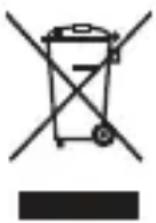
This symbol (with or without a solid bar) on the device, batteries (if included), and/or the packaging, indicates that the device and its electrical accessories (for example, a headset, adapter, or cable) and batteries should not be disposed of as household garbage. These items should not be disposed of as unsorted municipal waste and should be taken to a certified collection point for recycling or proper disposal.
For more detailed information about device or battery recycling, contact your local city office, household waste disposal service, or retail store.
Disposal of the device and batteries (if included) is subject to WEEE Directive Recast (Directive 2012/19/EU) and Battery Directive (Directive 2006/66/EC). The purpose of separating WEEE and batteries from other waste is to minimize the potential environmental impacts and human health risk of any hazardous substances that may be present.
Reduction of hazardous substances
This device is compliant with the REACH Regulation [Regulation (EC) No 1907/2006] and RoHS Directive Recast (Directive 2011/65/EU). Batteries (if included) are compliant with the Battery Directive (Directive 2006/66/EC). For up-to-date information about REACH and RoHS compliance, please visit the web site http://www.hihonor.com.
EU regulatory conformance
Body worn operation
The device complies with RF specifications when used near your ear or at a distance of 1.5 cm from your body. Ensure that the device accessories, such as a device case and device holster, are not composed of metal components. Keep the device away from your body to meet the distance requirement.
Certification information (SAR)
This device meets guidelines for exposure to radio waves. Your device is a low-power radio transmitter and receiver. As recommended by international guidelines, the device is designed not to exceed the limits for exposure to radio waves. These guidelines were developed by the International Commission on Non-Ionizing Radiation Protection (ICNIRP), an independent scientific organization, and include safety measures designed to ensure the safety of all users, regardless of age and health.
The Specific Absorption Rate (SAR) is the unit of measurement for the amount of radio frequency energy absorbed by the body when using a device. The SAR value is determined at the highest certified power level in laboratory conditions, but the actual SAR level during operation can be well below the value. This is because the device is designed to use the minimum power required to reach the network. The SAR limit adopted by Europe is 2.0 W/kg averaged over 10 grams of tissue, and the highest SAR value for this device complies with this limit.
The highest SAR value reported for this device type when tested at the ear is 0.378 W/kg, and when properly worn on the body is 0.781 W/kg.
Statement
Hereby, Huawei Technologies Co., Ltd. declares that this device is in compliance with the essential requirements and other relevant provisions of Directive 1999/5/EC and Directive 2011/65/EU.
For the declaration of conformity, visit the web site http://www.hihonor.com.
The following marking is included in the product:
CE0682①
This device may be operated in all member states of the EU. Observe national and local regulations where the device is used.
This device may be restricted for use, depending on the local network.
Restrictions in the 2.4 GHz band:
Norway : This subsection does not apply for the geographical area within a radius of 20 km from the centre of Ny-Ålesund.
Restrictions in the 5 GHz band:
WLAN function of this device is restricted only to indoor use when operating in the 5150 to 5350 MHz frequency range.
Declaration of Conformity
according to the Radio Equipment and Telecommunications Terminal Equipment Directive 1999/5/EC
For the following equipment
Product name : Smart Phone
Model: H60-L04
Manufacturer's Name : Huawei Technologies Co., Ltd.
Manufacturer's Address : Administration Building, Headquarters of Huawei
Technologies Co., Ltd., Bantian, Longgang
District, Shenzhen, 518129, P.R.C
is herewith confirmed to comply with the requirements set out in the Council Directive1999/5/EC for radio equipment and telecommunications terminal equipment. For the evaluation of the compliance with this Directive, the following standards were applied:
Safety: EN 60950-1:2006/A11:2009/A1:2010/A12:2011;
Health: EN 50360:2001/A1:2012; EN 50566:2013; EN 62209-1:2006;
EN 62209-2:2010; EN 62479:2010;
EMC : EN 301 489-1 V1.9.2; EN 301 489-3 V1.6.1; EN 301 489-7 V1.3.1;
EN 301 489-17 V2.2.1; EN 301 489-24 V1.5.1;
Radio: EN 301 908-1 V6.2.1; EN 301 908-2 V6.2.1; EN 301 908-13 V6.2.1;
EN 301 511 V9.0.2 ; EN 300 440-1 V1.6.1; EN 300 440-2 V1.4.1;
EN 300 328 V1.8.1; EN 301 893 V1.7.1;
The product is marked with the CE mark and Notified Body number according to the Directive 1999/5/EC:
Notified Body : CETECOM ICT Services GmbH Notified Body number:0682
Responsible for making this declaration is the:
☑ Manufacturer ☐ Authorised representative established within the EU
Person responsible for making this declaration
Name, Surname : KangYing
Position/Title : Regulatory Compliance Manager
Shenzhen
(Place)
2014-8-18
(Date)
(Company stamp and legal signature)
Français
natural_image
Line drawing of a smartphone front panel with buttons and a small blue arrow pointing to the side panel (no text or symbols)natural_image
Diagram of a door handle assembly with a magnified inset showing a circular detail (no text or symbols)natural_image
Diagram of a mechanical or electrical component with a blue arrow indicating direction (no text or symbols present)natural_image
Diagram of a door lock mechanism with a blue arrow indicating left motion (no text or symbols)5 Fermez le capot de la fente.

natural_image
Pure mechanical diagram showing a shaft and frame assembly without any text, numbers, or symbolsPlus d'informations
Technologies Co., Ltd., Bantian, Longgang
District, Shenzhen, 518129, P.R.C
natural_image
Line drawing of a smartphone with a blue scroll wheel and cable connector (no text or symbols)natural_image
Diagram of a door handle with a magnified inset showing a circular detail (no text or symbols)natural_image
Diagram of a mechanical or electrical component with a blue arrow indicating direction (no text or symbols present)natural_image
Diagram of a door lock mechanism with a blue arrow indicating the direction (no text or symbols present)
natural_image
Pure mechanical assembly diagram showing a shaft and housing with a blue arrow indicating direction (no text or symbols)natural_image
Line drawing of a smartphone with a blue scroll wheel on the side panel (no text or symbols)natural_image
Diagram of a door handle with a magnified inset showing a circular detail (no text or symbols)natural_image
Diagram of a mechanical or electrical component with a blue arrow pointing to a component (no text or symbols present)natural_image
Diagram of a door lock mechanism with a blue arrow indicating the lock direction (no text or symbols present)natural_image
Pure mechanical assembly diagram showing a shaft and housing with a blue arrow indicating direction (no text or symbols)natural_image
Line drawing of a smartphone with a partially open screen and a scroll wheel (no text or symbols)2 Introduzca la tarjeta micro-SIM.

natural_image
Diagram of a door handle with a magnified inset showing a circular detail (no text or symbols)natural_image
Diagram of a mechanical or electrical component with a blue arrow pointing to a gray block (no text or symbols present)natural_image
Diagram of a door lock mechanism with a blue arrow indicating the lock component (no text or symbols present)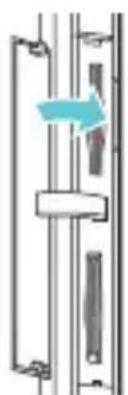
natural_image
Pure mechanical assembly diagram showing a shaft and housing with no text or symbolsMás información
natural_image
Line drawing of a smartphone with a partially open screen and cable (no text or symbols)natural_image
Diagram showing a door handle with a magnified inset of a circular detail (no text or symbols)3 Inserir o cartão micro SD (opcional).

natural_image
Diagram of a mechanical or electrical component with a blue arrow indicating direction (no text or symbols present)natural_image
Diagram of a door handle with a key inserted, showing no text or symbols5 Feche a tampa da ranhura.
natural_image
Pure mechanical assembly diagram showing a shaft and housing with a blue arrow indicating direction (no text or symbols)Mais informações
Copyright © Huawei Technologies Co., Ltd.
natural_image
Line drawing of a smartphone with a scroll wheel and blue arrow indicating a cable (no text or symbols)natural_image
Diagram showing a door mechanism with a magnified inset view of the lock (no text or symbols)natural_image
Diagram of a mechanical or electrical component with a blue arrow indicating direction (no text or symbols present)natural_image
Diagram of a door handle with a key inserted, showing no text or symbolsnatural_image
Pure mechanical assembly diagram showing a shaft and housing with a blue arrow indicating direction (no text or symbols)Meer informatie
natural_image
Line drawing of a smartphone showing front panel and side buttons (no text or symbols)natural_image
Diagram showing a door handle with a magnified inset view of the door (no text or symbols)natural_image
Diagram of a mechanical or electrical component with a blue arrow indicating direction (no text or symbols present)natural_image
Diagram of a door lock mechanism with a blue arrow indicating the lock direction (no text or symbols present)natural_image
Pure mechanical diagram showing a shaft and frame assembly without any text, numbers, or symbolsMer information
natural_image
Line drawing of a smartphone with a blue scroll wheel on the side panel (no text or symbols)2 Insert the micro-SIM card.
natural_image
Diagram of a door handle with a magnified inset showing a circular detail (no text or symbols)3 Insert the microSD card (optional).

natural_image
Diagram of a mechanical or electrical component with a blue arrow indicating direction (no text or symbols present)5 Luk slotdækslet.
4 Tryk på enden af micro-SIM-kortet eller microSD-kortet med kortudkastbakken.
natural_image
Diagram of a door handle with a blue arrow pointing to the lock mechanism (no text or symbols)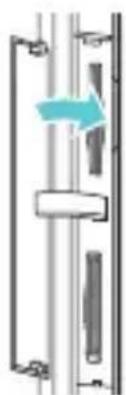
natural_image
Pure mechanical assembly diagram showing a shaft and housing with a blue arrow indicating direction (no text or symbols)Flere oplysninger
DETTE DOKUMENT ER KUN TIL INFORMATION OG UDG∅R INGEN FORM FOR GARANTI.
Takk for at du valgte Honor 6.
natural_image
Line drawing of a smartphone with a blue scroll wheel on the side panel (no text or symbols)2 Sett i mikro-SIM-kortet.
natural_image
Diagram showing a door mechanism with a magnified inset of a circular detail (no text or symbols)3 Sett inn microSD-kortet (ekstrautstyr).

natural_image
Diagram of a mechanical or electrical component with a blue arrow indicating direction (no text or symbols present)5 Lukk spordekselet.
natural_image
Diagram of a door handle with a blue arrow pointing to the lock mechanism (no text or symbols present)
natural_image
Pure mechanical assembly diagram showing a shaft and housing with a blue arrow indicating direction (no text or symbols)Mer informasjon
http://www.hihonor.com.
natural_image
Line drawing of a smartphone with a partially open screen and cable (no text or symbols)natural_image
Diagram showing a mechanical or structural component with a magnified inset view (no text or symbols)natural_image
Diagram of a mechanical or electrical component with a blue arrow indicating direction (no text or symbols present)natural_image
Diagram of a door handle with a blue arrow pointing to the lock mechanism (no text or symbols)natural_image
Pure mechanical diagram showing a piston-cranked mechanism with no text or symbolsLisätietoja
Copyright © Huawei Technologies Co., Ltd.
natural_image
Line drawing of a smartphone with a cable inserted into the side panel (no text or symbols)natural_image
Diagram showing a door mechanism with a magnified inset of a circular detail (no text or symbols)natural_image
Diagram of a mechanical or electrical component with a blue arrow indicating direction (no text or symbols present)natural_image
Diagram of a door handle with a key inserted, showing no text or symbolsnatural_image
Pure mechanical assembly diagram showing a shaft and housing with a blue arrow indicating direction (no text or symbols)Więcej informacji
natural_image
Line drawing of a smartphone with a partially open rear panel and a blue arrow pointing to the side panel (no text or symbols)natural_image
Diagram showing a door handle with a magnified inset view of the door (no text or symbols)natural_image
Diagram of a mechanical or electrical component with a blue arrow pointing to a component (no text or symbols present)natural_image
Diagram of a door lock mechanism with a blue arrow indicating left motion (no text or symbols)5 Uždarykite lizdo dangtelj.
natural_image
Pure mechanical diagram showing a shaft and housing with a blue arrow indicating direction (no text or symbols)http://www.hihonor.com.
Atitiktis ES reglamentams
natural_image
Line drawing of a smartphone with a scroll wheel attached (no text or symbols)2 levietojiet mikro SIM karti.

natural_image
Diagram of a door mechanism with a magnified inset showing a circular detail (no text or symbols)natural_image
Diagram of a mechanical or electrical component with a blue arrow indicating direction (no text or symbols present)4 Piespiediet micro-SIM kartes vai microSD kartes galu ar kartes izvirzīšanas lapu.

natural_image
Diagram of a door handle with a key inserted, showing no text or symbolsnatural_image
Pure mechanical assembly diagram showing a shaft and housing with a blue arrow indicating direction (no text or symbols)Papildinformãcija
http://www.hihonor.com.
natural_image
Line drawing of a smartphone with a partially open screen and cable (no text or symbols)2 Sisestage mikro-SIM-kaart.

natural_image
Diagram showing a door mechanism with a magnified inset of a circular detail (no text or symbols)3 Sisestage microSD-kaart (valikuline).

natural_image
Diagram of a mechanical or electrical component with a blue arrow indicating direction (no text or symbols present)natural_image
Diagram of a door handle with a blue arrow pointing to the lock mechanism (no text or symbols present)5 Sulgege pesa kate.
natural_image
Pure mechanical assembly diagram showing a shaft and housing with a blue arrow indicating direction (no text or symbols)Lisateave
http://www.hihonor.com.
natural_image
Line drawing of a smartphone with a partially open screen and cable (no text or symbols)natural_image
Diagram showing a door handle with a magnified inset of a rectangular object (no text or symbols)natural_image
Diagram of a mechanical or electrical component with a blue arrow indicating direction (no text or symbols present)natural_image
Diagram of a door lock mechanism with a blue arrow indicating the direction (no text or symbols present)natural_image
Pure mechanical diagram showing a shaft and frame assembly without any text, numbers, or symbolsnatural_image
Line drawing of a smartphone with a partially open rear panel and a blue scroll wheel (no text or symbols)2 Vložte micro-SIM kartu.

natural_image
Diagram showing a mechanical or structural component with a magnified inset view (no text or symbols)natural_image
Pure mechanical assembly diagram showing a piston and shaft with a blue arrow indicating direction (no text or symbols)natural_image
Diagram of a door lock mechanism with a blue arrow indicating the direction (no text or symbols present)natural_image
Pure mechanical diagram showing a shaft and frame assembly without any text, numbers, or symbolsVíce informací
http://www.hihonor.com.
natural_image
Line drawing of a smartphone with a partially open screen and cable (no text or symbols)2 Vložte kartu micro-SIM.
natural_image
Diagram showing a door mechanism with a magnified inset of a circular detail (no text or symbols)natural_image
Diagram of a mechanical or electrical component with a blue arrow indicating direction (no text or symbols present)natural_image
Diagram of a door handle with a key inserted, showing no text or symbols
natural_image
Pure mechanical assembly diagram showing a shaft and housing with a blue arrow indicating direction (no text or symbols)http://www.hihonor.com.
Súlad s predpismi EÚ
http://www.hihonor.com.
natural_image
Line drawing of a smartphone with a partially open rear panel and a blue scroll wheel (no text or symbols)2 Vstavite kartico micro SIM.

natural_image
Diagram showing a mechanical assembly with a magnified inset of a component (no text or symbols)3 Vstavite kartico micro SD (opcija).

natural_image
Diagram of a mechanical or electrical component with a blue arrow indicating direction (no text or symbols present)4 Potisnite konec kartice micro-SIM ali kartice microSD s ploščico za izmet kartice.
natural_image
Diagram of a door lock mechanism with a blue arrow indicating left motion (no text or symbols)5 Zaprite pokrov reže.

natural_image
Pure mechanical diagram showing a shaft and frame assembly without any text, numbers, or symbolsnatural_image
Line drawing of a smartphone with a blue scroll wheel attached to the side panel (no text or symbols)natural_image
Diagram showing a mechanical assembly with a magnified inset of a component (no text or symbols)natural_image
Diagram of a mechanical or electrical component with a blue arrow indicating direction (no text or symbols present)natural_image
Diagram of a door lock mechanism with a blue arrow indicating left motion (no text or symbols)
natural_image
Pure mechanical diagram showing a shaft and frame assembly without any text, numbers, or symbolsCopyright © Huawei Technologies Co., Ltd.
2014. Minden jog fenntartva.
EZ A DOKUMENTUM INFORMÁCIÓS CÉLOKAT SZOLGÁL, ÉS SEMMILYEN GARANCIA ALAPJÁNAK NEM TEKINTENDŐ.
natural_image
Line drawing of a smartphone with a blue scroll wheel and a green arrow pointing to the side panel (no text or symbols)2 Umetnite mikro SIM karticu.
natural_image
Diagram showing a door mechanism with a magnified inset view of the lock (no text or symbols)3 Umetnite mikro SD karticu (dodatno).
natural_image
Pure mechanical assembly diagram showing a bracket with a blue arrow indicating direction (no text or symbols)4 Gurnite kraj micro-SIM kartice ili microSD kartice komadićem za izbacivanje kartice.
5 Zatvorite poklopac utora.

natural_image
Diagram of a door lock mechanism with a blue arrow indicating the lock component (no text or symbols present)
natural_image
Pure mechanical assembly diagram showing a shaft and housing with a blue arrow indicating direction (no text or symbols)natural_image
Line drawing of a smartphone with a partially open screen and cable (no text or symbols)2 Introduceti cartela micro-SIM.

natural_image
Diagram showing a door mechanism with a magnified inset of a component (no text or symbols)3 Introduceti cardul microSD (optional).

natural_image
Pure mechanical diagram showing a vertical structure with a blue arrow pointing to a component (no text or symbols)natural_image
Diagram of a door handle with a blue arrow pointing to the lock mechanism (no text or symbols)natural_image
Pure mechanical assembly diagram showing a shaft and housing with a blue arrow indicating direction (no text or symbols)natural_image
Line drawing of a smartphone with a partially open screen and a scroll wheel (no text or symbols)2 Поставете micro-SIM картата.

natural_image
Diagram showing a door with a magnified inset of a rectangular object (no text or symbols)3 Поставете microSD картата (по избор).
natural_image
Diagram of a mechanical or electrical component with a blue arrow indicating direction (no text or symbols present)natural_image
Diagram of a door handle with a key inserted, showing no text or symbolsnatural_image
Pure mechanical assembly diagram showing a shaft and housing with a blue arrow indicating direction (no text or symbols)
© Huawei Technologies Co., Ltd. 2014.
http://www.hihonor.com.
Информация за безопасност
natural_image
Line drawing of a smartphone showing front panel and side port (no text or symbols)natural_image
Diagram of a door handle with a magnified inset showing the lock mechanism (no text or symbols)3 Вметнете ja microSD-karтичката (по избор).
natural_image
Diagram of a vertical structure with a blue arrow pointing to a dark rectangular object (no text or symbols)natural_image
Diagram of a door lock mechanism with a blue arrow indicating the lock component (no text or symbols present)natural_image
Pure mechanical assembly diagram showing a shaft and housing with no text or symbols
HW-050200B3W, HW-050200A3W.
natural_image
Line drawing of a smartphone with a side panel and a blue arrow indicating a location (no text or symbols)2 Umetnite micro-SIM karticu.

natural_image
Diagram of a door handle with a magnified inset showing a circular detail (no text or symbols)3 Umetnite microSD karticu (opciono).

natural_image
Diagram of a mechanical or electrical component with a blue arrow indicating direction (no text or symbols present)natural_image
Diagram of a door lock mechanism with a blue arrow indicating left motion (no text or symbols)
natural_image
Pure mechanical assembly diagram showing a vertical component with a blue arrow indicating direction (no text or symbols)Ovo uputstvo služi samo kao referenca. Stvarni proizvod, uključujući, ali se ne ograničavajući na boju, veličinu i izgled ekrana, može da se razlikuje. Sve izjave, informacije i preporuke u ovom uputstvu ne predstavljaju nikakvu garanciju, izričitu ili podrazumevanu.
Pravno obaveštenje
Autorsko pravo © Huawei Technologies Co., Ltd. 2014. Sva prava zadržana.
OVAJ DOKUMENT SLUŽI SAMO U INFORMATIVNE SVRHE I NE PREDSTAVLJA BILO KOJU VRSTU GARANCIJE.
Politika privatnosti
Da biste bolje razumeli kako štitimo vaše lične podatke, pročitajte politiku privatnosti na adresi http://www.hihonor.com.
natural_image
Line drawing of a smartphone with front panel and side buttons (no text or symbols)natural_image
Diagram of a door handle with a magnified inset showing a circular detail (no text or symbols)natural_image
Diagram of a mechanical or electrical component with a blue arrow indicating direction (no text or symbols present)natural_image
Diagram showing a door lock mechanism with a blue arrow indicating the process (no text or symbols present)natural_image
Pure mechanical assembly diagram without any text, numbers, or symbolsFor DTS patents, see http://patents.dts.com. Manufactured under license from DTS Licensing Limited. DTS, the Symbol, & DTS and the Symbol together are registered trademarks, and DTS Sound is a trademark of DTS, Inc. © DTS, Inc. All Rights Reserved.
Please visit
http://www.hihonor.com for recent updated hotline and email address in your country or region.
Model: H60-L04


31010SVC_01
- Your phone at a glance
- Installing the SIM card
- More information
- Want to learn more about Huawei Emotion UI?
- Legal Notice
- Copyright © Huawei Technologies Co., Ltd. 2014. All rights reserved.
- Trademarks and Permissions
- Notice
- Third-Party Software Statement
- DISCLAIMER
- Import and Export Regulations
- Privacy Policy
- Personal Information and Data Security
- Safety information
- Electronic device
- Interference with medical equipment
- Protecting your hearing when using a headset
- Areas with flammables and explosives
- Traffic security
- Operating environment
- Child's safety
- Accessories
- Charger safety
- Battery safety
- Cleaning and maintenance
- Emergency calls
- Disposal and recycling information
- Reduction of hazardous substances
- EU regulatory conformance
- Body worn operation
- Certification information (SAR)
- Statement
- CE0682①
- Restrictions in the 2.4 GHz band:
- Restrictions in the 5 GHz band:
- Declaration of Conformity
- according to the Radio Equipment and Telecommunications Terminal Equipment Directive 1999/5/EC
- Français
- Plus d'informations
- Más información
- Mais informações
- Meer informatie
- Mer information
- Flere oplysninger
- Mer informasjon
- Lisätietoja
- Copyright © Huawei Technologies Co., Ltd.
- Więcej informacji
- Atitiktis ES reglamentams
- Papildinformãcija
- Lisateave
- Více informací
- Súlad s predpismi EÚ
- Minden jog fenntartva.
- Информация за безопасност
- Pravno obaveštenje
- Autorsko pravo © Huawei Technologies Co., Ltd. 2014. Sva prava zadržana.
- Politika privatnosti
Brand : HUAWEI
Model : Honor 6
Category : Smartphone