
MCC2580EM - Microwave Oven AEG - Free user manual and instructions
Find the device manual for free MCC2580EM AEG in PDF.


| Product Type | Microwave Oven |
| Brand | AEG |
| Model | MCC2580EM |
| Capacity | 25 Liters |
| Dimensions (H x W x D) | 30.5 cm x 51.3 cm x 40.8 cm |
| Weight | Approx. 15 kg |
| Power Supply | 230 V ~ 50 Hz |
| Microwave Power | 900 W |
| Grill Power | 1000 W |
| Convection Power | 1500 W |
| Functions | Microwave, Grill, Convection, Combination, Defrost, Auto Cook |
| Control Type | Touch Control |
| Display | LED Display |
| Child Lock | Yes |
| Interior Light | Yes |
| Turntable | Yes, 315 mm diameter |
| Cleaning | Wipe interior and exterior with damp cloth; do not use abrasive cleaners |
| Safety Features | Door interlock, overheating protection, child lock |
| Spare Parts Availability | Yes, through AEG authorized service centers |
| Repairability Index | 7.5 / 10 (estimated) |
| Manual Languages | Multilingual (see manual) |
Frequently Asked Questions - MCC2580EM AEG
User questions about MCC2580EM AEG
0 question about this device. Answer the ones you know or ask your own.
Ask a new question about this device
Download the instructions for your Microwave Oven in PDF format for free! Find your manual MCC2580EM - AEG and take your electronic device back in hand. On this page are published all the documents necessary for the use of your device. MCC2580EM by AEG.
USER MANUAL MCC2580EM AEG
natural_image
Close-up of a gas stove burner with blue flame patterns (no text or symbols visible)User Manual
natural_image
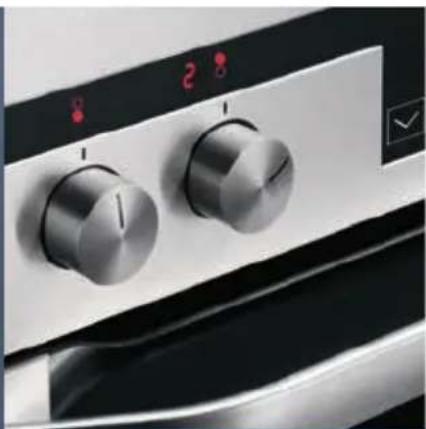
Close-up of a kitchen oven control panel with two rotary dials and a dial (no visible text or symbols)
natural_image
Two metallic cylindrical containers with spherical tops, one containing a transparent liquid and the other with a white container (no text or symbols visible)Microwave Oven
2 MCC2580E-m
Turinys LT
natural_image
Simple line drawing of a circular mechanical component with two protrusions (no text or symbols)Kepimo grotelès
natural_image
Concentric circular lines forming a ring or spiral pattern (no text or symbols)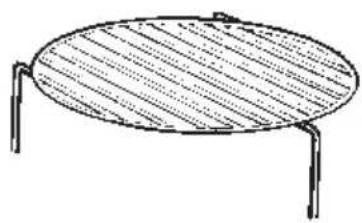
natural_image
Simple line drawing of a round table with two legs and a horizontal top (no text or symbols)natural_image
Simple line drawing of a circular ring or basin with three small protrusions at both ends (no text or symbols)natural_image
Simple concentric circle diagram with a small arrow symbol at the center (no text or labels)Raft grătar

natural_image
Simple line drawing of a round table with two legs and a horizontal panel (no text or symbols)natural_image
Simple line drawing of a circular ring or basin with three small protrusions at both ends (no text or symbols)natural_image
Simple concentric circle diagram with no text or symbolsGrila restes
natural_image
Simple line drawing of a round table with two legs and a horizontal panel (no text or symbols)natural_image
Simple line drawing of a circular mechanical component with three ends (no text or symbols)natural_image
Simple concentric oval diagram with a central label (no text or symbols)Гриль торы

natural_image
Simple line drawing of a round table with two legs and a horizontal side, no text or symbols present.natural_image
Simple line drawing of a circular mechanical component with three protrusions (no text or symbols)natural_image
Simple concentric circle diagram with no text or symbolsGrillrács
natural_image
Simple line drawing of a round table with two legs and a patterned top (no text or symbols)Gombnyom Grill Kijelz
Kije
natural_image
Simple line drawing of a circular mechanical component with three protrusions (no text or symbols)Klaasist pöördalus
Grillrest

natural_image
Simple line drawing of a round table with two legs and a handle (no text or symbols)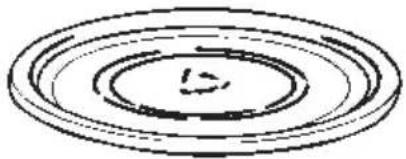
natural_image
Simple concentric circle diagram with no text or symbolsnatural_image
Simple line drawing of a circular object with three protrusions at the ends (no text or symbols)natural_image
Simple concentric circle diagram with no text or symbolsnatural_image
Simple line drawing of a round table with two metal legs (no text or symbols)natural_image
Simple line drawing of a circular mechanical component with three ends (no text or symbols)natural_image
Concentric circular lines forming a ring pattern with no text or symbolsnatural_image
Simple line drawing of an oval-shaped table with two metal legs (no text or symbols)The following symbols are used in this user manual:

Important information concerning your personal safety and information on how to avoid damaging the appliance.

General information and tips

Environmental information

Safety information
The built-in safety interlock switches prevent the microwave oven from operating when the door is open.
Do not tamper with them, or attempt to operate the oven with the door open as open door operation can result in exposure to microwave energy.
Do not allow food spills or cleaner residue to accumulate on door sealing surfaces. See the Cleaning and Care section for cleaning instructions.
It is particularly important that the oven door closes properly and that there is no damage to the: (1) door (warped), (2) hinges and latches (broken or insecure), (3) door seals and sealing surface.

Warning: If the door, hinges/latches or door seals are damaged, the microwave must not be operated until it has been repaired by an authorized service person.

Warning: It is hazardous for anyone except factory trained service personnel to service or make adjustments to this oven. Contact your nearest authorised service agent if service should be required. Do not remove the outer case, door or control panel at any time. Doing so may cause exposure to extremely high voltage.
Install or locate this oven only in accordance with 'installation instructions' found in this manual.
Use the appliance for its intended use as described in this manual. Do not use corrosive chemicals in this appliance. This type of oven is specifically designed to heat, cook, or defrost food. It is not designed for industrial or laboratory use neither for commercial use as this will invalidate the guarantee.
Do not operate the oven empty. If food or water is not present to absorb the microwave energy, the magnetron tube can be damaged.
Do not store this appliance outdoors. Do not use this product near water.
Do not attempt to dry clothing or newspapers in the microwave oven. These items can ignite.
Do not use the cavity for storage purposes. Do not leave paper products, cooking utensils, or food in the cavity when not in use.
Microwave oven is a Group 2 ISM equipment in which radio frequency energy is intentionally generated and used in the form of electromagnetic radiation for the treatment of material.
This oven is a Class B equipment suitable for use in domestic establishments and in establishments directly connected to a low voltage power supply network which supplies buildings used for domestic purposes.
The microwave oven shall not be placed in a cabinet unless it has been tested in a cabinet.

Warning: If smoke is observed, switch off or unplug the appliance and keep the door closed in order to stifle any flames. Never use water.

Warning: Only allow children or infirm persons to use the microwave, without supervision, when adequate instructions have been given so that the child or infirm person is able to use the microwave in a safe way and understand the hazards of improper use.

It is quite normal for steam to be emitted around the door, or for misting to occur on the door, or even for water droplets to appear below the door during the cooking cycle. This is merely condensation from the heat of the food and does not affect the safety of your oven. The door is not intended to seal the oven cavity completely.
Do not force the turntable to rotate by hand. This may cause malfunctioning.
Arcing in the oven during microwave operation usually occurs from use of metallic utensils. Continuous arcing, however, can damage the unit. Stop the programme and check the utensil.
Care should be taken not to obstruct any air vents located on the top, rear, side and bottom of the oven.

Warning: Do not use this oven for commercial purposes. This oven is made for domestic use only.
Unpacking

When you unpack the oven, check that the product is free from damage. Damage or any missing parts must be reported immediately to the retailer.
The oven, parts of the oven or the accessories may be wrapped by a protection foil. If so, you must remove this foil before using the oven. Do not leave packing material so that small children can play with it. This can be hazardous.
Utensil safety
Most glass, glass ceramic and heat-resistant glassware utensils are excellent for use in the microwave oven. Although microwave energy will not heat most glass and ceramic items, these utensils can become hot as heat transfers from the food to the container. The use of oven gloves to remove dishes is recommended.
Oven utensils and accessories guide
A variety of Utensils and Materials may be used for cooking in your microwave oven. For your safety and to prevent damaging utensils and your oven choose appropriate utensils and materials for each cooking method. The list below is a general guide.
| Material Utensils | Mode of operation Microwave | |
| Ceramic & Glass | Corning ware | YES |
| Heat resistant glass ware | YES*1 | |
| Glass ware with metal decoration | NO | |
| Lead crystal glass | NO | |
| China | Without metal decoration | YES |
| Pottery*2 | YES | |
| Plastic | Microwave oven heat-proof wear | YES |
| Plastic wrap | YES | |
| Metal | Baking pan | NO |
| Aluminium foil*3 | YES | |
| Paper | Cups, plates, towels | YES |
| Waxed paper | YES | |
| Wood | NO | |
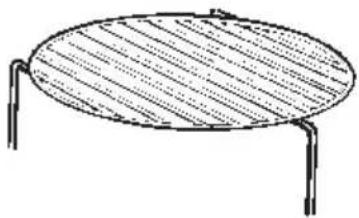
| Accessories | Grill rack | NO |
| Turntable | YES | |
YES: Utensils and accessories to use NO: Utensils and accessories to avoid
*1 Only if there is no metal trim.
*2 Only if it does not have a glaze containing metal.
*3 Use aluminium foil only for shielding purposes, over use may cause arcing.
Testing suitability of cookware
Utensils should be checked to ensure they are suitable for use in Microwave Ovens.
Place the cookware in the microwave along with a glass half full of water. Heat on full power for one minute. If the cookware feels hot, you should not use it. If it is just slightly warm, you can use it for reheating but not for cooking. If the dish is room temperature, it is suitable for microwave cooking.
Paper napkins, wax paper, paper towels, plates, cups, cartons, freezer wrap and cardboard are great convenience utensils. Always be sure containers are filled with food to absorb energy and thus avoid the possibility of overheating or ignition.
Many plastic dishes, cups, freezer containers and plastic wraps may be used in the microwave oven. Follow manufacturer's instructions when using plastics in the oven. Avoid using plastic utensils with foods that have high fat or sugar content since these foods reach high temperatures and could melt some plastics.
Do not leave oven unattended, and look at it from time to time when heating or cooking food in plastic, paper or other combustible containers.
Metal utensils and utensils with metallic trim should not be used in the microwave oven, unless specifically recommended for microwave use.
Containers with restricted openings, such as bottles, should not be used for microwave cooking.
Use caution when removing a lid or cover from a dish to avoid steam burns.
Foil containers
Shallow foil containers may safely be used to reheat foods in your microwave oven providing the following rules are observed:
- Foil containers should not be more than 3 cms (1 1/4") deep.
- Foil lids must not be used.
- The foil containers must be at least two-thirds full of food. Empty containers must never be used.
- Foil containers should be used singly in the microwave oven and should not be allowed to touch the sides. If your oven has a metal turntable or cooking rack, the foil container should be placed on an upturned ovenproof plate.
- Foil containers should never be re-used in the microwave oven.
If the microwave oven has been in use for 15 minutes or more, allow it to cool before using it again.
The container and turntable may become hot during use; take great care when removing either from the oven. It is advisable to use an oven cloth or glove when doing so.
Remember when using an aluminium foil container that the reheating or cooking times may be longer than you are used to, always ensure that the food is piping hot before serving.
Food safety
Do not heat food in a can in the microwave oven. Always remove the food to a suitable container.
Deep fat frying should not be done in the microwave oven, because the fat temperature cannot be controlled, hazardous situations can result.
Popcorn may be prepared in the microwave oven, but only in special packages or utensils designed specifically for this purpose. This cooking operation should never be unattended.
Pierce foods with non-porous skins or membranes to prevent steam build-up and bursting. Apples, potatoes, chicken livers, and egg yolks are examples of items that should be pierced.
The contents of feeding bottles and baby food jars are to be stirred or shaken and the temperature is to be checked before consumption, in order to avoid burns.

Warning: Liquids or other foods must not be heated in sealed containers since they are liable to explode.

Warning: Microwave heating of beverages can result in delayed eruptive boiling; therefore care
must be taken when handling the container.

Warning: When heating liquids, e.g. soups, sauces and beverages in your microwave oven, overheating the liquid beyond boiling point can occur without evidence of bubbling. This could result in a sudden boil over off the hot liquid. To prevent this possibility the following steps should be taken:
Avoid using straight-sided containers with narrow necks.
Do not overheat.
Stir the liquid before placing the container in the oven and again halfway through the heating time.
After heating, allow standing in the oven for a short time, stirring again before carefully removing the container.

Warning: Some products such as whole eggs and sealed containers – for example, closed glass jars – may explode and should not be heated in this oven. Occasionally, poached eggs may explode during cooking. Always pierce the yolk, then cover and allow the standing time of one minute before removing cover.
Product description

1 Oven Door
2 Control Panel
3 Display
4 function Selector
5 Autocook
6 Clock
7 Start / Stop
8 Rotary Encoder
Accessories
Turntable support

natural_image
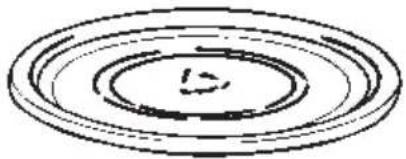
Simple line drawing of a circular ring with two side handles (no text or symbols)Glass turntable
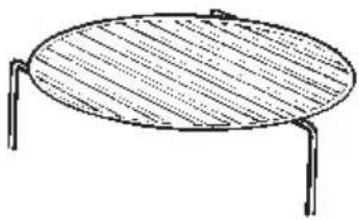
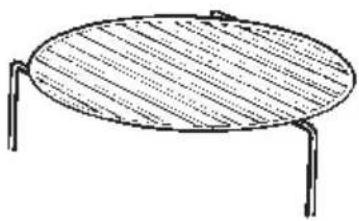
Grill rack

natural_image
Simple line drawing of a round table with two legs and a horizontal panel (no text or symbols)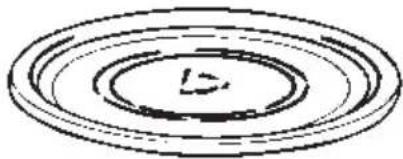
natural_image
Simple concentric circle diagram with no text or symbolsTurntable installation
- Place the turntable support on the cavity Bottom.
-
Place the turntable on top of the turntable support as shown in the diagram. Make sure that turntable hub is securely locked in the turntable shaft. Never place the turntable upside down.
-
Both turntable and turntable support must always be used during cooking.
- All food and containers of food are always placed on this turntable for cooking.
- This turntable rotates clockwise and anticlockwise; this is normal.
Before first use
Setting the clock
After your microwave oven is first plugged-in or after a power failure, the clock display will flash to indicate that the time shown is not correct. Before using the microwave oven, adjust the clock through the procedure described below but starting on Step 2.
To set the clock, proceed as follows:
- Press the "Clock" key until the hours start to flash.
- Turn the rotary encoder to set the required hours.
- Press the "Clock" key until the minutes start to flash.
- Turn the rotary encoder to set the required minutes.
- To finish, press the clock key again.
Child lock
The oven functioning can be blocked (for example to stop it being used by children).
- To Block the oven, press the "Auto Cook" and "Clock" key for 2 seconds. A lock will appear in the display.
- To unblock the oven repeat the operation.
Interrupting a cooking cycle
You can stop the cooking process at any time by pressing the Stop key once or by opening the oven door.
In both cases:
- Microwave emission is stopped immediately.
- The grill is de-activated but is still very hot. Danger of burning!
- The timer stops automatically, indicating the operating time that is left.
If you wish, at this time you can:
- Turn or stir the food to ensure it will be evenly cooked.
To restart the process, close the door and press the Start key
Kitchen timer
This function can be used as a minute minder. When using this function you are not defining how long you wish the timer to run but you are defining at which time you wish the alarm to sound.
- Press the "Delayed Start" key.
- Press the "Clock" key until the hours start to flash.
- Turn the rotary encoder to set the required hours.
- Press the "Clock" key until the minutes start to flash.
- Turn the rotary encoder to set the required minutes.
- Press the "Start" key.
Operation
Microwave cooking
Use this function to cook and heat vegetables, potatoes, rice, fish and meat.
- Press the "Microwave Power" button until the required power level is shown in the display.
- Set the required time by turning the rotary encoder clockwise.
- Press "Start"
If cooking at Max power is required you can omit step 1 and start directly at step 2.

At the end of this function a bell will be heard to signal the end of the program.
Microwave power setting guide
| Press button | Microwave Power | Display |
| 1 time | 900W (Max Power) | P100 |
| 2 times | 630W | P70 |
| 3 times | 450W | P50 |
| 4 times | 270W | P30 |
| 5 times | 90W | P10 |
Quick start
This function will start the oven at max power for 1 minute.
- Press the "Start" key the microwave will now cook at Max power for 1 minute.
Grill
Use this function to brown the top of food quickly.
- Press the "Grill Power" button until the required power level is shown in the display.
- Set the required time by turning the rotary encoder clockwise.
- Press "Start"

At the end of this function a bell will be heard to signal the end of the program. The Maximum cook time when using grill is 60 minutes.

The oven will stop half way through the time to allow you to turn your food. If no action is take the oven will automatically start again after 1 minute.
Grill power setting guide
| Press button | Grill Power | Display |
| 1 time | 1020W | G1 |
| 2 times | 600W | G2 |
| Press button | Grill Power | Display |
| 1 time | 1020W | G1 |
| 2 times | 600W | G2 |
Convection cooking
The oven can be used as a convection oven.
Stage 1 – Pre Heat
- Press the "convection" button until the required temperature is shown in the display.
- Press "Start"

At the end of this function a bell will be heard to signal that it is time to insert your food and set the required cooking temperature and time.
The maximum pre heat time is 30 minutes.
Stage 2 - Cooking
- Press the "convection" button until the required temperature is shown in the display.
- Set the required time by turning the rotary encoder clockwise.
- Press "Start"

At the end of this function a bell will be heard to signal the end of the program.
Combination cooking
Use this function to cook lasagne, poultry, roast potatoes and toasted foods.
- Press the "Microwave + Grill Power" button until the required power level is shown in the display.
- Set the required time by turning the rotary encoder clockwise.
- Press "Start"

At the end of this function a bell will be heard to signal the end of the program. The Maximum cook time when using grill is 60 minutes.
Combination Cooking power setting guide
| Press button | Power Display | Display |
| 1 time | 230°C + 40% microwave power | C1 |
| 2 times | 50% grill + 230°C convection | C2 |
| 3 times | 45% grill + 55% microwave | C3 |
Automatic Defrost by weight
Use this function to automatically defrost frozen foods. Enter the weight of the frozen food and press the (start/reset symbol) push button. The oven will calculate the ideal defrosting time and microwave power level to give perfect defrosting results.
- Set the required weight by turning the rotary encoder Anti-clockwise. The Defrost symbol will illuminate and the weight will appear in the display.
- Press "Start"

At the end of this function a bell will be heard to signal the end of the program.
Automatic Cooking
There is 1 re-heat and 5 cook programmes to choose from. You need only select the food category and enter the weight of the food and the oven calculates the correct cook time and power levels.
- Press the "Auto Cook" button until the required setting is shown in the display.
- Set the required weight by turning the rotary encoder clockwise.
- Press "Start"

At the end of this function a bell will be heard to signal the end of the program.
Auto Cook programme chart
| Press button Category Display Weights | |||
| 1 time | ReHeat | A-1 | 0.1, 0.15, 0.2, 0.25, 0.3, 0.35, 0.4, 0.45, 0.5, and 0.6 kg |
| 2 times | Potato | A-2 | 0.2, 0.3, 0.4, 0.5, 0.6, 0.7, 0.9, 1.1, 1.3, and 1.5 kg |
| 3 times | Meat | A-3 | 0.1, 0.2, 0.3, 0.4, 0.5, 0.6, 0.8, 1.0, 1.3, and 1.5 kg |
| 4 times | Pizza | A-4 | 0.1, 0.2, 0.25, 0.3, 0.35, 0.4, 0.45, 0.5, 0.55, and 0.6 kg |
| 5 times | Fish | A-5 | 0.1, 0.2, 0.3, 0.4, 0.5, 0.6, 0.7, 0.8, 0.9, and 1.0 kg |
| 6 times | Chicken | A-6 | 0.2, 0.4, 0.6, 0.8, 1.0, 1.2, 1.4, 1.6, 1.8, and 2.0 kg |
Care and cleaning
The oven must always be clean.
Residue of food from spillovers or spatters will attract microwave energy causing it to burn on. This could reduce the efficiency of the oven and may cause bad odours.
Do not attempt to tamper with or make any adjustments or repairs to any part of the oven.
Repairs should only be done by a qualified service technician.
Be sure the oven is off or the unit is unplugged before cleaning.
Cleaning the accessories (turntable, support and Grill rack)
Clean them with mild detergent after removing them for the cavity. Turntable support should be carefully handled.
The inside of the oven and turntable get very hot; so do not touch them immediately after use.
Cleaning the interior
Always keep the inside of the oven clean. Wipe up spillovers and food spatters immediately. Deposits that are allowed to remain on the oven walls, door seal and door surface will absorb microwave energy, reduce the efficiency of the oven, and possibly damage the oven interior. Use mild, liquid detergent, warm water and a soft, clean cloth to remove deposits from the base of the oven. For the side of the oven use a soft damp cloth only, no liquids should be used near the venting holes.

Never use abrasive cleaners, commercial oven cleaners or steel wool pads on any part of the microwave oven.
To loosen difficult deposits, boil a cup of water in the microwave oven for 2 or 3 minutes.

Never use a knife or any utensil to remove deposits from the oven surfaces.
To remove odours from the oven interior, boil a cup of water plus 2 tablespoons of lemon juice for 5 minutes.
Cleaning the door seals
Wipe up spillovers and food spatters immediately. Deposits that are allowed to remain on the door seals will absorb microwave energy, reduce the efficiency of the oven, and possibly damage the oven interior. You can only use mild, liquid detergent, warm water and a soft, clean cloth to remove deposits from the door seals.
Cleaning the exterior
Open the oven door when cleaning the control panel. This will prevent the oven from being turned on accidentally. You should clean outside surfaces of the oven with mild liquid detergent and water followed by a wiping with clear water to remove any excess detergent. Dry with a soft cloth.
Spray-on window cleaners or all-purpose spray-on kitchen cleaners can also be used. Never use abrasive cleaners, scouring pads or harsh chemicals on outside surfaces of your oven. To prevent damage to the working parts, do not allow water to seep into ventilation openings.
Technical data
| Overall width | 594 mm |
| Overall depth | 542 mm |
| Overall height | 455 mm |
| Cavity width | 420 mm |
| Cavity depth | 390 mm |
| Cavity height | 210 mm |
| Volume | 38 litre |
| Power source | 230V, 50 Hz |
| Fuse | 16 A |
| Microwave (Power) | 1000W |
| Grill (Power) | 1500W |
| Weight | 35 kg |
Installation
- Remove any promotion label from the door.
- The oven should be installed on a flat, level surface. The surface must be strong enough to safely bear the weight (35 kg) of the oven, and the contents. To avoid the possibility of causing vibration or noise the oven must be in a stable position.
- Keep the oven away from heat and water. Exposure to heat and water can lower oven efficiency and lead to malfunctioning, so be sure to install the oven away from heat and water sources.
- Do not block air vents on the top and the sides of the cabinet and also do not place any articles on the top of the oven. If air vents are blocked during operation, the oven may overheat, and this may lead to malfunctioning. Hot air escapes from the vents so be sure not to obstruct it or let curtains come between the oven and the rear wall.
- Place the oven as far away from radios and TV's as possible. This oven does conform to EEC requirements of radio interference suppression, but some interference may occur if it is placed too close to a radio or TV, so keep them as far apart as possible.
- If positioned in a corner, leave a gap of at least 15cm from the walls and 15cm above the microwave.

The oven can be placed almost anywhere in the kitchen. Make sure the oven is placed on a flat, level surface and that vents as well as the surface underneath the oven are not blocked (for sufficient ventilation).
Connecting to the mains
The oven is delivered with the power cord and a plug for 230V, 50Hz, earthed socket outlet.
Earth protection minimises the risks should a short circuit occur. Check to ensure the voltage of the oven matches the supply.

If the oven is connected to the socket via an extension cord, make sure the cord is earthed.

This appliance must not be used on a non-earth protected power supply.
Contact an electrician if you are uncertain regarding electrical connection of the oven or provision of earth protection of the supply.

This appliance must be earthed. If this appliance is fitted with a non-rewireable plug for which your socket is unsuitable, the plug should be cut off and the appropriate plug fitted. If it is necessary to change the fuse in a non-rewireable plug, the fuse cover must be refitted. If the fuse cover is lost or damaged, the plug must not be used until a replacement is obtained.
Electrical connections

WARNING! THIS APPLIANCE MUST BE EARTHED.
The manufacturer declines any liability should this safety measure not be observed.
If the plug that is fitted to your appliance is not suitable for your socket outlet, please contact service force.
Environmental information
The symbol 📄 on the product or on its packaging indicates that this product may not be treated as household waste. Instead it shall be handed over to the applicable collection point for the recycling of electrical and electronic equipment. By ensuring this product is disposed of correctly, you will help prevent potential negative consequences for the environment and human health, which could otherwise be caused by inappropriate waste handling of this product. For more detailed information about recycling of this product, please contact your local city office, your household waste disposal service or the shop where you purchased the product.
Obsah cz
natural_image
Simple line drawing of a circular ring or basin with two ends (no text or symbols)natural_image
Simple line drawing of an oval-shaped table with two legs and a hatched top surface (no text or symbols)
natural_image
Simple concentric circle diagram with no text or symbolsnatural_image
Simple line drawing of a circular mechanical component with three protrusions (no text or symbols)Stakleni okretni tanjur
natural_image
Concentric circular lines forming a spiral pattern with no text or symbolsnatural_image
Simple line drawing of a round table with two legs and a horizontal top (no text or symbols)Postavljanje okretnog tanjura
natural_image
Simple line drawing of a circular mechanical component with three mounting holes (no text or symbols)natural_image
Simple concentric circle diagram with no text or symbolsПолка для гриля

natural_image
Simple line drawing of a round table with two legs and a horizontal side, no text or symbols present.natural_image
Simple line drawing of a circular ring with three side handles (no text or symbols)natural_image
Simple line drawing of a round table with two legs and a horizontal panel (no text or symbols)
natural_image
Simple concentric circle diagram with no text or symbolsnatural_image
Simple line drawing of a circular mechanical component with three protrusions (no text or symbols)natural_image
Simple concentric circle diagram with no text or symbolsРешітка для гриля
natural_image
Simple line drawing of a round table with two legs and a horizontal side, no text or symbols present.natural_image
Simple line drawing of a circular ring with three small protrusions at both ends (no text or symbols)natural_image
Simple concentric circle diagram with no text or symbolsnatural_image
Simple line drawing of a round table with two legs and a horizontal side, no text or symbols present.natural_image
Simple line drawing of a circular ring with two ends and a small protrusion at the top (no text or symbols)Podstawka do grilla
natural_image
Simple concentric circle diagram with no text or symbols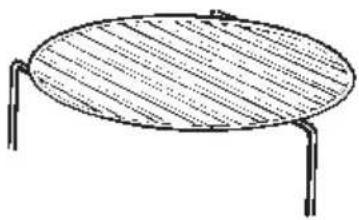
natural_image
Simple line drawing of a round table with two legs and a horizontal bar, no text or symbols present.


- MCC2580E-m
- Turinys LT
- Safety information
- Unpacking
- Utensil safety
- Oven utensils and accessories guide
- Testing suitability of cookware
- Foil containers
- Food safety
- Product description
- Accessories
- Turntable installation
- Before first use
- Setting the clock
- Child lock
- Interrupting a cooking cycle
- Kitchen timer
- Operation
- Microwave cooking
- Quick start
- Convection cooking
- Stage 1 – Pre Heat
- Stage 2 - Cooking
- Combination cooking
- Combination Cooking power setting guide
- Automatic Defrost by weight
- Automatic Cooking
- Auto Cook programme chart
- Care and cleaning
- Cleaning the interior
- Never use a knife or any utensil to remove deposits from the oven surfaces.
- Cleaning the door seals
- Cleaning the exterior
- Installation
- Connecting to the mains
- Environmental information
- Obsah cz
Brand : AEG
Model : MCC2580EM
Category : Microwave Oven