
LF-4705 - Humidifier TOPCOM - Free user manual and instructions
Find the device manual for free LF-4705 TOPCOM in PDF.


| Product Type | Ultrasonic Humidifier |
| Brand | Topcom |
| Model | LF-4705 |
| Dimensions (L × W × H) | 25 × 25 × 30 cm |
| Weight | 1.5 kg |
| Power Supply | 220-240 V, 50 Hz |
| Power Consumption | 30 W |
| Tank Capacity | 3 liters |
| Humidification Rate | 300 ml/h |
| Operating Time | Up to 12 hours |
| Noise Level | 35 dB |
| Main Functions | Ultrasonic humidification, auto shut-off, built-in hygrostat, night mode |
| Maintenance and Cleaning | Regular cleaning of the tank and transducer with white vinegar or descaling agent |
| Safety | Auto shut-off when tank is empty |
| Spare Parts and Repairability | Replacement filter, transducer, tank available |
| General Information | Indoor use, room up to 30 m² |
Frequently Asked Questions - LF-4705 TOPCOM
User questions about LF-4705 TOPCOM
0 question about this device. Answer the ones you know or ask your own.
Ask a new question about this device
Download the instructions for your Humidifier in PDF format for free! Find your manual LF-4705 - TOPCOM and take your electronic device back in hand. On this page are published all the documents necessary for the use of your device. LF-4705 by TOPCOM.
USER MANUAL LF-4705 TOPCOM
USER GUIDE / HANDLEIDING / MANUEL D'UTILISATEUR / BEDIENUNGSANLEITUNG / MANUAL DE USUARIO / BRUKSANVISNING / BRUGERVEJLEDNING / ANVÄNDARHANDBOK / KÄYTTÖOHJE / MANUALE D'USO / MANUAL DO UTILIZADOR / UŽIVATELSKÁ PŘÍRUČKA / ODHΓIEΣ XPHΣΗΣ / HASZNÁLATI ÚTMUTATÓ / INSTRUKCJA OBSŁUGI / MANUAL DE INSTALARE SI UTILIZARE / UŽÍVATEL'SKÝ MANUÁL
V.1.0 - 05/11
UK The features described in this manual are published with reservation to modifications.
1.1 Intended Purpose
Young children commonly get about 6-8 colds and upper respiratory tract infections each year. Increasing the air moisture is a common way to help your child feel better when he is congested. One thing that makes winter uncomfortable for humans, even inside a nice warm building, is low humidity. People need a certain level of humidity to be comfortable. In the winter, indoor humidity can be extremely low and the lack of humidity can dry out your skin and mucous membranes. Low humidity also makes the air feel colder than it actually is. Dry air can also dry out the wood in the walls and floors of our houses. As the drying wood shrinks, it can cause creaks in floors and cracks in drywall and plaster. People tend to feel most comfortable at a relative humidity of about 45 percent. The Multifunctional Humidifier 1850 will help to keep indoor humidity at a comfortable level.
This humidifier has a pre-heating function of the water to eliminate bacteria and viruses.
1.2 Safety advice
• Always read the user guide instructions carefully before using the device
- Keep this User's Manual for future reference.
- Always put the humidifier on a hard, flat horizontal surface, at least 15cm from the walls and away from any source of heat such as burners, radiators etc. The humidifier cannot operate on a surface that is not horizontal.
- Keep the humidifier out of reach of children. Do not permit children to play with it.
- Before using the humidifier, unwind the cord and check if it is not damaged. Do not use it if the cord is damaged.
- Do not plug or unplug the humidifier with wet hands.
- Never disassemble the basic unit.
- Never operate the humidifier with a defective plug or cord, or after a breakdown or damage of any kind. In these cases, return the appliance to the nearest approved dealer/repairer for verification and any necessary repairs or adjustments.
- Do not use additives such as perfumes, essences, etc.
- Never add alkaline substances in the water tank.
- Do not shake the humidifier. This could spill water into the base unit and affect its operation.
- Do not leave the humidifier in the sun for a long period.
- If an unusual odor occurs during normal use. turn off the appliance, unplug it and have it verified by qualified personnel.
- Unplug the humidifier before cleaning it or removing the tank.
- Never touch the water or the immersed components when the appliance is in operation.
- Never turn on the humidifier when there is no water in the tank.
- Never scratch the transducer.
- To prevent any damage to the components, do not allow water to splash inside the base unit.
- Never wash the entire unit with water; do not immerse it.
- The Multifunctional Humidifier 1850 should be cleaned regularly. To do this, refer to the cleaning instructions in this manual and respect them.
- Do not use the humidifier if the air in the room is already sufficiently moist (at least 50% relative humidity). Excessive humidity gives rise to condensation on cold surfaces or walls in the room.
2 Technical specifications
- Moisture capacity: 400ml/h (hot mist) / 300ml/h (cold mist)
– Water tank volume:6L
– Rated voltage: 230 V AC
– Rated frequency: 50Hz
– Rated power: 130W - Prevent electric-shock protection: II sort
3 Description
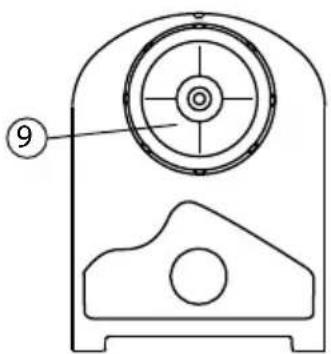
- Handlebar
- Water tank
- Water flume
- Transducer
- Power cable
- Keypad
- Display
- Fume dispenser
- Water tank cap


4 Display and buttons
a. Remote control receiver LED
b. Humidity level indication
c. Timer indication
d. Warm mist indicator
e. Empty water tank indication
f. Ionizer button
g. Mist intensity button
h. Humidity level button
i. Warm mist button
j. Timer button
k. On/off button
I. Ionizer icon
m. On/off icon
n. Mist intensity indication

The enclosed remote control has the same buttons as the front panel. The icons are the same.
5 Installation
- Put the humidifier on a flat surface in the room for half an hour. It is important that it reaches the ambient temperature and humidity.
- We recommend using the humidifier at a temperature between 5 and 40°C and a relative humidity of less than 55% .
- Remove the water tank from the humidifier.
- Turn the water tank up side down.
- Unscrew the cap by turning it counter clockwise.
- Fill the water tank with clear water (maximum 40°C ).
- Close the cover by turning clockwise.
- Verify the cleanliness and water tightness and then gently put the & water tank back on the base.
- Position Fume dispenser in the desired direction.
- Plug the power cord in the main power wall connector with dry hands.
It is recommended to use soft (distilled - low-mineral) water to minimize lime scale on the transducer.
Do not remove the water tank when the humidifier is connected to the main power.
When you remove the water tank after usage, there will still be water in the water flume.
Remove the water from the tank and flume when it is not used for a long period.
Clean the water box, spray mouth and water flume if the humidifier is not used for a long period.
Do not position the humidifier near heat sources or direct sunlight.
Do not aim the fume dispenser to furniture, electronic equipment or baby beds.
6 Operation
6.1 On/off
- Press the on/off button on the unit on the remote control to activate the humidifier. The display lights up and, after a few seconds, the ambient humidity is displayed.
- Press the on/off button again to deactivate the humidifier.
6.2 Empty water tank
If the water tank is empty, the empty water tank indication 📄 displayed.
6.3 Humidity level control
- Press the humidity level button to increase the humidity setting from 40% to 80%. After flashing for 5 seconds, the LCD display shows the level of ambient humidity b
When the moisture level reaches the pre-set value, the humidifier automatically stops for five minutes in order to test the humidity in the air. - Instead of selecting the humidity level 40% to 80%, you can also select ‘- -’ for continuous operation.
6.4 Warm mist
If the water gets stagnant, it will spray the stagnant water, and any bacteria it contains, into your home. This is why it is important to clean the tank regularly and refill it with clean water when you haven't been running it.
To avoid that bacteria are sprayed around in your room, the Multifunctional Humidifier 1850 can pre-heat the water before it is sprayed.
It will take several minutes before the mist will feel tepid. The mist will never feel hot!
- When activating the humidifier, the warm mist function is automatically on. The warm mist icon is displayed.
• To deactivate the warm mist, press the warm mist button . ①
6.5 Mist intensity
Press the mist intensity button ⑨ change the generated amount of mist. The display will indicate the mist intensity n
6.6 Ionizer
The air ioniser is a device which uses high voltage to ionise, or electrically negative charge, molecules of air. Negative ions help freshen and purify bad particles in the air, which are causing allergens such as pollen, mold spores, dust, and animal dander floating in the air. They help to lift mood, alleviate depression and seasonal affective disorder and promote a sense of well-being.
When the Humidifier is on:
- Press the ionizer button to start the ioniser. The ionizer icons blink on the screen.
- Press the lonizer button again to stop the ioniser.
6.7 Timer
- Press the Timer button to alternatively change the timer from 1 to 12 hours in steps per hour.
- The time is displayed. ©

When the Timer is elapsed, the humidifier automatically stops.
The humidifier will also stop, when the set Humidity level is reached.
7 Cleaning
7.1 Water box
- Drop a few drops of detergent into the water tank. ②
- Fill it half with water and shake it up and down several times.
- Remove the dirty water and use clean water to rinse the box.
7.2 Water flume
If there is waste left in the water flume, use a soft cloth to clean it.
7.3 Transducer
When you use hard water, there will be some waste left on the transducer ④
Use the brush tool that you can find in the water flume, together with water, to clean the transducer.
8 Disposal of the device (environment)

At the end of the product lifecycle, you should not throw this product into the normal household garbage but bring the product to a collection point for the recycling of electrical and electronic equipments. The symbol on the product, user guide and/or box indicate this. Some of the product materials can be re-used if you bring them to a recycling point. By reusing some parts or raw materials from used products you make an important contribution to the protection of the environment. Please contact your local authorities in case you need more information on the collection points in your area.
Batteries must be removed before disposing of the device.
Dispose of the batteries in an environmental manner according to your country regulations.
9 Topcom Warranty
9.1 Warranty period
The Topcom units have a 24-month warranty period. The warranty period starts on the day the new unit is purchased. There is no warranty on standard or rechargeable batteries (AA/AAA type).
Consumables or defects causing a negligible effect on operation or value of the equipment are not covered. The warranty has to be proven by presentation of the original or copy of the purchase receipt, on which the date of purchase and the unit-model are indicated.
9.2 Warranty exclusions
Damage or defects caused by incorrect treatment or operation and damage resulting from use of non-original parts or accessories are not covered by the warranty.
The warranty does not cover damage caused by outside factors, such as lightning, water and fire, nor any damage caused during transportation.
No warranty can be claimed if the serial number on the units has been changed, removed or rendered illegible.
Any warranty claims will be invalid if the unit has been repaired, altered or modified by the buyer.
CE
This product is in compliance with the essential requirements and other relevant provisions of the directive 89/336/EEC.
The Declaration of conformity can be found on:
http://www.topcom.net/cedeclarations.asp

4 Scherm en toetsen




4 Visor e botões


4 Οθόνη και κουμπιά

4 Kijelző és gombok


4 Displej a tlačidlá



- 1.1 INTENDED PURPOSE
- 1.2 SAFETY ADVICE
- 2 TECHNICAL SPECIFICATIONS
- 3 DESCRIPTION
- 4 DISPLAY AND BUTTONS
- 5 INSTALLATION
- 6 OPERATION
- 6.1 ON/OFF
- 6.2 EMPTY WATER TANK
- 6.3 HUMIDITY LEVEL CONTROL
- 6.4 WARM MIST
- 6.5 MIST INTENSITY
- 6.6 IONIZER
- 6.7 TIMER
- 7 CLEANING
- 7.1 WATER BOX
- 7.2 WATER FLUME
- 7.3 TRANSDUCER
- 8 DISPOSAL OF THE DEVICE (ENVIRONMENT)
- 9 TOPCOM WARRANTY
- 9.1 WARRANTY PERIOD
- 9.2 WARRANTY EXCLUSIONS
- 4 SCHERM EN TOETSEN
- 4 VISOR E BOTÕES
- 4 ΟΘΌΝΗ ΚΑΙ ΚΟΥΜΠΙΆ
- 4 KIJELZŐ ÉS GOMBOK
- 4 DISPLEJ A TLAČIDLÁ
Brand : TOPCOM
Model : LF-4705
Category : Humidifier