
Z333 - Speakers LOGITECH - Free user manual and instructions
Find the device manual for free Z333 LOGITECH in PDF.
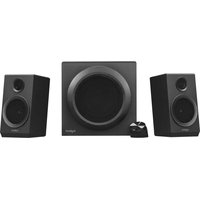


| Product type | 2.1 speaker system with subwoofer |
| Brand | Logitech |
| Model | Z333 |
| Subwoofer dimensions (W x H x D) | 262 x 262 x 211 mm |
| Satellite speaker dimensions (W x H x D) | 108 x 175 x 108 mm |
| Total weight | 4.6 kg |
| Power supply | Mains 100-240 V AC, 50/60 Hz |
| Total power (RMS) | 40 W (24 W subwoofer + 2 x 8 W satellites) |
| Frequency response | 55 Hz - 20 kHz |
| Audio inputs | 3.5 mm jack (x2), RCA input (x2) |
| Headphone output | Yes, 3.5 mm jack |
| Controls | Volume knob on right satellite, bass knob on subwoofer |
| Connectivity | Wired only |
| Enclosure materials | Plastic (subwoofer and satellites) |
| Additional features | Power indicator light, integrated cables |
| Maintenance and cleaning | Unplug before cleaning. Use a soft, dry cloth. Do not use abrasive products. |
| Safety | Do not expose to water or moisture. Do not open the device. Compliant mains connection. |
| Spare parts and repairability | No spare parts supplied. Professional repair recommended. |
| General information | Indoor use only. Operating temperature: 5°C to 35°C. |
Frequently Asked Questions - Z333 LOGITECH
User questions about Z333 LOGITECH
0 question about this device. Answer the ones you know or ask your own.
Ask a new question about this device
Download the instructions for your Speakers in PDF format for free! Find your manual Z333 - LOGITECH and take your electronic device back in hand. On this page are published all the documents necessary for the use of your device. Z333 by LOGITECH.
USER MANUAL Z333 LOGITECH
CONTENTS
English . . . . . . . . . . . . . . . . . . . . . . . . . . 3
Français .....7
Español....11
Português ..... 15
KNOW YOUR PRODUCT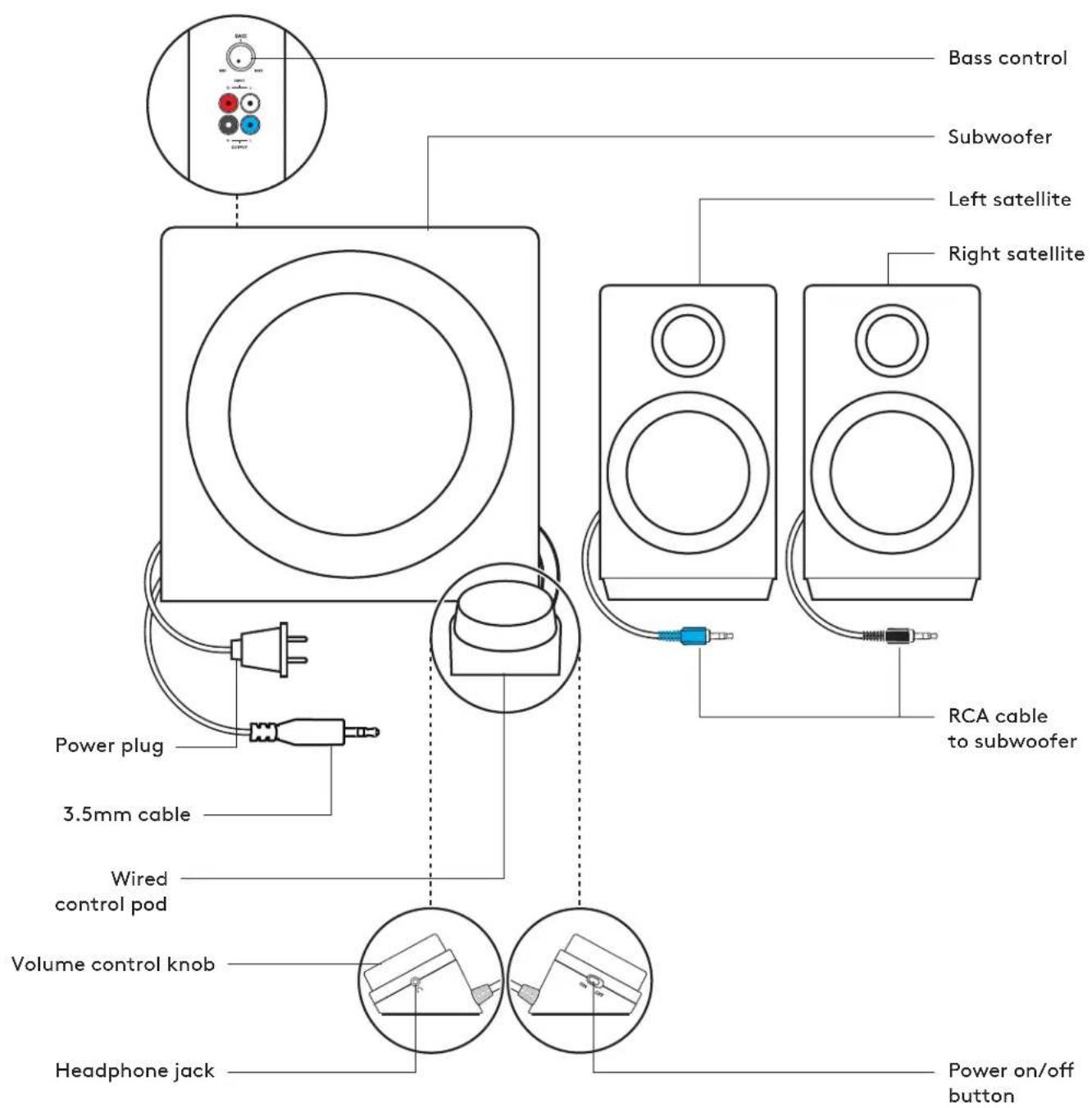
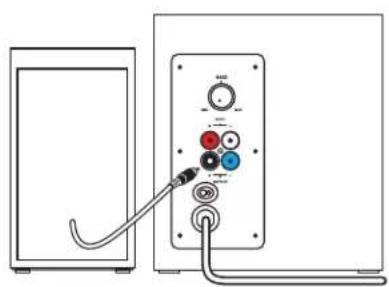
- Plug the black RCA connector on the right satellite into the black subwoofer jack.
- Plug the blue RCA connector on the left satellite into the blue subwoofer jack.
- Plug the power plug into an electrical outlet.
1
2

3

CONNECT TO AUDIO SOURCE
1A. For 3.5 mm connection:
Connect the 3.5mm plug from the subwoofer to the audio jack on your device (computer, tablet, smartphone, etc.)
1B. For RCA connection:
Connect one end of the RCA cable to the corresponding RCA jack on the back of the subwoofer.
Insert the other end of the RCA cable into the RCA outlet on your device (TV, Gaming Console, etc).
Note: The RCA cable is not included in the box and must be purchased separately.
- Plug your headphones into the headphone jack on the control pod. Adjust the volume either from the control pod or the audio source.
- Power speakers on/off by sliding the power on/off button on the wired control pod.
1A 1B
![graph TD A["Device"] --> B["Controller"] B --> C["Max/Min"] C --> D["+/-"] D --> E["+/-"] E --> F["+/-"] F --> G["+/-"] G --> H["+/-"] H --> I["+/-"] I --> J["+/-"] J --> K["+/-"] K --> L["+/-"] L --> M["+/-"] M --> N["+/-"] N --> O["+/-"] O --> P["+/-"] P --> Q["+/-"] Q --> R["+/-"] R --> S["+/-"]…](/content/2026/06/1269504/images/1ff3de357ba9fac3465f87b0afc5e5e1adf143717c59e1d0f43c8cf0d2d22fff.jpg)
2
3
CONNECT TO TWO DEVICES SIMULTANEOUSLY
- Connect to two devices at the same time through the RCA connector on the back of the subwoofer and the 3.5mm cable on the subwoofer.
- To switch between audio sources just pause audio on one connected device and play audio from the other connected device.


ADJUST THE VOLUME
- Adjust the volume of Z333 with the knob on the control pod. Turn the knob clockwise (to the right) to increase volume. Turn the knob counter-clockwise (to the left) to decrease volume.
ADJUST THE BASS
- Adjust the bass level by turning the bass control knob located at the back of your subwoofer. Turn bass knob to the right for deeper bass or to the left for less bass.


PRODUCT OVERVIEW
2

3

CONNECTING TO THE AUDIO SOURCE
3
CONNECTING TO TWO DEVICES SIMULTANEOUSLY
PRODUCT COMPONENTS
CONNECT THE SPEAKERS
2

3

CONNECT TO THE AUDIO SOURCE
3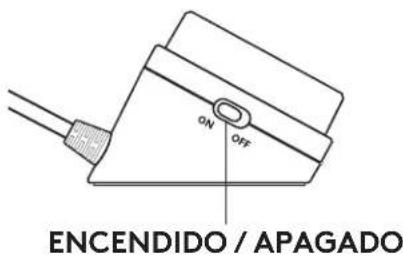
CONNECT THE SPEAKERS TO TWO DEVICES AT THE SAME TIME
2

3

CONNECT TO AUDIO SOURCE
1A. For 3.5mm connection:
Connect the 3.5mm plug of the subwoofer to the audio input of the device (computer, tablet, smartphone, etc.) 1B. For RCA connection:
3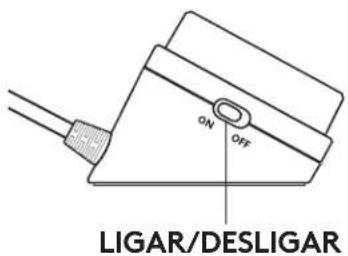
CONNECT TWO DEVICES SIMULTANEOUSLY
www.logitech.com/support/Z333
© 2019 Logitech, Logitech, Logi and other Logitech marks are owned by Logitech and may be registered. All other trademarks are the property of their respective owners. Logitech assumes no responsibility for any errors that may appear in this manual. Information contained herein is subject to change without notice.
WEB-621-000411.002

- CONTENTS
- CONNECT TO AUDIO SOURCE
- CONNECT TO TWO DEVICES SIMULTANEOUSLY
- ADJUST THE VOLUME
- ADJUST THE BASS
- CONNECTING TO THE AUDIO SOURCE
- CONNECTING TO TWO DEVICES SIMULTANEOUSLY
- CONNECT THE SPEAKERS
- CONNECT TO THE AUDIO SOURCE
- CONNECT THE SPEAKERS TO TWO DEVICES AT THE SAME TIME
- CONNECT TWO DEVICES SIMULTANEOUSLY
Brand : LOGITECH
Model : Z333
Category : Speakers