
Hadron Air - Desktop Computer EVGA - Free user manual and instructions
Find the device manual for free Hadron Air EVGA in PDF.


| Product type | Barebone PC (case + power supply) |
| Brand | EVGA |
| Model | Hadron Air |
| Supported motherboard form factor | Mini-ITX |
| Included power supply | Yes, 500 W 80+ Bronze |
| Dimensions (W x H x D) | 330 x 170 x 400 mm |
| Weight | Approximately 6.5 kg |
| Case material | SECC steel, ABS plastic |
| Hard drive bays | 2 x 2.5" (externally accessible) |
| Front panel connectors | 2 x USB 3.0, headphone/microphone jack |
| Cooling | 1 x 120 mm front fan, side airflow |
| Max CPU cooler height | Max height 130 mm |
| Supported graphics card | Dual slot, max length 300 mm |
| Included power supply (details) | SFX, 500 W, 80+ Bronze, modular cables |
| Main features | Compact case for gaming PC or quiet office |
| Maintenance and cleaning | Regular dusting of grilles and fans with a soft cloth |
| Safety | Turn off and unplug before any internal intervention |
| Spare parts and repairability | Replaceable standard SFX power supply, standard fans |
| General information | 1-year manufacturer's warranty, made in China |
Frequently Asked Questions - Hadron Air EVGA
User questions about Hadron Air EVGA
0 question about this device. Answer the ones you know or ask your own.
Ask a new question about this device
Download the instructions for your Desktop Computer in PDF format for free! Find your manual Hadron Air - EVGA and take your electronic device back in hand. On this page are published all the documents necessary for the use of your device. Hadron Air by EVGA.
USER MANUAL Hadron Air EVGA
Chassis Specifications 5
Parts Descriptions 6
Equipment 6
Removing the Side Panel 7
Installing the Motherboard 7
Installing the Hard Drive 7
Installing the PCI-E Graphics Card 8
Connecting Front Panel LED / USB / Audio Headers 8
Optical drive installation (optional) 9
Fan installation / replacing 9
Compliance Information 10
EVGA.
Before You Begin...
Why sacrifice appearance and size when choosing a performance rig? The EVGA Hadron Mini ITX chassis was designed to not make any compromises.
Featuring a 500W Gold rated power supply, support for a full sized graphics card, sleek looks and enthusiast features, the EVGA Hadron Mini ITX Chassis packs a serious punch.

natural_image
Exterior view of a black ECOSA desktop computer case (no visible text or symbols on the device body)4
English English
EVGA.
Chassis Specifications
- Dimensions / Weight (W x H x D): 169mm x 305mm x 308mm Weight: 6 kg / 13.22lb
- Drive Bays 2 x 2.5 / 3.5in 1x Slim Slot Load Optical Drive
- Expansion Slots
- Fans 2 x 120mm
• I/O Ports USB 3.0 x 2 HD Audio Out HD Audio In
- Form Factor miniITX
• Power Supply 500W Gold Rated 40A on +12V Rail
EVGA Hadron Air
- Motherboard / Graphics Card Support Supports mITX motherboards. Supports most high performance graphics cards.

natural_image
Exterior view of a black hard disk drive unit (no visible text or symbols)5
Parts Descriptions
EVGA.
Equipment
The following accessories are included with the Hadron Chassis:

• EVGA Hadron Chassis
The star of the show!
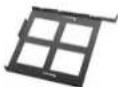
Optical Disc Drive Tray
A tray for your slim slot load optical drive.

- 8pcs M3 x 5mm
These screws are used for the motherboard, and 2.5" hard drives.

- Manual
All the important information. You should know, you are reading it right now!

- 4pcs M2 x 2.5mm
These screws are used for the optical disc drive and are optional.

Power Cable
Connects to an AC power source
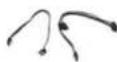
- SATA Cable x 2
Use these to connect your hard drive.
EVGA.
Removing the Side Panel
- Losen the screws with a phillips screwdriver.
- Slide the side panel off in a straight motion.

natural_image
Close-up of a black electronic device with visible internal components and wiring (no readable text or symbols)Installing the Motherboard
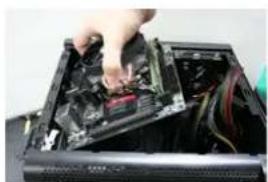
- Lay the motherboard at a 45 degree angle inside the chassis and ensure the screw holes lineup with the standoffs.
- Tighten the screws.
natural_image
Close-up of a hand inserting a computer into a black case with visible wiring (no text or symbols)Installing the Hard Drive
- Pull out the removable hard drive tray by squeezing together the outer clips.
- For 2.5in hard drive: Attach 4 screws to the bottom of the hard drive tray.
- For 3.5in hard drive – Stretch each side of the hard drive tray and insert the drive.
- Slide in the hard drive tray.

natural_image
Close-up of a black electronic device showing internal components and wiring (no visible text or symbols)EVGA.
Installing the PCI-E Graphics Card
- Unscrew the retention clip on the backside of the chassis, and flip the clip down.
- Unscrew the screw.
- Insert the graphics card.
- Place screw back in, flip up retention clip and screw in.
- Connect power adapters to graphics card.

natural_image
Close-up of a mechanical component with no visible text or symbolsConnecting Front Panel LED / USB / Audio Headers
- Connect the Power LED and Power Switch cables. Make sure that the Power LED is in the correct +/- orientation. Please consult your motherboard documentation on the proper location for connection.
- The USB 3.0 Internal Cable allows for full support of USB 3.0 devices, please consult your motherboard documentation to properly connect this.
- The HD audio connector supports HD Audio, please consult your motherboard documentation on the proper location of connection.

natural_image
Three electronic components with colored wires: power cord, connected plug, and USB connector (no visible text or symbols)EVGA
- The bundled fans connect to standard 3pin fan headers on your motherboard.
Optical drive installation (optional)
- If you wish to install a slim slot load optical drive, you can by first removing the opposite cover.
- Insert the optical drive into the optical drive tray and attach four screws.
- Slide in the optical disc tray.
- EVGA recommends using the Panasonic UJ8C5 Slot Load Optical drive.

natural_image
Black metal frame with four square cutouts and a handle (no text or symbols)Fan installation / replacing
- If you need to service / replace the included fans, you can do so by first removing the top cover.
- Remove both screws located on the backside of the chassis.
- Slide out the top cover in a horizontal fashion.

Compliance Information
EVGA.
FCC Compliance Information
This device complies with FCC Rules Part 15. Operation is subject to the following two conditions: (1) This device may not cause harmful interference, and (2) this device must access any interference received, including interference that may cause undesired operation. This equipment has been tested and found to comply with the limits for a Class B digital device, pursuant to Part 15 of the FCC Rules. These limits are designed to provide reasonable protection against harmful interference in a residential installation. This equipment generates, uses and can radiate radio frequency energy and, if not installed and used in accordance with the manufacturer's instructions, may cause harmful interference to radio communications. However, there is no guarantee that interference will not occur in a particular installation. If this equipment does cause harmful interference to radio or television reception, which can be determined by turning the equipment off and on, the user is encouraged to try to correct the interference by one or more of the following measures: (1) Increase the separation between the equipment and signal source, or (2) connect the equipment to an outlet on a circuit different from that to which the signal source is connected. Consult the dealer or an experienced computer technician for help. The use of shielded cables for connection of peripheral devices to the FCC systems is required to ensure compliance with FCC regulations. Changes or modifications to this unit not expressly approved by the party responsible for compliance could void the user is authority to operate the equipment.
CE Compliance Information
Generic Radiation Interference Standard for Information Technology Equipment. (EN 55022: 2010/40; 2011 Class B), (EN 61003-3-2; 2008 A1: 2009 and A2: 2009), (EN 61003-3-3; 2008). Warning: This is a Class B product. In a domestic environment this product may cause radio interference in which case the user may be recurred to take accurate measure. Generic Immunity Standards for Information Technology Equipment. (EN 55024: 2010).
Trademark & Copyright Information
2011 2013 EVGA Corp. EVGA, the EVGA logo and combinations (Borca) are trademarks of EVGA Corp. All brand marks, company names, service marks, logos, and trademarks of the company, or its affiliate or leistocene are trademarks or registered trademarks of the company or its subsidiaries, affiliates or lenders in the US and other countries. Other company, products and service names may be trademarks or service marks of others. EVGA reserves the right to terminate this license if there is a violation of its terms or default by the Original Purchaser. Upon termination, for any reason, all copies of Softwane and materials must be immediately returned to EVGA and the Original Purchaser shall be liable to EVGA.com Corp. for any and all damages suffered as a result of the violation or default.
Legal Information
All material including but no. limited to, less, class, design specifications, diagnostics, graphics, logos, reference boards, likes, images, drawings, and software including this document; and the software itself (together and separately) is owned, controlled by licensed to, or used with permission by Company and is protected by copyright, trademark, and other intellectual property rights. All is being provided "as is in", EVGA Corporation makes no warranties, whether express or implied, statutory or otherwise with respect to the materials and expressly disclaims all implied warranties of non-infringement, merchantability, and fitness for a particular purpose. In no event shall the liability of EVGA Corporation for claims arising from the use of the materials by anyone exceed the original purchase price of the materials or replacement of the materials at EVGA Corporation's option. All information "unmised" is believed to be accurate and reliable. However, EVGA Corporation assumes no responsibility for the consequences of use of such information or for any infringement of patients or other rights of third parties that may result from its use, or use of the Software. No license is granted by implied on or otherwise under any patient or patient rights of EVGA Corporation except as expressly provided herein. All specific items mentioned in this publication are subject to change without notice.
Bedienungsanleitung
EVGA Hadron Air
EVGA.
Übersicht
natural_image
Exterior view of a black office computer case with visible internal components (no text or symbols)EVGA Hadron Air
EVGA.
natural_image
Exterior view of a black hard disk drive unit (no visible text or symbols)EVGA.
natural_image
Interior view of a black electronic device with visible circuitry and wiring (no text or symbols)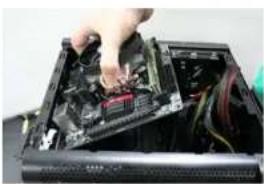
natural_image
Close-up of a computer motherboard with a hand installing a CPU socket (no visible text or symbols)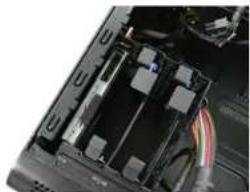
natural_image
Close-up of a computer chassis showing internal components and wiring (no visible text or symbols)EVGA.
PCI-E Grafikkarten Installation
natural_image
Close-up of a black mechanical component with visible internal structure and mounting holes (no text or symbols)

EVGA.
natural_image
Black metal frame with four square cutouts, no text or symbols visible
EVGA
This device complies with PC Rules Part 15. Operation is subject to the following two conditions: (1) This device may not cause harmful interference, and (2) this device must accept any interference resolved, including Interferences that may cause undesive operation. This equipment has been tested and found to comply with the limits for a Class B digital device, pursuant to Part 16 of the PC Rules. Three limits are designed to provide reasonable protection against harmful interference in a resident installation. This equipment generates use and can radiate radio frequency energy and, if not installed and used in accordance with the manufacturer's instructions, may cause harmful interference to radio communications. However, there is no guarantee that interference will not occur in a particular installation. If this equipment does cause harmful interference to radio or television reception, which can be determined by turning the equipment off and on, the user is encouraged to try to correct the interference by one or more of the following measures: (1) increase the separation between the equipment and signal sources, or (2) connect the equipment to an outer, on a circuit different from that to which this signal source is connected. Consult the dealer or an experience computer technician for help. The use of sheded codes for connection of peripheral devices to the PC systems is required to ensure compliance with FCC regulations. Changes or modifications to this unit not expressly approved by the party responsible for compliance could void the user's authority to operate as the equipment.
CE Compliance Information
Generic Radiation Interference Standards for Information Technology Equipment, IEN 55022: 2010/AC-2011 Class B, IEN 6100C-3-2: 2008/A1: 2009 and /A2: 2009, IEN 6100C-3-3: 2008). Warning: This is a Class B product. In a domestic environment this product may cause radio interference in which case the user may be required to take adequate measure. Generic Immunity Standard for Information Technology Equipment, IEN 55024: 2010.
Trademark & Copyright Information
2001 2015 EVGA Corp. PVGA: the EVGA logo and combinations: hunted and trademarks of EVGA Corp.: All brand names, company name, service marks, logos, and trademarks of the company, or its affiliates or licencare are trademarks or registered trademarks of the company or its subsidiaries, affiliates or licencare in the US and other countries. Other company products and service names may be trademarks or service marks of others. EVGA reserves the right to terminate this license if there is a vocation or its terms or default by the Original Purchaser. Upon termination, for any reason, all codes of Software and materials must be immediately returned to EVGA and the Original Purchaser shall be liable to EVGA.com CORP for any and all damages suffered as a result of the violation or default.
Legal Information
At material including but not limited to, lead, data, design specifications, diagnostics, graphics, logos, reference boards, files, images, drawings, and software including this document and the software itself (together and separately) is owned, controlled by licensed to, or used with permission by Company and is approved by copyright, trademarks, and other individual property rights. All being prescribed for EVGA Corporation makes no warranties, whether express or implicit, statutory or otherwise with respect to the materials and expressly disclaims all implied warranties of non infringement, merchantability, and fitness for a particular purpose. In no event shall the facility of EVGA Corporation for claims arising from the use of the materials by anyone exceed the original purchase price or the materials or replacement of the materials at EVGA Corporation's option. All information furnished is believed to be accurate and reliable. However, EVGA Corporation assumes no responsibility for the consequences of use of such information or for any infringement of patents or other rights of third parties that may result from its use, or use of the Software. No license is granted by implication or otherwise under any patent or patent rights of EVGA Corporation except an expressly provided reason. At specifications mentioned in this publication are subject to change without notice.
EVGA.
Tabla de contenidos
Guía del usuario
EVGA Hadron Air
natural_image
Exterior view of a black server unit with visible internal components and ventilation slots (no text or symbols)natural_image
Exterior view of a black hard disk drive unit (no visible text or symbols)natural_image
Close-up of a black electronic device with a display screen showing abstract colorful graphics (no readable text or symbols)natural_image
Close-up of a hand inserting a computer into a motherboard socket (no visible text or symbols)natural_image
Close-up of a black electronic device with visible internal components and wiring (no text or symbols)EVGA.
natural_image
Close-up of a mechanical component with no visible text or symbolsnatural_image
Three electronic components: a blue USB cable connector, a black USB cable with gray wires, and a white power strip connector (no visible text or symbols)Español Español
EVGA.
natural_image
Black metal frame with four square cutouts, no text or symbols visiblenatural_image
Exterior view of a black hard disk drive unit (no visible text or symbols)EVGA Hadron Air
EVGA.
(W x H x D): 169mm x 305mm x 308mm Poids: 6 kg / 13.22lb
- Baies Disques
2×2.5/3.5in
Certification 500W Gold
40A on +12V Rail
natural_image
Exterior view of a black hard disk drive unit (no visible text or symbols)EVGA.
natural_image
Interior view of a black electronic device showing internal components and wiring (no visible text or symbols)natural_image
Close-up of a computer tower with exposed internal components and a hand inserting a component (no visible text or symbols)natural_image
Close-up of a black electronic device showing internal components and wiring (no visible text or symbols)EVGA.
natural_image
Close-up of a mechanical component with visible internal structure and mounting holes (no text or symbols)natural_image
Black metal frame with four square cutouts, no text or symbols visiblenatural_image
Exterior view of a black server unit with visible internal components and ventilation slots (no text or symbols)natural_image
Exterior view of a black desktop computer tower (no visible text or labels)Descrição das peças
EVGA.
Equipamentos
natural_image
Close-up of a black electronic device with visible internal components and wiring (no readable text or symbols)
natural_image
Close-up of a hand inserting a computer into a drive bay (no visible text or symbols)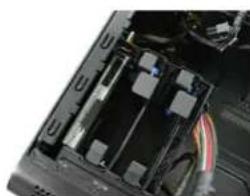
natural_image
Close-up of a black electronic device showing internal components and wiring (no visible text or symbols)EVGA.
natural_image
Close-up of a mechanical component with no visible text or symbolsnatural_image
Three electronic components with colored wires: a blue connector, a gray cable, and a white connector (no visible text or symbols)EVGA.
natural_image
Black metal frame with four square cutouts and a diagonal extension (no text or symbols)natural_image
Exterior view of a black hard disk drive unit (no visible text or symbols)EVGA Hadron Air
EVGA.
シャーシの仕様
·寸法/重量
(幅×高さ×奥行):
169mm x 305mm x 308mm
重量: 6 kg / 13.22lb
- ドライブベイ
2×2.5/3.5インチ
natural_image
Exterior view of a black hard disk drive unit (no visible text or symbols)5051
日本語 日本語
EVGA.
各パーツを確認する
装置
natural_image
Interior view of a black electronic device with visible circuitry and wiring (no text or symbols)マザーボードのインストール
natural_image
Close-up of a computer motherboard showing a hand inserting a CPU into a black case (no visible text or labels)ハードドライブのインストール
natural_image
Close-up of a black electronic device with visible internal components and wiring (no text or symbols)EVGA.
natural_image
Close-up of a mechanical component with no visible text or symbolsnatural_image
Black metal frame with four square cutouts and a diagonal tab (no text or symbols)ファンのインストール / 交換
natural_image
Exterior view of a black ECOSA desktop computer case (no visible text or symbols on the device body)5859
繁體中文 繁體中文
EVGA.
機殼規格
- 尺寸 / 重量
natural_image
Exterior view of a black hard disk drive unit (no visible text or symbols)零件說明
EVGA.
設備
Hadron 機殼內含下列配件:

natural_image
Close-up of a black electronic device with visible circuitry and indicator lights (no readable text or symbols)
natural_image
Close-up of a hand inserting a computer into a motherboard with visible circuitry and cables (no text or symbols)
natural_image
Close-up of a black electronic device showing internal components and wiring (no visible text or symbols)EVGA.
安裝 PCI-E 顯示卡
natural_image
Close-up of a mechanical component with visible internal structure and mounting holes (no text or symbols)natural_image
Three electronic components with colored wires, no visible text or symbolsEVGA.
natural_image
Black metal tray with four square cutouts and a handle (no text or symbols)風扇安裝 / 更換
natural_image
Exterior view of a black server unit with visible internal components and ventilation slots (no text or symbols)EVGA Hadron Air
EVGA.
机箱规格
- 尺寸/重量
natural_image
Exterior view of a black hard disk drive unit (no visible text or symbols)6869
简体中文
EVGA.
部件说明
设备
Hadron 机箱包含以下配件:

natural_image
Interior view of a black electronic device casing showing internal circuitry and wiring (no visible text or symbols)安装主板
natural_image
Close-up of a computer motherboard with a hand installing components (no visible text or symbols)安装硬盘
natural_image
Close-up of a computer chassis showing internal components and wiring (no visible text or symbols)7071
简体中文
EVGA.
安装 PCI-E 显卡
natural_image
Close-up of a black mechanical component with visible internal structure and mounting holes (no text or symbols)

简体中文
EVGA.
natural_image
Black metal frame with four square cutouts, no text or symbols visible风扇安装 / 更换


- EVGA.
- Before You Begin...
- Chassis Specifications
- EVGA Hadron Air
- Parts Descriptions
- Equipment
- Removing the Side Panel
- Installing the Motherboard
- Installing the Hard Drive
- Installing the PCI-E Graphics Card
- Connecting Front Panel LED / USB / Audio Headers
- EVGA
- Optical drive installation (optional)
- Fan installation / replacing
- Compliance Information
- FCC Compliance Information
- CE Compliance Information
- Trademark & Copyright Information
- Legal Information
- Übersicht
- PCI-E Grafikkarten Installation
- Tabla de contenidos
- Descrição das peças
- Equipamentos
- シャーシの仕様
- ·寸法/重量
- - ドライブベイ
- 各パーツを確認する
- 装置
- マザーボードのインストール
- ハードドライブのインストール
- ファンのインストール / 交換
- 機殼規格
- 零件說明
- 設備
- 安裝 PCI-E 顯示卡
- 風扇安裝 / 更換
- 机箱规格
- 部件说明
- 设备
- 安装主板
- 安装硬盘
- 安装 PCI-E 显卡
- 风扇安装 / 更换
Brand : EVGA
Model : Hadron Air
Category : Desktop Computer