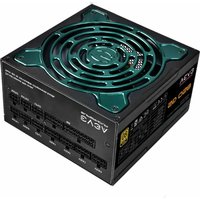
SuperNOVA G5 850 - PC Power Supply EVGA - Free user manual and instructions
Find the device manual for free SuperNOVA G5 850 EVGA in PDF.


Pick your language and provide your email: we'll send you a specifically translated version.
| Product Type | PC Power Supply |
| Brand | EVGA |
| Model | SuperNOVA G5 850 |
| Wattage | 850 watts |
| 80 PLUS Certification | Gold |
| Form Factor | ATX |
| Dimensions (L x W x H) | 150 x 140 x 86 mm |
| Weight | 1.93 kg |
| Fan | 120 mm with Fluid Dynamic Bearing (FDB) |
| Cable Type | Fully Modular |
| +12V Rail | Single, 70.8 A |
| Main Connectors | 1x ATX 24-pin, 2x EPS 4+4-pin, 6x PCIe 6+2-pin, 12x SATA, 4x Molex |
| Protections | OVP, UVP, OCP, OPP, SCP, OTP, NLO |
| Eco Mode Feature | Yes (fan stops at low load) |
| Maintenance and Cleaning | Unplug the power supply, use a dry cloth or compressed air to dust the grills |
| Safety | Do not open the case, internal capacitors are dangerous. Use in a dry and ventilated environment. |
| Spare Parts and Repairability | Modular cables are available as an option; no user-serviceable parts. |
| Manufacturer Warranty | 7 years (depending on region) |
| Operating Temperature | 0 to 40 °C |
| Certifications | CE, FCC, RoHS, cULus, TUV |
Frequently Asked Questions - SuperNOVA G5 850 EVGA
Is this power supply compatible with my ATX motherboard?
Yes, the EVGA SuperNOVA G5 850 is ATX form factor and fits most standard motherboards. Make sure your case accepts an ATX power supply (150x140x86 mm).
What does Eco mode mean? How do I activate it?
Eco mode allows the fan to stop when the load is low (< 20-30%) for silent operation. It is activated via a switch on the power supply (position 'Eco').
Which cables are included with the power supply?
The power supply comes with a power cord, a 24-pin ATX cable, two 4+4-pin EPS cables, six 6+2-pin PCIe cables, twelve SATA cables, and four Molex cables.
Can I use this power supply for an SLI or CrossFire setup?
Yes, with six 6+2-pin PCIe connectors, it can power multiple graphics cards in SLI or CrossFire, up to two high-end cards.
How do I clean my power supply?
Unplug the power supply and use a dry cloth or compressed air to remove dust from the grills. Never open the unit, as it voids the warranty and poses a risk of electric shock.
What is the warranty for this power supply?
The EVGA SuperNOVA G5 850 comes with a 7-year warranty (depending on country of purchase). Please keep the receipt and register your product on the EVGA website.
Is the fan loud?
The 120 mm fluid dynamic bearing fan is very quiet. In Eco mode, it stays off at low load. Even at full load, noise remains contained (around 20-25 dB).
Should I use the cables provided with this power supply?
It is imperative to use only the cables provided with this model. Cables from other EVGA power supplies or other brands may have different pinouts and could damage components.
How do I know if my power supply is faulty?
If the computer does not turn on, restarts randomly, or makes abnormal noises, test with another power cord or outlet. If the problem persists, contact EVGA support.
Where can I download the full manual?
The manual is available for free download on notice-facile.com or on the official EVGA website. You can also find it in PDF format in multiple languages.
User questions about SuperNOVA G5 850 EVGA
0 question about this device. Answer the ones you know or ask your own.
Ask a new question about this device
No questions yet. Be the first to ask one.
Download the instructions for your PC Power Supply in PDF format for free! Find your manual SuperNOVA G5 850 - EVGA and take your electronic device back in hand. On this page are published all the documents necessary for the use of your device. SuperNOVA G5 850 by EVGA.
USER MANUAL SuperNOVA G5 850 EVGA

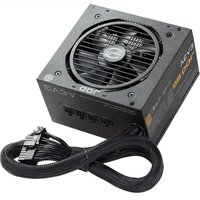


Manual assistant
Powered by Anthropic
Waiting for your message
Product information
Brand : EVGA
Model : SuperNOVA G5 850
Category : PC Power Supply