DM 900 - Soundbar CANTON - Free user manual and instructions
Find the device manual for free DM 900 CANTON in PDF.


User questions about DM 900 CANTON
0 question about this device. Answer the ones you know or ask your own.
Ask a new question about this device
Download the instructions for your Soundbar in PDF format for free! Find your manual DM 900 - CANTON and take your electronic device back in hand. On this page are published all the documents necessary for the use of your device. DM 900 by CANTON.
USER MANUAL DM 900 CANTON
text_image
Digital Movie 900 BeDieNuNgSANleituNg OPeRAtiNg iNStRuCtiONS DEU ENG CANTON German loudspeaker traditionDeutsch
natural_image
Line drawing of a TV setup with monitor, control panel, and small box (no text or symbols)text_image
ON STANDBY MUTE INPUT VOLUME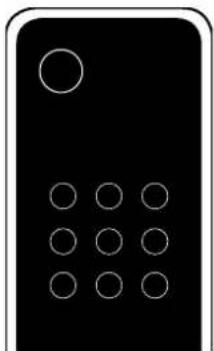
natural_image
Simple black-and-white icon of a calculator with a circular button and ten arranged circles (no text or symbols)TV-Fernbedienung
Deutsch
Fehlersuche
German loudspeaker tradition
Welcome to the world of pure music
We are delighted that you have chosen a Canton loudspeaker. Our products combine high quality components with many years of development experience and meticulous production methods. In order to get the best out of your loudspeaker you need to observe a few points, as detailed in the Operating Instructions.
We hope you enjoy listening to pure music!
Contents
Safety advice......Page 25
Unpacking......Page 30
Installation Page 30
Breaking in Page 30
Setting up the remote control ...... Page 31
Connection Terminal Page 31
Connection Page 32
Operation Page 33
Playback via Bluetooth ...... Page 34
Display indications ......Page 35
Extended functions ......Page 36
Registering your subwoofer ...... Page 38
IR learning function......Page 38
Troubleshooting Page 40
Declaration of conformity ...... Page 43
Further Information......Page 44
Guarantee Page 45
License information ...... Page 47

The user is responsible for the proper operation of the DM System. Canton cannot accept any responsibility for damages or accidents caused by inappropriate positioning or connection.
Safety advice

Please follow the safety advice when positioning and maintaining your DM System.
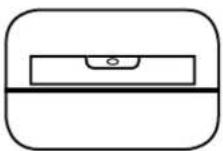
Choose a level surface
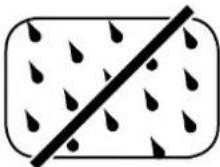
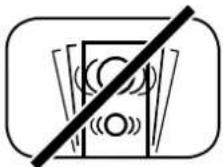
Avoid moisture Avoid vibrations
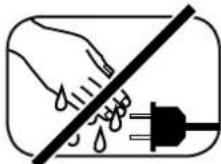
Never touch the power cable with wet hands

Do not discard in household rubbish

Avoid direct sunlight
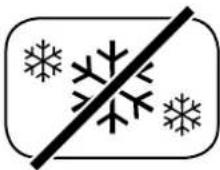
Protect against extreme cold
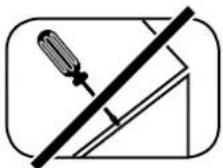
Do not open housing
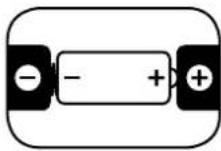
Ensure correct polarity for battery and remote operation
Ensure easy access to the mains plug
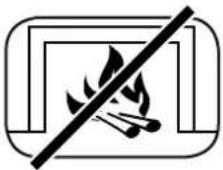
Keep away from heat sources

Do not use aggressive, alcohol-based or abrasive cleaning agents
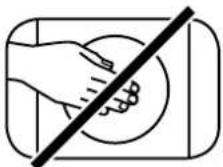
Do not reach inside the speaker
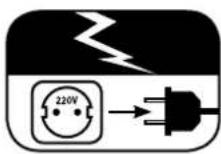
Unplug the device during thunderstorms
In case of overload turn the volume down
English
Important Safety Instructions

Notices
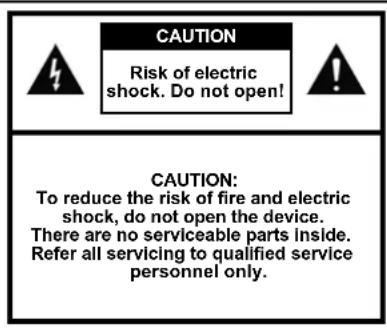
text_image
CAUTION Risk of electric shock. Do not open! CAUTION: To reduce the risk of fire and electric shock, do not open the device. There are no serviceable parts inside. Refer all servicing to qualified service personnel only.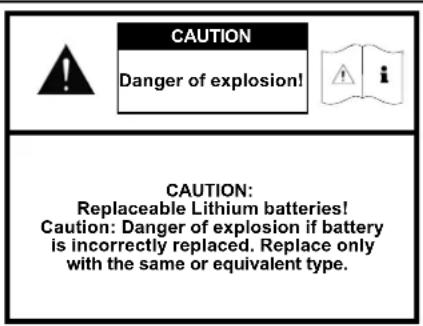
text_image
CAUTION Danger of explosion! CAUTION: Replaceable Lithium batteries! Caution: Danger of explosion if battery is incorrectly replaced. Replace only with the same or equivalent type.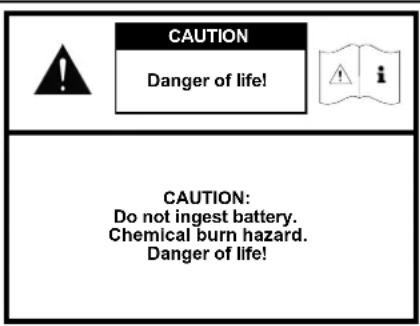
text_image
CAUTION Danger of life! CAUTION: Do not ingest battery. Chemical burn hazard. Danger of life!Read and follow all instructions. Keep these instructions. Heed all warnings.
Use this apparatus only in moderate climates (not in tropical climates).
Indoor use only. Do not use outdoors or in humid rooms.
To reduce the risk of fire and electric shock, do not expose this apparatus to rain or moisture.
Do not use this apparatus near water.
The apparatus shall not be exposed to dripping or splashing.
Strong fluctuations in temperature lead to condensation (water droplets) forming inside the apparatus. Wait until the moisture has evaporated before starting up the apparatus (min. 3 hours).
Objects filled with liquids (such as vases) shall not be placed on the apparatus.
No naked flame source, such as lighted candles, should be placed on or beside the apparatus.
| Do not install the apparatus near any heat sources such as radiators, heat registers, stoves or other apparatus (incl. amplifiers) that produce heat. |
| Prevent exposure to direct sunlight. |
| Observe a free space of at least 5cm around the apparatus. |
| Do never defeat the safety purpose of a polarized or ground plug: A polarized plug has two blades with one wider than the other. The wide blade is provided for your safety. When the provided plug doesn't fit into your outlet, consult an electrician for replacement of the obsolete outlet. |
| To prevent electric shock, do not use the plug with an extension cord, receptacle or other outlet unless the blades can be fully inserted to prevent blade exposure. |
| Never touch signal- and power cords with wet hands. |
| Protect the power cord from being walked on or pinched particularly at plug, convenience receptacles and the point where they exit from the apparatus. |
| Where the mains plug or an appliance coupler is used as the disconnect device, the mains plug of the power cord or appliance coupler shall be remain readily operable. |
| Unplug this apparatus during lightning storms or when unused for long periods of time. |
| To completely disconnect this apparatus from the mains, disconnect the supply cord plug from the receptacle. |
| Power down the apparatus before connecting or disconnecting any cable. |
| Always pull the plugs and not the cables. |
| Install this apparatus in accordance with the manufacturer's instructions. |
| Always choose a level surface. The apparatus has to be in perfect vertical alignment. |
English
Important Safety Instructions

Notices
Do not use force on operating elements, connections and cables.
The apparatus may only be operated with the voltage and frequency specified on the apparatus or the name plate.
Do not insert any objects or body parts into the apparatus openings. Live components inside the enclosure could get touched and/or damaged. This could lead to short circuiting, electric shock and fire.
Only use attachments and accessories specified by the manufacturer and / or provided with the apparatus.
Use only with a cart, stand, tripod, bracket, or table specified by the manufacturer, or sold with the apparatus. When a cart is used, use caution when moving the cart/apparatus combination to avoid injury from tip-over.

Clean the apparatus only with a clean, dry cloth.
Do not use aggressive, alcohol-based or abrasive cleaning agents.
To reduce the risk of electric shock, do not open the housing! There are no serviceable parts inside.
Refer all servicing to qualified service personnel. Servicing is required when the apparatus has been damaged in any way, such as power supply cord or plug is damaged, liquid has been spilled or objects have fallen into the apparatus, the apparatus has been exposed to rain or moisture, does not operate normally, or has been dropped.
Do not make any modification to the apparatus or the accessory. Unauthorized alterations may affect the safety, regulatory compliance or the system performance. In this case, the operating licence/warranty can expire.
Turn down the volume level immediately if sound distortions, such as unnatural knocking, beating or high-frequency clicking can be heard.
To prevent possible hearing damage, do not listen at high volume levels for long periods.

English
| Keep new and used batteries away from children. If the battery compartment does not close securely, stop using the product and keep it away from children. | |
| The remote control supplied with this product contains a coin/button cell battery. If the coin/button cell battery is swallowed, it can cause severe internal burns in just 2 hours and can lead to death! | |
| If you think batteries might have been swallowed or placed inside any part of the body, seek immediate medical attention. | |
| Batteries must be inserted correctly, as shown on the polarity imprint. Incorrectly replaced batteries might cause damage. | |
| Please keep the environmental aspects of battery disposal in mind. Batteries must be disposed of at a battery collection point. | |
| Batteries shall not be exposed to excessive heat such as sunshine, fire or the like. | |
| Only use batteries or rechargeable batteries specified for this apparatus. | |
| The batteries supplied are not rechargeable batteries and may therefore not be recharged. | |
| The apparatus and/or the accessory bag may contain small parts that may be a choking hazard. Therefore not suitable for children under age 3. |  |
| This symbol is intended to alert the user to the presence of uninsulated dangerous voltage within the product's enclosure that may be of sufficient magnitude to constitute risk of fire and electric shock. |  |
| This symbol is intended to alert the user to the presence of important operating and maintenance instructions in the literature accompanying this product. |  |
| This symbol denotes equipment with Class II Protection Rating. These devices are deemed to be fully protected against the risk of electric shock during normal use by means of double or reinforced insulation, and therefore require no earth conductor. |  |
English
Unpacking
Unpack the box carefully and check that all the following parts are present:
• 1x Canton Soundbar DM 900
• 1x Wireless Subwoofer
• 1x Remote control inc. battery
- 2x Mains cable
• 1x Optical digital audio cable
- 1x Stereo RCA-cable
• 1x Digital RCA-cable
Installation
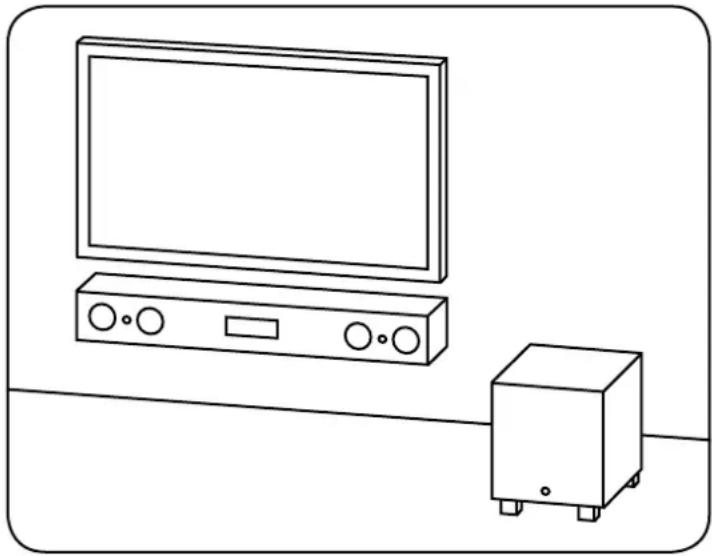
In case of wall-mounting the Soundbar should be positioned below the flat-screen TV. In connection with a free-standing flat-screen TV it should be positioned in front of the flat-screen TV. The subwoofer can be set up anywhere in the room. However, the distance between the Soundbar and the sub - woofer should not exceed 10 m.
Breaking in
Maximum sound quality requires a breaking-in time of 15 - 20 operating hours.
- During this time operate the loudspeaker at normal volume
- Avoid high noise levels
- Listen to a variety of music
natural_image
Line drawing of a TV setup with monitor, control panel, and small box (no text or symbols)Setting up the remote control
Place the battery supplied in the remote control. Be careful to ensure that it is correctly inserted according to the polarity markings (+/-). Only use the battery specified for this system (CR 2032).
Note: The battery provided is intended for test use and may therefore has a shorter lifespan.

text_image
CANTON DM Soundbar Remote control CR 2032Connection Terminal

flowchart
graph TD
    A["4"] --> B["DVD DIGITAL COAXIAL"]
    B --> C["○"]
    C --> D["SUB OUT"]
    D --> E["2"]
    F["AUX ANALOG"] --> G["L"]
    F --> H["R"]
    I["TV DIGITAL OPTICAL"] --> J["3"]
    K["Service"] --> L["6"]
    M["100-240V-50/60Hz 150W"] --> N["●"]
    style A fill:#f9f,stroke:#333
    style F fill:#f9f,stroke:#333
    style I fill:#ccf,stroke:#333
    style M fill:#cfc,stroke:#333
Soundbar DM 900

text_image
SUB IN [WIRED] 7 SUB IN - MODE WIRELESS [POWER AUTO] WIRED [POWER AUTO] 8 Wired [POWER ON] SERVICE 6 100-120V~ or 200-240V~ 50/60Hz MAX. 200W STANDBY <0.5W 1Connections DM
1 Power inlet
2 Output - ext. subwoofer
B Input - TV (optical)
4 Input - DVD (coaxial)
5 Input - AUX (analogue)
6 Jack service (Canton)
7 Input - SUB IN (wired)
8 Input selector switch (wireless/wired)
Subwoofer DM 900
English
Connection
Please ensure that all electrical components are switched off before connecting. Your Digital Movie System has three optional inputs. In principle it is enough to connect one of these inputs to your TV and all further devices to your TV. To achieve the best possible sound we recommend that you connect your satellite receiver, Blu-Ray or DVD player directly to the DM System. The following options are possible, depending on the type and fittings of the source used:
TV - Digital input (optical)
Modern TV devices have an optical audio output (Toslink). Connect this with the input marked "TV" on the DM System. This connection guarantees optimal signal transmission and best sound quality.
DVD - Digital input (coaxial)
To transmit the sound signal connect the digital coaxial output of your Blu-Ray or DVD player with the jack marked "DVD" on the DM System. To transmit the picture signal your player must also be connected to the TV. The input marked "DVD" on the DM System can be selected if your TV does not have an optical output.
AUX - Analogue input
If your TV only has an audio output marked "Pre-Out" then connect it using the shielded stereo RCA cable plugged into the analogue input on the DM System marked "AUX". Otherwise this input can be used to connect video recorders or game consoles.
SUB - WIRELESS
In wireless operation the Soundbar and the subwoofer are connected via a high-end transmission path. A frequency of 5.8 GHz guarantees robust, loss-free data transmission. Once the Soundbar has been switched on the subwoofer is activated and the radio connection made automatically. The input selector switch of the subwoofer needs to be set to "wireless" (factory setting). When the Soundbar is switched off, the LED on the subwoofer starts to flash red and after about a minute the subwoofer also switches off.

flowchart
graph TD
    TV["TV"] -->|Signal| DVD["DVD"]
    DVD --> DigitalMovie["DIGITAL MOVIE"]
    DigitalMovie --> SubOut["SUB OUT"]
    DigitalMovie --> SubIn["SUB IN"]
    SubOut -->|Signal| DigitalMovie
    SubIn -->|Signal| DigitalMovie
    DigitalMovie -->|Aux| DigitalMovie
    DigitalMovie -->|Aux| DigitalMovie
    DigitalMovie -->|Aux| DigitalMovie
    DigitalMovie -->|Aux| DigitalMovie
    DigitalMovie -->|Aux| DigitalMovie
    DigitalMovie -->|Aux| DigitalMovie
    DigitalMovie -->|Aux| DigitalMovie
    DigitalMovie -->|Aux| DigitalMovie
    DigitalMovie -->|Aux| DigitalMovie
    DigitalMovie -->|Aux| DigitalMovie
SUB OUT - WIRED
You can use this output to connect the wireless subwoofer of the DM System via a cable. The input selector switch on the subwoofer needs to be set to "wired, Power on" if you want the subwoofer to stay permanently switched on or "wired, Power auto" if it should switch itself on or off with or just after the Soundbar. The SUB OUT output is not active in the factory setting and needs to be activated using the remote control. See Page 36 "Extended functions".
Operation
1 Power
On - LED shines green
Standby – LED shines red
2 Mute
a Input
4 Volume
5 Play Mode
Stereo – for music
Surround – virtual surround sound for home cinema
6 Sound
Bass – Adjustment via Volume control (+6... -9 dB)
Treble - Adjustment via Volume control (+6... -6 dB)
7 Bluetooth Pairing
Connection with a Bluetooth-enabled source
English

text_image
ON STANDBY MUTE INPUT VOLUME - PLAY MODE STEREO SURROUND SOUND BASS TREBLE BLUETOOTH PAIRING CANTON DIGITAL MOVIERemote control
English
Playback via Bluetooth
Registration requirements
- Bluetooth must be activated on the mobile end device
- The mobile end device must support Bluetooth 2.0 at least
- The mobile end device must be within range of the DM Soundbar (max. 10 m)
Registration process
- Select 8T input
- Press the "Bluetooth Pairing" button
- BTP appears on the display
- You now have 30 seconds to register your mobile end device
- Start the search run on your mobile end device
- Select "Canton DM 900" as the playback device
- Once confirmed, the connection will be made automatically and will appear as CON in the display
- If the connection fails the message FRI will appear
- If the mobile end device requires an access code enter 0000
-If 015 appears in the display, your mobile end device is out of range or logged out

BT


BTP

- Canton DM 900 -

CONFRI
Operating a mobile end device
- The device most recently connected to the DM System connects automatically when Bluetooth is activated and the input for Bluetooth playback has been selected. In this case the message CON will appear.
- Start the playback of a medium on your mobile end device and the sound will automatically be generated by the DM System.
Note: The DM System can control up to three Bluetooth devices.
Display indications
The DM System has a multifunctional display that lights up blue for approx. 5 seconds in response to a remote control command. The possible readouts and their meanings are shown below. The standby mode of the DM System is indicated by a red LED light. When your DM System is in operation this LED is green. If there is no connection between the subwoofer and the Soundbar the LED light will flash red.
Input

text_image
TV TV Input (optical) DVD DVD Input (coaxial) AUX AUX input (analogue) BT BluetoothSoundmode

text_image
130 Volume (0–99) Mute 8+6 Bass level (+6/– 9) T+6 Treble level (+/- 6)Playmode

text_image
ST Stereo SUR SurroundBluetooth

text_image
BTP Pairing Mode CON Connection established DIS Disconnected FRI Error messageEnglish
Extended functions
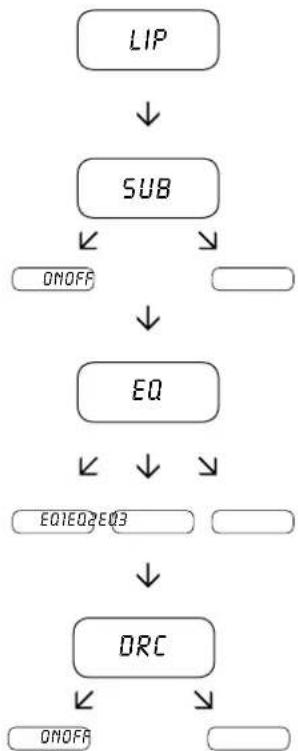
The menu for extended sound functions offers you the chance to correct out-of-synch play-back, to activate the output for a wired external subwoofer, to adjust the playback to suit the location and to switch the Dolby function "Dynamic Range Compression" on or off.
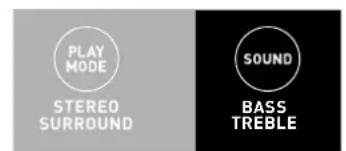
If you press and hold the key marked "Sound" on the remote control for longer than 3 seconds you will enter the "Extended functions" menu and the display LIP will appear on the Soundbar.
You can now use the Volume +/- keys to delay the playback in 10 ms steps.
Press the "Sound" key briefly once more and the display SUB will appear.
The Volume +/- keys can also be used to switch the output for a wired operation of the subwoofer on or off. In the "ON" position the SUB OUT output (wired) is active while in the "OFF" position it uses the wireless connection.
Note: If the subwoofer is supposed to be operating via transmission path (wireless) at a later time again, the SUB OUT needs to be deactivated.
text_image
PLAY MODE STEREO SURROUND SOUND BASS TREBLEEnglish
Press the "Sound" key again briefly one more time and the display EQ will appear.
Now use the Volume +/- keys to choose between three pre-set equalizer settings to adjust the playback to suit the location.
EQ-1 for a wall-mounting of the DM 900 below the flat-screen TV (factory setting).
EQ-2 for a set-up where the DM 900 is positioned in front of a flat-screen TV.
EQ-3 for a set-up where the DM 900 is in a rack or a shelf.
When the "Sound" key is pressed again the display changes to DRC.
"Dynamic Range Compression" is a setting option created by Dolby Laboratories. When activated, the dynamic range of Dolby encoded data streams can be automatically reduced, which also reduces differences in volume. This makes it possible to enhance quiet tones and suppress loud ones.
The Volume +/- keys can be used to switch the ORC function on or off.
Exit menu
Press and hold the "Sound" key again for longer than 3 seconds to exit the "Extended functions" menu.
If the Soundbar does not receive any input instruction from the remote control within a period of 30 seconds the menu navigation returns automatically to normal mode.
flowchart
graph TD
    A["LIP"] --> B["SUB"]
    B --> C["ON/OFF"]
    B --> D[" "]
    D --> E["EQ"]
    E --> F["EQ1EQ2EQ3"]
    F --> G[" "]
    G --> H["DRC"]
    H --> I["ON/OFF"]
    H --> J[" "]
English
Registering your subwoofer
In order to control a new wireless subwoofer through the Soundbar it needs to be registered with the Soundbar. The registration process happens as follows:
1 Unplug the subwoofer from the mains.
2 Switch the Soundbar on and press the "Bluetooth Pairing" key for a minimum of 3 seconds. The display will now show WLP.
3 Plug the subwoofer into the mains.
4 After a short time the registration process should be complete, which will appear in the display as CON. The power indicator of the subwoofer (LED) will change from red (standby) to green (active).
If the registration has failed, after a minute the display will show FRI. In this case repeat the process.
Warning: Only one wireless subwoofer can be connected to the Soundbar at any time.
IR learning function
The DM 900 can learn the infrared code of your TV remote control and therefore allows you to control the functions of the Soundbar and TV device via one remote control. You can allocate the instructions for the Soundbar to any key of the TV remote control. When choosing a key make sure that the instructions for the Soundbar do not conflict with the TV device. We recommend that you deactivate the internal loudspeaker of the TV device once the Soundbar is connected.
1 Hold the TV remote control in position.
2 Switch the Soundbar on.
Press and hold the "On/Standby" key of the Soundbar remote control for approx. 3 seconds.
English
4 The display shows IRL.
5 Press the chosen function on the Canton remote control, e.g. "Volume +".
6 Now the display shows the chosen function, e.g. _+ .
7 Within 20 seconds press the key you wish to allocate to this function on the TV remote control.
8 Once this has been successfully allocated the display will show OK and you can continue with the programming of the next key function, e.g. "Volume -".
9 If the display shows FRI or the relevant function cannot be activated through the TV remote control this means the allocation has failed and you need to repeat steps 4 to 8.
Exit menu
Press and hold the "On/Standby" key again for longer than 5 seconds to exit the "IR learning function" menu.
If the Soundbar does not receive any input instructions from the remote control within a period of 60 seconds the menu navigation returns to normal mode automatically.
Note: The red "On/Standby" key on the DM remote control has a dual function. Press it once and the display will show ON, which allows the switching on function to be programmed. If the red "On/Standby" key on the DM remote control is pressed twice in quick succession the display will show STB and the Standby or switching off function can be programmed. If your TV remote control has only one key for the "On" and "Off" functions both the "On" and "Standby" functions must still be allocated with this command.

text_image
ON STANDBY MUTE INPUT VOLUME
natural_image
Black rectangular device with white circular holes arranged in a 3x3 grid (no text or symbols)TV remote control
English
Troubleshooting
Here is an overview of the most common problems. If you have any further questions please contact your Canton dealer, call our Service Hotline on +49 (0) 60 83 28 70 or send us an e-mail at info@canton.de.
| Problem Possible cause | Solution | |
| Soundbar does not turn on and the LED does not light up. | Power cable not connected to the power outlet and/or Soundbar. | Check connection. |
| Subwoofer does not turn on and the LED does not light up. | Power cable not connected to the power outlet and/or subwoofer. | Check connection. |
| Subwoofer LED flashes red. | No wireless transmission to Soundbar. Too far apart. | Reduce the distance. Change the installation position. |
| Subwoofer not connected to Soundbar. See Chapter “Registering your Subwoofer”. | ||
| SUB OUT on Soundbar set to “ON”. Transmission path deactivated. | Switch SUB OUT in extended menu to “OFF”. | |
| Subwoofer does not play, LED green. | Input selector switch set to “WIRED”. | Change input selector switch to “WIRELESS”. |
| Soundbar does not respond to remote control. | The battery is empty. Replace battery, observe correct polarity at insertion. | |
| Sound reproduction too soft. | Volume of DM System or source device set too low. | Increase the volume using the “Volume” button. Increase the volume of the source device. |
| Problem Possible cause | Solution | ||
| No sound reproduction. | Source device not producing any signal. Digital output on the source device not activated.Volume control is set to zero. | Please refer to device instructions and activate digital output. | |
| Cable not correctly connected / faulty cable. Check | cable connection, maybe replace the RCA cable. | ||
| DM System hums. Signal lines from source device to DM System too long. | Use a shorter signal cable. | ||
| Used signal cable is not shielded or the shielding has been damaged (defective). | |||
| Ground loop (ripple pickup) generated. A ground loop can be generated when two or more devices connected via a signal line (cinch) are plugged into separate sockets (e.g. amplifier and computer). Plug all devices connected to the DM System into a multiple socket output using safety plugs. | |||
| Another piece of equipment on the same circuit has no interference suppression (e.g. fridge). | Switch off possible sources of interference to test. Unplug the device concerned to see if the humming noise disappears or connect the source of interference to a different circuit (L1, L2 or L3). (Where necessary take advice from your electrician.) Insert a special “ferrite common mode filter” (available from specialist retailers) between the amplifier and the DM System to eliminate the humming. Turn the power plug round to reduce the so-called ripple voltage (particularly important if the source device is not earthed). | ||
English
| Problem Possible cause | Solution | |
| No playback via Bluetooth. | There is no connection between the DM System and the mobile end device. | Connect your mobile end device as described on page 34. |
| The mobile end device is paired but no playback takes place. | The mobile end device must be connected again. | |
| You are out of range. | ||
| Set the volume on the mobile end device to maximum. | ||
| Increase the volume of the DM System. | ||
| Ensure that interference sources like a WLAN router or lap-top are not set up in direct proximity of the DM System. | ||
| Concurrent operation of WLAN and Bluetooth from a mobile end device is not possible without interferences in most cases (Disable WLAN at your mobile device). |
EU – Declaration of Conformity
CE marking
We, Manufacturer/Importer
German loudspeaker tradition
confirm and declare under our sole responsibility that the product
DM 900
(2.1 Virtual-Surroundsound System with Wireless Subwoofer (5.8 GHz), 3 Signal Inputs, Bluetooth ^ functionality (2.4 GHz) and one Subwoofer Output, internal Universal Mains Power Supply and Infrared Remote Control)
is in conformity with the directives of the European Parliament and of the Council
Directive 1999/5/EC (Radio and Telecommunications Terminal Equipment)
Directive 2006/95/EC (Low Voltage Directive)
Directive 2011/65/EU (Restriction of the use of certain Hazardous Substances)
Directive 2002/96/EC (Waste of Electric and Electronic Equipment)
Directive 2009/125/EC (Ecodesign requirements for Energy-related Products)
Operation is permitted within all countries of the European Union.
A complete Declaration of Conformity is placed at: www.canton.de/en/doc.htm
Authorized Signature:
Date: August 01 ^rd 2013
Guin Ren
Name: Günther Seitz
Function: CEO
English
Further Information
Information for "normal use"
The Digital Movie Systems are designed for indoor use and must not be used outdoors or in wet conditions. The devices must not be modified or altered in any way. Connect the Digital Movie System up as described in the instructions and pay attention to the warning notices. Only operate the device with the mains voltage and frequency specified on the rating plate.
Information about environmentally friendly operation
(Use the stand-by function to minimise electricity usage and operating costs)
To reduce the electricity usage of the device when not in use press the "On/Standby" button. This saves electricity.
For a complete Declaration of Conformity please refer to: http://www.canton.de/en/doc.htm

All electrical and electronic equipment sold in the European Union must carry a CE mark to show that the device in question complies with the legal requirements (e.g. electromagnetic compatibility or safety requirements).

In line with the regulations governing the disposal of old electrical and electronic equipment, all devices that carry this symbol should not be disposed of in general household waste. Please contact your local recycling centre or the local authorities to find out about free disposal where applicable. This serves to protect the environment and public health as well as saving (scarce) resources through recycling.
DEU GARANTIE
Above and beyond the legally prescribed warranty period Canton offers a guarantee of 5 years on all its passive loudspeakers. A 2-year guarantee is offered for DM Systems and partially active boxes. The guarantee period begins at the time of purchase and only applies to the purchaser. Guarantee claims will only be accepted if accompanied by the original packaging. The guarantee does not cover damages incurred in transit or damages caused by improper use. The guarantee is not extended if parts are exchanged within the period covered by the guarantee. This applies to all loudspeakers purchased from an authorised Canton dealer. In the event of damage please contact your dealer or the Canton Service department direct.

DOLBY. DIGITAL
Manufactured under license from Dolby Laboratories. Dolby and the double-D symbol are registered trademarks of Dolby Laboratories.

dts® TruSurround
For DTS patents, see http://patents.dts.com.
Manufactured under license from DTS Licensing Limited. DTS, the Symbol, & DTS and the Symbol together are registered trademarks, and DTS TruSurround is a trademark of DTS, Inc. © DTS, Inc. All Rights Reserved.

dts® Digital Surround
For DTS patents, see
http://patents.dts.com.
Manufactured under license from DTS Licensing Limited. DTS, the Symbol, & DTS and the Symbol together are registered trademarks, and DTS Digital Surround is a trademark of DTS, Inc. © DTS, Inc. All Rights Reserved.
Bluetooth:
The Bluetooth ^® word mark and logos are registered trademarks owned by Bluetooth SIG, Inc. and any use of such marks by CANTON is under license. Other trademarks and trade names are those of their respective owners.
aptX:
The aptX ^® software is copyright CSR plc or its group companies. All rights reserved. The aptX ^® mark and the aptX logo are trade marks of CSR plc or one of its group companies and may be registered in one or more jurisdictions.