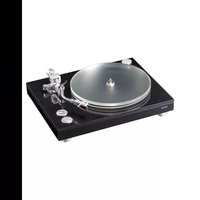
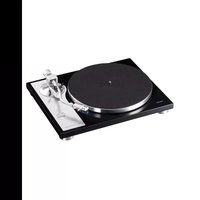
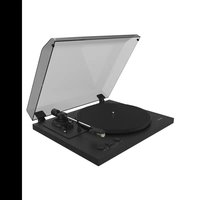
LP-R550USB - Turntable TEAC - Free user manual and instructions
Find the device manual for free LP-R550USB TEAC in PDF.


User questions about LP-R550USB TEAC
0 question about this device. Answer the ones you know or ask your own.
Ask a new question about this device
Download the instructions for your Turntable in PDF format for free! Find your manual LP-R550USB - TEAC and take your electronic device back in hand. On this page are published all the documents necessary for the use of your device. LP-R550USB by TEAC.
USER MANUAL LP-R550USB TEAC
CD recorder with turntable/cassette player
OWNER'S MANUAL
MODE D'EMPLOI
MANUAL DEL USUARIO

text_image
TEAC PHOTO/ TAPE/AUX CD FM/AM PRESET MANUAL/ AUTO REC PRESER ENTER MEMORY PM MODE FINAL/BRASS TRACK INCREMENT Tuning VOLUME LP-R550USB RECORD PLAY/PULSE ▶/II STOP OPEN/CLOSE UP VOLUME DOWN UP PHONES RBC LEVEL LP-R550USB
CAUTION
RISK OF ELECTRIC SHOCK DO NOT OPEN

CAUTION: TO REDUCE THE RISK OF ELECTRIC SHOCK, DO NOT REMOVE COVER (OR BACK). NO USER-SERVICEABLE PARTS INSIDE. REFER SERVICING TO QUALIFIED SERVICE PERSONNEL.

The lightning flash with arrowhead symbol, within an equilateral triangle, is intended to alert the user to the presence of uninsulated "dangerous voltage" within the product's enclosure that may be of sufficient magnitude to constitute a risk of electric shock to persons.

The exclamation point within an equilateral triangle is intended to alert the user to the presence of important operating and maintenance (servicing) instructions in the literature accompanying the appliance.
WARNING: TO PREVENT FIRE OR SHOCK HAZARD, DO NOT EXPOSE THIS APPLIANCE TO RAIN OR MOISTURE.
CAUTION
●DO NOT REMOVE THE EXTERNAL CASES OR CABINETS TO EXPOSE THE ELECTRONICS. NO USER SERVICEABLE PARTS ARE INSIDE.
- IF YOU ARE EXPERIENCING PROBLEMS WITH THIS PRODUCT, CONTACT TEAC FOR A SERVICE REFERRAL. DO NOT USE THE PRODUCT UNTIL IT HAS BEEN REPAIRED.
- USE OF CONTROLS OR ADJUSTMENTS OR PERFORMANCE OF PROCEDURES OTHER THAN THOSE SPECIFIED HEREIN MAY RESULT IN HAZARDOUS RADIATION EXPOSURE.
IN NORTH AMERICA USE ONLY ON 120 V SUPPLY.
Company names and product names in this document are the trademarks or registered trademarks of their respective owners.
For U.S.A.
This equipment has been tested and found to comply with the limits for a Class B digital device, pursuant to Part 15 of the FCC Rules. These limits are designed to provide reasonable protection against harmful interference in a residential installation. This equipment generates, uses, and can radiate radio frequency energy and, if not installed and used in accordance with the instructions, may cause harmful interference to radio communications. However, there is no guarantee that interference will not occur in a particular installation. If this equipment does cause harmful interference to radio or television reception, which can be determined by turning the equipment off and on, the user is encouraged to try to correct the interference by one or more of the following measures:
- Reorient or relocate the equipment and/or the receiving antenna.
- Increase the separation between the equipment and receiver.
- Connect the equipment into an outlet on a circuit different from that to which the receiver is connected.
- Consult the dealer or an experienced radio/TV technician for help.
CAUTION
Changes or modifications to this equipment not expressly approved by TEAC CORPORATION for compliance will void the user's warranty.
For Canada
Industry Canada's Compliance Statement:
This Class B digital apparatus complies with Canadian ICES-003.
This product has been designed and manufactured according to FDA regulations "title 21, CFR, chapter 1, subchapter J, based on the Radiation Control for Health and Safety Act of 1968", and is classified as class 1 laser product. There is not hazardous invisible laser radiation during operation because invisible laser radiation emitted inside of this product is completely confined in the protective housings.
The label required in this regulation is shown as follows:

text_image
For U.S.A. CERTIFICATION THIS PRODUCT COMPLIES WITH 21 CFR 1040.10 AND 1040.11 EXCEPT FOR DEVIATIONS PURSUANT TO LASER NOTICE NO. 50, DATED JUNE 24, 2007 TEAC CORPORATION 1-47 OCHIAL, TAMA-SHI, TOKYO, JAPAN MANUFACTURED ATSOptical pickup :
Type: LO-DWH02/LO-DWH02B
Manufacturer: Lite-space Technology Co., Ltd.
Laser output: Less than 131.9mW (CD) and 147.8mW (DVD) on the objective lens
Wavelength: 785 nm (CD) typical
661nm (DVD) typical
Standard: IEC60825-1: 2007
IMPORTANT SAFETY INSTRUCTIONS
1) Read these instructions.
2) Keep these instructions.
3) Heed all warnings.
4) Follow all instructions.
5) Do not use this apparatus near water.
6) Clean only with dry cloth.
7) Do not block any ventilation openings. Install in accordance with the manufacturer's instructions.
8) Do not install near any heat sources such as radiators, heat registers, stoves, or other apparatus (including amplifiers) that produce heat.
9) Do not defeat the safety purpose of the polarized or grounding-type plug. A polarized plug has two blades with one wider than the other. A grounding type plug has two blades and a third grounding prong. The wide blade or the third prong are provided for your safety. If the provided plug does not fit into your outlet, consult an electrician for replacement of the obsolete outlet.
10) Protect the power cord from being walked on or pinched particularly at plugs, convenience receptacles, and the point where they exit from the apparatus.
11) Only use attachments/accessories specified by the manufacturer.
12) Use only with the cart, stand, tripod, bracket, or table specified by the manufacturer, or sold with the apparatus. When a cart is used, use caution when moving the cart/apparatus combination to avoid injury from tip-over.

13) Unplug this apparatus during lightning storms or when unused for long periods of time.
14) Refer all servicing to qualified service personnel. Servicing is required when the apparatus has been damaged in any way, such as power-supply cord or plug is damaged, liquid has been spilled or objects have fallen into the apparatus, the apparatus has been exposed to rain or moisture, does not operate normally, or has been dropped.
●The apparatus draws nominal non-operating power from the AC outlet with its POWER or STANDBY/ON switch not in the ON position.
- The mains plug is used as the disconnect device, the disconnect device shall remain readily operable.
- Caution should be taken when using earphones or headphones with the product because excessive sound pressure (volume) from earphones or headphones can cause hearing loss.
CAUTION
- Do not expose this apparatus to drips or splashes.
- Do not place any objects filled with liquids, such as vases, on the apparatus.
- Do not install this apparatus in a confined space such as a book case or similar unit.
●The apparatus should be located close enough to the AC outlet so that you can easily reach the power cord plug at any time. - If the product uses batteries (including a battery pack or installed batteries), they should not be exposed to sunshine, fire or excessive heat.
- CAUTION for products that use replaceable lithium batteries: there is danger of explosion if a battery is replaced with an incorrect type of battery. Replace only with the same or equivalent type.
WARNING
Products with Class I construction are equipped with a power supply cord that has a grounding plug. The cord of such a product must be plugged into an AC outlet that has a protective grounding connection.
For European Customers
Disposal of electrical and electronic equipment and batteries and/or accumulators
(a) All electrical/electronic equipment and waste batteries/accumulators should be disposed of separately from the municipal waste stream via collection facilities designated by the government or local authorities.
(b) By disposing of electrical/electronic equipment and waste batteries/accumulators correctly, you will help save valuable resources and prevent any potential negative effects on human health and the environment.
(c) Improper disposal of waste electrical/electronic equipment and batteries/accumulators can have serious effects on the environment and human health because of the presence of hazardous substances in the equipment.
(d) The Waste Electrical and Electronic Equipment (WEEE) symbols, which show wheeled bins that have been crossed out, indicate that electrical/electronic equipment and batteries/accumulators must be collected and disposed of separately from household waste.

If a battery or accumulator contains more than the specified values of lead (Pb), mercury (Hg), and/or cadmium (Cd) as defined in the Battery Directive (2006/66/EC), then the chemical symbols for those elements will be indicated beneath the WEEE symbol.

(e) Return and collection systems are available to end users. For more detailed information about the disposal of old electrical/electronic equipment and waste batteries/accumulators, please contact your city office, waste disposal service or the shop where you purchased the equipment.
Using the TEAC Global Site
You can download updates for this unit from the TEAC Global Site: http://teac-global.com/
1) Open the TEAC Global Site.
2) In the TEAC Downloads section, click the desired language to open the Downloads website page for that language.
NOTE
If the desired language does not appear, click Other Languages.
3) Click the "Search by Model Name" section to open the Downloads page for that product. (Users in Europe should click the product name in the "Products" section instead.)
4) Select and download the updates that are needed.
Contents
Thank you for choosing TEAC. Read this manual carefully to get the best performance from this unit.
Using the TEAC Global Site 4
Product registration....4
Before Using the Unit 5
Handling Records....5
How to Replace the Stylus....6
Discs 6
Handling Cassette Tape 8
Remote Control Unit 9
Turntable Cover....9
Connection....10
Parts of the Turntable 11
Unit Functions and Remote Control 12
Basic Operation....13
Listening to the Radio....14
Preset Tuning....15
Listening to a Record 16
Listening to a CD....18
Programmed Playback....20
Repeat Playback 21
Shuffle Playback....22
Time Display....22
Listening to a Cassette Tape....23
Before Recording 24
Recording 25
Finalizing 28
Erasing or Unfinalizing a CD-RW 29
REC OFF Timer 30
Recording into a computer....32
Troubleshooting 33
Messages....34
Specifications 35
Product registration
Customers in the USA, please visit the following TEAC website to register your TEAC product online.
http://audio.teac.com/support/registration/
Before Using the Unit
What's in the box
Check to be sure the box includes all the supplied accessories shown below.
Please contact the store where you purchased this unit if any of these accessories are missing or have been damaged during transportation.
Owner's manual × 1
Warranty card × 1
Quick Start Guide for recording × 1
45 RPM adaptor × 1
Remote control unit (RC-1258) × 1
Battery (AA, alkaline or MN) x 2
FM antenna × 1
AM antenna × 1
Turntable cover × 1
Hinge x 2
Stereo RCA pin cable × 1
Read this before attempting any operations.
- Do not place any objects on top of the turntable cover. They may create noise due to vibrations or fall, especially during playback.
- When the unit is turned on, switching on the TV may cause lines to appear on the TV screen, depending on the condition of the electric waves of the TV broadcast. This is not malfunction in the unit or the TV. In this case, turn off the unit.
- The nominal temperature should be between 5°C and 35°C (41°F and 95°F). The CD-RW recorder is more sensitive to extremes of temperature than ordinary CD players.
● Relative humidity should be 30 to 90 degrees non-condensing. - As the unit may become warm during operation, always leave sufficient space around the unit for ventilation.
- The voltage supplied to the unit should match the voltage as printed on the rear panel. If you are in any doubt regarding this matter, consult an electrician.
- Choose the installation location of your unit carefully. Avoid placing it in direct sunlight or close to a source of heat. Also avoid locations subject to vibrations and excessive dust, heat, cold or moisture.
- Do not place the unit on an amplifier/receiver.
- Do not open the cabinet as this might result in damage to the circuitry or electrical shock. If a foreign object should get into the unit, contact your dealer or service company.
- When removing the power plug from the wall outlet, always pull directly on the plug, never yank on the cord.
- Do not attempt to clean the unit with chemical solvents as this might damage the finish. Use a clean, dry cloth.
- Keep this manual in a safe place for future reference.
DO NOT MOVE THE UNIT DURING PLAYBACK
During playback, the disc rotates at high speed. Do NOT lift or move the unit during playback. Doing so may damage the disc or the unit.
WHEN MOVING THIS UNIT
When changing the unit's location or packing the unit for moving, be sure to remove the record or disc. Moving this unit with the record or disc loaded may result in damage to this unit. If the unit is to be packed and moved a great distance, it is also advisable to secure the turntable with transport locking screw. See Page 11 for instructions.
Handling Records
Handling precautions
- Do not touch the record's grooves. Only handle records, by the edges or the label, with clean hands. Skin oils from even clean hands can leave a residue on the record surface that will gradually deteriorate the quality of your record.

text_image
label grooves edgeMaintenance
- Fingerprints and dust cause noise and sound skip and damage the record and stylus. If the record becomes dirty, gently wipe the surface in a circular motion. Be sure to clean the records with a commercially available record cleaner.

natural_image
Illustration of a hand holding a small object over a plate with an arrow indicating rotation (no text or symbols)- Commercial record cleaning systems are available from many retailers or on-line. TEAC does not endorse any specific product but, depending on the condition of your record collection, it may be advisable to look into one of these systems. Clean records protect your stylus from undue wear.
Storage precautions
- To avoid dust and scratches, keep records in their sleeves and jackets when not in use.
- Store records upright on their edges. Records stored horizontally will eventually bend and warp.
- To protect your records from dust, scratches, and warping, do not store or place them in the following places:
Locations exposed to direct sunlight
High-temperature and humidity locations
Dusty locations
In the glove compartment or on the rear deck of an automobile
The stylus should last about 50 hours under normal use.
However, it is recommended that the stylus be replaced as soon as you notice a change in sound quality.
Prolonged use of a worn-out stylus may damage the record.
Wear and tear on the stylus will be accelerated under frequent use of 78 RPM records because of its higher speed.
CAUTION:
- Do not disassemble or bend the stylus.

natural_image
Two identical 3D warning symbols: one with a crossed-out arrow, the other with a broken handle (no text or labels)- Handle with care, as the stylus is delicate. Use of a bent or broken stylus may damage the record and cause the turntable to malfunction.
● To avoid injury, do not touch the tip of the stylus. - Keep the stylus out of the reach of children.
- Do not expose the stylus to extreme heat.
- Contact a qualified repair company if you experience difficulty in replacing the stylus.
Removing old stylus
- Turn off the unit's power before you replace the stylus.
- Set a screwdriver at the tip of the stylus and push it down in the direction "A".
- Remove the stylus by pulling it forward.

natural_image
Mechanical diagram showing a screwdriver inserted into a component with a labeled arrow (A), no text or symbols present.Installing a new stylus
- Hold the tip of the stylus and insert the other edge by pressing in the direction "B".
- Push up in the direction "C" until it locks at the tip.

text_image
C BReplacement stylus (sold separately):
STL-103 (includes 3)
SPL-102 (includes 2, for SP records only)
For stylus replacements, contact your dealer or TEAC listed on the back of this Owner's manual.
Please use CD, CD-R and CD-RW discs bearing the "DIGITALAUDIO" mark.
CD

CD-RCD-RW


- Depending on the quality of the disc and/or the condition of the recording, some CD-R or CD-RW discs may not be playable.
- Copy-protected discs and other discs which do not conform to the CD standard may not play back correctly with this unit. If you use such discs with this unit, TEAC Corporation and its subsidiaries cannot be responsible for any consequences or guarantee the quality of reproduction. If you experience any problems with such non-standard discs, contact the disc manufacturers.
Handling precautions
● Always place the disc on the disc tray with the label side up. Compact discs can be played or recorded only on one side.
- To remove a disc from its storage case, press down on the center of the case and lift the disc out, holding it carefully by the edges.


How to remove the disc How to hold the disc
CAUTION:
- Do not play any disc that is warped, deformed or damaged. Playing such discs may cause irreparable harm to the playing mechanisms.
- Printable CD-R and CD-RW discs are not recommended, as the label side might be sticky and damage the unit.
- Do not stick papers or protective sheets on the discs and do not use any protective coating spray.
- Use a soft oil-based felt-tipped pen to write the information on the label side. Never use a ball-point or hard-tipped pen, as this may cause damage to the recorded side.
- Never use a stabilizer. Using commercially available CD stabilizers with this unit will damage the mechanisms and cause them to malfunction.
- Do not use irregularly shaped discs (octagonal, heart shaped, business card size, etc.). CDs of this sort can damage the unit.

natural_image
Four hand-drawn diagrams showing a heart shape with two circles, each containing a cross symbol (no text or labels)Maintenance
- If the disc becomes dirty, wipe the surface radially from the center hole outward towards the outer edge with a soft and dry cloth.

- Never use such chemicals as record sprays, antistatic sprays or fluid or thinner to clean the discs. Such chemicals will do irreparable damage to the disc's plastic surface.
Storage precautions
- Discs should be returned to their cases after use to avoid dust and scratches that could cause the laser pickup to "skip."
- Do not expose discs to direct sunlight or high-temperature and humidity for extended periods. Long exposure to high temperatures will warp the disc.
- CD-R and CD-RW discs are more sensitive to the effects of heat and ultraviolet rays than ordinary CDs. It is important that they are not stored in a location where direct sunlight will fall on them, and away from sources of heat such as radiators or heat-generating electrical devices.
If you are in any doubt as to the care and handling of a CD-R or CD-RW disc, read the precautions supplied with the disc, or contact the disc manufacturer.
About CD-R and CD-RW discs
CD-R discs can be recorded once only. Once they have been used for recording, they cannot be erased or re-recorded. However, if space is available on the disc (and the disc has not been finalized), additional material can be recorded.
By contrast, a CD-RW disc can be used in much the same way as a CD-R disc, but the last track or tracks recorded can be erased, and the space on the disc can be re-used for other recordings.
However, you should note that an audio CD created using a CD-RW disc may not play back satisfactorily on every audio CD player.
CD-R, by contrast, may be played satisfactorily on the majority of audio CD players.
Finalizing
Although audio data may be written on a CD-R or CD-RW disc, a standard CD player will not be able to play back the audio until a final table of contents (TOC) has been written at the start of the disc.
The process of writing this table of contents is known as "finalizing". Once this has been done, no further data can be written to the disc.
Note that a CD-RW disc that has been finalized can be "unfinalized". This allows further tracks to be recorded to the disc, provided that there is space on the disc.
- Repeat, shuffle and programmed playback do not work with unfinalized (NO TOC) discs.
Recordable discs
In this manual, we use the term "recordable" disc to describe a CD-R or CD-RW disc that has not been finalized, and has enough space to record.
If a high-speed CD-RW disc (4X or more) is finalized using this unit, the disc may not be able to play on some other CD player.
Handling Cassette Tape
CAUTION:
- Do not open a cassette or pull out the tape.
- Do not touch the tape surface.
< Do not use cassette tapes in areas with high temperatures and humidity.
Storage precautions
- Keep cassette tapes away from magnets or magnetized items because they may cause noise or erase recorded contents.
- Do not leave cassette tapes in dusty places.
< Do not store cassette tapes in areas with high temperatures and humidity.
Cassette tapes to avoid
The following cassette tapes may prevent the unit from performing normal operation or functions. The tape of such cassette tapes may get caught and causing unexpected problems.
Cassette tapes with poor form accuracy
Deformed cassettes, or cassettes whose tape does not track properly, or which generate abnormal noise during fast-forwarding or rewinding.
Long-recording tapes
Tapes for recording 90 minutes or longer sometimes get caught by the capstan because they are extremely thin and stretch easily. Avoid using them as much as possible.
Slackening of tapes
Slackened tapes may get caught by the capstan or other parts. Eliminate slack by using a pencil or alike before use.

natural_image
Illustration of hands using a tool to cut or spread a circular component (no text or symbols visible)Tape types
There are several types of cassette tapes.

text_image
Metal (Type IV) Chrome (Type II) Normal (Type I) Automatic tape-type detection holes- When playing a normal tape (type I), set the TAPE switch by the turntable to NORMAL. When playing a chrome tape (type II) or metal tape (type IV), set the switch to HIGH.

Cleaning and demagnetizing the cassette deck
A dirty head causes poor sound quality or sound skip. Dirt on the tape tracking roller may catch the tape. Clean the head, pinch roller, and capstan with a cotton applicator dampened with a commercially available cleaning solution about every ten hours of use.
When the head is magnetized, it increases noise and hinders the unit from transmitting high notes. When these problems occur, demagnetize the head using a commercially available head eraser.

text_image
Capstan Record/playback head Pinch rollerDo not place a cassette tape in the cassette holder of the unit until the cleaning solution on the head dries.
Remote Control Unit
Using the provided remote control unit, you can also operate the unit.
When operating the remote control unit, point it toward the remote sensor on the front panel of the unit.
- Even if the remote control unit is operated within the effective range, it may not work if there are any obstacles between the unit and the remote control.
- If the remote control unit is operated near other appliances which generate infrared rays, or if other remote control devices using infrared rays are used near the unit, it may operate incorrectly. Conversely, the other appliances may operate incorrectly.
Battery Installation

text_image
Diagram showing battery charging mechanism with positive and negative charges on a device1 Remove the battery compartment cover.
2 Insert two "AA" (R6, SUM-3) dry batteries. Make sure that the batteries are inserted with their positive "⊕" and negative "⊖" poles positioned correctly.
3 Close the cover.
Battery Replacement
If the distance required between the remote control unit and main unit decreases, the batteries are exhausted. In this case replace the batteries with new ones.
For more information about collection of batteries, please contact your local municipality, your waste disposal service or the point of sale where you purchased the items.
Precautions concerning batteries
Misuse of batteries could cause them to rupture or leak leading to fire, injury or the staining of nearby things. Please read and observe the following precautions carefully.
- Be sure to insert the batteries with correct positive “⊕” and negative “⊖” polarities.
- Use batteries of the same type. Never use different types of batteries together.
- If the remote control unit is not used for a long time (more than a month), remove the batteries from the remote control unit to prevent them from leaking.
- If the batteries leak, wipe away the liquid inside the battery compartment and replace the batteries with new ones.
- Do not use any other batteries not specified. Do not mix new batteries with old ones or use different types of batteries together.
- Do not heat or disassemble batteries and never throw them in the fire or water.
- Do not carry or store batteries with other metallic objects. The battery may short circuit, leak or explode.
- Never recharge a battery unless it is confirmed to be a rechargeable type.
Turntable Cover
To attach the turntable cover
- Slide the hinges into the hinge sockets on the rear of the turntable.
- Align the hinge sockets on the turntable cover with the top of the hinges, and slide the cover down into place.

natural_image
Line drawing of a CD or DVD disc with an open lid and its base, showing internal components (no text or symbols)To detach the turntable cover
Hold the cover on both sides and gently pull upward to remove it from the hinges.
How to open/close the turntable cover

natural_image
Line drawing of a vintage CD or DVD kit with open lid and base (no text or symbols)To Open
Lift the turntable cover halfway until it stops.
- The cover will now stay open.
To Close
Slowly lower the cover until it touches the turntable base.
Note:
Make sure you grasp the cover by the front edge to avoid removing hinges.
Be careful not to pinch your fingers when the cover closes.

text_image
A B C D LINE OUT LINE IN Cassette Tape Deck, etc.CAUTION:
- Switch off the power to all equipment before making connections.
- Read the instructions of each component you intend to use with this unit.
- Be sure to insert each plug securely. To prevent hum and noise, avoid bundling the signal interconnection cables together with the AC power cord.
A FM antenna
While in FM mode, tune in an FM station and extend the lead to find the best position for the reception. This antenna may need to be repositioned if you move your unit to a new location.
FM Outdoor Antenna
In an area where FM signals are weak, it will be necessary to use an outdoor FM antenna.
Generally, a 3-element antenna will be sufficient; if you live in an area where the FM signals are particularly weak, it may be necessary to use one with 5 or more elements.
- Disconnect the FM indoor antenna when using an outdoor antenna.

text_image
75 Ω connector ANTENNA FM TSG AMWhile recording from FM broadcast, noise may increase. To reduce unwanted noise, outdoor antenna will be required or record it with the FM mode switched to MONO.
B AM loop antenna
To stand the loop antenna on a surface, insert the tab into the slot in the antenna base.

text_image
Diagram showing two steps of a device component with labeled parts and an inset view of the assembly.Connect the AM loop antenna wire to the AM antenna connector on the back of the unit.
Place the antenna on a shelf or hang it on a window frame, etc., in the direction which gives the best reception. Keep all other wires such as power cords, speaker wires or interconnect wires as far away as possible from the antenna.
C AUX IN/OUT jacks
Analog 2-channel audio signal is received at or sent through these jacks. To play or record sound from an external source such as CD player or cassette tape deck, connect the source to the appropriate jack using the attached RCA cable. (If you want to connect your external source to both the AUX IN and OUT jacks at once, buy a stereo RCA pin cable.)
Make sure to connect:
white plug → white jack (L: left channel)
red plug → red jack (R: right channel)
D AC Power Cord
Plug the AC power cord into an AC wall socket.

text_image
A L K J I H G B C D E F Before use, detach the stylus guard (white plastic cover) by pulling it straight off the front of the cartridge in the direction of the arrow.A Turntable
B Transport locking screw
Before use, completely loosen the screw by turning it clockwise with a coin or screwdriver.

Side view of transport locking screw


During transport (when shipped from the factory)
When you transport the unit, turn the screw counterclockwise to secure the turntable.
Cue-lever
Use this lever to lift the tone arm.
D Tone arm holder
Gently push the clamper to the right to release the tone arm.
E Speed selector
Select the speed suitable for the record.
F Tone arm
When you move the tone arm to inside, the turntable will begin to turn.
G Cassette tape operation button
PLAY (▶)
Use this button to play a tape.
F.FWD (▶▶)
Use this button to fast-forward a tape.
REW (◀◀)
Use this button to rewind a tape.
STOP (■)
Use this button to stop playing a tape.
PAUSE (II)
Use this button to suspend playing/recording temporarily.
Never press the PLAY button (▶) and REW button (◀◀) at the same time.
H Cassette holder
Insert a cassette tape with the exposed tape in front and the side you want to play facing up.
TAPE switch
When playing a normal tape (type I), set the TAPE switch to NORMAL. When playing a chrome tape (type II) or metal tape (type IV), set the switch to HIGH.
J USB
Connect this unit to a USB port on your computer so that sound signals from the unit are converted into digital data and sent to the computer.
K LEVEL
Turn this knob to adjust the sound level for digital conversion.
45 RPM adaptor
When playing a 45 RPM large-hole single record, use the adaptor. To remove the adapter, slide the stopper for holding the adapter to the side.

text_image
A B C D E F G H I J PHONE/TAPEN/UX CD F/M/M MANUAL/AUTO REC ENTER FINAL/SMOD TRACK/CONTINENT TUNING RECORD PLAY/ALUSE > /II STOP OPEN/LOSE REC LEVEL VOL MR PHONES 2000 ON M L K
text_image
TRACK INCREMENT MANUAL/ AUTO REC FINALIZE/ERASE FM MODE E C PROGRAM CLEAR MEMORY/ ENTER R S DISPLAY SHUFFLE V T U PRESET TUNING H C RECORD PLAY/PAUSE STOP I PHOND/ TAPE/AUX CD FM/AM B REC LEVEL + - + - VOLUME P NA POWER
Press this button to turn the unit on or off.
B PHONO/TAPE/AUX, CD, FM/AM
To play a record, select PHONO by pressing the PHONO/TAPE/AUX button. To play a tape, select TAPE by pressing the PHONO/TAPE/AUX button. To listen to the external source connected to the AUX IN jack, select AUX by pressing the PHONO/TAPE/AUX button. To play a CD, press the CD button. To listen to the radio, press the FM/AM button.
C MANUAL/AUTO REC, PRESET
Use this button to select a track-number-assignment mode. In TUNER mode, use this button to select a preset station.
D ENTER, MEMORY
Use this button to start finalizing and erasing. Also use this button to preset stations.
E FINALIZE/ERASE, FM MODE
Use this button to finalize a CD-R/CD-RW disc. Use this button to erase data from or unfinalize a CD-RW disc. Use this button to select FM MODE.
F TRACK INCREMENT
During recording, use this button to assign a track number.
G Display
Basic Operation
Skip/Search (◀◀ ◀◀/▶▶ ▶▶), TUNING (√/∧
In CD mode, use these buttons to skip tracks.
Hold down these buttons to search for a part of a track. In FM/AM mode, use these buttons to tune in a station.
RECORD
Use this button to enter record pause mode.
CD operation buttons
PLAY/PAUSE (▶ /III)
Use this button to start or pause playback or recording.
STOP (■)
Use this button to stop playback or recording.
K Speakers (stereo)
OPEN/CLOSE (▲)
Use this button to open or close the disc tray.
M Remote Sensor
When operating the remote control unit, point it toward the remote sensor.
N VOLUME
Turn this knob to adjust the volume.
Disc Tray
P REC LEVEL
In record pause mode, use this knob to adjust the recording level.
Q PHONES
When you use headphones, first reduce the volume level to minimum. Then, insert the plug from your headphones into the PHONES jack, and turn the volume up gradually by turning the VOLUME knob.
- Do not turn the unit on or off, or insert or pull out the headphones jack while wearing the headphones.
(Excessive sounds may occur from the headphones.) - The sound from speakers will be cut off while the headphones are plugged in.
The following buttons are provided only on the remote control unit.
R PROGRAM
In CD mode, use this button to program tracks.
s CLEAR
In CD mode, use this button to clear the program you set.
T REPEAT
In CD mode, use this button to select a repeat mode setting.
U DISPLAY
In CD mode, use this button to change the display.
V SHUFFLE
In CD mode, use this button for shuffle playback.
Note:
To simplify explanations, instructions in this document refer to only the names of buttons and controls on the front panel, making no mention of the use of remote control unit.

text_image
Diagram of a portable electronic device with labeled ports and control panel1 Press the POWER button to turn the unit on.

2 Select a source by pressing the corresponding button.

- To listen to an external source connected to AUX jacks, select AUX by pressing the PHONO/TAPE/AUX button once or twice.
3 Play the source, and adjust the volume by turning the VOLUME knob.


text_image
1 FM MODE 21 Select FM or AM using the FM/AM button.

2 Select the station you want to listen to.
Auto selection

Hold down the TUNING button (√r) until the frequency display begins to change.
- When a station is tuned in, the tuning process will stop automatically.
- Press the TUNING button (√) to stop the auto selection.
Manual selection
(Selecting stations which cannot be tuned automatically)

When the TUNING button (√r) is pressed momentarily, the frequency changes by a fixed step. Press the TUNING button (√r) repeatedly until the station you want to listen to is found.
FM MODE button

Pressing this button alternates between STEREO mode and MONO mode.
STEREO
FM stereo broadcasts are received in stereo and the "STEREO" indicator lights in the display.
- If the sound is distorted and the "STEREO" indicator blinks, the signal is not strong enough for good stereo reception. In this case, change to MONO mode.
MONO
To compensate for weak FM stereo reception, select this mode. Reception will now be forced to monaural, reducing unwanted noise.
If the reception is poor
AM broadcast
Change the position and direction of the AM antenna and/or the unit to find the best position for AM stations.
FM broadcast
Extend and turn around the FM antenna so that you can receive the stations clearly.
- If the reception was not improved, an outdoor antenna may be required.
Preset Tuning

text_image
1 2 4 3 2 1You can store FM and AM stations into preset channels 1 to 9 respectively.
1 Tune in a station you want to listen to (see steps 1 to 2 of page 14).
2 Press the MEMORY button.


text_image
TUNER P 1 FM 89.0 MHz"FM" and "MHz" or "AM" and "kHz" start blinking.
- You can tune in another station even after the MEMORY button has been pressed.
3 Select a preset channel to store the station using the PRESET button.

preset channel

text_image
TUNER P3 FM 89.0 MHz4 Press the MEMORY button.

The station is stored and blinking stops.
To store more stations, repeat steps 1 to 4
How to select preset stations
① Press the FM/AM button to select a band.

2 Press the PRESET button repeatedly until the desired preset station is found.


text_image
Diagram of a printer front panel with labeled parts 1 and 2- Before use, completely loosen the transportation screw by turning it clockwise with a coin and remove the stylus guard.
1 Press the PHONO/TAPE/AUX button once or twice to select PHONO.

2 Gently open the dust cover.

natural_image
Line drawing of a vintage CD or DVD machine with open lid and control panel (no text or symbols)- When opening the cover, pay attention to prevent your hand from getting caught.
3 Put the record on the turntable.
When playing a 45 RPM large-hole single record, use the included adaptor.
transportation screwadaptor

text_image
transportation screw 3 6 8 5 4 74 Select the speed.

5 Gently push the clamper to the right to release the tone arm.

text_image
clamper6 Raise the cue lever to lift the tone arm off the tone arm support.

text_image
tone arm cue lever- You can also start playing the record by raising the tone arm without flipping up the cue lever, moving the arm over the record and then slowly putting the tone arm down.
7 Move the tone arm gently to the edge of the record (or the starting point of a track).
The turntable will begin to turn.

natural_image
Illustration of a hand using a tool to cut a block with an upward arrow (no text or symbols)8 Gently lower the tone arm by slowly releasing the cue lever.
You can lower the tone arm manually if the cue lever has not been raised.

text_image
tone arm cue lever- Playing records with the dust cover down will prevent dust from settling on the turntable.
- Do not place anything on top of the turntable cover, especially while playing a record.
- Turning the volume up too high during record playback may cause a howling sound.
In that case, turn the VOLUME knob counterclockwise to turn the volume down.
To stop playback
When the playback has been finished, the tone arm automatically returns to the tone arm holder and the rotation stops.
To stop playback manually, slightly lift the tone arm using the cue lever and return it to the tone arm holder.

text_image
tone arm cue lever
natural_image
Illustration of a hand holding a tool with an arrow indicating direction (no text or symbols)- The tone arm may not return to the tone arm holder automatically depending on the record. In that case, move the tone arm back to the tone arm holder manually.

text_image
1 5 3 2 41 Press the CD button.

“--” blinks for a few seconds.
When no disc is set, "nO dISC" appears on the display.
2 Press the OPEN/CLOSE button (▲) to open the tray.

3 Place a disc on the tray with the printed label face up.

natural_image
Hand pressing down on a CD or DVD disc with a downward arrow (no text or symbols)- Never place more than one disc on the tray.
- The disc must be placed in the center of the disc tray. If the disc is not correctly loaded, it may not be possible to open the tray again once it has closed, so you should ensure the disc is always centered on the tray.
- Do not force the tray by hand during opening and closing operations.
4 Press the OPEN/CLOSE button (▲) to close the tray.

- Be careful not to pinch your finger.
- It takes a few seconds for the unit to load the disc. No buttons will work during loading. Wait until the total number of the tracks and the total play time of the disc are displayed.

text_image
disc type indicator NO TOC CD-RW TRACK CD - dB 30 12 6 3 0 OVER 14 68:25 L+Rtotal play time of the disctotal num
- The disc type indicator shows the type of disc currently loaded.
CD:
A commercial pre-recorded CD
CD-R:
A finalized CD-R
CD-RW:
A finalized CD-RW
NO TOC CD-R:
A CD-R which has yet to be finalized
NO TOC CD-RW:
A CD-RW which has yet to be finalized
blank:
Note that, when a non-audio disc is inserted, the unit may start playing after detecting the disc data, but that it makes no sound.
5 Press the PLAY/PAUSE button (▶ /II) to start playback.

Disc playback starts from the first track, and ▶ lights on the display.
- If you load the disc, and then press the PLAY/PAUSE button (▶/■) without having first closed the disc tray, the disc tray closes and playback starts.

text_image
C D A BA To pause playback

Press the PLAY/PAUSE button (▶/■) during playback.
Playback stops at the current position.
To resume playback, press the PLAY/PAUSE button (▶/■) again.
B To stop playback

Press the STOP button (■) to stop playback.
C To skip to the next or a previous track

During playback, repeatedly press the ◀◀◀◀◀ or ▶▶▶▶▶ button until the desired track is found. The selected track will be played from the beginning.
In the stop mode, press the ◀◀◀◀◀ or ▶▶▶▶▶ button repeatedly until the track you want to listen to is found, and press the PLAY/PAUSE button (▶/■) to start playback from the selected track.
- When the ◀◀◀ button is pressed during playback, the track being played will be played from the beginning. To return to the beginning of the previous track, press the ◀◀◀◀ button twice.
D Search for a part of a track

During playback, hold down the ◀◀◀◀◀ or ▶▶▶▶▶ button and release it when the part you want to listen to is found.
Programmed Playback
Up to 32 tracks can be programmed in the desired order.
- Insert a disc and select "CD" before beginning programming.
- Shuffle playback does not work during programmed playback.
- Programmed playback works with finalized discs only.
1 Press the PROGRAM button in the stop mode.

text_image
PROGRAM
text_image
-dB 30 12 6 3 0 OVER L+R CD TRACK PROGRAM P-01"PROGRAM" indicator and "P" blink on the display.
2 Press the ◀◀◀ or ▶▶◀ button to select a track.

text_image
TUNING
text_image
CD -dB 30 12 6 3 0 OVER L+R CD TRACK PROGRAM 1 P-0 1track number
3 Press the PROGRAM button.

text_image
PROGRAM
text_image
-dB 30 12 6 3 0 OVER L+R CD TRACK PROGRAM 12 P-0 1The track is programmed, and "P" stops blinking. If you select another track, "P" starts blinking again.
Repeat steps 2 and 3 to program more tracks.
- To select the same track consecutively, press the PROGRAM button again.
- You can program up to 32 tracks.
- To cancel the program mode, press the STOP button (■).
- You cannot select the track which does not exist in the disc.
4 When the selection of track numbers has been finished, press the PLAY/PAUSE button (▶/II) to start program playback.

text_image
PLAY/PAUSE"PROGRAM" indicator stops blinking.
To check the programmed order
In the stop mode, press the ◀◀◀ or ▶▶◀ button repeatedly to show the track numbers that have been stored in memory.
To erase a track, press the CLEAR button when the number is displayed. After deletion, the next track number will be moved up.

text_image
TUNINGRepeat Playback
To add a track to the end of the program
In the stop mode, press the PROGRAM button.
Select a track number by pressing the ◀◀◀ or ▶▶▶ button, and then press the PROGRAM button.
The track is added to the end of the program.

flowchart
graph TD
    A["PROGRAM"] --> B["TUNING"]
    B --> C["PROGRAM"]
To delete the last track from the program
In the stop mode, press the CLEAR button to delete the last track from the program.

text_image
CLEARTo clear the program
In the stop mode, press and hold the STOP button (■) for more than 2 seconds to clear the program.

text_image
STOPIf one of the following buttons is pressed, the programmed contents will be cleared:
Main unit
OPEN/CLOSE, POWER, FM/AM, PHONO/TAPE/AUX
Remote control
FM/AM, PHONO/AUX

text_image
REPEATEach time the REPEAT button is pressed, the repeat mode is changed as follows:

REPEAT ALL (Repeat All the Tracks)
Press the REPEAT button once during playback.
All the tracks of the disc will be played repeatedly.
REPEAT 1 (Repeat one track)
Press the REPEAT button twice during playback.
The track being played will be played repeatedly. If you press the ◀◀ or ▶▶I button and select another track, the track you selected will be played repeatedly.
It is also possible to select a track to be repeated in the stop mode. Press the REPEAT button twice and then select the track number by pressing the ◄◀◀ or ▶▶▶1 button. Press the PLAY/PAUSE button (▶/■) to start playback.
- If one of the following buttons is pressed, repeat mode will be cancelled:
Main unit
OPEN/CLOSE, POWER, FM/AM, PHONO/TAPE/AUX
Remote control
FM/AM, PHONO/AUX
- Repeat playback works with finalized discs only.
- Shuffle playback does not work during REPEAT 1 (repeat one track) mode.
Time DisplayShuffle Play

text_image
SHUFFLEThe tracks can be played randomly. In the stop mode, press the SHUFFLE button and the PLAY/PAUSE button.
When the shuffle playback of all the tracks has been finished, the unit stops and the shuffle playback mode is not cancelled.
- If you press the ▶▶ button during shuffle playback, next track will be randomly selected and played. If you press the ◀◀ button, the currently played track will be played from the beginning. A track cannot be replayed during shuffle playback.
- Shuffle playback does not work during programmed playback.
- If one of the following buttons is pressed, playback will stop but shuffle mode will not be cancelled:
Main unit OPEN/CLOSE, POWER, FM/AM, PHONO/TAPE/AUX
Remote control FM/AM, PHONO/TAPE/AUX, SHUFFLE (in the stop mode)
- Shuffle playback works with finalized discs only.

text_image
DISPLAYEach time the DISPLAY button is pressed, the display changes as follows:
CD/CD-R/CD-RW playback
Track number and elapsed time of current track

flowchart
graph TD
    A["Remaining time of current track"] --> B["Total elapsed time of the disc"]
    B --> C["Remaining time of the disc"]
In record pause mode
Track number and elapsed recording time of next track (0:00) ↓ Remaining recordable time of the disc ↓ Tuner display (When PHONO, TAPE, or AUX is selected, neither track number nor time information appears.)
During recording
Track number and elapsed recording time of current track ↓ Remaining recordable time of the disc ↓ Tuner display (When PHONO, TAPE, or AUX is selected, neither track number nor time information appears.)
Listening to a Cassette Tape 1

text_image
Diagram of a printer front panel with labeled parts 1 and 21 Press the PHONO/TAPE/AUX button once or twice to select TAPE.

- Each time the PHONO/TAPE/AUX button is pressed, PHONO, TAPE and AUX (external component) are selected alternatively.
2 Slowly open the cover.

natural_image
Line drawing of a vintage CD or DVD machine with open lid and control panel (no text or symbols)- When opening the cover, pay attention to prevent your hand from getting caught.

text_image
Diagram of a radio receiver with labeled components including dial, control panel, and power supply3 Set a recorded cassette tape in the cassette holder.
Set a cassette tape with the exposed tape in front and the side to play facing up.

text_image
Side to play T ape4 Set the TAPE switch.
When playing a normal tape (type I), set the TAPE switch by the turntable to NORMAL. When playing a chrome tape (type II) or metal tape (type IV), set the switch to HIGH.

5 Press the PLAY button (▶).

text_image
PLAY REW F.FWD STOP PAUSEPlayback starts.
When the playback of one side finishes, the playback stops. To play the other side, turn over the cassette tape.
Listening to a Cassette Tape 2

text_image
C A BA To stop playback
Press the STOP button (■) during playback to stop.

text_image
PLAY REW F.FWD STOP PAUSEB To pause playback
Press the PAUSE button (Ⅱ) during playback.
Press the button again to start playback again.
- To enter PAUSE mode at the current position, order of pressing the PAUSE button first and then pressing the PLAY button is required in the STOP mode.

text_image
PLAY REW F.FWD STOP PAUSEFast-forwarding/rewinding
Press the F.FWD or REW button (▶▶/◀◀) to fast-forward or rewind a tape respectively.

text_image
PLAY REW F.FWD STOP PAUSETo stop fast-forwarding or rewinding, press the Stop button (■).
Never press the PLAY button (▶) and REW button (◀◀) at the same time.
When a tape is fast-forwarded to the end or rewound to the beginning, the function does not stop automatically. Make sure to press the STOP button (■) to stop the function.
Before Recording
Before you start recording, make sure that you understand the following points:
- CD specifications limit the number of tracks to 99.
- You can not create recording tracks shorter than 10 seconds.
- Once you have recorded on a CD-R disc, the data cannot be erased.
- A recorded CD-R can be played back in a regular CD player after finalizing.
- To add more recordings to a finalized CD-RW, unfinalize it. (See page 29.)
When all available space on a CD-RW has been recorded, you can record additional tracks by erasing previously recorded tracks. Note that you can only erase all tracks or the last track.
- If the STOP button (■) or PLAY/PAUSE button (▶/■) is pressed within 10 seconds from the beginning of recording, the unit does not stop recording.
- When the recording is finished, "REC" and "-ENd-" blink for a few seconds, and the unit then goes into stop mode. Do not apply any shock or vibration to the unit during blinking.
- If the disc reaches the end during recording, the unit finalizes the disc automatically and stops.
- If the disc reaches the end of the 99th track during recording, the unit finalizes the disc automatically and stops.
- The recording time of a track may differ slightly from the original one.
- When a partially recorded disc is inserted, recording starts after the last recorded track.
- The AUTO REC function automatically divides an audio source in tracks according to the sound level that has been set (See page 25). Therefore, a finished copy could have more tracks than its original source. If the source that is recorded using this function contains noise or quiet parts at the beginning of or between tracks.
- When the TRACK INCREMENT button is pressed while recording, the recorded sound will be cut for a moment.
Do not use the TRACK INCREMENT function while the music sound continues.
- When the disc which was recorded by this unit is played back on some other players, a small noise may be heard at the point that the track is divided.

text_image
1 4 6 5 3 2 7Audio from the FM/AM, PHONO, TAPE (cassette tapes) or AUX sources can be recorded on the CD recorder.
1 Press the PHONO/TAPE/AUX button or the FM/AM button repeatedly to select the source to be recorded.

To record an external source connected to the AUX IN jacks, select AUX.
2 Load a recordable CD-R or CD-RW disc into the unit.

text_image
OPEN/CLOSEPress the OPEN/CLOSE button (▲), place a disc on the disc tray with the printed label side up, and then press the OPEN/CLOSE button (▲) to close the disc tray.
Make sure "NO TOC" and "CD-R" (or "CD-RW") indicators lights on the display, or the RECORD button in step 4 will not work.
To record a radio broadcast
Select FM or AM using the FM/AM button and select the station using the button or PRESET button in step 1


A station cannot be selected after you press the REC button in step 4
3 Select a track-number-assignment mode using the MANUAL/AUTO REC button.
When the MANUAL/AUTO REC button is pressed once, the current mode is displayed. To select the other mode, press the MANUAL/AUTO REC button again.
- When you record a radio broadcast, press the MANUAL/AUTO REC button on the remote control unit, instead of on the main unit. (The MANUAL/AUTO REC button on the main unit will work as the PRESET button in TUNER mode.)

text_image
MANUAL/ AUTO REC-- (MANUAL)
Track numbers are not given automatically.
Use the TRACK INCREMENT button to divide tracks.
MANUAL is recommended for recording an analog source such as a record.
The settings will be reset to "Manual" when the unit is turned off.
-20db, -30db or -40db (AUTO REC)
A track number is automatically assigned to each track during recording. The unit will automatically insert a track division in the recorded material when the sound level has dropped below the threshold (-20dB, -30dB, or -40dB) for more than 2 seconds, and sound has re-started.
"-20db" takes a louder signal to trigger the track increment.
"-40db" means that a relatively quiet signal will trigger the track increment. "-40db" is suitable for recording a noiseless source such as a CD.
When a source with a lot of unwanted noise or an analog source is recorded using AUTO REC setting, more track numbers may be assigned than actual tracks recorded. In this case, choose "Manual" setting and press the TRACK INCREMENT button to assign track numbers as you wish.
- AUTO REC may not work properly with analog sources that contain low-level noises.
- The AUTO TRACK indicator lights when -20dB, -30dB or -40dB is selected.
- The default setting is MANUAL (off). When the unit is turned on or the OPEN/CLOSE button is pressed, the setting is automatically reset to MANUAL (off).
- The MANUAL/AUTO REC button does not work during recording. Switching is disabled immediately after a disc is placed. Switch after "NO TOC" is displayed.
4 Press the RECORD button.
The red indicator on the RECORD button blinks.
The unit enters record pause mode.
During recording, the indicator lights red.

In record pause mode, "REC" indicator blinks and the Ⅲ indicator lights on the display.

text_image
PHONO - dB 30 12 6 S D OVER NO TOC CD-RW AUTO TRACK L+R 0:00- No button will work while "bUSY" is displayed. Wait about 10 seconds until "bUSY" disappears from the display.
- If the red indicator on the RECORD button does not blink, reload a recordable disc, wait a few seconds until "NO TOC" and "CD-R" (or "CD-RW") indicators light on the display, and press the RECORD button again.
5 Adjusting the recording level.
Play the source to be recorded and adjust the recording level so that the loudest sound does not exceed the "OVER" indicator on the peak level meter.

text_image
REC LEVEL DOWN UP PHONO REC NO TOC CD-RW AUTO TRACK -dB 30 12 6 3' 0 OVER L+R 1 - 8 ↑ ×The level can be adjusted from -8 (-12dB) to +8 (+12dB).
- The default setting is 0. Every time the recording is finished, the setting is automatically reset to 0.
- Different sources to be recorded (record, cassette tape, CD, etc.) have different volumes. In order to record at the optimal volume for different sources, it is necessary to adjust the recording level for each source.
When you connect to the headphones jack of the radio cassette recorder or portable player etc.
Set the recording level to "0dB" and adjust the volume of connected device.
If the recording level is row, adjust the recording level so that the loudest sound does not exceed the "OVER" indicator on the peak level meter.
6 Prepare a recording source.
To record from a record
Move the tone arm to the edge of the record or a position to record and slowly put it down.

natural_image
Illustration of a hand using a power tool to cut a black curved arrow (no text or symbols present)- While the turntable is stopped, the PLAY/PAUSE button(▶/■) will not work and you cannot start recording.
To record from a cassette tape
Start or pause playback of the cassette tape.

text_image
PLAY REW F.FWD STOP PAUSE- Press the PLAY button (▶) to start playback.
- To pause playback, press the PAUSE button (■) and then PLAY button (▶).
- To prevent the beginning part from being cut out, cue the cassette tape and pause playback, then after starting recording as described in step 7, press the PAUSE button (11) to start playback.
- You can not start recording while the cassette tape is stopped.
To record a sound played by a component connected to the AUX terminal
Play the component connected to the AUX terminal.
- To prevent the beginning part from being cut out, cue the component and pause playback temporarily, then after starting recording as described in step 7, release the pause of the component to start playback.
- If the component does not have the pause function, after starting recording as described in step 7, start playback of the component.
7 Press the PLAY/PAUSE button (▶ /II) to start recording.

The red indicator on the RECORD button blinks during recording.
When the playback of the source finishes, press the STOP button (■) to stop recording.
When playback of a record finishes and the turntable stops rotating or playback of a cassette tape finishes, recording automatically ends.
But to prevent unwanted noise from the tone arm or cassette tape being recorded, stop the recording manually by using the STOP button as soon as the playback of numbers you want to record finishes.
When recording is stopped, "REC" and "-End-" blink for several seconds. Do not turn OFF the power or shake the unit during recording or when "REC" and "----" are blinking. Such actions prevent proper recording.

text_image
C B AA To stop recording

Press the STOP button (■) to stop recording.
B To pause recording

Press the PLAY/PAUSE button (▶/■). "bUSY" briefly appears on the display, and the recording is paused. To restart recording, press the PLAY/PAUSE button (▶/■).
- You cannot restart recording while "bUSY" is displayed.
- Remember that every time recording is paused or stopped, a new track number will always be assigned. It is not possible to record in two "stages" within one track.
- The unit will not stop or pause even if the PLAY/PAUSE button is pressed within 10 seconds after recording has started.
C Manual track division

It is possible to divide the recording into tracks while recording. While recording is taking place, press the TRACK INCREMENT button. The current track number will be incremented by one.
- The TRACK INCREMENT button works regardless of the MANUAL/AUTO REC setting.
- You cannot divide the track manually to make a track of less than 10 seconds. Up to 99 tracks can be made on a disc depending on the CD specifications.
- When the TRACK INCREMENT button is pressed while recording, the recorded sound will be cut for a moment.

text_image
1 3 4 2 2As has been explained earlier, in order for a disc to become a standard CD, it must have a Table of Contents (TOC) written to it. This process is known as finalizing.
Once finalized, CD-R discs are truly final. No more tracks can be recorded on them. By contrast, CD-RW discs can be "unfinalized", and if there is space, further material can be recorded on them.
- You cannot finalize the blank disc.
- When the disc has reached its maximum recordable time, it will automatically finalize even when recording is still in progress. A finalized disc cannot be further finalized.
1 Press the CD button to select "CD".

2 Load an unfinalized (recordable) disc.

text_image
OPEN/CLOSE3 Press the FINALIZE button in the stop mode.

"FInAL" appears on the display.

text_image
NO TOC CD-RW CD -dB 30 12 6 3 0 OVER F INAL L+R- To cancel the finalizing process, press the STOP button (■).
4 Press the ENTER button to start finalizing.

"NO TOC" and "REC" indicators blink, and the remaining time for the finalizing operation appears in the display.

text_image
-NO TOC-CD-RW CD REC dB 30 12 6 3' 0 OVER F 17 0:23 L+RWhen the operation has been finished, the NO TOC indicator turns off and the display returns to the track/time display.
During finalizing, no button works.
Never turn the power off nor unplug the power cord.
- Although finalized CD-R discs may be played on ordinary CD players, remember that finalized CD-RW discs may not play on ordinary CD players.
● The time for the finalizing vary with the type of the disc.

text_image
1 3 4 2 2Erase procedures are possible only on an unfinalized CD-RW disc. If a CD-RW disc has been finalized, unfinalize it prior to erasure. Note that it is not possible to perform any erase or unfinalize procedures on a CD-R disc.
It is possible to erase the last recorded track. It is also possible to erase a whole disc.
1 Press the CD button to select "CD".

2 Load a recorded CD-RW.

text_image
OPEN/CLOSE3 Press the FINALIZE/ERASE button in the stop mode.

Each time the FINALIZE/ERASE button is pressed, the display changes as follows:
"UnFInAL" (unfinalize) appears when a finalized disc is loaded. "FInAL" appears when the disc has not been finalized. If you press the FINALIZE/ERASE button again, "ErASE" and the last track number will appear.
UnFinAL
Select this to unfinalize the disc.
ErASE XX (the number of the last track recorded on the disc)
Select this to erase the last track on the disc.
● This will not appear when only one track is recorded on the disc.
ErASEALL
Select this to erase all the tracks.
- To erase a track in a finalized CD-RW, unfinalize (UnFInAL) first and then erase the track by the same procedure (ErASE or ErASEALL).
- To cancel the erasing or unfinalizing process, press the STOP button (■).
4 Press the ENTER button to start finalizing.

The remaining time for the operation appears in the display. When the operation has been finished, the display returns to the track/time display.
During erasing/unfinalizing, no buttons will work.
Never turn the power off or unplug the power cord.
- This operation cannot be undone. If you are going to erase one or all tracks, make sure that they are recordings that you really want to erase.

text_image
1 3 4 5 2 6This unit can record from the radio or other equipment connected to the unit by setting the end recording time with the REC OFF timer.
The REC OFF timer function does not work when the unit records from PHONO or TAPE.
1 Press the PHONO/TAPE/AUX button or the FM/AM button to select the source to be recorded.


To record an external source connected to the AUX IN jacks, select AUX.
2 Load a recordable CD-R or CD-RW disc into the unit.

text_image
OPEN/CLOSEMake sure "NO TOC" and "CD-R" (or "CD-RW") indicators light on the display, or the RECORD button will not work.
- Before recording, tune in the radio station, Select a track-number-assignment mode setting, set the recording level and prepare the external source connected to the AUX IN jack.
3 Press the RECORD button to set the unit to record pause mode.
The red indicator on the RECORD button blinks and Ⅱ appears on the display.

- No button will work while "bUSY" is displayed. Wait about 10 seconds until "bUSY" disappears from the display.
4 Press the RECORD button again.
"OFF" and the recording time (minutes/seconds) will be displayed.

text_image
TUNER NO TOC CD-RW REC OFF FM 5:00 recording time5 Press the ◀◀◀ ◀◀ or ▶▶ ▶▶ button to set the end recording time.

Each time the button is pressed, the display will move up (down) by 5 minutes.
- The time set will be memorized and will be displayed the next time you will use this function. To change the recording time, follow the steps 1 to 5.
- The recording time can be set up to the maximum recordable time of the disc. When the disc has less than 5 minutes of recordable time, the recording time will be regulated by the remaining time.
Example: CD-RW with a recordable time of "74 minutes"
Press the skip buttons (I◄◄◄◄/►►►►) to set the time at 5-minute intervals up to 74 minutes.

6 Press the PLAY/PAUSE button (▶ /II) to start recording.

When recording starts, recording time starts decreasing. Recording will stop when the time reaches to "00:00".
- When recording is finished, the recording timer will be cancelled.
- You can use the PLAY/PAUSE button (▶/■) and the TRACK INCREMENT button during the timer recording.
- Press the STOP button (■) to stop recording.
- Each time you press the DISPLAY button, the display cycles through the remaining time of recording, remaining recordable time of the disc, and the recording source.
Using the audio timer
This unit can start and stop recording together with the commercially available audio timer.
- Connect the unit's power cord to the outlet of the audio timer before setting.
1 Set the unit's ON/OFF times with the audio timer.
Refer to the instruction manual of audio timer for operations.
Caution when using the audio timer
- When a CD-R or CD-RW disc is loaded, it will take approximately 30 seconds after the unit turns on to read and start recording.
Set the on time of the audio timer approximately 1-2 minutes before you want to start recording.
- The unit will automatically start finalize when the disc reaches the end during recording. If the power turns off during recording, the error will occur and the disc will be no usable. When the audio timer is used, set the off time of the audio timer 3 to 5 minutes longer than the recording time of the unit.
2 Turn on the audio timer outlet.
Refer to the instruction manual of audio timer for operations.
3 Set the recording time.
Follow the steps 1 to 5 on page 30.
4 Turn off the audio timer outlet.
Refer to the instruction manual of audio timer for operations.
The unit will turn on and the recording will start when the audio timer reaches the ON time.
When recording starts, the REC OFF timer and the remaining time display will start to change.
Recording will stop when reaches to "00:00".
The unit will turn off when the audio timer's reaches the OFF time.
Refer to the following example to set the recording time of the unit and off time of the audio timer.

flowchart
graph TD
A["AM7:59:00<br>● Audio timer reaches on time<br>● Unit turns on"] --> B["After disc reading<br>● Recording timer starts<br>● Recording starts"]
B --> C["00 Sec. 60 Sec."]
C --> D["Display shows the recording time "65:00"."]
D --> E["AM8:00"]
E --> F["While the recording time decreases from "65:00" to "00:00"."]
F --> G["AM9:00"]
G --> H["AM9:04"]
H --> I["When the display shows "00:00"<br>● Recording time finishes<br>● Recording finishes"]
I --> J["AM9:08:00<br>● Audio timer reaches the off time<br>● Unit turns off"]
If you want to record an FM radio program from "AM8:00" to "AM9:00", set the recording time of the unit to "65:00" first, then set the ON time of audio timer to "AM7:59" and OFF time to "AM9:08".
Once the audio timer reaches the on time, the unit will turn on and the disc will be read. Approximately 30 seconds later, recording will start. At the same time, the display for the recording time will start to decrease, and recording will stop when the display shows "00:00". The unit will turn off when the audio timer reaches the off time.
USB connection

text_image
Computer USB cableThis unit has a USB port to output sound signals. Connect this unit to your computer via the USB so that sound signals from the unit are converted into digital data and sent to the computer.
Connecting this unit to a computer
- Use a commercially-available USB cable.
1 Turn your compute on.
Check that the operating system starts properly.
2 Insert one end of the USB cable into this unit and the other end into your computer.
3 To turn this unit on, press the POWER button on the unit.
The computer connected to this unit automatically detects the USB port on the unit and recognizes the port as "USB Audio CODEC".
To record the sound from the unit with your computer, you need to install a recording software on your computer.
- If you set the recording device setting on the recording software to "USB Audio CODEC," you can record the sound output from the USB port on this unit into the computer.
For detailed information, see the instruction manual for your recording software.
Selecting a recording source
You can send the sound that the unit is playing to your computer. To select a source you want to play, press the appropriate button.

- To listen to an external source connected to AUX jacks, select AUX by pressing the PHONO/TAPE/AUX button once or twice.
Adjusting the recording level
To adjust the volume level of the sound data that is sent from this unit to your computer, turn the LEVEL knob on the right of the USB port. Using the recording software on your computer or thecomputer itself, check the volume level of the sound from this unit, and then adjust the sound level by turning the LEVEL knob so that the sound is not distorted.
- If you can adjust the recording level by using the recording software on your computer, set the recording level on the recording software to middle first, and then adjust the recording level on this unit.
- DO NOT perform any of the following operations while the sound is being recorded into your computer from this unit through the USB connection. Failure to follow the instruction could cause the computer to malfunction. Be sure to exit the recording software on your computer before you perform any of the following operations.
- Unplug the USB cable.
- Turn this unit off.
If you experience any problems with the unit, please take a moment to look through this chart and see if you can solve the problem yourself before you call your dealer.
General
No power.
→ Check the connection to the AC power source. Check and make sure the AC source is not a switched outlet and if it is, the switch is turned on. Make sure there is power to the AC outlet by plugging another item such as a lamp or fan.
No sound.
→ Adjust the volume.
The sound is noisy.
→ The unit is too close to a TV set or similar appliances. Relocate the unit further away from them, or turn the other appliances off.
Remote control does not work.
→ Press the POWER switch of the main unit to turn it ON.
→ If the batteries are dead, change the batteries.
→ Use the remote control unit within the (5m) range and pointed at the front panel.
→ Clear obstacles that are between the remote control unit and the main unit.
→ If a strong light is near the unit, turn it off.
CD Recorder
Will not play.
→ Load a disc with the playback side facing down.
→ If the disc is dirty, clean the surface of the disc.
→ A blank disc has been loaded. Load a prerecorded disc.
→ Depending on the disc, etc. it may not be possible to playback CD-R/CD-RW discs. Try again with another disc.
Sound skips.
→ Place the unit on a stable surface to avoid vibration and shock.
→ If the disc is dirty, clean the surface of the disc.
→ Do not use scratched, damaged or warped discs.
Recording is not possible.
→ A playback-only disc or finalized disc has been loaded. Use a recordable disc.
→ The disc does not have a recordable area. Use another disc.
→ The recording level is too low. Adjust the recording level.
The recording does not start if only the RECORD button is pressed. Always press the PLAY/PAUSE button (▶/■) to start the recording.
Tuner
Cannot listen to any station, or signal is too weak.
→ Tune in the station properly.
→ If a TV is near the unit, turn it off.
→ Rotate the unit or antenna wire for the best reception position.
Turntable
Will not play.
→ Loosen the transportation screw, and remove the stylus guard. (The stylus guard is a plastic cover that protects the stylus during transportation. Failing to remove this guard will not allow the needle to contact the groove of the record and no sound will be heard.)
Sound is noisy or strange.
→ If the stylus is worn-out, change the stylus.
→ Select the correct playback speed.
Sound skips.
→ Place the unit on a stable surface to avoid vibration and shock. Make sure the unit is level both front to back and side to side.
→ Clean the surface of the record.
→ Do not use scratched, damaged or warped records.
Cassette tape
The unit does not work even after operation buttons are pressed.
→ Confirm that a cassette tape has been set. If not, set a cassette tape.
→ Insert the cassette tape correctly.
Sound quality is poor.
→ Clean the head.
→ If the head is magnetized, demagnetize it with a head eraser.
→ Set the TAPE switch according to the cassette tape used.
If normal operation cannot be obtained, unplug the power cord from the outlet and plug it again.
Beware of condensation
When the unit (or a record/disc) is moved from a cold to a warm place, or used after a sudden temperature change, there is the danger of condensation; vapor in the air could condense on the internal mechanism, making correct operation erratic or impossible. To prevent this, or if this occurs, leave the unit for one or two hours with the power turned on. The unit will stabilize at the temperature of its surroundings.
Maintenance
Always keep the turntable clean.
If the surface of the unit gets dirty, wipe with a soft cloth or use a diluted mild liquid soap. Be sure to remove any excess liquid completely. Do not use thinner, benzine or alcohol as they may damage the surface of the unit. Allow the surface of the unit to dry completely before using.
TRACK 0 0:00
A blank CD-R/CD-RW disc has been loaded.
bUSY
The unit is reading the disc. Wait a few seconds.
CLOSE
Close the disc tray.
ErASE
Erase the last track of the CD-RW disc.
ErASEALL
Erase all the tracks of the CD-RW disc.
FinAL
Finalize the disc.
-40db, -30db or -20db
AUTO REC mode settings for automatic track-number assignment
nO dISC
No readable disc has been loaded.
OPEN
Open the tray.
---÷---
The unit is reading the disc.
P-**
Program number
UnFinAL
Unfinalize the CD-RW disc.
Error Messages
dISCFULL
There is no space on the disc, or no more tracks are available.
P-FULL
32 tracks have been programmed. No more tracks can be programmed.
Err \*\*
An error occurred within the unit.
Press the POWER switch to turn the unit off, wait a minute, and turn it on again.
dISC Err
An error disc or irregular-shaped disc has been loaded.
dAO dISC
The unfinalizeize function cannot be performed with discs recorded using the "Disc at Once (DAO)" recording system.
d dISC
A CD disc other than Audio CD (Video CD, MP3, Data CD etc.) has been loaded.
(** is variable.)
Specifications
Amplifier Section
Output power....3.5 W + 3.5 W
Frequency response....50 Hz to 20 kHz
Audio input sensitivity/Impedance .... AUX: (0.5 V)/20 kΩ
CD Recorder Section
Media type....CD-RW and CD-R for Digital audio
(record and playback)
CD (playback only)
Recording sampling frequency 44.1 kHz
Frequency response....20 Hz to 20 kHz (±3 dB)
Signal to noise ratio .... More than 85 dB (playback)
More than 75 dB (recording)
Cassette tape section
Tracking system....4-track, 2-channel stereo
Tape speed....4.8 cm/sec
Wow&flutter....0.3%
Frequency characteristic....125 Hz to 10 kHz
S/N ratio 45 dB
Tuner Section
Frequency range (FM) 87.5 MHz to 108.0 MHz
Frequency range (AM)
North American Model....530 kHz to 1,720 kHz
European Model 522 kHz to 1,629 kHz
Record Player Section
Drive system....Belt Drive
Speed....33-1/3 rpm, 45 rpm, 78 rpm
Wow and Flutter....less than 0.3% (WDT)
Signal to noise ratio .... More than 50 dB
Cartridge type.....Ceramic Stereo Cartridge
Stylus ....STL-103 (premounted) / SPL-102 (option)
Output level....158 - 348 mV (50 mm/S, 1 kHz)
USB port
connector..... type B (4 pin)
format....USB 2.0
Speaker System Section
Unit 76 mm (3") x 2
Impedance....4 ohms
GENERAL
Power requirements North American Model.... AC 120 V, 60 Hz
Europe model.... AC 230 V, 50 Hz
Power consumption....25 W
Dimensions (W x H x D) 470 x 230 x 390 mm
(18 1/2"×9 1/16"×15 3/8")
Weight 11 kg (24 1/4 lb)
Operating temperature range 5°C to 35°C
Accessories
Owner's manual FM antenna
Warranty card AM antenna
Quick Start Guide for recording Turntable cover
45 RPM adaptor Stereo RCA pin cable
Remote control unit (RC-1258) Hinge x 2
Battery (AA, alkaline or MN) x 2
- Design and specifications are subject to change without notice.
● Weight and dimensions are approximate.
● Illustrations may differ slightly from production models.
natural_image
Illustration of a hand pressing down on a rectangular object with an arrow indicating motion (no text or symbols)natural_image
Two identical 3D-rendered mechanical components with a diagonal line and a crosshair, no text or symbols present.natural_image
Diagram of a hand using a screwdriver to apply a tool to a mechanical component (no text or symbols present)natural_image
Four abstract diagrams showing overlapping circles with X marks, no text or symbols presentMaintenance
natural_image
Illustration of hands using a tool to cut a circular component with a pencil (no text or symbols)Types de bande
text_image
Diagram showing battery charging mechanism with positive and negative charges on a devicenatural_image
Line drawing of a CD or DVD disc with an open lid and two USB clips attached to its side (no text or symbols)natural_image
Line drawing of a vintage CD or DVD kit with open lid and control panel (no text or symbols)Pour ouvrir :
text_image
A B C D LINE OUT R R L LINE IN Platine cassette, etc.PRÉCAUTION :
text_image
Diagram showing two steps of a computer control device with labeled components and a close-up view of the component being inserted.text_image
TRACK INCREMENT MANUAL/ AUTO REC FINALIZE/ERASE FM MODE E C PROGRAM CLEAR MEMORY/ ENTER R S DISPLAY SHUFFLE D T U PRESET TUNING V C RECORD PLAY/PAUSE STOP PHONG/ TAPE/AUX CD FM/AM I B REC LEVEL VOLUME P NA POWER
C MANUAL/AUTO REC, PRESET
text_image
Diagram of a portable electronic device with labeled ports and control paneltext_image
1 FM MODE 2text_image
Diagram of a printer front panel with labeled parts 1 and 2natural_image
Line drawing of a vintage CD or DVD machine with open lid and control panel (no text or symbols)natural_image
Illustration of a hand using a tool to cut a piece of paper with an arrow indicating upward motion (no text or symbols present)natural_image
Line drawing of a hand pressing down on a circular component with a downward arrow (no text or symbols)OPEN/CLOSE, POWER, FM/AM, PHONO/TAPE/AUX
Télécommande
FM/AM, PHONO/AUX

text_image
REPEATOPEN/CLOSE, POWER, FM/AM, PHONO/TAPE/AUX
Télécommande
FM/AM, PHONO/AUX
text_image
Diagram of a printer front panel with labeled parts 1 and 2natural_image
Line drawing of a vintage CD or DVD machine with open lid and control panel (no text or symbols)text_image
Diagram of a rotary dial with labeled parts including dial, switch, and control panelLa lecture commence.
text_image
OPEN/CLOSEtext_image
MANUAL/ AUTO REC-- (MANUAL)
natural_image
Illustration of a hand using a tool to cut a block with an upward arrow (no text or symbols)text_image
OPEN/CLOSEtext_image
OPEN/CLOSEtext_image
OPEN/CLOSESection tourne-disque
Dimensions (L x H x P)....470 x 230 x 390 mm
Poids 11 kg
http://audio.teac.com/support/registration/
Índice
natural_image
Illustration of a hand holding a small object over a plate, with an arrow indicating rotation (no text or symbols)natural_image
Two identical 3D-rendered mechanical components with a diagonal line crossing through them, enclosed in a circle (no text or symbols)natural_image
Diagram of a hand using a screwdriver to apply a tool to a mechanical component (no text or symbols present)natural_image
Four abstract diagrams showing overlapping circles within heart-shaped shapes, no text or symbols presentMantenimiento
natural_image
Illustration of hands using a tool to cut or spread a circular component (no text or symbols visible)Tipos de cinta
text_image
Diagram showing a battery with positive and negative terminals connected to a terminal block, indicating an electrical or mechanical setup.natural_image
Line drawing of a CD or DVD disc with an open lid and its base, showing mechanical components (no text or symbols)natural_image
Line drawing of a CD or DVD disc open into a box, with no visible text or symbolsPara abrir:
text_image
Diagram showing two steps of a computer monitor with a scroll, labeled 1 and 2, and an inset view of the device's internal structure.C Conectores AUX IN/OUT
text_image
A B C D E F G H I J PHOTO/ TAPES/BOX CD FX/RM MANUAL/ AUTO REC ENTER FINAL/ SPRING TRACK/ CONTINENT TURING RECORD PLAY/WALISE ▶/II STOP OPEN/CLOSE PHONES REC LEVEL VOL. WE TIME K Q P O N M L K
text_image
TRACK INCREMENT MANUAL/ AUTO REC FINALIZE/ERASE PM MODE E C PROGRAM CLEAR MEMORY/ ENTER D R DISPLAY DISPLAY SHUFFLE V S U PRESET TUNING H I RECORD PLAY/PAUSE STOP J PHONO/ TAPE/AUX CD FM/AM B REC LEVEL + - + - VOLUME P NA POWER
C MANUAL/AUTO REC, PRESET
E FINALIZE/ERASE, FM MODE
text_image
Diagram of a portable electronic device with labeled ports and control paneltext_image
1 FM MODE 2text_image
Diagram of a printer front panel with labeled parts 1 and 2natural_image
Line drawing of a vintage CD or DVD machine with open lid and control panel (no text or symbols)natural_image
Technical line drawing of a mechanical clamp or bracket assembly with an arrow indicating motion (no text or symbols)palanca de control
natural_image
Illustration of a hand using a tool to cut a piece of paper with an arrow indicating direction (no text or symbols present)natural_image
Illustration of a hand holding a tool with an arrow indicating direction (no text or symbols)natural_image
Line drawing of a hand pressing down on a CD or DVD disc with a downward arrow (no text or symbols)OPEN/CLOSE, POWER, FM/AM, PHONO/TAPE/AUX
Mando a distancia
FM/AM, PHONO/AUX

text_image
REPEATOPEN/CLOSE, POWER, FM/AM, PHONO/TAPE/AUX
Mando a distancia
FM/AM, PHONO/AUX
Unidad principal OPEN/CLOSE, POWER, FM/AM, PHONO/TAPE/AUX
text_image
Diagram of a printer front panel with labeled parts 1 and 2natural_image
Line drawing of a CD or DVD machine with an open lid and control panel (no text or symbols)text_image
Diagram of a CD or DVD player with labeled parts including front panel, screen, and control paneltext_image
Diagram of a rotary dial with labeled components including power supply, switch, and control paneltext_image
OPEN/CLOSEtext_image
MANUAL/ AUTO REC-- (MANUAL)
natural_image
Illustration of a hand using a pliers to cut a curved black arrow (no text or symbols)text_image
OPEN/CLOSEtext_image
OPEN/CLOSEtext_image
OPEN/CLOSEVelocidad....33-1/3 rpm, 45 rpm, 78 rpm
Lloro y centelleo....inferior a 0,3% (WDT)
TEAC AMERICA, INC. 1834 Gage Road, Montebello, California 90640 U.S.A. Phone: (323) 726-0303
TEAC AUDIO EUROPE Liegnitzer Straße 6, 82194 Gröbenzell, Germany Phone: +49-8142-4208-141
This appliance has a serial number located on the rear panel. Please record the model number and serial number and retain them for your records.
Model number LP-R550USB Serial number