BLZS 7200 IN - Oven BAUKNECHT - Free user manual and instructions
Find the device manual for free BLZS 7200 IN BAUKNECHT in PDF.


User questions about BLZS 7200 IN BAUKNECHT
0 question about this device. Answer the ones you know or ask your own.
Ask a new question about this device
Download the instructions for your Oven in PDF format for free! Find your manual BLZS 7200 IN - BAUKNECHT and take your electronic device back in hand. On this page are published all the documents necessary for the use of your device. BLZS 7200 IN by BAUKNECHT.
USER MANUAL BLZS 7200 IN BAUKNECHT
Instructions for use
BLZS 7200
PRODUCT SHEET
BLZS 7200
GB DE FR IT
| Oven function chart | |||
| Function | Preset temperature | Temperature range | Description of function |
| RAPID PRE-HEAT | 200°C 50°C | -250°C | To preheat the oven rapidly.When the set temperature is reached the function is automatically deactivated and an acoustic signal indicates automatic oven switching to the "Conventional" function". Ideal for cooking meat, fish and poultry. |
| CONVENTIONAL | 200°C 50°C | -250°C | Function suitable for cooking any kind of dish. Preheat the oven to the required temperature and place the food in it when the acoustic signal indicates that the preset temperature has been reached. |
| GRILL OR TURBO | 3 1-5 | To grill steak, kebabs and sausages, to cook vegetables au gratin and to toast bread. The "Grill" function can be adjusted from 1 to 5 to obtain different power levels. Preheat the oven for 3 - 5 min. During cooking the oven door must remain closed. When cooking meat, pour a little water into the drip-tray placed on the bottom shelf to reduce smoke and spattering of fat. Ideally the meat should be turned during cooking | |
| 3 1-5 | To grill large joints of meat (roast beef and other roast meats). The "Turbo grill" function can be adjusted from 1 to 5 to obtain different power levels. Preheat the oven for 3 - 5 min. During cooking the oven door must remain closed. When cooking meat, pour a little water into the drip-tray placed on the bottom shelf to reduce smoke and spattering of fat. Ideally the meat should be turned during cooking. | ||
| FORCED AIR | 160°C | 50°C - 250°C | For cooking (without preheating) foods that require the same cooking temperature on one or more shelves (e.g.: fish, vegetables, cakes). |
| SPECIAL | Consult the Programmer Sheet | ||
| MAXI COOKING | 180°C | 50°C - 250°C | To cook mostly large joints of meat (large roasts, turkey), ideally on one shelf only, preferably the first or second shelf from the bottom |
| PASTRY | 175°C 50°C | -250°C | To cook pastry or confectionery on one or more levels. The oven does not have to be preheated. Switch the position of food during cooking. |
| SETTINGS | Consult the Programmer Sheet | ||
| STEAM CLEAN | Consult the Programmer Sheet | ||
| STEAM | Consult the Programmer Sheet | ||
text_image
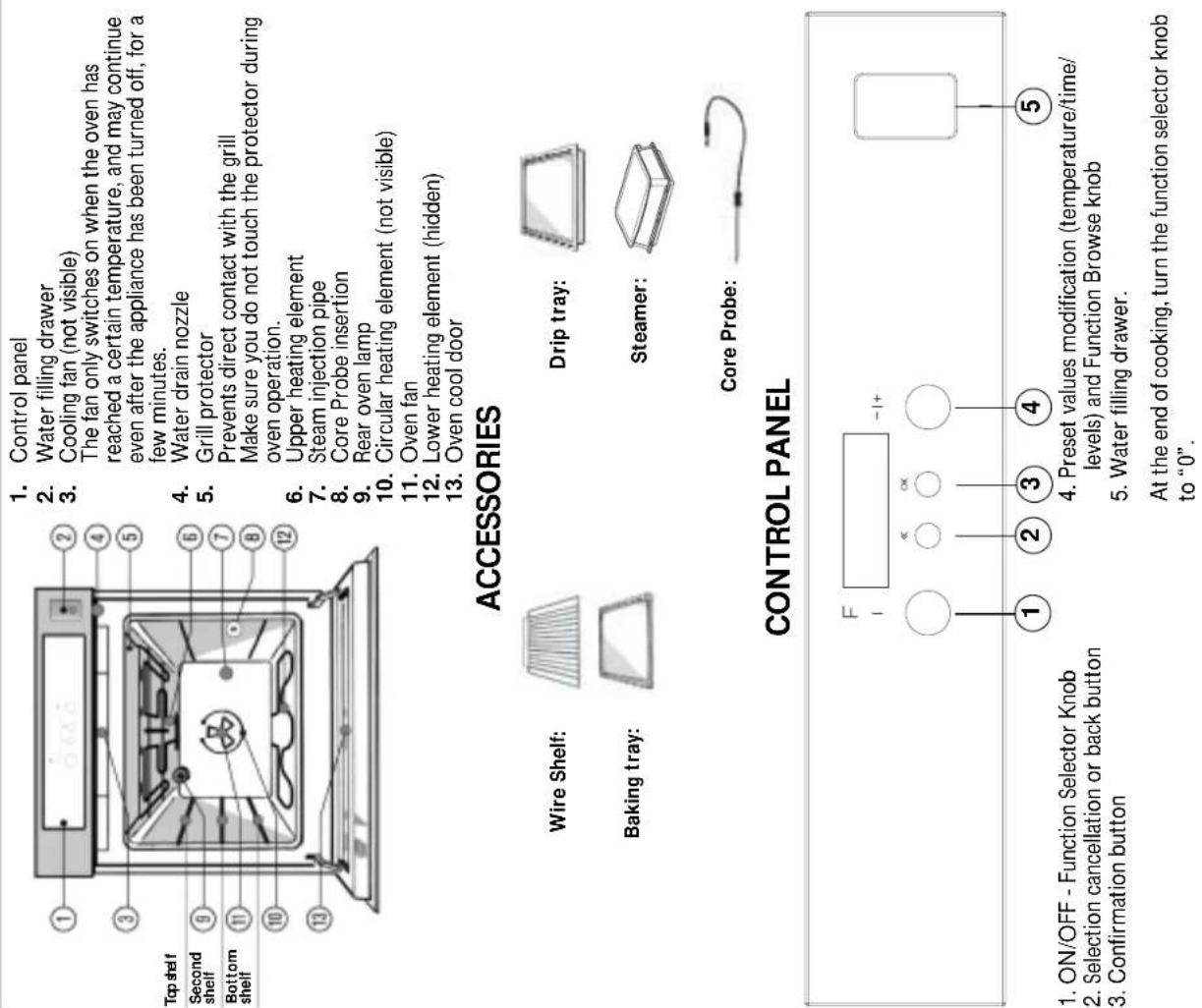
1. Control panel 2. Water filling drawer 3. Cooling fan (not visible) The fan only switches on when the oven has reached a certain temperature, and may continue even after the appliance has been turned off, for a few minutes. 4. Water drain nozzle 5. Grill protector Prevents direct contact with the grill Make sure you do not touch the protector during oven operation. 6. Upper heating element 7. Steam injection pipe 8. Core Probe insertion 9. Rear oven lamp 10. Circular heating element (not visible) 11. Oven fan 12. Lower heating element (hidden) 13. Oven cool door ACCESSORIES Wire Shelf: Baking tray: Drip tray: Steamer: Core Probe: CONTROL PANEL 1 ON/OFF - Function Selector Knob 2 Selection cancellation or back button 3 Confirmation button 4 Preset values modification (temperature/time/ levels) and Function Browse knob 5 Water filling drawer. At the end of cooking, turn the function selector knob to "0".| FOOD Function | Preheating | Shelf(from the bottom) | Temperature(°C) | Cooking time(minutes) | |
| Roast potatoes | X | 2 | 220 | 50 - 60 | |
| - | 2 | 200 | 50 - 60 | ||
| SWEETS, PASTRIES, ETC.Leavened cakes | X | 2 180 | 40 - 50 | ||
| - | 2 | 170 | 40 - 50 | ||
| - | 2 | 170 | 40 - 50 | ||
| Filled pies(with cheese) | X | 2 | 180 | 80 - 90 | |
| - | 2 | 170 | 70 - 80 | ||
| - | 2 | 170 | 80 - 90 | ||
| Tarts | X | 2 | 190 | 40 - 50 | |
| - | 2 | 180 | 40 - 50 | ||
| - | 2 | 180 | 40 - 50 | ||
| Apple strudel | X | 2 | 200 | 50 - 55 | |
| - | 1 and 3* | 200 | 50 - 55 | ||
| - | 2 | 200 | 50 - 55 | ||
| Biscuits | X | 2 | 180 | 20 - 30 | |
| - | 1 and 3* | 170 | 20 - 30 | ||
| - | 2 | 170 | 20 - 30 | ||
| Choux buns | X | 2 | 180 | 35 - 45 | |
| - | 1 and 3* | 180 | 35 - 45 | ||
| - | 2 | 180 | 40 - 50 | ||
| Savoury pies | X | 2 | 200 | 40 - 50 | |
| - | 2 | 190 | 40 - 50 | ||
| - | 2 | 190 | 40 - 50 | ||
| Lasagna | X | 2 | 200 | 45 - 60 | |
| - | 2 | 200 | 45 - 60 | ||
| - | 2 | 200 | 45 - 60 | ||
| Filled fruit piese.g. Pineapple, Peach | X | 2 | 190 | 50 - 60 | |
| - | 2 | 190 | 40 - 50 | ||
| - | 2 | 190 | 40 - 50 | ||
| Meringues | - | 2 | 90 | 120 - 150 | |
| - | 1 and 3* | 90 | 120 - 150 | ||
| - | 2 | 90 | 120 - 150 | ||
| Vol-au-vents | X | 2 | 220 | 35 - 45 | |
| - | 1 and 3* | 200 | 35 - 45 | ||
| - | 2 | 200 | 35 - 45 | ||
| Soufflés | X | 2 | 190 | 40 - 50 | |
| - | 2 | 180 | 45 - 55 | ||
* Cooking on 2 Levels
N.B.: Cooking times and temperatures are for guidance only.
COOKING TABLE FOR GRILL FUNCTION
| FOOD Function | Preheating(5 minutes) | Shelf(from the bottom) | Powerlevel | Cooking time(minutes) | |
| Steak X 4 5 30 - 40 | |||||
| Cutlets X 4 5 30 - 40 | |||||
| Sausages X 3 or 4 5 30 - 40 | |||||
| Chops | X | 4 5 35 - 45 | |||
| Fish (steaks) X 3 or 4 5 30 -40 | |||||
| Chicken legs X 3 or 4 5 40 -50 | |||||
| Kebabs X 3 or 4 5 35 - 45 | |||||
| Spare ribs X 3 or 4 5 35 - 45 | |||||
| 1/2 chicken X 3 5 45 - 55 | |||||
COOKING TABLES
| FOOD Function Preheating | Shelf(from the bottom) | Temperature(°C) | Cooking time(minutes) | ||
| MEATLamb, Kid, Mutton | X | 2 | 200 | 95 - 110 | |
| X | 2 | 200 | 100 - 110 | ||
| - | 2 | 200 | 100 - 110 | ||
| Roast(Veal, Pork, Beef)(kg. 1) | X | 2 | 200 | 95 - 110 | |
| X | 2 | 200 | 100 - 110 | ||
| - | 2 | 200 | 90 - 100 | ||
| Chicken, Rabbit,Duck | X | 2 | 200 | 80 - 90 | |
| X | 2 | 200 | 80 - 90 | ||
| - | 2 | 200 | 85 - 95 | ||
| Turkey (kg. 4-6) + level 3browning | X | 1 | 200 | 160 - 180 | |
| X | 1 | 200 | 160 - 180 | ||
| - | 1 | 210 | 180 - 190 | ||
| Goose (kg. 2) | X | 2 | 210 | 100 - 130 | |
| X | 2 | 200 | 100 - 130 | ||
| - | 2 | 200 | 100 - 130 | ||
| FISH(WHOLE) (1-2 kg)Gilt-head, Bass, Tuna,Salmon, Cod | X | 2 | 200 | 45 - 55 | |
| - | 2 | 200 | 50 - 60 | ||
| - | 2 | 200 | 50 - 60 | ||
| FISH (CUTLETS)(1 kg)Sword Fish, Tuna | X | 2 | 190 | 40 - 50 | |
| - | 2 | 190 | 40 - 50 | ||
| - | 2 | 190 | 40 - 50 | ||
| VEGETABLESStuffed peppers and tomatoes | X | 2 | 220 | 50 - 60 | |
| - | 2 | 200 | 50 - 60 | ||
| - | 2 | 200 | 50 - 60 |
Description of the control panel
The Function knob is used to select the various oven functions. Each click of the knob corresponds to a function:


flowchart
graph LR
    A["Steam Clean"] --> B["Settings"]
    B --> C["Pastry"]
    C --> D["Maxi-Cooking"]
    D --> E["Special"]
    E --> F["F"]
    F --> G["Ok"]
    G --> H["-/+"]
    H --> I["The “-/+” Browse knob has different uses, depending on the selected function: For browsing through the menus and the submenus; For increasing/reducing the indicated values; For browsing through the cooking functions; For increasing/reducing the cooking time and temperature."]

text_image
Turn the Function Selection knob (F) three clicks anticlockwise. The following message appears on the display "SETTINGS". Press the cancel selection button "< < " to cancel the set operation and return to the previous screen. Once the desired settings appears on the display, confirm by pressing the "OK" button to proceed to the next step in programming.Demo mode
If the message "Bauknecht" appears on the display and the oven starts in demo mode, the compartment heating elements are deactivated. To exit the Demo mode and restore normal oven operation, proceed as follows:
1. Disconnect the oven from the power supply and reconnect it within 60 seconds:
2. Turn the Function knob (F) to "Rapid heat"
3. Press the Cancel Selection button “<<”,
4. Turn the Function knob (F) to "0",
5. Press the "OK" button".
N.B: in demo mode, in steam ovens, cleaning functions are active. To use the cleaning functions, follow the procedure described in the steam sheet, using water instead of vinegar.
For safety reasons, the oven switches off automatically (except for the Special function) after 4.5 hours of continuous operation
Request for confirmation when the settings are changed By turning the Function knob back to its original position the display.
By turning the Function knob back to its original position the display will show the settings of the cooking cycle in progress. In any case, the
will show the settings of the cooking cycle in progress. In any case, the oven continues the cooking cycle until the user confirms the change in
settings. If the Function knob is turned during a cooking cycle, the oven
requests confirmation of this choice in order to avoid accidental changes to the cooking settings.
changes to the cooking settings.
Stand-by
To save energy, the display can be deactivated (display in OFF mode)
by pressing the Cancel Selection button "< < " with the Function knob
turned to "0". To reactivate the display with the Function knob turned to "0".
Safety Features
Child Safety with control panel lock
To activate or deactivate the "Child Safety Lock":
Press the “<<” and “OK” buttons at the same time for at least 5
seconds. If activated, the knobs and the buttons are locked and the display
shows the symbol
N.B: This function can a
AUTO OFF device
| SETTINGS-/+ TO CHANGE | ←+ | |
| ENGLISH*DEUTSCHFRANCAISNEDERLANDSAFTAIIKA | SET LANGUAGEOK | -/+ |
| OK | ||
| SET CLOCKOK | -/+ | |
| SET BUZZEROK | -/+ | |
| SET CONTRASTOK | -/+ | |
| SET BRIGHTNESSOK | -/+ | |
Restoring a language
To change a language that has been set mistakenly, proceed as follows:
4. To the Function update to "SETTING?" create "from performance"
1. Turn the Function knob to "SETTINGS", select "Language" with the "+/-"Brown back and confirm by pressing the "OK" button"
the "+/-" Browse knob and confirm by pressing the "OK Button". 2. Beselect the required language with the "+" Browse knob and
2. Reselect the required language with the confirm by pressing the "OK" button".
Using the appliance for the first time
When switching the oven on for the first time, settings of the following values is requested
Set the required values with the “+/-” Browse knob and confirm the selection by pressing the “OK” button”.
SETTINGS →
Using the appliance for the first time —
text_image
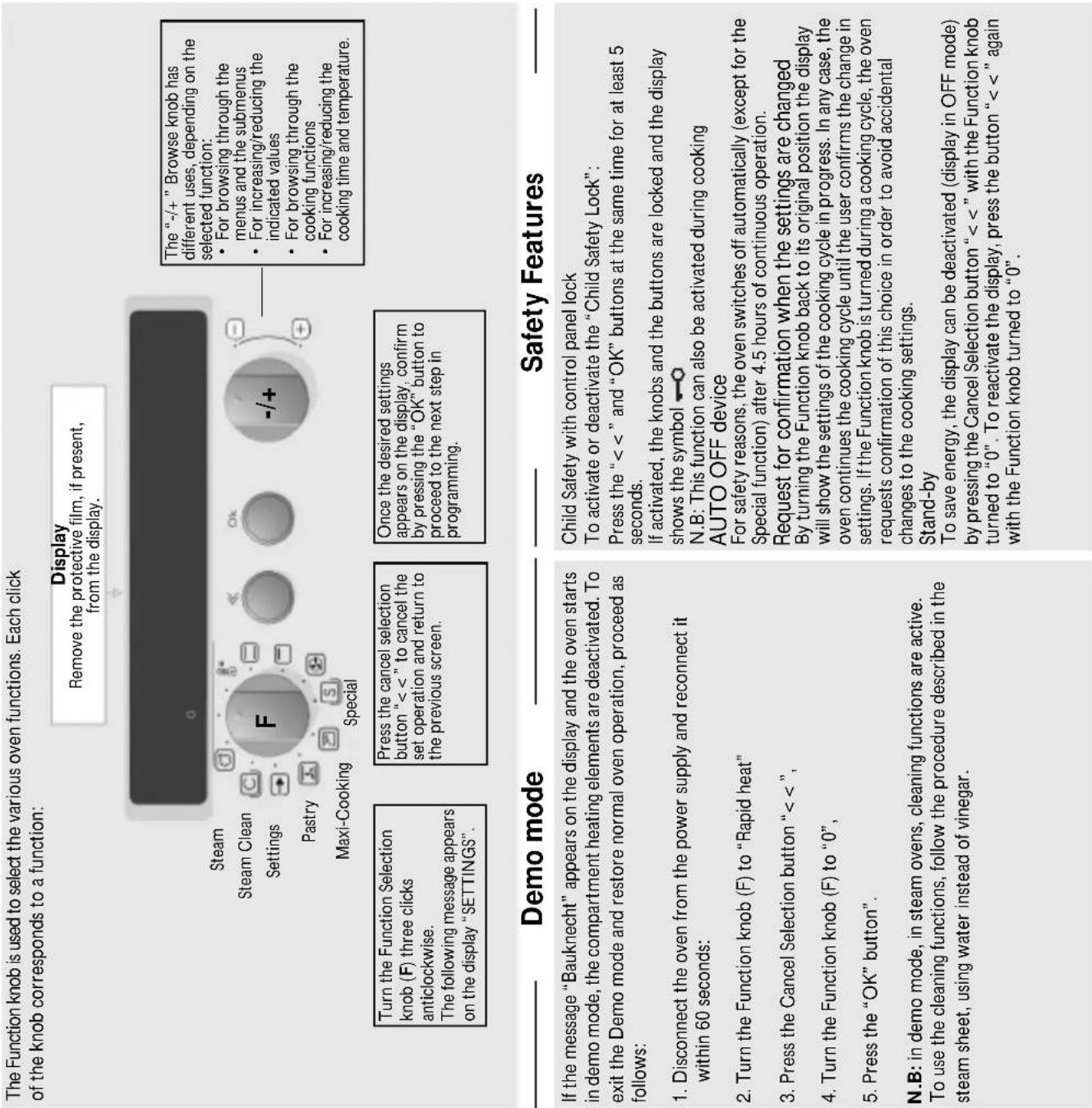
The Function knob is used to select the various oven functions. Each click of the knob corresponds to a function: Display Remove the protective film, if present, from the display. Steam Steam Clean Settings Pastry Maxi-Cooking Special Turn the Function Selection knob (F) three clicks anticlockwise. The following message appears on the display "SETTINGS". Press the cancel selection button "< < " to cancel the set operation and return to the previous screen. Once the desired settings appears on the display, confirm by pressing the "OK" button to proceed to the next step in programming. The "-/+" Browse knob has different uses, depending on the selected function: • For browsing through the menus and the submenus • For increasing/reducing the indicated values • For browsing through the cooking functions • For increasing/reducing the cooking time and temperature. Demo mode Safety Features If the message "Bauknecht" appears on the display and the oven starts in demo mode, the compartment heating elements are deactivated. To exit the Demo mode and restore normal oven operation, proceed as follows: 1. Disconnect the oven from the power supply and reconnect it within 60 seconds: 2. Turn the Function knob (F) to "Rapid heat" 3. Press the Cancel Selection button "< < " , 4. Turn the Function knob (F) to "0" , 5. Press the "OK" button". N.B: in demo mode, in steam ovens, cleaning functions are active. To use the cleaning functions, follow the procedure described in the steam sheet, using water instead of vinegar. Child Safety with control panel lock To activate or deactivate the "Child Safety Lock": Press the "< < " and "OK" buttons at the same time for at least 5 seconds. If activated, the knobs and the buttons are locked and the display shows the symbol ➕○ N.B: This function can also be activated during cooking AUTO OFF device For safety reasons, the oven switches off automatically (except for the Special function) after 4.5 hours of continuous operation. Request for confirmation when the settings are changed By turning the Function knob back to its original position the display will show the settings of the cooking cycle in progress. In any case, the oven continues the cooking cycle until the user confirms the change in settings. If the Function knob is turned during a cooking cycle, the oven requests confirmation of this choice in order to avoid accidental changes to the cooking settings. Stand-by To save energy, the display can be deactivated (display in OFF mode) by pressing the Cancel Selection button "< < " with the Function knob turned to "0". To reactivate the display, press the button "< < " again with the Function knob turned to "0".Timer
Special
The timer can only be used when the oven is not in use, and enables a time of up to 3 hours and 59 minutes
(max.) to be set
-
Leave the Function knob at "0".
-
By turning “+/-” Browse knob the message “TIMER” flashes on the display.
-
Turn the "+ /-" knob to set the required time.
-
Press the "OK" button to confirm the settings and activate the timer.
The timer starts; when the set time has elapsed, an acoustic signal sounds and the word "END" appears on the display". Press the "OK" button to deactivate the "Timer" function and restore the current time display. The timer can be deactivated at any time by pressing the "< < " button twice.
Selecting cooking duration /end of cooking time (Excluding the Steam Cooking Function with Core Probe inserted):
Cooking time can be selected in order to turn the oven on for a specified period of time. The maximum programmed cooking time is 3 hours and 59 minutes.
When the oven is on, press the "OK" button to set cooking time. The symbol 📋 appears on the display. Turn the "√" lunch to display the required cooking time. Confirm with the "OK" button.
Turn the -74 - knob to display the required cooking time. Confirm with the OK button . At this point, and of cooking time can be set so that food is ready at the desired time
At this point, end of cooking time can be set so that food is ready at the desired time. Press the "OK" button and the symbol ⏻ flashes on the display. Turn the "-/+ " knob to display the
required end of cooking time.
Steam clean ©
This function gives access to several options for perfect cleaning of the oven chamber.
For a detailed description, consult the steam sheet.
This function combines steam and traditional cooking to ensure excellent results for all your recipes.
For a detailed description, consult the steam sheet.
Steam
[Non-Text]
Steam
[Non-Text]
[Non-Text]
[Non-Text]
[Non-Text]
[Non-Text]
[Non-Text]
[Non-Text]
[Non-Text]
[Non-Text]
[Non-Text]
[Non-Text]
[Non-Text]
[Non-Text]
[Non-Text]
[Non-Text]
[Non-Text]
[Non-Text]
[Non-Text]
[Non-Text]
[Non-Text]
[Non-Text]
[Non-Text]
[Non-Text]
[Non-Text]
[Non-Text]
[Non-Text]
[Non-Text]
[Non-Text]
[Non-Text]
[Non-Text]
[Non-Text]
[Non-Text]
[Non-Text]
[Non-Text]
[Non-Text]
[Non-Text]
[Non-Text]
[Non-Text]
[Non-Text]
[Non-Text]
[Non-Text]
[Non-Text]
[Non-Text]
[Non-Text]
[Non-Text]
[Non-Text]
Steal
[Non-Text]
[Non-Text]
[Non-Text]
[Non-Text]
COMBINED COOKING AND STEAM FUNCTION
Manual
When possible, set the cooking time and temperature, choosing from 3 different manual modes (high, medium, low). With this combined steam/conventional function you can cook your dishes, setting the most suitable cooking temperature (from 130 to 250^ ), and choosing the most functional steam, from soft (low) to plentiful (high). By selecting the specific function for your dish and consulting the relevant table you can find suggestions for the necessary cooking time and temperature. Some examples are given in the enclosed Recipe Book
Pure "steam" function:
Steamer
By using the special steamer supplied (see section) you can steam cook any dish such as fish, all kinds of fruit and vegetables, as well as rice, creams and puddings. At the end of cooking you will appreciate all the flavour, consistency and colour, sure of having preserved all the organoleptic properties of the initial product. By selecting the specific function for your dish and consulting the relevant table you can find suggestions for the necessary cooking time and temperature. Some examples are given in the enclosed Recipe Book.
For all the steam functions, the food can be placed in the oven without requiring initial preheating. It is advisable to put food in the oven when the oven is cold. The Core Probe can be used for the "Meat", "Poultry" and "Manual" functions.
IMPORTANT: During cooking the oven produces heat. Do not open the door, as the steam inside the oven could scald you. Exercise great caution when opening the door at the end of cooking: the residual steam could scald you.
Condensation on the door during the cooking cycle is a part of normal oven operation.
General Description
With the oven's steam cooking functions you can prepare your recipes, applying the well-known advantages this cooking method offers. Steam spreads more quickly and more evenly through food compared to just the hot air typical of Conventional Functions, thus reducing cooking times, locking in food's precious nutrients and ensuring you obtain excellent, truly delicious result with all your recipes.
STEAM FUNCTIONS
The steam cooking functions can be accessed by turning the Function knob to "STEAM". With the “-/+” knob it is possible to choose from the functions described below, pressing "OK" to start cooking
Combined Functions (Hot air and Steam)
-Meat
-Poultry
-Stuffed vegetables
The combined functions allow you to obtain professional results thanks to the addition of steam in conventional cooking cycles. The percentage of steam injected, its duration, and also the oven temperature are designed and optimised for each food category. By selecting the specific function for your dish and consulting the relevant table you can find suggestions for the necessary cooking time.
Holding
This function is used to keep previously prepared dishes hot for up to 4 hours, preserving the taste and consistency. A small amount of steam will prevent food from becoming dry, ensuring the right succulence and temperature at the time of serving.
INSTRUCTIONS FOR USE
COMBINED COOKING AND STEAM FUNCTION
COMBINED STEAM COOKING TABLE
CORE PROBE USE
WATER TANK FILLING / DRAINING
To make the most of your new oven, read the user instructions carefully and keep them to hand for future consultation.
CORE PROBE USE

natural_image
Person wearing a white jacket and dark jacket, partially obscured by a device (no visible text or symbols)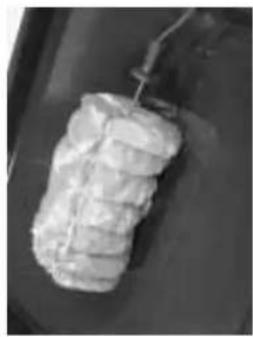
natural_image
Close-up of a cylindrical object with textured surface and attached wire, possibly a food item or container (no visible text or symbols)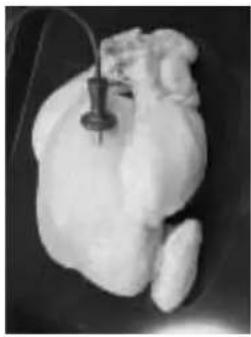
natural_image
Close-up of a raw chicken breast with a medical instrument inserted (no visible text or symbols)The Core Probe can be used in the "Steam" "Meat", "Poultry" and "Manual" functions after setting the required Function. Insert the Core Probe in the fleshiest part of the meat (see figure). Place the food in the oven and connect the end of the probe in the hole located on the right wall of the compartment USING SUITABLE PROTECTIVE GLOVES TO AVOID BURNS (see figure).
- When connected, the symbol "P" appears on the display. With the "+/-" Browse knob set the probe temperature as suggested in the cooking tables and confirm the start of cooking with the "OK" button".
- Cooking ends when the probe detects the set temperature. At the end, the cooking time can be prolonged (with the “+/-” knob).
- For the manual function, it is necessary to firstly set the oven temperature (130°C-250°C) and then that of the Core Probe.
- If the Core Probe is not used, confirm with "OK", set the cooking time with "+/-" Browse knob and press "OK" to start cooking.
COMBINED STEAM COOKING TABLE
| MEAT max. level | FOOD | Container | Function | shelf | Temperature(°C) | core probe (°C) | Cooking time (minutes) | ||
| roast beef medium pyrex meat 2 210 54 | 55-60 | ||||||||
| roast beef rare pyrex meat 2 210 48 | 45-55 | ||||||||
| roast veal pyrex meat 2 210 68 | 70-75 | ||||||||
| roast pork pyrex meat 2 210 75 | 55-70 | ||||||||
| Leg of lamb pyrex meat 2 210 48 | 60-70 | ||||||||
| FOOD | Container | Function | shelf | Temperature(°C) | Internal temp. | Cooking time (minutes) | |||
| POULTRY max. level | chicken | pyrex | chicken | 2 | 200 | 83 | 55-65 | ||
| turkey 6-7 kg | drip-tray | chicken | 1 | 200 | 83 | 130-160 | |||
| duck | pyrex | chicken | 2 | 200 | 80 | 70-75 | |||
| goose | drip-tray | chicken | 2 | 200 | 80 | 70-80 | |||
| FOOD | Container | Function | shelf | Temperature( °C) | Cooking time (minutes) | ||||
| FISH medium level | salmon fillet 1 kg | pyrex | fish | 2 | 180 | 28-35 | |||
| salmon steaks | pyrex | fish | 2 | 180 | 18-20 | ||||
| salmon darne | pyrex | fish | 2 | 180 | 25-30 | ||||
| gilthead 350g | pyrex | fish | 2 | 180 | 25-30 | ||||
| sole 350g | pyrex | fish | 2 | 180 | 18-25 | ||||
| sea bass 1kg | pyrex | fish | 2 | 180 | 40-45 | ||||
| maigre fillets/steaks | pyrex | fish | 2 | 180 | 15-20 | ||||
| maigre 600-800g | pyrex | fish | 2 | 180 | 35-40 | ||||
| turbot | pyrex | fish | 2 | 180 | 30-45 | ||||
| tuna steaks | pyrex | fish | 2 | 180 | 18-20 | ||||
| FISH (with steamer) max. level | salmon fillet 1 kg | Steamer | Steamer | 2 | 100 | 25-30 | |||
| gilthead 350g | Steamer | Steamer | 2 | 100 | 30-35 | ||||
| sole 250-300g | Steamer | Steamer | 2 | 100 | 17-23 | ||||
| sea bass 1kg | Steamer | Steamer | 2 | 100 | 35-40 | ||||
| salmon steaks | Steamer | Steamer | 2 | 100 | 18-20 | ||||
| maigre fillets/steaks | Steamer | Steamer | 2 | 100 | 18-20 | ||||
| turbot | Steamer | Steamer | 2 | 100 | 25-35 | ||||
| prawns | Steamer | Steamer | 2 | 100 | 10-12 | ||||
| stuffed vegetables/ fruit max. level | tomatoes | pyrex/pan | Vegetables | 2 | 185 | 20-25 | |||
| aubergines | pyrex/pan | Vegetables | 2 | 185 | 30-35 | ||||
| courgettes | pyrex/pan | Vegetables | 2 | 185 | 30-35 | ||||
| artichokes | pyrex/pan | Vegetables | 2 | 185 | 45-50 | ||||
| peppers | pyrex/pan | Vegetables | 2 | 185 | 25-40 | ||||
| onions | pyrex/pan | Vegetables | 2 | 185 | 30-35 | ||||
| apples | pyrex/pan | Vegetables | 2 | 185 | 30-35 | ||||
| apricots | pyrex/pan | Vegetables | 2 | 185 | 20-25 | ||||
| peaches | pyrex/pan | Vegetables | 2 | 185 | 25-30 | ||||
| VEGETABLES (with steamer) max. level | carrots | Steamer | Steamer | 2 | 100 | 30-35 | |||
| courgettes | Steamer | Steamer | 2 | 100 | 25-30 | ||||
| artichokes | Steamer | Steamer | 2 | 100 | 30-35 | ||||
| peppers | Steamer | Steamer | 2 | 100 | 22-28 | ||||
| fennel | Steamer | Steamer | 2 | 100 | 35-40 | ||||
| cabbage | Steamer | Steamer | 2 | 100 | 22-28 | ||||
| potatoes | Steamer | Steamer | 2 | 100 | 20-30 | ||||
| Brussels sprouts | Steamer | Steamer | 2 | 100 | 20-30 | ||||
| broccoli | Steamer | Steamer | 2 | 100 | 22-28 | ||||
| bread /leavened cakes max. level | long loaf bread | drip-tray | custom medium | 2 | 180 | 40-50 | |||
| cake/sponge cake | cake tin | custom medium | 2 | 170 | 35-40 | ||||
| focaccia | drip-tray | custom low | 2 | 170 | 40-50 | ||||
| muffins | metal moulds | custom low | 2 | 185 | 18-22 | ||||
| bread | drip-tray | custom medium | 2 | 180 | 40-50 | ||||
| plumcake | mould | custom medium | 2 | 170 | 50-55 | ||||
| Sweets max. level | creme caramel | Steamer | Steamer | 2 | 100 | 20-25 | |||
| custard | Steamer | Steamer | 2 | 100 | 25-30 | ||||
| Short pastry | cake tin | custom low | 2 | 170 | 30-35 | ||||
| fruit pie | round pyrex | custom medium | 2 | 170 | 45-50 | ||||
| Easter cake | metal cake tin | custom medium | 2 | 170 | 50-60 | ||||
| cheese pie | metal cake tin | custom medium | 2 | 170 | 50-60 | ||||
| shortbread | baking tray | custom low | 2 | 170 | 18-20 | ||||
WATER TANK FILLING / DRAINING

natural_image
Close-up of a mechanical component with transparent material flowing through it (no visible text or symbols)Filling the Water Tank
The drain function allows the water to be drained, which is necessary in order to prevent stagnation in the tank and to carry out descaling (see section).
-
Turn the Function knob (F) to "Steam" and select "Drain" with the "+/-" Browse knob". Open the door and place a large a jug under the drain nozzle located at the bottom right of the panel (see figure)
-
Keeping the container in place, press "OK" to confirm". The oven is now ready for the draining procedure (not allowed if the water temperature is hot).
- Keeping the "OK" button pressed, the water drains into the
container until the operation is completed (indicated by an acoustic signal). The absence of the level LEDs indicates that the tank has been completely drained. At the end of a steam cooking cycle, after turning the Function knob to "0", the
panel prompts the user to drain the tank only if the water temperature has reached a safe value. If the water temperature is high, the panel indicates that cooling is in progress, and once a safe temperature is reached the
message "OK" appears on the display, indicating it is safe to proceed. Press the "< < " button to cancel the message displayed on the panel. It is advisable to always or periodically carry out "Draining" after the oven has been used.
IMPORTANT: Always carry out draining with the door open, and make sure a container is placed under the drain nozzle.
For steam cooking fill the tank, located inside the oven, by means of the drawer on the control panel. Open the drawer by pressing it lightly. Pour in the water using a measuring jug (see figure). Close the drawer by pushing is carefully towards the panel until completely closed. The drawer must always remain closed, except for water filling. Maximum tank capacity is approx. 1 litre. In any case, it is advisable to add the amount of water suggested in the Cooking Tables and the Recipe Book supplied. On selecting the "Steam" functions, the amount of water in the tank is shown at the bottom right of the display by means of a series of luminous hyphens (LEDs):
-no LED: tank empty;
-single row of LEDs: minimum level; double row of LEDs: medium level;
-double row of LEDs. medium level, -triple row of LEDs: maximum level.
If there is not enough water to finish the selected cooking, the
message
"Not enough water" "Add water" ap
together with an acoustic signal:
add water to the drawer until reaching the middle level. If water is added
is added
up to the maximum level, a double acoustic signal alerts the user.
up to the maximum level, a double acoustic signal alerts the user not to add any
more water: confirm with the "OK" button in order to continue
with the next steps.
IMPORTANT: Do not pour water into the drawer with the
knob turned to "0" or during the start of cooking without steam.
If this accidentally occurs, the message "Water not required"
followed by an acoustic signal alerts the user that no water must be added.
be added.
CLEANING

text_image
Step-by-step food preparation procedure showing mixing, slicing, and packaging steps with numbered labelsSteam cooking function
Select the "Steamer" Function and proceed as follows: 1. Place the food on the perforated shelf positioned inside the special drip-tray (see Fig. 1-2).
-
Position the support on the oven wire shelf, making sure the 4 support feet are inside the corresponding grooves in the wire shelf (see Fig. 3-4).
-
Position the drip-tray containing the food on the wire shelf support (see Fig. 5).
-
Insert the rubber connector in the special holes in the glass cover (see Fig. 6-7).
-
Correctly position the glass cover on the drip-tray so that the seals are fitted inside it and make sure the food does not
obstruct the steam inlet hole (rubber connector) (see Fig. 8) 6. Lift everything by the external sides of the oven wire shelf,
inserting it in the compartment on the second level from the bottom (see Fig. 9).
- Make sure when sliding the wire shelf that the rubber connector connects to the steam pipe. Connection is ensured if the wire shelf is fully inserted in the compartment.
Set the cooking time using the "+ / -" Browse knob and press the "OK" button to start cooking. At the end of cooking take care
when removing the steamer: use oven gloves to avoid burns. Make sure food placed on the wire shelf does obstruct the steam
inlet near the rubber connector. Only use the "Steamer" Function with the special Steamer Kit: the use of any other
recipient could compromise appliance operation. The use of this function is guaranteed only when the steamer is connected with the steam injection pipe positioned inside the oven. Only insert
the steam injection pipe positioned inside the oven. Only insert the steamer on the second level of the compartment: its use on different levels prevents correct connection and compromises.
different levels prevents correct connection and compromise oven operation. Remove the steamer only at the end of cooking: exercise caution as residual heat could scald you. Do not put the
Kit in a dishwasher: clean it with water and neutral detergents.
The "Steamer" must only be used with the oven cold and with the specific Function: its use with other functions will
compromise cooking results
The "Cleaning" Function offers the following options:
- Steam clean
- Descaling
Steam clean" Function use"
This function is used to facilitate oven cleaning, and
in particular the inside glass of the door. Before starting the function it is advisable to
remove any food residue with a damp sponge. Before starting the cycle make sure the amount of
water in the tank corresponds to the medium or maximum level (otherwise see the. section on
filling). The cycle lasts 30 minutes, including the time
necessary for cooling the compartment. At the end of the cycle the compartment and inside
At the end of the cycle the compartment and inside glass can be cleaned with a sponge and proprietary
oven detergents, following the manufacturer's instructions.
Important: During cooking the oven produces
heat. Do not open the door, as the steam inside the oven could scald you.
Descaling" Function use"
The appliance has a system that indicates when
oven descaling is necessary. Carry out descaling
when the message " Descaling" appears on the display. Before carrying out descaling, make sure
you have approx. 2 litres of white vinegar (do not use any other product).
use any other product). Drain the tank completely (see the section "drain
"tank"), and pour the vinegar into the drawer until the oven signals "tank full" (normally 1.5/1.7 litres
of liquid will suffice). Close the drawer and press "OK" to start the cycle. Descaling lasts about 2
CH- to start the cycle. Decaying lactate about 2 hours, during which no cooking function can be activated. An acoustic signal indicates the end of the
operation.
Empty the tank again, following the indications on the display.
To eliminate any vinegar residue from the system, select a further rinse cycle. Add approx. 1.5/1.7
litres of water until the oven signals "tank full". Press the "OK" button". Drain the liquid by means
of the special nozzle (see the section "Tank draining") keeping the "OK" button pressed".
NB: Once started, the descaling procedure must
always be completed.
Make sure you do not change the position of the
function knob during descaling.
If, by mistake, the function knob is turned to "0" or
in, by Irustane, the function Hind is called to be any other oven function, it cannot in any case be used.
Turn the function knob to "cleaning": the time remaining till the end of descaling flashes on the
display. Lastly, press the "OK" button to restart and finish the cycle as described in the previous section.
During the descaling cycle keep the water filling drawer closed and do not add liquids.
Any residual smell of vinegar is due to the
descaling cycle.
text_image
Step-by-step food preparation procedure showing mixing, slicing, and packaging steps with numbered labelsINSTRUCTIONS FOR USE
SAFEGUARDING THE ENVIRONMENT
IMPORTANT
TROUBLESHOOTING GUIDE
AFTER-SALES SERVICE
To ensure best use of the oven, read all the instructions carefully and keep them for future reference.
SAFEGUARDING THE ENVIRONMENT
Packing material disposal
- The packing materials are 100% recyclable and are marked with the recycling symbol
- The various parts of the packing must be disposed of in compliance with local regulations; do not disperse in the environment.

natural_image
Simple black-and-white line drawing of a tree with three rounded canopy and two small leaves, enclosed in a square frame (no text or symbols)Disposal of old electrical appliances
- The appliances are made from recyclable or reusable materials. Scrap them in compliance with the local regulations on waste disposal. Before scrapping the appliances, make them unusable by cutting off the power cable.
- This appliance is marked in compliance with European Directive 2002/96/EC, Waste Electrical and Electronic Equipment (WEEE).
IMPORTANT
- The appliance is not intended for use by people (including children) with limited physical, sensory or mental abilities or without experience and knowledge of it, unless they are supervised or instructed in its use by a person responsible for their safety.
- The accessible parts of the oven can become very hot during use, therefore keep children away from the appliance.
- The appliance becomes very hot during use. Do not touch the heating elements inside the oven.
- This oven is intended exclusively for domestic use for cooking food. Other uses are not allowed. The Manufacturer declines any liability for improper use or incorrect setting of the controls.
- Any repairs or adjustments must be carried out exclusively by a qualified technician.
- Do not expose the oven to atmospheric agents.
- Do not place heavy objects on the door, as they could damage the oven compartment and hinges.
- Do not cling to the door.
- By ensuring correct disposal of this product, the user can help prevent potentially negative consequences for the environment and the health of people.
- The symbol on the product or on the accompanying documentation indicates that it should not be treated as domestic waste but must be taken to an appropriate collection centre for the recycling of electrical and electronic equipment.
- Scrap the appliance in accordance with the local regulations on waste disposal.
- For further information regarding the treatment, recovery and recycling of this appliance, contact the competent local office, the domestic waste collection service or the shop where you purchased the product.
Energy saving
- Preheat the oven only if specified in the cooking table of the Product Description Sheet or in your recipe.
-
Use dark, black enamelled baking moulds as they absorb heat very well.
-
Never hang anything heavy on the oven door handle.
- Do not cover the bottom of the oven with aluminium foil or other objects.
- The oven door must close properly. The door seals must be kept clean.
- Do not pour water directly in the oven when hot. The enamel could become damaged.
- The juices of fruit dripping from the pan may leave permanent stains. It is advisable to clean the oven before reusing it.
- To avoid scratching, do not drag pots and pans across the bottom of the oven.
- During steam cooking, any condensation on the door glass is only due to the presence of steam in the oven compartment.
- The steam injection pipe outlet nozzle must never be obstructed by containers or pans.
- Periodically clean the steam nozzle to prevent it from becoming clogged with food residuals or grime which could comprise proper use.
- The residual condensation after cooking could eventually damage the oven and surrounding kitchen units. It is advisable to:
- set the lowest temperature;
- cover food;
- remove food from the oven;
-
dry the wet parts when the oven is cool.
-
The oven generates steam, therefore take care when opening the door.
- Do not pour water in the filling drawer during the cleaning cycle.
- Do not pour flammable liquids or spirits (grappa, whisky, brandy, etc.) in the filling box.
- Do not pour too much water in the drawer; always respect the amounts recommended in the recipes or cooking tables. In case of overfilling, the water will overflow inside the oven; dry the excess water with a sponge or cloth.
- Cooking must occur with the door closed, unless otherwise specified.
• Overheated oils and fats catch fire easily. It is dangerous to heat oils and fats in the oven. - Never leave the appliance unattended during food drying.
- Do not cover pots with lids during steam operation.
- The water filling drawer must be closed during cooking and the pyrolytic cycle.
- It is advisable to fill the drawer with drinking water or low mineral content water. Do not use distilled water or any other liquid.
- Do not touch the oven with wet parts of the body or use it when barefoot.
- Do not pull the appliance or the power cable to unplug it.
- Do not allow children to touch:
- the oven and its controls, especially during operation and immediately after, to avoid injury;
- packing materials (bags, polystyrene, metal parts, etc.);
-
an oven to be scrapped.
-
Make sure the electrical cables of other appliances used near the oven do not touch hot parts and are not caught in the oven door.
- Some oven models are equipped with an air cooling system to prevent the front of the oven and cabinet compartment from becoming too hot.
Caution: Hot air is vented through an opening located between the control panel and the oven door.
Therefore do not obstruct the ventilation openings.
- Do not place inflammable material in the oven or near it: it could catch fire if the oven is inadvertently switched on.
- Use oven gloves to remove pans and accessories when the oven is hot.
- If alcoholic beverages (e.g. rum, cognac, wine, etc.) are added when roasting or baking cakes, bear in mind that alcohol evaporates at high temperatures. The alcohol vapours could catch fire when coming into contact with the electrical heating element.
- Do not heat or cook food in closed tins or containers in the oven. The pressure created inside could cause them to burst, damaging the oven.
- Do not use containers in synthetic material for cooking (except those suitable; see the Manufacturer's instructions). They could melt at high temperatures.
- Do not pull out the accessories when completely loaded. Be very careful.
• Before using the appliance, remove:
- stickers on the front and oven door, except the rating plate;
- cardboard protection and protective plastic film from the control panel and other parts of the oven;
- any stickers from the accessories (e.g. under the drip-tray).
- Remove the accessories from the oven and heat it at 200^ C for about an hour to eliminate the smell and fumes of the protective grease and insulating materials. It is advisable to keep the window open during this operation.
OVEN ACCESSORIES
Accessories supplied depend on the model. The accessories supplied with the oven are listed in the separate Product Sheet (under Accessories).
Drip-tray (1)
The drip-tray is used to collect fat or bits of food when placed under the grill, or as a plate to cook meat, chicken, fish, etc. with or without vegetables. Pour a little water in the drip-tray to prevent spatters of fat and smoke.
Baking tray (2)
For baking biscuits, cakes and pizzas.
Grill (3)
The grill is used for cooking food or as a support for pots, cake tins and any other cooking recipient. It can be placed on any level available. The grill must be inserted with the curvature facing upwards.
Grill Pan Set (4) (optional)
The set comprises a grill (4a), an enamelled recipient (4b) and one or two handles (4c).
This set must be placed on the grill (3) and used with the "Grill" function.
Grease filter (5) (optional)
Use only for particularly greasy cooking. Hook it on the rear wall of the compartment, opposite the fan. It can be cleaned in a dishwasher; do not use it with the "Hot air" function and "steam" function, so as not to alter the cooking results.
Heat Probe for Meat (6)
The Heat Probe for Meat is used to measure the temperature inside food. The end of cooking can be determined with it.
Steamer (7)
The kit comprises a grill support, an enamelled recipient (the same as the Grill Pan Set), a perforated shelf, a glass cover, a rubber connector for inserting on the cover. The kit must only be used with the grill (3) and placed on the 2nd level (from the bottom) of the compartment.

natural_image
Square electronic component with a small metallic edge, labeled '1' in the corner (no other text or symbols visible)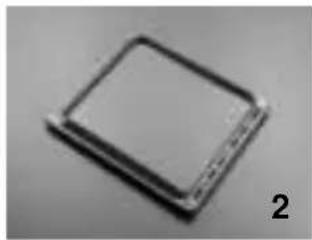
natural_image
Close-up of a square electronic component with a small metallic end, labeled '2' in the corner (no other text or symbols visible)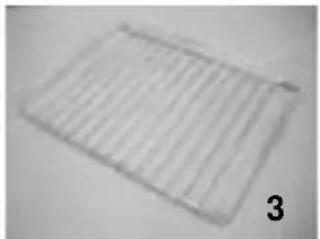
natural_image
Simple line drawing of a rectangular grid pattern with no text or symbols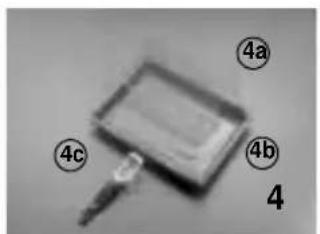
text_image
4a 4b 4 4c
natural_image
Circular object with a white border on a plain background, labeled '5' in the corner (no other text or symbols)
natural_image
Close-up of a coiled wire with a probe inserted, labeled '6' in the corner (no other text or symbols)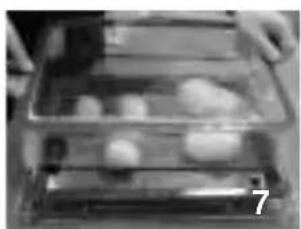
natural_image
Interior view of a storage tray with food items, no visible text or symbolsCARE AND CLEANING
Important: Never use steam jet cleaners.
Oven exterior and inner trim in steel
- To avoid scratching or breaking the door glass, do not use course abrasive materials or sharp metal scrapers for cleaning.
- Clean with a damp cloth. If it is very dirty, add a few drops of dish washing detergent to the water. Dry with a soft cloth.
- Do not use corrosive or abrasive detergents, otherwise dull areas will form. If any of these products comes into contact with the oven, immediately clean it with a damp cloth.
- Slight colour differences on the front of the appliance are due to the use of different materials, such as glass, plastic and metal.
- Use and soft dry cloth to clean the water filling drawer.
Accessories
- Soak the accessories in water with dish washing detergent immediately after use. Food residuals can be easily removed with a sponge.
- Use neutral detergents to clean the steamer cover.
- Use a damp cloth to clean the heat probe for meat. (do not clean in a dishwasher)
Oven compartment
- Do not use abrasive sponges or metal scouring pads. Use specific oven detergents and follow the instructions of the relevant Manufacturer.
- After every use, allow the oven to cool then clean it to prevent food residuals from forming encrustations.
- During prolonged cooking or simultaneous cooking on several levels, especially in case of food containing lots of water (pizza, stuffed vegetables, etc.), condensation may form on the inside of the door and on the seal. When the oven is cold, dry the inside of the door with a cloth or sponge.
- Clean the door glass with a suitable liquid detergent.
- The oven door can be removed to facilitate cleaning.
Removing the door
Important: Wear protective gloves when carrying out the following operations. Follow these instructions carefully in order to prevent injury and to avoid damaging the oven door and hinges.
Removing the oven door:
- Wear protective gloves;
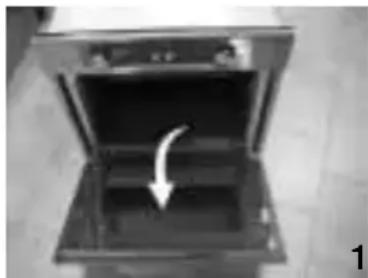
- Open the oven door fully (see fig. 1);
- Lift the two hinge levers and push them forwards to the stop (see fig. 2).
- Close the door enough to remove it, pulling upwards (see fig. 3).
To refit the door:
- Insert the hinges in their grooves and lower the door completely (fig.3);
• Lower the two stop levers (fig.2); - Close the oven door.
Replacing the rear oven lamp:
- Disconnect the oven from the power supply.
- Allow the oven to cool before turning the lamp cover left to unscrew it (see fig. 4).
- Replace the lamp (see Note).
- Refit the lamp cover.
- Reconnect the power to the oven.
NB: Only use 25W - 230 V, E-14 type, T 300°C lamps, available from our After-Sales Service Centre.
Caution: Do not use the oven without refitting the lamp cover.
natural_image
Open kitchen appliance with a white arrow pointing to the interior (no text or symbols visible)
natural_image
Black and white photo of a person sitting near a vehicle, viewed from the side (no visible text or symbols)
natural_image
Interior view of an oven with a hand opening the door, showing internal components and a white arrow pointing to a component (no text or symbols visible)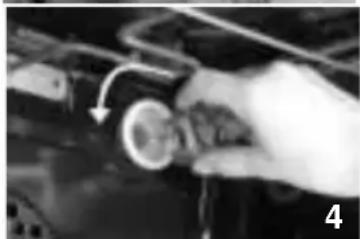
natural_image
Close-up of a hand holding a circular component with an arrow indicating rotation (no visible text or symbols)TROUBLESHOOTING GUIDE
The oven does not work:
- Check the power supply and that the oven is connected.
- Switch the oven off and then on again to see if the fault has been eliminated.
If the door is blocked:
- Switch the oven off and then on again to see if the fault has been eliminated.
AFTER-SALES SERVICE
Before calling the After-Sales Service:
- See if you can eliminate the problem on your own, according to the steps described in "Troubleshooting Guide".
- Switch the appliance off and then on again it to see if the problem has been eliminated.
If the fault persists after the above checks, contact the nearest After-Sales Service.
Always specify:
- a brief description of the fault;
• the type and exact model of the oven; - the service number (number after the word Service on the rating plate), located on the inside right edge of the oven compartment (visible with the door open). The service number is also given in the warranty booklet;
SERVICE
0000 000 00000

- your full address;
- your telephone number.
IMPORTANT:
- Make sure the oven control knob is not turned to "0".
- If the electronic programmer indicates "STOP consult the separate Product Sheet and/or the electronic programmer description.
- If the electronic programmer indicates "F HH", contact the nearest After Sales Service. In this case specify the number after the letter "F".
If any repairs are required, contact an Authorised After-Sales Technical Service Centre (to guarantee the use of original spare parts and correct repair).
Failure to comply with these instructions can compromise the safety and quality of the product.
DECLARATION OF CONFORMITY CE
- This oven is intended to come into contact with food products and complies with regulation (EC) no. 1935/2004.
- It is designed only for use as a cooking appliance. Any other use (e.g. for room heating) is considered improper and therefore potentially dangerous.
-
This appliance has been designed, manufactured and put on the market in compliance with:
-
The safety requirements of "Low Voltage" Directive 2006/95/EC (replacing 73/23 EEC as amended).
- The protection requirements of "EMC" Directive 89/336/EEC.
- the requirements of Directive 93/68/EEC.