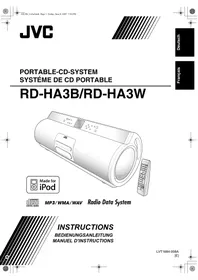
RD-HA3W - Mini Hi-Fi system JVC - Free user manual and instructions
Find the device manual for free RD-HA3W JVC in PDF.
Pick your language and provide your email: we'll send you a specifically translated version.
| Product type | Mini hi-fi system |
| Brand | JVC |
| Model | RD-HA3W |
| Dimensions (W × H × D) | 630 mm × 223 mm × 205 mm |
| Weight (without batteries) | 7.7 kg |
| Power supply (mains) | JVC AA-R1802 AC adapter: input 230 V~, 50 Hz; output 18 V, 1.0 A |
| Battery power | 10 R20/D batteries (13F) + 2 AA batteries (15F) for memory backup |
| Power consumption | 23 W operation, 0.9 W standby |
| Amplifier output power | 10 W (5 W + 5 W) at 4 Ω (high fidelity); 30 W (15 W + 15 W) at 4 Ω (subwoofer) |
| Compatible disc types | CD, CD-R, CD-RW (CD-DA, MP3, WMA, WAV); DVD-R, DVD-RW (MP3, WMA, WAV) |
| Digital audio formats | MP3 (44.1 kHz, 128 kbps recommended), WMA, WAV (44.1 kHz, 16 bit) |
| Radio receiver | FM 87.50 – 108.00 MHz; AM 522 – 1629 kHz |
| Radio functions | Radio Data System (PS, PTY, RT), preset for 30 FM and 15 AM stations, PTY search, Enhanced Other Networks (TA/News/Info) |
| Connectivity | USB (mass storage device), LINE IN (mini-jack), LINE OUT (mini-jack), headphone jack, dedicated iPod connector |
| Playback functions | Programmed playback (99 tracks), random playback, repeat (one track/group/all), resume playback, disc tray lock |
| Timers | Sleep timer (standby delay); daily timer (wake by FM/AM/CD/USB/iPod source) |
| QP Link function | Automatic switching to LINE IN when playing a portable audio device |
| Supplied accessories | AM loop antenna, remote control, batteries, AC adapter, iPod cable, iPod cradle, ferrite core |
| Maintenance | Clean with a soft, dry cloth or lightly dampened with a neutral detergent solution; do not use thinners or benzene |
| Safety | Class 1 laser product; do not open the casing; ensure adequate ventilation; do not expose to water or moisture |
| Repairability | No user-serviceable parts; contact qualified personnel for any repairs |
Frequently Asked Questions - RD-HA3W JVC
How to set the clock on the JVC RD-HA3W mini hi-fi system?
Press the CLOCK/TIMER button on the remote control repeatedly until the display flashes. Use the numeric buttons or the +/- buttons to set the hours, then the minutes. Confirm by pressing CLOCK/TIMER. The built-in clock starts operating.
How to listen to FM/AM radio?
Press FM/AM to select the band. Use the CH +/- buttons for automatic search. For manual tuning, press briefly and repeatedly on these buttons. You can store up to 30 FM and 15 AM stations in preset mode (see manual).
How to connect and play an iPod?
Connect your iPod via the supplied cable to the dedicated port on the front (arrow mark points down). The battery recharges automatically. Select the iPod source with the corresponding button. Use the playback buttons on the unit or the remote control to navigate tracks.
How to play MP3 files from a USB flash drive?
Plug your USB device (FAT16/32 format, max 500 mA) into the USB MEMORY jack. Select the USB source. Use the PRESET UP/DOWN buttons to navigate between groups (folders) and tracks. Random playback is not available for files on USB.
What to do if the unit does not turn on?
Check that the AC adapter is properly connected or that the batteries are inserted with correct polarity. If the unit still does not respond, disconnect the adapter and remove the batteries for a few minutes, then reconnect. If the problem persists, consult a qualified technician.
How to use the QP Link (Quick Portable Link) function?
The QP Link function automatically switches the source to LINE IN when playback starts on a connected device. To activate it, press QPLINK until QP LINK ON is displayed. Make sure the external device's volume is sufficient for the unit to detect the signal.
How to set the daily timer to wake up with radio?
Press CLOCK/TIMER to enter timer mode. Set the on time, off time, source (FM/AM/CD/USB/iPod), and volume. Confirm each step with SET. Then put the unit into standby; the timer will activate at the set time.
Why is the sound weak or distorted?
Check the volume (from 0 to 35). If the sound is weak on LINE IN, adjust the input level via LEVEL (1, 2, or 3). For an iPod, disable the equalizer or enable sound check. Make sure headphones are not plugged in. Also check the speaker connections.
How to clean the unit and discs?
For the unit, use a soft, dry cloth or lightly dampened with a neutral detergent solution. Never use thinners, benzene, or insecticides. For discs, wipe from the center outward with a soft cloth. Avoid touching the disc surface.
How to replace the memory backup batteries?
The backup batteries (2× AA) are located in the specific compartment. To avoid losing settings, first connect the AC adapter, then remove the old batteries and insert new ones respecting polarity. The backup batteries last approximately 12 months without mains power.
User questions about RD-HA3W JVC
0 question about this device. Answer the ones you know or ask your own.
Ask a new question about this device
No questions yet. Be the first to ask one.
Download the instructions for your Mini Hi-Fi system in PDF format for free! Find your manual RD-HA3W - JVC and take your electronic device back in hand. On this page are published all the documents necessary for the use of your device. RD-HA3W by JVC.
USER MANUAL RD-HA3W JVC
DC 18 V (EXTERNAL DC IN)
DC 3 V ("R6 (Mignon)/AA (15F)"
—QP Link Remote INFO
CC 18 V (EXTERNAL DC IN)
CC 3 V (2 piles "R6 (SUM-3)/