KAMOPSTM111A - Steam cleaner Kogan - Free user manual and instructions
Find the device manual for free KAMOPSTM111A Kogan in PDF.


User questions about KAMOPSTM111A Kogan
0 question about this device. Answer the ones you know or ask your own.
Ask a new question about this device
Download the instructions for your Steam cleaner in PDF format for free! Find your manual KAMOPSTM111A - Kogan and take your electronic device back in hand. On this page are published all the documents necessary for the use of your device. KAMOPSTM111A by Kogan.
USER MANUAL KAMOPSTM111A Kogan
natural_image
Line drawing of a vacuum cleaner with handle and base (no text or symbols)Premium All-in-1 Steam Mop
KAMOPSTM111A
Safety & Warnings
Read all safety instructions before using the steam mop. Retain this guide for future reference.
Electrical Safety:
- Ensure the voltage indicated on the rating plate matches your local power supply before connecting the appliance.
- Do not use an extension cord unless necessary. If used, ensure it is safely rated for the steam mop's power.
- Unplug the steam mop immediately after use or before cleaning.
- Do not operate with a damaged cord or plug. If the power cord is damaged, it must be replaced by a qualified technician to avoid a hazard. Cease use immediately and contact help.Kogan.com for support.
General Usage:
- This appliance is designed for indoor household use only. Do not use it outdoors or for any purpose other than what it is designed for.
- This appliance is not intended for use by persons (including children) with reduced physical, sensory, or mental capabilities, or lack of experience and knowledge, unless supervised or instructed by a person responsible for their safety.
- Danger of scalding: Be cautious of the hot steam emitted. Avoid directing steam towards people, pets, or electrical outlets.
- Always allow the steam mop to cool down completely before storing or performing any maintenance.
- Do not leave the steam mop unattended while connected to the power supply.
Water Use:
- Use only clean, cold water in the tank. Do not add cleaning agents, descalers, or aromatic solutions, as these may damage the steam mop and void your warranty.
- Do not fill the water tank while the appliance is switched on.
- Caution: The water inside the tank may be hot after use.
Surface Safety:
- Do not use the steam mop on unsealed hardwood floors, wax-polished surfaces, or delicate materials that can be damaged by heat or moisture.
• Always test the steam mop on a small, inconspicuous area of the surface before use. - Do not leave the steam mop stationary on any surface for longer than 15 seconds to avoid surface damage.
Storage & Maintenance:
• Unplug the appliance and allow it to cool before cleaning or storing.
- Ensure the water tank is emptied after each use to prevent mineral buildup.
- Do not immerse the appliance in water or other liquids.
Repairs:
This appliance contains no user-serviceable parts. All repairs should be performed by a qualified service technician. Improper repairs may result in significant hazards. Cease use immediately and contact help.Kogan.com for support.
Components

Funnel
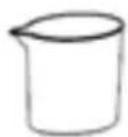
Measuring Cup

Garment Cloth
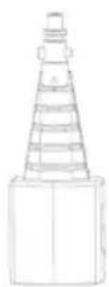
Accessory Adaptor

natural_image
Simple line drawing of a bowl-shaped object with a central handle and side supports (no text or symbols)2-in-1 Mop Head

Microfiber Pad
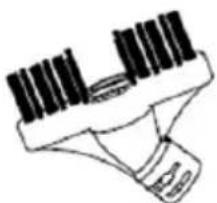
natural_image
Simple line drawing of a medical or laboratory device with no visible text, numbers, or symbols.Crevice Brush

Small Wire Brush
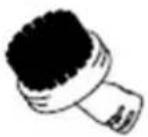
Large Nylon Brush
natural_image
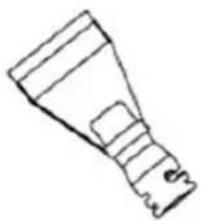
Simple line drawing of a mechanical component or tool (no text or symbols)Scraper Tool
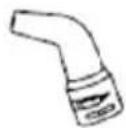
Angled Nozzle
natural_image
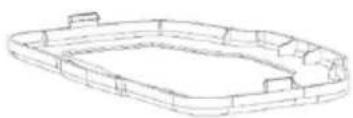
Line drawing of a rectangular mechanical or architectural component with no visible text or symbolsCarpet Glider
Overview
text_image
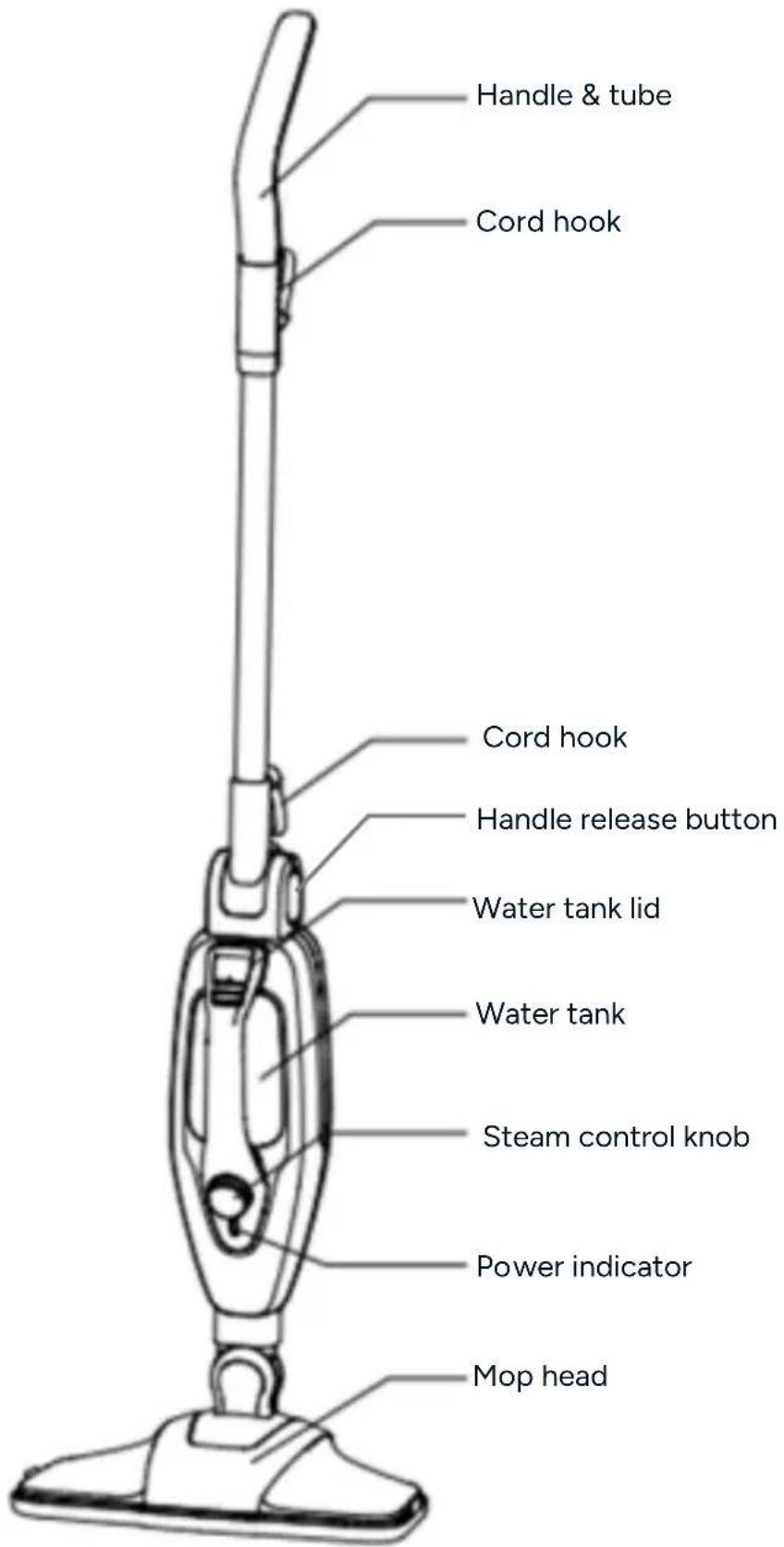
Handle & tube Cord hook Cord hook Handle release button Water tank lid Water tank Steam control knob Power indicator Mop headAccessories
| Accessory Suggested use | ||
| Brushes |  | Hard-wearing for use on hard sealed surfaces. Always test before use.Use the small wire brush for hard to clean surfaces such as barbecue grills, oven racks, tyre wheels, etc.Warning: Avoid using the wire brush on anything that the wire bristles may scratch or damage. |
| Angled Nozzle | 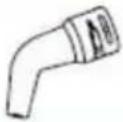 | For small areas requiring delicate attention to detail, this fine/detail nozzle is ideal. |
| Crevice/Grout Tool |  | Wide, straight brushes to tackle grout on tiled floors and surfaces. Lifts embedded dirt from between tiles and grouting. |
| Scraper Tool |  | Suitable for scraping dried residue or getting into narrow corners. |
| Accessory Adapter | 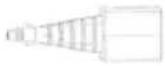 | Used to attach accessories to the steam mop. |
| 2-in-1 Mop Head | 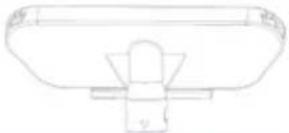 | Shower screens, mirrors and glass. Remove creases from sofa, tablecloths etc |
| Garment Cloth | 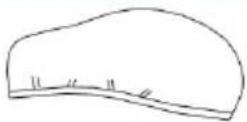 | For use when steaming garments, draperies, tablecloths, etc. |
| Microfibre Pad | 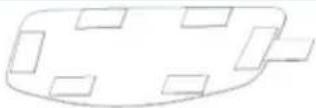 | For general cleaning of hard floors and refreshing carpets. |
| Carpet Glider |  | For cleaning carpets. |
| Measuring Cup |  | Used to fill the steam mop with water. |
Assembly
This steam mop has been tested to ensure performance and safety. When assembling your steam mop for the first time you may notice some residual water inside of the unit.
Before starting any assembly procedures, ensure the appliance is switched off, unplugged and it has cooled down with minimal to no water inside.
- Remove the appliance from the box.
- Remove any packaging from the product and place inside the box for either storage or disposal.
Attaching the Handle
- Insert the assembled handle into the steam mop main body, until it clicks into place.
- The assembled handle can be removed from the steam cleaner main body by pressing the handle release button.
Attaching the Mop Head
- Slide the bottom end of the steam mop main body onto the mop head, until the mop head clicks into place.
- To remove the mop head, press the accessory release button while pulling the steam mop main body away in an upwards direction.
Attaching the Microfibre Pad
- Remove the mop head from the steam mop main body.
- Attach the microfibre pad to the mop head by velcro tabs.
- Place the mop head into the carpet glider and press down firmly to lock it into position.
- Reattach the mop head to the steam mop main body.
Note:
Ensure the microfibre pad must be installed correctly before use. The carpet glider should only be used on carpets.
Operation
- Ensure the device has been filled with water before turning on. Do not run dry.
- Plug the power cord into a power outlet and switch on.
Filling the Water Tank
- Ensure the steam mop is turned off and unplugged from the outlet.
- Remove the water tank cap and use the measuring cup to fill the water tank with clean water. Do not over fill the water tank. Hold the main body level while filling.
- Replace the cap, ensuring it is pushed down firmly to create a tight seal.
Upright steam cleaning
- Attach the handle and mop head to the steam cleaner main body
- Fill the water tank
- Press the handle release button and unfold the handle so it is an upright position. To fold the handle, press the handle release button and gentle lower the handle down to its original position. Ensure the release button is pressed whenever unfold or holding the handle.
- Turn the adjustable steam control knob in a clockwise direction until the power indicator illuminates, signalling that the steam cleaner is pre-heating. Once the steam cleaner has reached the correct temperature, steam will be produced automatically.
- Turn the adjustable steam control in a clockwise direction to increase the amount of steam; turn in an anticlockwise direction to decrease it.
Handheld steam cleaning
- Remove the handle by pressing the handle release button and pulling it up and away from the steam cleaner main body.
- Fill the water tank.
- Fully insert the accessory adaptor into the steam nozzle
- If necessary, attach the required accessory to the accessory adaptor. Turn in a clockwise direction to secure it.
- Plug in and switch on the steam cleaner at the power supply
-
Turn the adjustable steam control in a clockwise direction. Once the steam cleaner has reached the correct temperature, steam will be produced automatically.
-
Turn the adjustable steam control in a clockwise direction to increase the amount of steam; turn in an anticlockwise direction to decrease it.
Warning:
Do not attempt to use the steam mop as a handheld steamer whilst the handle is inserted. Never leave the appliance stationary on a floor area for longer than 15 seconds. The handheld unit will become hot
Warning:
Never hold the wire brush by the bristles. Always hold the steam main body.
Cleaning & Care
IMPORTANT: Allow the steam mop is unplugged and completely cooled down before performing any maintenance or troubleshooting checks.
- Drain any remaining water from the tank and clean after every use.
- Clean the accessories in warm, soapy water and leave to dry.
Maintenance
This product contains no user serviceable parts. Do not attempt to repair it yourself. Any servicing that requires disassembly other than cleaning must be performed by a qualified appliance repair technician. Contact help.Kogan.com for support.
Cleaning the Microfiber Pads
• Machine washable on 'warm' setting using a mild detergent.
- For best results, lay flat to dry after cleaning.
- Do not use bleach or fabric softener when washing the microfibre cleaning pads.
Storage
• After the steam mop is used, turn power off and then unplug the power cord.
- Remove the water tank and empty any residual water in the tank.
- Clean the external surface with a dry cloth.
- Remove the cleaning pad and wash it so that it will be ready for next use.
- Secure power cord in place using the cord holder.
- Press the handle release button and fold the handle.
- Store the product in a clean and dry area out of reach of children.
Specifications
Rated Voltage 220-240V
Rated Frequency 50HZ
Output Power 1500W
Water Tank Capacity 350ml
Troubleshooting
| Problem | Possible Reason | Possible Solution |
| Reduced Steam or no Steam. | Water tank may be emptySteam nozzle may be blocked.There is no power to the unit.Steam control knob is set to min. | Fill the water tank.Clean the steam nozzle.Ensure the appliance is plugged in.Turn the steam control knob clockwise to Max. |
| Unit Will Not Turn On. | Blown fuse or breaker.Power cord not plugged in.Internal fuse is blown.Handle is not inserted correctly. | Replace the fuse or reset breaker.Plug the cord into a working circuit.Contacthelp.Kogan.com for support.Check that the handle is firmly connected to the steam mop body. |
Notes
The Ground Truth image displays a single, solid horizontal line, which is a stylistic or background element (like a ruled paper line). According to Rule 2, such lines must be ignored by the OCR result. The provided OCR content is "____", which consists of underscores. Underscores are not equivalent to a solid line and are not permitted under the “Stylistic/Background Lines (Ignore)” rule. Outputting underscores for a stylistic line is incorrect because it misinterprets the line as a placeholder fill-in-the-blank area. Since the OCR output incorrectly rendered a stylistic line as underscores (which should be ignored), this violates the rule. Therefore, the OCR result is inconsistent with the Ground Truth.
[Non-Text]
[Non-Text]
[EMPTY]
[Non-Text]
[Non-Text]
The Ground Truth image displays a single, continuous horizontal line, which is a stylistic or background element (like a ruled paper line). According to Rule 2, such lines must be ignored by the OCR result. The provided OCR content is "____", which consists of underscores. Underscores are not equivalent to a solid line and are not permitted under the “Stylistic/Background Lines (Ignore)” rule. Outputting underscores for a stylistic line is incorrect because it misinterprets the line as a fill-in-the-blank placeholder. Therefore, the OCR result is inconsistent with the Ground Truth.
[Non-Text]
[Non-Text]
[NO TEXT]
[Non-Text]
[Non-Text]
The Ground Truth image displays a single, continuous horizontal line, which is a stylistic or background element (like a ruled paper line). According to Rule 2, such lines must be ignored by the OCR result. The provided OCR content is "____", which consists of underscores. Underscores are not equivalent to a solid line and are not permitted under the “Stylistic/Background Lines (Ignore)” rule. Outputting underscores for a stylistic line is incorrect because it misinterprets the line as a fill-in-the-blank placeholder. Therefore, the OCR result is inconsistent with the Ground Truth.
[Non-Text]
[Non-Text]
The Ground Truth image displays a single, continuous horizontal line, which is a stylistic or background element (like a ruled paper line). According to Rule 2, such lines must be ignored by the OCR result. The provided OCR content is "____", which consists of underscores. Underscores are not equivalent to a solid line and are not permitted under the “Stylistic/Background Lines (Ignore)” rule. Outputting underscores for a stylistic line is incorrect because it misinterprets the line as a fill-in-the-blank placeholder. Therefore, the OCR result is inconsistent with the Ground Truth.
[Non-Text]
[Non-Text]
____
[Non-Text]
[Non-Text]
The Ground Truth image displays a single, continuous horizontal line, which is a stylistic or background element (like a ruled paper line). According to Rule 2, such lines must be ignored by the OCR result. The provided OCR content is "____", which consists of underscores. Underscores are not equivalent to a solid line and are not permitted under the “Stylistic/Background Lines (Ignore)” rule. Outputting underscores for a stylistic line is incorrect because it misinterprets the line as a fill-in-the-blank placeholder. Therefore, the OCR result is inconsistent with the Ground Truth.
[Non-Text]
[Non-Text]
The Ground Truth image displays a single, continuous horizontal line, which is a stylistic or background element (like a ruled paper line). According to Rule 2, such lines must be ignored by the OCR result. The provided OCR content is "____", which consists of underscores. Underscores are not equivalent to a solid line and are not permitted under the “Stylistic/Background Lines (Ignore)” rule. Outputting underscores for a stylistic line is incorrect because it misinterprets the line as a fill-in-the-blank placeholder. Therefore, the OCR result is inconsistent with the Ground Truth.
[Non-Text]
[Non-Text]
The Ground Truth image displays a single, continuous horizontal line, which is a stylistic or background element (like a ruled paper line). According to Rule 2, such lines must be ignored by the OCR result. The provided OCR content is "____", which consists of underscores. Underscores are not equivalent to a solid line and are not permitted under the “Stylistic/Background Lines (Ignore)” rule. Outputting underscores for a stylistic line is incorrect because it misinterprets the line as a fill-in-the-blank placeholder. Therefore, the OCR result is inconsistent with the Ground Truth.
[Non-Text]
[Non-Text]
The Ground Truth image displays a single, solid horizontal line. According to Rule 2 (UNDERSCORE & LINE RULES), if the GT contains lines used for stylistic emphasis or as background elements (like ruled paper), the OCR result must ignore them. The line in the GT is clearly a stylistic/background line, not a placeholder for text. Therefore, the OCR should not have output any underscores. Outputting `____` constitutes an error under Rule 2, as it hallucinates placeholder symbols where none are semantically intended. Hence, the OCR result is inconsistent with the Ground Truth.
[Non-Text]
[Non-Text]
The Ground Truth image displays a single, solid horizontal line, which is a stylistic or background element (like a ruled paper line or separator), not a placeholder for text. According to Rule 2, such stylistic/background lines must be ignored by the OCR result. The OCR content provided is "", which consists of no characters. This correctly represents the absence of any textual content in the GT and correctly matches the visual line as a stylistic element. Therefore, the OCR output should have been empty or omitted this line entirely.
[Non-Text]
[Non-Text]
[Non-Text]
The Ground Truth image displays a single, solid horizontal line. According to Rule 2 (UNDERSCORE & LINE RULES), this is a stylistic or background line, not a placeholder underscore. Therefore, the OCR result must ignore it and output nothing or only meaningful text. The provided OCR content is "____", which consists of four underscores. This is an incorrect interpretation of the line as a placeholder, violating the rule that stylistic lines must be ignored. The OCR has hallucinated placeholder underscores where none should exist in the GT. Hence, the OCR result is inconsistent with the Ground Truth.
[Non-Text]
[Non-Text]
The Ground Truth image displays a single, continuous horizontal line, which is a stylistic or background element (like a ruled paper line). According to Rule 2, such lines must be ignored by the OCR result. The provided OCR content is "____", which consists of underscores. Underscores are not equivalent to a solid line and are not permitted under the “Stylistic/Background Lines (Ignore)” rule. Outputting underscores for a stylistic line is incorrect because it misinterprets the line as a fill-in-the-blank placeholder. Therefore, the OCR result is inconsistent with the Ground Truth.
[Non-Text]
The Ground Truth image displays a single, solid horizontal line. According to Rule 2 (UNDERSCORE & LINE RULES), this is a stylistic or background line, not a placeholder underscore. Therefore, the OCR result must ignore it and output nothing or only meaningful text. The provided OCR content is "____", which consists of four underscores. This is an incorrect interpretation of the line as a placeholder, violating the rule that stylistic lines must be ignored. The OCR has hallucinated placeholder underscores where none exist in the GT. Hence, the OCR result is inconsistent with the Ground Truth.
The Ground Truth image displays a single, solid horizontal line. According to Rule 2 (UNDERSCORE & LINE RULES), this is a stylistic or background line, not a placeholder underscore. Therefore, the OCR result must ignore it and output nothing or only meaningful text. The provided OCR content is "____", which consists of four underscores. This is an incorrect interpretation of the line as a fill-in-the-blank placeholder, violating the rule that stylistic lines must be ignored. The OCR has hallucinated underscores where none should exist based on the GT's visual context. Hence, the OCR result is inconsistent with the Ground Truth.
[Non-Text]
The Ground Truth image displays a single, solid horizontal line. According to Rule 2 (UNDERSCORE & LINE RULES), if the GT contains lines used for stylistic emphasis or as background elements (like ruled paper), the OCR result must ignore them. The line in the GT is clearly a stylistic/background line, not a placeholder for text. Therefore, the OCR should not have output any underscores. Outputting `____` constitutes an error under Rule 2, as it hallucinates placeholder symbols where none are semantically intended. Hence, the OCR result is inconsistent with the Ground Truth.
[Non-Text]
The Ground Truth image displays a single, solid horizontal line, which is a stylistic or background element (like a ruled paper line). According to Rule 2, such lines must be ignored by the OCR result. The provided OCR content is "____", which consists of underscores. Underscores are not equivalent to a solid line and are not permitted under the “Stylistic/Background Lines (Ignore)” rule. Outputting underscores for a stylistic line is incorrect because it misinterprets the line as a placeholder fill-in-the-blank area. Since the OCR output incorrectly rendered a stylistic line as underscores (which should be ignored), this violates the rule. Therefore, the OCR result is inconsistent with the Ground Truth.
[Non-Text]
[Non-Text]
[EMPTY]
[Non-Text]
[Non-Text]
The Ground Truth image displays a single, continuous horizontal line, which is a stylistic or background element (like a ruled paper line). According to Rule 2, such lines must be ignored by the OCR result. The provided OCR content is "____", which consists of underscores. Underscores are not equivalent to a solid line and are not permitted under the “Stylistic/Background Lines (Ignore)” rule. Outputting underscores for a stylistic line is incorrect because it misinterprets the line as a fill-in-the-blank placeholder. Therefore, the OCR result is inconsistent with the Ground Truth.
[Non-Text]
[Non-Text]
[NO TEXT]
[Non-Text]
[Non-Text]
The Ground Truth image displays a single, continuous horizontal line, which is a stylistic or background element (like a ruled paper line). According to Rule 2, such lines must be ignored by the OCR result. The provided OCR content is "____", which consists of underscores. Underscores are not equivalent to a solid line and are not permitted under the “Stylistic/Background Lines (Ignore)” rule. Outputting underscores for a stylistic line is incorrect because it misinterprets the line as a fill-in-the-blank placeholder. Therefore, the OCR result is inconsistent with the Ground Truth.
[Non-Text]
[Non-Text]
The Ground Truth image displays a single, continuous horizontal line, which is a stylistic or background element (like a ruled paper line). According to Rule 2, such lines must be ignored by the OCR result. The provided OCR content is "____", which consists of underscores. Underscores are not equivalent to a solid line and are not permitted under the “Stylistic/Background Lines (Ignore)” rule. Outputting underscores for a stylistic line is incorrect because it misinterprets the line as a fill-in-the-blank placeholder. Therefore, the OCR result is inconsistent with the Ground Truth.
[Non-Text]
[Non-Text]
____
[Non-Text]
[Non-Text]
The Ground Truth image displays a single, continuous horizontal line, which is a stylistic or background element (like a ruled paper line). According to Rule 2, such lines must be ignored by the OCR result. The provided OCR content is "____", which consists of underscores. Underscores are not equivalent to a solid line and are not permitted under the “Stylistic/Background Lines (Ignore)” rule. Outputting underscores for a stylistic line is incorrect because it misinterprets the line as a fill-in-the-blank placeholder. Therefore, the OCR result is inconsistent with the Ground Truth.
[Non-Text]
[Non-Text]
The Ground Truth image displays a single, continuous horizontal line, which is a stylistic or background element (like a ruled paper line). According to Rule 2, such lines must be ignored by the OCR result. The provided OCR content is "____", which consists of underscores. Underscores are not equivalent to a solid line and are not permitted under the “Stylistic/Background Lines (Ignore)” rule. Outputting underscores for a stylistic line is incorrect because it misinterprets the line as a fill-in-the-blank placeholder. Therefore, the OCR result is inconsistent with the Ground Truth.
[Non-Text]
[Non-Text]
The Ground Truth image displays a single, continuous horizontal line, which is a stylistic or background element (like a ruled paper line). According to Rule 2, such lines must be ignored by the OCR result. The provided OCR content is "____", which consists of underscores. Underscores are not equivalent to a solid line and are not permitted under the “Stylistic/Background Lines (Ignore)” rule. Outputting underscores for a stylistic line is incorrect because it misinterprets the line as a fill-in-the-blank placeholder. Therefore, the OCR result is inconsistent with the Ground Truth.
[Non-Text]
[Non-Text]
The Ground Truth image displays a single, solid horizontal line. According to Rule 2 (UNDERSCORE & LINE RULES), if the GT contains lines used for stylistic emphasis or as background elements (like ruled paper), the OCR result must ignore them. The line in the GT is clearly a stylistic/background line, not a placeholder for text. Therefore, the OCR should not have output any underscores. Outputting `____` constitutes an error under Rule 2, as it hallucinates placeholder symbols where none are semantically intended. Hence, the OCR result is inconsistent with the Ground Truth.
[Non-Text]
[Non-Text]
The Ground Truth image displays a single, solid horizontal line, which is a stylistic or background element (like a ruled paper line or separator), not a placeholder for text. According to Rule 2, such stylistic/background lines must be ignored by the OCR result. The OCR content provided is "", which consists of no characters. This correctly represents the absence of any textual content in the GT and correctly matches the visual line as a stylistic element. Therefore, the OCR output should have been empty or omitted this line entirely.
[Non-Text]
[Non-Text]
[Non-Text]
The Ground Truth image displays a single, solid horizontal line. According to Rule 2 (UNDERSCORE & LINE RULES), this is a stylistic or background line, not a placeholder underscore. Therefore, the OCR result must ignore it. The provided OCR content is "____", which consists of four underscores. This is an incorrect interpretation of the line as a placeholder and violates the rule that stylistic lines must be ignored. The OCR has hallucinated text (underscores) where none should exist based on the GT's visual context. Hence, the OCR result is inconsistent with the Ground Truth.
[Non-Text]
[Non-Text]
The Ground Truth image displays a single, continuous horizontal line, which is a stylistic or background element (like a ruled paper line). According to Rule 2, such lines must be ignored by the OCR result. The provided OCR content is "____", which consists of underscores. Underscores are not equivalent to a solid line and are not permitted under the “Stylistic/Background Lines (Ignore)” rule. Outputting underscores for a stylistic line is incorrect because it misinterprets the line as a fill-in-the-blank placeholder. Therefore, the OCR result is inconsistent with the Ground Truth.
[Non-Text]
The Ground Truth image displays a single, solid horizontal line. According to Rule 2 (UNDERSCORE & LINE RULES), this is a stylistic or background line, not a placeholder underscore. Therefore, the OCR result must ignore it and output nothing or only meaningful text. The provided OCR content is "____", which consists of four underscores. This is an incorrect interpretation of the line as a placeholder, violating the rule that stylistic lines must be ignored. The OCR has hallucinated placeholder underscores where none should exist in the GT. Hence, the OCR result is inconsistent with the Ground Truth.
The Ground Truth image displays a single, solid horizontal line. According to Rule 2 (UNDERSCORE & LINE RULES), this is a stylistic or background line, not a placeholder underscore. Therefore, the OCR result must ignore it and output nothing or only meaningful text. The provided OCR content is "____", which consists of four underscores. This is an incorrect interpretation of the line as a fill-in-the-blank placeholder, violating the rule that stylistic lines must be ignored. The OCR has hallucinated underscores where none should exist based on the GT's visual context. Hence, the OCR result is inconsistent with the Ground Truth.
[Non-Text]
The Ground Truth image displays a single, solid horizontal line. According to Rule 2 (UNDERSCORE & LINE RULES), if the GT contains lines used for stylistic emphasis or as background elements (like ruled paper), the OCR result must ignore them. The line in the GT is clearly a stylistic/background line, not a placeholder for text. Therefore, the OCR should not have output any underscores. Outputting `____` constitutes an error under Rule 2, as it hallucinates placeholder symbols where none are semantically intended. Hence, the OCR result is inconsistent with the Ground Truth.
[Non-Text]
Need more information?
We hope that this user guide has given you the assistance needed for a simple set-up.
For the most up-to-date guide for your product, as well as any additional assistance you may require, head online to help.Kogan.com.
kogan.com