RF-5P-BK - Speaker Auray - Free user manual and instructions
Find the device manual for free RF-5P-BK Auray in PDF.


User questions about RF-5P-BK Auray
0 question about this device. Answer the ones you know or ask your own.
Ask a new question about this device
Download the instructions for your Speaker in PDF format for free! Find your manual RF-5P-BK - Auray and take your electronic device back in hand. On this page are published all the documents necessary for the use of your device. RF-5P-BK by Auray.
USER MANUAL RF-5P-BK Auray
natural_image
Black studio microphone installed in an acoustic foam chamber (no text or symbols visible)Introduction
Thank you for choosing Auray.
Congratulations on your purchase of the Auray RF-5P-B Reflection Filter. Ideal for voice recording in a room that does not have acoustic treatment, the RF-5P-B is designed to absorb and help isolate the microphone from unwanted ambient reflections.
When recording vocals in an acoustically untreated room like a bedroom, living room, or project studio, the vocals bounce off the walls, floor, and ceiling, and are picked up by the microphone. These early reflections interfere with the sound of the voice, producing a roomy and distant effect that presents challenges during the mixing process and in live broadcasts.
The RF-5P-B helps absorb and diffuse these unwanted reflections, creating a closer and dryer sound that allows more control over the vocals. It can also be used for isolating vocals in a rehearsal studio or for other applications, such as recording an acoustic guitar or an electric guitar cabinet.
Five punched metal panels and a pyramidal, acoustic foam lining filter ambient noise and help prevent sound from reflecting back into the microphone. The two outermost panels are adjustable, allowing you to control how dry your recording will be.
The RF-5P-B is easy to set up and comes with three different mounting options. The threaded socket on the bottom can be mounted onto a standard microphone stand or you can use the clamps on the back to mount it to the shaft of a microphone stand with a boom arm. The RF-5P-B also comes with non-slip feet for tabletop use.
Overview
Microphone stand 1
Thumbscrew 2
Bracket 3
Male thumb nut 4
Non-slip feet (2) 5
Clamps 6
Allen key 7
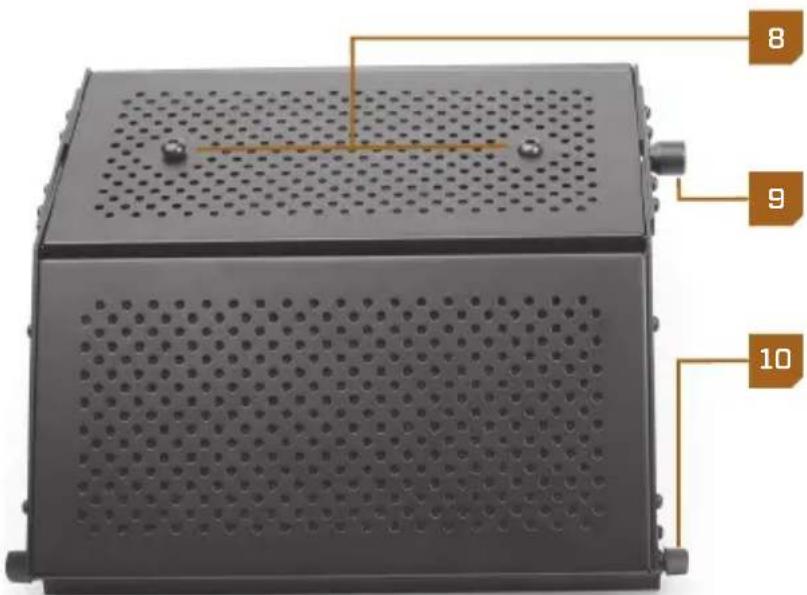
Clamp screws 8
Threaded socket 9
Panel locking knobs 10

text_image
1 2 3

natural_image
Two black conical objects connected by a brown line with the number 5 on the right (no text or symbols on objects)
natural_image
Two identical electrical switch components mounted on a metal base, connected by a brown line labeled '6' (no text or symbols on the components themselves)
text_image
8 9 10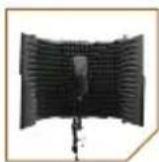
Mounting the RF-5P-B onto a Microphone Stand's Threaded Mount
To mount your RF-5P-B on the threaded mount of a microphone stand, follow these steps:
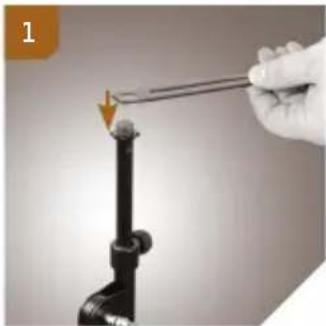
- Fit the hole in the bracket onto the threaded mount of the microphone stand. 1
- Align the reflection filter's threaded socket with the microphone stand's threaded mount, and screw the reflection filter on until secure. 2
With this kind of setup, you can mount your microphone onto the bracket (see Setting Up Your Microphone on the Bracket).
natural_image
Hand holding a tool interacting with a black pipe fitting (no text or symbols visible)
natural_image
Hand holding a black notebook with an orange arrow indicating rotation (no text or symbols visible)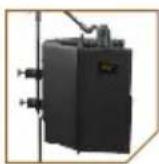
Mounting the RF-5P-B on a Microphone Stand Shaft
If your microphone stand has a boom arm, you can mount the RF-5P-B on the microphone stand shaft and position the boom arm and microphone to reach over and into the filter. This kind of setup will give you greater options for microphone placement.
To mount your RF-5P-B on a microphone stand shaft, follow these steps:
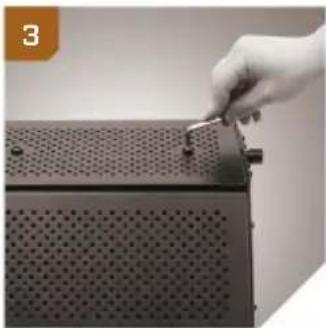
- Use the hex key to unscrew the hex screws from the back of the reflection filter. 3
- Align the sockets in the clamps with the sockets in the back of the reflection filter. 4
natural_image
Hand inserting a small component into a perforated metal panel (no text or symbols visible)
natural_image
Hand operating a mechanical device with two switches and a perforated base (no visible text or symbols)- Use the hex key to screw the hex screws into the sockets until secure.
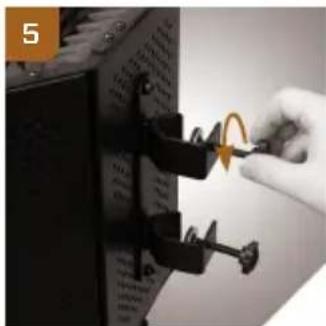
- Loosen the clamps by unscrewing the clamp screws. 5
- Fit the clamps around the microphone stand shaft.
- Tighten the clamps until secure.
You can adjust the vertical placement of your RF-5P-B by slightly loosening the clamps and repositioning the unit higher or lower on the microphone stand.
natural_image
Close-up of a hand inserting a cable into a device panel with a rotary knob (no visible text or symbols)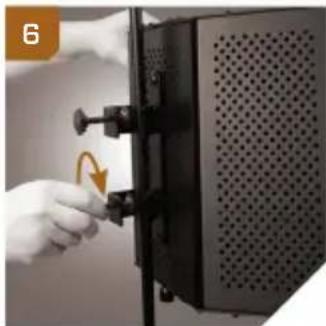
natural_image
Hand inserting a component into a black server rack (no text or symbols visible)
Using Your RF-5P-B on a Desk or a Table
You can use the included feet to place your RF-5P-B Reflection Filter on a desk or table. To install the feet, follow these steps:
- Unscrew the bottom locking knob on one of the panels. 7
- Screw in the foot until secure. 8
- Repeats steps 1 and 2 to install the other foot.
- If necessary, attach the bracket by fitting it around the male thumb nut and screwing the nut into the threaded socket of the reflection filter. 9

natural_image
Hand placing a small component into a black battery pack (no visible text or symbols)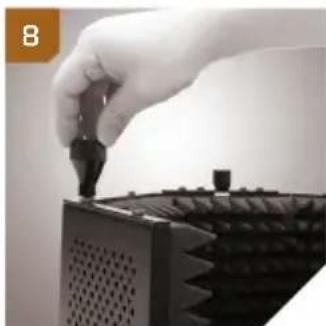
natural_image
Hand inserting a small black component into a black plastic housing (no text or symbols visible)
natural_image
Close-up of hands holding a small object over a black textured container (no visible text or symbols)Setting Up Your Microphone on the Bracket
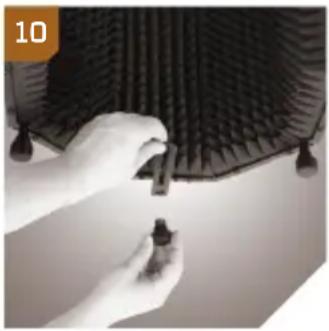
- If necessary, attach the bracket by fitting it around the male thumb nut and screwing the nut into the threaded socket of the reflection filter. ^10
- Insert the small thread of the microphone stand into the wide end of the slot and slide it to the desired position. ^11
- Screw on the thumbscrew to secure the microphone stand to the bracket. ^12
- Mount your microphone onto the microphone stand. For more information about mounting your microphone, consult your microphone's user manual.
Tip: You can slightly loosen the thumb nut and the thumbscrew to adjust the horizontal placement of your microphone. When your microphone is in the desired position, retighten until secure. See Positioning the Microphone for more information on this topic.
natural_image
Close-up of hands adjusting a black textured surface with small droplets (no visible text or symbols)
natural_image
Close-up of a hand using a tool to apply material or tools on a textured surface, with arrows indicating direction (no text or symbols visible)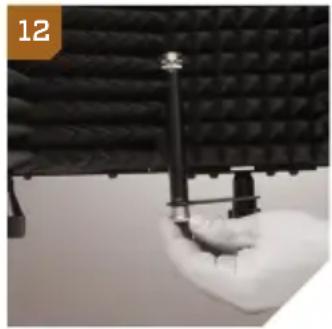
natural_image
Close-up of a hand holding a small mechanical component against a black textured surface (no visible text or symbols)Adjusting the Panels
Although the most common position for the panels is to be open, it can be useful to close them slightly in order to absorb more sound from inside the filter and isolate and reduce more ambient noise from outside the filter. The more closed the panels are, the more dry your sound will be.
You can also close the panels all the way for convenient storage or transport.
To adjust the panels, unscrew the locking knobs on the top and bottom hinges just enough to swing the panels to the desired positions. Retighten the locking knobs until secure.
Positioning the Microphone
It is usually most desirable to place the microphone directly in the center of the reflection filter in order to reduce the most amount of ambient noise. You can also adjust the microphone placement in the filter to produce a creative effect. For example, you can move the microphone away from the rear panel to let in more ambient noise for a more open sound. We encourage you to experiment on your own.
Specifications
Dimensions: 15.8 × 12.6 × 10.2 in. (400 × 320 × 260 mm)
Weight: 9.5 lb. (4.3 kg)
Warnings

Before using your RF-5P-B, please read the following safety notices carefully and thoroughly to ensure safe use and to help prevent damage to your reflection filter.
- Please read and follow these instructions, and keep this manual in a safe place.
- Do not attempt to disassemble or repair the equipment—doing so will void the warranty, and Auray will not be responsible for any damage.
- Handle the unit with care.
- Make sure everything is secure before proceeding.
- Make sure the item is intact and that there are no missing parts.
- To avoid damage to your reflection filter, be careful not to overtighten or improperly thread any threaded fittings, such as bolts and locking knobs.
- All photos are for illustrative purposes only.
One-Year Limited Warranty
This AURAY product is warranted to the original purchaser to be free from defects in materials and workmanship under normal consumer use for a period of one (1) year from the original purchase date or thirty (30) days after replacement, whichever occurs later. The warranty provider's responsibility with respect to this limited warranty shall be limited solely to repair or replacement, at the provider's discretion, of any product that fails during normal use of this product in its intended manner and in its intended environment. Inoperability of the product or part(s) shall be determined by the warranty provider. If the product has been discontinued, the warranty provider reserves the right to replace it with a model of equivalent quality and function.
This warranty does not cover damage or defect caused by misuse, neglect, accident, alteration, abuse, improper installation or maintenance. EXCEPT AS PROVIDED HEREIN, THE WARRANTY PROVIDER MAKES NEITHER ANY EXPRESS WARRANTIES NOR ANY IMPLIED WARRANTIES, INCLUDING BUT NOT LIMITED TO ANY IMPLIED WARRANTY OF MERCHANTABILITY OR FITNESS FOR A PARTICULAR PURPOSE. This warranty provides you with specific legal rights, and you may also have additional rights that vary from state to state.
To obtain warranty coverage, contact the Auray Customer Service Department to obtain a return merchandise authorization (“RMA”) number, and return the defective product to Auray along with the RMA number and proof of purchase. Shipment of the defective product is at the purchaser’s own risk and expense.
For more information or to arrange service, visit www.aurayaudio.com or call Customer Service at 212-594-2353.
Product warranty provided by the Gradus Group.
www.gradusgroup.com

AURAY™
A Gradus Group Brand