RF-PBO-16 - Speaker Auray - Free user manual and instructions
Find the device manual for free RF-PBO-16 Auray in PDF.


User questions about RF-PBO-16 Auray
0 question about this device. Answer the ones you know or ask your own.
Ask a new question about this device
Download the instructions for your Speaker in PDF format for free! Find your manual RF-PBO-16 - Auray and take your electronic device back in hand. On this page are published all the documents necessary for the use of your device. RF-PBO-16 by Auray.
USER MANUAL RF-PBO-16 Auray
natural_image
Close-up of a studio microphone setup with foam roller and sound absorber (no visible text or symbols)Thank you for choosing Auray.
The Auray RF-PBO-16 Premium Reflection Filter provides music producers, broadcasters, and podcasters with advanced microphone isolation. When recording vocals, voiceovers, or podcasts in a studio or acoustically untreated space, the RF-PBO-16 creates a dry and close sound for clean vocal tracks. This reflection filter is designed with multilayered protection that absorbs unwanted ambient noise and controls acoustic reflections that can compromise your recording or broadcast.
The filter employs high-density open-cell acoustic foam to absorb sound. Additional inner acoustic layers combine for advanced isolation with near-zero coloration. The vented shield is constructed with rugged ABS plastic and creates a more open sound while it prevents bounce-back reflections.
The RF-PBO-16 is compatible with most mic stands and shock mounts, and it will even work in inverted position with a mic stand and studio boom.
Precautions

- Keep this manual in a safe place for future reference.
- Do not attempt to disassemble or repair this equipment—doing so will void the warranty, and Auray will not be responsible for any damage.
- Handle the unit with care.
- Make sure everything is secure before proceeding.
- Make sure the item is intact and that there are no missing parts.
- To avoid damage to your reflection filter, be careful not to overtighten or improperly thread any of the threaded fittings.
- All images are for illustrative purposes only.
Overview
Reflection filter 1
Locking screws (×2) 2
L bracket 3
Threaded thumbscrews (×2) 4
Extender 5
Star nut 6
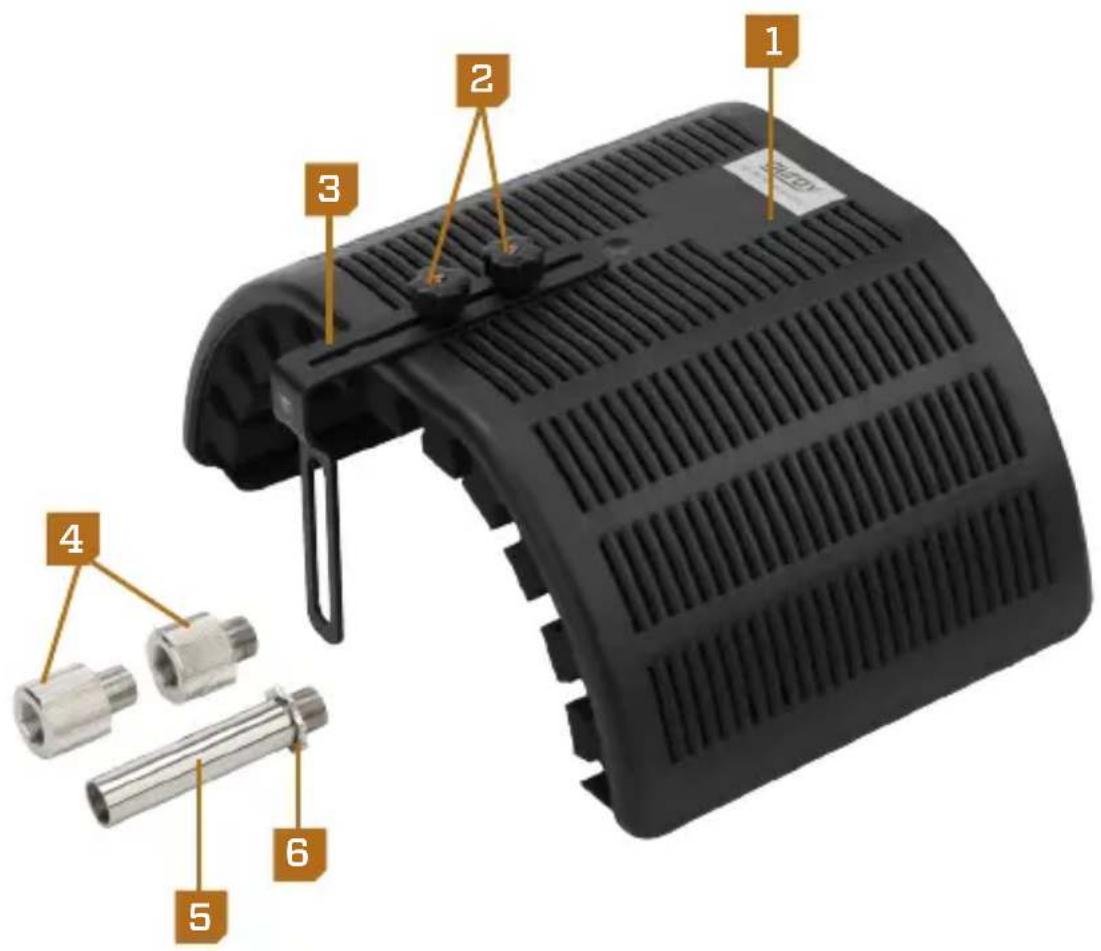
text_image
1 2 3 4 5 6 T2.0Instructions
Vertical Setup
- If the L bracket is not attached to the filter: Align the slot on the flat side of the L bracket with the screw holes on the back of the filter. Tighten the two locking screws until secure.
- Screw one of the thumbscrews onto the threaded post of the mic stand. 2
- Place the thumbscrew's threaded post through the slot on the L bracket. 8
- Attach the second thumbscrew to the first thumbscrew to secure the filter. Tighten until secure. 3
- Screw the extender onto the post of the top thumbscrew. 4
- Attach your shock mount to the extender, and secure it by tightening the star nut. Mount your microphone into the shock mount.
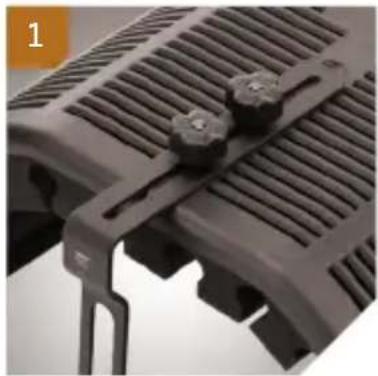
natural_image
Close-up of a black plastic heat exchanger component with clamps and ventilation slots (no text or symbols visible)
natural_image
Close-up of a hand holding a metallic mechanical component with a downward arrow indicating compression or disassembly (no text or symbols visible)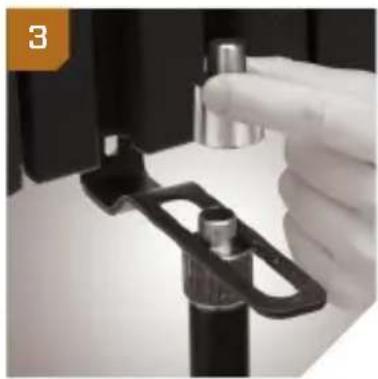
natural_image
Close-up of a gloved hand holding a black mechanical clamp or clip, with no visible text or symbols.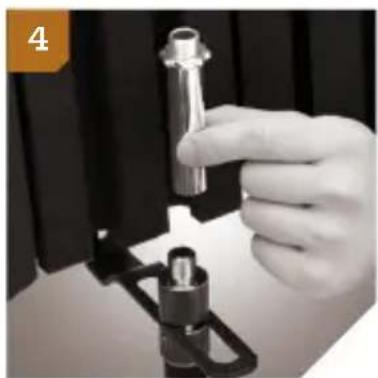
natural_image
Close-up of a hand holding a metallic mechanical component, no visible text or symbolsInverted Setup
- If the L bracket is not attached to the filter: Align the slot on the flat side of the L bracket with the screw holes on the back of the filter. Tighten the two locking screws until secure.
- Screw one of the thumbscrews onto the threaded post of the mic mount on your mic boom. 5
- Invert the filter, and place the thumbscrew's threaded post through the slot on the L bracket. 6
- Attach the second thumbscrew to the first thumbscrew to secure the filter. Tighten until secure. 6
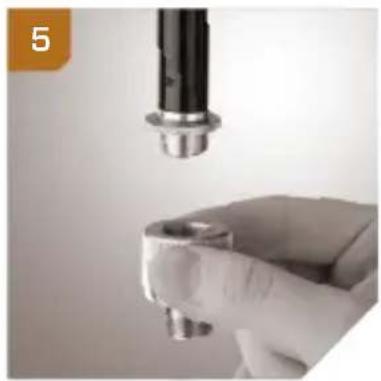
- Screw the extender onto the post of the top thumbscrew. 7
- Attach your shock mount to the extender, and secure it by tightening the star nut. Mount your microphone into the shock mount. 8
natural_image
Close-up of a hand holding a small mechanical component with a metallic cylindrical part inserted (no visible text or symbols)
natural_image
Close-up of hands holding a small metallic object against a black cylindrical background (no visible text or symbols)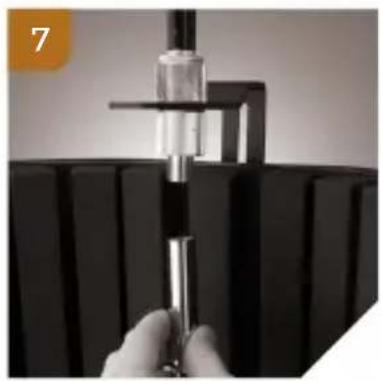
natural_image
Close-up of a hand holding a metallic cylindrical object over a black rectangular base (no visible text or symbols)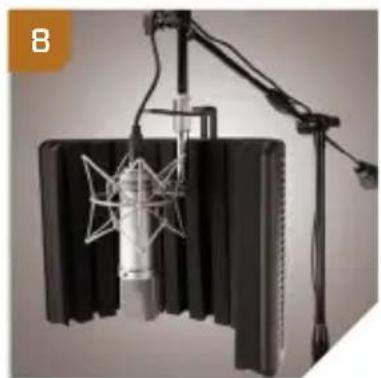
natural_image
Audio studio setup with foam roller, microphone, and stand (no visible text or symbols)Adjusting the Microphone Position
To center the microphone capsule vertically:
-
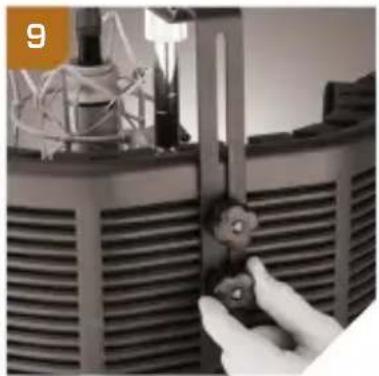
Support the reflection filter from below with one hand, and loosen the two locking screws. 9
-
Adjust the height of the shield relative to the microphone, and retighten the locking screws. ^10
natural_image
Close-up of a hand adjusting a mechanical component with a tool, no visible text or symbols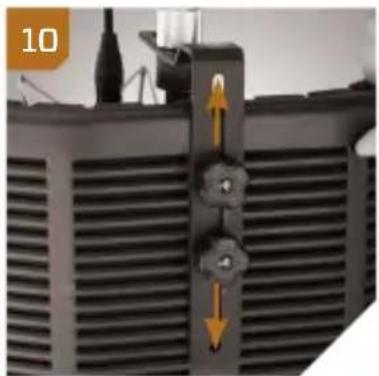
natural_image
Close-up of a black industrial vent with heat exchanger and directional arrows indicating flow (no text or symbols)To adjust the distance of the microphone from the filter:
-
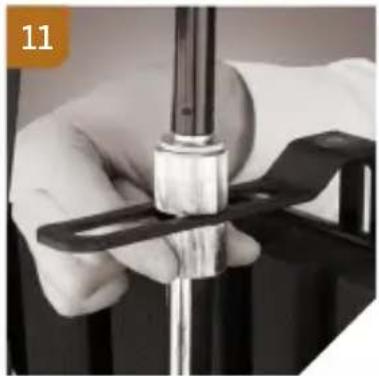
Loosen the bottom thumbscrew 11, and slide the extender and microphone along the L-bracket slot. 12
-
Once you have placed the microphone in the correct position, tighten the top thumbscrew until secure.
natural_image
Close-up of a hand holding a metallic mechanical component, possibly a valve or pump, with no visible text or symbols.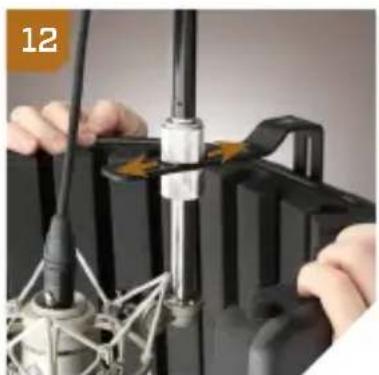
natural_image
Close-up of hands connecting cables to a mechanical device with no visible text or symbolsSpecifications
Material:
Outer: ABS plastic shield
Inner: High-density open-cell acoustic foam layer, double wool layer
Shield dimensions (H × W × D):
11.8 × 16.5 × 7.75 in. (30 × 42 × 19.7 cm)
Extender height: 3.5 in. (9 cm)
Weight: 3.5 lb. (1.6 kg)
One-Year Limited Warranty
This Auray product is warranted to the original purchaser to be free from defects in materials and workmanship under normal consumer use for a period of one (1) year from the original purchase date or thirty (30) days after replacement, whichever occurs later. The warranty provider's responsibility with respect to this limited warranty shall be limited solely to repair or replacement, at the provider's discretion, of any product that fails during normal use of this product in its intended manner and in its intended environment. Inoperability of the product or part(s) shall be determined by the warranty provider. If the product has been discontinued, the warranty provider reserves the right to replace it with a model of equivalent quality and function.
This warranty does not cover damage or defect caused by misuse, neglect, accident, alteration, abuse, improper installation or maintenance. EXCEPT AS PROVIDED HEREIN, THE WARRANTY PROVIDER MAKES NEITHER ANY EXPRESS WARRANTIES NOR ANY IMPLIED WARRANTIES, INCLUDING BUT NOT LIMITED TO ANY IMPLIED WARRANTY OF MERCHANTABILITY OR FITNESS FOR A PARTICULAR PURPOSE. This warranty provides you with specific legal rights, and you may also have additional rights that vary from state to state.
To obtain warranty coverage, contact the Auray Customer Service Department to obtain a return merchandise authorization (“RMA”) number, and return the defective product to Auray along with the RMA number and proof of purchase. Shipment of the defective product is at the purchaser’s own risk and expense.
For more information or to arrange service, visit www.aurayaudio.com or call Customer Service at 212-594-2353.
Product warranty provided by the Gradus Group.
www.gradusgroup.com
AURAY is a registered trademark of the Gradus Group.
© 2016 Gradus Group LLC. All Rights Reserved.