DU-H3ETX - NAS D-LINK - Free user manual and instructions
Find the device manual for free DU-H3ETX D-LINK in PDF.


User questions about DU-H3ETX D-LINK
0 question about this device. Answer the ones you know or ask your own.
Ask a new question about this device
Download the instructions for your NAS in PDF format for free! Find your manual DU-H3ETX - D-LINK and take your electronic device back in hand. On this page are published all the documents necessary for the use of your device. DU-H3ETX by D-LINK.
USER MANUAL DU-H3ETX D-LINK
3-port USB Hub with 1 NWAY Ethernet / Fast Ethernet Port
User's Guide
Table of Contents
INTRODUCTION ....1
TECHNOLOGY OVERVIEW...... 1
ABOUT DU-H3ETX 2
PRODUCT FEATURES....3
INSTALLATION......4
ASPECT DESCRIPTION 4
HARDWARE INSTALLATION......5
SOFTWARE INSTALLATION......5
LED INDICATORS......6
USB CONNECTOR PIN ASSIGNMENT ...... 8
SPECIFICATIONS......9
INTRODUCTION
Thank you for purchasing the DU-H3ETX. The DU-H3ETX provides one 10/100Mbps NWay Fast Ethernet Port and 3 Downstream USB ports. The DU-H3ETX features easy connectivity to 10Mbps Ethernet or 100Mbps Fast Ethernet Network and USB devices including modems, keyboards, mice and other USB devices.
Technology Overview
USB stands for Universal Serial Bus. USB is a standard that has been adopted by leading manufacturers within the computer industry to define a new type of peripheral connection scheme. USB is designed to replace older parallel and serial ports, cables and connectors with something that is faster and easier to use. USB has the following advantages:

Easier -- Windows 98, Me and 2000 automatically recognize newly installed devices without rebooting.
Speed -- Top USB data speed is around 100 times faster than a serial connection.
Greater Expandability -- Using USB hubs you can connect up to 127 devices to your computer.
Hot Swappable – Plug in the new device and go!
About DU-H3ETX
The DU-H3ETX automatically negotiates between 10Mbps and 100Mbps for fast and easy connection to Ethernet or Fast Ethernet Networks.
The DU-H3ETX is designed to provide quick and easy access to three types of ‘A’ downstream ports for connecting peripherals that support USB, USB hubs and other devices. A single type “B” upstream port is provided for connecting to the host computer, or another USB hub.
Product Features
USB 1.0, 1.1 specification compatibility
IEEE 802.3 10BASE-T Ethernet standard
IEEE 802.3u 100BASE-TX Fast Ethernet standard
Plug-and-Play
Supports both OHCI and UHCI.
Supports Self-power and Bus-power mode.
Supports 1 upstream and 3 downstream USB ports
Supports one 10/100Mbps NWay Fast Ethernet port
6 LED indicators for Power and Port status
✗ Supports connecting up to 127 USB devices by cascading hubs.
Over-current and high-inrush current protections
INSTALLATION
The DU-H3ETX is designed for simple and easy installation.
Aspect Description

text_image
• front view Downstream Ports RJ-45 Ethernet port • back view DC Power Jack Upstream PortsHardware Installation
- Plug the power adapter into the rear of the DU-H3ETX and plug power connector into an electrical outlet or power strip.
- Plug the B-type connector into the "Upstream Port".
- Plug the A -type connector into a computer or DU-H3ETX downstream port.
- Connect up to three USB devices to the DU-H3ETX's down-stream ports.
- Connect your 10Mbps Ethernet or 100Mbps Fast Ethernet Network to the DU-H3ETX through the RJ-45 LAN Port.
Software Installation
After installing DU-H3ETX, Windows will find a new device and request the driver. Please insert the driver diskette and follow the on screen installation instructions.
LED Indicators
DU-H3ETX is equipped with 6 LED indicators:
Self-Power LED Indicator:
The LED is green when the DU-H3ETX is receiving power from an external power source. The LED is dark when the DU-H3ETX receives power from the USB bus.
Bus-Power LED Indicator:
The LED is green when the DU-H3ETX is receiving power from the USB bus. The LED is dark when the DU-H3ETX is receiving power from an external power source
Port Status LED:
Each port has one status LED. The LED is lit when the downstream port is working. The LED is dark when the downstream port is not working.
LAN Port Status LED:
The LED is green when the port is running at 100Mbps Fast Ethernet. The LED flashes green when data is being transmitted or received at 100Mbps. The LED is amber when the port is running at 10Mbps Ethernet. The LED flashes amber when the port is transmitting or receiving data at 10Mbps. The LED is dark when there is no link. The LED is dark when there is no connection at the port. Refer to Table 1: LED Indicators.
Table 1: LED Indicators
| LED Color | Port Speed | Flashing Link | Down/ No Connection |
| Green 100Mbps | Transmitting/Receiving data | LED is dark | |
| Amber | 10Mbps | Transmitting/Receiving data | LED is dark |
USB Connector Pin Assignment
 | 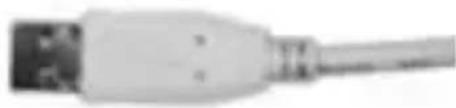 |
| Receptacle A | Series-A Plug |
 |  |
| Receptacle B | Series-B Plug |
SPECIFICATIONS
Standards: USB Specification V.1.0, V.1.1
IEEE 802.3 10BASE-T Ethernet
IEEE 802.3u 100BASE-TX Fast Ethernet
Data Speed: USB: Low 1.5Mbps, High 12Mbps
Ethernet: 10/100Mbps
LED indicators: Power x 1, Port status x 4
USB port: Series-B Receptacle x 1
Series-A Receptacle x 3
LAN port: 10/100Mbps NWay Fast Ethernet port x 1
Output Voltage: Per port DC +5V
Output Current: Per port 500mA
Dimensions: 118 x 67 x 28 mm
Storage Storage: -25^ 70^
Temperature: Operation: 0^ C \~ 50^ C
Humidity: Storage: 10% \~ 90%
(non-condensing) Operation: 10% \~70%
Power Consumption: 12
Watts (maximum)