DWL-P100 - NAS D-LINK - Free user manual and instructions
Find the device manual for free DWL-P100 D-LINK in PDF.


User questions about DWL-P100 D-LINK
0 question about this device. Answer the ones you know or ask your own.
Ask a new question about this device
Download the instructions for your NAS in PDF format for free! Find your manual DWL-P100 - D-LINK and take your electronic device back in hand. On this page are published all the documents necessary for the use of your device. DWL-P100 by D-LINK.
USER MANUAL DWL-P100 D-LINK
About Power Over Ethernet (POE)
The DWL-P100 Power Over Ethernet (POE) Adapters are design to supply operational power to a Wireless Access Point. These Power Over Ethernet Adapters give users the ability to mount an Access Point virtually anywhere in a building no matter where the power outlet is located such as ceilings, attics, or roofs. It eliminates the need to use an AC-DC power supply at the Access Point making the setup more convenient. D-Link's DWL-P100 Power Over Ethernet Adapters take advantage of the unused cable pairs within Ethernet Cat 5 cabling. The Base Unit inserts DC voltage into the unused wires therefore allowing the single Category 5 cable to carry both Ethernet data and DC power to an Access Point. The POE Terminal Unit splits the data and DC power apart, which is then supplied to the Access Point.

flowchart
graph LR
    A["LAN PC"] -->|Ethernet| B["Base Power Over Ethernet Unit"]
    C["Power"] --> D["DC Adapunt"]
    D --> B
    B -->|Ethernet and power| E["Remote Power Over Ethernet Unit"]
    E -->|Ethernet| F["Access Point"]
    E -->|DC SV| F
Contents of Package

natural_image
Exterior view of a D2link network device (no visible text or symbols on the device body)(1)

natural_image
Exterior view of a modern office building (no signage)(2)
natural_image
Black electronic device with a power outlet and cord, no visible text or symbols(3)
(4)

(5)
natural_image
Coiled black cable with metallic connectors (no text or symbols visible)(6)
- D-Link Power Over Ethernet / Base Unit
- D-Link Power Over Ethernet / Terminal Unit
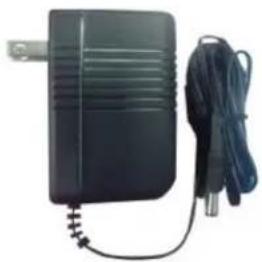
- AC/DC power Adapter
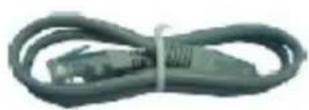
- Ethernet Cable
- Quick Installation Guide
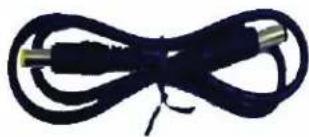
- DC Power cable
The D-Link DWL-P100
The DWL-P100 includes two modules:
• Power Over Ethernet / Base Unit
• Power Over Ethernet / Terminal Unit
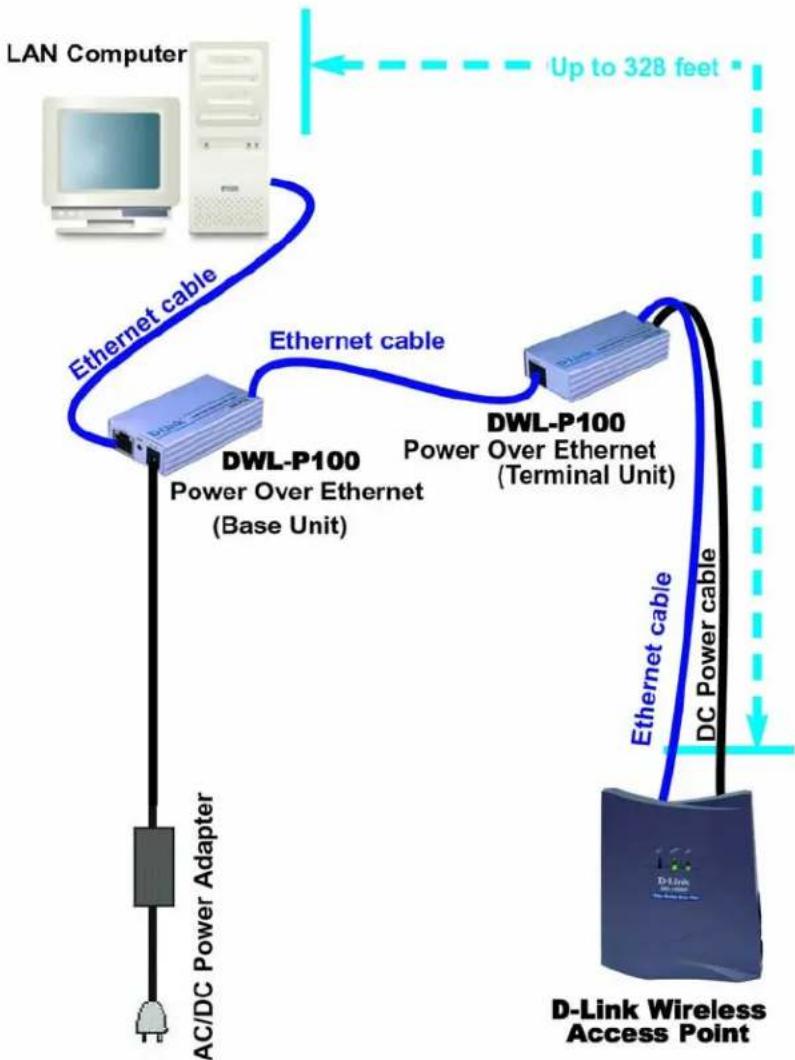
The Base Power Over Ethernet module plugs into the wall AC outlet and also connects to the wired hub. This will supply both low-voltage DC power and data over the existing Category 5 cabling. The Terminal Power Over Ethernet module separates the DC power and data, and connects conveniently to the Wireless Access Point.
Features
■ Provides DC power over existing Category 5 cabling to Access Points
■ Transforms incoming AC power into low-voltage DC power
- Base and Terminal Power Over Ethernet modules powers any Wireless Access Point requiring 5V/1A DC input
■ Protects Access Point from possible damages due to power-surges
Connection Architecture
flowchart
graph TD
    A["LAN Computer"] -->|Up to 328 feet| B["D-Link Wireless Access Point"]
    B -->|Ethernet cable| C["DWL-P100 Power Over Ethernet (Base Unit)"]
    B -->|Ethernet cable| D["DWL-P100 Power Over Ethernet (Terminal Unit)"]
    C --> E["AC/DC Power Adapter"]
    D --> F["DC Power cable"]
Specifications
■ Category 5 pin power usages: 4/5, 7/8
■ Output Voltage 5VDC/1A (Terminal side)
■ Ethernet Connector: RJ-45
■ Ethernet Data Rate: 10/100 Mbps
■ Number of AP's it can power: 1
- Ethernet Data Cable: TIA/EIA-568, Category 5 Cable
■ Device Weight (pair): 0.269 lbs
■ Dimensions: 3.15in x 1.73in
Hardware Installation
- Connect the cable from the PC/Hub/Switch to the Base Unit "LAN IN"
- Connect the Power Adapter to the Base Unit "DC 15V IN." The green PWR LED on the Base Unit should light up.
- Connect the cable from the Base Unit "LAN OUT" to the "LAN IN" of the Terminal Unit. (max cable length up to 328ft/100m, as defined by IEEE 802.3)
- Connect an Ethernet cable from the Terminal Unit "LAN OUT" to the LAN port of the Wireless Access Point (AP).
- Connect the “DC 5V OUT” from the Terminal Unit to the DC 5V input port of the AP using the power cable provided. The green PWR LED of the Terminal Unit should light up.
- Operate the Wireless Access Point normally.
Contacting Technical Support
You can find software updates and user documentation on the D-Link website.
D-Link provides free technical support for customers within the United States and within Canada for the duration of the warranty period on this product.
U.S. and Canadian customers can contact D-Link technical support through our
Web site, or by phone.
Tech Support for customers within the United States:
D-Link Technical Support over the Telephone: (877) 453-5465
Monday through Friday 7:00am to 12:00am.
D-Link Technical Support over the Internet:
http://support.dlink.com
email:support@dlink.com
Tech Support for customers within Canada:
D-Link Technical Support over the Telephone: (800) 361-5265
Monday to Friday 8:30am to 9:00pm EST
D-Link Technical Support over the Internet:
http://support.dlink.ca
email:support@dlink.ca
When contacting technical support, please provide the following information:
Serial number of the unit
. Model number or product name
- Software type and version number
D-Link®
Building Networks for People
020205