
W290 - Projector OPTOMA - Free user manual and instructions
Find the device manual for free W290 OPTOMA in PDF.


| Brand | OPTOMA |
| Model | W290 |
| Product Type | Projector |
| Display Technology | DLP |
| Native Resolution | WXGA (1280 x 800) |
| Supported Resolutions | VGA, SVGA, XGA, SXGA, UXGA, HD (720p, 1080p) |
| Input Connectors | HDMI, VGA-In, S-Video, Composite, Audio In (3.5 mm) |
| Output Connectors | VGA-Out, Audio Out (3.5 mm), RS-232 |
| Other Connectors | Power inlet, Kensington lock |
| Keystone Correction | Vertical (+/- 40°) |
| Zoom and Focus Features | Manual zoom, Manual focus |
| 3D Function | Yes (DLP Link and IR) |
| Built-in Speaker | Yes (mono) |
| Display Modes | Presentation, Bright, Film, sRGB, Blackboard, User, 3D |
| Lamp Modes | Bright, Eco, Eco+ |
| Auto Power Off | Yes (adjustable from 0 to 180 min) |
| Security | Kensington lock, Password protection, Clock security |
| Remote Control | IR remote with laser pointer |
| RS232 Control | Yes |
| Package Contents | Projector, remote control, AAA batteries (x2), user manual, warranty card, quick start guide, WEEE card |
| Video Compatibility | NTSC, PAL, SECAM, SDTV, HDTV (720p, 1080i/p) |
Frequently Asked Questions - W290 OPTOMA
User questions about W290 OPTOMA
0 question about this device. Answer the ones you know or ask your own.
Ask a new question about this device
Download the instructions for your Projector in PDF format for free! Find your manual W290 - OPTOMA and take your electronic device back in hand. On this page are published all the documents necessary for the use of your device. W290 by OPTOMA.
USER MANUAL W290 OPTOMA
OPTIONS | AVANCÉ ...... 38
OPTIONS | Paramètres Lampe .....39
natural_image
Symbolic illustration of a computer monitor with a red X mark and eye, enclosed in an oval (no text or numbers present)natural_image
Line drawing of a projector with ventilation slots and a small screen (no text or symbols)Projecteur
natural_image
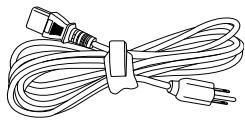
Line drawing of a cord with two connectors and a power plug (no text or symbols)
natural_image
Pure electrical socket diagram with three numbered pins, no text or symbols present
Projector Return (Pass): P
Projector Return (Fail): F
XX=00-99, projector's ID,
XX=00 is for all projectors
SEND to projector
| 232 ASCII Code | HEX Code | Function | Description |
| ~XX00 1 | 7E 30 30 30 30 20 31 0D | Power ON | |
| ~XX00 0 | 7E 30 30 30 30 20 30 0D | Power OFF | (0/2 for backward compatible) |
| ~XX00 1 ~nnnn | 7E 30 30 30 30 20 31 20 a 0D | Power ON with Password | ~nnnn = ~0000 (a=7E 30 30 30 30) ~9999 (a=7E 39 39 39 39) |
| ~XX01 1 | 7E 30 30 30 31 20 31 0D | Resync | |
| ~XX02 1 | 7E 30 30 30 32 20 31 0D | AV Mute | On |
| ~XX02 0 | 7E 30 30 30 32 20 30 0D | Off (0/2 for backward compatible) | |
| ~XX03 1 | 7E 30 30 30 33 20 31 0D | Mute | On |
| ~XX03 0 | 7E 30 30 30 33 20 30 0D | Off (0/2 for backward compatible) | |
| ~XX04 1 | 7E 30 30 30 34 20 31 0D | Freeze | |
| ~XX04 0 | 7E 30 30 30 34 20 30 0D | Unfreeze | (0/2 for backward compatible) |
| ~XX05 1 | 7E 30 30 30 35 20 31 0D | Zoom Plus | |
| ~XX06 1 | 7E 30 30 30 36 20 31 0D | Zoom Minus | |
| ~XX12 5 | 7E 30 30 31 32 20 35 0D | VGA | |
| ~XX12 7 | 7E 30 30 31 32 20 37 0D | VGA SCART | |
| ~XX12 8 | 7E 30 30 31 32 20 38 0D | VGA Component | |
| ~XX12 10 | 7E 30 30 31 32 20 31 30 0D | Video | |
| ~XX20 1 | 7E 30 30 32 30 20 31 0D | Display Mode | Presentation |
| ~XX20 2 | 7E 30 30 32 30 20 32 0D | Bright | |
| ~XX20 3 | 7E 30 30 32 30 20 33 0D | Movie | |
| ~XX20 4 | 7E 30 30 32 30 20 34 0D | sRGB | |
| ~XX20 5 | 7E 30 30 32 30 20 35 0D | User | |
| ~XX20 7 | 7E 30 30 32 30 20 37 0D | Blackboard | |
| ~XX20 8 | 7E 30 30 32 30 20 39 0D | 3D | |
| ~XX21 n | 7E 30 30 32 31 20 a 0D | Brightness | n = -50 (a=2D 35 30) ~ 50 (a=35 30) |
| ~XX22 n | 7E 30 30 32 32 20 a 0D | Contrast | n = -50 (a=2D 35 30) ~ 50 (a=35 30) |
| ~XX23 n | 7E 30 30 32 33 20 a 0D | Sharpness | n = 1 (a=31) ~ 15 (a=31 35) |
| ~XX24 n | 7E 30 30 32 34 20 a 0D | Color Settings | Red Gain n = -50 (a=2D 35 30) ~ 50 (a=35 30) |
| ~XX25 n | 7E 30 30 32 35 20 a 0D | Green Gain n = -50 (a=2D 35 30) ~ 50 (a=35 30) | |
| ~XX26 n | 7E 30 30 32 36 20 a 0D | Blue Gain n = -50 (a=2D 35 30) ~ 50 (a=35 30) | |
| ~XX27 n | 7E 30 30 32 37 20 a 0D | Red Bias n = -50 (a=2D 35 30) ~ 50 (a=35 30) | |
| ~XX28 n | 7E 30 30 32 38 20 a 0D | Green Bias n = -50 (a=2D 35 30) ~ 50 (a=35 30) | |
| ~XX29 n | 7E 30 30 32 39 20 a 0D | Blue Bias n = -50 (a=2D 35 30) ~ 50 (a=35 30) | |
| ~XX30 n | 7E 30 30 33 30 20 a 0D | Cyan n = -50 (a=2D 35 30) ~ 50 (a=35 30) | |
| ~XX31 n | 7E 30 30 33 31 20 a 0D | Yellow n = -50 (a=2D 35 30) ~ 50 (a=35 30) | |
| ~XX32 n | 7E 30 30 33 32 20 a 0D | Magenta n = -50 (a=2D 35 30) ~ 50 (a=35 30) | |
| ~XX33 1 | 7E 30 30 33 33 20 31 0D | Reset | |
| ~XX34 n | 7E 30 30 33 34 20 a 0D | BrilliantColorTM | |
| ~XX35 1 | 7E 30 30 33 35 20 31 0D | Gamma | Film |
| ~XX35 2 | 7E 30 30 33 35 20 32 0D | Video | |
| ~XX35 3 | 7E 30 30 33 35 20 33 0D | Graphics | |
| ~XX35 4 | 7E 30 30 33 35 20 34 0D | Standard | |
| ~XX36 1 | 7E 30 30 33 36 20 31 0D | Color Temp. | Warm |
| ~XX36 2 | 7E 30 30 33 36 20 32 0D | Medium | |
| ~XX36 3 | 7E 30 30 33 36 20 33 0D | Cold | |
| ~XX37 1 | 7E 30 30 33 37 20 31 0D | Color Space | Auto |
| ~XX37 2 | 7E 30 30 33 37 20 32 0D | RGB | |
| ~XX37 3 | 7E 30 30 33 37 20 33 0D | YUV | |
| ~XX45 n | 7E 30 30 34 34 20 a 0D | Color (Saturation) | |
| ~XX44 n | 7E 30 30 34 35 20 a 0D | Tint |
| ~XX100 1 | 7E 30 30 31 30 30 20 31 0D | Source Lock | On | |
| ~XX100 0 | 7E 30 30 31 30 30 20 30 0D | Off (0/2 for backward compatible) | ||
| ~XX101 1 | 7E 30 30 31 30 31 20 31 0D | High Altitude | On | |
| ~XX101 0 | 7E 30 30 31 30 31 20 30 0D | Off (0/2 for backward compatible) | ||
| ~XX102 1 | 7E 30 30 31 30 32 20 31 0D | Information Hide | On | |
| ~XX102 0 | 7E 30 30 31 30 32 20 30 0D | Off (0/2 for backward compatible) | ||
| ~XX195 0 | 7E 30 30 31 39 35 20 30 0D | Test Pattern | None | |
| ~XX195 1 | 7E 30 30 31 39 35 20 31 0D | Grid | ||
| ~XX195 2 | 7E 30 30 31 39 35 20 32 0D | White Pattern | ||
| ~XX104 1 | 7E 30 30 31 30 34 20 31 0D | Background Color | Blue | |
| ~XX104 2 | 7E 30 30 31 30 34 20 32 0D | Black | ||
| ~XX104 3 | 7E 30 30 31 30 34 20 33 0D | Red | ||
| ~XX104 4 | 7E 30 30 31 30 34 20 34 0D | Green | ||
| ~XX104 5 | 7E 30 30 31 30 34 20 35 0D | White | ||
| ~XX105 1 | 7E 30 30 31 30 35 20 31 0D | Advanced | Direct Power On | On |
| ~XX105 0 | 7E 30 30 31 30 35 20 30 0D | Off (0/2 for backward compatible) | ||
| ~XX106 n | 7E 30 30 31 30 36 20 a 0D | Auto Power Off (min) | n = 0 (a=30) ~ 180 (a=31 38 30) step:5 | |
| ~XX107 n | 7E 30 30 31 30 37 20 a 0D | Sleep Timer (min) | n = 0 (a=30) ~ 995 (a=39 39 39) step:5 | |
| ~XX114 1 | 7E 30 30 31 31 34 20 31 0D | Power Mode(Standby) | Eco.(<=0.5W) | |
| ~XX114 0 | 7E 30 30 31 31 34 20 30 0D | Active (0/2 for backward compatible) | ||
| ~XX115 1 | 7E 30 30 31 31 35 20 31 0D | Quick Resume | On | |
| ~XX115 0 | 7E 30 30 31 31 35 20 30 0D | Off (0/2 for backward compatible) | ||
| ~XX109 1 | 7E 30 30 31 30 39 20 31 0D | Lamp Reminder | On | |
| ~XX109 0 | 7E 30 30 31 30 39 20 30 0D | Off (0/2 for backward compatible) | ||
| ~XX110 1 | 7E 30 30 31 31 30 20 31 0D | Brightness Mode | Bright | |
| ~XX110 0 | 7E 30 30 31 31 30 20 30 0D | Eco (0/2 for backward compatible) | ||
| ~XX110 2 | 7E 30 30 31 31 30 20 32 0D | Eco+ | ||
| ~XX111 1 | 7E 30 30 31 31 31 20 31 0D | Lamp Reset | Yes | |
| ~XX111 0 | 7E 30 30 31 31 31 20 30 0D | No (0/2 for backward compatible) | ||
| ~XX112 1 | 7E 30 30 31 31 32 20 31 0D | Reset | Yes | |
| ~XX99 1 | 7E 30 30 39 39 20 31 0D | RS232 Alert Reset | Reset System Alert | |
| ~XX210 n | 7E 30 30 32 30 30 20 n 0D | Display message on the OSD | n: 1-30 characters |
SEND to emulate Remote
| ~XX140 10 | 7E 30 30 31 34 30 20 31 30 0D | Up |
| ~XX140 11 | 7E 30 30 31 34 30 20 31 31 0D | Left |
| ~XX140 12 | 7E 30 30 31 34 30 20 31 32 0D | Enter (for projection MENU) |
| ~XX140 13 | 7E 30 30 31 34 30 20 31 33 0D | Right |
| ~XX140 14 | 7E 30 30 31 34 30 20 31 34 0D | Down |
| ~XX140 15 | 7E 30 30 31 34 30 20 31 35 0D | Keystone + |
| ~XX140 16 | 7E 30 30 31 34 30 20 31 36 0D | Keystone - |
| ~XX140 17 | 7E 30 30 31 34 30 20 31 37 0D | Volume - |
| ~XX140 18 | 7E 30 30 31 34 30 20 31 38 0D | Volume + |
| ~XX140 19 | 7E 30 30 31 34 30 20 31 39 0D | Brightness |
| ~XX140 20 | 7E 30 30 31 34 30 20 32 30 0D | Menu |
| ~XX140 21 | 7E 30 30 31 34 30 20 32 31 0D | Zoom |
SEND from projector automatically
| 232 ASCII Code | HEX Code | Function | Projector Return | Description |
| System status | INFOn | n : 0/1/2/3/4/6/7/8/9 = Standby/Warming/Cooling/Out of Range/Lamp fail/Fan Lock/Over Temperature/Lamp Hours Running Out |
READ from projector
| 232 ASCII Code | HEX Code | Function | Projector Return | Description |
| ~XX121 1 | 7E 30 30 31 32 31 20 31 0D | Input Source Commands | OKn | n: 0/1/2/3/4 = None/VGA/S-Video/Video/HDMI |
| ~XX122 1 | 7E 30 30 31 32 32 20 31 0D | Software Version | OKdddd | dddd: FW version |
| ~XX123 1 | 7E 30 30 31 32 33 20 31 0D | Display Mode | OKn | n: 0/1/2/3/4/5/7/9 None/Presentation/Bright/Movie/sRGB/User/Blackboard/3D |
| ~XX124 1 | 7E 30 30 31 32 34 20 31 0D | Power State | OKn | n: 0/1 = Off/On |
| ~XX125 1 | 7E 30 30 31 32 35 20 31 0D | Brightness | OKn | |
| ~XX126 1 | 7E 30 30 31 32 36 20 31 0D | Contrast | OKn | |
| ~XX127 1 | 7E 30 30 31 32 37 20 31 0D | Aspect Ratio | OKn | n: 0/1/2/3 = 4:3/16:9 /Native/AUTO (XGA)n: 0/1/2/3 = 4:3/16:9 or 16:10/Native/AUTO (WXGA) |
| ~XX128 1 | 7E 30 30 31 32 38 20 31 0D | Color Temperature | OKn | n: 0/1/2 = Warm/Medium/Cold |
| ~XX129 1 | 7E 30 30 31 32 39 20 31 0D | Projection Mode | OKn | n: 0/1/2/3 = Front-Desktop/Rear-Desktop/Front-Ceiling/Rear-Ceiling |
| ~XX150 1 | 7E 30 30 31 35 30 20 31 0D | Information | OKabbbbccdddde | a: 0/1 = Off/Onbbbb: Lamp Hourcc: source n: 0/1/2/3/4 = None/VGA/S-Video/Video/HDMIdddd: FW versione: Display mode 0/1/2/3/4/5/7/9 None/Presentation/Bright/Movie/sRGB/User/Blackboard/3D |
| ~XX151 1 | 7E 30 30 31 35 31 20 31 0D | Model name | OKn | n: 1/2/3 |
| ~XX108 1 | 7E 30 30 31 30 38 20 31 0D | Lamp Hours | OKbbbb | bbbb: Lamp Hour |
| ~XX108 2 | 7E 30 30 31 30 38 20 31 0D | Cumulative Lamp Hours | OKbbbb | bbbb: (5 digits) Total Lamp Hours |
| ~XX100 1 | 7E 30 30 31 30 30 20 31 0D | Source Lock | On | |
| ~XX100 0 | 7E 30 30 31 30 30 20 30 0D | Off (0/2 for backward compatible) | ||
| ~XX101 1 | 7E 30 30 31 30 31 20 31 0D | High Altitude | On | |
| ~XX101 0 | 7E 30 30 31 30 31 20 30 0D | Off (0/2 for backward compatible) | ||
| ~XX102 1 | 7E 30 30 31 30 32 20 31 0D | Information Hide | On | |
| ~XX102 0 | 7E 30 30 31 30 32 20 30 0D | Off (0/2 for backward compatible) | ||
| ~XX195 0 | 7E 30 30 31 39 35 20 30 0D | Test Pattern | None | |
| ~XX195 1 | 7E 30 30 31 39 35 20 31 0D | Grid | ||
| ~XX195 2 | 7E 30 30 31 39 35 20 32 0D | White Pattern | ||
| ~XX104 1 | 7E 30 30 31 30 34 20 31 0D | Background Color | Blue | |
| ~XX104 2 | 7E 30 30 31 30 34 20 32 0D | Black | ||
| ~XX104 3 | 7E 30 30 31 30 34 20 33 0D | Red | ||
| ~XX104 4 | 7E 30 30 31 30 34 20 34 0D | Green | ||
| ~XX104 5 | 7E 30 30 31 30 34 20 35 0D | White | ||
| ~XX105 1 | 7E 30 30 31 30 35 20 31 0D | Advanced | Direct Power On | On |
| ~XX105 0 | 7E 30 30 31 30 35 20 30 0D | Off (0/2 for backward compatible) | ||
| ~XX106 n | 7E 30 30 31 30 36 20 a 0D | Auto Power Off (min) | n = 0 (a=30) ~ 180 (a=31 38 30) step:5 | |
| ~XX107 n | 7E 30 30 31 30 37 20 a 0D | Sleep Timer (min) | n = 0 (a=30) ~ 995 (a=39 39 39) step:5 | |
| ~XX114 1 | 7E 30 30 31 31 34 20 31 0D | Power Mode(Standby) | Eco.(<=0.5W) | |
| ~XX114 0 | 7E 30 30 31 31 34 20 30 0D | Active (0/2 for backward compatible) | ||
| ~XX115 1 | 7E 30 30 31 31 35 20 31 0D | Quick Resume | On | |
| ~XX115 0 | 7E 30 30 31 31 35 20 30 0D | Off (0/2 for backward compatible) | ||
| ~XX109 1 | 7E 30 30 31 30 39 20 31 0D | Lamp Reminder | On | |
| ~XX109 0 | 7E 30 30 31 30 39 20 30 0D | Off (0/2 for backward compatible) | ||
| ~XX110 1 | 7E 30 30 31 31 30 20 31 0D | Brightness Mode | Bright | |
| ~XX110 0 | 7E 30 30 31 31 30 20 30 0D | Eco (0/2 for backward compatible) | ||
| ~XX110 2 | 7E 30 30 31 31 30 20 32 0D | Eco+ | ||
| ~XX111 1 | 7E 30 30 31 31 31 20 31 0D | Lamp Reset | Yes | |
| ~XX111 0 | 7E 30 30 31 31 31 20 30 0D | No (0/2 for backward compatible) | ||
| ~XX112 1 | 7E 30 30 31 31 32 20 31 0D | Reset | Yes | |
| ~XX99 1 | 7E 30 30 39 39 20 31 0D | RS232 Alert Reset | Reset System Alert | |
| ~XX210 n | 7E 30 30 32 30 30 20 n 0D | Display message on the OSD | n: 1-30 characters |
SEND to emulate Remote
| ~XX140 10 | 7E 30 30 31 34 30 20 31 30 0D | Up |
| ~XX140 11 | 7E 30 30 31 34 30 20 31 31 0D | Left |
| ~XX140 12 | 7E 30 30 31 34 30 20 31 32 0D | Enter (for projection MENU) |
| ~XX140 13 | 7E 30 30 31 34 30 20 31 33 0D | Right |
| ~XX140 14 | 7E 30 30 31 34 30 20 31 34 0D | Down |
| ~XX140 15 | 7E 30 30 31 34 30 20 31 35 0D | Keystone + |
| ~XX140 16 | 7E 30 30 31 34 30 20 31 36 0D | Keystone - |
| ~XX140 17 | 7E 30 30 31 34 30 20 31 37 0D | Volume - |
| ~XX140 18 | 7E 30 30 31 34 30 20 31 38 0D | Volume + |
| ~XX140 19 | 7E 30 30 31 34 30 20 31 39 0D | Brightness |
| ~XX140 20 | 7E 30 30 31 34 30 20 32 30 0D | Menu |
| ~XX140 21 | 7E 30 30 31 34 30 20 32 31 0D | Zoom |
SEND from projector automatically
| 232 ASCII Code | HEX Code | Function | Projector Return | Description |
| System status | INFOn | n : 0/1/2/3/4/6/7/8/9 = Standby/Warming/Cooling/Out of Range/Lamp fail/Fan Lock/Over Temperature/Lamp Hours Running Out |
READ from projector
| 232 ASCII Code | HEX Code | Function | Projector Return | Description |
| ~XX121 1 | 7E 30 30 31 32 31 20 31 0D | Input Source Commands | OKn | n: 0/1/2/3/4 = None/VGA/S-Video/Video/HDMI |
| ~XX122 1 | 7E 30 30 31 32 32 20 31 0D | Software Version | OKdddd | dddd: FW version |
| ~XX123 1 | 7E 30 30 31 32 33 20 31 0D | Display Mode | OKn | n: 0/1/2/3/4/5/7/9None/Presentation/Bright/Movie/sRGB/User/Blackboard/3D |
| ~XX124 1 | 7E 30 30 31 32 34 20 31 0D | Power State | OKn | n: 0/1 = Off/On |
| ~XX125 1 | 7E 30 30 31 32 35 20 31 0D | Brightness | OKn | |
| ~XX126 1 | 7E 30 30 31 32 36 20 31 0D | Contrast | OKn | |
| ~XX127 1 | 7E 30 30 31 32 37 20 31 0D | Aspect Ratio | OKn | n: 0/1/2/3 = 4:3/16:9/Native/AUTO (XGA)n: 0/1/2/3 = 4:3/16:9 or 16:10/Native/AUTO (WXGA) |
| ~XX128 1 | 7E 30 30 31 32 38 20 31 0D | Color Temperature | OKn | n: 0/1/2 = Warm/Medium/Cold |
| ~XX129 1 | 7E 30 30 31 32 39 20 31 0D | Projection Mode | OKn | n: 0/1/2/3 = Front-Desktop/Rear-Desktop/Front-Ceiling/Rear-Ceiling |
| ~XX150 1 | 7E 30 30 31 35 30 20 31 0D | Information | OKabbbbccdddde | a: 0/1 = Off/Onbbbb: Lamp Hourcc: source n: 0/1/2/3/4 = None/VGA/S-Video/Video/HDMIddd: FW versione: Display mode 0/1/2/3/4/5/7/9None/Presentation/Bright/Movie/sRGB/User/Blackboard/3D |
| ~XX151 1 | 7E 30 30 31 35 31 20 31 0D | Model name | OKn | n:1/2/3 |
| ~XX108 1 | 7E 30 30 31 30 38 20 31 0D | Lamp Hours | OKbbbb | bbbb: Lamp Hour |
| ~XX108 2 | 7E 30 30 31 30 38 20 31 0D | Cumulative Lamp Hours | OKbbbb | bbbb: (5 digits) Total Lamp Hours |
Installation murale
42 Caxton Way, The Watford Business Park
Watford, Hertfordshire,
WD18 8QZ, UK
www.optoma.eu
service@tsc-europe.com
Benelux BV
Randstad 22-123
1316 BW Almere
The Netherlands
www.optoma.nl
+31 (0) 36 820 0253
+31 (0) 36 548 9052
France
Bâtiment E
81-83 avenue Edouard Vaillant
92100 Boulogne Billancourt, France
+33 1 41 46 12 20
+33 1 41 46 94 35
savoptoma@optoma.fr
Espagne
C/ José Hierro,36 Of. 1C
28522 Rivas VaciaMadrid,
Espagne
+34 91 499 06 06
+34 91 670 08 32
Allemagne
Wiesenstrasse 21 W D40549 Düsseldorf, Allemagne
+49 (0) 211 506 6670 +49 (0) 211 506 66799 info@optoma.de
Scandinavie
Lerpeveien 25 3040 Drammen Norvège
+47 32 98 89 90 +47 32 98 89 99 info@optoma.no
info@os-worldwide.com www.os-worldwide.com
Taiwan
Unit A, 27/F Dragon Centre, 79 Wing Hong Street, Cheung Sha Wan, Kowloon, Hong Kong
+852-2396-8968 +852-2370-1222 www.optoma.com.hk
Chine
5F, No. 1205, Kaixuan Rd., Changning District Shanghai, 200052, Chine
+86-21-62947376 +86-21-62947375 www.optoma.com.cn