IF-922 - Home Appliance Imarflex - Free user manual and instructions
Find the device manual for free IF-922 Imarflex in PDF.


| Product Type | Electric Fan (Stand/Desk Fan) |
| Model Numbers | IF-922, IF-922D, IF-961 |
| Rated Voltage | 220-230 V a.c., 60 Hz |
| Power Consumption | 50 Watts |
| Speed Settings | 3 (Low, Medium, High) |
| Timer Function | Yes (on models IF-922D and IF-961 only) |
| Oscillation | Yes (push-down for oscillation, pull-up for fixed) |
| Height Adjustment | Yes (via fastening cap) |
| Assembly Configurations | Stand fan and desk fan configurations |
| Cleaning Method | Washable parts (guards, blade, cap, clamping nut) with soap and water; do not immerse motor base |
| Safety Features | Do not use near water, do not insert objects, unplug before cleaning |
| Control Type | Switch button for speed, knob for timer (select models) |
| Airflow Adjustment | Upward/downward tilt by moving motor housing |
| Material | Plastic and metal components |
Frequently Asked Questions - IF-922 Imarflex
User questions about IF-922 Imarflex
0 question about this device. Answer the ones you know or ask your own.
Ask a new question about this device
Download the instructions for your Home Appliance in PDF format for free! Find your manual IF-922 - Imarflex and take your electronic device back in hand. On this page are published all the documents necessary for the use of your device. IF-922 by Imarflex.
USER MANUAL IF-922 Imarflex
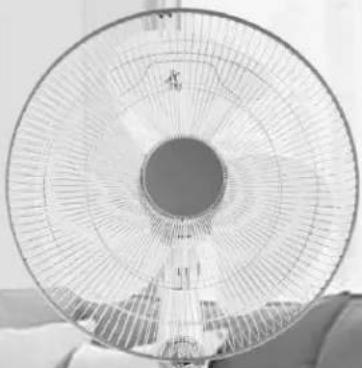

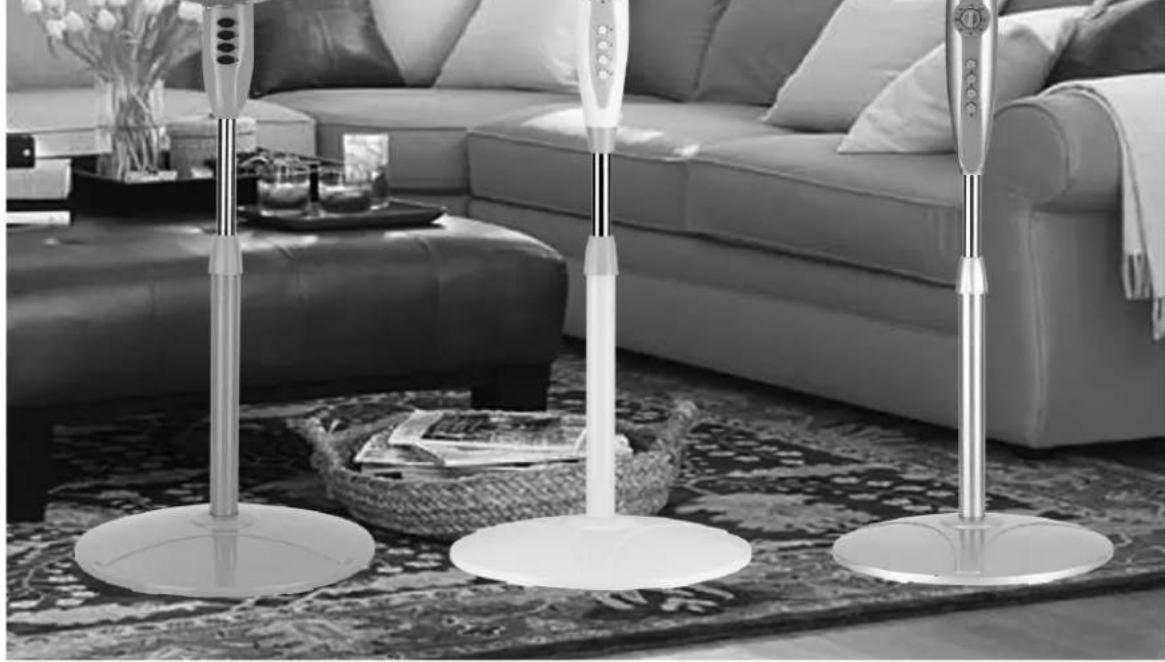
SPECIFICATION
MODEL NO. : IF-922 / IF-922D / IF-961
RATED VOLTAGE : 220-230Va.c. / 60Hz
POWER CONSUMPTION : 50watts
SAFETY GUIDELINES
- Read all instructions carefully.
- Check the condition of the unit after taking out from the box. Ensure that all parts are in good condition.
- Before using the unit, check if the voltage indicated corresponds with the convenience outlet (220-230Va.c.).
- Do not use any appliance with a damaged cord or plug. If the cord is damaged it should be replaced with the same type and size or bring the unit to the nearest authorized service center.
- Do not place the unit near gas stove or electric burner.
- Close supervision is necessary when any appliance is used by or near children.
- This unit must only be used for room ventilation. Do not use in bathrooms.
- Do not insert any object into the fan guard.
- Never touch the unit with wet hands.
- Do not use the plug to stop or start the operation of the unit, use the switch button.
- Always unplug the unit before cleaning.
- Keep this instruction for future reference.
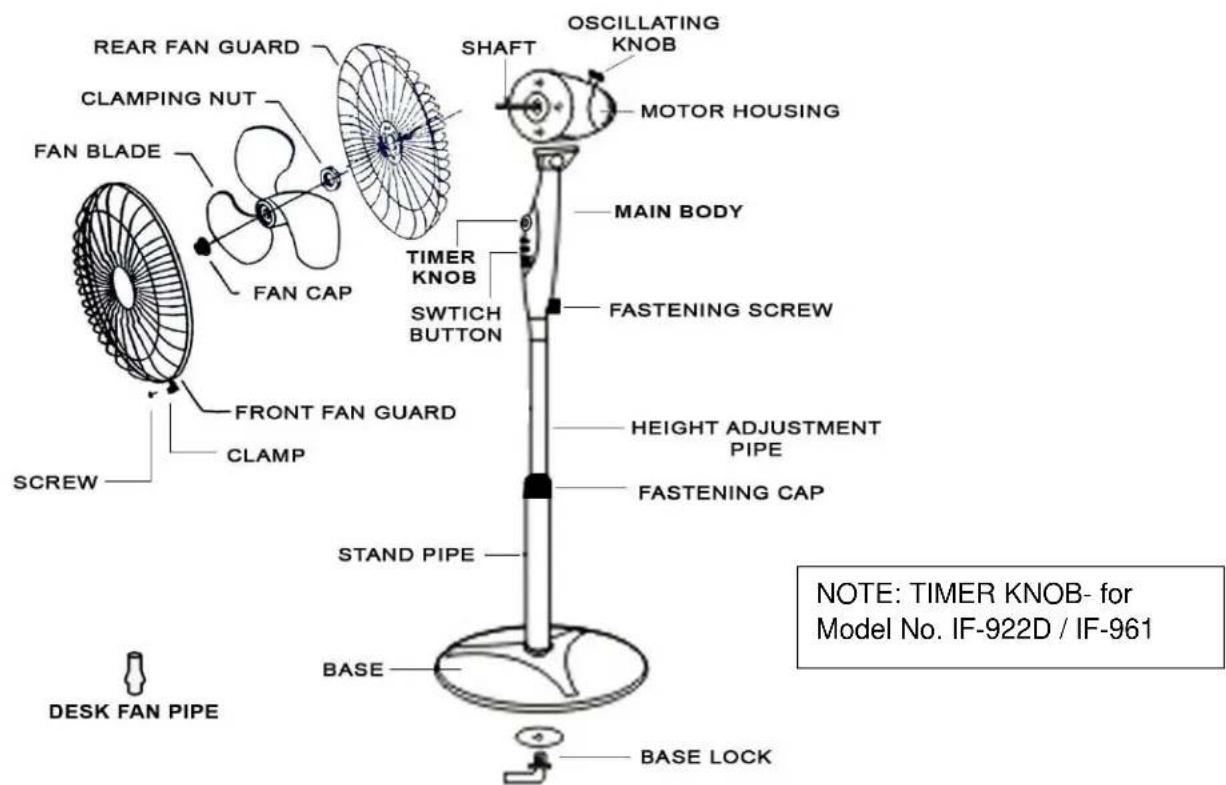
DESCRIPTION OF PARTS
ASSEMBLY
STAND FAN
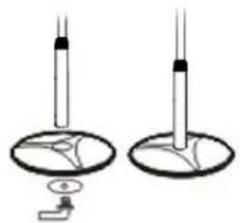
- Insert the Stand Pipe on top of the Base.
- Insert the Base Lock on the bottom of the Base and turn it clockwise.

- Unscrew the Fastening Screw on the Main Body and insert Height Adjustment Pipe. Tighten the Fastening Screw.
DESK FAN

- Insert the Desk Pipe on top of the Base.
- Insert the Base Lock on the bottom of the Base and turn it clockwise.
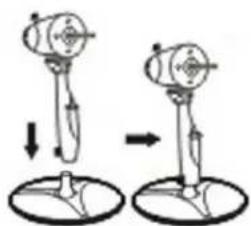
- Unscrew the Fastening Screw on the Main Body and insert Height Adjustment Pipe. Tighten the Fastening Screw.
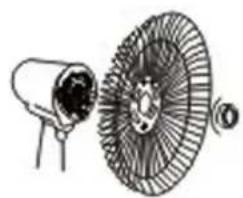
- Fit the Rear Fan Guard to the motor housing by matching the three Rear Holes of the back guard to the three round pins in front of the motor housing.

- Fasten the clamping nut by turning it clockwise.
- Insert the fan blade to the motor shaft.
- Fasten the Fan Cap by turning it counter clockwise.

- Fit the Rear Fan Guard and the Front Fan Guard, push-up the Clamp and tightened the Screw
HOW TO USE
- Plug the unit into the convenience outlet (220-230Va.c).
- Press the Switch Button to the desired air flow. "1" indicates LOW speed; "2" indicates MEDIUM speed; "3" indicates HIGH speed; and "0" to turn it OFF.
- To set the Timer: Turn Timer Knob to desired number of hours. Turn the Timer Knob to ON if you do not want to use the Timer. (FOR MODEL IF-922D / IF-961 ONLY).
- Push-down the Oscillating Knob for oscillation, and Pull-up the Oscillating Knob for fixed position.
- The air flow can be adjusted upward or downward by moving the Motor Housing up or down.
- To adjust the height: Turn Fastening Cap clockwise and Pull-up/Push-down to desired height then turn the Fastening Cap counter clockwise to fix the height.
CLEANING MAINTENANCE
- Always disconnect the unit from the convenience outlet before disassembling the unit.
- To disassemble the unit, simply reverse the assembly instruction.
- Wash the Front Fan Guard, Fan Cap, Fan Blade, Clamping Nut and Rear Fan Guard with soap and water.
- Use a moistened cloth (NOT WET) to remove the dirt from the plastic and metal surfaces of Electric Fan.
- Do not immerse the Motor Base in water or other liquids.
- Allow the detachable parts to dry off before assembling the unit.
Brand : Imarflex
Model : IF-922
Category : Home Appliance