
KH 2217 - Alarm Clock SILVERCREST - Free user manual and instructions
Find the device manual for free KH 2217 SILVERCREST in PDF.
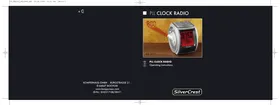


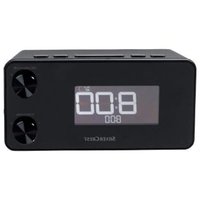
| Brand | SILVERCREST |
| Model | KH 2217 |
| Product Type | Alarm clock radio with time projection |
| Mains Power Supply | 230 V / 50 Hz, DC 7.5 V / 400 mA adapter |
| Battery Power Supply | 4 x 1.5 V AA/LR6 batteries (not included) |
| Power Consumption | 4.5 W |
| FM Frequency Range | 87.5 – 108.5 MHz |
| AM Frequency Range | 522 – 1656 kHz |
| Number of Radio Presets | 10 per waveband |
| Alarms | 2 independent alarms (AL1 and AL2) |
| Wake-up Types | Buzzer or radio |
| Snooze Function | Yes, adjustable from 1 to 30 minutes |
| Time Projection | Yes, adjustable orientation and focus |
| Display | Digital, brightness adjustment |
| Sleep Timer | Yes, from 15 to 90 minutes |
| Key Lock | Yes |
| Automatic Station Search | Yes (AMS) |
| 12/24 h Compatibility | Yes |
| Maintenance and Cleaning | Soft, slightly damp cloth; do not immerse |
| Safety | Do not open the housing; do not expose to water |
| Spare parts / included accessories | Mains adapter, instruction manual |
| Warranty | 3 years |
Frequently Asked Questions - KH 2217 SILVERCREST
User questions about KH 2217 SILVERCREST
0 question about this device. Answer the ones you know or ask your own.
Ask a new question about this device
Download the instructions for your Alarm Clock in PDF format for free! Find your manual KH 2217 - SILVERCREST and take your electronic device back in hand. On this page are published all the documents necessary for the use of your device. KH 2217 by SILVERCREST.
USER MANUAL KH 2217 SILVERCREST
Safety instructions 4
Intended use 8
Items supplied 8
Appliance overview 9
Technical data 11
Preparing for use 12
Providing electrical power 12
Using the clock 13
Using the radio 19
Cleaning the appliance 23
Disposal 24
Warranty and Service 25
Importer 26
Read the operating instructions carefully before using the appliance for the first time and preserve this booklet for later reference. Pass this manual on to whoever might acquire the appliance at a later date.
Safety instructions
- This device has not been designed for use by people (including children) with restricted physical, sensory or intellectual abilities or lack of experience and/or knowledge, unless they are supervised by a responsible person (for their own safety) or have received instructions on how to use the device. Children should be supervised to ensure that they do not play with the device.
- In order to avoid the device being switched on unintentionally, remove the adapter from the mains socket after each use and before cleaning.
- Check the device and all parts for visible damage. The device's safety concept can only work if the device is in perfect condition.
- The mains adapter must always be freely accessible so that the device can be separated from the power supply quickly in an emergency.
Risk of electric shock!
- Only connect the device to a properly installed and earthed mains socket. The mains voltage must agree with that stated on the device's specification plate.
- Damaged adapters or mains cables should be exchanged immediately by an authorised technician or the Customer Service in order to avoid risks.
- Connection cables or devices that do not work perfectly or have been damaged should be repaired or exchanged immediately by Customer Services.

Never immerse the device in water!
Simply wipe it with a slightly damp cloth.
- Do not expose the device to rain or use it in a damp or wet environment.
- Ensure that the connection cable is never wet or damp when in use.
- You must not open or repair the device's housing. This can be dangerous and renders the warranty null and void.
- Protect the device from moisture and sprayed water. Therefore, do not place any objects filled with water (e.g., vases) on or near the device.
Electromagnetic fields
This appliance complies with the legal limits for electric smog, even within the casing!
However, if you still have doubts about installing it in the bedroom:
- Place the appliance about half a meter from the bed.
At this distance, the electromagnetic fields are no longer effective even for electro-sensitive people.
▲ Risk of fire!
- Do not use the device near hot surfaces.
- Do not set up the device where it is exposed to direct sunlight. This could cause it to overheat and damage it beyond repair.
- Never leave the device unattended during operation.
- Never cover the device's ventilation slots when it is switched on.
- Do not place open flames, such as candles, on or near the device.
① Note:
This appliance is equipped with non-slip rubber feet. Furniture upper surfaces comprise various materials and are cleaned with various types of polishes and/or cleaning agents. Thus, it cannot be completely excluded that some of these substances contain components that could attack the rubber pads and soften them. If necessary, place an anti-slip mat under the rubber pads of the appliance.
① Note:
In certain countries there could be exceptional regulations for the allocated radio frequency ranges.
Take note that you may not exploit possibly received radio services, pass them on to third parties or improperly misuse them.

Risk of injury!
- Keep children away from the connection cable and device. Children frequently underestimate the danger of electrical devices.
- If the device has fallen down or is damaged it must no longer be used. Have the device checked by a qualified specialist and, if necessary, repaired.
- Batteries must not be handled by children. Children can put batteries in their mouths and swallow them. If a battery has been swallowed, obtain medical assistance immediately.
Thunder storms!
Devices connected to mains power can be damaged during a thunder storm. If there is a thunder storm, always remove the mains plug from the socket.
Information on voltage surges (EFT/electrical fast transient) and electrostatic discharges:
If the product does not work properly due to electrical fast transient processes (voltage surges) or electrostatic discharge, it must be reset to restore normal operation. If necessary, remove the plug from the power socket and insert it again. The batteries (if used) must be removed and reinserted.
Notes on handling batteries
The device uses batteries. Please note the following on handling batteries:
Risk of explosion!
Do not throw batteries into a fire. Do not recharge batteries.
- Never open, solder or weld batteries. There is a risk of explosion and injury!
- Check batteries regularly. Leaking batteries can damage the device. If the appliance is not going to be used for long periods, remove the batteries. If batteries leak, put on protective gloves. Clean the battery compartment and contacts with a dry cloth.
Caution!
No liability/warranty applies to damage to the device caused by moisture due to water penetrating the device or overheating!
Intended use
The equipment is intended for use as an alarm clock using a signal tone or a radio signal, and for receiving radio transmissions. All other usages of or modifications to the appliance are deemed to be improper use and may result in serious injury.
The manufacturer accepts no liability for damages that result from an improper use of the appliance or that are caused by an incorrect operation of it. The appliance is not intended for commercial use.
Items supplied
After unpacking, immediately check to determine that all listed items are present and that there are no visible damages.
1 Projection Clock 1 Power adapter 1 Operating instructions
Batteries are not supplied.
Appliance overview
1 Display 2 Frequency display/Time 3 Frequency band display FM/AM Alarm time display Alarm time 2 (AL2) Signal tone alarm call 7 Info display for change of batteries Operation with power adapter 9 Buttons locked 10 Number of the selected save position Volume display VOL 12 Radio alarm call Alarm time 1 (AL1) 14 Sleep Timer switched on 15 Display in radio operation 16 Button for sleep function (SLEEP) 17 Button for saving radio station / Button lock (MEMORY KEY LOCK) 13 Button for alarm time 1 / Increase volume (AL1/VOL+) 19 Button for alarm time 2 / Decrease volume (AL2/VOL-) 20 Button for RADIO ON/OFF Snoopze button/Display illumination (SNOOZE/ DISPLAY DIMMER) 22 Button for changing frequency band (BAND AM/FM) Button to seek saved radio station/Automatically save radio station (MEM SCAN/A.M.S.)
24 Button for radio station search downwards (DOWN) 25 Button for radio station search upwards (UP) 26 Button for save position 1/6, set alarm time 1 (MEM. 1/6, AL.1 SET) 7 Button for save position 2/7, set alarm time 2 (MEM. 2/7, AL.2 SET) 23 Button for save position 3/8, adjust minutes (MEM. 3/8, MIN.+ SET) 29 Button for save position 4/9, adjust time (MEM. 4/9, TIME SET) 30 Button for save position 5/10, adjust hours (MEM. 5/10, HOUR+ SET) 31 Loudspeakers 32 Button for projection of the time On/Off (PROJECTION ON/OFF) 3 Rotatable projection lens 34 Focusing slider (FOCUS) 35 Adjustment wheel to turn the time projection (ROTATE PROJECTION) 36 Button to turn the time projection through 180° (PROJECTION REVERSE) 37 Power adapter connection DC 7,5 V 38 Wire aerial Battery compartment cover 40 Reset button Power adapter with plug and cable 12 Connector plug
Technical data
This device has been tested and approved for adherence to the basic requirements and the other relevant regulations of the EMC Directive 2004/108/EC and the Directive on Low Voltage Devices 2006/95/EC.
Power consumption: 4.5 W
Battery operation:
4 x 1.5 V Type Mignon/AA/LR6 (not supplied) for radio operation, display illumination and projection
Mains operation:
DC 7.5 V, 400 mA
Frequency range:
FM (USW): 87.5-108.5 MHz
AM (MW): 522-1656 kHz
Power adapter:
Input: 230 V ~ 50 Hz
30 mA
Output: DC 7.5 V ---
400 mA, 3 VA
Preparing for use
- Remove the projection clock from the packaging.
- Place the projection clock on a level surface.
- Position the projection clock so that the projection lens is directed onto an empty surface.
The room must be darkened for the time display to be clearly visible on a wall or ceiling.
Providing electrical power
Important:
Ensure that you have the correct polarities with the batteries and the power adapter. False polarity will damage the appliance.
The appliance can be operated as follows:
only with batteries, - only with the power adapter.
Inserting the batteries
You require four 1.5 V batteries of the type Mignon/AA/LR6.
- Open the cover of the battery compartment on the underside.
- Insert the four batteries, ensuring their positions comply with the polarity markings given in the battery compartment.
Make sure that the black textile strip is positioned under the batteries; this will make a battery exchange easier.
- Close the lid until it engages.
- Exchange all four batteries when the information indicator for a battery renewal is displayed.
- Check the state and charge condition of the inserted batteries at least once a year.
Note:
The saved radio stations will be erased if the appliance is without an electricity supply for longer than ca. 4 minutes. Provide electricity either by means of the power adapter or make sure you complete the exchange of batteries within 4 minutes. Should the appliance not function as expected after a power failure, the reset procedure must be carried out (see "Troubleshooting").
Connecting the power adapter
Use only the power adapter supplied with the appliance.
- Insert the connector plug of the power adapter into the power adapter connection on the back of the appliance.
- Insert the plug of the power adapter into a power socket with 230 V ~ 50 Hz.
On the display the symbol for mains power operation is indicated.
Using the clock
Note:
To be able to adjust the time, the clock radio must be switched off.
Setting the time
- Press the button TIME SET.
The time on the display blinks.
① Note:
Complete the adjustments within 10 seconds. After ca. 10 seconds the appliance returns to its start setting. The adjustments completed to this point will be taken over.
The button HOUR+ SET can be pressed numerous times in succession or held down firmly.
- Press the button HOUR+ SET to set the hours.
- As soon as the desired hour indication is shown in the display release the button. The button MIN+ SET can be pressed numerous times in succession or held down firmly.
- Press the button MIN+ SET to set the minutes.
- As soon as the desired minute indication is shown in the display, release the button.
- Press the button TIME SET or wait a few seconds. The programmed time will be taken over.
Selecting the 12 hour or the 24 hour modus
Press and hold the button BAND for about 2 seconds.
In the display "24Hr" blinks to indicate the 24-hour mode.
Within 10 seconds repeatedly press the button MIN+ SET to switch
between the 12-hour mode ("12Hr" blinks) and the 24-hour mode.
Press the button BAND or wait a few seconds.
The selected mode is taken over. In the 12-hour mode, the indicator PM appears under the time display for the hours of the afternoon/evening.
Setting the alarm time
You can program two different alarm times, AL1 and AL2.
Alarm times can only be programmed with the radio switched off.
- Press the button ALI SET.
The alarm time RL / I blinks.
The button HOUR+ SET can be pressed numerous times in succession or held down firmly.
- Press the button HOUR+ SET to set the hours.
- As soon as the desired hour indication is shown in the display for alarm time AL1, release the button. The button MIN+ SET can be pressed numerous times in succession or held down firmly.
- Press the button MIN+ SET to set the minutes.
- As soon as the desired minute indication is shown in the display for alarm time AL1, release the button.
- Press the button AL1 SET or wait a few seconds.
The programmed alarm time will be taken over.
- To program the second alarm time, repeat steps 1 to 6.
- However, instead of pressing button AL1 SET, press the button AL2 SET.
Switching the alarm function on
Note:
If you wish to be woken by the radio, programme in both the desired sound volume and the radio station for the alarm call in advance (see chapter "Adjusting the volume").
With each push on the buttons AL1/VOL+ or AL2/VOL- you switch through the available alarm options.
- To switch on the alarm call with signal tone, repeatedly press the button AL1/VOL+ until the bell symbol appears in the field AL1 on the display. The alarm time is shown on the display. The signal tone becomes louder the longer it sounds.
- To switch on the alarm call with radio, repeatedly press the button AL1/VOL+ until the radio symbol appears in the field AL1. The alarm time is shown on the display.
- To switch off the alarm function, repeatedly press the button AL1/VOL+ until a symbol no longer appears in the field AL1.
The alarm time is nonetheless shown in the display, but the signal tone or radio does not sound at the programmed time.
Note:
The alarm function is only active when the bell symbol or the radio symbol in the fields AL1 or AL2 are visible. The action steps described are also valid for the button AL2/VOL-.
To switch off the alarm function to the following day
To switch off the alarm sound press one of the following buttons:
- Button AL1/VOL+,
- Button AL2/VOL-,
- Button RADIO ON/OFF,
- Button SLEEP.
The switching off of the alarm sounds is confirmed by a signal tone, except with the button RADIO ON/OFF.
Snooze function
With the button SNOOZE/DISPLAY DIMMER you can interrupt the alarm function for a period of between 1 and 30 minutes, this period being programmed by yourself (see next section). The factory setting is 9 minutes.
On the expiration of this period the alarm tone or radio sounds again (Automatic after-call). The function can be repeated up to six times. After that, the alarm first sounds on the following day.
The automatic after-call allows itself to be individually adjusted to between 1 and 30 minutes. The radio is switched off and the automatic after-call is not active.
- Press and hold the button SNOOZE/DISPLAY DIMMER until 570 and the minute indication appears on the display.
- Press the button MIN+ SET to programme the minutes.
- As soon as the desired after-call period is displayed, release the button.
- Press the button SNOOZE/DISPLAY DIMMER. The programmed after-call period is taken over.
① Note:
Should a second alarm time be pending during an activated snooze function, the second alarm time will eventually switch itself on and, if need be, the snooze function must once again be reactivated.
Adjusting the display brightness
Mains power operation:
- Press the button SNOOZE/DISPLAY DIMMER at intervals of 2 seconds. The display brightness changes itself as follows: Bright>Medium>Dark>Bright
Battery operation:
To save energy, the display illumination is deactivated in battery operation.
- Press the button SNOOZE/DISPLAY DIMMER.
The display is illuminated for ca. five seconds.
Projection of the time
For the time display to be well visible on a wall or ceiling, the room must be darkened.
Important:
The time display projection is created with an LED.
NEVER look directly at the lightbeam. NEVER direct the lightbeam at other people or animals.
Mains power operation:
- Press the button PROJECTION ON/OFF.
The projection lens glows permanently.
- Swivel the projection lens in the desired direction.
The time is projected onto the selected position. The projection distance ranges from ca. 0.4 m to 4.0 m.
- Adjust the sharpness of the projection with the slider FOCUS.
You can turn the projection of the time through ca. 90° with infinite variability.
- Turn the adjustment wheel ROTATE PROJECTION.
You can turn or mirror the projection of the time through 180° .
- Press the button PROJECTION REVERSE.
- To switch the projection off, press the button PROJECTION ON/OFF once again. The projection lens extinguishes.
Battery operation:
- Press the button PROJECTION ON/OFF.
The projection lens glows for ca. five seconds.
Using the radio
Switching On and Off
- Press the button RADIO ON/OFF to switch the radio on.
- Press the button RADIO ON/OFF again to switch the radio off.
Adjusting the volume
If you wish to adjust the volume in one sweep, hold the appropriate button down continuously. If you wish to adjust the volume in stages, repeatedly press the appropriate button in succession.
- To raise the volume, press the button AL1/VOL+.
- To reduce the volume, press the button AL2/VOL-.
Selecting a waveband
- To select a waveband (FM/AM), press the button BAND.
You can improve the reception of radio stations in the VHF (FM) frequency range.
- Move the wire aerial slowly in various directions. When optimal reception is finally made, secure the wire aerial in this position.
For the reception of medium wave (AM) radio stations an aerial is integrated into the appliance.
- To improve AM reception, change the position of the appliance when the radio is on.
Station search
- Press briefly either the button UP or DOWN. The search starts and stops automatically when a radio station with sufficient reception strength is found.
- To continue the search, press the button UP or DOWN and keep it held down for a short period.
- To discontinue the search, press the button UP or DOWN and keep it held down for a short period.
To make fine adjustments in the event of difficult reception conditions, proceed as follows:
- Press the button UP for a short period. The reception frequency is raised.
- Press the button DOWN for a short period. The reception frequency is lowered.
Saving radio stations
When you have found a radio station that you would like to save:
- Press the button MEMORY KEY LOCK.
A signal tone sounds and the display of the saving positions blinks.
① Note:
Complete the following steps within 15 seconds. Otherwise, the appliance automatically saves the radio station to the displayed save position. When the radio station is saved, two signal tones sound.
- Press one of the five buttons MEM., to determine which saving position from 1...10 is to be used.
① Note:
The buttons MEM. are double occupied. With each activation you alternate between the two occupancies (e.g. between 1 and 5).
- Press the button MEMORY KEY LOCK again.
The signal tone sounds twice and the radio station is saved.
Repeat the steps 1-3 to save further radio stations.
Selecting a saved radio station
With the five buttons MEM. You can select two radio stations per wave-band.
- Press the button MEM. 1/6.
A signal tone sounds. The radio station saved on save position 1 is played.
- Press the button MEM. 1/6 again.
A signal tone sounds. The radio station saved on save position 6 is played.
AMS function
The appliance is fitted with an automatic radio station save function. You can save ten radio stations per waveband. The radio is switched on.
- Press the button MEM SCAN/A.M.S. for ca. two seconds.
The appliance now automatically saves the radio stations with sufficient reception strength to the save positions. The AMS function ends as soon as all save positions for the respective wavelength are occupied.
Brief playback of all saved radio stations
You can briefly playback all radio stations saved to a wavelength.
The radio is switched on.
- Press the button MEM SCAN/A.M.S.
The saved radio stations are each played for four seconds.
- To cancel the function, press the button SNOOZE /DISPLAY DIMMER.
Button lock
You can lock all buttons against activation.
- Press the button MEMORY KEY LOCK for ca. two seconds.
In the display the BUTTON LOCK symbol appears.
The buttons are locked against inadvertent activation.
- To cancel the function, press the button MEMORY KEY LOCK for ca. two seconds.
The BUTTON LOCK symbol is no longer displayed. The buttons can be activated again.
Sleep function
You can programme in a time at which the radio switches itself off.
You can select a time between 15 and 90 minutes.
The radio is switched off.
- Press the button SLEEP.
The symbol SLEEP appears in the display.
- Press the button SLEEP for ca. two seconds.
The display SL:90 blinks.
- Press the button SLEEP repeatedly until the desired time is shown.
With each press of the button the switch-off time is reduced by 15 minutes.
Troubleshooting
To eliminate a malfunction of the display, proceed as follows:
- Press the Reset-button with a pointed object, e.g. a ballpoint pen. The appliance returns to its factory settings. All adjustments made by yourself are erased.
Cleaning the appliance
Important:
NEVER use benzine, solvents or cleaners that can cause damage to plastics, as they could damage the appliance!
- Keep the appliance and the ventilation openings clean at all times.
- Fluids may not, under any circumstances, penetrate into the interior of the appliance
- Never use aggressive cleaners.
- For cleaning the housing and the display use a soft and slightly moist cloth.

Do not dispose of the appliance in your normal domestic waste. This product is subject to the European guideline 2002/96/EC.
Dispose of the appliance through an approved disposal centre or at your community waste facility.
Observe the currently applicable regulations.
In case of doubt, please contact your waste disposal centre.
Battery disposal!
Batteries may not be disposed of with normal domestic waste. All consumers are statutorily obliged to dispose of batteries at the collection point in their community/district or with the original supplier.
The purpose of this obligation is to ensure that batteries can be disposed of in an environmentally friendly manner. Only dispose of batteries when they are fully discharged.

Dispose of all packaging materials in an environmentally friendly manner.
Warranty and Service
You receive a 3-year warranty on this device from the date of purchase. If, in spite of our high quality standards, you have reason to complain about this device, please contact our service hotline.
If it is not possible to deal with your complaint by phone, they will provide
a processing number (RMA number) and - an address where you can send your product for repairs under the warranty.
If you send the device please enclose a copy of the proof of purchase (till receipt). The device must be packaged securely for transport and the RMA number must be directly visible. Shipments without an RMA number can not be processed.

Note:
The warranty applies to material or manufacturing faults.
The warranty does not apply to
parts subject to wear and tear - damage to breakable parts such as switches and rechargeable batteries.
The product is only designed for private and not commercial use. Improper handling and usage not in accordance with the intended purpose, use of force and any interventions that are not carried out by our authorised service centre will render the warranty null and void. This warranty does not affect your legal rights.
KOMPERNASS GMBH
BURGSTRASSE 21
D-44867 BOCHUM
www.kompernass.com
Warranty
GB
:
OMHS 14-15
Bilston Industrial Estate
Oxford Street
Bilston
WV147EG
Tel.: 0870/787-6177
Fax: 0870/787-6168
e-mail: support.uk@kompernass.com
Irish Connection
Harbour view
Howth
Co. Dublin
Tel: 00353 (0) 879962077
Fax: 0035318398056
e-mail: support.ie@kompernass.com
www.mysilvercrest.de

PLL CLOCK RADIO
KH 2217
In order to ensure free repairs, please contact our service hotline. Ensure that you have your receipt with you.
Please write sender's details clearly:
Name
First name
Street
Postal code/city or town
Country
Telephone
Date/signature
Description of fault:


- SAFETY INSTRUCTIONS
- RISK OF ELECTRIC SHOCK
- ELECTROMAGNETIC FIELDS
- ▲ RISK OF FIRE
- ① NOTE
- RISK OF INJURY
- THUNDER STORMS
- INFORMATION ON VOLTAGE SURGES (EFT/ELECTRICAL FAST TRANSIENT) AND ELECTROSTATIC DISCHARGES
- NOTES ON HANDLING BATTERIES
- RISK OF EXPLOSION
- CAUTION
- INTENDED USE
- ITEMS SUPPLIED
- APPLIANCE OVERVIEW
- TECHNICAL DATA
- BATTERY OPERATION
- MAINS OPERATION
- FREQUENCY RANGE
- POWER ADAPTER
- PREPARING FOR USE
- PROVIDING ELECTRICAL POWER
- IMPORTANT
- INSERTING THE BATTERIES
- NOTE
- CONNECTING THE POWER ADAPTER
- USING THE CLOCK
- SETTING THE TIME
- SELECTING THE 12 HOUR OR THE 24 HOUR MODUS
- SETTING THE ALARM TIME
- SWITCHING THE ALARM FUNCTION ON
- TO SWITCH OFF THE ALARM FUNCTION TO THE FOLLOWING DAY
- SNOOZE FUNCTION
- ADJUSTING THE DISPLAY BRIGHTNESS
- PROJECTION OF THE TIME
- MAINS POWER OPERATION
- USING THE RADIO
- SWITCHING ON AND OFF
- ADJUSTING THE VOLUME
- SELECTING A WAVEBAND
- STATION SEARCH
- SAVING RADIO STATIONS
- SELECTING A SAVED RADIO STATION
- AMS FUNCTION
- BRIEF PLAYBACK OF ALL SAVED RADIO STATIONS
- BUTTON LOCK
- SLEEP FUNCTION
- TROUBLESHOOTING
- CLEANING THE APPLIANCE
- BATTERY DISPOSAL
- WARRANTY AND SERVICE
- WARRANTY
- WWW.MYSILVERCREST.DE
- DESCRIPTION OF FAULT
Brand : SILVERCREST
Model : KH 2217
Category : Alarm Clock