PCLSB1BK.5 - Pregnant Pyle - Free user manual and instructions
Find the device manual for free PCLSB1BK.5 Pyle in PDF.


User questions about PCLSB1BK.5 Pyle
0 question about this device. Answer the ones you know or ask your own.
Ask a new question about this device
Download the instructions for your Pregnant in PDF format for free! Find your manual PCLSB1BK.5 - Pyle and take your electronic device back in hand. On this page are published all the documents necessary for the use of your device. PCLSB1BK.5 by Pyle.
USER MANUAL PCLSB1BK.5 Pyle
natural_image
Black and red PYLE-branded portable speaker with textured surface (no visible text or symbols)
IPX7 Waterproof Wireless Speaker, Supports Micro SD Card and FM Radio for Outdoor Play, Built-in Microphone

text_image
USER GUIDEWIRELESS BT CONNECTION
Indicator light
natural_image
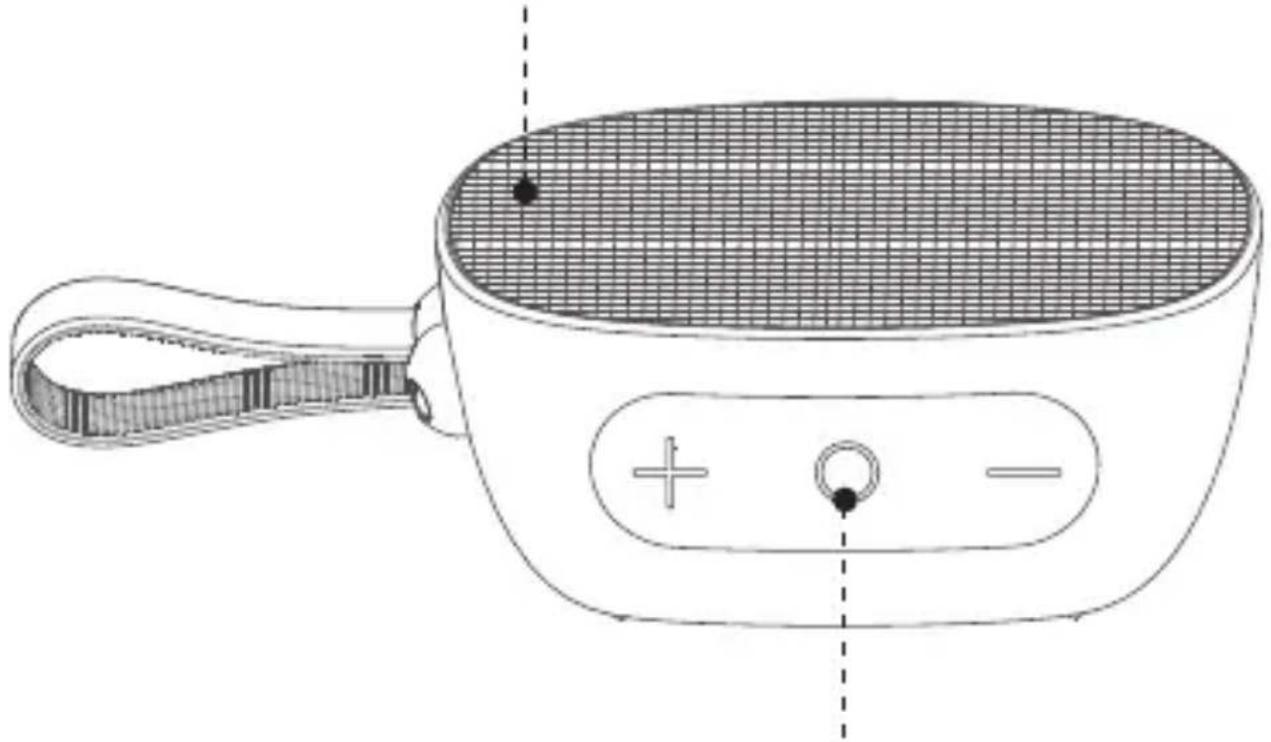
Line drawing of a portable electronic device with handle and grid screen (no text or symbols)Power button/Multi-function button
Step 1 Power ON
Press and hold "◎" button for 2 seconds then you will hear a power ON prompt tone.
After that, the blue indicator light will dash quickly and enter into the Wireless BT pairing status.
Bluetooth®
My Device
PYLEUSA

natural_image
Simple line drawing of a hand with index finger pointing upward (no text or symbols)Step 2 Choose the device
Find "PYLEUSA" in your Wireless BT list and select it.
text_image
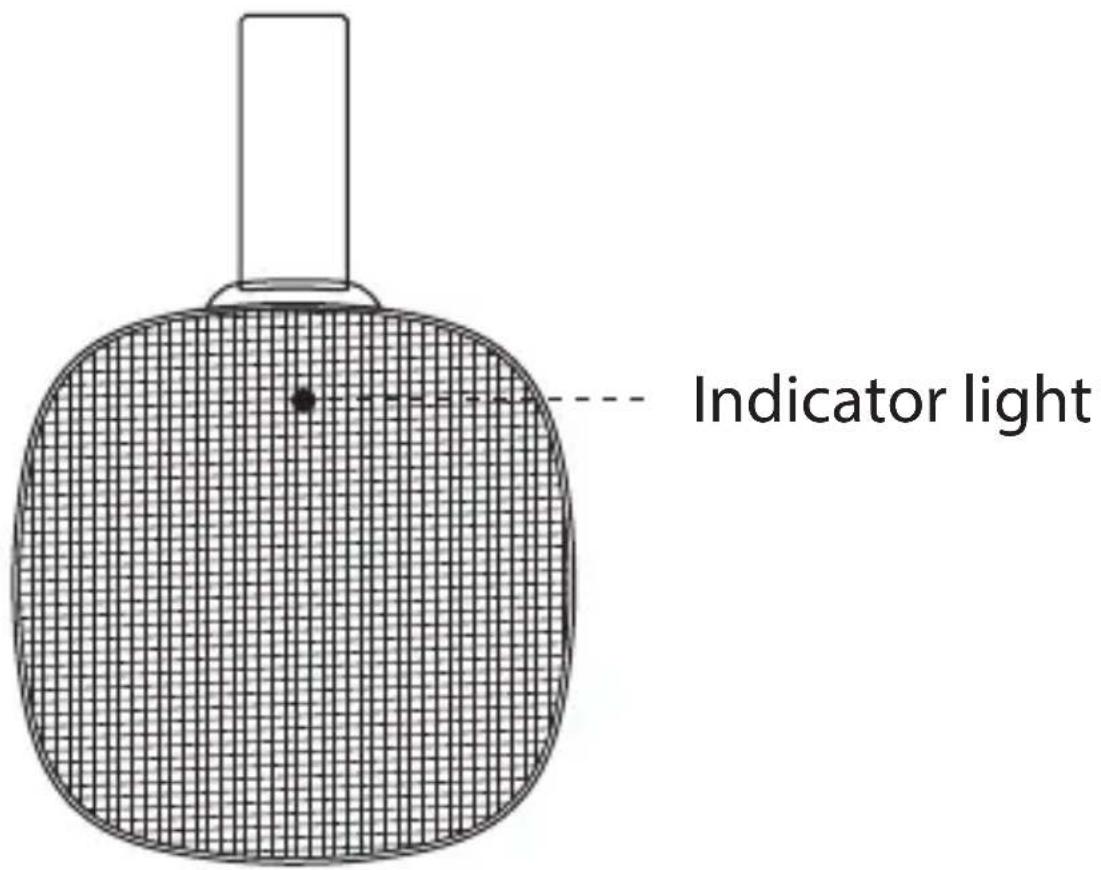
Indicator lightStep 3 Pairing Successful
The indicator light will stay blue once pairing is done, then you can play music.
TWS FUNCTION
text_image
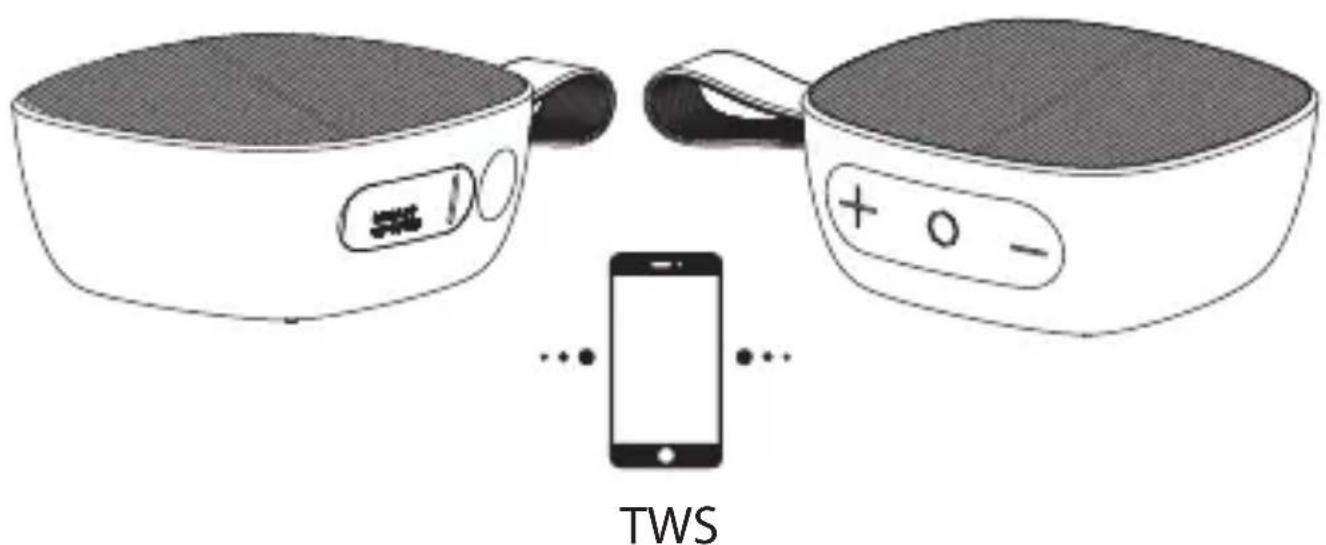
TWSOperation Instruction
- Turn on the two speakers, blue indicators will flash.
- Short press "+-" button at same time from one speaker only, they will enter into tws pairing mode with sound notification.
- After 1-2 seconds, the two speakers will pair automatically.There will be a "du" sound notification when two speakers successfully connected, Meanwhile, sub-master speaker will stay blue and the master speaker will keep flashing.
- Open the setting and find "PYLEUSA" from your mobile, click it and your mobile will pair with the two speakers.
- Short press "+-" button again to disconnect TWS.
Notice:
For TWS pairing, let the two speakers connect first, then connect the speakers with your mobile phone.
BASIC OPERATION

text_image
① ② ③ ④ USB 01 TP 0254 M2. Power/Multifunction Button
- Press and hold 2 for 2s to power ON/OFF
- Short press 2 to answer an incoming call/end a call conversation. Short press 2 twice to reject the call.
- Short press 2 to play/pause while music is playing
- Short press 2 twice to disconnect BT.
1 & 3. Volume Buttons/Previous & Next track Buttons
- Short press 1 to turn volume down in each mode. Press and hold 1 to switch to previous track in BT and TF card (Micro SD) mode.
Press and hold 1 switch to previous radio in FM mode
- Short press 3 to turn volume up in each mode Press and hold 3 to switch to next track in BT and TF card (Micro SD) mode.
Press and hold 3 to switch to next radio in FM mode.
4. Mode Button
- Short press 4 to switch between BT/FM/TF mode. Press and hold 4 to search radio during FM mode
How to operate the FM function
Short press "M" button to switch to FM mode, you will hear a prompt tone with "FM mode" Press and hold "M" to start searching channels.
Press "○" button to pause channel searching and will start to play radio. Press and hold "+-" to switch channels from the ones you searched earlier.
INTERFACE INSTRUCTIONS

text_image
Indicator light Micro USBMicro SD(TF) card
Power ON
Blue indicator light will be flashing when powered ON.
Wireless BT mode
- Blue indicator light be ON once connected successfully.
- Blue indicator light keeps flashing if your BT device is out of range. Speaker will turn OFF automatically if no connection in 10 mins.
Micro SD (TF card) mode
Insert micro SD card, blue indicator light will flash slowly during playing; blue indicator will stay lit when the music is paused.
FM mode
- Blue indicator light will flash quickly during channels searching.
- Blue indicator light will flash slowly during radio playing.
- Blue indicator light will keep on when pause.
Charging mode
Red indicator light will stay ON when charging, Red indicator light will turn OFF when charging is done.
Low battery
You will hear an alert tone, LED indicator will stay solid Blue.
Technical Specs:
• Construction Material: ABS
- Play Time: 4\~6 hours at 70% Volume Level, 12\~14 hours at 70% Volume Level
- Speaker Unit: 5W/4Ω
• Power Cable Length: 2.13 ft.
- Battery Type: Lithium Battery, Rechargeable
- Impedance: 4Ohms
• Frequency response: 70Hz-18kHz
- Battery Capacity: 3.7V/1200mAh
- S/N ratio: ≥70dB
- Charging Time: 2\~3 hours
- Working Time: 4\~6 hours (70% volume level)
- Charging Current: 5V/0.5A
- Product Dimensions (L x W x H):
5.65" x 3.73" x 1.8" -inches
Features:
- Support Micro SD or TF Cards / Line-In for MP3 Songs
- Compatible with Audio Output Devices
- Works as Loudspeaker Via Audio Cable
- With 3.5mm Audio Interface
- 40mm Full Rare-earth High Magnetic Speaker
- Clear High-pitched Sound
• Pure Alto Sound, Vigorous Bass
• Built-in Lithium Battery
• Built-in Microphone
• Supports Handsfree Function - Ideal for Use at the Office, Home, and Outdoor
What's in the Box:
- Wireless BT Mini Speaker
- Micro-USB Cable
- 3.5mm AUX Cable
Wireless BT Connectivity:
- Includes Wireless BT Audio Control Receiver
- Works with All of Today's Latest Devices (Smartphone, Tablet, Laptop, Computer, etc.)
- Wireless BT Network Name: 'PYLEUSA'
- Wireless BT Version: 5.0
- Wireless Range: 32.8' ft.
FREQUENTLY ASKED QUESTIONS
Q: What kind of charger should we use for the speaker?
A: All common USB chargers can be used, while we suggest the ones 5V/2A or above 2A.
Q: What if there's noise or discontinuous sound during playing?
A: The speaker can be normally used within 10m under no obstruction environment. If it is beyond 10m or with obstruction, there might be noise or discontinuous sound.
Q: Why the speaker powers off automatically after power on but no BT disconnection?
A: When there is no BT pairing in 10 minutes, the speaker will shut down automatically to reduce power consumption.
Q: Why does the speaker cannot connect the once-paired cellphone?
A: First, remove the speaker's paired name from the cellphone's BT List and then restart pairing.
Q: What is the working sequence of the speaker?
A: Default mode is BT mode but when inserted in AUX in cable, it will be AUX IN mode.
Q: The speaker doesn't start up in a normal situation.
A: Please plug-in the charger and try in a few minutes or try to press and hold power button 10-30s to reset.
Notes:
-
Before using this product, please read this manual carefully and keep it for future reference.
-
For the first use, please fully charge the product.
-
Use certified adapter that has passed national safety certification.
-
If you will not use the product for a long time, be sure to charge it once a month at least to maintain its performance.
-
Do not use this product in an extremely cold or hot environment, such as temperature beyond the range of 41^ F- 95^ F. If using it beyond the above range, the product may stop automatically to protect the internal circuit.
-
When charging in a high temperature environment, the product may automatically stop charging to protect the battery. At this time, the charging indicator usually flashes quickly to indicate that the charging environmental temperature or the product internal temperature is too high.
-
Storage environment temperature: -41\~95°F RH <70% (recommended 77°F ±5).
Important Safety Instructions:
- Do not disassemble or repair this speaker personally, otherwise it may cause damage or personal injury.
- Do not use it in dusty, humid, dry, and high-temperature environment.
- Do not place this product near heat source, or a place with direct sunlight, a lot of dust, or mechanical vibration.
- In order to reduce the risk of fire, please do not cover this product with newspapers, table cloths, curtains etc., during use.
- If the product has a waterproof feature, DO NOT exceed the nominal parameter range when using it.
- When the product is damaged such as the power cord or plug is damaged, liquid enters or objects fall into the device, unable to operate normally or falls, it must be repaired.
- When the product is fully charged, DO NOT connect it to the charger for further long time charging.
- The maximum ambient temperature should not exceed 104^ F.
California Prop 65 Warning
! WARNING:
This product contains Phthalates which is known to the state of California to cause cancer birth defects and other reproductive harm. Do not ingest.
For more info go to: www.P65warnings.ca.gov
PYLE
PyleUSA.com

natural_image
Illustration of a laptop with a red checkmark on screen (no text or symbols)VISIT US ONLINE:
Have a question?
Need service or repair?
Want to leave a comment?
PyleUSA.com/ContactUs
Questions? Issues?
We are here to help!
Phone: (1) 718-535-1800
Email: support@pyleusa.com