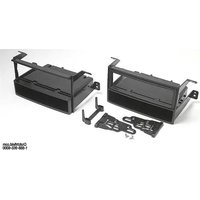
99-7861C - Audio Installation Kit Metra - Free user manual and instructions
Find the device manual for free 99-7861C Metra in PDF.


| Product Type | Car Audio Installation Kit |
| Brand | Metra |
| Part Number | 99-7861C |
| Compatible Vehicles | Honda Pilot 2003-2008 (all models), 2006-2008 (without factory navigation) |
| Kit Components | "L" radio housing, "E" radio housing, pocket, rear support bracket, ISO brackets, ISO trimplate, mounting screws |
| Radio Provision | DIN head unit with pocket, ISO head unit with pocket |
| Material | Plastic (housing, pocket), metal (brackets, screws) |
| Color | Black (typical) |
| Dimensions (Approx.) | 7 x 4 x 2 inches (housing) |
| Weight (Approx.) | 0.5 lb (0.23 kg) |
| Installation Location | Dashboard (radio slot) |
| Required Tools | Small flat blade screwdriver, panel removal tool, Phillips screwdriver, socket set |
| Required Accessories (sold separately) | Wiring harness (Metra 70-1721), antenna adapter (Metra 40-HD10) |
| Wiring Connection | EIA color code (see manual for details) |
| Safety Precautions | Disconnect negative battery terminal before installation |
| Warranty | Limited lifetime (Metra standard) |
| Manufacturer | Metra Electronics Corporation |
| Support | 1-800-221-0932, www.metraonline.com |
Frequently Asked Questions - 99-7861C Metra
User questions about 99-7861C Metra
0 question about this device. Answer the ones you know or ask your own.
Ask a new question about this device
Download the instructions for your Audio Installation Kit in PDF format for free! Find your manual 99-7861C - Metra and take your electronic device back in hand. On this page are published all the documents necessary for the use of your device. 99-7861C by Metra.
USER MANUAL 99-7861C Metra
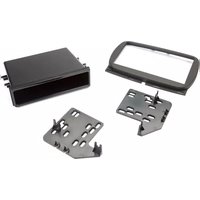
INSTALLATION INSTRUCTIONS FOR PART 99-7861
APPLICATIONS
Honda Pilot
•2003-2008
•2006-2008 (Without Factory Navigation)
99-7861
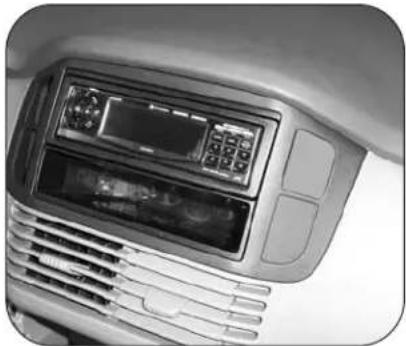
KIT FEATURES
- Recessed DIN
- Pocket
• ISO Head Unit Provision With Pocket
natural_image
Close-up of a car air conditioner panel with control buttons and ventilation grilles (no visible text or symbols)KIT COMPONENTS
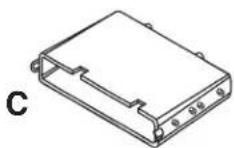
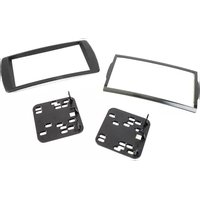
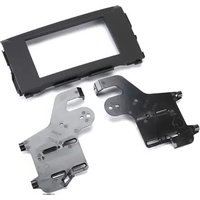
A) "L" Radio Housing • B) "E" Radio Housing • C) Pocket • D) Rear Support Bracket • E) ISO Brackets F) ISO Trimplate • G) (2) # 8x3/8" Phillips Truss Head Screws H) (2) # 8x3/8" Phillips Pan Head Screws

natural_image
Technical line drawing of a metal enclosure or housing unit (no text or symbols)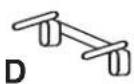


natural_image
Technical line drawing of a metal enclosure or housing unit (no text or symbols)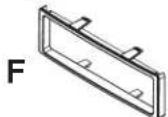


WIRING AND ANTENNA CONNECTIONS (Sold Separately)
Harness:
• 70-1721 - Honda/Acura harness 1998-up Antenna Adapter:
• 40-HD10 - Honda antenna adapter 2005-up TOOLS REQUIRED:
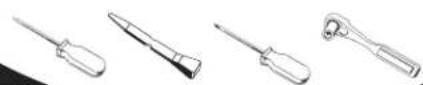
Small Flat Blade Screwdriver/ • Panel Removal Tool • Phillips Screwdriver • Socket Set

1-800-221-0932

www.metraonline.com
© COPYRIGHT 2004-2009
METRA ELECTRONICS CORPORATION
REV. 06-29-09
TABLE OF CONTENTS
Dash Disassembly
Honda Pilot 2003-2008....1
Honda Pilot 2006-2008 (Without Factory Navigation) ..... 2
Kit Assembly 3
DIN Head Unit Provision With Pocket 4
ISO Head Unit Provision With Pocket 5
Final Assembly 6

KNOWLEDGE IS POWER
Enhance your installation and fabrication skills by enrolling in the most recognized and respected mobile electronics school in our industry.
Log onto www.installerinstitute.com or call 800-354-6782 for more information and take steps toward a better tomorrow.
1 Disconnect the negative battery terminal to prevent an accidental short circuit.
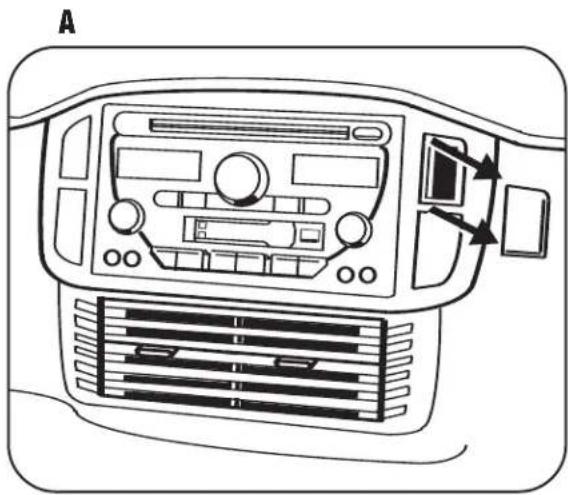
2 Using a small flat blade screwdriver remove the blank plate from upper right side of radio trim panel. (Figure A)
3 Unsnap radio trim panel. Unplug switches and remove panel. (Figure B)
4 Remove (4)10mm bolts securing radio, unplug and remove radio. (Figure C)
natural_image
Top-down line drawing of a car air conditioning unit with control panel and ventilation grilles (no text or symbols)
natural_image
Line drawing of a car air conditioning unit with control panel and fan (no text or symbols)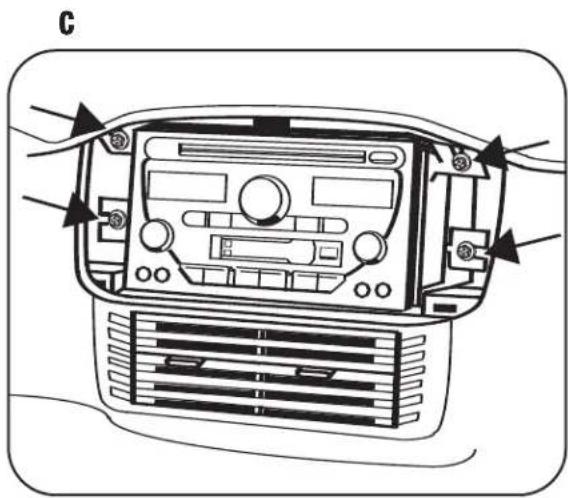
natural_image
Interior view of a car air conditioning unit with control panel and fan (no text or symbols visible)(Without Factory Navigation)
1 Disconnect the negative battery terminal to prevent an accidental short circuit.
2 Remove (2) screws from the top of the instrument panel trim. Unclip and remove the instrument panel trim. (Figure A)
3 Unclip and remove the left center trim panel. (Figure B)
4 Unclip the radio trim panel. Unplug and remove the panel. (Figure C)
5 Remove the (4) screws securing the radio. Unplug and remove the radio. (Figure D)
Continue to kit assembly.


natural_image
Line drawing of a car air conditioning unit with control panel and fan (no text or symbols)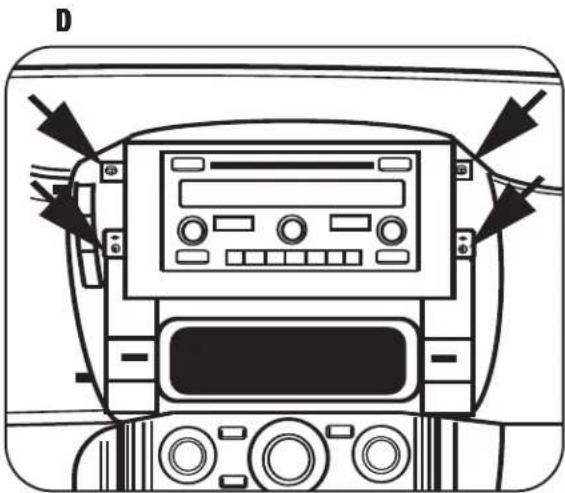
natural_image
Front view diagram of a car dashboard with control panel and buttons (no text or symbols)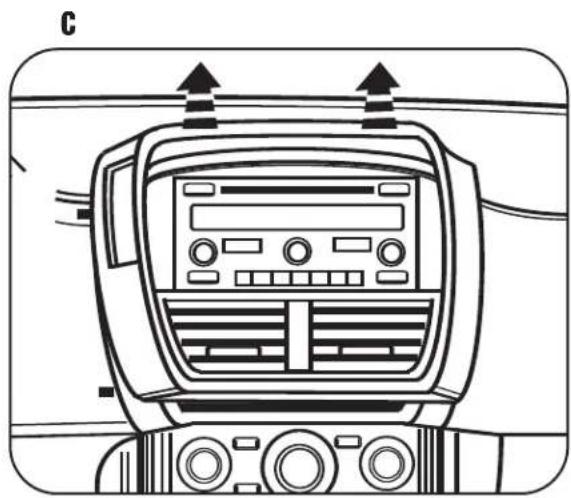
natural_image
Line drawing of a car air conditioning unit with control panel and indicator lights (no text or symbols)HONDA PILOT
•2003-2008
•2006-2008 (Without Factory Navigation)
1 Select the proper radio housing for your vehicle. EX models use radio housing (E) and LX models use radio housing (L). The radio housings are labeled on one of the mounting tabs. (Figure A)
2 Mount the pocket to the back of the radio housing with the (2) #8x3/8" phillips pan head screws supplied. (Notches on the pocket must be on top.) (Figure B)
3 Mount the rear support bracket to the back of the pocket with the (2) #8x3/8" Phillips truss head screws supplied. (Figure C)

natural_image
Technical line drawing of a metal enclosure or housing frame with mounting brackets and mounting holes (no text or symbols)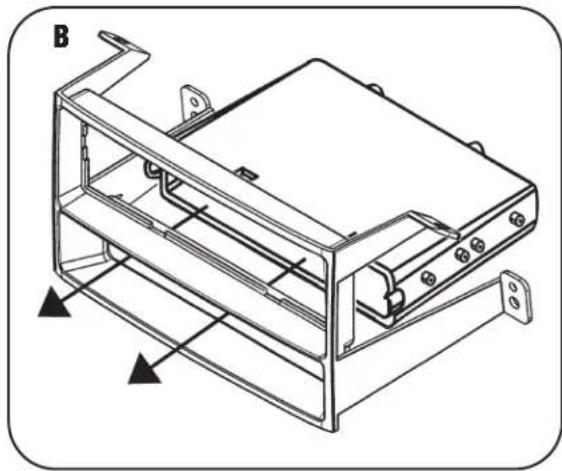
natural_image
Technical line drawing of a mechanical device with mounting brackets and internal components (no text or symbols)
natural_image
Technical line drawing of a mechanical housing or enclosure with mounting brackets and a central component (no text or symbols)DIN HEAD UNIT PROVISION WITH POCKET
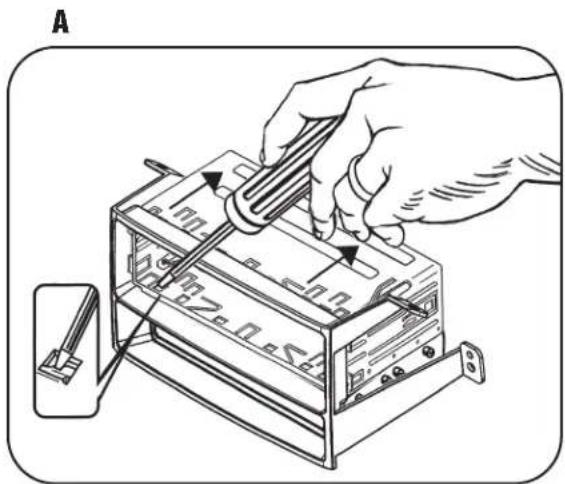
1 Slide DIN cage (supplied with radio) into the assembled radio housing from the front. (Figure A)
2 Secure DIN cage to radio housing by bending the locking tabs outward. (Figure A)
3 Slide the radio into the DIN cage until it snaps into place. (Figure B)
natural_image
Illustration of a hand using a tool to adjust or install electronic components on a device (no text or symbols visible)
natural_image
Line drawing of an electronic device with ports and connectors (no text or symbols)ISO HEAD UNIT PROVISION WITH POCKET
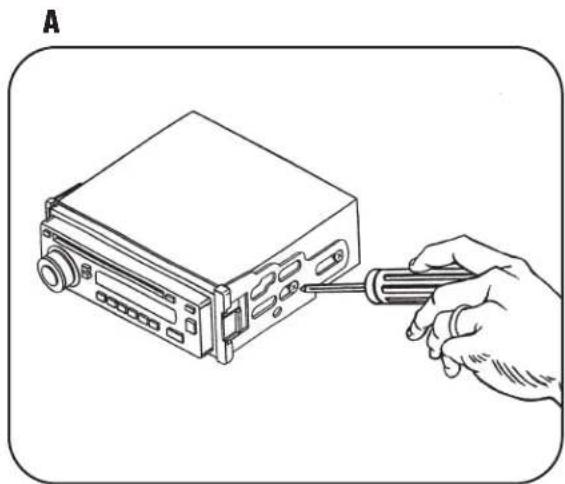
1 Align the holes in the ISO brackets with the holes in the radio. Mount the brackets to the radio using screws supplied with the radio. (Figure A)
2 Slide the radio/bracket assembly into the assembled radio housing until it snaps into place. (Figure B)
3 Snap the ISO trimplate onto the front of the assembled radio and housing. (Figure B)
NOTE: To remove the radio unsnap and remove the ISO trimplate. Using a flat blade screwdriver disengage ISO brackets from the radio housing and slide radio out of radio housing.
natural_image
Line drawing of a hand using a screwdriver to adjust or install a device into a rectangular box (no text or symbols)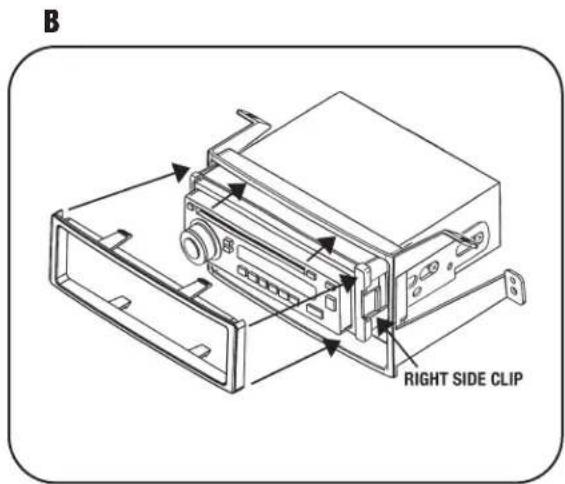
FINAL ASSEMBLY
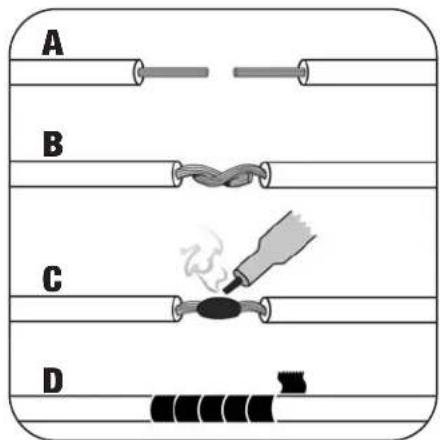
1 Locate the factory wiring harness in the dash. Metra recommends using the proper mating adapter and making connections as shown.
(Isolate and individually tape off the ends of any unused wires to prevent electrical short circuit.)
2 Re-connect the negative battery terminal and test the unit for proper operation.
3 Reassemble radio and dash assemblies in reverse order of disassembly.
FINAL WIRING CONNECTIONS
Make wiring connections using the EIA color code chart shown below and the instructions included with the head unit. Metra recommends making connections as shown below; Strip, Splice, Solder, Tape. Isolate and individually tape off ends of any unused wires to prevent electrical short circuit.
METRA / EIA WIRING CODE
12V Ignition / Acc...Red
Dimmer ..... Orange / White
12V Batt / Memory .. Yellow
Right Front (+) ..... White
Ground .... Black*
Left Front (-) ..... White / Black
Power Antenna ..... Blue
Right Rear (+).....Violet
Amp Turn-On ..... Blue / White
Right Rear (-) ..... Violet / Black
Amp Ground ..... Black / White
Left Rear (+).... Green
Illumination.....Orange
Left Rear (-) ..... Green / Black
*NOTE: When Black a wire is not present, ground radio to vehicle chassis.
All colors may not be present on all leads due to manufacturer's specifications.

1-800-221-0932

www.metraonline.com


- INSTALLATION INSTRUCTIONS FOR PART 99-7861
- APPLICATIONS
- Honda Pilot
- •2003-2008
- •2006-2008 (Without Factory Navigation)
- 99-7861
- KIT FEATURES
- KIT COMPONENTS
- TABLE OF CONTENTS
- (Without Factory Navigation)
- DIN HEAD UNIT PROVISION WITH POCKET
- ISO HEAD UNIT PROVISION WITH POCKET
- FINAL ASSEMBLY
- FINAL WIRING CONNECTIONS
- METRA / EIA WIRING CODE
Brand : Metra
Model : 99-7861C
Category : Audio Installation Kit