41ECB8 - Oven Infiniton - Free user manual and instructions
Find the device manual for free 41ECB8 Infiniton in PDF.


User questions about 41ECB8 Infiniton
0 question about this device. Answer the ones you know or ask your own.
Ask a new question about this device
Download the instructions for your Oven in PDF format for free! Find your manual 41ECB8 - Infiniton and take your electronic device back in hand. On this page are published all the documents necessary for the use of your device. 41ECB8 by Infiniton.
USER MANUAL 41ECB8 Infiniton
| Accessories according to models | |||||
| Horno inferior | 1050W | Total grill | 1400 W | Syncromotor | 4 W |
| Calor circular | 1600W | Motor superior | 15W | Motor trasero | 25 W |
| Luz de horno 15W | |||||
text_image
STOP 88.88text_image
88.88 STOPHora de cocinar 🤒
text_image
STOP 88.88
text_image
STOP 88.88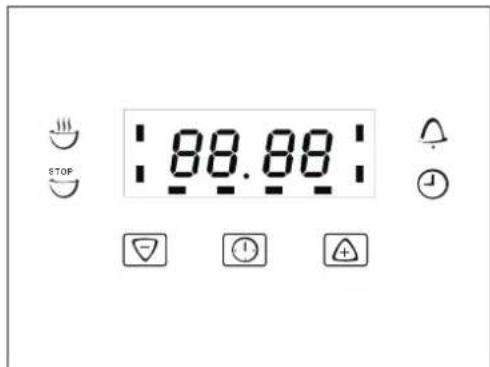
text_image
STOP 88.88
text_image
STOP 88.88Finalización

text_image
88.88 STOP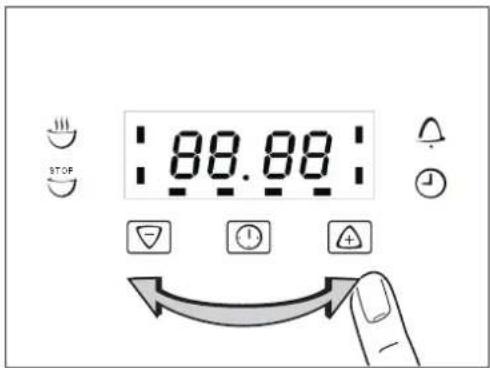
text_image
STOP 88.88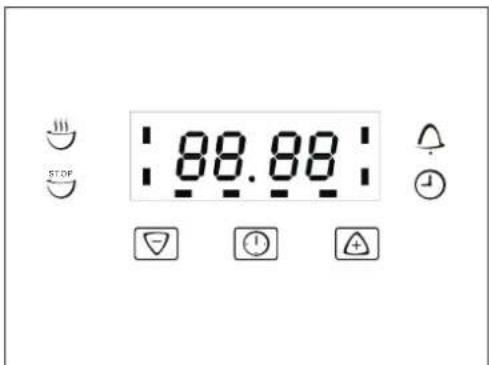
text_image
STOP 88.88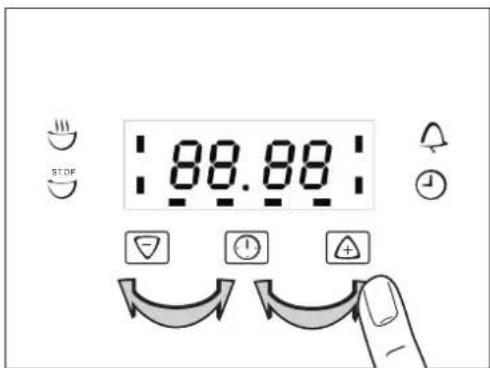
text_image
88.88 STOPtext_image
STOP 88.88natural_image
Simple line drawing of a ladder leaning against a vertical wall, with motion arrows indicating upward and downward motion (no text or symbols)Fig.11-1 Fig.11-2

text_image
QR code image containing encoded data, no visible human-readable text• Gama Blanca: rmablanca.infiniton.es
• Gama Marrón: rma.infiniton.es
Read carefully all the instructions contained in this booklet. It provides you with important information regarding the safe installation, use and maintenance of the appliance as well as useful advice for getting the best out of your oven. Keep this booklet in a safe place for future reference.
After removing the packing, check that the appliance is not damaged in any way.
Be careful not to leave the packing materials (plastic sheeting, expanded polystyrene etc.) where children can get at them, as they can be dangerous.
IMPORTANT: do not use the oven door handle to move the appliance, such as to remove it from the packaging
ATTENTION
The oven is an appliance which, for its nature, becomes hot, especially in correspondence of the glass door.
It is therefore a good rule that children do not approach the oven when it is functioning, particularly when the grill in used.
The first time you switch the oven on, acrid smelling smoke may appear. This is caused by the heating of the adhesive used on the insulation panels surrounding the oven. There is nothing unusual about this. If it happens, simply wait until the smoke disappears before putting any food in the oven. Never roast or bake on the oven base.
Safety is a good habit to get into
© This appliance is designed for non-professional, household use and its functions must not be changed.
The electrical system of this appliance may be used safely only when it is correctly connected to an efficient earthing system in compliance with the safety standards currently in effect.
The manufacturer will not be held liable for any damages that might arise out of incorrect installation or improper, incorrect or unreasonable use of the appliance.
The following items are potentially dangerous, and therefore, appropriate measures must be taken to prevent children and the disabled from coming into contact with them:
- Controls and the appliance in general;
- Packaging (bags, polystyrene, nails, etc.);
- The appliance immediately after use of the oven or grill due to the heat generated;
- The appliance when no longer in use (potentially dangerous parts must be made safe).
Avoid the following:
- Touching the appliance with wet parts of the body;
- Using the appliance when barefoot;
-
Pulling on the appliance or the supply cord to unplug it from the electrical outlet;
-
Obstructing the ventilation or heat dissipation slots;
- Allowing power supply cords for small appliances to come into contact with the hot parts of the appliance;
- Exposing the appliance to atmospheric agents (rain, sun);
- Using the oven for storage purposes;
- Using flammable liquids near the appliance;
- Using adaptors, multiple sockets and/or extension cords;
- Attempting to install or repair the appliance without the assistance of qualified personnel.
WARNING- Accessible parts will become hot when in use. To avoid burns and scalds children should be kept away
During use the appliance becomes hot, Care should be taken to avoid touching heating elements inside the oven.
Qualified personnel must be contacted in the following cases:
- Installation (following the manufacture's instructions);
- When in doubt about operating the appliance;
- Replacing the electrical outlet when it is not compatible with the plug for the appliance.
Service Centres authorized by the manufacturer must be contacted in the following cases:
- If in doubt about the soundness of the appliance after removing it from the packaging;
- If the power supply cord has been damaged or needs to be replaced;
- If the appliance breaks down or functions poorly; ask for original spare parts.
It is a good idea to do as the following:
- Only use the appliance to cook food, nothing else;
- Check the soundness of the appliance after it has been unpacked;
- Unplugged the appliance from the electrical mains if it is not functioning properly and before cleaning or performing maintenance;
- When the appliance is not used for an extended period of time, unplugged the appliance and close the gas cock (it present);
- Use cooking gloves to place cookware in the oven or when removing it;
- Always grasp the oven door in the centre because the ends may be hot due to the escape of hot air;
- Make sure that the control knobs are on the "o" setting when the appliance is not in use;
- Unplug the appliance when you decide not to use the appliance any longer.
The manufacturer may not be held responsible for any damage due to: incorrect installation, improper, incorrect and irrational use.
SPECIFICATION
The ovens are designed to operate with a monophase alternating current of 220-240V 50Hz. anyway, before the installation of the appliance, we suggest you to check always these specifications on the rating label applied on the outside rear part.
Powers absorbed in accordance with models
| Accessories according to models | ||
| Oven lower heating el. 1050Watt | Total grill heating el. 1400 Watt | synchronmotor 4 Watt |
| Circle heating el. 1600Watt | Shaded motor (top) 15Watt | Shaded motor (back) 25 Watt |
| Oven light 15Watt | ||
Overall dimensions for oven volume: width 436mm-height 215mm-depth 410mm=38 liters
INDICATOR LIGHTS
The indicator lights situated above the control panel go on and off when the heating elements are inserted or removed. During the thermostatic functioning of the oven, the neon light remains on until the pre-chosen temperature is reached and when it goes out, this is a sign that the temperature has been reached. When the oven cools, the thermostat determines the re-insertion of the heating elements with consequent re-lighting of the indicator lights. In models the internal oven light, which is always on when any function is in operation, is considered as an operation, is considered as an operating warning light.
INSTALLING THE APPLIANCE
Important: Unplug your oven before performing installation or maintenance!
Installation should be carried out according to the instructions by a professionally qualified person.
The manufacturer declines all responsibility for any damage to persons, animals or things due to a wrong installation.

text_image
A A Fig. 3FITTING THE APPLIANCE
Fit the appliance into its surround (beneath a
work-top or above another appliance) by inserting screws into the 4 holes that can be seen in the frame of the oven when the door is open.
For the most efficient air circulation, the oven should be fitted according to the dimensions shown in fig. 1-2 of page 2.
The rear panel of the cabinet must be removed so that air can circulate freely. The panel to which the oven is fitted should have a gap of at least 70 mm at the rear.
NB: where ovens are to be matched with hobs, it is essential to follow the instructions contained
in the booklet supplied with the other appliance.
IMPROTANT
During use the appliance becomes hot, Care should be taken to avoid touching heating elements inside the oven.
Accessible parts may become hot during use. Yong children should be kept away.
Do not use harsh abrasive cleaners or sharp metal scrapers to clean the oven door glass since they can scratch the surface, which may result in shattering of the glass.
For a built-in oven to work well the cabinet must be of the right type.
The panels of the adjoining furniture should be heat resistant. Particularly when the adjoining furniture is made of veneered wood, the adhesives should be able to withstand a temperature of 120^ C. Plastic materials or adhesive which cannot withstand this temperature will become deformed or unstuck.
To comply with safety regulations, once the appliance has been fitted it should not be possible to make contact with the electrical parts.
All parts which offer protection should be fixed in such a way that they cannot be removed without the use of a tool.
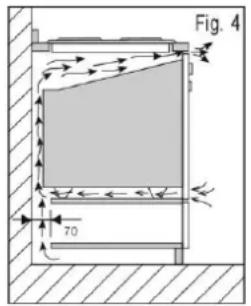
text_image
Fig. 4 70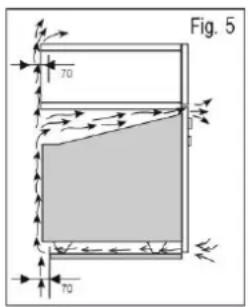
text_image
Fig. 5 70 70 BEnsure that the appliance is switched off before replacing the lamp to avoid the possibility of electric shock.
CONNECTION TO THE MAINS SUPPLY
THE APPLIANCE MUST BE CONNECTED ACCORDANCE WITH THE RULES CURRENTLY.
IN FORCE, AND ONLY BY AN AUTHORIZED ELECTRICAL INSTALLER.
WARNING: THIS APPLIANCE MUST BE EARTHED
Check that the power rating of the mains supply and of the sockets are suitable for the maximum power of the appliance as indicated on the specification plate.
plug should be accessible after installation. Fit the plug into a socket fitted with a third contact which corresponds with the earth connection. This should be properly connected.
If the appliance just fitted with supply leads but does not come already fitted with a plug, then permanently connect to fixed wiring as follow:
The “yellow/green” earth wire, which must be connected to terminal, has to be about 10mm longer than the other wires; the “blue” neutral wire has to be connected to the terminal marked with letter N. “Black, brown, red” live wires have to be connected to terminal L. Mains connection can also be made
by fitting a double pole switch with a minimum gap between the contacts of 3mm, proportionate to the load and complying with the regulations in force.
The yellow/green earth wire should not be controlled by the switch.
The plug or a double pole switch used for mains supply connection should be easy to get at, once the appliance is in position.
Important: position the mains supply cable so that it is never subjected to a temperature which is more than 50^ C above ambient temperature.
The electrical safety of the appliance can only be guaranteed when it has been correctly connected to an efficient earthed power supply, as laid down in the regulations for electrical safety.
Important: the manufacturer cannot be held responsible for any damage to persons or objects due to lack of an earth connection.
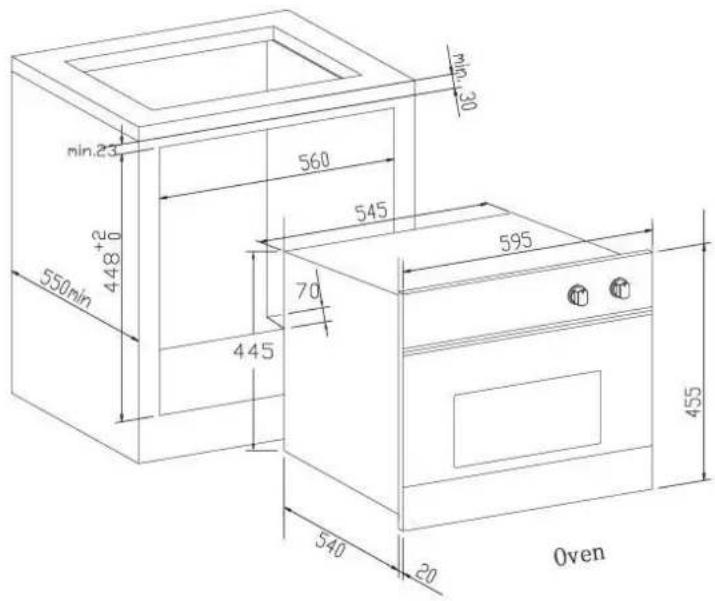
text_image
min.23 448+2 550min 560 545 70 445 595 540 20 455 Oven
text_image
min.23 550min 590 560 545 70 445 595 540 20 Oven 141 541 595 128 Warming DrawerN.B.: All functions will start after selecting the temperature with the thermostat knob.
| SELECTOR KNOB | THERMOSTAT | N.B.: All functions will start after selecting the oven temperature with the thermostat knob.The oven is fitted with:a lower heating element;an upper heating element, which according to the cooking mode can be used for grilling or baking.A circular heating element, which surrounds the fan. |
 | 50 - MAX | When you turn the control knob to position the light will be on for all the following operations. |
 | 50 - MAX | Defrosting with fanThe air at ambient temperature is distributed inside the oven for defrosting food more quickly and without proteins adulteration. |
 | 50 - MAX | Lower heating elementThis function is particularly indicated for cooking from the bottom, warming up food or sterilizing glass jars. It is also indicated for food requiring long and slow cooking, i.e. casserole.This function can be used between 50 and MAX°C. |
 | 50 - MAX | Fan ovenBoth the fan and the circular heating element operate together. The hot air adjustable between 50 and MAX°C is evenly distributed inside the oven. This is ideal for cooking several types of food (meat, fish) at the same time without affecting taste and smell. It is indicated for delicate pastries. |
 | 50 - MAX | Total grill heating elementIt is indicated for warming up pre-cooked food when placing the grid on the second shelf from the top, or for defrosting pastry placing the grid on the first shelf from the bottom. This function can be used between 50 and MAX°C. |
 | 50 - MAX | Natural convectionBoth the lower and Total grill heating elements operate together.This is the traditional cooking, very good for roasting joints, ideal for biscuits baked apples and crisping food. You obtain very good results when cooking on a shelf adjusting the temperature between 50 and MAX°C |
 | 50 - MAX | Natural convection+fanThe air which is heated by the lower heating element and the total grill heating elements is circulated by the fan and so helps to distribute the heat between 50 and MAX°C. This function can be used for sterilizing glass jars. |
 | 50 - MAX | Lower heating element + fanThe air which is heated by the lower heating element is circulated by the fan and so helps to distribute the heat between 50 and 200°C. This function can be used for sterilizing glass jars. |
Electronic Timer Setting (3 keys) D6 series
Operating instructions for Electronic Timer (3 keys)
Before using for the first time
Setting and changing the current time

The oven only operates when the time has been set.
When the appliance has been connected to the electrical supply or when there has been a power cut, the function indicator Time ④ flashes automatically.
-
To change the time that has already been set, press the Selection ⏻ button repeatedly, until the function indicator Time ⏻ flashes.
-
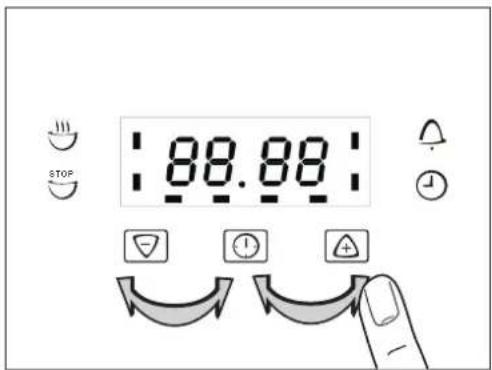
Set the current time using the ⊕ or ▽ button
After approx. 5 seconds, the flashing stops and the clock displays the time of day set.
The appliance is now ready to use.

The time can only be changed if neither of the automatic functions (Cook time 🤨 or End time 🤨) have been set.
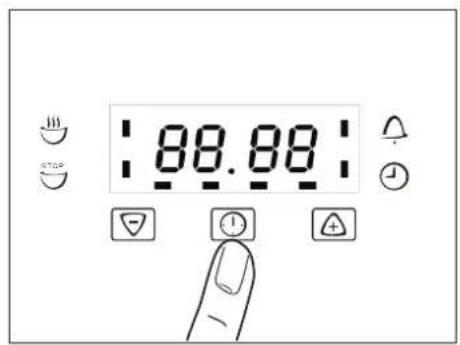
text_image
88.88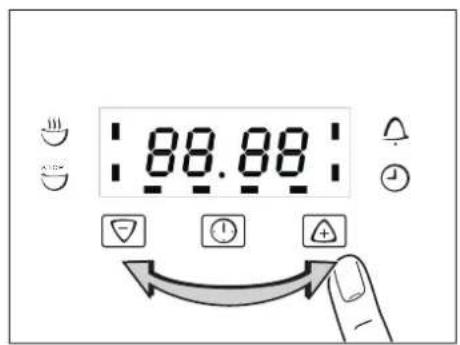
text_image
88.88
text_image
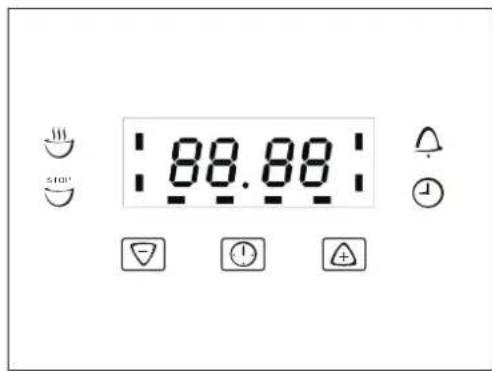
88.88Clock Functions
Time display Function IndicatorsFunction Indicators
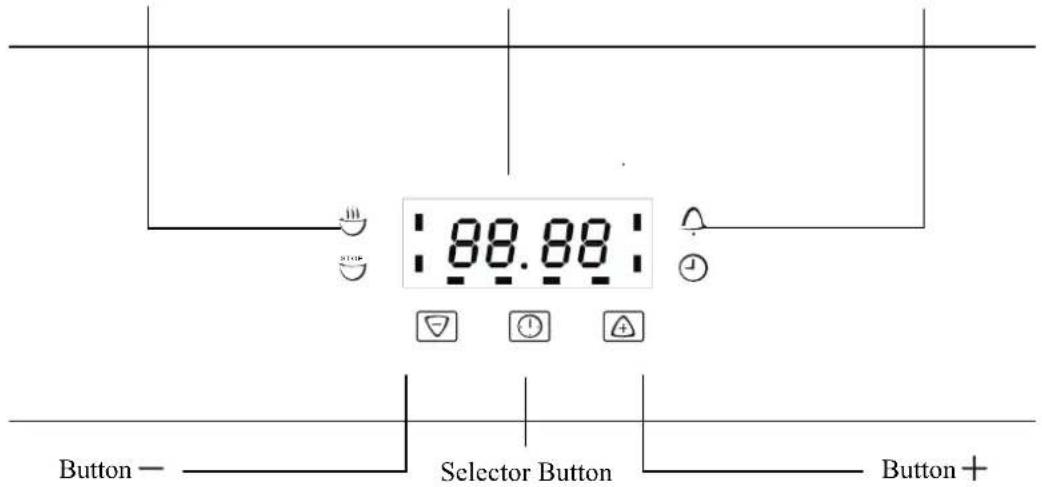
text_image
88.88 Button — Selector Button Button +Countdown △
To set a countdown, a signal sounds after the time has elapsed.
This function does not affect the operation of the oven.
Cook time
To set how long the oven is to be in use.
End time STOP
To set when the oven is to switch off again.
Time
To set, change or check the time
(See also section "Before Using for the First Time").
How to use the clock functions
- When a function has been selected, the corresponding function indicator flashes for approx. 5 seconds. During this time the desired times can be set using the + or - button.
- When the desired time has been set, the function indicator flashes for approx. another 5 seconds. After that the function indicator is then lit. The set time begins to run.
- Press any of the buttons to stop the acoustic signal.
- The desired oven function and temperature can be selected before or after the clock functions of Cook time and End time are set.
- When the cooking time has ended, turn the oven function and temperature dial back to the OFF position.
Switching off the Time Display
By switching off the time display you can save energy.
Switching off the time display
Hold down any two buttons until the display becomes dark.
Switching on the time display
Hold down any button until the time reappears in the display.
The display can only be switched off if none of the clock functions Cook time ∪ End time ∪
or Countdown are in use.
Countdown
- Press Selection Ⓑ button repeatedly, until the function indicator Countdown △ flashes.
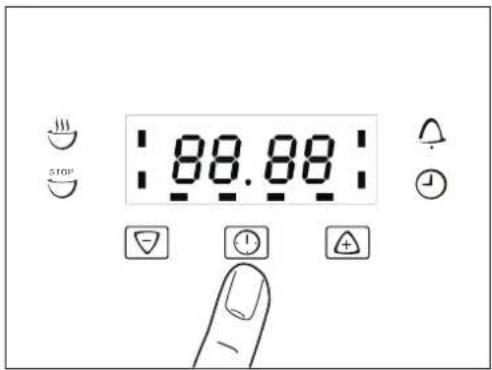
text_image
88.88 510°- Using the ⊕ or ▽ button, set the required Countdown (max. 2 hours 30 minutes).
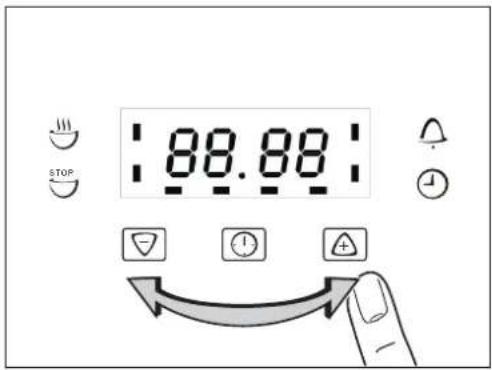
text_image
88.88 STOPAfter approx. 5 seconds, the display shows the remaining time.
The function indicator Countdown will light up.
text_image
88.88When the time has elapsed, the function indicator flashes and an acoustic signal sounds for 2 minutes.
Press any button to switch off the signal.
text_image
STOP 88.88Cook time
-
Press Selection ⏻ button repeatedly, until the function indicator Cook time flashes.
-
Using the ⊕ or ▽ button, set the required cooking time.
After approx. 5 seconds, the display returns to the current time. The function indicator Cook time will light up.
When the time has elapsed, the function indicator will flash, an acoustic signal will sound for 2 minutes and the oven will switch itself off.
- Press any button to switch off the signal and the program me.

text_image
STOP 88.88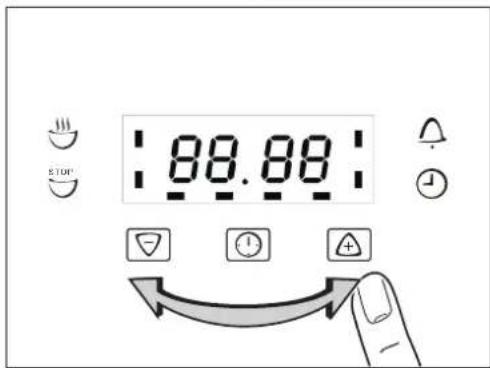
text_image
STOP 88.88
text_image
STOP 88.88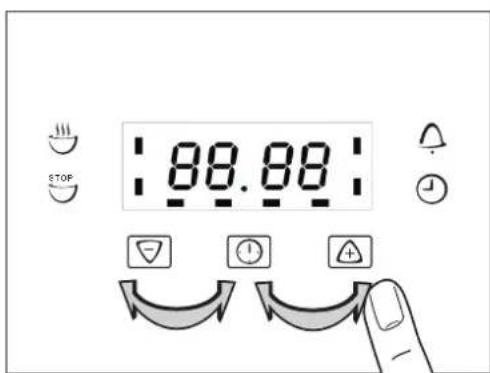
text_image
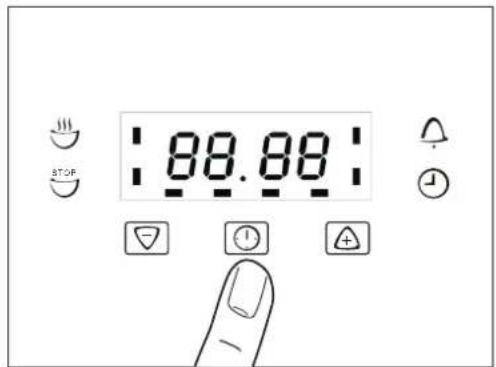
STOP 88.88End time STOP
-
Press Selection ⏻ button repeatedly, until the function indicator End time ◎ flashes.
-
Using the ⊕ or ▽ button, set the required switch-off time.
After approx. 5 seconds, the display returns to the current time.
The function indicator End time will light up.
When the time has lapsed, the function indicator will flash, an acoustic signal will sound for 2 minutes and the oven will switch itself off.
- Press any button to switch off the signal and the program me.
text_image
88.88 STOP
text_image
STOP 88.88
text_image
STOP :88.88: !
text_image
88.88 STOPCook time and End time combined
Cook time and End time can be used simultaneously,
if the oven is to be automatically switched on and off at a later time.
-
Using the function Cook time ⚙ set the Period of time that the dish requires to cook. In this example, 1 hour.
-
Using the function End time , set the time at which the dish is to be ready. In this example, 14:05.
The function indicators Cook time 🤨 and End time STOP light up and the time is shown in the display.
In this example, 12:05.
The oven will automatically switch itself on at the appropriate time as calculated.
In this example, at 13:05.
And will switch itself off when the cooking time set has elapsed.
In this example, at 14:05.

text_image
88.88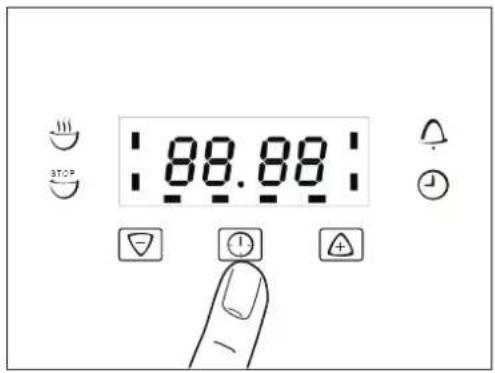
text_image
88.88 STOP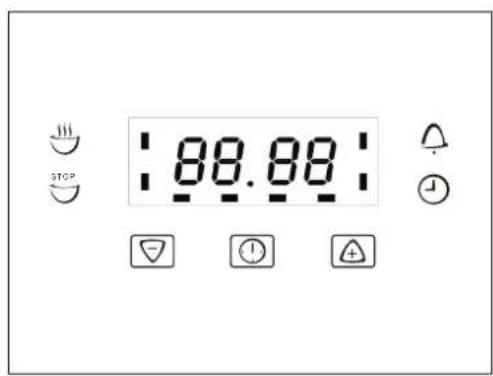
text_image
STOP 88.88How to keep Your Oven in Shape
This appliance is for household use only, don't use it outdoors!
Important: Unplug your oven before cleaning, or performing maintenance!
To extend the life of your oven, it must be cleaned frequently, keeping in mind that:
Do not uses steam equipment to clean the appliance.
To protect against the risk of electrical shock, do not immerse the unit, cord or plug in water or other liquid or sprinkle water to clean the appliance!
Don't clean the appliance when it still hot! The inside and external surface of the oven should preferably be cleaned by damp cloth when it is cooled down.
◎ Wash all accessories in hot sudsy water or in a dishwasher, wipe dry with a paper or cloth towel.
© If you use your oven for an extended period of time, condensation may form. Dry it using a soft cloth.
There is a rubber seal surrounding the oven opening which guarantees its perfect functioning. Check the condition of this seal on a regular basis. If necessary, clean it and avoid using abrasive products or objects to do so. Should it become damaged, please contact your nearest After-sales Service Centre. We recommend you avoid using the oven until it has been repaired.
Never line the oven bottom with aluminium foil, as the consequent accumulation of heat could compromise the cooking and even damage the enamel.
◎ Clear the glass door using damp cloth and dry it with a soft cloth.
Do not use harsh abrasive cleaners or sharp metal scrapers to clean the oven door glass since they can scratch the surface, which may result in shattering of the glass.
Replacing the Lamp in the Oven
◎ Unplug your oven!
◎ Unscrew the glass cover attached to the lamp holder;
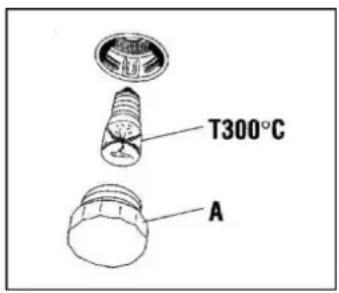
© Unscrew the lamp and replace it with another high-temperature lamp (300°C) with the following characteristics:
- Voltage: AC220V-240V
- Wattage: 15W
- Socket: E 14
text_image
T300°C ARemount the glass cover and reconnect the appliance to the power supply.
WARNING: Ensure that the appliance is unplugged before replacing the lamp to avoid the possibility of electric shock.
Warning: Do not operate appliance with damaged cord or plug or after the appliance malfunctions, or has been damaged in any manner, return appliance to the nearest Authorized Service Center for examination. Repair, or adjustment!
USEFUL NOTES FOR COOKING
In the following table, some indicative hints for cooking:
| FAULTS | CAUSES | REMEDIES |
| The upper crust is dark and the lower part too pale | Not enough heat from the bottom | - Use the natural convection position- Use deeper cake tins- Lower the temperature- Put the cake on a lower shelf |
| The lower part is dark and the upper crust too pale | Excessive heat from the bottom | - Use the natural convection position- Use lower side tins- Lower the temperature- Put the cake on a higher shelf |
| The outside is too cooked and the inside not cooked enough | Too high temperature | - Lower the temperature and increase the cooking time |
| The outside is too dry even though of the right color | Too low temperature | - Increase the temperature and reduce the cooking time. |
Protective kit
During operation, the oven glass door and adjacent parts of the appliance become hot. Make sure, therefore, that children do not touch the appliance.
This appliance is not intended for use by persons (including children) with reduced physical, sensory or mental capabilities or lack of experience and knowledge, unless they have been given supervision or instruction concerning use of the appliance by a person responsible for their safety.
Children should be supervised to ensure that they do not play with the appliance.
For greater safety, an additional child-safety device is available from our Head Office and our Authorised Service Centres (see enclosed list). When ordering this, please give the code:
BAB-followed by the appliance model. The model is stamped on the plate which is visible on the front part of the oven upon opening the door.
Disassembling/assembling the oven door
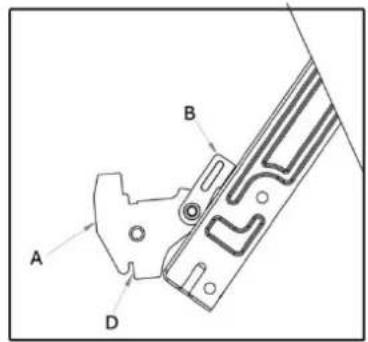
To make it easier to clean the inside of your oven, the oven door can be removed, by proceeding as follows (fig. 11):
- Open the door completely and lift the 2 levers “B” (fig.11-1);
- Now, shutting the door slightly, you can lift it out by pulling out the hooks “A” as shown in figure 2.
To reassemble the door:
- With the door in a vertical position, insert the two hooks “A” into the slots;
- Ensure that seat “D” is hooked perfectly onto the edge of the slot (move the oven door backwards and forward slightly);
- Keep the oven door open fully, unhook the 2 levers "B" downwards and then shut the door again.
text_image
A B D
natural_image
Simple line drawing of a ladder leaning against a vertical wall, with motion arrows indicating upward and downward motion (no text or symbols)Fig.11-1 Fig.11-2

This product must not be disposed together with the domestic waste. This product has to be disposed at an authorized place for recycling of electrical and electronic appliances.
By collecting and recycling waste, you help save natural resources, and make sure the product is disposed in an environmental friendly and healthy way.
Important: if you decide not to use the oven any more, it should be made inoperable by cutting the power supply cable, after unplugging it from the power supply. Disused appliances can be a safety risk as children often play with them. For this reason it is advisable to make the oven safe.
PROCEDURE IN CASE OF FAILURE OF AN INFINITON PRODUCT
Dear customers, to request technical assistance or repair of your Infiniton product, you have our website, operating 24 hours a day and 7 days a week:
text_image
QR code image containing encoded data, no visible human-readable text• Gama Blanca: rmablanca.infiniton.es
• Gama Marrón: rma.infiniton.es
Alternatively, if they wish, they can request technical assistance via email:
• Gama Blanca: rmablanca@infiniton.es
• Gama Marrón: rma@infiniton.es
To streamline all procedures, the following information should always be indicated:
- Name and surname
- Telephone 1
- Telephone 2
- Full address
- Postal Code
- Population
- Brand
- Product model
- Serial number
- Failure presented by the product
If they wish, they can request technical assistance through the number 902 676 518 or 958 087 169, available only for white range products (except for free-standing microwaves).
INFINITON
Instruction Manual
Electrical Oven
HORNO 40ECD6
HORNO 41ECB8
INSTRUÇÕES DO USUÁRIO
ADVERTÊNCIAS GERAIS
| Accessories according to models | ||
| Oven lower heating el. 1050Watt | Total grill heating el. 1400 Watt | synchronmotor 4 Watt |
| Circle heating el. 1600Watt | Shaded motor (top) 15Watt | Shaded motor (back) 25 Watt |
| Oven light 15Watt | ||
text_image
88.88 STOPtext_image
STOP 88.88hora de cozinhar
text_image
STOP 88.88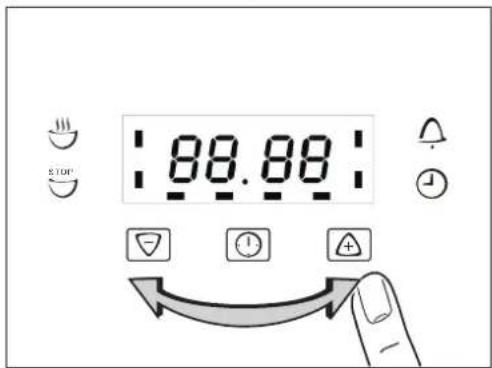
text_image
STOP 88.88
text_image
STOP 88.88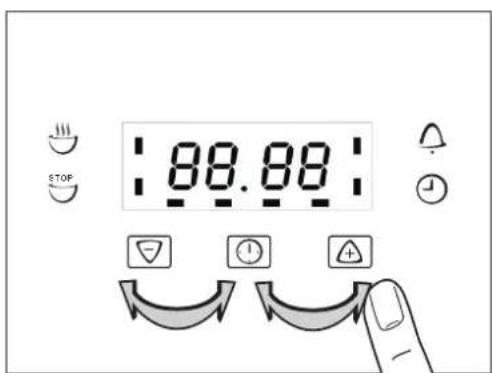
text_image
STOP 88.88Fim do tempo

text_image
88.88 STOP
text_image
STOP 88.88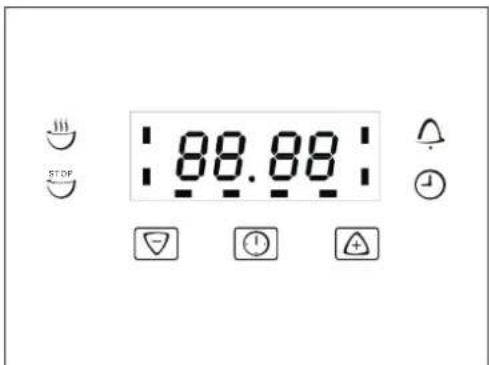
text_image
STOP :88.88: !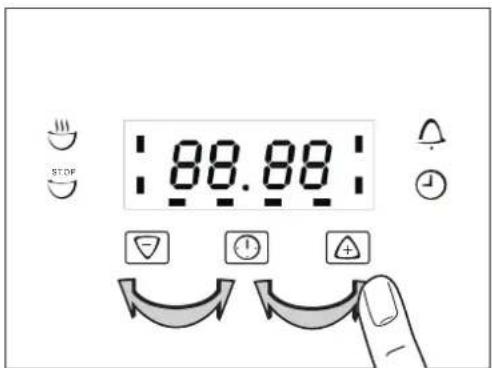
text_image
88.88 STOPtext_image
88.88 STOP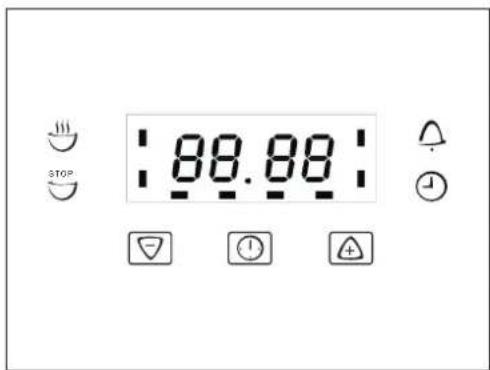
text_image
88.88 STOPIn the following table, some indicative hints for cooking:
natural_image
Simple line drawing of a ladder leaning against a vertical wall, with motion arrows indicating upward and downward motion (no text or symbols)Fig.11-1 Fig.11-2

text_image
QR code image containing encoded data, no visible human-readable text• Linha Branca: rmablanca.infiniton.es
• Linha Marrom: rma.infiniton.es