CVM-VS07C - Microphone Comica - Free user manual and instructions
Find the device manual for free CVM-VS07C Comica in PDF.


User questions about CVM-VS07C Comica
0 question about this device. Answer the ones you know or ask your own.
Ask a new question about this device
Download the instructions for your Microphone in PDF format for free! Find your manual CVM-VS07C - Comica and take your electronic device back in hand. On this page are published all the documents necessary for the use of your device. CVM-VS07C by Comica.
USER MANUAL CVM-VS07C Comica
natural_image
Close-up of a black handheld device with a textured lens and metallic connector (no visible text or symbols)CVM-VS07 (C)
Mini Flexible Plug-In Cardioid Microphone
(Universal for Camera, Phone, GoPro)
USER MANUAL
Foreword
Thanks for purchasing COMICA CVM-VS07(C) Mini Flexible Plug-in Cardioid Microphone.
To ensure bring you a good using experience, please read this manual book carefully before using and correctly install and operate.
Notice

For the smartphone with Android system, the Mic works well in Audio Mode, it may not be compatible with most of the smartphones in Default Video Mode; (Then we suggest you to try the 3rd party's video APP)
For the smartphone with iOS system(iPhone), the Mic works well either in Audio or Video mode;

When used with a smartphone, please set it to flight mode to avoid interference;

Do not use this equipment near heat source or interference source, such as radiator, oven, refrigerator, air conditioner or next to the WIFI AP;

Please use the windscreen while the sound distance is too closed or in outdoor to avoid sound broken or wind noise;

Do not use the equipment in rain or in a damp environment to avoid short-circuit danger;

Please keep the product in a dry environment;
Main Features
. Plug-In Cardioid Mic
. 90 Degree Adjustable Recording Direction Construction
. Metal Housing for Excellent Shielding
. Built-in Shock-mount and Gold Plated Capsule
. Mini、Light and Flexibly Universal for Camera, Phone, GoPro
Packing List
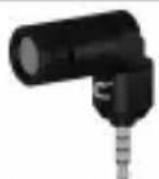
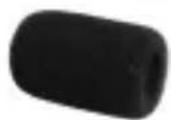
text_image
CVM-VS07(C) An Audio Ring, 2400x 1500 (100% of the total 1500x 1500x) USER MANUAL
Microphone Windscreen User Manual Warranty Card
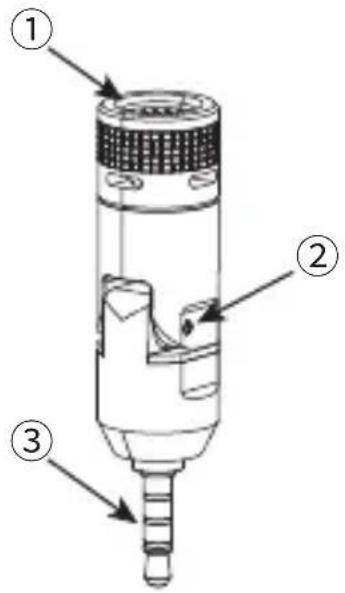
Components Instruction
① Capsule
② Rotary Axis
③ 3.5mm TRRS Plug
text_image
Technical diagram of a mechanical device with numbered parts labeled 1, 2, and 3.Product Installation and Use
1. Windscreen Installation

text_image
Diagram showing a cylindrical component being processed into a mechanical assembly, with an arrow indicating the process.First Step: Put on the Windscreen Second Step: Normal use
2. Work with GoPro
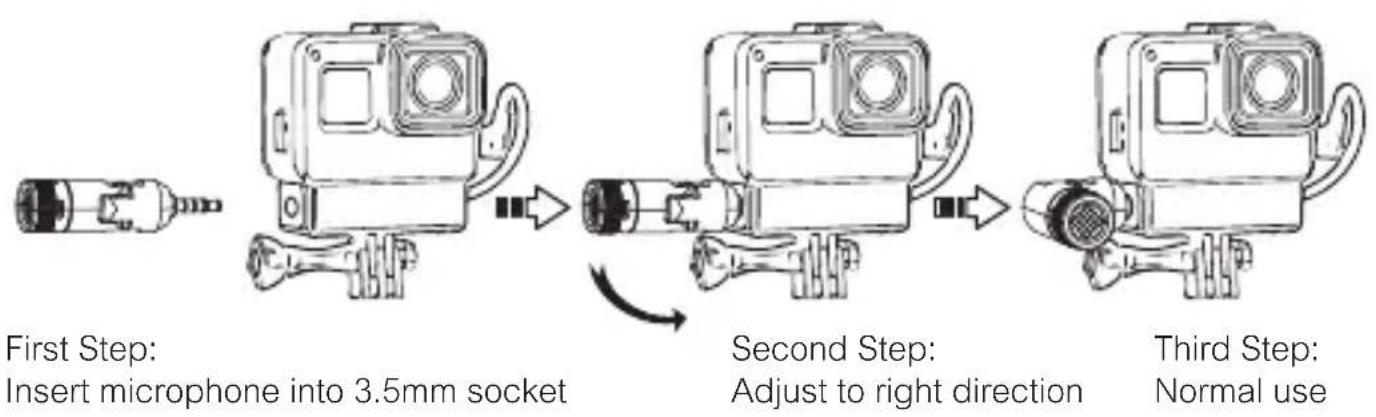
flowchart
graph LR
    A["Insert microphone"] --> B["Insert microphone into 3.5mm socket"]
    B --> C["Adjust to right direction"]
    C --> D["Second Step: Adjust to right direction"]
    D --> E["Normal Use"]
3. Work with Camera
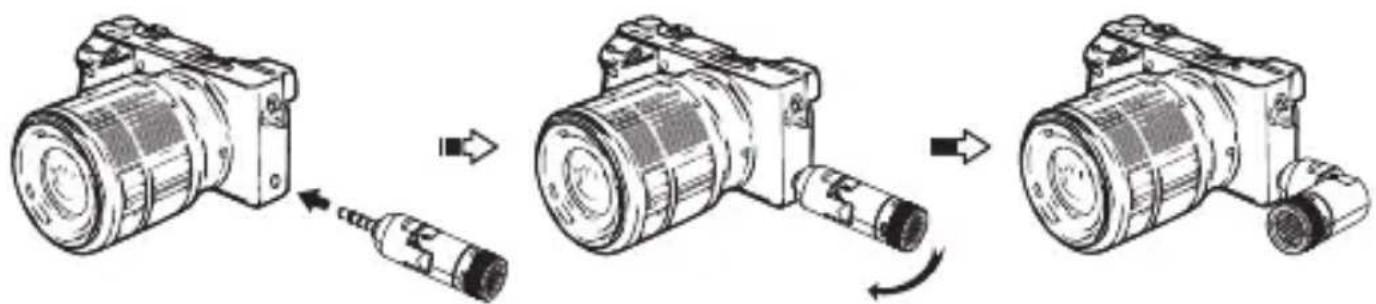
flowchart
graph LR
    A["Raw Component"] --> B["Assembly"]
    B --> C["Final Product"]
First Step:
Insert microphone into 3.5mm socket
Second Step:
Adjust to right direction

natural_image
Technical line drawing of a mechanical device with cylindrical and rectangular components (no text or symbols)Third Step:
Normal use
- Work with Phone
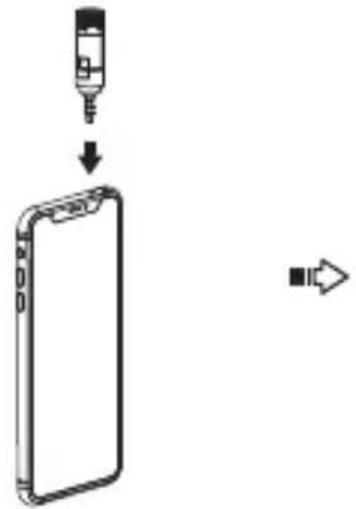
text_image
Diagram showing a device being inserted into a smartphone, with an arrow indicating the process.First Step:
Insert microphone into 3.5mm socket
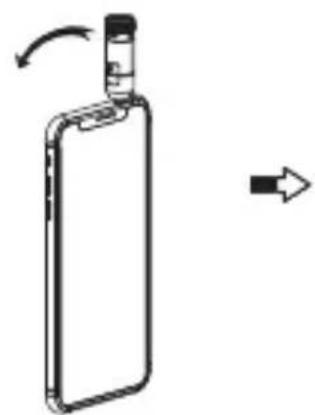
natural_image
Diagram of a smartphone with an attached clip and directional arrow indicating motion (no text or symbols)Second Step:
Adjust to right direction
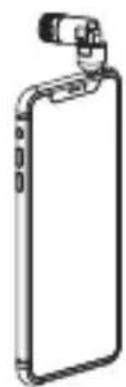
natural_image
Line drawing of a smartphone with a clip attached (no text or symbols)Third Step:
Normal use
Specification
- Frequency Response 2. Polar Pattern
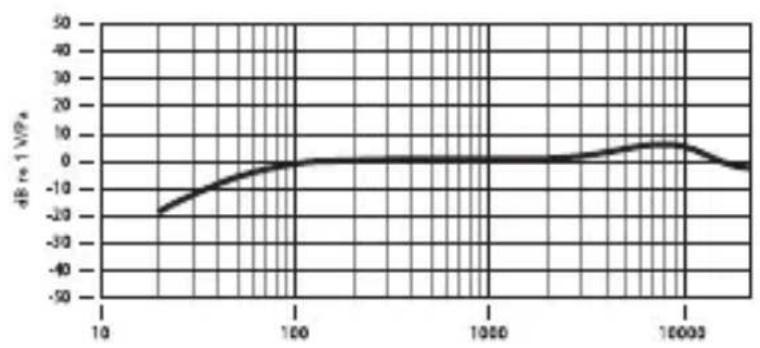
line
| x | dB to 1 V/Hz | | ------ | ------------ | | 10 | -25 | | 100 | 0 | | 1000 | 0 | | 10000 | 5 | | 100000 | -5 |
radar
| Angle | Frequency | |-------|---------| | 0° | 125 Hz | | 45° | 150 Hz | | 90° | 180 Hz | | 135° | 210 Hz | | 180° | 240 Hz | | 225° | 270 Hz | | 270° | 300 Hz | | 315° | 330 Hz | | 360° | 360 Hz |- Technology Parameters
| Polar Pattern | Cardioid |
| Sensitivity | -36±2dB |
| Frequency Response | 80Hz~20kHz |
| Signal to Noise Ratio | >60dB |
| Maximum SPL | >100dB |
| Output Socket | 3.5mm TRRS Plug |
| Maximum Rotate Degree | 90° |
| Working Temperature | 0°C~50°C |
| Storage Temperature | -20°C~60°C |
COMICA 科曦 PROFESSIONAL AUDIO EQUIPMENT

natural_image
Close-up of a black handheld device with a textured lens and metallic connector (no visible text or symbols)CVM-VS07 (C)
多功能迷你直插式心型指向麦克风
(适用于相机、手机、GoPro)
使用说明书
前言
text_image
Technical diagram of a mechanical device with numbered parts labeled 1, 2, and 3.安装方式
1. 防风棉安装方式

natural_image
Diagram showing a cylindrical component being processed into a mechanical assembly, with no visible text or symbols.第一步:
插入防风棉
第二步:
正常使用
2. 搭配GoPro安装方式
natural_image
Technical illustration of a mechanical component with a close-up view showing internal structure and directional arrow (no text or symbols)第一步:
插入3.5mm插口

natural_image
Technical illustration of a mechanical device with rotational arrow indicating motion (no text or symbols)第二步:
调整到合适的方向

natural_image
Line drawing of a mechanical device with cylindrical and rectangular components (no text or symbols)第三步:
正常使用
- 搭配手机安装方式

natural_image
Diagram showing a device being inserted into a smartphone (no text or symbols present)第一步:
插入3.5mm插口

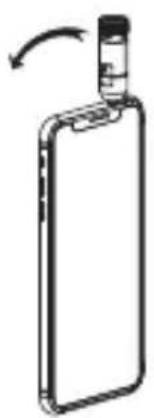
natural_image
Diagram of a smartphone with a scroll wheel and an arrow indicating rotation (no text or symbols)第二步:
调整到合适的方向

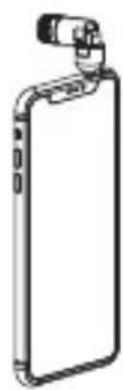
natural_image
Line drawing of a smartphone with a clip attached (no text or symbols)第三步:
正常使用
规格参数
- 频率响应 2. 指向性图

line
| Frequency (MPa) | dB in 10⁻¹ | | --------------- | ---------- | | 10 | -20 | | 100 | 0 | | 1000 | 0 | | 10000 | 5 |
radar
| Angle | Frequency | |-------|---------| | 0° | 1.0 | | 90° | 0.5 | | 180° | 0.0 | | 270° | -0.5 | | 360° | -1.0 |3. 性能参数
text_image
QR code image containing encoded data, no visible human-readable textwww.comica-audio.com
The COMICA LOGO is trademark which is registered and owned by Commlite Technology Co., Ltd Email: support@comica-audio.com